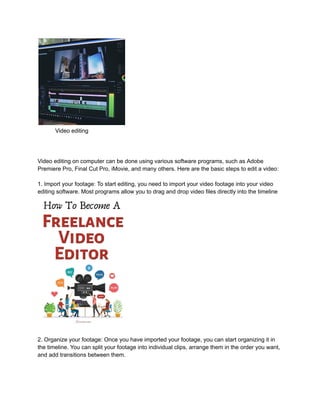
Video editing
Video editing on computer can be done using various software programs, such as Adobe
Premiere Pro, Final Cut Pro, iMovie, and many others. Here are the basic steps to edit a video:
1. Import your footage: To start editing, you need to import your video footage into your video
editing software. Most programs allow you to drag and drop video files directly into the timeline
2. Organize your footage: Once you have imported your footage, you can start organizing it in
the timeline. You can split your footage into individual clips, arrange them in the order you want,
and add transitions between them.
3. Cut and trim your footage: To remove unwanted parts of your footage, you can cut and trim it
in the timeline. Most programs allow you to do this by simply selecting the part of the clip you
want to remove and hitting the delete key.
4. Add effects and transitions: To add more visual interest to your video, you can add effects and
transitions. Effects can include color grading, filters, and other enhancements to your footage.
Transitions can be used to smoothly move between clips or to add a creative element to your
video.
5. Add audio: Adding audio to your video can help create a more engaging experience for your
viewers. You can add background music, sound effects, and even voiceovers to your video.
6. Export your video: Once you have finished editing your video, you can export it in the format
you want. Most programs offer a variety of options for exporting, including different video
formats and resolutions.
Remember that video editing can take time and practice to master, but the more you work with
your editing software, the more comfortable you will become with the process.
Learn more
https://adityamakemoneyonline.blogspot.com/2023/05/Video%20.html?m=1

Video editing

  • 1.
    Video editing Video editingon computer can be done using various software programs, such as Adobe Premiere Pro, Final Cut Pro, iMovie, and many others. Here are the basic steps to edit a video: 1. Import your footage: To start editing, you need to import your video footage into your video editing software. Most programs allow you to drag and drop video files directly into the timeline 2. Organize your footage: Once you have imported your footage, you can start organizing it in the timeline. You can split your footage into individual clips, arrange them in the order you want, and add transitions between them.
  • 2.
    3. Cut andtrim your footage: To remove unwanted parts of your footage, you can cut and trim it in the timeline. Most programs allow you to do this by simply selecting the part of the clip you want to remove and hitting the delete key. 4. Add effects and transitions: To add more visual interest to your video, you can add effects and transitions. Effects can include color grading, filters, and other enhancements to your footage. Transitions can be used to smoothly move between clips or to add a creative element to your video. 5. Add audio: Adding audio to your video can help create a more engaging experience for your viewers. You can add background music, sound effects, and even voiceovers to your video. 6. Export your video: Once you have finished editing your video, you can export it in the format you want. Most programs offer a variety of options for exporting, including different video formats and resolutions. Remember that video editing can take time and practice to master, but the more you work with your editing software, the more comfortable you will become with the process. Learn more https://adityamakemoneyonline.blogspot.com/2023/05/Video%20.html?m=1