Noah Crowley / Developer Advocate
2.0 Client Libraries &
Using the Java Client
© 2018 InfluxData. All rights reserved.
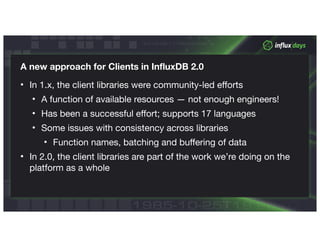
A new approach for Clients in InfluxDB 2.0
• In 1.x, the client libraries were community-led efforts

• A function of available resources — not enough engineers!

• Has been a successful effort; supports 17 languages

• Some issues with consistency across libraries

• Function names, batching and buffering of data

• In 2.0, the client libraries are part of the work we’re doing on the
platform as a whole
© 2018 InfluxData. All rights reserved.
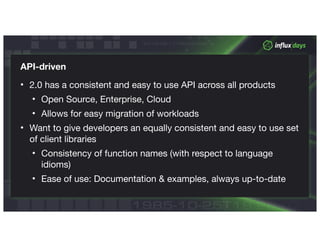
API-driven
• 2.0 has a consistent and easy to use API across all products

• Open Source, Enterprise, Cloud

• Allows for easy migration of workloads

• Want to give developers an equally consistent and easy to use set
of client libraries

• Consistency of function names (with respect to language
idioms)

• Ease of use: Documentation & examples, always up-to-date
InfluxDB 2.0 API &
Swagger
© 2018 InfluxData. All rights reserved.
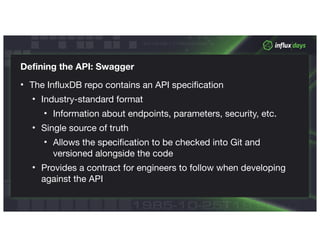
Defining the API: Swagger
• The InfluxDB repo contains an API specification

• Industry-standard format

• Information about endpoints, parameters, security, etc.

• Single source of truth

• Allows the specification to be checked into Git and
versioned alongside the code

• Provides a contract for engineers to follow when developing
against the API
© 2018 InfluxData. All rights reserved.
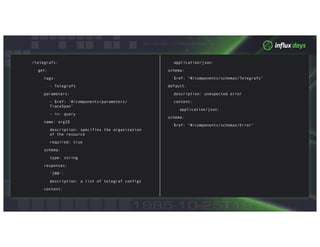
/telegrafs:
get:
tags:
- Telegrafs
parameters:
- $ref: '#/components/parameters/
TraceSpan'
- in: query
name: orgID
description: specifies the organization
of the resource
required: true
schema:
type: string
responses:
'200':
description: a list of telegraf configs
content:
application/json:
schema:
$ref: "#/components/schemas/Telegrafs"
default:
description: unexpected error
content:
application/json:
schema:
$ref: “#/components/schemas/Error"
© 2018 InfluxData. All rights reserved.
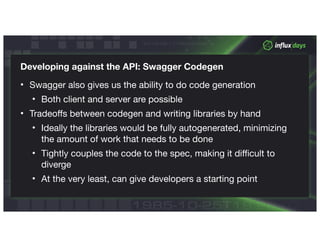
Developing against the API: Swagger Codegen
• Swagger also gives us the ability to do code generation

• Both client and server are possible

• Tradeoffs between codegen and writing libraries by hand

• Ideally the libraries would be fully autogenerated, minimizing
the amount of work that needs to be done

• Tightly couples the code to the spec, making it difficult to
diverge 

• At the very least, can give developers a starting point
© 2018 InfluxData. All rights reserved.
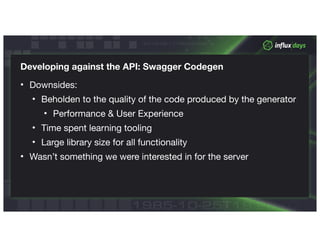
Developing against the API: Swagger Codegen
• Downsides:

• Beholden to the quality of the code produced by the generator

• Performance & User Experience

• Time spent learning tooling

• Large library size for all functionality

• Wasn’t something we were interested in for the server
© 2018 InfluxData. All rights reserved.
Developing against the API: Swagger Codegen
• Codegen for the client libraries:

• For some languages, this is a viable option

• For others, the generated code is better used as a starting
point
© 2018 InfluxData. All rights reserved.
Consistent Guidelines for API Libraries
• As we work through the Alpha and move into the Beta, we’re
continuing to refine our guidelines for writing API libraries

• Care about the user experience: function names, etc.

• Factors outside of the Swagger definition:

• How we batch and write points, and deal with backpressure

• Consistency guarantees for read & write

• Dealing with large/streaming queries
API Features
© 2018 InfluxData. All rights reserved.
What does the API give us?
• Two types of endpoints in the API

• Traditional CRUD endpoints for managing resources

• Everything in 2.0 can be managed through the API

• Dashboards, Telegraf configs, users & permissions, etc.

• Two GRPC endpoints for write and query

• Allows us to interact with InfluxDB 2.0 in a purely programmatic
fashion, if we want
© 2018 InfluxData. All rights reserved.
Building against the API
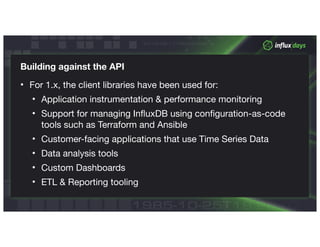
• For 1.x, the client libraries have been used for:

• Application instrumentation & performance monitoring

• Support for managing InfluxDB using configuration-as-code
tools such as Terraform and Ansible

• Customer-facing applications that use Time Series Data

• Data analysis tools

• Custom Dashboards

• ETL & Reporting tooling
© 2018 InfluxData. All rights reserved.
Building against the API
• Expect to see similar efforts with 2.0

• Building libraries in-house allows the community to focus on
building on top of Influx
© 2018 InfluxData. All rights reserved.
Building against the API - New Abstractions
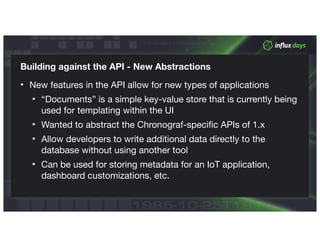
• New features in the API allow for new types of applications

• “Documents” is a simple key-value store that is currently being
used for templating within the UI

• Wanted to abstract the Chronograf-specific APIs of 1.x

• Allow developers to write additional data directly to the
database without using another tool

• Can be used for storing metadata for an IoT application,
dashboard customizations, etc.
Work in Progress
© 2018 InfluxData. All rights reserved.
Critical Path Libraries
• Used by our team to build 2.0

• Go: CLI, Telegraf

• JavaScript: UI

• Being built by the core engineering org, developed as we go

• Changing as the API and requirements evolve

• Starting most libraries with Write & Query APIs

• Get people up and running with applications
© 2018 InfluxData. All rights reserved.
JavaScript/TypeScript
• github.com/influxdata/influxdb-client-js

• Team decided to make use of autogenerated code

• Since TS is first, which generator?

• Swagger Codegen

• Official, being re-written for OAS 3.0

• Openapi-codegen

• Fork of the OAS 2.0 codegen, support for more
languages, built by Swagger Codegen developers
© 2018 InfluxData. All rights reserved.
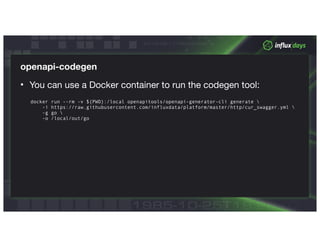
openapi-codegen
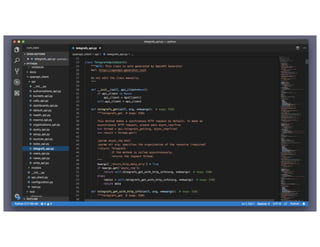
• You can use a Docker container to run the codegen tool:
docker run --rm -v ${PWD}:/local openapitools/openapi-generator-cli generate 
-i https://raw.githubusercontent.com/influxdata/platform/master/http/cur_swagger.yml 
-g go 
-o /local/out/go
© 2018 InfluxData. All rights reserved.
Golang
• github.com/influxdata/influxdb-client-go

• Most of the API uses generated code

• Key functions, Write & Query are not generated

• Can be imported separately in order to minimize the size of the
client
JVM Libraries
& the Java Client
© 2018 InfluxData. All rights reserved.
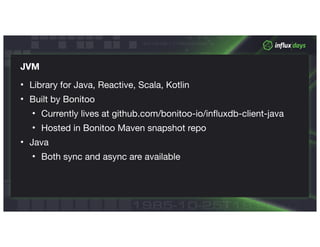
JVM
• Library for Java, Reactive, Scala, Kotlin

• Built by Bonitoo

• Currently lives at github.com/bonitoo-io/influxdb-client-java

• Hosted in Bonitoo Maven snapshot repo

• Java

• Both sync and async are available
© 2018 InfluxData. All rights reserved.
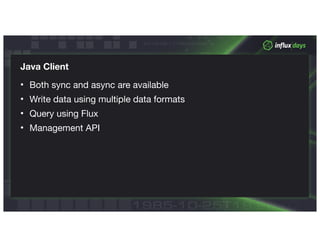
Java Client
• Both sync and async are available

• Write data using multiple data formats

• Query using Flux

• Management API
© 2018 InfluxData. All rights reserved.
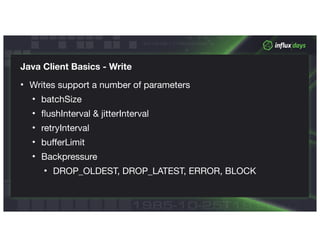
Java Client Basics - Write
• Writes support a number of parameters

• batchSize

• flushInterval & jitterInterval

• retryInterval

• bufferLimit

• Backpressure

• DROP_OLDEST, DROP_LATEST, ERROR, BLOCK
© 2018 InfluxData. All rights reserved.
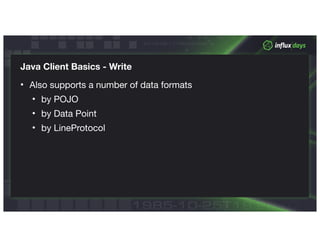
Java Client Basics - Write
• Also supports a number of data formats

• by POJO

• by Data Point

• by LineProtocol
© 2018 InfluxData. All rights reserved.
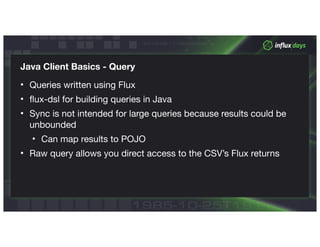
Java Client Basics - Query
• Queries written using Flux

• flux-dsl for building queries in Java

• Sync is not intended for large queries because results could be
unbounded

• Can map results to POJO

• Raw query allows you direct access to the CSV’s Flux returns
© 2018 InfluxData. All rights reserved.
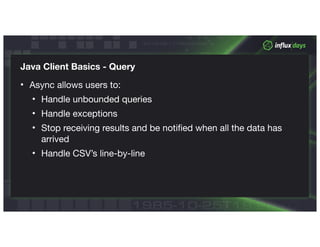
Java Client Basics - Query
• Async allows users to:

• Handle unbounded queries

• Handle exceptions

• Stop receiving results and be notified when all the data has
arrived

• Handle CSV’s line-by-line
© 2018 InfluxData. All rights reserved.
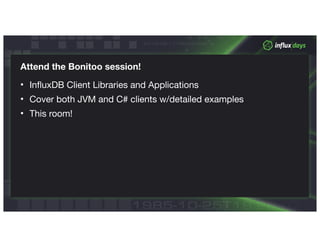
Attend the Bonitoo session!
• InfluxDB Client Libraries and Applications

• Cover both JVM and C# clients w/detailed examples

• This room!
Thank You!Thank You!

Using the Java Client Library by Noah Crowley, DevRel | InfluxData

  • 1.
    Noah Crowley /Developer Advocate 2.0 Client Libraries & Using the Java Client
  • 2.
    © 2018 InfluxData.All rights reserved. A new approach for Clients in InfluxDB 2.0 • In 1.x, the client libraries were community-led efforts • A function of available resources — not enough engineers! • Has been a successful effort; supports 17 languages • Some issues with consistency across libraries • Function names, batching and buffering of data • In 2.0, the client libraries are part of the work we’re doing on the platform as a whole
  • 3.
    © 2018 InfluxData.All rights reserved. API-driven • 2.0 has a consistent and easy to use API across all products • Open Source, Enterprise, Cloud • Allows for easy migration of workloads • Want to give developers an equally consistent and easy to use set of client libraries • Consistency of function names (with respect to language idioms) • Ease of use: Documentation & examples, always up-to-date
  • 4.
  • 5.
    © 2018 InfluxData.All rights reserved. Defining the API: Swagger • The InfluxDB repo contains an API specification • Industry-standard format • Information about endpoints, parameters, security, etc. • Single source of truth • Allows the specification to be checked into Git and versioned alongside the code • Provides a contract for engineers to follow when developing against the API
  • 6.
    © 2018 InfluxData.All rights reserved. /telegrafs: get: tags: - Telegrafs parameters: - $ref: '#/components/parameters/ TraceSpan' - in: query name: orgID description: specifies the organization of the resource required: true schema: type: string responses: '200': description: a list of telegraf configs content: application/json: schema: $ref: "#/components/schemas/Telegrafs" default: description: unexpected error content: application/json: schema: $ref: “#/components/schemas/Error"
  • 7.
    © 2018 InfluxData.All rights reserved. Developing against the API: Swagger Codegen • Swagger also gives us the ability to do code generation • Both client and server are possible • Tradeoffs between codegen and writing libraries by hand • Ideally the libraries would be fully autogenerated, minimizing the amount of work that needs to be done • Tightly couples the code to the spec, making it difficult to diverge • At the very least, can give developers a starting point
  • 8.
    © 2018 InfluxData.All rights reserved. Developing against the API: Swagger Codegen • Downsides: • Beholden to the quality of the code produced by the generator • Performance & User Experience • Time spent learning tooling • Large library size for all functionality • Wasn’t something we were interested in for the server
  • 9.
    © 2018 InfluxData.All rights reserved. Developing against the API: Swagger Codegen • Codegen for the client libraries: • For some languages, this is a viable option • For others, the generated code is better used as a starting point
  • 10.
    © 2018 InfluxData.All rights reserved. Consistent Guidelines for API Libraries • As we work through the Alpha and move into the Beta, we’re continuing to refine our guidelines for writing API libraries • Care about the user experience: function names, etc. • Factors outside of the Swagger definition: • How we batch and write points, and deal with backpressure • Consistency guarantees for read & write • Dealing with large/streaming queries
  • 11.
  • 12.
    © 2018 InfluxData.All rights reserved. What does the API give us? • Two types of endpoints in the API • Traditional CRUD endpoints for managing resources • Everything in 2.0 can be managed through the API • Dashboards, Telegraf configs, users & permissions, etc. • Two GRPC endpoints for write and query • Allows us to interact with InfluxDB 2.0 in a purely programmatic fashion, if we want
  • 13.
    © 2018 InfluxData.All rights reserved. Building against the API • For 1.x, the client libraries have been used for: • Application instrumentation & performance monitoring • Support for managing InfluxDB using configuration-as-code tools such as Terraform and Ansible • Customer-facing applications that use Time Series Data • Data analysis tools • Custom Dashboards • ETL & Reporting tooling
  • 14.
    © 2018 InfluxData.All rights reserved. Building against the API • Expect to see similar efforts with 2.0 • Building libraries in-house allows the community to focus on building on top of Influx
  • 15.
    © 2018 InfluxData.All rights reserved. Building against the API - New Abstractions • New features in the API allow for new types of applications • “Documents” is a simple key-value store that is currently being used for templating within the UI • Wanted to abstract the Chronograf-specific APIs of 1.x • Allow developers to write additional data directly to the database without using another tool • Can be used for storing metadata for an IoT application, dashboard customizations, etc.
  • 16.
  • 17.
    © 2018 InfluxData.All rights reserved. Critical Path Libraries • Used by our team to build 2.0 • Go: CLI, Telegraf • JavaScript: UI • Being built by the core engineering org, developed as we go • Changing as the API and requirements evolve • Starting most libraries with Write & Query APIs • Get people up and running with applications
  • 18.
    © 2018 InfluxData.All rights reserved. JavaScript/TypeScript • github.com/influxdata/influxdb-client-js • Team decided to make use of autogenerated code • Since TS is first, which generator? • Swagger Codegen • Official, being re-written for OAS 3.0 • Openapi-codegen • Fork of the OAS 2.0 codegen, support for more languages, built by Swagger Codegen developers
  • 19.
    © 2018 InfluxData.All rights reserved. openapi-codegen • You can use a Docker container to run the codegen tool: docker run --rm -v ${PWD}:/local openapitools/openapi-generator-cli generate -i https://raw.githubusercontent.com/influxdata/platform/master/http/cur_swagger.yml -g go -o /local/out/go
  • 22.
    © 2018 InfluxData.All rights reserved. Golang • github.com/influxdata/influxdb-client-go • Most of the API uses generated code • Key functions, Write & Query are not generated • Can be imported separately in order to minimize the size of the client
  • 23.
  • 24.
    © 2018 InfluxData.All rights reserved. JVM • Library for Java, Reactive, Scala, Kotlin • Built by Bonitoo • Currently lives at github.com/bonitoo-io/influxdb-client-java • Hosted in Bonitoo Maven snapshot repo • Java • Both sync and async are available
  • 25.
    © 2018 InfluxData.All rights reserved. Java Client • Both sync and async are available • Write data using multiple data formats • Query using Flux • Management API
  • 26.
    © 2018 InfluxData.All rights reserved. Java Client Basics - Write • Writes support a number of parameters • batchSize • flushInterval & jitterInterval • retryInterval • bufferLimit • Backpressure • DROP_OLDEST, DROP_LATEST, ERROR, BLOCK
  • 27.
    © 2018 InfluxData.All rights reserved. Java Client Basics - Write • Also supports a number of data formats • by POJO • by Data Point • by LineProtocol
  • 28.
    © 2018 InfluxData.All rights reserved. Java Client Basics - Query • Queries written using Flux • flux-dsl for building queries in Java • Sync is not intended for large queries because results could be unbounded • Can map results to POJO • Raw query allows you direct access to the CSV’s Flux returns
  • 29.
    © 2018 InfluxData.All rights reserved. Java Client Basics - Query • Async allows users to: • Handle unbounded queries • Handle exceptions • Stop receiving results and be notified when all the data has arrived • Handle CSV’s line-by-line
  • 30.
    © 2018 InfluxData.All rights reserved. Attend the Bonitoo session! • InfluxDB Client Libraries and Applications • Cover both JVM and C# clients w/detailed examples • This room!
  • 31.