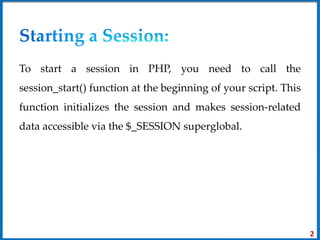
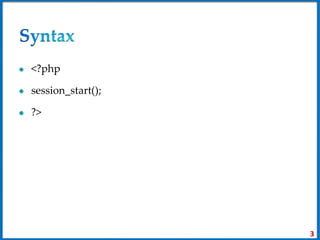
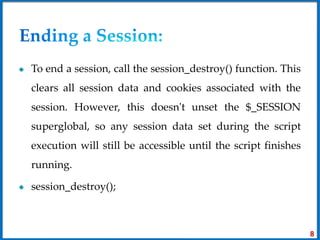
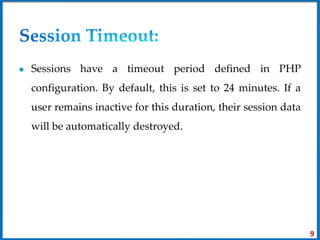
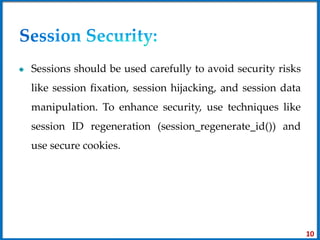
To start a PHP session, the session_start() function must be called. This makes the $_SESSION superglobal array available to store and retrieve session data across page requests. Data is stored in $_SESSION like an associative array and persists until the session ends or is destroyed. The session_destroy() function clears the session data. Sessions can enhance security when used with techniques like regenerating session IDs.
![To store data in the $_SESSION array to make it
accessible across multiple requests. This data persists
until the session is destroyed or the user logs out.
$_SESSION['username'] = 'john_doe';
$_SESSION['cart'] = ['item1', 'item2', 'item3'];
4](https://image.slidesharecdn.com/unit3-sessions-240306095042-19442335/85/Unit-3-for-php-application-Sessions-pptx-4-320.jpg)
![To retrieve data from a session, you can simply access
the $_SESSION array.
$username = $_SESSION['username'];
$cartItems = $_SESSION['cart'];
5](https://image.slidesharecdn.com/unit3-sessions-240306095042-19442335/85/Unit-3-for-php-application-Sessions-pptx-5-320.jpg)
![To modify session data just like any other PHP array.
$_SESSION['cart'][] = 'item4'; // Add an item to the cart
$_SESSION['username'] = 'jane_doe'; // Update the
username
6](https://image.slidesharecdn.com/unit3-sessions-240306095042-19442335/85/Unit-3-for-php-application-Sessions-pptx-6-320.jpg)
![To remove a specific item from the session, you can use
the unset() function.
unset($_SESSION['cart'][1]); // Remove the second item
from the cart
7](https://image.slidesharecdn.com/unit3-sessions-240306095042-19442335/85/Unit-3-for-php-application-Sessions-pptx-7-320.jpg)
![// During login
if ($validCredentials) {
$_SESSION['user_id'] = $userId;
}
// On protected pages
session_start();
if (!isset($_SESSION['user_id'])) {
// Redirect to login page
}
11](https://image.slidesharecdn.com/unit3-sessions-240306095042-19442335/85/Unit-3-for-php-application-Sessions-pptx-11-320.jpg)
![<?php
session_start();
if ($_SERVER['REQUEST_METHOD'] === 'POST') {
$_SESSION['user_input'] = $_POST['input_data'];
header('Location: display.php');
exit();
}
?>
<form method="post" action="">
<input type="text" name="input_data" placeholder="Enter data">
<button type="submit">Submit</button>
</form>
12](https://image.slidesharecdn.com/unit3-sessions-240306095042-19442335/85/Unit-3-for-php-application-Sessions-pptx-12-320.jpg)
![<?php
session_start();
if (isset($_SESSION['user_input'])) {
echo "User input: " . $_SESSION['user_input'];
} else {
echo "No user input found.";
}
?>
13](https://image.slidesharecdn.com/unit3-sessions-240306095042-19442335/85/Unit-3-for-php-application-Sessions-pptx-13-320.jpg)
![<?php
session_start();
$products = [
['id' => 1, 'name' => 'Product A', 'price' => 10.99],
['id' => 2, 'name' => 'Product B', 'price' => 15.99],
['id' => 3, 'name' => 'Product C', 'price' => 7.49],
];
if (isset($_POST['add_to_cart'])) {
$productId = $_POST['product_id'];
if (!isset($_SESSION['cart'])) {
$_SESSION['cart'] = [];
}
$_SESSION['cart'][] = $productId;
}
?>
14](https://image.slidesharecdn.com/unit3-sessions-240306095042-19442335/85/Unit-3-for-php-application-Sessions-pptx-14-320.jpg)
![<!DOCTYPE html>
<html>
<head>
<title>Simple Shopping Cart Example</title>
</head>
<body>
<h1>Products</h1>
<ul>
<?php foreach ($products as $product): ?>
<li>
<?php echo $product['name']; ?> - $<?php echo $product['price']; ?>
<form method="post">
<input type="hidden" name="product_id" value="<?php echo $product['id']; ?>">
<input type="submit" name="add_to_cart" value="Add to Cart">
</form>
</li>
<?php endforeach; ?>
</ul>
<h2><a href="cart.php">View Cart</a></h2>
</body>
</html>
15](https://image.slidesharecdn.com/unit3-sessions-240306095042-19442335/85/Unit-3-for-php-application-Sessions-pptx-15-320.jpg)
![<?php
session_start();
$products = [
['id' => 1, 'name' => 'Product A', 'price' => 10.99],
['id' => 2, 'name' => 'Product B', 'price' => 15.99],
['id' => 3, 'name' => 'Product C', 'price' => 7.49],
];
function getProductById($id) {
global $products;
foreach ($products as $product) {
if ($product['id'] == $id) {
return $product;
}
}
return null;
}
$cartItems = isset($_SESSION['cart']) ? $_SESSION['cart'] : [];
$totalPrice = 0;
?>
16](https://image.slidesharecdn.com/unit3-sessions-240306095042-19442335/85/Unit-3-for-php-application-Sessions-pptx-16-320.jpg)
![<html>
<head>
<title>Shopping Cart</title>
</head>
<body>
<h1>Shopping Cart</h1>
<table>
<tr>
<th>Product</th>
<th>Price</th>
</tr>
<?php foreach ($cartItems as $itemId): ?>
<?php $product = getProductById($itemId); ?>
<?php if ($product): ?>
<tr>
<td><?php echo $product['name']; ?></td>
<td>$<?php echo $product['price']; ?></td>
</tr>
<?php $totalPrice += $product['price']; ?>
<?php endif; ?>
<?php endforeach; ?>
<tr>
<th>Total</th>
<th>$<?php echo $totalPrice; ?></th>
</tr>
</table>
</body>
</html>
17](https://image.slidesharecdn.com/unit3-sessions-240306095042-19442335/85/Unit-3-for-php-application-Sessions-pptx-17-320.jpg)