Unit 2: LoopStatements in
Java
for,
while,
do-while
2.
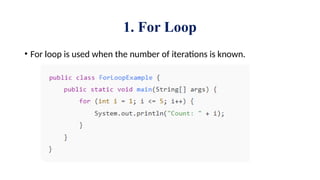
1. For Loop
•For loop is used when the number of iterations is known.
4.
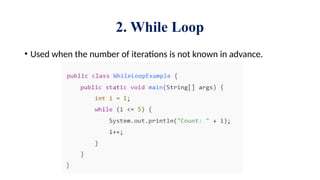
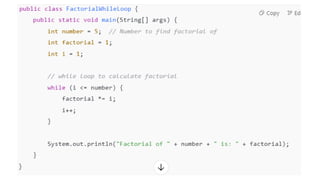
2. While Loop
•Used when the number of iterations is not known in advance.
7.
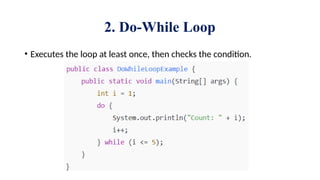
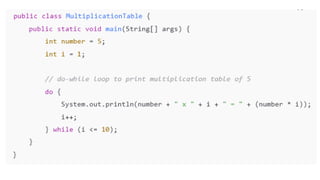
2. Do-While Loop
•Executes the loop at least once, then checks the condition.
9.
Jump statements inJava
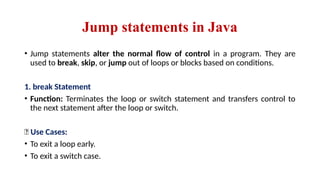
• Jump statements alter the normal flow of control in a program. They are
used to break, skip, or jump out of loops or blocks based on conditions.
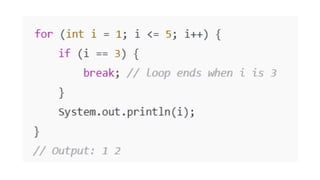
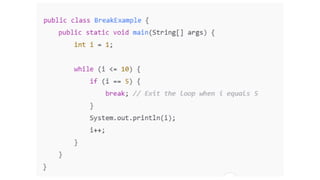
1. break Statement
• Function: Terminates the loop or switch statement and transfers control to
the next statement after the loop or switch.
📌 Use Cases:
• To exit a loop early.
• To exit a switch case.
13.
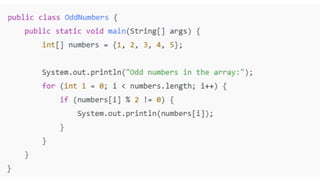
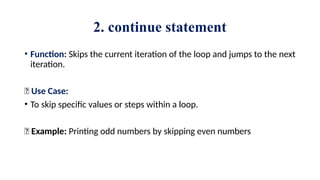
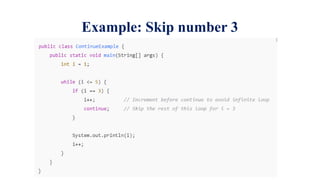
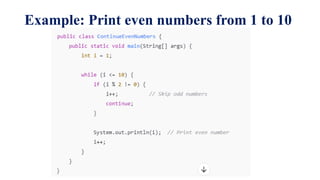
2. continue statement
•Function: Skips the current iteration of the loop and jumps to the next
iteration.
📌 Use Case:
• To skip specific values or steps within a loop.
🔹 Example: Printing odd numbers by skipping even numbers
Arrays in Java
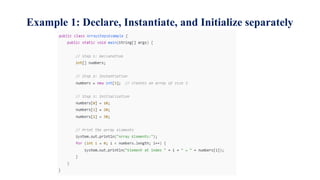
1.Declaration of Arrays
• Declaring an array means telling Java about the type and structure.
• int[] numbers; // Preferred style
• String names[]; // Also valid
2. Instantiation of Arrays
• Instantiating means creating memory using the new keyword.
• numbers = new int[5]; // Creates an array to store 5 integers
18.
3. Initialization ofArrays
• Initialization means assigning values to array elements.
Example:
numbers = new int[5];
numbers[0] = 10;
numbers[1] = 20;
numbers[2] = 30;
numbers[3] = 40;
numbers[4] = 50;
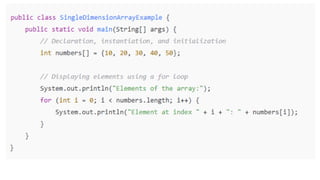
int[] number = {10, 20, 30, 40, 50};
19.
2. Types ofArrays in Java
(a) Single-Dimensional Array
• It stores a list of elements in a single row:
String[] fruits = {"Apple", "Banana", "Mango"};
for (int i = 0; i < fruits.length; i++) {
System.out.println(fruits[i]);
}
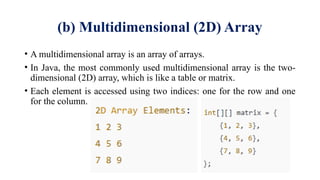
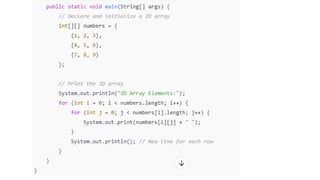
(b) Multidimensional (2D)Array
• A multidimensional array is an array of arrays.
• In Java, the most commonly used multidimensional array is the two-
dimensional (2D) array, which is like a table or matrix.
• Each element is accessed using two indices: one for the row and one
for the column.



![Arrays in Java
1. Declaration of Arrays
• Declaring an array means telling Java about the type and structure.
• int[] numbers; // Preferred style
• String names[]; // Also valid
2. Instantiation of Arrays
• Instantiating means creating memory using the new keyword.
• numbers = new int[5]; // Creates an array to store 5 integers](https://image.slidesharecdn.com/unit2javabasics-250902053940-7ddab2e9/85/Unit-2-Introduction-to-Java-Basics-pptx-17-320.jpg)
![3. Initialization of Arrays
• Initialization means assigning values to array elements.
Example:
numbers = new int[5];
numbers[0] = 10;
numbers[1] = 20;
numbers[2] = 30;
numbers[3] = 40;
numbers[4] = 50;
int[] number = {10, 20, 30, 40, 50};](https://image.slidesharecdn.com/unit2javabasics-250902053940-7ddab2e9/85/Unit-2-Introduction-to-Java-Basics-pptx-18-320.jpg)
![2. Types of Arrays in Java
(a) Single-Dimensional Array
• It stores a list of elements in a single row:
String[] fruits = {"Apple", "Banana", "Mango"};
for (int i = 0; i < fruits.length; i++) {
System.out.println(fruits[i]);
}](https://image.slidesharecdn.com/unit2javabasics-250902053940-7ddab2e9/85/Unit-2-Introduction-to-Java-Basics-pptx-19-320.jpg)