CSE459
CYBER LAW AND SECURITY
AUDITING
Unit 1
Introduction to
Cybercrime
Cybercrime
Cybercrime refers to illegal actions using computers or the internet. Some
examples of cybercrime include:
• Stealing and selling corporate data
• Demanding payment to prevent an attack
• Installing viruses on a targeted computer
• Hacking into government or corporate computers
Cybercrime
• Any offenses committed against individuals or groups of individuals to harm
the reputation or cause physical or mental trauma through electronic means
can be defined as Cybercrime.
• Electronic means can include but are not limited to, the use of modern
telecommunication networks such as the Internet (networks including chat
rooms, emails, notice boards and groups) and mobile phones
(Bluetooth/SMS/MMS).
In which type of cybercrime does an
attacker gain unauthorized access to
personal or corporate networks to
steal sensitive information?
A) Identity Theft
B) Hacking
C) Phishing
D) Cyberstalking
Origins of Cybercrime
The telegraph system
• In 1834, two thieves infiltrated the French telegraph system, gained access to financial
markets, and stole data. Many experts consider this event the first cybercrime,
followed by other cybercrimes, each focusing on newly invented technologies.
The telephone system
• The 19th and 20th centuries saw attacks focused on the telephone system. In 1876,
Alexander Graham Bell patented the phone, which allowed transmitting speech using
telegraphy. Two years after the commercialization of this invention, teenage boys
broke into Bell’s telephone company and misdirected calls. In later years (1960s-
1980s), phone hacking (phreaking) became popular.
Origins of Cybercrime
Ethical hacking
In 1940, Rene Carmille, a French computer expert, hacked into the Nazi data registry.
Carmille, a punch card computer expert, used his expertise to reprogram Nazi punch card
machines to prevent them from registering information correctly. His work blocked the Nazis’
attempts to register and track Jewish people.
Phishing scams and malware
In the 1980s, emails became a popular communication form, and by the 1990s, web browsers
and computer viruses rose in popularity. In these years, hackers started using email attachments
to deliver malware and phishing scams and web browsers to spread computer viruses.
Origins of
Cybercrime
1962
The modern history of cybercrime began when Allen
Scherr launched a cyber attack against the MIT
computer networks, stealing passwords from their
database via punch card.
1971
The first computer virus was created for research
purposes by Bob Thomas at BBN technologies.
Referred to as the Creeper Virus, the self-replicating
program was detected on the ARPANET in 1971 and
foretold the potential of future viruses to cause
significant damage to computer systems.
Origins of
Cybercrime
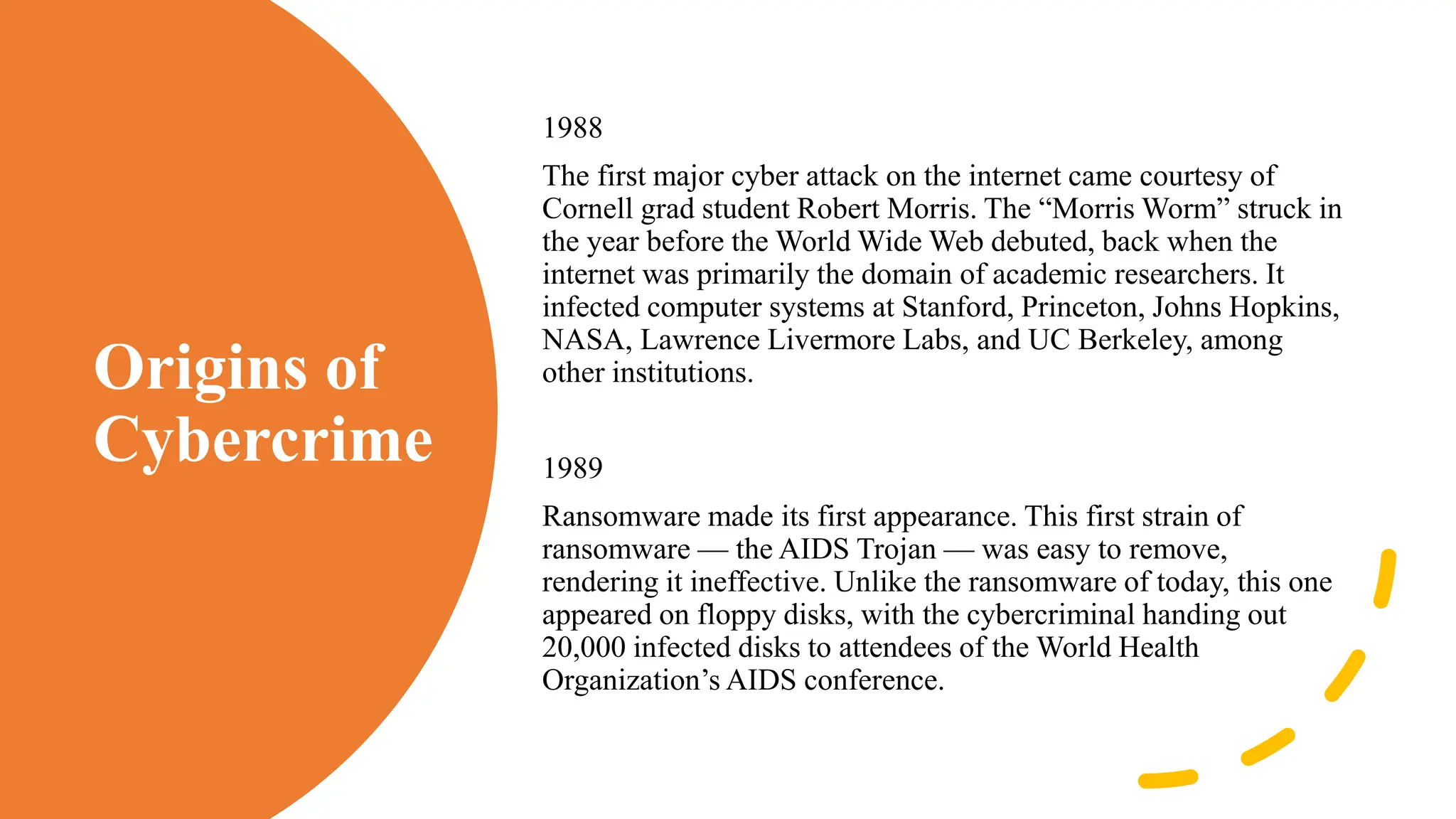
1988
The first major cyber attack on the internet came courtesy of
Cornell grad student Robert Morris. The “Morris Worm” struck in
the year before the World Wide Web debuted, back when the
internet was primarily the domain of academic researchers. It
infected computer systems at Stanford, Princeton, Johns Hopkins,
NASA, Lawrence Livermore Labs, and UC Berkeley, among
other institutions.
1989
Ransomware made its first appearance. This first strain of
ransomware — the AIDS Trojan — was easy to remove,
rendering it ineffective. Unlike the ransomware of today, this one
appeared on floppy disks, with the cybercriminal handing out
20,000 infected disks to attendees of the World Health
Organization’s AIDS conference.
Origins of
Cybercrime
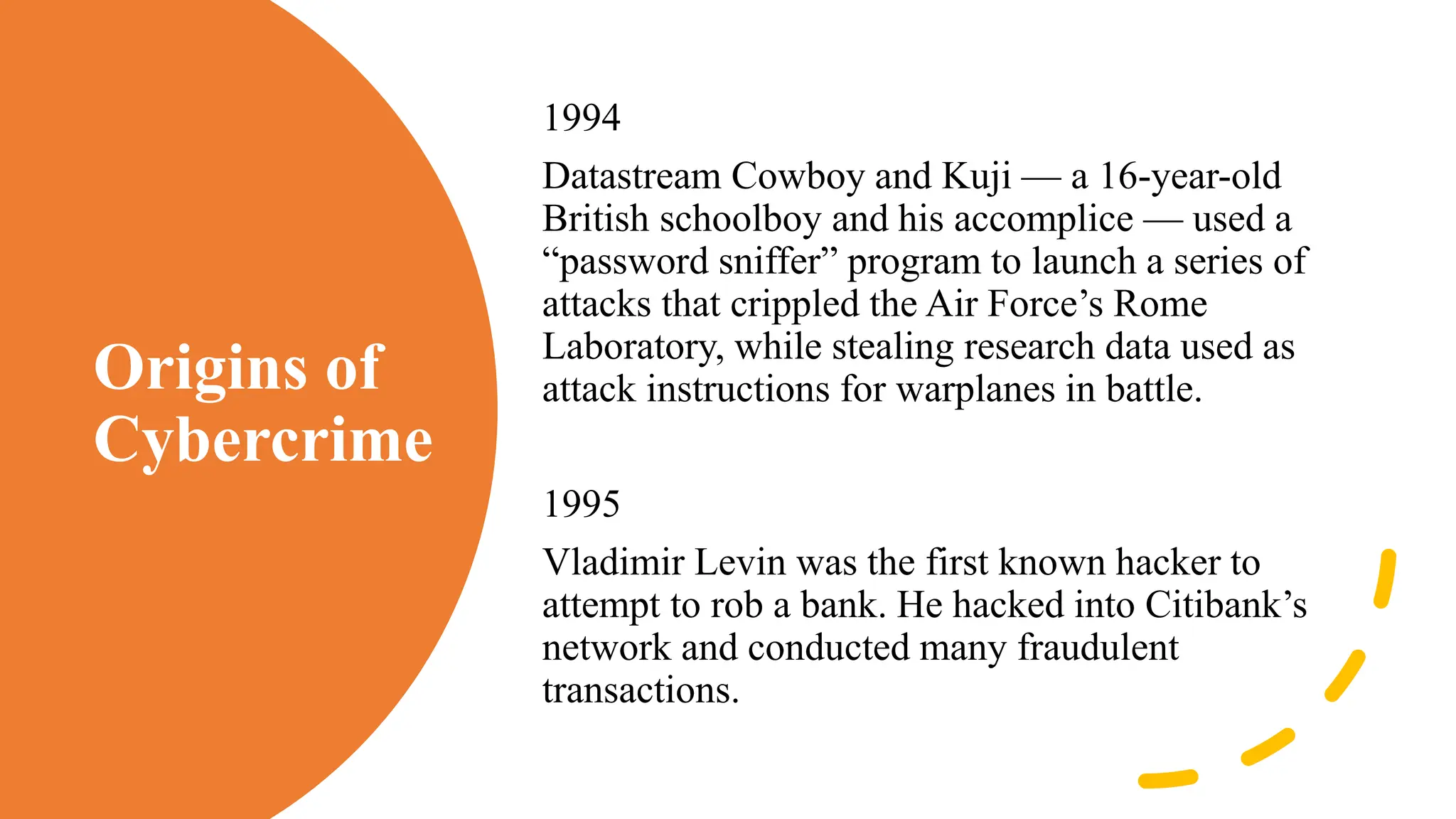
1994
Datastream Cowboy and Kuji — a 16-year-old
British schoolboy and his accomplice — used a
“password sniffer” program to launch a series of
attacks that crippled the Air Force’s Rome
Laboratory, while stealing research data used as
attack instructions for warplanes in battle.
1995
Vladimir Levin was the first known hacker to
attempt to rob a bank. He hacked into Citibank’s
network and conducted many fraudulent
transactions.
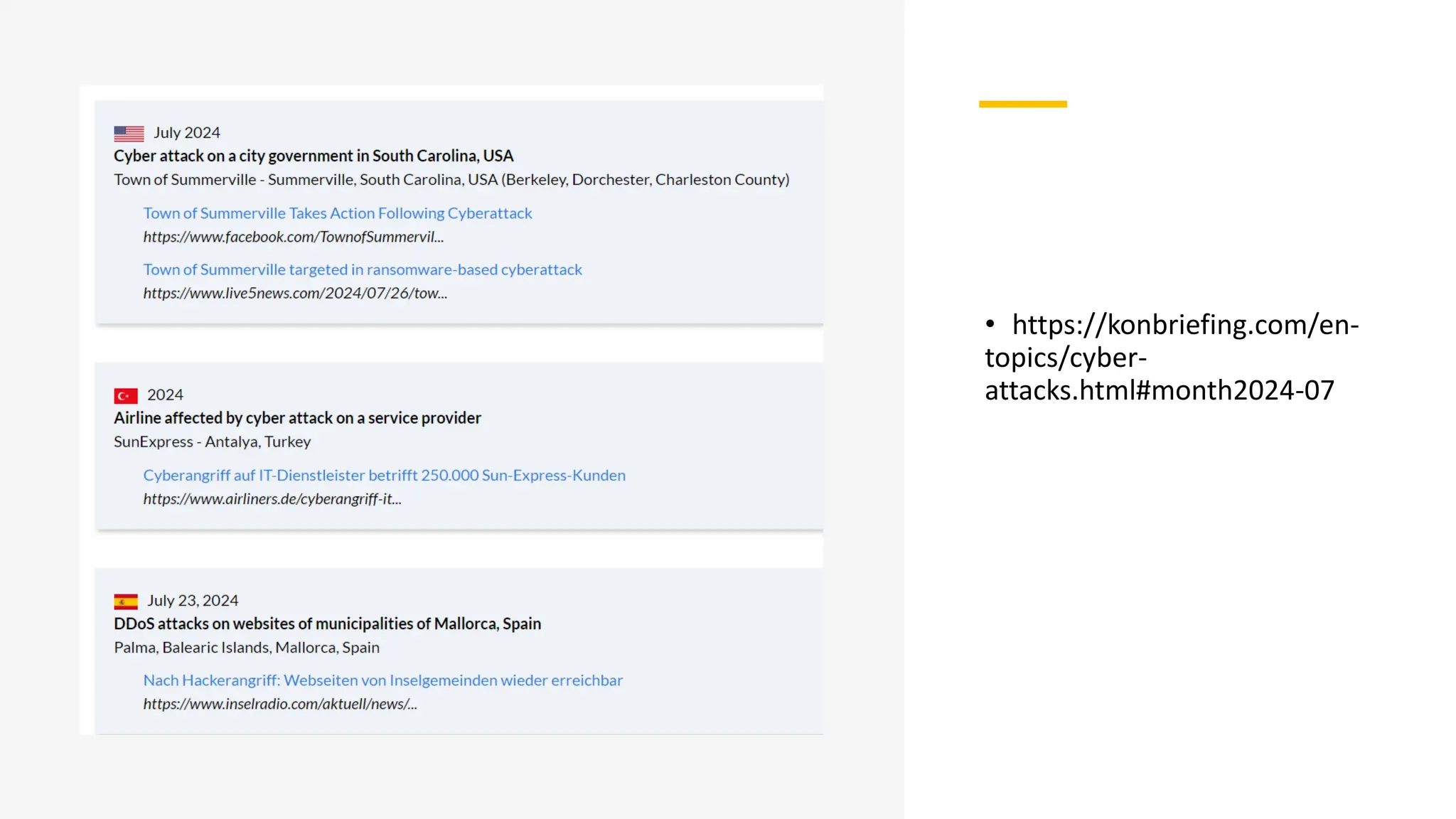
• https://konbriefing.com/en-
topics/cyber-
attacks.html#month2024-07
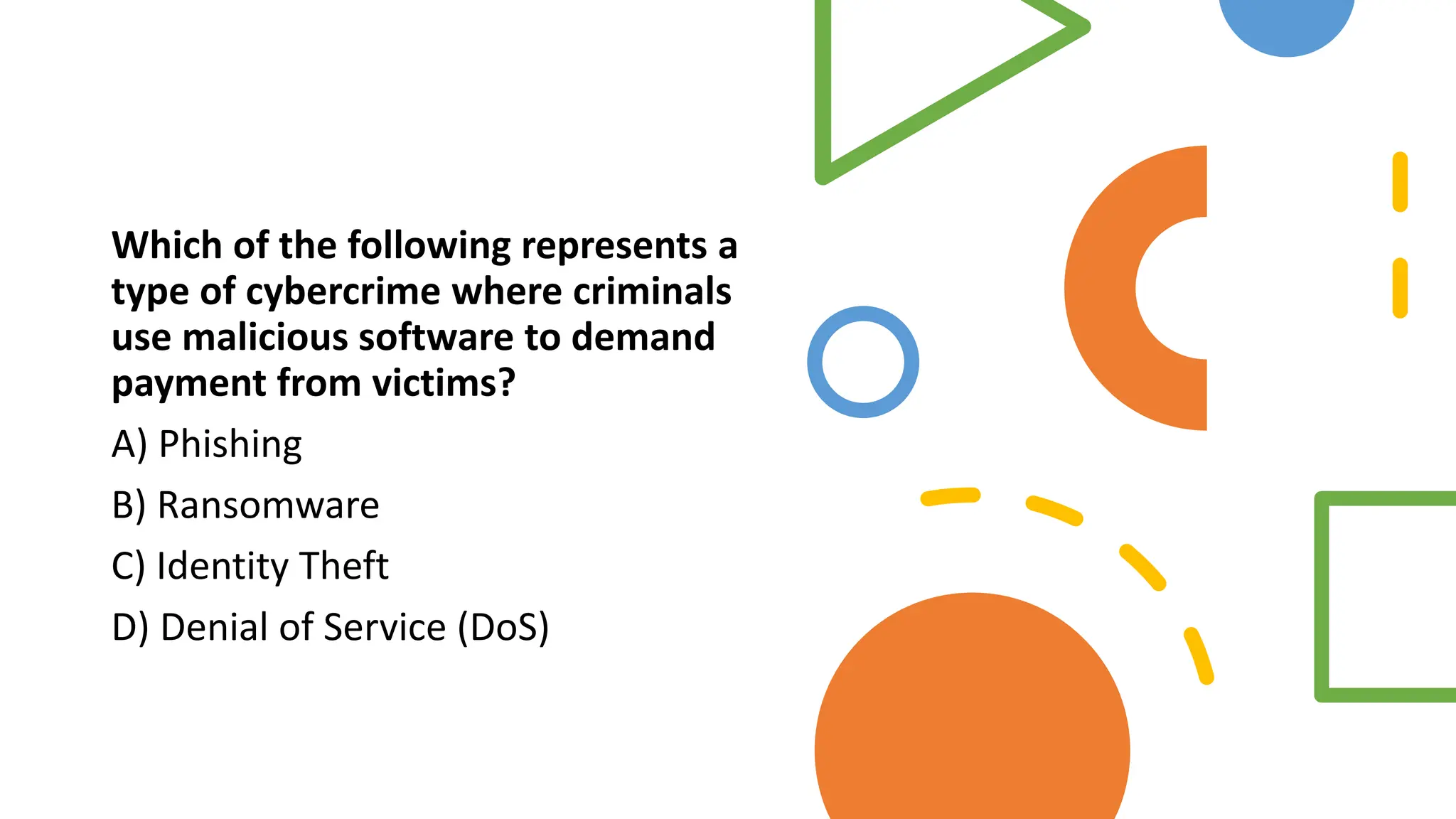
Which of the following represents a
type of cybercrime where criminals
use malicious software to demand
payment from victims?
A) Phishing
B) Ransomware
C) Identity Theft
D) Denial of Service (DoS)
Cybercriminals
• Cybercriminals are hackers and
other malicious users that use the
Internet to commit crimes such as
identity theft, spamming, phishing
and other types of fraud.
Cybercriminals often work together
forming cyber gangs.
Classifications
of
Cybercrimes
Crime against the Individuals: Crimes that are committed by
the cyber criminals against an individual or a person. A few
cyber crimes against individuals are:
• Harassment via electronic mails.
• Dissemination of obscene material.
• Cyber-stalking.
• Defamation.
• Indecent exposure.
• Cheating.
• Unauthorized control/access over computer system.
• Email spoofing.
• Fraud
Classifications of
Cybercrimes
Crimes against Property: These types of crimes includes vandalism
of computers, Intellectual (Copyright, patented, trademark etc)
Property Crimes, Online threatening etc. Intellectual property crime
includes:
• Computer vandalism.
• Transmitting virus.
• Net-trespass.
• Unauthorized access / control over computer system.
• Internet thefts.
• Intellectual Property crimes- Software piracy, Copyright
infringement, Trademark infringement.
Classifications
of
Cybercrimes
Crime against Organization: Crimes done to threaten the
international governments or any organization by using
internet facilities. These cyber crimes are known as
cybercrimes against Organization. These crimes are
committed to spread terror among people. Cyber terrorism is
referred as crimes against a government. Cybercrimes against
Government includes cyber attack on the government website,
military website or cyber terrorism etc.
• Unauthorized access / control over computer system.
• Cyber terrorism against the government organization.
• Possession of unauthorized information.
• Distribution of Pirate software.
Classifications of Cybercrimes
Crime against Society: Those cybercrimes which affects the society interest at large are
known as cyber crimes against society, which include:
• Child pornography.
• Indecent exposure of polluting the youth financial crimes.
• Sale of illegal articles.
• Trafficking.
• Forgery.
• Online gambling
Common Types of Cybercrimes
1. Hacking: Unauthorized access to computer systems, often to steal, alter, or destroy data.
2. Identity Theft: Stealing personal information to commit fraud, such as financial theft or accessing confidential
information.
3. Phishing: Fraudulent attempts to obtain sensitive information by disguising oneself as a trustworthy entity via
email, messages, etc.
4. Malware Distribution: Creating and spreading malicious software like viruses, worms, or ransomware to damage
or disrupt systems.
5. Cyberstalking: Using the internet to harass or stalk individuals.
6. Online Fraud: Scams and fraudulent activities conducted online, including credit card fraud and auction fraud.
7. Child Exploitation: Distribution, possession, or production of child pornography or exploitation materials.
8. Cyberterrorism: Use of the internet to conduct terrorist activities, including attacks on critical infrastructure.
9. Data Breach: Unauthorized access and disclosure of sensitive, protected, or confidential data.
Which term describes the use of
malicious software to collect
keystrokes and capture sensitive
information?
A) Malware
B) Keylogging
C) Spoofing
D) Worms
Information
Technology
Act, 2000 as
amended in
2008
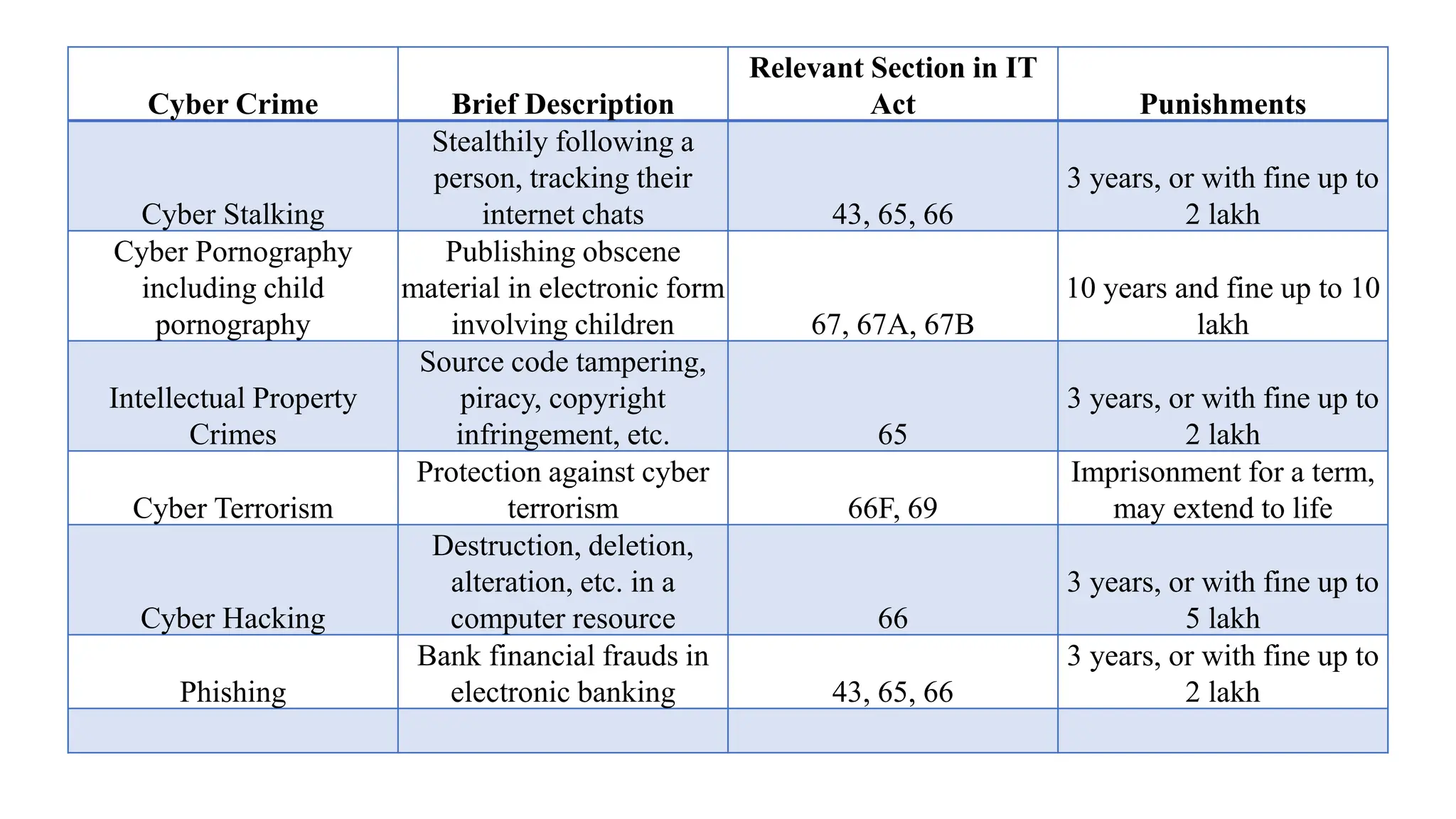
Cyber Crime Brief Description
Relevant Section in IT
Act Punishments
Cyber Stalking
Stealthily following a
person, tracking their
internet chats 43, 65, 66
3 years, or with fine up to
2 lakh
Cyber Pornography
including child
pornography
Publishing obscene
material in electronic form
involving children 67, 67A, 67B
10 years and fine up to 10
lakh
Intellectual Property
Crimes
Source code tampering,
piracy, copyright
infringement, etc. 65
3 years, or with fine up to
2 lakh
Cyber Terrorism
Protection against cyber
terrorism 66F, 69
Imprisonment for a term,
may extend to life
Cyber Hacking
Destruction, deletion,
alteration, etc. in a
computer resource 66
3 years, or with fine up to
5 lakh
Phishing
Bank financial frauds in
electronic banking 43, 65, 66
3 years, or with fine up to
2 lakh
Cyber-crimes
prevention
1. Use Strong Passwords: Create complex passwords with a mix
of letters, numbers, and special characters. Avoid using easily
guessable information such as birthdays or common words.
2. Enable Two-Factor Authentication (2FA): Use 2FA for an
extra layer of security. This typically involves receiving a code
on your phone in addition to entering your password.
3. Update Software Regularly: Ensure all software, including
operating systems and antivirus programs, are updated to
protect against vulnerabilities.
4. Educate Employees and Users: Conduct regular training
sessions on recognizing and avoiding cyber threats.
5. Secure Networks: Use firewalls, encryption, and secure Wi-Fi
connections to protect data and communications.
6. Backup Data: Regularly backup important data to an offline or
cloud storage service to recover information in case of a cyber
attack.
7. Monitor Systems: Use intrusion detection systems and
regularly monitor network traffic for suspicious activities.
Phishing
• Phishing is a type of cybercrime where attackers impersonate legitimate organizations or
individuals via email, messaging, or websites to steal sensitive information such as
usernames, passwords, and credit card details.
• How to Prevent Phishing:
• Verify Emails and Links: Check the sender's email address and hover over links to
verify their legitimacy before clicking.
• Educate Users: Provide training on how to recognize phishing attempts, such as
suspicious emails or unexpected requests for personal information.
• Use Anti-Phishing Tools: Employ browser extensions and email filters that detect
and block phishing attempts.
• Report Phishing: Encourage reporting of phishing attempts to IT departments or
appropriate authorities.
Identity Theft
Identity Theft involves stealing someone's personal information to commit fraud, such as
opening bank accounts, applying for loans, or making unauthorized purchases.
How to Prevent Identity Theft:
• Secure Personal Information: Keep sensitive documents in a safe place and shred any that are no longer
needed.
• Monitor Financial Statements: Regularly check bank and credit card statements for unauthorized transactions.
• Use Secure Websites: Ensure websites are secure (look for "https" in the URL) before entering personal
information.
• Be Cautious with Sharing Information: Avoid sharing personal details on social media and over unsecured
channels.
• Use Identity Theft Protection Services: Consider using services that monitor for signs of identity theft and offer
recovery assistance.
The Colonial Pipeline Ransomware
Attack
• Incident Overview
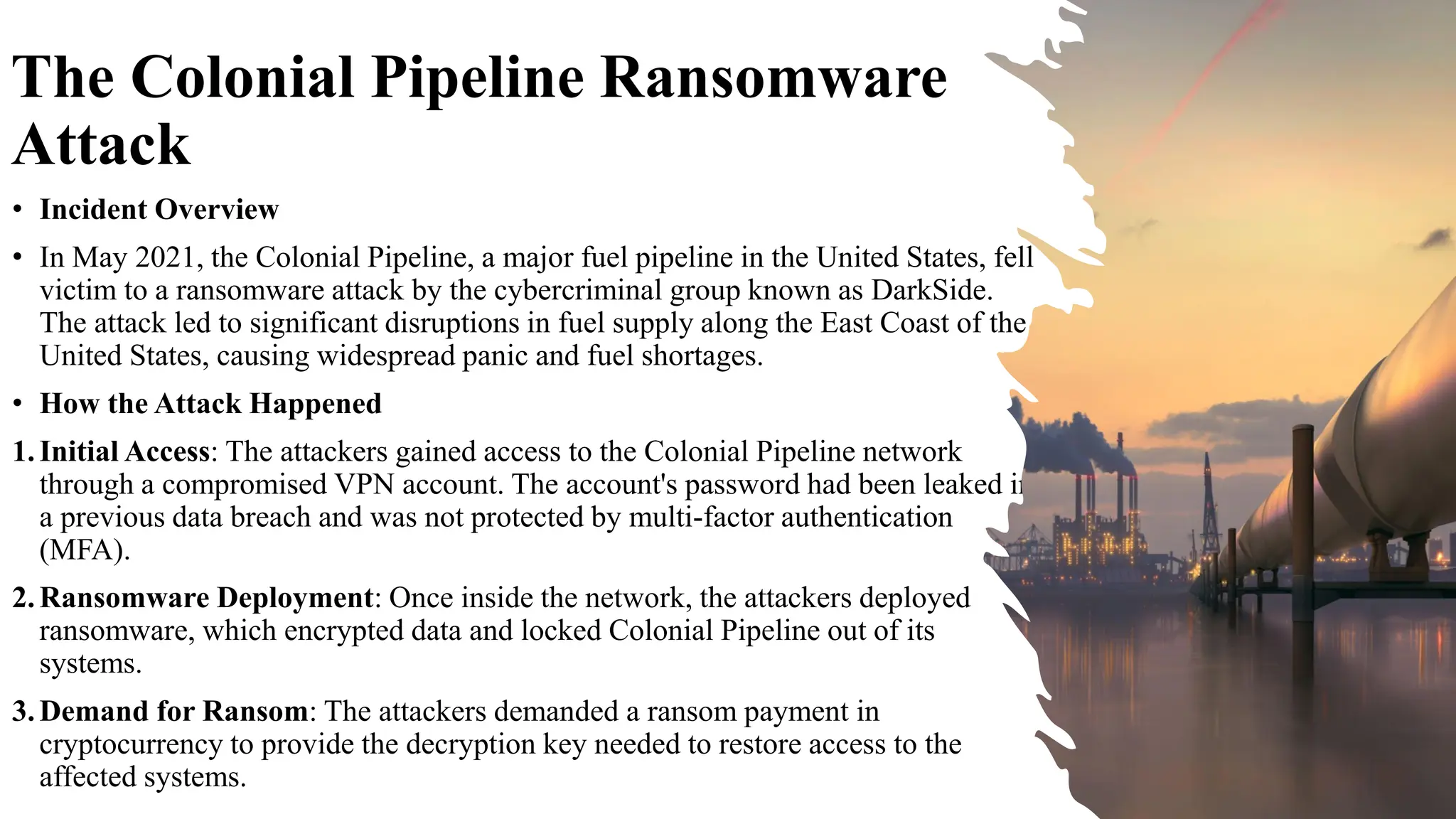
• In May 2021, the Colonial Pipeline, a major fuel pipeline in the United States, fell
victim to a ransomware attack by the cybercriminal group known as DarkSide.
The attack led to significant disruptions in fuel supply along the East Coast of the
United States, causing widespread panic and fuel shortages.
• How the Attack Happened
1.Initial Access: The attackers gained access to the Colonial Pipeline network
through a compromised VPN account. The account's password had been leaked in
a previous data breach and was not protected by multi-factor authentication
(MFA).
2.Ransomware Deployment: Once inside the network, the attackers deployed
ransomware, which encrypted data and locked Colonial Pipeline out of its
systems.
3.Demand for Ransom: The attackers demanded a ransom payment in
cryptocurrency to provide the decryption key needed to restore access to the
affected systems.
The Colonial Pipeline
Ransomware Attack
• Consequences
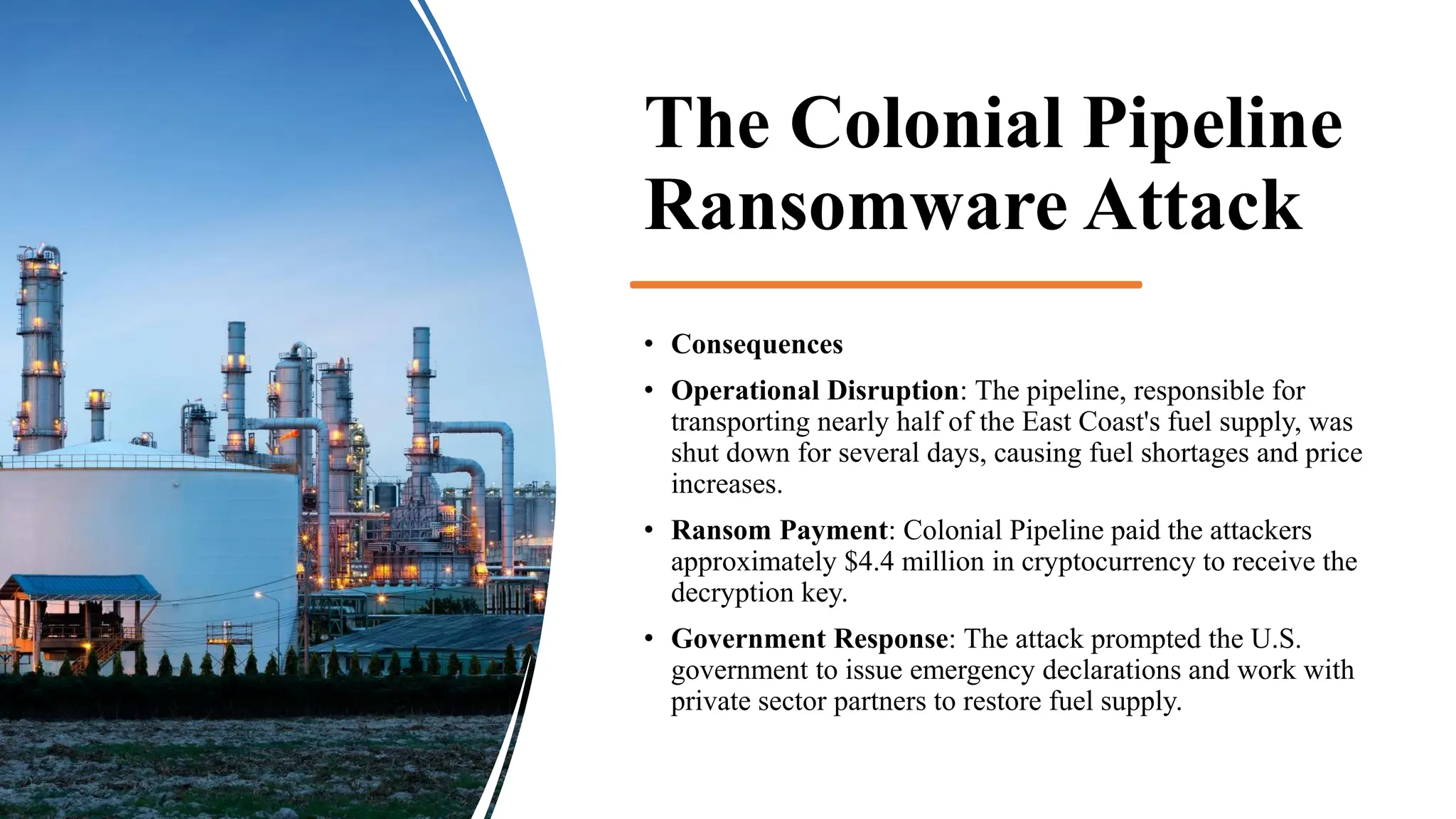
• Operational Disruption: The pipeline, responsible for
transporting nearly half of the East Coast's fuel supply, was
shut down for several days, causing fuel shortages and price
increases.
• Ransom Payment: Colonial Pipeline paid the attackers
approximately $4.4 million in cryptocurrency to receive the
decryption key.
• Government Response: The attack prompted the U.S.
government to issue emergency declarations and work with
private sector partners to restore fuel supply.
The Colonial Pipeline Ransomware Attack
•Implement Multi-Factor Authentication (MFA): Ensuring all accounts, especially those with access to
critical infrastructure, are protected by MFA to add an extra layer of security.
•Regularly Update and Patch Systems: Keeping software and systems up to date with the latest security
patches to prevent exploitation of known vulnerabilities.
•Network Segmentation: Segregating critical systems from other parts of the network to limit the spread
of malware and reduce the impact of a breach.
•Employee Training and Awareness: Conducting regular training sessions to educate employees about
cybersecurity best practices and how to recognize phishing attempts and other common attack vectors.
•Incident Response Plan: Developing and regularly updating an incident response plan to ensure a swift
and coordinated response to cyber incidents.
•Backup Data: Regularly backing up critical data and ensuring backups are stored offline and tested for
integrity. This can facilitate recovery without paying ransom.
•Threat Intelligence and Monitoring: Utilizing threat intelligence services to stay informed about
emerging threats and employing continuous monitoring to detect suspicious activity early.
Cyber Offenses
How criminals plan the attacks
• Reconnaissance
• Objective: Gather information about the target.
• Passive Reconnaissance: Collect data without interacting with the target. This includes
searching public records, social media, websites, and using tools like WHOIS to find
domain registration information.
• Active Reconnaissance: Involves interacting with the target system to gather more
detailed information. This can include network scanning, port scanning, and banner
grabbing to identify open ports, services running, and potential vulnerabilities.
How criminals plan
the attacks
• Scanning and Enumeration
• Objective: Identify potential entry points.
• Network Scanning: Use tools like Nmap to identify live
hosts, open ports, and services on the target network.
• Vulnerability Scanning: Use tools like Nessus or
OpenVAS to find known vulnerabilities in the target
systems.
• Enumeration: Gather detailed information about user
accounts, network shares, and other resources that could
be exploited.
How criminals plan
the attacks
• Gaining Access
• Objective: Exploit vulnerabilities to gain unauthorized access.
• Phishing: Send emails or messages that trick users into
revealing credentials or installing malware.
• Exploitation Tools: Use exploit kits or custom exploits to take
advantage of vulnerabilities found during scanning.
• Brute Force Attacks: Attempt to gain access by systematically
trying all possible combinations of passwords or encryption
keys.
How criminals plan
the attacks
• Maintaining Access
• Objective: Ensure continued access to the compromised
system.
• Backdoors: Install backdoor programs to allow re-entry
even if the initial vulnerability is patched.
• Rootkits: Install rootkits to hide the presence of the
attacker and maintain control over the system.
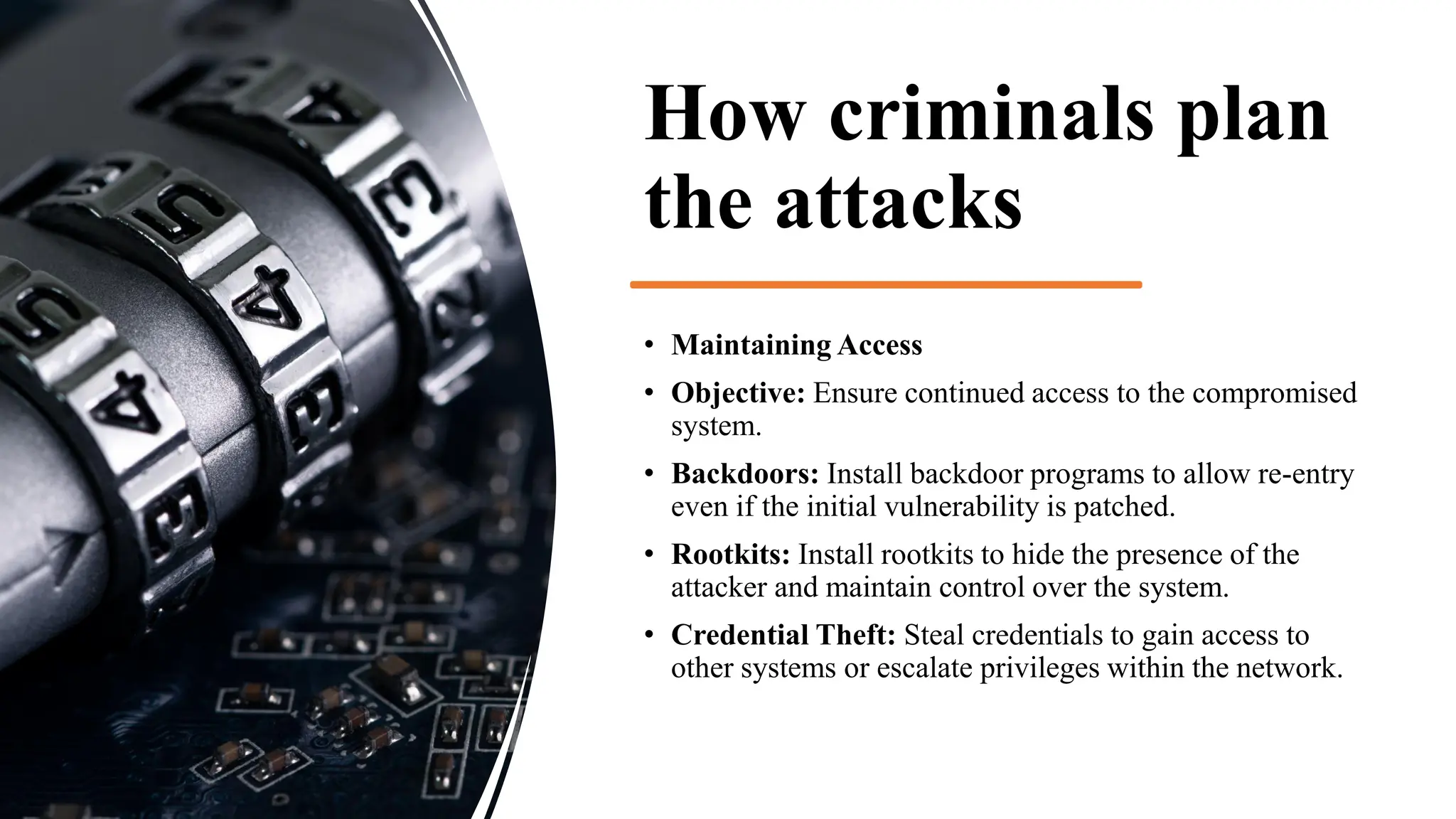
• Credential Theft: Steal credentials to gain access to
other systems or escalate privileges within the network.
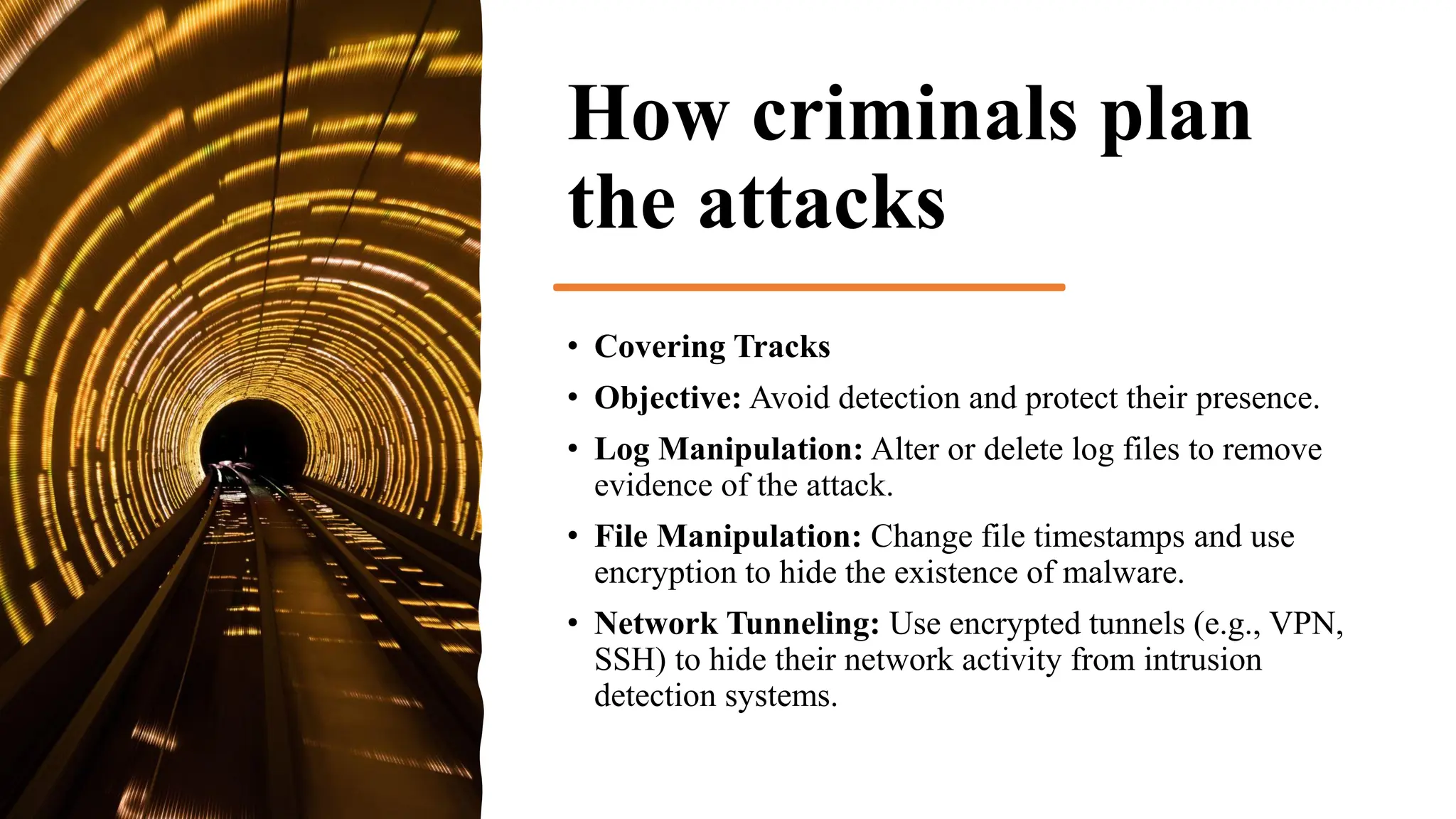
How criminals plan
the attacks
• Covering Tracks
• Objective: Avoid detection and protect their presence.
• Log Manipulation: Alter or delete log files to remove
evidence of the attack.
• File Manipulation: Change file timestamps and use
encryption to hide the existence of malware.
• Network Tunneling: Use encrypted tunnels (e.g., VPN,
SSH) to hide their network activity from intrusion
detection systems.
How criminals plan
the attacks
• Exfiltration
• Objective: Steal valuable data without detection.
• Data Compression and Encryption: Compress and encrypt
data to make it harder to detect and easier to transfer.
• Stealth Data Transfer: Use techniques like steganography
(hiding data within images or other files) or covert channels
(using non-standard communication methods) to exfiltrate data.
• Cloud Services: Upload data to cloud storage services to avoid
detection by traditional network security measures.
How criminals plan
the attacks
• Monetization
• Objective: Convert stolen data or access into profit.
• Ransomware: Encrypt the victim’s data and demand a
ransom for the decryption key.
• Selling Data: Sell stolen data on the dark web, including
personal information, financial data, and intellectual
property.
• Bank Fraud: Use stolen credentials to transfer funds,
make purchases, or commit other types of financial
fraud.
Social
Engineering
• Social engineering is a tactic used by
cybercriminals to manipulate individuals
into divulging confidential information or
performing actions that compromise
security. Unlike traditional hacking
methods that focus on exploiting technical
vulnerabilities, social engineering exploits
human psychology to achieve its
objectives.
Social Engineering
•Phishing
•Description: Sending deceptive emails or messages that appear to come from a trustworthy source to trick
recipients into revealing personal information, such as login credentials or financial details.
•Example: An email claiming to be from a bank, asking the recipient to verify their account by clicking a
link and entering their credentials.
•Spear Phishing
•Description: A more targeted form of phishing, where attackers customize the message for a specific
individual or organization to increase the likelihood of success.
•Example: An email addressed to a company executive, using personal details to appear legitimate and
requesting a wire transfer.
Social
Engineering
Pretexting
Description: Creating a fabricated scenario (pretext) to obtain
information or perform an action.
Example: An attacker pretends to be an IT support technician and asks
an employee to provide their login details to resolve a non-existent
issue.
Baiting
Description: Offering something enticing to lure victims into a trap that
compromises their security.
Example: Leaving infected USB drives in public places with labels like
"Confidential" or "Salary Information." When someone plugs the USB
into their computer, malware is installed.
Social
Engineering
Quid Pro Quo
Description: Offering a service or benefit in exchange for information or
access.
Example: An attacker calls employees, pretending to be from tech support,
and offers to fix their computer issues in exchange for their login credentials.
Tailgating
Description: Gaining physical access to restricted areas by following
authorized personnel.
Example: An attacker follows an employee through a secure door by
pretending to have forgotten their access card.
Vishing (Voice Phishing)
Description: Using phone calls to deceive individuals into providing
confidential information.
Example: An attacker calls a victim, posing as a bank representative, and asks
for their credit card details to resolve a fake issue.
Cyber stalking
• Cyber stalking is the repeated and malicious use of
electronic communications to harass, intimidate, or
threaten an individual. This can include:
• Sending threatening or obscene messages
• Monitoring or tracking online activities
• Posting false or damaging information
• Impersonating the victim online
• Using spyware or other malicious software
Cyber
stalking and
cybercafe
Anonymous Access: Users can access the internet
anonymously, which can make it easier for
cyberstalkers to operate without being
immediately identified.
Shared Devices: Public computers can have
multiple users, increasing the risk of malicious
activities or monitoring software being installed
without proper detection.
Data Privacy: Personal data entered during
cybercafe use (e.g., login credentials, personal
details) can be at risk if not properly protected.
WannaCry Ransomware
• WannaCry is a well-known ransomware attack that occurred in May 2017. Here are key details
about it:
• Nature of Attack:
• WannaCry encrypted files on infected computers and demanded ransom payments in Bitcoin
to decrypt the files.
• Exploitation Method:
• It exploited a vulnerability in Microsoft Windows known as EternalBlue, which was a part of a
leaked set of hacking tools attributed to the NSA (National Security Agency).
• Impact:
• The ransomware spread rapidly across the globe, affecting hundreds of thousands of
computers in over 150 countries. It disrupted various services, including healthcare,
government agencies, and businesses.
WannaCry
Ransomware
• Propagation:
• WannaCry used a worm-like capability to spread
within networks, making it particularly
dangerous for organizations with unpatched
systems.
• Response:
• A security researcher named Marcus Hutchins
discovered a kill switch in the ransomware,
which helped to slow down its spread. The kill
switch involved the ransomware checking for
the presence of a specific unregistered domain
before continuing its attack. Hutchins found that
this domain was not registered, and he quickly
bought it, stopping further infections.
Thank you

Unit 1.pdf cybers laws and security auditing

  • 1.
    CSE459 CYBER LAW ANDSECURITY AUDITING Unit 1
  • 2.
  • 3.
    Cybercrime Cybercrime refers toillegal actions using computers or the internet. Some examples of cybercrime include: • Stealing and selling corporate data • Demanding payment to prevent an attack • Installing viruses on a targeted computer • Hacking into government or corporate computers
  • 4.
    Cybercrime • Any offensescommitted against individuals or groups of individuals to harm the reputation or cause physical or mental trauma through electronic means can be defined as Cybercrime. • Electronic means can include but are not limited to, the use of modern telecommunication networks such as the Internet (networks including chat rooms, emails, notice boards and groups) and mobile phones (Bluetooth/SMS/MMS).
  • 6.
    In which typeof cybercrime does an attacker gain unauthorized access to personal or corporate networks to steal sensitive information? A) Identity Theft B) Hacking C) Phishing D) Cyberstalking
  • 7.
    Origins of Cybercrime Thetelegraph system • In 1834, two thieves infiltrated the French telegraph system, gained access to financial markets, and stole data. Many experts consider this event the first cybercrime, followed by other cybercrimes, each focusing on newly invented technologies. The telephone system • The 19th and 20th centuries saw attacks focused on the telephone system. In 1876, Alexander Graham Bell patented the phone, which allowed transmitting speech using telegraphy. Two years after the commercialization of this invention, teenage boys broke into Bell’s telephone company and misdirected calls. In later years (1960s- 1980s), phone hacking (phreaking) became popular.
  • 8.
    Origins of Cybercrime Ethicalhacking In 1940, Rene Carmille, a French computer expert, hacked into the Nazi data registry. Carmille, a punch card computer expert, used his expertise to reprogram Nazi punch card machines to prevent them from registering information correctly. His work blocked the Nazis’ attempts to register and track Jewish people. Phishing scams and malware In the 1980s, emails became a popular communication form, and by the 1990s, web browsers and computer viruses rose in popularity. In these years, hackers started using email attachments to deliver malware and phishing scams and web browsers to spread computer viruses.
  • 9.
    Origins of Cybercrime 1962 The modernhistory of cybercrime began when Allen Scherr launched a cyber attack against the MIT computer networks, stealing passwords from their database via punch card. 1971 The first computer virus was created for research purposes by Bob Thomas at BBN technologies. Referred to as the Creeper Virus, the self-replicating program was detected on the ARPANET in 1971 and foretold the potential of future viruses to cause significant damage to computer systems.
  • 10.
    Origins of Cybercrime 1988 The firstmajor cyber attack on the internet came courtesy of Cornell grad student Robert Morris. The “Morris Worm” struck in the year before the World Wide Web debuted, back when the internet was primarily the domain of academic researchers. It infected computer systems at Stanford, Princeton, Johns Hopkins, NASA, Lawrence Livermore Labs, and UC Berkeley, among other institutions. 1989 Ransomware made its first appearance. This first strain of ransomware — the AIDS Trojan — was easy to remove, rendering it ineffective. Unlike the ransomware of today, this one appeared on floppy disks, with the cybercriminal handing out 20,000 infected disks to attendees of the World Health Organization’s AIDS conference.
  • 11.
    Origins of Cybercrime 1994 Datastream Cowboyand Kuji — a 16-year-old British schoolboy and his accomplice — used a “password sniffer” program to launch a series of attacks that crippled the Air Force’s Rome Laboratory, while stealing research data used as attack instructions for warplanes in battle. 1995 Vladimir Levin was the first known hacker to attempt to rob a bank. He hacked into Citibank’s network and conducted many fraudulent transactions.
  • 15.
  • 16.
    Which of thefollowing represents a type of cybercrime where criminals use malicious software to demand payment from victims? A) Phishing B) Ransomware C) Identity Theft D) Denial of Service (DoS)
  • 17.
    Cybercriminals • Cybercriminals arehackers and other malicious users that use the Internet to commit crimes such as identity theft, spamming, phishing and other types of fraud. Cybercriminals often work together forming cyber gangs.
  • 18.
    Classifications of Cybercrimes Crime against theIndividuals: Crimes that are committed by the cyber criminals against an individual or a person. A few cyber crimes against individuals are: • Harassment via electronic mails. • Dissemination of obscene material. • Cyber-stalking. • Defamation. • Indecent exposure. • Cheating. • Unauthorized control/access over computer system. • Email spoofing. • Fraud
  • 19.
    Classifications of Cybercrimes Crimes againstProperty: These types of crimes includes vandalism of computers, Intellectual (Copyright, patented, trademark etc) Property Crimes, Online threatening etc. Intellectual property crime includes: • Computer vandalism. • Transmitting virus. • Net-trespass. • Unauthorized access / control over computer system. • Internet thefts. • Intellectual Property crimes- Software piracy, Copyright infringement, Trademark infringement.
  • 20.
    Classifications of Cybercrimes Crime against Organization:Crimes done to threaten the international governments or any organization by using internet facilities. These cyber crimes are known as cybercrimes against Organization. These crimes are committed to spread terror among people. Cyber terrorism is referred as crimes against a government. Cybercrimes against Government includes cyber attack on the government website, military website or cyber terrorism etc. • Unauthorized access / control over computer system. • Cyber terrorism against the government organization. • Possession of unauthorized information. • Distribution of Pirate software.
  • 21.
    Classifications of Cybercrimes Crimeagainst Society: Those cybercrimes which affects the society interest at large are known as cyber crimes against society, which include: • Child pornography. • Indecent exposure of polluting the youth financial crimes. • Sale of illegal articles. • Trafficking. • Forgery. • Online gambling
  • 22.
    Common Types ofCybercrimes 1. Hacking: Unauthorized access to computer systems, often to steal, alter, or destroy data. 2. Identity Theft: Stealing personal information to commit fraud, such as financial theft or accessing confidential information. 3. Phishing: Fraudulent attempts to obtain sensitive information by disguising oneself as a trustworthy entity via email, messages, etc. 4. Malware Distribution: Creating and spreading malicious software like viruses, worms, or ransomware to damage or disrupt systems. 5. Cyberstalking: Using the internet to harass or stalk individuals. 6. Online Fraud: Scams and fraudulent activities conducted online, including credit card fraud and auction fraud. 7. Child Exploitation: Distribution, possession, or production of child pornography or exploitation materials. 8. Cyberterrorism: Use of the internet to conduct terrorist activities, including attacks on critical infrastructure. 9. Data Breach: Unauthorized access and disclosure of sensitive, protected, or confidential data.
  • 23.
    Which term describesthe use of malicious software to collect keystrokes and capture sensitive information? A) Malware B) Keylogging C) Spoofing D) Worms
  • 24.
  • 25.
    Cyber Crime BriefDescription Relevant Section in IT Act Punishments Cyber Stalking Stealthily following a person, tracking their internet chats 43, 65, 66 3 years, or with fine up to 2 lakh Cyber Pornography including child pornography Publishing obscene material in electronic form involving children 67, 67A, 67B 10 years and fine up to 10 lakh Intellectual Property Crimes Source code tampering, piracy, copyright infringement, etc. 65 3 years, or with fine up to 2 lakh Cyber Terrorism Protection against cyber terrorism 66F, 69 Imprisonment for a term, may extend to life Cyber Hacking Destruction, deletion, alteration, etc. in a computer resource 66 3 years, or with fine up to 5 lakh Phishing Bank financial frauds in electronic banking 43, 65, 66 3 years, or with fine up to 2 lakh
  • 26.
    Cyber-crimes prevention 1. Use StrongPasswords: Create complex passwords with a mix of letters, numbers, and special characters. Avoid using easily guessable information such as birthdays or common words. 2. Enable Two-Factor Authentication (2FA): Use 2FA for an extra layer of security. This typically involves receiving a code on your phone in addition to entering your password. 3. Update Software Regularly: Ensure all software, including operating systems and antivirus programs, are updated to protect against vulnerabilities. 4. Educate Employees and Users: Conduct regular training sessions on recognizing and avoiding cyber threats. 5. Secure Networks: Use firewalls, encryption, and secure Wi-Fi connections to protect data and communications. 6. Backup Data: Regularly backup important data to an offline or cloud storage service to recover information in case of a cyber attack. 7. Monitor Systems: Use intrusion detection systems and regularly monitor network traffic for suspicious activities.
  • 27.
    Phishing • Phishing isa type of cybercrime where attackers impersonate legitimate organizations or individuals via email, messaging, or websites to steal sensitive information such as usernames, passwords, and credit card details. • How to Prevent Phishing: • Verify Emails and Links: Check the sender's email address and hover over links to verify their legitimacy before clicking. • Educate Users: Provide training on how to recognize phishing attempts, such as suspicious emails or unexpected requests for personal information. • Use Anti-Phishing Tools: Employ browser extensions and email filters that detect and block phishing attempts. • Report Phishing: Encourage reporting of phishing attempts to IT departments or appropriate authorities.
  • 28.
    Identity Theft Identity Theftinvolves stealing someone's personal information to commit fraud, such as opening bank accounts, applying for loans, or making unauthorized purchases. How to Prevent Identity Theft: • Secure Personal Information: Keep sensitive documents in a safe place and shred any that are no longer needed. • Monitor Financial Statements: Regularly check bank and credit card statements for unauthorized transactions. • Use Secure Websites: Ensure websites are secure (look for "https" in the URL) before entering personal information. • Be Cautious with Sharing Information: Avoid sharing personal details on social media and over unsecured channels. • Use Identity Theft Protection Services: Consider using services that monitor for signs of identity theft and offer recovery assistance.
  • 29.
    The Colonial PipelineRansomware Attack • Incident Overview • In May 2021, the Colonial Pipeline, a major fuel pipeline in the United States, fell victim to a ransomware attack by the cybercriminal group known as DarkSide. The attack led to significant disruptions in fuel supply along the East Coast of the United States, causing widespread panic and fuel shortages. • How the Attack Happened 1.Initial Access: The attackers gained access to the Colonial Pipeline network through a compromised VPN account. The account's password had been leaked in a previous data breach and was not protected by multi-factor authentication (MFA). 2.Ransomware Deployment: Once inside the network, the attackers deployed ransomware, which encrypted data and locked Colonial Pipeline out of its systems. 3.Demand for Ransom: The attackers demanded a ransom payment in cryptocurrency to provide the decryption key needed to restore access to the affected systems.
  • 30.
    The Colonial Pipeline RansomwareAttack • Consequences • Operational Disruption: The pipeline, responsible for transporting nearly half of the East Coast's fuel supply, was shut down for several days, causing fuel shortages and price increases. • Ransom Payment: Colonial Pipeline paid the attackers approximately $4.4 million in cryptocurrency to receive the decryption key. • Government Response: The attack prompted the U.S. government to issue emergency declarations and work with private sector partners to restore fuel supply.
  • 31.
    The Colonial PipelineRansomware Attack •Implement Multi-Factor Authentication (MFA): Ensuring all accounts, especially those with access to critical infrastructure, are protected by MFA to add an extra layer of security. •Regularly Update and Patch Systems: Keeping software and systems up to date with the latest security patches to prevent exploitation of known vulnerabilities. •Network Segmentation: Segregating critical systems from other parts of the network to limit the spread of malware and reduce the impact of a breach. •Employee Training and Awareness: Conducting regular training sessions to educate employees about cybersecurity best practices and how to recognize phishing attempts and other common attack vectors. •Incident Response Plan: Developing and regularly updating an incident response plan to ensure a swift and coordinated response to cyber incidents. •Backup Data: Regularly backing up critical data and ensuring backups are stored offline and tested for integrity. This can facilitate recovery without paying ransom. •Threat Intelligence and Monitoring: Utilizing threat intelligence services to stay informed about emerging threats and employing continuous monitoring to detect suspicious activity early.
  • 32.
  • 33.
    How criminals planthe attacks • Reconnaissance • Objective: Gather information about the target. • Passive Reconnaissance: Collect data without interacting with the target. This includes searching public records, social media, websites, and using tools like WHOIS to find domain registration information. • Active Reconnaissance: Involves interacting with the target system to gather more detailed information. This can include network scanning, port scanning, and banner grabbing to identify open ports, services running, and potential vulnerabilities.
  • 34.
    How criminals plan theattacks • Scanning and Enumeration • Objective: Identify potential entry points. • Network Scanning: Use tools like Nmap to identify live hosts, open ports, and services on the target network. • Vulnerability Scanning: Use tools like Nessus or OpenVAS to find known vulnerabilities in the target systems. • Enumeration: Gather detailed information about user accounts, network shares, and other resources that could be exploited.
  • 35.
    How criminals plan theattacks • Gaining Access • Objective: Exploit vulnerabilities to gain unauthorized access. • Phishing: Send emails or messages that trick users into revealing credentials or installing malware. • Exploitation Tools: Use exploit kits or custom exploits to take advantage of vulnerabilities found during scanning. • Brute Force Attacks: Attempt to gain access by systematically trying all possible combinations of passwords or encryption keys.
  • 36.
    How criminals plan theattacks • Maintaining Access • Objective: Ensure continued access to the compromised system. • Backdoors: Install backdoor programs to allow re-entry even if the initial vulnerability is patched. • Rootkits: Install rootkits to hide the presence of the attacker and maintain control over the system. • Credential Theft: Steal credentials to gain access to other systems or escalate privileges within the network.
  • 37.
    How criminals plan theattacks • Covering Tracks • Objective: Avoid detection and protect their presence. • Log Manipulation: Alter or delete log files to remove evidence of the attack. • File Manipulation: Change file timestamps and use encryption to hide the existence of malware. • Network Tunneling: Use encrypted tunnels (e.g., VPN, SSH) to hide their network activity from intrusion detection systems.
  • 38.
    How criminals plan theattacks • Exfiltration • Objective: Steal valuable data without detection. • Data Compression and Encryption: Compress and encrypt data to make it harder to detect and easier to transfer. • Stealth Data Transfer: Use techniques like steganography (hiding data within images or other files) or covert channels (using non-standard communication methods) to exfiltrate data. • Cloud Services: Upload data to cloud storage services to avoid detection by traditional network security measures.
  • 39.
    How criminals plan theattacks • Monetization • Objective: Convert stolen data or access into profit. • Ransomware: Encrypt the victim’s data and demand a ransom for the decryption key. • Selling Data: Sell stolen data on the dark web, including personal information, financial data, and intellectual property. • Bank Fraud: Use stolen credentials to transfer funds, make purchases, or commit other types of financial fraud.
  • 40.
    Social Engineering • Social engineeringis a tactic used by cybercriminals to manipulate individuals into divulging confidential information or performing actions that compromise security. Unlike traditional hacking methods that focus on exploiting technical vulnerabilities, social engineering exploits human psychology to achieve its objectives.
  • 41.
    Social Engineering •Phishing •Description: Sendingdeceptive emails or messages that appear to come from a trustworthy source to trick recipients into revealing personal information, such as login credentials or financial details. •Example: An email claiming to be from a bank, asking the recipient to verify their account by clicking a link and entering their credentials. •Spear Phishing •Description: A more targeted form of phishing, where attackers customize the message for a specific individual or organization to increase the likelihood of success. •Example: An email addressed to a company executive, using personal details to appear legitimate and requesting a wire transfer.
  • 42.
    Social Engineering Pretexting Description: Creating afabricated scenario (pretext) to obtain information or perform an action. Example: An attacker pretends to be an IT support technician and asks an employee to provide their login details to resolve a non-existent issue. Baiting Description: Offering something enticing to lure victims into a trap that compromises their security. Example: Leaving infected USB drives in public places with labels like "Confidential" or "Salary Information." When someone plugs the USB into their computer, malware is installed.
  • 43.
    Social Engineering Quid Pro Quo Description:Offering a service or benefit in exchange for information or access. Example: An attacker calls employees, pretending to be from tech support, and offers to fix their computer issues in exchange for their login credentials. Tailgating Description: Gaining physical access to restricted areas by following authorized personnel. Example: An attacker follows an employee through a secure door by pretending to have forgotten their access card. Vishing (Voice Phishing) Description: Using phone calls to deceive individuals into providing confidential information. Example: An attacker calls a victim, posing as a bank representative, and asks for their credit card details to resolve a fake issue.
  • 44.
    Cyber stalking • Cyberstalking is the repeated and malicious use of electronic communications to harass, intimidate, or threaten an individual. This can include: • Sending threatening or obscene messages • Monitoring or tracking online activities • Posting false or damaging information • Impersonating the victim online • Using spyware or other malicious software
  • 45.
    Cyber stalking and cybercafe Anonymous Access:Users can access the internet anonymously, which can make it easier for cyberstalkers to operate without being immediately identified. Shared Devices: Public computers can have multiple users, increasing the risk of malicious activities or monitoring software being installed without proper detection. Data Privacy: Personal data entered during cybercafe use (e.g., login credentials, personal details) can be at risk if not properly protected.
  • 46.
    WannaCry Ransomware • WannaCryis a well-known ransomware attack that occurred in May 2017. Here are key details about it: • Nature of Attack: • WannaCry encrypted files on infected computers and demanded ransom payments in Bitcoin to decrypt the files. • Exploitation Method: • It exploited a vulnerability in Microsoft Windows known as EternalBlue, which was a part of a leaked set of hacking tools attributed to the NSA (National Security Agency). • Impact: • The ransomware spread rapidly across the globe, affecting hundreds of thousands of computers in over 150 countries. It disrupted various services, including healthcare, government agencies, and businesses.
  • 47.
    WannaCry Ransomware • Propagation: • WannaCryused a worm-like capability to spread within networks, making it particularly dangerous for organizations with unpatched systems. • Response: • A security researcher named Marcus Hutchins discovered a kill switch in the ransomware, which helped to slow down its spread. The kill switch involved the ransomware checking for the presence of a specific unregistered domain before continuing its attack. Hutchins found that this domain was not registered, and he quickly bought it, stopping further infections.
  • 48.