Master Data
Process Description
What is Master Data?
• Data in ERP software is usually classified as
either;
Master Data or Transactional Data
• There are other classifications as well however, one
can usually group them as sub-classes of these major
categories
• Master Data relates to a Object in the ERP. In
relation to other data, they are fairly static
(i.e. do not change often) Examples are;
• Customer Information (Name, Address, Phone Number,
etc.)
• Supplier Information (Name, Address, Phone Number,
etc.)
What is Master Data?
• Transactional Data relate to actions carried
out using the Objects. Examples are;
• Sales Orders
• Purchase Orders
• Work Orders
• Production Tracking
Why is Master Data Important?
• Since all actions within an ERP are performed
on the objects, Master Data associated with
these objects is critically important
• The integrity of the information is
fundamentally dependant on Master Data
• That is not to imply that the transactional data is
not important, but all Transactional Data is built
upon Master Data. If the foundation isn’t sound then
the transactions will never be accurate
Historical Information
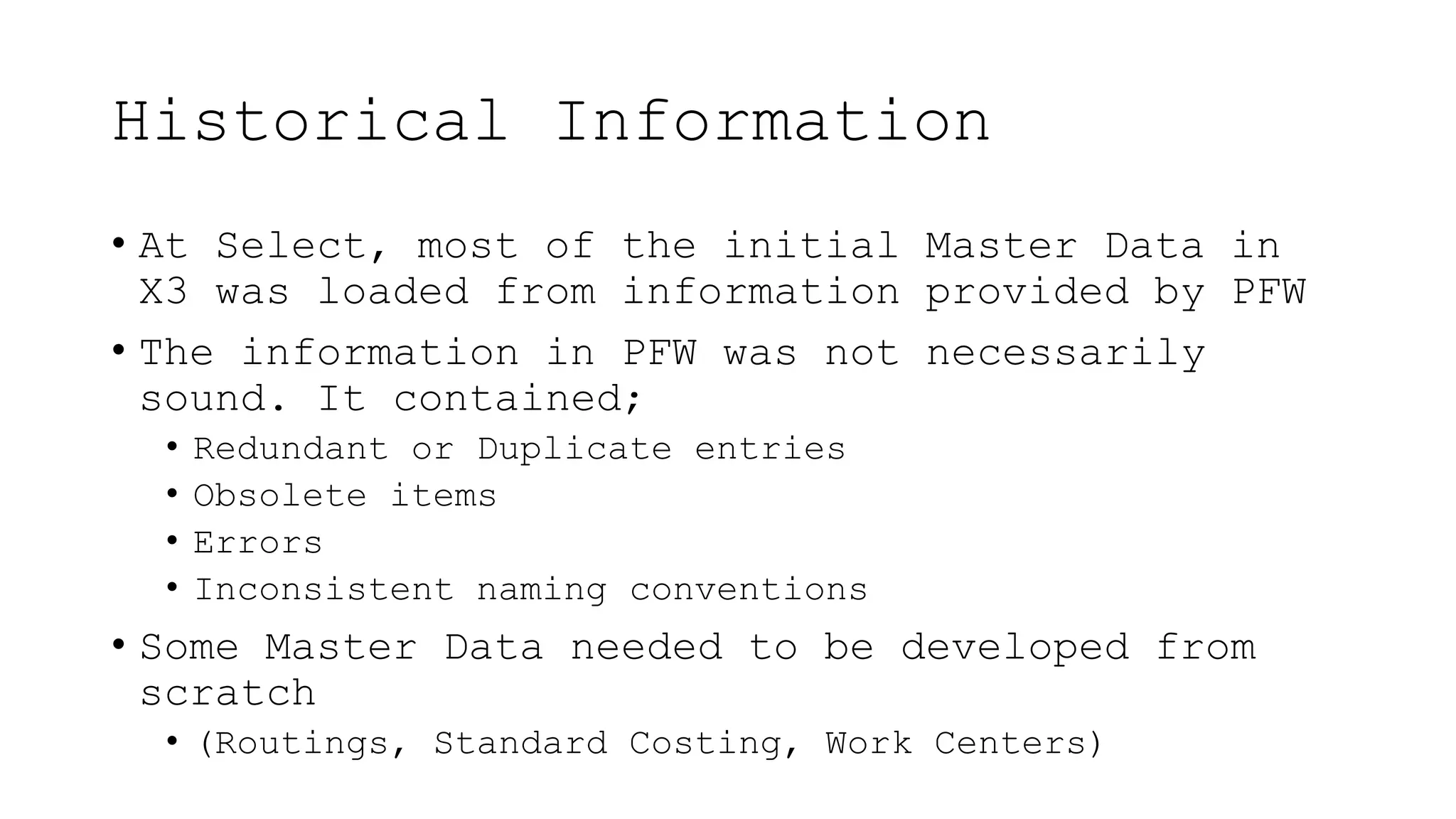
• At Select, most of the initial Master Data in
X3 was loaded from information provided by PFW
• The information in PFW was not necessarily
sound. It contained;
• Redundant or Duplicate entries
• Obsolete items
• Errors
• Inconsistent naming conventions
• Some Master Data needed to be developed from
scratch
• (Routings, Standard Costing, Work Centers)
Clean Up
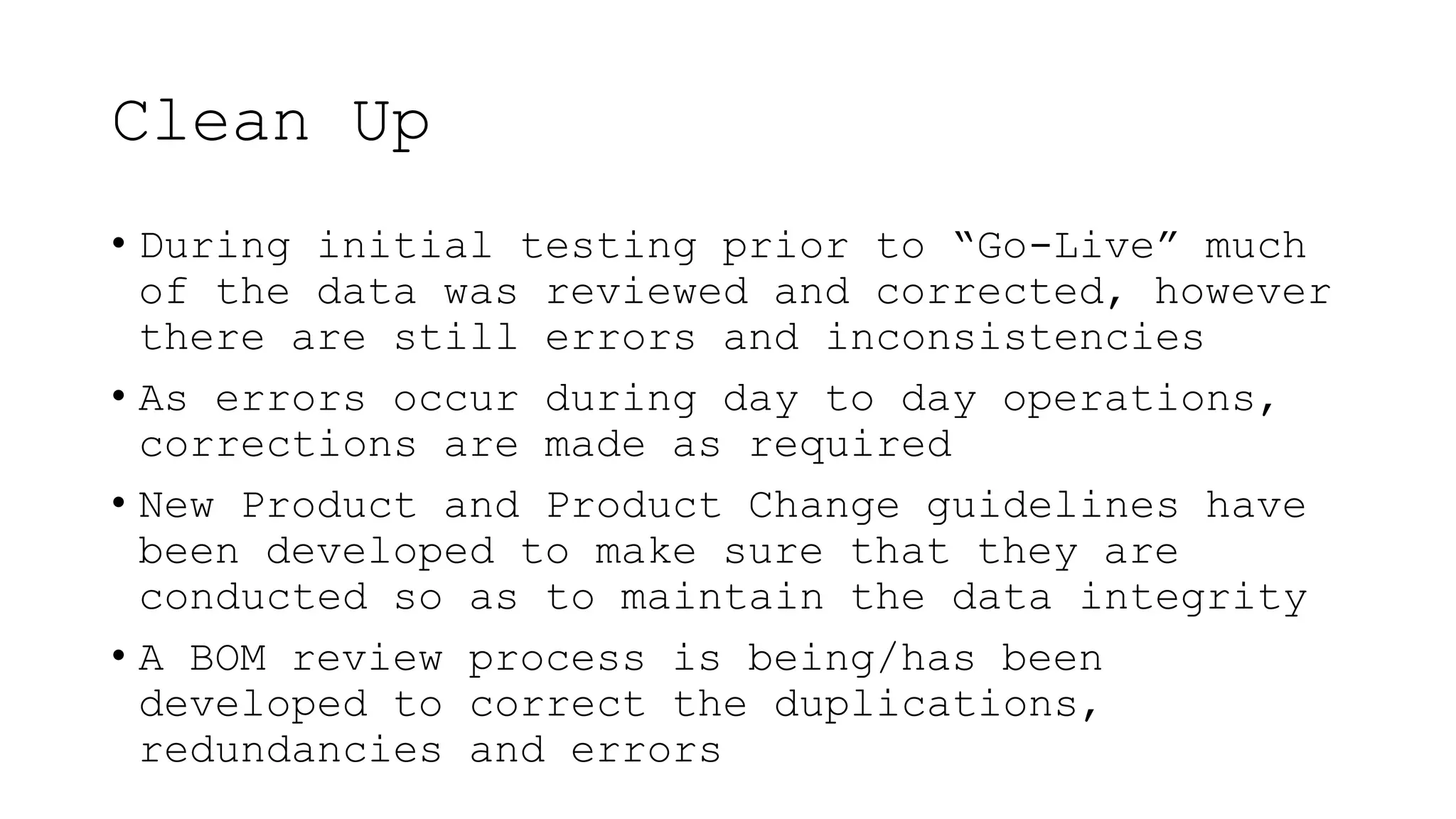
• During initial testing prior to “Go-Live” much
of the data was reviewed and corrected, however
there are still errors and inconsistencies
• As errors occur during day to day operations,
corrections are made as required
• New Product and Product Change guidelines have
been developed to make sure that they are
conducted so as to maintain the data integrity
• A BOM review process is being/has been
developed to correct the duplications,
redundancies and errors
Master Data Control Process
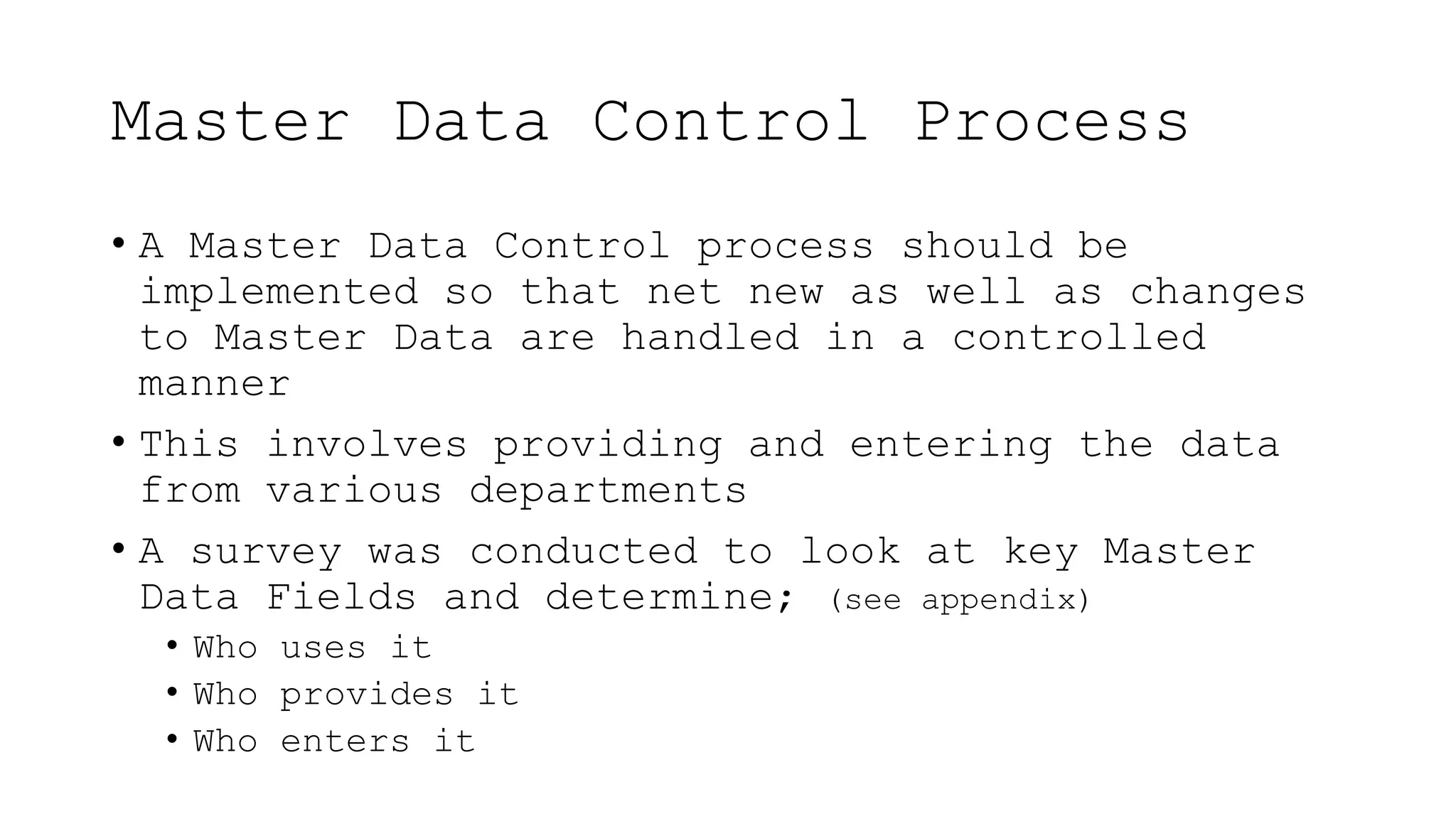
• A Master Data Control process should be
implemented so that net new as well as changes
to Master Data are handled in a controlled
manner
• This involves providing and entering the data
from various departments
• A survey was conducted to look at key Master
Data Fields and determine; (see appendix)
• Who uses it
• Who provides it
• Who enters it
Master Data Control Process
• Moving forward, net new or changes to existing
Master Data should follow a controlled process
so that it is;
• Initiated and provided by the appropriate
person/department
• Entered consistently
• Reviewed and Approved
Master Data Control Process
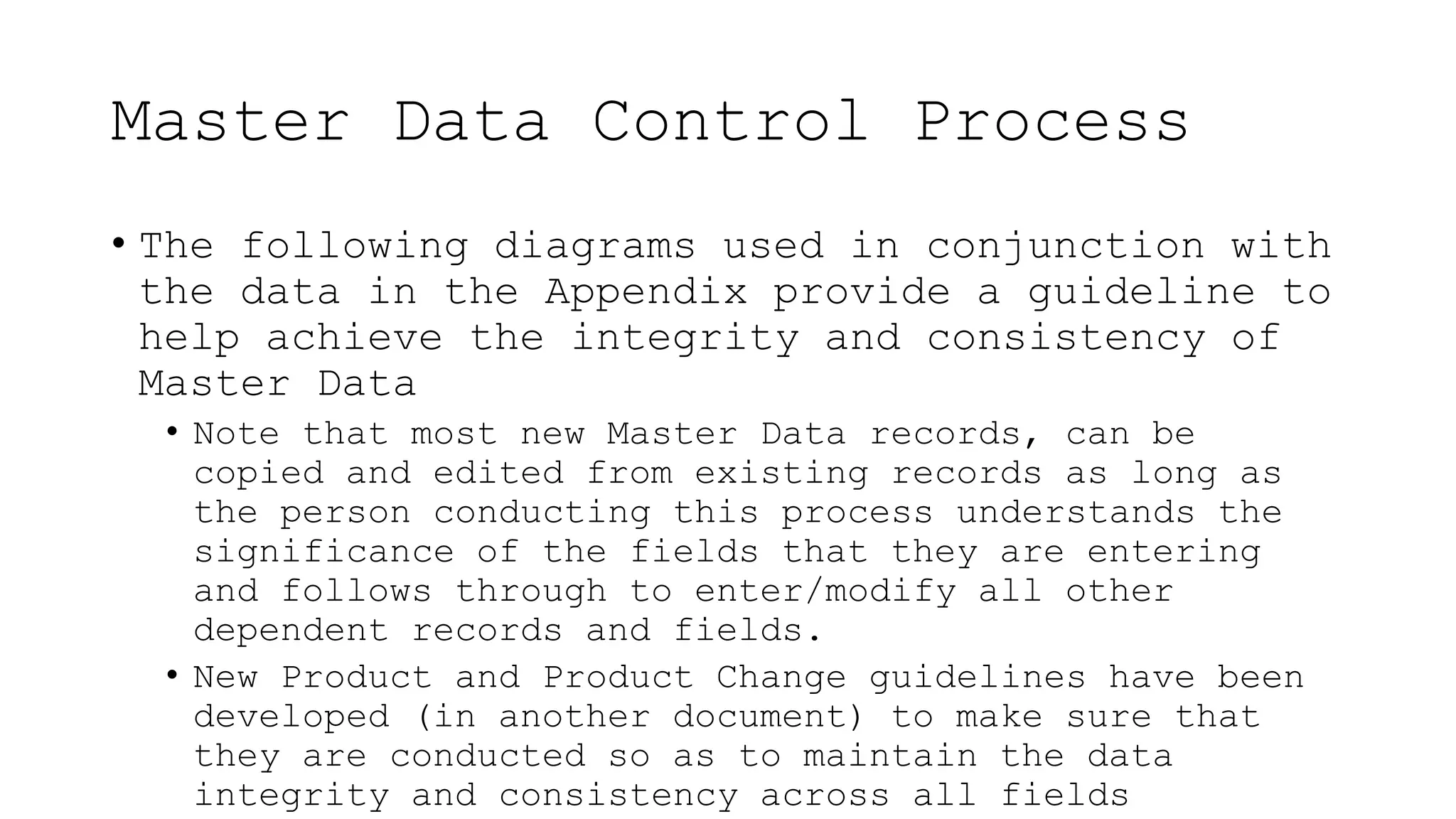
• The following diagrams used in conjunction with
the data in the Appendix provide a guideline to
help achieve the integrity and consistency of
Master Data
• Note that most new Master Data records, can be
copied and edited from existing records as long as
the person conducting this process understands the
significance of the fields that they are entering
and follows through to enter/modify all other
dependent records and fields.
• New Product and Product Change guidelines have been
developed (in another document) to make sure that
they are conducted so as to maintain the data
integrity and consistency across all fields
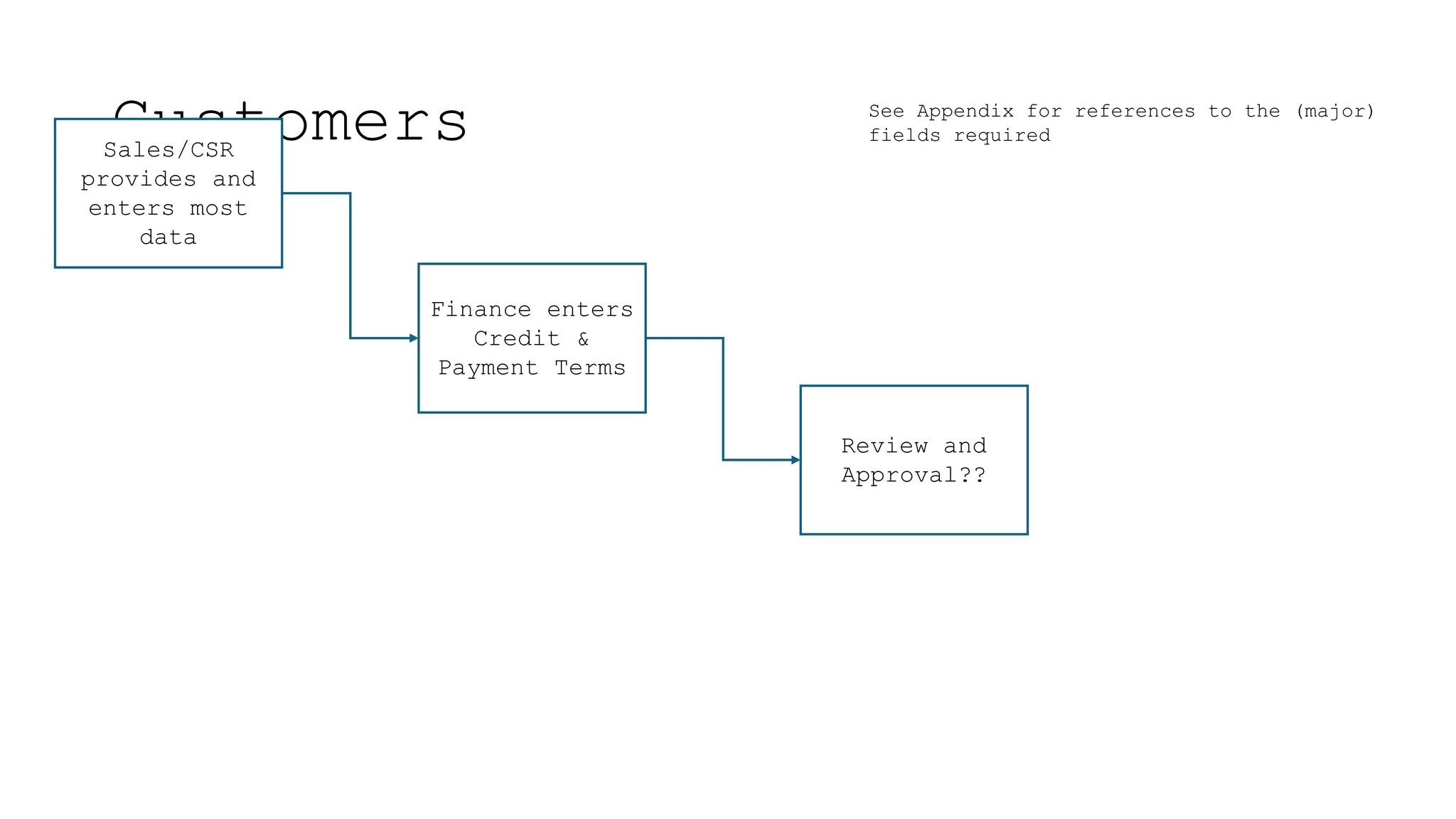
Customers
Sales/CSR
provides and
enters most
data
Finance enters
Credit &
Payment Terms
Review and
Approval??
See Appendix for references to the (major)
fields required
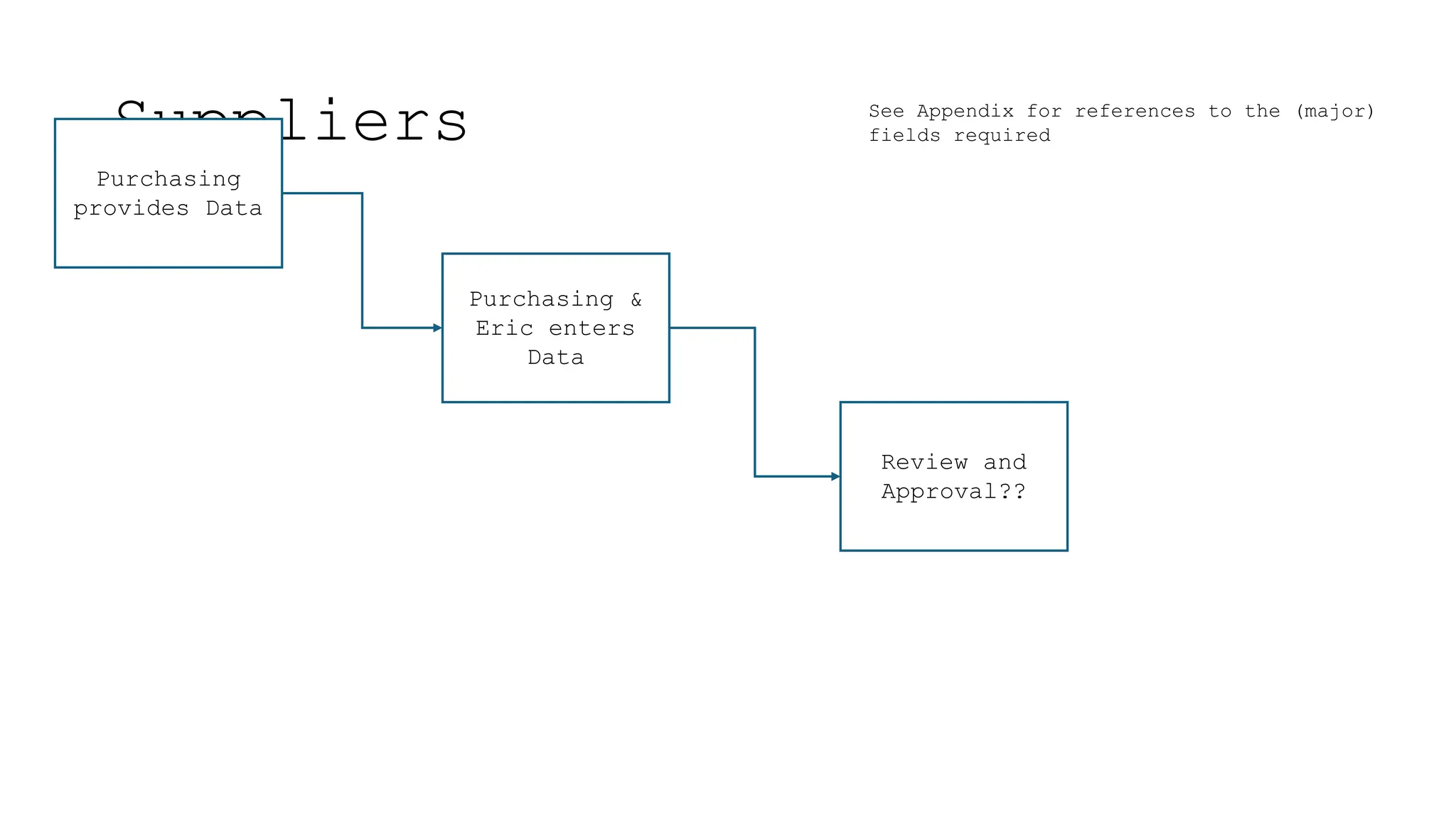
Suppliers
Purchasing
provides Data
Purchasing &
Eric enters
Data
Review and
Approval??
See Appendix for references to the (major)
fields required
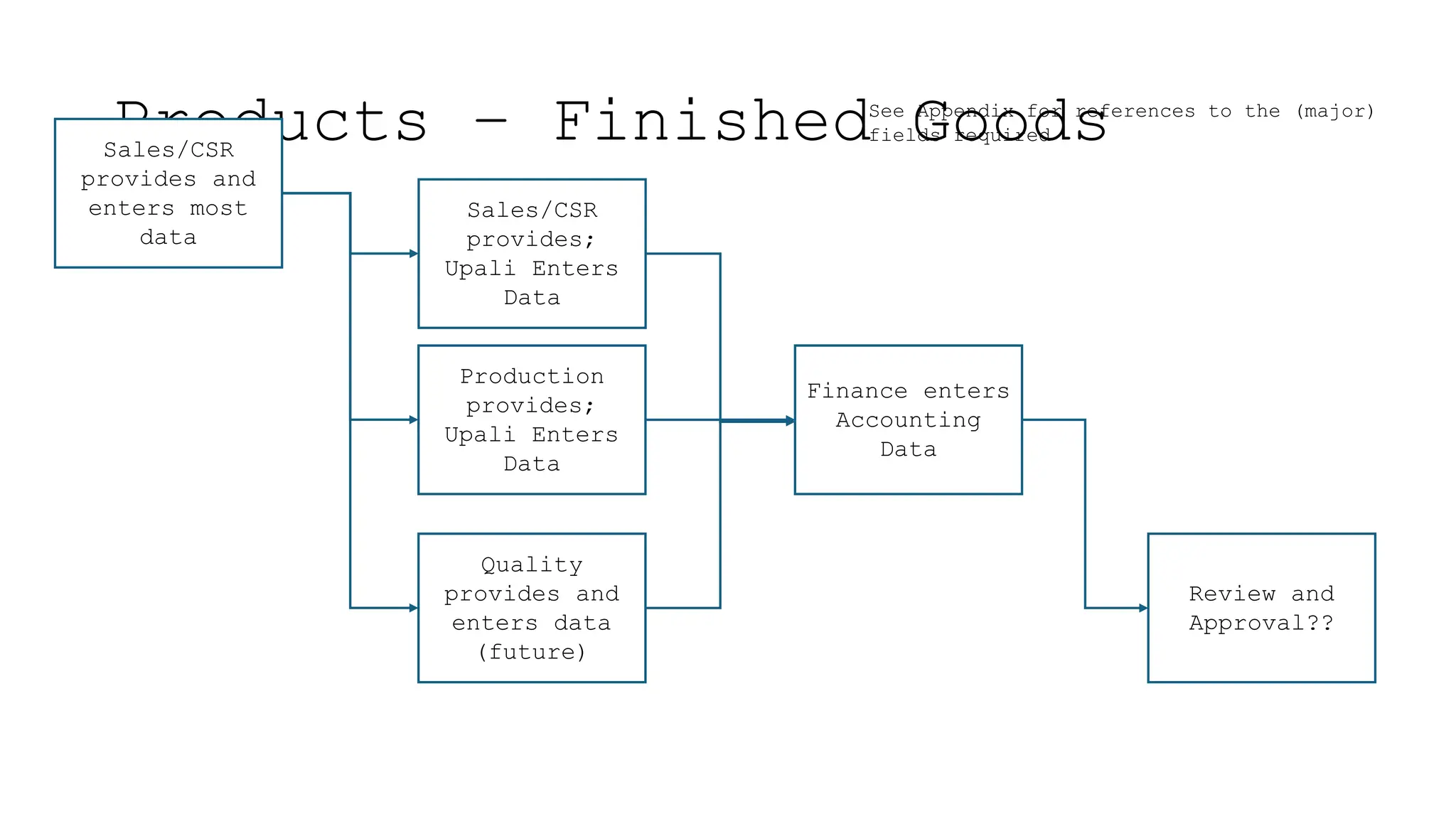
Products – Finished Goods
Sales/CSR
provides and
enters most
data
Finance enters
Accounting
Data
Review and
Approval??
Sales/CSR
provides;
Upali Enters
Data
Production
provides;
Upali Enters
Data
Quality
provides and
enters data
(future)
See Appendix for references to the (major)
fields required
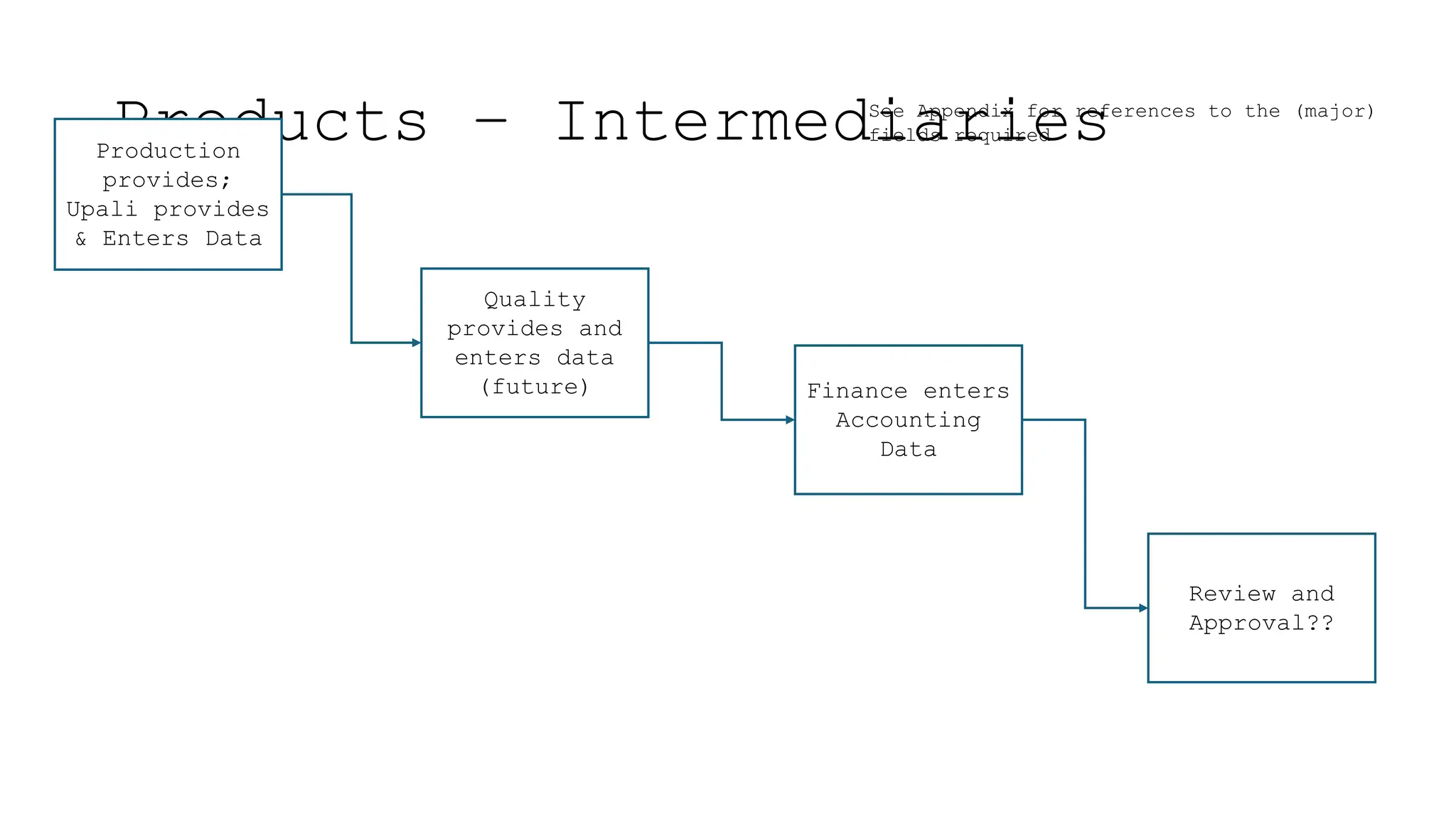
Products – Intermediaries
Finance enters
Accounting
Data
Review and
Approval??
Production
provides;
Upali provides
& Enters Data
Quality
provides and
enters data
(future)
See Appendix for references to the (major)
fields required
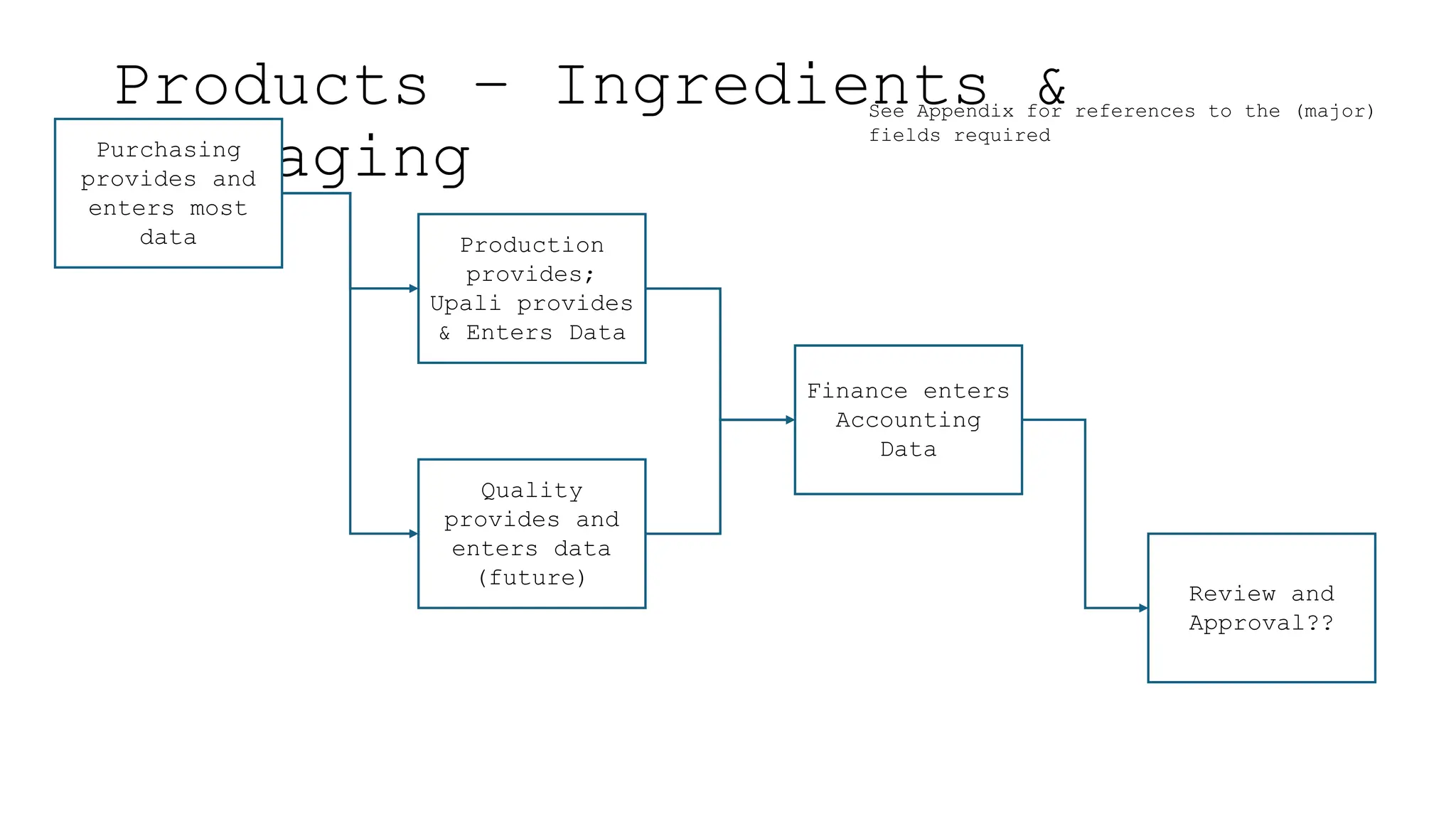
Products – Ingredients &
Packaging
Purchasing
provides and
enters most
data
Finance enters
Accounting
Data
Review and
Approval??
Production
provides;
Upali provides
& Enters Data
Quality
provides and
enters data
(future)
See Appendix for references to the (major)
fields required
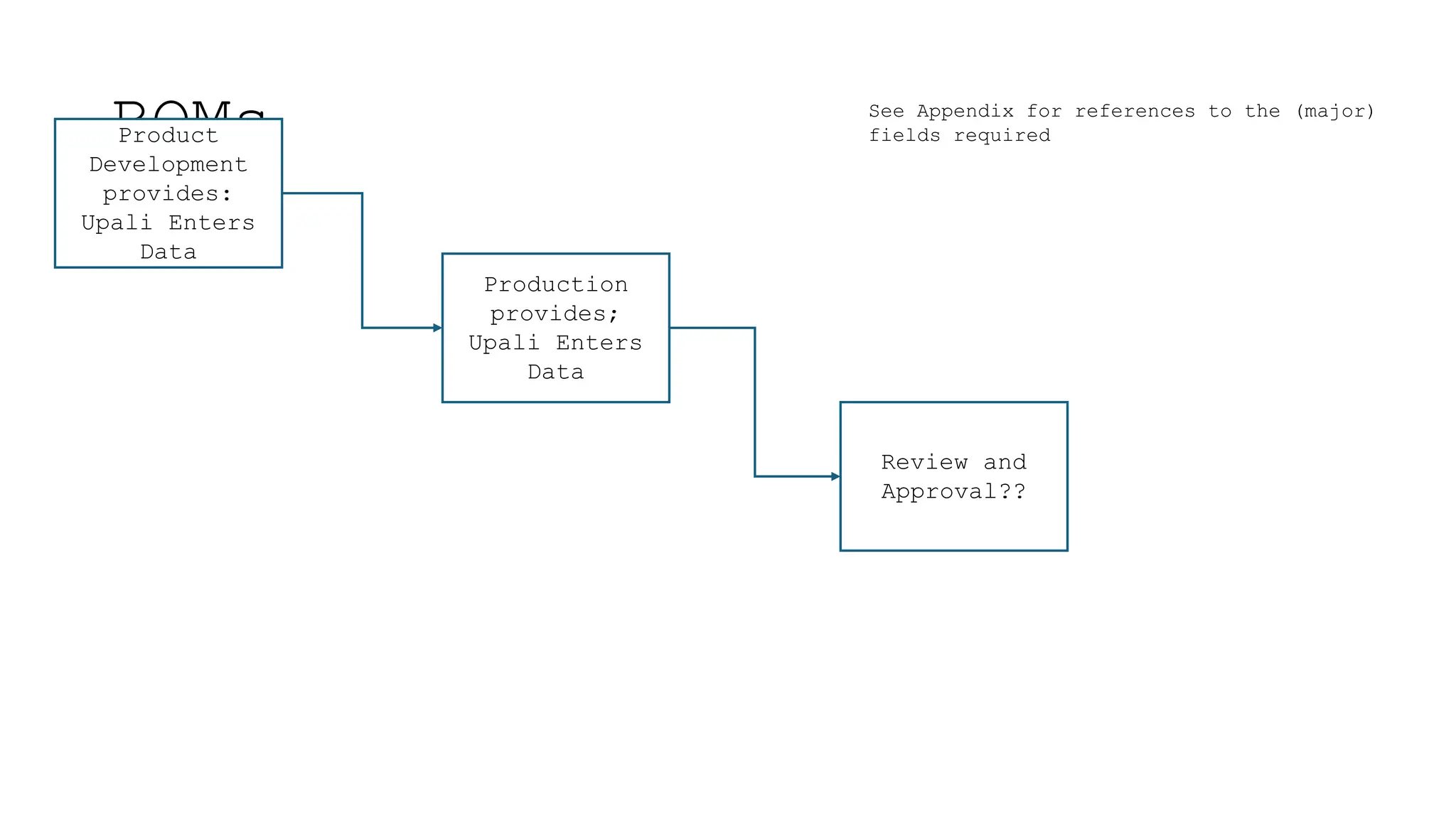
BOMs
Product
Development
provides:
Upali Enters
Data
Production
provides;
Upali Enters
Data
Review and
Approval??
See Appendix for references to the (major)
fields required
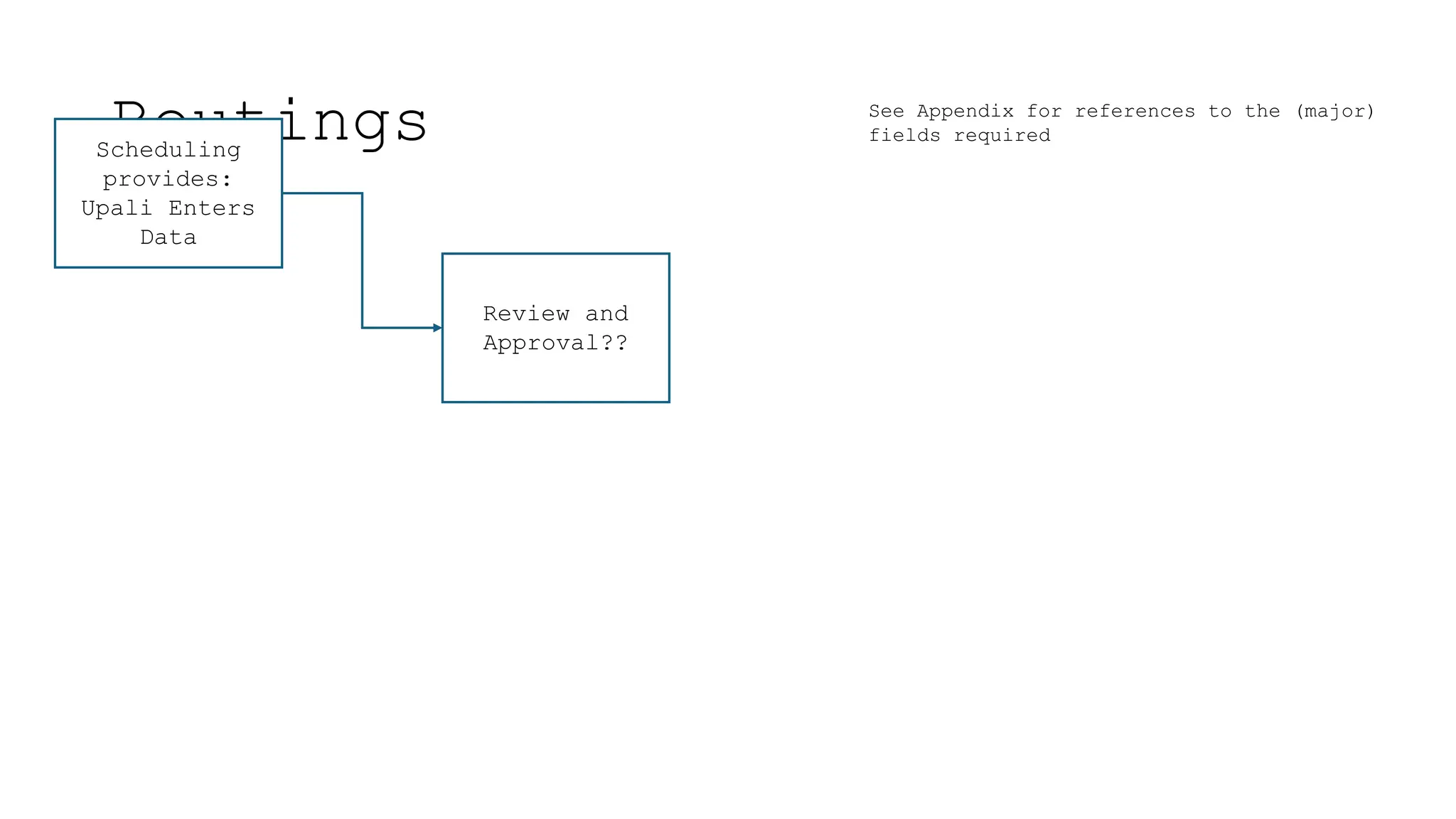
Routings
Scheduling
provides:
Upali Enters
Data
Review and
Approval??
See Appendix for references to the (major)
fields required
Appendix
• Master Data Fields
• The attached spreadsheet can be used to understand
who provides the information and who enters the
information
• (Note that it also shows who uses it)

Understanding Master Data for ERP Systems

  • 1.
  • 2.
    What is MasterData? • Data in ERP software is usually classified as either; Master Data or Transactional Data • There are other classifications as well however, one can usually group them as sub-classes of these major categories • Master Data relates to a Object in the ERP. In relation to other data, they are fairly static (i.e. do not change often) Examples are; • Customer Information (Name, Address, Phone Number, etc.) • Supplier Information (Name, Address, Phone Number, etc.)
  • 3.
    What is MasterData? • Transactional Data relate to actions carried out using the Objects. Examples are; • Sales Orders • Purchase Orders • Work Orders • Production Tracking
  • 4.
    Why is MasterData Important? • Since all actions within an ERP are performed on the objects, Master Data associated with these objects is critically important • The integrity of the information is fundamentally dependant on Master Data • That is not to imply that the transactional data is not important, but all Transactional Data is built upon Master Data. If the foundation isn’t sound then the transactions will never be accurate
  • 5.
    Historical Information • AtSelect, most of the initial Master Data in X3 was loaded from information provided by PFW • The information in PFW was not necessarily sound. It contained; • Redundant or Duplicate entries • Obsolete items • Errors • Inconsistent naming conventions • Some Master Data needed to be developed from scratch • (Routings, Standard Costing, Work Centers)
  • 6.
    Clean Up • Duringinitial testing prior to “Go-Live” much of the data was reviewed and corrected, however there are still errors and inconsistencies • As errors occur during day to day operations, corrections are made as required • New Product and Product Change guidelines have been developed to make sure that they are conducted so as to maintain the data integrity • A BOM review process is being/has been developed to correct the duplications, redundancies and errors
  • 7.
    Master Data ControlProcess • A Master Data Control process should be implemented so that net new as well as changes to Master Data are handled in a controlled manner • This involves providing and entering the data from various departments • A survey was conducted to look at key Master Data Fields and determine; (see appendix) • Who uses it • Who provides it • Who enters it
  • 8.
    Master Data ControlProcess • Moving forward, net new or changes to existing Master Data should follow a controlled process so that it is; • Initiated and provided by the appropriate person/department • Entered consistently • Reviewed and Approved
  • 9.
    Master Data ControlProcess • The following diagrams used in conjunction with the data in the Appendix provide a guideline to help achieve the integrity and consistency of Master Data • Note that most new Master Data records, can be copied and edited from existing records as long as the person conducting this process understands the significance of the fields that they are entering and follows through to enter/modify all other dependent records and fields. • New Product and Product Change guidelines have been developed (in another document) to make sure that they are conducted so as to maintain the data integrity and consistency across all fields
  • 10.
    Customers Sales/CSR provides and enters most data Financeenters Credit & Payment Terms Review and Approval?? See Appendix for references to the (major) fields required
  • 11.
    Suppliers Purchasing provides Data Purchasing & Ericenters Data Review and Approval?? See Appendix for references to the (major) fields required
  • 12.
    Products – FinishedGoods Sales/CSR provides and enters most data Finance enters Accounting Data Review and Approval?? Sales/CSR provides; Upali Enters Data Production provides; Upali Enters Data Quality provides and enters data (future) See Appendix for references to the (major) fields required
  • 13.
    Products – Intermediaries Financeenters Accounting Data Review and Approval?? Production provides; Upali provides & Enters Data Quality provides and enters data (future) See Appendix for references to the (major) fields required
  • 14.
    Products – Ingredients& Packaging Purchasing provides and enters most data Finance enters Accounting Data Review and Approval?? Production provides; Upali provides & Enters Data Quality provides and enters data (future) See Appendix for references to the (major) fields required
  • 15.
    BOMs Product Development provides: Upali Enters Data Production provides; Upali Enters Data Reviewand Approval?? See Appendix for references to the (major) fields required
  • 16.
    Routings Scheduling provides: Upali Enters Data Review and Approval?? SeeAppendix for references to the (major) fields required
  • 17.
    Appendix • Master DataFields • The attached spreadsheet can be used to understand who provides the information and who enters the information • (Note that it also shows who uses it)