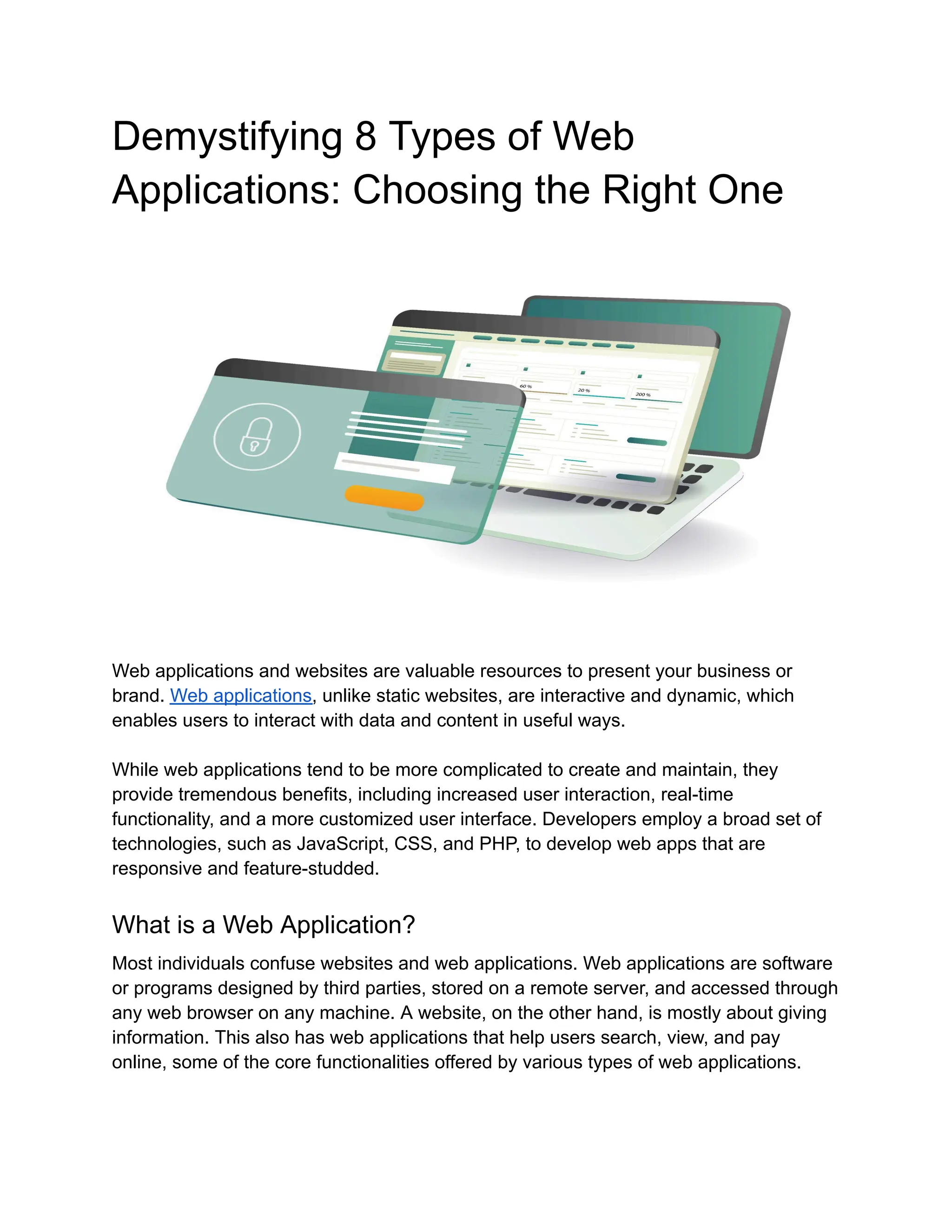
Demystifying 8 Types of Web
Applications: Choosing the Right One
Web applications and websites are valuable resources to present your business or
brand. Web applications, unlike static websites, are interactive and dynamic, which
enables users to interact with data and content in useful ways.
While web applications tend to be more complicated to create and maintain, they
provide tremendous benefits, including increased user interaction, real-time
functionality, and a more customized user interface. Developers employ a broad set of
technologies, such as JavaScript, CSS, and PHP, to develop web apps that are
responsive and feature-studded.
What is a Web Application?
Most individuals confuse websites and web applications. Web applications are software
or programs designed by third parties, stored on a remote server, and accessed through
any web browser on any machine. A website, on the other hand, is mostly about giving
information. This also has web applications that help users search, view, and pay
online, some of the core functionalities offered by various types of web applications.
An application that interacts with a network is called a web application. This definition is
intentionally generic since there are numerous kinds of web applications that operate on
the web. Web applications can be called "client" or "server" applications, but these are
confusing labels; all contemporary web applications contain both client and server
components.
Top 8 Types of Web Applications: A Complete Exploration
Discover the most fundamental categories of web applications that drive today's online
world—from static websites to dynamic, AI-powered platforms. This tutorial
deconstructs their definitions, technologies, advantages, and practical applications so
that you can make an informed decision about which one to use for your project or
business.
1. Static Web Applications
Static web applications serve predefined content directly to the user's browser without
server-side computations. Static web applications do not change based on user
interactions or inputs and are commonly pre-rendered for efficiency and ease of use.
Examples:
●​ Carrd—single-page websites constructed using a static site builder
●​ Tails.dev—Tailwind CSS templates with no backend interactivity
Use Cases:
➔​ Personal portfolios or blogs
➔​ Digital brochures
➔​ Pre-static product landing pages
Common Technologies:
➔​ HTML, CSS, JavaScript
➔​ Static site generators such as Jekyll or Hugo
➔​ CDN hosting (such as Netlify and Vercel)
Benefits:
➔​ Fast loading times
➔​ Easy to host and maintain
➔​ Low overhead
Relevance:
Best suited for content-rich sites where performance and ease of use are important,
especially when used with headless CMS implementations.
2. Dynamic Web Applications
Dynamic applications produce content dynamically based on user input or back-end
data. One of the most adaptable forms of web applications, they depend on server-side
or client-side scripting to continually refresh and tailor content to user activity.
‍
Examples:
●​ Facebook—user-driven content changes in real-time
●​ Reddit—dynamic feed generation, voting, and commenting based on user activity
‍
Use Cases:
➔​ Social networks
➔​ E-commerce platforms
➔​ Content management systems (CMS)
‍
Common Technologies:
➔​ JavaScript frameworks (React, Vue)
➔​ Backend languages (Node.js, Python, PHP)
➔​ Databases (MongoDB, PostgreSQL)
‍
Benefits:
➔​ Personalised user experiences
➔​ Scalable and flexible
➔​ Integration with databases and APIs
‍
Relevance:
Dynamic apps are increasingly powered by serverless architectures and headless CMS,
with AI-driven personalisation for user engagement.
3. Single-Page Applications (SPAs)
SPAs load a single HTML page and dynamically update content as users interact,
without full page reloads. This approach creates a smoother, faster user experience that
mimics native mobile apps.
‍
Examples:
●​ Gmail—seamless transitions between inbox, drafts, and folders
●​ Notion—app-like experience with fast in-page content rendering
‍
Use Cases:
➔​ Email clients (like Gmail)
➔​ SaaS dashboards
➔​ Project management tools
Common Technologies:
➔​ React, Angular, Vue
➔​ REST or GraphQL APIs
➔​ Webpack, Vite
‍
Benefits:
➔​ Fast and seamless user experience
➔​ Reduces server load
➔​ Ideal for mobile-like interactions
‍
Relevance:
SPAs now often integrate with Progressive Web App standards and AI-assisted
interfaces for conversational UX.
4. Multi-Page Applications (MPAs)
MPAs load a new HTML page for each interaction or route, requiring fresh server
requests. As one of the traditional types of web applications, they are well-suited for
websites with extensive content hierarchies and distinct navigation paths.
Examples:
●​ Amazon—each category, product, and checkout step is a separate page
●​ BBC News—individual article pages with distinct URLs and metadata
‍
Use Cases:
➔​ Large e-commerce websites
➔​ News and media portals
➔​ Government services platforms
‍
Common Technologies:
➔​ Traditional MVC frameworks (Laravel, Django)
➔​ HTML, CSS, JavaScript
➔​ Server-side rendering (SSR)
‍
Benefits:
➔​ SEO-friendly architecture
➔​ Easier to manage complex structures
➔​ More secure session handling
‍
Relevance:
MPAs are evolving with hybrid rendering strategies (e.g., Next.js) that combine SEO
benefits with dynamic interactivity.
5. Progressive Web Applications (PWAs)
PWAs combine the best of web and mobile apps, offering offline access, push
notifications, and the ability to be installed on the home screen. They are designed to
work seamlessly across devices and under varying network conditions.
‍
Examples:
●​ Starbucks PWA—order and browse menus offline with a native-like experience.
●​ Twitter Lite—a fast, responsive experience optimised for slow networks
‍
Use Cases:
➔​ Food delivery services
➔​ News apps
➔​ Mobile-first e-commerce
‍
Common Technologies:
➔​ Service workers
➔​ Web App Manifest
➔​ React + Workbox
‍
Benefits:
➔​ Offline functionality
➔​ High engagement through push notifications
➔​ Lower web development cost than native apps
‍
Relevance:
PWAs are crucial in regions with unreliable internet and are now being enhanced with
AI-driven offline content prediction.
6. E-commerce Web Applications
Designed for buying and selling goods or services online, these apps support catalogs,
carts, and payment integration. As one of the most commercially important types of web
applications, they focus heavily on performance, security, and personalized shopping
experiences.
‍
Examples:
●​ Shopify—a complete e-commerce platform as a web app
●​ Etsy—product discovery and checkout powered via dynamic web technologies
‍
Use Cases:
➔​ Online retailers
➔​ Marketplaces
➔​ Subscription box services
‍
Common Technologies:
➔​ Shopify, WooCommerce, Magento
➔​ Stripe, PayPal integrations
➔​ Headless commerce APIs (Commerce Layer, Swell)
‍
Benefits:
➔​ Global scalability
➔​ 24/7 availability
➔​ Integration with analytics and CRM tools
‍
Relevance:
Modern e-commerce apps leverage AI for product recommendations, voice search, and
hyper-personalisation.
7. Portal Web Applications
Portals aggregate content and tools in one interface, typically requiring a user login to
access personalized dashboards. They often serve as gateways for employees, clients,
or students to manage specific tasks or access information.
Examples:
●​ MyChart—a health portal for managing appointments and records
●​ Google Workspace Admin Console—access to organisation tools via role-based
login
‍
Use Cases:
➔​ Intranets and employee portals
➔​ Client portals
➔​ Student information systems
‍
Common Technologies:
➔​ Liferay, Drupal
➔​ Role-based access control (RBAC)
➔​ SSO integrations
‍
Benefits:
➔​ Centralised access to data and tools
➔​ Secure user management
➔​ Custom workflows
‍
Relevance:
Portals now include AI-powered chatbots for internal support and low-code workflows
for business automation.
8. Content Management Systems (CMS)
CMS platforms allow users to create, edit, and manage website content without coding.
As one of the most widely adopted types of web applications, they streamline content
workflows and empower non-technical users to maintain a digital presence efficiently.
Examples:
●​ WordPress powers over 40% of the web with intuitive editing and plugin flexibility
●​ Contentful—modern headless CMS for structured content delivery across
channels
‍
Use Cases:
➔​ Company blogs
➔​ News websites
➔​ Marketing sites
‍
Common Technologies:
➔​ WordPress, Ghost, Strapi
➔​ WYSIWYG editors
➔​ Headless CMS APIs
‍
Benefits:
➔​ Fast content publishing
➔​ Multi-user support
➔​ SEO-friendly tools
‍
Relevance:
Headless CMS paired with frontend frameworks offers scalable, omnichannel content
delivery with AI-assisted writing.
Choosing the Right Type of Web App: What Really Matters
When it comes to picking the right web application, it all boils down to your project's
goals, its complexity, the audience you're targeting, and how scalable you need it to be.
Here’s a simple guide to help you decide:
1.​ Start with your purpose:
Are you looking to showcase static information or build an interactive platform? If your
focus is on content-heavy pages, static or CMS-based apps are a great fit. On the other
hand, if you want to foster engagement and responsiveness, dynamic or single-page
application (SPA) architectures are the way to go.
2.​ Consider scalability:
Ongoing, recognized flexibility and scalability are the preferred options for growing
businesses with web applications that are dynamic or e-commerce platforms, or
custom.
3.​ Pay attention to user experience:
If your users expect and relate to a mobile-like fast experience, convenience, or similar,
they should expect single-page applications (SPAs) or progressive web apps (PWAs)
for delivery of speed, convenience, and an app-like experience.
4.​ Consider cost and timing:
Deploying content management systems (CMS) or static application platforms (actual
web apps) is much cheaper and faster. Applications that traditionally require ongoing
custom or rich internet applications (RIAs) are a more expensive option, but offer some
level of complete control of what is developed.
5.​ Consider the long term:
Businesses could look to leverage delivery of new technology (AI, personalization,
multi-channel), and delivery options must consider future-proof options from the outset.
Consider headless CMS or microservices as some of the future-proof architecture
options you could consider.
Conclusion:
Comprehending the various web application types gives companies the power to select
the ideal option for their purposes. From basic sites to sophisticated RIAs and
AI-powered platforms, each has benefits in terms of function, scalability, and user
experience. With advancing technology, the combination of the correct architecture and
innovation is essential. When introducing a blog or constructing an enterprise platform,
there's a web app type for you. The future is about being flexible, personalized, and
intelligent.

Types of Web Applications: A Complete Guide for Businesses

  • 1.
    Demystifying 8 Typesof Web Applications: Choosing the Right One Web applications and websites are valuable resources to present your business or brand. Web applications, unlike static websites, are interactive and dynamic, which enables users to interact with data and content in useful ways. While web applications tend to be more complicated to create and maintain, they provide tremendous benefits, including increased user interaction, real-time functionality, and a more customized user interface. Developers employ a broad set of technologies, such as JavaScript, CSS, and PHP, to develop web apps that are responsive and feature-studded. What is a Web Application? Most individuals confuse websites and web applications. Web applications are software or programs designed by third parties, stored on a remote server, and accessed through any web browser on any machine. A website, on the other hand, is mostly about giving information. This also has web applications that help users search, view, and pay online, some of the core functionalities offered by various types of web applications.
  • 2.
    An application thatinteracts with a network is called a web application. This definition is intentionally generic since there are numerous kinds of web applications that operate on the web. Web applications can be called "client" or "server" applications, but these are confusing labels; all contemporary web applications contain both client and server components. Top 8 Types of Web Applications: A Complete Exploration Discover the most fundamental categories of web applications that drive today's online world—from static websites to dynamic, AI-powered platforms. This tutorial deconstructs their definitions, technologies, advantages, and practical applications so that you can make an informed decision about which one to use for your project or business. 1. Static Web Applications Static web applications serve predefined content directly to the user's browser without server-side computations. Static web applications do not change based on user interactions or inputs and are commonly pre-rendered for efficiency and ease of use. Examples: ●​ Carrd—single-page websites constructed using a static site builder ●​ Tails.dev—Tailwind CSS templates with no backend interactivity Use Cases: ➔​ Personal portfolios or blogs ➔​ Digital brochures ➔​ Pre-static product landing pages Common Technologies: ➔​ HTML, CSS, JavaScript ➔​ Static site generators such as Jekyll or Hugo ➔​ CDN hosting (such as Netlify and Vercel) Benefits: ➔​ Fast loading times ➔​ Easy to host and maintain ➔​ Low overhead Relevance:
  • 3.
    Best suited forcontent-rich sites where performance and ease of use are important, especially when used with headless CMS implementations. 2. Dynamic Web Applications Dynamic applications produce content dynamically based on user input or back-end data. One of the most adaptable forms of web applications, they depend on server-side or client-side scripting to continually refresh and tailor content to user activity. ‍ Examples: ●​ Facebook—user-driven content changes in real-time ●​ Reddit—dynamic feed generation, voting, and commenting based on user activity ‍ Use Cases: ➔​ Social networks ➔​ E-commerce platforms ➔​ Content management systems (CMS) ‍ Common Technologies: ➔​ JavaScript frameworks (React, Vue) ➔​ Backend languages (Node.js, Python, PHP) ➔​ Databases (MongoDB, PostgreSQL) ‍ Benefits: ➔​ Personalised user experiences ➔​ Scalable and flexible ➔​ Integration with databases and APIs ‍ Relevance: Dynamic apps are increasingly powered by serverless architectures and headless CMS, with AI-driven personalisation for user engagement. 3. Single-Page Applications (SPAs) SPAs load a single HTML page and dynamically update content as users interact, without full page reloads. This approach creates a smoother, faster user experience that mimics native mobile apps. ‍ Examples: ●​ Gmail—seamless transitions between inbox, drafts, and folders ●​ Notion—app-like experience with fast in-page content rendering ‍
  • 4.
    Use Cases: ➔​ Emailclients (like Gmail) ➔​ SaaS dashboards ➔​ Project management tools Common Technologies: ➔​ React, Angular, Vue ➔​ REST or GraphQL APIs ➔​ Webpack, Vite ‍ Benefits: ➔​ Fast and seamless user experience ➔​ Reduces server load ➔​ Ideal for mobile-like interactions ‍ Relevance: SPAs now often integrate with Progressive Web App standards and AI-assisted interfaces for conversational UX. 4. Multi-Page Applications (MPAs) MPAs load a new HTML page for each interaction or route, requiring fresh server requests. As one of the traditional types of web applications, they are well-suited for websites with extensive content hierarchies and distinct navigation paths. Examples: ●​ Amazon—each category, product, and checkout step is a separate page ●​ BBC News—individual article pages with distinct URLs and metadata ‍ Use Cases: ➔​ Large e-commerce websites ➔​ News and media portals ➔​ Government services platforms ‍ Common Technologies: ➔​ Traditional MVC frameworks (Laravel, Django) ➔​ HTML, CSS, JavaScript ➔​ Server-side rendering (SSR) ‍ Benefits: ➔​ SEO-friendly architecture
  • 5.
    ➔​ Easier tomanage complex structures ➔​ More secure session handling ‍ Relevance: MPAs are evolving with hybrid rendering strategies (e.g., Next.js) that combine SEO benefits with dynamic interactivity. 5. Progressive Web Applications (PWAs) PWAs combine the best of web and mobile apps, offering offline access, push notifications, and the ability to be installed on the home screen. They are designed to work seamlessly across devices and under varying network conditions. ‍ Examples: ●​ Starbucks PWA—order and browse menus offline with a native-like experience. ●​ Twitter Lite—a fast, responsive experience optimised for slow networks ‍ Use Cases: ➔​ Food delivery services ➔​ News apps ➔​ Mobile-first e-commerce ‍ Common Technologies: ➔​ Service workers ➔​ Web App Manifest ➔​ React + Workbox ‍ Benefits: ➔​ Offline functionality ➔​ High engagement through push notifications ➔​ Lower web development cost than native apps ‍ Relevance: PWAs are crucial in regions with unreliable internet and are now being enhanced with AI-driven offline content prediction. 6. E-commerce Web Applications Designed for buying and selling goods or services online, these apps support catalogs, carts, and payment integration. As one of the most commercially important types of web applications, they focus heavily on performance, security, and personalized shopping experiences.
  • 6.
    ‍ Examples: ●​ Shopify—a completee-commerce platform as a web app ●​ Etsy—product discovery and checkout powered via dynamic web technologies ‍ Use Cases: ➔​ Online retailers ➔​ Marketplaces ➔​ Subscription box services ‍ Common Technologies: ➔​ Shopify, WooCommerce, Magento ➔​ Stripe, PayPal integrations ➔​ Headless commerce APIs (Commerce Layer, Swell) ‍ Benefits: ➔​ Global scalability ➔​ 24/7 availability ➔​ Integration with analytics and CRM tools ‍ Relevance: Modern e-commerce apps leverage AI for product recommendations, voice search, and hyper-personalisation. 7. Portal Web Applications Portals aggregate content and tools in one interface, typically requiring a user login to access personalized dashboards. They often serve as gateways for employees, clients, or students to manage specific tasks or access information. Examples: ●​ MyChart—a health portal for managing appointments and records ●​ Google Workspace Admin Console—access to organisation tools via role-based login ‍ Use Cases: ➔​ Intranets and employee portals ➔​ Client portals ➔​ Student information systems ‍ Common Technologies:
  • 7.
    ➔​ Liferay, Drupal ➔​Role-based access control (RBAC) ➔​ SSO integrations ‍ Benefits: ➔​ Centralised access to data and tools ➔​ Secure user management ➔​ Custom workflows ‍ Relevance: Portals now include AI-powered chatbots for internal support and low-code workflows for business automation. 8. Content Management Systems (CMS) CMS platforms allow users to create, edit, and manage website content without coding. As one of the most widely adopted types of web applications, they streamline content workflows and empower non-technical users to maintain a digital presence efficiently. Examples: ●​ WordPress powers over 40% of the web with intuitive editing and plugin flexibility ●​ Contentful—modern headless CMS for structured content delivery across channels ‍ Use Cases: ➔​ Company blogs ➔​ News websites ➔​ Marketing sites ‍ Common Technologies: ➔​ WordPress, Ghost, Strapi ➔​ WYSIWYG editors ➔​ Headless CMS APIs ‍ Benefits: ➔​ Fast content publishing ➔​ Multi-user support ➔​ SEO-friendly tools ‍ Relevance:
  • 8.
    Headless CMS pairedwith frontend frameworks offers scalable, omnichannel content delivery with AI-assisted writing. Choosing the Right Type of Web App: What Really Matters When it comes to picking the right web application, it all boils down to your project's goals, its complexity, the audience you're targeting, and how scalable you need it to be. Here’s a simple guide to help you decide: 1.​ Start with your purpose: Are you looking to showcase static information or build an interactive platform? If your focus is on content-heavy pages, static or CMS-based apps are a great fit. On the other hand, if you want to foster engagement and responsiveness, dynamic or single-page application (SPA) architectures are the way to go. 2.​ Consider scalability: Ongoing, recognized flexibility and scalability are the preferred options for growing businesses with web applications that are dynamic or e-commerce platforms, or custom. 3.​ Pay attention to user experience: If your users expect and relate to a mobile-like fast experience, convenience, or similar, they should expect single-page applications (SPAs) or progressive web apps (PWAs) for delivery of speed, convenience, and an app-like experience. 4.​ Consider cost and timing: Deploying content management systems (CMS) or static application platforms (actual web apps) is much cheaper and faster. Applications that traditionally require ongoing custom or rich internet applications (RIAs) are a more expensive option, but offer some level of complete control of what is developed. 5.​ Consider the long term: Businesses could look to leverage delivery of new technology (AI, personalization, multi-channel), and delivery options must consider future-proof options from the outset. Consider headless CMS or microservices as some of the future-proof architecture options you could consider.
  • 9.
    Conclusion: Comprehending the variousweb application types gives companies the power to select the ideal option for their purposes. From basic sites to sophisticated RIAs and AI-powered platforms, each has benefits in terms of function, scalability, and user experience. With advancing technology, the combination of the correct architecture and innovation is essential. When introducing a blog or constructing an enterprise platform, there's a web app type for you. The future is about being flexible, personalized, and intelligent.