Download to read offline

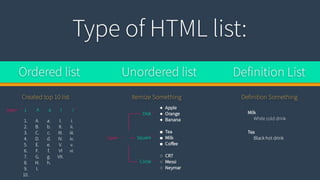

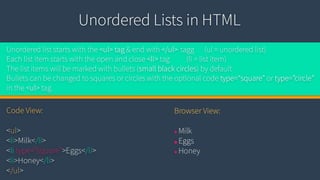
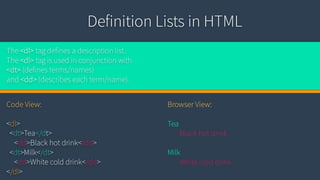

2.Type of HTML list: 1-Ordered list 2-Unordered list 3-Definition list ------------------------------------ 3.Ordared List in HTML: Ordered list starts with the <ol> tag, end with </ol> tag (ol = ordered list) Each list item starts with the open and close <li> tag (li = list item) The list items will be marked with numbers by default Numbers can be changed to a, A, i, or I with the optional code type=“a”, type=“A”, etc in the <ol> tag. Code View: <ol type=”A”> <li>George Washington</li> <li>John Adams</li> </ol> Browser View: A. George Washington B. John Adams ---------------------------------- 4.Unordared List in HTML: Unordered list starts with the <ul> tag & end with </ul> tagg (ul = unordered list) Each list item starts with the open and close <li> tag (li = list item) The list items will be marked with bullets (small black circles) by default Bullets can be changed to squares or circles with the optional code type=“square” or type=”circle” in the <ul> tag. Code View: <ul> <li>Milk</li> <li type=”square”>Eggs</li> <li>Honey</li> </ul> Browser View: ● Milk ■ Eggs ● Honey ------------------------------------ 5. Definition List in HTML: The <dl> tag defines a description list. The <dl> tag is used in conjunction with <dt> (defines terms/names) and <dd> (describes each term/name). Code View: <dl> <dt>Tea</dt> <dd>Black hot drink</dd> <dt>Milk</dt> <dd>White cold drink</dd> </dl> Browser View: Tea Black hot drink Milk White cold drink


