Proprietary and Confidential
Touch screen calibration
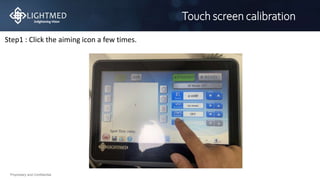
Step1 : Click the aiming icon a few times.
Proprietary and Confidential
Touch screen calibration
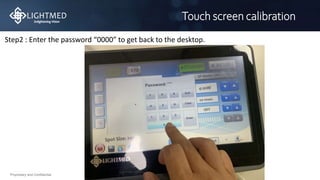
Step2 : Enter the password “0000” to get back to the desktop.
Proprietary and Confidential
Touch screen calibration
Step3 : Press the toolbar on the right-down corner.
Proprietary and Confidential
Solving the screen rotation
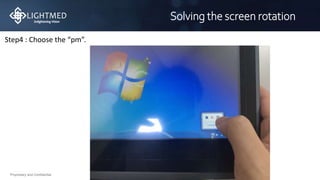
Step4 : Choose the “pm”.
Proprietary and Confidential
Touch screen calibration
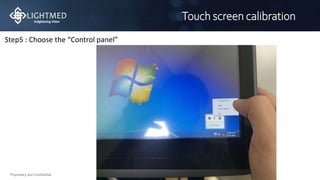
Step5 : Choose the “Control panel”
Proprietary and Confidential
Touch screen calibration
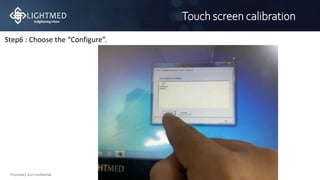
Step6 : Choose the “Configure”.
Proprietary and Confidential
Touch screen calibration
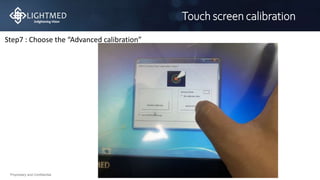
Step7 : Choose the “Advanced calibration”
Proprietary and Confidential
Touch screen calibration
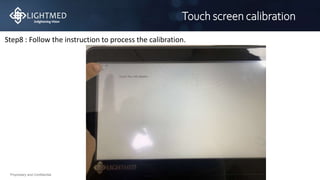
Step8 : Follow the instruction to process the calibration.
Proprietary and Confidential
Touch screen calibration
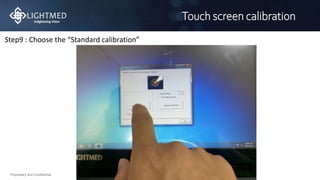
Step9 : Choose the “Standard calibration”
Proprietary and Confidential
Touch screen calibration
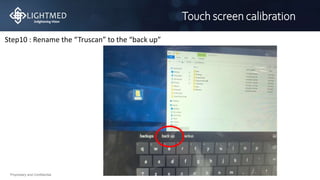
Step10 : Rename the “Truscan” to the “back up”
Proprietary and Confidential
Touch screen calibration
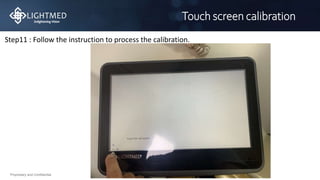
Step11 : Follow the instruction to process the calibration.
Proprietary and Confidential
Touch screen calibration
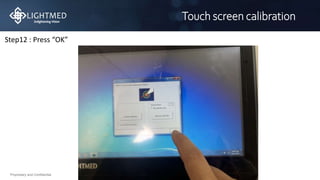
Step12 : Press “OK”
Proprietary and Confidential
Touch screen calibration
If this procedure can’t solve the problem
Please feedback to us ,thanks
Email: service@lightmed.com

Truscan touch screen calibration123.pptx