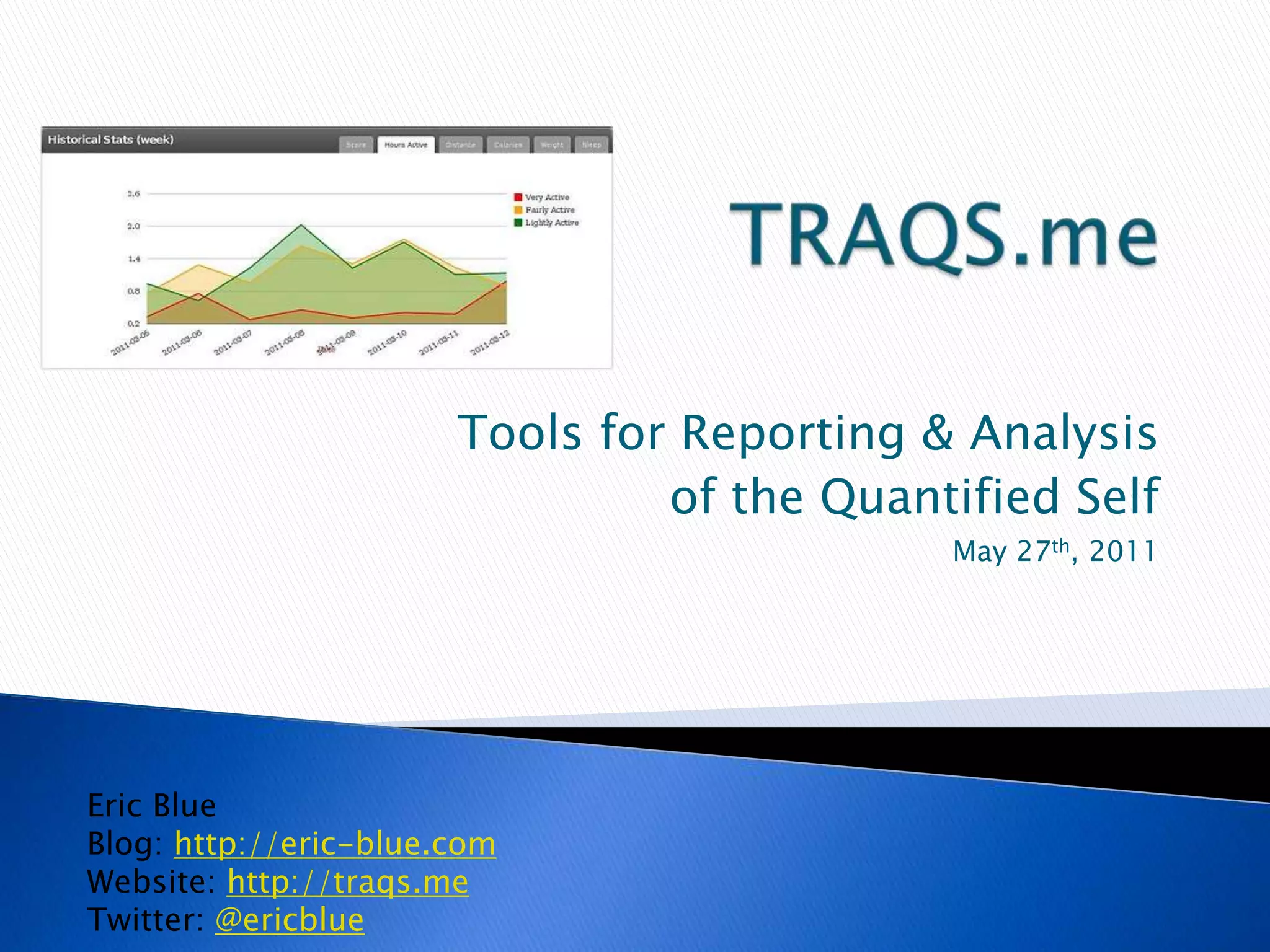
TRAQS.meTools for Reporting & Analysisof the Quantified SelfMay 27th, 2011Eric BlueBlog: http://eric-blue.comWebsite: http://traqs.meTwitter: @ericblue
What is the Quantified Self?A brief definitionPersonal history of self-trackingMy gadgetsFitBit, Withings, ZeoGPS (Qstarz)TRAQS.meMy personal project to help “Track Me”Early days – data scraping (Fitbit “Hacks”)Technology overviewCurrent featuresFuture plansOverview2
Multiple TermsThe Quantified SelfPersonal InformaticsLife LoggingSelf-Knowledge through numbersAnalyze trends and set goals to improve yourselfRecording of daily activities (fitness, sleep, geolocation)Monitoring and display of information from various devices, services, and applicationsYou could also call it Mathematics of Personal Development3What is the Quantified Self?
[1999-2007] I started “tracking” like many average peopleRecording workouts and weightStarted with writing down on paperGradually evolved to spreadsheetsExperimented with multiple software applications for fitness tracking (e.g. CrossTrainer.ca)4Personal History of Self-Tracking [1]
[2004-2010] A new aspect of tracking emerged with knowledge managementSpent many years researching and ultimately building my own homegrown personal, semantic wiki (My Personal Memex Project)Tracking journal entries, travel logs/trips, books I’ve read, research notes, dream journals, workouts, etc.Very sophisticated, but can be high maintenance (data entry)Discovered the amazing work of Gordon Bell (“Total Recall”) and his own Memex/Tracking project – MyLifeBitsThis led to my discovery of the “Quantified Self” trend and a new tracking passion evolved5Personal History of Self-Tracking [2]
[2010-Present] Quantifying “Me”Jan 2010 – WiThings wireless scale for weight trackingApr 2010 – Started using my FitBit for activity trackingAug 2010 – Started using MyZeo for sleep trackingOct 2010 – Started using DailyBurn for calorie countingAll this data!  Now what to do with it??6Personal History of Self-Tracking [3]
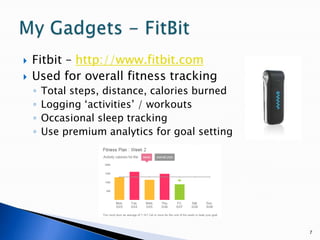
Fitbit – http://www.fitbit.comUsed for overall fitness trackingTotal steps, distance, calories burnedLogging ‘activities’ / workoutsOccasional sleep trackingUse premium analytics for goal setting7My Gadgets - FitBit
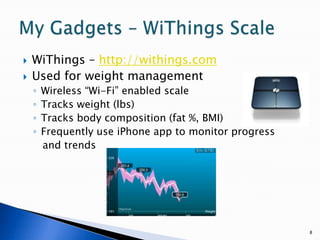
WiThings – http://withings.comUsed for weight managementWireless “Wi-Fi” enabled scaleTracks weight (lbs)Tracks body composition (fat %, BMI)Frequently use iPhone app to monitor progress   and trends8My Gadgets – WiThings Scale
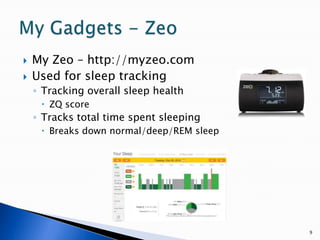
My Zeo – http://myzeo.comUsed for sleep trackingTracking overall sleep healthZQ scoreTracks total time spent sleepingBreaks down normal/deep/REM sleep9My Gadgets - Zeo
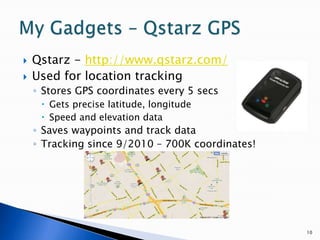
Qstarz - http://www.qstarz.com/Used for location tracking Stores GPS coordinates every 5 secsGets precise latitude, longitudeSpeed and elevation dataSaves waypoints and track dataTracking since 9/2010 – 700K coordinates!10My Gadgets – Qstarz GPS
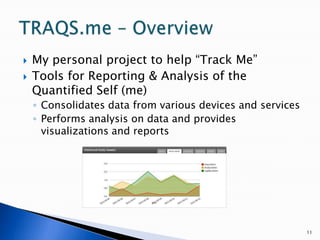
My personal project to help “Track Me”Tools for Reporting & Analysis of the Quantified Self (me)Consolidates data from various devices and servicesPerforms analysis on data and provides visualizations and reports11TRAQS.me – Overview
I have all these gadgets, now how do I get the data?!  Having a copy of my own data is key.Wrote “scripts” and API wrappers to downloadFitBitIn April 2010 there was no API and I created my own (“Fitbit Hacks”) project – Perl API (GitHub+ CPAN).  Created an unofficial CSV export featureFitbit now has an official API.ZeoOpen/Documented APIWrote Perl MyZeo API (GitHub) WithingsOpen/Documented APIWrote perl script to download (not published yet)12TRAQS.me – Early Days
OK, I have data, now what to do with it?!Woke up, jumped out of bed and had my “epiphany” of my own Fitness Tracking program13TRAQS.me – Technology Overview [1]
Data collection scriptsPrimarily written in Perl using API wrappers I’ve createdData storageStore all data in MySQL; Easy to write SQL and generate reportsWeb Interface / PresentationJava-based: Spring 3.X, TomcatGoogle for Visualization and Maps14TRAQS.me – Technology Overview [2]
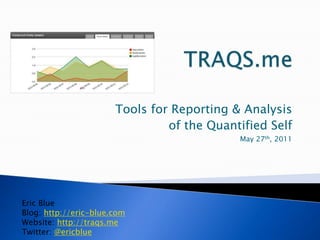
DashboardHistorical statsActivity score, calories burned, distance, sleep, etc.Chart and bar graph visualizationsDailySnapshot of the dayGeolocationGPS track stats and track log using Google MapsIntraday statsHourly charts for activity and sleep data15TRAQS.me – Feature [Dashboard]
16TRAQS.me – Feature [Dashboard] 1Historical statsWeekly, Monthly, Quarterly viewsScore, Hours Active, Distance, Calories, Weight and Sleep
17TRAQS.me – Feature [Dashboard] 2Daily statsActivity Score, Steps, Distance, Calories Burned, Sleep Time, Times Awoken
18TRAQS.me – Feature [Dashboard] 3Geo statsTrack log stats (distance, speed, elevation)Google maps visualization
19TRAQS.me – Feature [Dashboard] 4Intraday statsHourly breakdown for activity and sleep
20TRAQS.me – Feature [Reports] ReportsTable data (Google Visualization) for SQL generated reportsActivity reportsBreakdown by year/month/dayFitness recordsGeolocation reportsGeo analysis to find “top places” and tally total visits and last visitedReverse geocoding to lookup addressesWeight reports
21TRAQS.me – Feature [Reports] 1
22TRAQS.me – Feature [Reports] 2
23TRAQS.me – Feature [Maps] MapsQuery “Top Places” and filter based on latitude/longitude or GeoHash precisionCan find places that I stay at for more than x minutesProximity searching for Top Places and tracksClick on a point on the map or input a name, select the RADIUS, and dates last visited will be markedView tracklog for a given datePlot as a polyline or as individual markers with date/time, speed, elevation and address infoAbility to specify density of points and other filtering options
24TRAQS.me – Feature [Maps] 1
25TRAQS.me – Feature [Maps] 2
26TRAQS.me – Future Plans Goal #1: Build the Tool for myselfFeaturesIntegration with other devicesGarmin heart rate monitorImport MyZeo sleep dataImport workout data from iFitness application and my previous workout softwareMany more visualization options and reportsGoal setting, motivation and behaviorReleasing to the publicRelease certain features and code as open sourceConsidering social website/serviceConsidering future market needs and solutions
27TRAQS.me – Additional Info BlogMy blog is a mixture of posts on technology, personal development, knowledge management, philosophy, mind mapping, and self trackingVisit http://eric-blue.comTwitter@ericblueWebsiteContains this presentation and links to a demo (coming soon)Check back often for updates: http://traqs.me

TRAQS.me Presentation

  • 1.
    TRAQS.meTools for Reporting& Analysisof the Quantified SelfMay 27th, 2011Eric BlueBlog: http://eric-blue.comWebsite: http://traqs.meTwitter: @ericblue
  • 2.
    What is theQuantified Self?A brief definitionPersonal history of self-trackingMy gadgetsFitBit, Withings, ZeoGPS (Qstarz)TRAQS.meMy personal project to help “Track Me”Early days – data scraping (Fitbit “Hacks”)Technology overviewCurrent featuresFuture plansOverview2
  • 3.
    Multiple TermsThe QuantifiedSelfPersonal InformaticsLife LoggingSelf-Knowledge through numbersAnalyze trends and set goals to improve yourselfRecording of daily activities (fitness, sleep, geolocation)Monitoring and display of information from various devices, services, and applicationsYou could also call it Mathematics of Personal Development3What is the Quantified Self?
  • 4.
    [1999-2007] I started“tracking” like many average peopleRecording workouts and weightStarted with writing down on paperGradually evolved to spreadsheetsExperimented with multiple software applications for fitness tracking (e.g. CrossTrainer.ca)4Personal History of Self-Tracking [1]
  • 5.
    [2004-2010] A newaspect of tracking emerged with knowledge managementSpent many years researching and ultimately building my own homegrown personal, semantic wiki (My Personal Memex Project)Tracking journal entries, travel logs/trips, books I’ve read, research notes, dream journals, workouts, etc.Very sophisticated, but can be high maintenance (data entry)Discovered the amazing work of Gordon Bell (“Total Recall”) and his own Memex/Tracking project – MyLifeBitsThis led to my discovery of the “Quantified Self” trend and a new tracking passion evolved5Personal History of Self-Tracking [2]
  • 6.
    [2010-Present] Quantifying “Me”Jan2010 – WiThings wireless scale for weight trackingApr 2010 – Started using my FitBit for activity trackingAug 2010 – Started using MyZeo for sleep trackingOct 2010 – Started using DailyBurn for calorie countingAll this data! Now what to do with it??6Personal History of Self-Tracking [3]
  • 7.
    Fitbit – http://www.fitbit.comUsedfor overall fitness trackingTotal steps, distance, calories burnedLogging ‘activities’ / workoutsOccasional sleep trackingUse premium analytics for goal setting7My Gadgets - FitBit
  • 8.
    WiThings – http://withings.comUsedfor weight managementWireless “Wi-Fi” enabled scaleTracks weight (lbs)Tracks body composition (fat %, BMI)Frequently use iPhone app to monitor progress and trends8My Gadgets – WiThings Scale
  • 9.
    My Zeo –http://myzeo.comUsed for sleep trackingTracking overall sleep healthZQ scoreTracks total time spent sleepingBreaks down normal/deep/REM sleep9My Gadgets - Zeo
  • 10.
    Qstarz - http://www.qstarz.com/Usedfor location tracking Stores GPS coordinates every 5 secsGets precise latitude, longitudeSpeed and elevation dataSaves waypoints and track dataTracking since 9/2010 – 700K coordinates!10My Gadgets – Qstarz GPS
  • 11.
    My personal projectto help “Track Me”Tools for Reporting & Analysis of the Quantified Self (me)Consolidates data from various devices and servicesPerforms analysis on data and provides visualizations and reports11TRAQS.me – Overview
  • 12.
    I have allthese gadgets, now how do I get the data?! Having a copy of my own data is key.Wrote “scripts” and API wrappers to downloadFitBitIn April 2010 there was no API and I created my own (“Fitbit Hacks”) project – Perl API (GitHub+ CPAN). Created an unofficial CSV export featureFitbit now has an official API.ZeoOpen/Documented APIWrote Perl MyZeo API (GitHub) WithingsOpen/Documented APIWrote perl script to download (not published yet)12TRAQS.me – Early Days
  • 13.
    OK, I havedata, now what to do with it?!Woke up, jumped out of bed and had my “epiphany” of my own Fitness Tracking program13TRAQS.me – Technology Overview [1]
  • 14.
    Data collection scriptsPrimarilywritten in Perl using API wrappers I’ve createdData storageStore all data in MySQL; Easy to write SQL and generate reportsWeb Interface / PresentationJava-based: Spring 3.X, TomcatGoogle for Visualization and Maps14TRAQS.me – Technology Overview [2]
  • 15.
    DashboardHistorical statsActivity score,calories burned, distance, sleep, etc.Chart and bar graph visualizationsDailySnapshot of the dayGeolocationGPS track stats and track log using Google MapsIntraday statsHourly charts for activity and sleep data15TRAQS.me – Feature [Dashboard]
  • 16.
    16TRAQS.me – Feature[Dashboard] 1Historical statsWeekly, Monthly, Quarterly viewsScore, Hours Active, Distance, Calories, Weight and Sleep
  • 17.
    17TRAQS.me – Feature[Dashboard] 2Daily statsActivity Score, Steps, Distance, Calories Burned, Sleep Time, Times Awoken
  • 18.
    18TRAQS.me – Feature[Dashboard] 3Geo statsTrack log stats (distance, speed, elevation)Google maps visualization
  • 19.
    19TRAQS.me – Feature[Dashboard] 4Intraday statsHourly breakdown for activity and sleep
  • 20.
    20TRAQS.me – Feature[Reports] ReportsTable data (Google Visualization) for SQL generated reportsActivity reportsBreakdown by year/month/dayFitness recordsGeolocation reportsGeo analysis to find “top places” and tally total visits and last visitedReverse geocoding to lookup addressesWeight reports
  • 21.
  • 22.
  • 23.
    23TRAQS.me – Feature[Maps] MapsQuery “Top Places” and filter based on latitude/longitude or GeoHash precisionCan find places that I stay at for more than x minutesProximity searching for Top Places and tracksClick on a point on the map or input a name, select the RADIUS, and dates last visited will be markedView tracklog for a given datePlot as a polyline or as individual markers with date/time, speed, elevation and address infoAbility to specify density of points and other filtering options
  • 24.
  • 25.
  • 26.
    26TRAQS.me – FuturePlans Goal #1: Build the Tool for myselfFeaturesIntegration with other devicesGarmin heart rate monitorImport MyZeo sleep dataImport workout data from iFitness application and my previous workout softwareMany more visualization options and reportsGoal setting, motivation and behaviorReleasing to the publicRelease certain features and code as open sourceConsidering social website/serviceConsidering future market needs and solutions
  • 27.
    27TRAQS.me – AdditionalInfo BlogMy blog is a mixture of posts on technology, personal development, knowledge management, philosophy, mind mapping, and self trackingVisit http://eric-blue.comTwitter@ericblueWebsiteContains this presentation and links to a demo (coming soon)Check back often for updates: http://traqs.me