Sitecore xDB
A Crash Course
Todd Mitchell, @agenttmi
Technical Product Manager, Sitecore
@agenttmi
What is xDB?
CRM
Social
Media
Customer
Support
Website
POS Apps
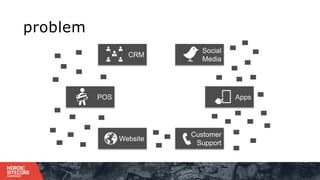
problem
CRM
Social
Media
Customer
Support
Website
POS Apps
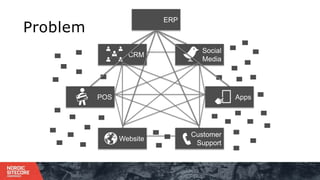
Problem
ERP
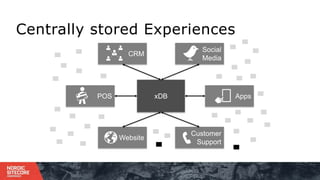
Centrally stored Experiences
CRM
Social
Media
Customer
Support
Website
POS AppsxDB
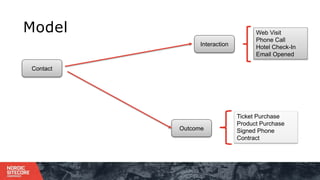
Model
Contact
Interaction
Web Visit
Phone Call
Hotel Check-In
Email Opened
Outcome
Ticket Purchase
Product Purchase
Signed Phone
Contract
Part 1
xDB Platform
Architecture
10
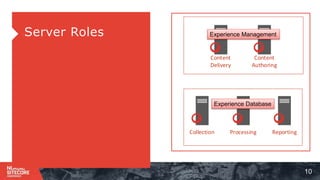
⁞Server Roles
Content
Delivery
Content
Authoring
Processing ReportingCollection
Experience Management
Experience Database
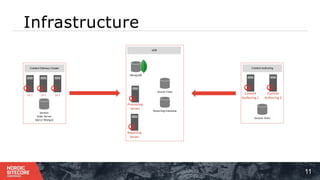
Infrastructure
11
xDB
Processing
Server
Reporting
Server
Search Index
Reporting Database
MongoDB
Content Delivery Cluster
Session
State Server
(Sql or Mongo)
CD 1 CD 2 CD 3
Content Authoring
Content
Authoring 1
Content
Authoring 2
Session State
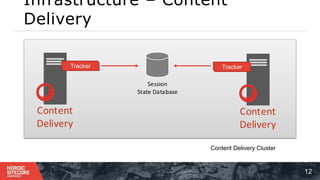
Infrastructure – Content
Delivery
12
Content
Delivery
Session
State Database
Tracker
Content
Delivery
Tracker
Content Delivery Cluster
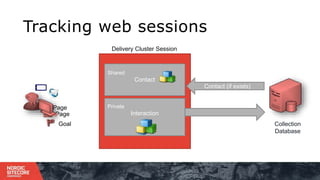
Shared
Contact
Private
Interaction
Collection
Database
Goal
Page
Page
Contact (if exists)
Tracking web sessions
Delivery Cluster Session
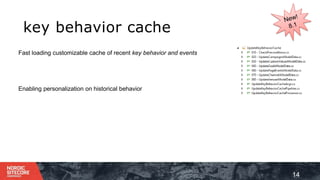
key behavior cache
14
Fast loading customizable cache of recent key behavior and events
Enabling personalization on historical behavior
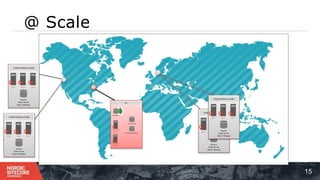
@ Scale
15
Content Delivery Cluster
Session
State Server
(Sql or Mongo)
CD 1 CD 2 CD 3
Content Delivery Cluster
Session
State Server
(Sql or Mongo)
CD 1 CD 2 CD 3
Content Delivery Cluster
Session
State Server
(Sql or Mongo)
CD 1 CD 2 CD 3
xDB
Processing
Server
Reporting
Server
Search Index
Reporting Database
MongoDB
Content Delivery Cluster
Session
State Server
(Sql or Mongo)
CD 1 CD 2 CD 3
Part 2
API
Collect Process Report
Background – Who’s the Brand?
18
⁞ Jetstream airlines
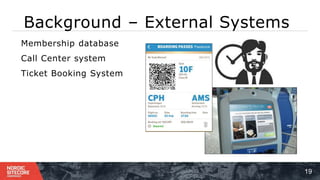
Background – External Systems
19
⁞ Membership database
⁞ Call Center system
⁞ Ticket Booking System
Jetstream wishes to own
the experience… for all
individuals interacting
with their brand
… using all data known
for an individual
The Problems…
22
⁞How do I
1. Use my membership data in Sitecore xDB?
2. Use interactions from my Call Center?
3. Leverage ticket purchases from my booking system?
Problem 1
Using membership data
24
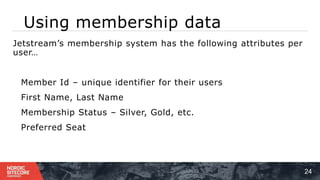
⁞ Jetstream’s membership system has the following attributes per
user…
⁞ Member Id – unique identifier for their users
⁞ First Name, Last Name
⁞ Membership Status – Silver, Gold, etc.
⁞ Preferred Seat
Solution
25
⁞Extend the contact
⁞ Facet Technology
⁞ Unified Contact Model
⁞ Contact Bulk Import
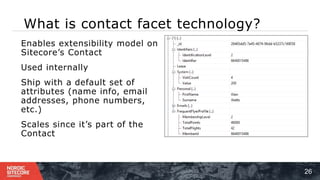
What is contact facet technology?
26
⁞ Enables extensibility model on
Sitecore’s Contact
⁞ Used internally
⁞ Ship with a default set of
attributes (name info, email
addresses, phone numbers,
etc.)
⁞ Scales since it’s part of the
Contact
Unified Contact Model
27
⁞ Centralizing Key Fields
⁞ Default Attributes (first name, last name, etc.)
⁞ List of email addresses with bounce count
⁞ List of Addresses
⁞ List of Phone Numbers
⁞ Consent Revoked
⁞ Communication Revoked
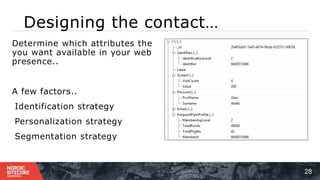
Designing the contact…
28
Determine which attributes the
you want available in your web
presence..
A few factors..
1 . Identification strategy
2 . Personalization strategy
3 . Segmentation strategy
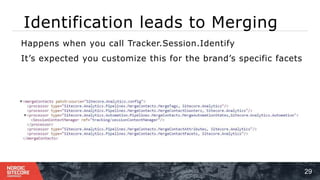
Identification leads to Merging
29
⁞ Happens when you call Tracker.Session.Identify
⁞ It’s expected you customize this for the brand’s specific facets
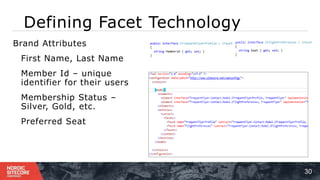
Defining Facet Technology
30
⁞ Brand Attributes
⁞ First Name, Last Name
⁞ Member Id – unique
identifier for their users
⁞ Membership Status –
Silver, Gold, etc.
⁞ Preferred Seat
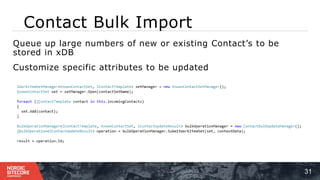
Contact Bulk Import
31
⁞ Queue up large numbers of new or existing Contact’s to be
stored in xDB
⁞ Customize specific attributes to be updated
Problem 2
Using experiences from
Call Centers
Using experiences from Call
Centers
33
⁞ Jetstream’s call center handles thousands of calls per day…
1 ) They want to collect the results of the call per contact…
2 ) Personalize the web experience based on the phone call’s
result…
Solution
34
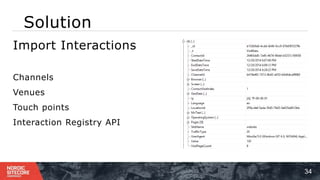
⁞Import Interactions
⁞ Channels
⁞ Venues
⁞ Touch points
⁞ Interaction Registry API
Channel
35
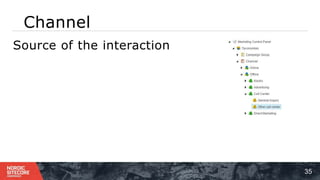
⁞Source of the interaction
Venue
36
⁞Physical location of the interaction
Touch point
37
1.Interface between a contact and
a brand
Interaction Registry API
38
⁞ Enables you to import interactions
⁞ Uses same execution model as a web session…
Problem 3
Leverage ticket purchases from my booking
system
Using the booking system’s data
40
⁞ Jetstream has a centralized booking system for flight and
vacation purchases.
1 ) They wish treat this information as experience data to use for
personalization..
⁞ Surveys
⁞ New offers
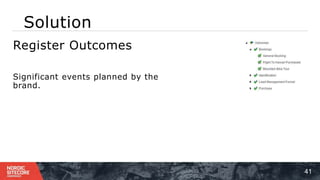
Solution
41
⁞Register Outcomes
⁞ Significant events planned by the
brand.
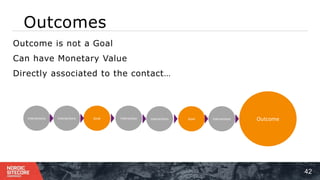
Outcomes
42
⁞ Outcome is not a Goal
⁞ Can have Monetary Value
⁞ Directly associated to the contact…
Interactions Interactions Goal Goal Interactions OutcomeInteraction Interactions
Registering Outcomes
43
Outcome Manager API
Quick Recap..
The Problems…done.
45
Membership data in Sitecore 8
Facets, unified contact, Bulk import
Experiences from my Call Center
Interaction registry
Leverage ticket purchases from my booking system
Outcomes
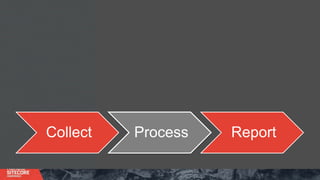
Collect Process Report
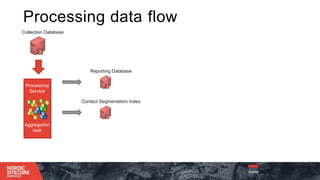
Collection Database
Reporting Database
Contact Segmentation Index
Processing
Service
Aggregation
task
Blue arrow : data
fetched
Orange arrow : data
Processing data flow
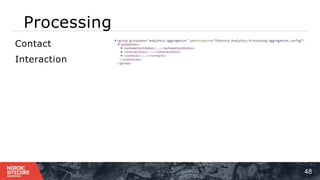
Processing
48
1 )Contact
2 )Interaction
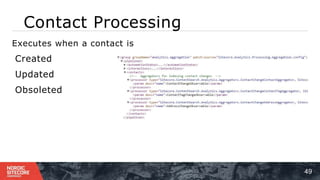
Contact Processing
49
Executes when a contact is
1 )Created
2 )Updated
3)Obsoleted
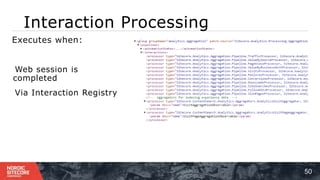
Interaction Processing
50
Executes when:
1 ) Web session is
completed
2 ) Via Interaction Registry
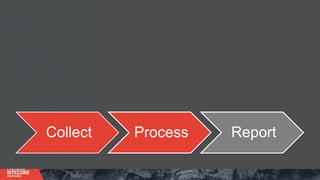
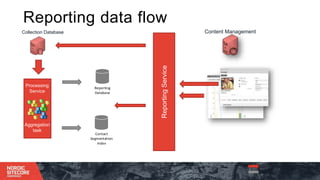
Collect Process Report
Collection Database
ReportingService
Content Management
Processing
Service
Aggregation
task
Blue arrow : data
fetched
Orange arrow : data
Reporting data flow
Reporting
Database
Contact
Segmentation
Index
Reporting/Query API
53
Querying data from xDB
⁞ SQL
⁞ Mongo
⁞ Contact Segmentation Index
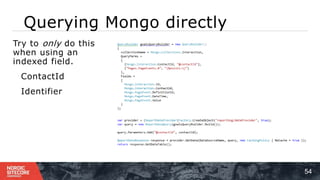
Querying Mongo directly
54
⁞ Try to only do this
when using an
indexed field.
⁞ ContactId
⁞ Identifier
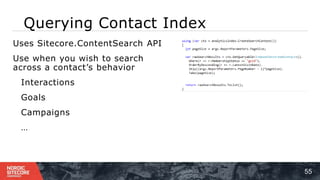
Querying Contact Index
55
⁞ Uses Sitecore.ContentSearch API
⁞ Use when you wish to search
across a contact’s behavior
⁞ Interactions
⁞ Goals
⁞ Campaigns
⁞ …
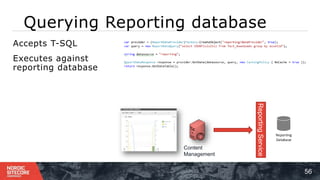
Querying Reporting database
56
⁞ Accepts T-SQL
⁞ Executes against
reporting database
ReportingService
Reporting
Database
Content
Management
Collect Process Report
OrganizersSponsor
Thanks to our… &…

Todd Mitchell - x db crash course

Editor's Notes

  • #9 Gold star – supports strongly typed facets Custom values will be replaced by facets
  • #13 Xdb is a product meant to be separate than content delivery. It constsis of 3 server roles – collection, processing, and reporting You put CD clusters around the world, then centralize xdb
  • #29 Designing the contact… Some factors to consider… How do you wish to identify a contact? 8.0 supports a single unique identifier per contact. What attributes about the contact do you wish to use for personalization? Since we can index this data in our contact segmentation index, it can later be used to create lists and segments.. Let’s say you wanted to send an email to all Gold level members using ExM. Storing this in xDB enables it.
  • #32 Talk about the pipeline and the single merge point… so brands can implement their logic.. Talk about future version of this using better queuing Talk about the idea is to enable updates to massive numbers of contacts while maintain a stable system.. I.e. not eating all the CPU time on the processing server to import millions of contacts.
  • #34 Call center handling thousands of calls per day… Each call they can identify the customer by their member id… They wish to collect each these experiences including the result of the call… Did a booking occur? Was the customer angry? Did they upsell a vacation package?
  • #35 Sitecore 8 introduces support for channels… This replaces traffic type… You’ll still see traffic type in the system as we’ve begun to obsolete it and expect it to be out fully by 8.2’s release A channel is the source of an interaction… in this case it would be a phone call Sitecore 8.1 introduces venue… A venue is the physical location of the interation.. Some example venues are a the call center where the phone call took place
  • #36 Channel is a new field on the interaction that replaces traffic type. While the traffic type is still found in the system, it’s obsolete and will be removed in the coming versions. Note: There is configuration which maps old traffic types to channels. Venue – coming in 8.1 defines the physical location of an interactions… so for instance, if we consider scanning badges at symposium, we could say the venue was Barcelona\Symposium\room 1702 Or tracking a POS transaction at Starbucks Copenhagen central station – the venue could be Denmark\Copenhagen\Store 1702 Touchpoint – interface between a contact and a brand… for us at Sitecore – this is the page or content item representing the page view. Essentially we just need to tie a specific content item to a subject in the call center or kiosk. A bit more on the kiosk example – we can connect the
  • #37 Venue – coming in 8.1 defines the physical location of an interactions… so for instance, if we consider scanning badges at symposium, we could say the venue was Barcelona\Symposium\room 1702 Or tracking a POS transaction at Starbucks Copenhagen central station – the venue could be Denmark\Copenhagen\Store 1702 Touchpoint – interface between a contact and a brand… for us at Sitecore – this is the page or content item representing the page view. Essentially we just need to tie a specific content item to a subject in the call center or kiosk. A bit more on the kiosk example – we can connect the
  • #38  Touchpoint – interface between a contact and a brand… for us at Sitecore – this is the page or content item representing the page view. Essentially we just need to tie a specific content item to a subject in the call center or kiosk. A bit more on the kiosk example – we can connect the
  • #39 The interaction registry enables you to model a full interaction as if it has already occurred and you just need to collect it in xDB. This uses the same execution model as a page view or even whole session in a Sitecore web session. So for instance, you can model the entire interaction for a phone call by creating an interaction record along with a touchpoint (or content item) and push that into siteceore. The tracking field still works which means any campaigns, goals, and behavior profiles will still be tracked and triggered for the contact.
  • #42 Sitecore 8 introduces support for channels… This replaces traffic type… You’ll still see traffic type in the system as we’ve begun to obsolete it and expect it to be out fully by 8.2’s release A channel is the source of an interaction… in this case it would be a phone call Sitecore 8.1 introduces venue… A venue is the physical location of the interation.. Some example venues are a the call center where the phone call took place
  • #43 Outcomes are a significant event planned by a brand… and it can have financial value In our example case – booking a ticket is a significant event.. When compared to a goal.. A goal is something the contact achieves with-in an interaction and it stays with that interaction.. An outcome goes beyond it.. Examples – Brands that negotiate contracts – Signing an NDA eCommerce site – purchasing a package Airlines - buying an International Ticket
  • #44 Using the outcome manager you can manage outcomes for a given contact… Stored in their own collection Can be associated to an interaction Can personalize on outcomes.. Can have custom values… Additional reporting is targeted around v8.2
  • #46 Ensuring scalability security, without allowing direct web access And supporting full integration to other Sitecore products?
  • #48 In 8.0 Products like xfile query directly against xdb using the mongo query yet always have a contact id xAnalytics queries against the reporting database Searching for contacts is always done against our segmentation index
  • #53 In 8.0 Products like xfile query directly against xdb using the mongo query yet always have a contact id xAnalytics queries against the reporting database Searching for contacts is always done against our segmentation index