HOW TO USE
TIKTOK
WHO AM I
• Matt aka The Second Spirit
• Ableton Live Enthusiast, Love writing songs and
playing guitar
• Dream Saturated Indie Rock and Electronica
• @thesecondspirit on all platforms
1. TIKTOK – WHAT AND WHY
WHY
• 1.5 billion downloads
• 500 million monthly active users
• 41% between 16 and 24
• Average user spends 52 minutes per day on TikTok
• Stats taken from
https://www.oberlo.com/blog/tiktok-statistics
WHAT IS TIKTOK
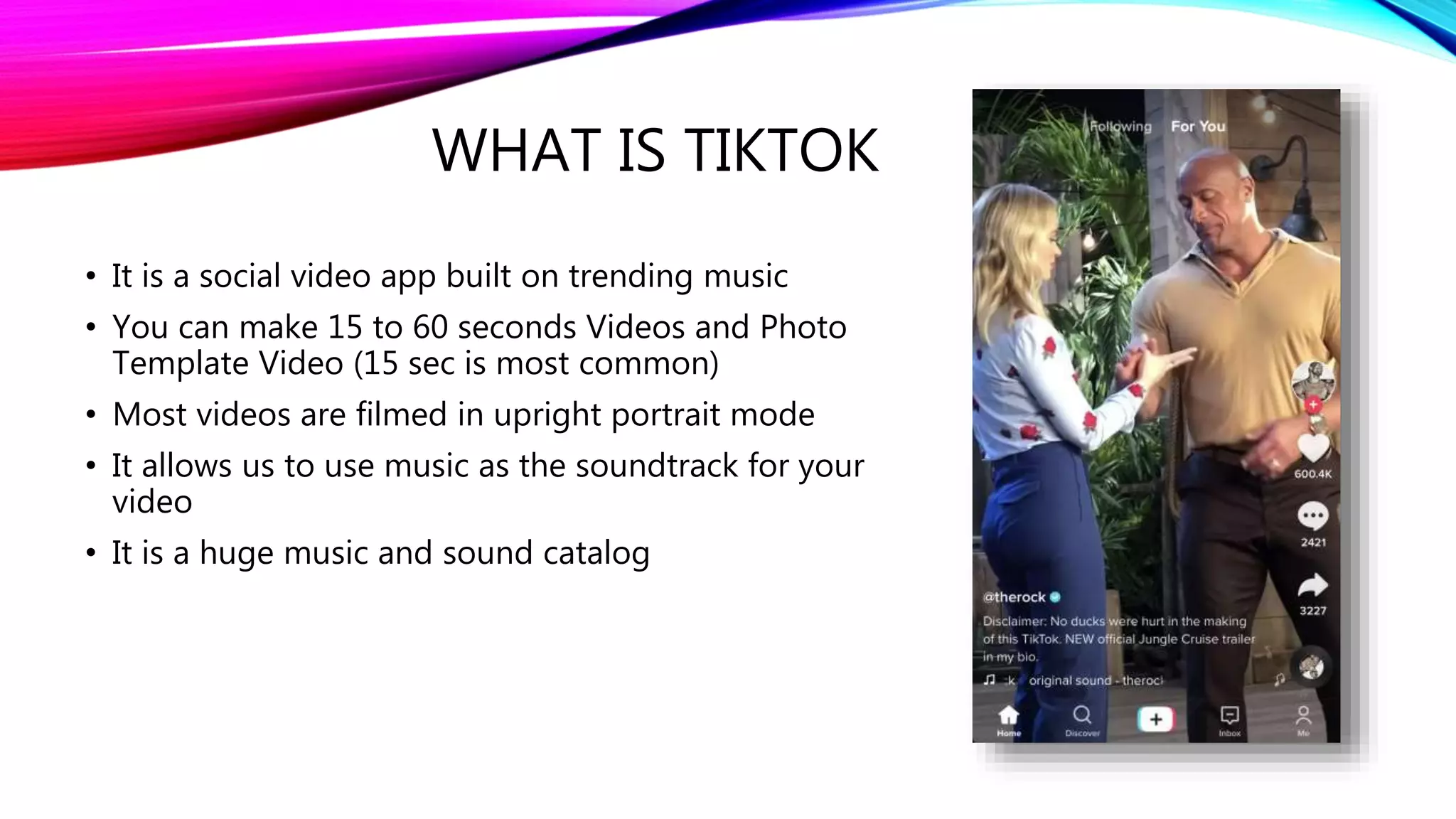
• It is a social video app built on trending music
• You can make 15 to 60 seconds Videos and Photo
Template Video (15 sec is most common)
• Most videos are filmed in upright portrait mode
• It allows us to use music as the soundtrack for your
video
• It is a huge music and sound catalog
THE IMPORTANCE OF MUSIC IN
TIKTOK
• Music plays a huge role in TikTok
• You will probably remember the songs
more than the videos.
• Using trending music for your video is very
important for high organic reach
• Songs that were big on TikTok a year or
two ago are just now hitting the radio now
TIKTOK IS FUN
• I have never laughed so much as when watching
TikTok videos.
• TikTok is trend and meme based. They also have
challenges you can do, so you become part of the
community.
• Once you find a trend you like, you can do it your
own way.
• Warning, TikTok is addicting. Don't go on before
bed.
2. TIKTOK - HOW TO GET STARTED
THE TIKTOK FEED
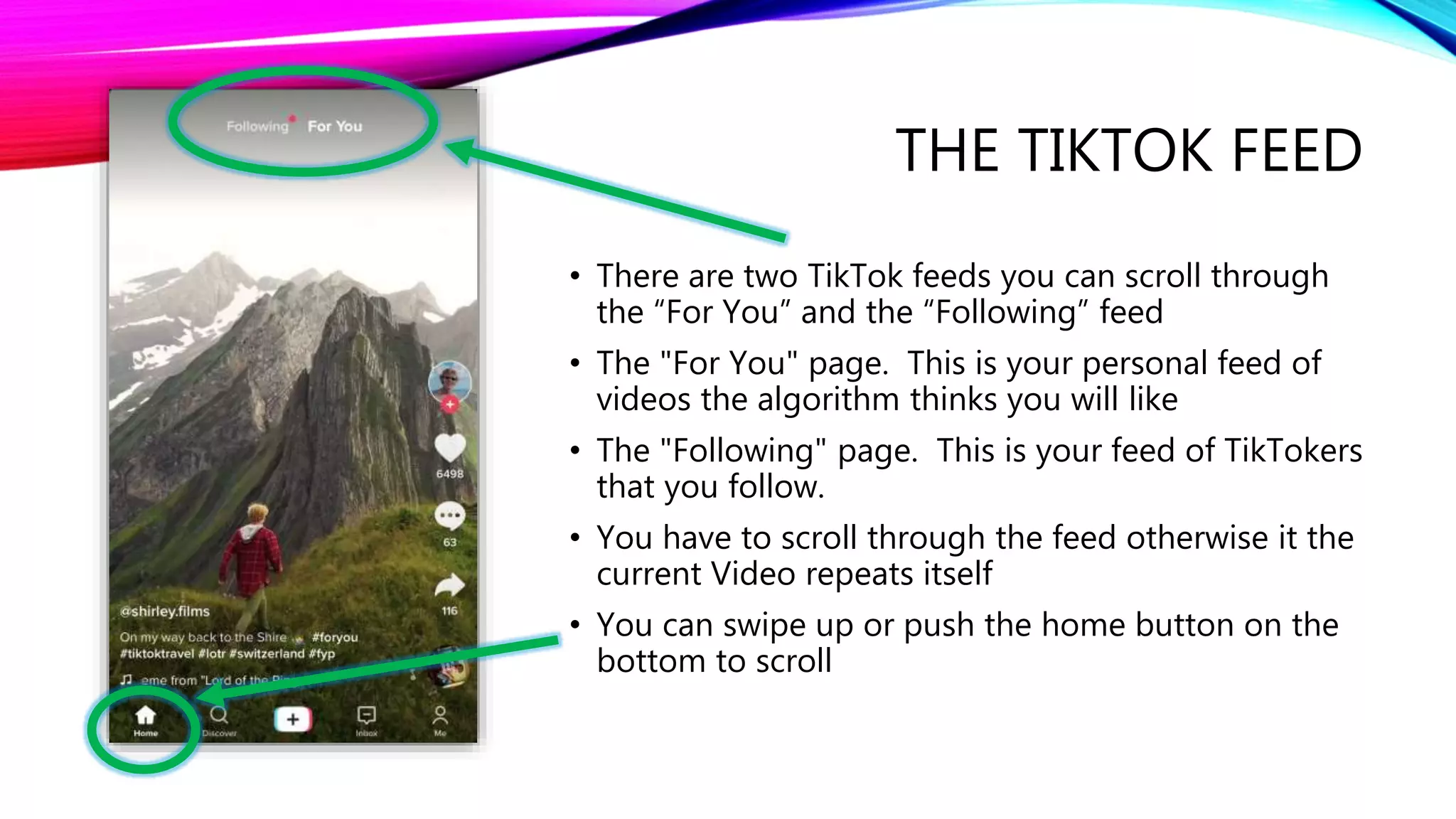
• There are two TikTok feeds you can scroll through
the “For You” and the “Following” feed
• The "For You" page. This is your personal feed of
videos the algorithm thinks you will like
• The "Following" page. This is your feed of TikTokers
that you follow.
• You have to scroll through the feed otherwise it the
current Video repeats itself
• You can swipe up or push the home button on the
bottom to scroll
WATCH FOR A FEW HOURS
FIRST TO GET USED TO IT
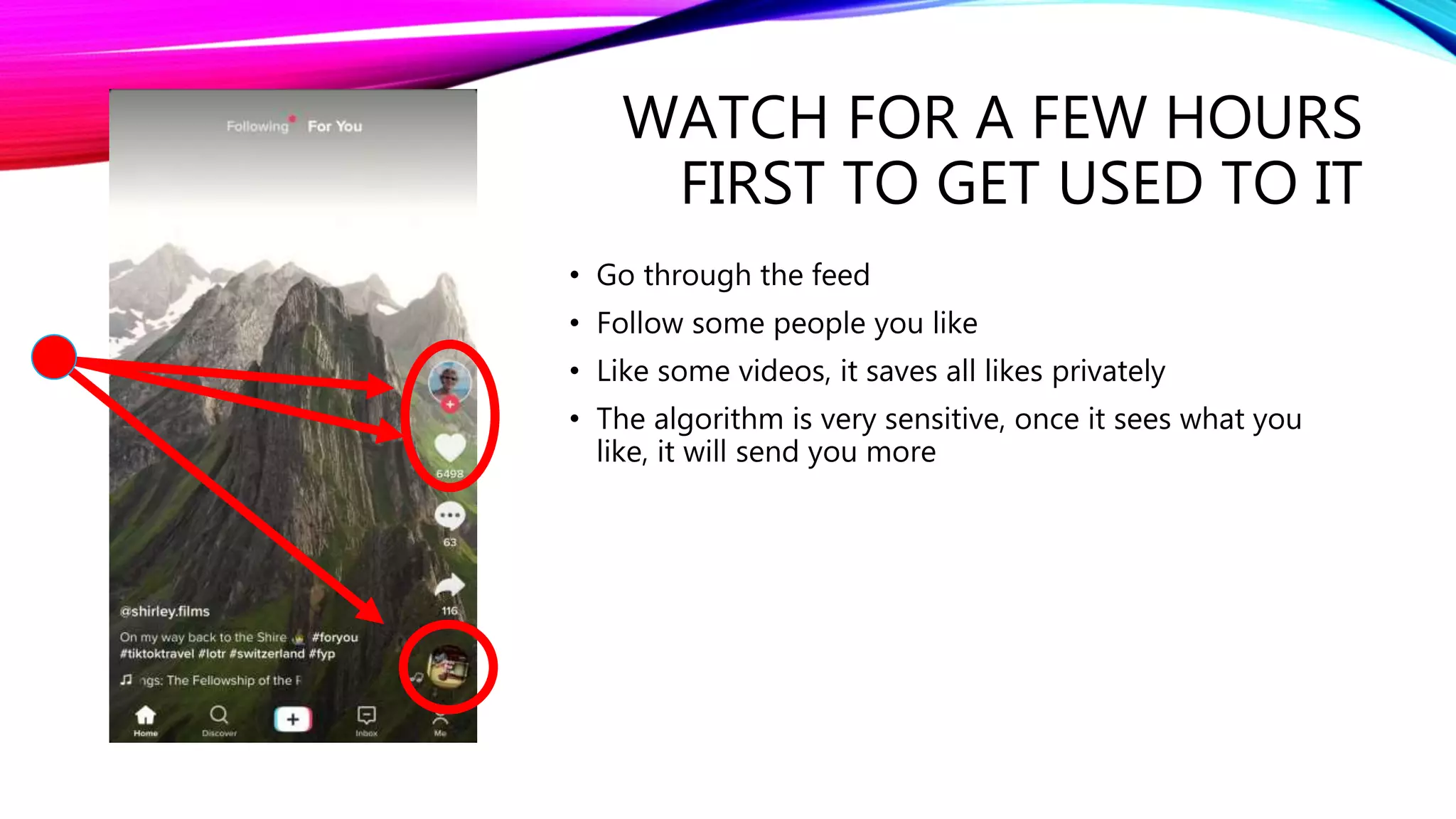
• Go through the feed
• Follow some people you like
• Like some videos, it saves all likes privately
• The algorithm is very sensitive, once it sees what you
like, it will send you more
THE DISCOVER TAB
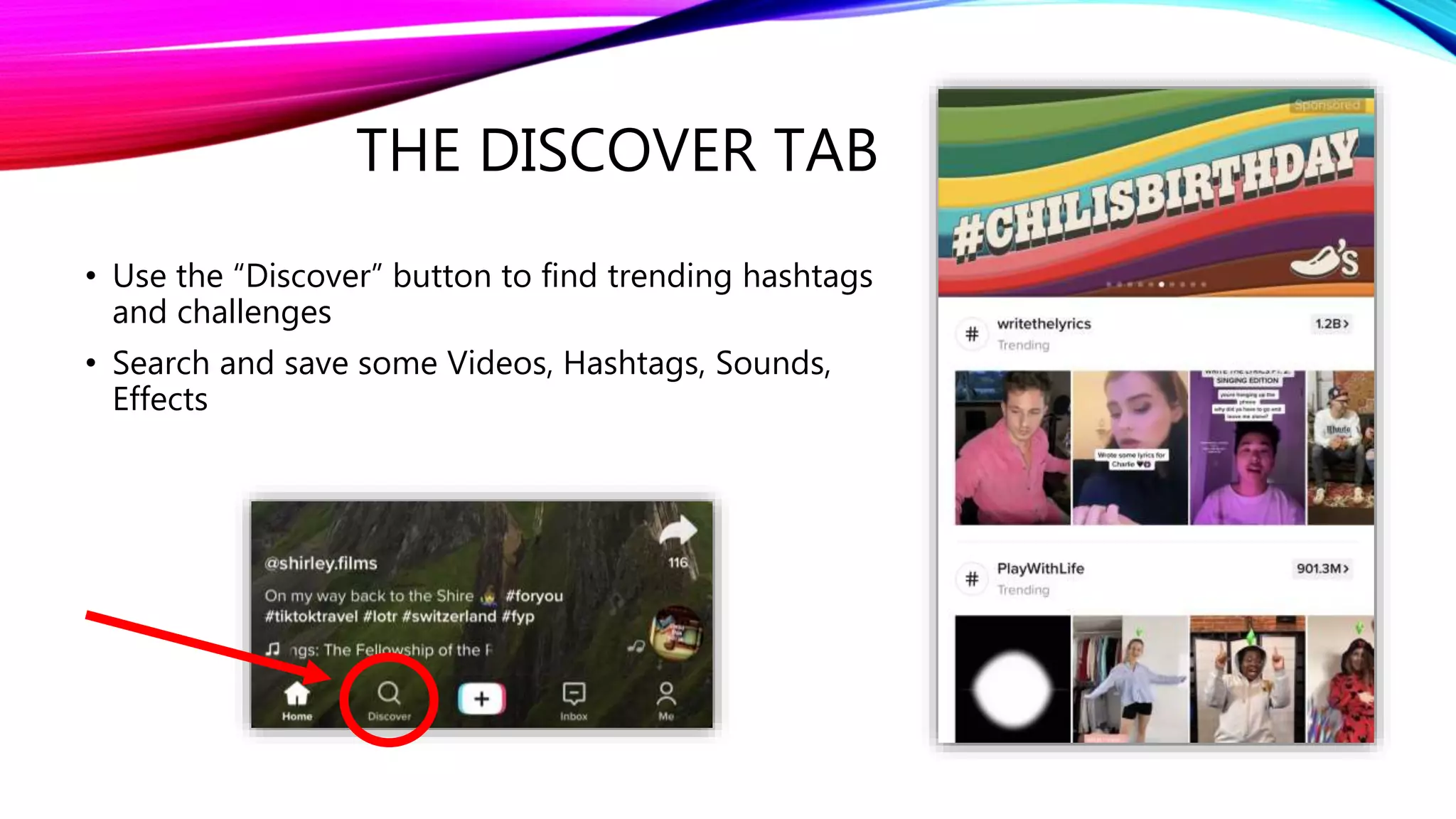
• Use the “Discover” button to find trending hashtags
and challenges
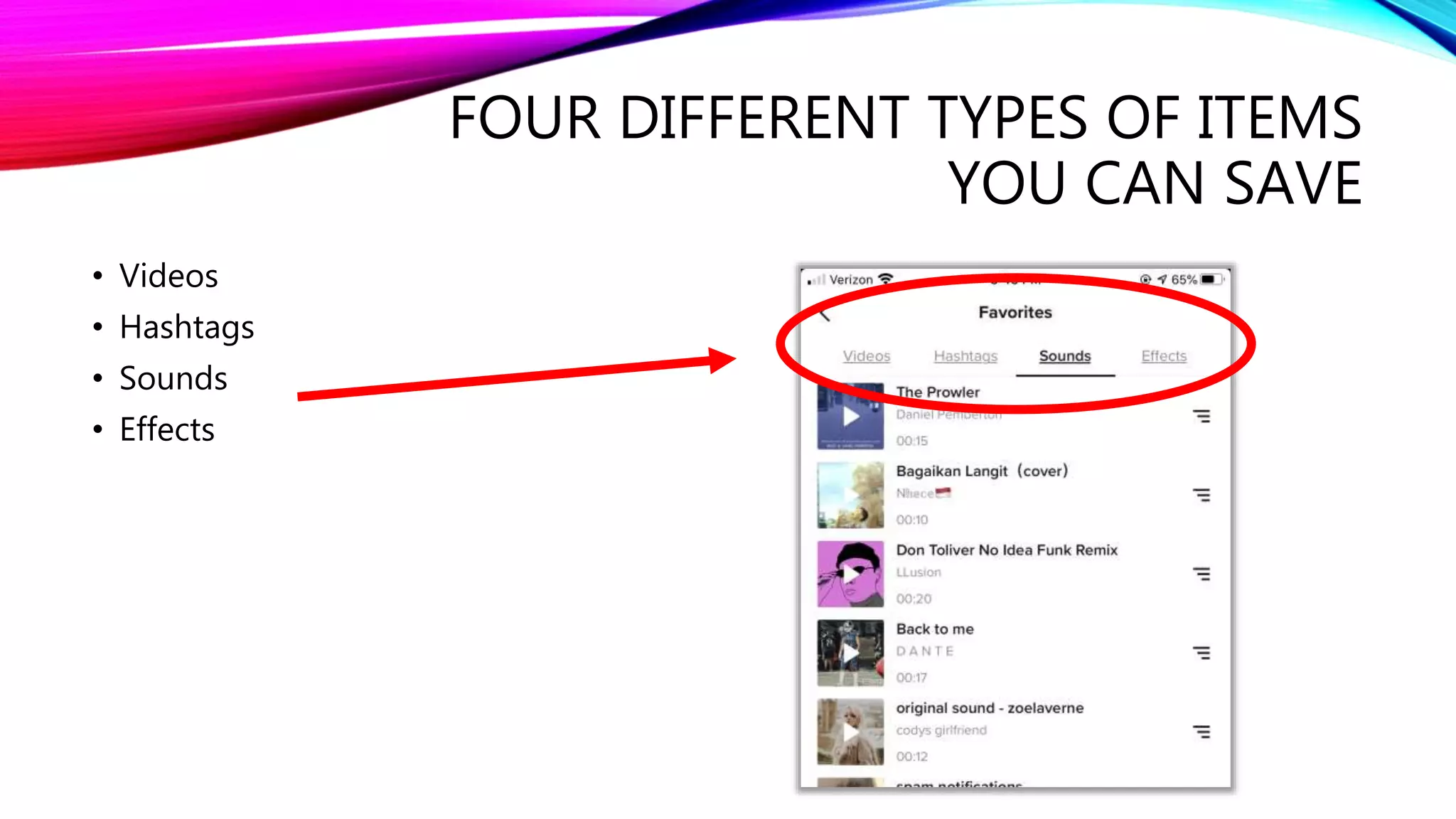
• Search and save some Videos, Hashtags, Sounds,
Effects
FOUR DIFFERENT TYPES OF ITEMS
YOU CAN SAVE
• Videos
• Hashtags
• Sounds
• Effects
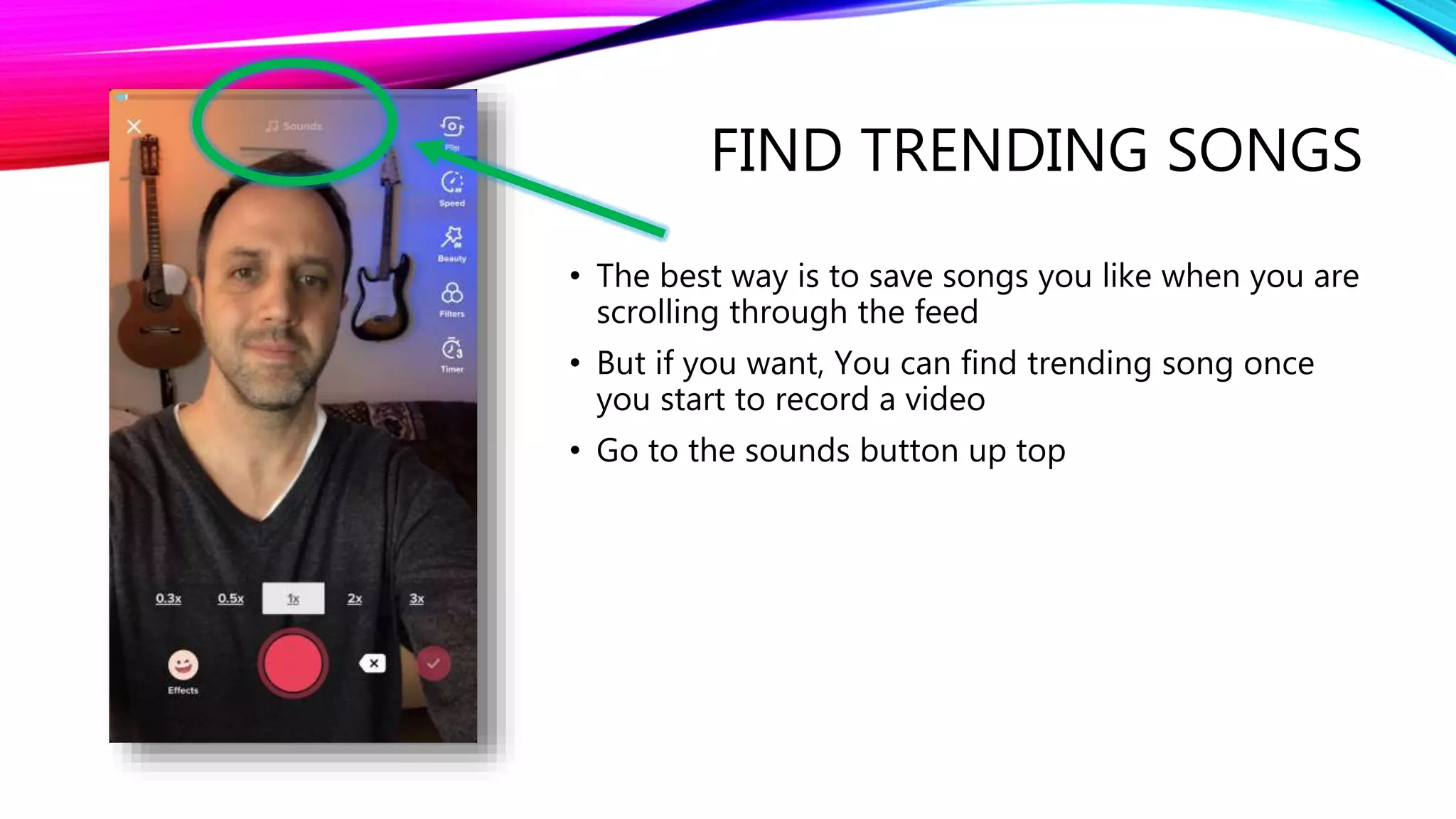
FIND TRENDING SONGS
• The best way is to save songs you like when you are
scrolling through the feed
• But if you want, You can find trending song once
you start to record a video
• Go to the sounds button up top
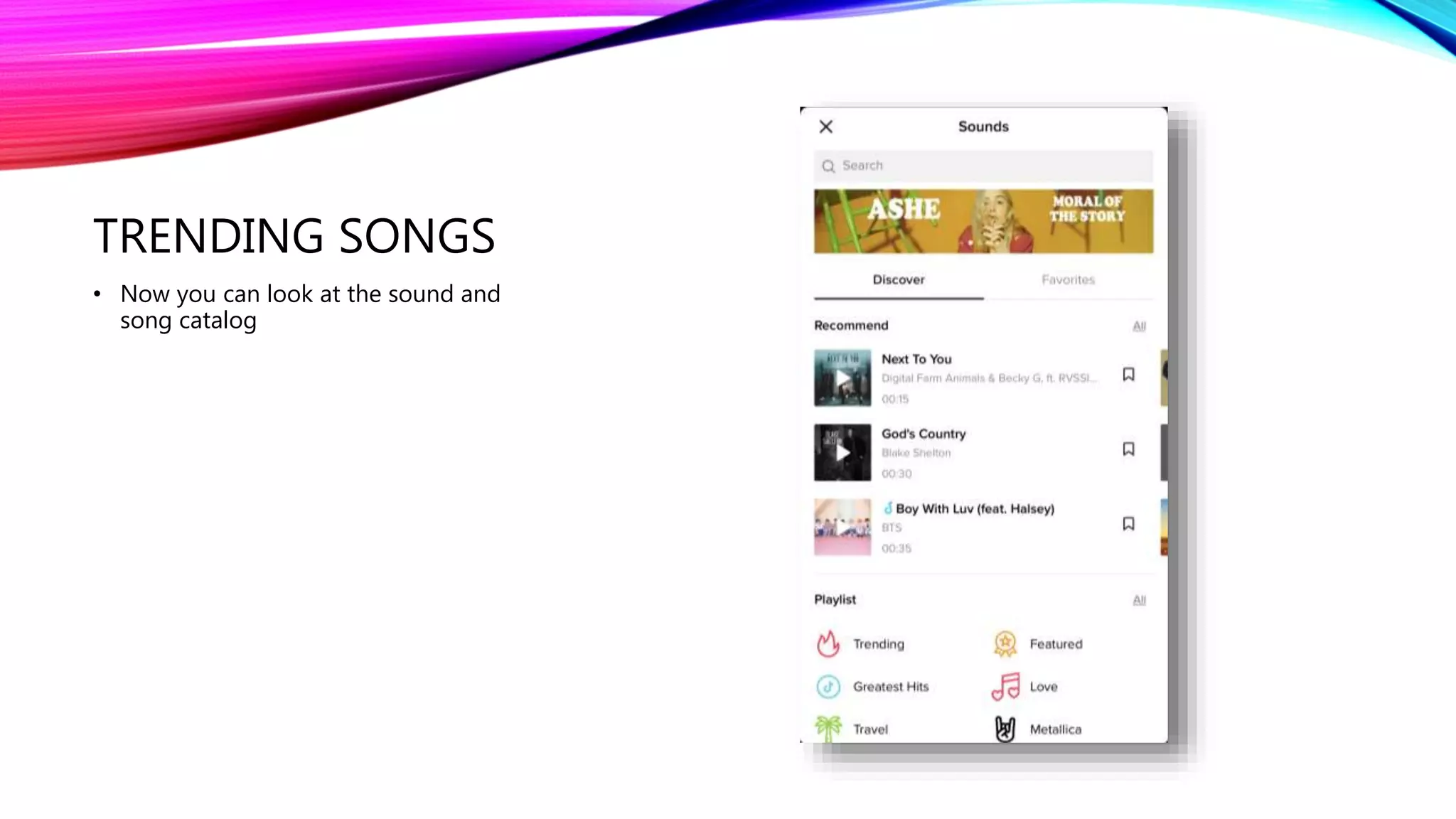
TRENDING SONGS
• Now you can look at the sound and
song catalog
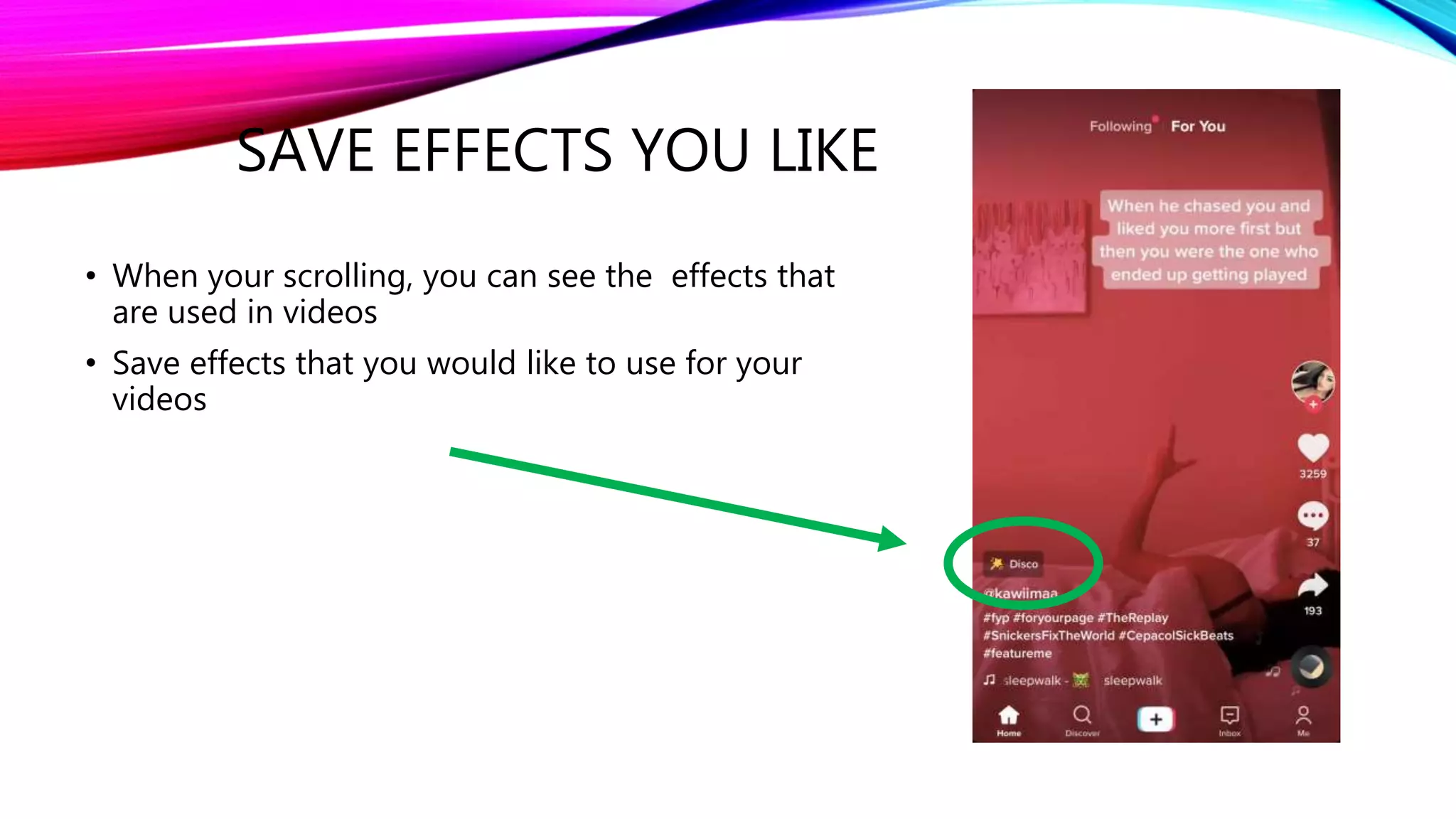
SAVE EFFECTS YOU LIKE
• When your scrolling, you can see the effects that
are used in videos
• Save effects that you would like to use for your
videos
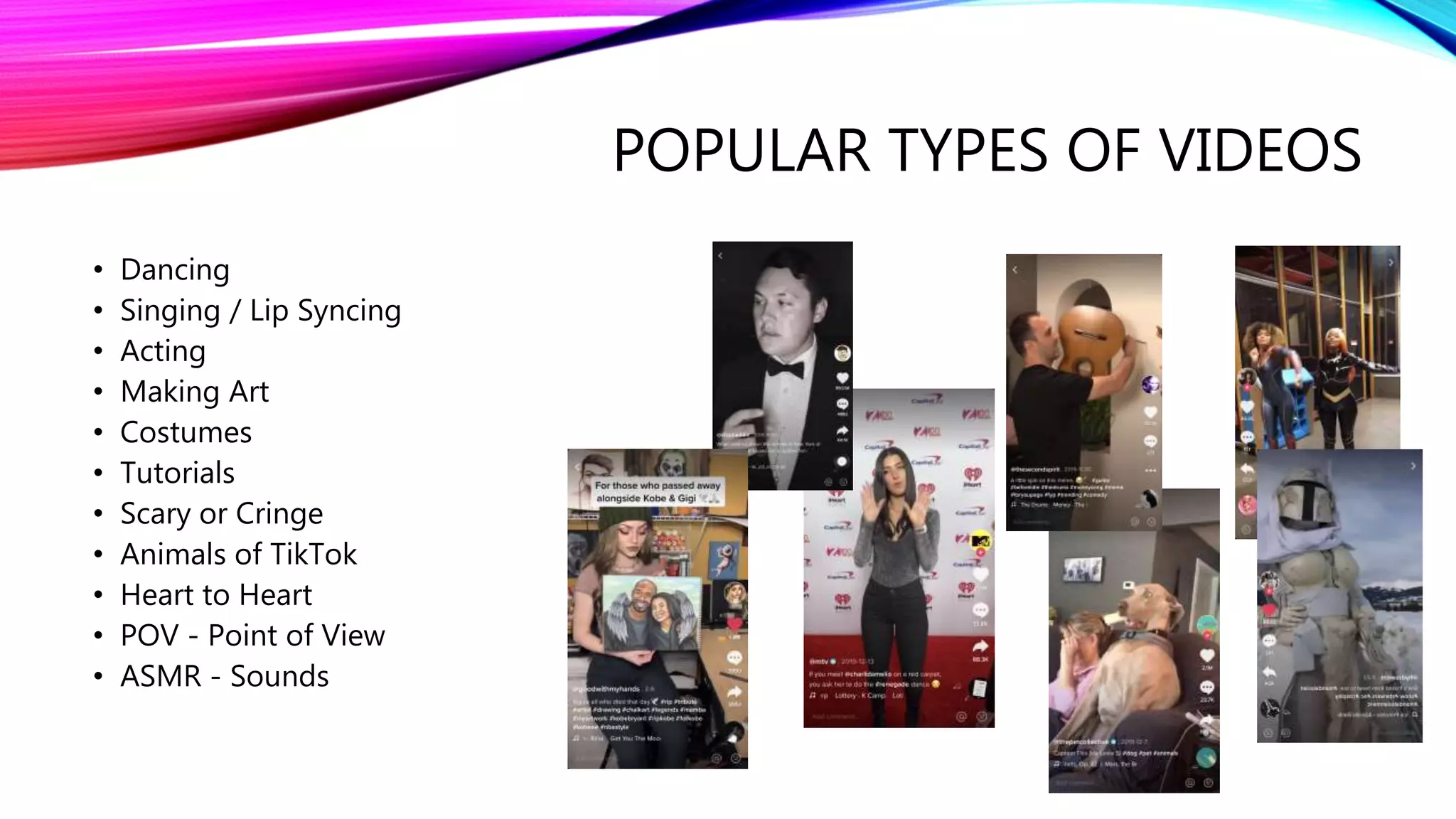
POPULAR TYPES OF VIDEOS
• Dancing
• Singing / Lip Syncing
• Acting
• Making Art
• Costumes
• Tutorials
• Scary or Cringe
• Animals of TikTok
• Heart to Heart
• POV - Point of View
• ASMR - Sounds
THE CHARM IS IN THE HUMOR, NOT
THE QUALITY OF YOUR VIDEO
• Most of Tiktoks are done in bedrooms
• There is a joke on TikTok, that the less time put into them the more viral they go
3. TIKTOK - HOW TO RECORD A
VIDEO
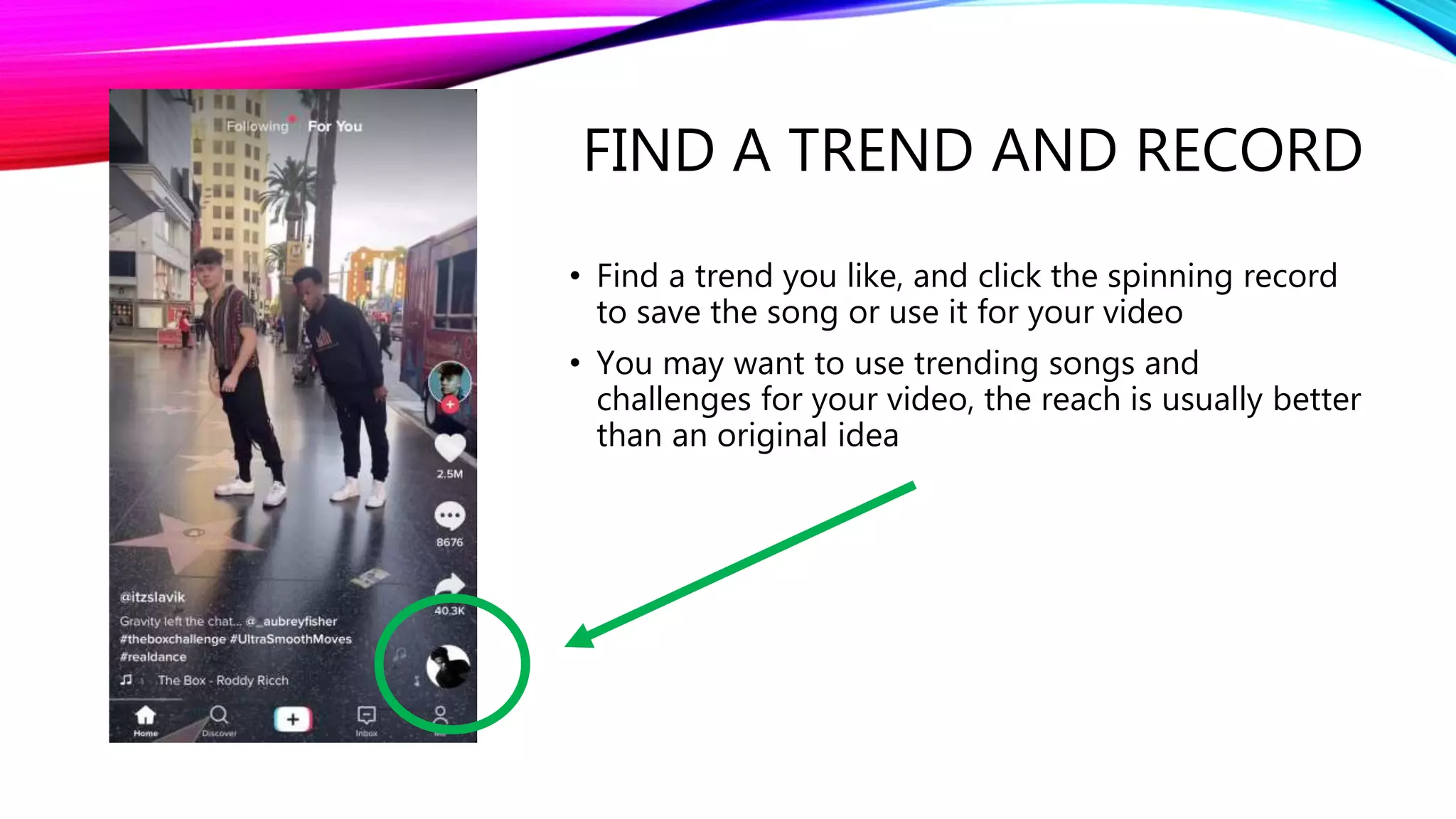
FIND A TREND AND RECORD
• Find a trend you like, and click the spinning record
to save the song or use it for your video
• You may want to use trending songs and
challenges for your video, the reach is usually better
than an original idea
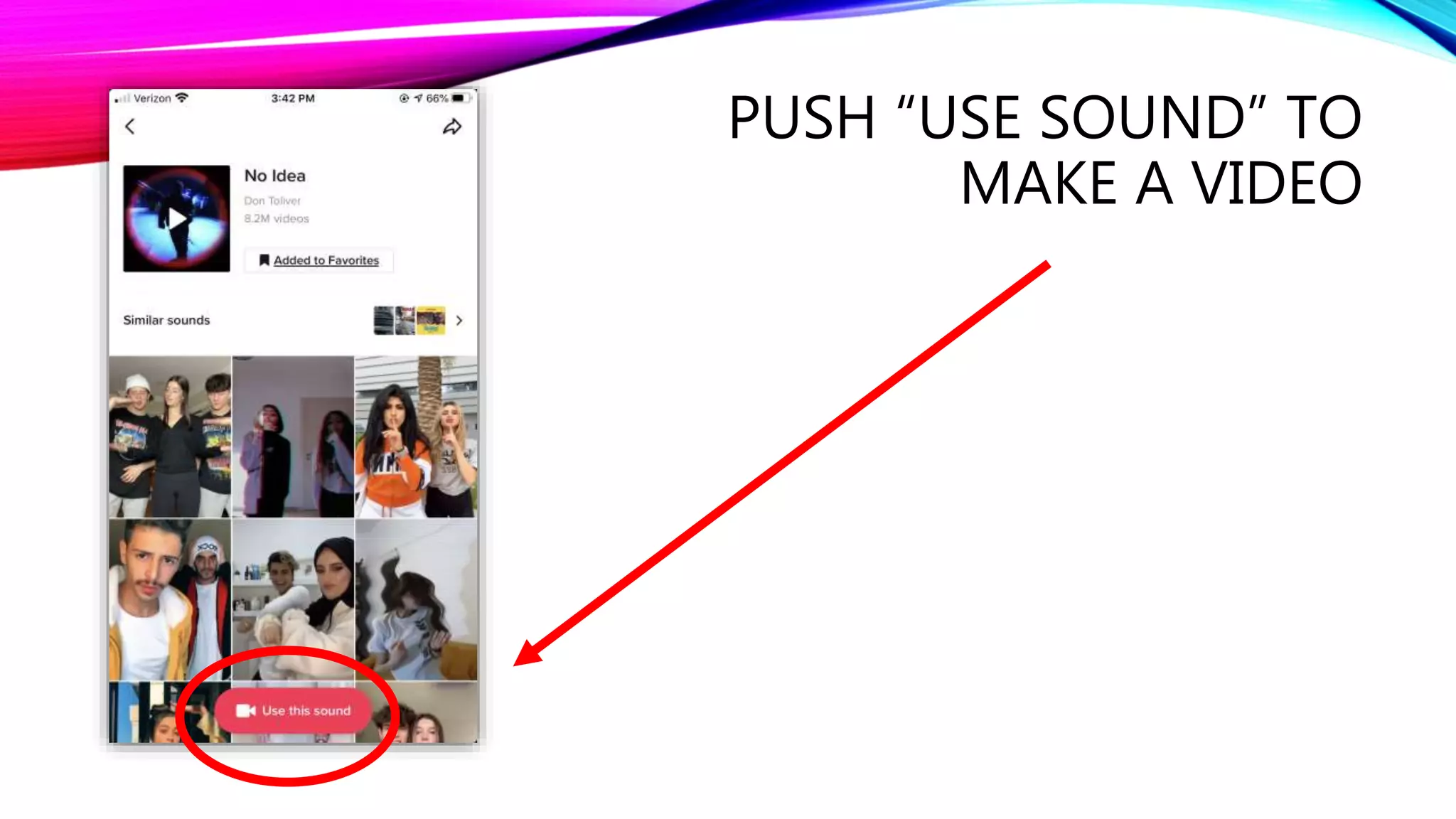
PUSH “USE SOUND” TO
MAKE A VIDEO
DECIDE ON WHAT TYPE OF
VIDEO TO MAKE
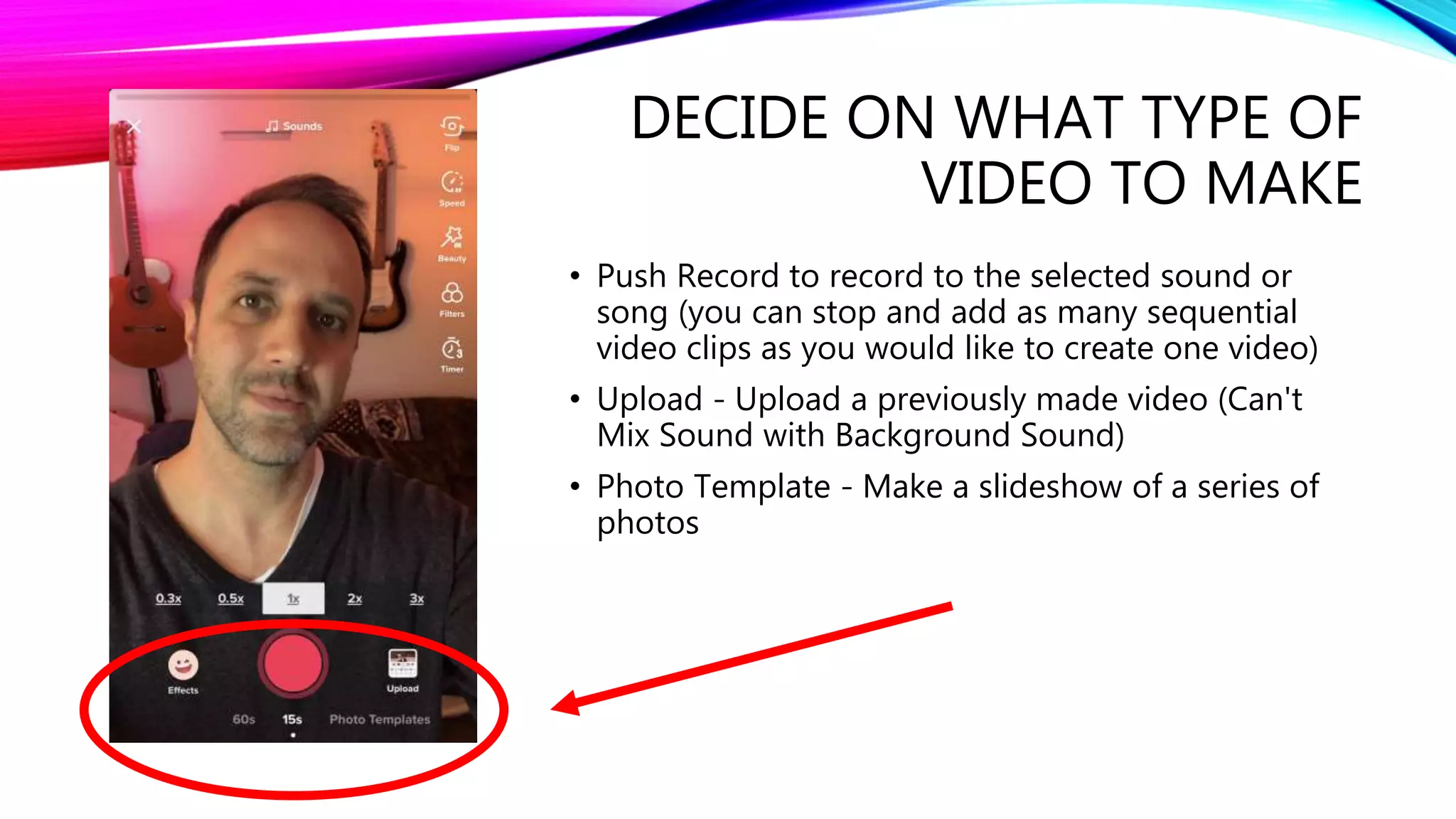
• Push Record to record to the selected sound or
song (you can stop and add as many sequential
video clips as you would like to create one video)
• Upload - Upload a previously made video (Can't
Mix Sound with Background Sound)
• Photo Template - Make a slideshow of a series of
photos
CHOOSE THESES SETTINGS
BEFORE RECORDING
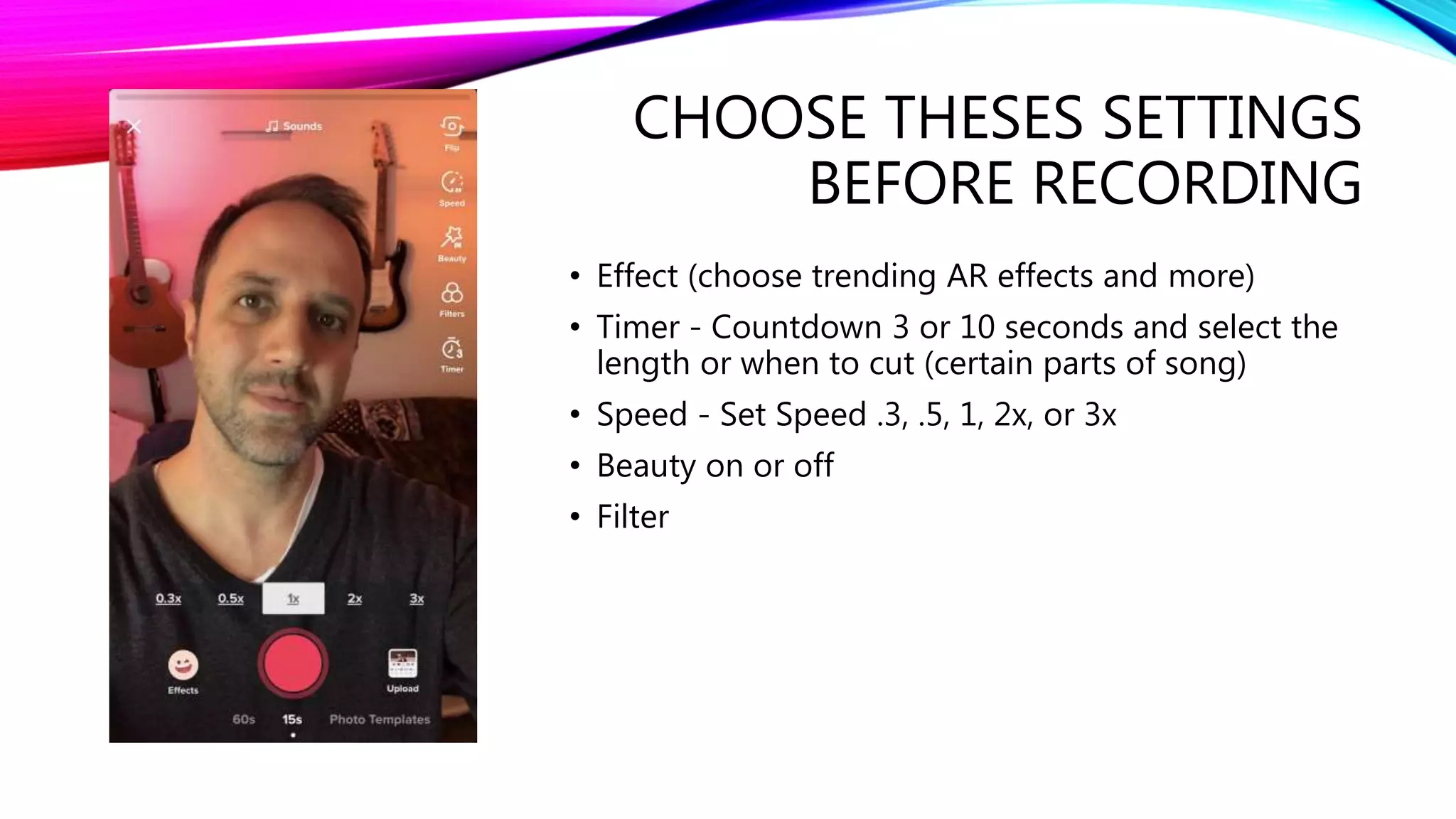
• Effect (choose trending AR effects and more)
• Timer - Countdown 3 or 10 seconds and select the
length or when to cut (certain parts of song)
• Speed - Set Speed .3, .5, 1, 2x, or 3x
• Beauty on or off
• Filter
EFFECTS
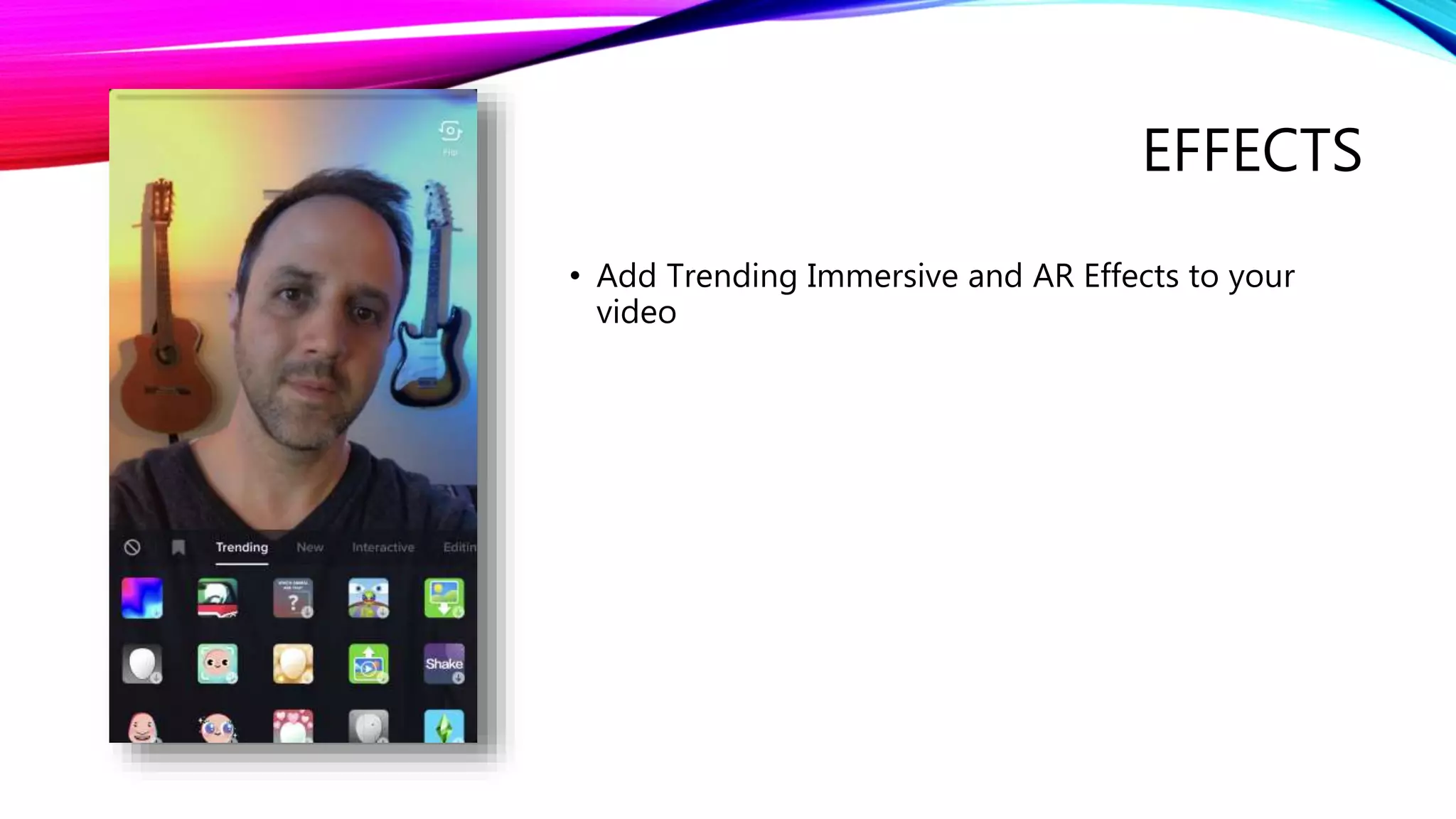
• Add Trending Immersive and AR Effects to your
video
DON’T UNDERESTIMATE THE
TIMER
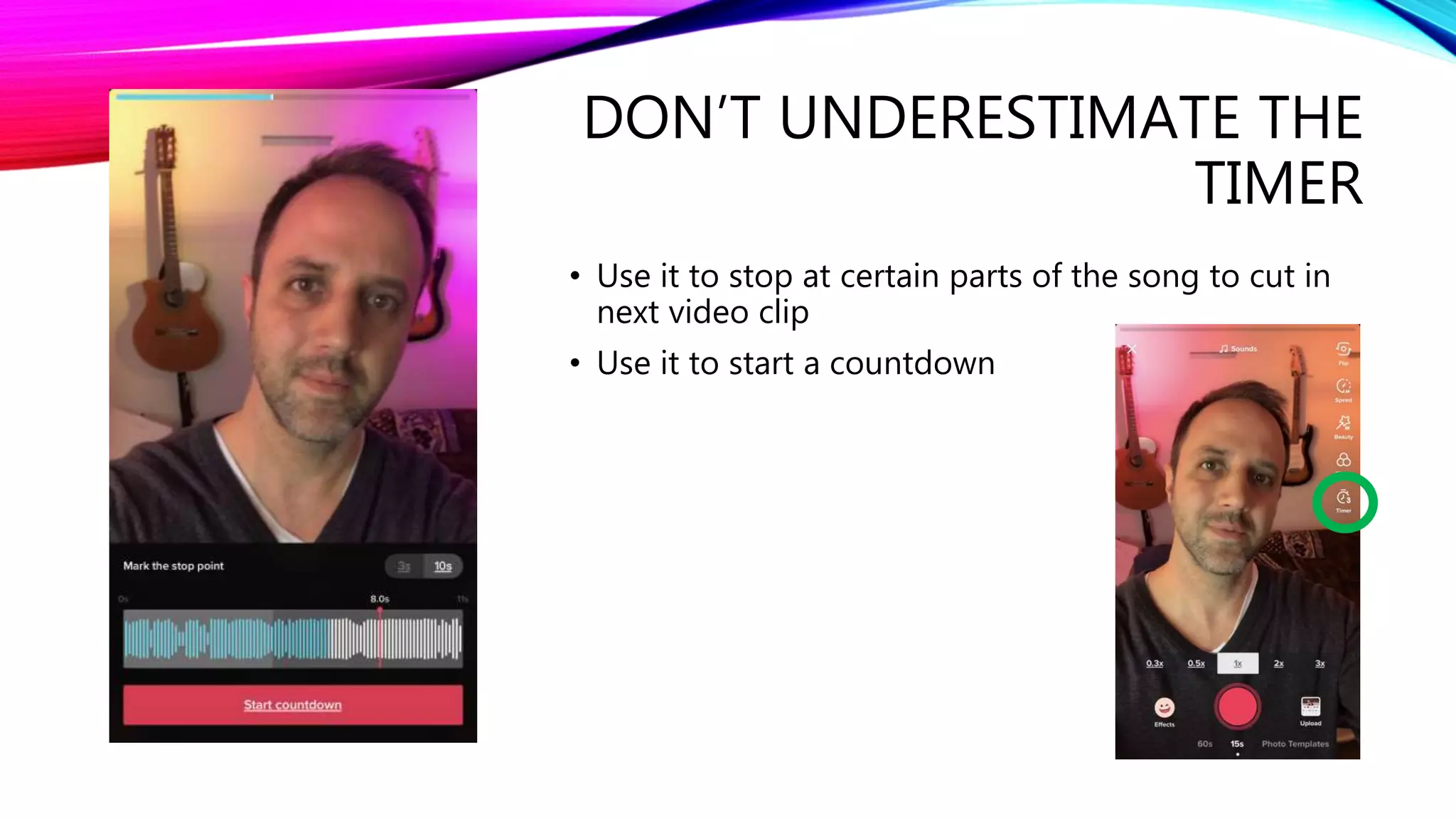
• Use it to stop at certain parts of the song to cut in
next video clip
• Use it to start a countdown
FRAME IT AND START
RECORDING
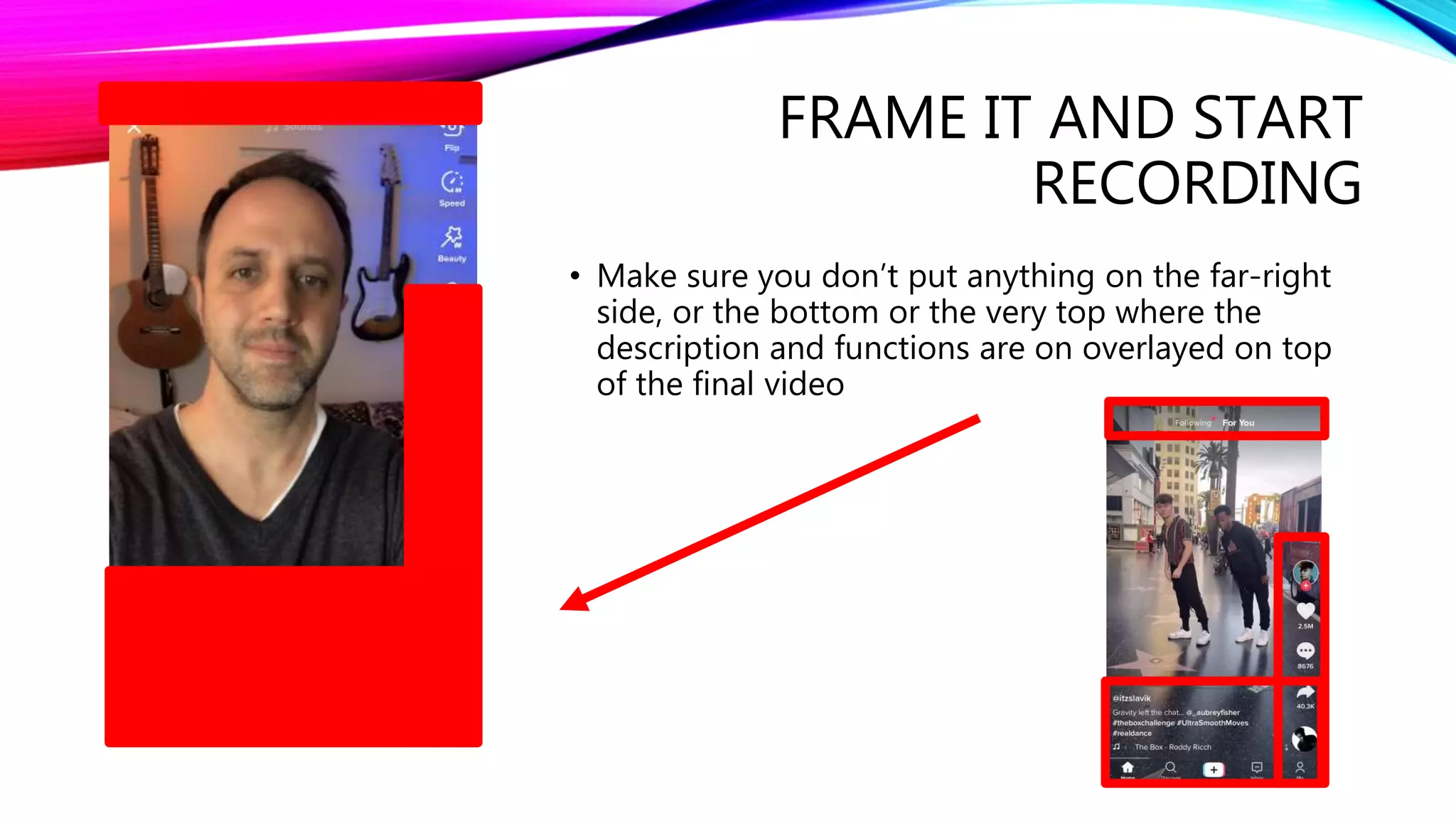
• Make sure you don’t put anything on the far-right
side, or the bottom or the very top where the
description and functions are on overlayed on top
of the final video
DUETS AND REACTS
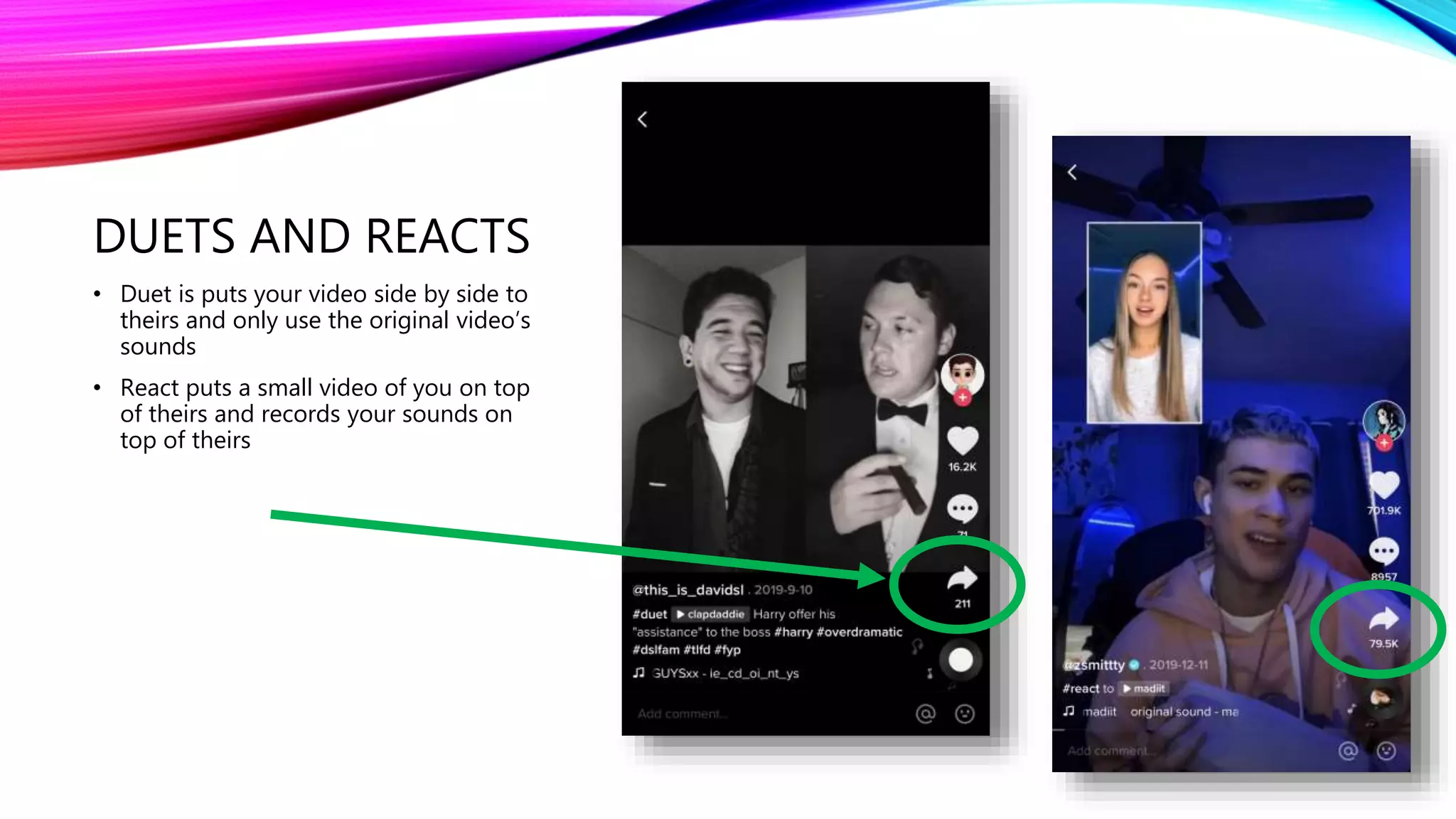
• Duet is puts your video side by side to
theirs and only use the original video’s
sounds
• React puts a small video of you on top
of theirs and records your sounds on
top of theirs
DUET AND REACT
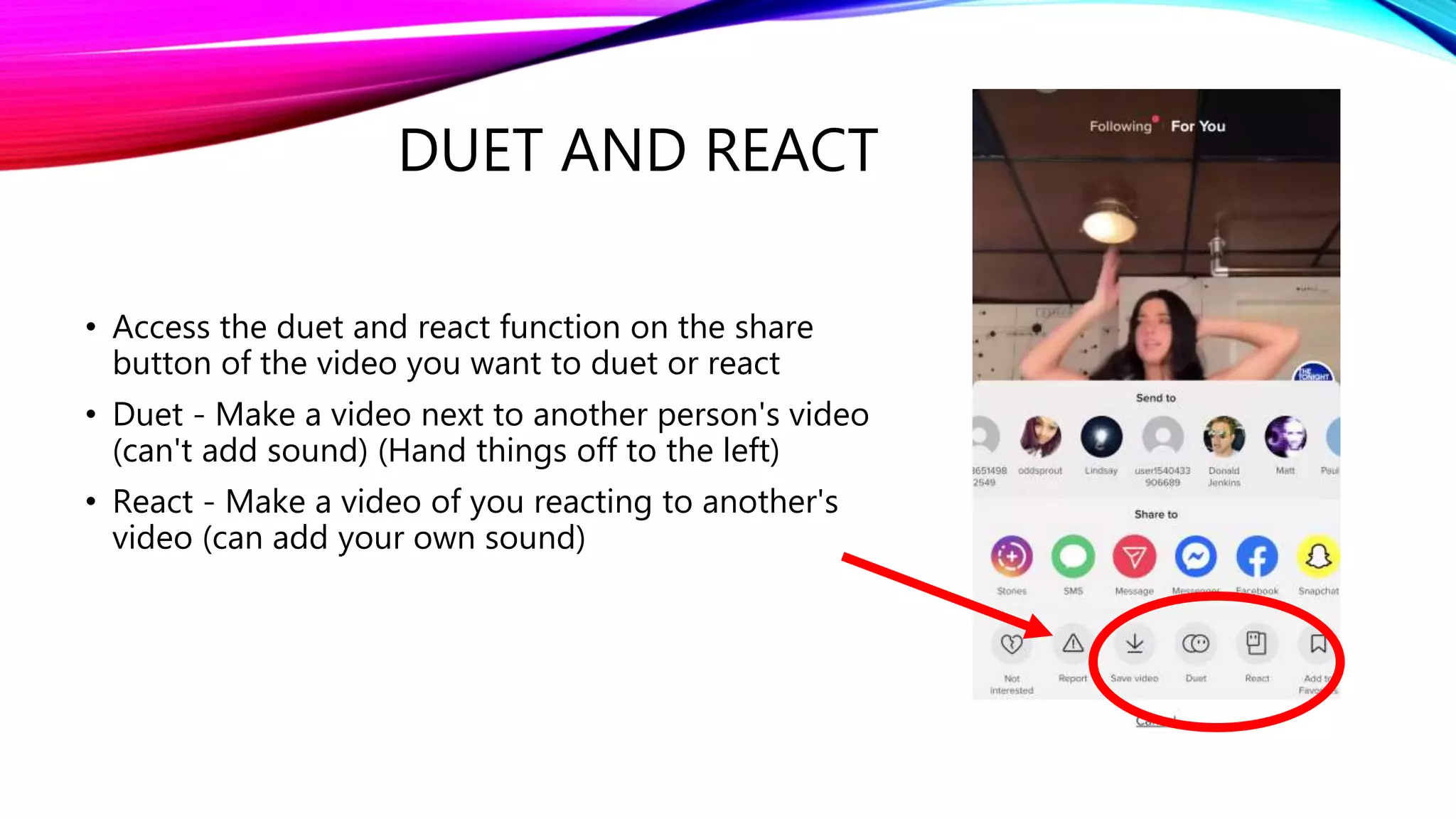
• Access the duet and react function on the share
button of the video you want to duet or react
• Duet - Make a video next to another person's video
(can't add sound) (Hand things off to the left)
• React - Make a video of you reacting to another's
video (can add your own sound)
4. TIKTOK - HOW TO EDIT A VIDEO
THINGS YOU CAN ADD
AFTER YOU RECORD
• Secondary Effects [Visual, Effects, Transitions, Split,
Time (Reverse, slow-motion, repeat)]
• Text
• Stickers
• Filters
• Voice Effects
• Adjust Clip Length
• Change Sounds or Song
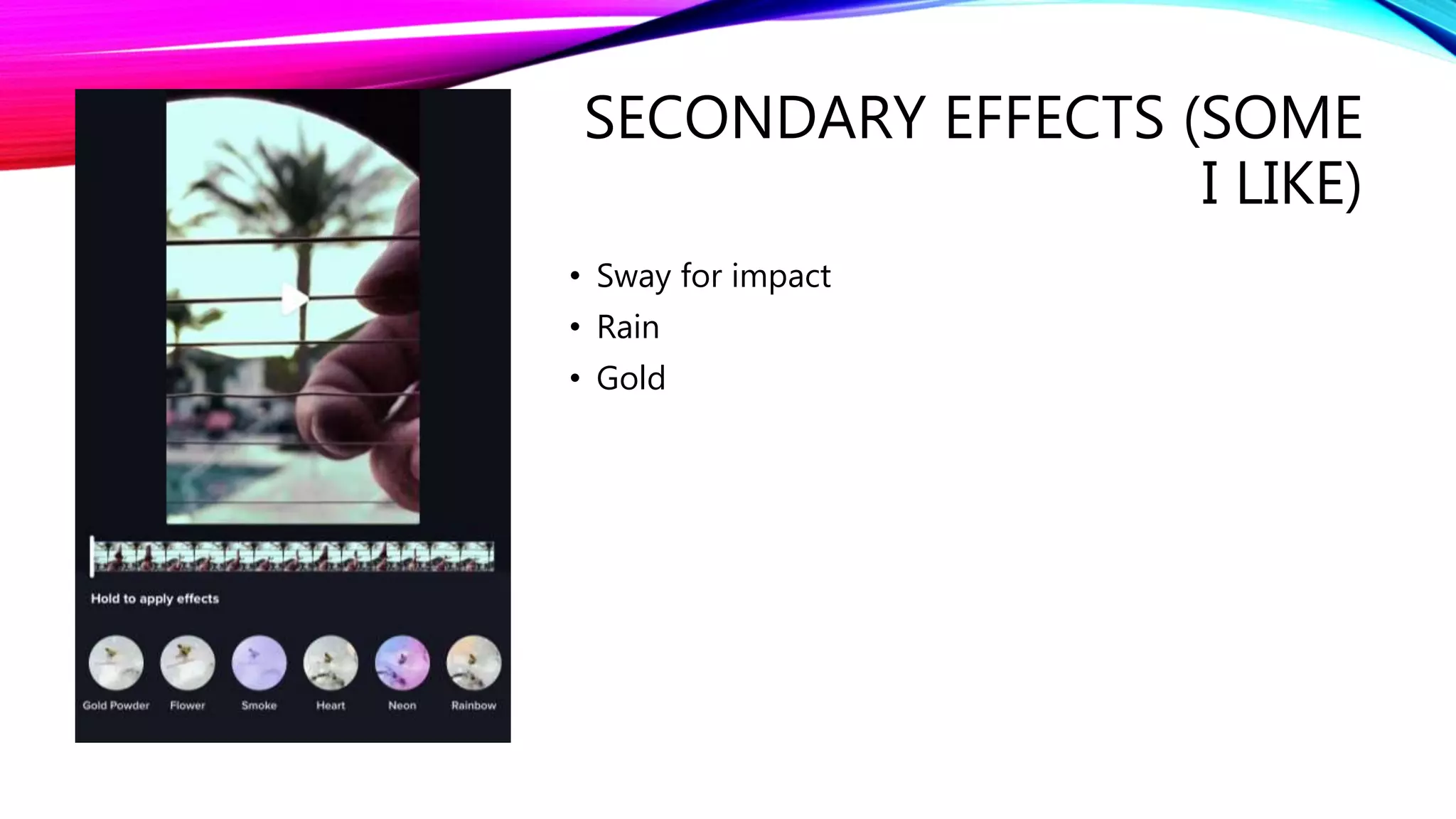
SECONDARY EFFECTS (SOME
I LIKE)
• Sway for impact
• Rain
• Gold
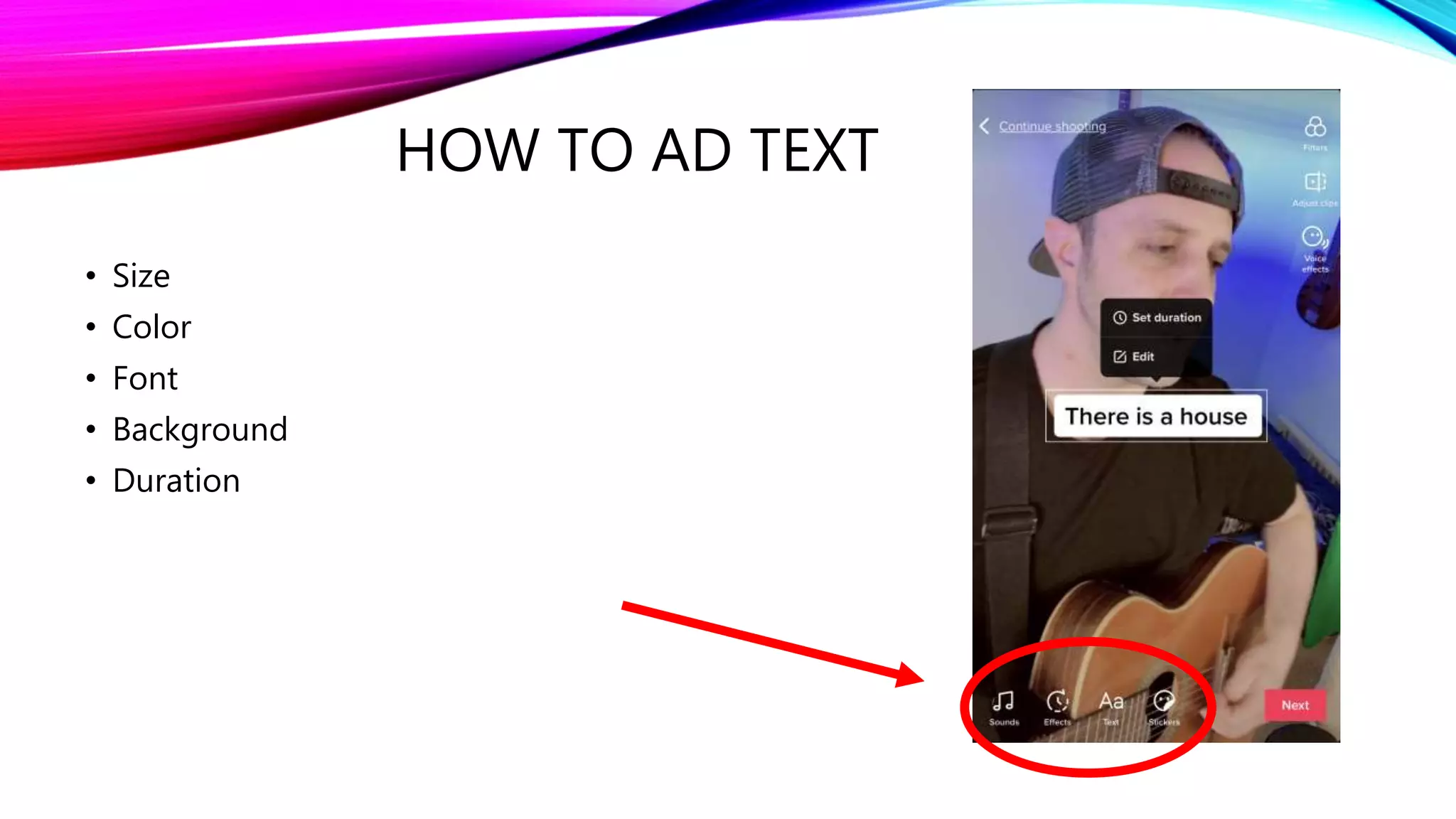
HOW TO AD TEXT
• Size
• Color
• Font
• Background
• Duration
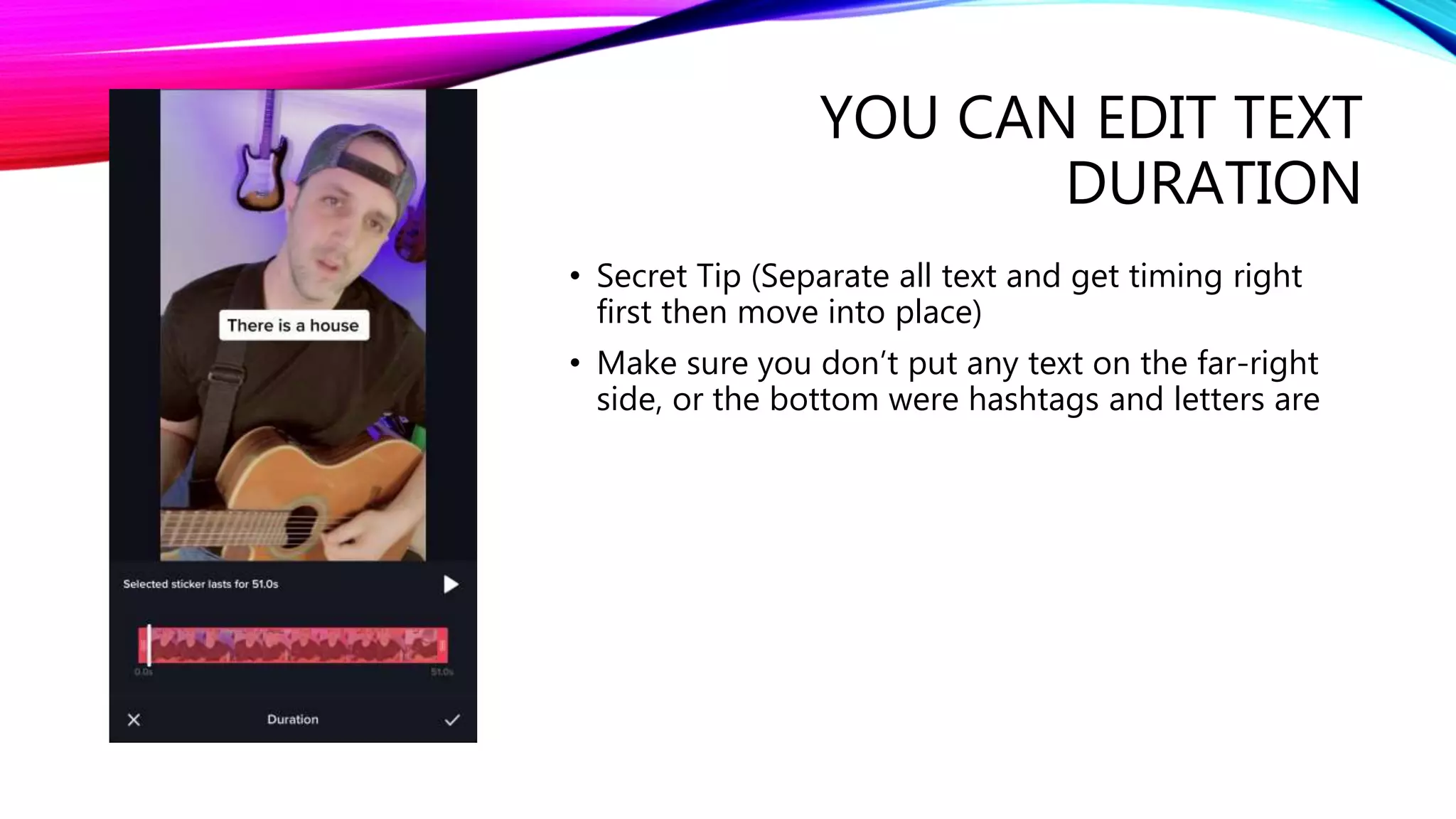
YOU CAN EDIT TEXT
DURATION
• Secret Tip (Separate all text and get timing right
first then move into place)
• Make sure you don’t put any text on the far-right
side, or the bottom were hashtags and letters are
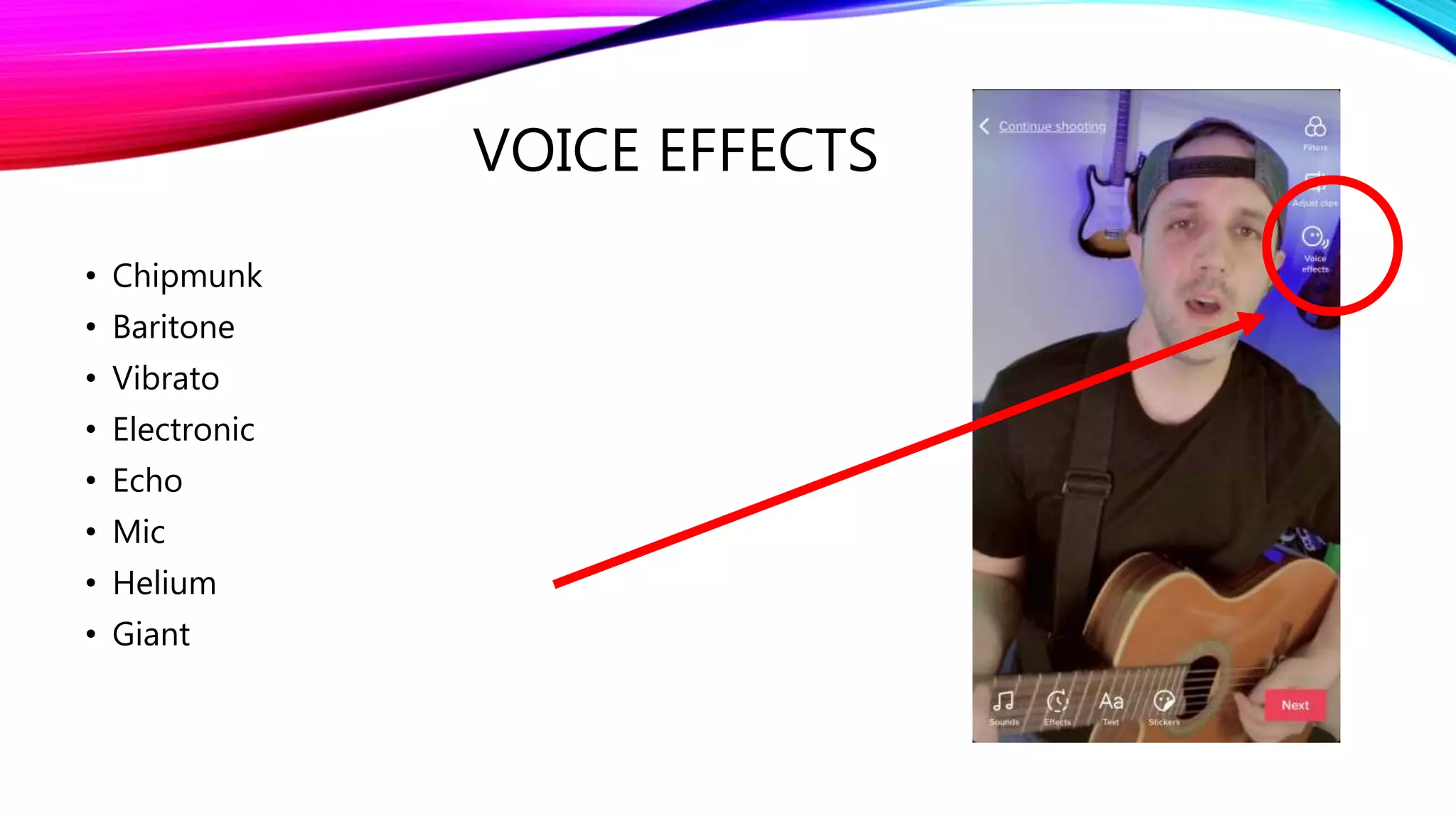
VOICE EFFECTS
• Chipmunk
• Baritone
• Vibrato
• Electronic
• Echo
• Mic
• Helium
• Giant
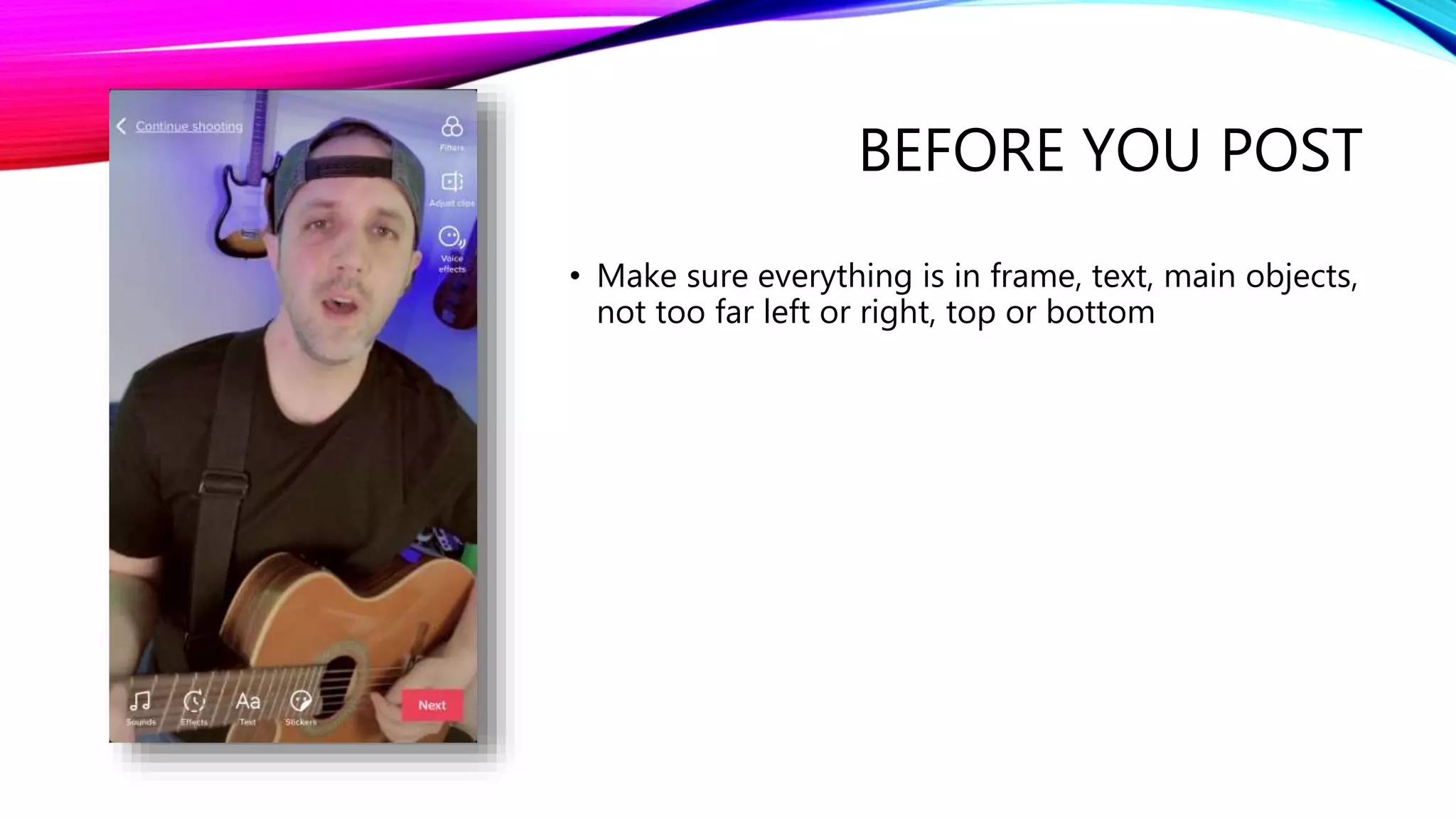
BEFORE YOU POST
• Make sure everything is in frame, text, main objects,
not too far left or right, top or bottom
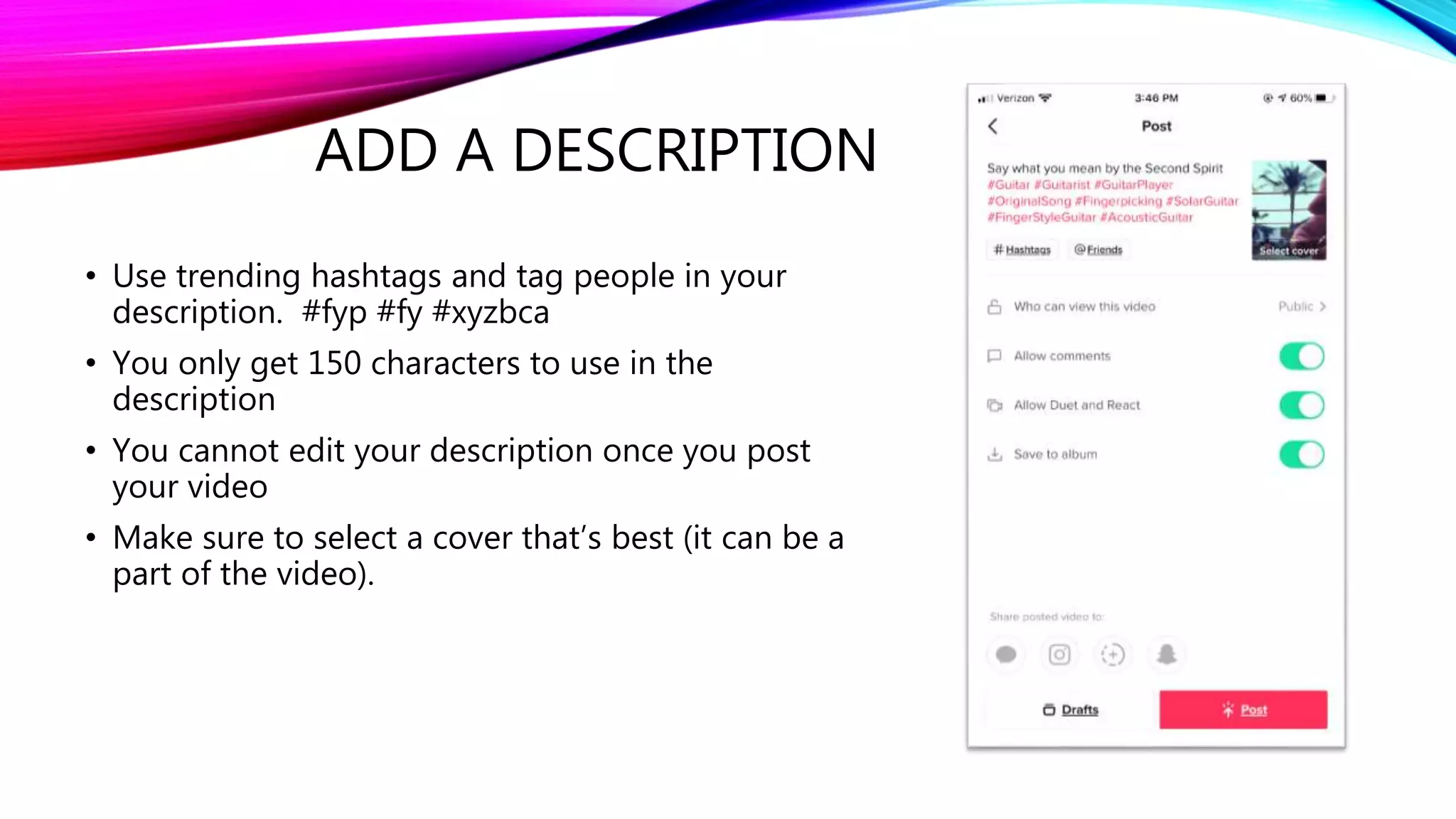
ADD A DESCRIPTION
• Use trending hashtags and tag people in your
description. #fyp #fy #xyzbca
• You only get 150 characters to use in the
description
• You cannot edit your description once you post
your video
• Make sure to select a cover that’s best (it can be a
part of the video).
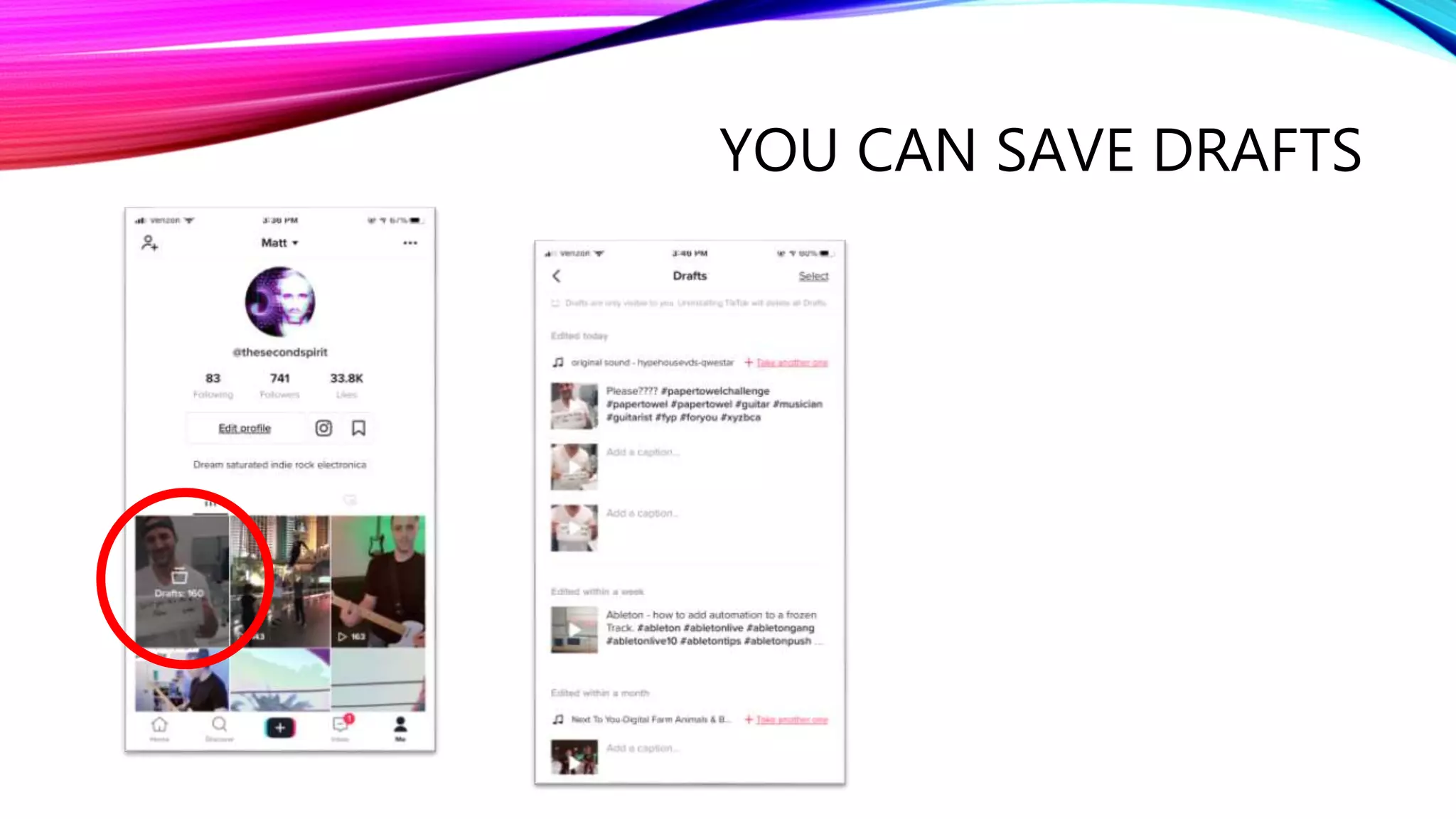
YOU CAN SAVE DRAFTS
5. TIKTOK - EXTRA TIPS
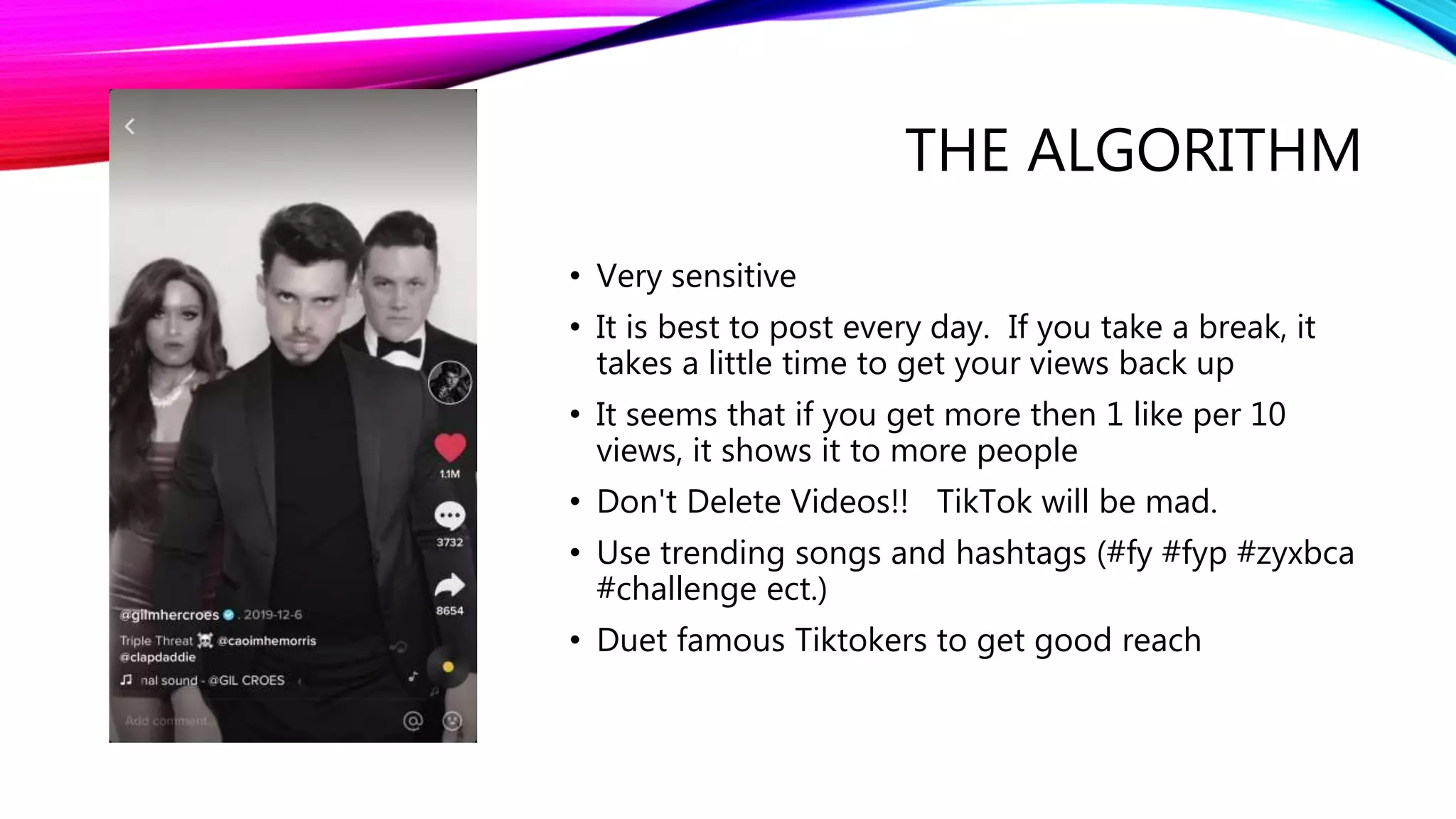
THE ALGORITHM
• Very sensitive
• It is best to post every day. If you take a break, it
takes a little time to get your views back up
• It seems that if you get more then 1 like per 10
views, it shows it to more people
• Don't Delete Videos!! TikTok will be mad.
• Use trending songs and hashtags (#fy #fyp #zyxbca
#challenge ect.)
• Duet famous Tiktokers to get good reach
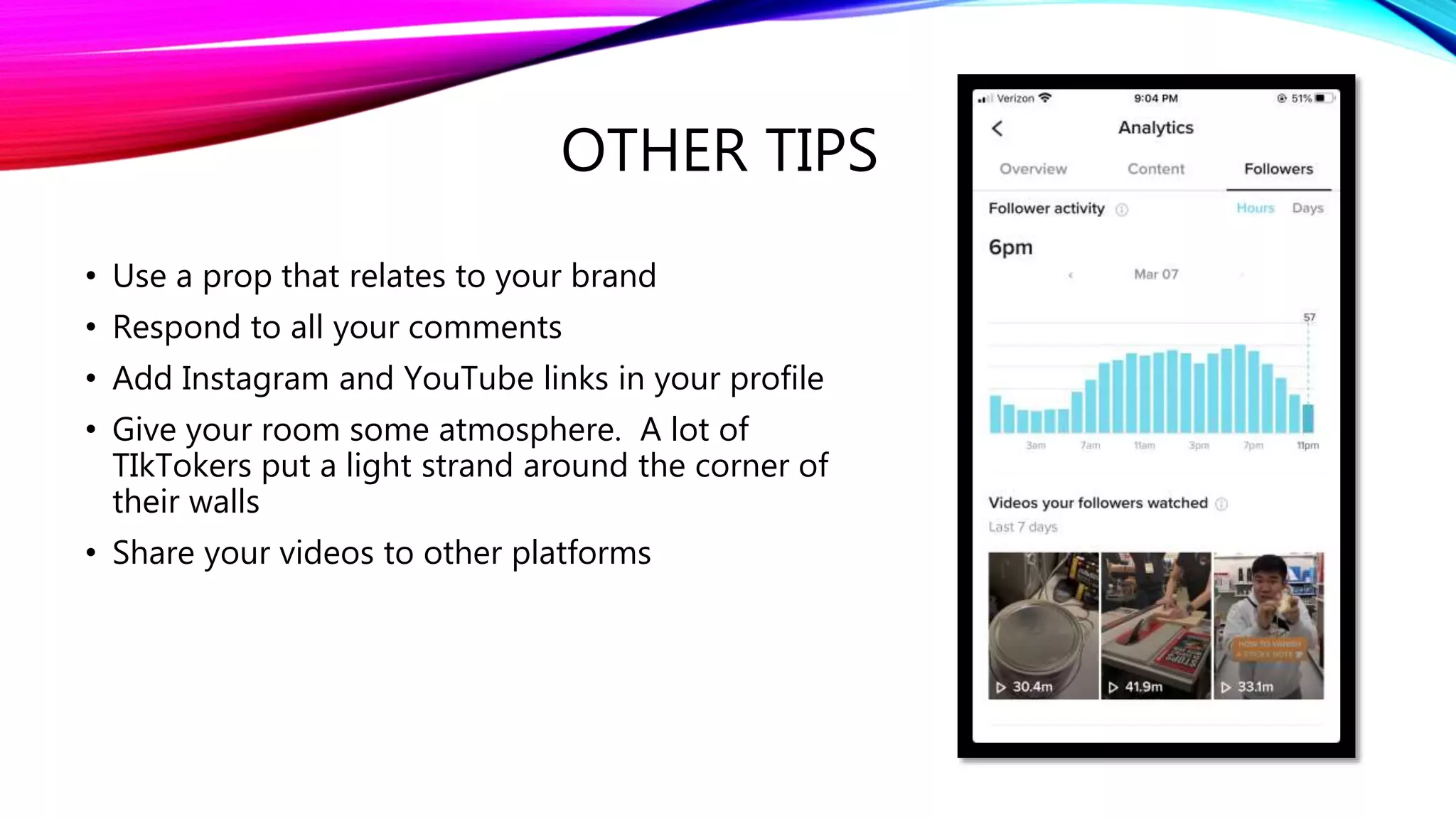
OTHER TIPS
• Use a prop that relates to your brand
• Respond to all your comments
• Add Instagram and YouTube links in your profile
• Give your room some atmosphere. A lot of
TIkTokers put a light strand around the corner of
their walls
• Share your videos to other platforms
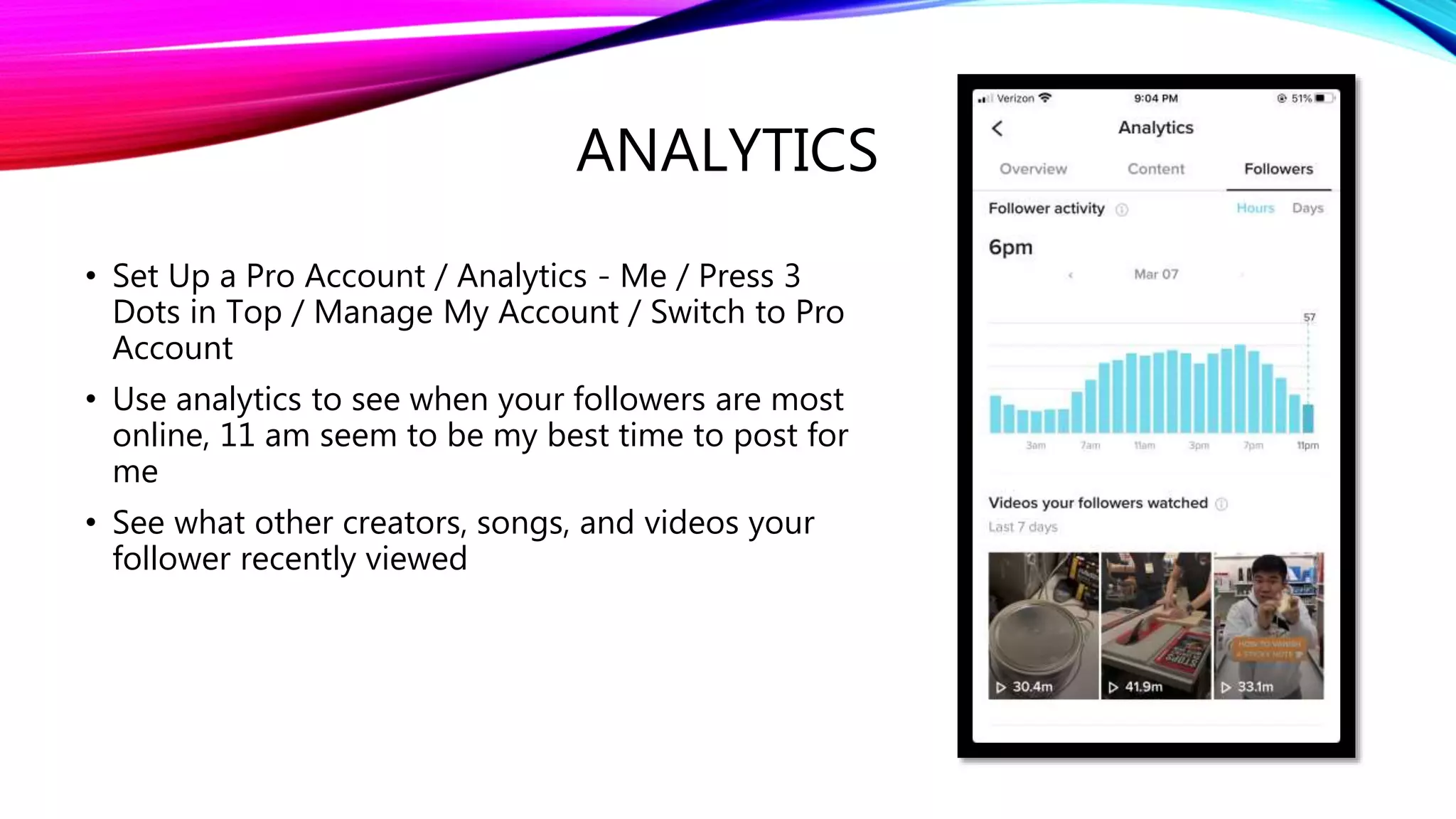
ANALYTICS
• Set Up a Pro Account / Analytics - Me / Press 3
Dots in Top / Manage My Account / Switch to Pro
Account
• Use analytics to see when your followers are most
online, 11 am seem to be my best time to post for
me
• See what other creators, songs, and videos your
follower recently viewed
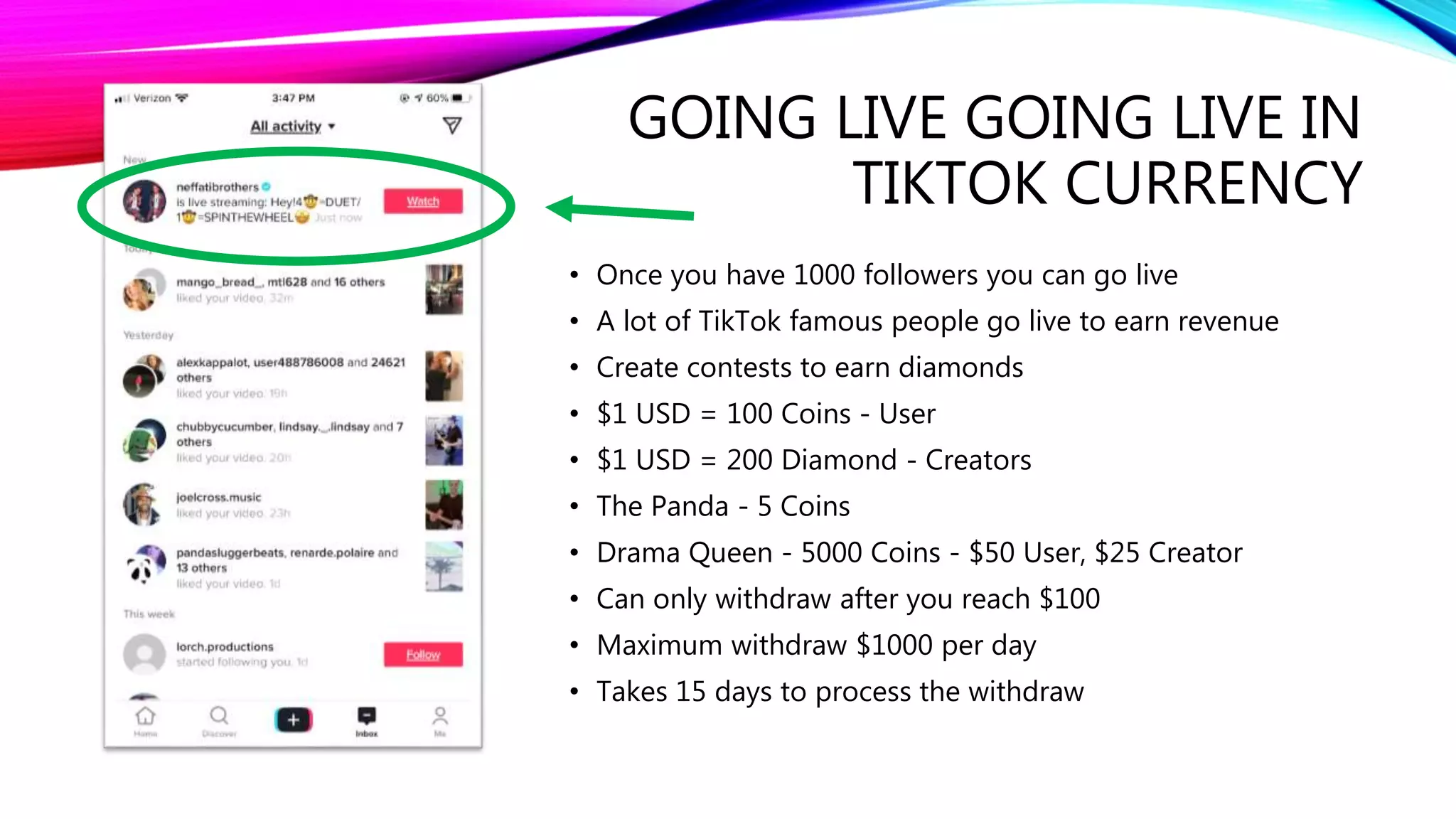
GOING LIVE GOING LIVE IN
TIKTOK CURRENCY
• Once you have 1000 followers you can go live
• A lot of TikTok famous people go live to earn revenue
• Create contests to earn diamonds
• $1 USD = 100 Coins - User
• $1 USD = 200 Diamond - Creators
• The Panda - 5 Coins
• Drama Queen - 5000 Coins - $50 User, $25 Creator
• Can only withdraw after you reach $100
• Maximum withdraw $1000 per day
• Takes 15 days to process the withdraw
HOPE TO SEE YOU ON
TIKTOK
• Scan the TikTok code to the left and Follow Me if
you Liked This
• @thesecondspirit on all platforms

TikTok Demystified - How to Use TikTok

  • 1.
  • 2.
    WHO AM I •Matt aka The Second Spirit • Ableton Live Enthusiast, Love writing songs and playing guitar • Dream Saturated Indie Rock and Electronica • @thesecondspirit on all platforms
  • 3.
    1. TIKTOK –WHAT AND WHY
  • 4.
    WHY • 1.5 billiondownloads • 500 million monthly active users • 41% between 16 and 24 • Average user spends 52 minutes per day on TikTok • Stats taken from https://www.oberlo.com/blog/tiktok-statistics
  • 5.
    WHAT IS TIKTOK •It is a social video app built on trending music • You can make 15 to 60 seconds Videos and Photo Template Video (15 sec is most common) • Most videos are filmed in upright portrait mode • It allows us to use music as the soundtrack for your video • It is a huge music and sound catalog
  • 6.
    THE IMPORTANCE OFMUSIC IN TIKTOK • Music plays a huge role in TikTok • You will probably remember the songs more than the videos. • Using trending music for your video is very important for high organic reach • Songs that were big on TikTok a year or two ago are just now hitting the radio now
  • 7.
    TIKTOK IS FUN •I have never laughed so much as when watching TikTok videos. • TikTok is trend and meme based. They also have challenges you can do, so you become part of the community. • Once you find a trend you like, you can do it your own way. • Warning, TikTok is addicting. Don't go on before bed.
  • 8.
    2. TIKTOK -HOW TO GET STARTED
  • 9.
    THE TIKTOK FEED •There are two TikTok feeds you can scroll through the “For You” and the “Following” feed • The "For You" page. This is your personal feed of videos the algorithm thinks you will like • The "Following" page. This is your feed of TikTokers that you follow. • You have to scroll through the feed otherwise it the current Video repeats itself • You can swipe up or push the home button on the bottom to scroll
  • 10.
    WATCH FOR AFEW HOURS FIRST TO GET USED TO IT • Go through the feed • Follow some people you like • Like some videos, it saves all likes privately • The algorithm is very sensitive, once it sees what you like, it will send you more
  • 11.
    THE DISCOVER TAB •Use the “Discover” button to find trending hashtags and challenges • Search and save some Videos, Hashtags, Sounds, Effects
  • 12.
    FOUR DIFFERENT TYPESOF ITEMS YOU CAN SAVE • Videos • Hashtags • Sounds • Effects
  • 13.
    FIND TRENDING SONGS •The best way is to save songs you like when you are scrolling through the feed • But if you want, You can find trending song once you start to record a video • Go to the sounds button up top
  • 14.
    TRENDING SONGS • Nowyou can look at the sound and song catalog
  • 15.
    SAVE EFFECTS YOULIKE • When your scrolling, you can see the effects that are used in videos • Save effects that you would like to use for your videos
  • 16.
    POPULAR TYPES OFVIDEOS • Dancing • Singing / Lip Syncing • Acting • Making Art • Costumes • Tutorials • Scary or Cringe • Animals of TikTok • Heart to Heart • POV - Point of View • ASMR - Sounds
  • 17.
    THE CHARM ISIN THE HUMOR, NOT THE QUALITY OF YOUR VIDEO • Most of Tiktoks are done in bedrooms • There is a joke on TikTok, that the less time put into them the more viral they go
  • 18.
    3. TIKTOK -HOW TO RECORD A VIDEO
  • 19.
    FIND A TRENDAND RECORD • Find a trend you like, and click the spinning record to save the song or use it for your video • You may want to use trending songs and challenges for your video, the reach is usually better than an original idea
  • 20.
    PUSH “USE SOUND”TO MAKE A VIDEO
  • 21.
    DECIDE ON WHATTYPE OF VIDEO TO MAKE • Push Record to record to the selected sound or song (you can stop and add as many sequential video clips as you would like to create one video) • Upload - Upload a previously made video (Can't Mix Sound with Background Sound) • Photo Template - Make a slideshow of a series of photos
  • 22.
    CHOOSE THESES SETTINGS BEFORERECORDING • Effect (choose trending AR effects and more) • Timer - Countdown 3 or 10 seconds and select the length or when to cut (certain parts of song) • Speed - Set Speed .3, .5, 1, 2x, or 3x • Beauty on or off • Filter
  • 23.
    EFFECTS • Add TrendingImmersive and AR Effects to your video
  • 24.
    DON’T UNDERESTIMATE THE TIMER •Use it to stop at certain parts of the song to cut in next video clip • Use it to start a countdown
  • 25.
    FRAME IT ANDSTART RECORDING • Make sure you don’t put anything on the far-right side, or the bottom or the very top where the description and functions are on overlayed on top of the final video
  • 26.
    DUETS AND REACTS •Duet is puts your video side by side to theirs and only use the original video’s sounds • React puts a small video of you on top of theirs and records your sounds on top of theirs
  • 27.
    DUET AND REACT •Access the duet and react function on the share button of the video you want to duet or react • Duet - Make a video next to another person's video (can't add sound) (Hand things off to the left) • React - Make a video of you reacting to another's video (can add your own sound)
  • 28.
    4. TIKTOK -HOW TO EDIT A VIDEO
  • 29.
    THINGS YOU CANADD AFTER YOU RECORD • Secondary Effects [Visual, Effects, Transitions, Split, Time (Reverse, slow-motion, repeat)] • Text • Stickers • Filters • Voice Effects • Adjust Clip Length • Change Sounds or Song
  • 30.
    SECONDARY EFFECTS (SOME ILIKE) • Sway for impact • Rain • Gold
  • 31.
    HOW TO ADTEXT • Size • Color • Font • Background • Duration
  • 32.
    YOU CAN EDITTEXT DURATION • Secret Tip (Separate all text and get timing right first then move into place) • Make sure you don’t put any text on the far-right side, or the bottom were hashtags and letters are
  • 33.
    VOICE EFFECTS • Chipmunk •Baritone • Vibrato • Electronic • Echo • Mic • Helium • Giant
  • 34.
    BEFORE YOU POST •Make sure everything is in frame, text, main objects, not too far left or right, top or bottom
  • 35.
    ADD A DESCRIPTION •Use trending hashtags and tag people in your description. #fyp #fy #xyzbca • You only get 150 characters to use in the description • You cannot edit your description once you post your video • Make sure to select a cover that’s best (it can be a part of the video).
  • 36.
  • 37.
    5. TIKTOK -EXTRA TIPS
  • 38.
    THE ALGORITHM • Verysensitive • It is best to post every day. If you take a break, it takes a little time to get your views back up • It seems that if you get more then 1 like per 10 views, it shows it to more people • Don't Delete Videos!! TikTok will be mad. • Use trending songs and hashtags (#fy #fyp #zyxbca #challenge ect.) • Duet famous Tiktokers to get good reach
  • 39.
    OTHER TIPS • Usea prop that relates to your brand • Respond to all your comments • Add Instagram and YouTube links in your profile • Give your room some atmosphere. A lot of TIkTokers put a light strand around the corner of their walls • Share your videos to other platforms
  • 40.
    ANALYTICS • Set Upa Pro Account / Analytics - Me / Press 3 Dots in Top / Manage My Account / Switch to Pro Account • Use analytics to see when your followers are most online, 11 am seem to be my best time to post for me • See what other creators, songs, and videos your follower recently viewed
  • 41.
    GOING LIVE GOINGLIVE IN TIKTOK CURRENCY • Once you have 1000 followers you can go live • A lot of TikTok famous people go live to earn revenue • Create contests to earn diamonds • $1 USD = 100 Coins - User • $1 USD = 200 Diamond - Creators • The Panda - 5 Coins • Drama Queen - 5000 Coins - $50 User, $25 Creator • Can only withdraw after you reach $100 • Maximum withdraw $1000 per day • Takes 15 days to process the withdraw
  • 42.
    HOPE TO SEEYOU ON TIKTOK • Scan the TikTok code to the left and Follow Me if you Liked This • @thesecondspirit on all platforms