SharePoint 2010 for Legal
        Services
Intro | Findability | Reuse | Sharing | Cloud v Local | Challenges | Conclusion


           Information Management Goals
   •   Better findability
   •   Less reinventing the wheel
   •   Better information sharing
   •   Flexible searching and browsing


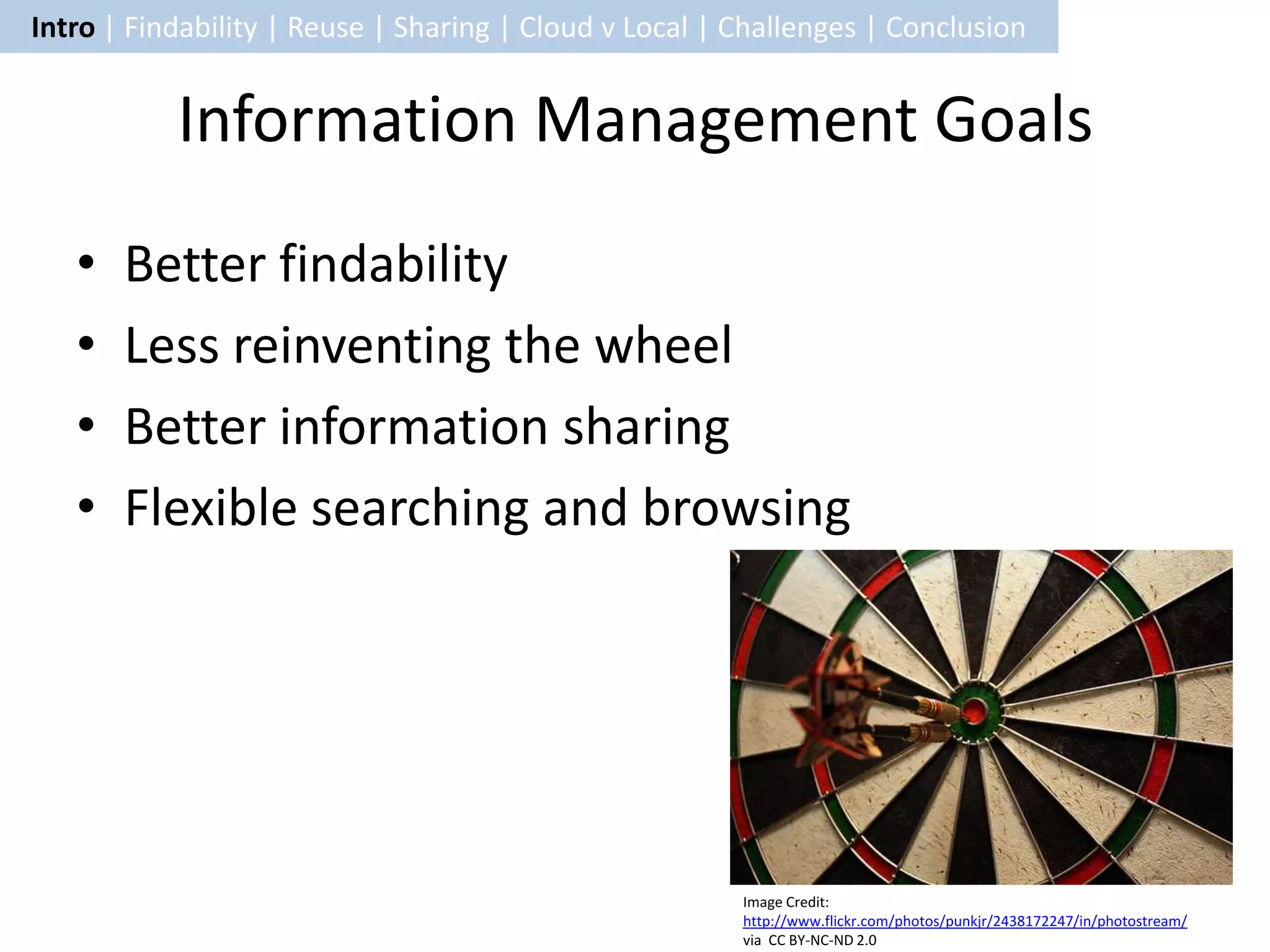
                                                        Image Credit:
                                                        http://www.flickr.com/photos/punkjr/2438172247/in/photostream/
                                                        via CC BY-NC-ND 2.0
Intro | Findability | Reuse | Sharing | Cloud v Local | Challenges | Conclusion

                         SharePoint Overview
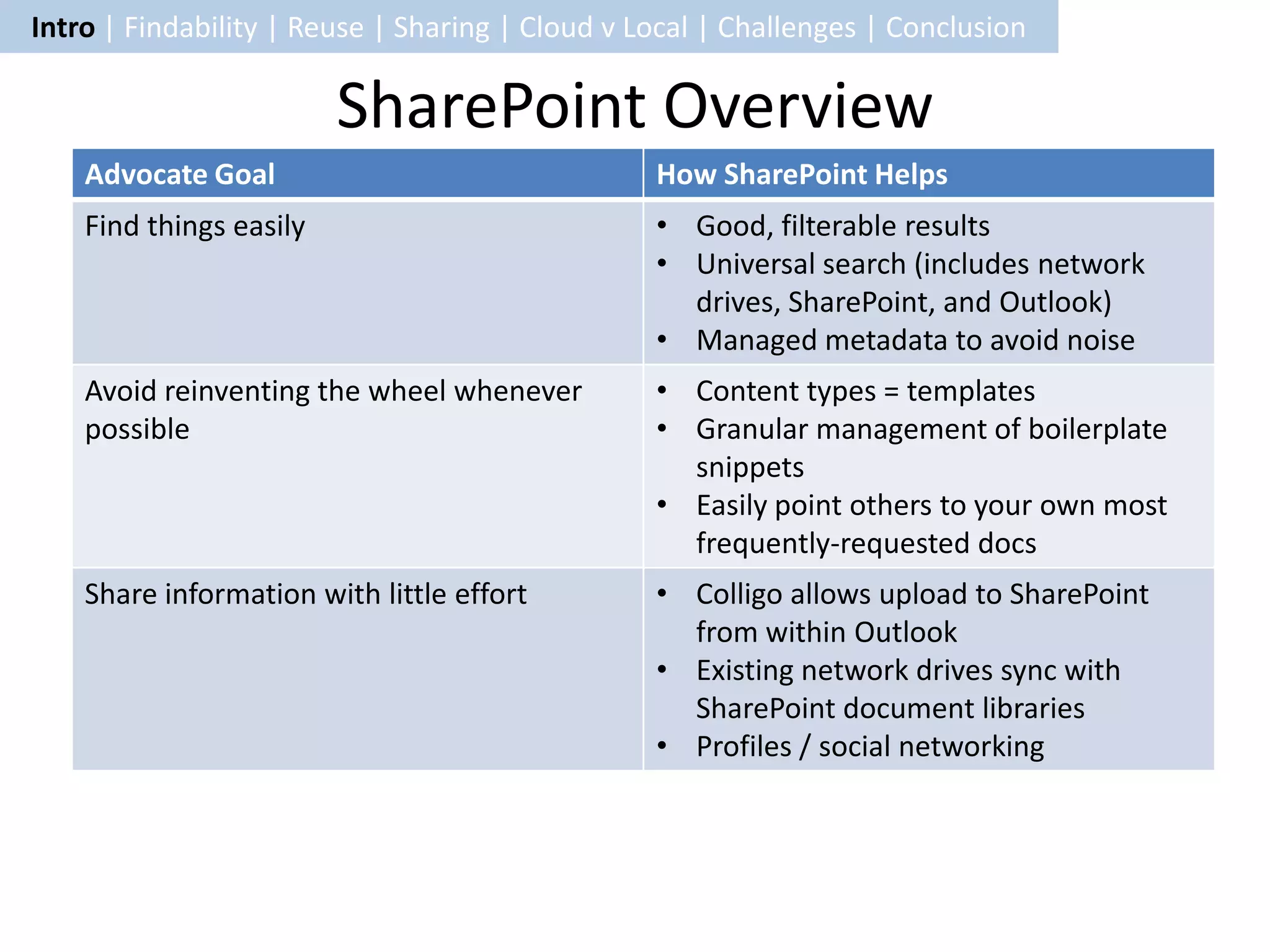
    Advocate Goal                                How SharePoint Helps
    Find things easily                           • Good, filterable results
                                                 • Universal search (includes network
                                                   drives, SharePoint, and Outlook)
                                                 • Managed metadata to avoid noise
    Avoid reinventing the wheel whenever         • Content types = templates
    possible                                     • Granular management of boilerplate
                                                   snippets
                                                 • Easily point others to your own most
                                                   frequently-requested docs
    Share information with little effort         • Colligo allows upload to SharePoint
                                                   from within Outlook
                                                 • Existing network drives sync with
                                                   SharePoint document libraries
                                                 • Profiles / social networking
Intro | Findability | Reuse | Sharing | Cloud v Local | Challenges | Conclusion


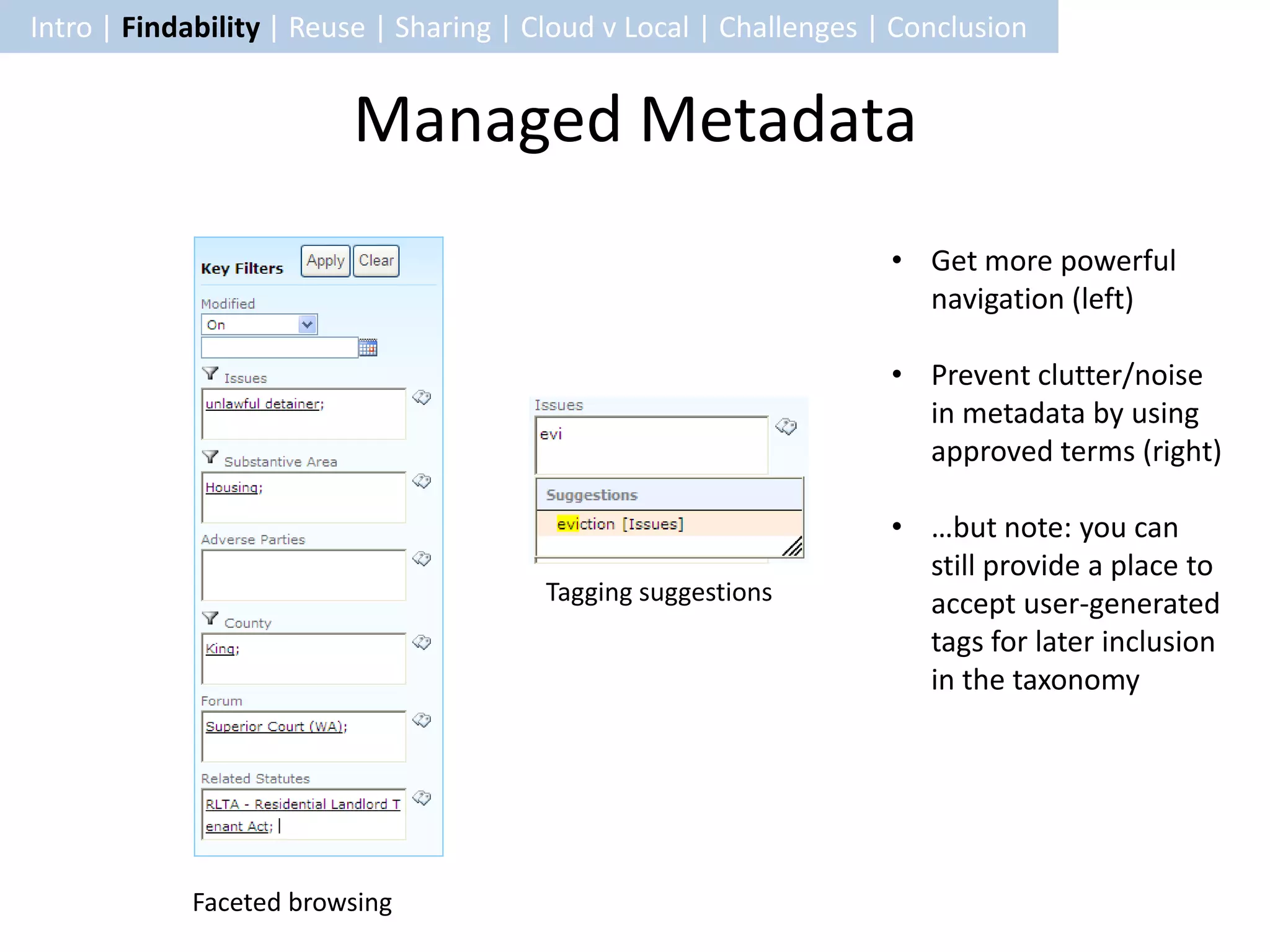
                         Managed Metadata
                                                                    • Get more powerful
                                                                      navigation (left)

                                                                    • Prevent clutter/noise
                                                                      in metadata by using
                                                                      approved terms (right)

                                                                    • …but note: you can
                                                                      still provide a place to
                                        Tagging suggestions           accept user-generated
                                                                      tags for later inclusion
                                                                      in the taxonomy


            Faceted browsing
Intro | Findability | Reuse | Sharing | Cloud v Local | Challenges | Conclusion


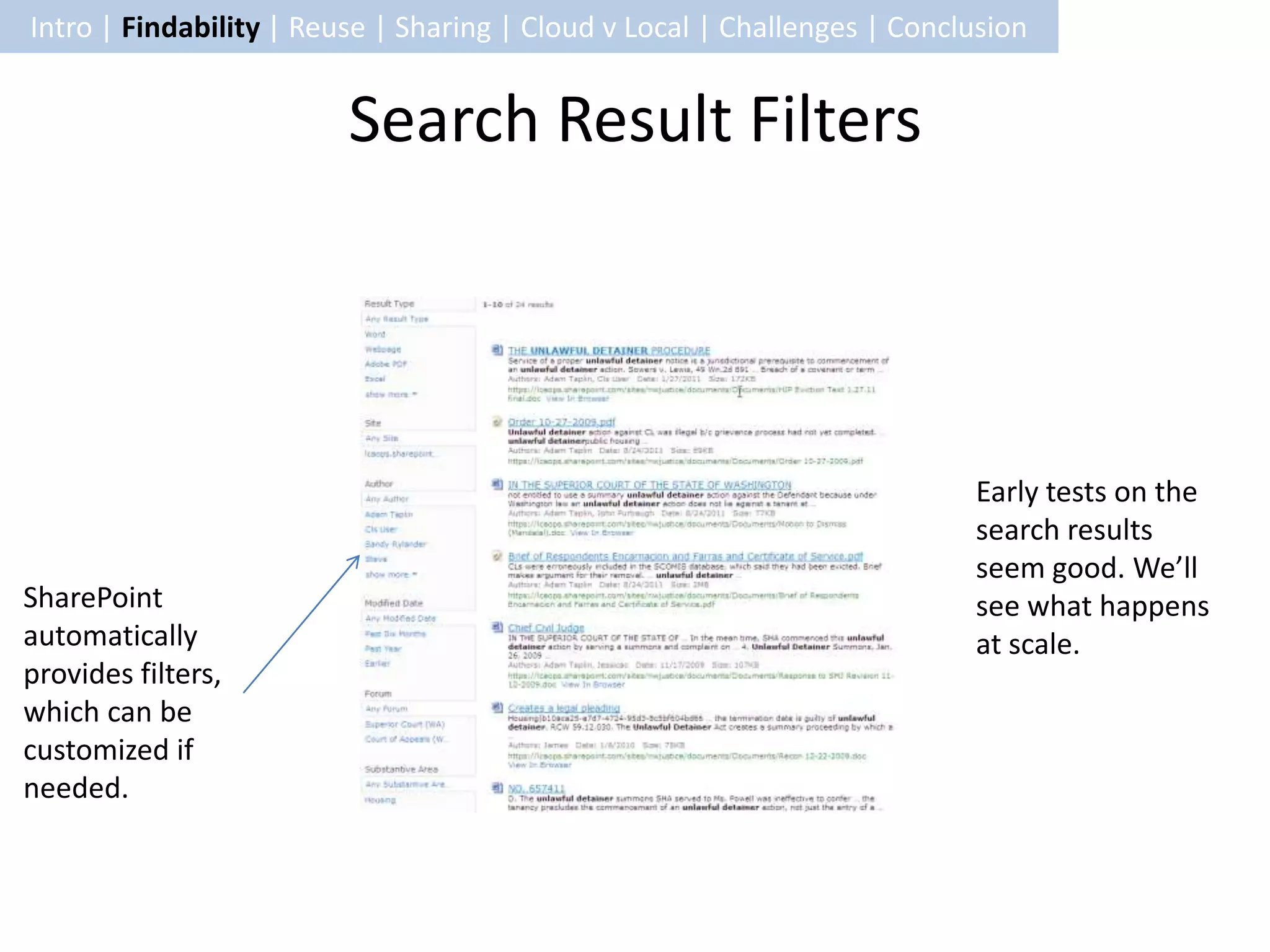
                         Search Result Filters


                                                                          Early tests on the
                                                                          search results
                                                                          seem good. We’ll
SharePoint                                                                see what happens
automatically                                                             at scale.
provides filters,
which can be
customized if
needed.
Intro | Findability | Reuse | Sharing | Cloud v Local | Challenges | Conclusion


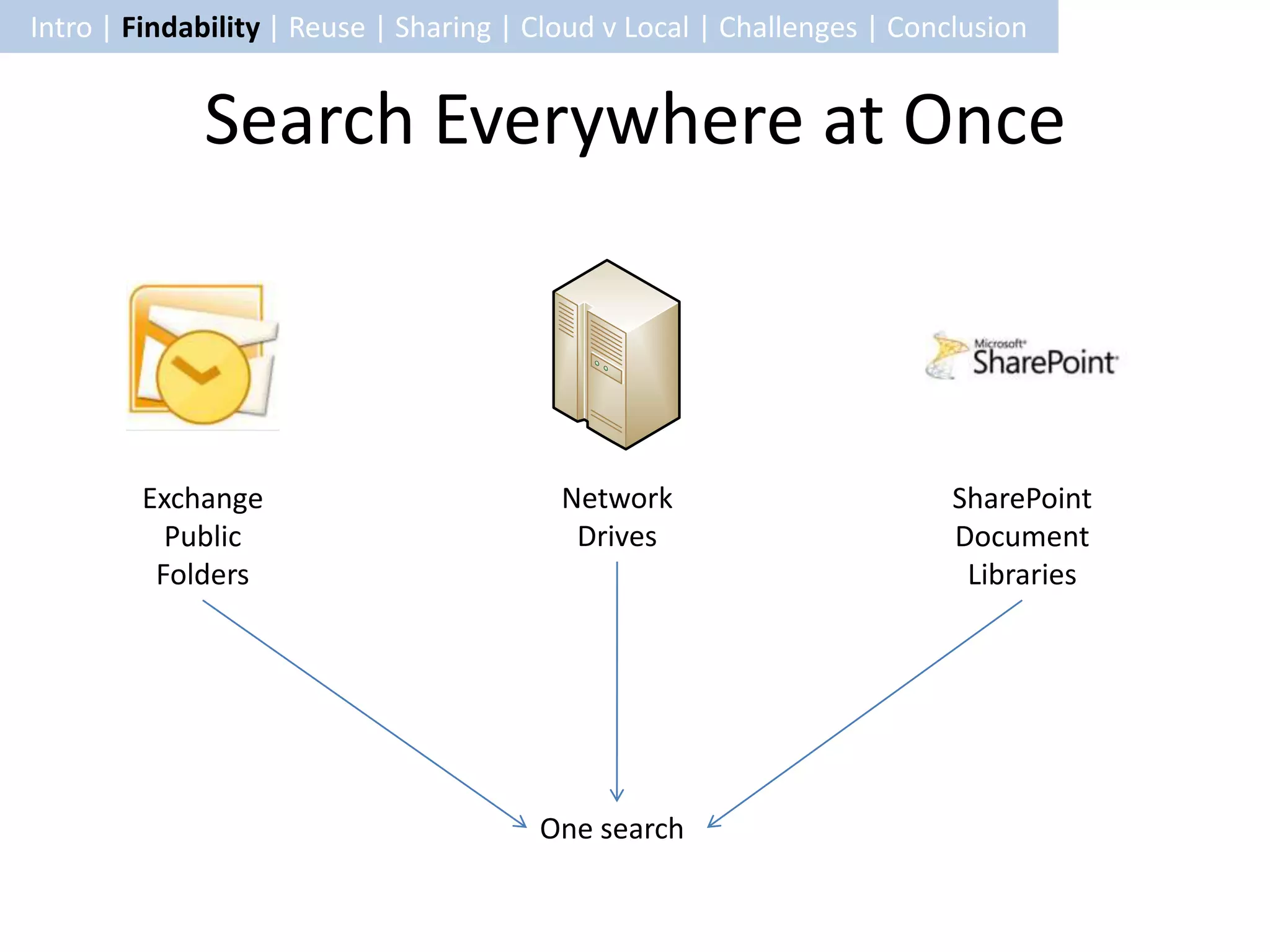
             Search Everywhere at Once


        Exchange                          Network                        SharePoint
          Public                           Drives                        Document
         Folders                                                          Libraries


                                        One search
Intro | Findability | Reuse | Sharing | Cloud v Local | Challenges | Conclusion


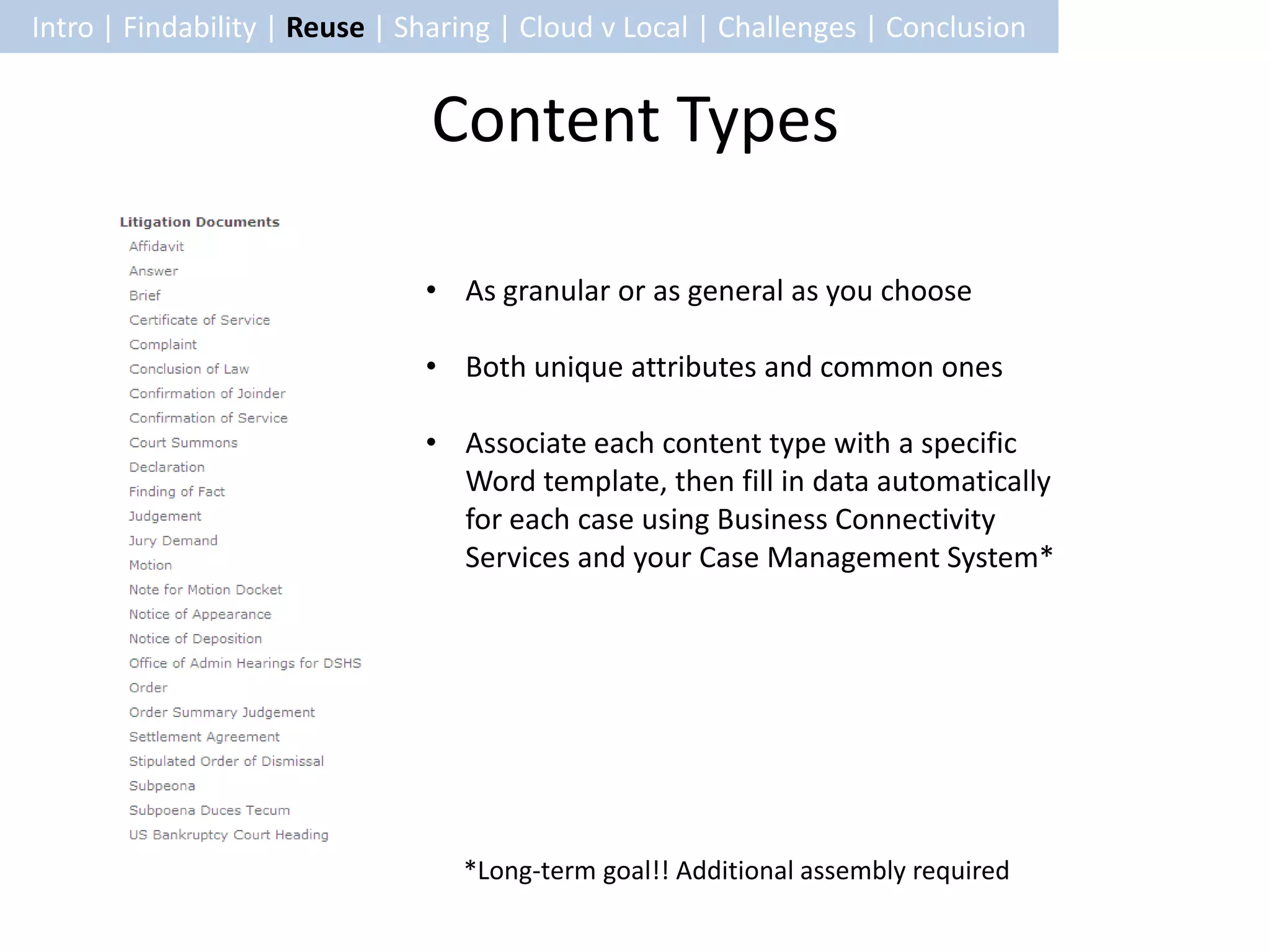
                               Content Types

                               • As granular or as general as you choose

                               • Both unique attributes and common ones

                               • Associate each content type with a specific
                                 Word template, then fill in data automatically
                                 for each case using Business Connectivity
                                 Services and your Case Management System*


                                  *Long-term goal!! Additional assembly required
Intro | Findability | Reuse | Sharing | Cloud v Local | Challenges | Conclusion


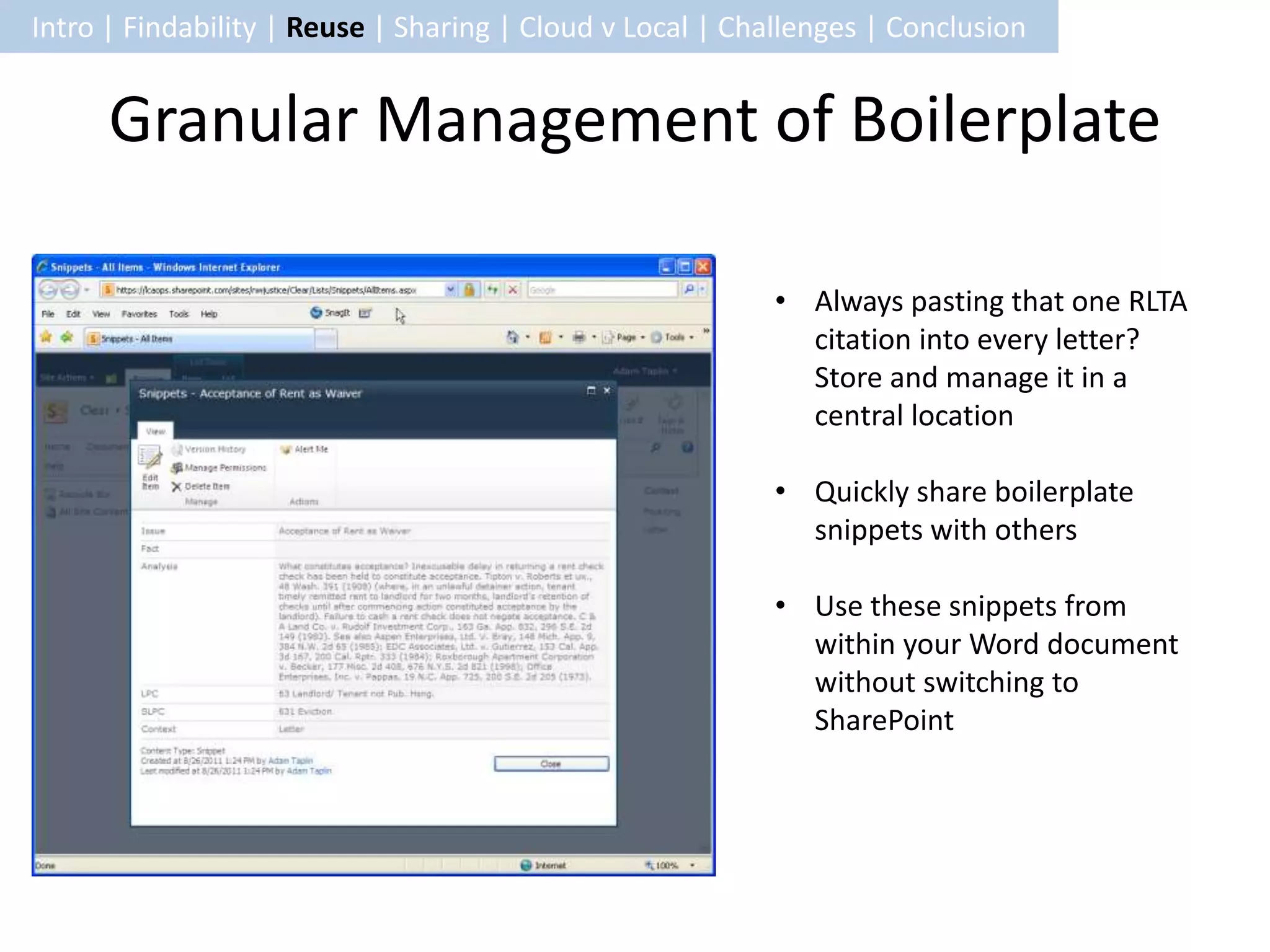
      Granular Management of Boilerplate

                                                           • Always pasting that one RLTA
                                                             citation into every letter?
                                                             Store and manage it in a
                                                             central location

                                                           • Quickly share boilerplate
                                                             snippets with others

                                                           • Use these snippets from
                                                             within your Word document
                                                             without switching to
                                                             SharePoint
Intro | Findability | Reuse | Sharing | Cloud v Local | Challenges | Conclusion


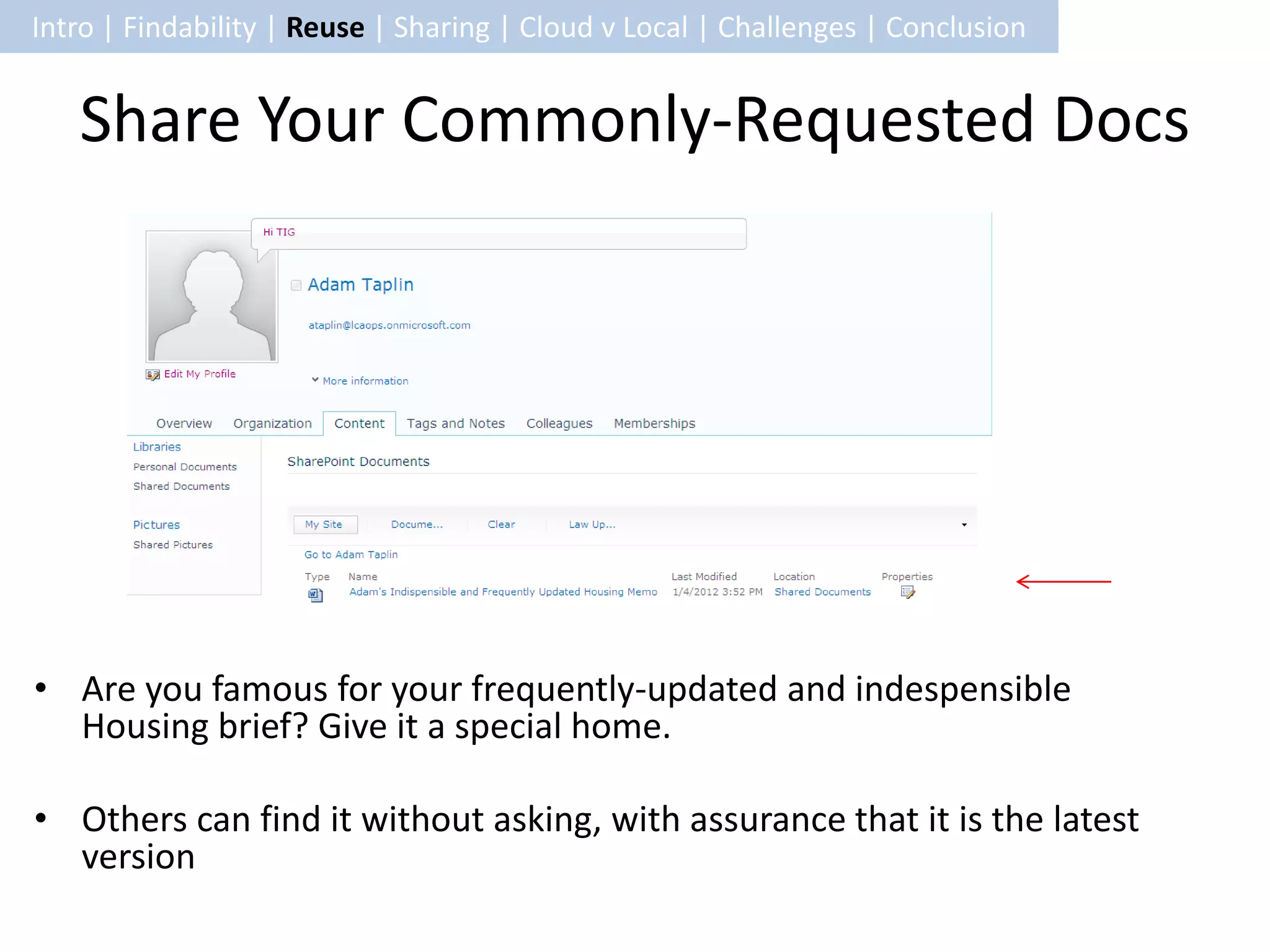
   Share Your Commonly-Requested Docs


• Are you famous for your frequently-updated and indespensible
  Housing brief? Give it a special home.

• Others can find it without asking, with assurance that it is the latest
  version
Intro | Findability | Reuse | Sharing | Cloud v Local | Challenges | Conclusion


                                       Colligo
   • Lawyers love Outlook, so make it easy to
     publish information to SharePoint from there

   • There will be additional costs for this, though


   http://www.colligo.com/products/sharepoint/co
   lligo-contributor-add-in-for-outlook/
Intro | Findability | Reuse | Sharing | Cloud v Local | Challenges | Conclusion


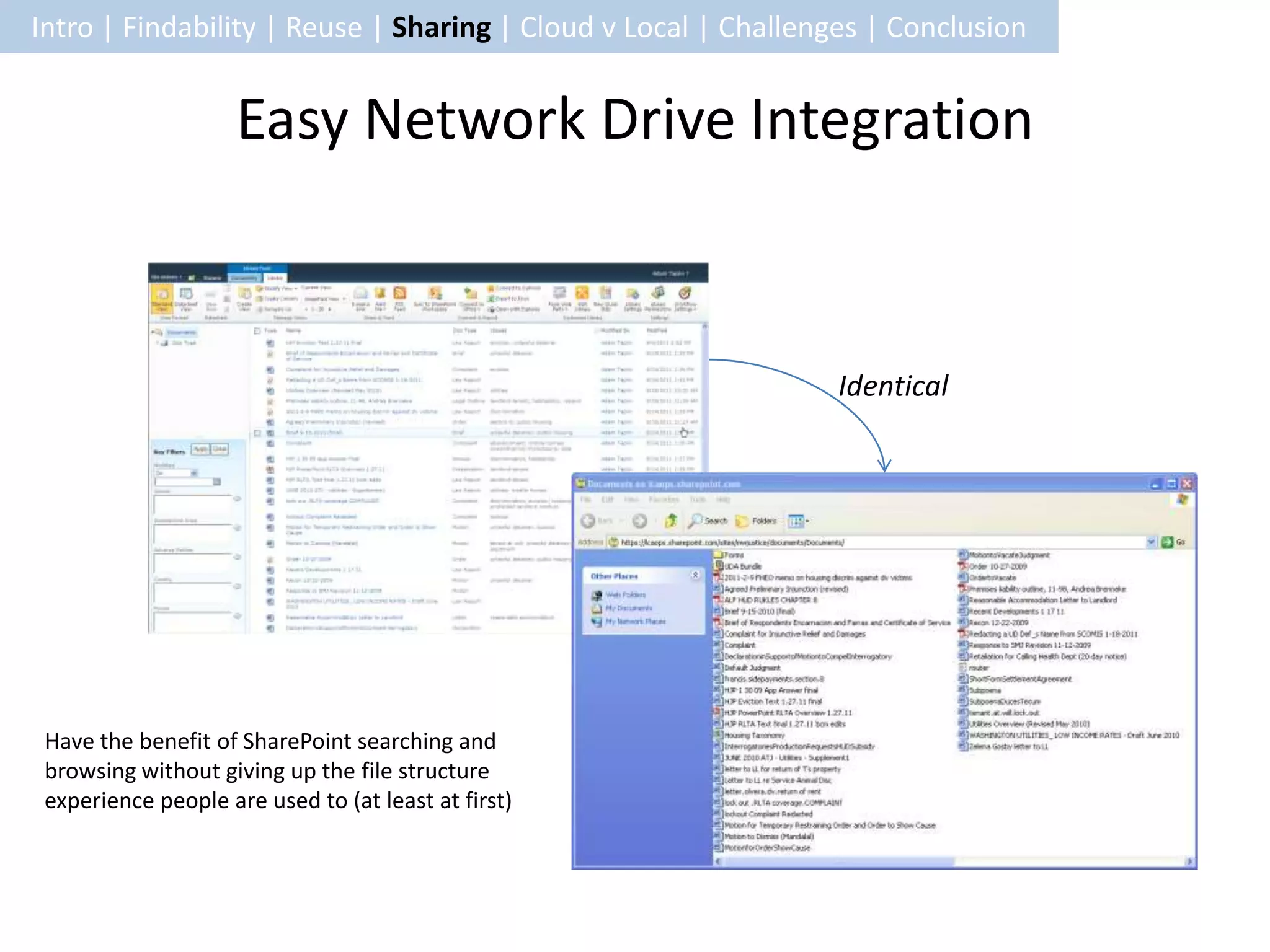
                     Easy Network Drive Integration


                                                                Identical


 Have the benefit of SharePoint searching and
 browsing without giving up the file structure
 experience people are used to (at least at first)
Intro | Findability | Reuse | Sharing | Cloud v Local | Challenges | Conclusion


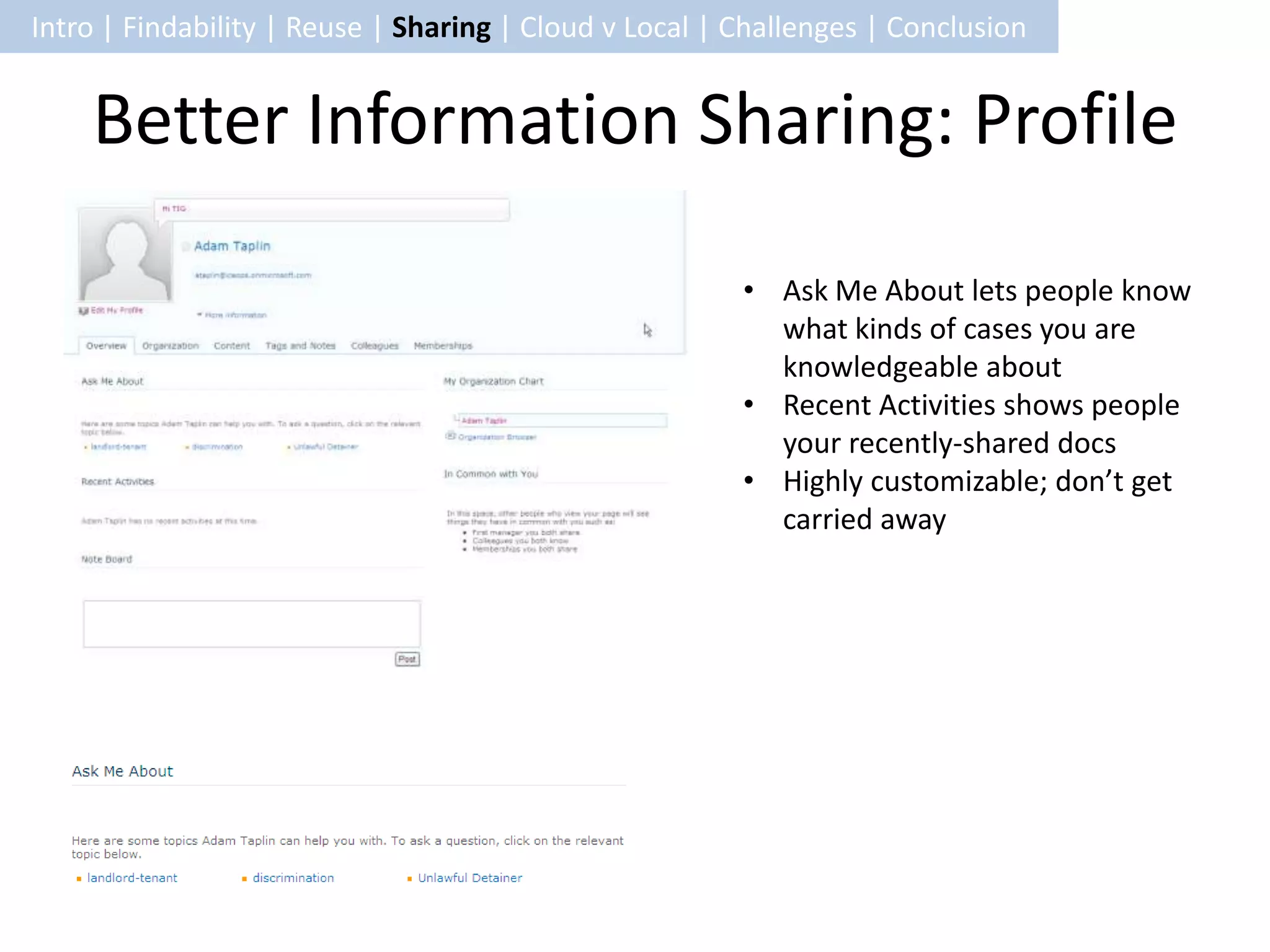
    Better Information Sharing: Profile

                                                        • Ask Me About lets people know
                                                          what kinds of cases you are
                                                          knowledgeable about
                                                        • Recent Activities shows people
                                                          your recently-shared docs
                                                        • Highly customizable; don’t get
                                                          carried away
Intro | Findability | Reuse | Sharing | Cloud v Local | Challenges | Conclusion


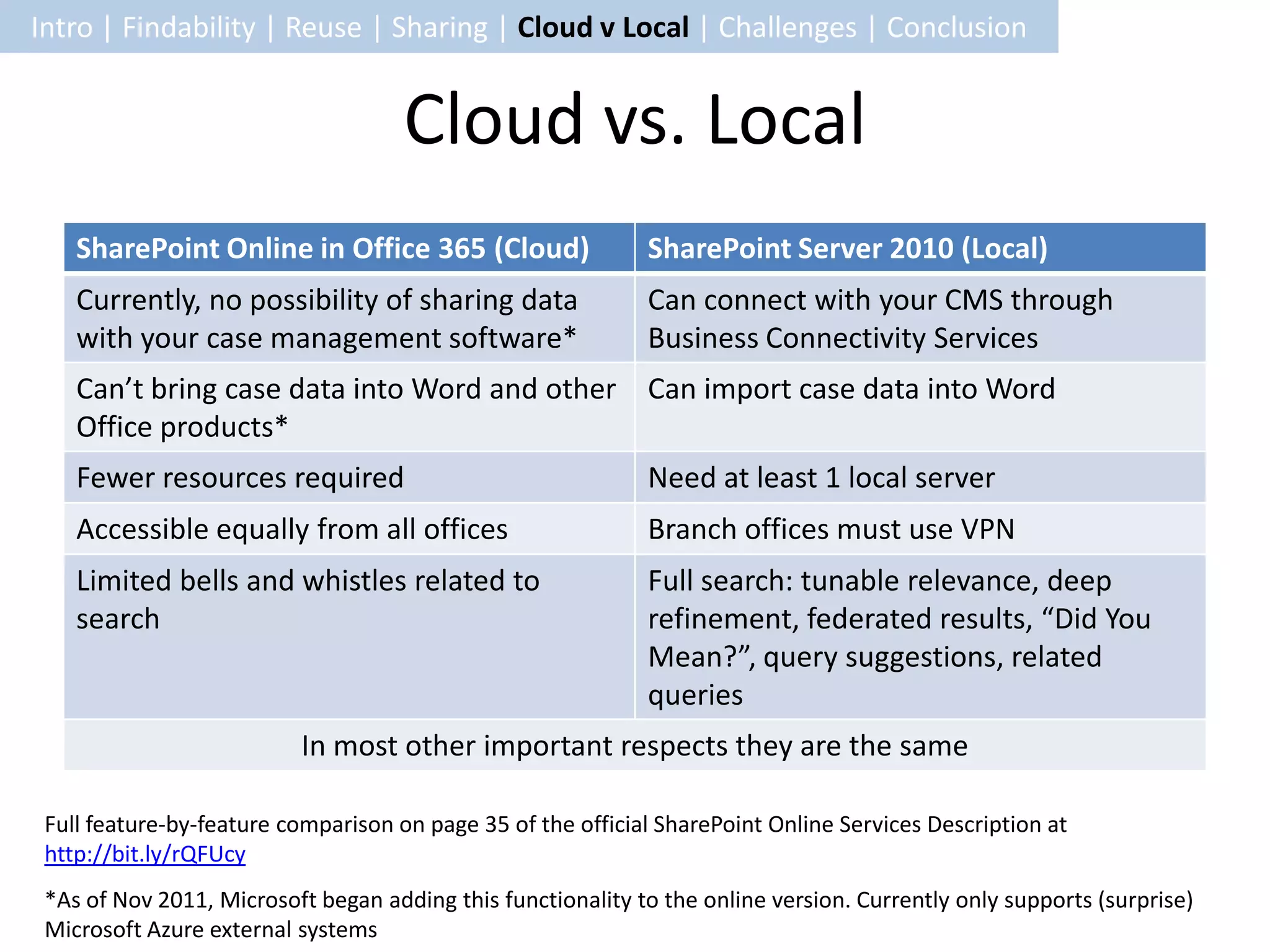
                                     Cloud vs. Local
    SharePoint Online in Office 365 (Cloud)                  SharePoint Server 2010 (Local)
    Currently, no possibility of sharing data                Can connect with your CMS through
    with your case management software*                      Business Connectivity Services
    Can’t bring case data into Word and other Can import case data into Word
    Office products*
    Fewer resources required                                 Need at least 1 local server
    Accessible equally from all offices                      Branch offices must use VPN
    Limited bells and whistles related to                    Full search: tunable relevance, deep
    search                                                   refinement, federated results, “Did You
                                                             Mean?”, query suggestions, related
                                                             queries
                          In most other important respects they are the same

 Full feature-by-feature comparison on page 35 of the official SharePoint Online Services Description at
 http://bit.ly/rQFUcy
 *As of Nov 2011, Microsoft began adding this functionality to the online version. Currently only supports (surprise)
 Microsoft Azure external systems
Intro | Findability | Reuse | Sharing | Cloud v Local | Challenges | Conclusion


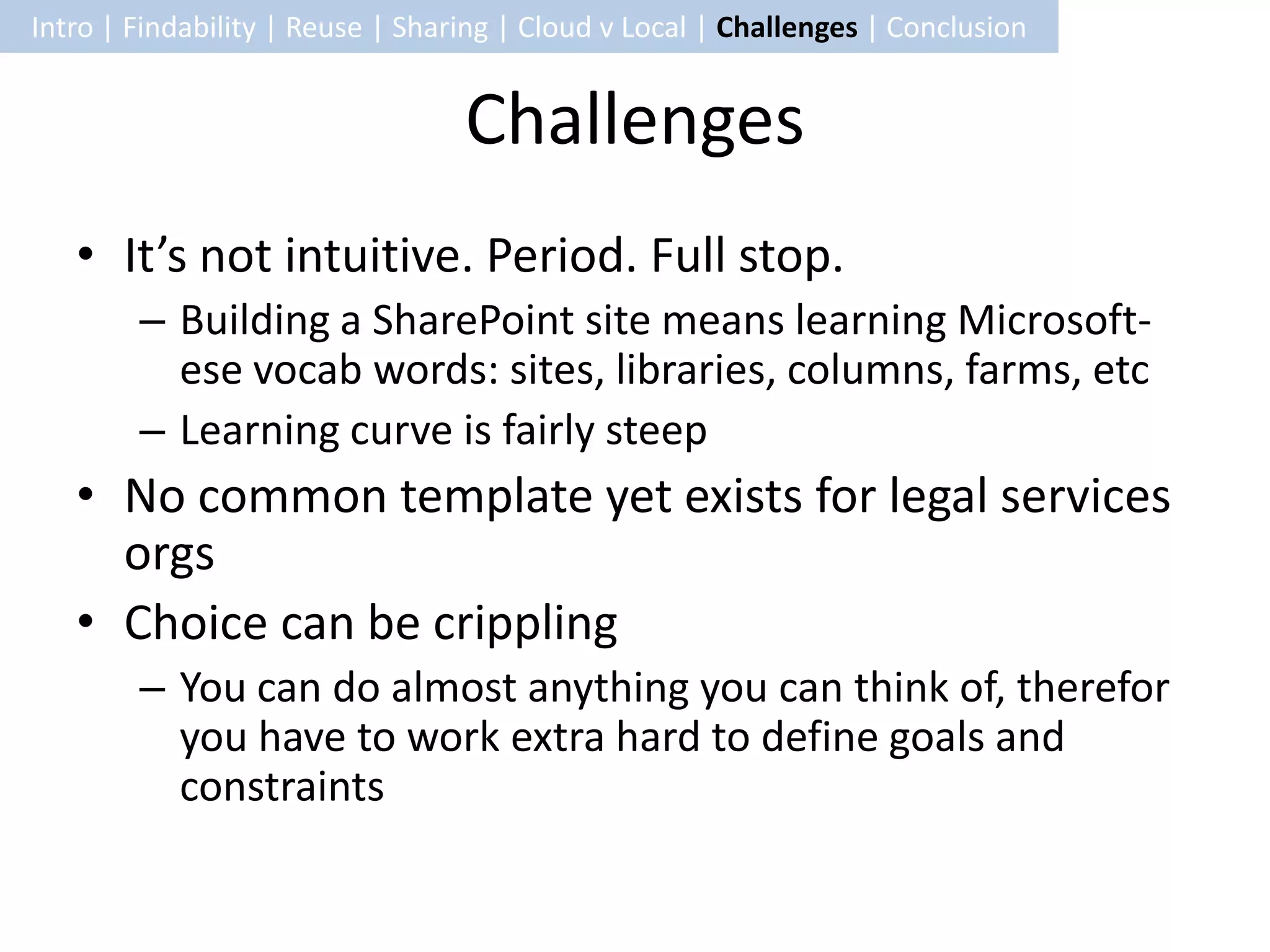
                                  Challenges
   • It’s not intuitive. Period. Full stop.
        – Building a SharePoint site means learning Microsoft-
          ese vocab words: sites, libraries, columns, farms, etc
        – Learning curve is fairly steep
   • No common template yet exists for legal services
     orgs
   • Choice can be crippling
        – You can do almost anything you can think of, therefor
          you have to work extra hard to define goals and
          constraints
Intro | Findability | Reuse | Sharing | Cloud v Local | Challenges | Conclusion


                                      Thanks!
   • Questions?

TIG sharepoint for Knowledge managment

  • 1.
    SharePoint 2010 forLegal Services
  • 2.
    Intro | Findability| Reuse | Sharing | Cloud v Local | Challenges | Conclusion Information Management Goals • Better findability • Less reinventing the wheel • Better information sharing • Flexible searching and browsing Image Credit: http://www.flickr.com/photos/punkjr/2438172247/in/photostream/ via CC BY-NC-ND 2.0
  • 3.
    Intro | Findability| Reuse | Sharing | Cloud v Local | Challenges | Conclusion SharePoint Overview Advocate Goal How SharePoint Helps Find things easily • Good, filterable results • Universal search (includes network drives, SharePoint, and Outlook) • Managed metadata to avoid noise Avoid reinventing the wheel whenever • Content types = templates possible • Granular management of boilerplate snippets • Easily point others to your own most frequently-requested docs Share information with little effort • Colligo allows upload to SharePoint from within Outlook • Existing network drives sync with SharePoint document libraries • Profiles / social networking
  • 4.
    Intro | Findability| Reuse | Sharing | Cloud v Local | Challenges | Conclusion Managed Metadata • Get more powerful navigation (left) • Prevent clutter/noise in metadata by using approved terms (right) • …but note: you can still provide a place to Tagging suggestions accept user-generated tags for later inclusion in the taxonomy Faceted browsing
  • 5.
    Intro | Findability| Reuse | Sharing | Cloud v Local | Challenges | Conclusion Search Result Filters Early tests on the search results seem good. We’ll SharePoint see what happens automatically at scale. provides filters, which can be customized if needed.
  • 6.
    Intro | Findability| Reuse | Sharing | Cloud v Local | Challenges | Conclusion Search Everywhere at Once Exchange Network SharePoint Public Drives Document Folders Libraries One search
  • 7.
    Intro | Findability| Reuse | Sharing | Cloud v Local | Challenges | Conclusion Content Types • As granular or as general as you choose • Both unique attributes and common ones • Associate each content type with a specific Word template, then fill in data automatically for each case using Business Connectivity Services and your Case Management System* *Long-term goal!! Additional assembly required
  • 8.
    Intro | Findability| Reuse | Sharing | Cloud v Local | Challenges | Conclusion Granular Management of Boilerplate • Always pasting that one RLTA citation into every letter? Store and manage it in a central location • Quickly share boilerplate snippets with others • Use these snippets from within your Word document without switching to SharePoint
  • 9.
    Intro | Findability| Reuse | Sharing | Cloud v Local | Challenges | Conclusion Share Your Commonly-Requested Docs • Are you famous for your frequently-updated and indespensible Housing brief? Give it a special home. • Others can find it without asking, with assurance that it is the latest version
  • 10.
    Intro | Findability| Reuse | Sharing | Cloud v Local | Challenges | Conclusion Colligo • Lawyers love Outlook, so make it easy to publish information to SharePoint from there • There will be additional costs for this, though http://www.colligo.com/products/sharepoint/co lligo-contributor-add-in-for-outlook/
  • 11.
    Intro | Findability| Reuse | Sharing | Cloud v Local | Challenges | Conclusion Easy Network Drive Integration Identical Have the benefit of SharePoint searching and browsing without giving up the file structure experience people are used to (at least at first)
  • 12.
    Intro | Findability| Reuse | Sharing | Cloud v Local | Challenges | Conclusion Better Information Sharing: Profile • Ask Me About lets people know what kinds of cases you are knowledgeable about • Recent Activities shows people your recently-shared docs • Highly customizable; don’t get carried away
  • 13.
    Intro | Findability| Reuse | Sharing | Cloud v Local | Challenges | Conclusion Cloud vs. Local SharePoint Online in Office 365 (Cloud) SharePoint Server 2010 (Local) Currently, no possibility of sharing data Can connect with your CMS through with your case management software* Business Connectivity Services Can’t bring case data into Word and other Can import case data into Word Office products* Fewer resources required Need at least 1 local server Accessible equally from all offices Branch offices must use VPN Limited bells and whistles related to Full search: tunable relevance, deep search refinement, federated results, “Did You Mean?”, query suggestions, related queries In most other important respects they are the same Full feature-by-feature comparison on page 35 of the official SharePoint Online Services Description at http://bit.ly/rQFUcy *As of Nov 2011, Microsoft began adding this functionality to the online version. Currently only supports (surprise) Microsoft Azure external systems
  • 14.
    Intro | Findability| Reuse | Sharing | Cloud v Local | Challenges | Conclusion Challenges • It’s not intuitive. Period. Full stop. – Building a SharePoint site means learning Microsoft- ese vocab words: sites, libraries, columns, farms, etc – Learning curve is fairly steep • No common template yet exists for legal services orgs • Choice can be crippling – You can do almost anything you can think of, therefor you have to work extra hard to define goals and constraints
  • 15.
    Intro | Findability| Reuse | Sharing | Cloud v Local | Challenges | Conclusion Thanks! • Questions?