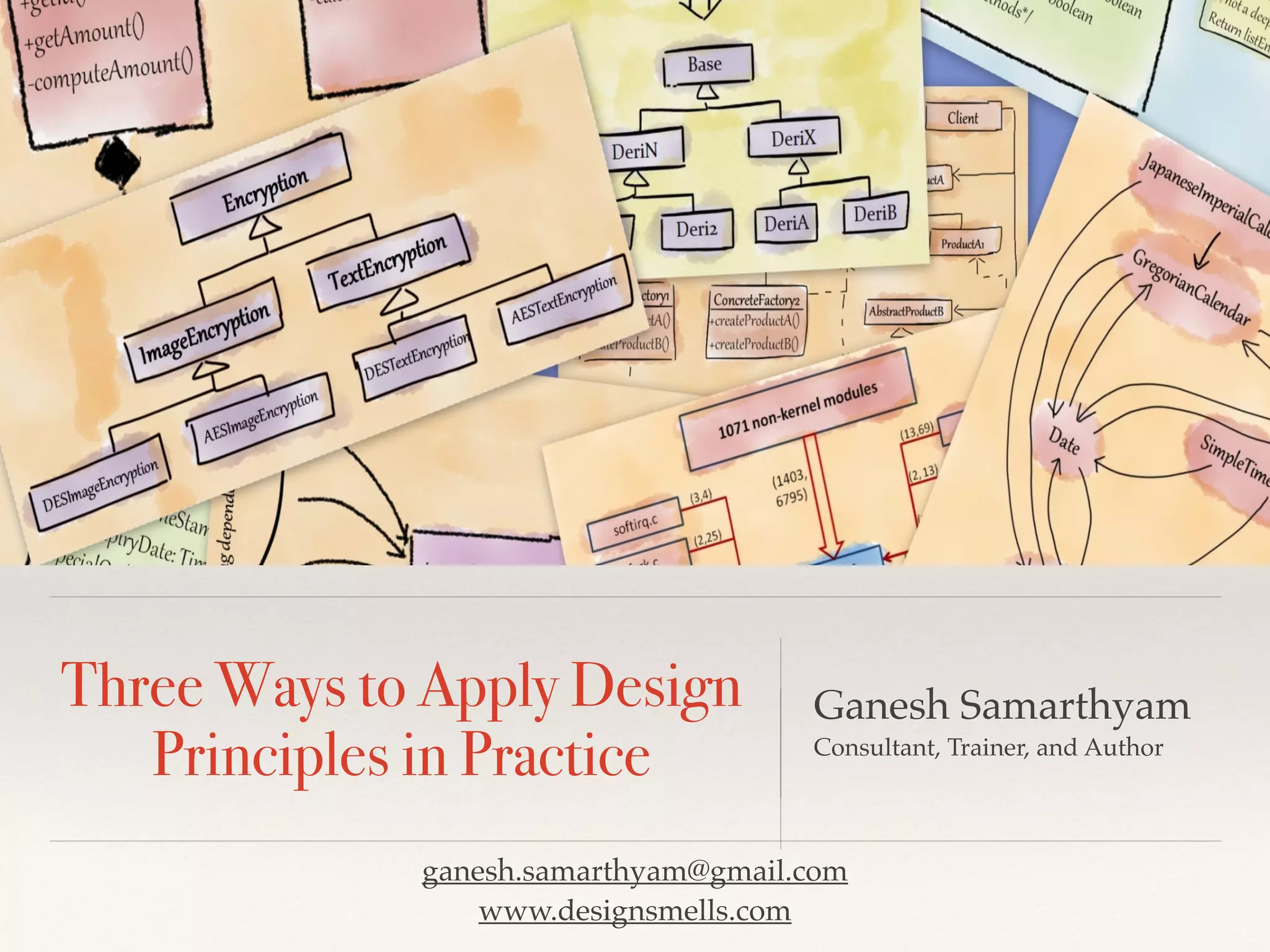


Three Ways to Apply Design
Principles in Practice
Ganesh Samarthyam
Consultant, Trainer, and Author
ganesh.samarthyam@gmail.com
www.designsmells.com
Why care about design quality and
design principles?
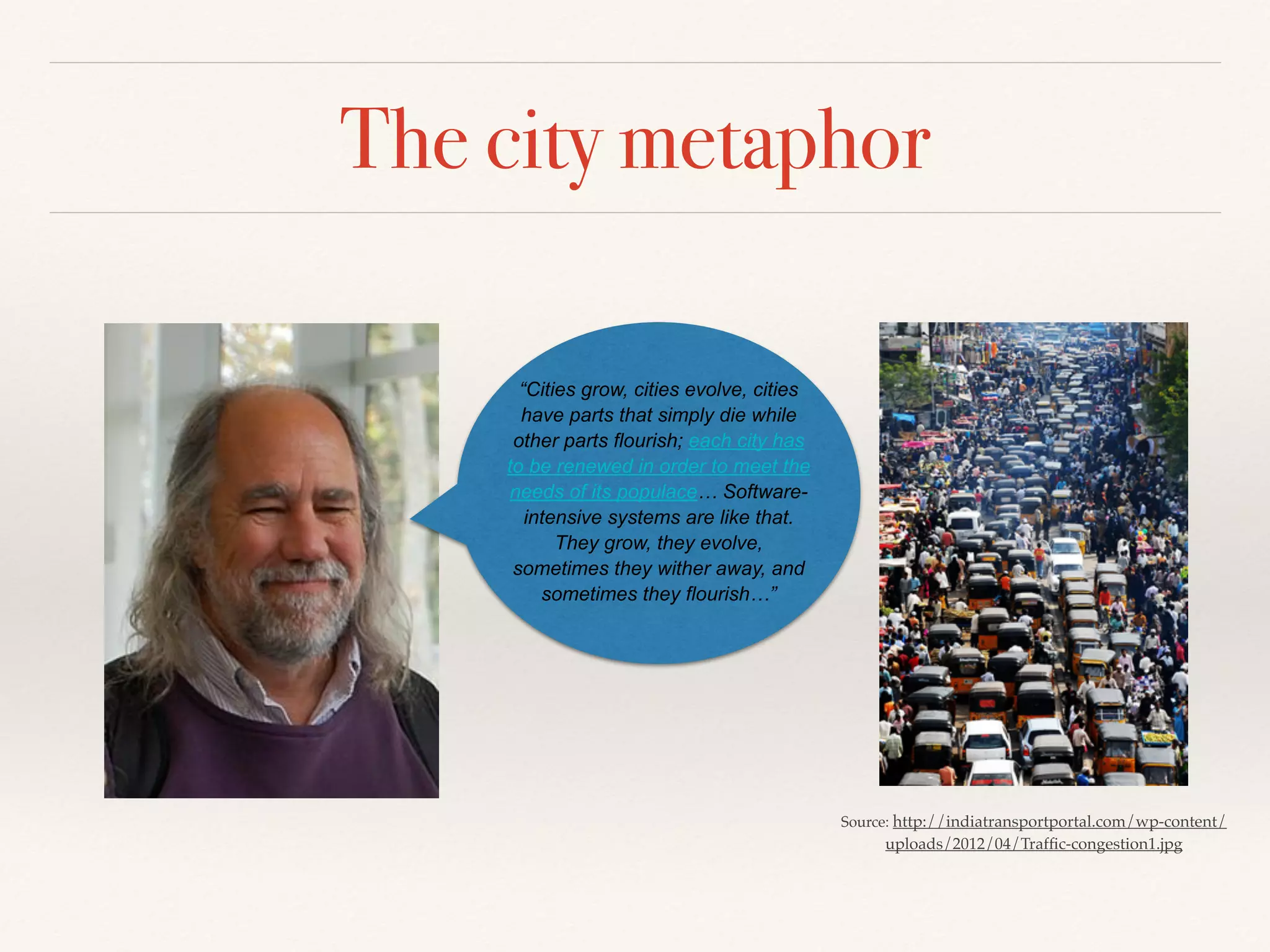
The city metaphor
Source: http://indiatransportportal.com/wp-content/
uploads/2012/04/Traffic-congestion1.jpg
“Cities grow, cities evolve, cities
have parts that simply die while
other parts flourish; each city has
to be renewed in order to meet the
needs of its populace… Software-
intensive systems are like that.
They grow, they evolve,
sometimes they wither away, and
sometimes they flourish…”
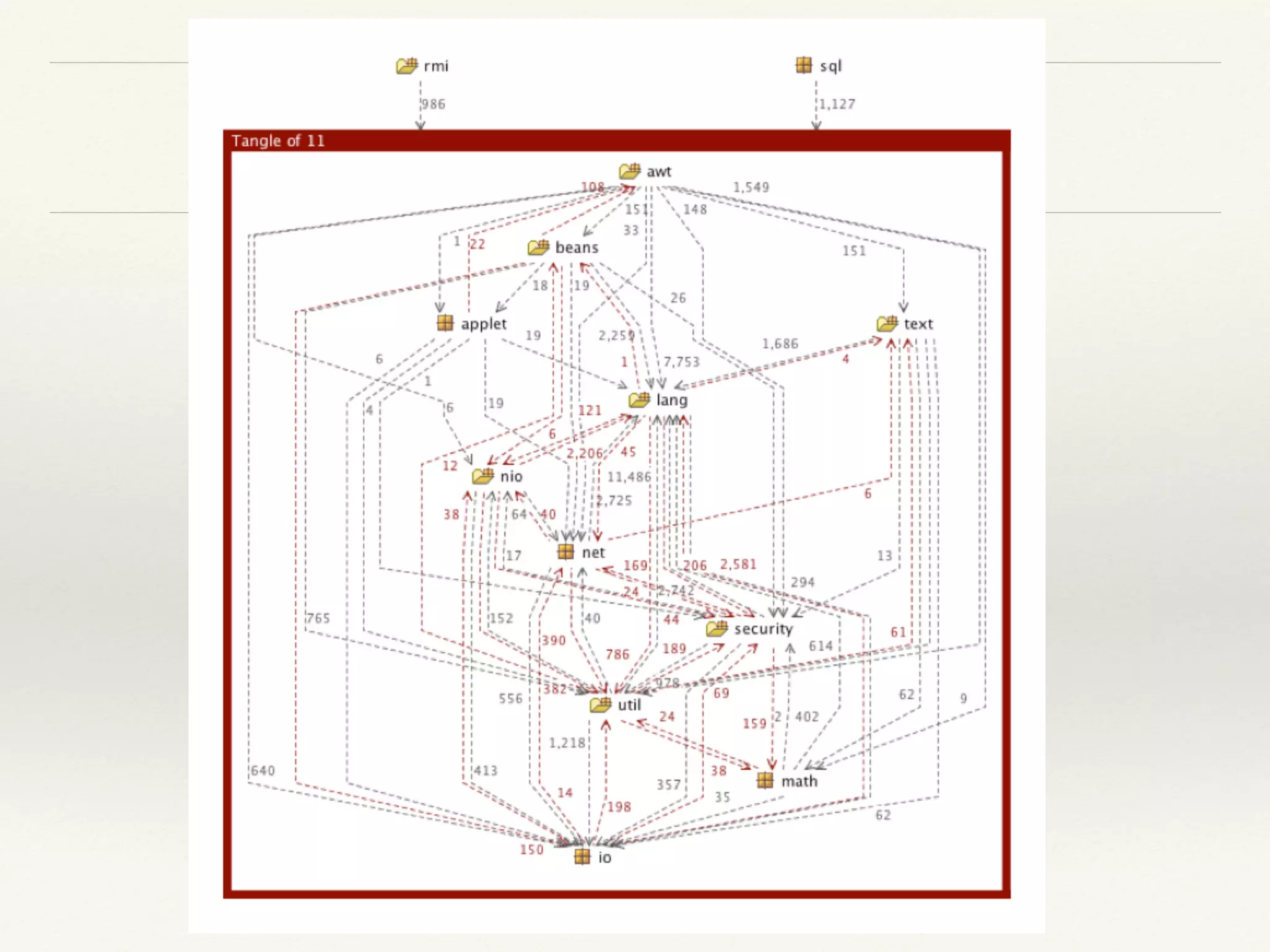
Messy city of software
“Applying design principles is the key to creating
high-quality software!”
Architectural principles:
Axis, symmetry, rhythm, datum, hierarchy, transformation
Example of beautiful design
int arr[] = {1, 4, 9, 16, 25}; // some values
// find the first occurrence of 9 in the array
int * arr_pos = find(arr, arr + 4, 9);
std::cout<< “array pos = “<< arr_pos - arr << endl;
vector<int> int_vec;
for(int i = 1; i <= 5; i++)
int_vec.push_back(i*i);
vector<int>::iterator vec_pos = find (int_vec.begin(), int_vec.end(), 9);
std::cout<< “vector pos = “<< (vec_pos - int_vec.begin());
"The critical design tool for software development
is a mind well educated in design principles"
- Craig Larman
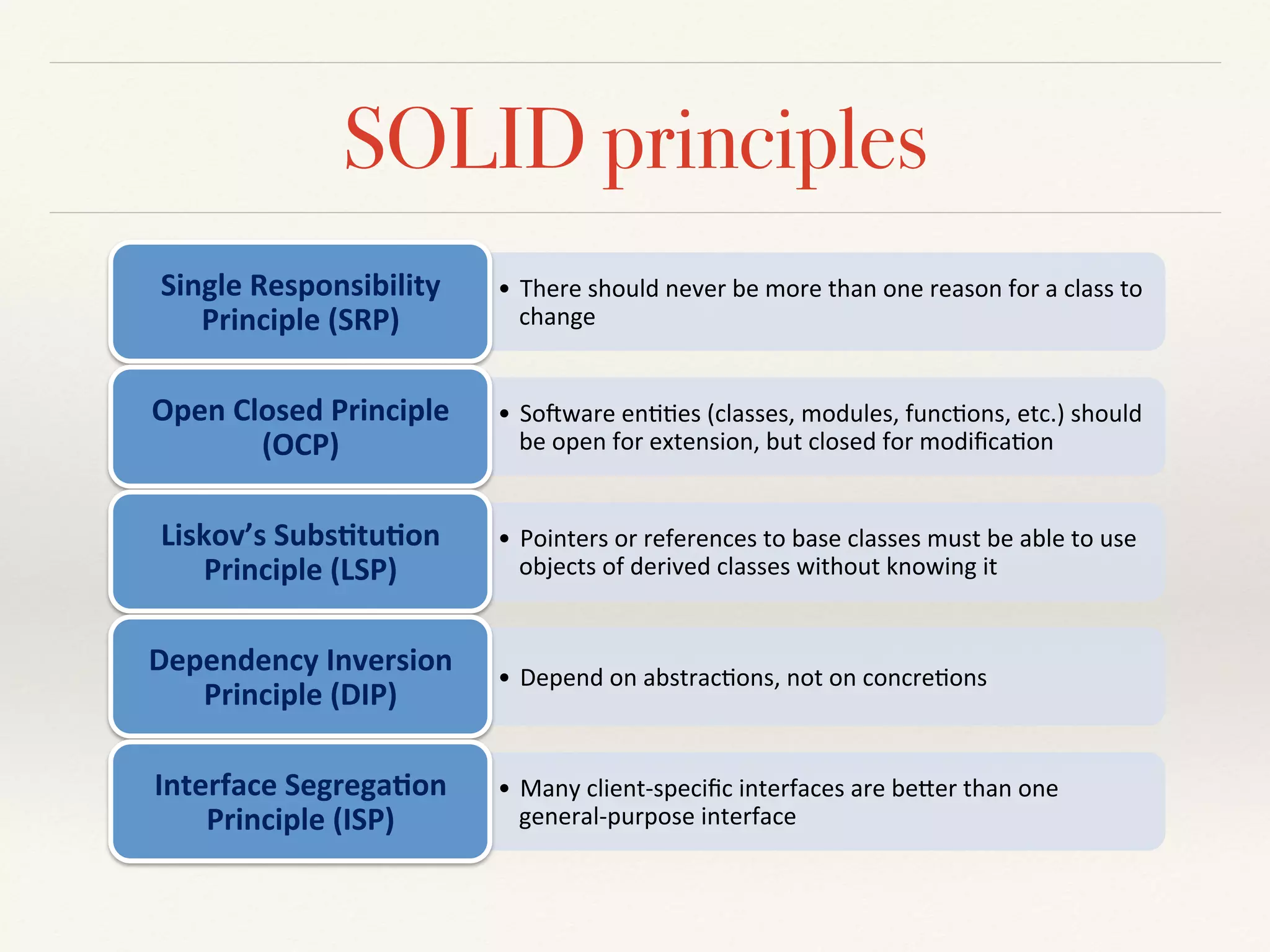
SOLID principles
•  There&should&never&be&more&than&one&reason&for&a&class&to&
change&&
Single'Responsibility'
Principle'(SRP)'
•  So6ware&en88es&(classes,&modules,&func8ons,&etc.)&should&
be&open&for&extension,&but&closed&for&modifica8on&
Open'Closed'Principle'
(OCP)'
•  Pointers&or&references&to&base&classes&must&be&able&to&use&
objects&of&derived&classes&without&knowing&it&
Liskov’s'Subs<tu<on'
Principle'(LSP)'
•  Depend&on&abstrac8ons,&not&on&concre8ons&
Dependency'Inversion'
Principle'(DIP)'
•  Many&clientGspecific&interfaces&are&beHer&than&one&
generalGpurpose&interface&
Interface'Segrega<on'
Principle'(ISP)'
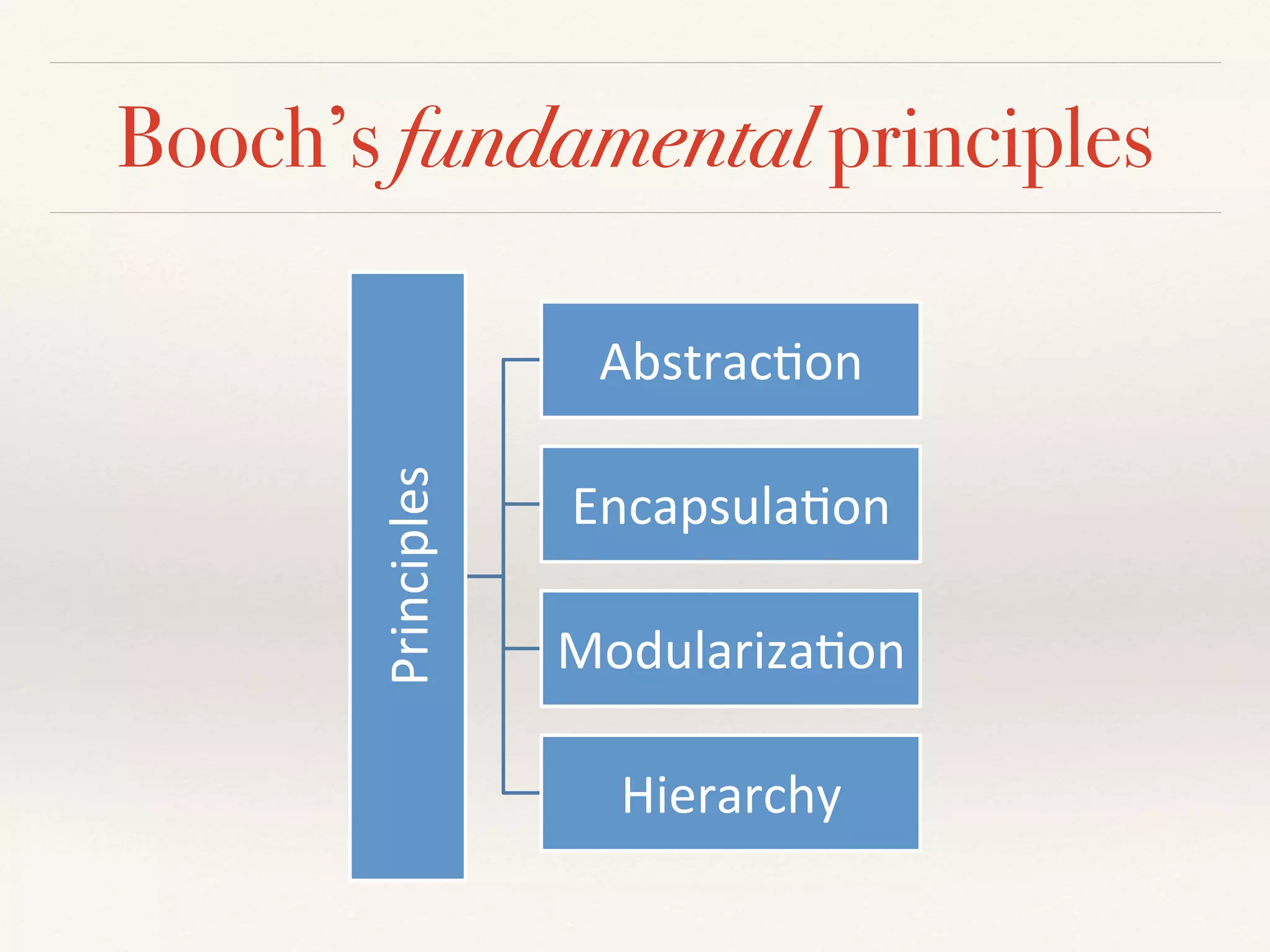
Booch’s fundamental principles
Principles*
Abstrac/on*
Encapsula/on*
Modulariza/on*
Hierarchy*
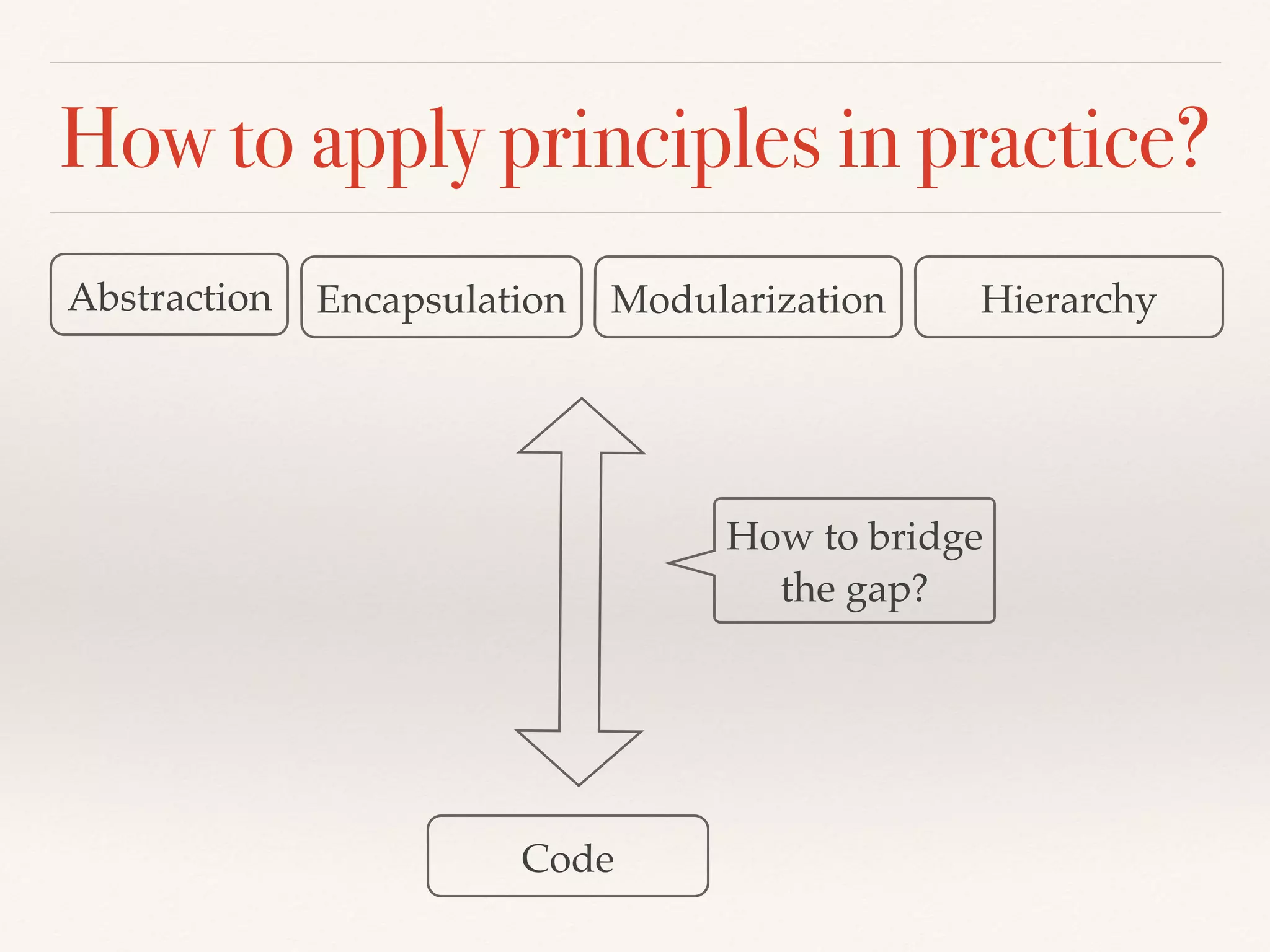
How to apply principles in practice?
Abstraction Encapsulation Modularization Hierarchy
Code
How to bridge
the gap?
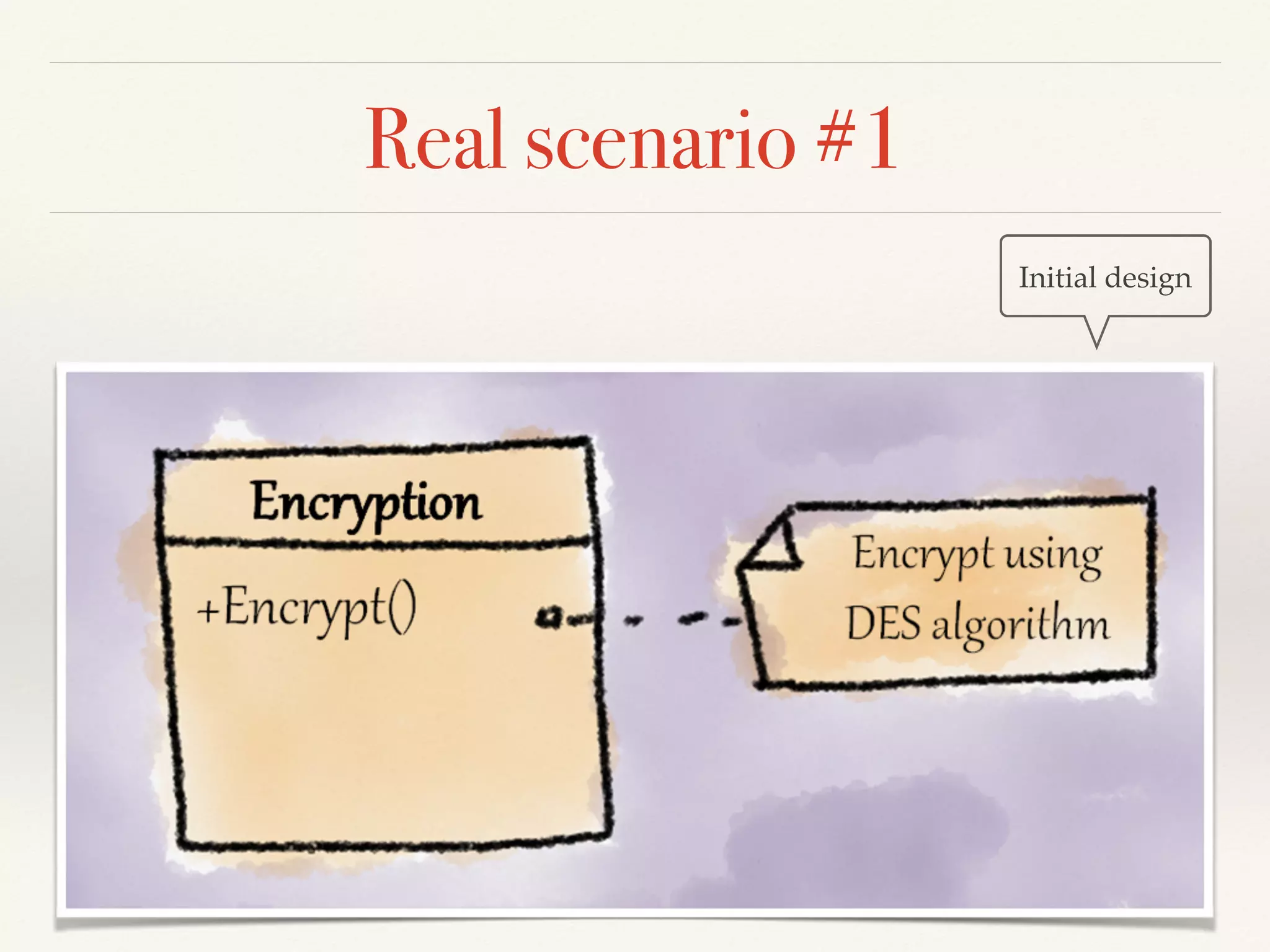
Real scenario #1
Initial design
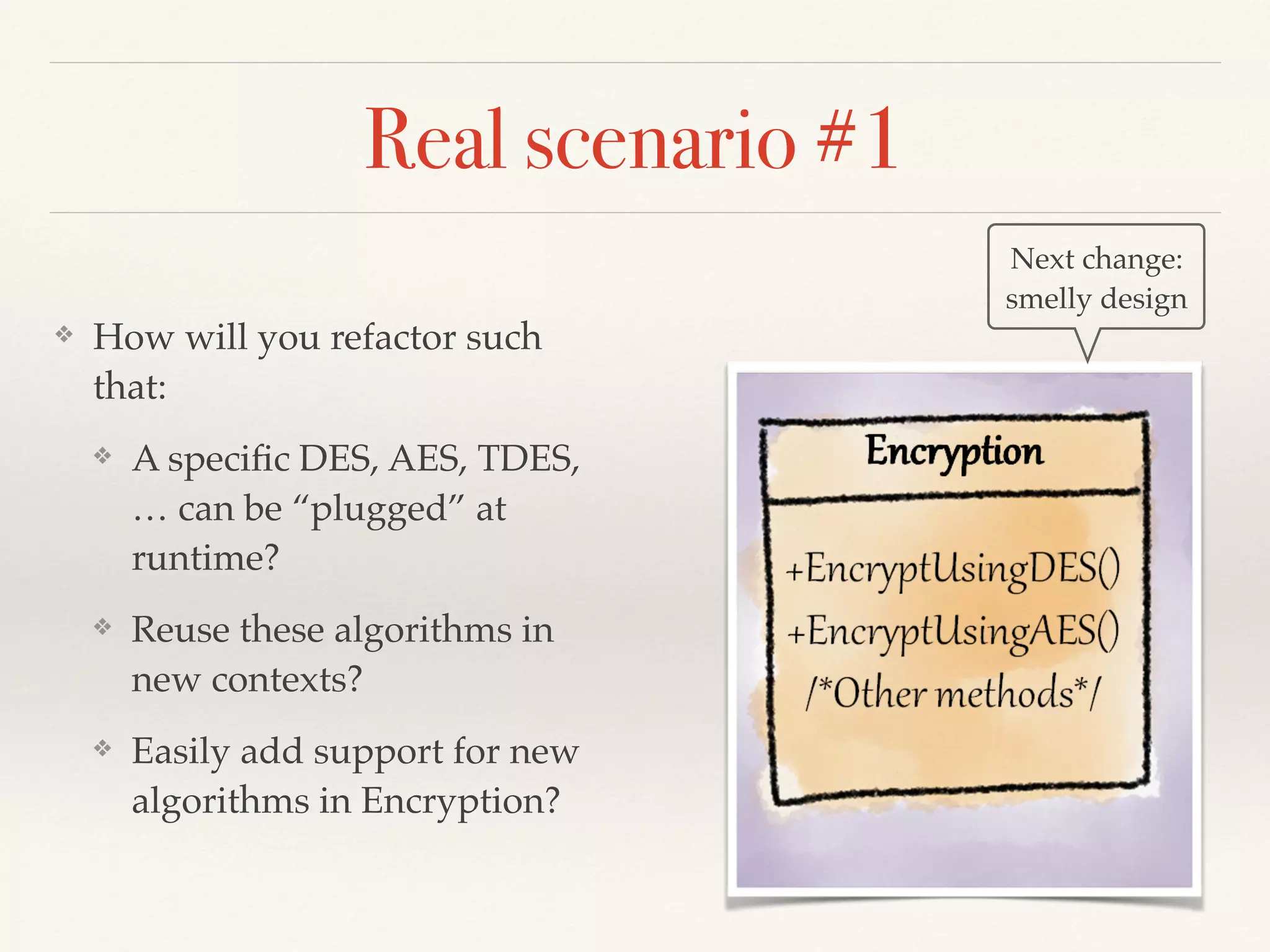
Real scenario #1
❖ How will you refactor such
that:
❖ A specific DES, AES, TDES,
… can be “plugged” at
runtime?
❖ Reuse these algorithms in
new contexts?
❖ Easily add support for new
algorithms in Encryption?
Next change:
smelly design
Time to refactor!
Three strikes and you
refactor
Martin Fowler
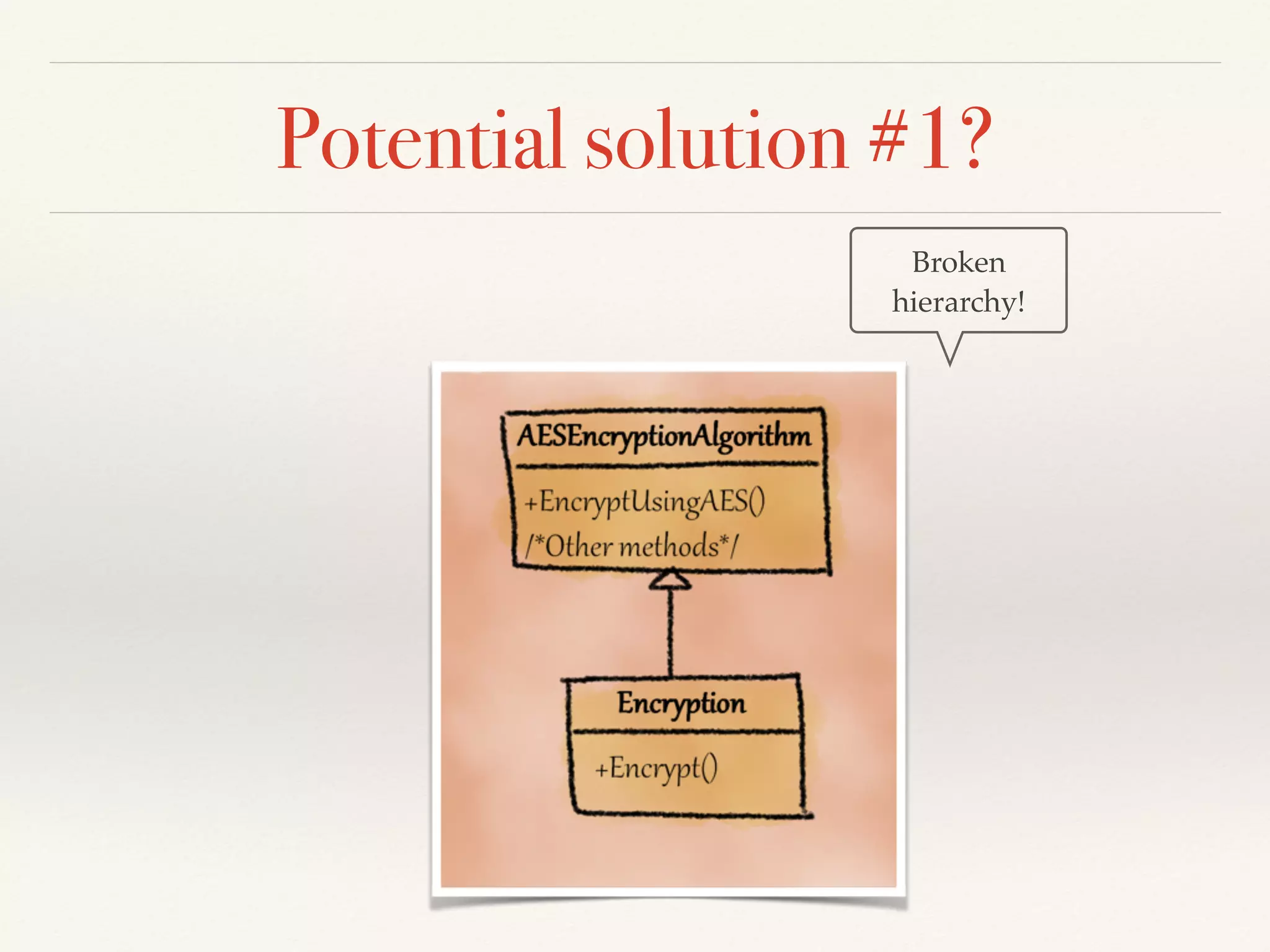
Potential solution #1?
Broken
hierarchy!
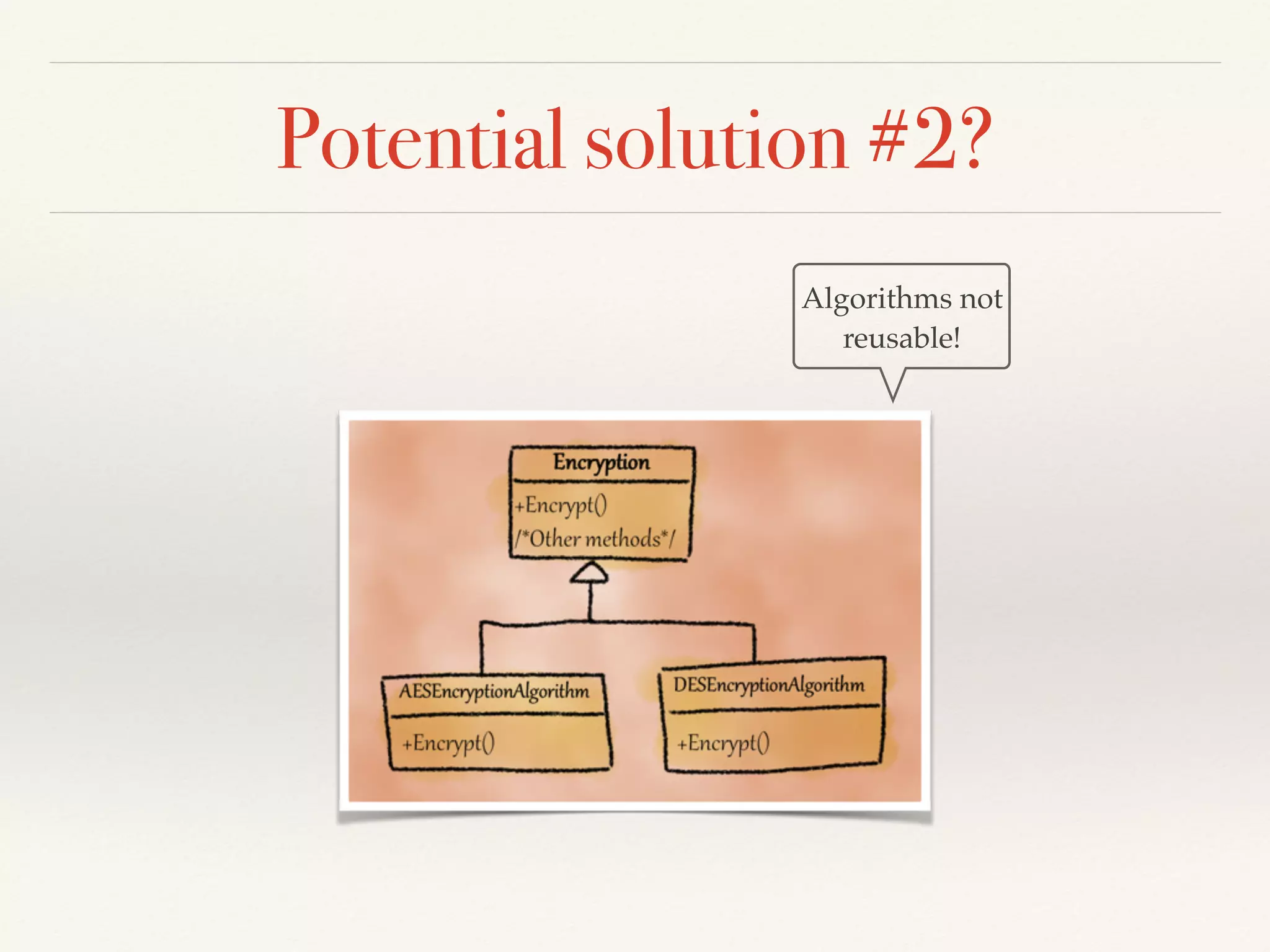
Potential solution #2?
Algorithms not
reusable!
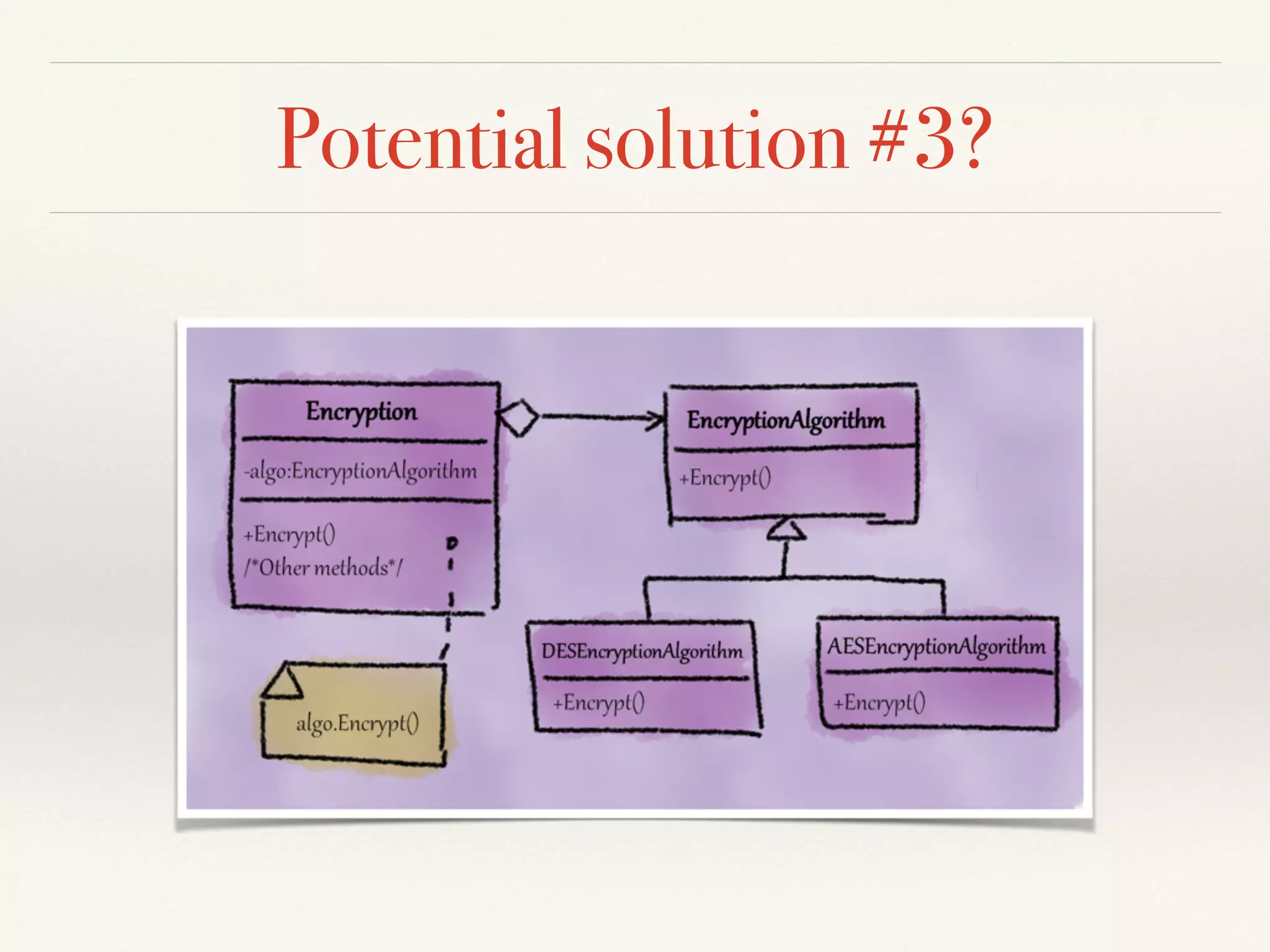
Potential solution #3?
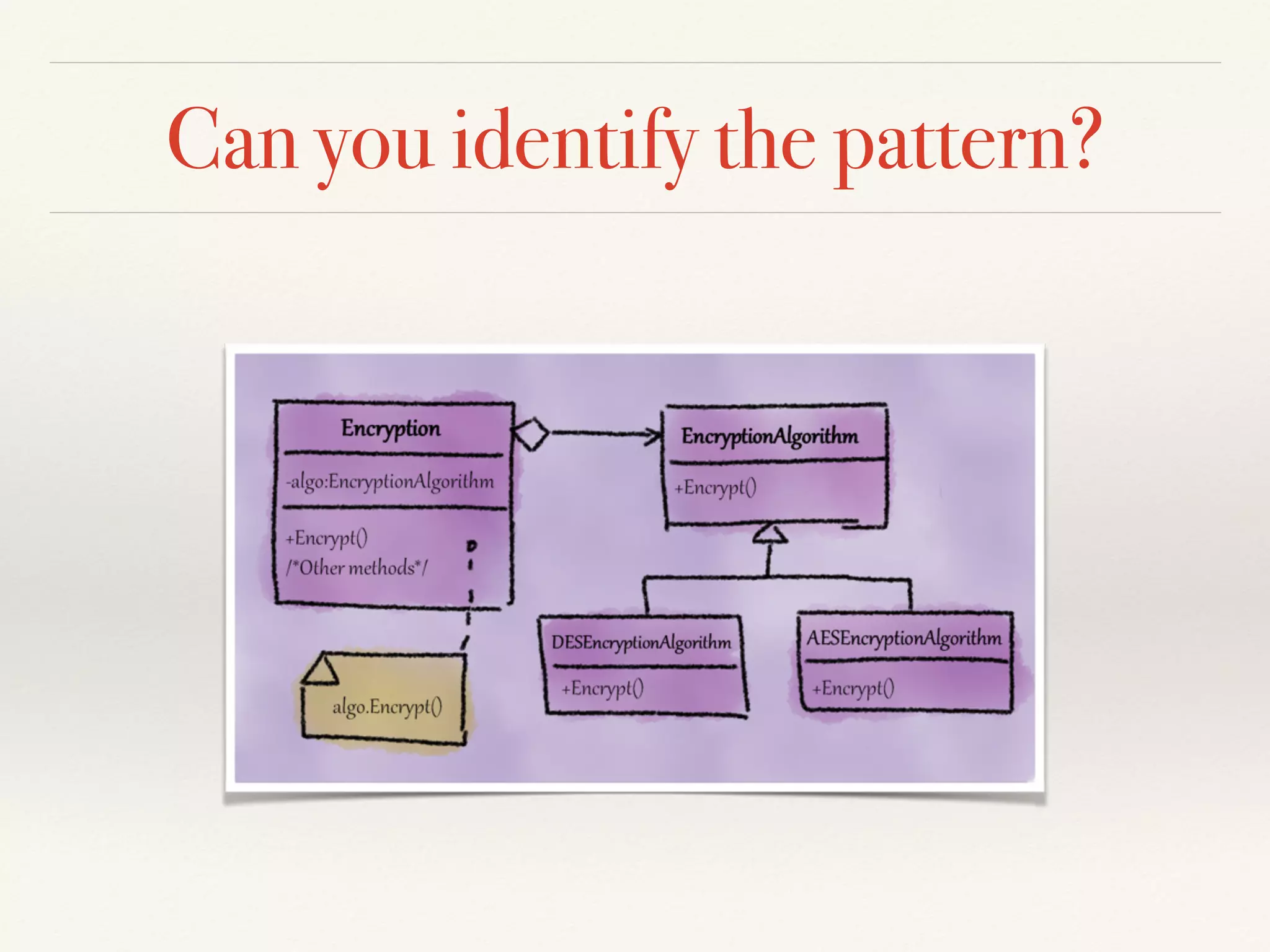
Can you identify the pattern?
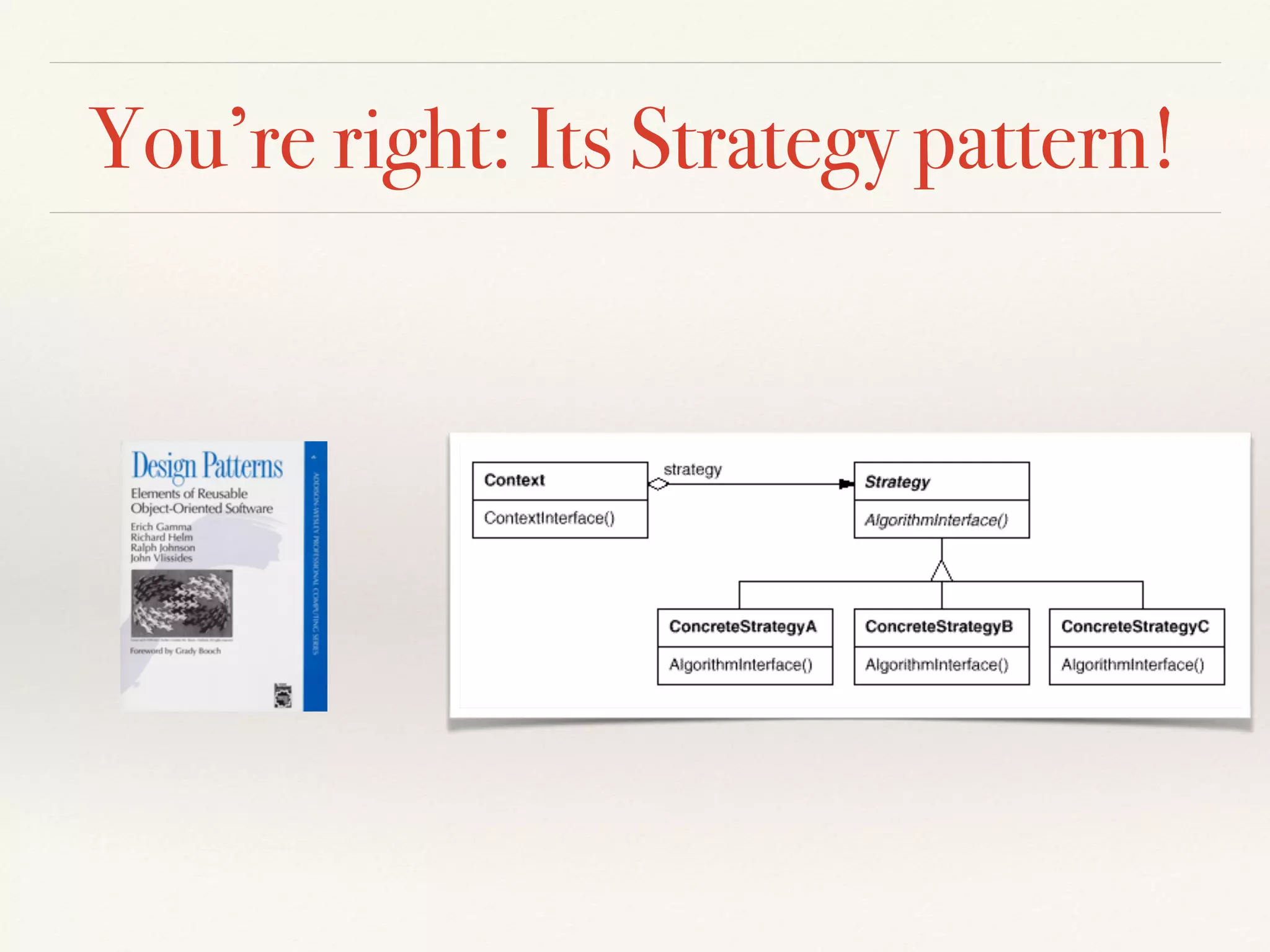
You’re right: Its Strategy pattern!
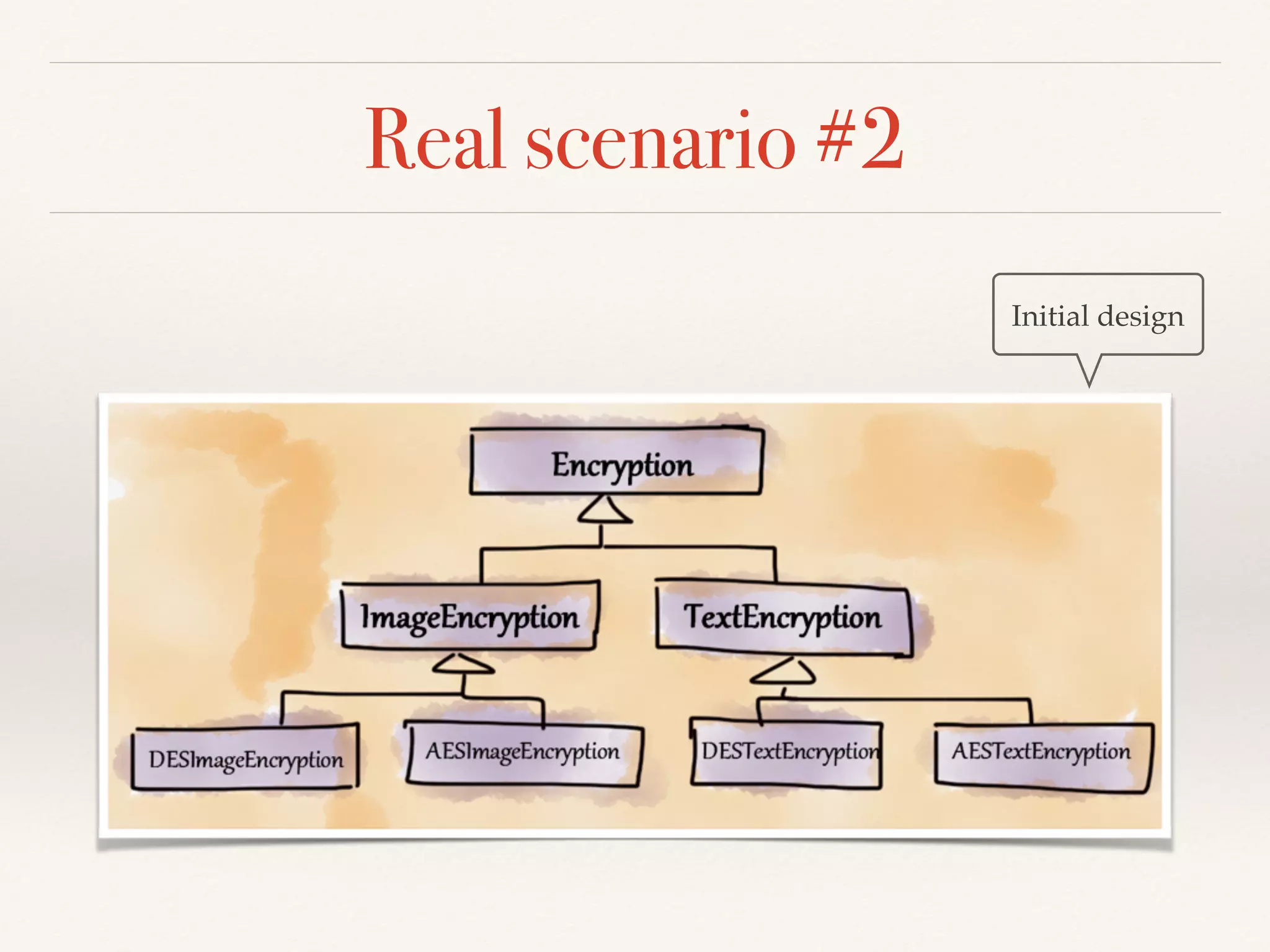
Real scenario #2
Initial design
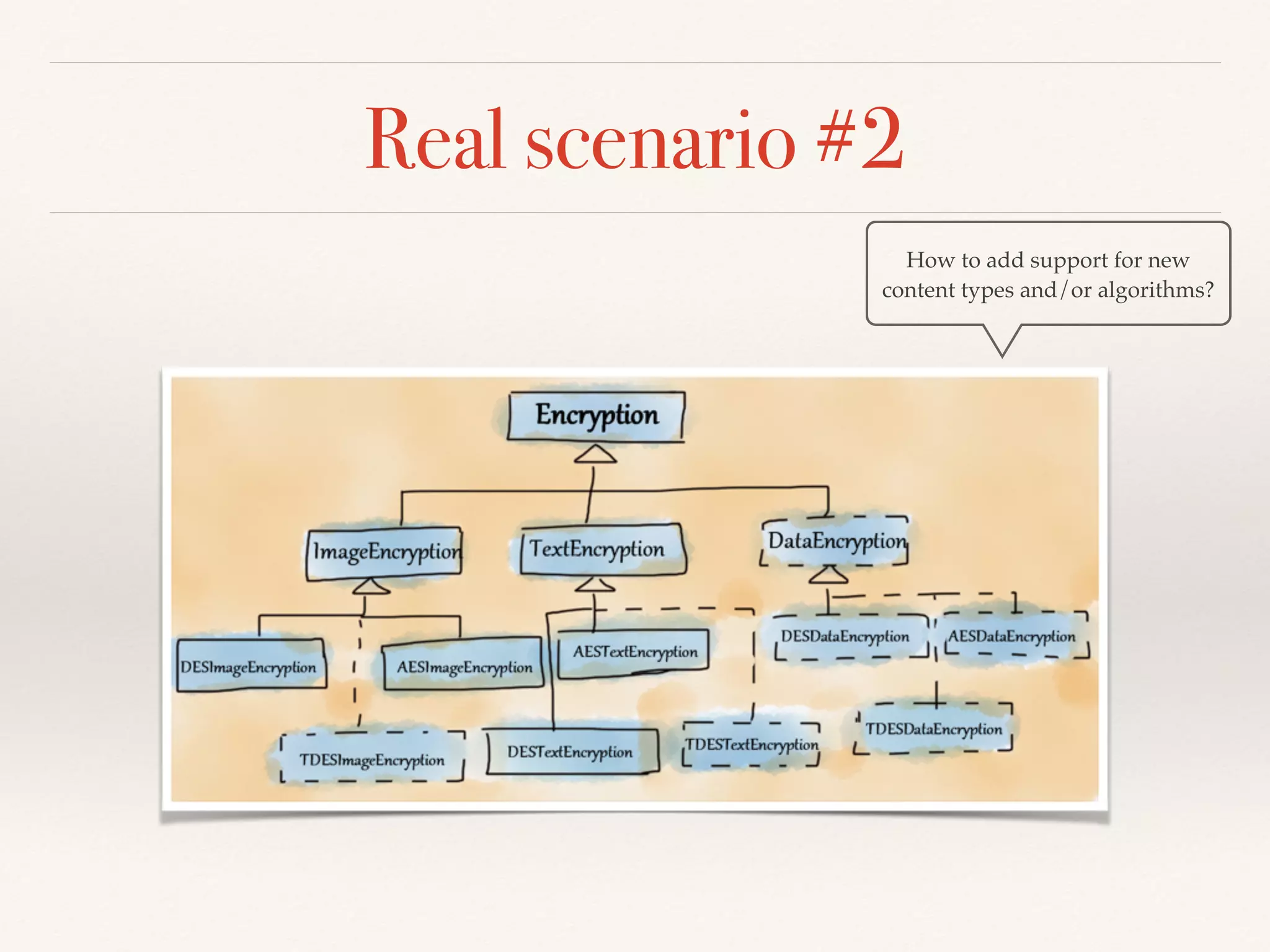
Real scenario #2
How to add support for new
content types and/or algorithms?
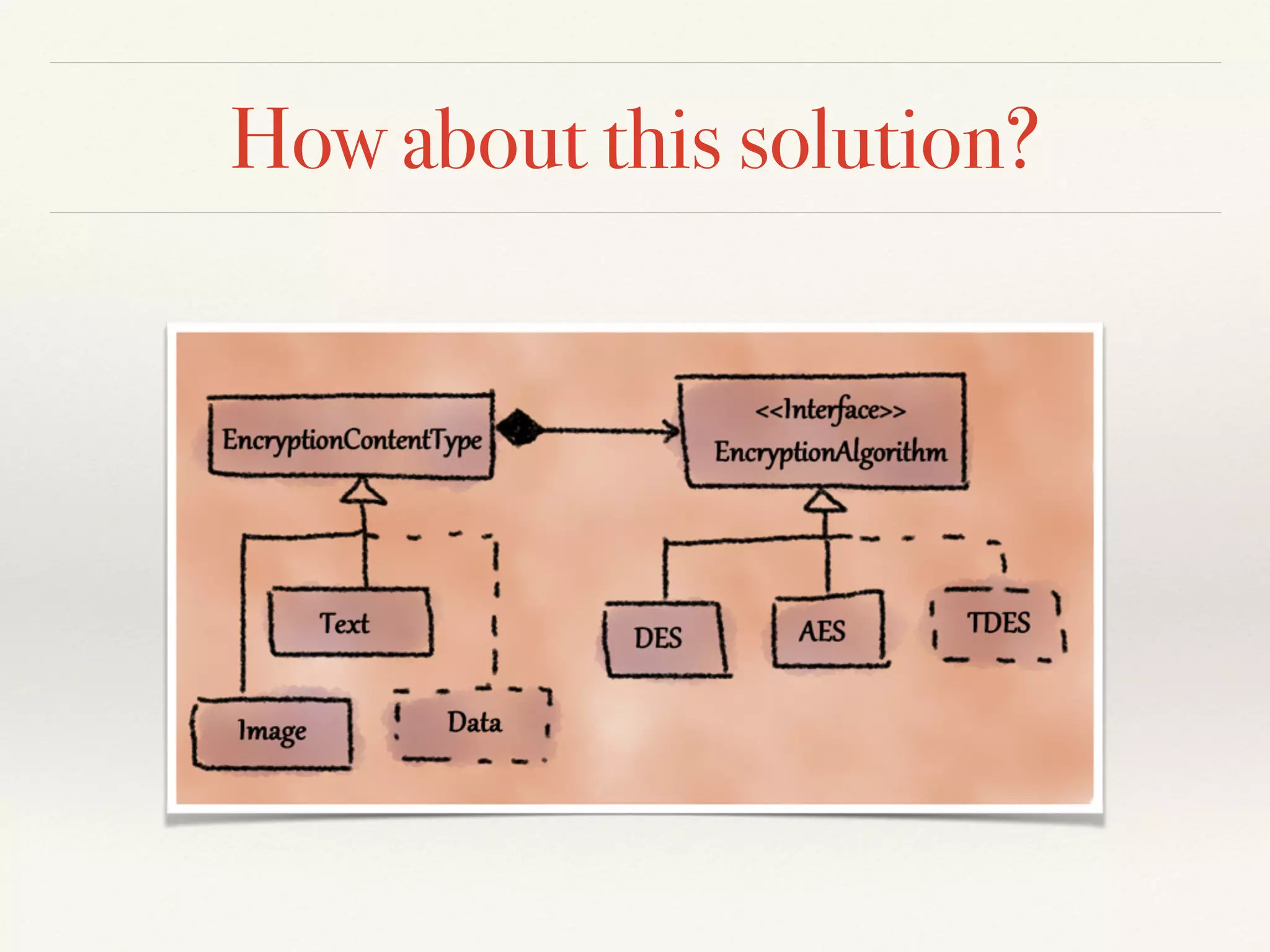
How about this solution?
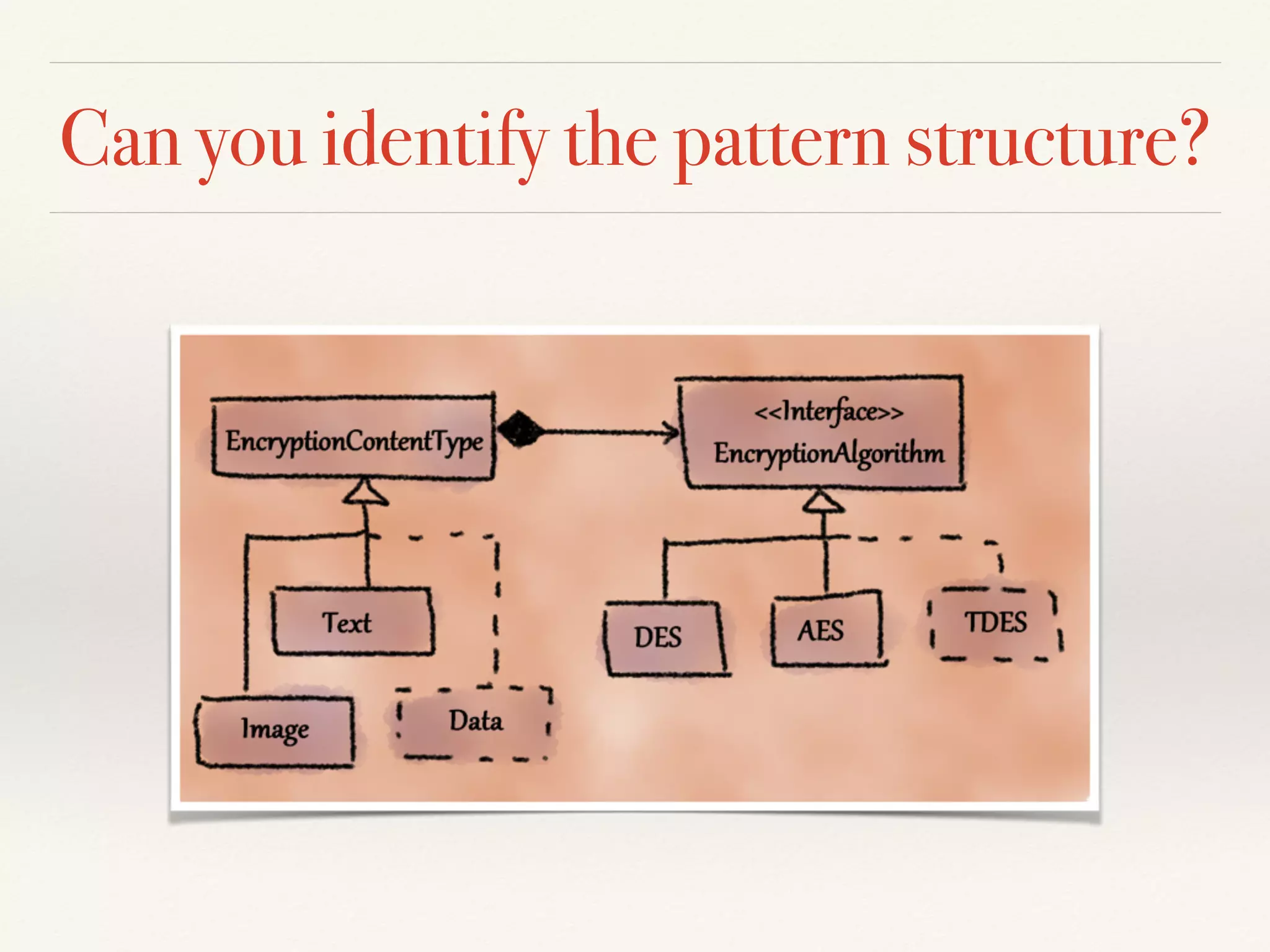
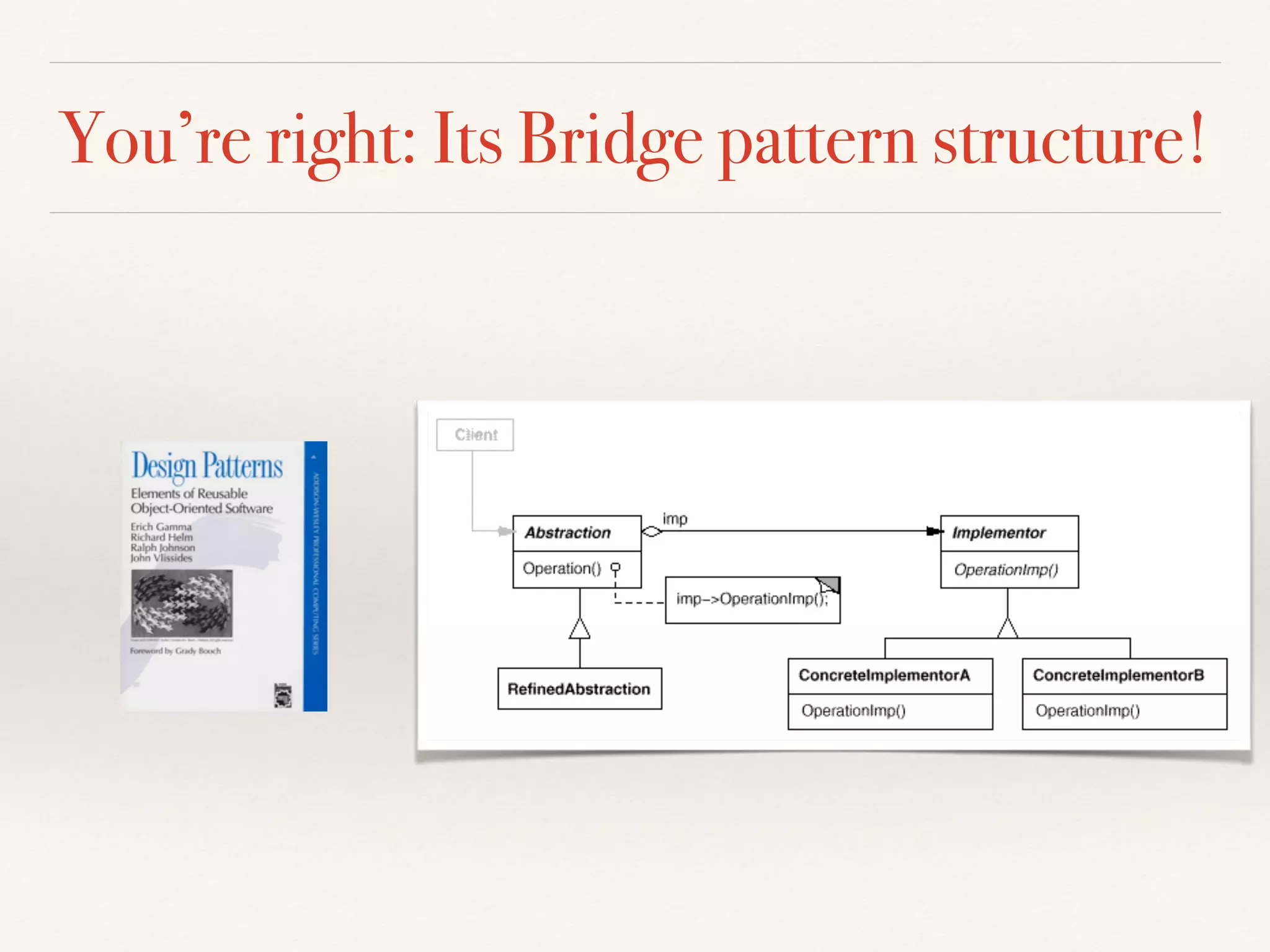
Can you identify the pattern structure?
You’re right: Its Bridge pattern structure!
Wait, what principle did we apply?
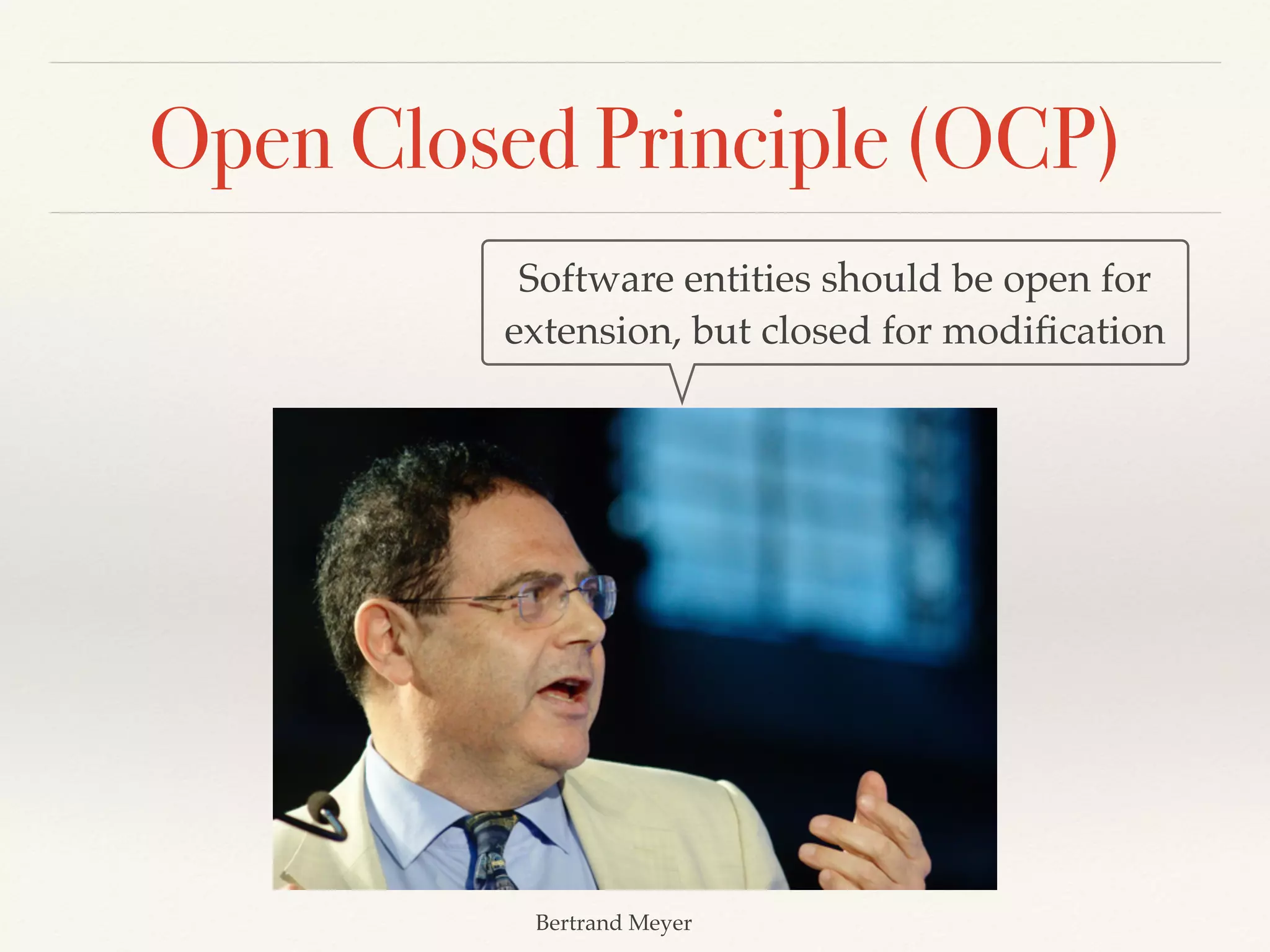
Open Closed Principle (OCP)
Bertrand Meyer
Software entities should be open for
extension, but closed for modification
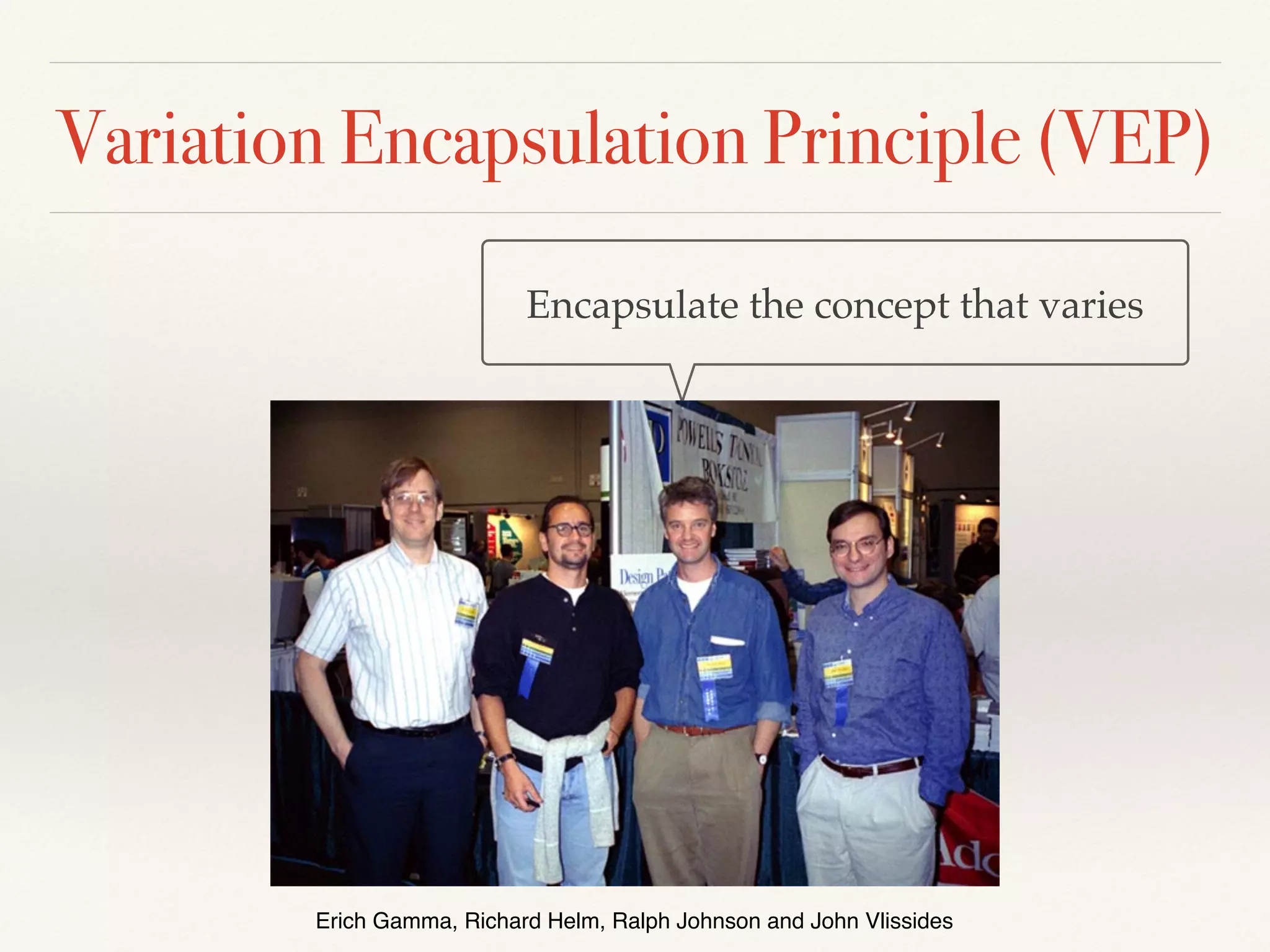
Variation Encapsulation Principle (VEP)
Erich Gamma, Richard Helm, Ralph Johnson and John Vlissides
Encapsulate the concept that varies
Fundamental principle: Encapsulation
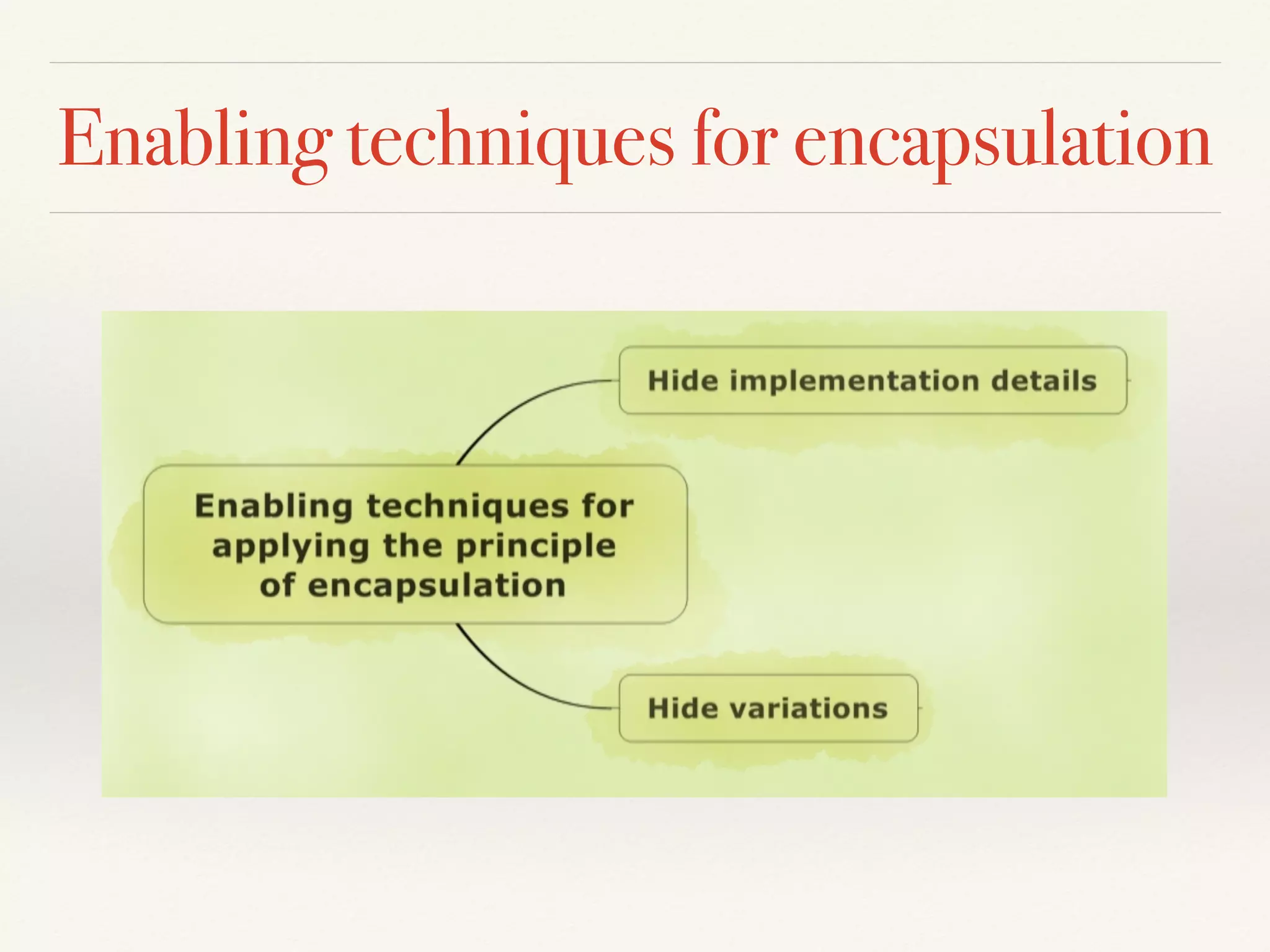
The principle of encapsulation advocates separation of concerns and
information hiding through techniques such as hiding implementation
details of abstractions and hiding variations
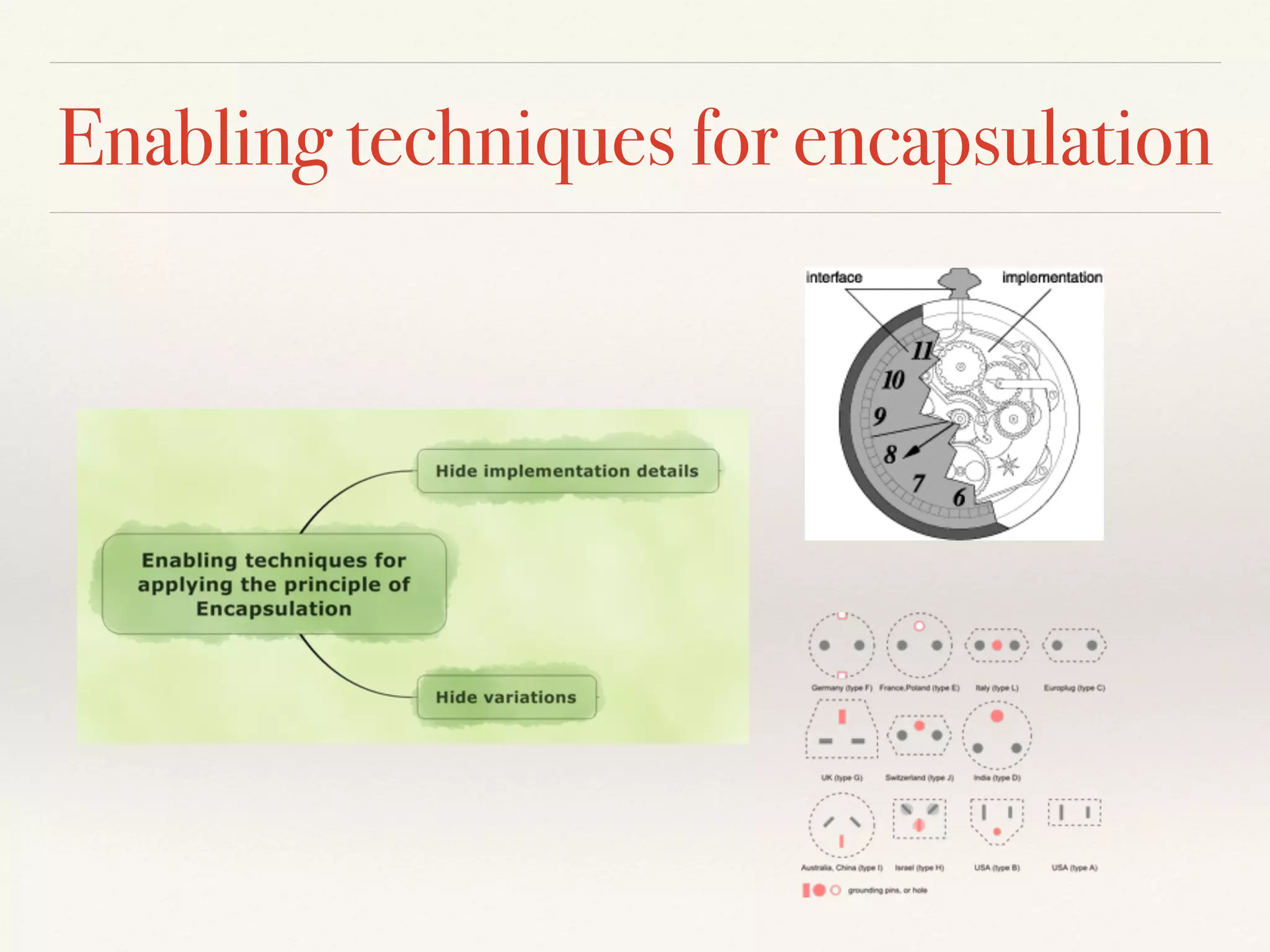
Enabling techniques for encapsulation
Use “enabling techniques” to apply
design principles in practice
Key-takeaway
#1
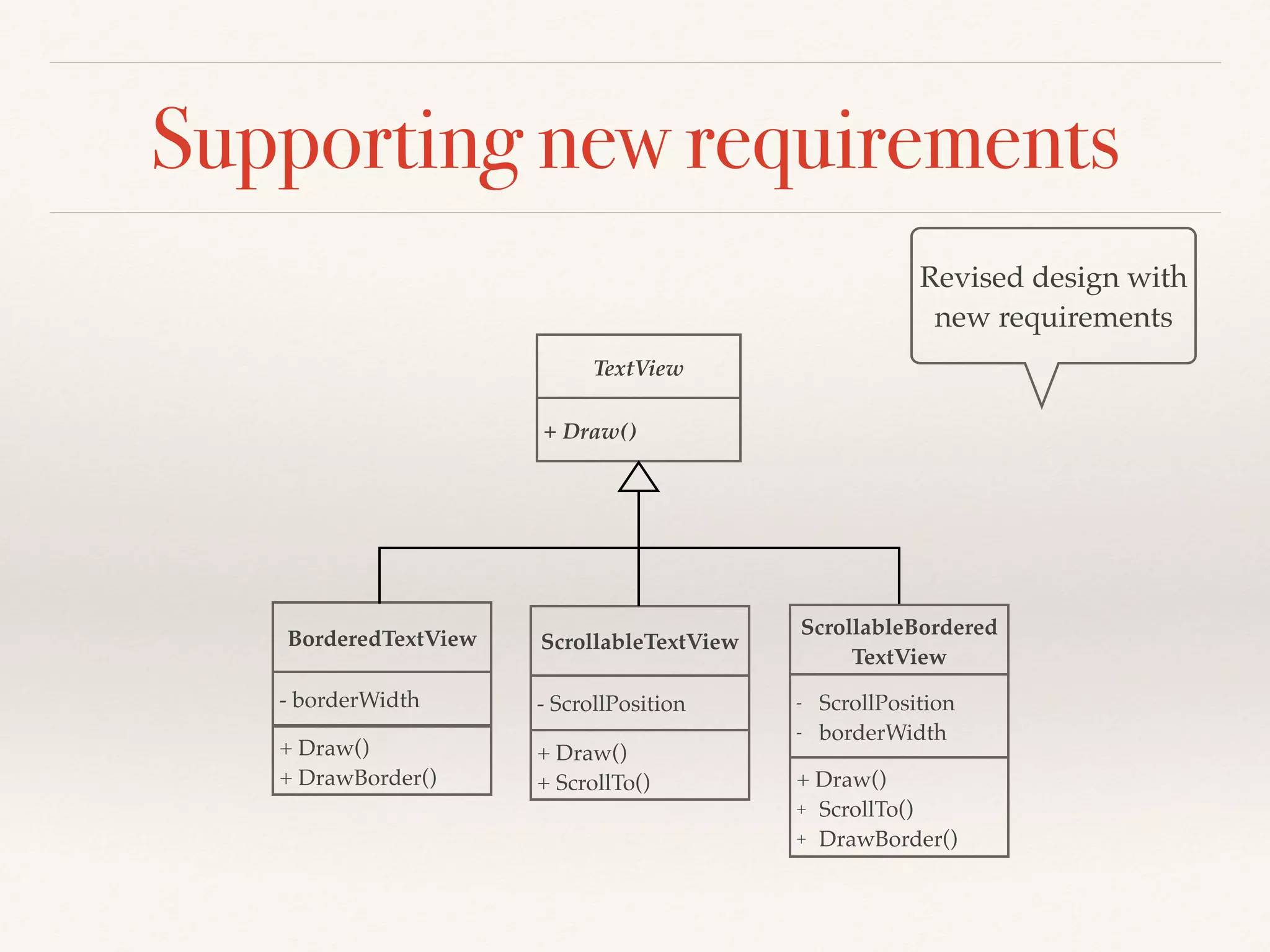
Supporting new requirements
Revised design with
new requirements
TextView
+ Draw()
BorderedTextView
+ Draw()
+ DrawBorder()
ScrollableTextView
ScrollableBordered
TextView
- borderWidth
+ Draw()
+ ScrollTo()
- ScrollPosition
+ Draw()
+ ScrollTo()
+ DrawBorder()
- ScrollPosition
- borderWidth
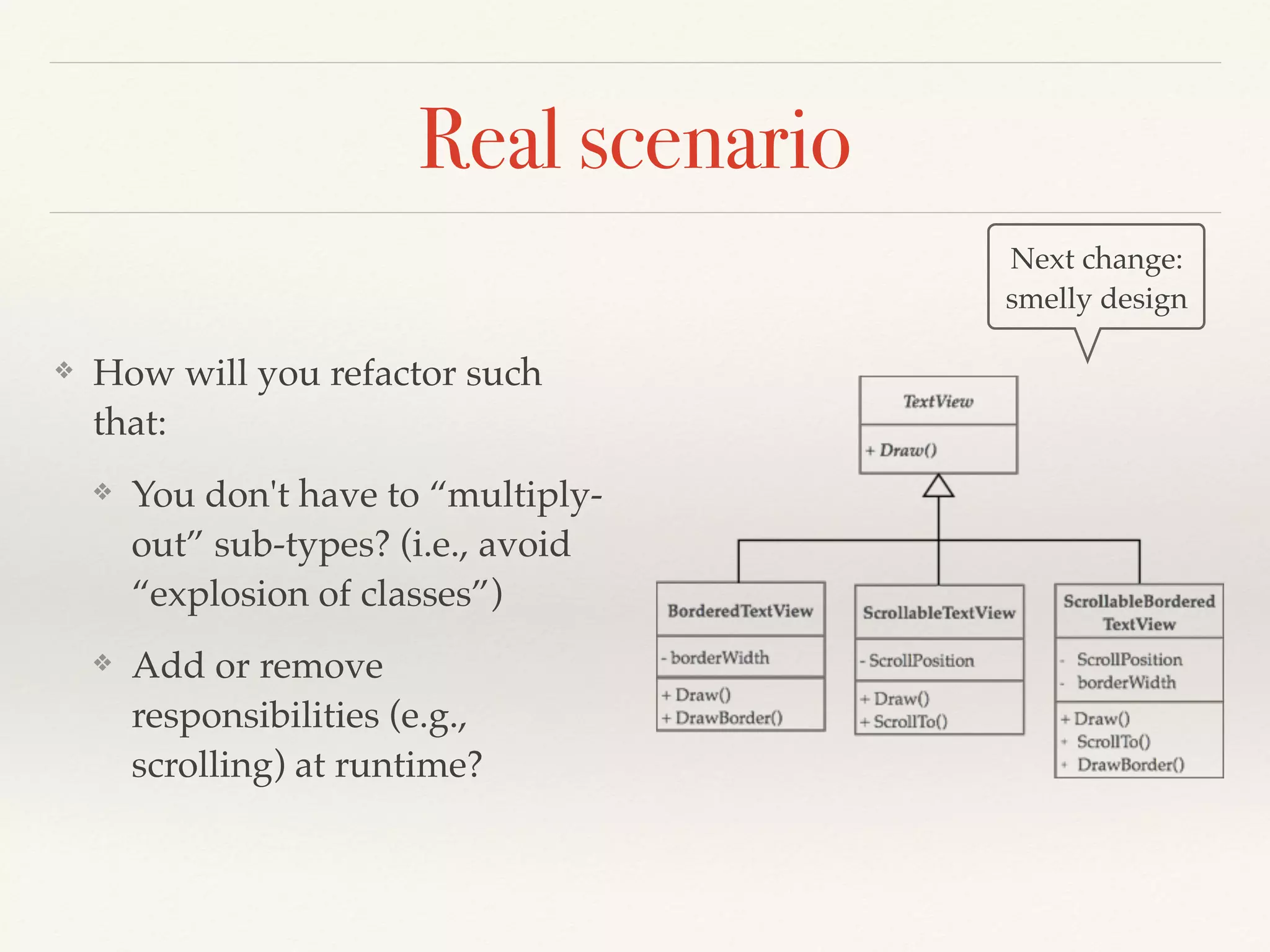
Real scenario
❖ How will you refactor such
that:
❖ You don't have to “multiply-
out” sub-types? (i.e., avoid
“explosion of classes”)
❖ Add or remove
responsibilities (e.g.,
scrolling) at runtime?
Next change:
smelly design
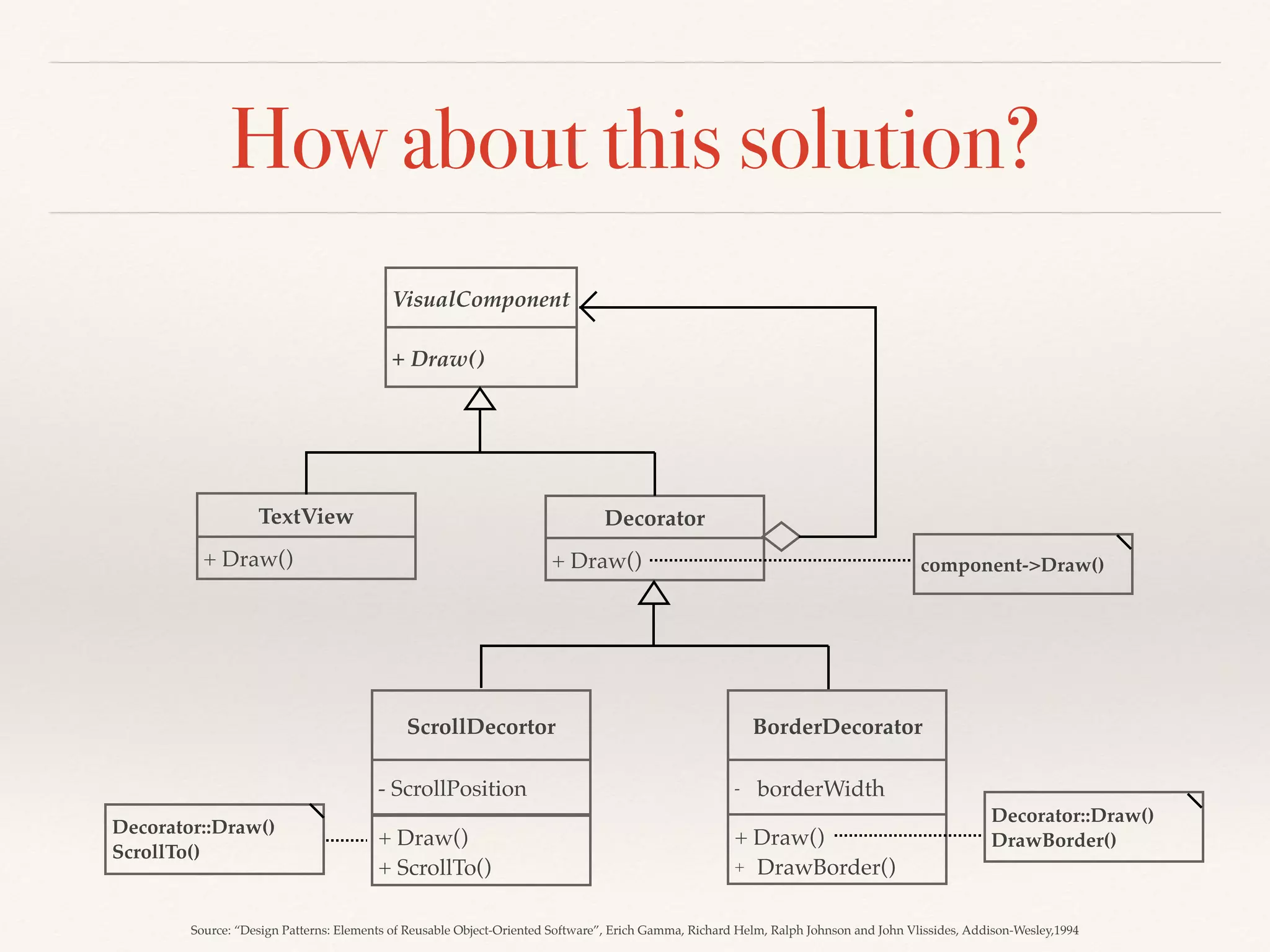
How about this solution?
VisualComponent
+ Draw()
TextView
+ Draw()
ScrollDecortor BorderDecorator
+ Draw()
+ ScrollTo()
- ScrollPosition
+ Draw()
+ DrawBorder()
- borderWidth
Decorator
+ Draw() component->Draw()
Decorator::Draw()
DrawBorder()
Decorator::Draw()
ScrollTo()
Source: “Design Patterns: Elements of Reusable Object-Oriented Software”, Erich Gamma, Richard Helm, Ralph Johnson and John Vlissides, Addison-Wesley,1994
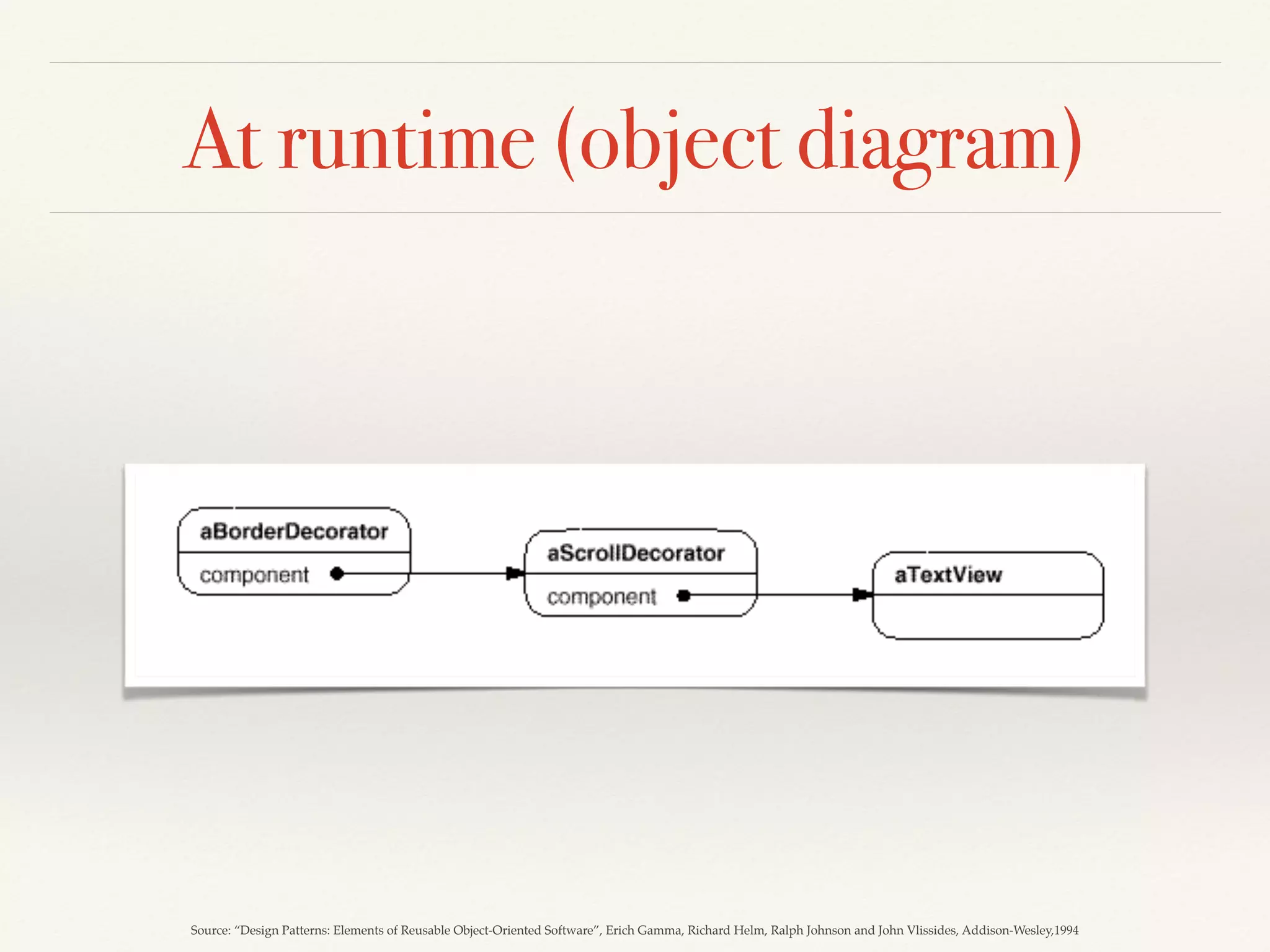
At runtime (object diagram)
Source: “Design Patterns: Elements of Reusable Object-Oriented Software”, Erich Gamma, Richard Helm, Ralph Johnson and John Vlissides, Addison-Wesley,1994
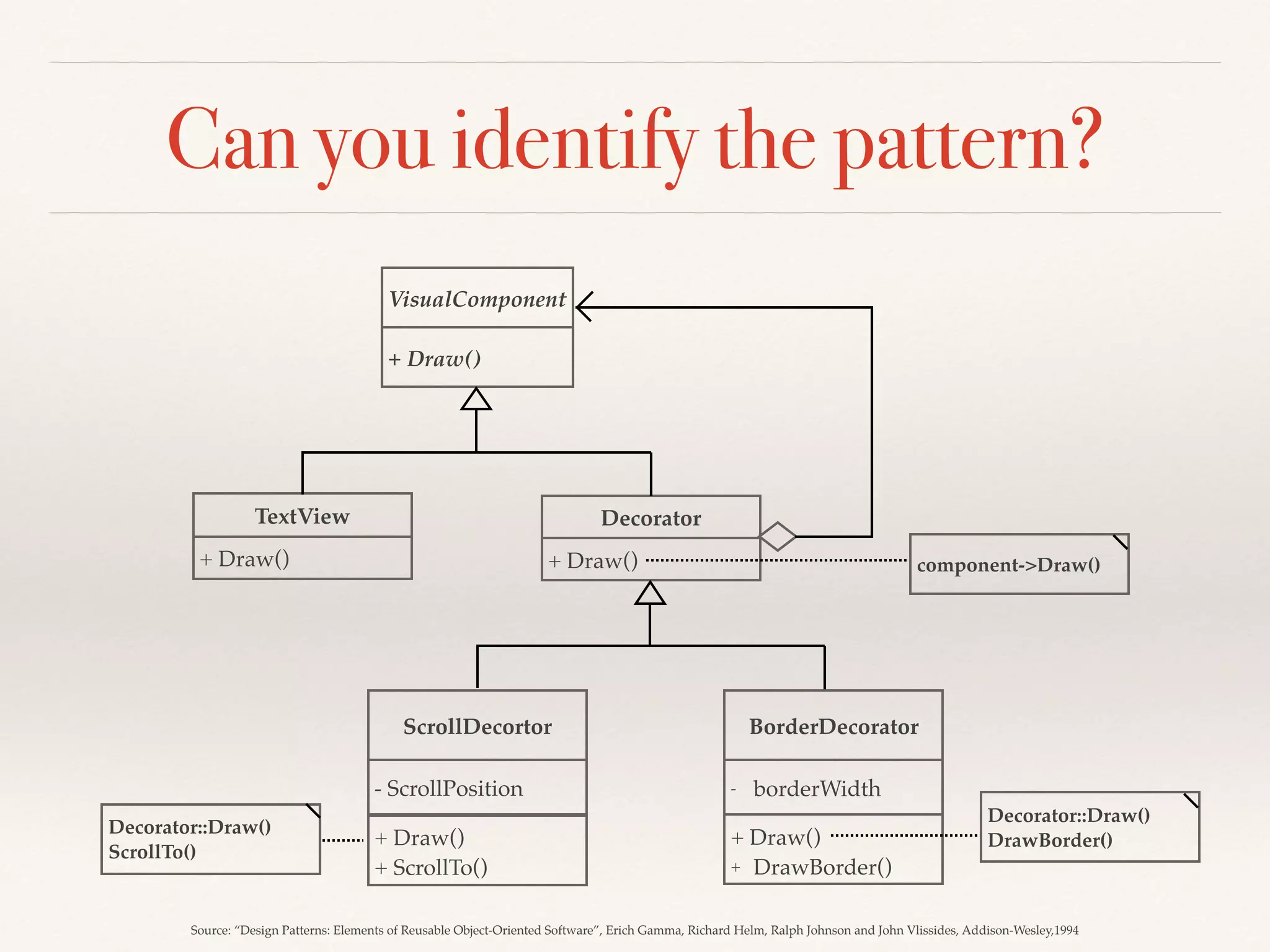
Can you identify the pattern?
VisualComponent
+ Draw()
TextView
+ Draw()
ScrollDecortor BorderDecorator
+ Draw()
+ ScrollTo()
- ScrollPosition
+ Draw()
+ DrawBorder()
- borderWidth
Decorator
+ Draw() component->Draw()
Decorator::Draw()
DrawBorder()
Decorator::Draw()
ScrollTo()
Source: “Design Patterns: Elements of Reusable Object-Oriented Software”, Erich Gamma, Richard Helm, Ralph Johnson and John Vlissides, Addison-Wesley,1994
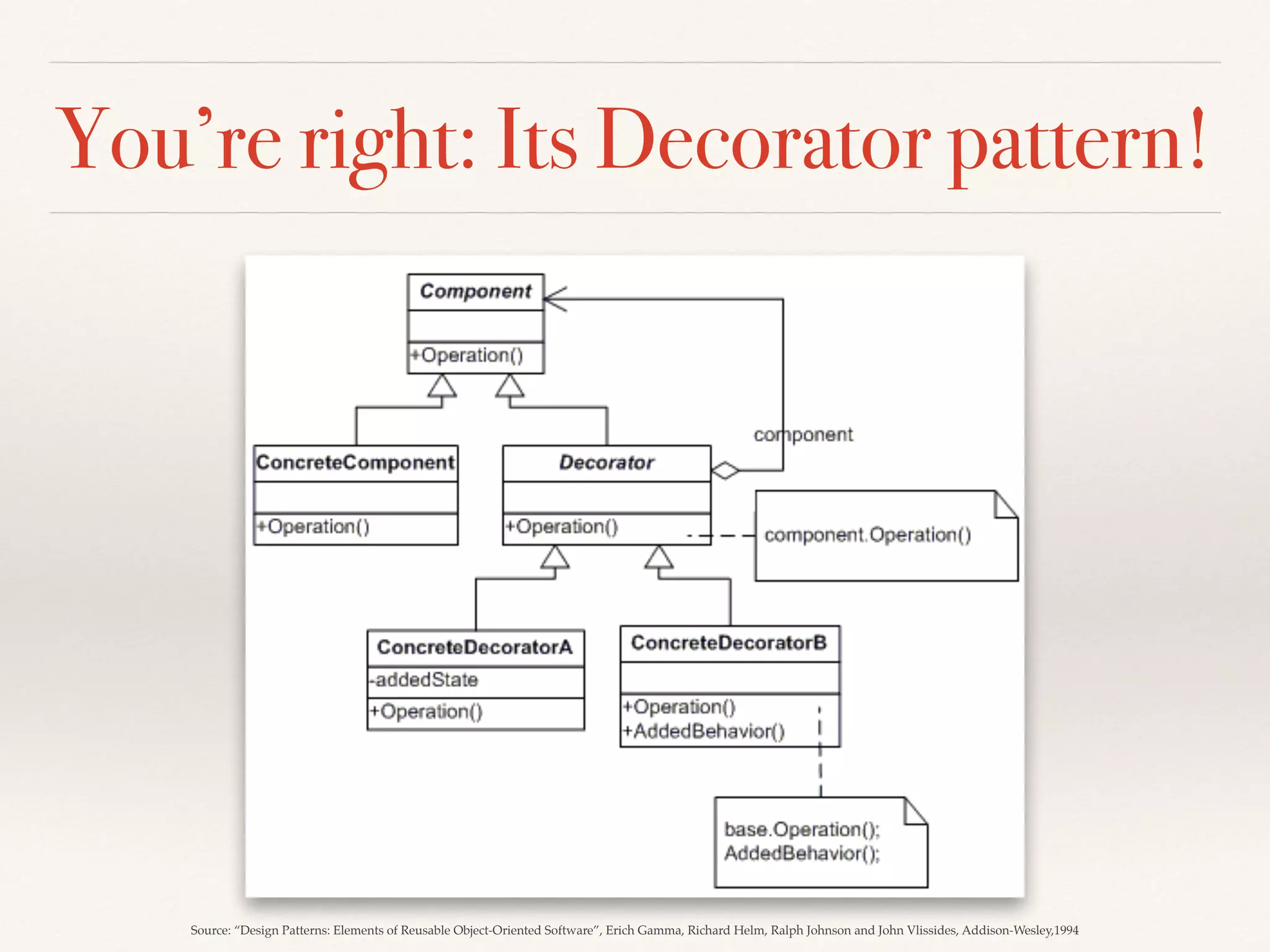
You’re right: Its Decorator pattern!
Source: “Design Patterns: Elements of Reusable Object-Oriented Software”, Erich Gamma, Richard Helm, Ralph Johnson and John Vlissides, Addison-Wesley,1994
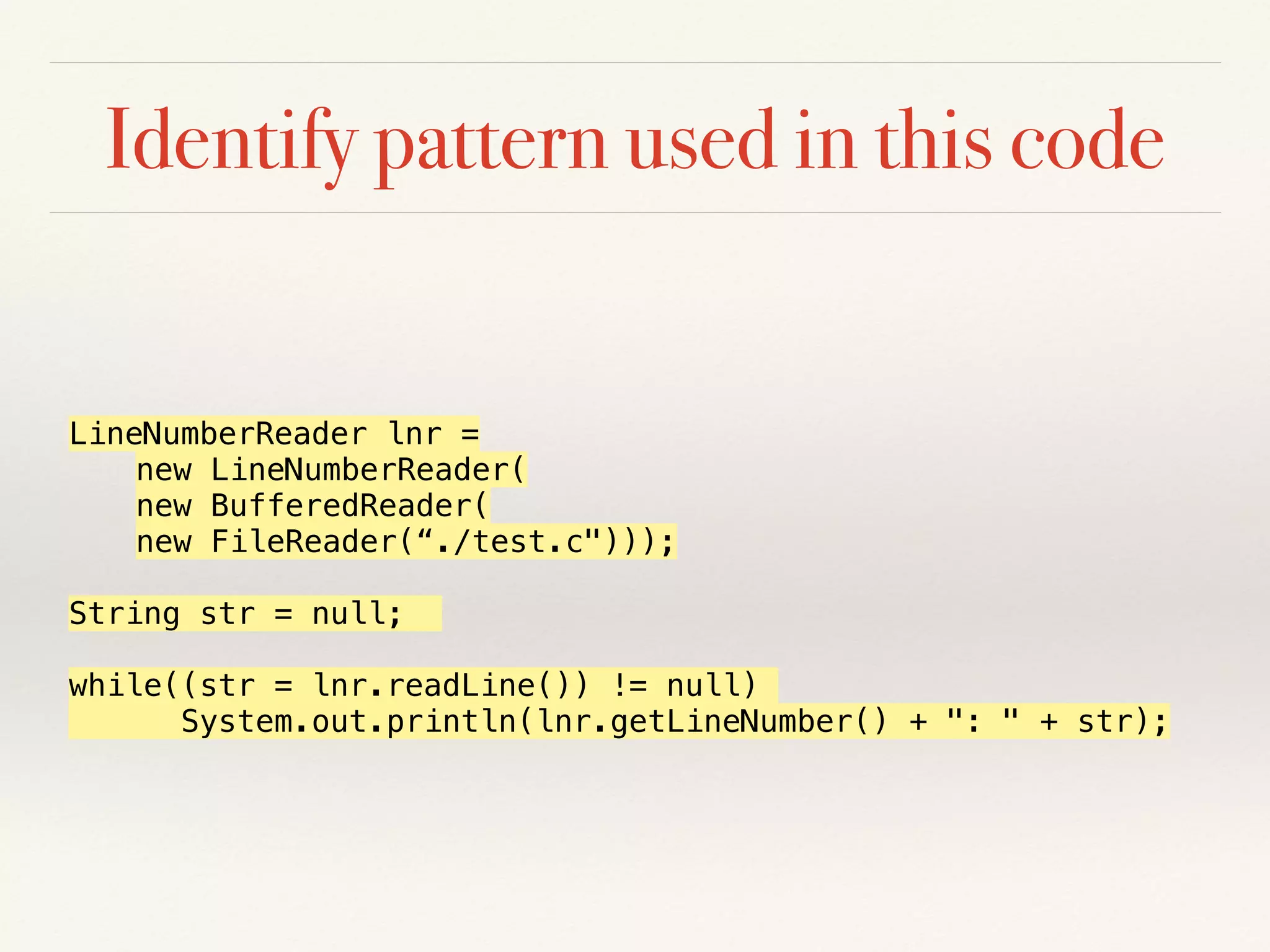
Identify pattern used in this code
LineNumberReader lnr =
new LineNumberReader(
new BufferedReader(
new FileReader(“./test.c")));
String str = null;
while((str = lnr.readLine()) != null)
System.out.println(lnr.getLineNumber() + ": " + str);
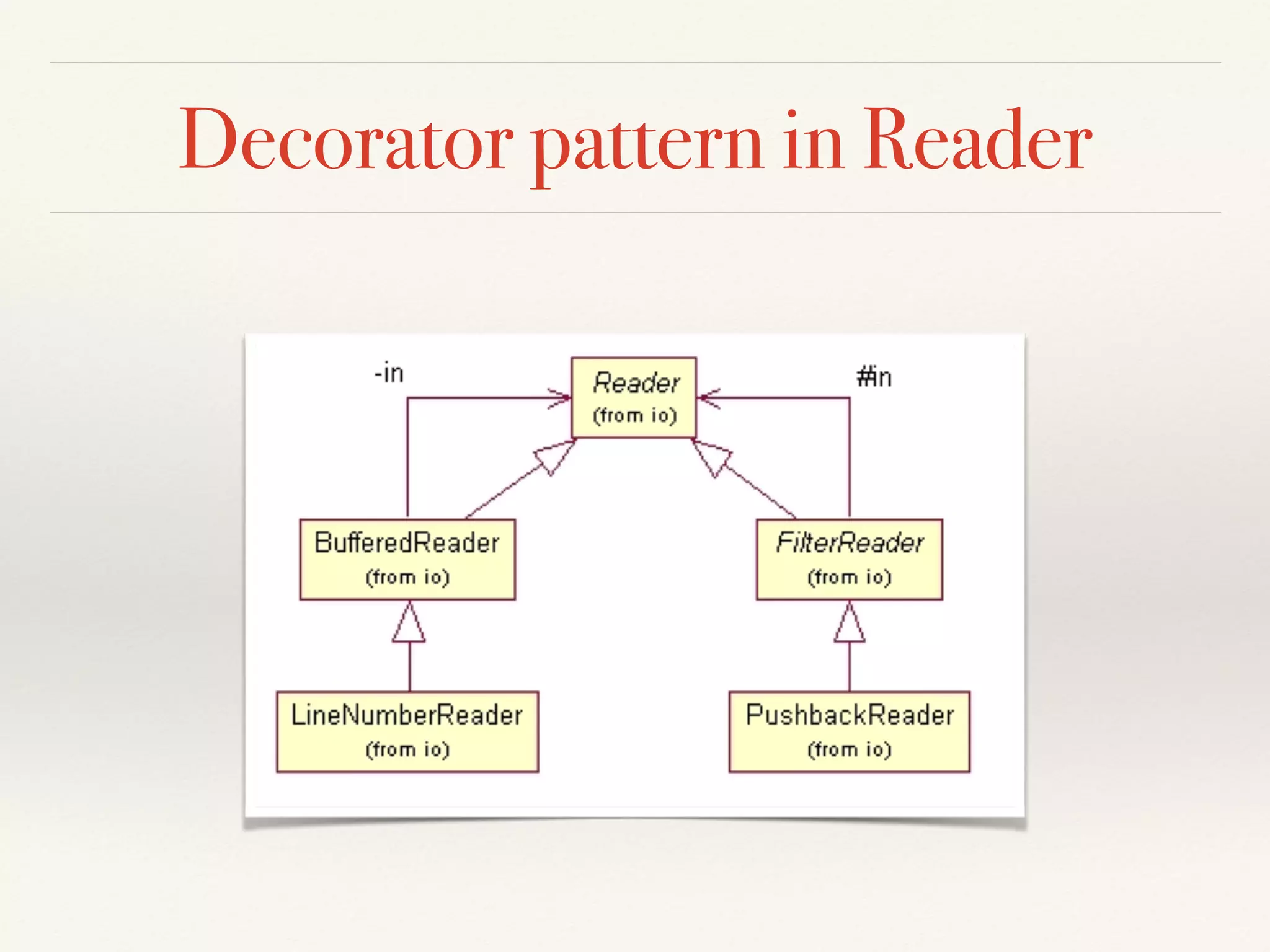
Decorator pattern in Reader
Scenario
a) How do we treat files
and folders alike?
b) How can we handle
shortcuts?
File
+ GetName()
+ GetSize()
+ …
- name: String
- size: int
- type: FileType
- data: char[]
- …
Folder
+ GetName()
+ GetFiles()
+ GetFolders()
+ …
- name: String
- files[]: File
- folders[]: Folder
How about this solution?
FileItem
+ GetName()
+ GetSize()
+ Add(FileItem)
+ Remove(FileItem)
Folder
+ GetFiles()
+ …
File
- files: FileItem
+ GetType()
+ GetContents()
+ …
- type: FileType
- data: char[]
Shortcut
+ GetLinkedFileItem()
+ …
- linkToFile: FileItem
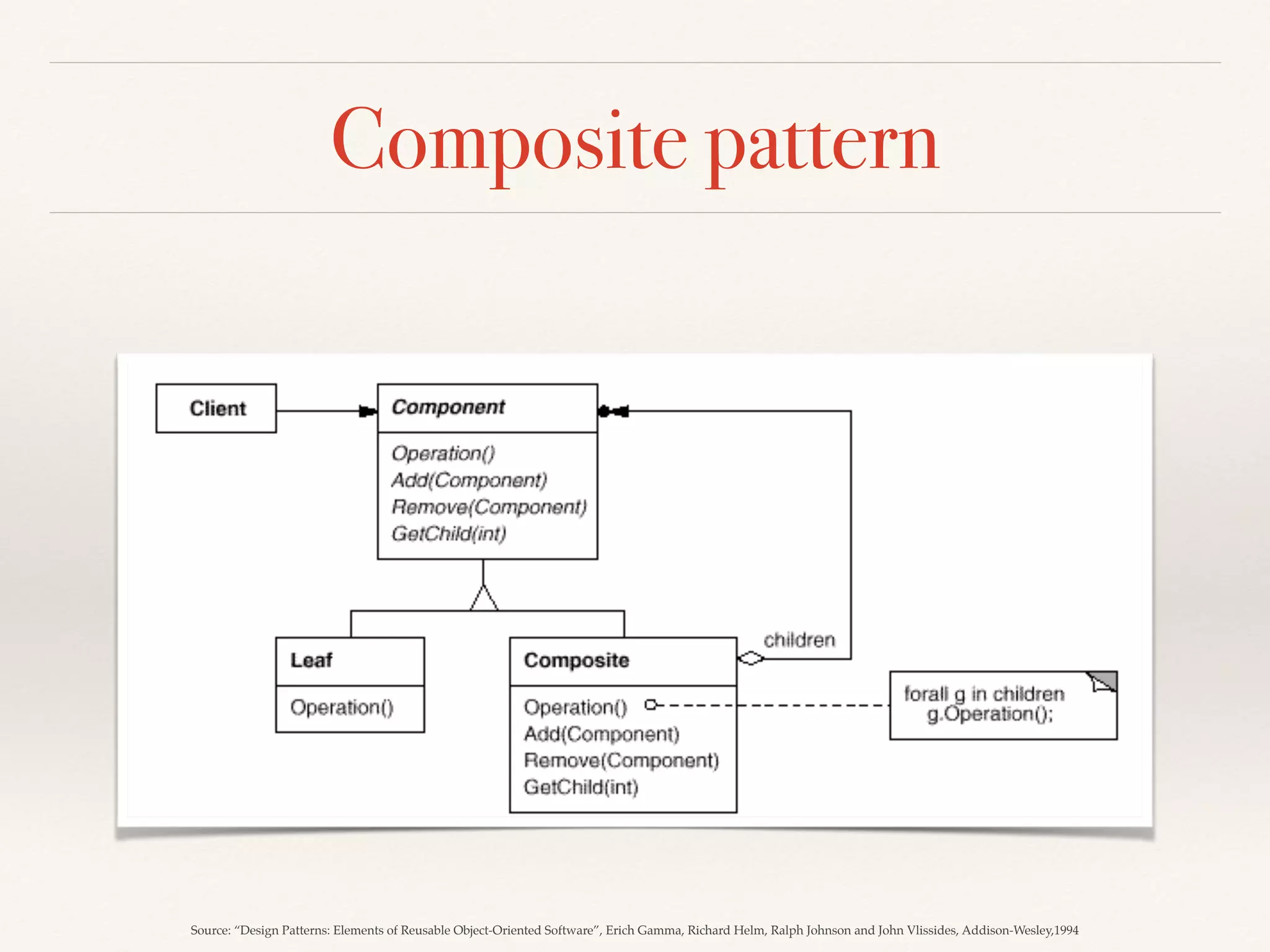
Composite pattern
Source: “Design Patterns: Elements of Reusable Object-Oriented Software”, Erich Gamma, Richard Helm, Ralph Johnson and John Vlissides, Addison-Wesley,1994
Enabling techniques for encapsulation
Refactor “bad smells” to apply
design principles in practice
Key-takeaway
#2
Tool driven approach for design
quality
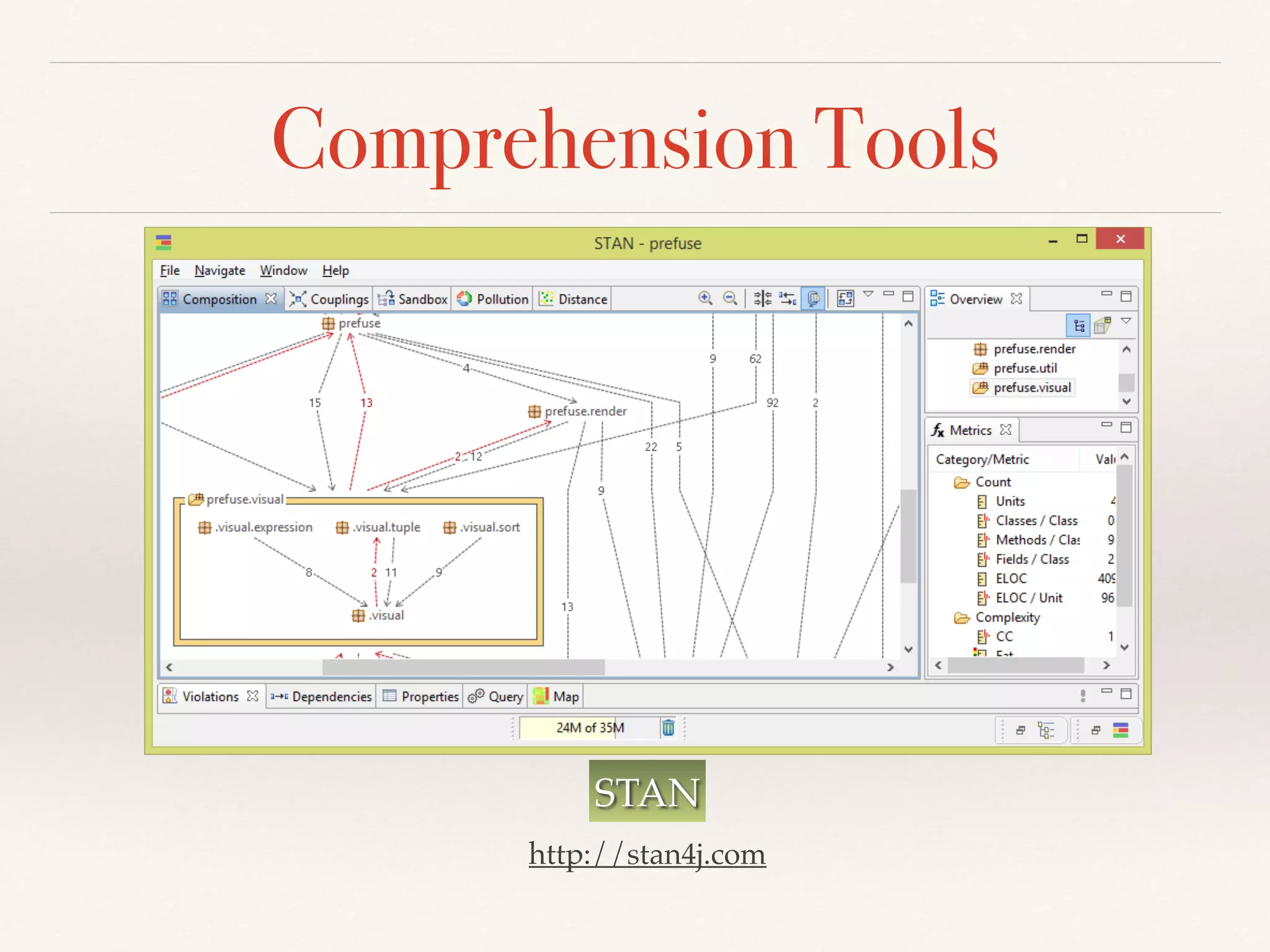
Comprehension Tools
STAN
http://stan4j.com
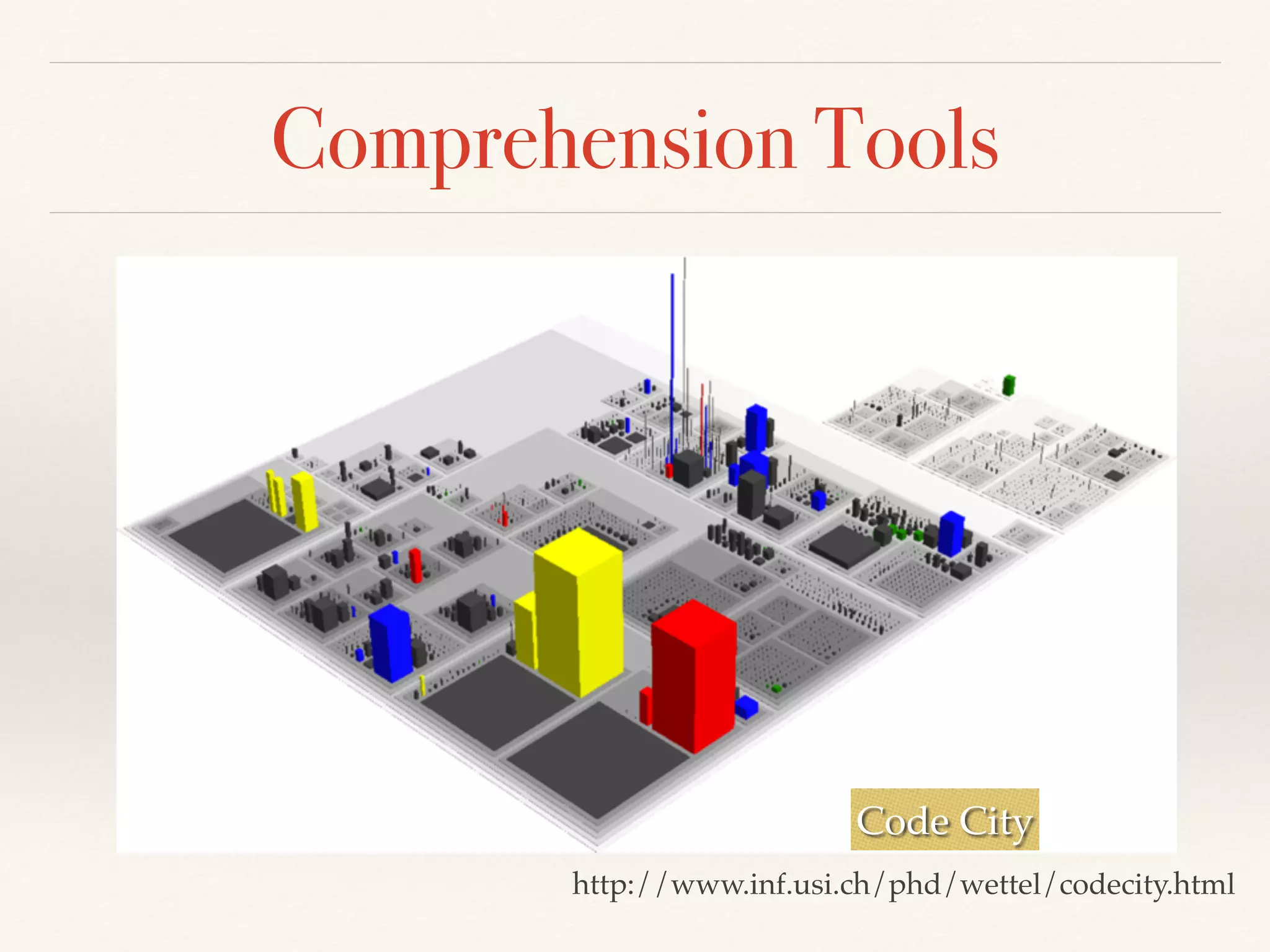
Comprehension Tools
Code City
http://www.inf.usi.ch/phd/wettel/codecity.html
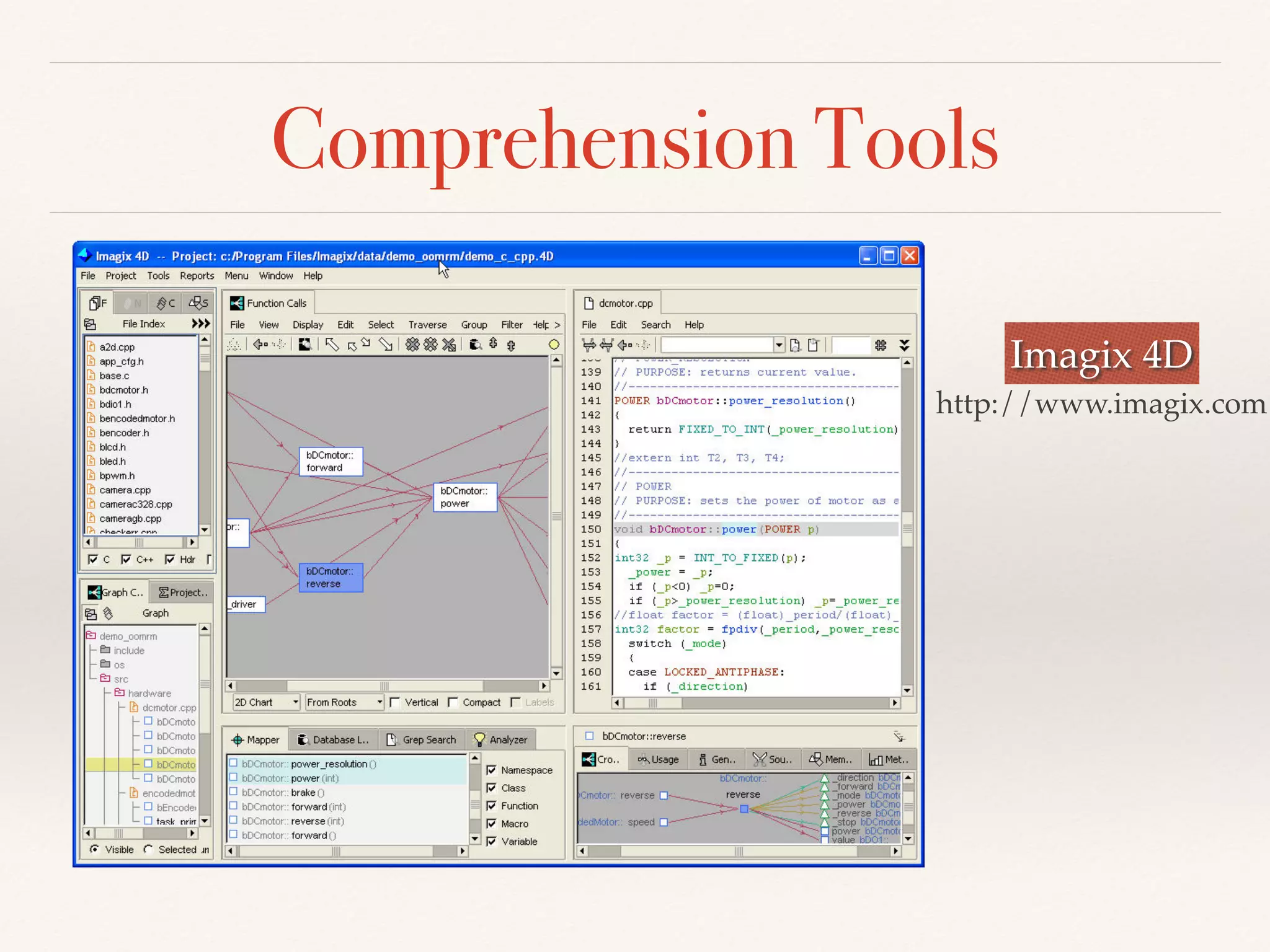
Comprehension Tools
Imagix 4D
http://www.imagix.com
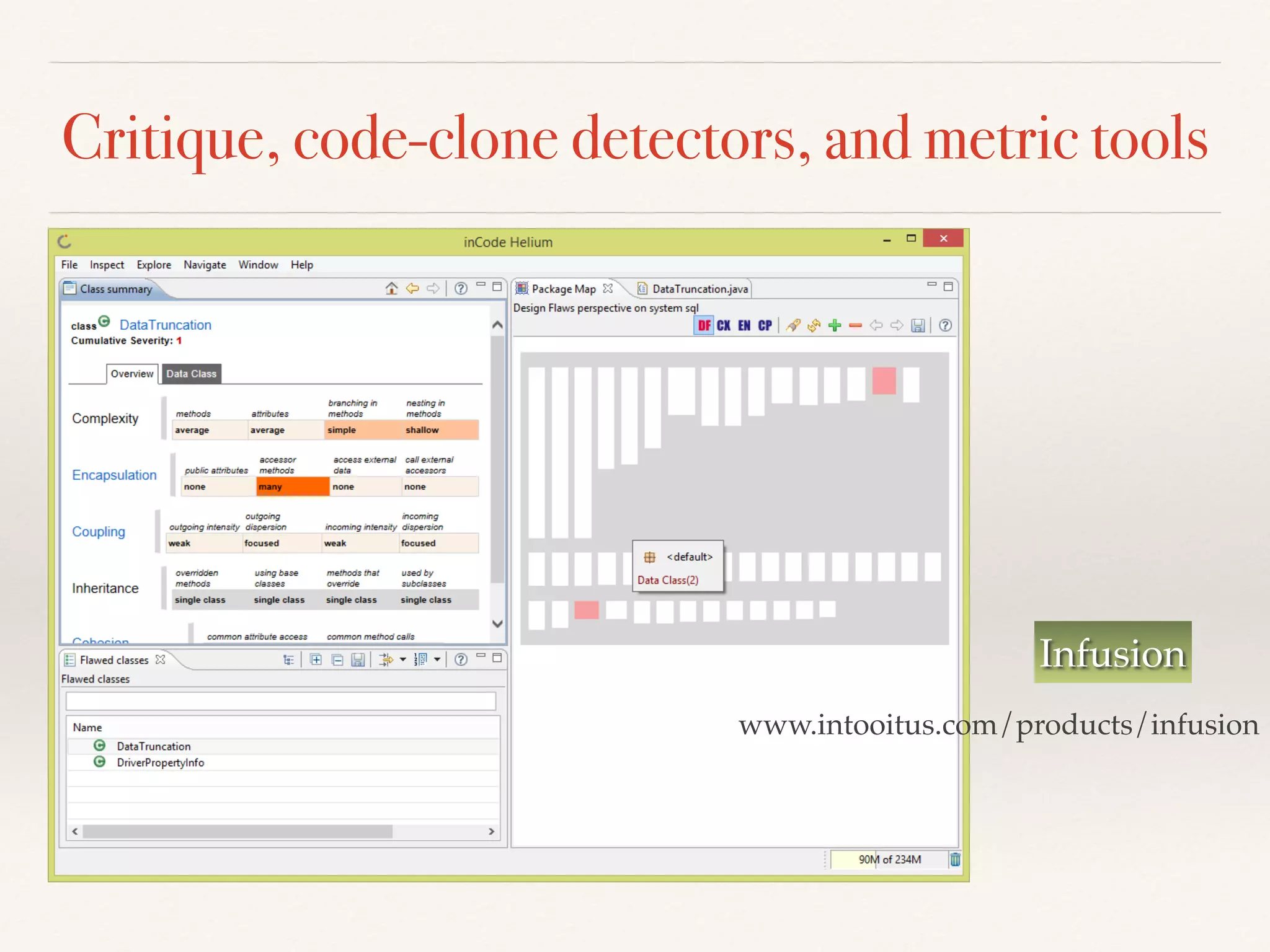
Critique, code-clone detectors, and metric tools
Infusion
www.intooitus.com/products/infusion
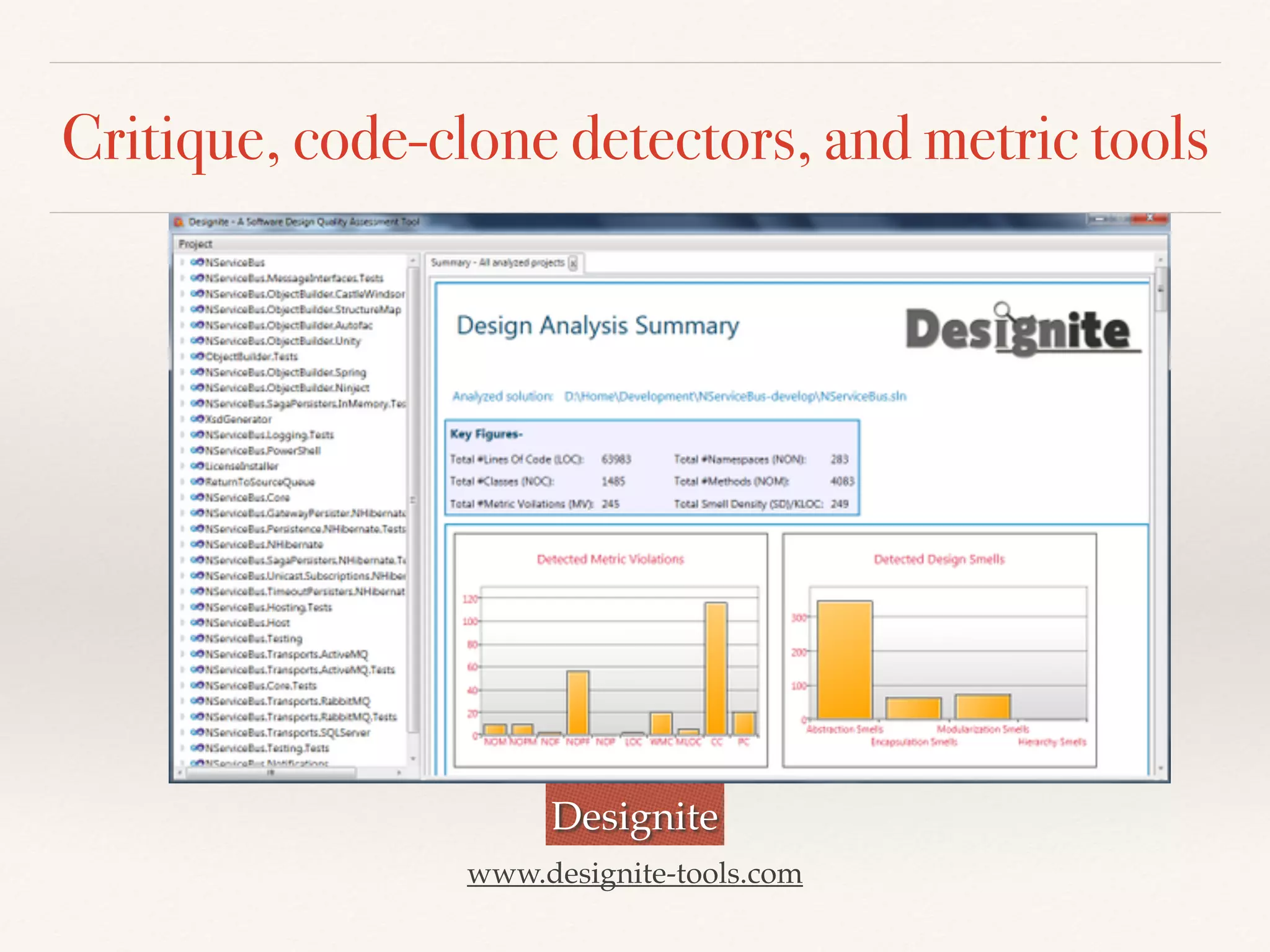
Critique, code-clone detectors, and metric tools
Designite
www.designite-tools.com
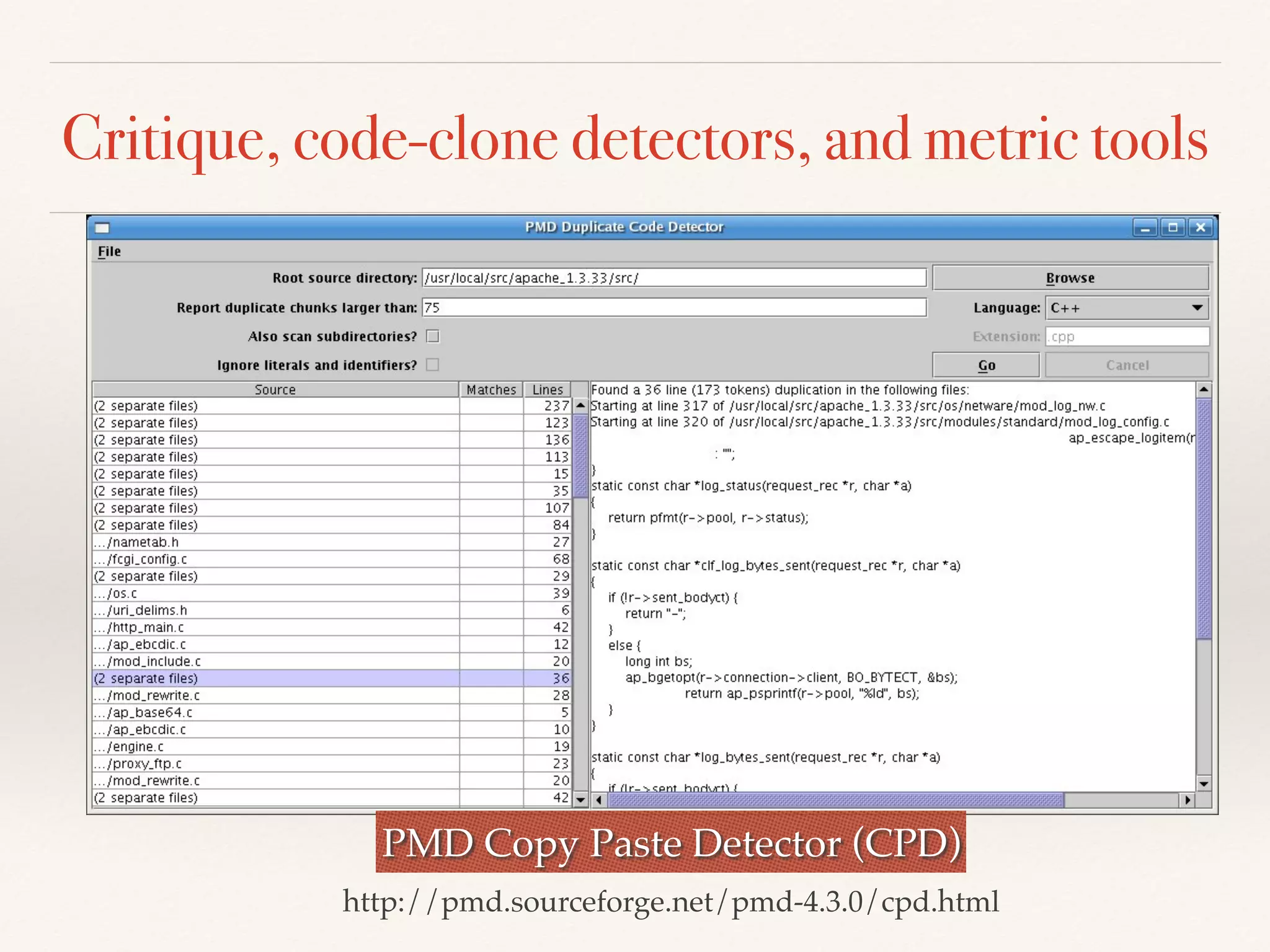
Critique, code-clone detectors, and metric tools
PMD Copy Paste Detector (CPD)
http://pmd.sourceforge.net/pmd-4.3.0/cpd.html
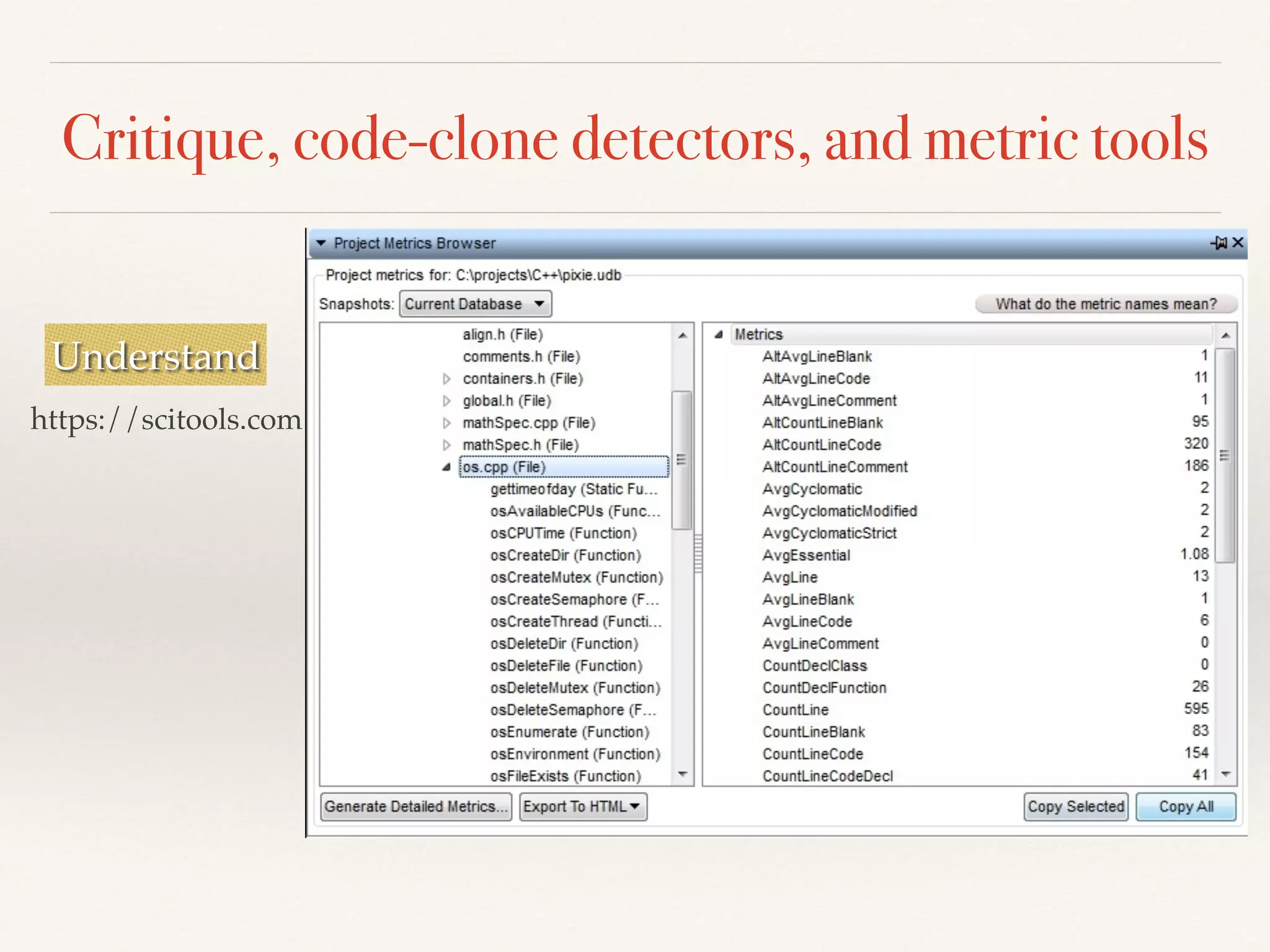
Critique, code-clone detectors, and metric tools
Understand
https://scitools.com
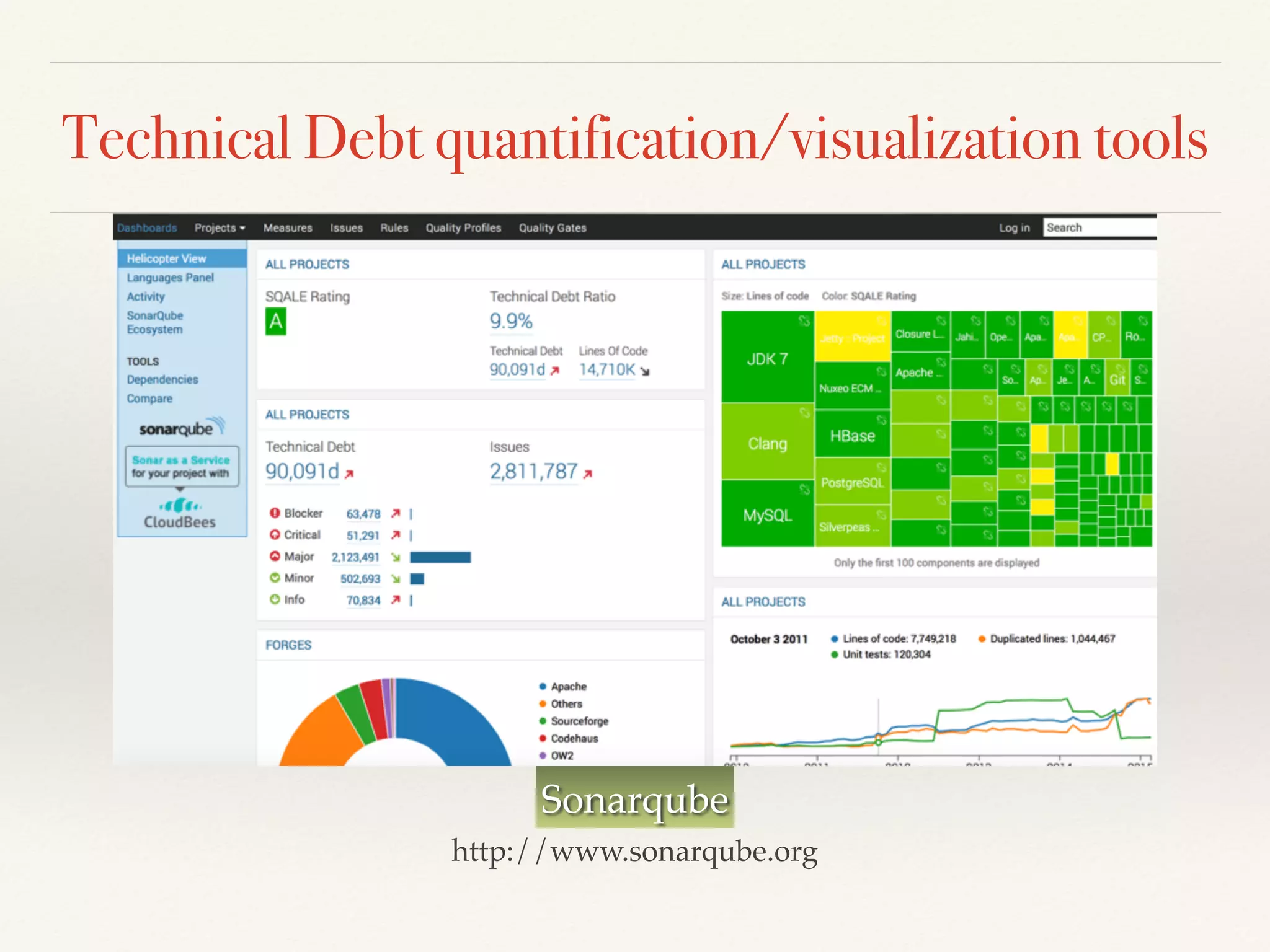
Technical Debt quantification/visualization tools
Sonarqube
http://www.sonarqube.org
Refactoring tools
ReSharper
https://www.jetbrains.com/resharper/features/
Use design analysis tools to apply
design principles in practice
Key-takeaway
#3
Key take-aways
❖ Thee effective ways to apply design principles in
practice:
❖ Use “enabling techniques”
❖ Refactoring “bad smells”
❖ Use design analysis tools
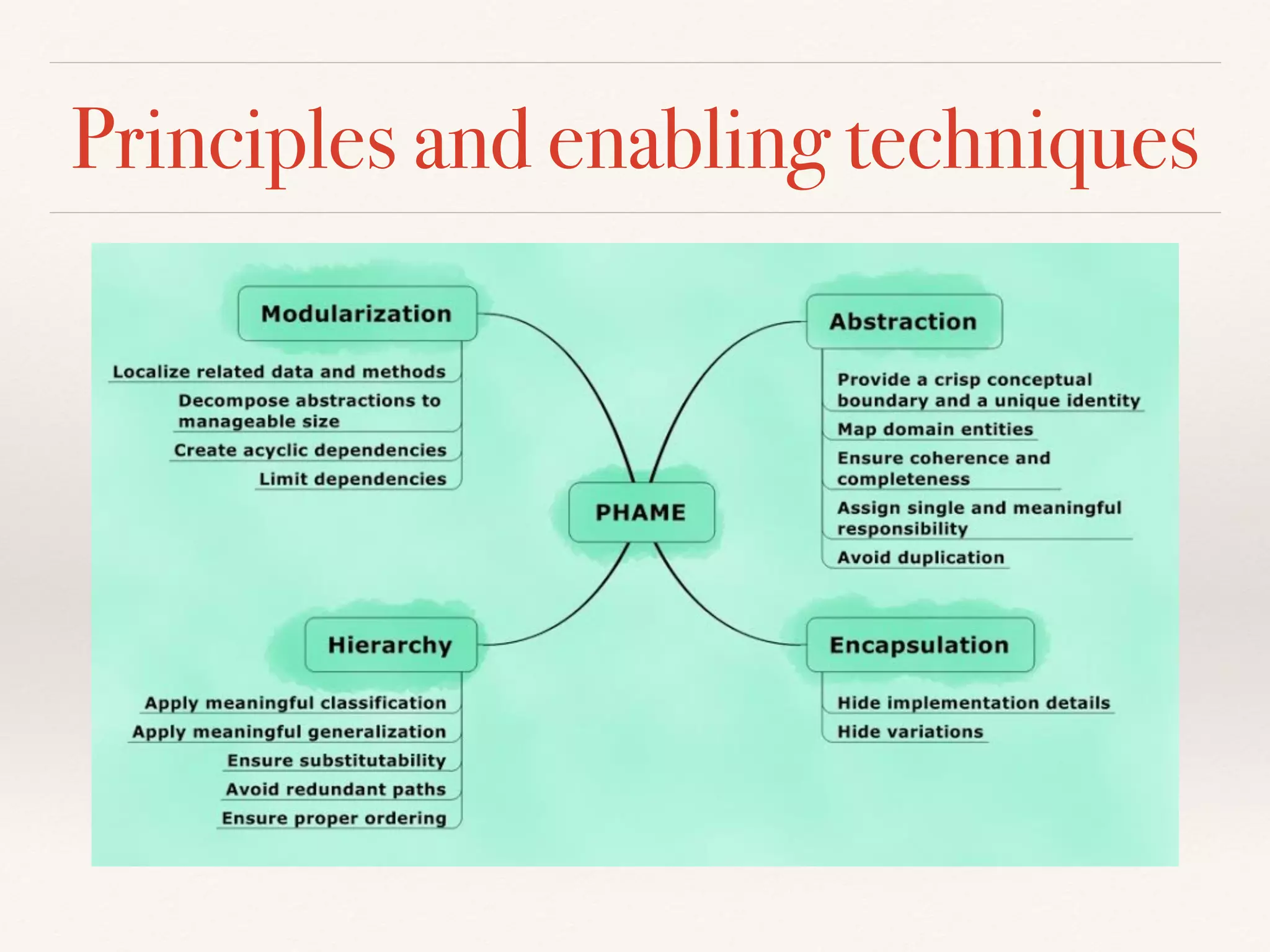
Principles and enabling techniques
“Applying design principles is the key to creating
high-quality software!”
Architectural principles:
Axis, symmetry, rhythm, datum, hierarchy, transformation
ganesh.samarthyam@gmail.com
@GSamarthyam
www.designsmells.com
@designsmells

Three ways to apply design principles in practice