Supervisor:
Dr. Mikhail Mikhail
Advisor:
Dr. Mohamed Moustafa
Randa
Ewada
Samah
Ahmed
Ali
El-Sheikh
Mena
Zaki
Ahmed
El-Hassafy
Nermine
Abdel-Salam
Hi, I’m Inigator
I Never Get Lost!
In the End ,We Tend To
Remember the Beginnings…
Inspiration:
Quick Scenario
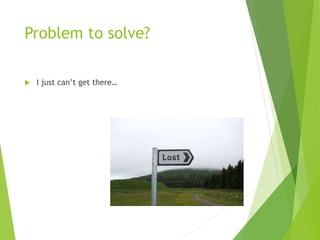
Problem to solve?
 I just can’t get there…
Tell me the class
you’re in & I’ll come
get you!
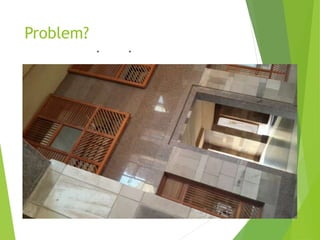
Problem?
 I don’t even know where am I?
How about a photo?
. .
Problem?
Now I’ll just go
through my album
and find you!
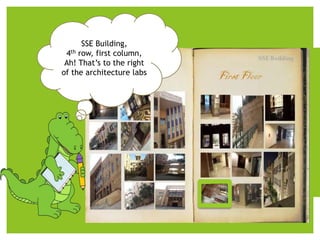
How about a photo?
SSE Building,
4th row, first column,
Ah! That’s to the right
of the architecture labs
How we actually did it?
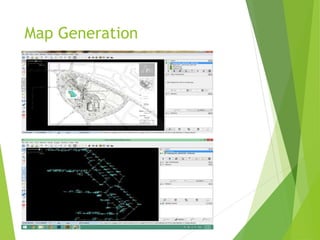
Map Generation
To navigate, we need
 For each image, we give it exact location
 Created a database of all the names of the images and
their locations (so once user get a match, we find
his/her exact location
 Navigate user from the detected current location to
destination
Navigation
 Find shortest path
 Show path for the user to follow
Tracking
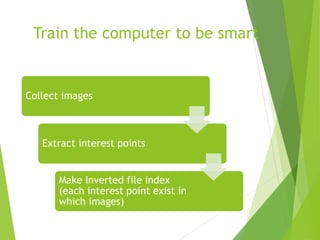
Train the computer to be smart
Collect images
Extract interest points
Make Inverted file index
(each interest point exist in
which images)
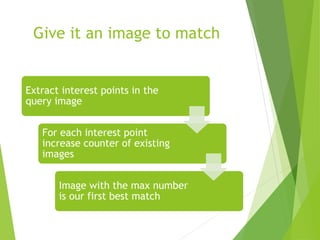
Give it an image to match
Extract interest points in the
query image
For each interest point
increase counter of existing
images
Image with the max number
is our first best match
Interface
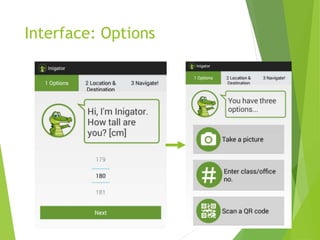
Interface: Options
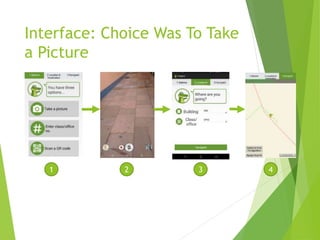
Interface: Choice Was To Take
a Picture
1 2 3 4
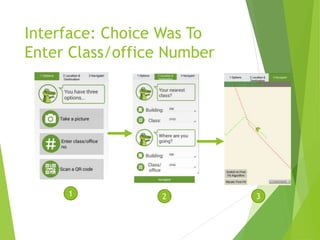
Interface: Choice Was To
Enter Class/office Number
1 2 3
Challenges Faced
 Different images in terms of illumination, scaling, and
occlusion
 Accuracy (Trade off between number of interest points
and speed)
 Scaling (mapping)
 Set exact location of an image
 integration between process of image matching and
navigation
 offline vs online files reading (use a server )
Future Work
 Automatize
 Adding images by the users to the server and adding the
nearest node for each image
 Adding maps to the server and importing them in the
application
 Looking at several possible paths at once
 Dynamic map generation
 Dynamic image collection
 Gps switch mode when outdoors
Demo
Accuracy
What we promised to deliver:
 Robust image matcher
 Indoor navigation app
 Hardware independent application
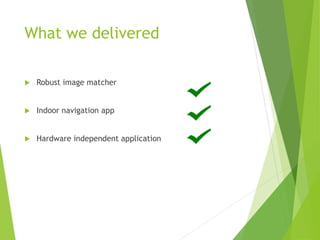
What we delivered
 Robust image matcher
 Indoor navigation app
 Hardware independent application
Reach the things
that you can’t see!
Thank you for your attention
Questions?

Inigator Mobile App

  • 1.
    Supervisor: Dr. Mikhail Mikhail Advisor: Dr.Mohamed Moustafa Randa Ewada Samah Ahmed Ali El-Sheikh Mena Zaki Ahmed El-Hassafy Nermine Abdel-Salam Hi, I’m Inigator I Never Get Lost!
  • 2.
    In the End,We Tend To Remember the Beginnings… Inspiration:
  • 3.
  • 4.
    Problem to solve? I just can’t get there…
  • 5.
    Tell me theclass you’re in & I’ll come get you!
  • 6.
    Problem?  I don’teven know where am I?
  • 7.
  • 8.
  • 9.
    Now I’ll justgo through my album and find you!
  • 10.
    How about aphoto? SSE Building, 4th row, first column, Ah! That’s to the right of the architecture labs
  • 11.
  • 12.
  • 13.
    To navigate, weneed  For each image, we give it exact location  Created a database of all the names of the images and their locations (so once user get a match, we find his/her exact location  Navigate user from the detected current location to destination
  • 14.
    Navigation  Find shortestpath  Show path for the user to follow
  • 15.
  • 16.
    Train the computerto be smart Collect images Extract interest points Make Inverted file index (each interest point exist in which images)
  • 17.
    Give it animage to match Extract interest points in the query image For each interest point increase counter of existing images Image with the max number is our first best match
  • 18.
  • 19.
  • 20.
    Interface: Choice WasTo Take a Picture 1 2 3 4
  • 21.
    Interface: Choice WasTo Enter Class/office Number 1 2 3
  • 22.
    Challenges Faced  Differentimages in terms of illumination, scaling, and occlusion  Accuracy (Trade off between number of interest points and speed)  Scaling (mapping)  Set exact location of an image  integration between process of image matching and navigation  offline vs online files reading (use a server )
  • 23.
    Future Work  Automatize Adding images by the users to the server and adding the nearest node for each image  Adding maps to the server and importing them in the application  Looking at several possible paths at once  Dynamic map generation  Dynamic image collection  Gps switch mode when outdoors
  • 24.
  • 25.
  • 26.
    What we promisedto deliver:  Robust image matcher  Indoor navigation app  Hardware independent application
  • 27.
    What we delivered Robust image matcher  Indoor navigation app  Hardware independent application
  • 28.
    Reach the things thatyou can’t see! Thank you for your attention Questions?