Ring Documentation, Release 1.5.2
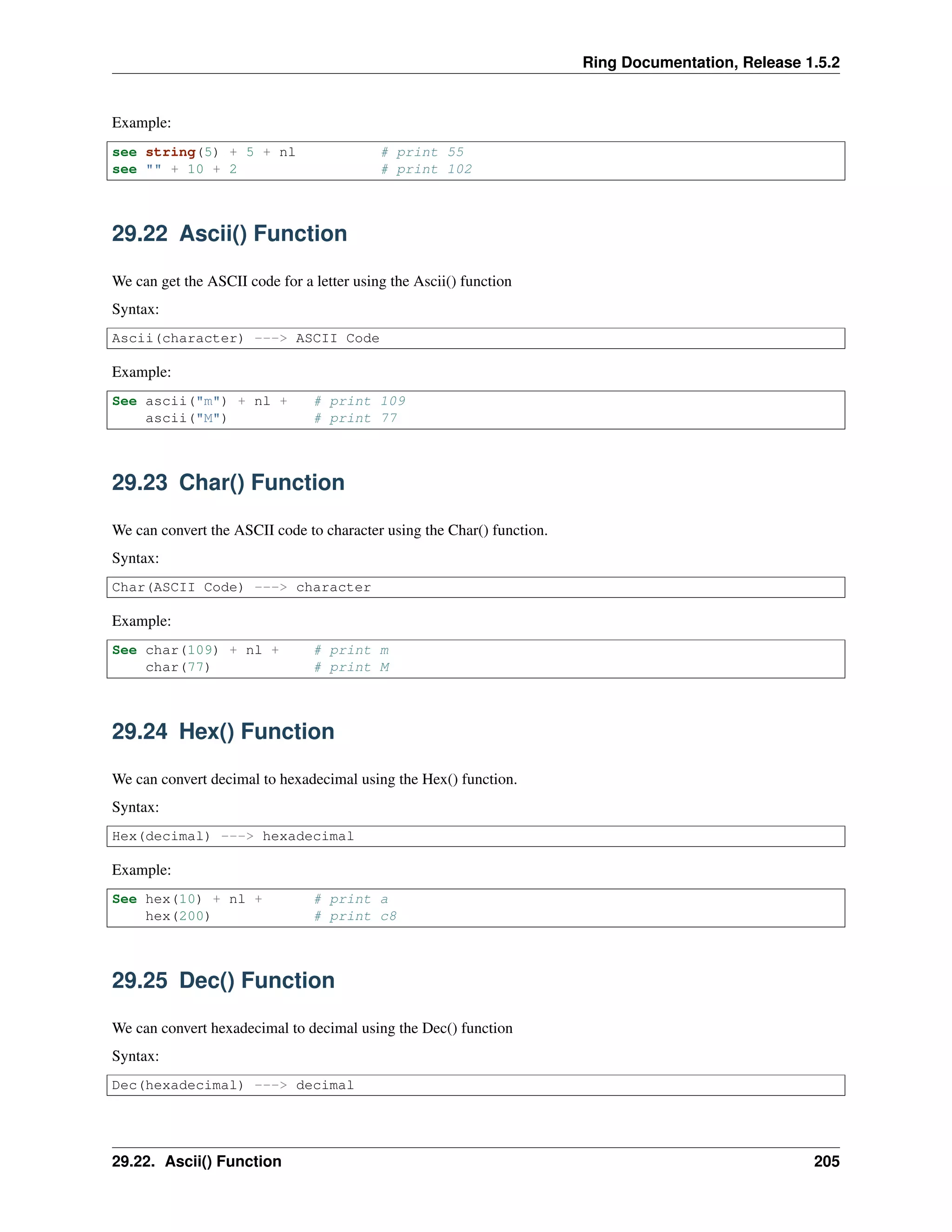
Example:
see string(5) + 5 + nl # print 55
see "" + 10 + 2 # print 102
29.22 Ascii() Function
We can get the ASCII code for a letter using the Ascii() function
Syntax:
Ascii(character) ---> ASCII Code
Example:
See ascii("m") + nl + # print 109
ascii("M") # print 77
29.23 Char() Function
We can convert the ASCII code to character using the Char() function.
Syntax:
Char(ASCII Code) ---> character
Example:
See char(109) + nl + # print m
char(77) # print M
29.24 Hex() Function
We can convert decimal to hexadecimal using the Hex() function.
Syntax:
Hex(decimal) ---> hexadecimal
Example:
See hex(10) + nl + # print a
hex(200) # print c8
29.25 Dec() Function
We can convert hexadecimal to decimal using the Dec() function
Syntax:
Dec(hexadecimal) ---> decimal
29.22. Ascii() Function 205
Ring Documentation, Release 1.5.2
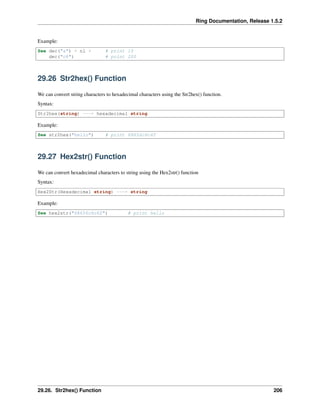
Example:
See dec("a") + nl + # print 10
dec("c8") # print 200
29.26 Str2hex() Function
We can convert string characters to hexadecimal characters using the Str2hex() function.
Syntax:
Str2hex(string) ---> hexadecimal string
Example:
See str2hex("hello") # print 68656c6c6f
29.27 Hex2str() Function
We can convert hexadecimal characters to string using the Hex2str() function
Syntax:
Hex2Str(Hexadecimal string) ---> string
Example:
See hex2str("68656c6c6f") # print hello
29.26. Str2hex() Function 206
CHAPTER
THIRTY
MATHEMATICAL FUNCTIONS
In this chapter we are going to learn about the mathematical functions
30.1 List of functions
The Ring programming language comes with the next mathematical functions
Function Description
sin(x) Returns the sine of an angle of x radians
cos(x) Returns the cosine of an angle of x radians
tan(x) Returns the tangent of an angle of x radians
asin(x) Returns the principal value of the arc sine of x, expressed in radians
acos(x) Returns the principal value of the arc cosine of x, expressed in radians
atan(x) Returns the principal value of the arc tangent of x, expressed in radians
atan2(y,x) Returns the principal arc tangent of y/x, in the interval [-pi,+pi] radians
sinh(x) Returns the hyperbolic sine of x radians
cosh(x) Returns the hyperbolic cosine of x radians
tanh(x) Returns the hyperbolic tangent of x radians
exp(x) Returns the value of e raised to the xth power
log(x) Returns the natural logarithm of x
log10(x) Returns the common logarithm (base-10 logarithm) of x
ceil(x) Returns the smallest integer value greater than or equal to x
floor(x) Returns the largest integer value less than or equal to x
fabs(x) Returns the absolute value of x.
pow(x,y) Returns x raised to the power of y
sqrt(x) Returns the square root of x
random(x) Returns a random number in the range [0,x]
unsigned(n,n,c) Perform operation using unsigned numbers
decimals(n) Determine the decimals digits after the point in float/double numbers
30.2 Example
See "Mathematical Functions" + nl
See "Sin(0) = " + sin(0) + nl
See "Sin(90) radians = " + sin(90) + nl
See "Sin(90) degree = " + sin(90*3.14/180) + nl
See "Cos(0) = " + cos(0) + nl
See "Cos(90) radians = " + cos(90) + nl
207
Ring Documentation, Release 1.5.2
See "Cos(90) degree = " + cos(90*3.14/180) + nl
See "Tan(0) = " + tan(0) + nl
See "Tan(90) radians = " + tan(90) + nl
See "Tan(90) degree = " + tan(90*3.14/180) + nl
See "asin(0) = " + asin(0) + nl
See "acos(0) = " + acos(0) + nl
See "atan(0) = " + atan(0) + nl
See "atan2(1,1) = " + atan2(1,1) + nl
See "sinh(0) = " + sinh(0) + nl
See "sinh(1) = " + sinh(1) + nl
See "cosh(0) = " + cosh(0) + nl
See "cosh(1) = " + cosh(1) + nl
See "tanh(0) = " + tanh(0) + nl
See "tanh(1) = " + tanh(1) + nl
See "exp(0) = " + exp(0) + nl
See "exp(1) = " + exp(1) + nl
See "log(1) = " + log(1) + nl
See "log(2) = " + log(2) + nl
See "log10(1) = " + log10(1) + nl
See "log10(2) = " + log10(2) + nl
See "log10(10) = " + log10(10) + nl
See "Ceil(1.12) = " + Ceil(1.12) + nl
See "Ceil(1.72) = " + Ceil(1.72) + nl
See "Floor(1.12) = " + floor(1.12) + nl
See "Floor(1.72) = " + floor(1.72) + nl
See "fabs(1.12) = " + fabs(1.12) + nl
See "fabs(1.72) = " + fabs(1.72) + nl
See "pow(2,3) = " + pow(2,3) + nl
see "sqrt(16) = " + sqrt(16) + nl
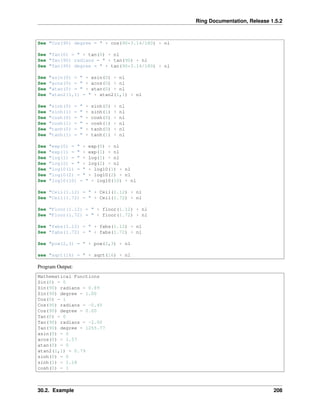
Program Output:
Mathematical Functions
Sin(0) = 0
Sin(90) radians = 0.89
Sin(90) degree = 1.00
Cos(0) = 1
Cos(90) radians = -0.45
Cos(90) degree = 0.00
Tan(0) = 0
Tan(90) radians = -2.00
Tan(90) degree = 1255.77
asin(0) = 0
acos(0) = 1.57
atan(0) = 0
atan2(1,1) = 0.79
sinh(0) = 0
sinh(1) = 1.18
cosh(0) = 1
30.2. Example 208
Ring Documentation, Release 1.5.2
cosh(1) = 1.54
tanh(0) = 0
tanh(1) = 0.76
exp(0) = 1
exp(1) = 2.72
log(1) = 0
log(2) = 0.69
log10(1) = 0
log10(2) = 0.30
log10(10) = 1
Ceil(1.12) = 2
Ceil(1.72) = 2
Floor(1.12) = 1
Floor(1.72) = 1
fabs(1.12) = 1.12
fabs(1.72) = 1.72
pow(2,3) = 8
sqrt(16) = 4
30.3 Random() Function
The Random() function generate a random number and we can set the maximum value (optional).
Syntax:
Random(x) ---> Random number in the range [0,x]
Example:
for x = 1 to 20
see "Random number : " + random() + nl +
"Random number Max (100) : " + random(100) + nl
next
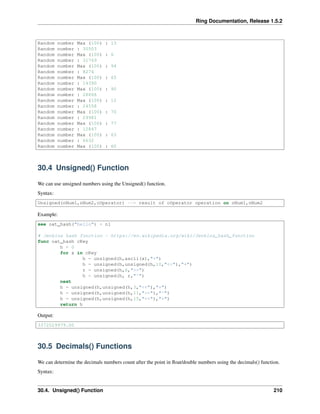
Program Output:
Random number : 31881
Random number Max (100) : 80
Random number : 5573
Random number Max (100) : 63
Random number : 2231
Random number Max (100) : 43
Random number : 12946
Random number Max (100) : 39
Random number : 22934
Random number Max (100) : 48
Random number : 4690
Random number Max (100) : 52
Random number : 13196
Random number Max (100) : 65
Random number : 30390
Random number Max (100) : 87
Random number : 4327
Random number Max (100) : 77
Random number : 12456
Random number Max (100) : 17
Random number : 28438
30.3. Random() Function 209
Ring Documentation, Release 1.5.2
Random number Max (100) : 13
Random number : 30503
Random number Max (100) : 6
Random number : 31769
Random number Max (100) : 94
Random number : 8274
Random number Max (100) : 65
Random number : 14390
Random number Max (100) : 90
Random number : 28866
Random number Max (100) : 12
Random number : 24558
Random number Max (100) : 70
Random number : 29981
Random number Max (100) : 77
Random number : 12847
Random number Max (100) : 63
Random number : 6632
Random number Max (100) : 60
30.4 Unsigned() Function
We can use unsigned numbers using the Unsigned() function.
Syntax:
Unsigned(nNum1,nNum2,cOperator) --> result of cOperator operation on nNum1,nNum2
Example:
see oat_hash("hello") + nl
# Jenkins hash function - https://en.wikipedia.org/wiki/Jenkins_hash_function
func oat_hash cKey
h = 0
for x in cKey
h = unsigned(h,ascii(x),"+")
h = unsigned(h,unsigned(h,10,"<<"),"+")
r = unsigned(h,6,">>")
h = unsigned(h, r,"^")
next
h = unsigned(h,unsigned(h,3,"<<"),"+")
h = unsigned(h,unsigned(h,11,">>"),"^")
h = unsigned(h,unsigned(h,15,"<<"),"+")
return h
Output:
3372029979.00
30.5 Decimals() Functions
We can determine the decimals numbers count after the point in float/double numbers using the decimals() function.
Syntax:
30.4. Unsigned() Function 210
Ring Documentation, Release 1.5.2
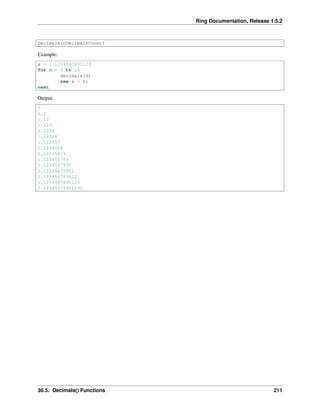
Decimals(nDecimalsCount)
Example:
x = 1.1234567890123
for d = 0 to 14
decimals(d)
see x + nl
next
Output:
1
1.1
1.12
1.123
1.1235
1.12346
1.123457
1.1234568
1.12345679
1.123456789
1.1234567890
1.12345678901
1.123456789012
1.1234567890123
1.12345678901230
30.5. Decimals() Functions 211
CHAPTER
THIRTYONE
FILES
In this chapter we are going to learn about files functions.
• Read()
• Write()
• Dir()
• Rename()
• Remove()
• fopen()
• fclose()
• fflush()
• freopen()
• tempfile()
• tempname()
• fseek()
• ftell()
• rewind()
• fgetpos()
• fsetpos()
• clearerr()
• feof()
• ferror()
• perror()
• fgetc()
• fgets()
• fputc()
• fputs()
• ungetc()
• fread()
212
Ring Documentation, Release 1.5.2
• fwrite()
• fexists()
• Numbers and Bytes
31.1 Read() Function
We can read the file content using the Read() function
Syntax:
Read(cFileName) ---> String contains the file content
Example:
see read("myfile.txt")
The read function can read binary files too
Example:
see read("myapp.exe")
31.2 Write() Function
We can write string to file using the Write() function
The write function can write binary data to binary files.
Syntax:
Write(cFileName,cString) # write string cString to file cFileName
Example:
# copy file
cFile = read("ring.exe")
write("ring2.exe",cFile)
31.3 Dir() Function
We can get the folder contents (files & sub folders) using the Dir() function.
Syntax:
Dir(cFolderPath) ---> List contains files & sub folders.
This function returns a list and each list item is a list of two items
• File/sub folder name
• Type (0 = File , 1 = Folder/Directory)
Example:
31.1. Read() Function 213
Ring Documentation, Release 1.5.2
see "Testing DIR() " + nl
mylist = dir("C:myfolder")
for x in mylist
if x[2]
see "Directory : " + x[1] + nl
else
see "File : " + x[1] + nl
ok
next
see "Files count : " + len(mylist)
31.4 Rename() Function
We can rename files using the Rename() function
Syntax:
Rename(cOldFileName,cNewFileName)
Example:
rename("file.txt","help.txt")
31.5 Remove() Function
We can delete a file using the Remove() function
Syntax:
Remove(cFileName)
Example:
remove("test.txt")
31.6 Fopen() Function
We can open a file using the Fopen() function
Syntax:
Fopen(cFileName,cMode) ---> File Handle
Mode Description
“r” Reading (The file must exist)
“w” Writing (create empty file / overwrite)
“a” Appends (create file if it doesn’t exist)
“r+” update (reading/writing)
“w+” Create empty file (reading/writing)
“a+” reading & appending
31.4. Rename() Function 214

The Ring programming language version 1.5.2 book - Part 24 of 181

  • 1.
    Ring Documentation, Release1.5.2 Example: see string(5) + 5 + nl # print 55 see "" + 10 + 2 # print 102 29.22 Ascii() Function We can get the ASCII code for a letter using the Ascii() function Syntax: Ascii(character) ---> ASCII Code Example: See ascii("m") + nl + # print 109 ascii("M") # print 77 29.23 Char() Function We can convert the ASCII code to character using the Char() function. Syntax: Char(ASCII Code) ---> character Example: See char(109) + nl + # print m char(77) # print M 29.24 Hex() Function We can convert decimal to hexadecimal using the Hex() function. Syntax: Hex(decimal) ---> hexadecimal Example: See hex(10) + nl + # print a hex(200) # print c8 29.25 Dec() Function We can convert hexadecimal to decimal using the Dec() function Syntax: Dec(hexadecimal) ---> decimal 29.22. Ascii() Function 205
  • 2.
    Ring Documentation, Release1.5.2 Example: See dec("a") + nl + # print 10 dec("c8") # print 200 29.26 Str2hex() Function We can convert string characters to hexadecimal characters using the Str2hex() function. Syntax: Str2hex(string) ---> hexadecimal string Example: See str2hex("hello") # print 68656c6c6f 29.27 Hex2str() Function We can convert hexadecimal characters to string using the Hex2str() function Syntax: Hex2Str(Hexadecimal string) ---> string Example: See hex2str("68656c6c6f") # print hello 29.26. Str2hex() Function 206
  • 3.
    CHAPTER THIRTY MATHEMATICAL FUNCTIONS In thischapter we are going to learn about the mathematical functions 30.1 List of functions The Ring programming language comes with the next mathematical functions Function Description sin(x) Returns the sine of an angle of x radians cos(x) Returns the cosine of an angle of x radians tan(x) Returns the tangent of an angle of x radians asin(x) Returns the principal value of the arc sine of x, expressed in radians acos(x) Returns the principal value of the arc cosine of x, expressed in radians atan(x) Returns the principal value of the arc tangent of x, expressed in radians atan2(y,x) Returns the principal arc tangent of y/x, in the interval [-pi,+pi] radians sinh(x) Returns the hyperbolic sine of x radians cosh(x) Returns the hyperbolic cosine of x radians tanh(x) Returns the hyperbolic tangent of x radians exp(x) Returns the value of e raised to the xth power log(x) Returns the natural logarithm of x log10(x) Returns the common logarithm (base-10 logarithm) of x ceil(x) Returns the smallest integer value greater than or equal to x floor(x) Returns the largest integer value less than or equal to x fabs(x) Returns the absolute value of x. pow(x,y) Returns x raised to the power of y sqrt(x) Returns the square root of x random(x) Returns a random number in the range [0,x] unsigned(n,n,c) Perform operation using unsigned numbers decimals(n) Determine the decimals digits after the point in float/double numbers 30.2 Example See "Mathematical Functions" + nl See "Sin(0) = " + sin(0) + nl See "Sin(90) radians = " + sin(90) + nl See "Sin(90) degree = " + sin(90*3.14/180) + nl See "Cos(0) = " + cos(0) + nl See "Cos(90) radians = " + cos(90) + nl 207
  • 4.
    Ring Documentation, Release1.5.2 See "Cos(90) degree = " + cos(90*3.14/180) + nl See "Tan(0) = " + tan(0) + nl See "Tan(90) radians = " + tan(90) + nl See "Tan(90) degree = " + tan(90*3.14/180) + nl See "asin(0) = " + asin(0) + nl See "acos(0) = " + acos(0) + nl See "atan(0) = " + atan(0) + nl See "atan2(1,1) = " + atan2(1,1) + nl See "sinh(0) = " + sinh(0) + nl See "sinh(1) = " + sinh(1) + nl See "cosh(0) = " + cosh(0) + nl See "cosh(1) = " + cosh(1) + nl See "tanh(0) = " + tanh(0) + nl See "tanh(1) = " + tanh(1) + nl See "exp(0) = " + exp(0) + nl See "exp(1) = " + exp(1) + nl See "log(1) = " + log(1) + nl See "log(2) = " + log(2) + nl See "log10(1) = " + log10(1) + nl See "log10(2) = " + log10(2) + nl See "log10(10) = " + log10(10) + nl See "Ceil(1.12) = " + Ceil(1.12) + nl See "Ceil(1.72) = " + Ceil(1.72) + nl See "Floor(1.12) = " + floor(1.12) + nl See "Floor(1.72) = " + floor(1.72) + nl See "fabs(1.12) = " + fabs(1.12) + nl See "fabs(1.72) = " + fabs(1.72) + nl See "pow(2,3) = " + pow(2,3) + nl see "sqrt(16) = " + sqrt(16) + nl Program Output: Mathematical Functions Sin(0) = 0 Sin(90) radians = 0.89 Sin(90) degree = 1.00 Cos(0) = 1 Cos(90) radians = -0.45 Cos(90) degree = 0.00 Tan(0) = 0 Tan(90) radians = -2.00 Tan(90) degree = 1255.77 asin(0) = 0 acos(0) = 1.57 atan(0) = 0 atan2(1,1) = 0.79 sinh(0) = 0 sinh(1) = 1.18 cosh(0) = 1 30.2. Example 208
  • 5.
    Ring Documentation, Release1.5.2 cosh(1) = 1.54 tanh(0) = 0 tanh(1) = 0.76 exp(0) = 1 exp(1) = 2.72 log(1) = 0 log(2) = 0.69 log10(1) = 0 log10(2) = 0.30 log10(10) = 1 Ceil(1.12) = 2 Ceil(1.72) = 2 Floor(1.12) = 1 Floor(1.72) = 1 fabs(1.12) = 1.12 fabs(1.72) = 1.72 pow(2,3) = 8 sqrt(16) = 4 30.3 Random() Function The Random() function generate a random number and we can set the maximum value (optional). Syntax: Random(x) ---> Random number in the range [0,x] Example: for x = 1 to 20 see "Random number : " + random() + nl + "Random number Max (100) : " + random(100) + nl next Program Output: Random number : 31881 Random number Max (100) : 80 Random number : 5573 Random number Max (100) : 63 Random number : 2231 Random number Max (100) : 43 Random number : 12946 Random number Max (100) : 39 Random number : 22934 Random number Max (100) : 48 Random number : 4690 Random number Max (100) : 52 Random number : 13196 Random number Max (100) : 65 Random number : 30390 Random number Max (100) : 87 Random number : 4327 Random number Max (100) : 77 Random number : 12456 Random number Max (100) : 17 Random number : 28438 30.3. Random() Function 209
  • 6.
    Ring Documentation, Release1.5.2 Random number Max (100) : 13 Random number : 30503 Random number Max (100) : 6 Random number : 31769 Random number Max (100) : 94 Random number : 8274 Random number Max (100) : 65 Random number : 14390 Random number Max (100) : 90 Random number : 28866 Random number Max (100) : 12 Random number : 24558 Random number Max (100) : 70 Random number : 29981 Random number Max (100) : 77 Random number : 12847 Random number Max (100) : 63 Random number : 6632 Random number Max (100) : 60 30.4 Unsigned() Function We can use unsigned numbers using the Unsigned() function. Syntax: Unsigned(nNum1,nNum2,cOperator) --> result of cOperator operation on nNum1,nNum2 Example: see oat_hash("hello") + nl # Jenkins hash function - https://en.wikipedia.org/wiki/Jenkins_hash_function func oat_hash cKey h = 0 for x in cKey h = unsigned(h,ascii(x),"+") h = unsigned(h,unsigned(h,10,"<<"),"+") r = unsigned(h,6,">>") h = unsigned(h, r,"^") next h = unsigned(h,unsigned(h,3,"<<"),"+") h = unsigned(h,unsigned(h,11,">>"),"^") h = unsigned(h,unsigned(h,15,"<<"),"+") return h Output: 3372029979.00 30.5 Decimals() Functions We can determine the decimals numbers count after the point in float/double numbers using the decimals() function. Syntax: 30.4. Unsigned() Function 210
  • 7.
    Ring Documentation, Release1.5.2 Decimals(nDecimalsCount) Example: x = 1.1234567890123 for d = 0 to 14 decimals(d) see x + nl next Output: 1 1.1 1.12 1.123 1.1235 1.12346 1.123457 1.1234568 1.12345679 1.123456789 1.1234567890 1.12345678901 1.123456789012 1.1234567890123 1.12345678901230 30.5. Decimals() Functions 211
  • 8.
    CHAPTER THIRTYONE FILES In this chapterwe are going to learn about files functions. • Read() • Write() • Dir() • Rename() • Remove() • fopen() • fclose() • fflush() • freopen() • tempfile() • tempname() • fseek() • ftell() • rewind() • fgetpos() • fsetpos() • clearerr() • feof() • ferror() • perror() • fgetc() • fgets() • fputc() • fputs() • ungetc() • fread() 212
  • 9.
    Ring Documentation, Release1.5.2 • fwrite() • fexists() • Numbers and Bytes 31.1 Read() Function We can read the file content using the Read() function Syntax: Read(cFileName) ---> String contains the file content Example: see read("myfile.txt") The read function can read binary files too Example: see read("myapp.exe") 31.2 Write() Function We can write string to file using the Write() function The write function can write binary data to binary files. Syntax: Write(cFileName,cString) # write string cString to file cFileName Example: # copy file cFile = read("ring.exe") write("ring2.exe",cFile) 31.3 Dir() Function We can get the folder contents (files & sub folders) using the Dir() function. Syntax: Dir(cFolderPath) ---> List contains files & sub folders. This function returns a list and each list item is a list of two items • File/sub folder name • Type (0 = File , 1 = Folder/Directory) Example: 31.1. Read() Function 213
  • 10.
    Ring Documentation, Release1.5.2 see "Testing DIR() " + nl mylist = dir("C:myfolder") for x in mylist if x[2] see "Directory : " + x[1] + nl else see "File : " + x[1] + nl ok next see "Files count : " + len(mylist) 31.4 Rename() Function We can rename files using the Rename() function Syntax: Rename(cOldFileName,cNewFileName) Example: rename("file.txt","help.txt") 31.5 Remove() Function We can delete a file using the Remove() function Syntax: Remove(cFileName) Example: remove("test.txt") 31.6 Fopen() Function We can open a file using the Fopen() function Syntax: Fopen(cFileName,cMode) ---> File Handle Mode Description “r” Reading (The file must exist) “w” Writing (create empty file / overwrite) “a” Appends (create file if it doesn’t exist) “r+” update (reading/writing) “w+” Create empty file (reading/writing) “a+” reading & appending 31.4. Rename() Function 214