
THE JAVA SERVER
PAGES

By
Atul Saurabh
Assist.
Professor
BITs edu
Campus
WHAT IS JSP…LAYMAN DEFINITION
 JSP is basically used to generate dynamic web pages.

 In layman language JSP can be defined as “JSP is a HTML file
embedded with JAVA code”.

 Inside JSP one can write HTML for static content and JAVA
code for dynamic content.
WHAT IS JSP …TECHNICAL DEFINITION
Technically a JSP is defined as follow :

“A JSP is a server side technology running in a
special engine called JSP engine , providing
dynamicity to the web pages and works as a high
level abstraction to the java servlet”.
A JSP page is basically an extension to the Java Servlet
technology. JSP contains both HTML and JAVA code. When a JSP
is compiled, it is transformed into JAVA Class. This
transformation is done by a special compiler called Page
Compiler.
CLASS HIERARCHY OF JSP
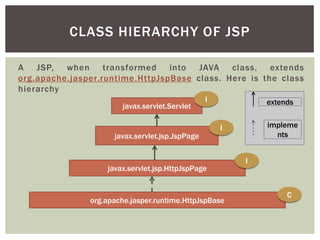
A JSP, when transformed into JAVA class, extends
org.apache.jasper.runtime.HttpJspBase class. Here is the class
hierarchy
javax.servlet.Servlet

I

javax.servlet.jsp.JspPage

extends
impleme
nts

I

javax.servlet.jsp.HttpJspPage

org.apache.jasper.runtime.HttpJspBase

I

C
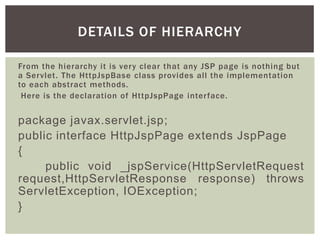
DETAILS OF HIERARCHY
From the hierarchy it is very clear that any JSP page is nothing but
a Servlet. The HttpJspBase class provides all the implementation
to each abstract methods.
Here is the declaration of HttpJspPage interface.

package javax.servlet.jsp;
public interface HttpJspPage extends JspPage
{
public void _jspService(HttpServletRequest
request,HttpServletResponse response) throws
ServletException, IOException;
}
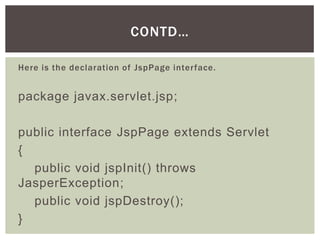
CONTD…
Here is the declaration of JspPage interface.

package javax.servlet.jsp;
public interface JspPage extends Servlet
{
public void jspInit() throws
JasperException;
public void jspDestroy();
}
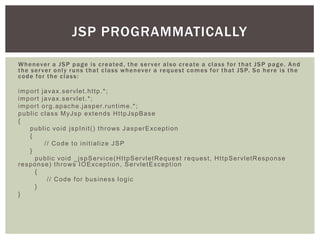
JSP PROGRAMMATICALLY
W h e n ev e r a J S P p a g e i s c r e a te d , t h e s e r v e r a l s o c r e a te a c l a s s f o r t h a t J S P p a g e . A n d
t h e s e r v e r o n l y r u n s t h a t c l a s s w h e n ev e r a r e q u e s t c o m e s f o r t h a t J S P. S o h e r e i s t h e
code for the class:
i m p o r t j a va x. s e r vl e t . h t t p .* ;
i m p o r t j a va x. s e r vl e t . * ;
i m p o r t o r g . a p a c h e . j a s p e r. r u n t i m e . * ;
p u b l i c c l a s s M yJ s p e xt e n d s H t t p J s p B a s e
{
p u b l i c vo i d j s p I n i t ( ) t h r o ws J a s p e r E xc e p t i o n
{
// Code to initialize JSP
}
p u b l i c vo i d _ j s p S e r vi c e ( H t t p S e r vl e t R e q u e s t r e q u e s t , H t t p S e r vl e t R e s p o n s e
r e s p o n s e ) t h r o ws I O E xc e p t i o n , S e r vl e t E xc e p t i o n
{
// Code for business logic
}
}
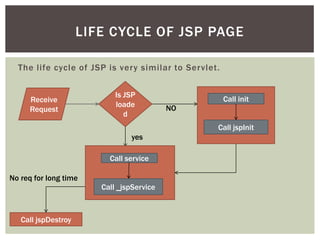
LIFE CYCLE OF JSP PAGE
The life cycle of JSP is very similar to Servlet.

Receive
Request

Is JSP
loade
d

Call init
NO
Call jspInit

yes
Call service
No req for long time
Call _jspService

Call jspDestroy
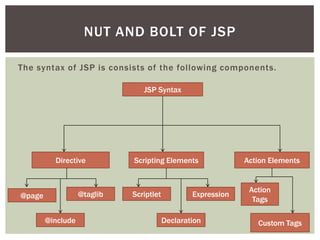
NUT AND BOLT OF JSP
The syntax of JSP is consists of the following components.
JSP Syntax

Directive

@taglib

@page
@include

Scripting Elements

Scriptlet

Expression
Declaration

Action Elements

Action
Tags
Custom Tags
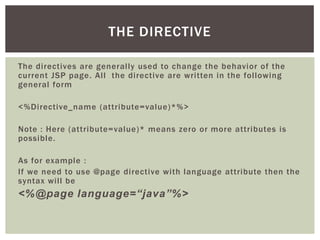
THE DIRECTIVE
The directives are generally used to change the behavior of the
current JSP page. All the directive are written in the following
general form
<%Directive_name (attribute=value)*%>
Note : Here (attribute=value)* means zero or more attributes is
possible.
As for example :
If we need to use @page directive with language attribute then the
syntax will be

<%@page language=“java”%>
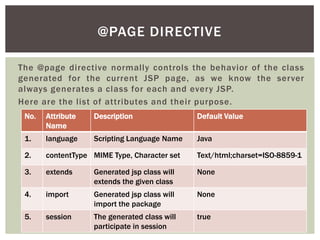
@PAGE DIRECTIVE
The @page directive normally controls the behavior of the class
generated for the current JSP page, as we know the server
always generates a class for each and every JSP.
Here are the list of attributes and their purpose.
No.

Attribute
Name

Description

Default Value

1.

language

Scripting Language Name

Java

2.

contentType MIME Type, Character set

Text/html;charset=ISO-8859-1

3.

extends

Generated jsp class will
extends the given class

None

4.

import

Generated jsp class will
import the package

None

5.

session

The generated class will
participate in session

true
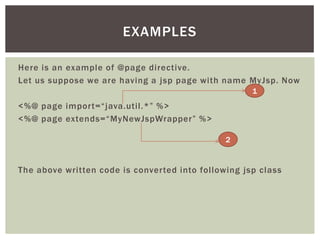
EXAMPLES
Here is an example of @page directive.
Let us suppose we are having a jsp page with name MyJsp. Now
1

<%@ page import=“java.util.*” %>
<%@ page extends=“MyNewJspWrapper” %>
2

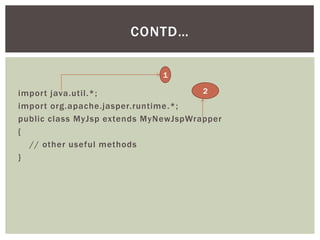
The above written code is converted into following jsp class
CONTD…
1
2
import java.util.*;
import org.apache.jasper.runtime .*;
public class MyJsp extends MyNewJspWrapper
{
// other useful methods
}
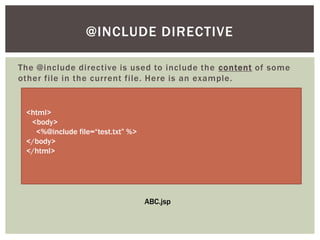
@INCLUDE DIRECTIVE
The @include directive is used to include the content of some
other file in the current file. Here is an example.

<html>
<body>
<%@include file=“test.txt” %>
</body>
</html>

ABC.jsp
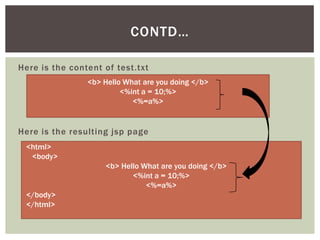
CONTD…
Here is the content of test.txt
<b> Hello What are you doing </b>
<%int a = 10;%>
<%=a%>

Here is the resulting jsp page
<html>
<body>
<b> Hello What are you doing </b>
<%int a = 10;%>
<%=a%>
</body>
</html>
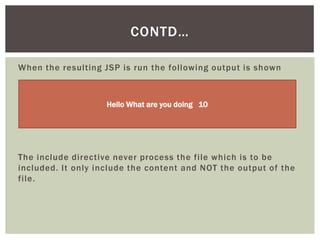
CONTD…
When the resulting JSP is run the following output is shown

Hello What are you doing 10

The include directive never process the file which is to be
included. It only include the content and NOT the output of the
file.
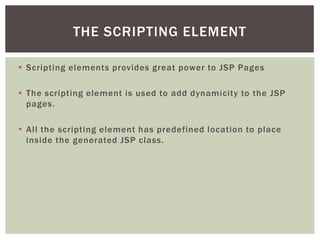
THE SCRIPTING ELEMENT
 Scripting elements provides great power to JSP Pages
 The scripting element is used to add dynamicity to the JSP
pages.
 All the scripting element has predefined location to place
inside the generated JSP class.
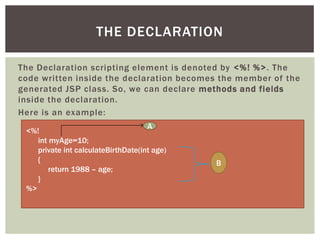
THE DECLARATION
The Declaration scripting element is denoted by <%! %>. The
code written inside the declaration becomes the member of the
generated JSP class. So, we can declare methods and fields
inside the declaration.
Here is an example:
A
<%!
int myAge=10;
private int calculateBirthDate(int age)
{
return 1988 – age;
}
%>

B
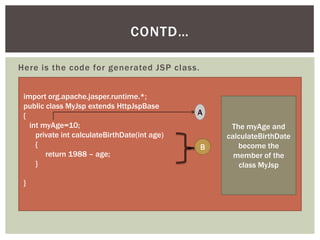
CONTD…
Here is the code for generated JSP class.
import org.apache.jasper.runtime.*;
public class MyJsp extends HttpJspBase
{
int myAge=10;
private int calculateBirthDate(int age)
{
return 1988 – age;
}
}

A

B

The myAge and
calculateBirthDate
become the
member of the
class MyJsp
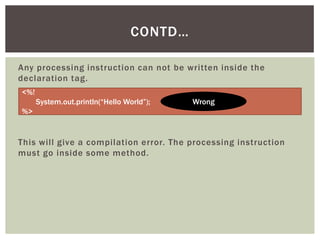
CONTD…
Any processing instruction can not be written inside the
declaration tag.
<%!
System.out.println(“Hello World”);

Wrong

%>

This will give a compilation error. The processing instruction
must go inside some method.
THE SCRIPTLET
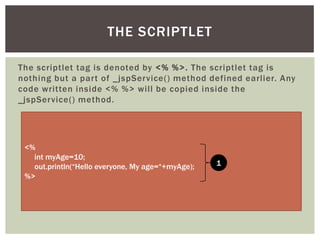
The scriptlet tag is denoted by <% %>. The scriptlet tag is
nothing but a part of _ jspService() method defined earlier. Any
code written inside <% %> will be copied inside the
_jspService() method.

<%
int myAge=10;
out.println(“Hello everyone, My age=“+myAge);
%>

1
CONTD…
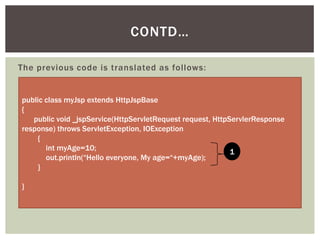
The previous code is translated as follows:

public class myJsp extends HttpJspBase
{
public void _jspService(HttpServletRequest request, HttpServlerResponse
response) throws ServletException, IOException
{
int myAge=10;
1
out.println(“Hello everyone, My age=“+myAge);
}
}
CONTD…
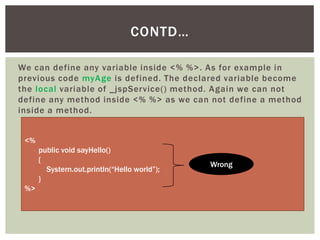
We can define any variable inside <% %>. As for example in
previous code myAge is defined. The declared variable become
the local variable of _jspService() method. Again we can not
define any method inside <% %> as we can not define a method
inside a method.
<%
public void sayHello()
{
System.out.println(“Hello world”);
}

%>

Wrong
CONTD…
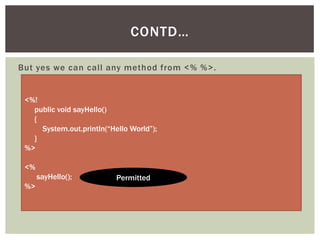
But yes we can call any method from <% %>.

<%!
public void sayHello()
{
System.out.println(“Hello World”);
}
%>
<%
sayHello();
%>

Permitted
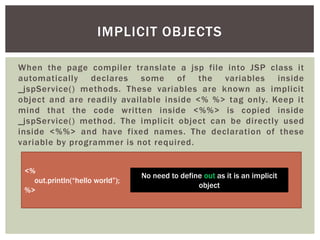
IMPLICIT OBJECTS
When the page compiler translate a jsp file into JSP class it
automatically declares some of the variables inside
_jspService() methods. These variables are known as implicit
object and are readily available inside <% %> tag only. Keep it
mind that the code written inside <%%> is copied inside
_jspService() method. The implicit object can be directly used
inside <%%> and have fixed names. The declaration of these
variable by programmer is not required.
<%
out.println(“hello world”);
%>

No need to define out as it is an implicit
object
CONTD…
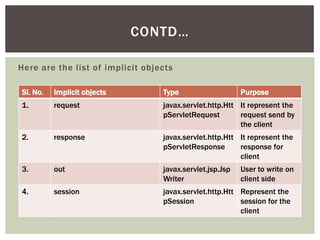
Here are the list of implicit objects
Sl. No.

Implicit objects

Type

Purpose

1.

request

javax.servlet.http.Htt It represent the
pServletRequest
request send by
the client

2.

response

javax.servlet.http.Htt It represent the
pServletResponse
response for
client

3.

out

javax.servlet.jsp.Jsp
Writer

4.

session

javax.servlet.http.Htt Represent the
pSession
session for the
client

User to write on
client side
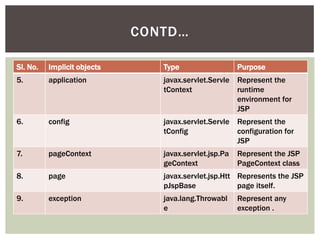
CONTD…
Sl. No.

Implicit objects

Type

Purpose

5.

application

javax.servlet.Servle Represent the
tContext
runtime
environment for
JSP

6.

config

javax.servlet.Servle Represent the
tConfig
configuration for
JSP

7.

pageContext

javax.servlet.jsp.Pa
geContext

8.

page

javax.servlet.jsp.Htt Represents the JSP
pJspBase
page itself.

9.

exception

java.lang.Throwabl
e

Represent the JSP
PageContext class

Represent any
exception .
CONTD…
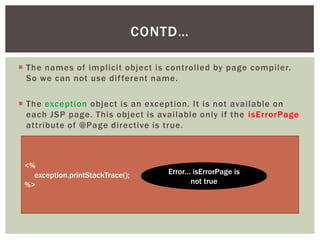
 The names of implicit object is controlled by page compiler.
So we can not use dif ferent name.
 The exception object is an exception. It is not available on
each JSP page. This object is available only if the isErrorPage
attribute of @Page directive is true.

<%
exception.printStackTrace();
%>

Error… isErrorPage is
not true
CONTD…
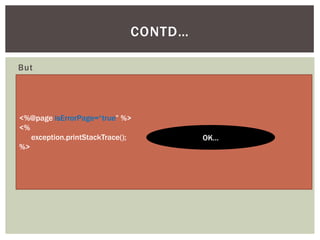
But

<%@page isErrorPage=“true” %>
<%
exception.printStackTrace();
%>

OK…
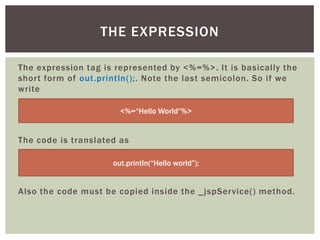
THE EXPRESSION
The expression tag is represented by <%=%>. It is basically the
short form of out.println();. Note the last semicolon. So if we
write
<%=“Hello World”%>

The code is translated as
out.println(“Hello world”);

Also the code must be copied inside the _ jspService() method.
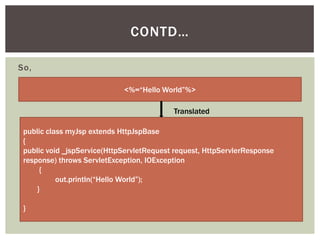
CONTD…
So,
<%=“Hello World”%>
Translated
public class myJsp extends HttpJspBase
{
public void _jspService(HttpServletRequest request, HttpServlerResponse
response) throws ServletException, IOException
{
out.println(“Hello World”);
}
}
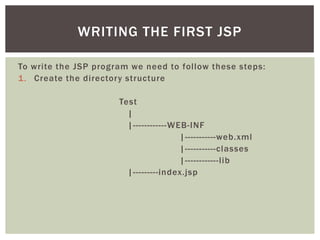
WRITING THE FIRST JSP
To write the JSP program we need to follow these steps:
1. Create the directory structure
Test
|
|------------WEB-INF
|-----------web.xml
|-----------classes
|------------lib
|---------index.jsp
CONTD…
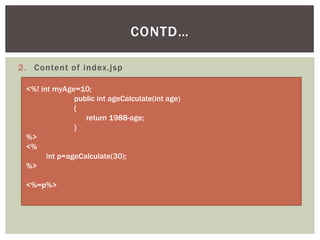
2. Content of index.jsp
<%! int myAge=10;
public int ageCalculate(int age)
{
return 1988-age;
}
%>
<%
int p=ageCalculate(30);
%>
<%=p%>
CONTD…
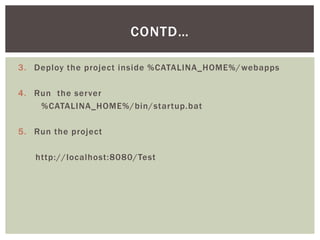
3. Deploy the project inside %CATALINA_HOME%/ webapps
4. Run the server
%CATALINA_HOME%/bin/startup.bat
5. Run the project
http://localhost:8080/Test
THE CUSTOM TAG
JSP technology provides a great tool. We can define our own
tags that can be used at any JSP page and do the custom work
not available before. Normally a designer is not a programmer.
So writing java code is dif ficult for them. But tags are pretty
familiar to them and they can use the tag without knowing how
it works. So defining custom tags solves two problems:
1. Gives designers a uniformity and keep them away from
coding.

1. Enables custom behavior which is not present into HTML.
INTRODUCTION TO TAG
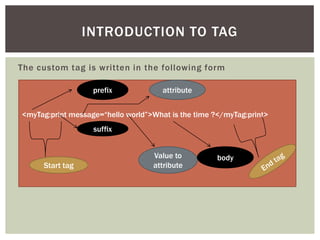
The custom tag is written in the following form
prefix

attribute

<myTag:print message=“hello world”>What is the time ?</myTag:print>
suffix

Start tag

Value to
attribute

body
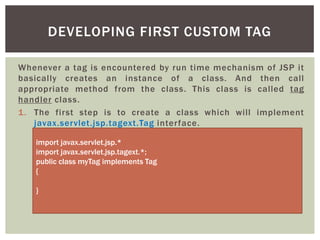
DEVELOPING FIRST CUSTOM TAG
Whenever a tag is encountered by run time mechanism of JSP it
basically creates an instance of a class. And then call
appropriate method from the class. This class is called tag
handler class.
1. The first step is to create a class which will implement
javax.servlet.jsp.tagext.Tag interface.
import javax.servlet.jsp.*
import javax.servlet.jsp.tagext.*;
public class myTag implements Tag
{

}
CONTD…
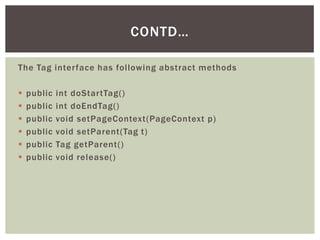
The Tag interface has following abstract methods







public
public
public
public
public
public

int doStartTag()
int doEndTag()
void setPageContext(PageContext p)
void setParent(Tag t)
Tag getParent()
void release()
LIFE CYCLE OF TAG HANDLER CLASS
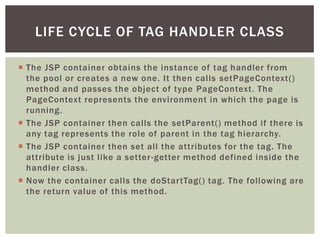
 The JSP container obtains the instance of tag handler from
the pool or creates a new one. It then calls setPageContext()
method and passes the object of type PageContext. The
PageContext represents the environment in which the page is
running.
 The JSP container then calls the setParent() method if there is
any tag represents the role of parent in the tag hierarchy.
 The JSP container then set all the attributes for the tag. The
attribute is just like a setter -getter method defined inside the
handler class.
 Now the container calls the doStartTag() tag. The following are
the return value of this method.
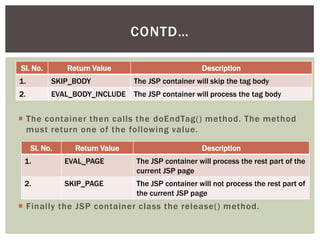
CONTD…
Sl. No.

Return Value

Description

1.

SKIP_BODY

The JSP container will skip the tag body

2.

EVAL_BODY_INCLUDE

The JSP container will process the tag body

 The container then calls the doEndTag() method. The method
must return one of the following value.
Sl. No.

Return Value

Description

1.

EVAL_PAGE

The JSP container will process the rest part of the
current JSP page

2.

SKIP_PAGE

The JSP container will not process the rest part of
the current JSP page

 Finally the JSP container class the release() method.
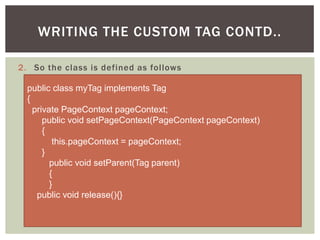
WRITING THE CUSTOM TAG CONTD..
2. So the class is defined as follows
public class myTag implements Tag
{
private PageContext pageContext;
public void setPageContext(PageContext pageContext)
{
this.pageContext = pageContext;
}
public void setParent(Tag parent)
{
}
public void release(){}
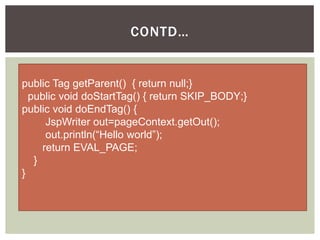
CONTD…

public Tag getParent() { return null;}
public void doStartTag() { return SKIP_BODY;}
public void doEndTag() {
JspWriter out=pageContext.getOut();
out.println(“Hello world”);
return EVAL_PAGE;
}
}
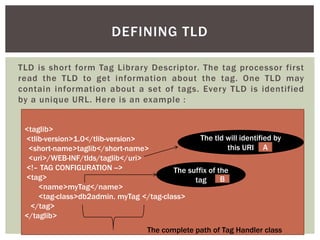
DEFINING TLD
TLD is short form Tag Library Descriptor. The tag processor first
read the TLD to get information about the tag. One TLD may
contain information about a set of tags. Every TLD is identified
by a unique URL. Here is an example :
<taglib>
The tld will identified by
<tlib-version>1.0</tlib-version>
this URI A
<short-name>taglib</short-name>
<uri>/WEB-INF/tlds/taglib</uri>
<!– TAG CONFIGURATION -->
The suffix of the
<tag>
B
tag
<name>myTag</name>
<tag-class>db2admin. myTag </tag-class>
</tag>
</taglib>
The complete path of Tag Handler class
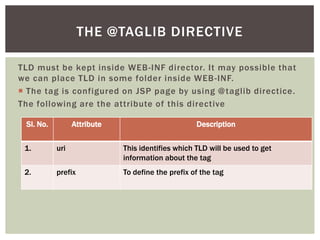
THE @TAGLIB DIRECTIVE
TLD must be kept inside WEB -INF director. It may possible that
we can place TLD in some folder inside WEB -INF.
 The tag is configured on JSP page by using @ taglib directice.
The following are the attribute of this directive
Sl. No.

Attribute

Description

1.

uri

This identifies which TLD will be used to get
information about the tag

2.

prefix

To define the prefix of the tag
CONTD…
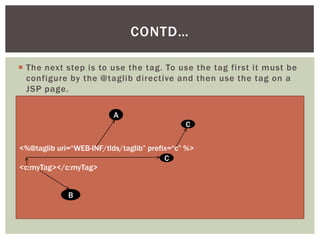
 The next step is to use the tag. To use the tag first it must be
configure by the @taglib directive and then use the tag on a
JSP page.
A
C
<%@taglib uri=“WEB-INF/tlds/taglib” prefix=“c” %>
C
<c:myTag></c:myTag>
B
The java server pages

The java server pages

  • 1.
    THE JAVA SERVER PAGES By AtulSaurabh Assist. Professor BITs edu Campus
  • 2.
    WHAT IS JSP…LAYMANDEFINITION  JSP is basically used to generate dynamic web pages.  In layman language JSP can be defined as “JSP is a HTML file embedded with JAVA code”.  Inside JSP one can write HTML for static content and JAVA code for dynamic content.
  • 3.
    WHAT IS JSP…TECHNICAL DEFINITION Technically a JSP is defined as follow : “A JSP is a server side technology running in a special engine called JSP engine , providing dynamicity to the web pages and works as a high level abstraction to the java servlet”. A JSP page is basically an extension to the Java Servlet technology. JSP contains both HTML and JAVA code. When a JSP is compiled, it is transformed into JAVA Class. This transformation is done by a special compiler called Page Compiler.
  • 4.
    CLASS HIERARCHY OFJSP A JSP, when transformed into JAVA class, extends org.apache.jasper.runtime.HttpJspBase class. Here is the class hierarchy javax.servlet.Servlet I javax.servlet.jsp.JspPage extends impleme nts I javax.servlet.jsp.HttpJspPage org.apache.jasper.runtime.HttpJspBase I C
  • 5.
    DETAILS OF HIERARCHY Fromthe hierarchy it is very clear that any JSP page is nothing but a Servlet. The HttpJspBase class provides all the implementation to each abstract methods. Here is the declaration of HttpJspPage interface. package javax.servlet.jsp; public interface HttpJspPage extends JspPage { public void _jspService(HttpServletRequest request,HttpServletResponse response) throws ServletException, IOException; }
  • 6.
    CONTD… Here is thedeclaration of JspPage interface. package javax.servlet.jsp; public interface JspPage extends Servlet { public void jspInit() throws JasperException; public void jspDestroy(); }
  • 7.
    JSP PROGRAMMATICALLY W he n ev e r a J S P p a g e i s c r e a te d , t h e s e r v e r a l s o c r e a te a c l a s s f o r t h a t J S P p a g e . A n d t h e s e r v e r o n l y r u n s t h a t c l a s s w h e n ev e r a r e q u e s t c o m e s f o r t h a t J S P. S o h e r e i s t h e code for the class: i m p o r t j a va x. s e r vl e t . h t t p .* ; i m p o r t j a va x. s e r vl e t . * ; i m p o r t o r g . a p a c h e . j a s p e r. r u n t i m e . * ; p u b l i c c l a s s M yJ s p e xt e n d s H t t p J s p B a s e { p u b l i c vo i d j s p I n i t ( ) t h r o ws J a s p e r E xc e p t i o n { // Code to initialize JSP } p u b l i c vo i d _ j s p S e r vi c e ( H t t p S e r vl e t R e q u e s t r e q u e s t , H t t p S e r vl e t R e s p o n s e r e s p o n s e ) t h r o ws I O E xc e p t i o n , S e r vl e t E xc e p t i o n { // Code for business logic } }
  • 8.
    LIFE CYCLE OFJSP PAGE The life cycle of JSP is very similar to Servlet. Receive Request Is JSP loade d Call init NO Call jspInit yes Call service No req for long time Call _jspService Call jspDestroy
  • 9.
    NUT AND BOLTOF JSP The syntax of JSP is consists of the following components. JSP Syntax Directive @taglib @page @include Scripting Elements Scriptlet Expression Declaration Action Elements Action Tags Custom Tags
  • 10.
    THE DIRECTIVE The directivesare generally used to change the behavior of the current JSP page. All the directive are written in the following general form <%Directive_name (attribute=value)*%> Note : Here (attribute=value)* means zero or more attributes is possible. As for example : If we need to use @page directive with language attribute then the syntax will be <%@page language=“java”%>
  • 11.
    @PAGE DIRECTIVE The @pagedirective normally controls the behavior of the class generated for the current JSP page, as we know the server always generates a class for each and every JSP. Here are the list of attributes and their purpose. No. Attribute Name Description Default Value 1. language Scripting Language Name Java 2. contentType MIME Type, Character set Text/html;charset=ISO-8859-1 3. extends Generated jsp class will extends the given class None 4. import Generated jsp class will import the package None 5. session The generated class will participate in session true
  • 12.
    EXAMPLES Here is anexample of @page directive. Let us suppose we are having a jsp page with name MyJsp. Now 1 <%@ page import=“java.util.*” %> <%@ page extends=“MyNewJspWrapper” %> 2 The above written code is converted into following jsp class
  • 13.
    CONTD… 1 2 import java.util.*; import org.apache.jasper.runtime.*; public class MyJsp extends MyNewJspWrapper { // other useful methods }
  • 14.
    @INCLUDE DIRECTIVE The @includedirective is used to include the content of some other file in the current file. Here is an example. <html> <body> <%@include file=“test.txt” %> </body> </html> ABC.jsp
  • 15.
    CONTD… Here is thecontent of test.txt <b> Hello What are you doing </b> <%int a = 10;%> <%=a%> Here is the resulting jsp page <html> <body> <b> Hello What are you doing </b> <%int a = 10;%> <%=a%> </body> </html>
  • 16.
    CONTD… When the resultingJSP is run the following output is shown Hello What are you doing 10 The include directive never process the file which is to be included. It only include the content and NOT the output of the file.
  • 17.
    THE SCRIPTING ELEMENT Scripting elements provides great power to JSP Pages  The scripting element is used to add dynamicity to the JSP pages.  All the scripting element has predefined location to place inside the generated JSP class.
  • 18.
    THE DECLARATION The Declarationscripting element is denoted by <%! %>. The code written inside the declaration becomes the member of the generated JSP class. So, we can declare methods and fields inside the declaration. Here is an example: A <%! int myAge=10; private int calculateBirthDate(int age) { return 1988 – age; } %> B
  • 19.
    CONTD… Here is thecode for generated JSP class. import org.apache.jasper.runtime.*; public class MyJsp extends HttpJspBase { int myAge=10; private int calculateBirthDate(int age) { return 1988 – age; } } A B The myAge and calculateBirthDate become the member of the class MyJsp
  • 20.
    CONTD… Any processing instructioncan not be written inside the declaration tag. <%! System.out.println(“Hello World”); Wrong %> This will give a compilation error. The processing instruction must go inside some method.
  • 21.
    THE SCRIPTLET The scriptlettag is denoted by <% %>. The scriptlet tag is nothing but a part of _ jspService() method defined earlier. Any code written inside <% %> will be copied inside the _jspService() method. <% int myAge=10; out.println(“Hello everyone, My age=“+myAge); %> 1
  • 22.
    CONTD… The previous codeis translated as follows: public class myJsp extends HttpJspBase { public void _jspService(HttpServletRequest request, HttpServlerResponse response) throws ServletException, IOException { int myAge=10; 1 out.println(“Hello everyone, My age=“+myAge); } }
  • 23.
    CONTD… We can defineany variable inside <% %>. As for example in previous code myAge is defined. The declared variable become the local variable of _jspService() method. Again we can not define any method inside <% %> as we can not define a method inside a method. <% public void sayHello() { System.out.println(“Hello world”); } %> Wrong
  • 24.
    CONTD… But yes wecan call any method from <% %>. <%! public void sayHello() { System.out.println(“Hello World”); } %> <% sayHello(); %> Permitted
  • 25.
    IMPLICIT OBJECTS When thepage compiler translate a jsp file into JSP class it automatically declares some of the variables inside _jspService() methods. These variables are known as implicit object and are readily available inside <% %> tag only. Keep it mind that the code written inside <%%> is copied inside _jspService() method. The implicit object can be directly used inside <%%> and have fixed names. The declaration of these variable by programmer is not required. <% out.println(“hello world”); %> No need to define out as it is an implicit object
  • 26.
    CONTD… Here are thelist of implicit objects Sl. No. Implicit objects Type Purpose 1. request javax.servlet.http.Htt It represent the pServletRequest request send by the client 2. response javax.servlet.http.Htt It represent the pServletResponse response for client 3. out javax.servlet.jsp.Jsp Writer 4. session javax.servlet.http.Htt Represent the pSession session for the client User to write on client side
  • 27.
    CONTD… Sl. No. Implicit objects Type Purpose 5. application javax.servlet.ServleRepresent the tContext runtime environment for JSP 6. config javax.servlet.Servle Represent the tConfig configuration for JSP 7. pageContext javax.servlet.jsp.Pa geContext 8. page javax.servlet.jsp.Htt Represents the JSP pJspBase page itself. 9. exception java.lang.Throwabl e Represent the JSP PageContext class Represent any exception .
  • 28.
    CONTD…  The namesof implicit object is controlled by page compiler. So we can not use dif ferent name.  The exception object is an exception. It is not available on each JSP page. This object is available only if the isErrorPage attribute of @Page directive is true. <% exception.printStackTrace(); %> Error… isErrorPage is not true
  • 29.
  • 30.
    THE EXPRESSION The expressiontag is represented by <%=%>. It is basically the short form of out.println();. Note the last semicolon. So if we write <%=“Hello World”%> The code is translated as out.println(“Hello world”); Also the code must be copied inside the _ jspService() method.
  • 31.
    CONTD… So, <%=“Hello World”%> Translated public classmyJsp extends HttpJspBase { public void _jspService(HttpServletRequest request, HttpServlerResponse response) throws ServletException, IOException { out.println(“Hello World”); } }
  • 32.
    WRITING THE FIRSTJSP To write the JSP program we need to follow these steps: 1. Create the directory structure Test | |------------WEB-INF |-----------web.xml |-----------classes |------------lib |---------index.jsp
  • 33.
    CONTD… 2. Content ofindex.jsp <%! int myAge=10; public int ageCalculate(int age) { return 1988-age; } %> <% int p=ageCalculate(30); %> <%=p%>
  • 34.
    CONTD… 3. Deploy theproject inside %CATALINA_HOME%/ webapps 4. Run the server %CATALINA_HOME%/bin/startup.bat 5. Run the project http://localhost:8080/Test
  • 35.
    THE CUSTOM TAG JSPtechnology provides a great tool. We can define our own tags that can be used at any JSP page and do the custom work not available before. Normally a designer is not a programmer. So writing java code is dif ficult for them. But tags are pretty familiar to them and they can use the tag without knowing how it works. So defining custom tags solves two problems: 1. Gives designers a uniformity and keep them away from coding. 1. Enables custom behavior which is not present into HTML.
  • 36.
    INTRODUCTION TO TAG Thecustom tag is written in the following form prefix attribute <myTag:print message=“hello world”>What is the time ?</myTag:print> suffix Start tag Value to attribute body
  • 37.
    DEVELOPING FIRST CUSTOMTAG Whenever a tag is encountered by run time mechanism of JSP it basically creates an instance of a class. And then call appropriate method from the class. This class is called tag handler class. 1. The first step is to create a class which will implement javax.servlet.jsp.tagext.Tag interface. import javax.servlet.jsp.* import javax.servlet.jsp.tagext.*; public class myTag implements Tag { }
  • 38.
    CONTD… The Tag interfacehas following abstract methods       public public public public public public int doStartTag() int doEndTag() void setPageContext(PageContext p) void setParent(Tag t) Tag getParent() void release()
  • 39.
    LIFE CYCLE OFTAG HANDLER CLASS  The JSP container obtains the instance of tag handler from the pool or creates a new one. It then calls setPageContext() method and passes the object of type PageContext. The PageContext represents the environment in which the page is running.  The JSP container then calls the setParent() method if there is any tag represents the role of parent in the tag hierarchy.  The JSP container then set all the attributes for the tag. The attribute is just like a setter -getter method defined inside the handler class.  Now the container calls the doStartTag() tag. The following are the return value of this method.
  • 40.
    CONTD… Sl. No. Return Value Description 1. SKIP_BODY TheJSP container will skip the tag body 2. EVAL_BODY_INCLUDE The JSP container will process the tag body  The container then calls the doEndTag() method. The method must return one of the following value. Sl. No. Return Value Description 1. EVAL_PAGE The JSP container will process the rest part of the current JSP page 2. SKIP_PAGE The JSP container will not process the rest part of the current JSP page  Finally the JSP container class the release() method.
  • 41.
    WRITING THE CUSTOMTAG CONTD.. 2. So the class is defined as follows public class myTag implements Tag { private PageContext pageContext; public void setPageContext(PageContext pageContext) { this.pageContext = pageContext; } public void setParent(Tag parent) { } public void release(){}
  • 42.
    CONTD… public Tag getParent(){ return null;} public void doStartTag() { return SKIP_BODY;} public void doEndTag() { JspWriter out=pageContext.getOut(); out.println(“Hello world”); return EVAL_PAGE; } }
  • 43.
    DEFINING TLD TLD isshort form Tag Library Descriptor. The tag processor first read the TLD to get information about the tag. One TLD may contain information about a set of tags. Every TLD is identified by a unique URL. Here is an example : <taglib> The tld will identified by <tlib-version>1.0</tlib-version> this URI A <short-name>taglib</short-name> <uri>/WEB-INF/tlds/taglib</uri> <!– TAG CONFIGURATION --> The suffix of the <tag> B tag <name>myTag</name> <tag-class>db2admin. myTag </tag-class> </tag> </taglib> The complete path of Tag Handler class
  • 44.
    THE @TAGLIB DIRECTIVE TLDmust be kept inside WEB -INF director. It may possible that we can place TLD in some folder inside WEB -INF.  The tag is configured on JSP page by using @ taglib directice. The following are the attribute of this directive Sl. No. Attribute Description 1. uri This identifies which TLD will be used to get information about the tag 2. prefix To define the prefix of the tag
  • 45.
    CONTD…  The nextstep is to use the tag. To use the tag first it must be configure by the @taglib directive and then use the tag on a JSP page. A C <%@taglib uri=“WEB-INF/tlds/taglib” prefix=“c” %> C <c:myTag></c:myTag> B