File Handling in Python
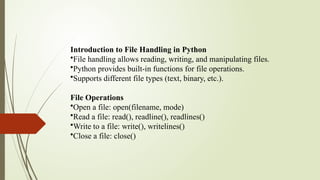
Introduction to File Handling in Python
•File handling allows reading, writing, and manipulating files.
•Python provides built-in functions for file operations.
•Supports different file types (text, binary, etc.).
File Operations
•Open a file: open(filename, mode)
•Read a file: read(), readline(), readlines()
•Write to a file: write(), writelines()
•Close a file: close()
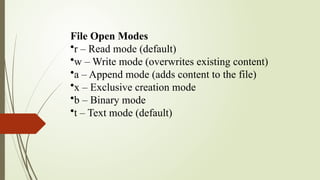
File Open Modes
•r – Read mode (default)
•w – Write mode (overwrites existing content)
•a – Append mode (adds content to the file)
•x – Exclusive creation mode
•b – Binary mode
•t – Text mode (default)
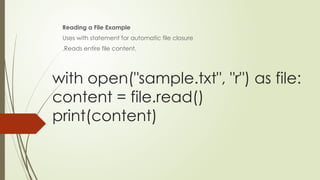
with open("sample.txt", "r") as file:
content = file.read()
print(content)
Reading a File Example
Uses with statement for automatic file closure
.Reads entire file content.
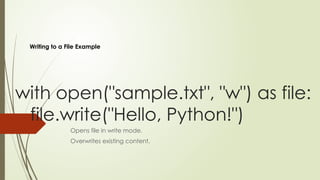
with open("sample.txt", "w") as file:
file.write("Hello, Python!")
Opens file in write mode.
Overwrites existing content.
Writing to a File Example
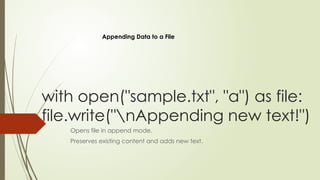
with open("sample.txt", "a") as file:
file.write("nAppending new text!")
Opens file in append mode.
Preserves existing content and adds new text.
Appending Data to a File
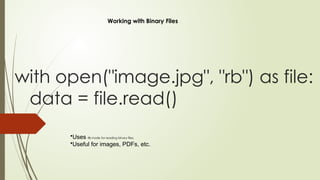
with open("image.jpg", "rb") as file:
data = file.read()
•Uses rb mode for reading binary files.
•Useful for images, PDFs, etc.
Working with Binary Files
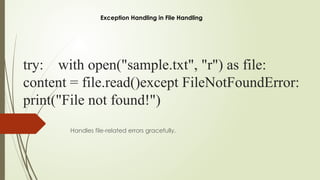
try: with open("sample.txt", "r") as file:
content = file.read()except FileNotFoundError:
print("File not found!")
Handles file-related errors gracefully.
Exception Handling in File Handling
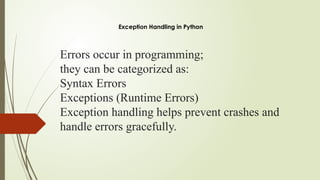
Errors occur in programming;
they can be categorized as:
Syntax Errors
Exceptions (Runtime Errors)
Exception handling helps prevent crashes and
handle errors gracefully.
Exception Handling in Python
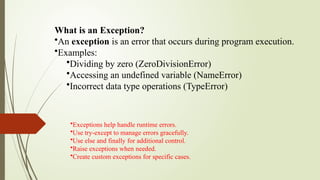
What is an Exception?
•An exception is an error that occurs during program execution.
•Examples:
•Dividing by zero (ZeroDivisionError)
•Accessing an undefined variable (NameError)
•Incorrect data type operations (TypeError)
•Exceptions help handle runtime errors.
•Use try-except to manage errors gracefully.
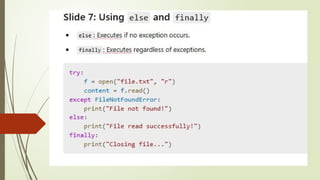
•Use else and finally for additional control.
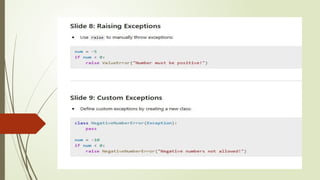
•Raise exceptions when needed.
•Create custom exceptions for specific cases.
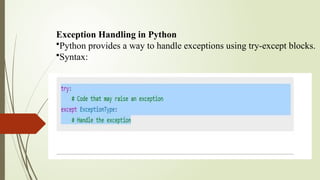
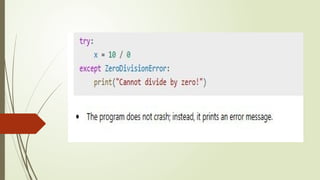
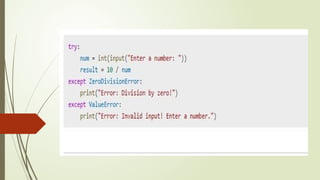
Exception Handling in Python
•Python provides a way to handle exceptions using try-except blocks.
•Syntax:

The Concepts of File Handling in Python.

The Concepts of File Handling in Python.

  • 1.
  • 2.
    Introduction to FileHandling in Python •File handling allows reading, writing, and manipulating files. •Python provides built-in functions for file operations. •Supports different file types (text, binary, etc.). File Operations •Open a file: open(filename, mode) •Read a file: read(), readline(), readlines() •Write to a file: write(), writelines() •Close a file: close()
  • 3.
    File Open Modes •r– Read mode (default) •w – Write mode (overwrites existing content) •a – Append mode (adds content to the file) •x – Exclusive creation mode •b – Binary mode •t – Text mode (default)
  • 4.
    with open("sample.txt", "r")as file: content = file.read() print(content) Reading a File Example Uses with statement for automatic file closure .Reads entire file content.
  • 5.
    with open("sample.txt", "w")as file: file.write("Hello, Python!") Opens file in write mode. Overwrites existing content. Writing to a File Example
  • 6.
    with open("sample.txt", "a")as file: file.write("nAppending new text!") Opens file in append mode. Preserves existing content and adds new text. Appending Data to a File
  • 7.
    with open("image.jpg", "rb")as file: data = file.read() •Uses rb mode for reading binary files. •Useful for images, PDFs, etc. Working with Binary Files
  • 8.
    try: with open("sample.txt","r") as file: content = file.read()except FileNotFoundError: print("File not found!") Handles file-related errors gracefully. Exception Handling in File Handling
  • 9.
    Errors occur inprogramming; they can be categorized as: Syntax Errors Exceptions (Runtime Errors) Exception handling helps prevent crashes and handle errors gracefully. Exception Handling in Python
  • 10.
    What is anException? •An exception is an error that occurs during program execution. •Examples: •Dividing by zero (ZeroDivisionError) •Accessing an undefined variable (NameError) •Incorrect data type operations (TypeError) •Exceptions help handle runtime errors. •Use try-except to manage errors gracefully. •Use else and finally for additional control. •Raise exceptions when needed. •Create custom exceptions for specific cases.
  • 11.
    Exception Handling inPython •Python provides a way to handle exceptions using try-except blocks. •Syntax: