Testing Metrics and Tools
SE401: Software Quality Assurance and Testing
1
Outline
• Testing Metrics
• Testing Tools
• Interview Questions
2
What is a Metric?
• Metrics can be defined as “STANDARDS OF MEASUREMENT”
• Metric is a unit used for describing or measuring an attribute
• Test metrics are the means by which the software quality can be measured
• Test metrics provides the visibility into the readiness of the product, and
gives clear measurement of the quality and completeness of the product
3
Testing Metrics
• "We cannot improve what we cannot measure" and Test Metrics helps us
to do exactly the same.
• Software Testing Metrics are the quantitative measures used to estimate
the progress, quality, productivity and health of the software testing
process.
• The goal of software testing metrics is to improve the efficiency and
effectiveness in the software testing process and to help make better
decisions for further testing process by providing reliable data about the
testing process.
4
Testing Metrics
• Software testing metrics or software test measurement is the quantitative
indication of extent, capacity, dimension, amount or size of some attribute
of a process or product.
• Example for software test measurement: Total number of defects
5
Why we need Metrics ?
• You cannot Control what you cannot measure
• You cannot improve what you cannot measure
• Take decision for next phase of activities
• Evidence of the claim or prediction
• Understand the type of improvement required
• Take decision or process or technology change
6
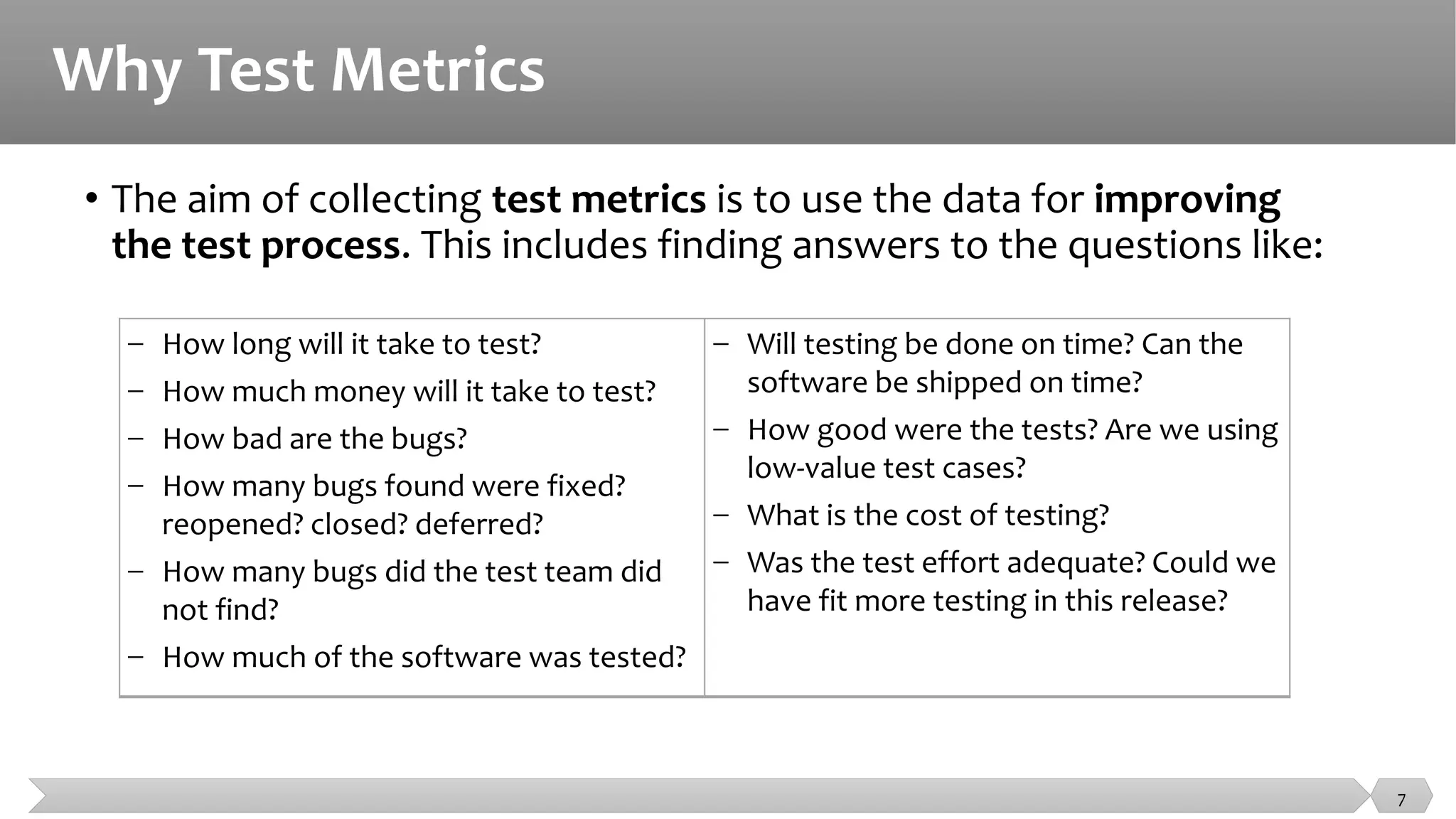
Why Test Metrics
• The aim of collecting test metrics is to use the data for improving
the test process. This includes finding answers to the questions like:
− How long will it take to test?
− How much money will it take to test?
− How bad are the bugs?
− How many bugs found were fixed?
reopened? closed? deferred?
− How many bugs did the test team did
not find?
− How much of the software was tested?
− Will testing be done on time? Can the
software be shipped on time?
− How good were the tests? Are we using
low-value test cases?
− What is the cost of testing?
− Was the test effort adequate? Could we
have fit more testing in this release?
7
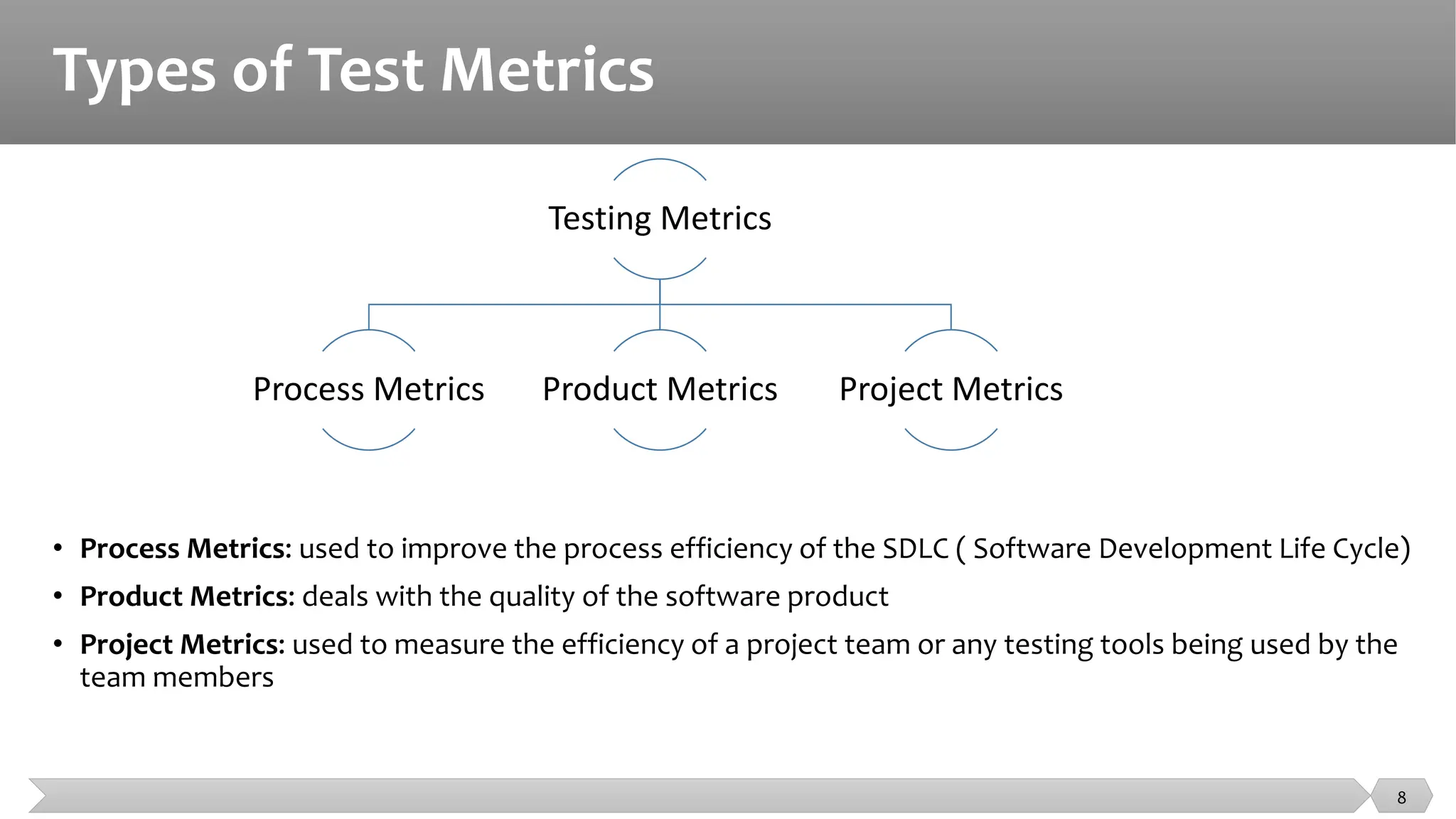
Types of Test Metrics
Testing Metrics
Process Metrics Product Metrics Project Metrics
8
• Process Metrics: used to improve the process efficiency of the SDLC ( Software Development Life Cycle)
• Product Metrics: deals with the quality of the software product
• Project Metrics: used to measure the efficiency of a project team or any testing tools being used by the
team members
Identifying Metrics
• Identification of correct testing metrics is very important.
• Few things need to be considered before identifying the test metrics
• Fix the target audience for the metric preparation
• Define the goal for metrics
• Introduce all the relevant metrics based on project needs
• Analyze the cost benefits aspect of each metrics and the project lifestyle phase in
which it results in the maximum output
9
Manual Test Metrics
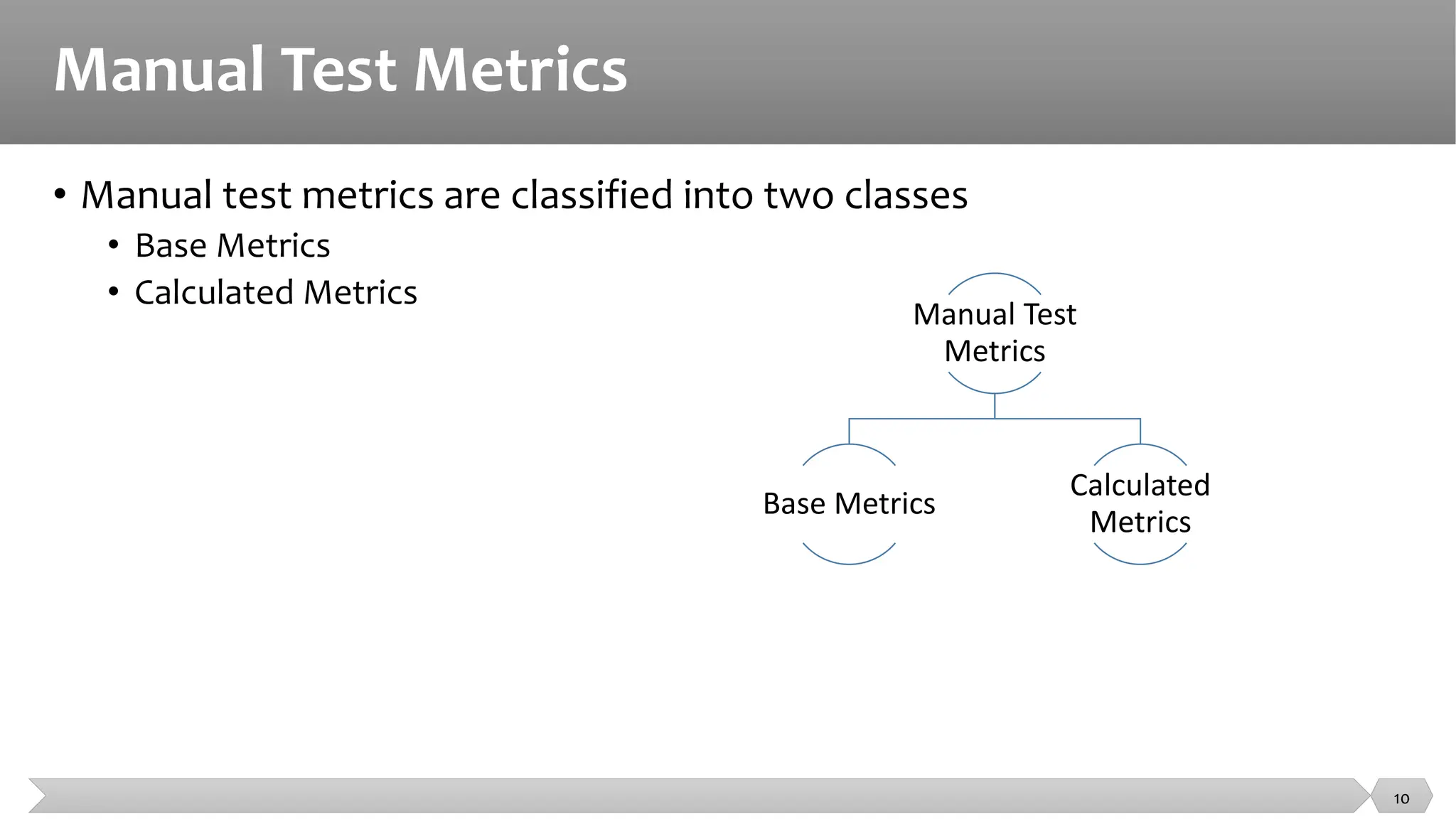
• Manual test metrics are classified into two classes
• Base Metrics
• Calculated Metrics
10
Manual Test
Metrics
Base Metrics
Calculated
Metrics
Manual Test Metrics
• Base metrics is the raw data collected by Test Analyst during the test case
development and execution (# of test cases executed, # of test cases).
• Calculated metrics are derived from the data collected in base metrics.
• Calculated metrics is usually followed by the test manager for test
reporting purpose (% Complete, % Test Coverage).
11
Testing Metrics
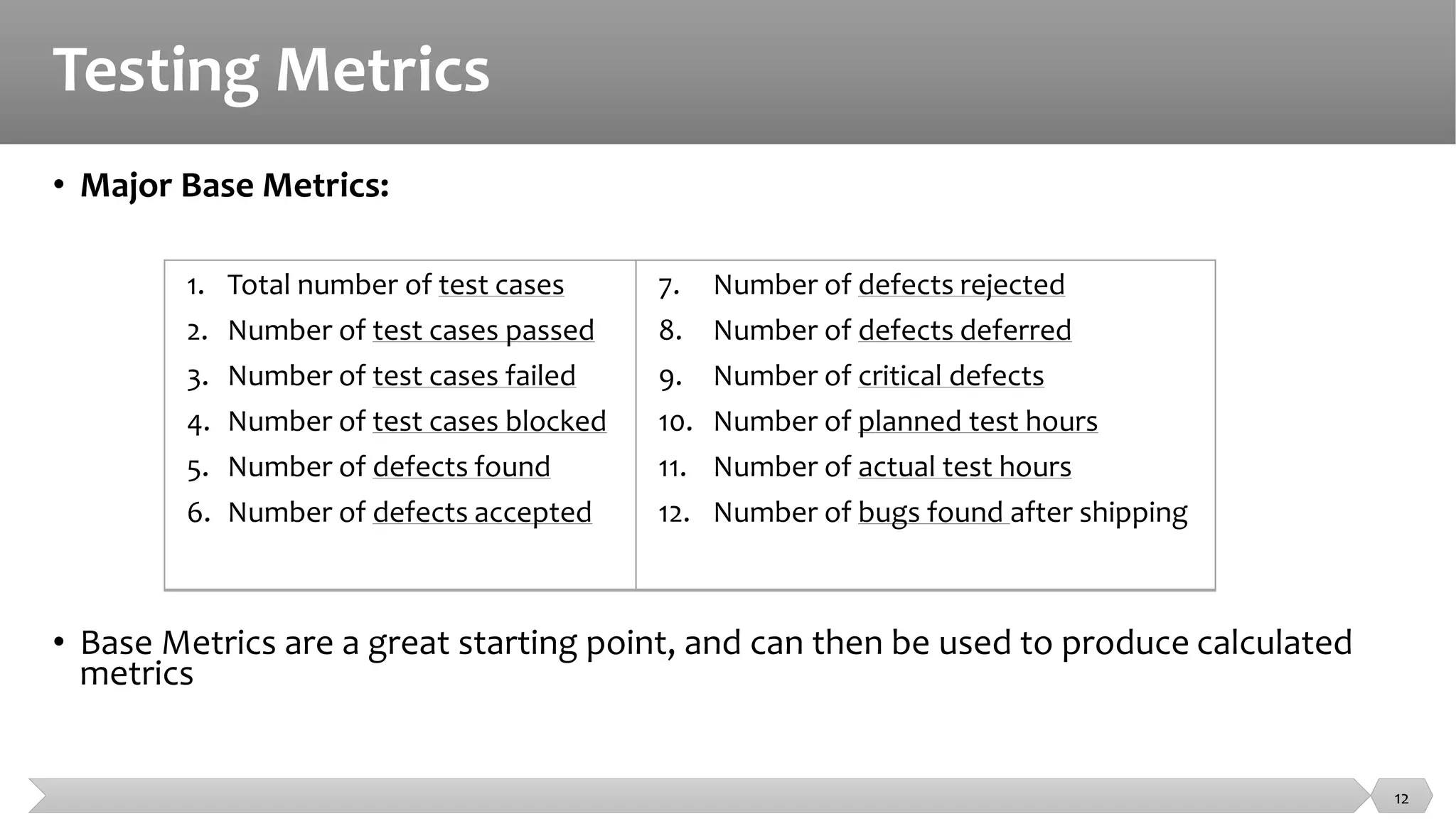
• Major Base Metrics:
• Base Metrics are a great starting point, and can then be used to produce calculated
metrics
1. Total number of test cases
2. Number of test cases passed
3. Number of test cases failed
4. Number of test cases blocked
5. Number of defects found
6. Number of defects accepted
7. Number of defects rejected
8. Number of defects deferred
9. Number of critical defects
10. Number of planned test hours
11. Number of actual test hours
12. Number of bugs found after shipping
12
Testing Metrics
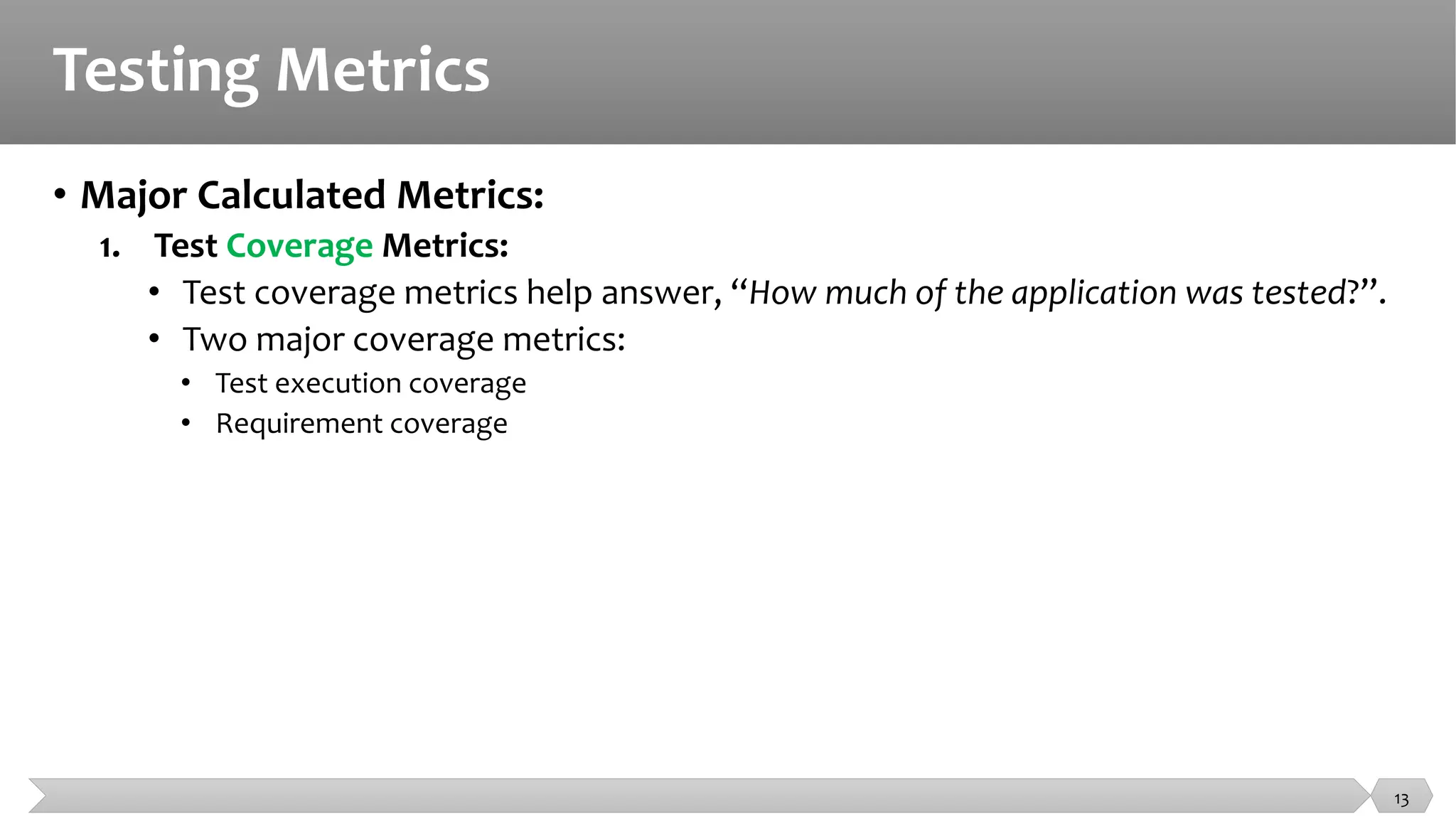
• Major Calculated Metrics:
1. Test Coverage Metrics:
• Test coverage metrics help answer, “How much of the application was tested?”.
• Two major coverage metrics:
• Test execution coverage
• Requirement coverage
13
Testing Metrics
• Major Calculated Metrics:
1. Test Coverage Metrics:
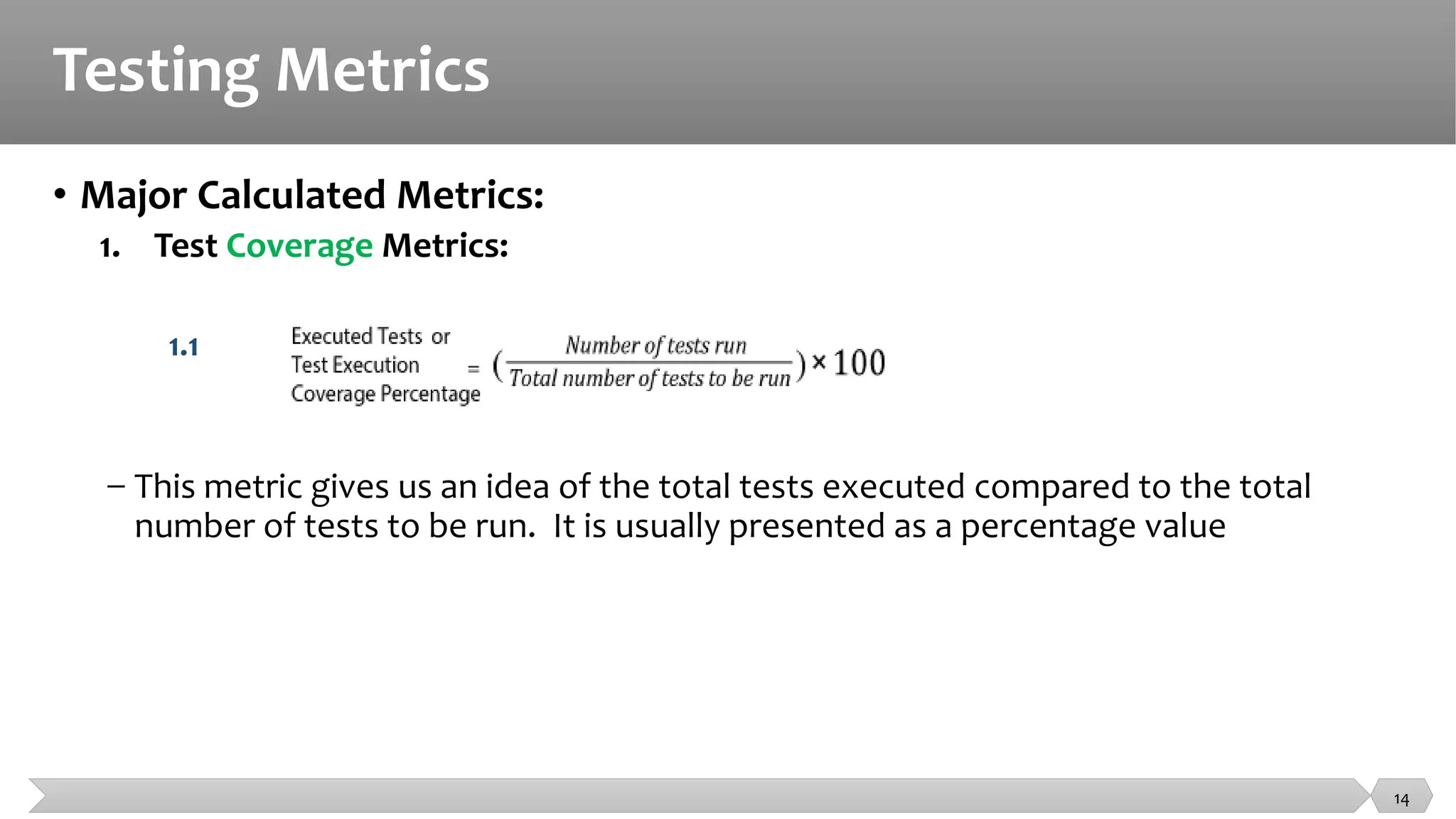
1.1
− This metric gives us an idea of the total tests executed compared to the total
number of tests to be run. It is usually presented as a percentage value
14
Testing Metrics
• Major Calculated Metrics:
1. Test Coverage Metrics:
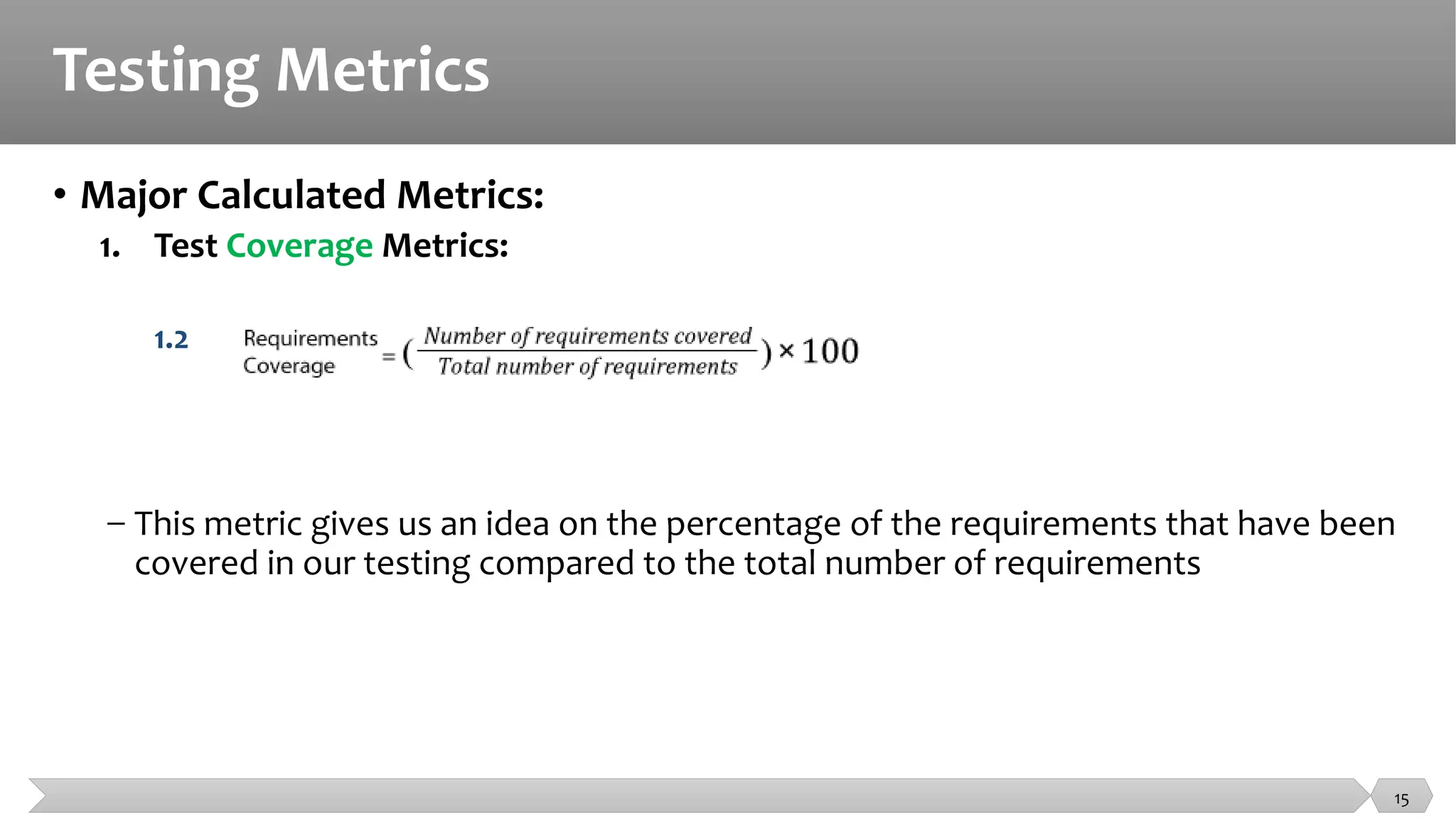
1.2
− This metric gives us an idea on the percentage of the requirements that have been
covered in our testing compared to the total number of requirements
15
Testing Metrics
• Major Calculated Metrics:
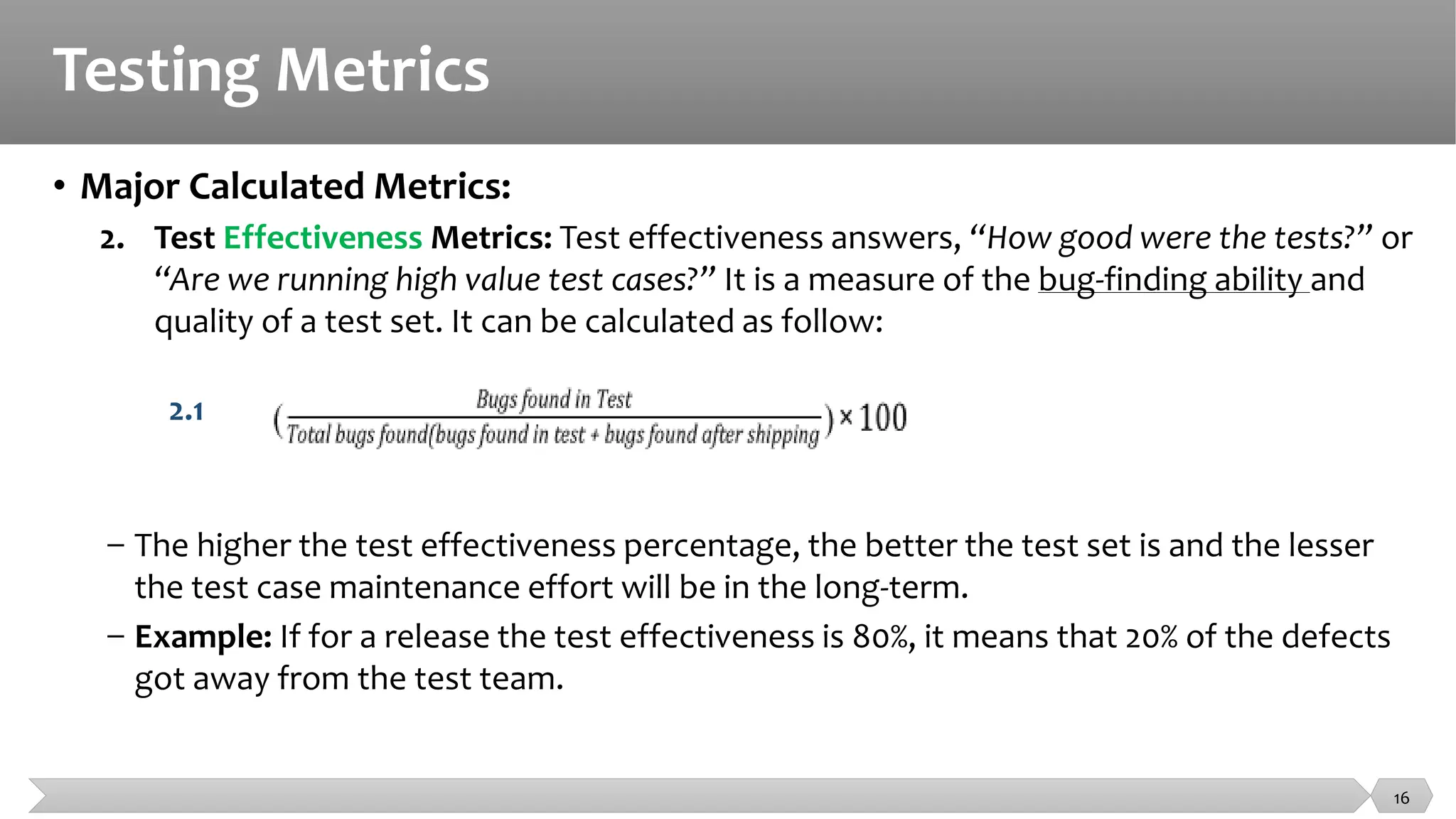
2. Test Effectiveness Metrics: Test effectiveness answers, “How good were the tests?” or
“Are we running high value test cases?” It is a measure of the bug-finding ability and
quality of a test set. It can be calculated as follow:
2.1
− The higher the test effectiveness percentage, the better the test set is and the lesser
the test case maintenance effort will be in the long-term.
− Example: If for a release the test effectiveness is 80%, it means that 20% of the defects
got away from the test team.
16
Testing Metrics
• Major Calculated Metrics:
3. Test Effort Metrics:
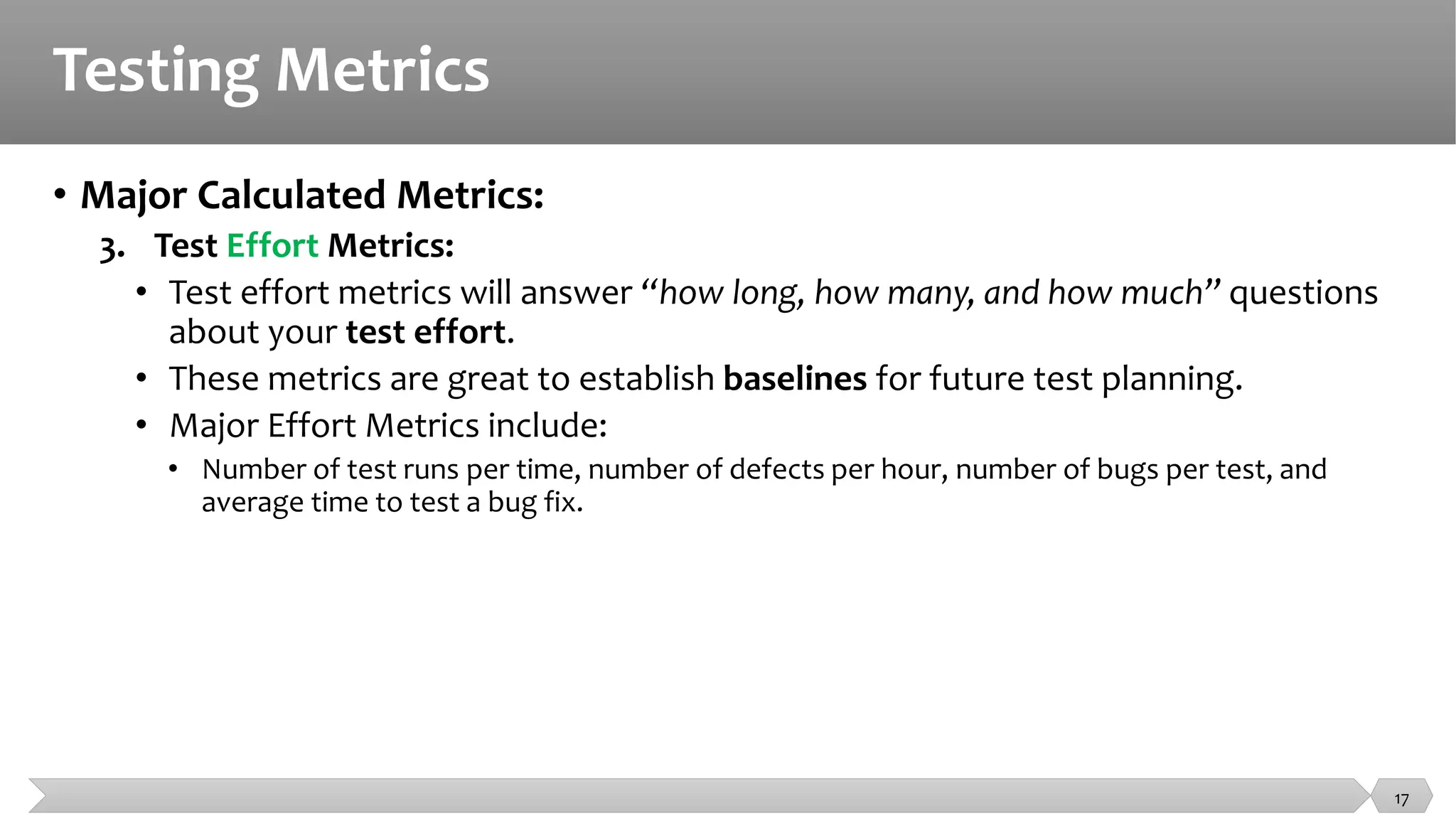
• Test effort metrics will answer “how long, how many, and how much” questions
about your test effort.
• These metrics are great to establish baselines for future test planning.
• Major Effort Metrics include:
• Number of test runs per time, number of defects per hour, number of bugs per test, and
average time to test a bug fix.
17
Testing Metrics
• Major Calculated Metrics:
3. Test Effort Metrics:
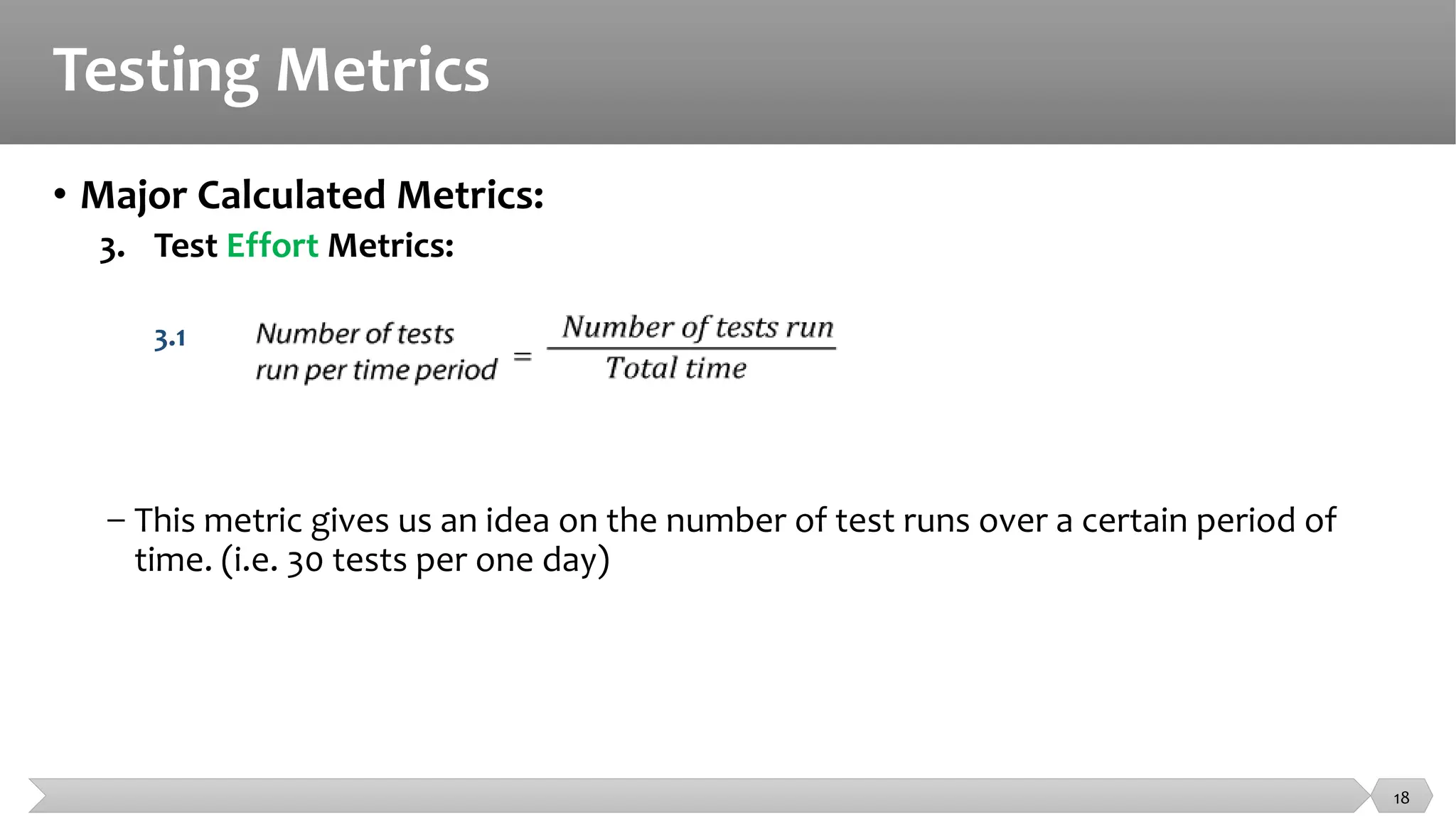
3.1
− This metric gives us an idea on the number of test runs over a certain period of
time. (i.e. 30 tests per one day)
18
Testing Metrics
• Major Calculated Metrics:
3. Test Effort Metrics:
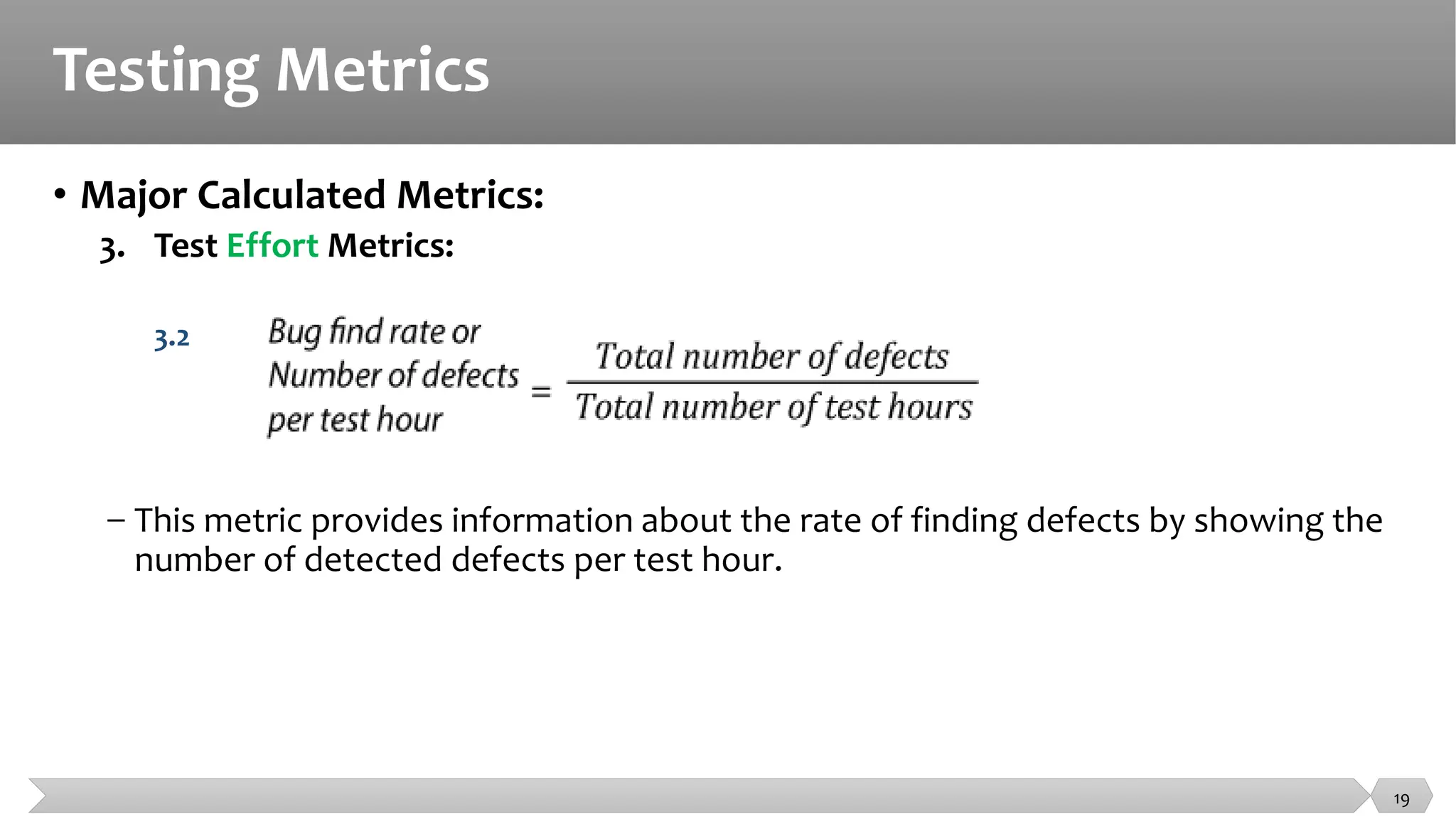
3.2
− This metric provides information about the rate of finding defects by showing the
number of detected defects per test hour.
19
Testing Metrics
• Major Calculated Metrics:
3. Test Effort Metrics:
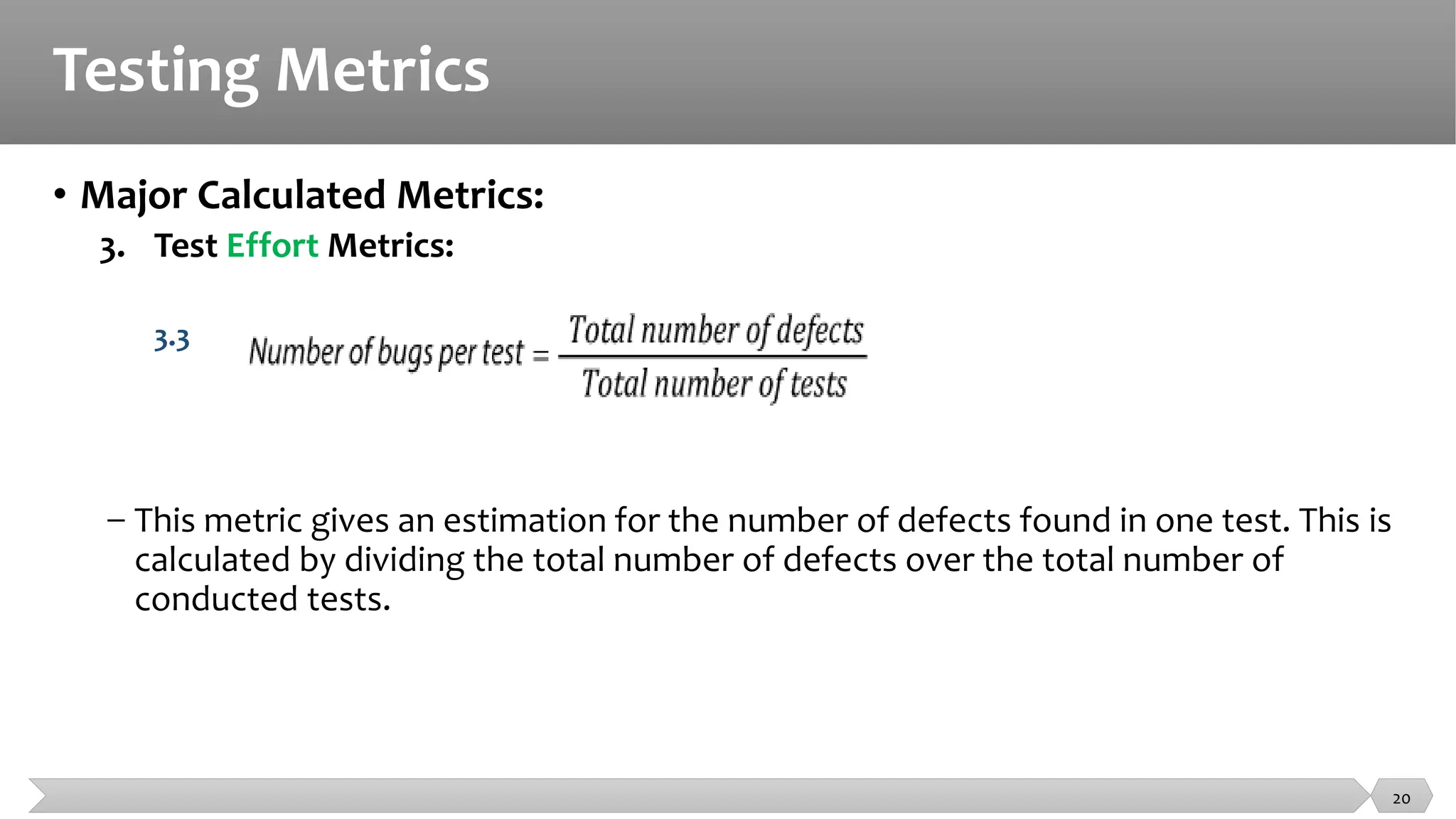
3.3
− This metric gives an estimation for the number of defects found in one test. This is
calculated by dividing the total number of defects over the total number of
conducted tests.
20
Testing Metrics
• Major Calculated Metrics:
3. Test Effort Metrics:
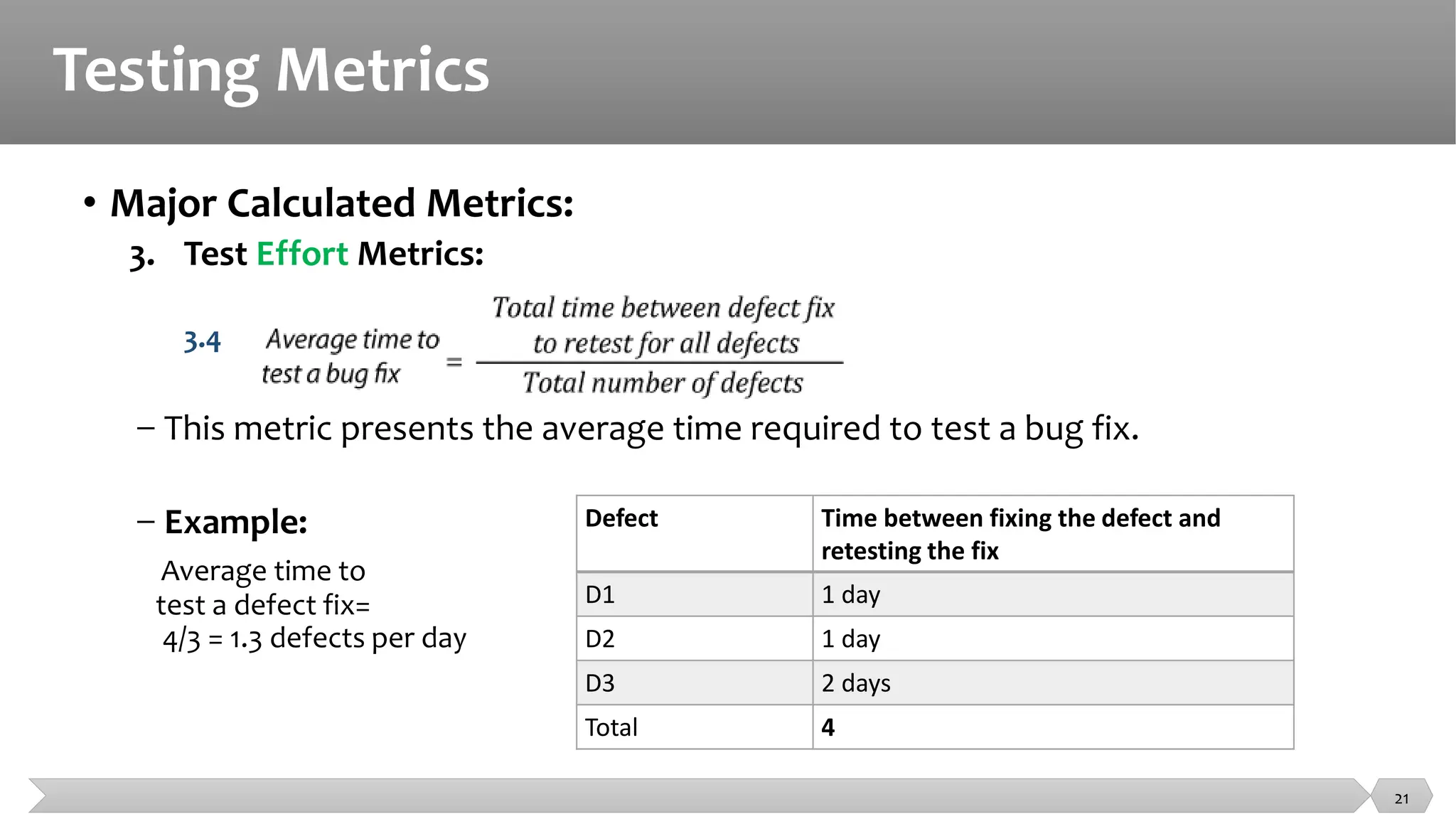
3.4
− This metric presents the average time required to test a bug fix.
− Example:
Average time to
test a defect fix=
4/3 = 1.3 defects per day
Defect Time between fixing the defect and
retesting the fix
D1 1 day
D2 1 day
D3 2 days
Total 4
21
Testing Metrics
• Major Calculated Metrics:
4. Test Tracking and Quality Metrics:
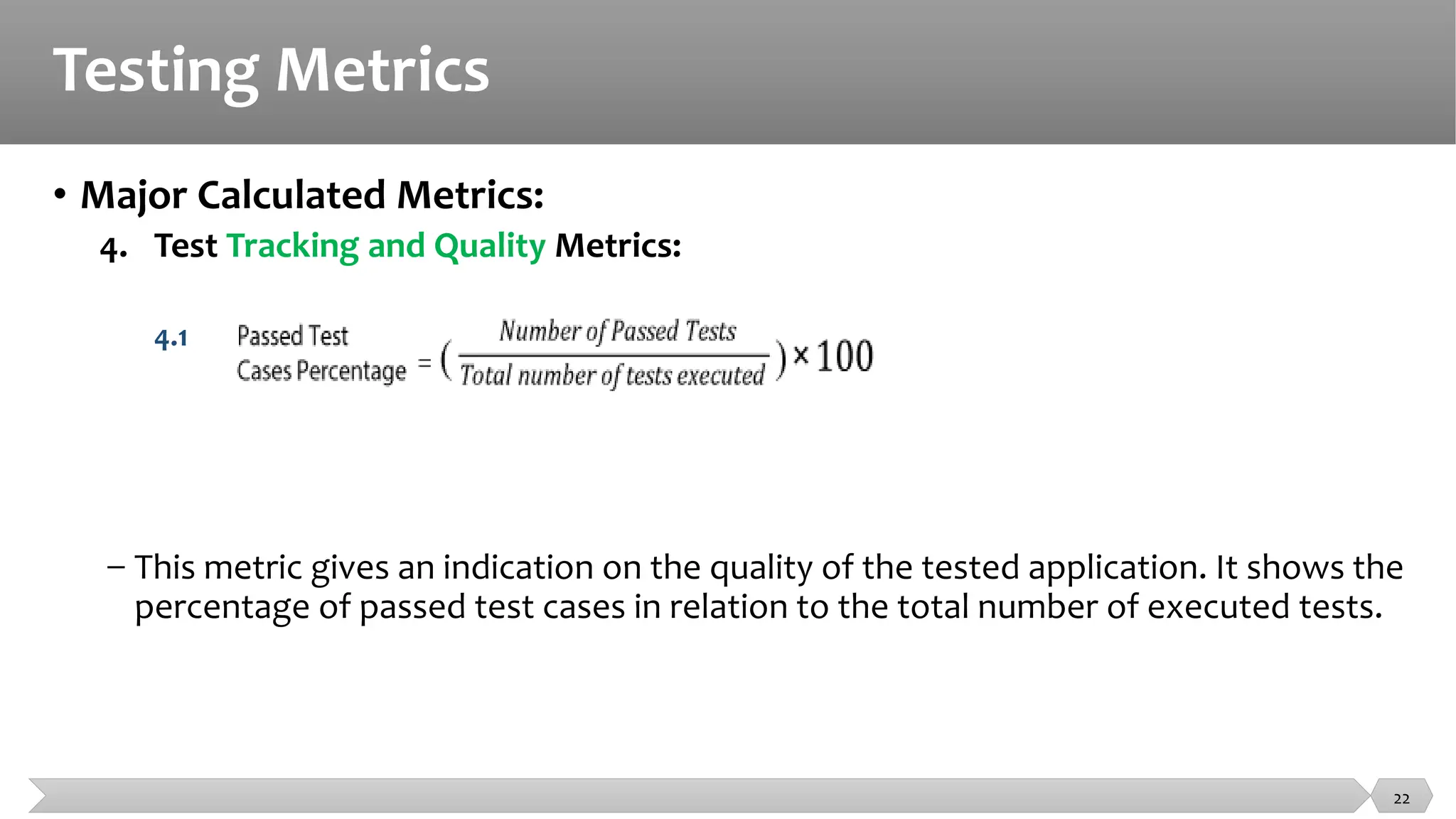
4.1
− This metric gives an indication on the quality of the tested application. It shows the
percentage of passed test cases in relation to the total number of executed tests.
22
Testing Metrics
• Major Calculated Metrics:
4. Test Tracking and Quality Metrics:
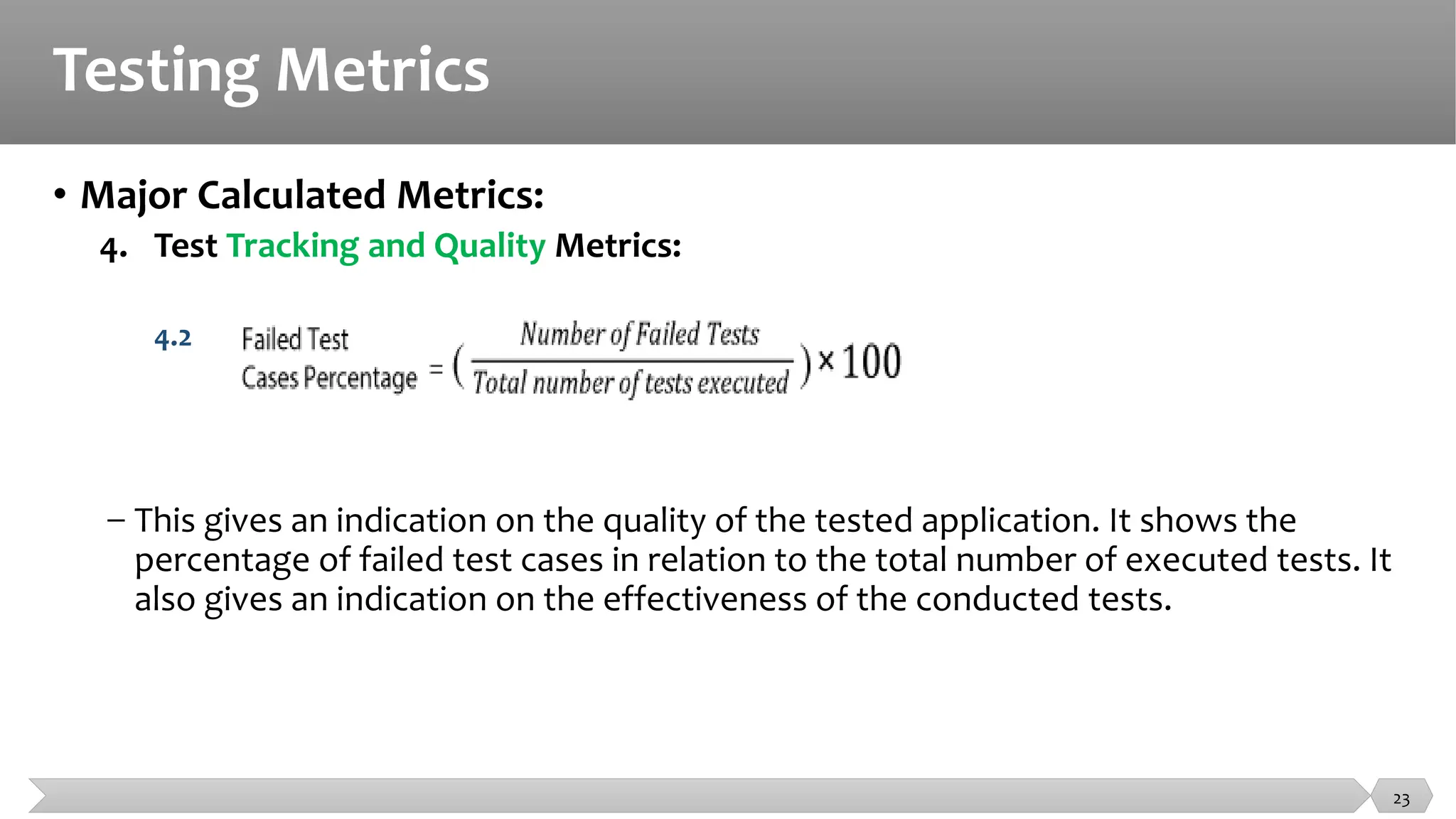
4.2
− This gives an indication on the quality of the tested application. It shows the
percentage of failed test cases in relation to the total number of executed tests. It
also gives an indication on the effectiveness of the conducted tests.
23
Testing Metrics
• Major Calculated Metrics:
4. Test Tracking and Quality Metrics:
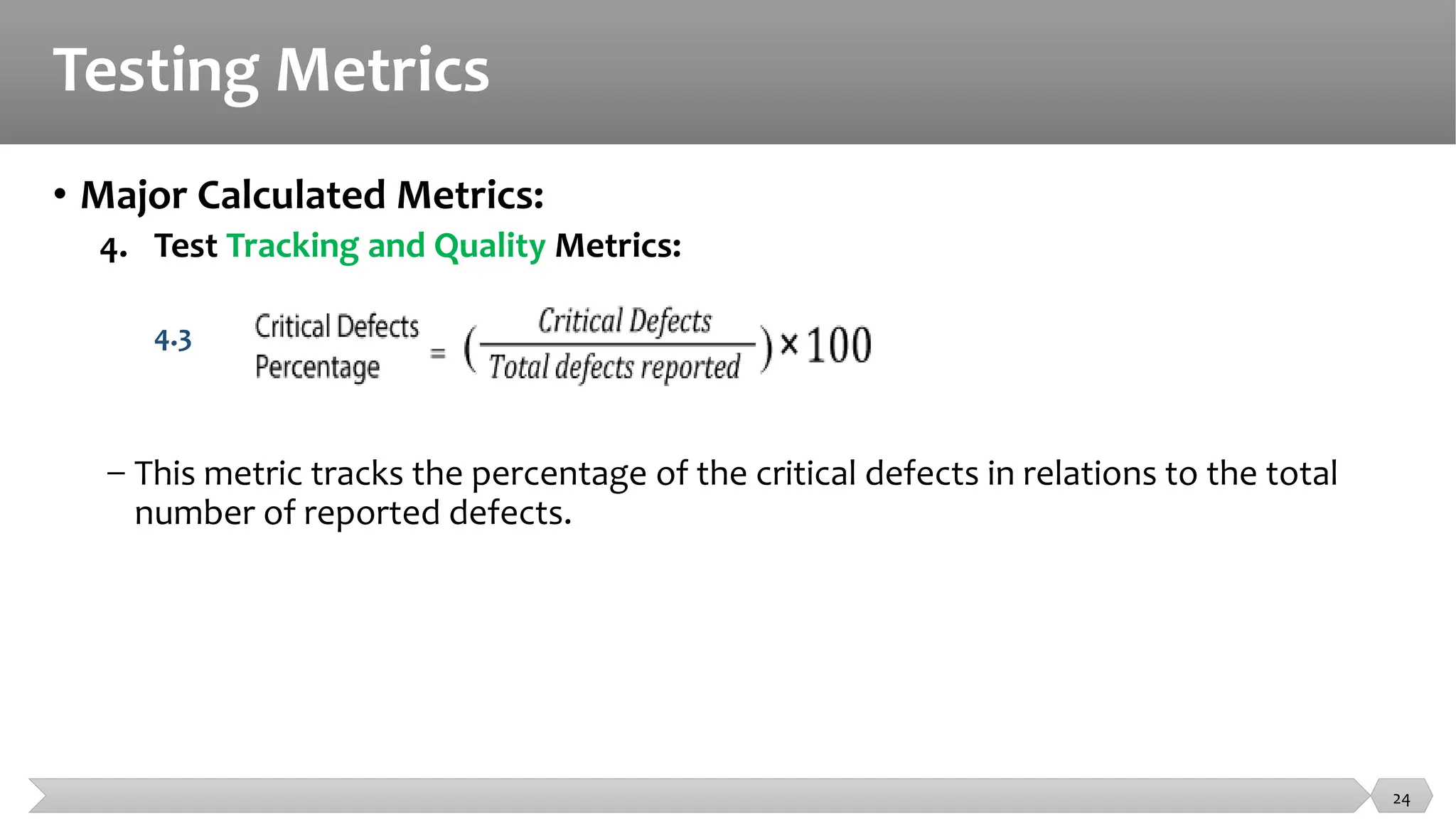
4.3
− This metric tracks the percentage of the critical defects in relations to the total
number of reported defects.
24
Testing Metrics
• Major Calculated Metrics:
4. Test Tracking and Quality Metrics:
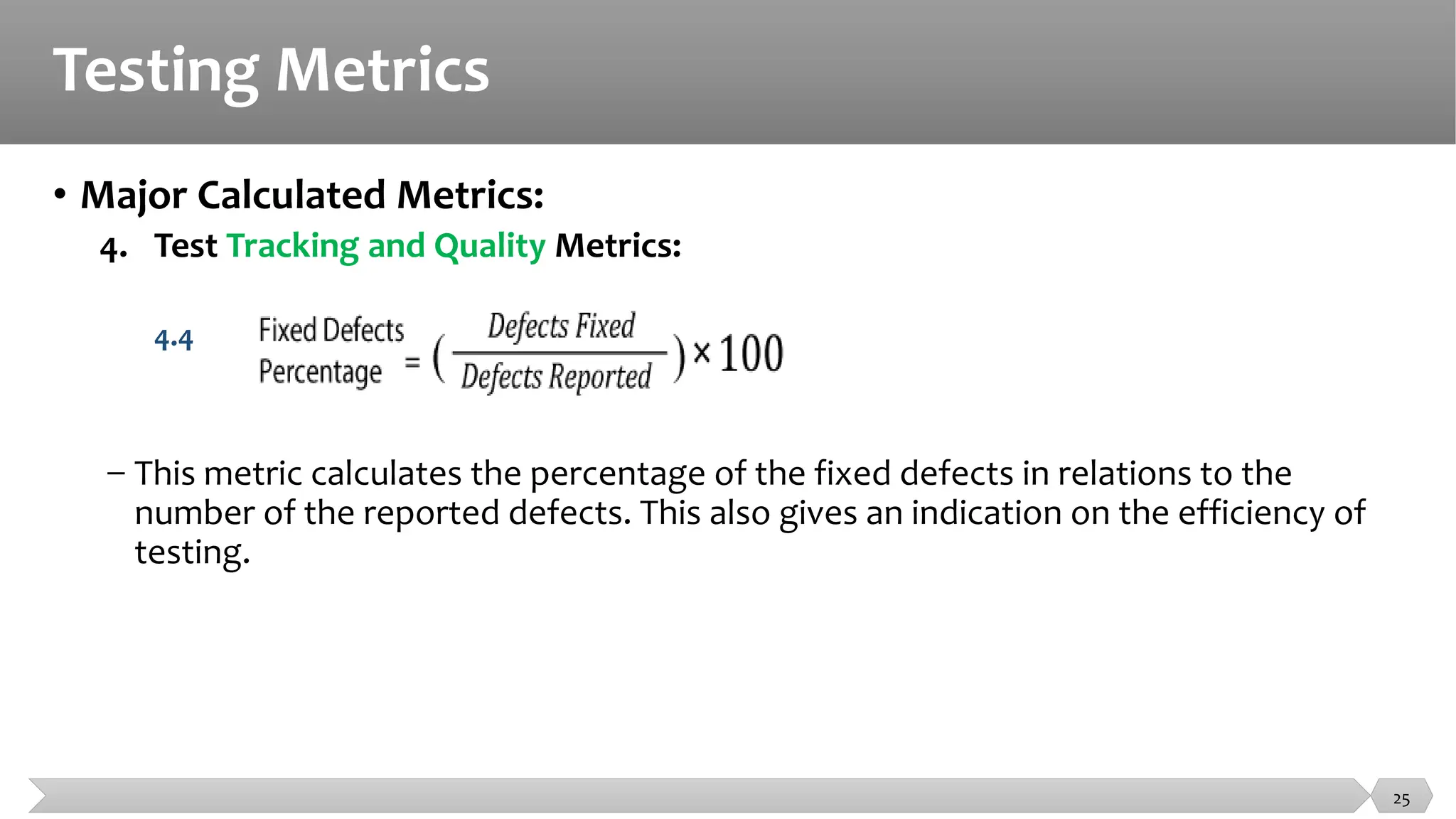
4.4
− This metric calculates the percentage of the fixed defects in relations to the
number of the reported defects. This also gives an indication on the efficiency of
testing.
25
Testing Metrics
• Major Calculated Metrics:
5. Test Efficiency Metrics:
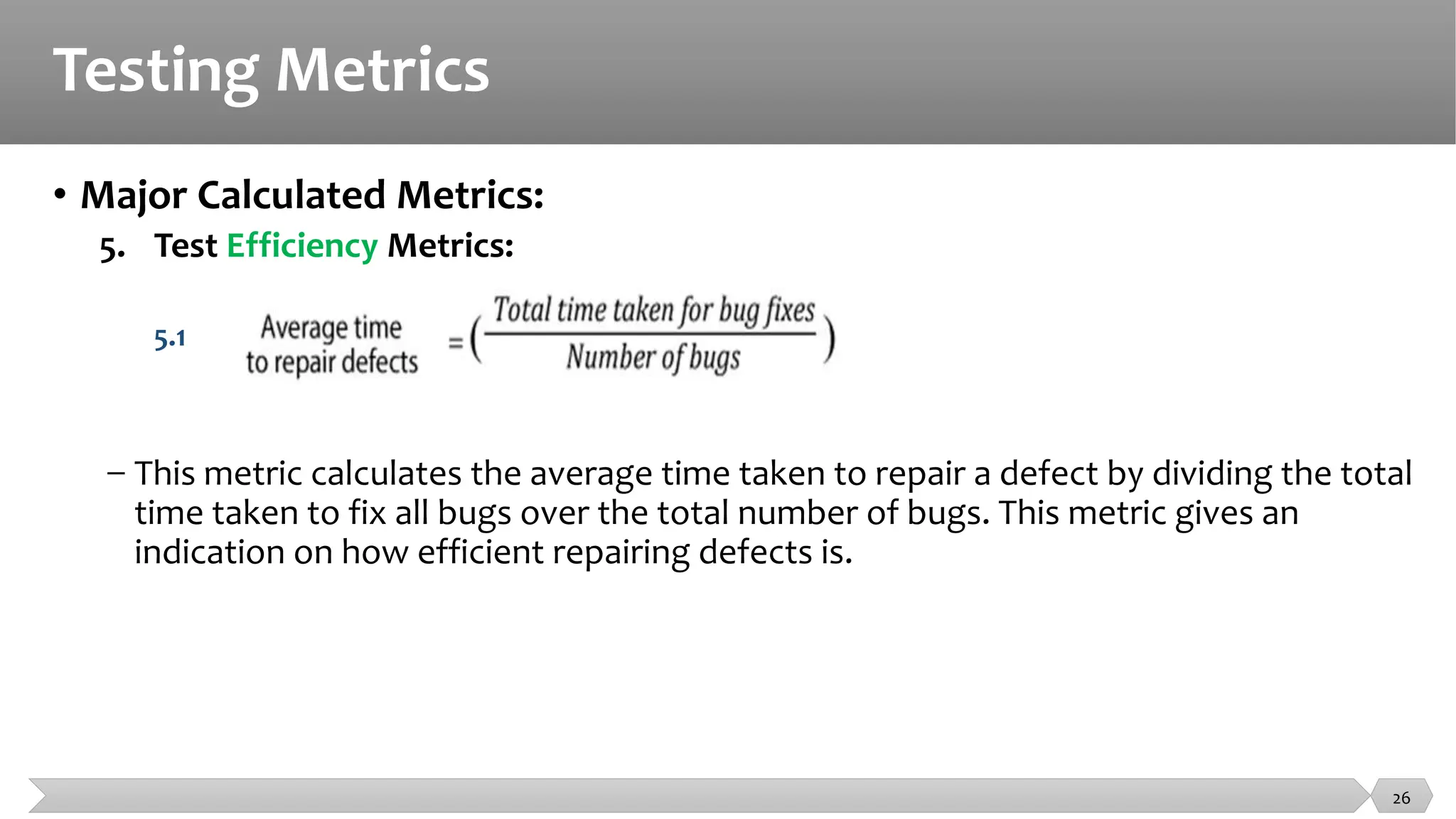
5.1
− This metric calculates the average time taken to repair a defect by dividing the total
time taken to fix all bugs over the total number of bugs. This metric gives an
indication on how efficient repairing defects is.
26
Testing Metrics
• Major Calculated Metrics:
− More Metrics are used to monitor the testing team productivity, Cost of testing
products, etc.
− You can read more about testing metrics in:
− https://www.qasymphony.com/blog/64-test-metrics/
− https://softcrylic.com/blogs/top-25-metrics-measure-continuous-testing-process/
− https://www.getzephyr.com/resources/whitepapers/qa-metrics-value-testing-metrics-within-
software-development
27
Cumulative Test Time
• The total amount of time spent actually testing the product measured in
test hours
• Provides an indication of product quality
• Is used in computing software reliability growth (the improvement in
software reliability that results from correcting faults in the software)
28
Test Coverage Metrics
• Code Coverage (How much of the code is being exercised?)
• Requirements coverage (Are all the product’s features being tested?)
• The percentage of requirements covered by at least one test
29
Quality Metrics
• Defect removal percentage
• What percentage of known defects is fixed at release?
• [Number of bugs fixed prior to release/ Number of known bugs prior to release] x 100
• Defects reported in each baseline
• Can be used to help make decisions regarding process improvements, additional
regression testing, and ultimate release of the software
• Defect detection efficiency
• How well are we performing testing?
• [Number of unique defects we find / (Number of unique defects we find + Number of unique defects
reported by customers)] x 100
• Can be used to help make decisions regarding release of the final product and the
degree to which your testing is similar to actual customer use
30
Summary
• Fundamental test metrics are a combination of Base Metrics that can then
be used to produce Calculated Metrics.
• Base Metrics  raw collected data
• Calculated Metrics  calculated from the base metrics
31
Summary
32
• Major Base Software Test Metrics
• Total number of test cases
• Number of test cases passed
• Number of test cases failed
• Number of test cases blocked
• Number of defects found
• Number of defects accepted
• Number of defects rejected
• Number of defects deferred
• Number of critical defects
• Number of planned test hours
• Number of actual test hours
• Number of bugs found after shipping
• Major Calculated Software Test Metrics
• Coverage
• Test Execution Coverage
• Requirement Coverage
• Effectiveness
• Effort
• Number of tests run per time
• Number of defects per hour
• Number of defects per test
• Average time to test a bug fix
• Quality
• Passed test cases
• Failed test cases
• Critical test cases
• Fixed Defect percentage
• Efficiency
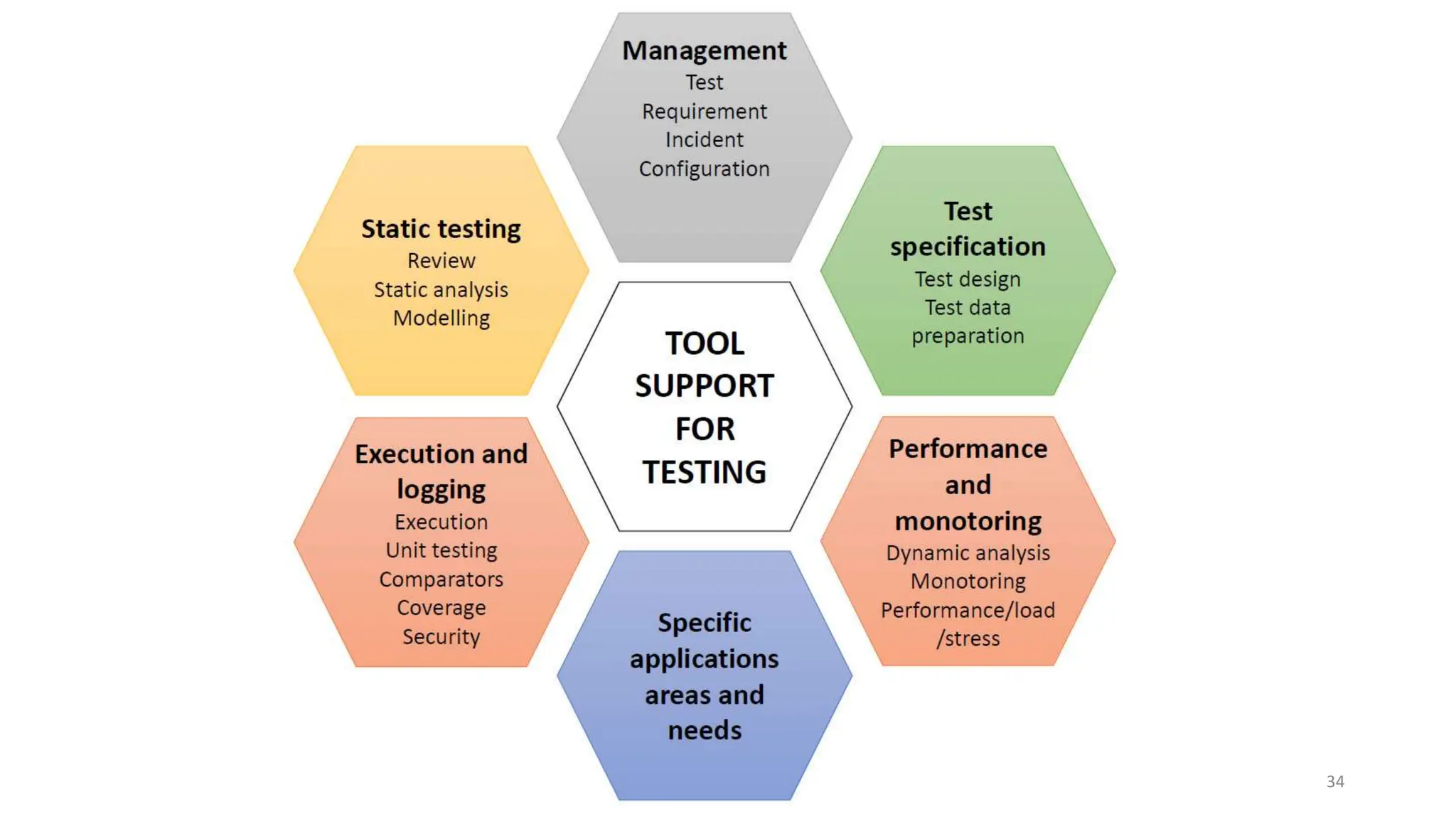
Testing Tools
33
34
Tool support for testing - types of tools
• Test tools can be used for one or more activities that support testing:
• Used directly in testing (e.g. test execution tools, test data generation tools, result
comparison tools)
• Help in managing the testing process (e.g. test results, requirements, incidents,
defects) and for monitoring and reporting the test execution
• Used in exploration (e.g. tools that monitor the file activity for an application)
• Any tool that aids in testing
35
Tool support for testing - purposes
• Tools can have one or more purposes, depending on the context:
• improve the efficiency of the test activities (e.g. by automating repetitive tasks)
• automate activities that require significant resources when done manually (e.g.
static testing)
• automate activities that cannot be done manually (e.g. large scale performance
testing of client server applications)
• increase reliability of testing (by automating large data comparisons or simulating
complex behavior)
36
Testing Management Tools
37
Testing Management Tools
• Characteristics
• Support for the management of tests and the testing activities
• Support for traceability of tests, test results and incidents to source documents,
such as requirements specifications.
• Generation of progress reports
• Logging test results (Monitoring)
• Offer info on metrics related to the tests.
38
Testing Management Tools
• Test management tools and application lifecycle management tool (ALM)
• Requirements management tools
• Store requirements
• Check for consistency and undefined (missing) requirements
• Allow prioritization
• Requirements-Tests Traceability
• Defect management tools
• Configuration management tools
• Necessary to keep track of different versions and builds of SW and tests
• Useful when developing on more than one configuration of the HW/SW
environment
• Continuous integrations tool
39
Static Testing Tools
40
Static Testing Tools
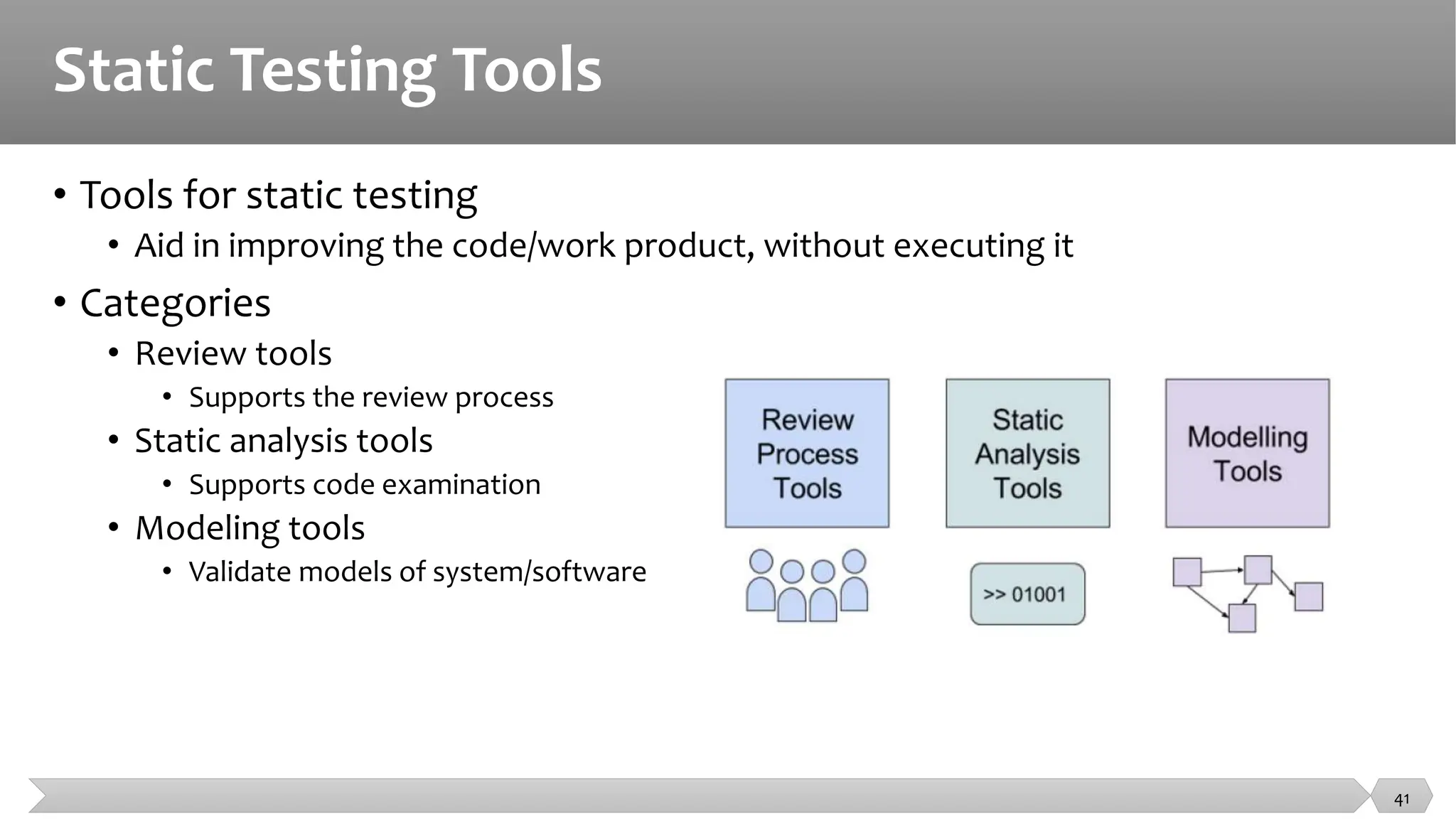
• Tools for static testing
• Aid in improving the code/work product, without executing it
• Categories
• Review tools
• Supports the review process
• Static analysis tools
• Supports code examination
• Modeling tools
• Validate models of system/software
41
Static Testing Tools
• Review process tools
• Common reference for the review processes conducted
• Keep track of all the information from the review process
• Store and communicate review comments, report on defects and effort
• Monitoring review status --> Passed, passed with corrections, require re-review
• When to use?
• Suitable for more formal review processes
• Geographically dispersed teams
42
Static Testing Tools
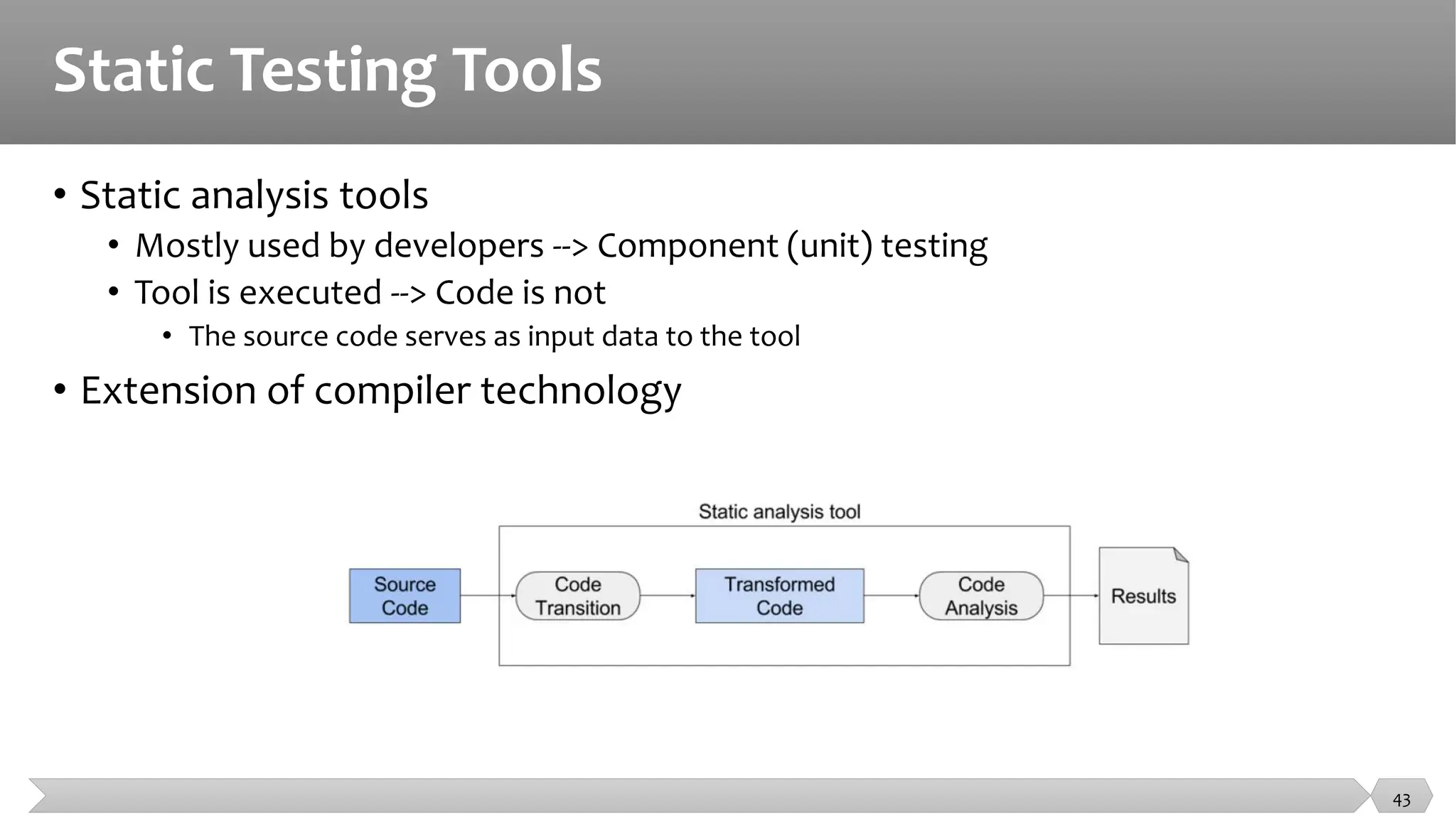
• Static analysis tools
• Mostly used by developers --> Component (unit) testing
• Tool is executed --> Code is not
• The source code serves as input data to the tool
• Extension of compiler technology
43
Static Testing Tools
• Static analysis tools
• Supports developers and testers in finding defects before dynamic testing
• Purpose
• To better understand the code, and find ways of improving it
• Common features
• Calculate metrics --> Complexity, nesting levels --> identify areas of risk
• Enforce coding standards
• Analyze code structures and dependencies
44
Static Testing Tools
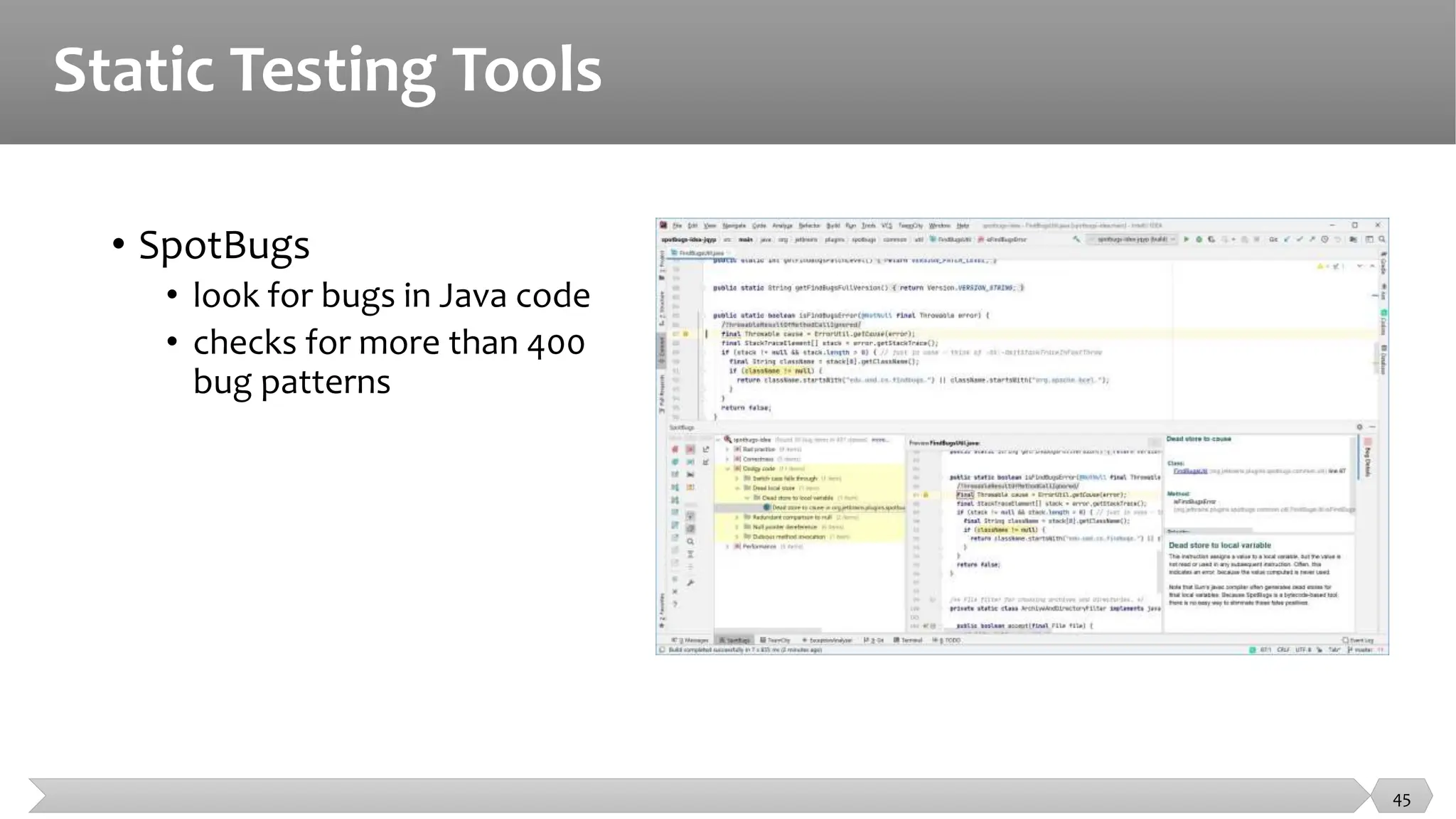
• SpotBugs
• look for bugs in Java code
• checks for more than 400
bug patterns
45
Static Testing Tools
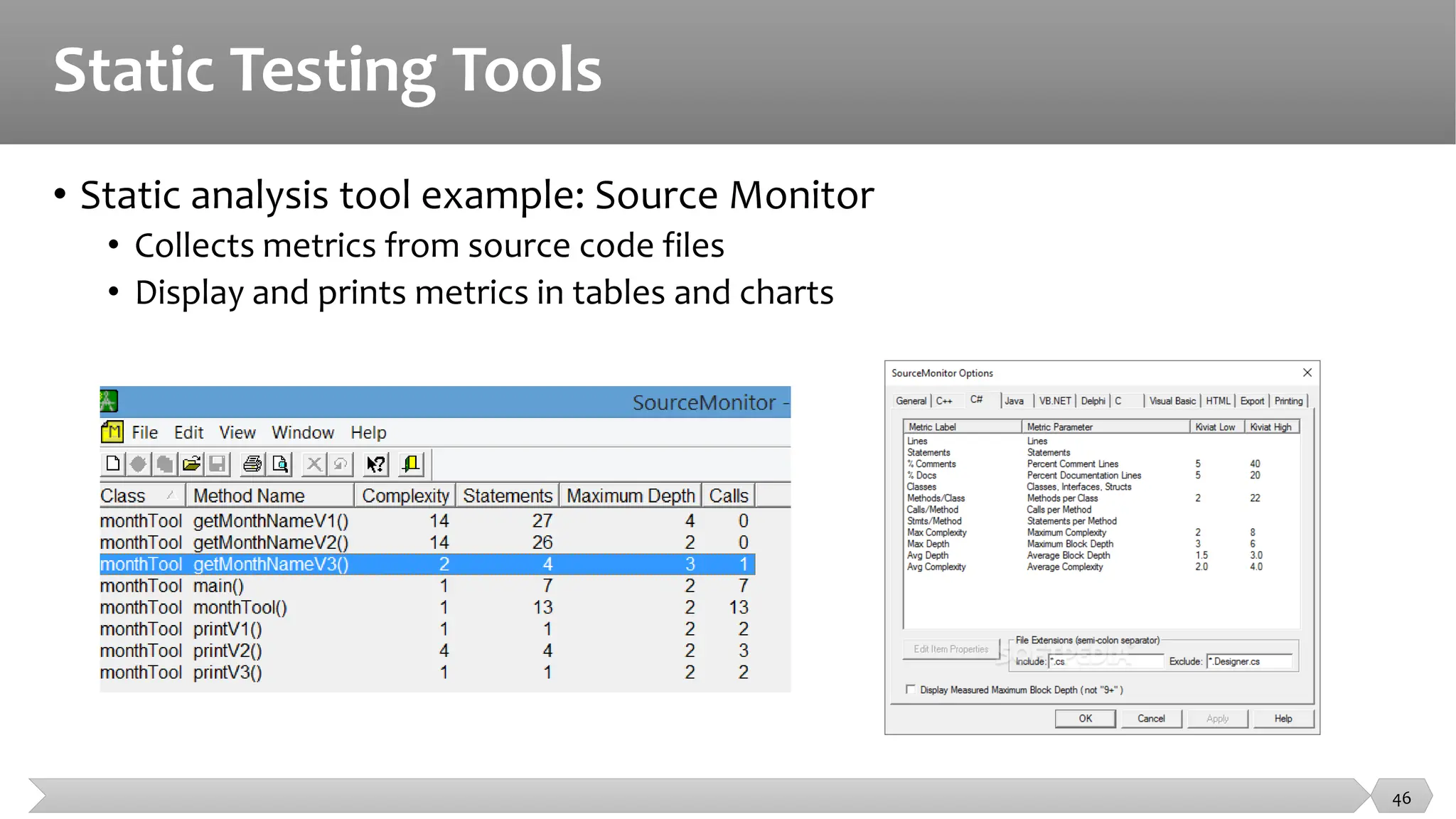
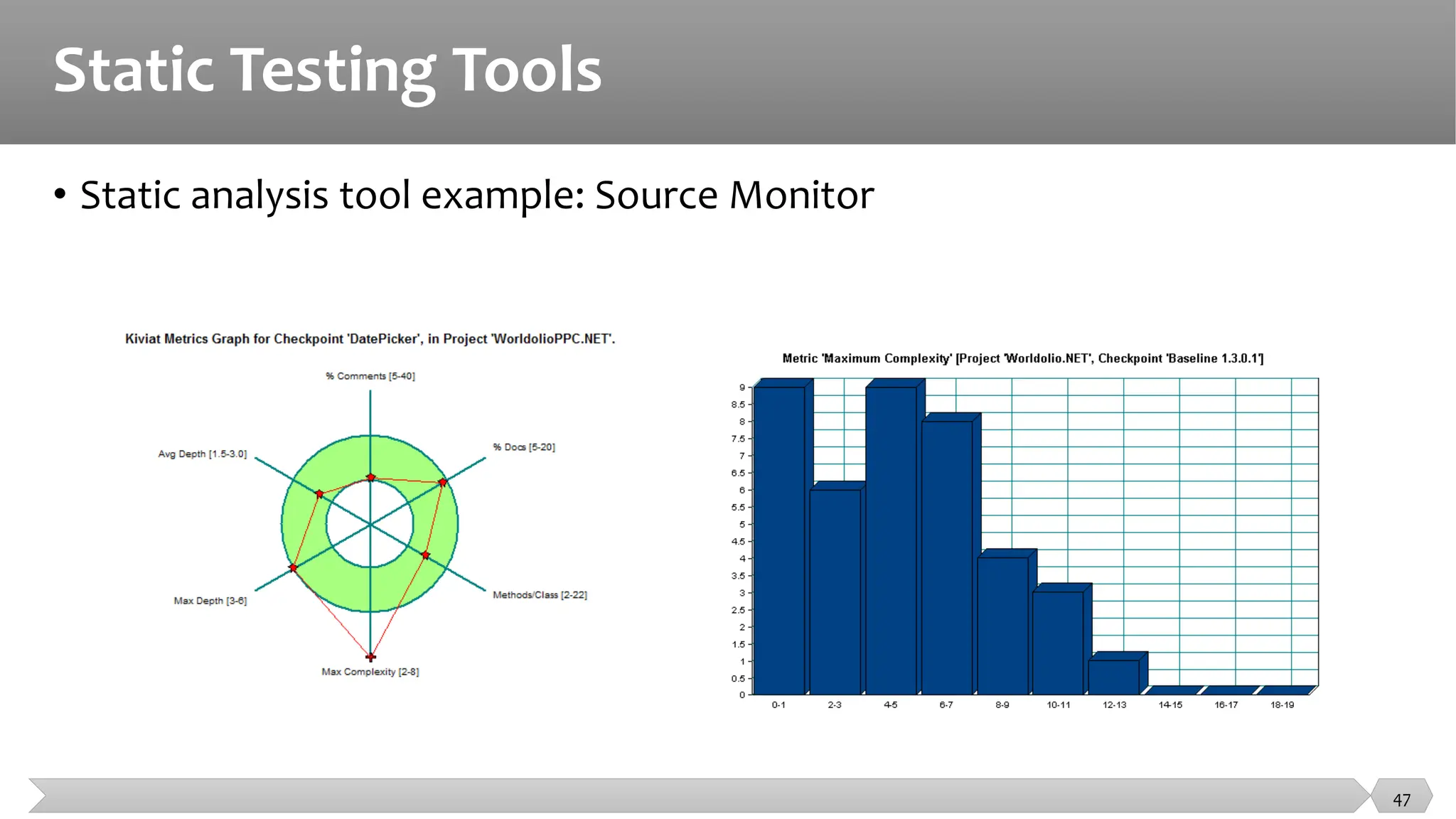
• Static analysis tool example: Source Monitor
• Collects metrics from source code files
• Display and prints metrics in tables and charts
46
Static Testing Tools
• Static analysis tool example: Source Monitor
47
Static Testing Tools
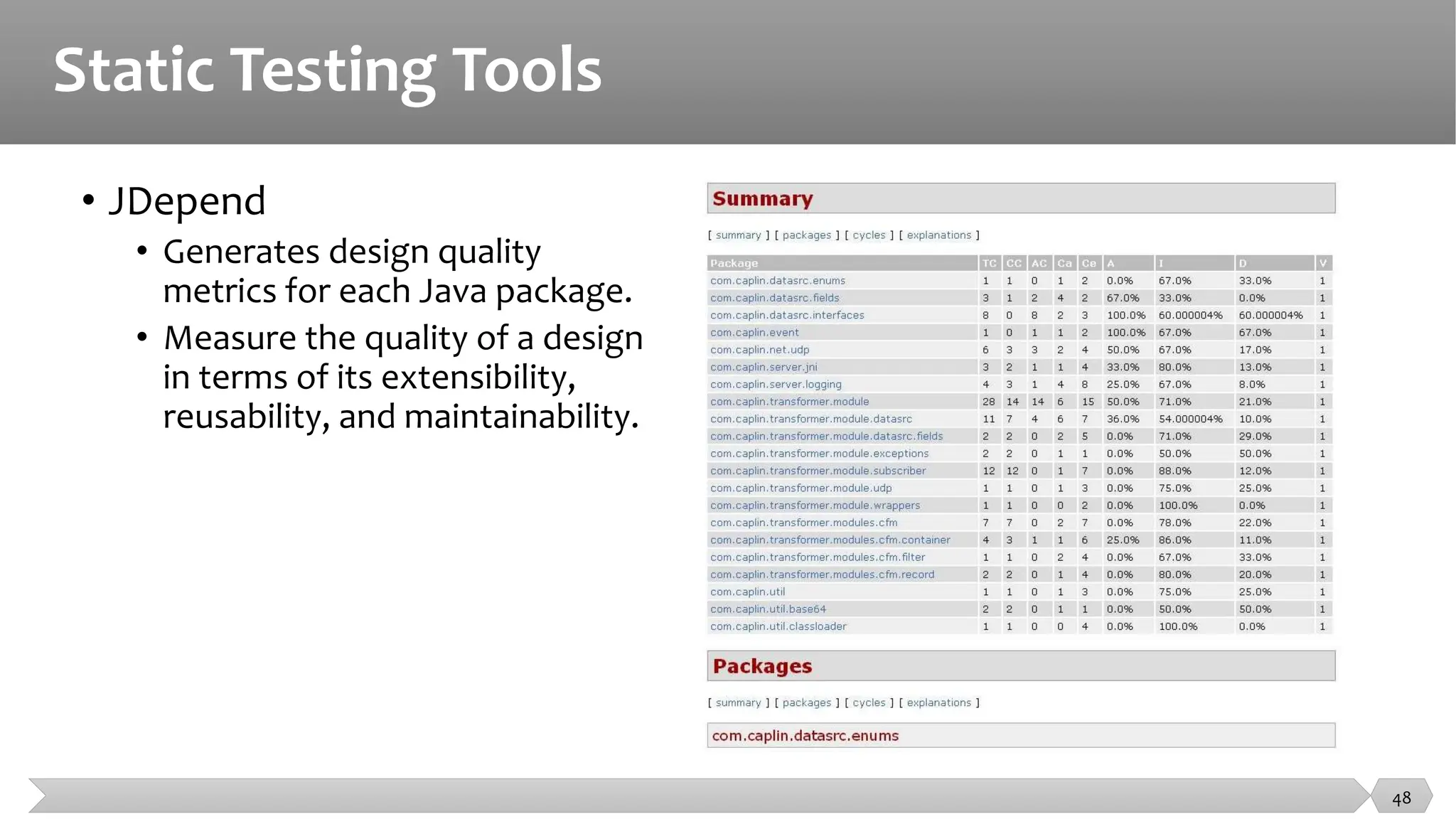
• JDepend
• Generates design quality
metrics for each Java package.
• Measure the quality of a design
in terms of its extensibility,
reusability, and maintainability.
48
Static Testing Tools
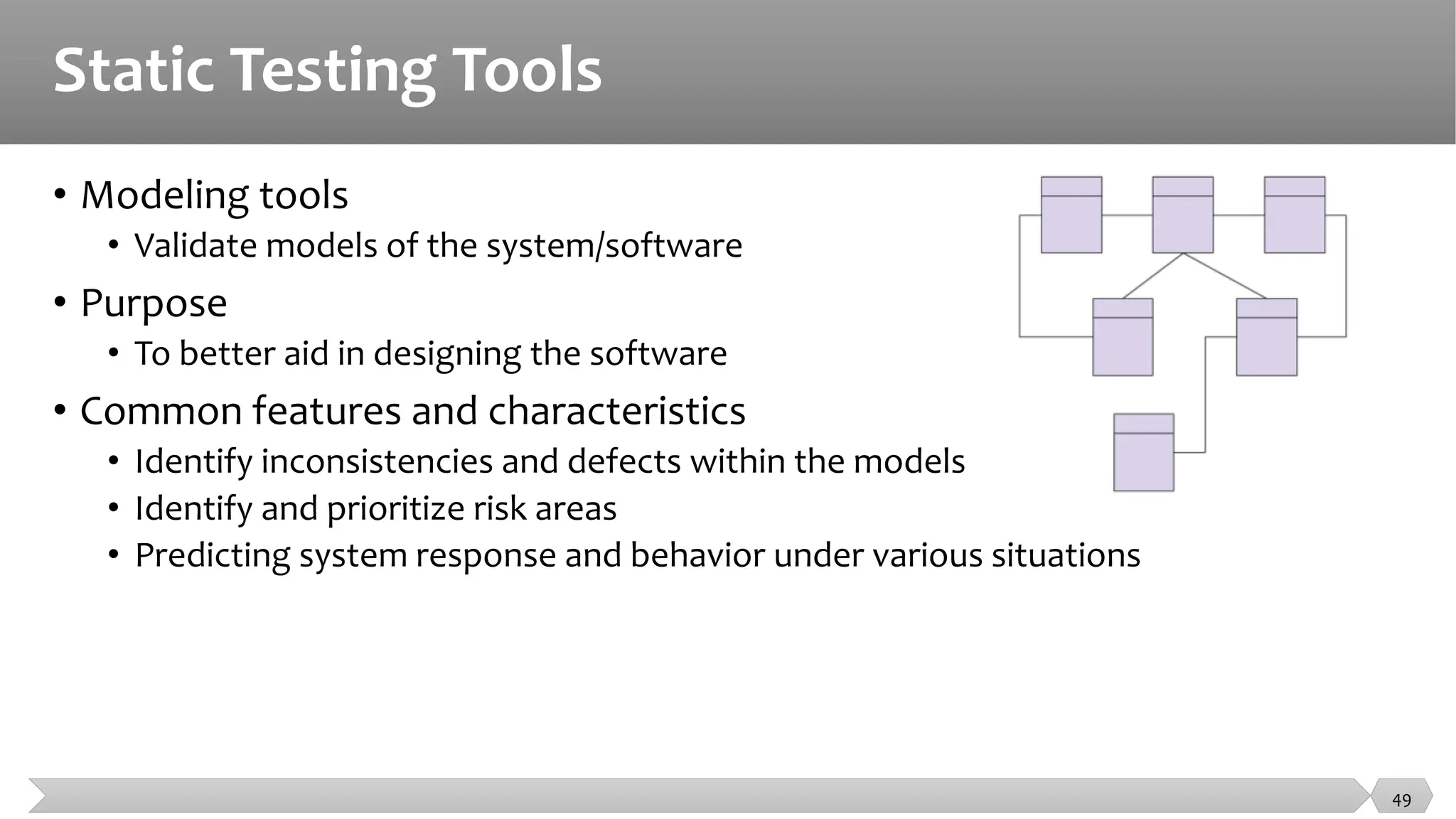
• Modeling tools
• Validate models of the system/software
• Purpose
• To better aid in designing the software
• Common features and characteristics
• Identify inconsistencies and defects within the models
• Identify and prioritize risk areas
• Predicting system response and behavior under various situations
49
Static Testing Tools
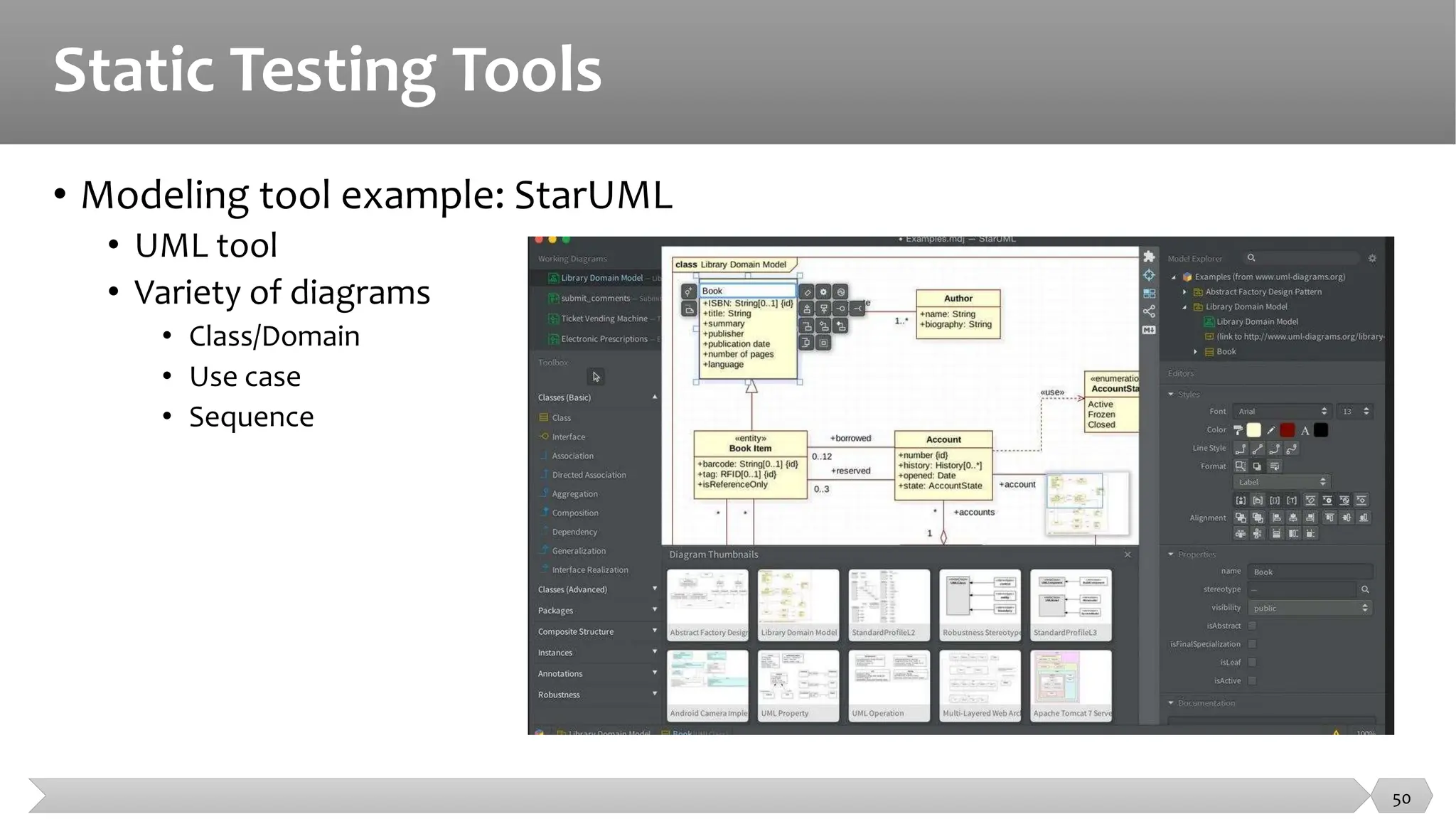
• Modeling tool example: StarUML
• UML tool
• Variety of diagrams
• Class/Domain
• Use case
• Sequence
50
Static Testing Tools
• The major benefit of static testing tools and modeling tools is the cost
effectiveness of finding more defects at an earlier time in the development
process.
• As a result, the development process may accelerate and improve by
having less rework.
51
Test Specification Tools
52
Test Specification Tools
• Test design tools
• Model-based testing tools
• Test data preparation tools
• TDD -Test driven development tool
• ATDD -Acceptance test-driven development and
• BDD -Behavior-driven development
53
Test Specification Tools
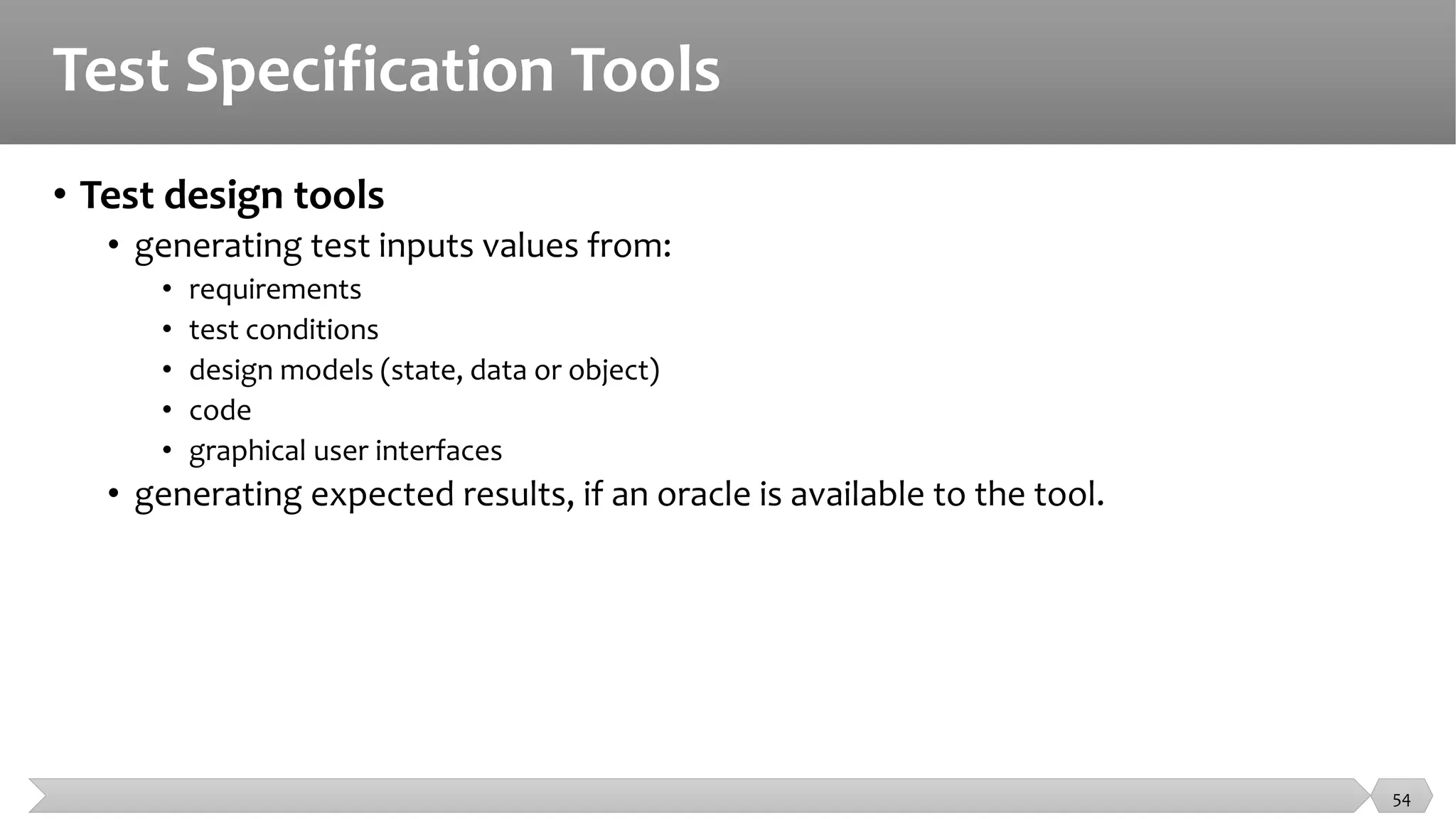
• Test design tools
• generating test inputs values from:
• requirements
• test conditions
• design models (state, data or object)
• code
• graphical user interfaces
• generating expected results, if an oracle is available to the tool.
54
Test Specification Tools
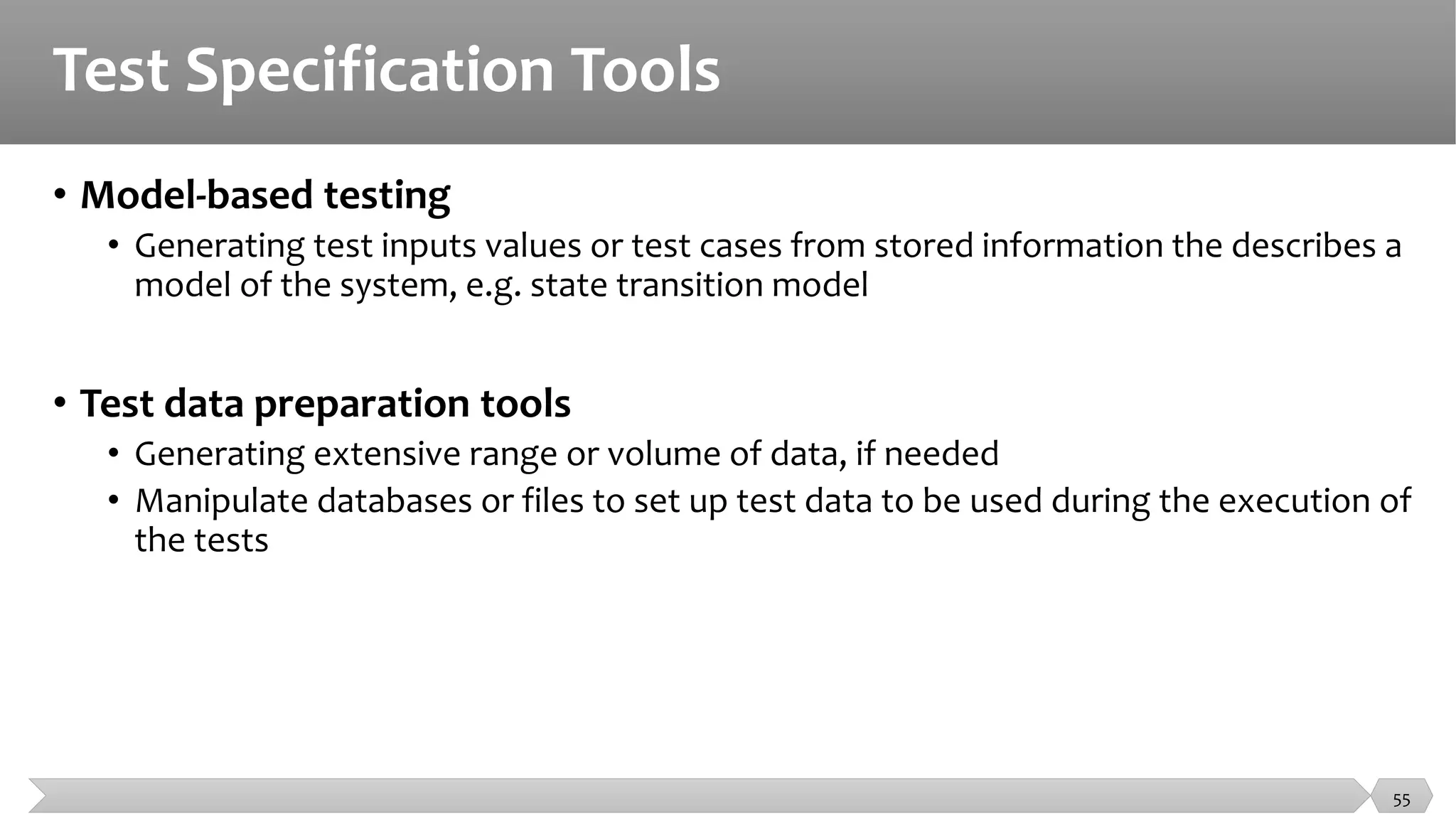
• Model-based testing
• Generating test inputs values or test cases from stored information the describes a
model of the system, e.g. state transition model
• Test data preparation tools
• Generating extensive range or volume of data, if needed
• Manipulate databases or files to set up test data to be used during the execution of
the tests
55
Test Specification Tools
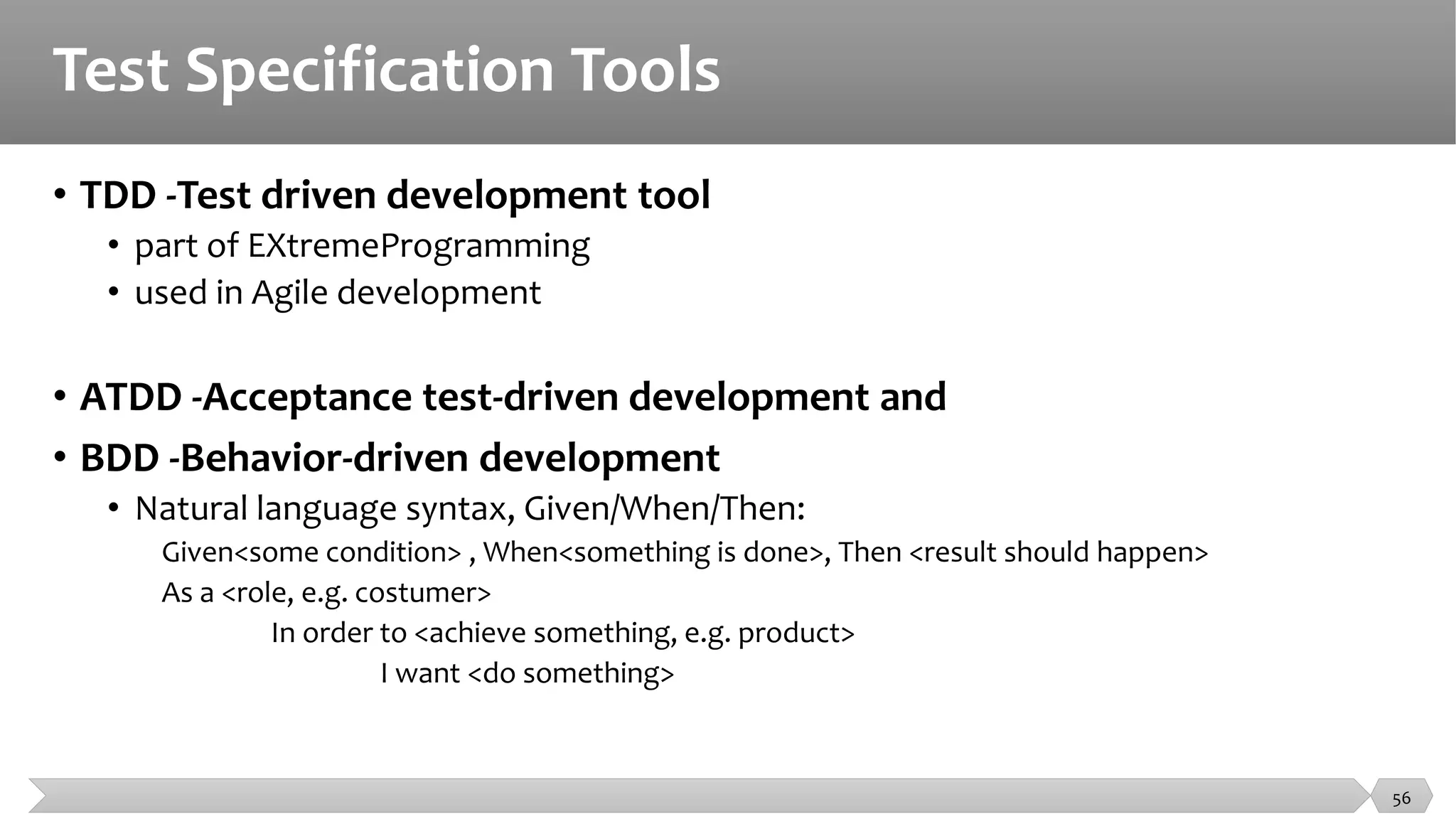
• TDD -Test driven development tool
• part of EXtremeProgramming
• used in Agile development
• ATDD -Acceptance test-driven development and
• BDD -Behavior-driven development
• Natural language syntax, Given/When/Then:
Given<some condition> , When<something is done>, Then <result should happen>
As a <role, e.g. costumer>
In order to <achieve something, e.g. product>
I want <do something>
56
Test Execution & Logging Tools
57
Test Execution & Logging Tools
• Test execution tools
• Coverage tools
• Test harnesses and Unit test framework tools
• Test comparators
58
Test Execution & Logging Tools
• Test execution tools
• Enable tests to be executed automatically using stored
• Inputs and
• Expected results
• Coverage tools
• Identifying coverage items(instrumenting the code)
• calculating the percentage of coverage items that were exercised by a suite of tests
• reporting coverage items that have not been exercised as yet
• identifying test inputs to exercise as yet uncovered items
• generating stubs and drivers (if part of a unit test framework).
59
Test Execution & Logging Tools
• Test harnesses and Unit test framework tools
• supplying inputs to the software being tested
• receiving outputs generated by the software being tested
• executing a set of tests within the framework or using the test harness
• recording the pass/fail results of each test (framework tools)
• storing tests (framework tools)
• support for debugging (framework tools)
• coverage measurement at code level (framework tools)
60
Test Execution & Logging Tools
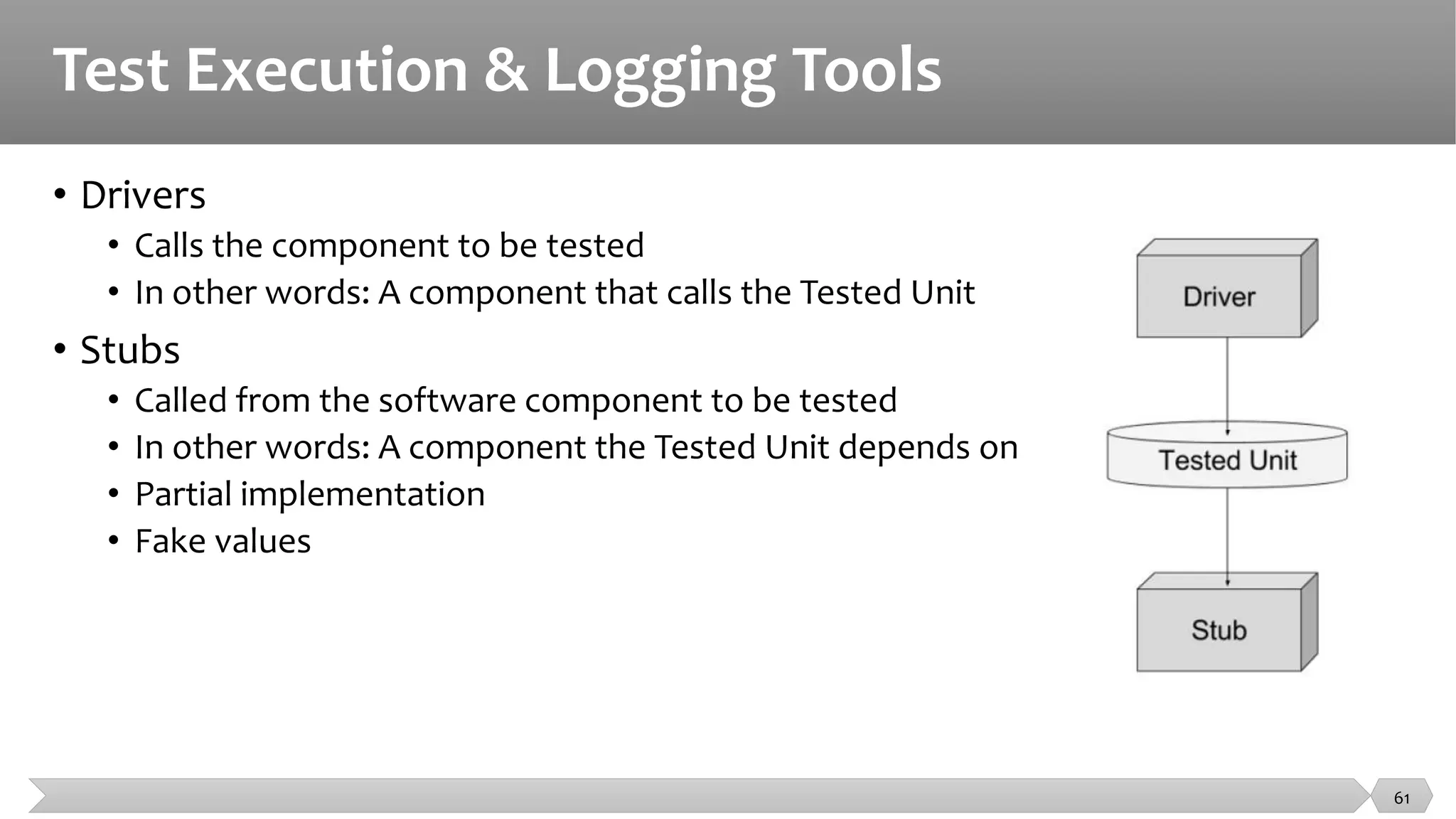
• Drivers
• Calls the component to be tested
• In other words: A component that calls the Tested Unit
• Stubs
• Called from the software component to be tested
• In other words: A component the Tested Unit depends on
• Partial implementation
• Fake values
61
Test Execution & Logging Tools
• Test harnesses and Unit test framework tools
• The two types are similar
• Support tools for testing individual components or software units
• Harness: Stubs and drivers --> Small programs that interact with software
• Unit test framework tools --> Support for object-oriented software
• When are these tools used?
• During test execution and logging
62
Test Execution & Logging Tools
• Characteristics of test harness and unit test framework tools
• Supply inputs to the software being tested
• Receive outputs generated by the software being tested
• Execute a set of tests within the framework
• Record pass/fail results of each test
• Store tests
• Coverage measurement at code level
• Provide support for debugging
63
Test Execution & Logging Tools
• Test comparators
• used when the executed test generates a lot of output.
• Testing is more than providing inputs
• Need to check if software produces the correct result
• Compare actual outcomes to expected results
• Two ways of comparing results
• Dynamic comparison --> Comparison done during test execution
• Post-executing comparison --> Comparison performed after test has finished
• Software under test is no longer executing
64
Performance & Monitoring Tools
65
Performance & Monitoring Tools
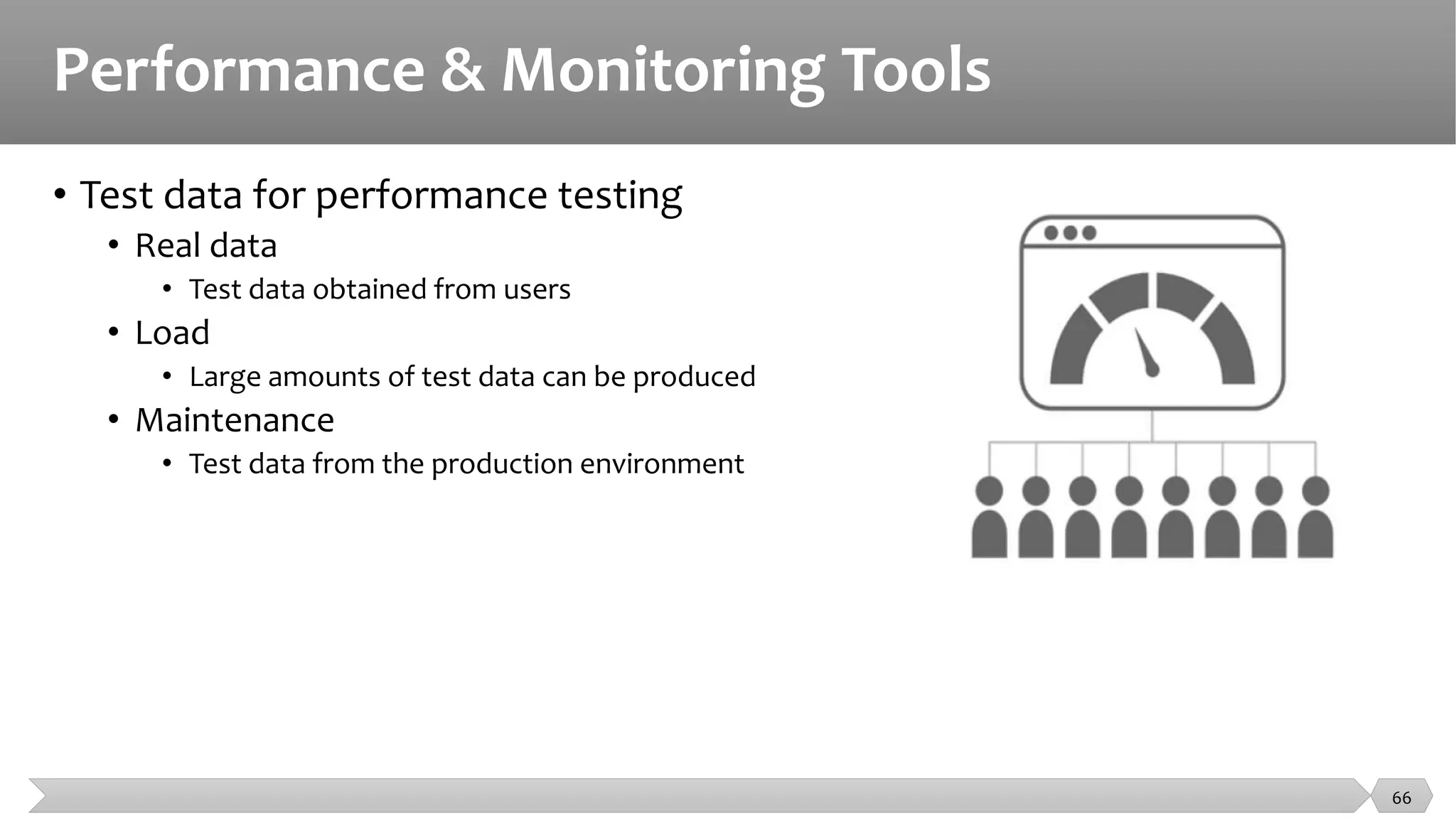
• Test data for performance testing
• Real data
• Test data obtained from users
• Load
• Large amounts of test data can be produced
• Maintenance
• Test data from the production environment
66
Performance & Monitoring Tools
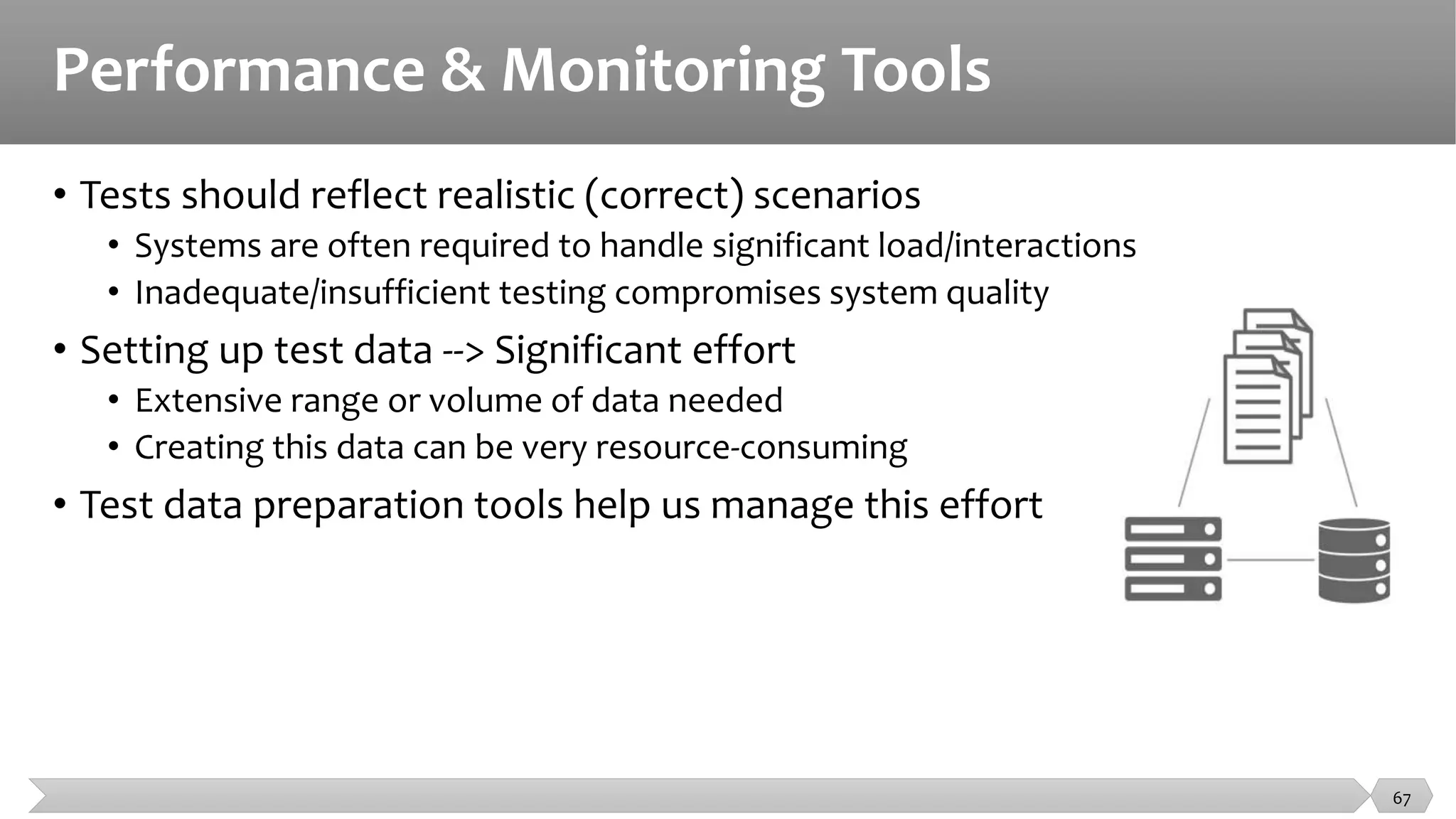
• Tests should reflect realistic (correct) scenarios
• Systems are often required to handle significant load/interactions
• Inadequate/insufficient testing compromises system quality
• Setting up test data --> Significant effort
• Extensive range or volume of data needed
• Creating this data can be very resource-consuming
• Test data preparation tools help us manage this effort
67
Performance & Monitoring Tools
• Common features of test data preparation tools
• Data can be selected from an existing database
• Data can be created, generated, and altered for use in tests
• Construct a large number of similar records --> Volume tests
• When to use?
• During test specification and control --> Test data management is difficult
• Ensure the system under test is being tested realistically
• Useful for performance and reliability testing
68
Monitoring tools
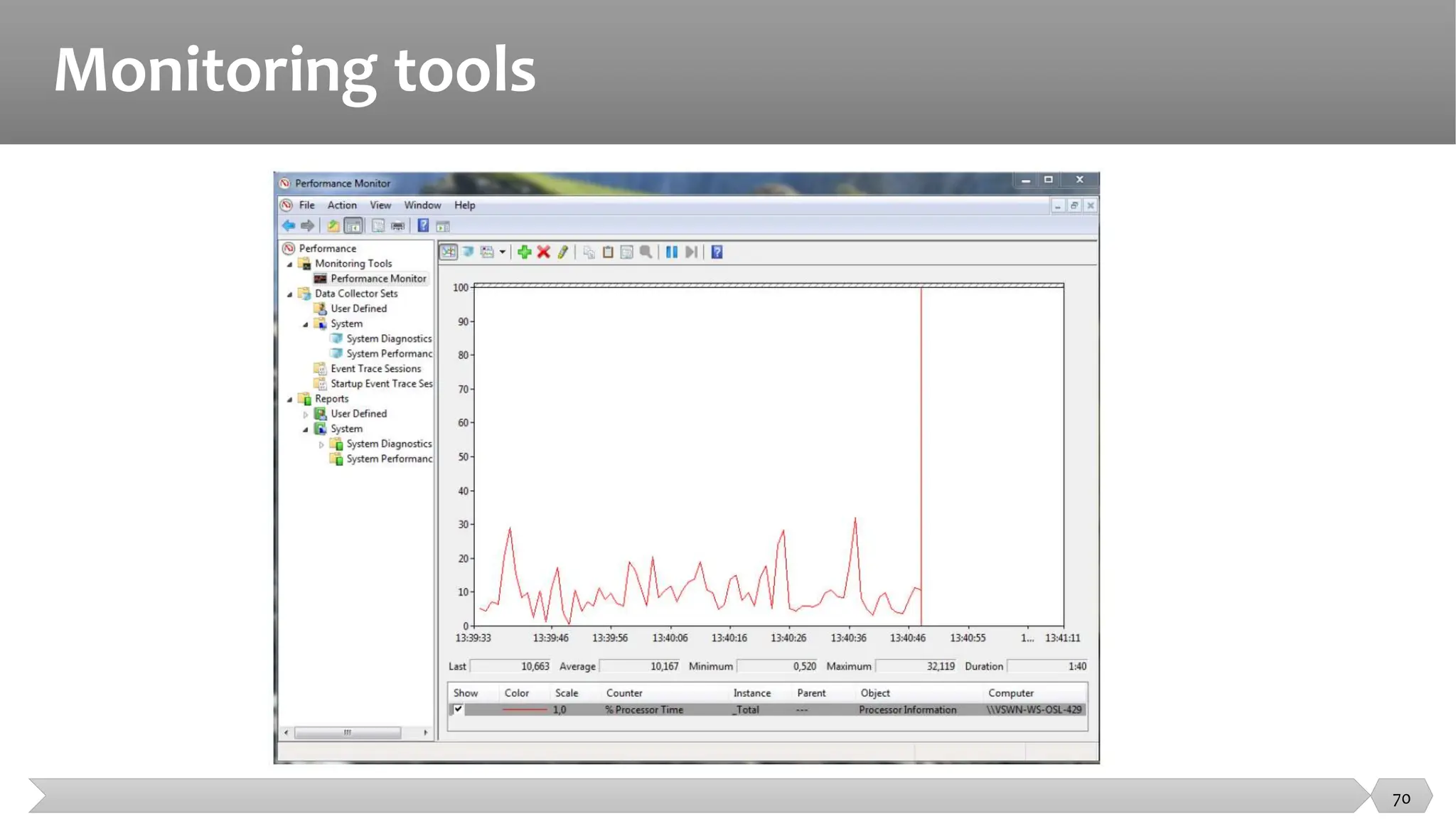
• Monitoring tools identifying problems and sending an alert message to
the administrator (e.g. network administrator)
• logging real-time and historical information
• finding optimal settings
• monitoring the number of users on a network
• monitoring network traffic (either in real time or covering a given length of time of
operation with the analysis performed afterwards).
69
Monitoring tools
70
Performance & Monitoring Tools
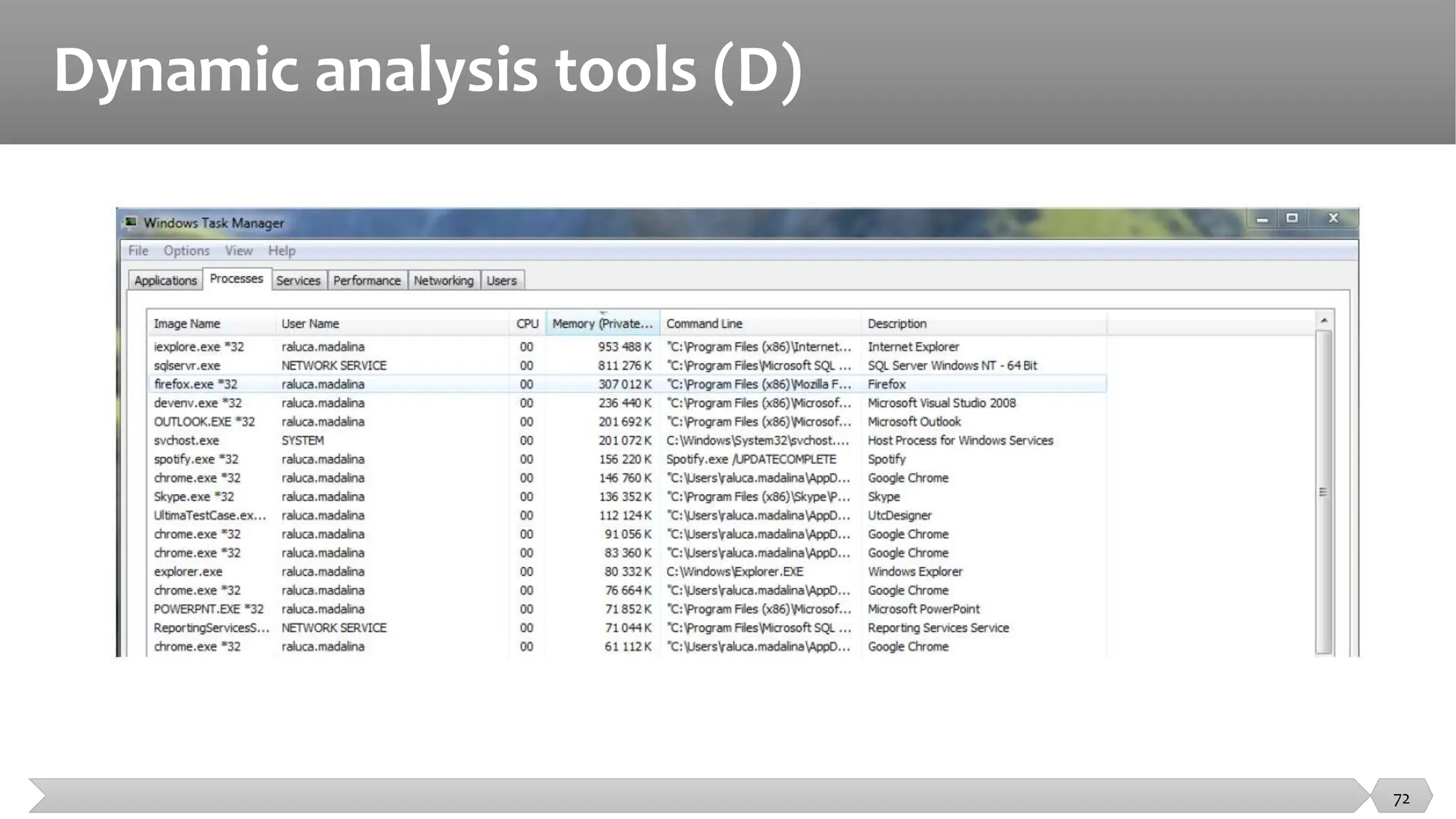
• Features or characteristics of dynamic analysis tools include support for
• detecting memory leaks;
• identifying pointer arithmetic errors such as null pointers;
• identifying time dependencies
71
Dynamic analysis tools (D)
72
Specific Application Areas Tools
73
Specific Application Areas Tools
• There are tools specialized for use in a particular type of application
• Data quality assessment
• Data conversion and migration
• Usability testing and Accessibility testing
• Localization testing
• Security testing
• Portability testing
74
Specific Application Areas Tools
• There are tools specialized for use in a particular type of application.
• Example:
• performance testing tools specifically for web-based applications
• dynamic analysis tools specifically for testing security aspects.
• Example of targeted areas: embedded systems
75
Specific Application Areas Tools
• Testers may use:
• word processor
• spreadsheets
as a testing tool, but they are often used to store
• test designs
• test scripts
• test data.
• Testers may also use SQL to set up and query databases containing test data.
• Tools used by developers when debugging , to help localize defects and check
their fixes, are also testing tools.
• It is a good idea to look at any type of tool available to you for ways it could be
used to help support any of the testing activities
76
Effective use of test tools
• Simply purchasing or leasing a tool does not guarantee success with that
tool!
• Each type of tool may require additional effort to achieve real and lasting
benefits.
77
Potential Benefits
• Reduce repetitive work (running regression tests, re-entring the same test
data, etc.)
• Greater consistency and repeatability (tests executed by a tool, tests
derived from requirements)
• Objective assessment (static measures, coverage)
• Ease of access to information about tests, or testing (statistics/graphs
about test progress, incident rates, performance)
78
Potential Benefits
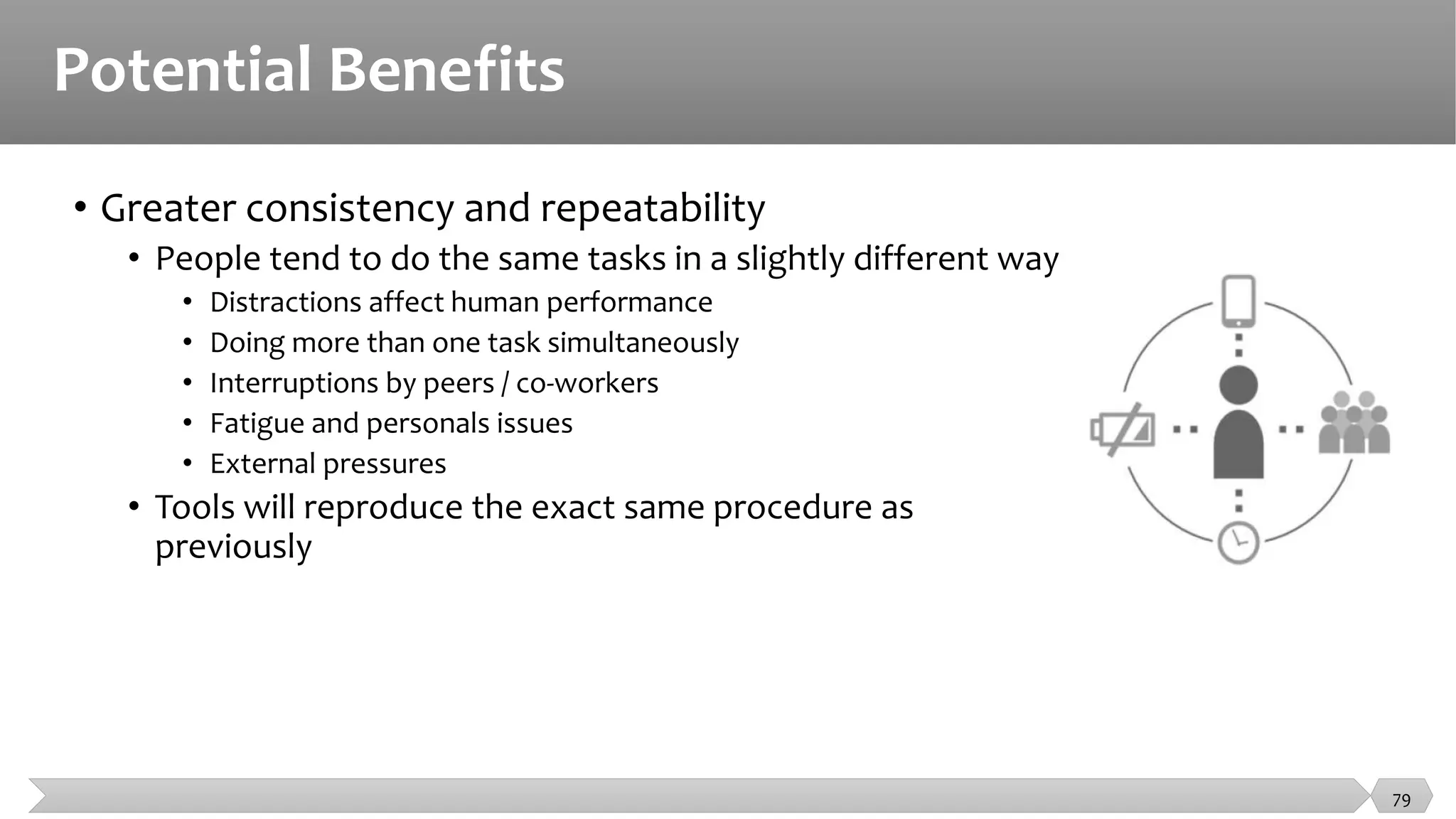
• Greater consistency and repeatability
• People tend to do the same tasks in a slightly different way
• Distractions affect human performance
• Doing more than one task simultaneously
• Interruptions by peers / co-workers
• Fatigue and personals issues
• External pressures
• Tools will reproduce the exact same procedure as
previously
79
Potential Benefits
• Objective assessment
• Humans are prone to make errors
• Subjective preconceived notions and bias toward verification
• Testing tools on the other hand …
• Objective “preconceived notions”
• Assessment → Repeatable and consistently calculated
• Cyclomatic complexity, nesting levels
• Coverage, system behavior, incident statistics
80
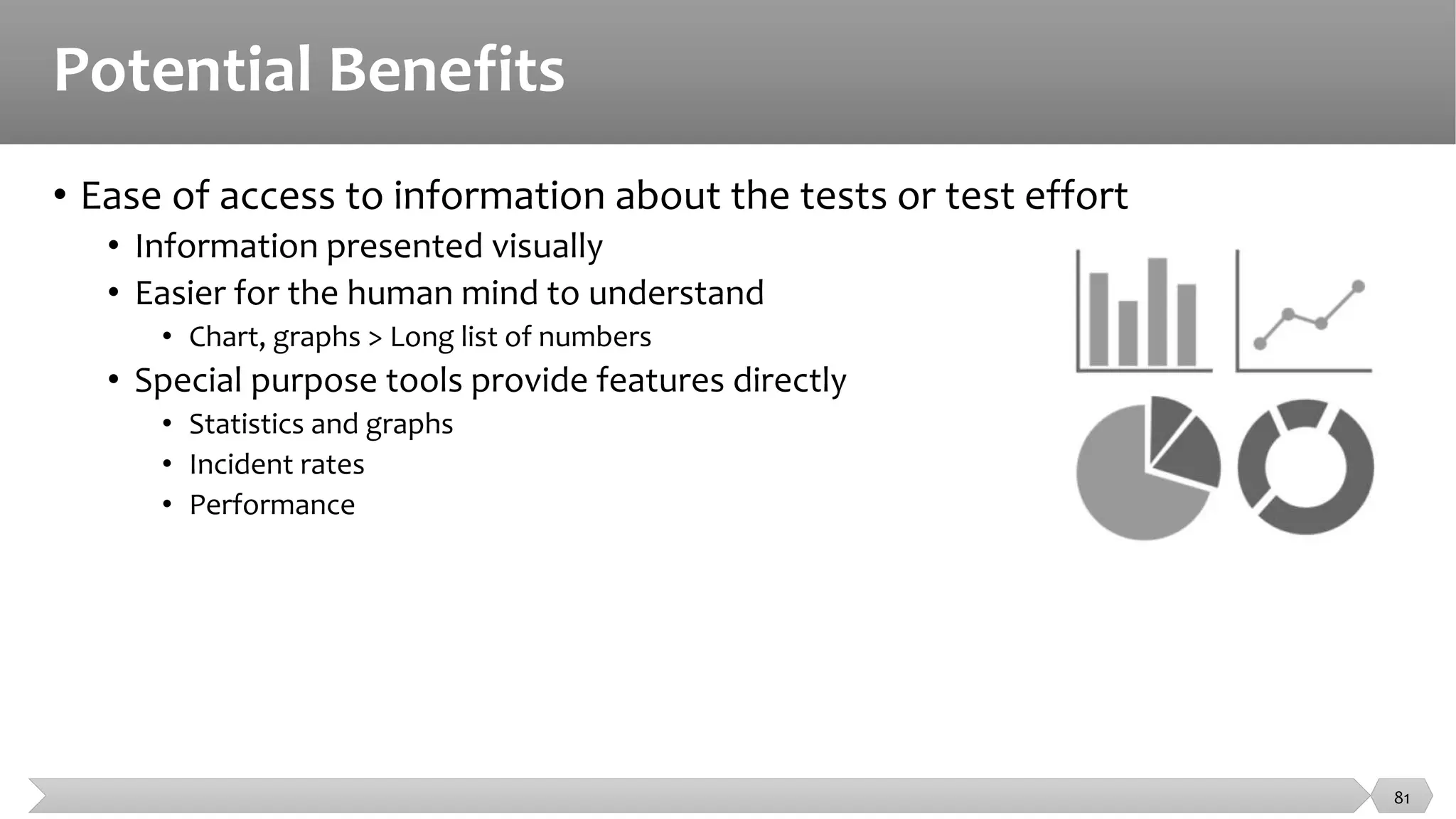
Potential Benefits
• Ease of access to information about the tests or test effort
• Information presented visually
• Easier for the human mind to understand
• Chart, graphs > Long list of numbers
• Special purpose tools provide features directly
• Statistics and graphs
• Incident rates
• Performance
81
Potential Risks
• Unrealistic expectations for the tool (functionality and ease of use)
• Underestimating time, cost, effort for the introduction of a tool (training,
external expertise)
• Underestimating the time and effort needed to achieve significant and
continuing benefits from the tool
• Underestimating the effort required to maintain the test assets generated
by the tool
• Over-reliance on the tool (replacement where manual testing would be
better)
82
Potential Risks
• Tools are not magic!
• They can do very well what they have been designed to do, but they can
not do everything.
• The tester concentrates on
• What should be tested
• What the test cases should be
• How to prioritize the testing
• The tool user concentrates on
• How best to get the tool to do its job effectively
• How to give increasing benefit from tool use
83
Special considerations: Test execution tools
• This type of tool often requires significant effort in order to achieve
significant benefits.
• Capturing tests by recording the actions of a manual tester seems attractive, but
this approach does not scale to large numbers of automated tests. This type of
script may be unstable when unexpected events occur.
• Data-driven approach: separates out the test inputs (the data) and uses a more
generic script that can read the test data and perform the same test with different
data.
• In a keyword-driven approach: the spreadsheet contains keywords with the actions
to be taken (also called action words), and test data. Testers can then define tests
using the keywords.
84
Special considerations: Performance testing tools
• The design of the load to be generated by the tool
• Timing aspects probe effect
• How to interpret the information gathered.
• These tools need tester with expertise in performance testing to design
the tests and interpret results
85
Special considerations: Static analysis tools
• There is a risk that the changes to make old code to conform to new
standard will introduce an unexpected side effect
• These tools applied to source code can enforce coding standards, but if
applied to existing code may generate a lot of messages
• A gradual implementation with initial filters to exclude some messages
would be an effective approach.
86
Special considerations: Test management tools
• They need to interface with other tools or spreadsheets in order to
produce information in the best format for the current needs of the
organization.
87
Interview Questions and Answers
88
Fundamental Questions in Testing
• When can we stop testing?
Test coverage
• What should we test?
Test generation
• Is the observed output correct?
Test oracle
• How well did we do?
Test efficiency
• Who should test your program?
Independent V&V
89
Interview Questions
• What is difference between QA, QC and Software Testing?
• What is verification and validation?
• Explain Branch Coverage and Decision Coverage.
• What is pair-wise programming and why is it relevant to software testing?
• Why is testing software using concurrent programming hard? What are races and why do they affect
system testing.
• Phase in detecting defect: During a software development project two similar requirements defects
were detected. One was detected in the requirements phase, and the other during the implementation
phase.
• Why do we measure defect rates and what can they tell us?
• What is Static Analysis?
90
What is difference between QA, QC and Software Testing?
• Quality Assurance (QA): QA refers to the planned and systematic way of monitoring
the quality of process which is followed to produce a quality product. QA tracks the
outcomes and adjusts the process to meet the expectation. QA is not just testing.
• Quality Control (QC): Concern with the quality of the product. QC finds the defects and
suggests improvements. The process set by QA is implemented by QC. The QC is the
responsibility of the tester.
• Software Testing: is the process of ensuring that product which is developed by the
developer meets the user requirement. The motive to perform testing is to find the
bugs and make sure that they get fixed.
91
Verification And Validation
What is verification and validation?
• Verification: process of evaluating work-products of a development phase
to determine whether they meet the specified requirements for that
phase.
• Validation: process of evaluating software during or at the end of the
development process to determine whether it meets specified
requirements.
92
Branch Coverage and Decision Coverage
Explain Branch Coverage and Decision Coverage.
• Branch Coverage is testing performed in order to ensure that every branch
of the software is executed at least once. To perform the Branch coverage
testing we take the help of the Control Flow Graph.
• Decision coverage testing ensures that every decision taking statement is
executed at least once.
• Both decision and branch coverage testing is done to ensure the tester
that no branch and decision taking statement will lead to failure of the
software.
• To Calculate Branch Coverage:
• Branch Coverage = Tested Decision Outcomes / Total Decision Outcomes.
93
What is Static Analysis?
• The term "static analysis" is conflated, but here we use it to mean a
collection of algorithms and techniques used to analyze source code in
order to automatically find bugs.
• The idea is similar in spirit to compiler warnings (which can be useful for
finding coding errors) but to take that idea a step further and find bugs
that are traditionally found using run-time debugging techniques such as
testing.
• Static analysis bug-finding tools have evolved over the last several decades
from basic syntactic checkers to those that find deep bugs by reasoning
about the semantics of code.
94
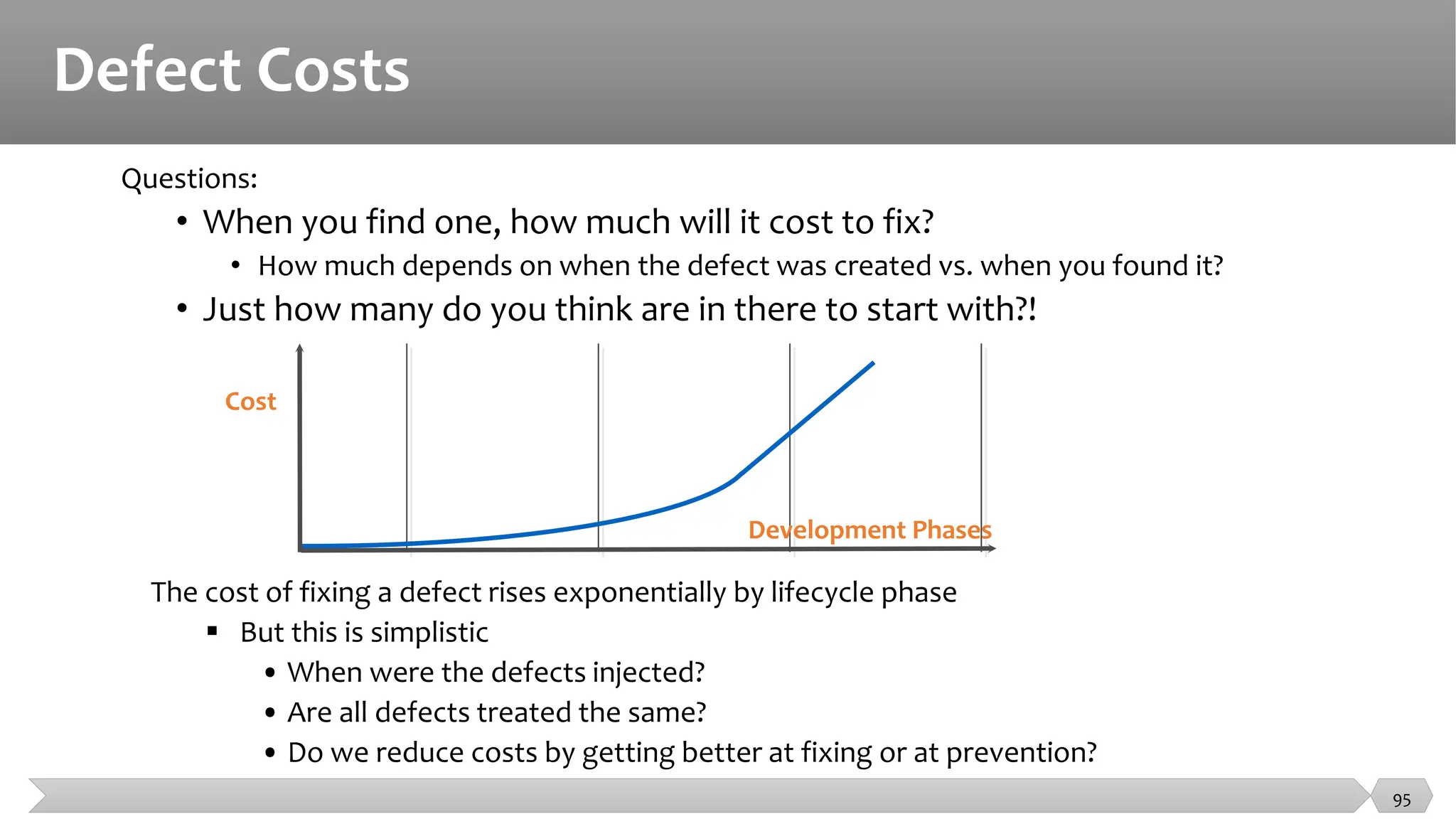
Defect Costs
Questions:
• When you find one, how much will it cost to fix?
• How much depends on when the defect was created vs. when you found it?
• Just how many do you think are in there to start with?!
Cost
Development Phases
The cost of fixing a defect rises exponentially by lifecycle phase
 But this is simplistic
• When were the defects injected?
• Are all defects treated the same?
• Do we reduce costs by getting better at fixing or at prevention?
95
“QA” & Testing
96
• Testing “Phases”
Unit
Integration
System
User Acceptance Testing
• Testing Types
Black-box
White-box
• Static vs. Dynamic Testing
• Automated Testing
Pros and cons
• Integration: 2 types
Top down
Bottom up
Software Quality Assurance
• Software quality assurance (SQA) is a process that ensures that developed
software meets and complies with defined or standardized quality
specifications.
• SQA is an ongoing process within the software development life cycle
(SDLC) that routinely checks the developed software to ensure it meets
desired quality measures.
97
Software Quality Assurance
• The area of Software Quality Assurance can be broken down into a
number of smaller areas such as
• Quality of planning,
• Formal technical reviews,
• Testing
and
• Training.
98
Professional Ethics
• If you can’t test it, don’t build it
• Put quality first : Even if you lose the argument, you will gain respect
• Begin test activities early
• Decouple
• Designs should be independent of language
• Programs should be independent of environment
• Couplings are weaknesses in the software!
• Don’t take shortcuts
• If you lose the argument you will gain respect
• Document your objections
• Vote with your feet
• Don’t be afraid to be right!
99
Professional Ethics
• Recognizing the ACM and IEEE code of ethics for engineers:
• PUBLIC - Software testers shall act consistently with the public interest.
• CLIENT AND EMPLOYER - Software testers shall act in a manner that is in the best interests of their client and
employer, consistent with the public interest.
• PRODUCT - Software testers shall ensure that the deliverables they provide (on the products and systems they test)
meet the highest professional standards possible.
• JUDGMENT - Software testers shall maintain integrity and independence in their professional judgment.
• MANAGEMENT - Software test managers and leaders shall subscribe to and promote an ethical approach to the
management of software testing.
• PROFESSION - Software testers shall advance the integrity and reputation of the profession consistent with the
public interest.
• COLLEAGUES - Software testers shall be fair to and supportive of their colleagues, and promote cooperation with
software developers.
• SELF - Software testers shall participate in lifelong learning regarding the practice of their profession and shall
promote an ethical approach to the practice of the profession.
100

Testing Metrics and Tools, Analyse de tests

  • 1.
    Testing Metrics andTools SE401: Software Quality Assurance and Testing 1
  • 2.
    Outline • Testing Metrics •Testing Tools • Interview Questions 2
  • 3.
    What is aMetric? • Metrics can be defined as “STANDARDS OF MEASUREMENT” • Metric is a unit used for describing or measuring an attribute • Test metrics are the means by which the software quality can be measured • Test metrics provides the visibility into the readiness of the product, and gives clear measurement of the quality and completeness of the product 3
  • 4.
    Testing Metrics • "Wecannot improve what we cannot measure" and Test Metrics helps us to do exactly the same. • Software Testing Metrics are the quantitative measures used to estimate the progress, quality, productivity and health of the software testing process. • The goal of software testing metrics is to improve the efficiency and effectiveness in the software testing process and to help make better decisions for further testing process by providing reliable data about the testing process. 4
  • 5.
    Testing Metrics • Softwaretesting metrics or software test measurement is the quantitative indication of extent, capacity, dimension, amount or size of some attribute of a process or product. • Example for software test measurement: Total number of defects 5
  • 6.
    Why we needMetrics ? • You cannot Control what you cannot measure • You cannot improve what you cannot measure • Take decision for next phase of activities • Evidence of the claim or prediction • Understand the type of improvement required • Take decision or process or technology change 6
  • 7.
    Why Test Metrics •The aim of collecting test metrics is to use the data for improving the test process. This includes finding answers to the questions like: − How long will it take to test? − How much money will it take to test? − How bad are the bugs? − How many bugs found were fixed? reopened? closed? deferred? − How many bugs did the test team did not find? − How much of the software was tested? − Will testing be done on time? Can the software be shipped on time? − How good were the tests? Are we using low-value test cases? − What is the cost of testing? − Was the test effort adequate? Could we have fit more testing in this release? 7
  • 8.
    Types of TestMetrics Testing Metrics Process Metrics Product Metrics Project Metrics 8 • Process Metrics: used to improve the process efficiency of the SDLC ( Software Development Life Cycle) • Product Metrics: deals with the quality of the software product • Project Metrics: used to measure the efficiency of a project team or any testing tools being used by the team members
  • 9.
    Identifying Metrics • Identificationof correct testing metrics is very important. • Few things need to be considered before identifying the test metrics • Fix the target audience for the metric preparation • Define the goal for metrics • Introduce all the relevant metrics based on project needs • Analyze the cost benefits aspect of each metrics and the project lifestyle phase in which it results in the maximum output 9
  • 10.
    Manual Test Metrics •Manual test metrics are classified into two classes • Base Metrics • Calculated Metrics 10 Manual Test Metrics Base Metrics Calculated Metrics
  • 11.
    Manual Test Metrics •Base metrics is the raw data collected by Test Analyst during the test case development and execution (# of test cases executed, # of test cases). • Calculated metrics are derived from the data collected in base metrics. • Calculated metrics is usually followed by the test manager for test reporting purpose (% Complete, % Test Coverage). 11
  • 12.
    Testing Metrics • MajorBase Metrics: • Base Metrics are a great starting point, and can then be used to produce calculated metrics 1. Total number of test cases 2. Number of test cases passed 3. Number of test cases failed 4. Number of test cases blocked 5. Number of defects found 6. Number of defects accepted 7. Number of defects rejected 8. Number of defects deferred 9. Number of critical defects 10. Number of planned test hours 11. Number of actual test hours 12. Number of bugs found after shipping 12
  • 13.
    Testing Metrics • MajorCalculated Metrics: 1. Test Coverage Metrics: • Test coverage metrics help answer, “How much of the application was tested?”. • Two major coverage metrics: • Test execution coverage • Requirement coverage 13
  • 14.
    Testing Metrics • MajorCalculated Metrics: 1. Test Coverage Metrics: 1.1 − This metric gives us an idea of the total tests executed compared to the total number of tests to be run. It is usually presented as a percentage value 14
  • 15.
    Testing Metrics • MajorCalculated Metrics: 1. Test Coverage Metrics: 1.2 − This metric gives us an idea on the percentage of the requirements that have been covered in our testing compared to the total number of requirements 15
  • 16.
    Testing Metrics • MajorCalculated Metrics: 2. Test Effectiveness Metrics: Test effectiveness answers, “How good were the tests?” or “Are we running high value test cases?” It is a measure of the bug-finding ability and quality of a test set. It can be calculated as follow: 2.1 − The higher the test effectiveness percentage, the better the test set is and the lesser the test case maintenance effort will be in the long-term. − Example: If for a release the test effectiveness is 80%, it means that 20% of the defects got away from the test team. 16
  • 17.
    Testing Metrics • MajorCalculated Metrics: 3. Test Effort Metrics: • Test effort metrics will answer “how long, how many, and how much” questions about your test effort. • These metrics are great to establish baselines for future test planning. • Major Effort Metrics include: • Number of test runs per time, number of defects per hour, number of bugs per test, and average time to test a bug fix. 17
  • 18.
    Testing Metrics • MajorCalculated Metrics: 3. Test Effort Metrics: 3.1 − This metric gives us an idea on the number of test runs over a certain period of time. (i.e. 30 tests per one day) 18
  • 19.
    Testing Metrics • MajorCalculated Metrics: 3. Test Effort Metrics: 3.2 − This metric provides information about the rate of finding defects by showing the number of detected defects per test hour. 19
  • 20.
    Testing Metrics • MajorCalculated Metrics: 3. Test Effort Metrics: 3.3 − This metric gives an estimation for the number of defects found in one test. This is calculated by dividing the total number of defects over the total number of conducted tests. 20
  • 21.
    Testing Metrics • MajorCalculated Metrics: 3. Test Effort Metrics: 3.4 − This metric presents the average time required to test a bug fix. − Example: Average time to test a defect fix= 4/3 = 1.3 defects per day Defect Time between fixing the defect and retesting the fix D1 1 day D2 1 day D3 2 days Total 4 21
  • 22.
    Testing Metrics • MajorCalculated Metrics: 4. Test Tracking and Quality Metrics: 4.1 − This metric gives an indication on the quality of the tested application. It shows the percentage of passed test cases in relation to the total number of executed tests. 22
  • 23.
    Testing Metrics • MajorCalculated Metrics: 4. Test Tracking and Quality Metrics: 4.2 − This gives an indication on the quality of the tested application. It shows the percentage of failed test cases in relation to the total number of executed tests. It also gives an indication on the effectiveness of the conducted tests. 23
  • 24.
    Testing Metrics • MajorCalculated Metrics: 4. Test Tracking and Quality Metrics: 4.3 − This metric tracks the percentage of the critical defects in relations to the total number of reported defects. 24
  • 25.
    Testing Metrics • MajorCalculated Metrics: 4. Test Tracking and Quality Metrics: 4.4 − This metric calculates the percentage of the fixed defects in relations to the number of the reported defects. This also gives an indication on the efficiency of testing. 25
  • 26.
    Testing Metrics • MajorCalculated Metrics: 5. Test Efficiency Metrics: 5.1 − This metric calculates the average time taken to repair a defect by dividing the total time taken to fix all bugs over the total number of bugs. This metric gives an indication on how efficient repairing defects is. 26
  • 27.
    Testing Metrics • MajorCalculated Metrics: − More Metrics are used to monitor the testing team productivity, Cost of testing products, etc. − You can read more about testing metrics in: − https://www.qasymphony.com/blog/64-test-metrics/ − https://softcrylic.com/blogs/top-25-metrics-measure-continuous-testing-process/ − https://www.getzephyr.com/resources/whitepapers/qa-metrics-value-testing-metrics-within- software-development 27
  • 28.
    Cumulative Test Time •The total amount of time spent actually testing the product measured in test hours • Provides an indication of product quality • Is used in computing software reliability growth (the improvement in software reliability that results from correcting faults in the software) 28
  • 29.
    Test Coverage Metrics •Code Coverage (How much of the code is being exercised?) • Requirements coverage (Are all the product’s features being tested?) • The percentage of requirements covered by at least one test 29
  • 30.
    Quality Metrics • Defectremoval percentage • What percentage of known defects is fixed at release? • [Number of bugs fixed prior to release/ Number of known bugs prior to release] x 100 • Defects reported in each baseline • Can be used to help make decisions regarding process improvements, additional regression testing, and ultimate release of the software • Defect detection efficiency • How well are we performing testing? • [Number of unique defects we find / (Number of unique defects we find + Number of unique defects reported by customers)] x 100 • Can be used to help make decisions regarding release of the final product and the degree to which your testing is similar to actual customer use 30
  • 31.
    Summary • Fundamental testmetrics are a combination of Base Metrics that can then be used to produce Calculated Metrics. • Base Metrics  raw collected data • Calculated Metrics  calculated from the base metrics 31
  • 32.
    Summary 32 • Major BaseSoftware Test Metrics • Total number of test cases • Number of test cases passed • Number of test cases failed • Number of test cases blocked • Number of defects found • Number of defects accepted • Number of defects rejected • Number of defects deferred • Number of critical defects • Number of planned test hours • Number of actual test hours • Number of bugs found after shipping • Major Calculated Software Test Metrics • Coverage • Test Execution Coverage • Requirement Coverage • Effectiveness • Effort • Number of tests run per time • Number of defects per hour • Number of defects per test • Average time to test a bug fix • Quality • Passed test cases • Failed test cases • Critical test cases • Fixed Defect percentage • Efficiency
  • 33.
  • 34.
  • 35.
    Tool support fortesting - types of tools • Test tools can be used for one or more activities that support testing: • Used directly in testing (e.g. test execution tools, test data generation tools, result comparison tools) • Help in managing the testing process (e.g. test results, requirements, incidents, defects) and for monitoring and reporting the test execution • Used in exploration (e.g. tools that monitor the file activity for an application) • Any tool that aids in testing 35
  • 36.
    Tool support fortesting - purposes • Tools can have one or more purposes, depending on the context: • improve the efficiency of the test activities (e.g. by automating repetitive tasks) • automate activities that require significant resources when done manually (e.g. static testing) • automate activities that cannot be done manually (e.g. large scale performance testing of client server applications) • increase reliability of testing (by automating large data comparisons or simulating complex behavior) 36
  • 37.
  • 38.
    Testing Management Tools •Characteristics • Support for the management of tests and the testing activities • Support for traceability of tests, test results and incidents to source documents, such as requirements specifications. • Generation of progress reports • Logging test results (Monitoring) • Offer info on metrics related to the tests. 38
  • 39.
    Testing Management Tools •Test management tools and application lifecycle management tool (ALM) • Requirements management tools • Store requirements • Check for consistency and undefined (missing) requirements • Allow prioritization • Requirements-Tests Traceability • Defect management tools • Configuration management tools • Necessary to keep track of different versions and builds of SW and tests • Useful when developing on more than one configuration of the HW/SW environment • Continuous integrations tool 39
  • 40.
  • 41.
    Static Testing Tools •Tools for static testing • Aid in improving the code/work product, without executing it • Categories • Review tools • Supports the review process • Static analysis tools • Supports code examination • Modeling tools • Validate models of system/software 41
  • 42.
    Static Testing Tools •Review process tools • Common reference for the review processes conducted • Keep track of all the information from the review process • Store and communicate review comments, report on defects and effort • Monitoring review status --> Passed, passed with corrections, require re-review • When to use? • Suitable for more formal review processes • Geographically dispersed teams 42
  • 43.
    Static Testing Tools •Static analysis tools • Mostly used by developers --> Component (unit) testing • Tool is executed --> Code is not • The source code serves as input data to the tool • Extension of compiler technology 43
  • 44.
    Static Testing Tools •Static analysis tools • Supports developers and testers in finding defects before dynamic testing • Purpose • To better understand the code, and find ways of improving it • Common features • Calculate metrics --> Complexity, nesting levels --> identify areas of risk • Enforce coding standards • Analyze code structures and dependencies 44
  • 45.
    Static Testing Tools •SpotBugs • look for bugs in Java code • checks for more than 400 bug patterns 45
  • 46.
    Static Testing Tools •Static analysis tool example: Source Monitor • Collects metrics from source code files • Display and prints metrics in tables and charts 46
  • 47.
    Static Testing Tools •Static analysis tool example: Source Monitor 47
  • 48.
    Static Testing Tools •JDepend • Generates design quality metrics for each Java package. • Measure the quality of a design in terms of its extensibility, reusability, and maintainability. 48
  • 49.
    Static Testing Tools •Modeling tools • Validate models of the system/software • Purpose • To better aid in designing the software • Common features and characteristics • Identify inconsistencies and defects within the models • Identify and prioritize risk areas • Predicting system response and behavior under various situations 49
  • 50.
    Static Testing Tools •Modeling tool example: StarUML • UML tool • Variety of diagrams • Class/Domain • Use case • Sequence 50
  • 51.
    Static Testing Tools •The major benefit of static testing tools and modeling tools is the cost effectiveness of finding more defects at an earlier time in the development process. • As a result, the development process may accelerate and improve by having less rework. 51
  • 52.
  • 53.
    Test Specification Tools •Test design tools • Model-based testing tools • Test data preparation tools • TDD -Test driven development tool • ATDD -Acceptance test-driven development and • BDD -Behavior-driven development 53
  • 54.
    Test Specification Tools •Test design tools • generating test inputs values from: • requirements • test conditions • design models (state, data or object) • code • graphical user interfaces • generating expected results, if an oracle is available to the tool. 54
  • 55.
    Test Specification Tools •Model-based testing • Generating test inputs values or test cases from stored information the describes a model of the system, e.g. state transition model • Test data preparation tools • Generating extensive range or volume of data, if needed • Manipulate databases or files to set up test data to be used during the execution of the tests 55
  • 56.
    Test Specification Tools •TDD -Test driven development tool • part of EXtremeProgramming • used in Agile development • ATDD -Acceptance test-driven development and • BDD -Behavior-driven development • Natural language syntax, Given/When/Then: Given<some condition> , When<something is done>, Then <result should happen> As a <role, e.g. costumer> In order to <achieve something, e.g. product> I want <do something> 56
  • 57.
    Test Execution &Logging Tools 57
  • 58.
    Test Execution &Logging Tools • Test execution tools • Coverage tools • Test harnesses and Unit test framework tools • Test comparators 58
  • 59.
    Test Execution &Logging Tools • Test execution tools • Enable tests to be executed automatically using stored • Inputs and • Expected results • Coverage tools • Identifying coverage items(instrumenting the code) • calculating the percentage of coverage items that were exercised by a suite of tests • reporting coverage items that have not been exercised as yet • identifying test inputs to exercise as yet uncovered items • generating stubs and drivers (if part of a unit test framework). 59
  • 60.
    Test Execution &Logging Tools • Test harnesses and Unit test framework tools • supplying inputs to the software being tested • receiving outputs generated by the software being tested • executing a set of tests within the framework or using the test harness • recording the pass/fail results of each test (framework tools) • storing tests (framework tools) • support for debugging (framework tools) • coverage measurement at code level (framework tools) 60
  • 61.
    Test Execution &Logging Tools • Drivers • Calls the component to be tested • In other words: A component that calls the Tested Unit • Stubs • Called from the software component to be tested • In other words: A component the Tested Unit depends on • Partial implementation • Fake values 61
  • 62.
    Test Execution &Logging Tools • Test harnesses and Unit test framework tools • The two types are similar • Support tools for testing individual components or software units • Harness: Stubs and drivers --> Small programs that interact with software • Unit test framework tools --> Support for object-oriented software • When are these tools used? • During test execution and logging 62
  • 63.
    Test Execution &Logging Tools • Characteristics of test harness and unit test framework tools • Supply inputs to the software being tested • Receive outputs generated by the software being tested • Execute a set of tests within the framework • Record pass/fail results of each test • Store tests • Coverage measurement at code level • Provide support for debugging 63
  • 64.
    Test Execution &Logging Tools • Test comparators • used when the executed test generates a lot of output. • Testing is more than providing inputs • Need to check if software produces the correct result • Compare actual outcomes to expected results • Two ways of comparing results • Dynamic comparison --> Comparison done during test execution • Post-executing comparison --> Comparison performed after test has finished • Software under test is no longer executing 64
  • 65.
  • 66.
    Performance & MonitoringTools • Test data for performance testing • Real data • Test data obtained from users • Load • Large amounts of test data can be produced • Maintenance • Test data from the production environment 66
  • 67.
    Performance & MonitoringTools • Tests should reflect realistic (correct) scenarios • Systems are often required to handle significant load/interactions • Inadequate/insufficient testing compromises system quality • Setting up test data --> Significant effort • Extensive range or volume of data needed • Creating this data can be very resource-consuming • Test data preparation tools help us manage this effort 67
  • 68.
    Performance & MonitoringTools • Common features of test data preparation tools • Data can be selected from an existing database • Data can be created, generated, and altered for use in tests • Construct a large number of similar records --> Volume tests • When to use? • During test specification and control --> Test data management is difficult • Ensure the system under test is being tested realistically • Useful for performance and reliability testing 68
  • 69.
    Monitoring tools • Monitoringtools identifying problems and sending an alert message to the administrator (e.g. network administrator) • logging real-time and historical information • finding optimal settings • monitoring the number of users on a network • monitoring network traffic (either in real time or covering a given length of time of operation with the analysis performed afterwards). 69
  • 70.
  • 71.
    Performance & MonitoringTools • Features or characteristics of dynamic analysis tools include support for • detecting memory leaks; • identifying pointer arithmetic errors such as null pointers; • identifying time dependencies 71
  • 72.
  • 73.
  • 74.
    Specific Application AreasTools • There are tools specialized for use in a particular type of application • Data quality assessment • Data conversion and migration • Usability testing and Accessibility testing • Localization testing • Security testing • Portability testing 74
  • 75.
    Specific Application AreasTools • There are tools specialized for use in a particular type of application. • Example: • performance testing tools specifically for web-based applications • dynamic analysis tools specifically for testing security aspects. • Example of targeted areas: embedded systems 75
  • 76.
    Specific Application AreasTools • Testers may use: • word processor • spreadsheets as a testing tool, but they are often used to store • test designs • test scripts • test data. • Testers may also use SQL to set up and query databases containing test data. • Tools used by developers when debugging , to help localize defects and check their fixes, are also testing tools. • It is a good idea to look at any type of tool available to you for ways it could be used to help support any of the testing activities 76
  • 77.
    Effective use oftest tools • Simply purchasing or leasing a tool does not guarantee success with that tool! • Each type of tool may require additional effort to achieve real and lasting benefits. 77
  • 78.
    Potential Benefits • Reducerepetitive work (running regression tests, re-entring the same test data, etc.) • Greater consistency and repeatability (tests executed by a tool, tests derived from requirements) • Objective assessment (static measures, coverage) • Ease of access to information about tests, or testing (statistics/graphs about test progress, incident rates, performance) 78
  • 79.
    Potential Benefits • Greaterconsistency and repeatability • People tend to do the same tasks in a slightly different way • Distractions affect human performance • Doing more than one task simultaneously • Interruptions by peers / co-workers • Fatigue and personals issues • External pressures • Tools will reproduce the exact same procedure as previously 79
  • 80.
    Potential Benefits • Objectiveassessment • Humans are prone to make errors • Subjective preconceived notions and bias toward verification • Testing tools on the other hand … • Objective “preconceived notions” • Assessment → Repeatable and consistently calculated • Cyclomatic complexity, nesting levels • Coverage, system behavior, incident statistics 80
  • 81.
    Potential Benefits • Easeof access to information about the tests or test effort • Information presented visually • Easier for the human mind to understand • Chart, graphs > Long list of numbers • Special purpose tools provide features directly • Statistics and graphs • Incident rates • Performance 81
  • 82.
    Potential Risks • Unrealisticexpectations for the tool (functionality and ease of use) • Underestimating time, cost, effort for the introduction of a tool (training, external expertise) • Underestimating the time and effort needed to achieve significant and continuing benefits from the tool • Underestimating the effort required to maintain the test assets generated by the tool • Over-reliance on the tool (replacement where manual testing would be better) 82
  • 83.
    Potential Risks • Toolsare not magic! • They can do very well what they have been designed to do, but they can not do everything. • The tester concentrates on • What should be tested • What the test cases should be • How to prioritize the testing • The tool user concentrates on • How best to get the tool to do its job effectively • How to give increasing benefit from tool use 83
  • 84.
    Special considerations: Testexecution tools • This type of tool often requires significant effort in order to achieve significant benefits. • Capturing tests by recording the actions of a manual tester seems attractive, but this approach does not scale to large numbers of automated tests. This type of script may be unstable when unexpected events occur. • Data-driven approach: separates out the test inputs (the data) and uses a more generic script that can read the test data and perform the same test with different data. • In a keyword-driven approach: the spreadsheet contains keywords with the actions to be taken (also called action words), and test data. Testers can then define tests using the keywords. 84
  • 85.
    Special considerations: Performancetesting tools • The design of the load to be generated by the tool • Timing aspects probe effect • How to interpret the information gathered. • These tools need tester with expertise in performance testing to design the tests and interpret results 85
  • 86.
    Special considerations: Staticanalysis tools • There is a risk that the changes to make old code to conform to new standard will introduce an unexpected side effect • These tools applied to source code can enforce coding standards, but if applied to existing code may generate a lot of messages • A gradual implementation with initial filters to exclude some messages would be an effective approach. 86
  • 87.
    Special considerations: Testmanagement tools • They need to interface with other tools or spreadsheets in order to produce information in the best format for the current needs of the organization. 87
  • 88.
  • 89.
    Fundamental Questions inTesting • When can we stop testing? Test coverage • What should we test? Test generation • Is the observed output correct? Test oracle • How well did we do? Test efficiency • Who should test your program? Independent V&V 89
  • 90.
    Interview Questions • Whatis difference between QA, QC and Software Testing? • What is verification and validation? • Explain Branch Coverage and Decision Coverage. • What is pair-wise programming and why is it relevant to software testing? • Why is testing software using concurrent programming hard? What are races and why do they affect system testing. • Phase in detecting defect: During a software development project two similar requirements defects were detected. One was detected in the requirements phase, and the other during the implementation phase. • Why do we measure defect rates and what can they tell us? • What is Static Analysis? 90
  • 91.
    What is differencebetween QA, QC and Software Testing? • Quality Assurance (QA): QA refers to the planned and systematic way of monitoring the quality of process which is followed to produce a quality product. QA tracks the outcomes and adjusts the process to meet the expectation. QA is not just testing. • Quality Control (QC): Concern with the quality of the product. QC finds the defects and suggests improvements. The process set by QA is implemented by QC. The QC is the responsibility of the tester. • Software Testing: is the process of ensuring that product which is developed by the developer meets the user requirement. The motive to perform testing is to find the bugs and make sure that they get fixed. 91
  • 92.
    Verification And Validation Whatis verification and validation? • Verification: process of evaluating work-products of a development phase to determine whether they meet the specified requirements for that phase. • Validation: process of evaluating software during or at the end of the development process to determine whether it meets specified requirements. 92
  • 93.
    Branch Coverage andDecision Coverage Explain Branch Coverage and Decision Coverage. • Branch Coverage is testing performed in order to ensure that every branch of the software is executed at least once. To perform the Branch coverage testing we take the help of the Control Flow Graph. • Decision coverage testing ensures that every decision taking statement is executed at least once. • Both decision and branch coverage testing is done to ensure the tester that no branch and decision taking statement will lead to failure of the software. • To Calculate Branch Coverage: • Branch Coverage = Tested Decision Outcomes / Total Decision Outcomes. 93
  • 94.
    What is StaticAnalysis? • The term "static analysis" is conflated, but here we use it to mean a collection of algorithms and techniques used to analyze source code in order to automatically find bugs. • The idea is similar in spirit to compiler warnings (which can be useful for finding coding errors) but to take that idea a step further and find bugs that are traditionally found using run-time debugging techniques such as testing. • Static analysis bug-finding tools have evolved over the last several decades from basic syntactic checkers to those that find deep bugs by reasoning about the semantics of code. 94
  • 95.
    Defect Costs Questions: • Whenyou find one, how much will it cost to fix? • How much depends on when the defect was created vs. when you found it? • Just how many do you think are in there to start with?! Cost Development Phases The cost of fixing a defect rises exponentially by lifecycle phase  But this is simplistic • When were the defects injected? • Are all defects treated the same? • Do we reduce costs by getting better at fixing or at prevention? 95
  • 96.
    “QA” & Testing 96 •Testing “Phases” Unit Integration System User Acceptance Testing • Testing Types Black-box White-box • Static vs. Dynamic Testing • Automated Testing Pros and cons • Integration: 2 types Top down Bottom up
  • 97.
    Software Quality Assurance •Software quality assurance (SQA) is a process that ensures that developed software meets and complies with defined or standardized quality specifications. • SQA is an ongoing process within the software development life cycle (SDLC) that routinely checks the developed software to ensure it meets desired quality measures. 97
  • 98.
    Software Quality Assurance •The area of Software Quality Assurance can be broken down into a number of smaller areas such as • Quality of planning, • Formal technical reviews, • Testing and • Training. 98
  • 99.
    Professional Ethics • Ifyou can’t test it, don’t build it • Put quality first : Even if you lose the argument, you will gain respect • Begin test activities early • Decouple • Designs should be independent of language • Programs should be independent of environment • Couplings are weaknesses in the software! • Don’t take shortcuts • If you lose the argument you will gain respect • Document your objections • Vote with your feet • Don’t be afraid to be right! 99
  • 100.
    Professional Ethics • Recognizingthe ACM and IEEE code of ethics for engineers: • PUBLIC - Software testers shall act consistently with the public interest. • CLIENT AND EMPLOYER - Software testers shall act in a manner that is in the best interests of their client and employer, consistent with the public interest. • PRODUCT - Software testers shall ensure that the deliverables they provide (on the products and systems they test) meet the highest professional standards possible. • JUDGMENT - Software testers shall maintain integrity and independence in their professional judgment. • MANAGEMENT - Software test managers and leaders shall subscribe to and promote an ethical approach to the management of software testing. • PROFESSION - Software testers shall advance the integrity and reputation of the profession consistent with the public interest. • COLLEAGUES - Software testers shall be fair to and supportive of their colleagues, and promote cooperation with software developers. • SELF - Software testers shall participate in lifelong learning regarding the practice of their profession and shall promote an ethical approach to the practice of the profession. 100