Downloaded 250 times
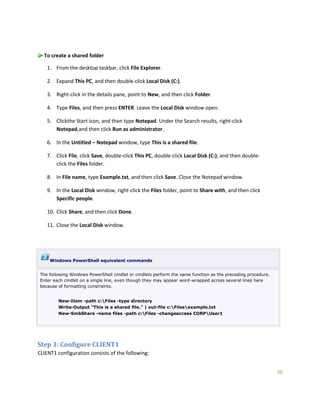
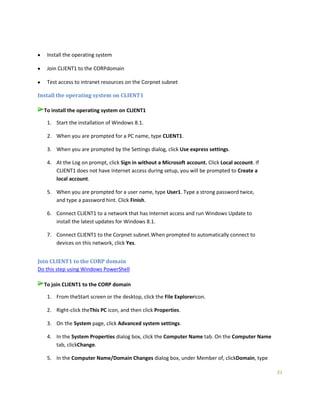
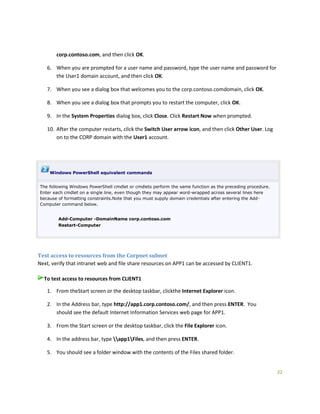
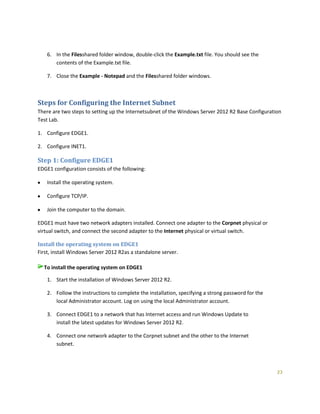
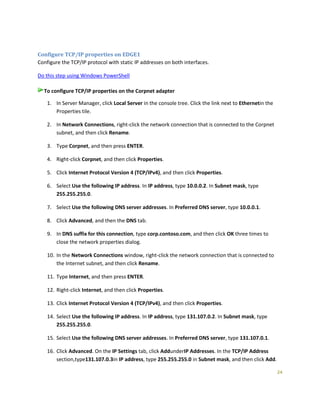
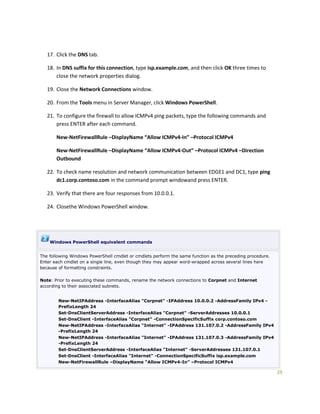
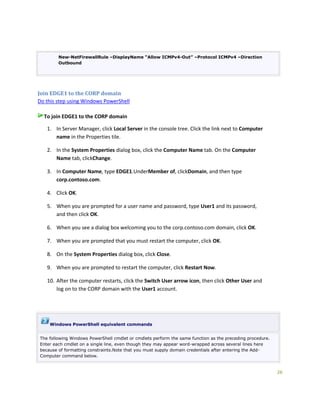
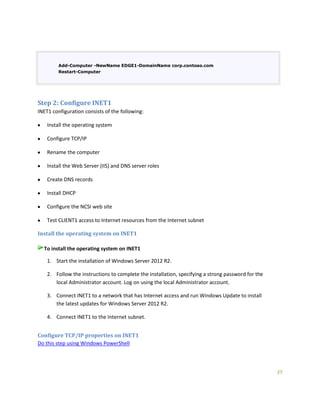
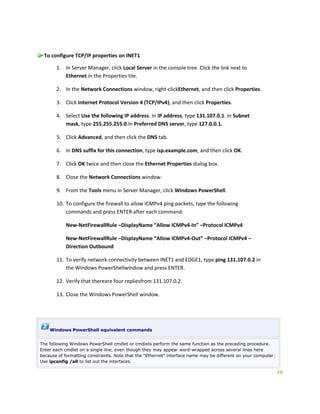
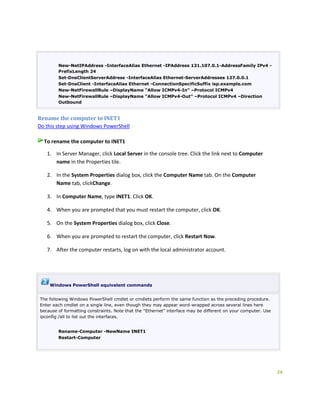
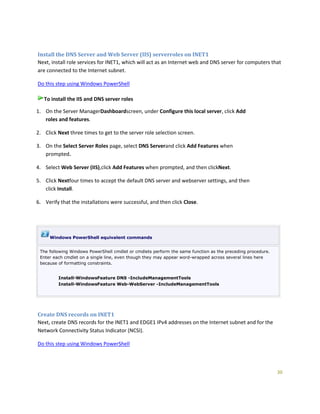
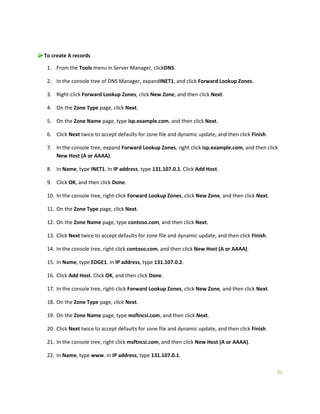
![34
Router 131.107.0.1
Configure the NCSI web site on INET1
Windows clients attempt to connect to the URL http://www.msftncsi.com/ncsi.txt and resolve the name
dns.msftncsi.com to determine if they have Internet connectivity. In the following procedure, you create
the ncsi.txt file and place it in the WWWROOT directory on INET1.
Do this step usingWindows PowerShell
To configure the NCSI web site on INET1
1. On INET1, launchFile Explorer, and then navigate to C:inetpubwwwroot.
2. In the details pane, right click an empty area, point to New, and then click Text Document.
3. Rename the document to ncsi.
4. Double-click on ncsi.
5. In the Notepadwindow, type Microsoft NCSI and do not press ENTER to add a new line.
6. Click File, and then click Exit. In the Notepad dialog box, click Save.
7. Close the File Explorer window.
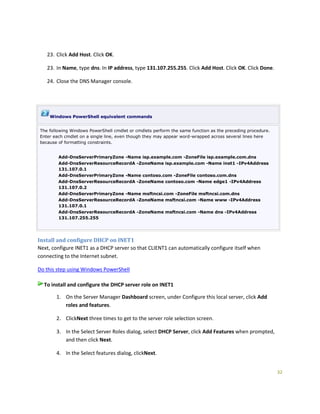
Windows PowerShell equivalent commands
The following PowerShell commands perform the same steps to write the Ncsi.txt file without a new line after
the "Microsoft NCSI" string:
$filename = "C:inetpubwwwrootncsi.txt"
$text = "Microsoft NCSI"
[System.IO.File]::WriteAllText($fileName, $text)
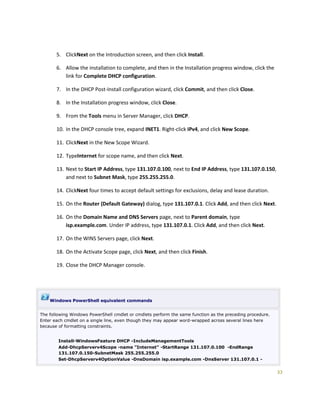
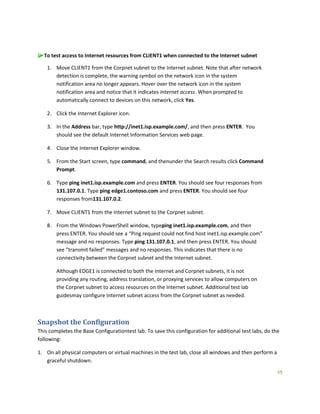
Test access to Internet resources from the Internet subnet
Next, connect CLIENT1 to the Internet subnet and test connectivity to resources on INET1.](https://image.slidesharecdn.com/w2012r2rtmtlg-140311072933-phpapp01/85/Test-Lab-Guide-Windows-Server-2012-R2-Base-Configuration-34-320.jpg)

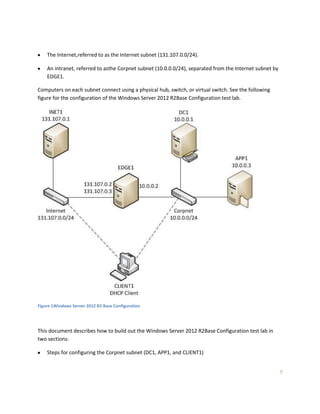
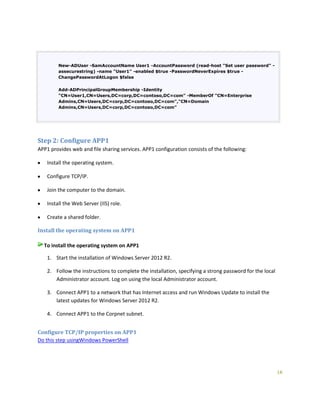
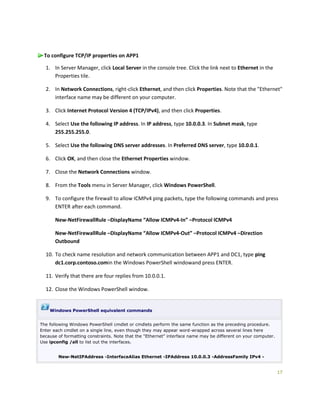
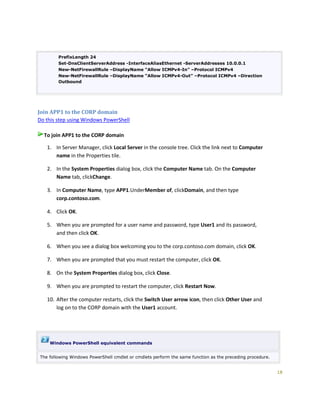
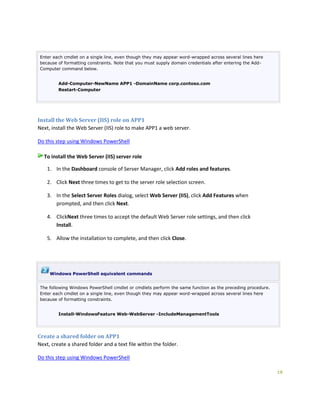
The document provides instructions for configuring the Windows Server 2012 R2 Base Configuration test lab. It describes installing Windows Server 2012 R2 on DC1 and configuring it as an Active Directory domain controller, DNS server, and DHCP server for the Corpnet subnet. It also describes installing Windows Server 2012 R2 on additional computers APP1 and CLIENT1, configuring their TCP/IP settings, and joining them to the Corp domain. This establishes the basic Corpnet infrastructure to build out additional test labs.


![Getting Started with Apache Spark: Big Data Made Simple [Free Meetup]](https://cdn.slidesharecdn.com/ss_thumbnails/apachesparkgettingstarted-260203175547-8361bcc3-thumbnail.jpg?width=640&height=640&fit=bounds)


