Analysis
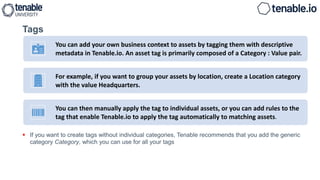
 If you want to create tags without individual categories, Tenable recommends that you add the generic
category Category, which you can use for all your tags
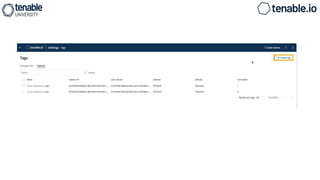
Tags
You can add your own business context to assets by tagging them with descriptive
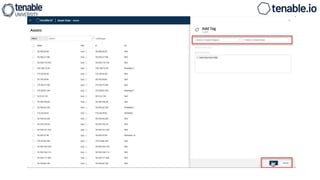
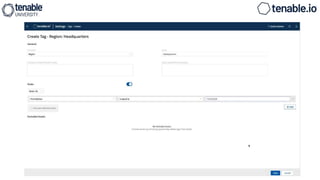
metadata in Tenable.io. An asset tag is primarily composed of a Category : Value pair.
For example, if you want to group your assets by location, create a Location category
with the value Headquarters.
You can then manually apply the tag to individual assets, or you can add rules to the
tag that enable Tenable.io to apply the tag automatically to matching assets.
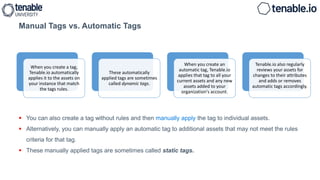
Manual Tags vs. Automatic Tags
 You can also create a tag without rules and then manually apply the tag to individual assets.
 Alternatively, you can manually apply an automatic tag to additional assets that may not meet the rules
criteria for that tag.
 These manually applied tags are sometimes called static tags.
When you create a tag,
Tenable.io automatically
applies it to the assets on
your instance that match
the tags rules.
These automatically
applied tags are sometimes
called dynamic tags.
When you create an
automatic tag, Tenable.io
applies that tag to all your
current assets and any new
assets added to your
organization's account.
Tenable.io also regularly
reviews your assets for
changes to their attributes
and adds or removes
automatic tags accordingly.
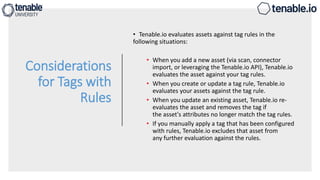
Considerations
for Tags with
Rules
• Tenable.io evaluates assets against tag rules in the
following situations:
• When you add a new asset (via scan, connector
import, or leveraging the Tenable.io API), Tenable.io
evaluates the asset against your tag rules.
• When you create or update a tag rule, Tenable.io
evaluates your assets against the tag rule.
• When you update an existing asset, Tenable.io re-
evaluates the asset and removes the tag if
the asset's attributes no longer match the tag rules.
• If you manually apply a tag that has been configured
with rules, Tenable.io excludes that asset from
any further evaluation against the rules.
Tag
Rules
 Tag rules allow Tenable.io to automatically apply tags you create to the assets on your instance
that
match the tags rules.
 These automatically applied tags are called dynamic or automatic tags.
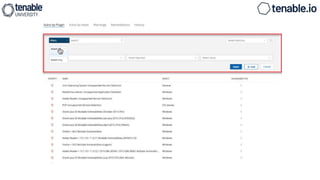
Tag rules are composed of one or more filter-value pairs based on asset attributes.
 When you create a rule and add it to a tag, Tenable.io applies the tag to all assets on your
instance that match the tag rule.
Tenable IO analysis.pptx

Tenable IO analysis.pptx

  • 1.
  • 2.
     If youwant to create tags without individual categories, Tenable recommends that you add the generic category Category, which you can use for all your tags Tags You can add your own business context to assets by tagging them with descriptive metadata in Tenable.io. An asset tag is primarily composed of a Category : Value pair. For example, if you want to group your assets by location, create a Location category with the value Headquarters. You can then manually apply the tag to individual assets, or you can add rules to the tag that enable Tenable.io to apply the tag automatically to matching assets.
  • 4.
    Manual Tags vs.Automatic Tags  You can also create a tag without rules and then manually apply the tag to individual assets.  Alternatively, you can manually apply an automatic tag to additional assets that may not meet the rules criteria for that tag.  These manually applied tags are sometimes called static tags. When you create a tag, Tenable.io automatically applies it to the assets on your instance that match the tags rules. These automatically applied tags are sometimes called dynamic tags. When you create an automatic tag, Tenable.io applies that tag to all your current assets and any new assets added to your organization's account. Tenable.io also regularly reviews your assets for changes to their attributes and adds or removes automatic tags accordingly.
  • 5.
    Considerations for Tags with Rules •Tenable.io evaluates assets against tag rules in the following situations: • When you add a new asset (via scan, connector import, or leveraging the Tenable.io API), Tenable.io evaluates the asset against your tag rules. • When you create or update a tag rule, Tenable.io evaluates your assets against the tag rule. • When you update an existing asset, Tenable.io re- evaluates the asset and removes the tag if the asset's attributes no longer match the tag rules. • If you manually apply a tag that has been configured with rules, Tenable.io excludes that asset from any further evaluation against the rules.
  • 6.
    Tag Rules  Tag rulesallow Tenable.io to automatically apply tags you create to the assets on your instance that match the tags rules.  These automatically applied tags are called dynamic or automatic tags. Tag rules are composed of one or more filter-value pairs based on asset attributes.  When you create a rule and add it to a tag, Tenable.io applies the tag to all assets on your instance that match the tag rule.