Telerik Reporting – Quick Start (Part 2)Albert Kuo1
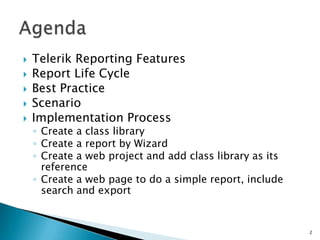
Telerik Reporting FeaturesReport Life CycleBest PracticeScenarioImplementation ProcessCreate a class libraryCreate a report by WizardCreate a web project and add class library as its referenceCreate a web page to do a simple report, include search and export2Agenda
Report designer and wizardExport to csv, pdf, excel, tiff, and mhtmlSupport sub reportsSupport barcodeReport converters(one-way): Crystal Reports, Xtra Reports, and Active Reports.Telerik Reporting Features3
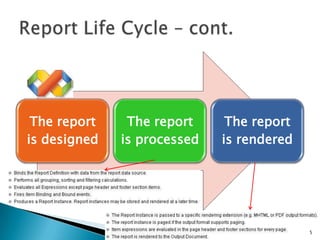
Report Life Cycle4DatasourceReport rendererOutputDocumentOutputDocumentOutputDocumentReportClassReportInstanceOutputDocumentReport DesignerOutputDocumentReport processorReport Cache
Report Life Cycle – cont.5
Best PracticeYou can have any number of Windows or Web viewing applications that get re-use out of the same class library. This solution structure decouples your program logic from the report and its data.6
7Scenario
Implementation Process12438
Create a class library19
Create a report by Wizard102Please check Telerik Reporting– Quick Start (Part 1).pptx for further information.
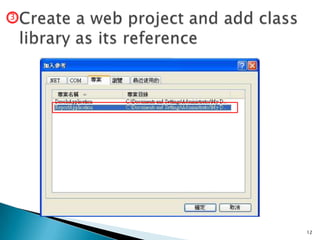
11Create a web project and add class library as its reference3Remember to set COPY TO LOCAL to True for the three dlls.
Create a web project and add class library as its reference312
13Create a web page to do a simple report, include search and export4
14Create / Edit  ReportViewer.aspx
15Create / Edit  ReportViewer.aspx
16Create / Edit  ReportViewer.aspx
17Edit ReportViewer.cs
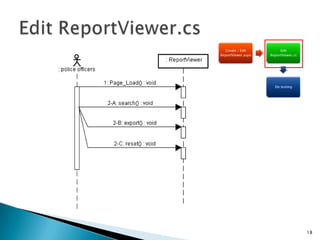
18Edit ReportViewer.cs
19Edit ReportViewer.cs
20Edit ReportViewer.csInjects the bytes to the Response Stream
21Search function
22Export function
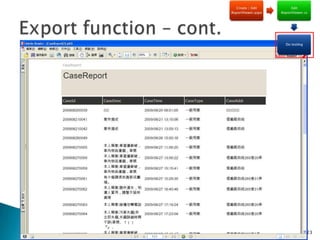
23Export function – cont.

Telerik Reporting– Quick Start (Part 2)