BTec Level 3
Extended Diploma in Creative Media Production
BTec Level 3
Extended Diploma in Creative Media Production
BTec Level 3
Extended Diploma in Creative Media Production

  HA1 - Technical File – Luke Finlay
BTec Level 3
Extended Diploma in Creative Media Production

  HA1 - Technical File – Raster and Vector Images
  Raster Images
 A raster image is a collection of dots called pixels. Each pixel is a tiny coloured square. When
 an image is scanned, the image is converted to a collection of pixels called a raster image.
 Scanned graphics and web graphics (JPEG and GIF files) are the most common forms of
 raster images.
 The resolution of a raster image is expressed in terms of the dots per inch. A printer or
 scanner's resolution is also measured in dots per inch. Typical desktop laser printers print at 300
 - 600 dpi. Image setters are capable of printing over 2,500 dpi. Printers with higher dpi ratings
 are capable of producing smoother and cleaner output. The output quality of a printing device is
 dependent upon the resolution of a bitmap or scan. A 300 dpi raster image will output at the
 same quality on a 300 dpi laser printer as on a 2,500 dpi image setter.
 With any scanned colour image, a large number of colours will be required to render a raster
 image reproduction of the original source artwork accurately. If scanned at 24-bin colour depth
 (16 million colours), most human eyes could not tell the difference between the original image
 and the scanned raster image. Now if you scan the same image using the palette of 256
 colours, it would be impossible to accurately reproduce the original colours because you have a
 smaller colour palette to choose from. To get around this, scanners use a process called
 dithering to approximate colours that don't occur in the current colour palette.
 Common raster image formats include BMP (Windows Bitmap), PCX (Paintbrush), TIFF (Tag
 Interleave Format), JPEG (Joint Photographics Expert Group), GIF (Graphics Interchange
 Format) , PNG (Portable Network Graphic), PSD (Adobe Photoshop) and CPT (Corel
 PhotoPAINT).
BTec Level 3
Extended Diploma in Creative Media Production

   HA1 - Technical File – Raster and Vector Images
   Vector Images
A vector image is a collection of connected lines and curves that produce objects. When creating a vector
image in a vector illustration program, drawing points are inserted and lines and curves connect notes
together. This is the same principle as "connect the dots". Each line and curve is defined in the drawing by the
graphics software by a mathematical description. Every aspect of a vector object is defined by math included
line length and on down the line. Text objects are created by connecting lines and curves. Every letter in a
font starts out as a vector object. Vector images are object-oriented while raster images are pixel oriented. A
vector object will have a "wireframe" underneath the colours in the object. In a vector object, colours are like
clothes over the top of a skeleton. CorelDraw and Illustrator create text and objects using vectors that can be
easily manipulated.
Vector images are defined by math, not pixels. They can be scaled up or down without any loss of quality.
When an illustration program sizes a vector image up or down, it simply multiplies the mathematical
description of the object by a scaling factor. For example a 1" square object would need to be multiplied by a
factor of 2 in order to double in size. The math is simply recalculated to produce an object twice the size of the
original. Because vector images scale up or down without the loss of image quality, they can be output at any
resolution that a printer is capable of producing. Unlike raster images, quality is not limited by dots per inch or
scanning resolution.
Since vector images are composed of objects not pixels, you can change the colour of individual objects
without worrying about individual pixels. Colouring vector objects is similar to colouring with crayons in a
colouring book. A drawing program will enable a user to click inside an object and define its colour. A drawing
program will also enable a user to define the colour and width of lines.
Common vector formats include EPS (Encapsulated PostScript), WMF (Windows Metafile), AI (Adobe
Illustrator), CDR (CorelDraw), DXF (AutoCAD), SVG (Scalable Vector Graphics) and PLT (Hewlett Packard
Graphics Language Plot File)
    Source: http://www.signindustry.com/computers/articles/2004-11-30-DASvector_v_raster.php3
BTec Level 3
Extended Diploma in Creative Media Production

  HA1 - Technical File – Raster and Vector Images


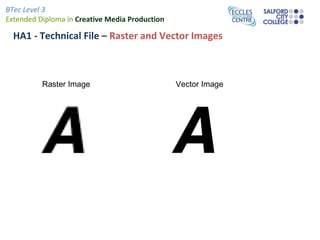
          Raster Image                          Vector Image

Technical file

  • 1.
    BTec Level 3 ExtendedDiploma in Creative Media Production
  • 2.
    BTec Level 3 ExtendedDiploma in Creative Media Production
  • 3.
    BTec Level 3 ExtendedDiploma in Creative Media Production HA1 - Technical File – Luke Finlay
  • 4.
    BTec Level 3 ExtendedDiploma in Creative Media Production HA1 - Technical File – Raster and Vector Images Raster Images A raster image is a collection of dots called pixels. Each pixel is a tiny coloured square. When an image is scanned, the image is converted to a collection of pixels called a raster image. Scanned graphics and web graphics (JPEG and GIF files) are the most common forms of raster images. The resolution of a raster image is expressed in terms of the dots per inch. A printer or scanner's resolution is also measured in dots per inch. Typical desktop laser printers print at 300 - 600 dpi. Image setters are capable of printing over 2,500 dpi. Printers with higher dpi ratings are capable of producing smoother and cleaner output. The output quality of a printing device is dependent upon the resolution of a bitmap or scan. A 300 dpi raster image will output at the same quality on a 300 dpi laser printer as on a 2,500 dpi image setter. With any scanned colour image, a large number of colours will be required to render a raster image reproduction of the original source artwork accurately. If scanned at 24-bin colour depth (16 million colours), most human eyes could not tell the difference between the original image and the scanned raster image. Now if you scan the same image using the palette of 256 colours, it would be impossible to accurately reproduce the original colours because you have a smaller colour palette to choose from. To get around this, scanners use a process called dithering to approximate colours that don't occur in the current colour palette. Common raster image formats include BMP (Windows Bitmap), PCX (Paintbrush), TIFF (Tag Interleave Format), JPEG (Joint Photographics Expert Group), GIF (Graphics Interchange Format) , PNG (Portable Network Graphic), PSD (Adobe Photoshop) and CPT (Corel PhotoPAINT).
  • 5.
    BTec Level 3 ExtendedDiploma in Creative Media Production HA1 - Technical File – Raster and Vector Images Vector Images A vector image is a collection of connected lines and curves that produce objects. When creating a vector image in a vector illustration program, drawing points are inserted and lines and curves connect notes together. This is the same principle as "connect the dots". Each line and curve is defined in the drawing by the graphics software by a mathematical description. Every aspect of a vector object is defined by math included line length and on down the line. Text objects are created by connecting lines and curves. Every letter in a font starts out as a vector object. Vector images are object-oriented while raster images are pixel oriented. A vector object will have a "wireframe" underneath the colours in the object. In a vector object, colours are like clothes over the top of a skeleton. CorelDraw and Illustrator create text and objects using vectors that can be easily manipulated. Vector images are defined by math, not pixels. They can be scaled up or down without any loss of quality. When an illustration program sizes a vector image up or down, it simply multiplies the mathematical description of the object by a scaling factor. For example a 1" square object would need to be multiplied by a factor of 2 in order to double in size. The math is simply recalculated to produce an object twice the size of the original. Because vector images scale up or down without the loss of image quality, they can be output at any resolution that a printer is capable of producing. Unlike raster images, quality is not limited by dots per inch or scanning resolution. Since vector images are composed of objects not pixels, you can change the colour of individual objects without worrying about individual pixels. Colouring vector objects is similar to colouring with crayons in a colouring book. A drawing program will enable a user to click inside an object and define its colour. A drawing program will also enable a user to define the colour and width of lines. Common vector formats include EPS (Encapsulated PostScript), WMF (Windows Metafile), AI (Adobe Illustrator), CDR (CorelDraw), DXF (AutoCAD), SVG (Scalable Vector Graphics) and PLT (Hewlett Packard Graphics Language Plot File) Source: http://www.signindustry.com/computers/articles/2004-11-30-DASvector_v_raster.php3
  • 6.
    BTec Level 3 ExtendedDiploma in Creative Media Production HA1 - Technical File – Raster and Vector Images Raster Image Vector Image