Tools ANY music teacher will find useful…
 To reduce prep time.
 To get (and stay) organized.
 To reinforce the skills you are teaching.
 To enhance assessment.
 To keep students engaged in learning.
 To expose students to audio/visual examples of
musical excellence.
 To assist students with learning disabilities.
 UseWord to create all kinds of classroom
documents, like parent letters, choir
handbook, permission forms, worksheets for
homework, tests….ANYthing you need.
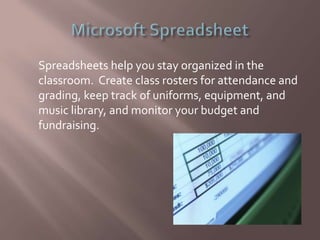
Spreadsheets help you stay organized in the
classroom. Create class rosters for attendance and
grading, keep track of uniforms, equipment, and
music library, and monitor your budget and
fundraising.
High Definition Audio/Visual Recorders are an
excellent way to give your ensembles immediate
feedback on their rehearsals and performances.
You can also allow students to record
individually, giving them a sense of immediate
accountability.
There are MANY websites that will enhance
classroom instruction in the areas of music theory.
Some excellent sites are:
 www.flashmusicgames.com
 www.8notes.com
 www.makingmusicfun.net
 www.trainer.thetamusic.com
 gStrings – an excellent tuning app
 L&M Guitar – serious guitar instruction and tuning
 Metronome Beats – useful metronome that
subdivides and has many options
 Theory, Practice! – ear training and interval
practice
 ClefTutor – teaches how to read music, memorize
key signatures, and music theory.
 Perfect Piano – teaches piano and drumkit
 Charms Office Assistant
 Music Librarian
 CATraxx
 DeMoulin Uniform Management System
 MediaMonkey
 Finale Music
 MuseScore
 Music Maestro
 Sibelius
 Encore
 Scorewriter
 Decide an area that you’d like to improve upon and
focus on that one thing to get started.
 Choose technology that fits the area you want to
improve. ASK other teachers if you’re not sure.
 Get some basic training on the technology you
want to utilize.
 Implement the use of that technology in small
steps.
 Once a step is mastered, add another piece of
technology to your “bag of tricks”.

Teaching Music with Technology

  • 1.
    Tools ANY musicteacher will find useful…
  • 2.
     To reduceprep time.  To get (and stay) organized.  To reinforce the skills you are teaching.  To enhance assessment.  To keep students engaged in learning.  To expose students to audio/visual examples of musical excellence.  To assist students with learning disabilities.
  • 3.
     UseWord tocreate all kinds of classroom documents, like parent letters, choir handbook, permission forms, worksheets for homework, tests….ANYthing you need.
  • 4.
    Spreadsheets help youstay organized in the classroom. Create class rosters for attendance and grading, keep track of uniforms, equipment, and music library, and monitor your budget and fundraising.
  • 5.
    High Definition Audio/VisualRecorders are an excellent way to give your ensembles immediate feedback on their rehearsals and performances. You can also allow students to record individually, giving them a sense of immediate accountability.
  • 6.
    There are MANYwebsites that will enhance classroom instruction in the areas of music theory. Some excellent sites are:  www.flashmusicgames.com  www.8notes.com  www.makingmusicfun.net  www.trainer.thetamusic.com
  • 7.
     gStrings –an excellent tuning app  L&M Guitar – serious guitar instruction and tuning  Metronome Beats – useful metronome that subdivides and has many options  Theory, Practice! – ear training and interval practice  ClefTutor – teaches how to read music, memorize key signatures, and music theory.  Perfect Piano – teaches piano and drumkit
  • 8.
     Charms OfficeAssistant  Music Librarian  CATraxx  DeMoulin Uniform Management System  MediaMonkey
  • 9.
     Finale Music MuseScore  Music Maestro  Sibelius  Encore  Scorewriter
  • 10.
     Decide anarea that you’d like to improve upon and focus on that one thing to get started.  Choose technology that fits the area you want to improve. ASK other teachers if you’re not sure.  Get some basic training on the technology you want to utilize.  Implement the use of that technology in small steps.  Once a step is mastered, add another piece of technology to your “bag of tricks”.