まずはQtの依存関係を解決
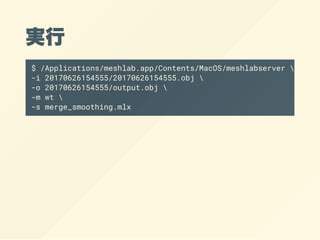
$ cd /Applications/meshlab.app/Contents/MacOS
$install_name_tool -add_rpath
> "@executable_path/../Frameworks" meshlabserver
$ ./meshlabserver
Usage:
meshlabserver [logargs] [args]
where logargs can be:
-d filename dump on a text file a list of all
filtering functions
-l filename log of the filters is ouput on a
where args can be:
-p filename meshlab project (.mlp) to be loaded
-w filename [-x] output meshlab project (.mlp) to
If -x flag is
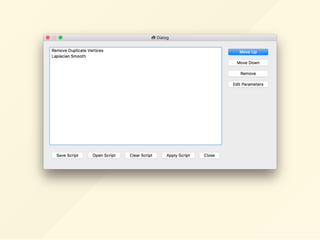
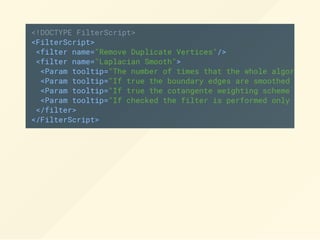
<!DOCTYPE FilterScript>
<FilterScript>
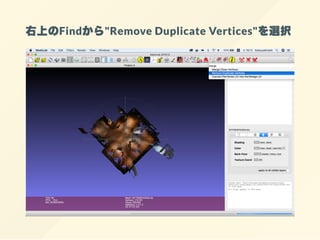
<filter name="RemoveDuplicate Vertices"/>
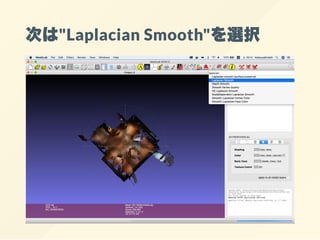
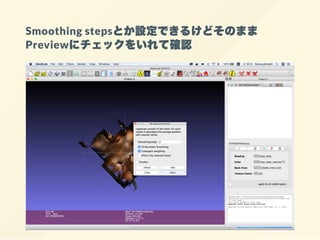
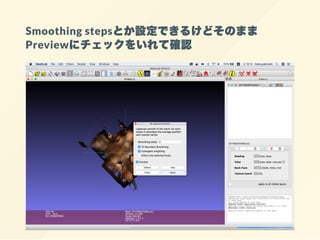
<filter name="Laplacian Smooth">
<Param tooltip="The number of times that the whole algorithm (
<Param tooltip="If true the boundary edges are smoothed only b
<Param tooltip="If true the cotangente weighting scheme is com
<Param tooltip="If checked the filter is performed only on the
</filter>
</FilterScript>






















![まずはQtの依存関係を解決
$ cd /Applications/meshlab.app/Contents/MacOS
$ install_name_tool -add_rpath
> "@executable_path/../Frameworks" meshlabserver
$ ./meshlabserver
Usage:
meshlabserver [logargs] [args]
where logargs can be:
-d filename dump on a text file a list of all
filtering functions
-l filename log of the filters is ouput on a
where args can be:
-p filename meshlab project (.mlp) to be loaded
-w filename [-x] output meshlab project (.mlp) to
If -x flag is](https://image.slidesharecdn.com/slide-171109054533/85/Tango-Constructor-36-320.jpg)