비개발자를 위한 Git 과
Github Page 블로그 만들기
안수빈(@subinium)
65차
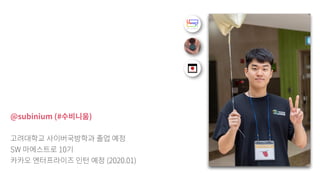
@subinium (# )
SW 10
(2020.01)
: Git Github,
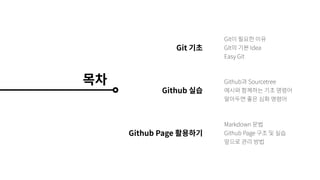
Git
Github
Github Page
Git
GIt Idea
Easy Git
Github Sourcetree
Markdown
Github Page
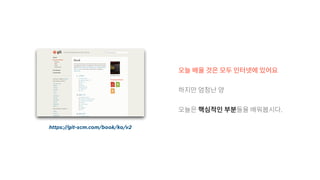
https://git-scm.com/book/ko/v2
.
Git 기초
Git , ?
Git ?
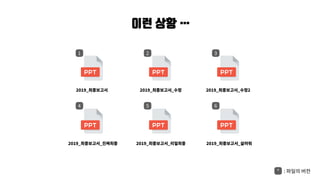
2019_ 2019_ _ 2019_ _ 2
2019_ _ 2019_ _ 2019_ _
이런 상황 …
1 2 3
4 5 6
* :
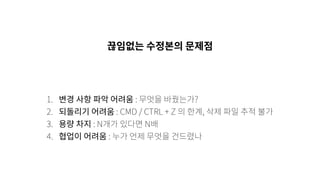
1. : ?
2. : CMD / CTRL + Z ,
3. : N N
4. :
!
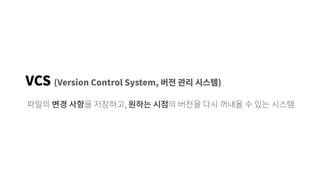
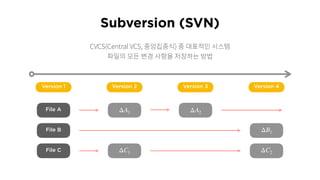
VCS (Version Control System, )
,
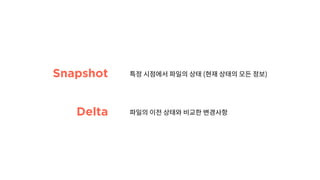
Delta
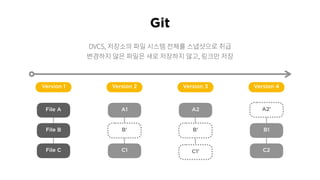
Snapshot ( )
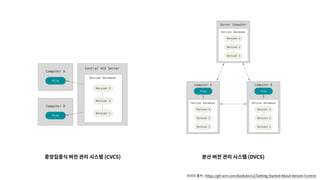
: https://git-scm.com/book/en/v2/Getting-Started-About-Version-Control
(CVCS) (DVCS)
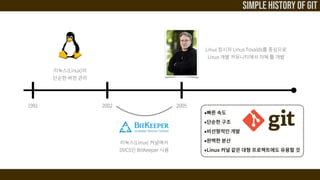
Linux
(Linux)
DVCS BitKeeper
Linux Linus Tovalds
Linux
(Linux)
1991 2002 2005
Simple History of Git
File A
File B
File C
Version 1 Version 2 Version 3 Version 4
Subversion (SVN)
ΔA1 ΔA2
ΔB1
ΔC1 ΔC2
CVCS(Central VCS, )
Git
DVCS,
,
File A
File B
File C
Version 1
A1
C1
Version 2
A2
Version 3
B1
C2
Version 4
B’ B’
C1’
A2’
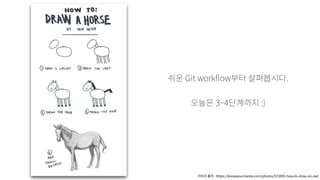
Git work ow .
3~4 :)
: https://knowyourmeme.com/photos/572093-how-to-draw-an-owl
Git
/ /
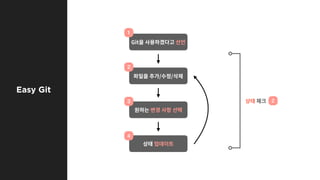
Easy Git
1
2
3
4
2
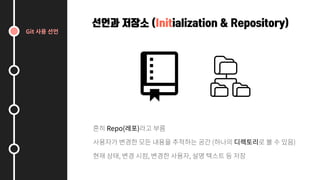
선언과 저장소 (Initialization & Repository)
Repo( )
( )
, , ,
Git
Git
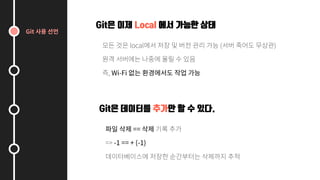
Git은 이제 Local 에서 가능한 상태
local ( )
, Wi-Fi
Git은 데이터를 추가만 할 수 있다.
==
=> -1 == + (-1)
Git
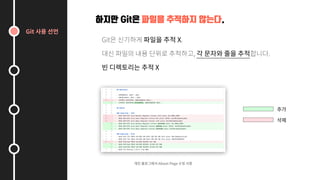
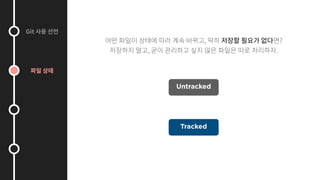
하지만 Git은 파일을 추적하지 않는다.
Git X.
, .
X
About Page
Git
, ?
, .
Tracked
Untracked
Git
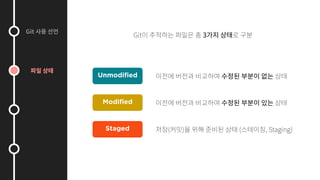
Git 3
Unmodified
Modified
Staged ( ) ( , Staging)
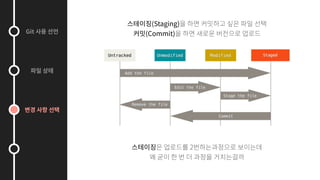
2
Git
(Staging)
(Commit)
Git
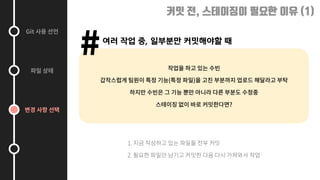
커밋 전, 스테이징이 필요한 이유 (1)
여러 작업 중, 일부분만 커밋해야할 때
#
( )
?
1.
2.
Git
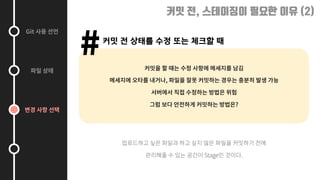
커밋 전, 스테이징이 필요한 이유 (2)
커밋 전 상태를 수정 또는 체크할 때
#
,
?
Stage .
Git
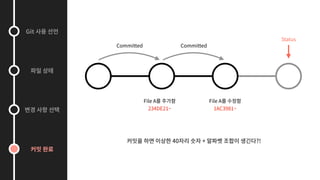
Committed Committed
File A
234DE21~
File A
1AC3981~
Status
40 + ?!
Git
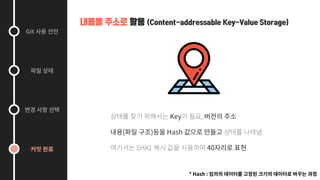
내용을 주소로 활용 (Content-addressable Key-Value Storage)
Key ,
( ) Hash
SHA1 40
* Hash :
Git
Commit Hash Checkout !
Git
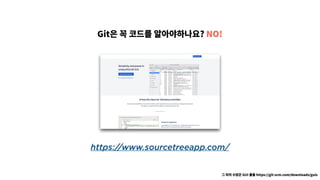
https://www.sourcetreeapp.com/
Git ? NO!
GUI https://git-scm.com/downloads/guis
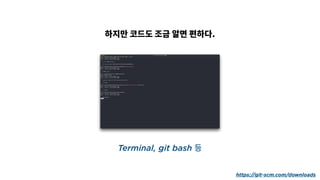
Terminal, git bash 등
.
https://git-scm.com/downloads
Github 실습하기
Github
DEEP
.
.
0.0.1 1.0.0 1.0.1
.
1.1.0
[A].[B].[C] . 3 .
.
[A] : Major :
[B] : Minor : ,
[C] : Patch :
?
NO!
.
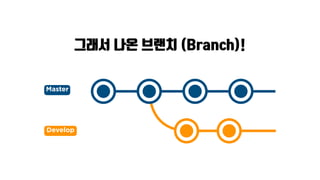
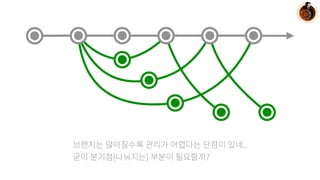
그래서 나온 브랜치 (Branch)!
Master
Develop
[ ]
Github
.
프로젝트 총 관리자 및 시작자
닉 퓨리 시점
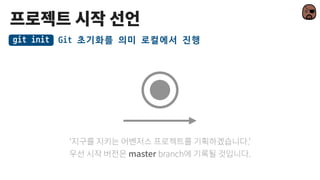
Git	초기화를	의미	로컬에서	진행git	init
.
master branch .
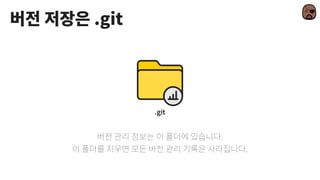
.git
.git
.
.
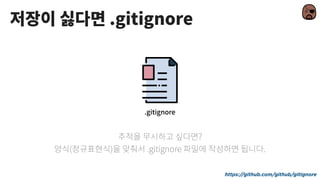
.gitignore
.gitignore
?
( ) .gitignore .
https://github.com/github/gitignore
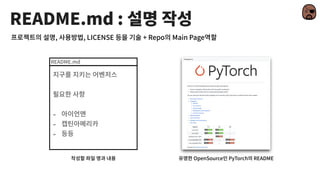
README.md :
-
-
-
README.md
, , LICENSE + Repo Main Page
OpenSource PyTorch README
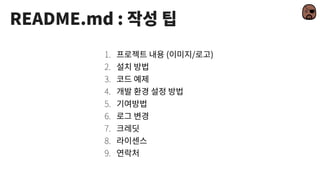
README.md :
1. ( / )
2.
3.
4.
5.
6.
7.
8.
9.
[file]을	스테이지로	올림,	폴더나	전체도	가능git	add	[file]
Unmodified
Modified
Staged
+ README.md
+ README.md
git	status git	diff
, ?
?
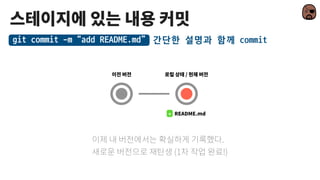
간단한	설명과	함께	commitgit	commit	-m	“add	README.md”	
+ README.md
/
.
(1 !)
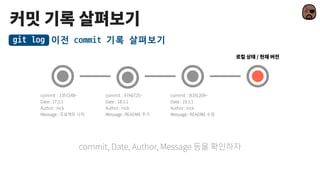
이전	commit	기록	살펴보기git	log
/
commit, Date, Author, Message
commit : B191209~
Date : 19.1.1
Author : nick
Message : README
commit : 97A0725~
Date : 18.1.1
Author : nick
Message : README
commit : 1357248~
Date : 17.1.1
Author : nick
Message :
origin이라는	이름으로	[url]과	연결git	remote	add	origin	[url]
Origin/Master
+ README.md
. ( )
Master
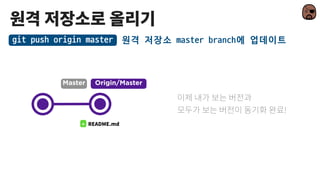
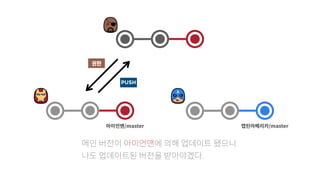
원격	저장소	master	branch에	업데이트git	push	origin	master	
Origin/Master
+ README.md
Master
!
슈퍼 개발자
아이언맨 시점
Master
원격	저장소에서	다운로드git	clone	[url]
Origin/Master
.
master Commit ?
master , ?
Origin/Master
[name]	branch	만들기git	branch	[name]	
Master
suit
Origin/Master
/
[name]	branch로	이동하기git	checkout	[name]	
Master
.
suit
Origin/Master
[name]	branch를	현재	branch로	합친다git	merge	[name]
Master
suit
(master)
, push .
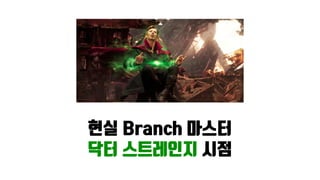
현실 Branch 마스터
닥터 스트레인지 시점
..
( ) ?
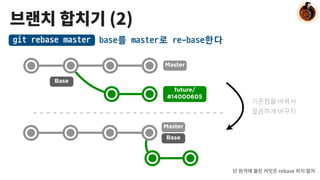
(2)
base를	master로	re-base한다git	rebase	master
Master
Base
future/
#14000605
Base
Master
rebase
완료된	branch를	지웁니다.git	branch	-d	[name]
Master
future/
#14000605
future/
#14000604
future/
#14000603
branch
프로젝트 리더
캡틴 아메리카 시점
.
PUSH
/master /master
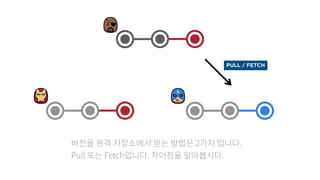
2 .
Pull Fetch . .
PULL / FETCH
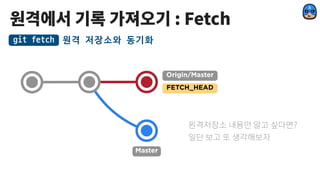
: Fetch
원격	저장소와	동기화git	fetch
Origin/Master
Master
FETCH_HEAD
?
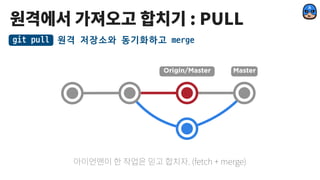
: PULL
MasterOrigin/Master
. (fetch + merge)
원격	저장소와	동기화하고	mergegit	pull
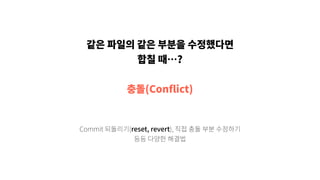
?
(Con ict)
Commit (reset, revert),
잘못하고 눈치보는
스파이더맨 시점
? .
, clone
.
RESET!
Master
Branch	이후	기록을	없애자git	reset	[option]	[branch]
, reset !
! (Hard, Mixed, Soft)
Reset
Master
.
Master
수정한	기록도	남기자git	revert	[branch]
,
revert
Revert
Master
Branch ?
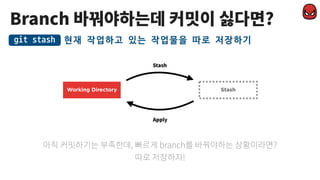
현재	작업하고	있는	작업물을	따로	저장하기git	stash
, branch ?
!
Working Directory Stash
Stash
Apply
기여하고 싶은
그루트 시점
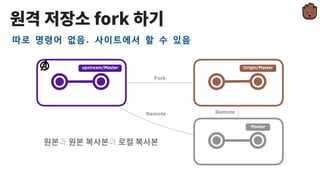
fork
upstream/Master
따로	명령어	없음.	사이트에서	할	수	있음
Origin/Master
Master
Fork
Remote Remote
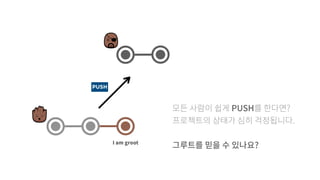
PUSH
I am groot
PUSH ?
.
?
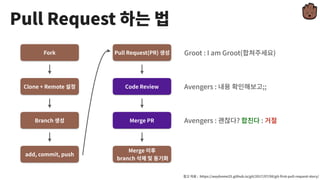
Fork
Clone + Remote
Branch
add, commit, push
: https://wayhome25.github.io/git/2017/07/08/git- rst-pull-request-story/
Pull Request(PR)
Code Review
Merge PR
Merge
branch
Groot : I am Groot( )
Avengers : ;;
Avengers : ? :
Pull Request
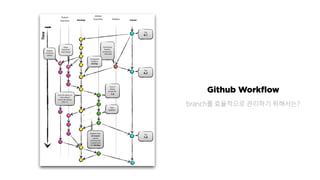
Github Workflow
branch ?
Github Page 활용하기
Github Page + Jekyll
!
Markdown
, HTML .
Markdown Editor
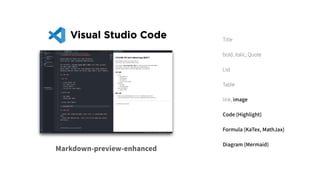
Visual Studio Code
Markdown-preview-enhanced
Title
bold, italic, Quote
List
Table
link, image
Code (Highlight)
Formula (KaTex, MathJax)
Diagram (Mermaid)
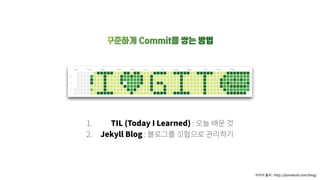
꾸준하게 Commit을 쌓는 방법
1. TIL (Today I Learned) :
2. Jekyll Blog :
: http://planetozh.com/blog/
Github
Ruby Ruby
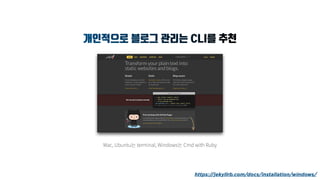
개인적으로 블로그 관리는 CLI를 추천
Mac, Ubuntu terminal, Windows Cmd with Ruby
https://jekyllrb.com/docs/installation/windows/
1. Theme Repo Clone / Fork
2. Jekyll
3. setting : _con g.yml
4.
5. About
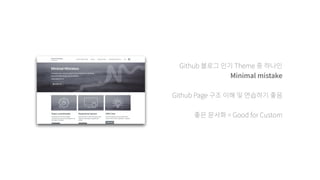
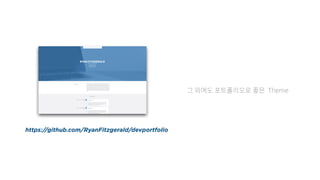
Github Theme
Minimal mistake
Github Page
= Good for Custom
Theme
https://github.com/RyanFitzgerald/devportfolio
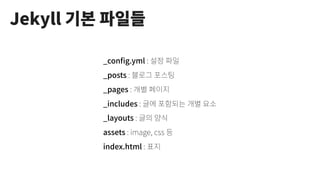
Jekyll
_con g.yml :
_posts :
_pages :
_includes :
_layouts :
assets : image, css
index.html :
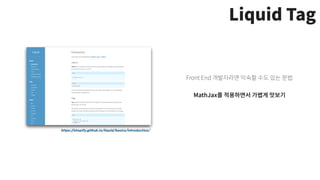
Liquid Tag
https://shopify.github.io/liquid/basics/introduction/
Front End
MathJax
Post Setting
Title
Category
Tag
Permalink
TOC (Table of Contents)
Sidebar
Overlay Image / Teaser
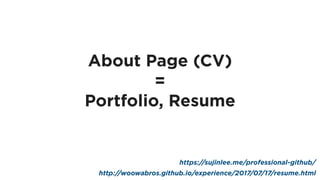
About Page (CV)
=
Portfolio, Resume
http://woowabros.github.io/experience/2017/07/17/resume.html
https://sujinlee.me/professional-github/
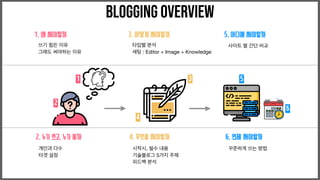
1. 왜 써야할까
쓰기 힘든 이유

그래도 써야하는 이유
2. 누가 쓰고, 누가 볼까
개인과 다수

타겟 설정
3. 어떻게 써야할까
타입별 분석

세팅 : Editor + Image + Knowledge

4. 무엇을 써야할까
시작시, 필수 내용

기술블로그 5가지 주제

피드백 분석
5. 어디에 써야할까
사이트 별 간단 비교
6. 언제 써야할까
꾸준하게 쓰는 방법
Blogging OVERVIEW
1
2
3
4
5
6
Why?
Think About
왜 글을 쓸까? Self Branding & Study
Who?
Think About
누구와 글을 쓸 것이고, 누가 글을 읽을 것인가?
How?
Think About
어떻게 쓸 것인가? 최대한 적은 노력
What?
Think About
무엇을 써야할까? 나의 성장을 위한 글
Where?
Think About
어디에 쓸 것인가? 효율적인 공유
When?
Think About
어느정도 주기로 쓸까? 우선순위
: https://youtube.com/c/
: https://subinium.github.io
A.I. Lookbook : https://www.facebook.com/AI.Lookbook
: https://www.facebook.com/algoguide/
: https://www.facebook.com/shovelingdesignoper/
Thank You

[T아카데미] 비개발자를 위한 Git과 Github Page 블로그 만들기