System Design Overview
Thispresentation provides a comprehensive overview of system design, focusing on its fundamental concepts,
processes, and best practices. We will explore the key principles that guide effective system design, the tools and
techniques used in the industry, and the challenges faced by designers. Additionally, we will discuss future trends that
may shape the landscape of system design in the coming years.
Design systems
that cangrow
with demand.
Ensure systems
are dependable
and available.
Maintainabilit
y
Understanding System
Design
Create systems
that are easy to
update and fix.
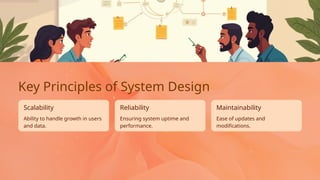
Scalability Reliability
5.
Ease of updatesand
modifications.
Ability to handle growth in users
and data.
Key Principles of System Design
Maintainability
Scalability
Ensuring system uptime and
performance.
Reliability
6.
Scalability
Interoperabili
ty
Allow different
systems towork
together
seamlessly.
Design for future
growth and
increased
demand.
Key Principles of System
Design
Break down the
system into
manageable
components.
Ensure ease of
updates and
modifications.
Focus on user
needs and
experiences.
Maintainabilit
y
Modularity
User-Centric
Approach
7.
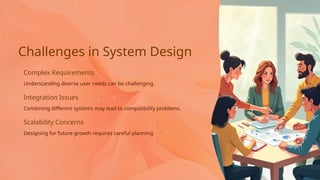
Integration Issues
Scalability Concerns
Combiningdifferent systems may lead to compatibility problems.
Challenges in System Design
Complex Requirements
Designing for future growth requires careful planning.
Understanding diverse user needs can be challenging.
8.
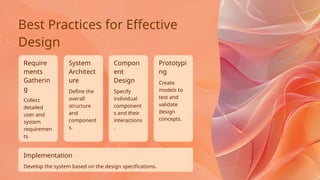
Define the
overall
structure
and
component
s.
Specify
individual
component
s andtheir
interactions
.
Compon
ent
Design
Require
ments
Gatherin
g
System
Architect
ure
Implementation
Prototypi
ng
Create
models to
test and
validate
design
concepts.
Develop the system based on the design specifications.
Best Practices for Effective
Design
Collect
detailed
user and
system
requiremen
ts.
9.
Using tools likeSlack and Trello
for team communication.
Collaboration Platforms Testing Frameworks
Frameworks such as Selenium
for automated testing.
Tools like Figma and Sketch for
design mockups.
Tools and Techniques
Prototyping Tools
10.
4
1 2
3 Wireframes
Toolsand Techniques
Tools like Lucidchart or
Microsoft Visio for creating
diagrams.
UML Diagrams
Modeling Software
Design layouts for user
interfaces.
Flowcharts
Visual representations of
system components and
interactions.
Illustrate processes and
decision points within the
system.
11.
3
2
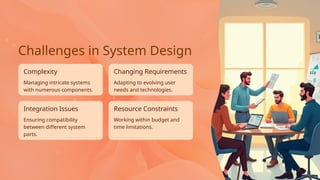
1 Complexity
Challenges inSystem Design
Managing intricate system interactions and dependencies.
Combining various components and technologies seamlessly.
Scalability
Ensuring the system can grow with increasing demands.
Integration
12.
Managing intricate systems
withnumerous components.
Complexity
Integration Issues
Ensuring compatibility
between different system
parts.
Resource Constraints
Changing Requirements
Adapting to evolving user
needs and technologies.
Challenges in System Design
Working within budget and
time limitations.
13.
Understand Your Audience
KeepIt Simple
Best Practices for Effective
Design
Tailor designs to meet user needs.
Avoid clutter for better focus.
Use Consistent Branding
Maintain brand identity across designs.
14.
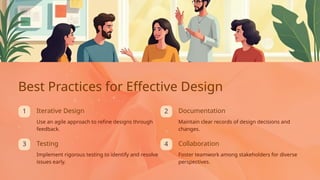
4
1
3
2
Foster teamwork amongstakeholders for diverse
perspectives.
Implement rigorous testing to identify and resolve
issues early.
Use an agile approach to refine designs through
feedback.
Best Practices for Effective Design
Documentation
Iterative Design
Collaboration
Testing
Maintain clear records of design decisions and
changes.
15.
Focus on userexperience will
drive design choices.
Artificial intelligence will
enhance decision-making in
design.
Increased Automation AI Integration
Future Trends in System Design
Automation tools will streamline
system design processes.
User-Centric Design
16.
2
4
1
3 Microservices
Architecture
Breaking systemsinto
smaller, independent
services.
Designing systems that
leverage cloud resources for
scalability.
Future Trends in System
Design
Cloud Computing
Prioritizing user interface
and experience in design
decisions.
AI Integration
User Experience Focus
Utilizing artificial
intelligence for smarter
systems.
17.
Questions
Feel free toask
any questions
you may have.
Thank you for
your attention
and
participation.
Appreciation
Thank You
Your feedback is
valuable for
future
improvements.
Feedback








![Getting Started with Apache Spark: Big Data Made Simple [Free Meetup]](https://cdn.slidesharecdn.com/ss_thumbnails/apachesparkgettingstarted-260203175547-8361bcc3-thumbnail.jpg?width=640&height=640&fit=bounds)


