Swift Learning
Lessons learned as a result of
building an iOS SDK.
Supportify
What is Supportify?
• Help Center as a Service
– A smart help center where, when, and how
your users need it.
• Focus On Automation
– Generate content as part of your workflow;
not an addition to it.
• Get In The Loop
– Create a feedback loop to create better
content.
Supportify
Why Did I Need An SDK?
• “A smart help center where, when, and
how your users need it.”
• Sometimes users need it in iOS apps.
Supportify
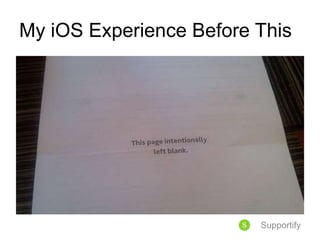
My iOS Experience Before This
Supportify
Where Did I Start?
• Code School
– Objective C:
https://www.codeschool.com/courses/try-
objective-c
• Ray Wenderlich
– http://www.raywenderlich.com/
• Philly Cocoa Heads Slack
– http://phillycocoa.org/
Supportify
Breakthrough 1!
• Swagger.io
– Create an API specification. (yawn)
– http://swagger.io/
• Swagger Code Generator
– Use your Swagger spec to create code.
(ZOMG!)
– https://github.com/swagger-api/swagger-
codegen
Supportify
Take 1
• Swagger Code Spec
• Objective C SDK
• Started on example application.
– Ran back through to the learning resources.
– Bashed head against wall.
– Met iOS developer friends for feedback and
ideas.
Supportify
Breakthrough 2!
• iOS Constraints
– Holding Down CTRL Key
• The Assistant Editor
– Such amaze! Wow!
Supportify
Take 2
• Swagger Code Spec
– With Swift this time!
• Swift SDK
• Re-did example application.
– Ran back through to the learning resources
with Swift this time.
– Bashed head against wall.
– Completed list, detail, search, and voting!
Supportify
For Further Info
• Github:
https://github.com/supportify/supportify-ios
• E-Mail: jordan.yaker@supportify.io
• Twitter: @supportifyio
Supportify

Swift Learning

  • 1.
    Swift Learning Lessons learnedas a result of building an iOS SDK. Supportify
  • 2.
    What is Supportify? •Help Center as a Service – A smart help center where, when, and how your users need it. • Focus On Automation – Generate content as part of your workflow; not an addition to it. • Get In The Loop – Create a feedback loop to create better content. Supportify
  • 3.
    Why Did INeed An SDK? • “A smart help center where, when, and how your users need it.” • Sometimes users need it in iOS apps. Supportify
  • 4.
    My iOS ExperienceBefore This Supportify
  • 5.
    Where Did IStart? • Code School – Objective C: https://www.codeschool.com/courses/try- objective-c • Ray Wenderlich – http://www.raywenderlich.com/ • Philly Cocoa Heads Slack – http://phillycocoa.org/ Supportify
  • 6.
    Breakthrough 1! • Swagger.io –Create an API specification. (yawn) – http://swagger.io/ • Swagger Code Generator – Use your Swagger spec to create code. (ZOMG!) – https://github.com/swagger-api/swagger- codegen Supportify
  • 7.
    Take 1 • SwaggerCode Spec • Objective C SDK • Started on example application. – Ran back through to the learning resources. – Bashed head against wall. – Met iOS developer friends for feedback and ideas. Supportify
  • 8.
    Breakthrough 2! • iOSConstraints – Holding Down CTRL Key • The Assistant Editor – Such amaze! Wow! Supportify
  • 9.
    Take 2 • SwaggerCode Spec – With Swift this time! • Swift SDK • Re-did example application. – Ran back through to the learning resources with Swift this time. – Bashed head against wall. – Completed list, detail, search, and voting! Supportify
  • 10.
    For Further Info •Github: https://github.com/supportify/supportify-ios • E-Mail: jordan.yaker@supportify.io • Twitter: @supportifyio Supportify