1人でも頑張れる!	

Retty 式開発環境
Retty株式会社	

2014/04/03	

櫻井 洋一郎
Self Introduction
• Name:Yoichiro Sakurai (@saku2saku)	

• Job: iOS Engineer @ Retty.Inc

TONKATSU Engineer	

• Major: Objective-C, PHP, Java, etc..	

• Hobby: Reading comics, Cooking, etc..
Works
for iPhone for iPad for Web
(not commiter)
What is “Retty” ?
WE’RE HIRING!!
https://www.wantedly.com/projects/6442
1人でも頑張れる!	

Retty 式開発環境
Table of Contents
1. Shortcuts &Tools	

2. Development Style	

3. Automation
Table of Contents
1. Shortcuts &Tools	

2. Development Style	

3. Automation
Basic Idea
• Keep home position, as much as possible
KeyRemap4Macbook
source: http://blog-imgs-51-origin.fc2.com/x/n/c/xnchg601/icon.png
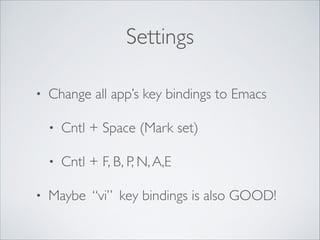
Settings
• Change all app’s key bindings to Emacs	

• Cntl + Space (Mark set)	

• Cntl + F, B, P, N,A,E	

• Maybe “vi” key bindings is also GOOD!
Xcode
source: http://ios-blog.co.uk/wp-content/uploads/2014/01/xcode-logo.png
Shortcuts
• Ctrl + 1: File history	

• ⌘ + Shift + O: File incremental search	

• Ctrl + 6: Method jump	

• Ctrl + Shift + F: Project keyword search	

• Ctrl + 5: File select (Current Directory)
BetterTouchTool (BTT)
source: http://blog.boastr.net/btt/btticon.png
BetterTouchTool (BTT)
• Application shortcut manager	

• Gesture shortcuts	

• Window maximization,Tab switching, etc..	

• Keyboard shortcuts	

• Resolve paradoxical key bindings of KeyRemap
Witch
source: http://a4.mzstatic.com/us/r30/Purple/v4/e5/b4/60/

e5b46071-31f5-1906-85b6-add1fb5573fb/PMWSPreferencePane.175x175-75.png
Witch
• Window switcher like “Windows OS”
ClipMenu
source: http://www.clipmenu.com/static/images/icon/clipmenu_128.png
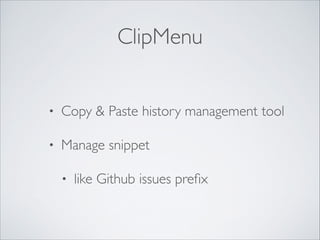
ClipMenu
• Copy & Paste history management tool	

• Manage snippet	

• like Github issues prefix
Spotlight
source: http://applehelpwriter.files.wordpress.com/2013/01/spotlight_1680x1050.jpg
Spotlight
• Application Launcher	

• Alternative to “Alfred”
Table of Contents
1. Shortcuts &Tools	

2. Development Style	

3. Automation
Github Flow
• Pull Request & Code Review	

• But.., I’m lonely now!
Table of Contents
1. Shortcuts &Tools	

2. Development Style	

3. Automation
Continuous Integration
source: http://hazi.jp/wp-content/uploads/2012/12/jenkins-wallpaper-phone1.jpg
Jenkins
• Nightly build	

• TestFlight automation	

• All member can send app, just push button!	

• UnitTest
Future Work
• Improve coverage	

• Pull Request trigger, and check build is valid	

• UI AutoTest (by UIAutomation)
SUMMARY
• SPEED is IMPORTANT!	

• Use shortcuts & tools effectively	

• Improve Development style	

• Introduce automation, such as CI and UnitTest
Thank you.

1人でも頑張れる!Retty式開発環境