Streamlining the User AssistanceLocalization Process: Graphics & MultimediaCecilia Dobner & David ThomassonProcess Analysts Manager - Localization Services Publishing Technologies
Introduction – Who am I?How I started, how I got hereMy evolution at AutodeskMy role today
Today’s trends and Autodesk’s responseGraphics are growingCollaboration between UA teams: Dev and LocVideos are growingGraphics translation cost doesn’t have to be so highQuick turn-around timeCost savings and fast moving into marketThinking global – Cooperation
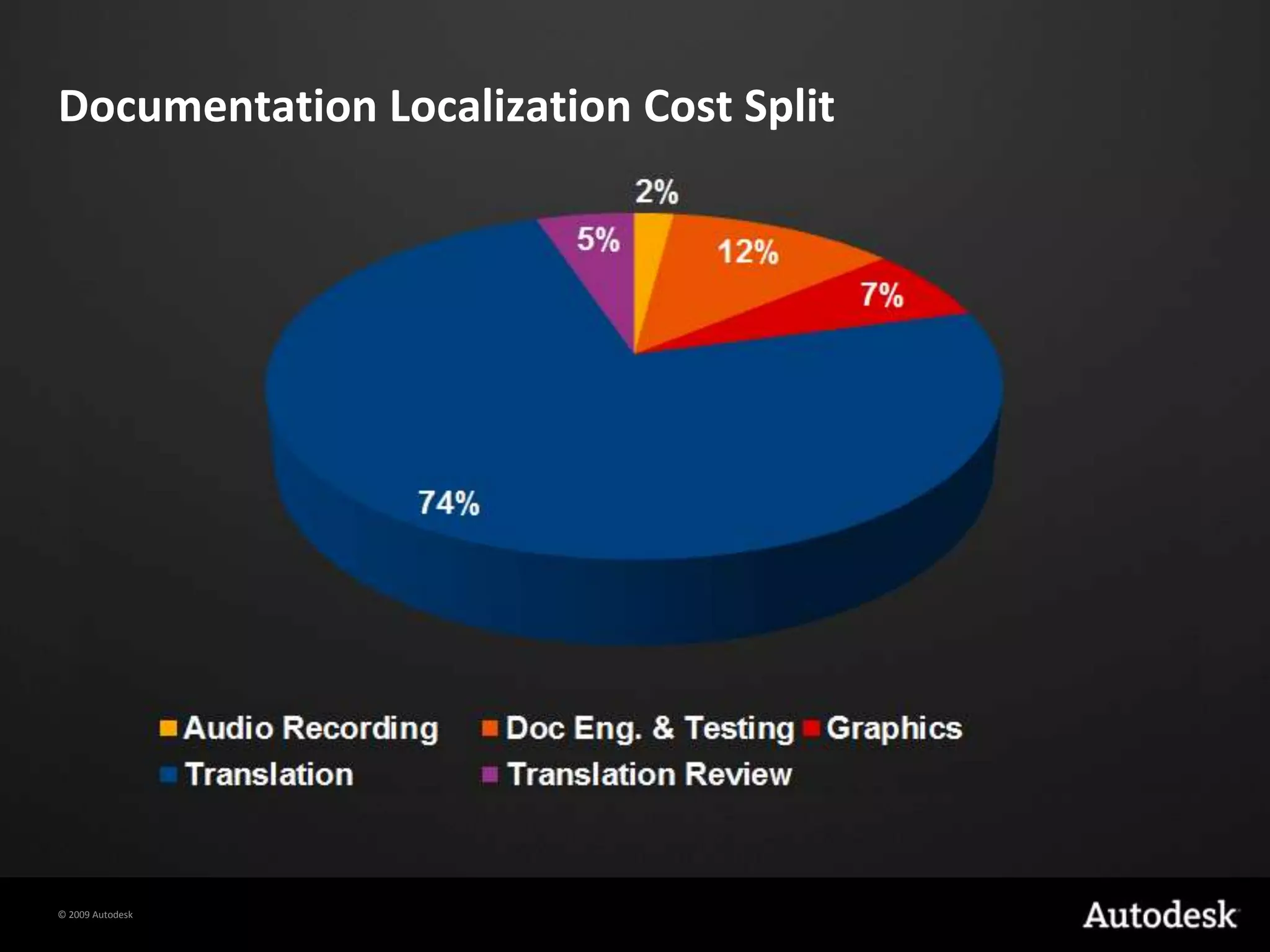
Documentation Localization Cost Split
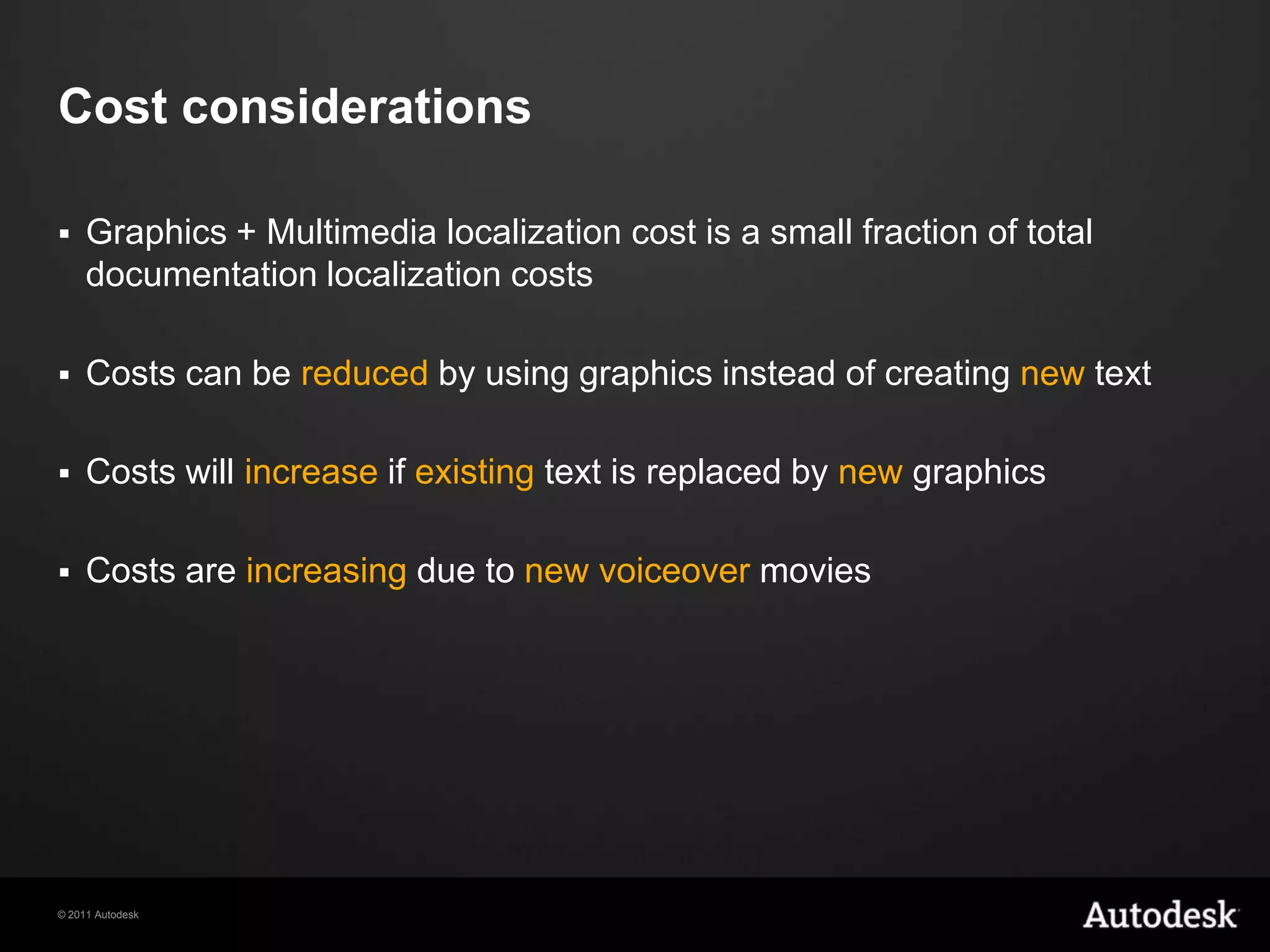
Cost considerationsGraphics + Multimedia localization cost is a small fraction of total documentation localization costsCosts can be reduced by using graphics instead of creating new textCosts will increase if existing text is replaced by newgraphicsCosts are increasing due to new voiceover movies
AgendaGraphics AutomationsVideosSaving cost with Visual Elements
Automations
AutomationsIntro / OverviewBenefits Scripted or ManualDemosRequirements
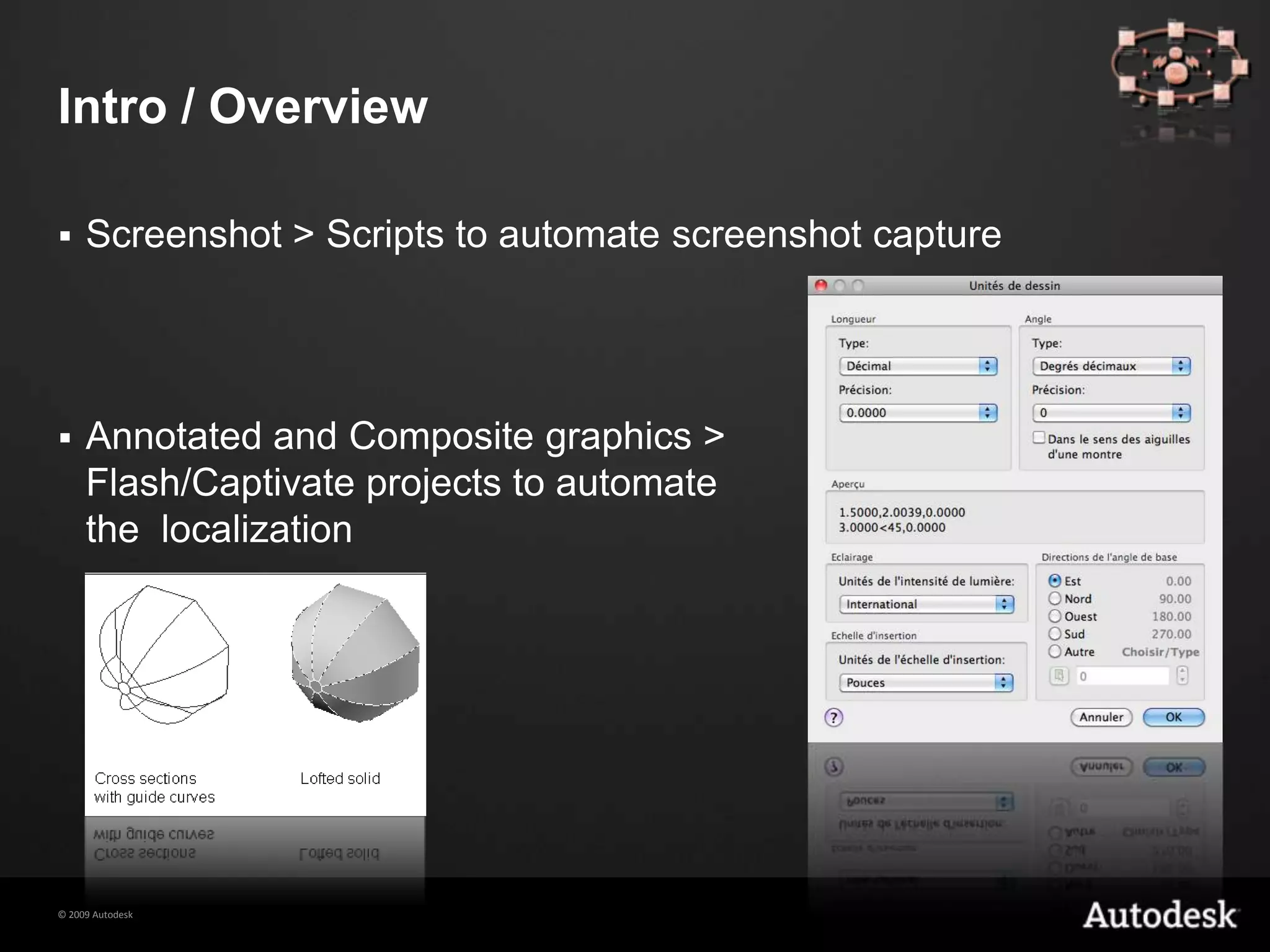
Intro / OverviewScreenshot > Scripts to automate screenshot captureAnnotated and Composite graphics > Flash/Captivate projects to automate the  localization
BenefitsMinimize the amount of time needed to produce localized imagesMinimize the amount of time needed to update images from one release to the nextMinimize the gap between release of English product and localizedImprove quality Reduce the peak resource demandSupport Authoring teams by providing English screenshots
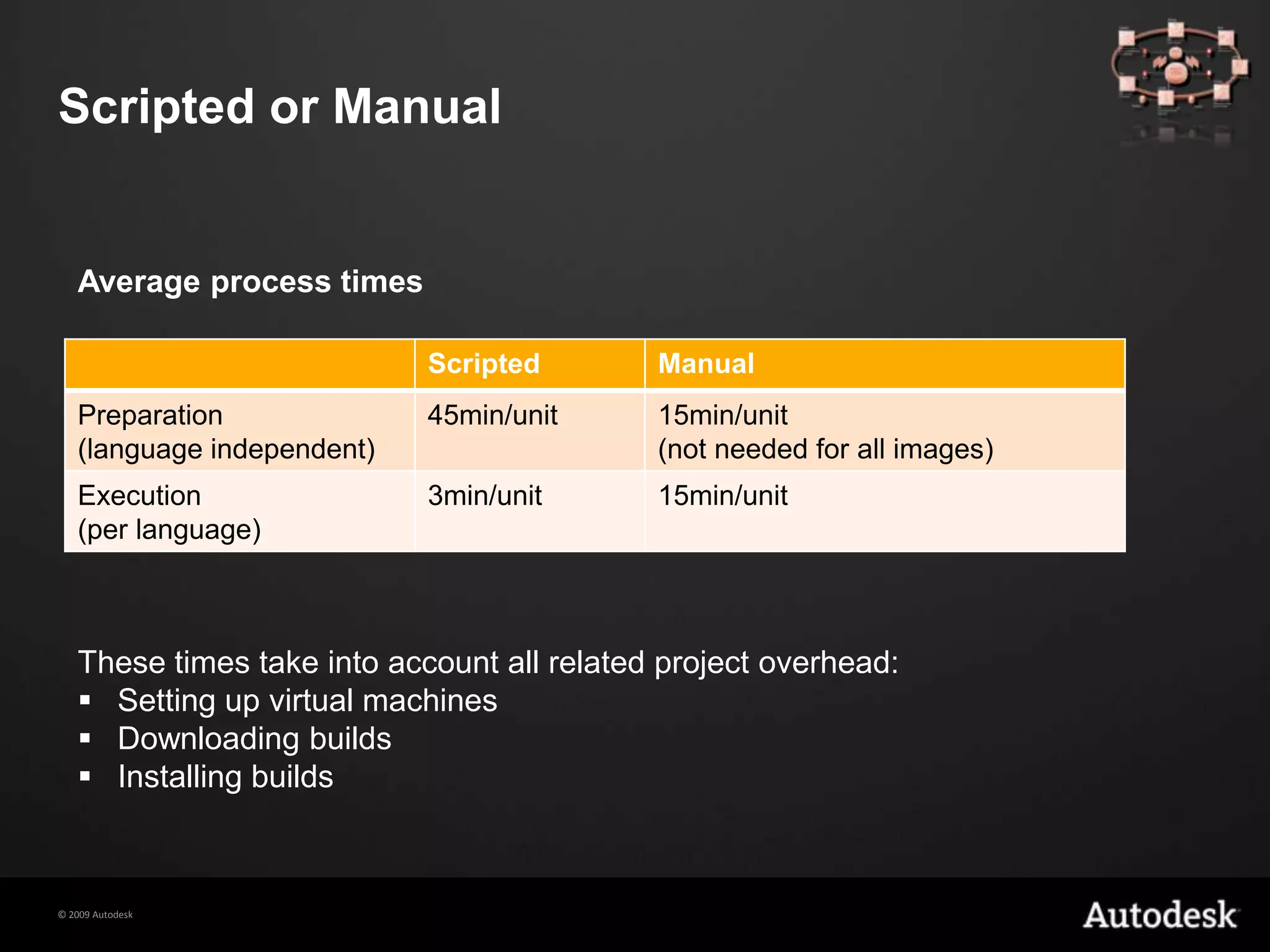
Scripted or ManualAverage process timesThese times take into account all related project overhead:Setting up virtual machines
Downloading builds
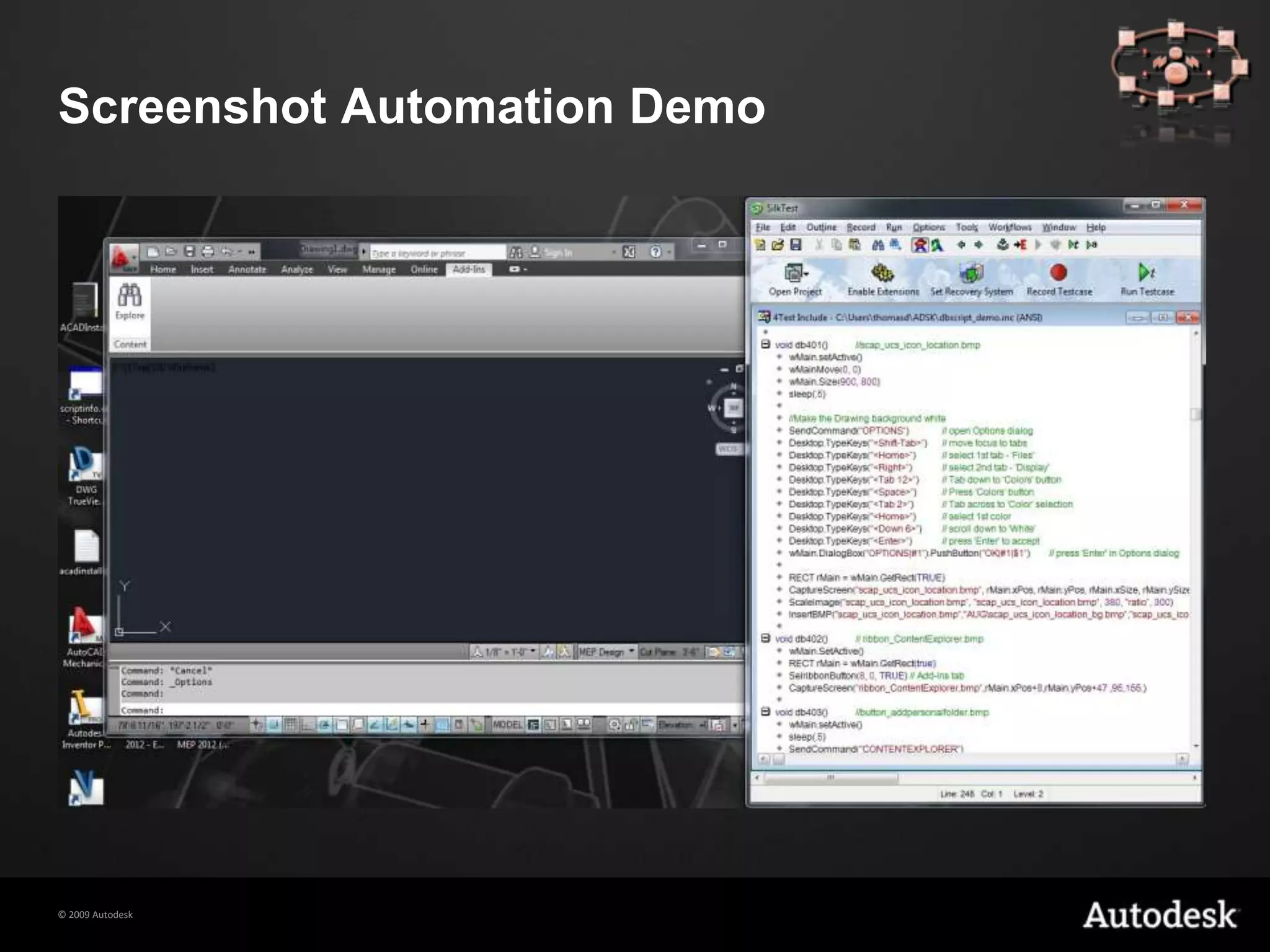
Installing buildsScreenshot Automation Demo
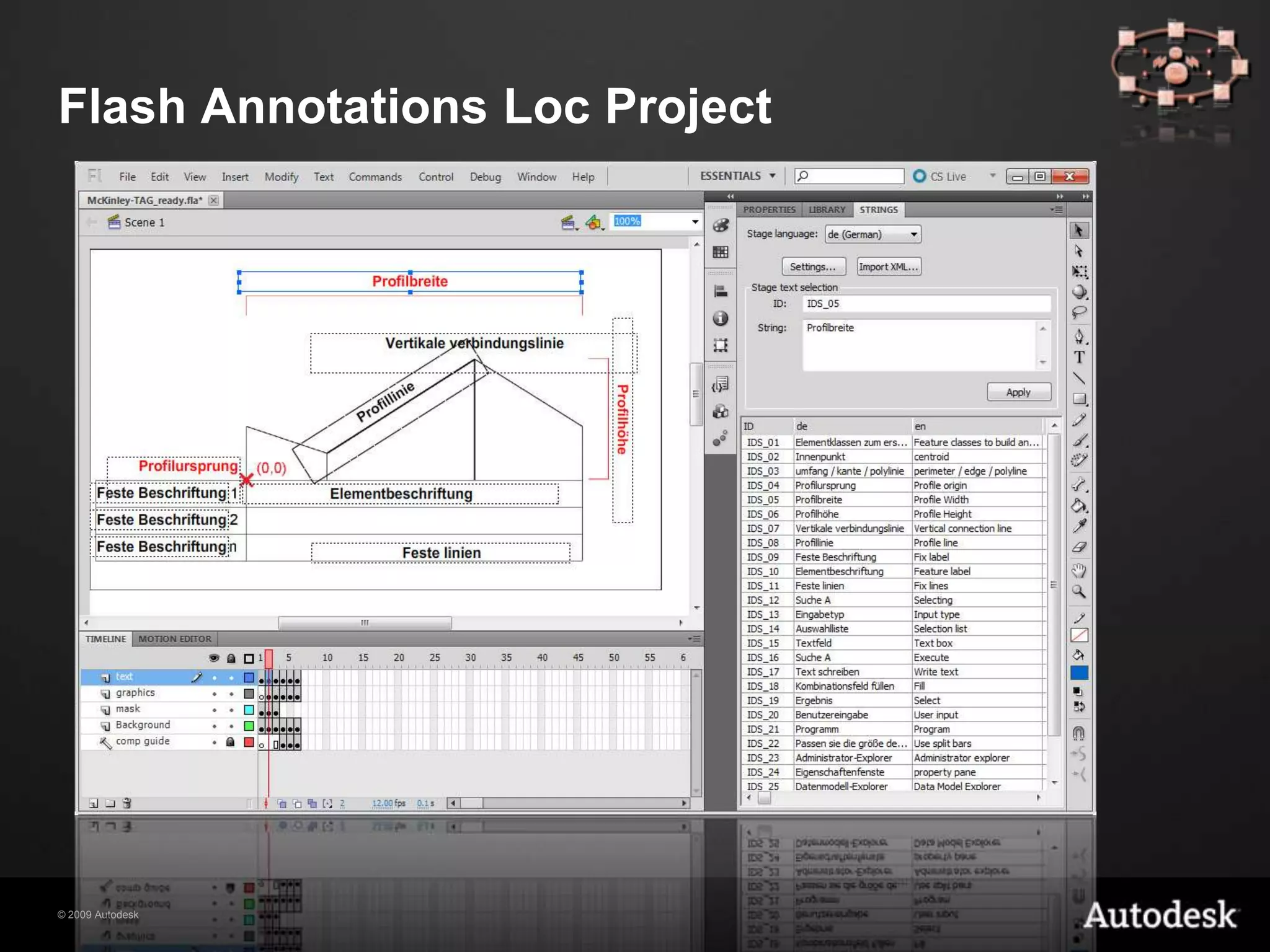
Flash Annotations Loc Project
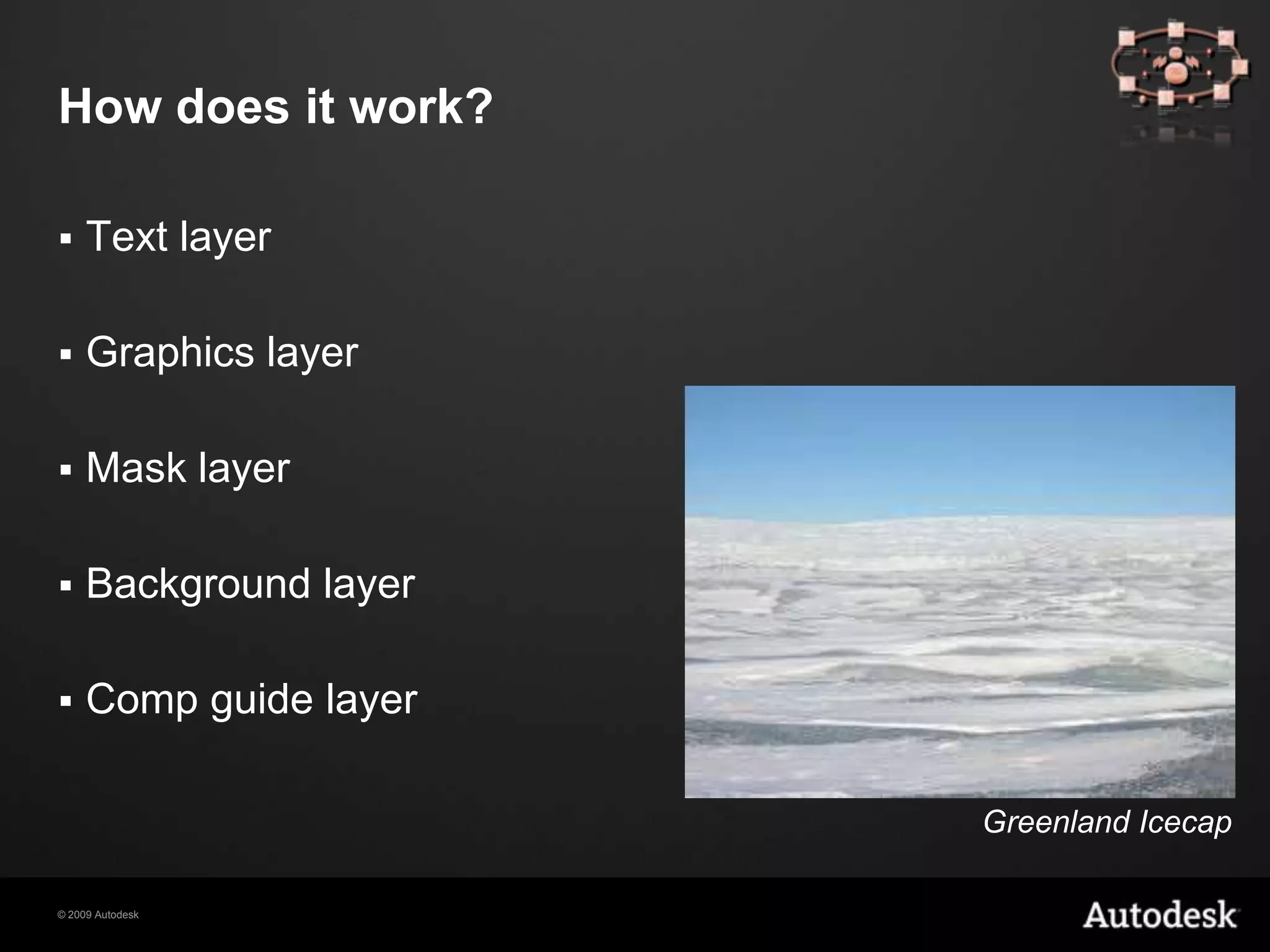
How does it work?Text layerGraphics layerMask layerBackground layerComp guide layerGreenland Icecap
RequirementsMinimum 3 languagesNeed for screenshots to be reused next release, with updated UIMinimum 20 localizable screenshotsType of documentation: tutorials are the best fit for scriptingNature of the software: some applications are more difficult to script than others
Videos
Different Video FormatsCaptivate VideoVideo with AudioCamtasia Video
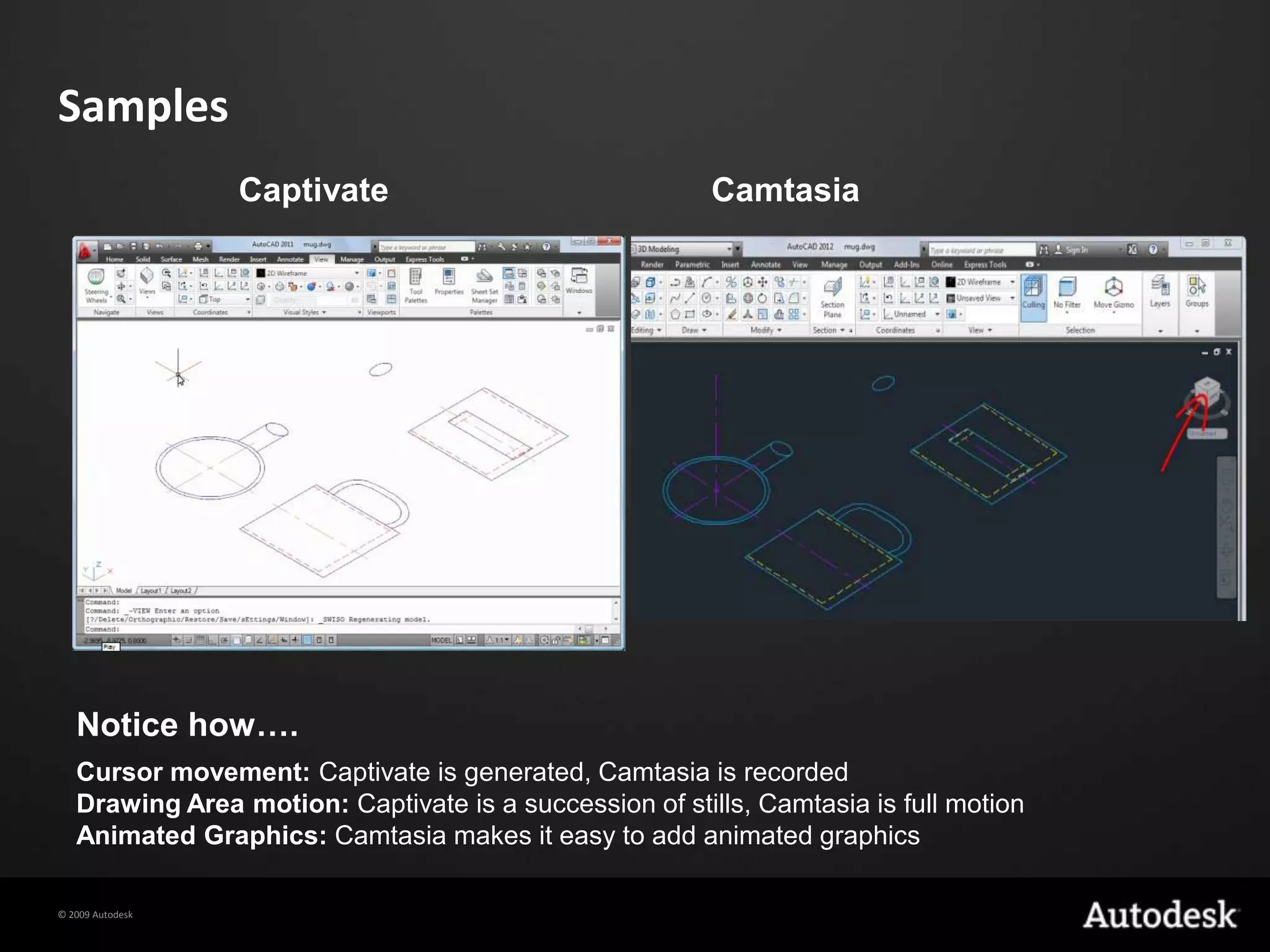
SamplesCaptivateCamtasiaNotice how….Cursor movement: Captivate is generated, Camtasia is recordedDrawing Area motion: Captivate is a succession of stills, Camtasia is full motionAnimated Graphics: Camtasia makes it easy to add animated graphics
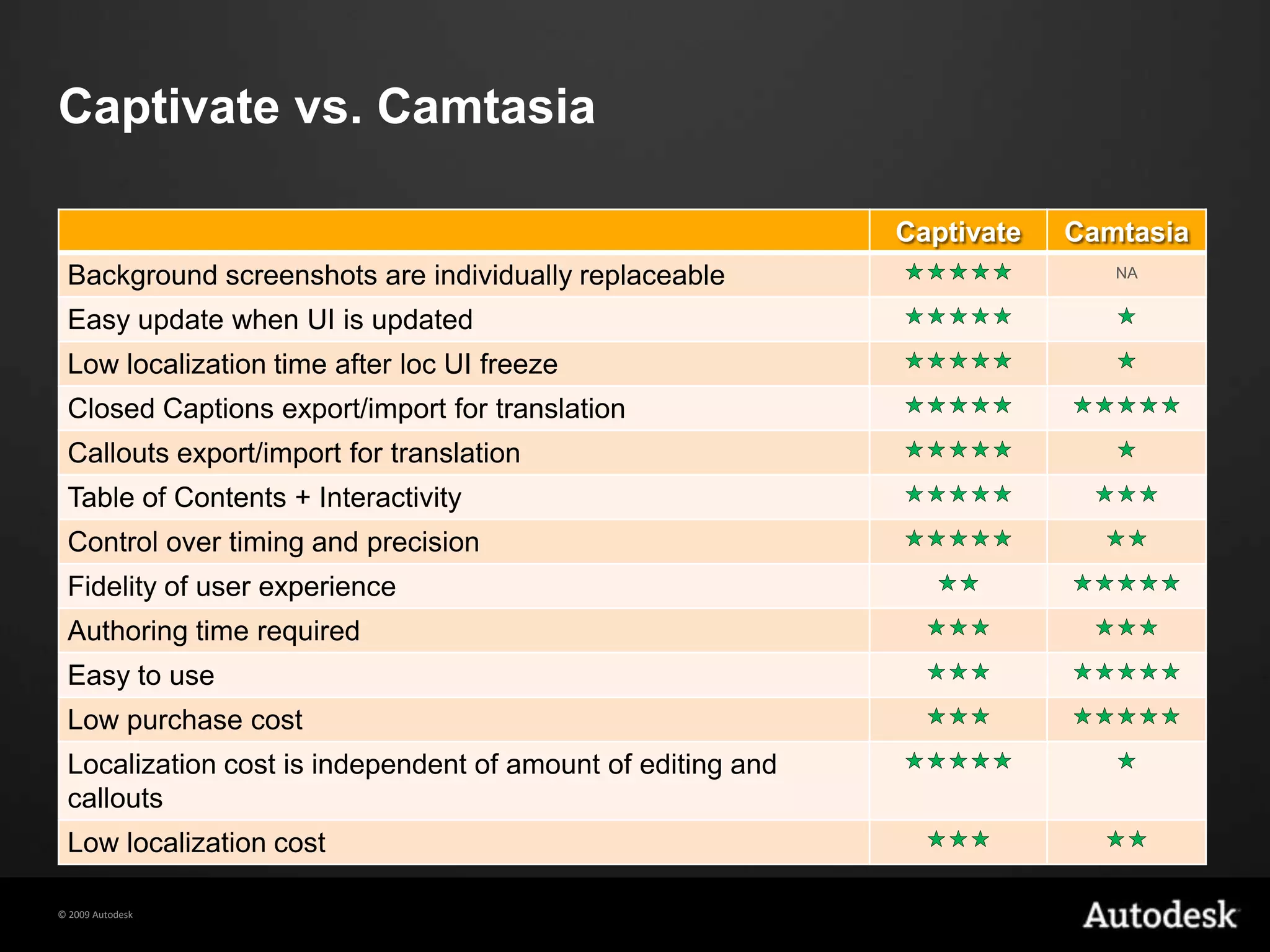
Captivate vs. Camtasia
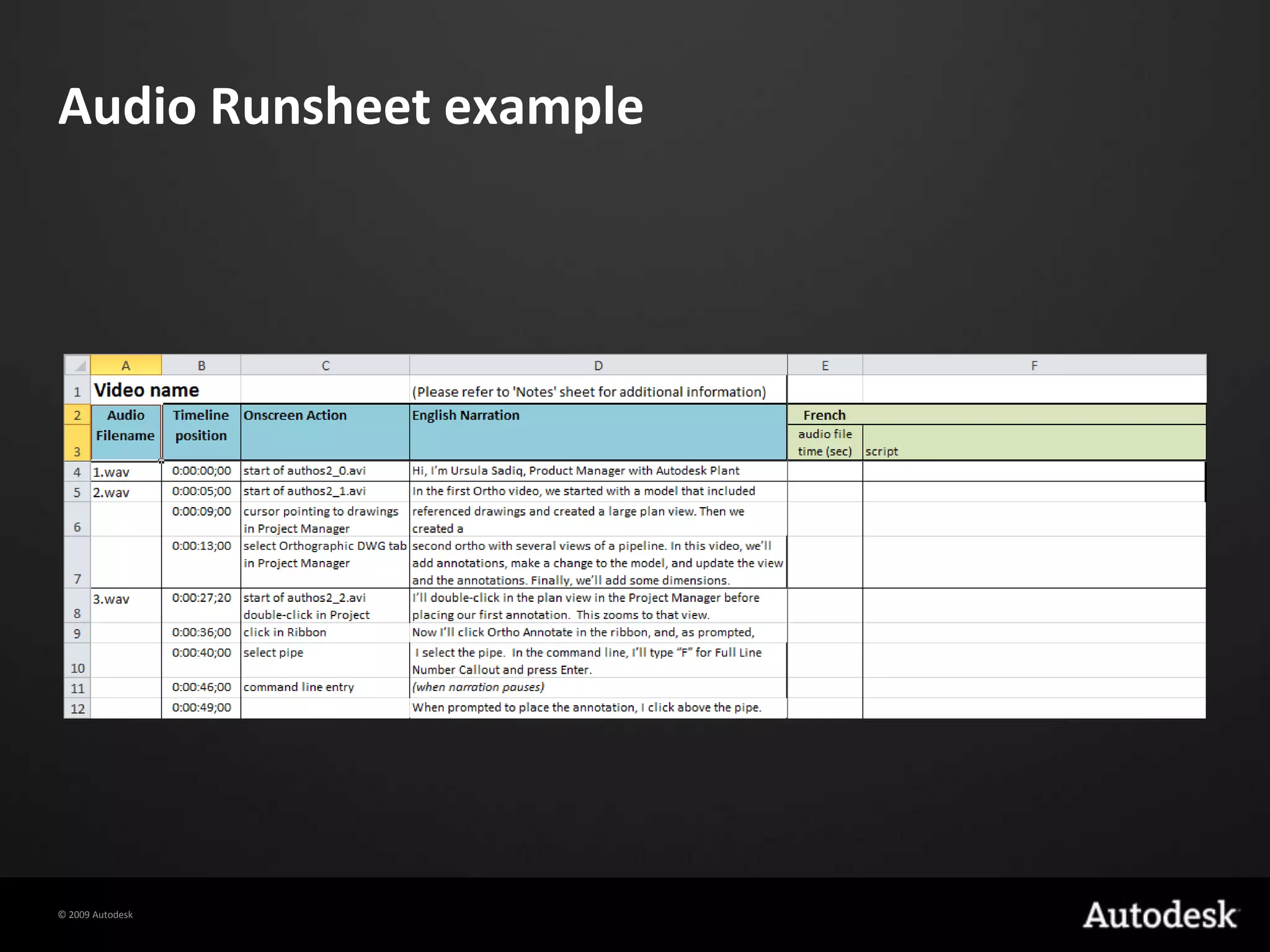
Video with Audio Initially we used expensive linguistic experts familiar with each language to do the video engineering workCosts were significantly reduced by using a process that allowed engineers without linguistic expertise to synchronize localized audio with localized video
Audio Runsheet example
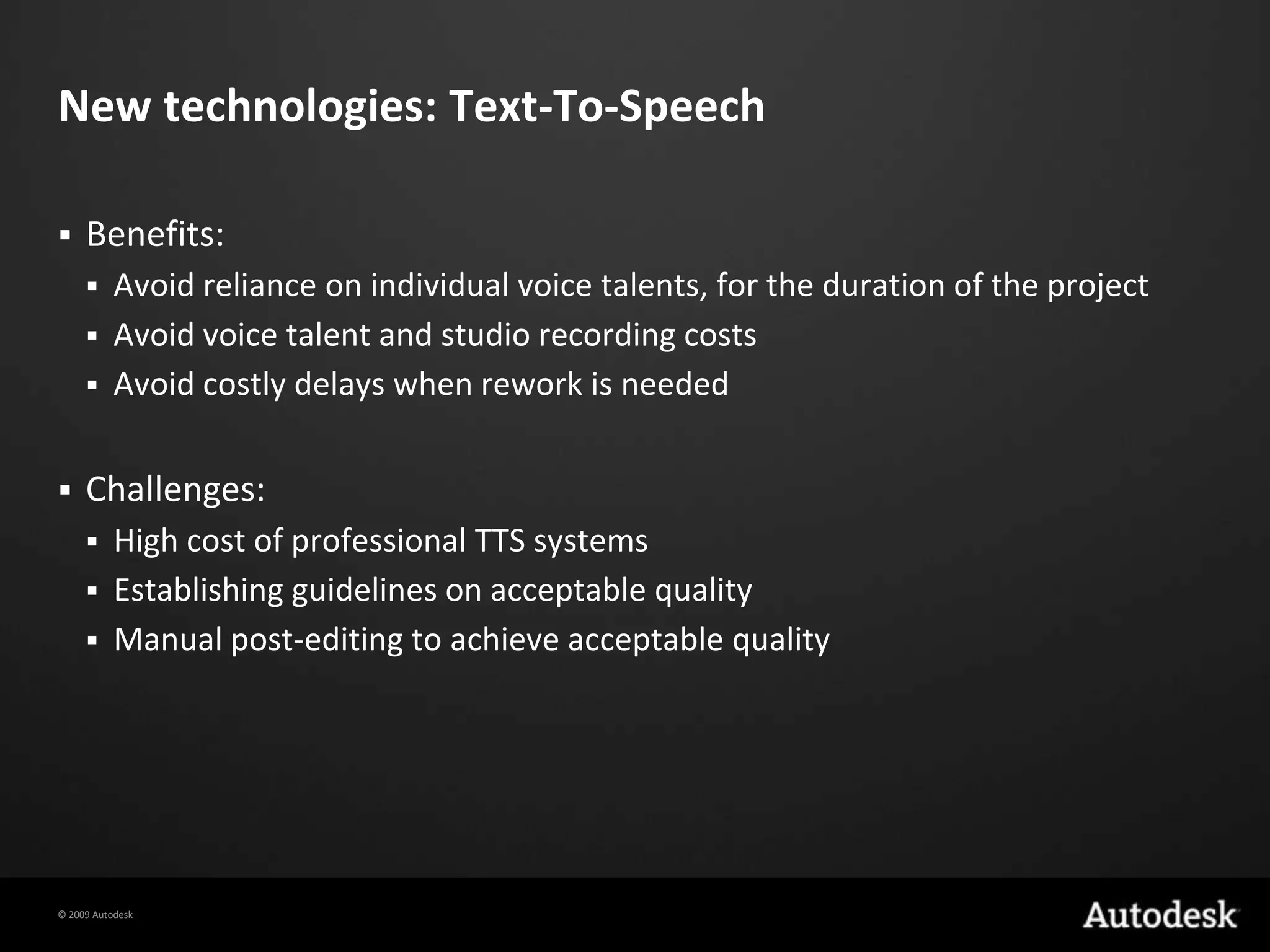
New technologies: Text-To-SpeechBenefits:Avoid reliance on individual voice talents, for the duration of the projectAvoid voice talent and studio recording costsAvoid costly delays when rework is neededChallenges:High cost of professional TTS systemsEstablishing guidelines on acceptable qualityManual post-editing to achieve acceptable quality
Saving cost with visual elements
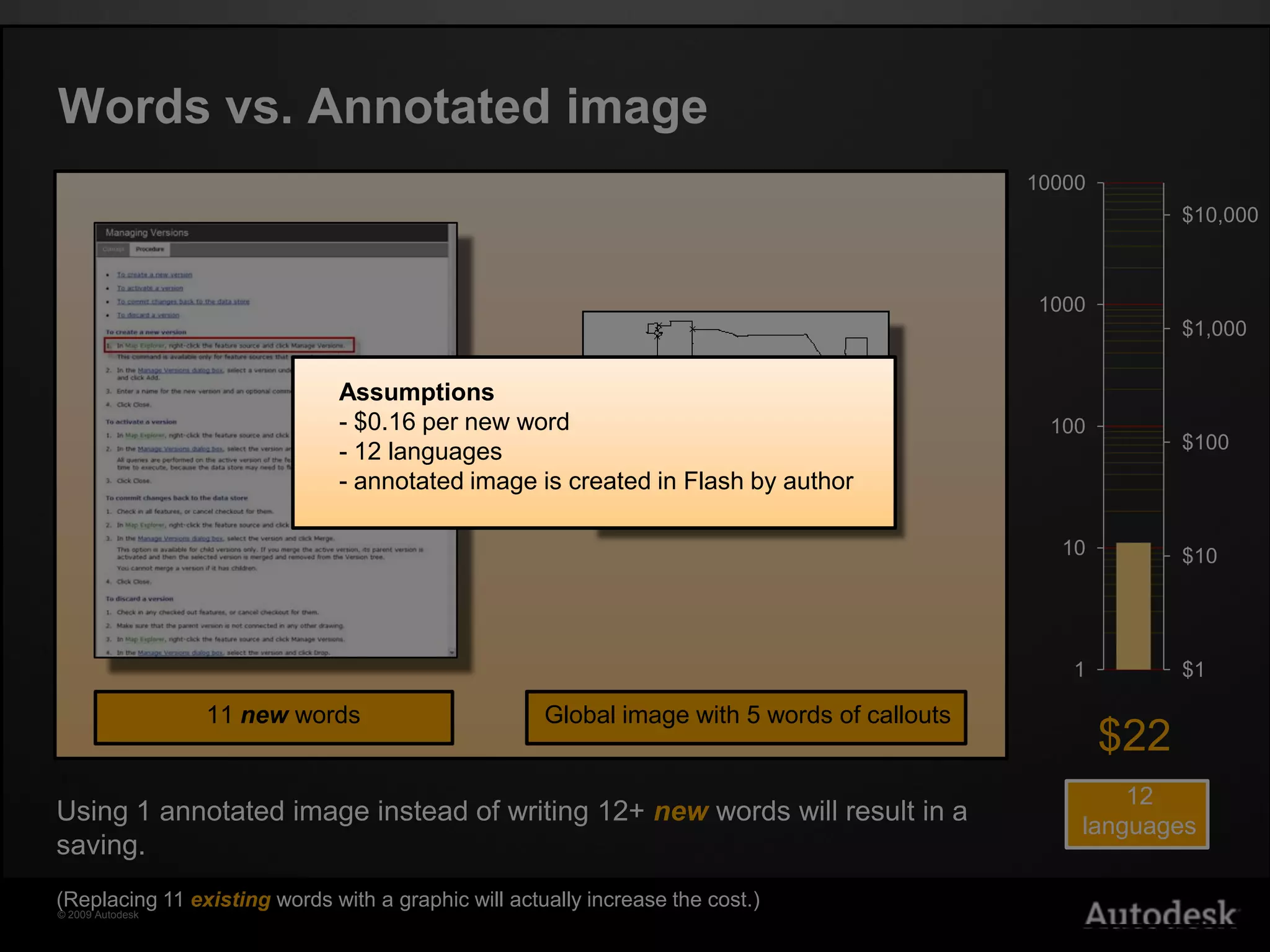
Words vs. Annotated imageAssumptions $0.16 per new word
 12 languages
 annotated image is created in Flash by author11 new wordsGlobal image with 5 words of callouts$2212languagesUsing 1annotated image instead of writing 12+ new words will result in a saving.(Replacing 11 existingwords with a graphic will actually increase the cost.)
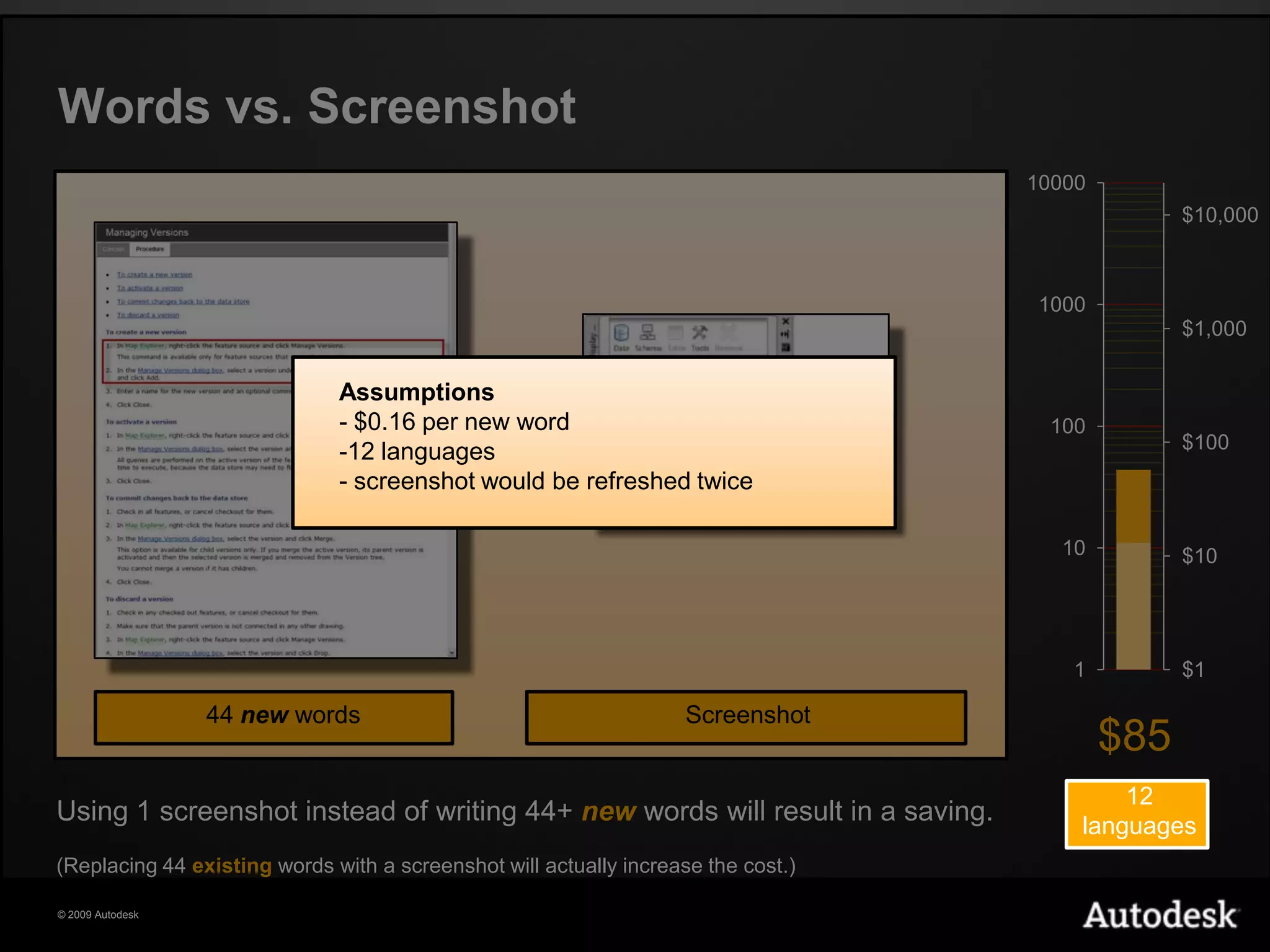
Words vs. ScreenshotAssumptions $0.16 per new word
12 languages
 screenshot would be refreshed twice44 new wordsScreenshot$8512languagesUsing 1 screenshot instead of writing 44+ new words will result in a saving.(Replacing 44 existingwords with a screenshot will actually increase the cost.)
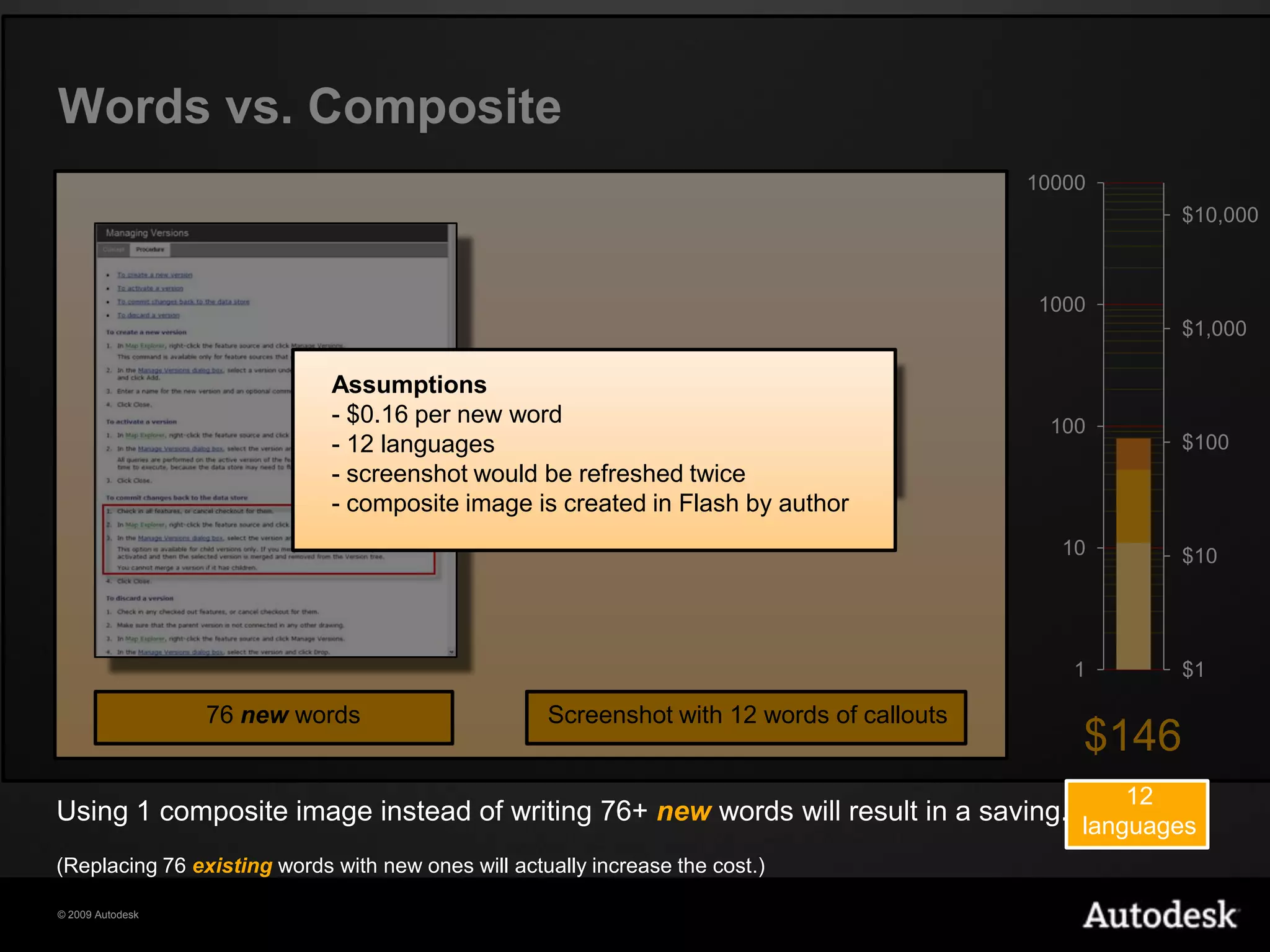
Words vs. CompositeAssumptions $0.16 per new word
 12 languages
 screenshot would be refreshed twice

Streamlining the User Assistance Localization Process

  • 1.
    Streamlining the UserAssistanceLocalization Process: Graphics & MultimediaCecilia Dobner & David ThomassonProcess Analysts Manager - Localization Services Publishing Technologies
  • 2.
    Introduction – Whoam I?How I started, how I got hereMy evolution at AutodeskMy role today
  • 3.
    Today’s trends andAutodesk’s responseGraphics are growingCollaboration between UA teams: Dev and LocVideos are growingGraphics translation cost doesn’t have to be so highQuick turn-around timeCost savings and fast moving into marketThinking global – Cooperation
  • 4.
  • 5.
    Cost considerationsGraphics +Multimedia localization cost is a small fraction of total documentation localization costsCosts can be reduced by using graphics instead of creating new textCosts will increase if existing text is replaced by newgraphicsCosts are increasing due to new voiceover movies
  • 6.
  • 7.
  • 8.
    AutomationsIntro / OverviewBenefitsScripted or ManualDemosRequirements
  • 9.
    Intro / OverviewScreenshot> Scripts to automate screenshot captureAnnotated and Composite graphics > Flash/Captivate projects to automate the localization
  • 10.
    BenefitsMinimize the amountof time needed to produce localized imagesMinimize the amount of time needed to update images from one release to the nextMinimize the gap between release of English product and localizedImprove quality Reduce the peak resource demandSupport Authoring teams by providing English screenshots
  • 11.
    Scripted or ManualAverageprocess timesThese times take into account all related project overhead:Setting up virtual machines
  • 12.
  • 13.
  • 14.
  • 15.
    How does itwork?Text layerGraphics layerMask layerBackground layerComp guide layerGreenland Icecap
  • 16.
    RequirementsMinimum 3 languagesNeedfor screenshots to be reused next release, with updated UIMinimum 20 localizable screenshotsType of documentation: tutorials are the best fit for scriptingNature of the software: some applications are more difficult to script than others
  • 17.
  • 18.
    Different Video FormatsCaptivateVideoVideo with AudioCamtasia Video
  • 19.
    SamplesCaptivateCamtasiaNotice how….Cursor movement:Captivate is generated, Camtasia is recordedDrawing Area motion: Captivate is a succession of stills, Camtasia is full motionAnimated Graphics: Camtasia makes it easy to add animated graphics
  • 20.
  • 21.
    Video with AudioInitially we used expensive linguistic experts familiar with each language to do the video engineering workCosts were significantly reduced by using a process that allowed engineers without linguistic expertise to synchronize localized audio with localized video
  • 22.
  • 23.
    New technologies: Text-To-SpeechBenefits:Avoidreliance on individual voice talents, for the duration of the projectAvoid voice talent and studio recording costsAvoid costly delays when rework is neededChallenges:High cost of professional TTS systemsEstablishing guidelines on acceptable qualityManual post-editing to achieve acceptable quality
  • 24.
    Saving cost withvisual elements
  • 25.
    Words vs. AnnotatedimageAssumptions $0.16 per new word
  • 26.
  • 27.
    annotated imageis created in Flash by author11 new wordsGlobal image with 5 words of callouts$2212languagesUsing 1annotated image instead of writing 12+ new words will result in a saving.(Replacing 11 existingwords with a graphic will actually increase the cost.)
  • 28.
  • 29.
  • 30.
    screenshot wouldbe refreshed twice44 new wordsScreenshot$8512languagesUsing 1 screenshot instead of writing 44+ new words will result in a saving.(Replacing 44 existingwords with a screenshot will actually increase the cost.)
  • 31.
  • 32.
  • 33.
    screenshot wouldbe refreshed twice
  • 34.
    composite imageis created in Flash by author76 new wordsScreenshot with 12 words of callouts$14612languagesUsing 1 composite image instead of writing 76+ new words will result in a saving.(Replacing 76 existingwords with new ones will actually increase the cost.)
  • 35.
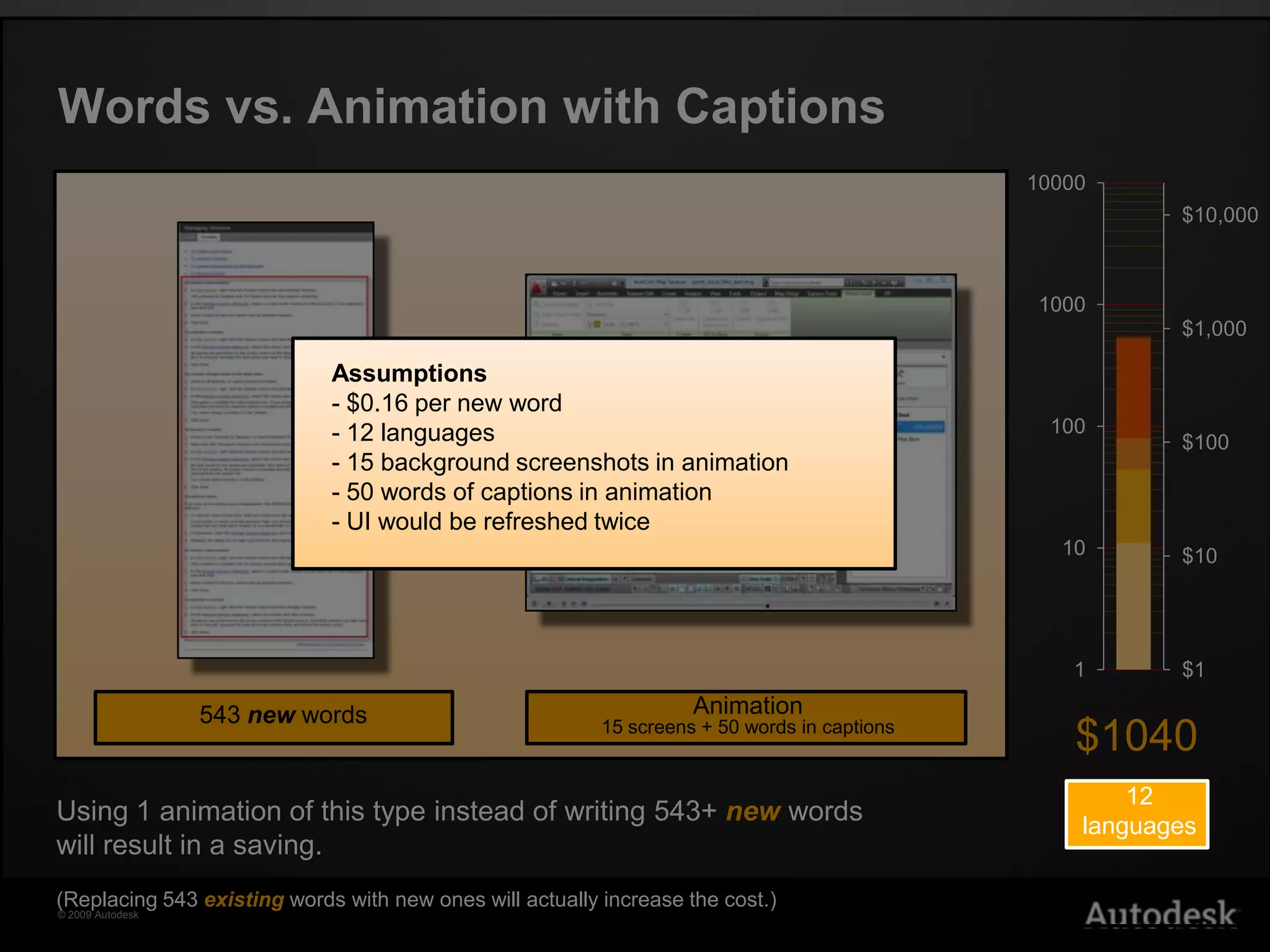
    Words vs. Animationwith CaptionsAssumptions $0.16 per new word
  • 36.
  • 37.
    15 backgroundscreenshots in animation
  • 38.
    50 wordsof captions in animation
  • 39.
    UI wouldbe refreshed twice543 new wordsAnimation15 screens + 50 words in captions$104012languagesUsing 1 animation of this type instead of writing 543+ new words will result in a saving.(Replacing 543 existingwords with new ones will actually increase the cost.)
  • 40.
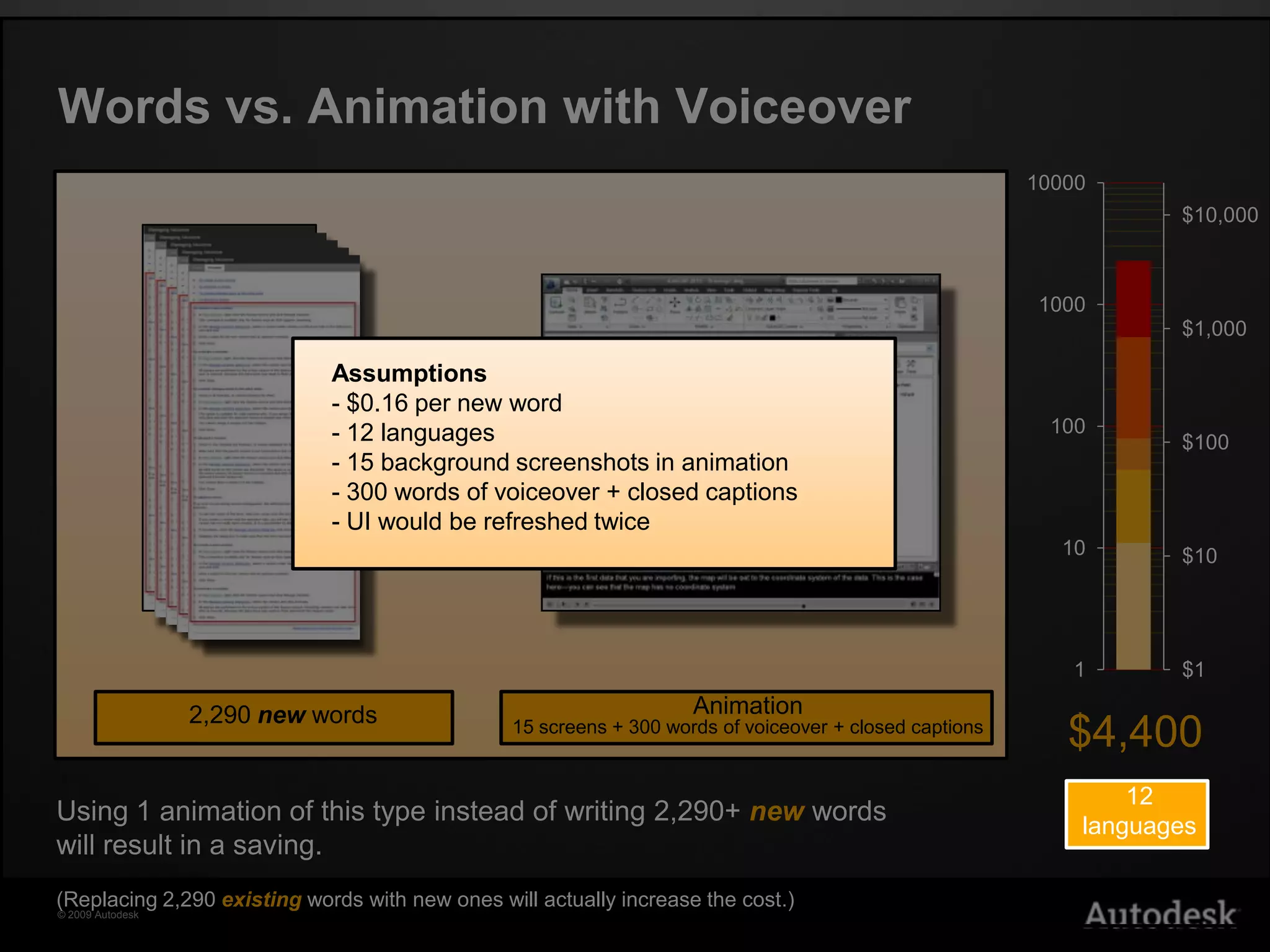
    Words vs. Animationwith VoiceoverAssumptions $0.16 per new word
  • 41.
  • 42.
    15 backgroundscreenshots in animation
  • 43.
    300 wordsof voiceover + closed captions
  • 44.
    UI wouldbe refreshed twice2,290 new words$4,400Animation15 screens + 300 words of voiceover + closed captions12languagesUsing 1 animation of this type instead of writing 2,290+ new words will result in a saving.(Replacing 2,290 existingwords with new ones will actually increase the cost.)
  • 45.
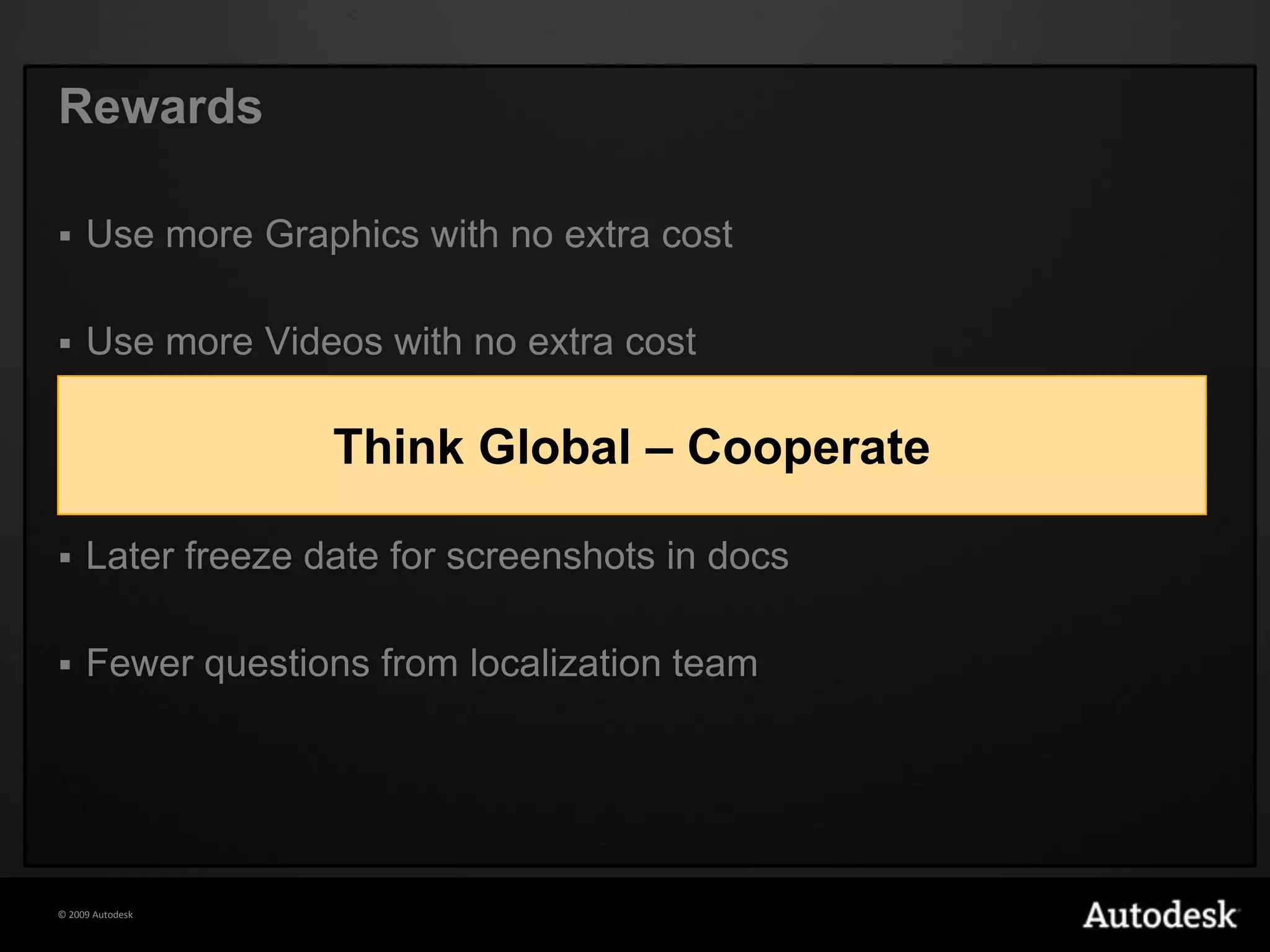
    RewardsUse more Graphicswith no extra costUse more Videos with no extra costReceive final screenshots from localization teamLater freeze date for screenshots in docsFewer questions from localization teamThink Global – Cooperate
  • 46.
    ToolsSilkTest: used forscreenshot scriptingFlash and Captivate: used for annotation and composite automationsImageMagick: used for post-editing automationsAutoIT: general Windows automation
  • 47.
  • 48.

Editor's Notes

  • #2 Abstract visualization using Autodesk(R) 3ds Max(R) software.Expiration Date: 2099-01-01 No image credit required.
  • #11 Minimize the amount of time needed to produce localized images after the release of the localized screenshooting builds Minimize the amount of time needed to update images from one release to the next: scripts can often be reused from release to release with minimal updating work required Help improve quality Reduce the peak resource demand; the script creation can occur on the English builds, before the localized screenshooting builds are available Support Authoring teams by providing English screenshots; part of the script creation process involves testing the scripts on the English UI-freeze build
  • #15 “Text” layer:with dynamic text boxes visible as unique strings in Strings panel, at right of Flash screen“Graphics” layer: allows expansion of the table cells at the left to accommodate longer translations“Mask” layer: consists of white rectangles hiding the English text in the original image“Background” layer: contains the original ‘flat’ image“Comp guide” layer: contains the original ‘flat’ image for reference if a new image is used in the ‘Background’ layerText can be changed from one language to another by changing the Stage language in the Strings panel
  • #18 Captivaterecords a screenshot each time the UI changes, along with timing and cursor positioningthe resulting video is a stylized reproduction of the original actionall components of the video are editable and replaceablewell suited to more formal instructional videos, and videos that may need to be edited and updatedwhen used with scripted screenshooting, can minimize the time from loc UI freeze to releaseCamtasiarecords UI interaction like a video recorder with up to 30 screenshots recorded per secondthe resulting video is an exact duplicate of the recorded actiona recorded sequence has less potential for editing and updatingwell suited to videos that benefit from a more human feelmost localization time is spent after release of loc UI freeze, so longer time to release, but overall cost is comparable
  • #20 2 perspectives: AuthorsLocalizationBackground Captivate - only need to replace the screenshots that show itCamtasia – need to re-record the sequenceEasy update when UI is updated Captivate - videos can be created using early builds and then just replace the background screenshots with those showing the final UI.Likewise, videos from a previous release can be easily updated by simply capturing new screenshots from the new UICamtasia – need to re-create the video every time the UI is updatedLoc Time after loc UI freeze Camtasia ~ 5 times longer than CaptivateCaptivate - involves only executing scripts, then replacing screenshots in CaptivateCamtasia – loc videos need to be created from scratch once loc UI freeze build is releasedClosed Captions export/import for translationCaptivate – Closed Captions (subtitles) can be exported as XML (or .doc)Camtasia - Closed Captions (subtitles) can be exported as .srt (common subtitles format which is easily translated)Callouts export/import for translationCaptivate – callouts (annotations) can be exported as XML (or .doc)Camtasia - callouts (annotations) cannot be easily exported for translationTable of Contents + InteractivityCaptivate is more full-featured in this regardControl over timing and precisionCaptivate – every element in the project including the cursor is individually editable for timing and locationCamtasia – recorded footage can be edited, but not cursorFidelity of user experienceCaptivate – final video is generated with ‘mathematical’ precision, so doesn’t look like the interaction of a real personCamtasia – video is actual recording of a real person, so looks more naturalAuthoring time requiredCamtasia is generally faster to get a usable result, but when editing and updating is taken into account total time would be similar on averageEasy to useCamtasia is more intuitive and faster to learnPurchase CostCamtasia - $299 vs.Captivate - $799Captivate can be obtained as part of the eLearning suiteLocalization cost is independent of amount of editing and captionsCaptivate – regardless of project complexity localization is simply the batch replacing of screenshots and calloutsCamtasia – the more complex the project is, the more time it takes to localize, since the project needs to be fully recreated for each languageTotal localization costCaptivate – more preparation time needed in writing/updating scripts, less execution time after loc UI freeze, less time needed for future updatesCamtasia – less preparation time, more execution time after loc UI freeze, more time needed for edits and updates
  • #30 Use graphics instead of new text where possibleAvoid visible English strings that are not essential to the messageReduce the number of localizable screenshots in animationsAdd closed captions to voiceover videosProvide Audio Runsheets for voiceover videosProvide Steps-to-Reproduce documents where necessaryAssist with art tagging in the Content Management System of choicePost all source data for Localization teams