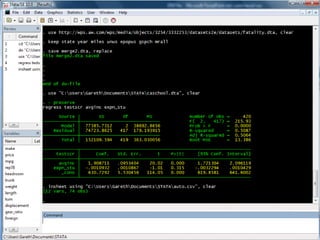
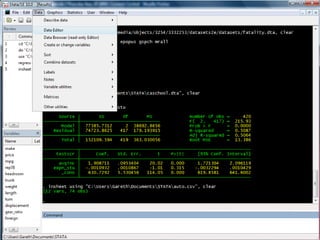
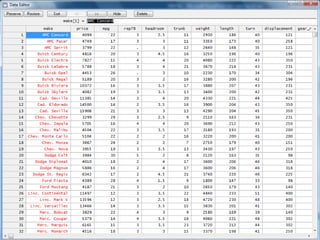
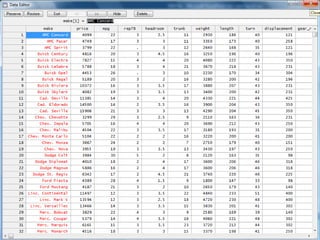
STATA: Data Analysis Software


               STATA
               Importing Data


             www.STATA.org.uk
               Step-by Step Screenshot Guides
                    to help you use STATA

                Not affiliated with Stata Corp.
Datasets Used in Tutorial


   – Datasets in these tutorials are based on examples in:

        Stock and Watson (2006)
            “Introduction to Econometrics”

   – You can obtain all of the datasets used in these tutorials
     by downloading a STATA command file from
     http://www.stata.org.uk/download-examples.html
Outline


   – Data Importing and Editing
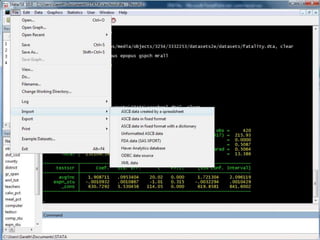
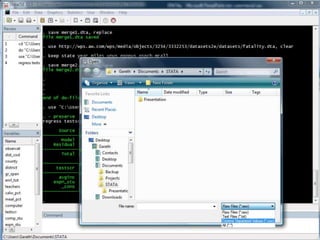
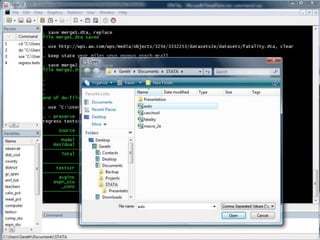
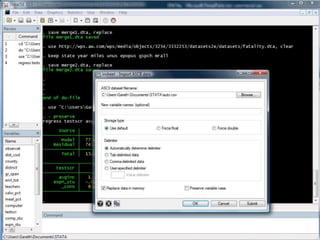
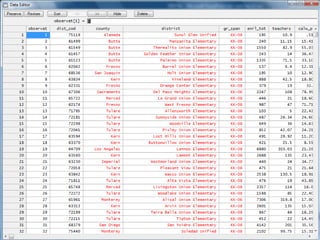
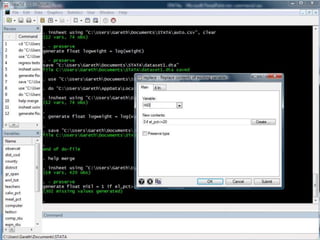
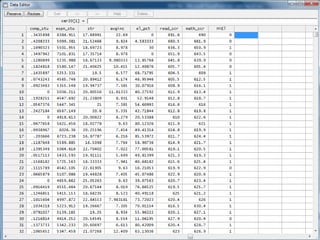
      • Import Comma-Separated Value (CSV) Files
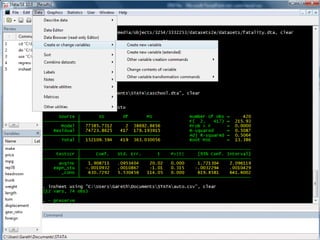
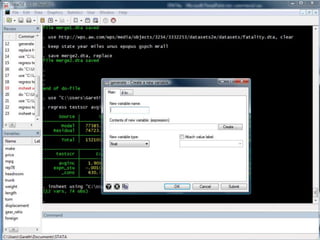
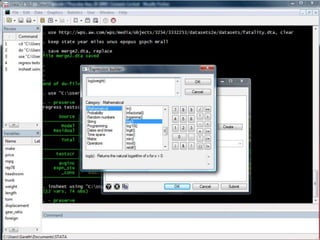
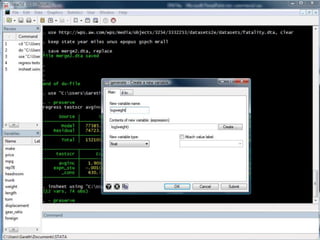
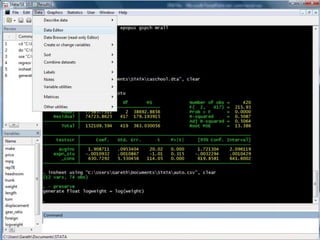
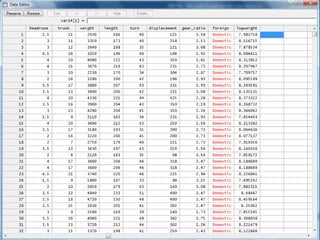
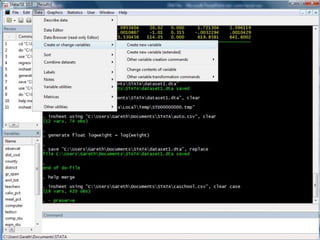
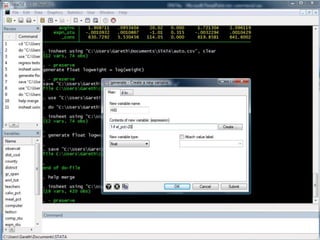
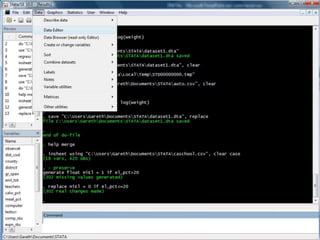
      • Generate New Variables
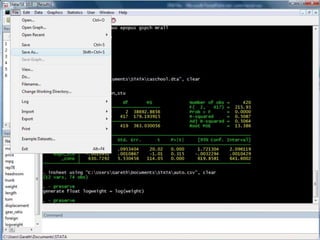
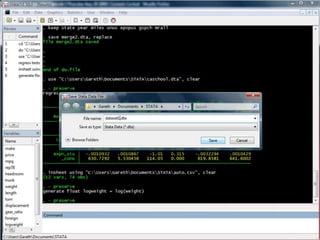
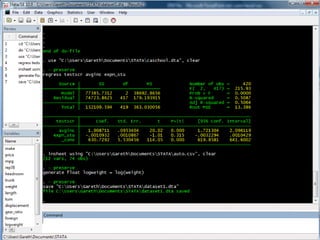
      • Save Dataset
      • Close and Re-open Dataset
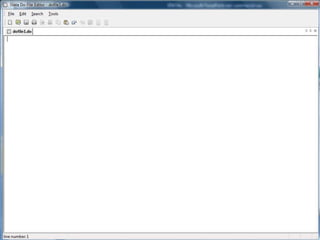
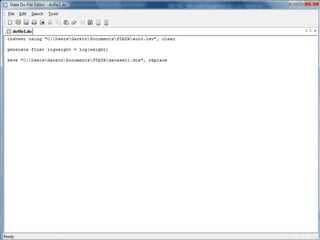
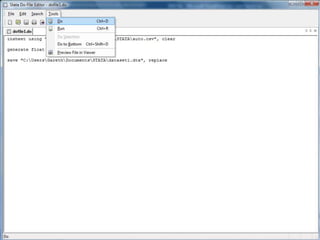
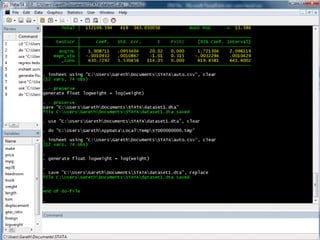
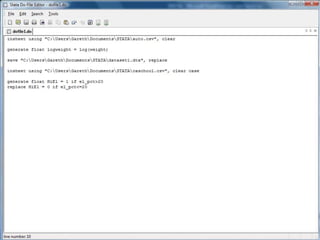
      • Create a do-file
      • Use the Help System
      • Challenge
Outline


   – Data Importing and Editing
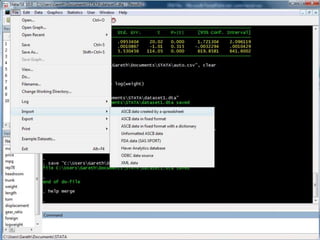
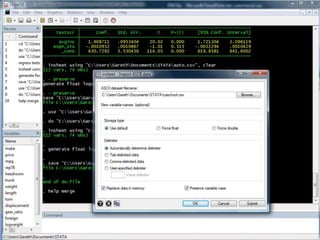
      • Import Comma-Separated Value (CSV) Files
      • Generate New Variables
      • Save Dataset
      • Close and Re-open Dataset
      • Create a do-file
      • Use the Help System
      • Challenge
Outline


   – Data Importing and Editing
      • Import Comma-Separated Value (CSV) Files
      • Generate New Variables
      • Save Dataset
      • Close and Re-open Dataset
      • Create a do-file
      • Use the Help System
      • Challenge
Outline


   – Data Importing and Editing
      • Import Comma-Separated Value (CSV) Files
      • Generate New Variables
      • Save Dataset
      • Close and Re-open Dataset
      • Create a do-file
      • Use the Help System
      • Challenge
Outline


   – Data Importing and Editing
      • Import Comma-Separated Value (CSV) Files
      • Generate New Variables
      • Save Dataset
      • Close and Re-open Dataset
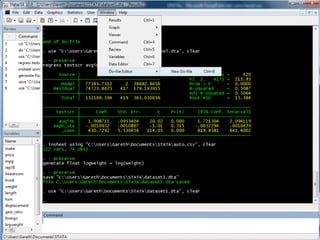
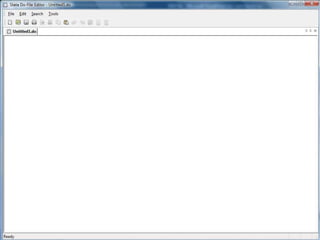
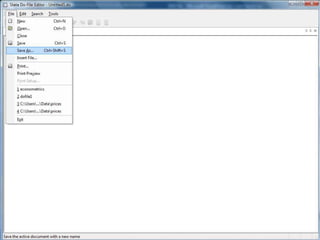
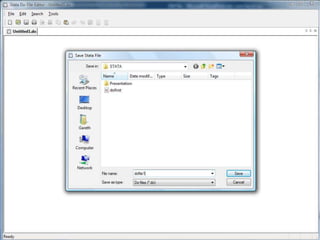
      • Create a do-file
      • Use the Help System
      • Challenge
Outline


   – Data Importing and Editing
      • Import Comma-Separated Value (CSV) Files
      • Generate New Variables
      • Save Dataset
      • Close and Re-open Dataset
      • Create a do-file
      • Use the Help System
      • Challenge
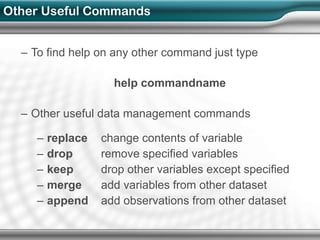
Other Useful Commands


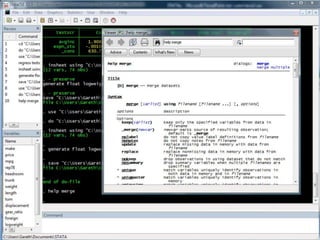
  – To find help on any other command just type

                     help commandname

  – Other useful data management commands

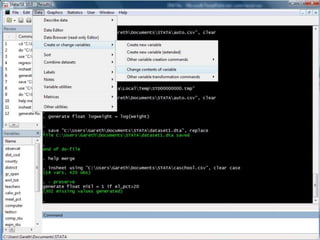
     –   replace   change contents of variable
     –   drop      remove specified variables
     –   keep      drop other variables except specified
     –   merge     add variables from other dataset
     –   append    add observations from other dataset
Outline


   – Data Importing and Editing
      • Import Comma-Separated Value (CSV) Files
      • Generate New Variables
      • Save Dataset
      • Close and Re-open Dataset
      • Create a do-file
      • Use the Help System
      • Challenge
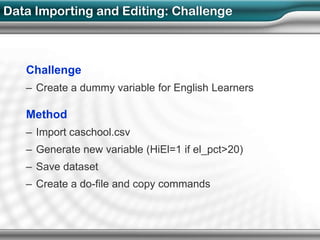
Data Importing and Editing: Challenge


   Challenge
   – Create a dummy variable for English Learners

   Method
   – Import caschool.csv
   – Generate new variable (HiEl=1 if el_pct>20)
   – Save dataset
   – Create a do-file and copy commands
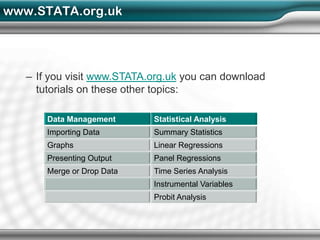
www.STATA.org.uk


   – If you visit www.STATA.org.uk you can download
     tutorials on these other topics:

       Data Management      Statistical Analysis
       Importing Data       Summary Statistics
       Graphs               Linear Regressions
       Presenting Output    Panel Regressions
       Merge or Drop Data   Time Series Analysis
                            Instrumental Variables
                            Probit Analysis

STATA - Importing Data

  • 1.
    STATA: Data AnalysisSoftware STATA Importing Data www.STATA.org.uk Step-by Step Screenshot Guides to help you use STATA Not affiliated with Stata Corp.
  • 2.
    Datasets Used inTutorial – Datasets in these tutorials are based on examples in: Stock and Watson (2006) “Introduction to Econometrics” – You can obtain all of the datasets used in these tutorials by downloading a STATA command file from http://www.stata.org.uk/download-examples.html
  • 3.
    Outline – Data Importing and Editing • Import Comma-Separated Value (CSV) Files • Generate New Variables • Save Dataset • Close and Re-open Dataset • Create a do-file • Use the Help System • Challenge
  • 12.
    Outline – Data Importing and Editing • Import Comma-Separated Value (CSV) Files • Generate New Variables • Save Dataset • Close and Re-open Dataset • Create a do-file • Use the Help System • Challenge
  • 19.
    Outline – Data Importing and Editing • Import Comma-Separated Value (CSV) Files • Generate New Variables • Save Dataset • Close and Re-open Dataset • Create a do-file • Use the Help System • Challenge
  • 23.
    Outline – Data Importing and Editing • Import Comma-Separated Value (CSV) Files • Generate New Variables • Save Dataset • Close and Re-open Dataset • Create a do-file • Use the Help System • Challenge
  • 27.
    Outline – Data Importing and Editing • Import Comma-Separated Value (CSV) Files • Generate New Variables • Save Dataset • Close and Re-open Dataset • Create a do-file • Use the Help System • Challenge
  • 36.
    Outline – Data Importing and Editing • Import Comma-Separated Value (CSV) Files • Generate New Variables • Save Dataset • Close and Re-open Dataset • Create a do-file • Use the Help System • Challenge
  • 37.
    Other Useful Commands – To find help on any other command just type help commandname – Other useful data management commands – replace change contents of variable – drop remove specified variables – keep drop other variables except specified – merge add variables from other dataset – append add observations from other dataset
  • 40.
    Outline – Data Importing and Editing • Import Comma-Separated Value (CSV) Files • Generate New Variables • Save Dataset • Close and Re-open Dataset • Create a do-file • Use the Help System • Challenge
  • 41.
    Data Importing andEditing: Challenge Challenge – Create a dummy variable for English Learners Method – Import caschool.csv – Generate new variable (HiEl=1 if el_pct>20) – Save dataset – Create a do-file and copy commands
  • 53.
    www.STATA.org.uk – If you visit www.STATA.org.uk you can download tutorials on these other topics: Data Management Statistical Analysis Importing Data Summary Statistics Graphs Linear Regressions Presenting Output Panel Regressions Merge or Drop Data Time Series Analysis Instrumental Variables Probit Analysis