Web
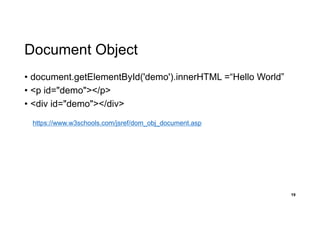
• Web
• 인터넷상의정보를 하이퍼텍스트 방식과 멀티미디어 환경에서 검색할
수 있게 해주는 정보검색 시스템(Wikipedia: World Wide Web)
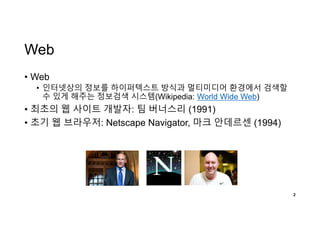
• 최초의 웹 사이트 개발자: 팀 버너스리 (1991)
• 초기 웹 브라우저: Netscape Navigator, 마크 안데르센 (1994)
2
3.
HTML
• HyperText MarkupLanguage
• HyperText: 글자 그 이상
• Markup: Tag
3
https://www.w3schools.com/html/default.asp
5
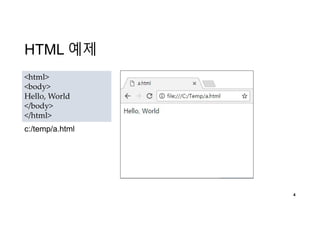
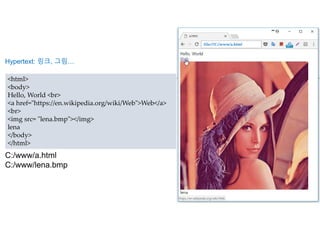
<html>
<body>
Hello, World <br>
<ahref="https://en.wikipedia.org/wiki/Web">Web</a>
<br>
<img src= "lena.bmp"></img>
lena
</body>
</html>
C:/www/a.html
C:/www/lena.bmp
Hypertext: 링크, 그림…
file:///C:/www/a.html
6.
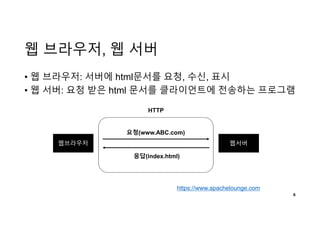
웹 브라우저, 웹서버
• 웹 브라우저: 서버에 html문서를 요청, 수신, 표시
• 웹 서버: 요청 받은 html 문서를 클라이언트에 전송하는 프로그램
6
웹브라우저 웹서버
요청(www.ABC.com)
응답(index.html)
HTTP
https://www.apachelounge.com
7.
7
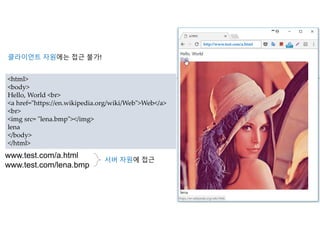
<html>
<body>
Hello, World <br>
<ahref="https://en.wikipedia.org/wiki/Web">Web</a>
<br>
<img src= "lena.bmp"></img>
lena
</body>
</html>
www.test.com/a.html
www.test.com/lena.bmp
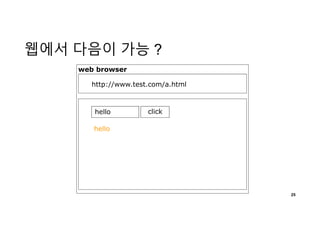
서버 자원에 접근
http://www.test.com/a.html
클라이언트 자원에는 접근 불가!
9
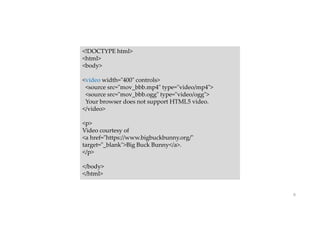
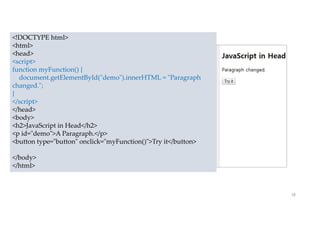
<!DOCTYPE html>
<html>
<body>
<video width="400"controls>
<source src="mov_bbb.mp4" type="video/mp4">
<source src="mov_bbb.ogg" type="video/ogg">
Your browser does not support HTML5 video.
</video>
<p>
Video courtesy of
<a href="https://www.bigbuckbunny.org/"
target="_blank">Big Buck Bunny</a>.
</p>
</body>
</html>
10.
10
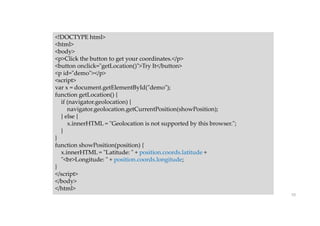
<!DOCTYPE html>
<html>
<body>
<p>Click thebutton to get your coordinates.</p>
<button onclick="getLocation()">Try It</button>
<p id="demo"></p>
<script>
var x = document.getElementById("demo");
function getLocation() {
if (navigator.geolocation) {
navigator.geolocation.getCurrentPosition(showPosition);
} else {
x.innerHTML = "Geolocation is not supported by this browser.";
}
}
function showPosition(position) {
x.innerHTML = "Latitude: " + position.coords.latitude +
"<br>Longitude: " + position.coords.longitude;
}
</script>
</body>
</html>
11.
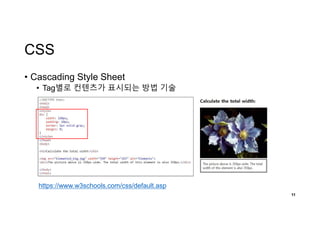
CSS
• Cascading StyleSheet
• Tag별로 컨텐츠가 표시되는 방법 기술
11
https://www.w3schools.com/css/default.asp
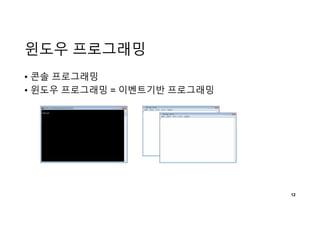
Event 처리 예
•이벤트: [서식]-[글꼴]에서 마우스 클릭
• 이벤트 처리: 글꼴 선택 윈도우 출력
13
14.
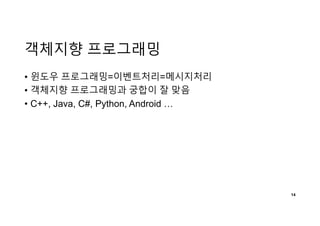
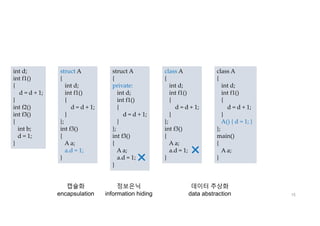
객체지향 프로그래밍
• 윈도우프로그래밍=이벤트처리=메시지처리
• 객체지향 프로그래밍과 궁합이 잘 맞음
• C++, Java, C#, Python, Android …
14
15.
15
int d;
int f1()
{
d= d + 1;
}
int f2()
int f3()
{
int b;
d = 1;
}
struct A
{
int d;
int f1()
{
d = d + 1;
}
};
int f3()
{
A a;
a.d = 1;
}
struct A
{
private:
int d;
int f1()
{
d = d + 1;
}
};
int f3()
{
A a;
a.d = 1;
}
class A
{
int d;
int f1()
{
d = d + 1;
}
};
int f3()
{
A a;
a.d = 1;
}
class A
{
int d;
int f1()
{
d = d + 1;
}
A() { d = 1; }
};
main()
{
A a;
}
캡슐화
encapsulation
정보은닉
information hiding
데이터 추상화
data abstraction
16.
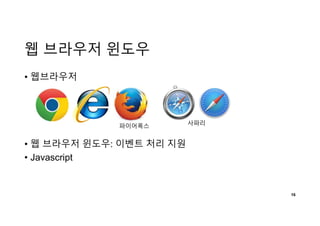
웹 브라우저 윈도우
•웹브라우저
• 웹 브라우저 윈도우: 이벤트 처리 지원
• Javascript
16
사파리파이어폭스
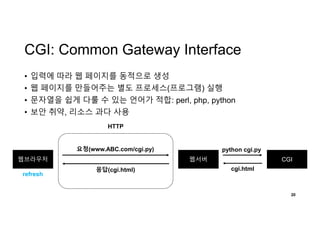
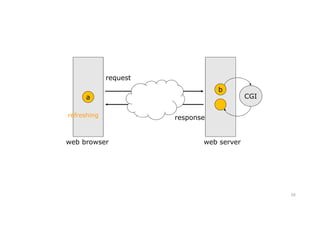
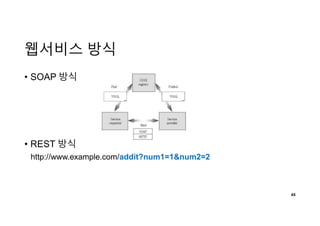
CGI: Common GatewayInterface
• 입력에 따라 웹 페이지를 동적으로 생성
• 웹 페이지를 만들어주는 별도 프로세스(프로그램) 실행
• 문자열을 쉽게 다룰 수 있는 언어가 적합: perl, php, python
• 보안 취약, 리소스 과다 사용
20
웹브라우저 웹서버
요청(www.ABC.com/cgi.py)
응답(cgi.html)
HTTP
CGI
python cgi.py
cgi.html
refresh
22
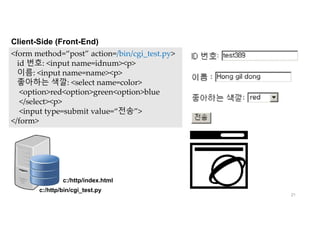
#! /usr/local/bin/python
import cgi
print('content-type:text/htmlnn')
print('<html><head><title> python web
</title></head><body>')
print('<p><h2>CGI TEST 2</h2>')
data = cgi.FieldStorage()
id = data['idnum'].value
name = data['name'].value
color = data['color'].value
print('<p><b><font color=green>User Input
Value</font></b>')
print('<p>Your ID = <b><font color=red>' + id)
print('<p></b></font> Your Name = <b><font color=red>'
+ name)
print('<p></b></font> Your Favorite Color = <b><font
color=red>' + color)
print('</b></font><p><hr>')
print('</body></html>')
Server-Side (Back-End) cgi_test.py
cgi_test.py 프로그램이 만들어 주는
html 문서의 표시 결과
이름 없는
이 문서는 자동으로,
다시 웹 브라우저에게 전달 됨
31
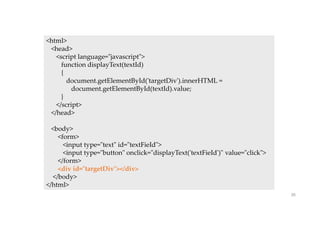
<html>
<head>
<title>Ajax at work</title>
<scriptlanguage = "javascript">
</script>
</head>
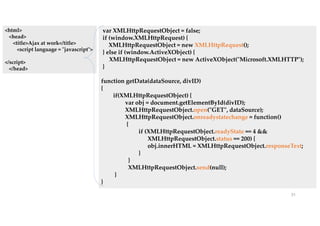
var XMLHttpRequestObject = false;
if (window.XMLHttpRequest) {
XMLHttpRequestObject = new XMLHttpRequest();
} else if (window.ActiveXObject) {
XMLHttpRequestObject = new ActiveXObject("Microsoft.XMLHTTP");
}
function getData(dataSource, divID)
{
if(XMLHttpRequestObject) {
var obj = document.getElementById(divID);
XMLHttpRequestObject.open("GET", dataSource);
XMLHttpRequestObject.onreadystatechange = function()
{
if (XMLHttpRequestObject.readyState == 4 &&
XMLHttpRequestObject.status == 200) {
obj.innerHTML = XMLHttpRequestObject.responseText;
}
}
XMLHttpRequestObject.send(null);
}
}
32.
32
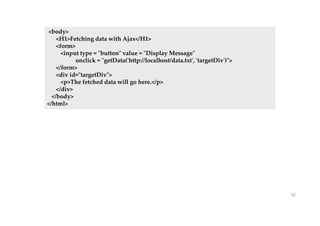
<body>
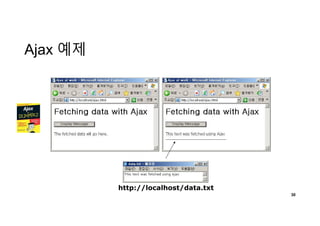
<H1>Fetching data withAjax</H1>
<form>
<input type = "button" value = "Display Message"
onclick = "getData('http://localhost/data.txt', 'targetDiv')">
</form>
<div id="targetDiv">
<p>The fetched data will go here.</p>
</div>
</body>
</html>
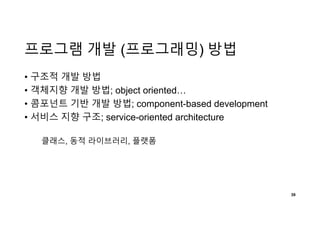
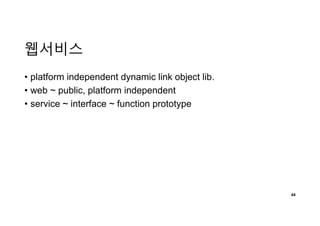
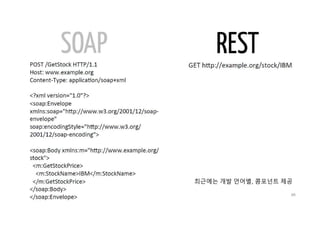
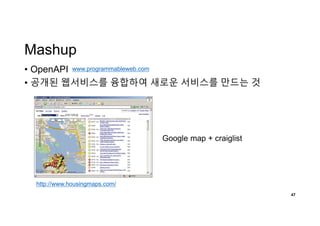
프로그램 개발 (프로그래밍)방법
• 구조적 개발 방법
• 객체지향 개발 방법; object oriented…
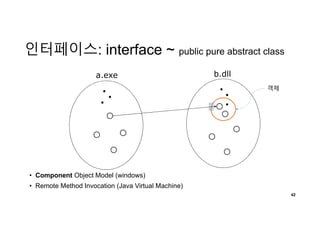
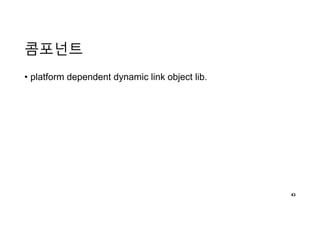
• 콤포넌트 기반 개발 방법; component-based development
• 서비스 지향 구조; service-oriented architecture
39
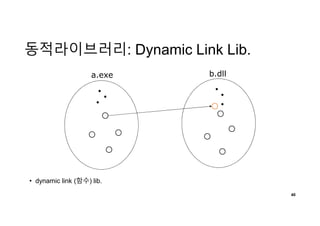
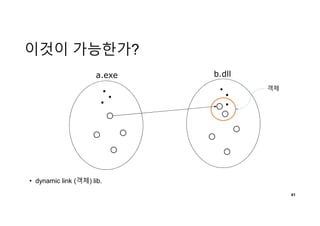
클래스, 동적 라이브러리, 플랫폼
웹서비스 개발 플랫폼
•C#
• localhost.Service; [WebMethod]
• Java
• JAX-WS: SOAP Web Service
• JAX-RS: REST Web Service
• Python: Django
• djangorestframework
• Javascript
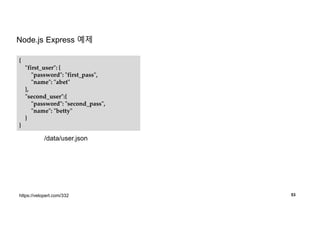
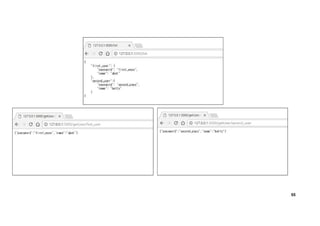
• Node.js express framework
50
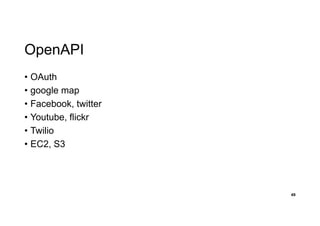
51.
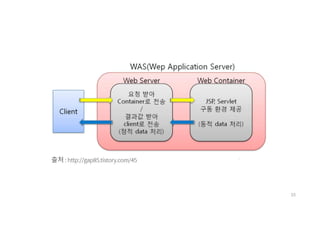
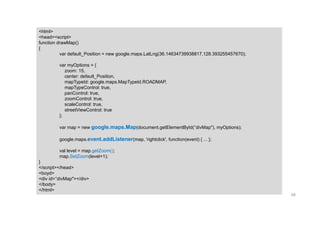
Node.js
• 서버 사이드Javascript 플랫폼
• Single Thread, 이벤트 기반
• HTTP Library (콤포넌트) 내장
• 웹서비스 제작에 활용
• 내장 HTTP Library로 별도 웹서버 구축 필요 없음
• Express Framework으로 웹서비스 제작 용이
51
https://www.w3schools.com/nodejs/nodejs_intro.asp
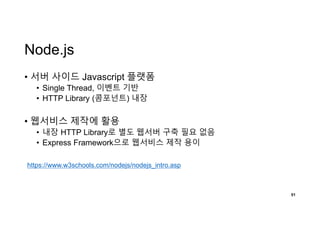
52.
52
var http =require(“http”); // HTTP 모듈 로드
http.createServer(function(request, response){
/*
HTTP 헤더 전송
HTTP Status: 200 : OK
Content Type: text/plain
*/
response.writeHead(200, {'Content-Type': 'text/plain'});
/*
Response Body 를 "Hello World" 로 설정
*/
response.end("Hello Worldn");
}).listen(8081);
console.log("Server running at http://127.0.0.1:8081");
기본 예제



![Event 처리 예
• 이벤트: [서식]-[글꼴]에서 마우스 클릭
• 이벤트 처리: 글꼴 선택 윈도우 출력
13](https://image.slidesharecdn.com/web-180306134617/85/slide-13-320.jpg)
![22
#! /usr/local/bin/python
import cgi
print('content-type: text/htmlnn')
print('<html><head><title> python web
</title></head><body>')
print('<p><h2>CGI TEST 2</h2>')
data = cgi.FieldStorage()
id = data['idnum'].value
name = data['name'].value
color = data['color'].value
print('<p><b><font color=green>User Input
Value</font></b>')
print('<p>Your ID = <b><font color=red>' + id)
print('<p></b></font> Your Name = <b><font color=red>'
+ name)
print('<p></b></font> Your Favorite Color = <b><font
color=red>' + color)
print('</b></font><p><hr>')
print('</body></html>')
Server-Side (Back-End) cgi_test.py
cgi_test.py 프로그램이 만들어 주는
html 문서의 표시 결과
이름 없는
이 문서는 자동으로,
다시 웹 브라우저에게 전달 됨](https://image.slidesharecdn.com/web-180306134617/85/slide-22-320.jpg)
![웹서비스 개발 플랫폼
• C#
• localhost.Service; [WebMethod]
• Java
• JAX-WS: SOAP Web Service
• JAX-RS: REST Web Service
• Python: Django
• djangorestframework
• Javascript
• Node.js express framework
50](https://image.slidesharecdn.com/web-180306134617/85/slide-50-320.jpg)
![54
module.exports = function(app, fs)
{
app.get('/',function(req, res) {
res.render(‘index.html’)
});
app.get('/list', function (req, res) {
fs.readFile( __dirname + "/../data/" + "user.json", 'utf8', function (err, data) {
console.log( data );
res.end( data );
});
})
app.get('/getUser/:username', function(req, res){
fs.readFile( __dirname + "/../data/user.json", 'utf8', function (err, data) {
var users = JSON.parse(data);
res.json(users[req.params.username]);
});
});
}
/router/main.js](https://image.slidesharecdn.com/web-180306134617/85/slide-54-320.jpg)


![[111015/아꿈사] HTML5를 여행하는 비(非) 웹 개발자를 위한 안내서 - 1부 웹소켓.](https://cdn.slidesharecdn.com/ss_thumbnails/111015-111017005159-phpapp02-thumbnail.jpg?width=640&height=640&fit=bounds)


![[신경망기초]오류역전파알고리즘구현](https://cdn.slidesharecdn.com/ss_thumbnails/nn-190319093725-thumbnail.jpg?width=640&height=640&fit=bounds)


![[확률통계]04모수추정](https://cdn.slidesharecdn.com/ss_thumbnails/statistics4-190131081748-thumbnail.jpg?width=640&height=640&fit=bounds)


