SECURING NETWORK DEVICES
 Strong Passwords
 Change passwords frequently
 Privilege Levels
VTY Monitor Logging
AutoSecure Process Overview
 CCP Security Audit Overview
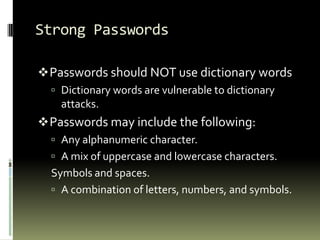
Strong Passwords
Passwords should NOT use dictionary words
 Dictionary words are vulnerable to dictionary
attacks.
Passwords may include the following:
 Any alphanumeric character.
 A mix of uppercase and lowercase characters.
Symbols and spaces.
 A combination of letters, numbers, and symbols.
Change passwords frequently
 Implement a policy defining when
and how often the passwords must
be changed.
 Limits the window of opportunity
for a hacker to crack a password.
 Limits the window of exposure after
a password has been cracked.
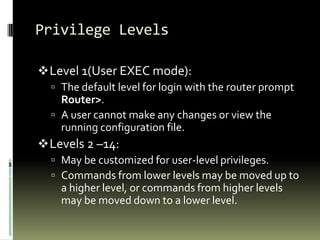
Privilege Levels
Level 1(User EXEC mode):
 The default level for login with the router prompt
Router>.
 A user cannot make any changes or view the
running configuration file.
Levels 2 –14:
 May be customized for user-level privileges.
 Commands from lower levels may be moved up to
a higher level, or commands from higher levels
may be moved down to a lower level.
Level 15 (Privileged EXEC mode):
 Reserved for the enable mode privileges (enable
command).
 Users can view and change all aspects of the
configuration.
VTY Monitor Logging
 TheVTY monitoring option is the most
practical method for viewing logging events
in real time.
 To view system messages over aVTY session
(line vty 0 - 4), logging monitor must be
configured.
 To enable monitor logging, use the
configuration command logging monitor
[severity].
AutoSecure Process Overview
 Step 1 – Identify outside interfaces.
 Step 2 – Secure the management plane.
 Step 3 – Create the security banner.
 Step 4 – Configure passwords, AAA, and
SSH.
 Step 5 – Secure the forwarding plane
CCP Security Audit Overview
 Shut down unneeded servers.
 Disable unneeded services.
 Apply the firewall to the outside interfaces.
 Disable or harden SNMP.
 Shut down unused interfaces.
 Check password strength.
 Enforce the use of ACLs.
‫إعــــــداد‬..
‫احمد‬ ‫محمد‬ ‫احمد‬‫الحويطي‬
‫العينين‬ ‫ابو‬ ‫الدين‬ ‫سعد‬ ‫محمد‬ ‫خالد‬

امن الشبكات

  • 1.
  • 2.
     Strong Passwords Change passwords frequently  Privilege Levels VTY Monitor Logging AutoSecure Process Overview  CCP Security Audit Overview
  • 3.
    Strong Passwords Passwords shouldNOT use dictionary words  Dictionary words are vulnerable to dictionary attacks. Passwords may include the following:  Any alphanumeric character.  A mix of uppercase and lowercase characters. Symbols and spaces.  A combination of letters, numbers, and symbols.
  • 4.
    Change passwords frequently Implement a policy defining when and how often the passwords must be changed.  Limits the window of opportunity for a hacker to crack a password.  Limits the window of exposure after a password has been cracked.
  • 5.
    Privilege Levels Level 1(UserEXEC mode):  The default level for login with the router prompt Router>.  A user cannot make any changes or view the running configuration file. Levels 2 –14:  May be customized for user-level privileges.  Commands from lower levels may be moved up to a higher level, or commands from higher levels may be moved down to a lower level.
  • 6.
    Level 15 (PrivilegedEXEC mode):  Reserved for the enable mode privileges (enable command).  Users can view and change all aspects of the configuration.
  • 7.
    VTY Monitor Logging TheVTY monitoring option is the most practical method for viewing logging events in real time.  To view system messages over aVTY session (line vty 0 - 4), logging monitor must be configured.  To enable monitor logging, use the configuration command logging monitor [severity].
  • 8.
    AutoSecure Process Overview Step 1 – Identify outside interfaces.  Step 2 – Secure the management plane.  Step 3 – Create the security banner.  Step 4 – Configure passwords, AAA, and SSH.  Step 5 – Secure the forwarding plane
  • 9.
    CCP Security AuditOverview  Shut down unneeded servers.  Disable unneeded services.  Apply the firewall to the outside interfaces.  Disable or harden SNMP.  Shut down unused interfaces.  Check password strength.  Enforce the use of ACLs.
  • 10.