SQLマッピングフレームワーク
「Kobati」のはなし
南谷千城
2015/02/27
内容
• Kobatiの概要
• Kobatiの使い方
• 実装の説明スライド無し
• 新規インストールした環境では動かない
– XPathライブラリにエンバグ中?
Kobati?
• RDBを利用した永続化フレームワーク
– http://smalltalkhub.com/#!/~kaminami/Kobati
– iBatis、MyBatisっぽい何か
– 命名は駄洒落
• 特徴
– とにかく全てを自分でコントロール
– 設定はXMLファイルに記述
– クエリ結果とオブジェクトのマッピングに注力
やりたかったこと
• やっていることが透けて見える
– 原因と結果の関係が、容易に想像できる
• Smalltalk側はスッキリさせる
– 面倒事は外の世界に任せる
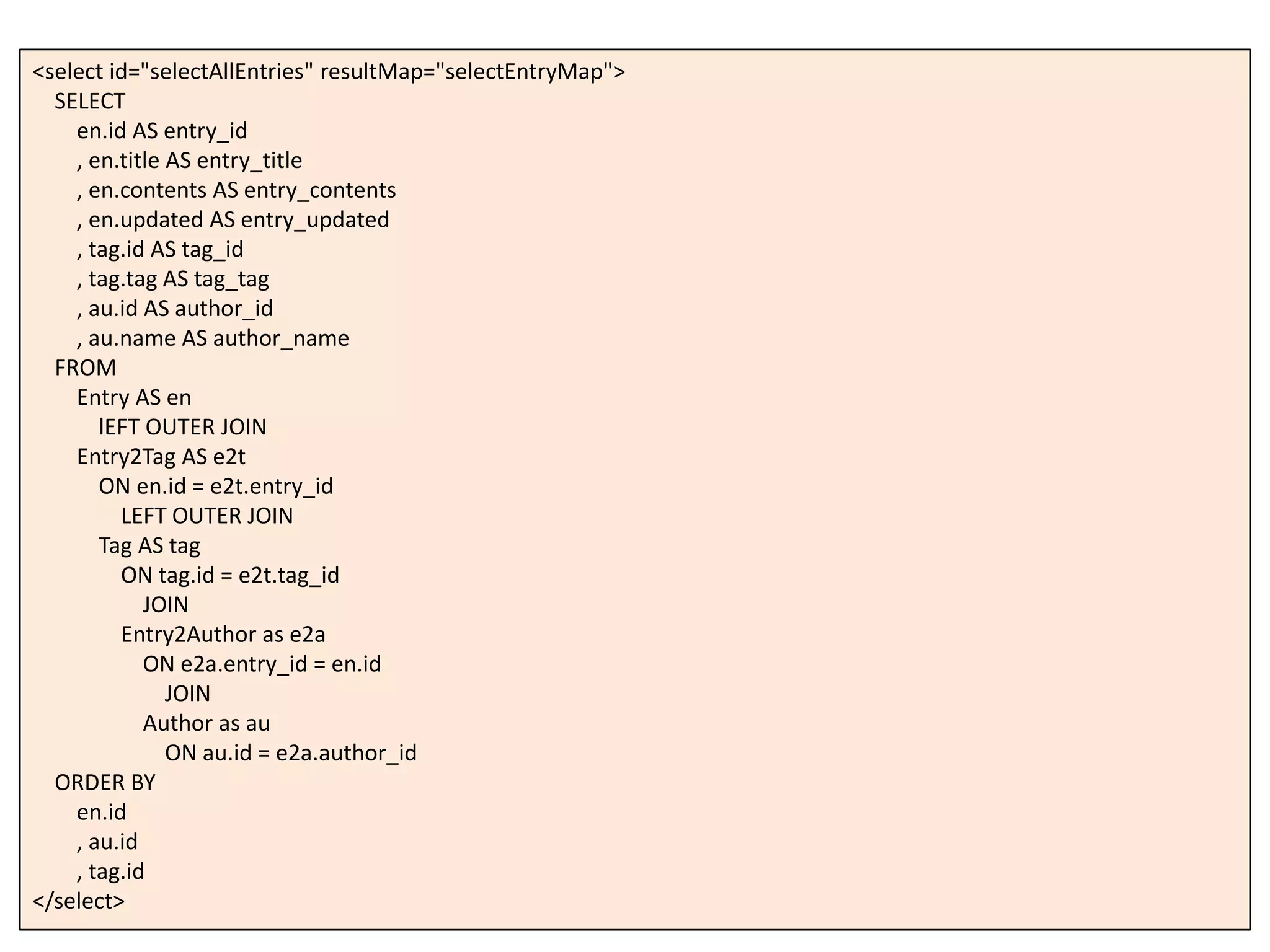
<select id="selectAllEntries" resultMap="selectEntryMap">
SELECT
en.id AS entry_id
, en.title AS entry_title
, en.contents AS entry_contents
, en.updated AS entry_updated
, tag.id AS tag_id
, tag.tag AS tag_tag
, au.id AS author_id
, au.name AS author_name
FROM
Entry AS en
lEFT OUTER JOIN
Entry2Tag AS e2t
ON en.id = e2t.entry_id
LEFT OUTER JOIN
Tag AS tag
ON tag.id = e2t.tag_id
JOIN
Entry2Author as e2a
ON e2a.entry_id = en.id
JOIN
Author as au
ON au.id = e2a.author_id
ORDER BY
en.id
, au.id
, tag.id
</select>
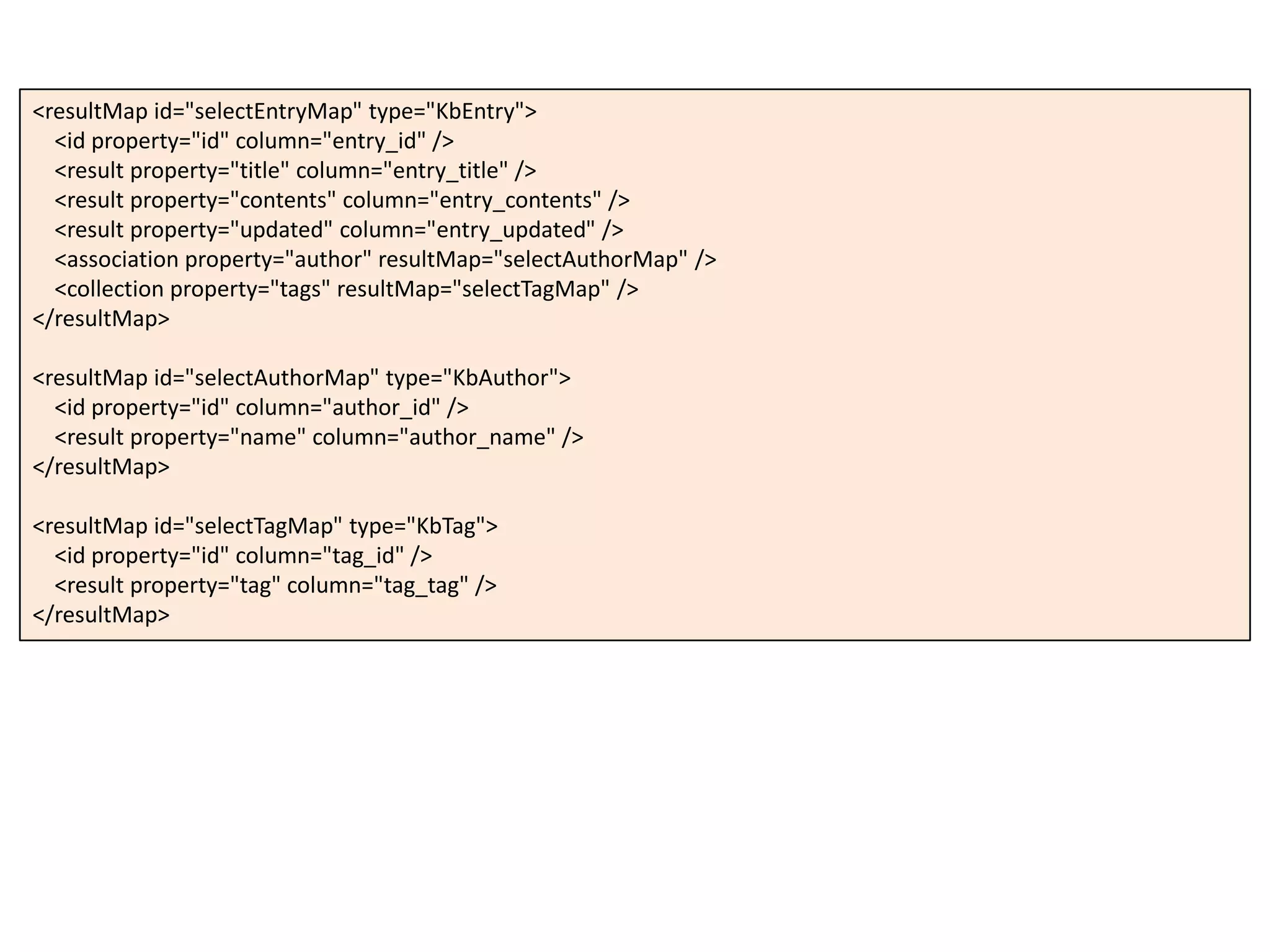
<resultMap id="selectEntryMap" type="KbEntry">
<id property="id" column="entry_id" />
<result property="title" column="entry_title" />
<result property="contents" column="entry_contents" />
<result property="updated" column="entry_updated" />
<association property="author" resultMap="selectAuthorMap" />
<collection property="tags" resultMap="selectTagMap" />
</resultMap>
<resultMap id="selectAuthorMap" type="KbAuthor">
<id property="id" column="author_id" />
<result property="name" column="author_name" />
</resultMap>
<resultMap id="selectTagMap" type="KbTag">
<id property="id" column="tag_id" />
<result property="tag" column="tag_tag" />
</resultMap>
| acc result |
acc := KbDatabaseAccessor for: (KbConfig from: KbExample config).
^ acc transaction:
[:session |
(session getMapper: 'Example-xmlMapper') selectAllEntries].
沿革①
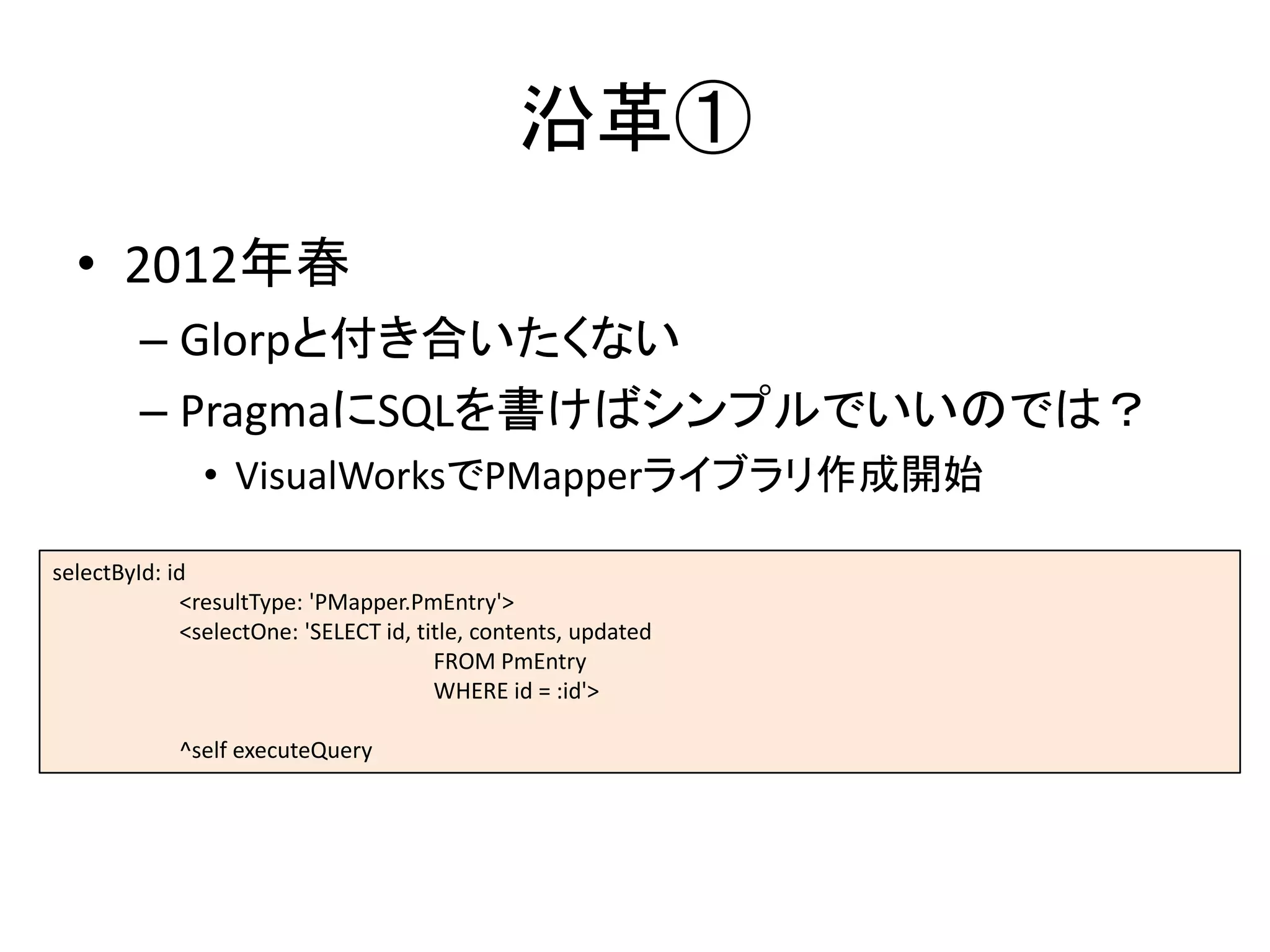
• 2012年春
– Glorpと付き合いたくない
– PragmaにSQLを書けばシンプルでいいのでは?
• VisualWorksでPMapperライブラリ作成開始
selectById: id
<resultType: 'PMapper.PmEntry'>
<selectOne: 'SELECT id, title, contents, updated
FROM PmEntry
WHERE id = :id'>
^self executeQuery
沿革②
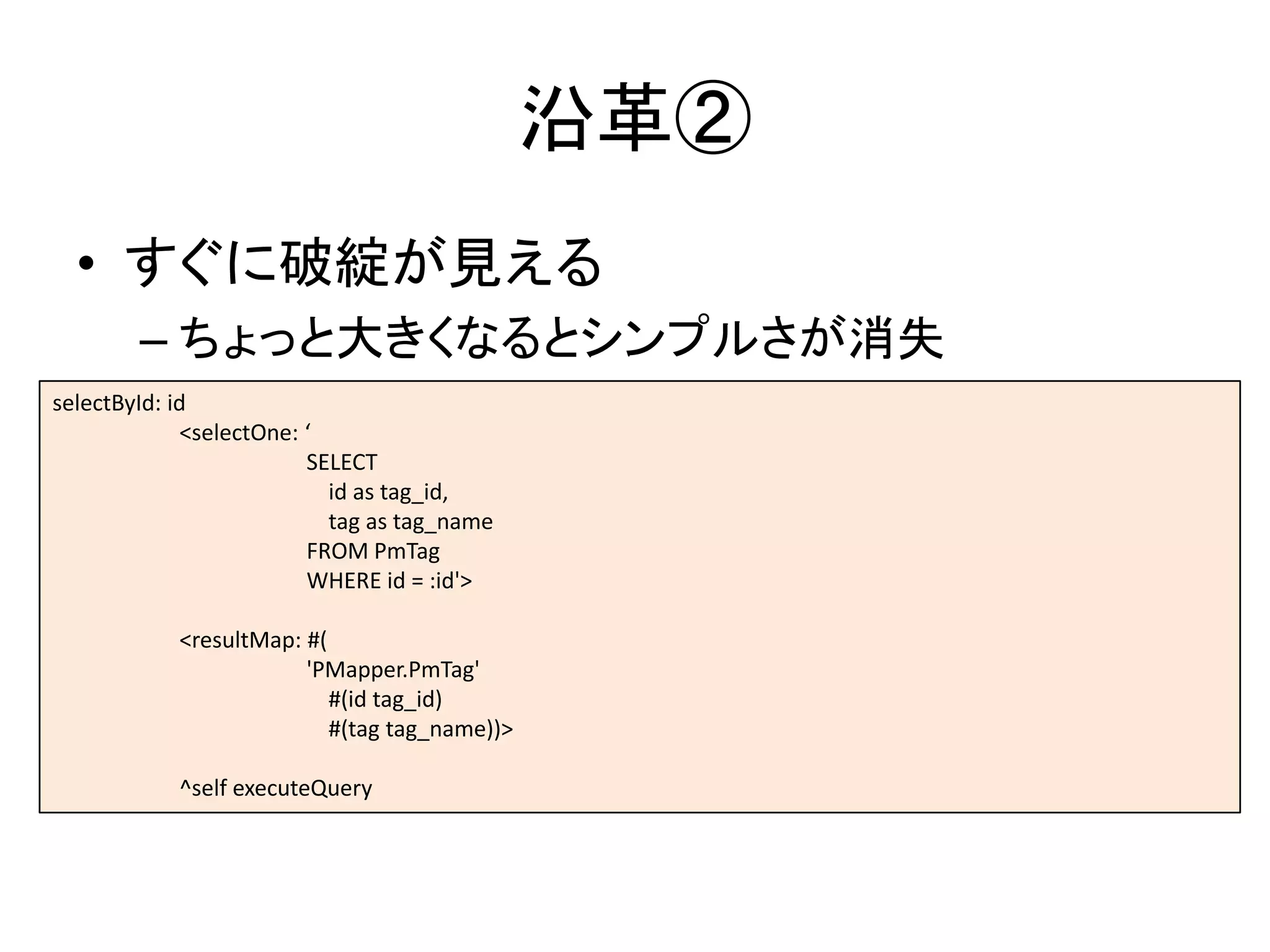
• すぐに破綻が見える
– ちょっと大きくなるとシンプルさが消失
selectById: id
<selectOne: ‘
SELECT
id as tag_id,
tag as tag_name
FROM PmTag
WHERE id = :id'>
<resultMap: #(
'PMapper.PmTag'
#(id tag_id)
#(tag tag_name))>
^self executeQuery
沿革③
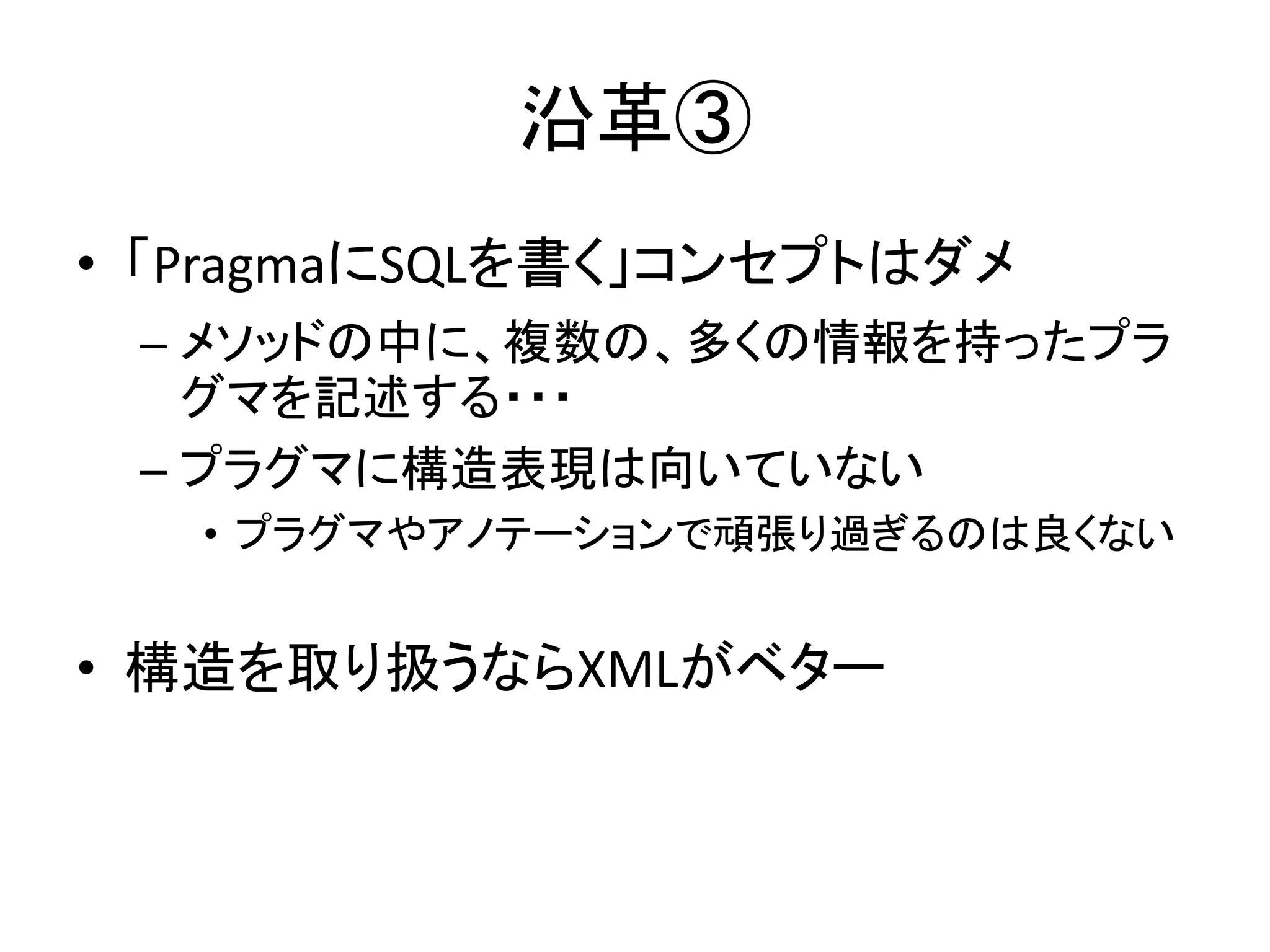
• 「PragmaにSQLを書く」コンセプトはダメ
– メソッドの中に、複数の、多くの情報を持ったプラ
グマを記述する・・・
– プラグマに構造表現は向いていない
• プラグマやアノテーションで頑張り過ぎるのは良くない
• 構造を取り扱うならXMLがベター
沿革④
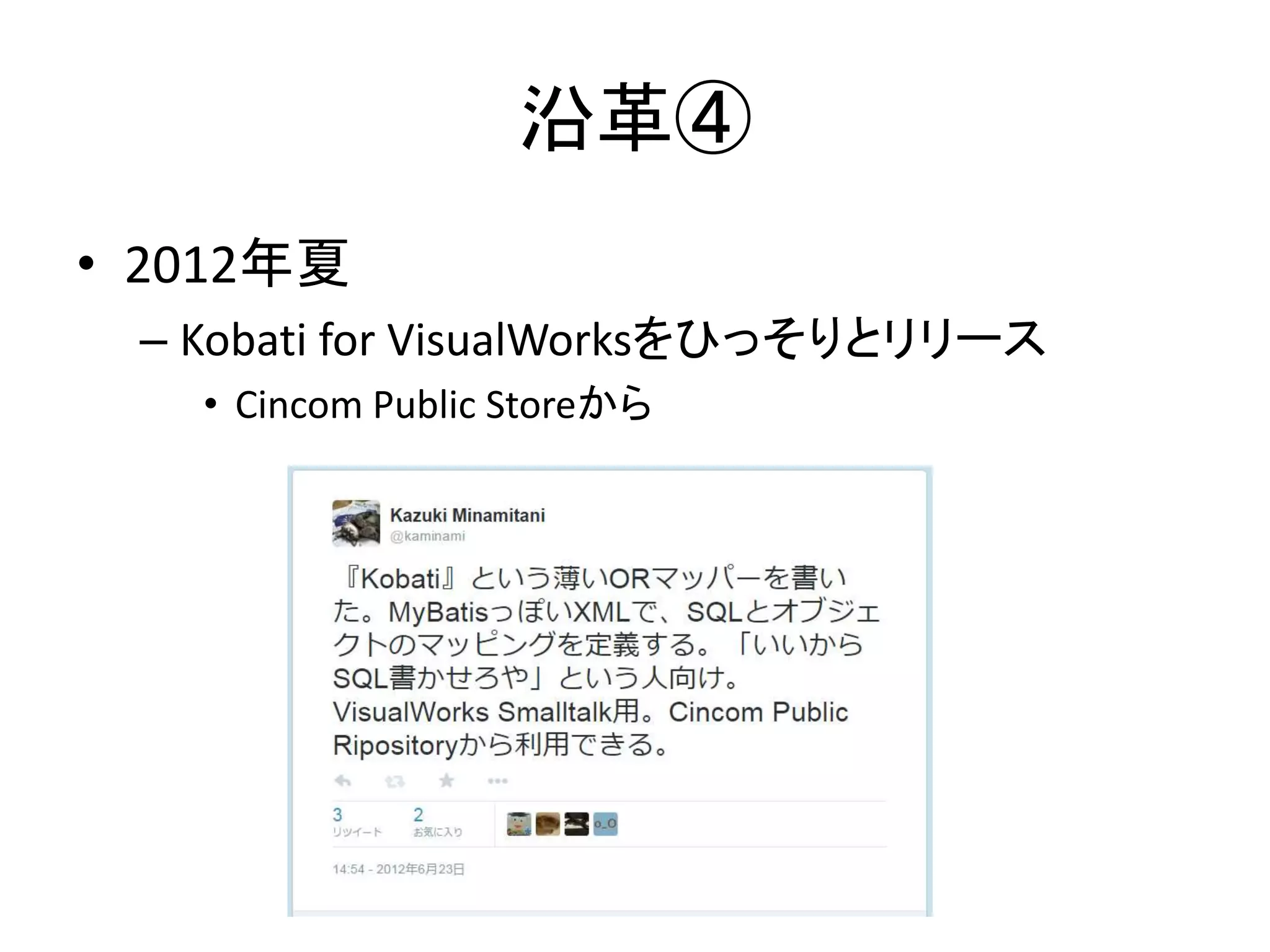
• 2012年夏
– Kobati for VisualWorksをひっそりとリリース
• Cincom Public Storeから
沿革④
• 2014年秋
– Pharoに移植
• Pharo対応時に結構手を入れている
• VisualWorks版は追随していない状態
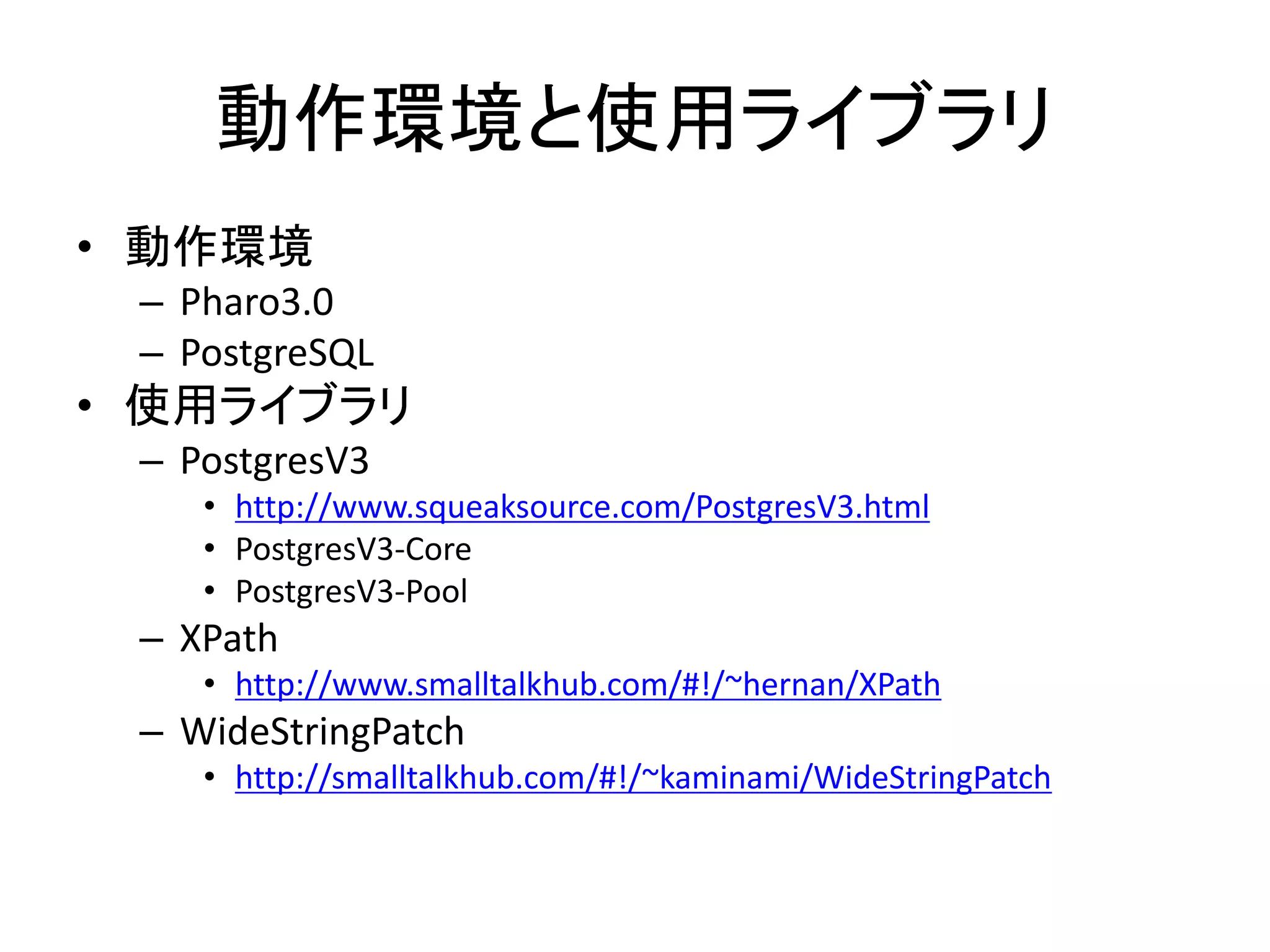
動作環境と使用ライブラリ
• 動作環境
– Pharo3.0
– PostgreSQL
• 使用ライブラリ
– PostgresV3
• http://www.squeaksource.com/PostgresV3.html
• PostgresV3-Core
• PostgresV3-Pool
– XPath
• http://www.smalltalkhub.com/#!/~hernan/XPath
– WideStringPatch
• http://smalltalkhub.com/#!/~kaminami/WideStringPatch
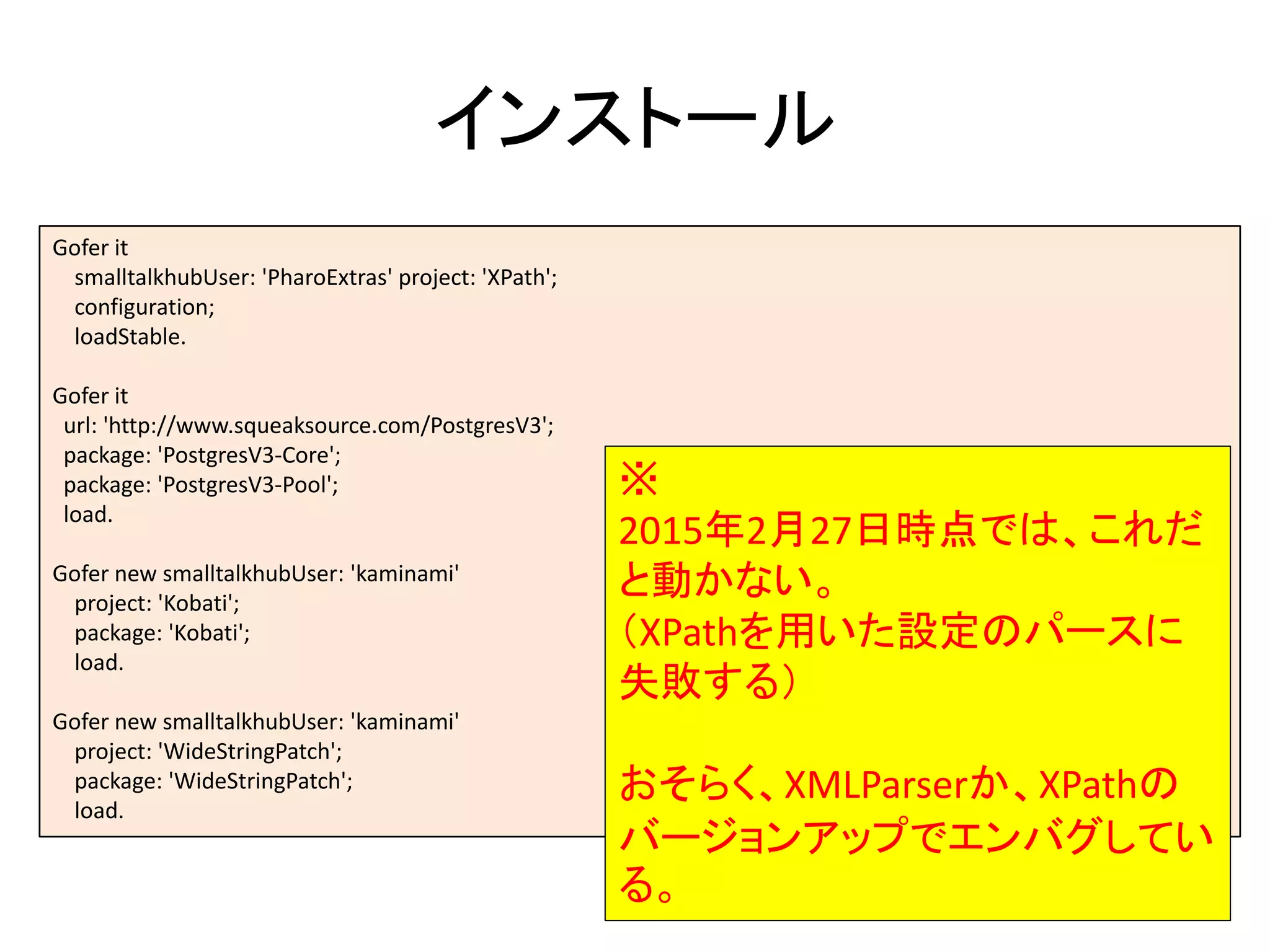
インストール
Gofer it
smalltalkhubUser: 'PharoExtras' project: 'XPath';
configuration;
loadStable.
Gofer it
url: 'http://www.squeaksource.com/PostgresV3';
package: 'PostgresV3-Core';
package: 'PostgresV3-Pool';
load.
Gofer new smalltalkhubUser: 'kaminami'
project: 'Kobati';
package: 'Kobati';
load.
Gofer new smalltalkhubUser: 'kaminami'
project: 'WideStringPatch';
package: 'WideStringPatch';
load.
※
2015年2月27日時点では、これだ
と動かない。
(XPathを用いた設定のパースに
失敗する)
おそらく、XMLParserか、XPathの
バージョンアップでエンバグしてい
る。
WideStringPatch
• マルチバイト文字列の操作が遅い
1. String >> at:put:
2. primitive error
3. WideString >> at:put:
• パッチをあてる
– 100倍程度の速度改善
– Stringでインスタンス生成をする箇所は全てボトルネックとなり得る
String >> convertFromWithConverter: converter
| readStream c |
readStream := self readStream.
^ WideString new: self size streamContents: [ :writeStream|
converter ifNil: [^ self].
[readStream atEnd] whileFalse: [
c := converter nextFromStream: readStream.
c
ifNotNil: [writeStream nextPut: c]
ifNil: [^ writeStream contents]]].
定義するもの
• コンフィグ
– DBとの接続設定、マッパーの指定
• マッパー
– SQL
– SQLとメソッドのマッピング
– クエリ結果とSmalltalkオブジェクトのマッピング
• Smalltalkのクラス定義
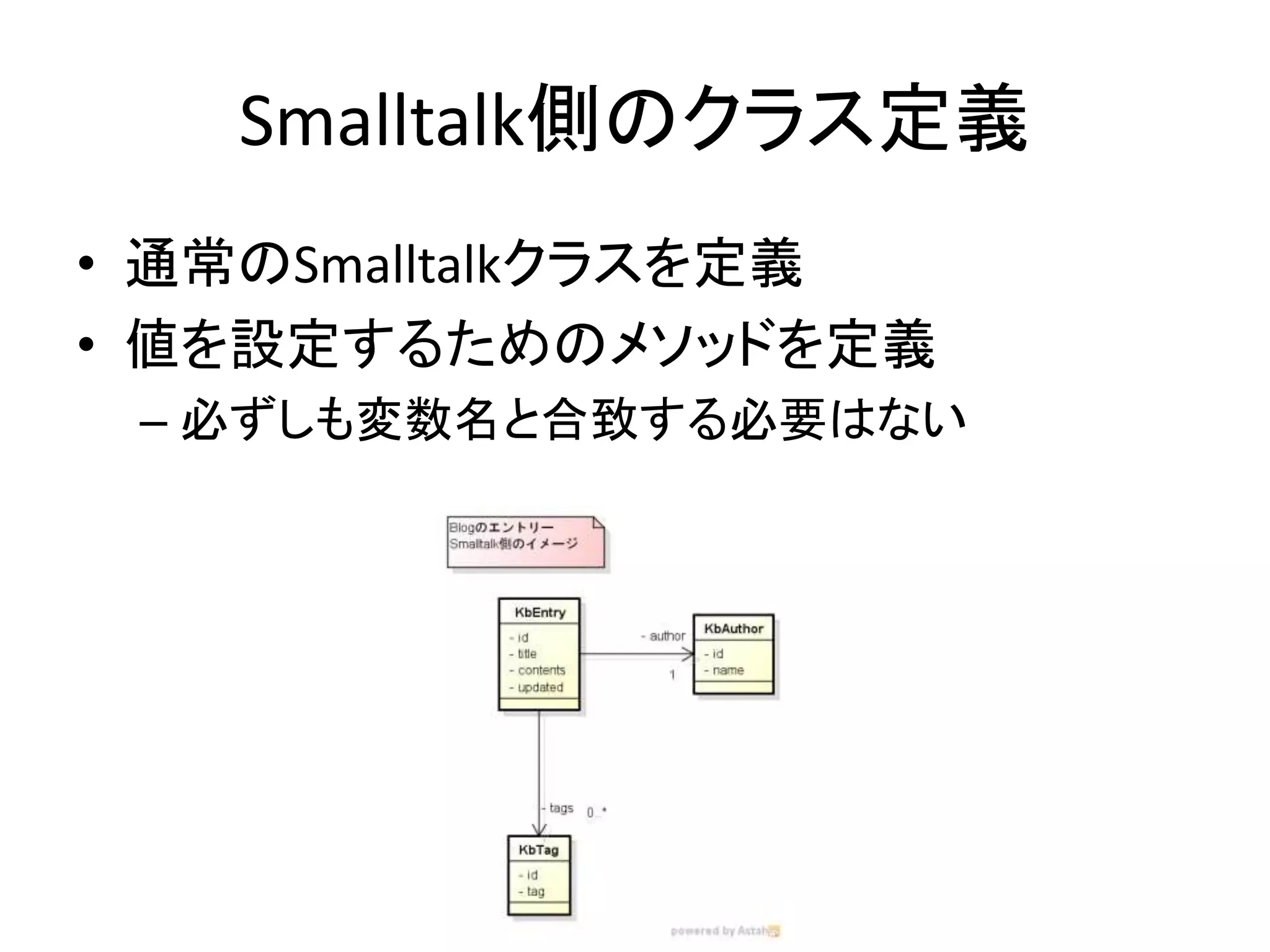
Smalltalk側のクラス定義
• 通常のSmalltalkクラスを定義
• 値を設定するためのメソッドを定義
– 必ずしも変数名と合致する必要はない
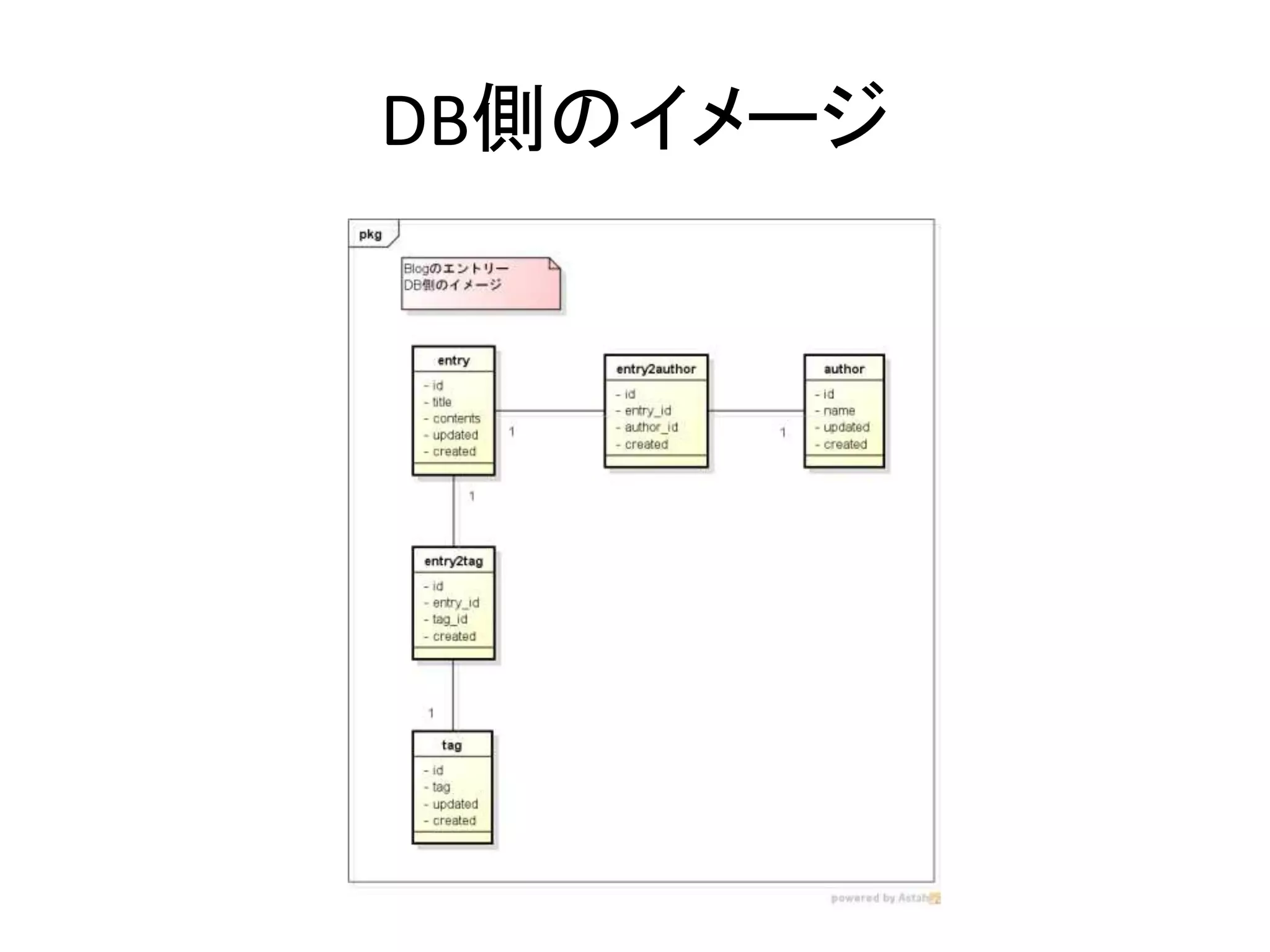
DB側のイメージ
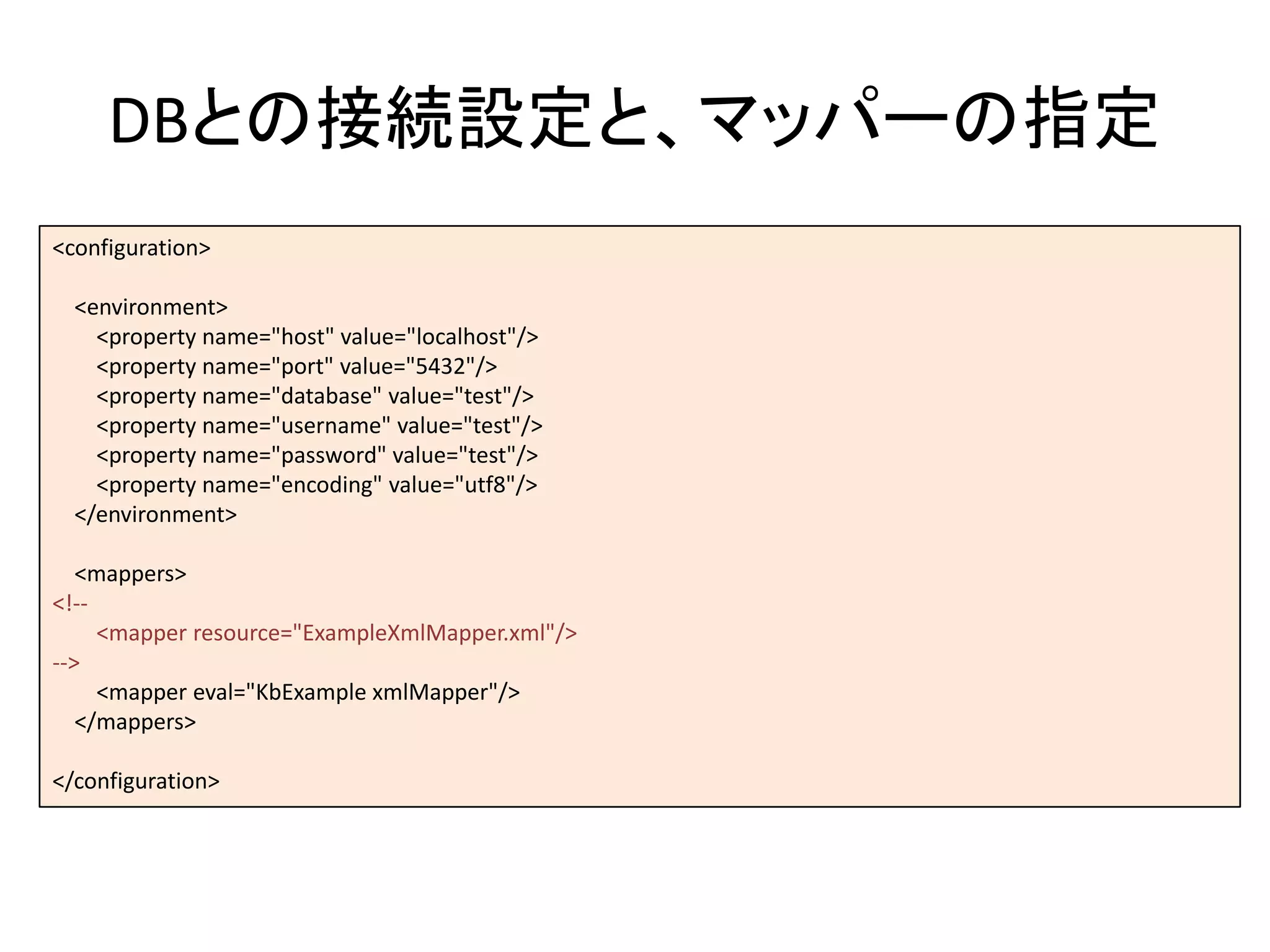
DBとの接続設定と、マッパーの指定
<configuration>
<environment>
<property name="host" value="localhost"/>
<property name="port" value="5432"/>
<property name="database" value="test"/>
<property name="username" value="test"/>
<property name="password" value="test"/>
<property name="encoding" value="utf8"/>
</environment>
<mappers>
<!--
<mapper resource="ExampleXmlMapper.xml"/>
-->
<mapper eval="KbExample xmlMapper"/>
</mappers>
</configuration>
マッパー
• 記述するもの
– SQL
– SQLとメソッドのマッピング
– クエリ結果とSmalltalkオブジェクトのマッピング
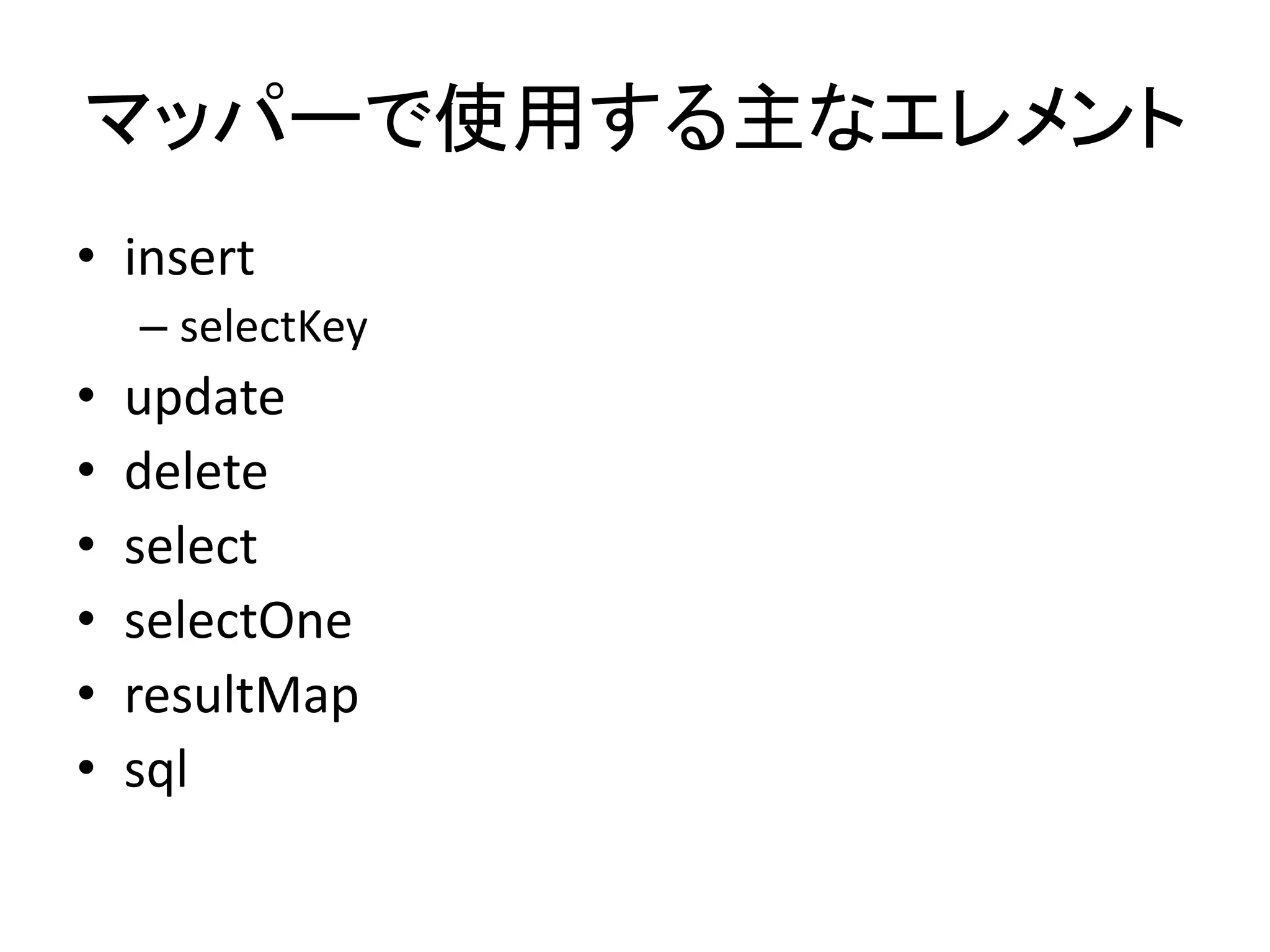
マッパーで使用する主なエレメント
• insert
– selectKey
• update
• delete
• select
• selectOne
• resultMap
• sql
insert①
<!-- Mapper -->
<insert id="insertTag" arguments="tag">
INSERT
INTO Tag
(
tag
)
VALUES (
#{tag.tag}
)
<selectKey keyProperty="tag.id" order="after">
select currval('tag_id_seq')
</selectKey>
</insert>
<!-- Smalltalk -->
insertTag: aTag
| acc result |
acc := KbDatabaseAccessor for: (KbConfig from: self config).
acc transaction:
[:session |
result := (session getMapper: 'Example-xmlMapper') insertTag: aTag].
^ result
この部分は適宜
キャッシュする
#{}で囲まれた部分は値に展開される
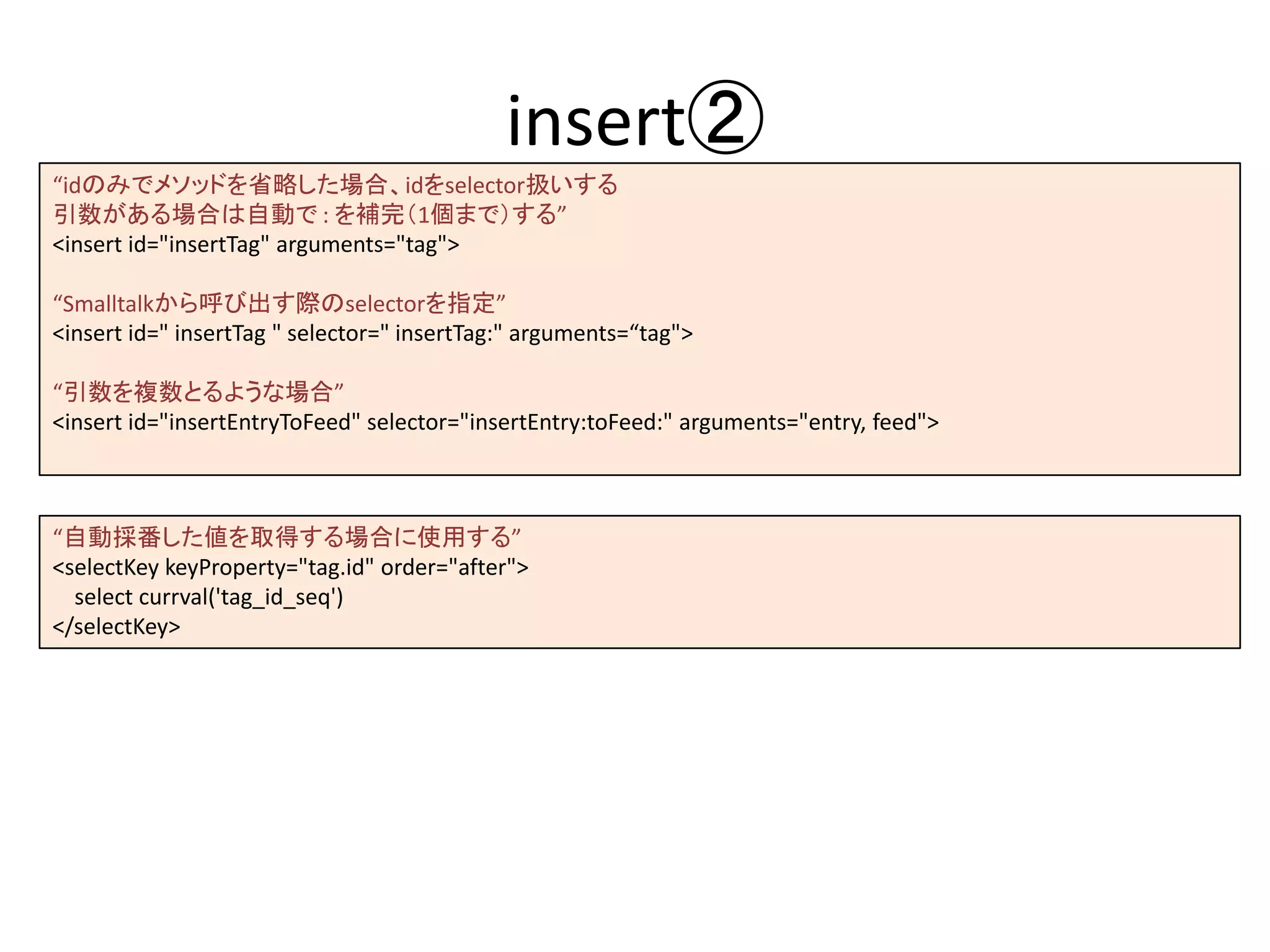
insert②
“idのみでメソッドを省略した場合、idをselector扱いする
引数がある場合は自動で : を補完(1個まで)する”
<insert id="insertTag" arguments="tag">
“Smalltalkから呼び出す際のselectorを指定”
<insert id=" insertTag " selector=" insertTag:" arguments=“tag">
“引数を複数とるような場合”
<insert id="insertEntryToFeed" selector="insertEntry:toFeed:" arguments="entry, feed">
“自動採番した値を取得する場合に使用する”
<selectKey keyProperty="tag.id" order="after">
select currval('tag_id_seq')
</selectKey>
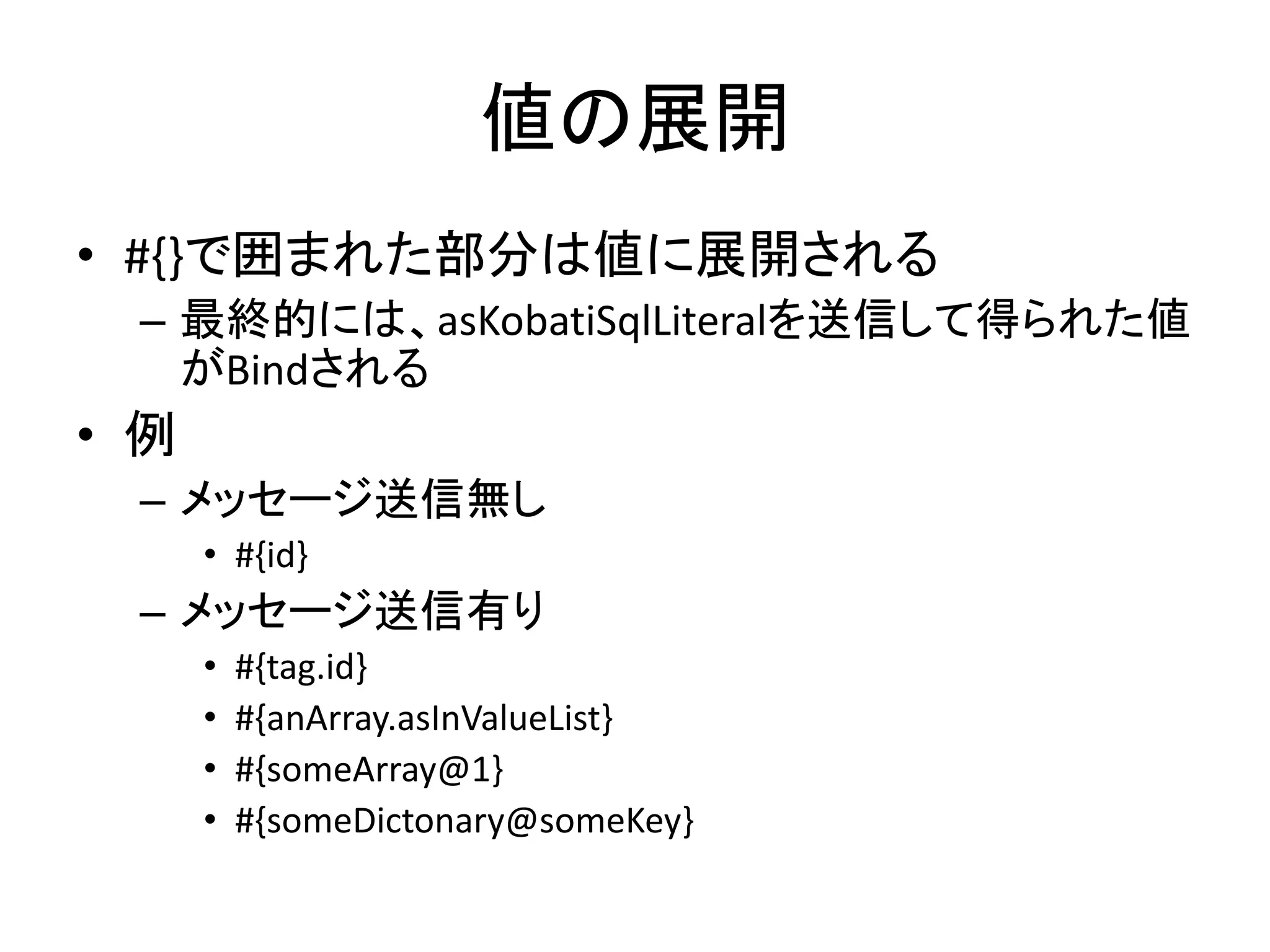
値の展開
• #{}で囲まれた部分は値に展開される
– 最終的には、asKobatiSqlLiteralを送信して得られた値
がBindされる
• 例
– メッセージ送信無し
• #{id}
– メッセージ送信有り
• #{tag.id}
• #{anArray.asInValueList}
• #{someArray@1}
• #{someDictonary@someKey}
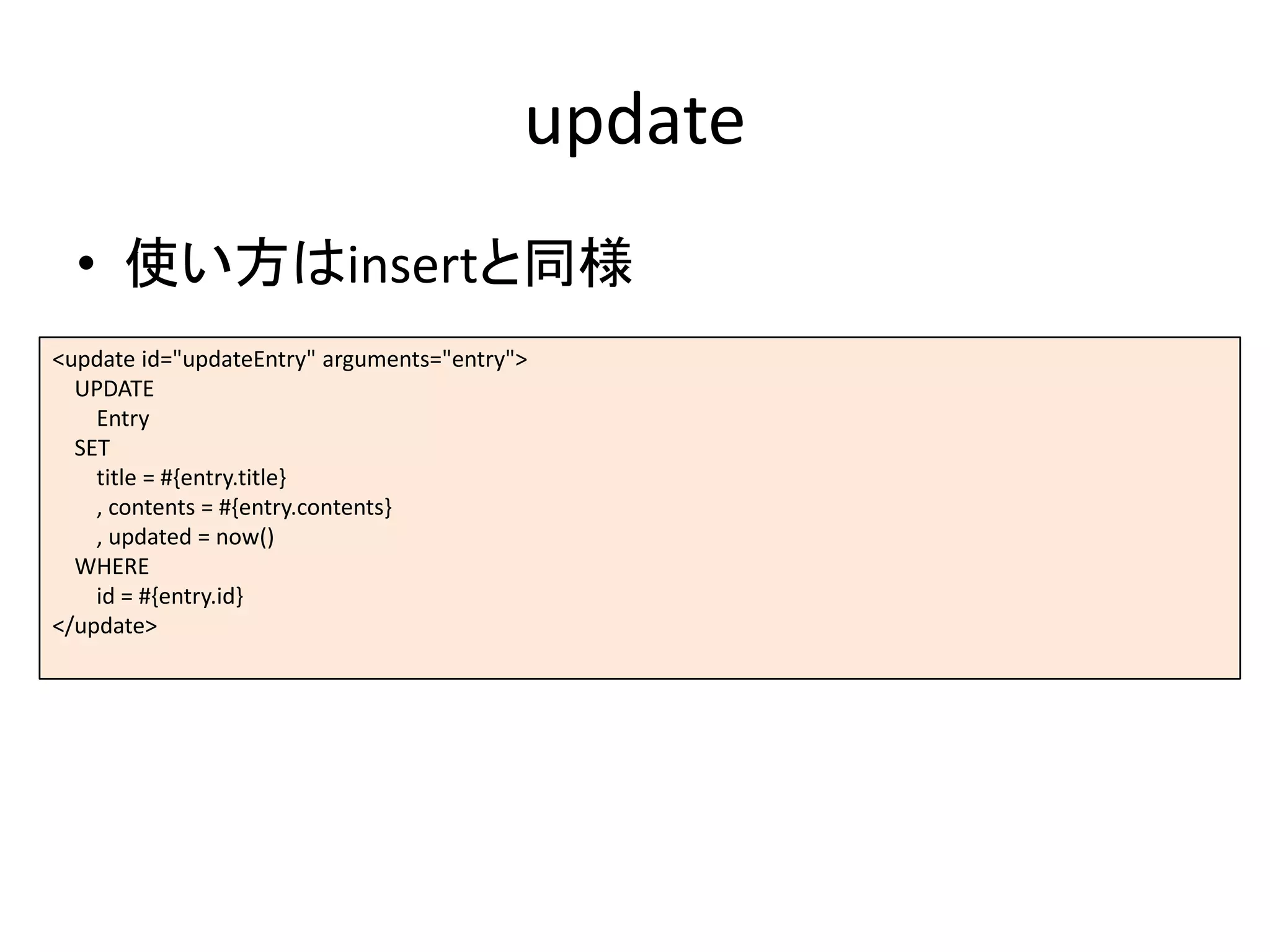
update
• 使い方はinsertと同様
<update id="updateEntry" arguments="entry">
UPDATE
Entry
SET
title = #{entry.title}
, contents = #{entry.contents}
, updated = now()
WHERE
id = #{entry.id}
</update>
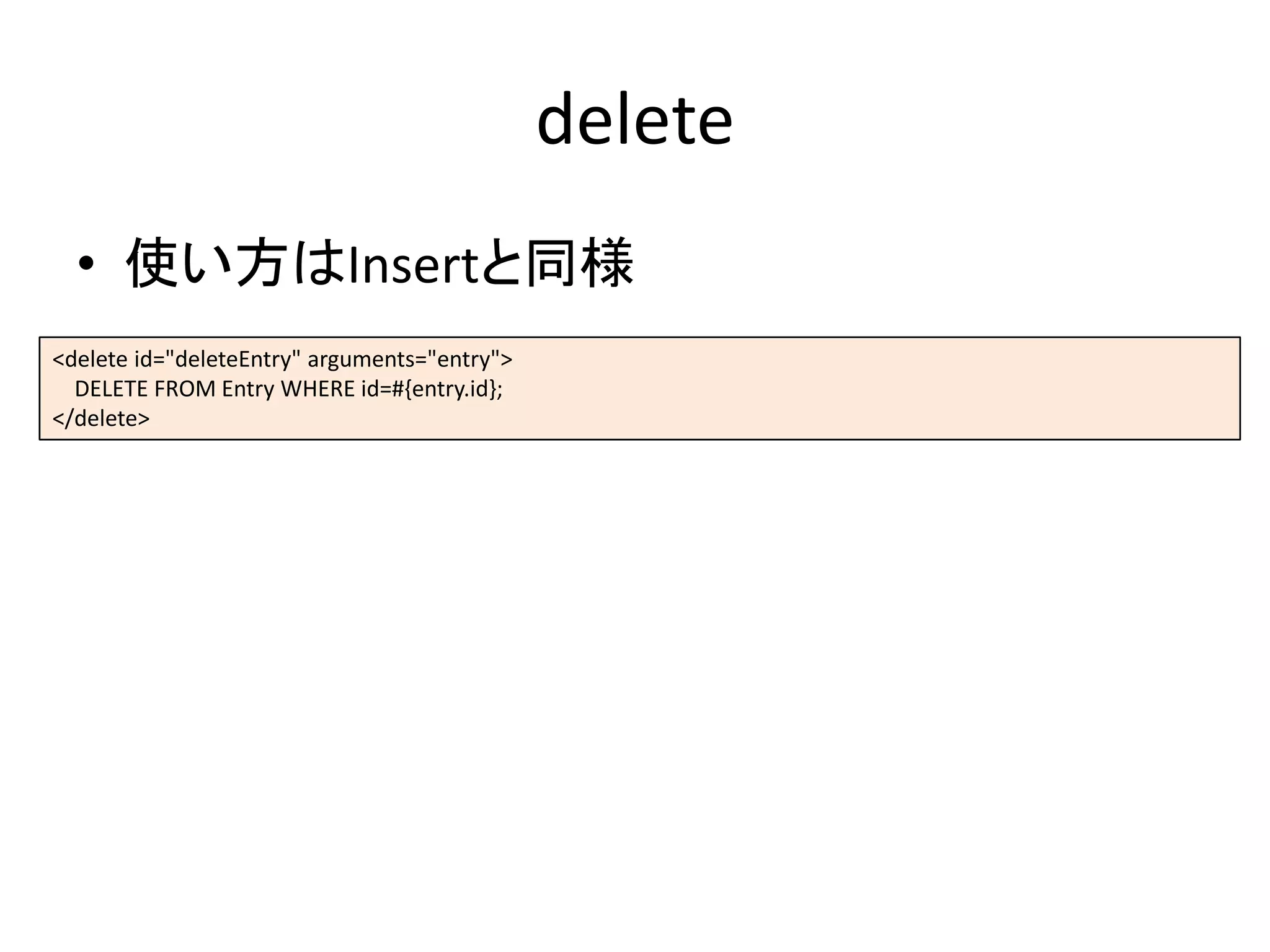
delete
• 使い方はInsertと同様
<delete id="deleteEntry" arguments="entry">
DELETE FROM Entry WHERE id=#{entry.id};
</delete>
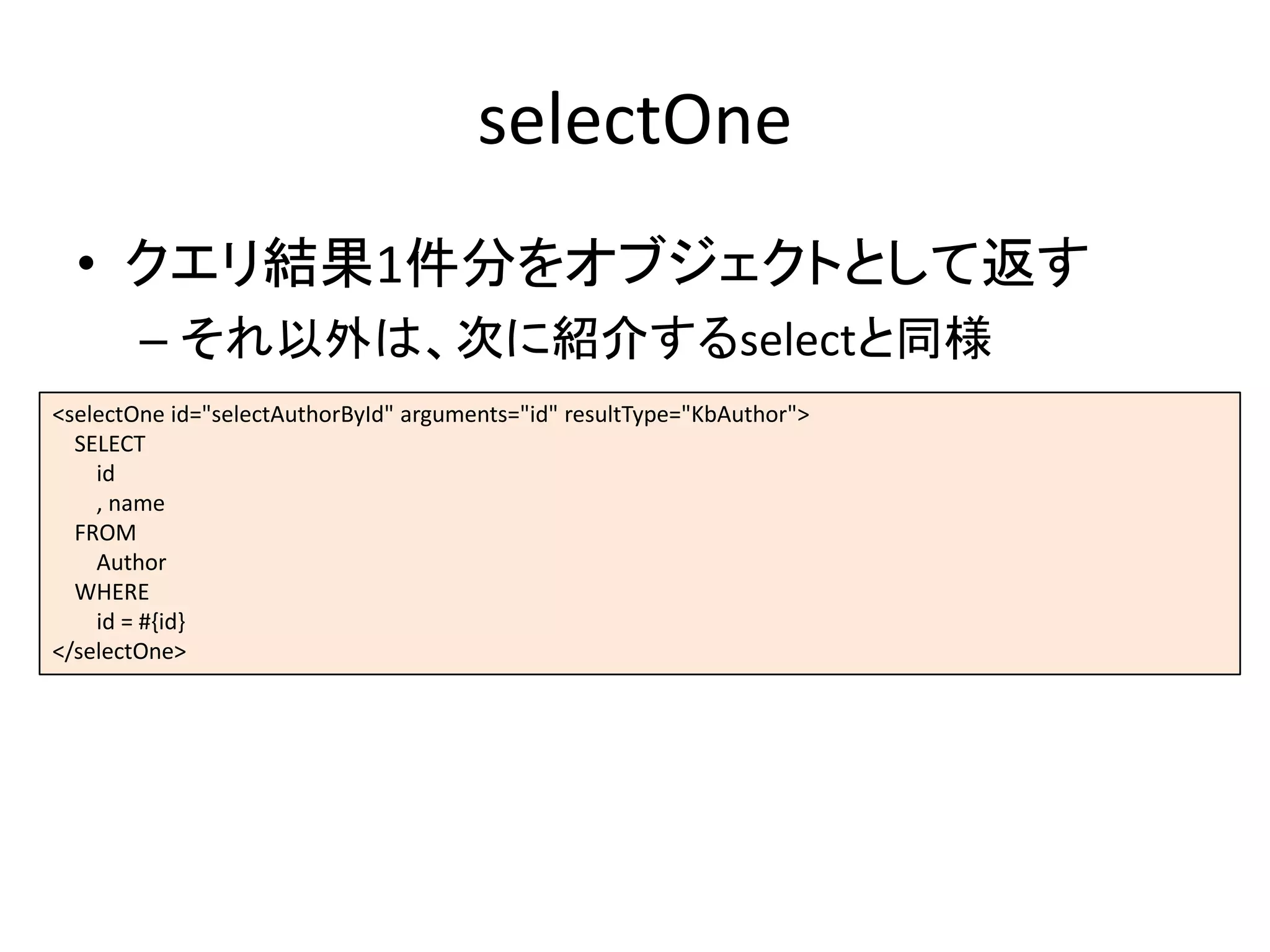
selectOne
• クエリ結果1件分をオブジェクトとして返す
– それ以外は、次に紹介するselectと同様
<selectOne id="selectAuthorById" arguments="id" resultType="KbAuthor">
SELECT
id
, name
FROM
Author
WHERE
id = #{id}
</selectOne>
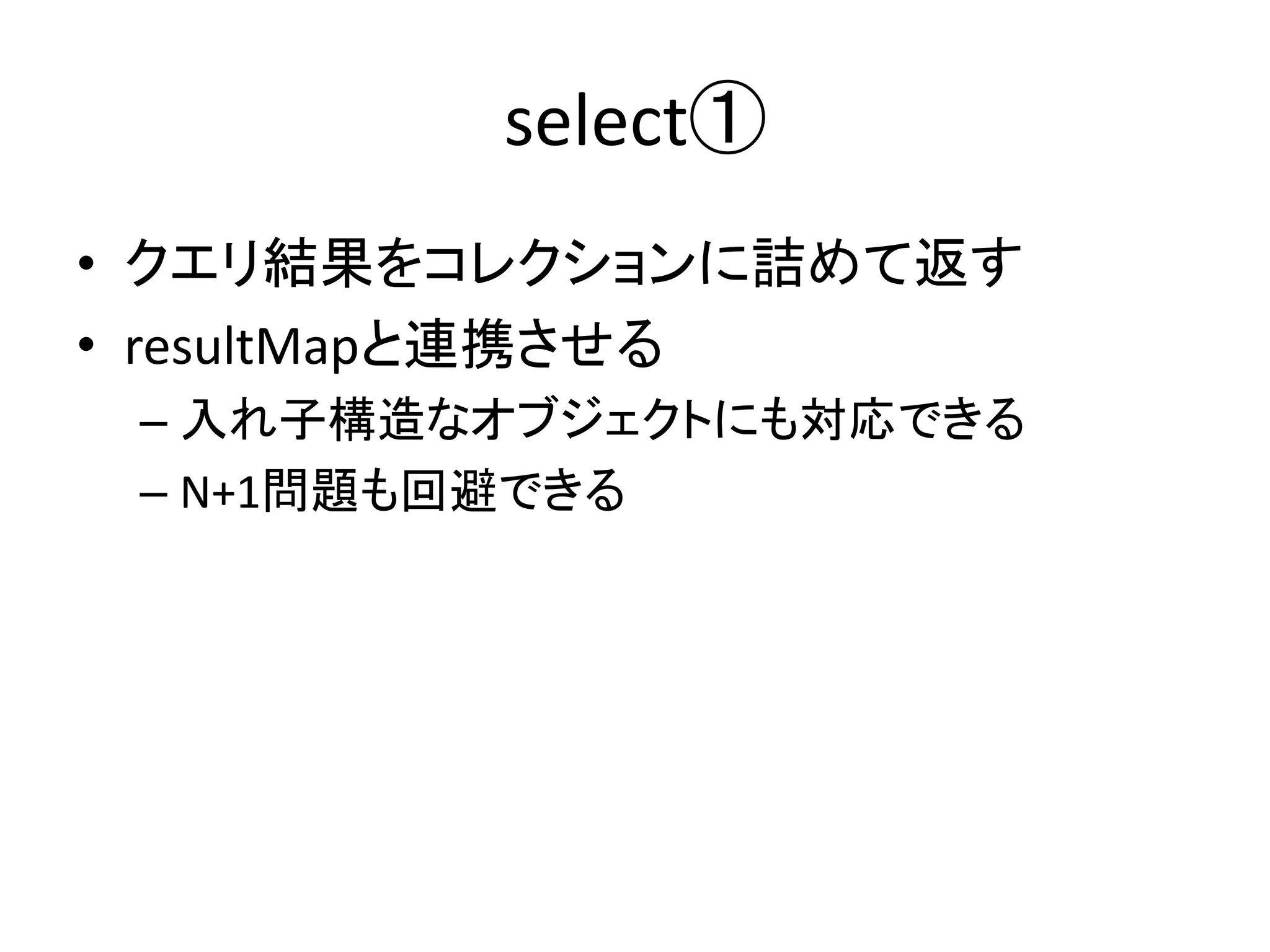
select①
• クエリ結果をコレクションに詰めて返す
• resultMapと連携させる
– 入れ子構造なオブジェクトにも対応できる
– N+1問題も回避できる
select②
• 使用例
<resultMap id="selectAuthorMap" type="KbAuthor">
<id property="id" column="author_id" />
<result property="name" column="author_name" />
</resultMap>
<select id="selectAllAuthors" resultType="KbAuthor">
<![CDATA[
SELECT
id as author_id
, name as author_name
FROM
Author
]]>
</select>
CDATAで囲むことも可能
この例では必要ないが、<>等の演算子を含
める場合に必要
テーブルをJOINした場合などにも使いまわ
したいので、columnに別名を付けている
select③
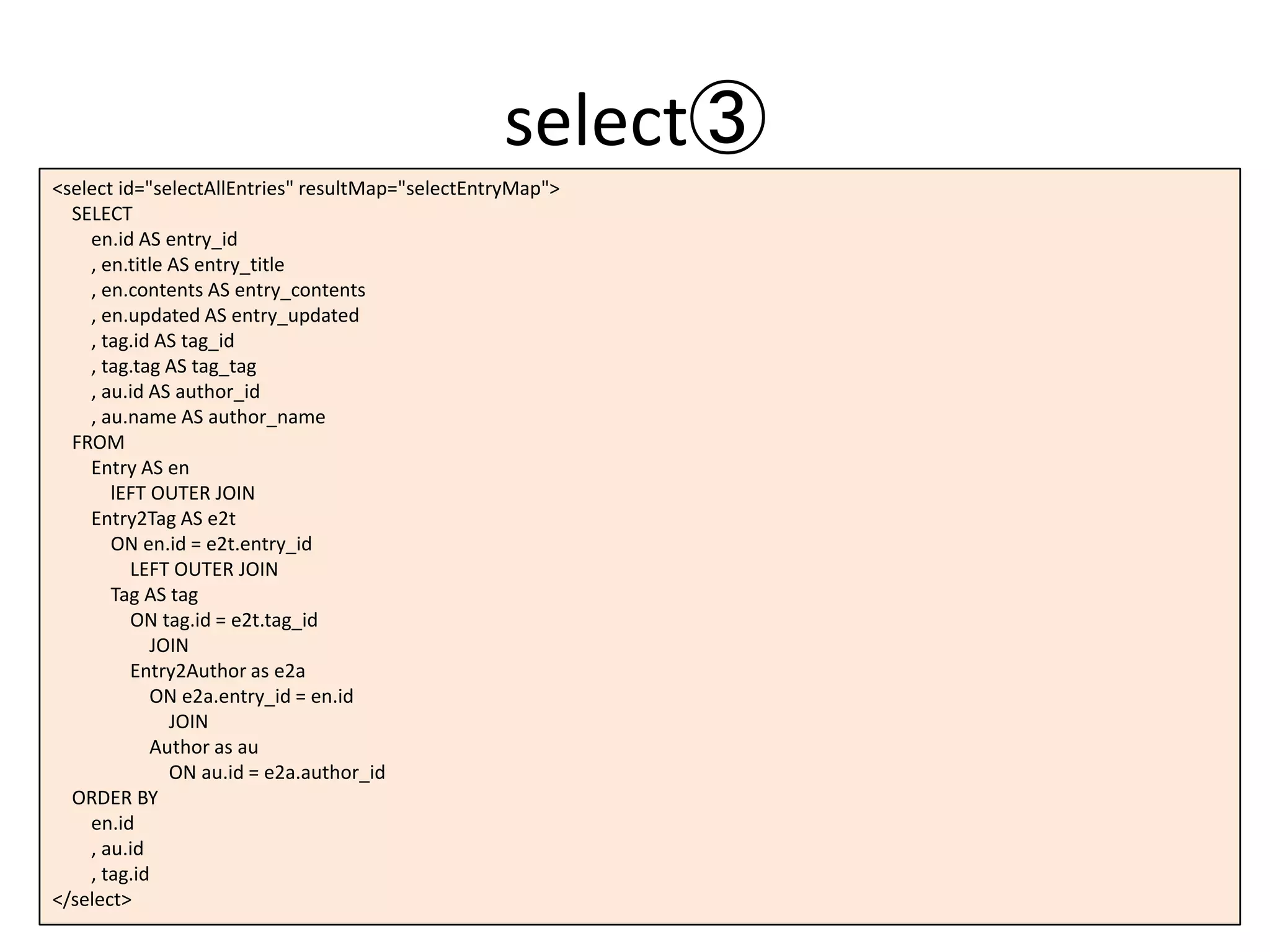
<select id="selectAllEntries" resultMap="selectEntryMap">
SELECT
en.id AS entry_id
, en.title AS entry_title
, en.contents AS entry_contents
, en.updated AS entry_updated
, tag.id AS tag_id
, tag.tag AS tag_tag
, au.id AS author_id
, au.name AS author_name
FROM
Entry AS en
lEFT OUTER JOIN
Entry2Tag AS e2t
ON en.id = e2t.entry_id
LEFT OUTER JOIN
Tag AS tag
ON tag.id = e2t.tag_id
JOIN
Entry2Author as e2a
ON e2a.entry_id = en.id
JOIN
Author as au
ON au.id = e2a.author_id
ORDER BY
en.id
, au.id
, tag.id
</select>
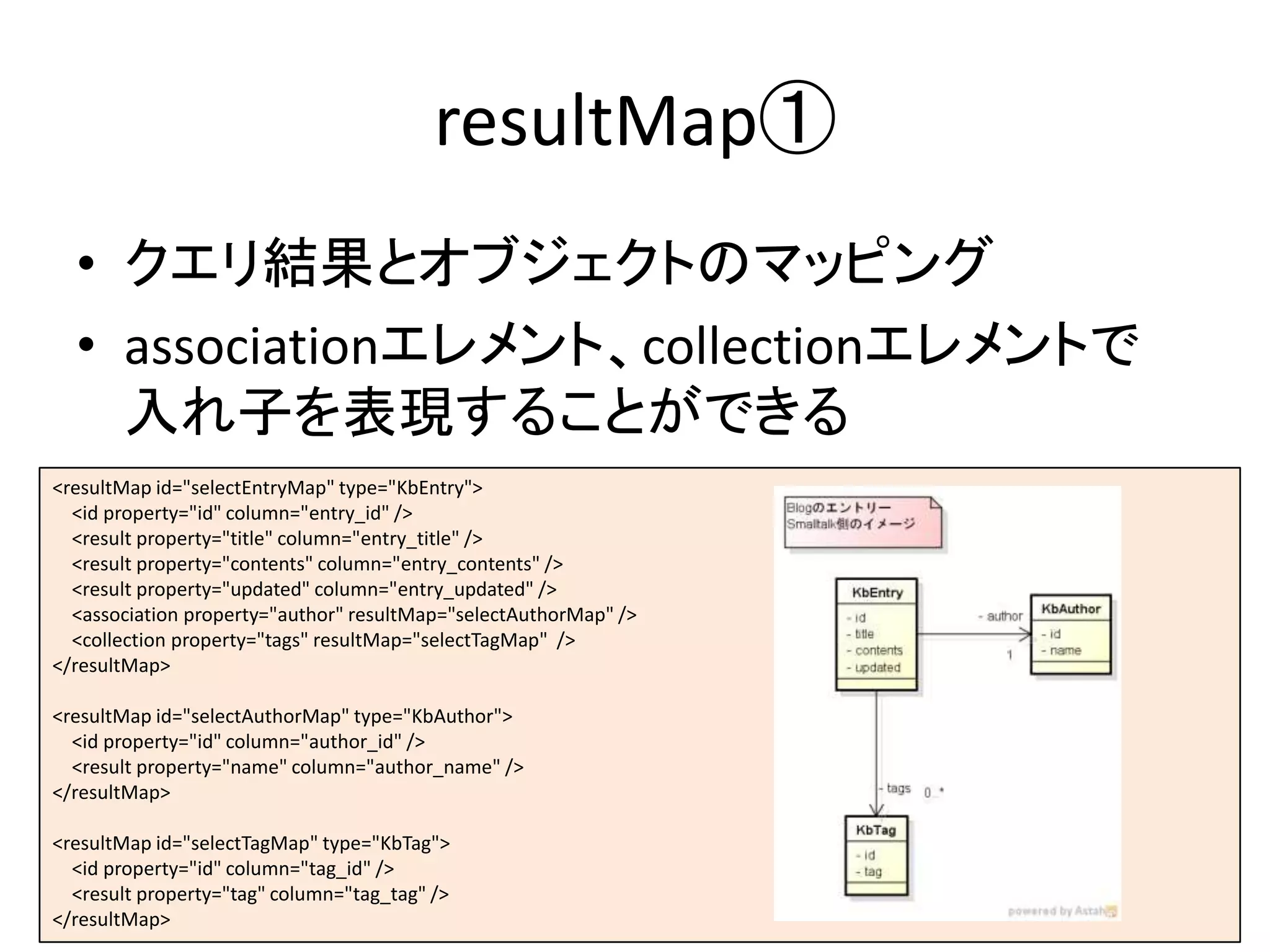
resultMap①
• クエリ結果とオブジェクトのマッピング
• associationエレメント、collectionエレメントで
入れ子を表現することができる
<resultMap id="selectEntryMap" type="KbEntry">
<id property="id" column="entry_id" />
<result property="title" column="entry_title" />
<result property="contents" column="entry_contents" />
<result property="updated" column="entry_updated" />
<association property="author" resultMap="selectAuthorMap" />
<collection property="tags" resultMap="selectTagMap" />
</resultMap>
<resultMap id="selectAuthorMap" type="KbAuthor">
<id property="id" column="author_id" />
<result property="name" column="author_name" />
</resultMap>
<resultMap id="selectTagMap" type="KbTag">
<id property="id" column="tag_id" />
<result property="tag" column="tag_tag" />
</resultMap>
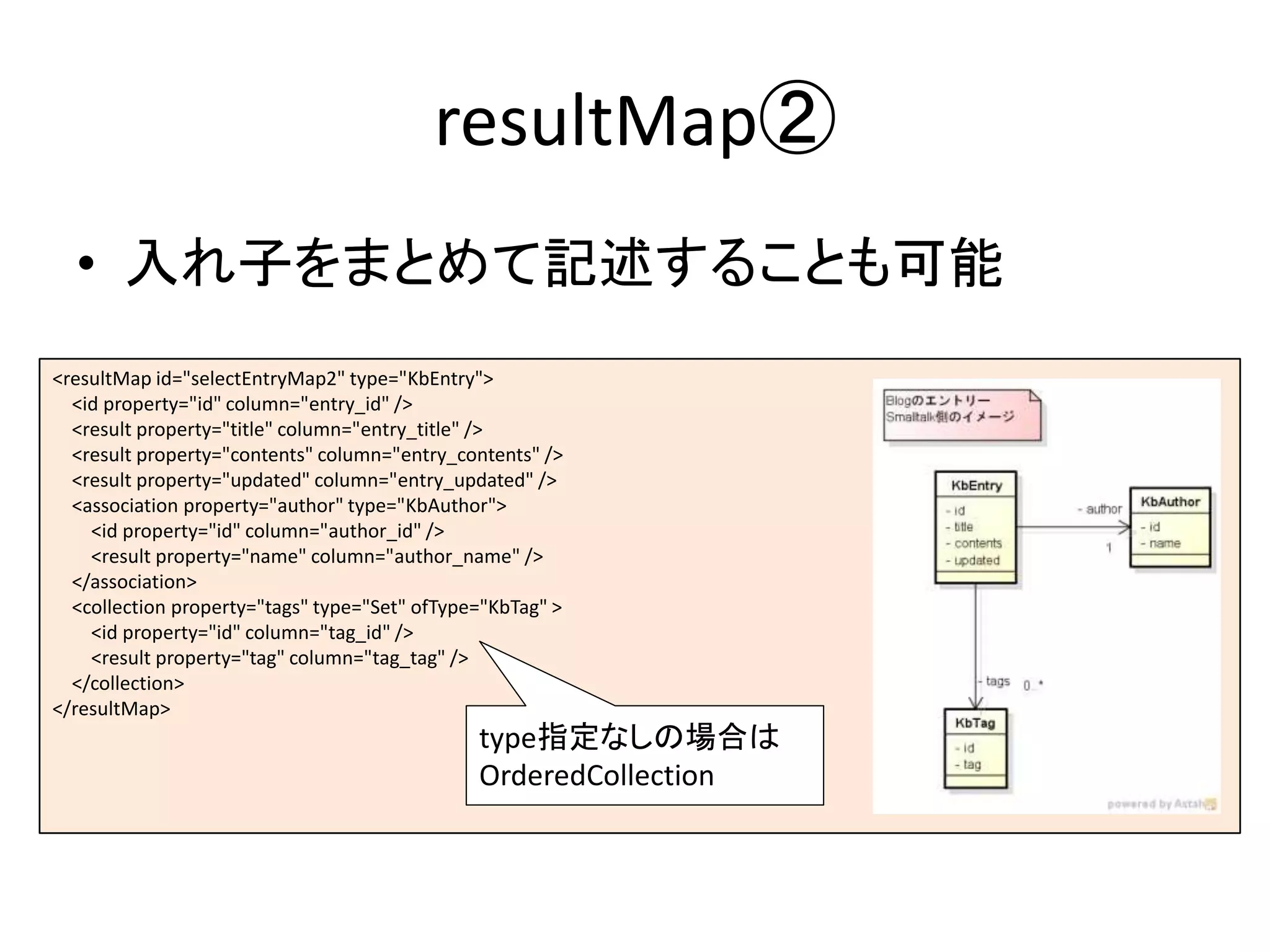
resultMap②
• 入れ子をまとめて記述することも可能
<resultMap id="selectEntryMap2" type="KbEntry">
<id property="id" column="entry_id" />
<result property="title" column="entry_title" />
<result property="contents" column="entry_contents" />
<result property="updated" column="entry_updated" />
<association property="author" type="KbAuthor">
<id property="id" column="author_id" />
<result property="name" column="author_name" />
</association>
<collection property="tags" type="Set" ofType="KbTag" >
<id property="id" column="tag_id" />
<result property="tag" column="tag_tag" />
</collection>
</resultMap>
type指定なしの場合は
OrderedCollection
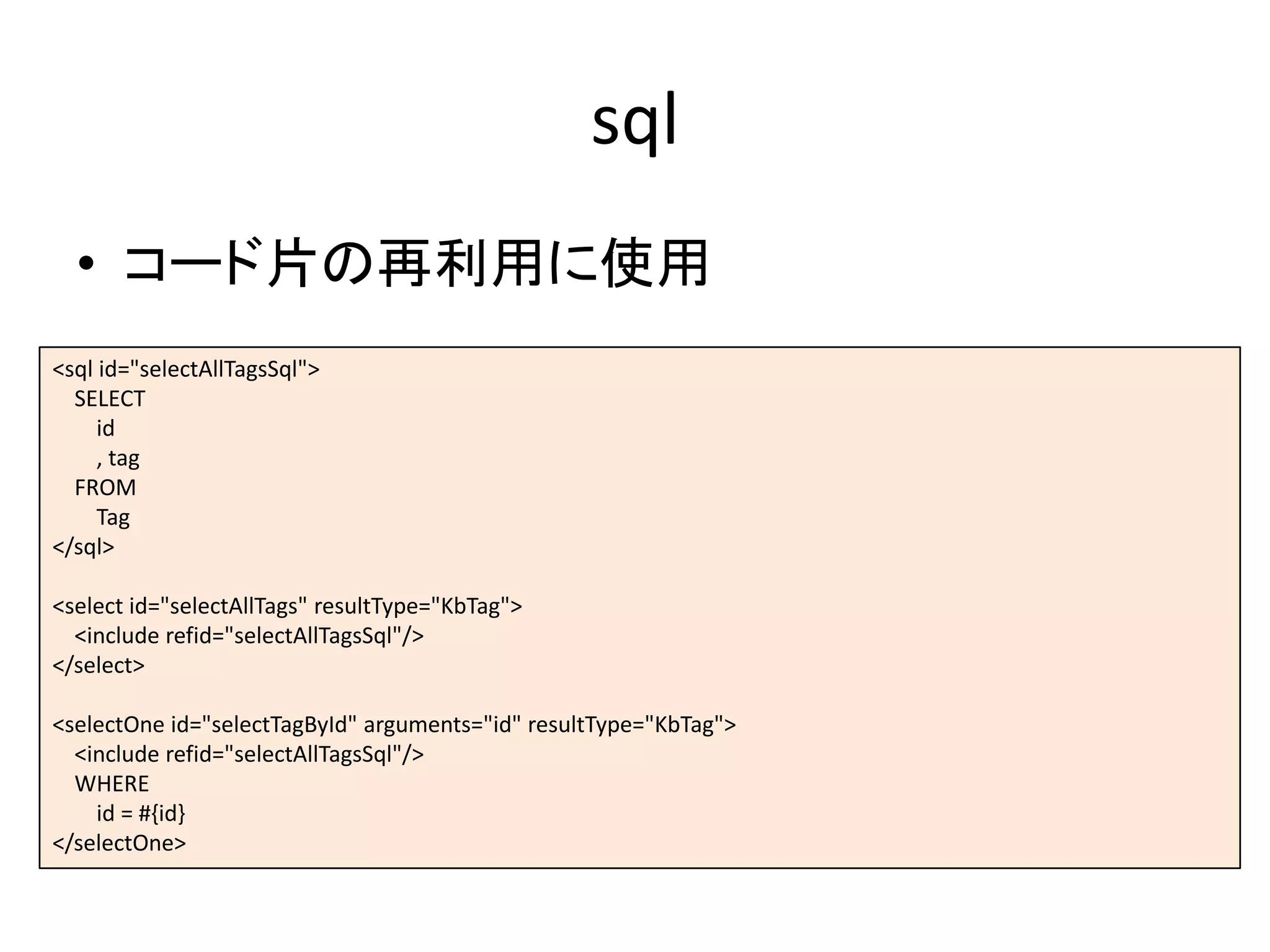
sql
• コード片の再利用に使用
<sql id="selectAllTagsSql">
SELECT
id
, tag
FROM
Tag
</sql>
<select id="selectAllTags" resultType="KbTag">
<include refid="selectAllTagsSql"/>
</select>
<selectOne id="selectTagById" arguments="id" resultType="KbTag">
<include refid="selectAllTagsSql"/>
WHERE
id = #{id}
</selectOne>
| acc result |
acc := KbDatabaseAccessor for: (KbConfig from: KbExample config).
^ acc execute: “実行”
[:session |
(session getMapper: 'Example-xmlMapper') selectAllEntries].
Smalltalk側からの呼び出し
| aAuthor acc result |
aAuthor = KbAuthor new.
acc := KbDatabaseAccessor for: (KbConfig from: KbExample config).
^ acc transaction: “トランザクション”
[:session |
(session getMapper: 'Example-xmlMapper') insertAuthor: aAuthor].
| acc result |
acc := KbDatabaseAccessor for: (KbConfig from: KbExample config).
^ acc transaction:
[:session |
session prepare: ‘任意のSQL文字列’; execute].
オブジェクトの組み立て
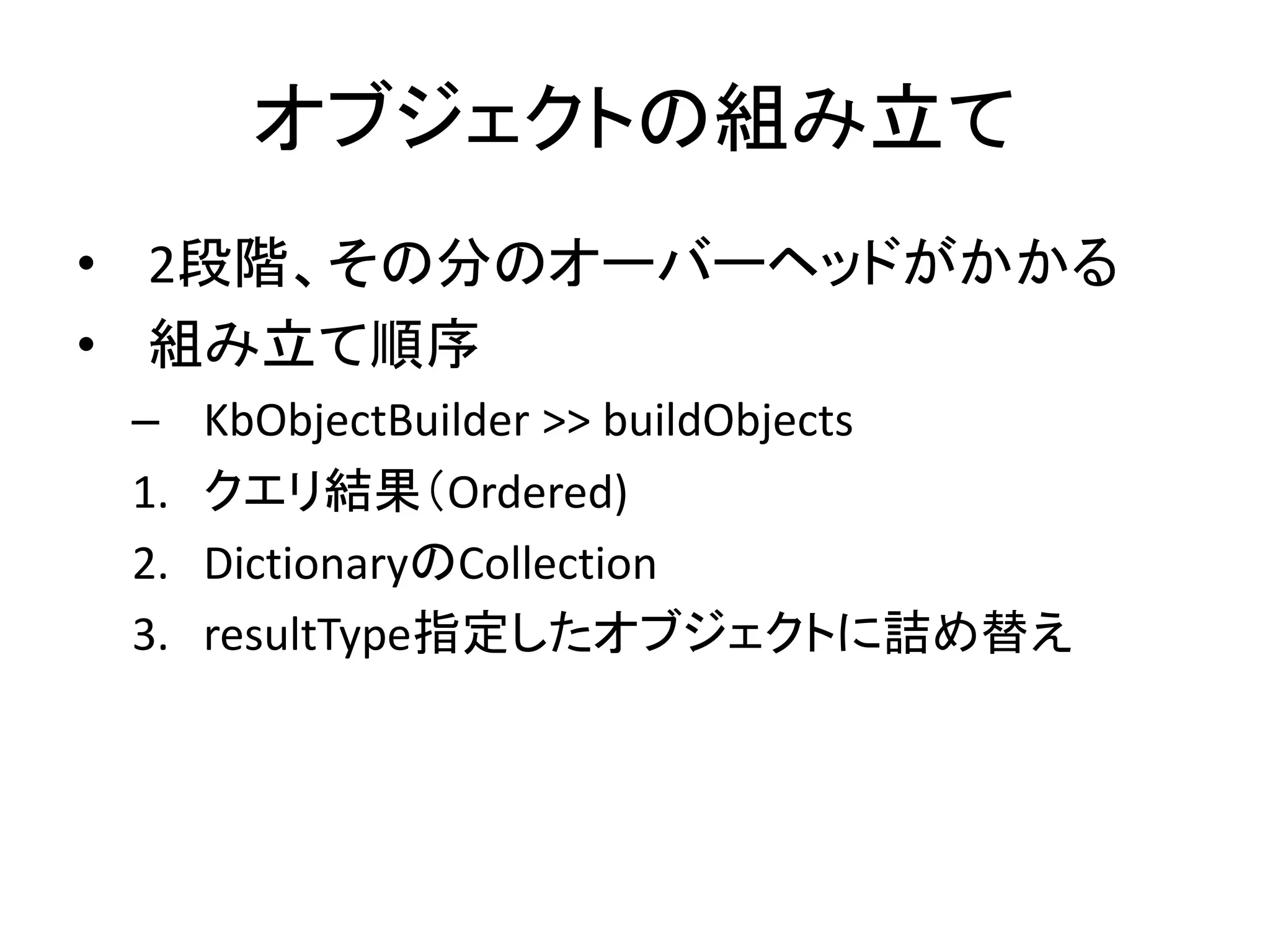
• 2段階、その分のオーバーヘッドがかかる
• 組み立て順序
– KbObjectBuilder >> buildObjects
1. クエリ結果(Ordered)
2. DictionaryのCollection
3. resultType指定したオブジェクトに詰め替え
終わりに
• まだ実績はないが、ギリギリ使える、はず
• Glorpに疲れたり、馴染めない人の選択肢と
なれるか?

SQLマッピングフレームワーク「Kobati」のはなし