Something for Everyone
Making Technology Accessible
Something for Everyone
Making Technology Accessible

Something for Everyone: Accessible eLearning

Editor's Notes

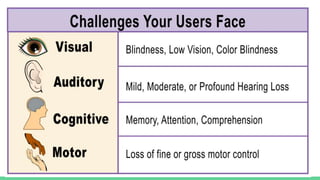
  • #3 Challenges your users face: Visual: Blindness, low vision, color blindness. Auditory: Mild, moderate, or profound hearing loss. Cognitive: Memory, attention, or comprehension problems. Motor: Loss of fine or gross motor control
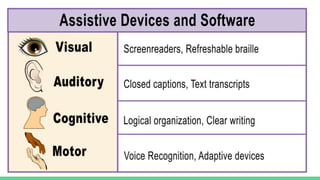
  • #4 Assistive Devices and Software Visual: Screenreaders, refreshable braille Auditory: Closed captions, text transcripts Cognitive: Logical organization, clear writing Motor: Voice recognition, adaptive devices
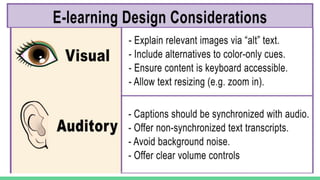
  • #5 eLearning Design Considerations: Visual: 1) Explain relevant images via “alt” text. 2) Include alternatives to color-only cues. 3) Ensure content is keyboard accessible. 4) Allow text resizing (e.g. zoom capabilities) Auditory: Captions should be synchronized with audio 2) Offer non-synchronized text transcripts Avoid background noise Offer clear volume controls
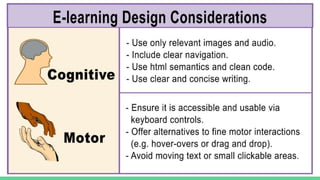
  • #6 eLearning Design Considerations Cognitive: Use only relevant images and audio/ Include clear navigation. Use html semantics and clean code. Use clear and concise writing. Motor: Ensure it is accessible and usable via keyboard controls. Offer alternatives to fine motor interactions (e.g. hover-overs or drag and drop) Avoid moving text or small clickable areas.