Introduction to Software Testing
• Software Testing checks if the software works as expected.
• It finds bugs and helps make the software reliable and high-quality.
Origin of Software Testing
• Started in the early days of programming.
• Evolved from just finding bugs to improving quality and user experience.
Objectives of Testing
• Ensure the product works as intended.
• Find and fix bugs early.
• Make sure user needs are met.
• Improve product quality.
Requirements for Testing
• Clear software requirements.
• A working test environment.
• Skilled testers.
• Test plans and tools.
Advantages of Testing
• Improves software quality.
• Catches bugs early.
• Builds customer trust.
• Reduces future costs.
• Disadvantages:
• Can be time-consuming.
• Might need costly tools.
• Not all bugs can be found.
Characteristics of Testing
• Systematic and planned.
• Repeatable and measurable.
• Based on user needs and risks.
Testing vs. Debugging
• Testing: Finds the bug, Done by testers, Doesn’t change code.
• Debugging: Fixes the bug, Done by developers, Changes the code.
Project vs. Product
• Project: Temporary effort to build something (e.g., an app for a client).
• Product: A complete solution for many users (e.g., MS Word, WhatsApp).
QA, QC, and Testing
• QA (Quality Assurance): Prevents defects.
• QC (Quality Control): Checks if the product meets standards.
• Testing: Actually checks the software by running it.
Verification vs. Validation
• Verification: Are we building the product right? (checks documents)
• Validation: Are we building the right product? (tests the software)
Errors, Defects, Failures
• Error: A human mistake.
• Defect: A bug in the code.
• Failure: When software doesn’t work during use.
Functional vs. Non-Functional
Requirements
• Functional: What the software should do (features, login, etc.).
• Non-Functional: How the software should behave (speed, security, etc.)
SDLC vs. STLC
• SDLC: Steps to build software from idea to release.
• STLC: Steps to plan and perform testing.
Phases of SDLC
• Requirements Gathering – Understand what the user wants.
• Design – Plan how the software will look and work.
• Development – Write the actual code.
• Testing – Check if the software works.
• Deployment – Release it to users.
• Maintenance – Fix bugs or update features later.
Phases of STLC
• Requirement Analysis – Understand what to test.
• Test Planning – Decide how testing will be done.
• Test Case Design – Write test steps.
• Test Environment Setup – Prepare where to test.
• Test Execution – Run the tests.
• Test Closure – Review and report results.
Types of Software Applications
• Web Applications: Use in a browser (e.g., YouTube, Facebook).
• Windows Applications: Install on your computer (e.g., MS Word).
Development, Test, Production
Environment
• Development: Developers build the software.
• Test: Testers try to find bugs.
• Production: Real users use it.
Roles in Software Development
• Developer – Builds the software.
• Tester – Checks for bugs.
• Business Analyst – Understands what the user needs.
• Project Manager – Manages timelines and teams.
• DevOps Engineer – Handles releases and servers.
• Product Owner – Decides what features to build.
Types of Testing
• Unit Testing – Smallest part of code.
• Integration Testing – Check parts working together.
• System Testing – Test the whole app.
• Acceptance Testing – Check if ready for users.
• Performance Testing – Test speed and stability.
• Other types – Like Regression or Negative Testing.
Unit Testing
• Tests one small piece (like a function).
• Done by developers during coding.
Integration Testing
• Tests how parts of the software work together.
• Example: Login connects to dashboard correctly.
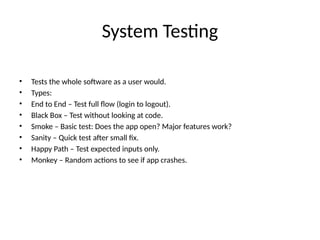
System Testing
• Tests the whole software as a user would.
• Types:
• End to End – Test full flow (login to logout).
• Black Box – Test without looking at code.
• Smoke – Basic test: Does the app open? Major features work?
• Sanity – Quick test after small fix.
• Happy Path – Test expected inputs only.
• Monkey – Random actions to see if app crashes.
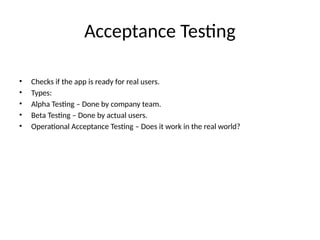
Acceptance Testing
• Checks if the app is ready for real users.
• Types:
• Alpha Testing – Done by company team.
• Beta Testing – Done by actual users.
• Operational Acceptance Testing – Does it work in the real world?
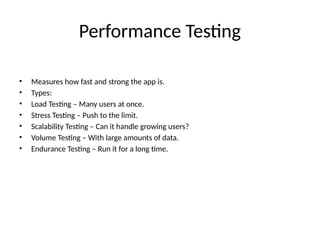
Performance Testing
• Measures how fast and strong the app is.
• Types:
• Load Testing – Many users at once.
• Stress Testing – Push to the limit.
• Scalability Testing – Can it handle growing users?
• Volume Testing – With large amounts of data.
• Endurance Testing – Run it for a long time.

Software_Testing_Presentationsinsds.pptx

  • 1.
    Introduction to SoftwareTesting • Software Testing checks if the software works as expected. • It finds bugs and helps make the software reliable and high-quality.
  • 2.
    Origin of SoftwareTesting • Started in the early days of programming. • Evolved from just finding bugs to improving quality and user experience.
  • 3.
    Objectives of Testing •Ensure the product works as intended. • Find and fix bugs early. • Make sure user needs are met. • Improve product quality.
  • 4.
    Requirements for Testing •Clear software requirements. • A working test environment. • Skilled testers. • Test plans and tools.
  • 5.
    Advantages of Testing •Improves software quality. • Catches bugs early. • Builds customer trust. • Reduces future costs. • Disadvantages: • Can be time-consuming. • Might need costly tools. • Not all bugs can be found.
  • 6.
    Characteristics of Testing •Systematic and planned. • Repeatable and measurable. • Based on user needs and risks.
  • 7.
    Testing vs. Debugging •Testing: Finds the bug, Done by testers, Doesn’t change code. • Debugging: Fixes the bug, Done by developers, Changes the code.
  • 8.
    Project vs. Product •Project: Temporary effort to build something (e.g., an app for a client). • Product: A complete solution for many users (e.g., MS Word, WhatsApp).
  • 9.
    QA, QC, andTesting • QA (Quality Assurance): Prevents defects. • QC (Quality Control): Checks if the product meets standards. • Testing: Actually checks the software by running it.
  • 10.
    Verification vs. Validation •Verification: Are we building the product right? (checks documents) • Validation: Are we building the right product? (tests the software)
  • 11.
    Errors, Defects, Failures •Error: A human mistake. • Defect: A bug in the code. • Failure: When software doesn’t work during use.
  • 12.
    Functional vs. Non-Functional Requirements •Functional: What the software should do (features, login, etc.). • Non-Functional: How the software should behave (speed, security, etc.)
  • 13.
    SDLC vs. STLC •SDLC: Steps to build software from idea to release. • STLC: Steps to plan and perform testing.
  • 14.
    Phases of SDLC •Requirements Gathering – Understand what the user wants. • Design – Plan how the software will look and work. • Development – Write the actual code. • Testing – Check if the software works. • Deployment – Release it to users. • Maintenance – Fix bugs or update features later.
  • 15.
    Phases of STLC •Requirement Analysis – Understand what to test. • Test Planning – Decide how testing will be done. • Test Case Design – Write test steps. • Test Environment Setup – Prepare where to test. • Test Execution – Run the tests. • Test Closure – Review and report results.
  • 16.
    Types of SoftwareApplications • Web Applications: Use in a browser (e.g., YouTube, Facebook). • Windows Applications: Install on your computer (e.g., MS Word).
  • 17.
    Development, Test, Production Environment •Development: Developers build the software. • Test: Testers try to find bugs. • Production: Real users use it.
  • 18.
    Roles in SoftwareDevelopment • Developer – Builds the software. • Tester – Checks for bugs. • Business Analyst – Understands what the user needs. • Project Manager – Manages timelines and teams. • DevOps Engineer – Handles releases and servers. • Product Owner – Decides what features to build.
  • 19.
    Types of Testing •Unit Testing – Smallest part of code. • Integration Testing – Check parts working together. • System Testing – Test the whole app. • Acceptance Testing – Check if ready for users. • Performance Testing – Test speed and stability. • Other types – Like Regression or Negative Testing.
  • 20.
    Unit Testing • Testsone small piece (like a function). • Done by developers during coding.
  • 21.
    Integration Testing • Testshow parts of the software work together. • Example: Login connects to dashboard correctly.
  • 22.
    System Testing • Teststhe whole software as a user would. • Types: • End to End – Test full flow (login to logout). • Black Box – Test without looking at code. • Smoke – Basic test: Does the app open? Major features work? • Sanity – Quick test after small fix. • Happy Path – Test expected inputs only. • Monkey – Random actions to see if app crashes.
  • 23.
    Acceptance Testing • Checksif the app is ready for real users. • Types: • Alpha Testing – Done by company team. • Beta Testing – Done by actual users. • Operational Acceptance Testing – Does it work in the real world?
  • 24.
    Performance Testing • Measureshow fast and strong the app is. • Types: • Load Testing – Many users at once. • Stress Testing – Push to the limit. • Scalability Testing – Can it handle growing users? • Volume Testing – With large amounts of data. • Endurance Testing – Run it for a long time.