Ajit K Nayak, Ph.D.
ajitnayak@soauniversity.ac.in
Software Engineering Principles
Requirements analysis &
specification
Acknowledgements
• Slides of Prof. Rajib Mall, IIT, KGP
Why Study Software Engineering?
• Many projects have failed because
– they started to develop without adequately
determining whether they are building what the
customer really wanted.
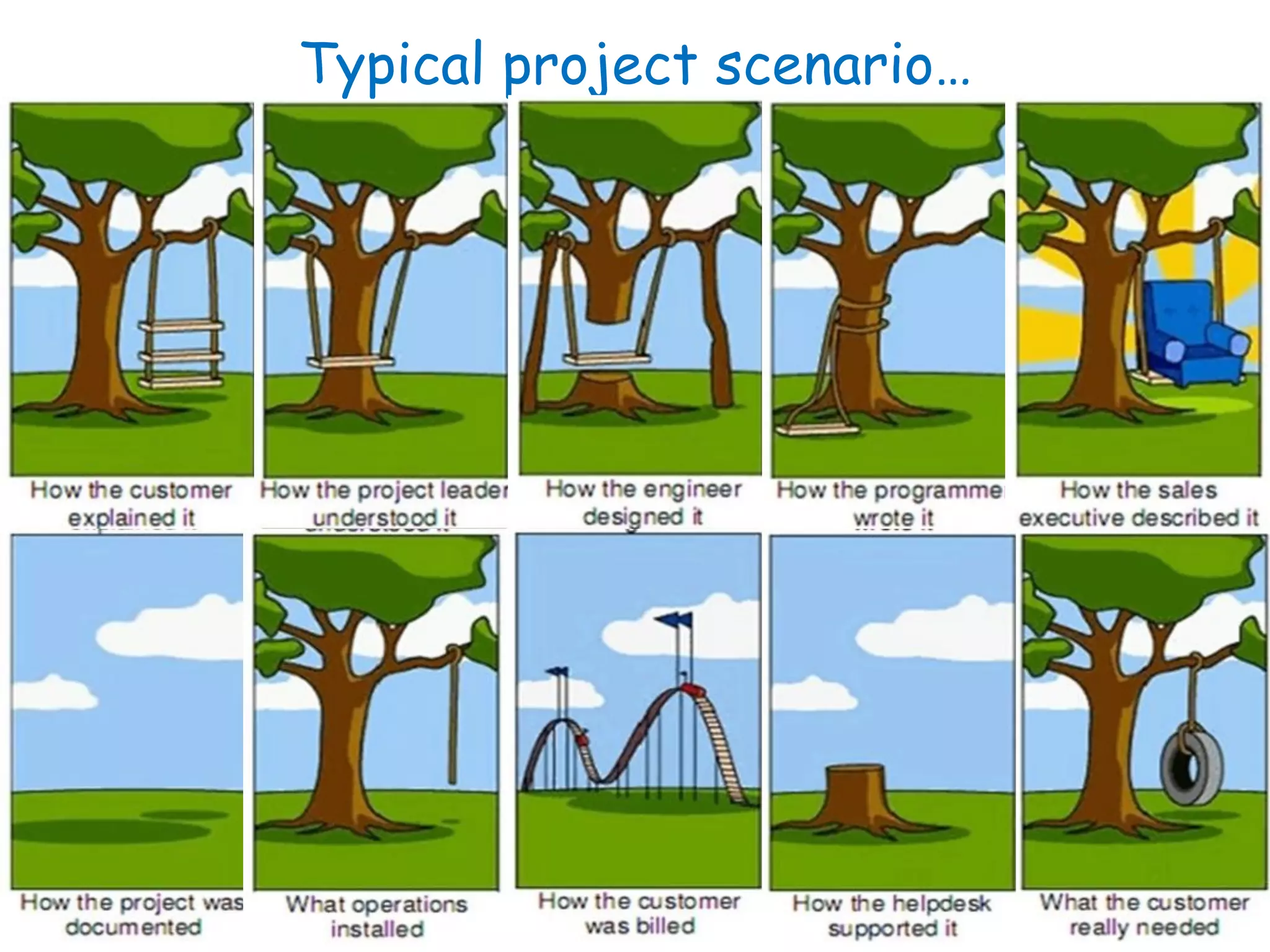
• Customer Requirement
Typical project scenario…
Requirements
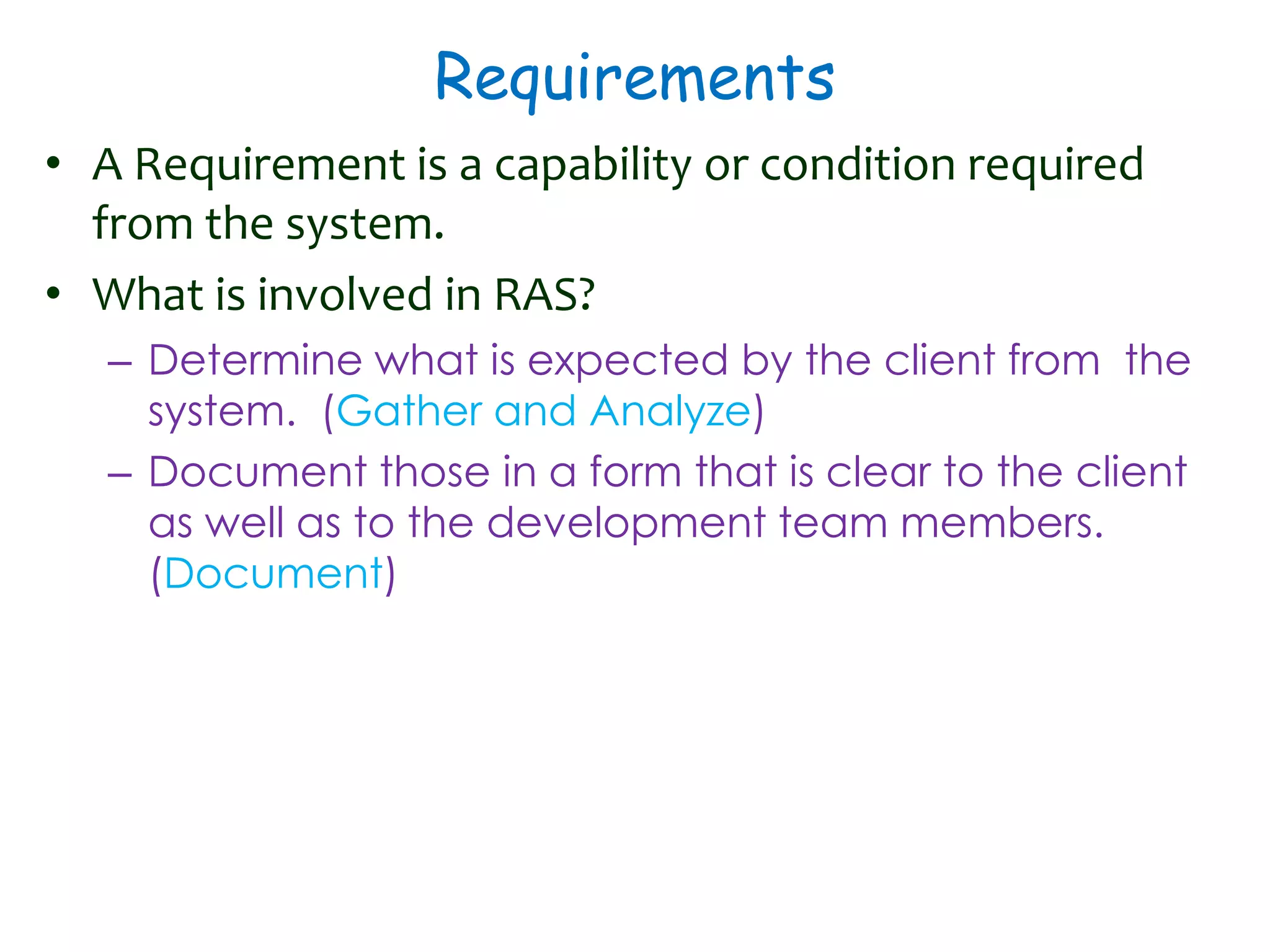
• A Requirement is a capability or condition required
from the system.
• What is involved in RAS?
– Determine what is expected by the client from the
system. (Gather and Analyze)
– Document those in a form that is clear to the client
as well as to the development team members.
(Document)
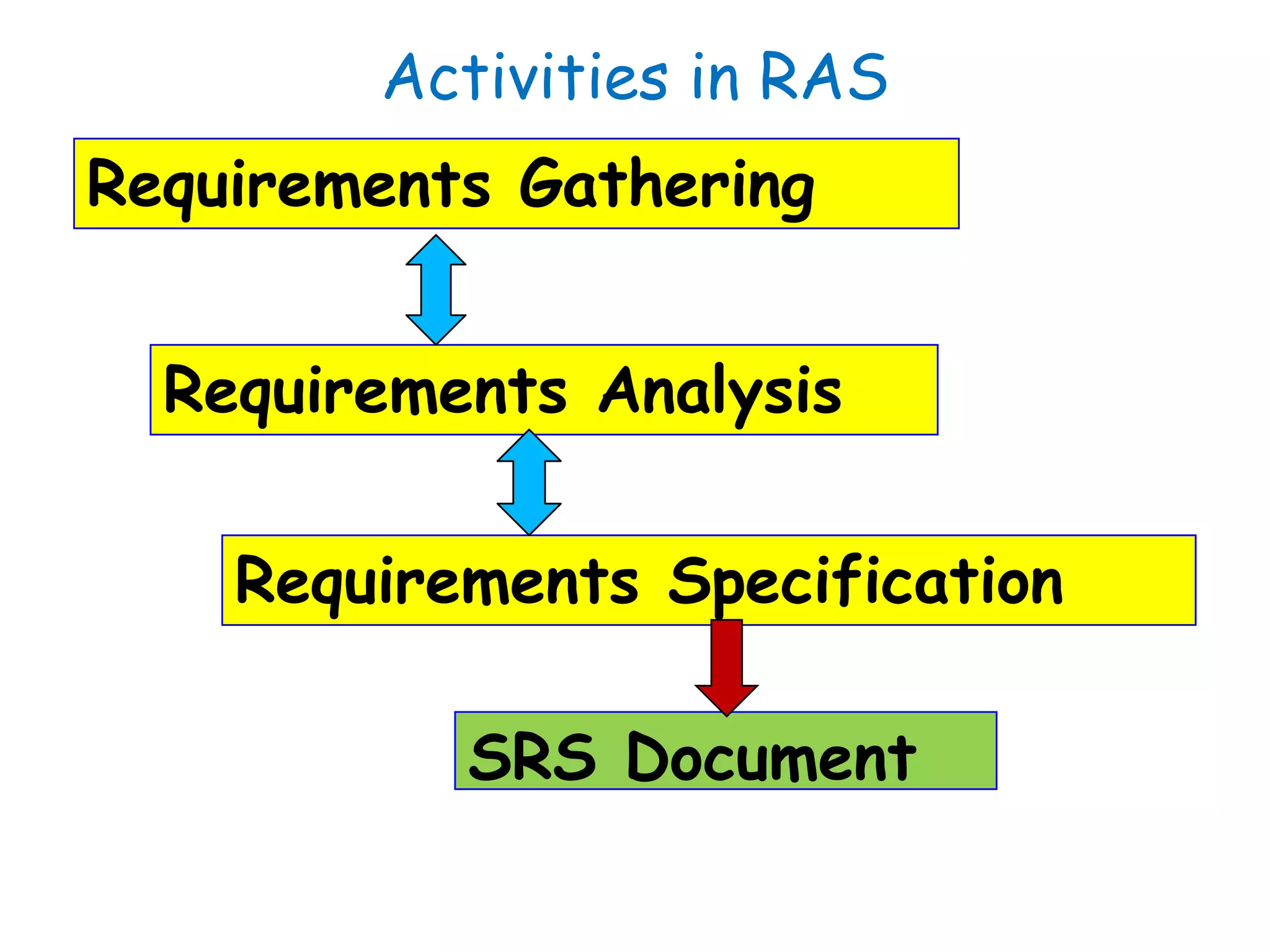
Activities in RAS
Requirements Gathering
Requirements Analysis
Requirements Specification
SRS Document
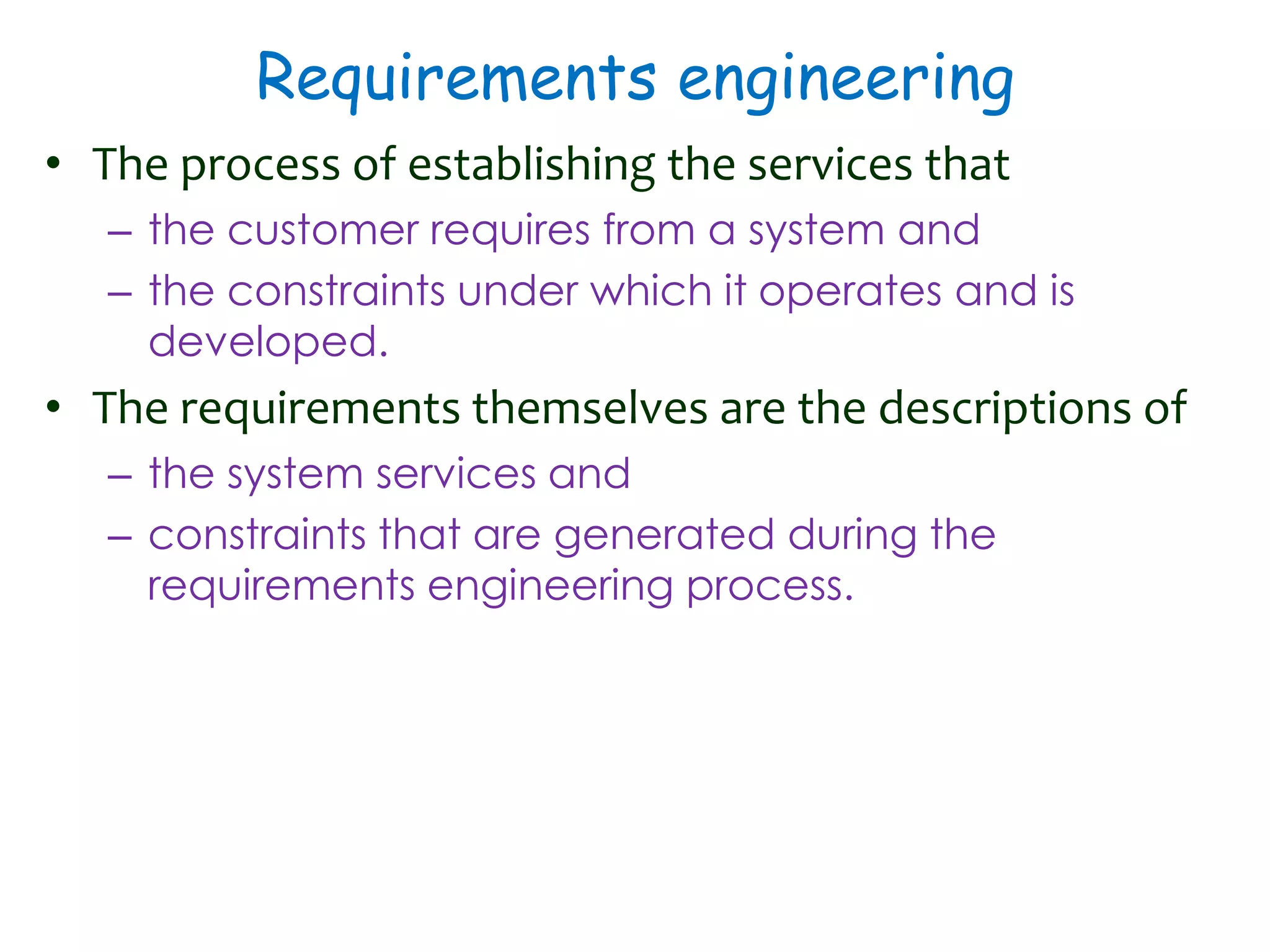
Requirements engineering
• The process of establishing the services that
– the customer requires from a system and
– the constraints under which it operates and is
developed.
• The requirements themselves are the descriptions of
– the system services and
– constraints that are generated during the
requirements engineering process.
Requirements Analysis and
Specification
 Requirements Gathering:
 Fully understand the user requirements.
 Requirements Analysis:
 Remove inconsistencies, anomalies, etc. from
requirements.
 Requirements Specification:
 Document requirements properly in an SRS document.
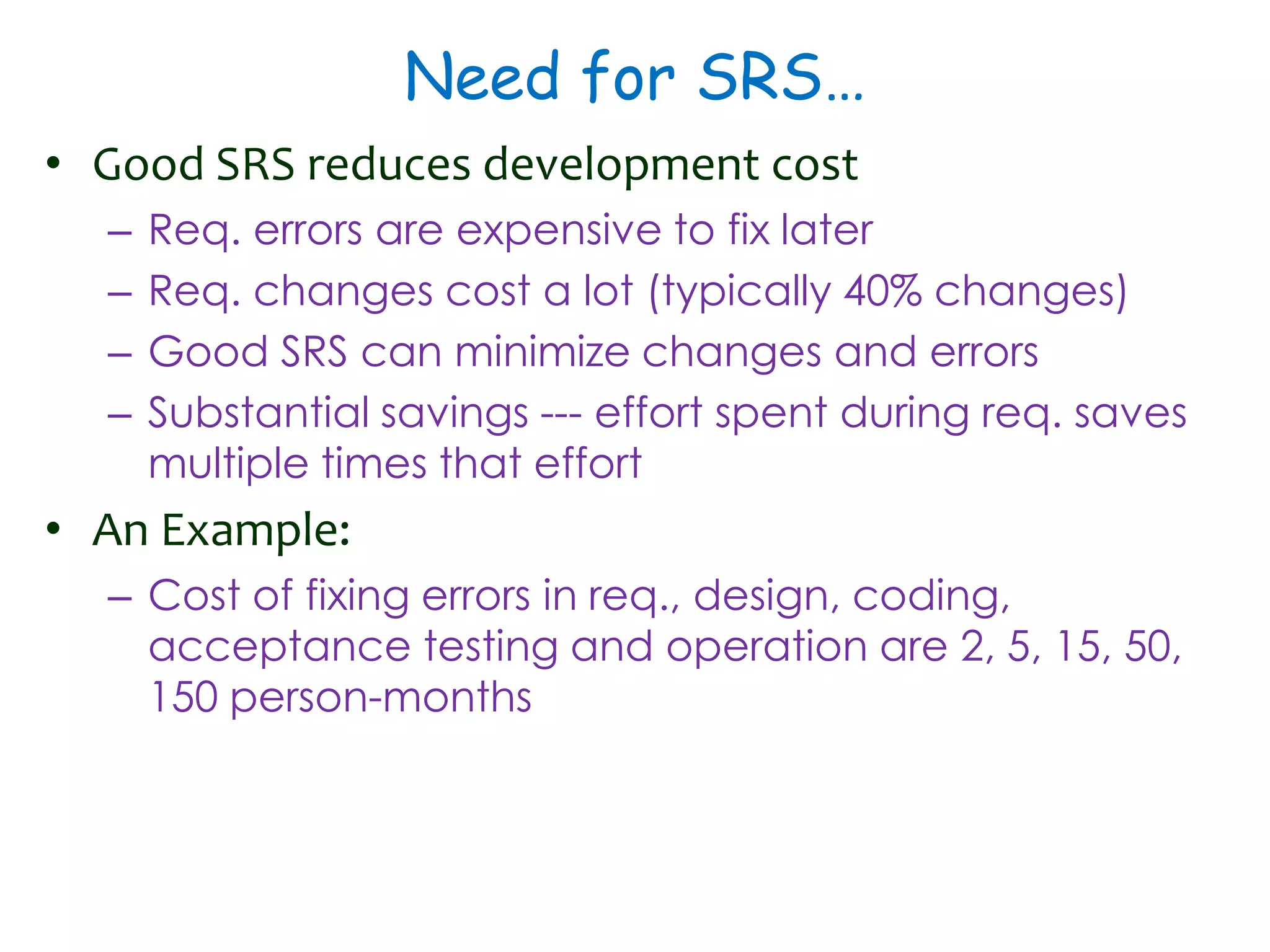
Need for SRS…
• Good SRS reduces development cost
– Req. errors are expensive to fix later
– Req. changes cost a lot (typically 40% changes)
– Good SRS can minimize changes and errors
– Substantial savings --- effort spent during req. saves
multiple times that effort
• An Example:
– Cost of fixing errors in req., design, coding,
acceptance testing and operation are 2, 5, 15, 50,
150 person-months
Uses of SRS Document
• Establishes the basis for agreement between the
customers and the suppliers
• Forms the starting point for development.
• Provide a basis for estimating costs and schedules.
• Provide a baseline for validation and verification.
• Facilitates transfer.
• Serves as a basis for enhancement.
• The SRS can serve as the basis for writing User Manual for
the software:
– User Manual: Describes the functionality from the
perspective of a user --- An important document for
users.
– Typically also describes how to carry out the required
tasks with examples.
SRS Document: Stakeholders
• SRS intended for a diverse audience:
– Customers and users for validation, contract, ...
– Systems (requirements) analysts
– Developers, programmers to implement the system
– Testers to check that the requirements have been
met
– Project Managers to measure and control the
project
• Different levels of detail and formality is needed for
each audience
• Different templates for requirements specifications:
– Often variations of IEEE 830
Types of Requirements
• Functional requirements
– Statements of services the system should provide,
how the system should react to particular inputs and
how the system should behave in particular
situations.
– May state what the system should not do.
• Non-functional requirements
– Constraints on the services or functions offered by
the system such as timing constraints, constraints on
the development process, standards, etc.
– Often apply to the system as a whole rather than
individual features or services.
Functional Requirements
• Descriptions of data to be entered into the system
• Descriptions of operations performed by each screen
• Descriptions of work-flows performed by the system
• Descriptions of system reports or other outputs
• Who can enter the data into the system?
• How the system meets applicable regulatory
requirements
Functional Requirements contd.
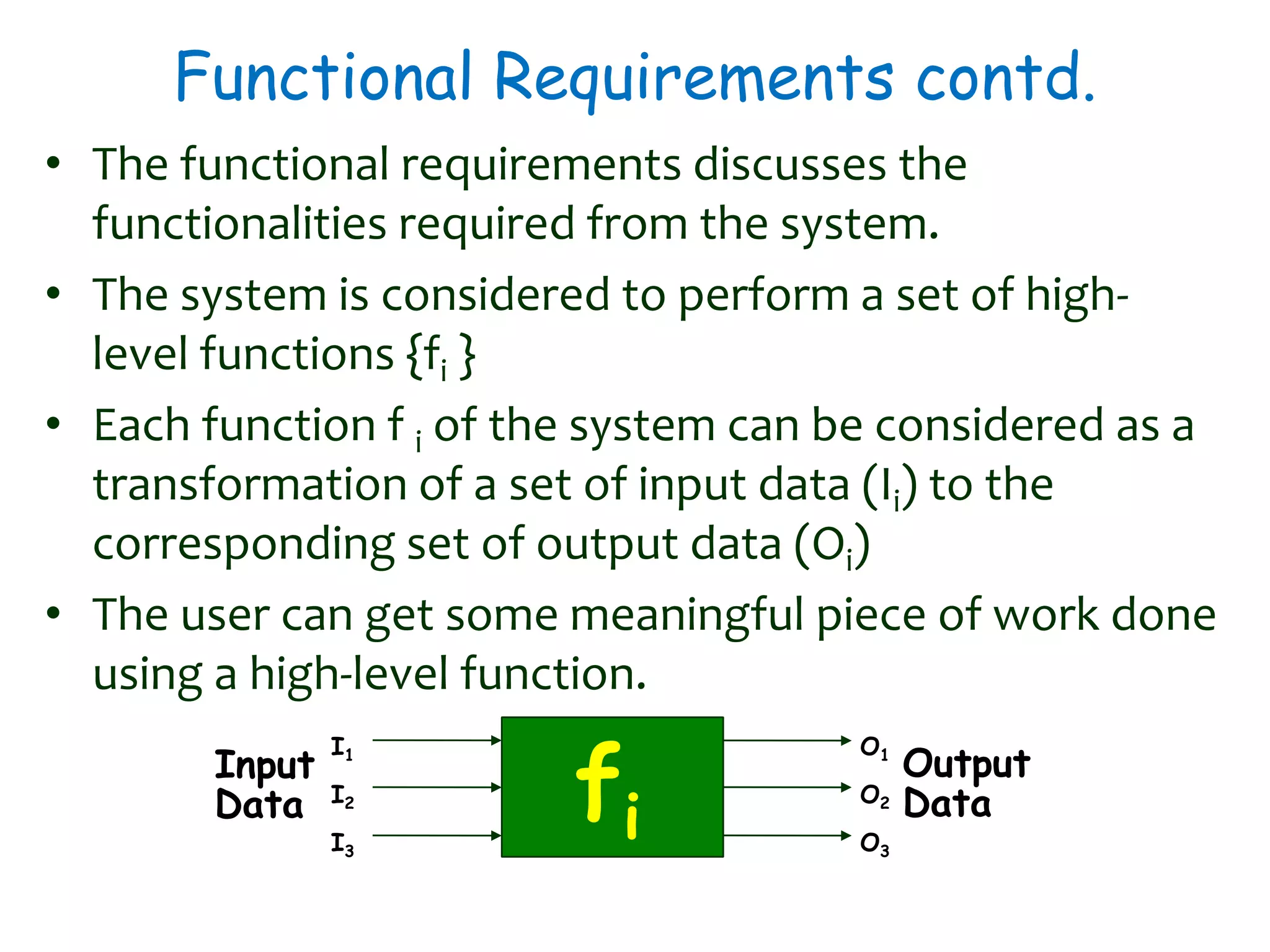
• The functional requirements discusses the
functionalities required from the system.
• The system is considered to perform a set of high-
level functions {fi }
• Each function f i of the system can be considered as a
transformation of a set of input data (Ii) to the
corresponding set of output data (Oi)
• The user can get some meaningful piece of work done
using a high-level function.
fi
Input
Data
Output
Data
I1
I2
I3
O1
O2
O3
Example Functional Requirements - I
• Interface requirements
– Field 1 accepts numeric data entry.
– Field 2 only accepts dates before the current date.
– Screen 1 can print on-screen data to the printer.
• Business Requirements
– Data must be entered before a request can be approved.
– Clicking the Approve button moves the request to the
Approval Work flow
– All personnel using the system will be trained according to
internal SOP AA-101.
• Regulatory/Compliance Requirements
– The database will have a functional audit trail.
– The system will limit access to authorized users.
– The spreadsheet can secure data with electronic signatures.
Example Functional Requirements - II
• Library system - F1: Search Book function
– Input: an author’s name
– Output: details of the author’s books and the location of
these books in the library
• ATM (Cash Withdraw)- R1: withdraw cash
– Description: The withdraw cash function determines the
type of account that the user has and the account
number from which the user wishes to withdraw cash.
– It checks the balance to determine whether the
requested amount is available in the account.
– If enough balance is available, it outputs the required
cash, otherwise it generates an error message.
Example Functional Requirements - III
• ATM (Cash Withdraw)- R1: withdraw cash
– R1.1: select withdraw amount option
• Input: “withdraw amount” option,
• Output: user prompted to enter the account type
– R1.2: select account type
• Input: user option,
• Output: prompt to enter amount
– R1.3: get required amount
• Input: amount to be withdrawn in integer values greater than 100
and less than10,000 in multiples of 100.
• Output: The requested cash and printed transaction statement.
Non-functional Requirements - I
• Characteristics of the system which can not be
expressed as functions
– Maintainability, Portability, Usability, Security, Safety,
Reliability, Performance, etc.
• Example: How fast can the system produce results?
– So that it does not overload another system to
which it supplies data, etc.
– Needs to be measurable (verifiability)
• e.g. response time should be less than 1sec, 90% of the time
Non-functional Requirements - II
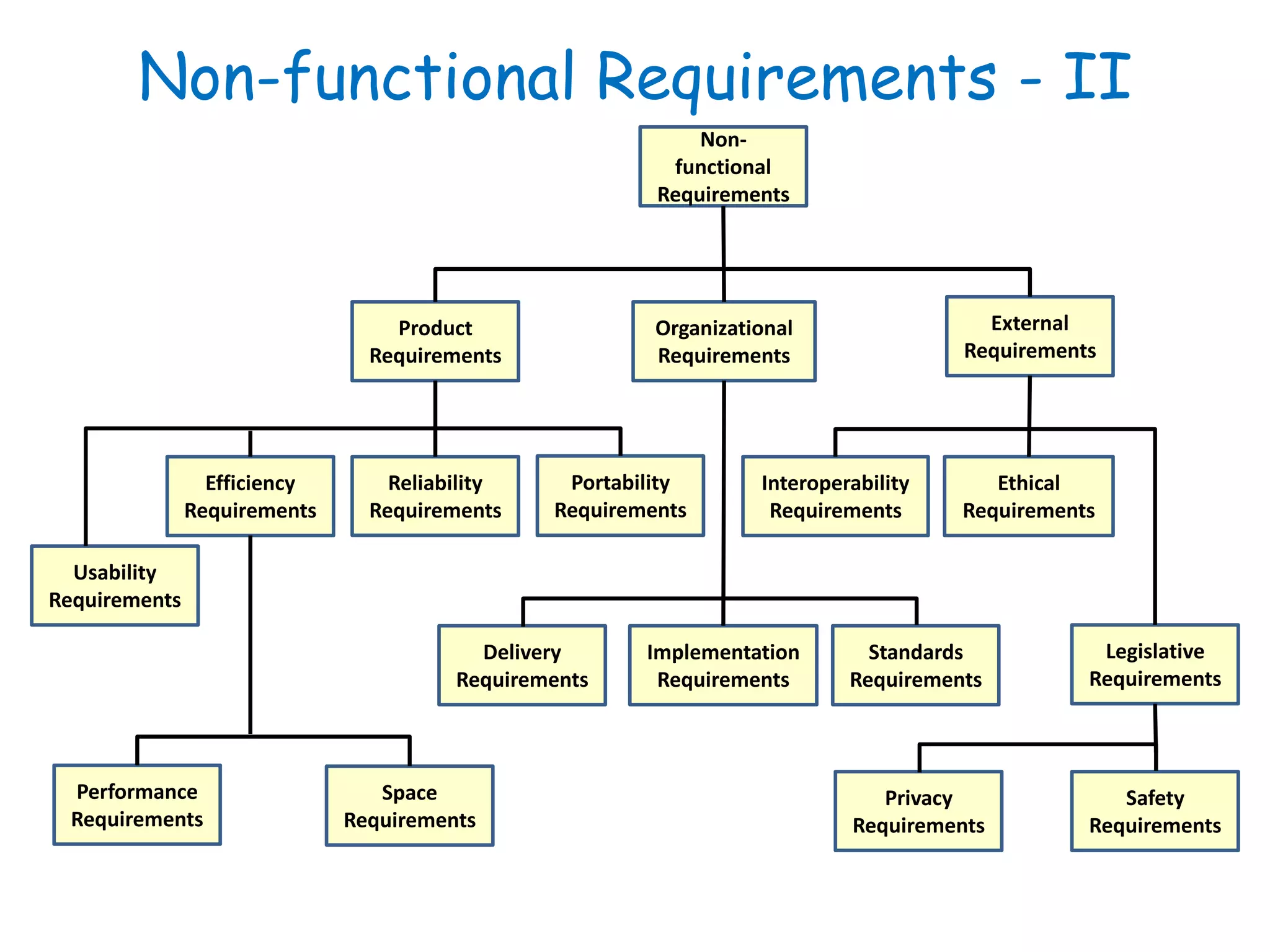
Product
Requirements
Interoperability
Requirements
Ethical
Requirements
Efficiency
Requirements
Portability
Requirements
Reliability
Requirements
Legislative
Requirements
Delivery
Requirements
Standards
Requirements
Implementation
Requirements
Safety
Requirements
Usability
Requirements
Performance
Requirements
Space
Requirements
Privacy
Requirements
External
Requirements
Organizational
Requirements
Non-
functional
Requirements
Non-functional Requirements III
• Constraints are NFR
– Hardware to be used,
– Operating system
– DBMS to be used
– Capabilities of I/O devices
– Standards compliance
– Data representations by the interfaced system
• Project management issues (costs, time, schedule) are
often considered as non-functional requirements
• External Interface Requirements
– User Interface, Hardware Interface, Software Interface,
Communication Interface, File export format
Importance of Nonfunctional Req.
• Non-functional (product) requirements play an important
role for critical systems.
– Systems whose ‘failure’ causes significant economic,
physical or human damage to organizations or people.
• There are three principal types of critical system
– Business critical systems : Failure leads to significant
economic damage.
• customer accounting system in a bank
– Mission critical systems : Failure leads to the abortion of a
mission.
• navigational system for a spacecraft
– Safety critical systems: Failure endangers human life.
• a controller of a nuclear plant
Requirements for critical systems - I
• The principal non-functional constraints which are
relevant to critical systems
– Reliability ‹
• the ability of a system to perform its required functions under stated
conditions for a specific period of time.
• Can be considered under two separate headings:
• Availability - is the system available for service when requested by
end-users.
• Failure rate - how often does the system fail to deliver the service as
expected by end-users.
– Performance
• Response requirements (how quickly the system reacts to a user
input)
• Throughput requirements (how much the system can accomplish
within a specified amount of time)
• Availability requirements (is the system available for service when
requested by end-users)
Requirements for critical systems-II
• Security
– to ensure un authorised access to the system and its data is
not allowed ‹
– Ensure the integrity of the system from accidental or malicious
damage. ‹
• Safety ‹
– ‘shall not’ requirements which exclude unsafe situations from
the possible solution space of the system
• Usabilityis
– the ease with which a user can learn to operate, prepare
inputs for, and interpret outputs of system or component.
– Usability requirements include:
• Well-structured user manuals ‹
• Informative error messages ‹
• Help facilities ‹
• Well-formed graphical user interfaces
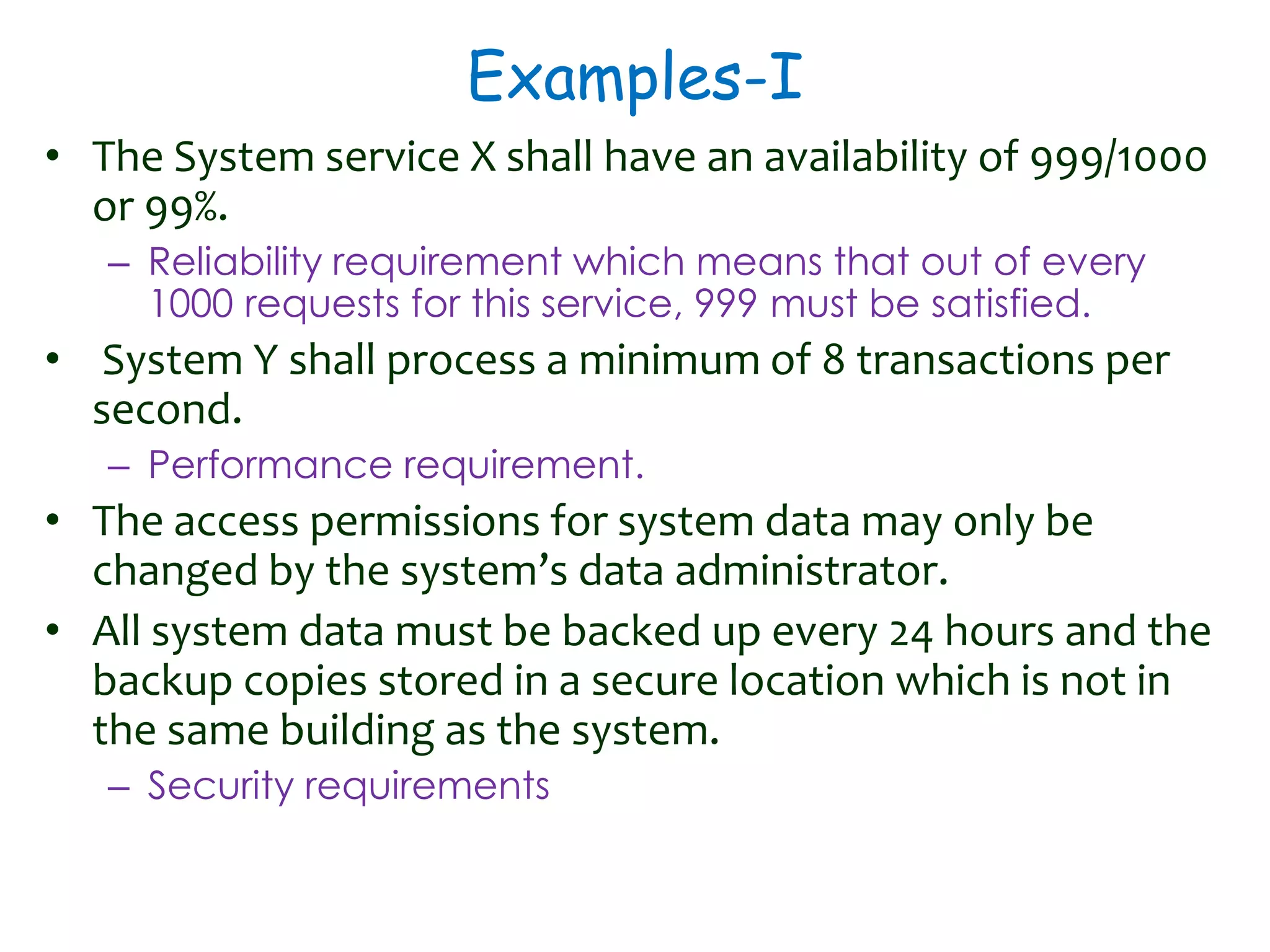
Examples-I
• The System service X shall have an availability of 999/1000

or 99%.
– Reliability requirement which means that out of every
1000 requests for this service, 999 must be satisfied.
• System Y shall process a minimum of 8 transactions per
second.
– Performance requirement.
• The access permissions for system data may only be
changed by the system’s data administrator.
• All system data must be backed up every 24 hours and the
backup copies stored in a secure location which is not in
the same building as the system.
– Security requirements
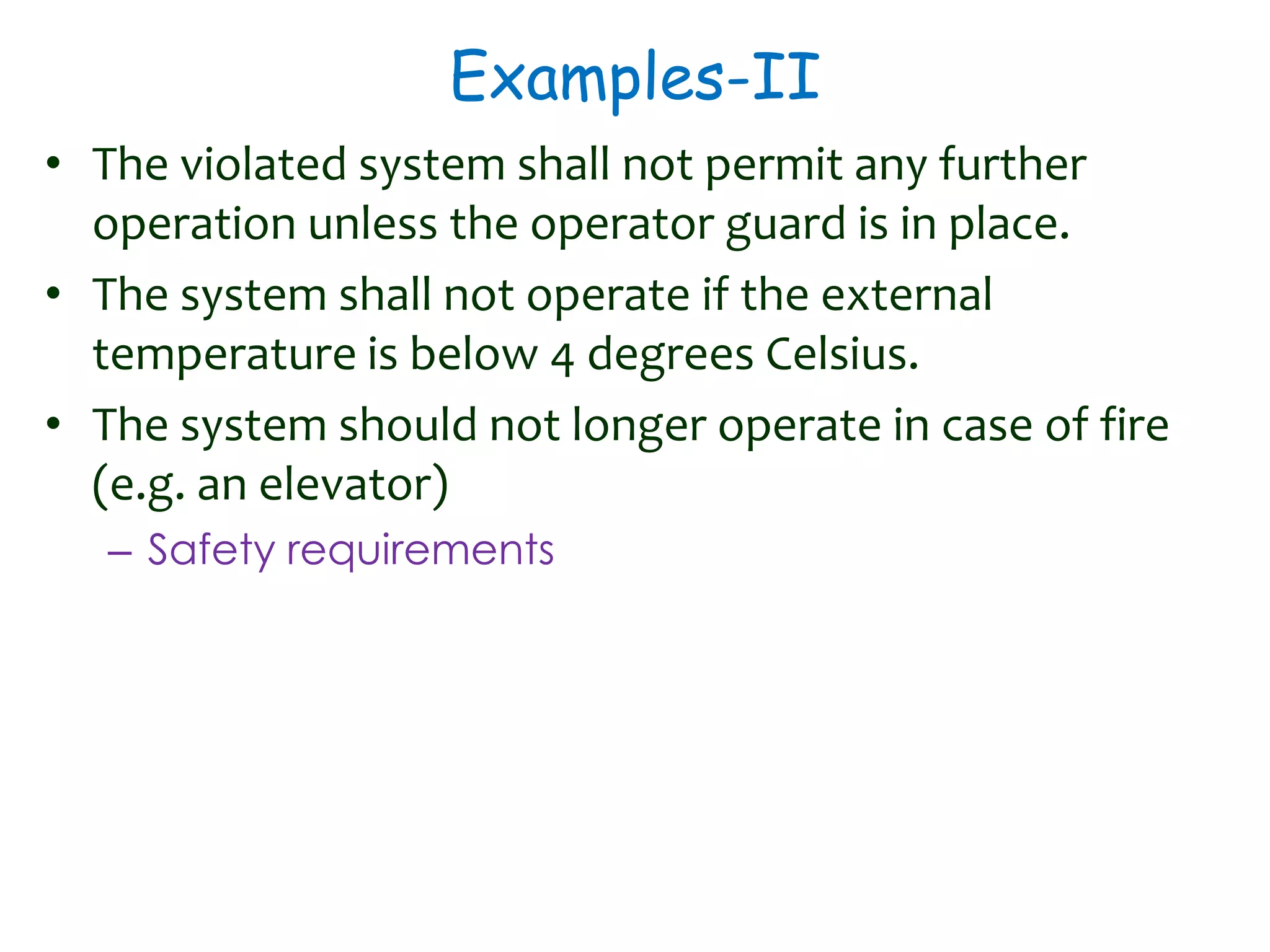
Examples-II
• The violated system shall not permit any further
operation unless the operator guard is in place.
• The system shall not operate if the external
temperature is below 4 degrees Celsius.
• The system should not longer operate in case of fire
(e.g. an elevator)
– Safety requirements
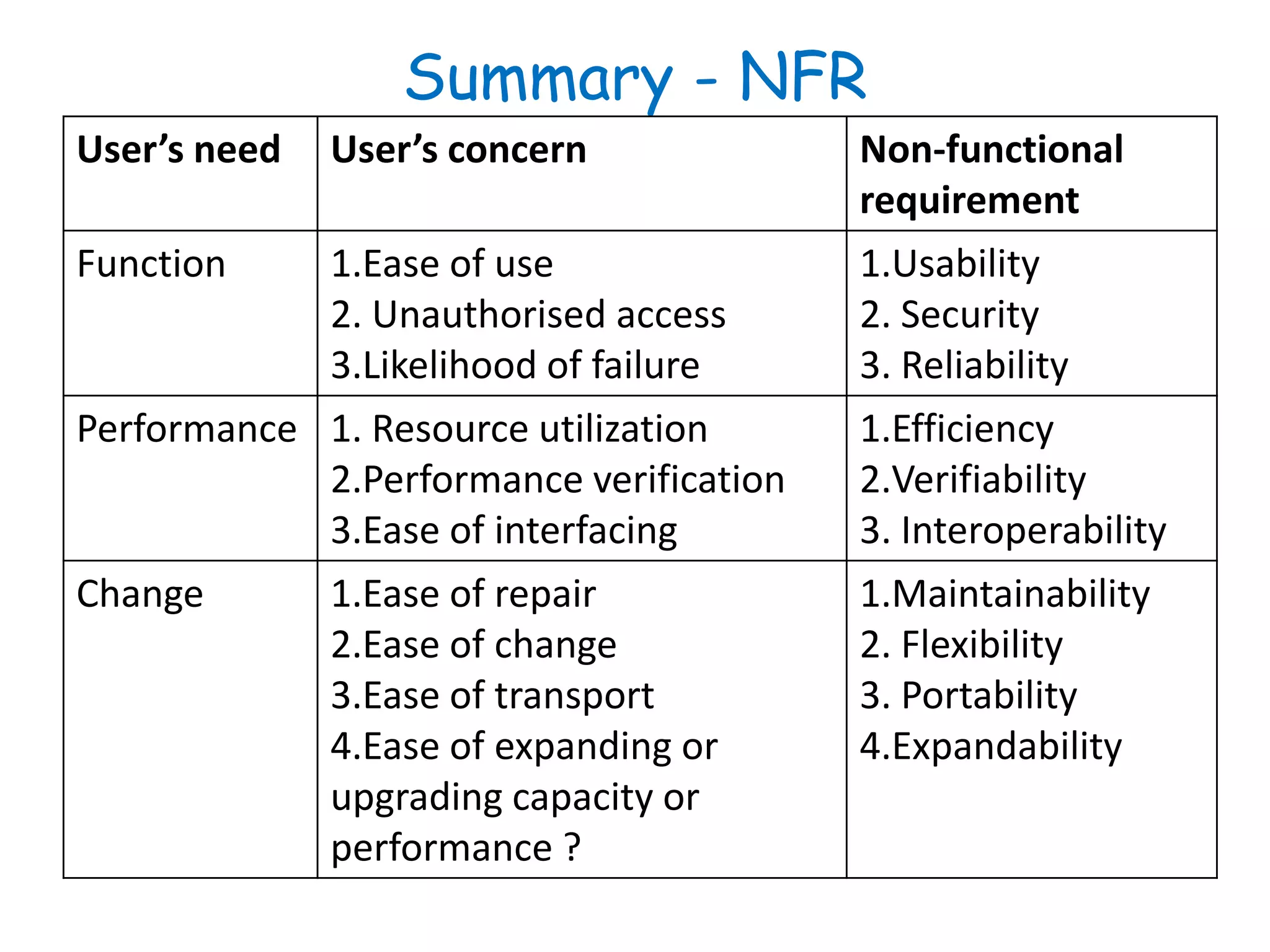
Summary - NFR
User’s need User’s concern Non-functional
requirement
Function 1.Ease of use
2. Unauthorised access
3.Likelihood of failure
1.Usability
2. Security
3. Reliability
Performance 1. Resource utilization
2.Performance verification
3.Ease of interfacing
1.Efficiency
2.Verifiability
3. Interoperability
Change 1.Ease of repair
2.Ease of change
3.Ease of transport
4.Ease of expanding or
upgrading capacity or
performance ?
1.Maintainability
2. Flexibility
3. Portability
4.Expandability
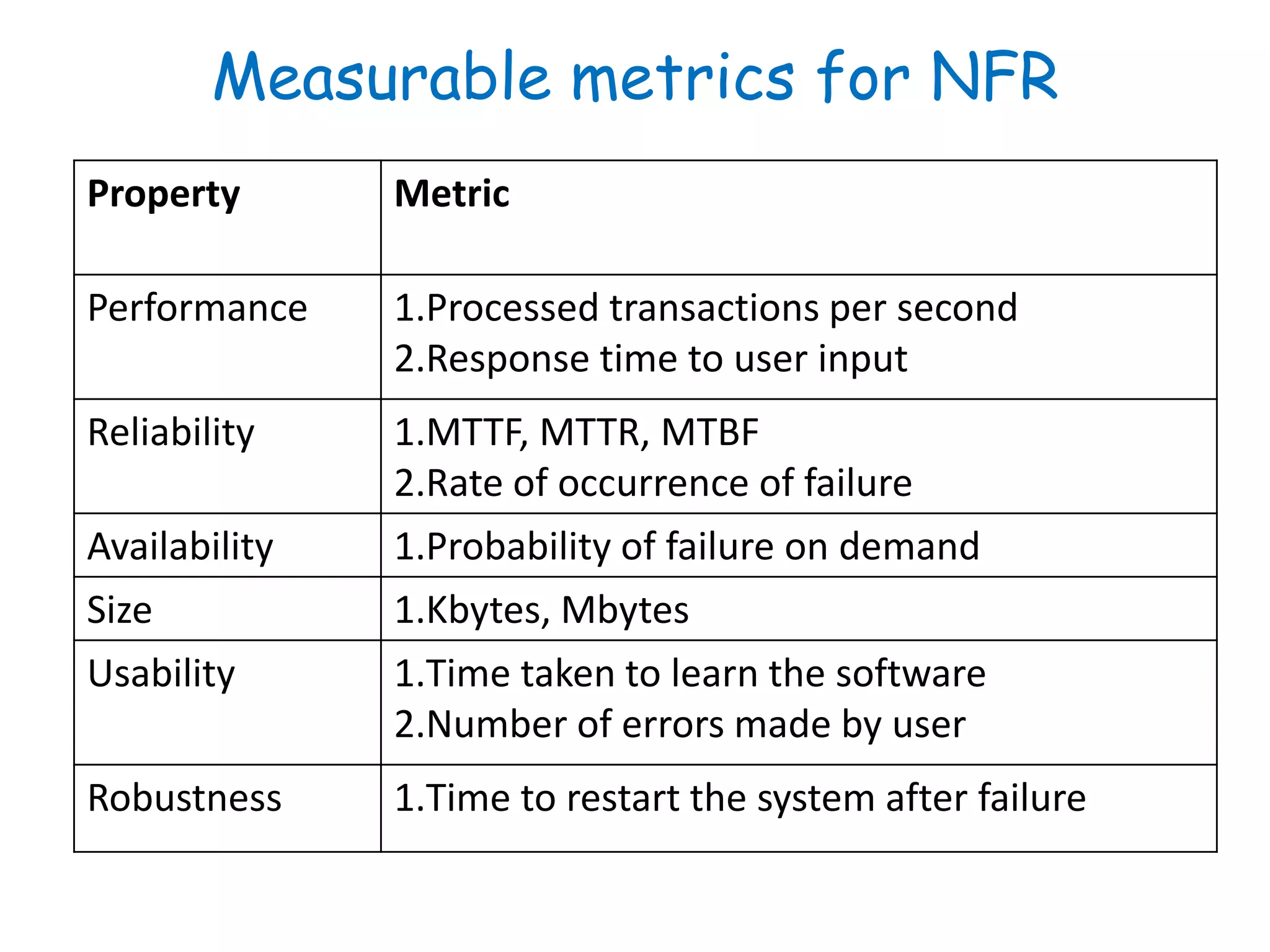
Measurable metrics for NFR
Property Metric
Performance 1.Processed transactions per second
2.Response time to user input
Reliability 1.MTTF, MTTR, MTBF
2.Rate of occurrence of failure
Availability 1.Probability of failure on demand
Size 1.Kbytes, Mbytes
Usability 1.Time taken to learn the software
2.Number of errors made by user
Robustness 1.Time to restart the system after failure
Software efficiency
• It refers to the level of use of computational
resources, such as CPU cycles, memory, disk space,
buffers and communications channels.
• Efficiency can be characterized as follows:
– Capacity - maximum number of users/terminals/
transactions/... the system can handle without
performance degradation
– Degradation of service -- what happens when a
system with capacity X widgets per time-unit
receives X+1 widgets?
• We don't want the system to simply crash! Rather, we may want
to stipulate that the system should handle the load, perhaps with
degraded performance.
NFR: Trigger Questions - I
• Performance characteristics
– Are there any speed, throughput, or response time
constraints on the system? ‹
– Are there size or capacity constraints on the data to
be processed by the system?
• Quality issues:
– What are the requirements for reliability? ‹‹
– What is the maximum time for restarting the system
after a failure? ‹
– What is the acceptable system downtime per 24-
hour period?
NFR: Trigger Questions - II
• Resources and Management Issues:
– How often will the system be backed up?
– Who will be responsible for the back up?
– Who is responsible for system installation?
– Who will be responsible for system maintenance?
Domain requirements
• The system’s operational domain imposes
requirements on the system.
• Example:
– a train control system has to take into account the
braking characteristics in different weather
conditions.
• Domain requirements be new functional
requirements, constraints on existing requirements or
define specific computations.
• If domain requirements are not satisfied, the system
may be unworkable.
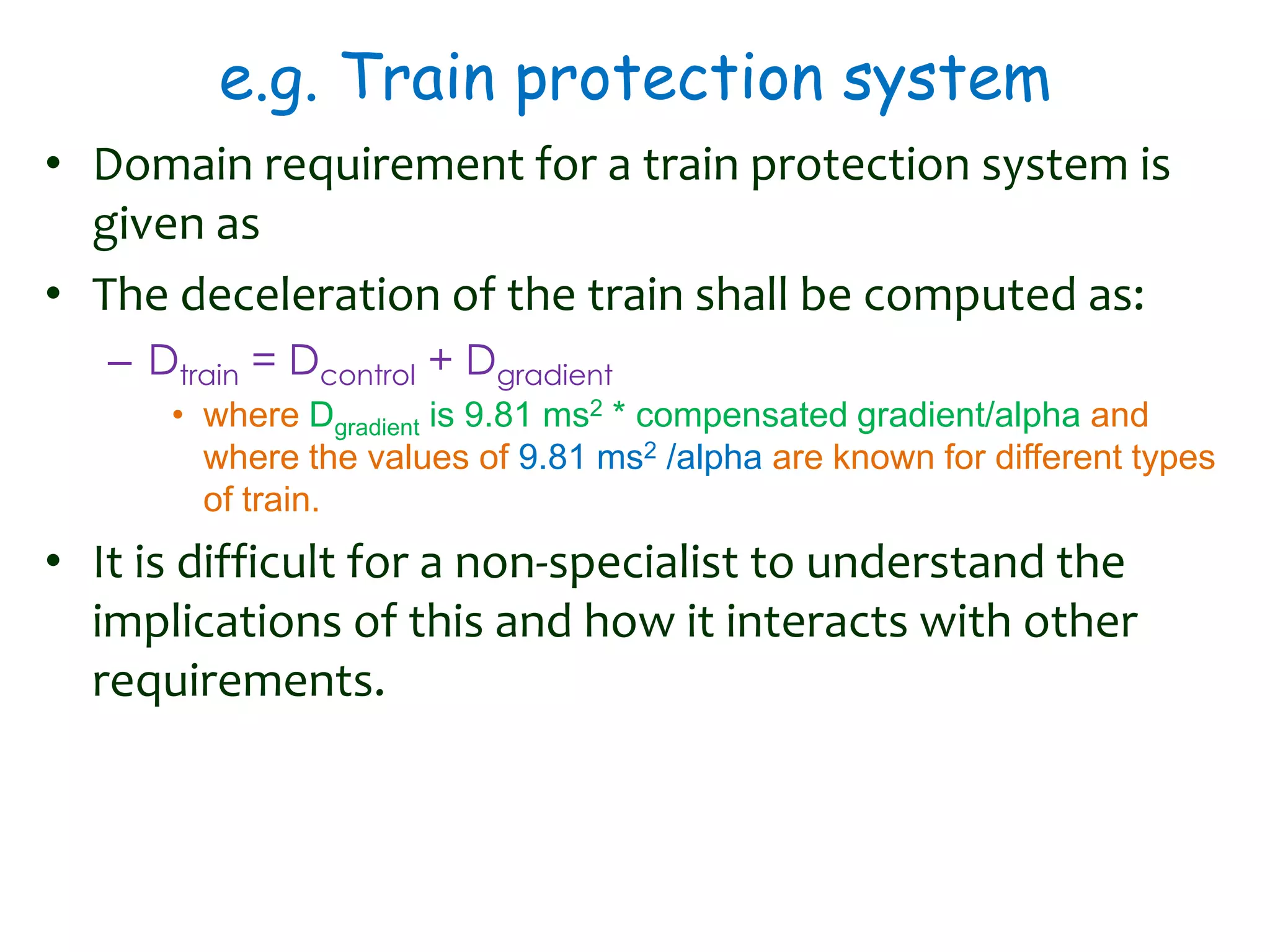
e.g. Train protection system
• Domain requirement for a train protection system is
given as
• The deceleration of the train shall be computed as:
– Dtrain = Dcontrol + Dgradient
• where Dgradient is 9.81 ms2 * compensated gradient/alpha and
where the values of 9.81 ms2 /alpha are known for different types
of train.
• It is difficult for a non-specialist to understand the
implications of this and how it interacts with other
requirements.
IEEE 830-1998 Standard for SRS - I
• Title
• Table of Contents
• 1. Introduction
• 2. Overall Description
• 3. Specific Requirements
• 4.Change Management Process
• 5. Document Approval
• Appendices
• Index
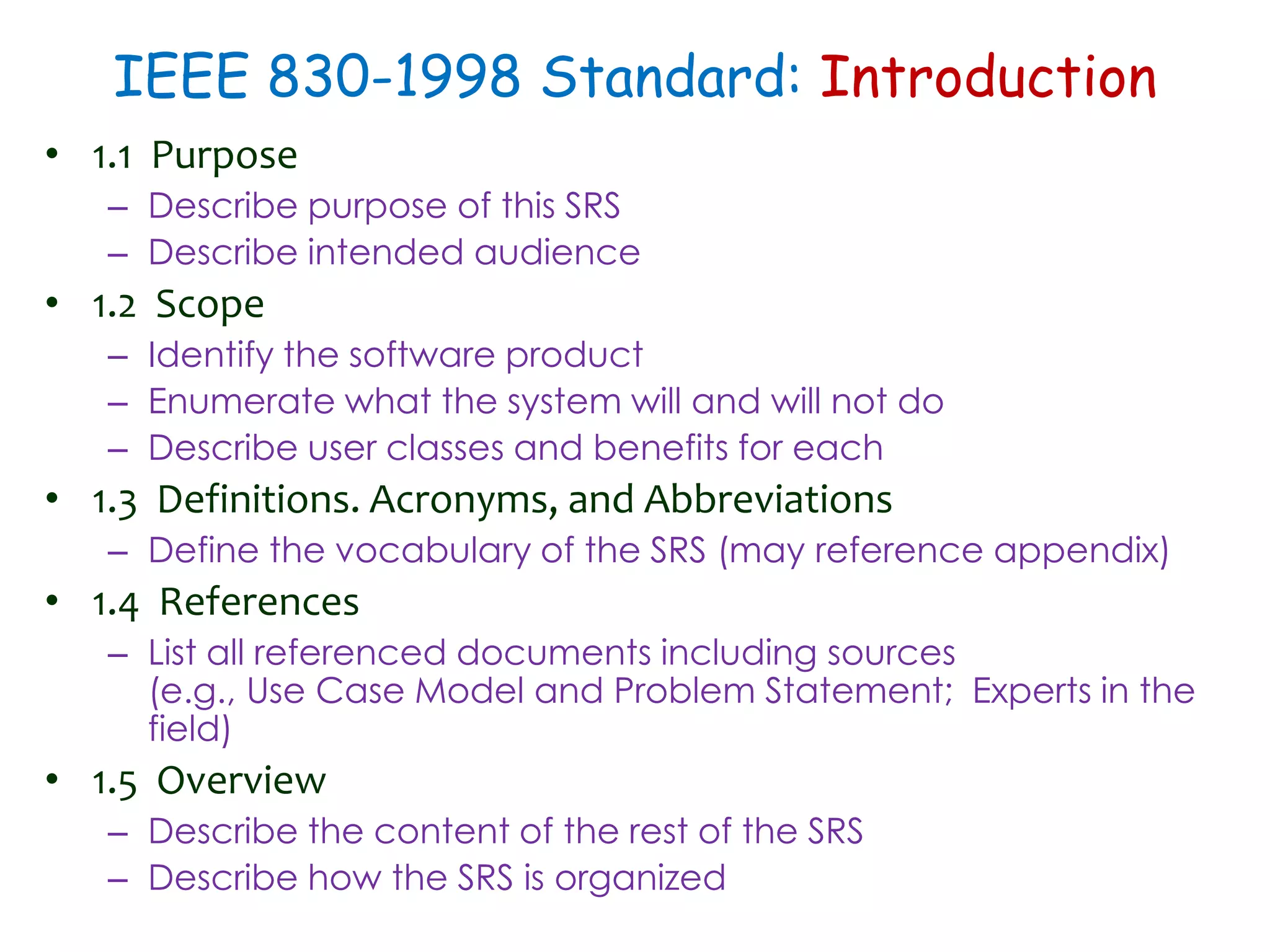
IEEE 830-1998 Standard: Introduction
• 1.1 Purpose
– Describe purpose of this SRS
– Describe intended audience
• 1.2 Scope
– Identify the software product
– Enumerate what the system will and will not do
– Describe user classes and benefits for each
• 1.3 Definitions. Acronyms, and Abbreviations
– Define the vocabulary of the SRS (may reference appendix)
• 1.4 References
– List all referenced documents including sources
(e.g., Use Case Model and Problem Statement; Experts in the
field)
• 1.5 Overview
– Describe the content of the rest of the SRS
– Describe how the SRS is organized
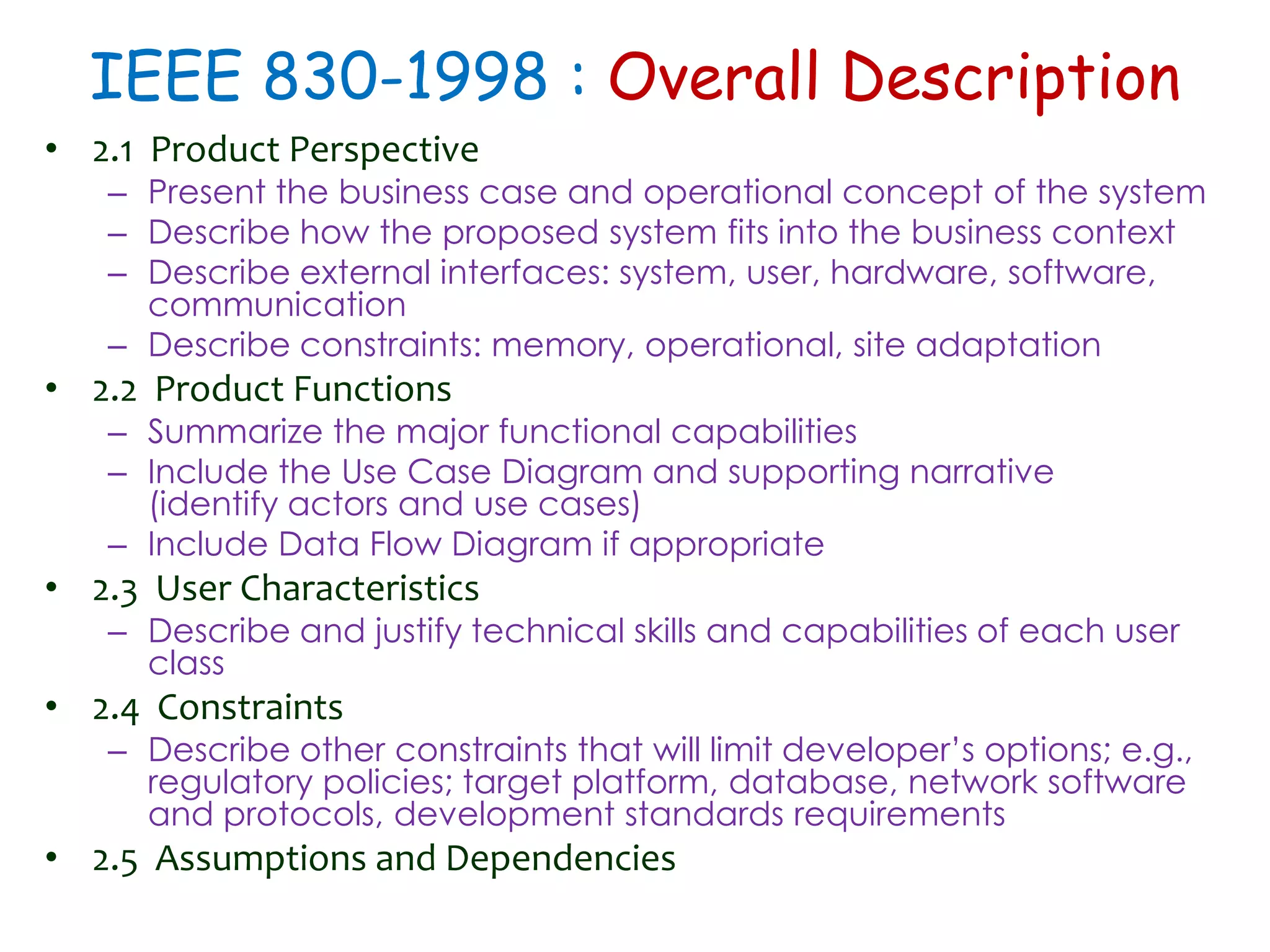
IEEE 830-1998 : Overall Description
• 2.1 Product Perspective
– Present the business case and operational concept of the system
– Describe how the proposed system fits into the business context
– Describe external interfaces: system, user, hardware, software,
communication
– Describe constraints: memory, operational, site adaptation
• 2.2 Product Functions
– Summarize the major functional capabilities
– Include the Use Case Diagram and supporting narrative
(identify actors and use cases)
– Include Data Flow Diagram if appropriate
• 2.3 User Characteristics
– Describe and justify technical skills and capabilities of each user
class
• 2.4 Constraints
– Describe other constraints that will limit developer’s options; e.g.,
regulatory policies; target platform, database, network software
and protocols, development standards requirements
• 2.5 Assumptions and Dependencies
IEEE 830-1998 : Overall Description
• 2.1 Product Perspective
– Present the business case and operational concept of the system
– Describe how the proposed system fits into the business context
– Describe external interfaces: system, user, hardware, software,
communication
– Describe constraints: memory, operational, site adaptation
• 2.2 Product Functions
– Summarize the major functional capabilities
– Include the Use Case Diagram and supporting narrative
(identify actors and use cases)
– Include Data Flow Diagram if appropriate
• 2.3 User Characteristics
– Describe and justify technical skills and capabilities of each user
class
• 2.4 Constraints
– Describe other constraints that will limit developer’s options; e.g.,
regulatory policies; target platform, database, network software
and protocols, development standards requirements
• 2.5 Assumptions and Dependencies
IEEE 830-1998 : Specific Requirements
• 3.1 External Interfaces
– Detail all inputs and outputs
– Examples: GUI screens, file formats
• 3.2 Functional Requirements
– Include detailed specifications of all the functional
requirements
• 2.3 Non-Functional Requirements
– Describes all non-functional requirements that can’t
be expressed as a function.
• Characteristics of the system which can not be expressed as
functions.
• e.g. performance requirements, database requirements, design
constraints, quality attributes, . . .
Properties of a good SRS document
• Concise.
• Structured.
• Black-box view.
• Conceptual integrity.
• Response to undesired events.
• Verifiable.
Thank You

Software Engineering : Requirement Analysis & Specification

  • 1.
    Ajit K Nayak,Ph.D. ajitnayak@soauniversity.ac.in Software Engineering Principles Requirements analysis & specification
  • 2.
    Acknowledgements • Slides ofProf. Rajib Mall, IIT, KGP
  • 3.
    Why Study SoftwareEngineering? • Many projects have failed because – they started to develop without adequately determining whether they are building what the customer really wanted. • Customer Requirement
  • 4.
  • 5.
    Requirements • A Requirementis a capability or condition required from the system. • What is involved in RAS? – Determine what is expected by the client from the system. (Gather and Analyze) – Document those in a form that is clear to the client as well as to the development team members. (Document)
  • 6.
    Activities in RAS RequirementsGathering Requirements Analysis Requirements Specification SRS Document
  • 7.
    Requirements engineering • Theprocess of establishing the services that – the customer requires from a system and – the constraints under which it operates and is developed. • The requirements themselves are the descriptions of – the system services and – constraints that are generated during the requirements engineering process.
  • 8.
    Requirements Analysis and Specification Requirements Gathering:  Fully understand the user requirements.  Requirements Analysis:  Remove inconsistencies, anomalies, etc. from requirements.  Requirements Specification:  Document requirements properly in an SRS document.
  • 9.
    Need for SRS… •Good SRS reduces development cost – Req. errors are expensive to fix later – Req. changes cost a lot (typically 40% changes) – Good SRS can minimize changes and errors – Substantial savings --- effort spent during req. saves multiple times that effort • An Example: – Cost of fixing errors in req., design, coding, acceptance testing and operation are 2, 5, 15, 50, 150 person-months
  • 10.
    Uses of SRSDocument • Establishes the basis for agreement between the customers and the suppliers • Forms the starting point for development. • Provide a basis for estimating costs and schedules. • Provide a baseline for validation and verification. • Facilitates transfer. • Serves as a basis for enhancement. • The SRS can serve as the basis for writing User Manual for the software: – User Manual: Describes the functionality from the perspective of a user --- An important document for users. – Typically also describes how to carry out the required tasks with examples.
  • 11.
    SRS Document: Stakeholders •SRS intended for a diverse audience: – Customers and users for validation, contract, ... – Systems (requirements) analysts – Developers, programmers to implement the system – Testers to check that the requirements have been met – Project Managers to measure and control the project • Different levels of detail and formality is needed for each audience • Different templates for requirements specifications: – Often variations of IEEE 830
  • 12.
    Types of Requirements •Functional requirements – Statements of services the system should provide, how the system should react to particular inputs and how the system should behave in particular situations. – May state what the system should not do. • Non-functional requirements – Constraints on the services or functions offered by the system such as timing constraints, constraints on the development process, standards, etc. – Often apply to the system as a whole rather than individual features or services.
  • 13.
    Functional Requirements • Descriptionsof data to be entered into the system • Descriptions of operations performed by each screen • Descriptions of work-flows performed by the system • Descriptions of system reports or other outputs • Who can enter the data into the system? • How the system meets applicable regulatory requirements
  • 14.
    Functional Requirements contd. •The functional requirements discusses the functionalities required from the system. • The system is considered to perform a set of high- level functions {fi } • Each function f i of the system can be considered as a transformation of a set of input data (Ii) to the corresponding set of output data (Oi) • The user can get some meaningful piece of work done using a high-level function. fi Input Data Output Data I1 I2 I3 O1 O2 O3
  • 15.
    Example Functional Requirements- I • Interface requirements – Field 1 accepts numeric data entry. – Field 2 only accepts dates before the current date. – Screen 1 can print on-screen data to the printer. • Business Requirements – Data must be entered before a request can be approved. – Clicking the Approve button moves the request to the Approval Work flow – All personnel using the system will be trained according to internal SOP AA-101. • Regulatory/Compliance Requirements – The database will have a functional audit trail. – The system will limit access to authorized users. – The spreadsheet can secure data with electronic signatures.
  • 16.
    Example Functional Requirements- II • Library system - F1: Search Book function – Input: an author’s name – Output: details of the author’s books and the location of these books in the library • ATM (Cash Withdraw)- R1: withdraw cash – Description: The withdraw cash function determines the type of account that the user has and the account number from which the user wishes to withdraw cash. – It checks the balance to determine whether the requested amount is available in the account. – If enough balance is available, it outputs the required cash, otherwise it generates an error message.
  • 17.
    Example Functional Requirements- III • ATM (Cash Withdraw)- R1: withdraw cash – R1.1: select withdraw amount option • Input: “withdraw amount” option, • Output: user prompted to enter the account type – R1.2: select account type • Input: user option, • Output: prompt to enter amount – R1.3: get required amount • Input: amount to be withdrawn in integer values greater than 100 and less than10,000 in multiples of 100. • Output: The requested cash and printed transaction statement.
  • 18.
    Non-functional Requirements -I • Characteristics of the system which can not be expressed as functions – Maintainability, Portability, Usability, Security, Safety, Reliability, Performance, etc. • Example: How fast can the system produce results? – So that it does not overload another system to which it supplies data, etc. – Needs to be measurable (verifiability) • e.g. response time should be less than 1sec, 90% of the time
  • 19.
    Non-functional Requirements -II Product Requirements Interoperability Requirements Ethical Requirements Efficiency Requirements Portability Requirements Reliability Requirements Legislative Requirements Delivery Requirements Standards Requirements Implementation Requirements Safety Requirements Usability Requirements Performance Requirements Space Requirements Privacy Requirements External Requirements Organizational Requirements Non- functional Requirements
  • 20.
    Non-functional Requirements III •Constraints are NFR – Hardware to be used, – Operating system – DBMS to be used – Capabilities of I/O devices – Standards compliance – Data representations by the interfaced system • Project management issues (costs, time, schedule) are often considered as non-functional requirements • External Interface Requirements – User Interface, Hardware Interface, Software Interface, Communication Interface, File export format
  • 21.
    Importance of NonfunctionalReq. • Non-functional (product) requirements play an important role for critical systems. – Systems whose ‘failure’ causes significant economic, physical or human damage to organizations or people. • There are three principal types of critical system – Business critical systems : Failure leads to significant economic damage. • customer accounting system in a bank – Mission critical systems : Failure leads to the abortion of a mission. • navigational system for a spacecraft – Safety critical systems: Failure endangers human life. • a controller of a nuclear plant
  • 22.
    Requirements for criticalsystems - I • The principal non-functional constraints which are relevant to critical systems – Reliability ‹ • the ability of a system to perform its required functions under stated conditions for a specific period of time. • Can be considered under two separate headings: • Availability - is the system available for service when requested by end-users. • Failure rate - how often does the system fail to deliver the service as expected by end-users. – Performance • Response requirements (how quickly the system reacts to a user input) • Throughput requirements (how much the system can accomplish within a specified amount of time) • Availability requirements (is the system available for service when requested by end-users)
  • 23.
    Requirements for criticalsystems-II • Security – to ensure un authorised access to the system and its data is not allowed ‹ – Ensure the integrity of the system from accidental or malicious damage. ‹ • Safety ‹ – ‘shall not’ requirements which exclude unsafe situations from the possible solution space of the system • Usabilityis – the ease with which a user can learn to operate, prepare inputs for, and interpret outputs of system or component. – Usability requirements include: • Well-structured user manuals ‹ • Informative error messages ‹ • Help facilities ‹ • Well-formed graphical user interfaces
  • 24.
    Examples-I • The Systemservice X shall have an availability of 999/1000 or 99%. – Reliability requirement which means that out of every 1000 requests for this service, 999 must be satisfied. • System Y shall process a minimum of 8 transactions per second. – Performance requirement. • The access permissions for system data may only be changed by the system’s data administrator. • All system data must be backed up every 24 hours and the backup copies stored in a secure location which is not in the same building as the system. – Security requirements
  • 25.
    Examples-II • The violatedsystem shall not permit any further operation unless the operator guard is in place. • The system shall not operate if the external temperature is below 4 degrees Celsius. • The system should not longer operate in case of fire (e.g. an elevator) – Safety requirements
  • 26.
    Summary - NFR User’sneed User’s concern Non-functional requirement Function 1.Ease of use 2. Unauthorised access 3.Likelihood of failure 1.Usability 2. Security 3. Reliability Performance 1. Resource utilization 2.Performance verification 3.Ease of interfacing 1.Efficiency 2.Verifiability 3. Interoperability Change 1.Ease of repair 2.Ease of change 3.Ease of transport 4.Ease of expanding or upgrading capacity or performance ? 1.Maintainability 2. Flexibility 3. Portability 4.Expandability
  • 27.
    Measurable metrics forNFR Property Metric Performance 1.Processed transactions per second 2.Response time to user input Reliability 1.MTTF, MTTR, MTBF 2.Rate of occurrence of failure Availability 1.Probability of failure on demand Size 1.Kbytes, Mbytes Usability 1.Time taken to learn the software 2.Number of errors made by user Robustness 1.Time to restart the system after failure
  • 28.
    Software efficiency • Itrefers to the level of use of computational resources, such as CPU cycles, memory, disk space, buffers and communications channels. • Efficiency can be characterized as follows: – Capacity - maximum number of users/terminals/ transactions/... the system can handle without performance degradation – Degradation of service -- what happens when a system with capacity X widgets per time-unit receives X+1 widgets? • We don't want the system to simply crash! Rather, we may want to stipulate that the system should handle the load, perhaps with degraded performance.
  • 29.
    NFR: Trigger Questions- I • Performance characteristics – Are there any speed, throughput, or response time constraints on the system? ‹ – Are there size or capacity constraints on the data to be processed by the system? • Quality issues: – What are the requirements for reliability? ‹‹ – What is the maximum time for restarting the system after a failure? ‹ – What is the acceptable system downtime per 24- hour period?
  • 30.
    NFR: Trigger Questions- II • Resources and Management Issues: – How often will the system be backed up? – Who will be responsible for the back up? – Who is responsible for system installation? – Who will be responsible for system maintenance?
  • 31.
    Domain requirements • Thesystem’s operational domain imposes requirements on the system. • Example: – a train control system has to take into account the braking characteristics in different weather conditions. • Domain requirements be new functional requirements, constraints on existing requirements or define specific computations. • If domain requirements are not satisfied, the system may be unworkable.
  • 32.
    e.g. Train protectionsystem • Domain requirement for a train protection system is given as • The deceleration of the train shall be computed as: – Dtrain = Dcontrol + Dgradient • where Dgradient is 9.81 ms2 * compensated gradient/alpha and where the values of 9.81 ms2 /alpha are known for different types of train. • It is difficult for a non-specialist to understand the implications of this and how it interacts with other requirements.
  • 33.
    IEEE 830-1998 Standardfor SRS - I • Title • Table of Contents • 1. Introduction • 2. Overall Description • 3. Specific Requirements • 4.Change Management Process • 5. Document Approval • Appendices • Index
  • 34.
    IEEE 830-1998 Standard:Introduction • 1.1 Purpose – Describe purpose of this SRS – Describe intended audience • 1.2 Scope – Identify the software product – Enumerate what the system will and will not do – Describe user classes and benefits for each • 1.3 Definitions. Acronyms, and Abbreviations – Define the vocabulary of the SRS (may reference appendix) • 1.4 References – List all referenced documents including sources (e.g., Use Case Model and Problem Statement; Experts in the field) • 1.5 Overview – Describe the content of the rest of the SRS – Describe how the SRS is organized
  • 35.
    IEEE 830-1998 :Overall Description • 2.1 Product Perspective – Present the business case and operational concept of the system – Describe how the proposed system fits into the business context – Describe external interfaces: system, user, hardware, software, communication – Describe constraints: memory, operational, site adaptation • 2.2 Product Functions – Summarize the major functional capabilities – Include the Use Case Diagram and supporting narrative (identify actors and use cases) – Include Data Flow Diagram if appropriate • 2.3 User Characteristics – Describe and justify technical skills and capabilities of each user class • 2.4 Constraints – Describe other constraints that will limit developer’s options; e.g., regulatory policies; target platform, database, network software and protocols, development standards requirements • 2.5 Assumptions and Dependencies
  • 36.
    IEEE 830-1998 :Overall Description • 2.1 Product Perspective – Present the business case and operational concept of the system – Describe how the proposed system fits into the business context – Describe external interfaces: system, user, hardware, software, communication – Describe constraints: memory, operational, site adaptation • 2.2 Product Functions – Summarize the major functional capabilities – Include the Use Case Diagram and supporting narrative (identify actors and use cases) – Include Data Flow Diagram if appropriate • 2.3 User Characteristics – Describe and justify technical skills and capabilities of each user class • 2.4 Constraints – Describe other constraints that will limit developer’s options; e.g., regulatory policies; target platform, database, network software and protocols, development standards requirements • 2.5 Assumptions and Dependencies
  • 37.
    IEEE 830-1998 :Specific Requirements • 3.1 External Interfaces – Detail all inputs and outputs – Examples: GUI screens, file formats • 3.2 Functional Requirements – Include detailed specifications of all the functional requirements • 2.3 Non-Functional Requirements – Describes all non-functional requirements that can’t be expressed as a function. • Characteristics of the system which can not be expressed as functions. • e.g. performance requirements, database requirements, design constraints, quality attributes, . . .
  • 38.
    Properties of agood SRS document • Concise. • Structured. • Black-box view. • Conceptual integrity. • Response to undesired events. • Verifiable.
  • 39.