Ajit K Nayak, Ph.D.
Dept of CSIT, ITER
An Introduction to NS2:
The Network Simulator
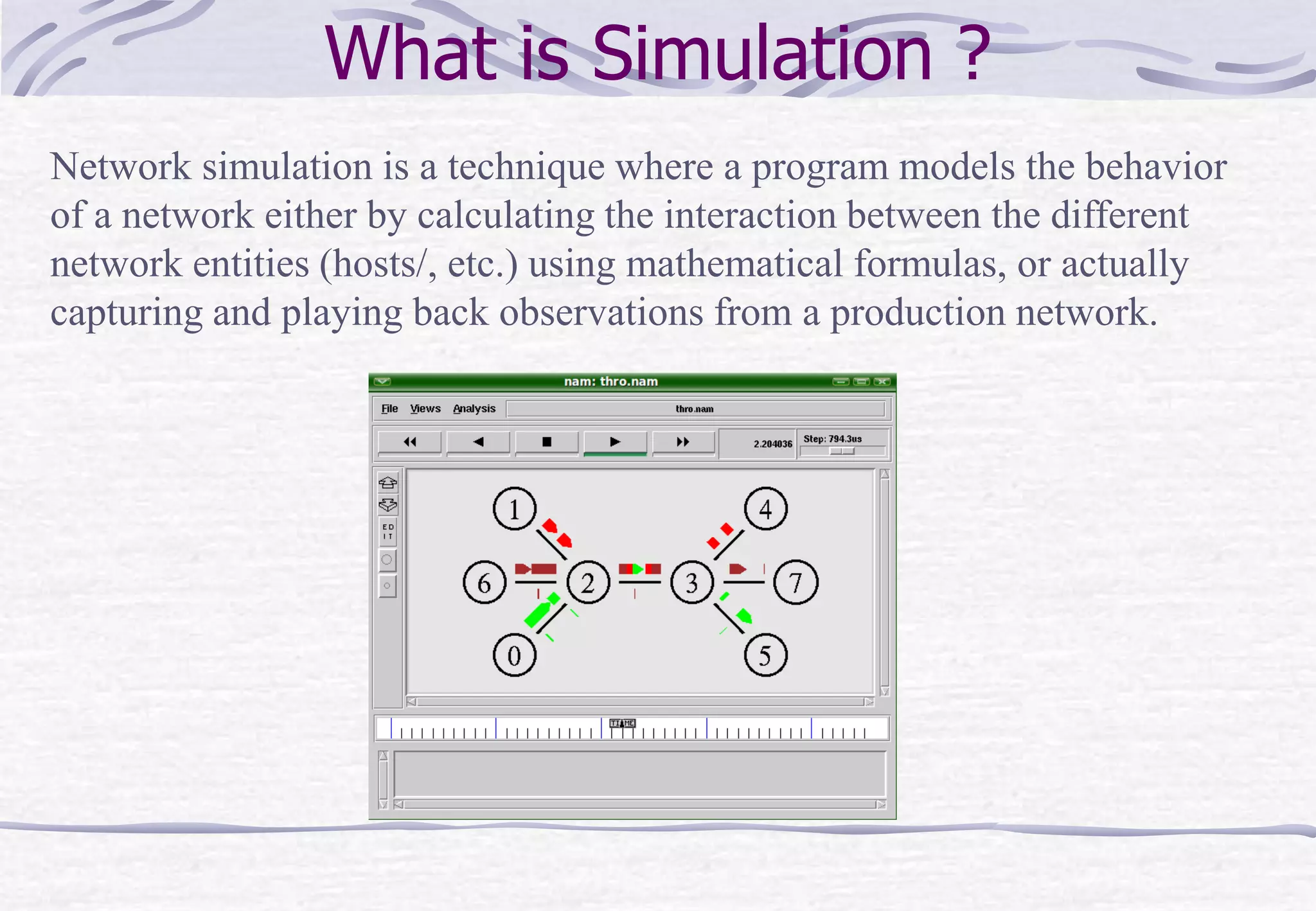
What is Simulation ?
Network simulation is a technique where a program models the behavior
of a network either by calculating the interaction between the different
network entities (hosts/, etc.) using mathematical formulas, or actually
capturing and playing back observations from a production network.
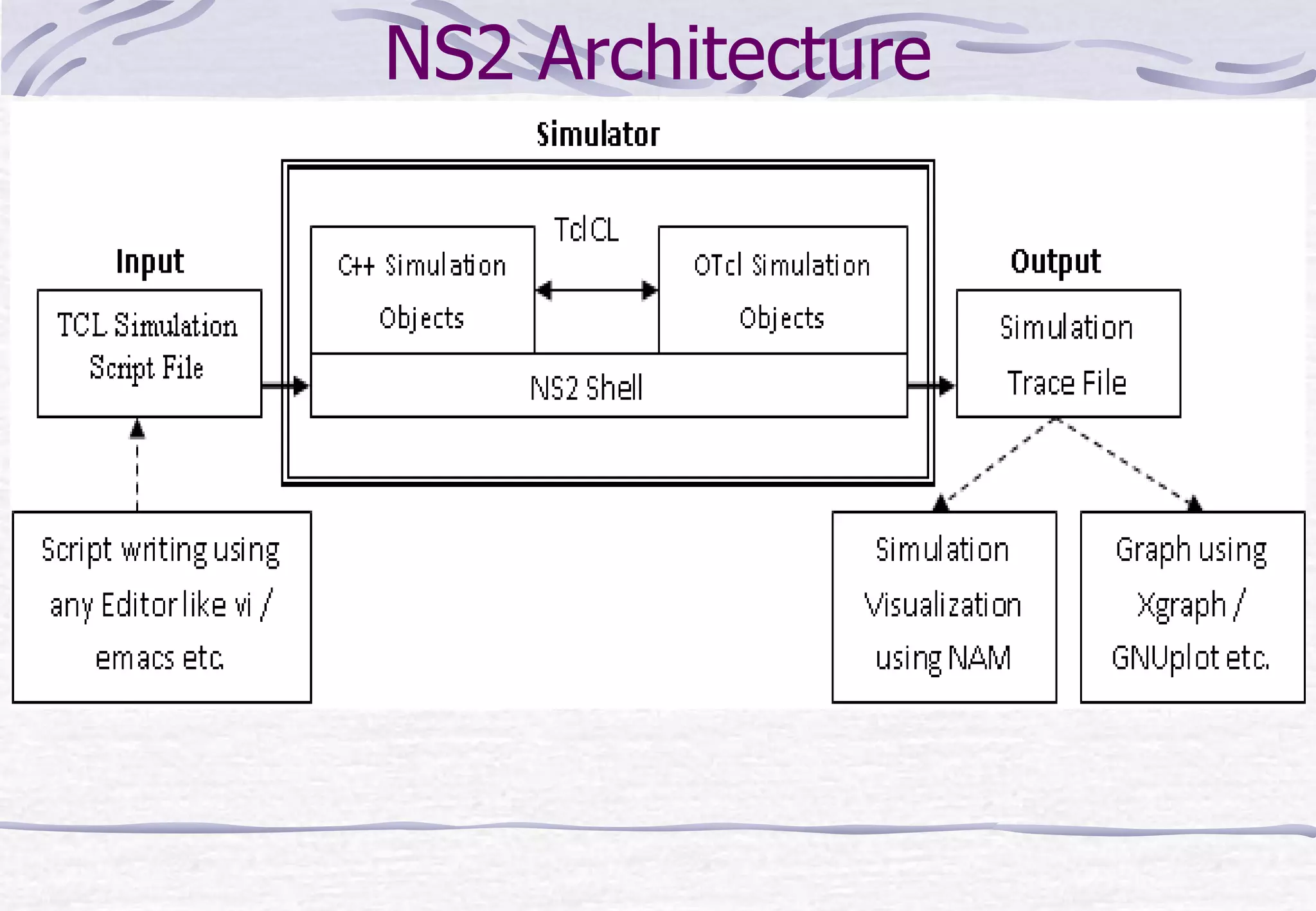
NS2 Architecture
Sample Input Script (Tcl)
set ns [new Simulator]
set n0 [$ns node]
set n1 [$ns node]
$ns at 0.0 "$n0 label Sender“
$ns at 0.0 "$n1 label Receiver“
set nf [open test.nam w]
$ns namtrace-all $nf
set f [open test.tr w]
$ns trace-all $f
$ns duplex-link $n0 $n1 0.2Mb 200ms DropTail
$ns duplex-link-op $n0 $n1 orient right
. . .
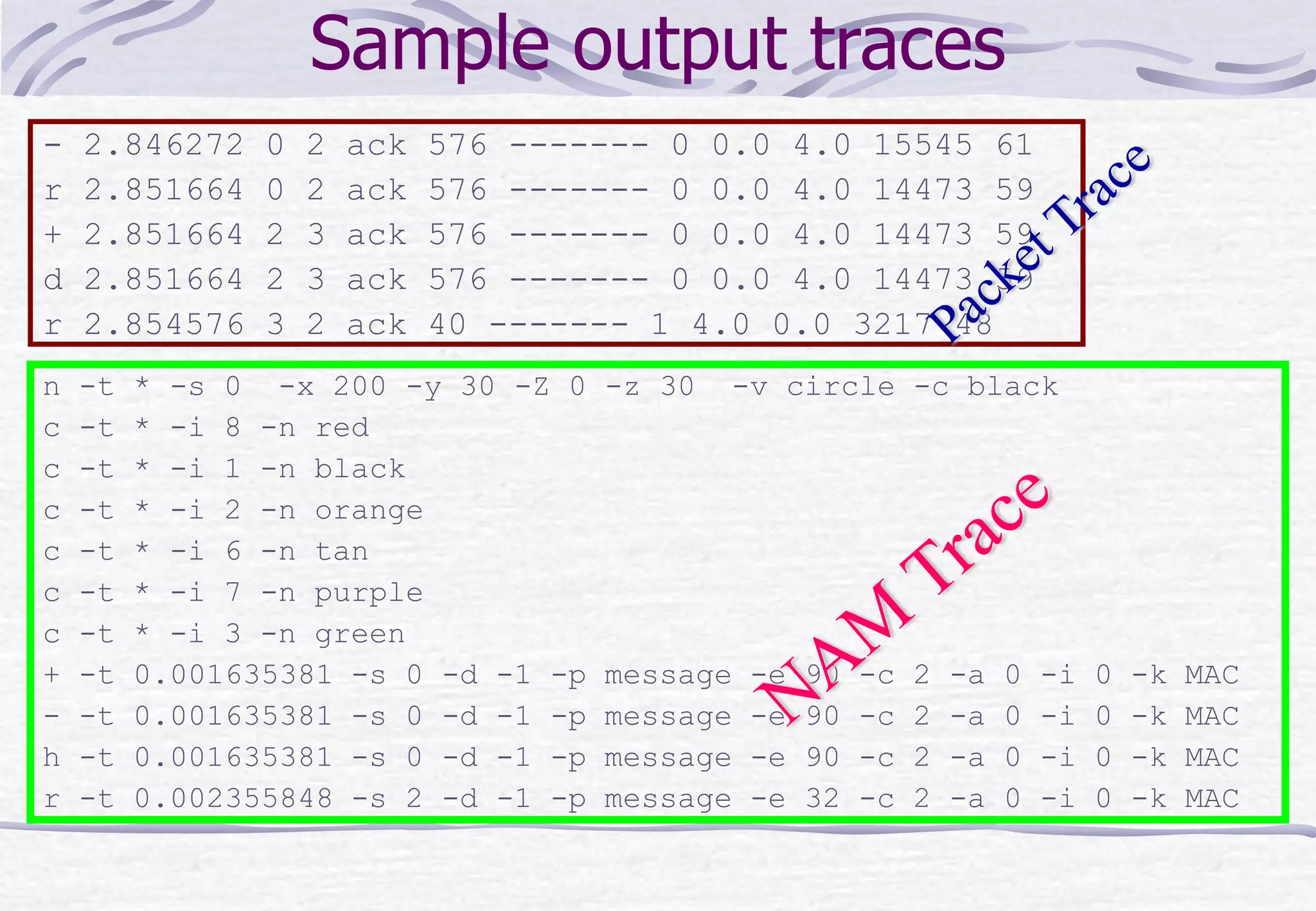
Sample output traces
- 2.846272 0 2 ack 576 ------- 0 0.0 4.0 15545 61
r 2.851664 0 2 ack 576 ------- 0 0.0 4.0 14473 59
+ 2.851664 2 3 ack 576 ------- 0 0.0 4.0 14473 59
d 2.851664 2 3 ack 576 ------- 0 0.0 4.0 14473 59
r 2.854576 3 2 ack 40 ------- 1 4.0 0.0 3217 48
n -t * -s 0 -x 200 -y 30 -Z 0 -z 30 -v circle -c black
c -t * -i 8 -n red
c -t * -i 1 -n black
c -t * -i 2 -n orange
c -t * -i 6 -n tan
c -t * -i 7 -n purple
c -t * -i 3 -n green
+ -t 0.001635381 -s 0 -d -1 -p message -e 90 -c 2 -a 0 -i 0 -k MAC
- -t 0.001635381 -s 0 -d -1 -p message -e 90 -c 2 -a 0 -i 0 -k MAC
h -t 0.001635381 -s 0 -d -1 -p message -e 90 -c 2 -a 0 -i 0 -k MAC
r -t 0.002355848 -s 2 -d -1 -p message -e 32 -c 2 -a 0 -i 0 -k MAC
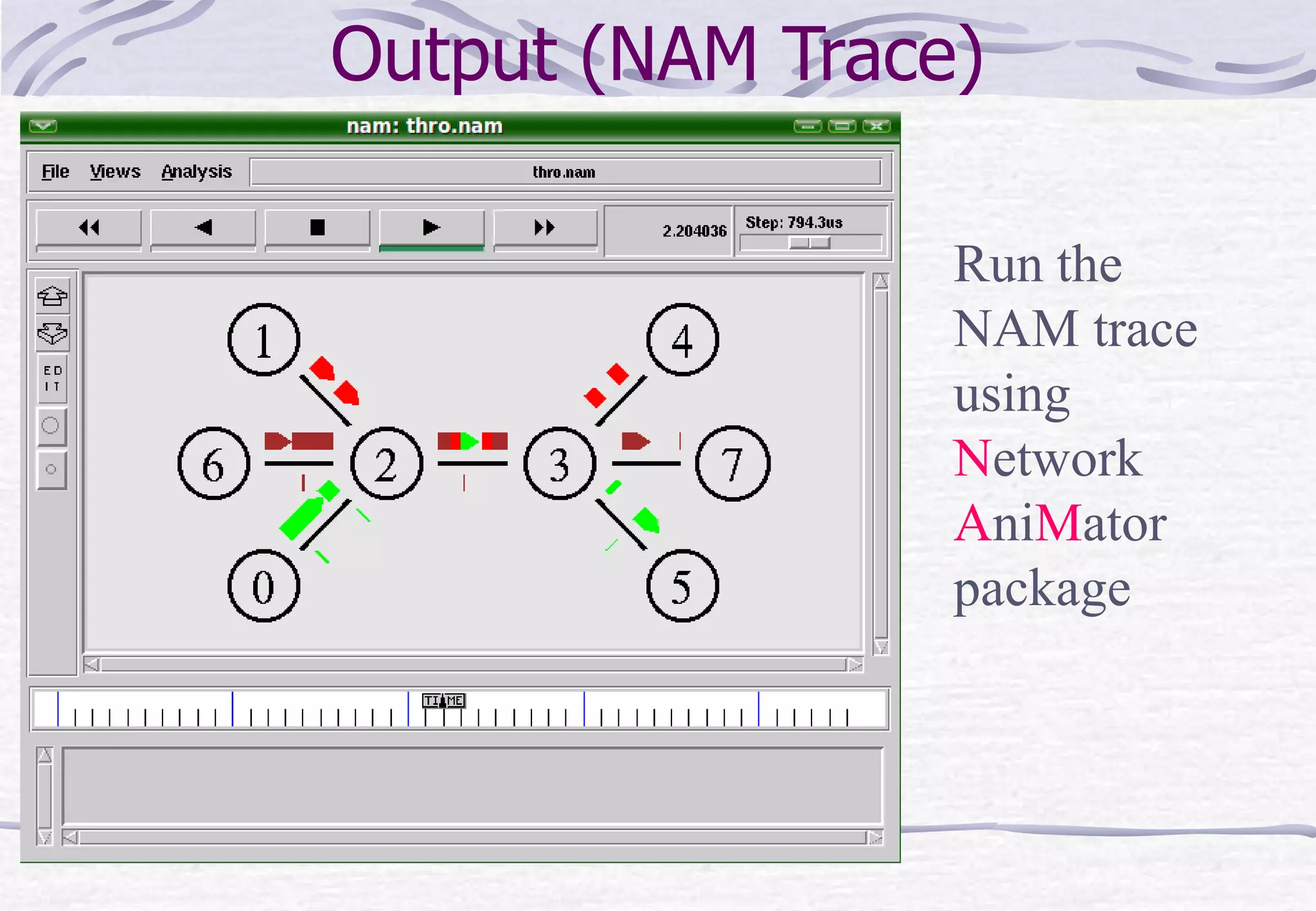
Output (NAM Trace)
Run the
NAM trace
using
Network
AniMator
package
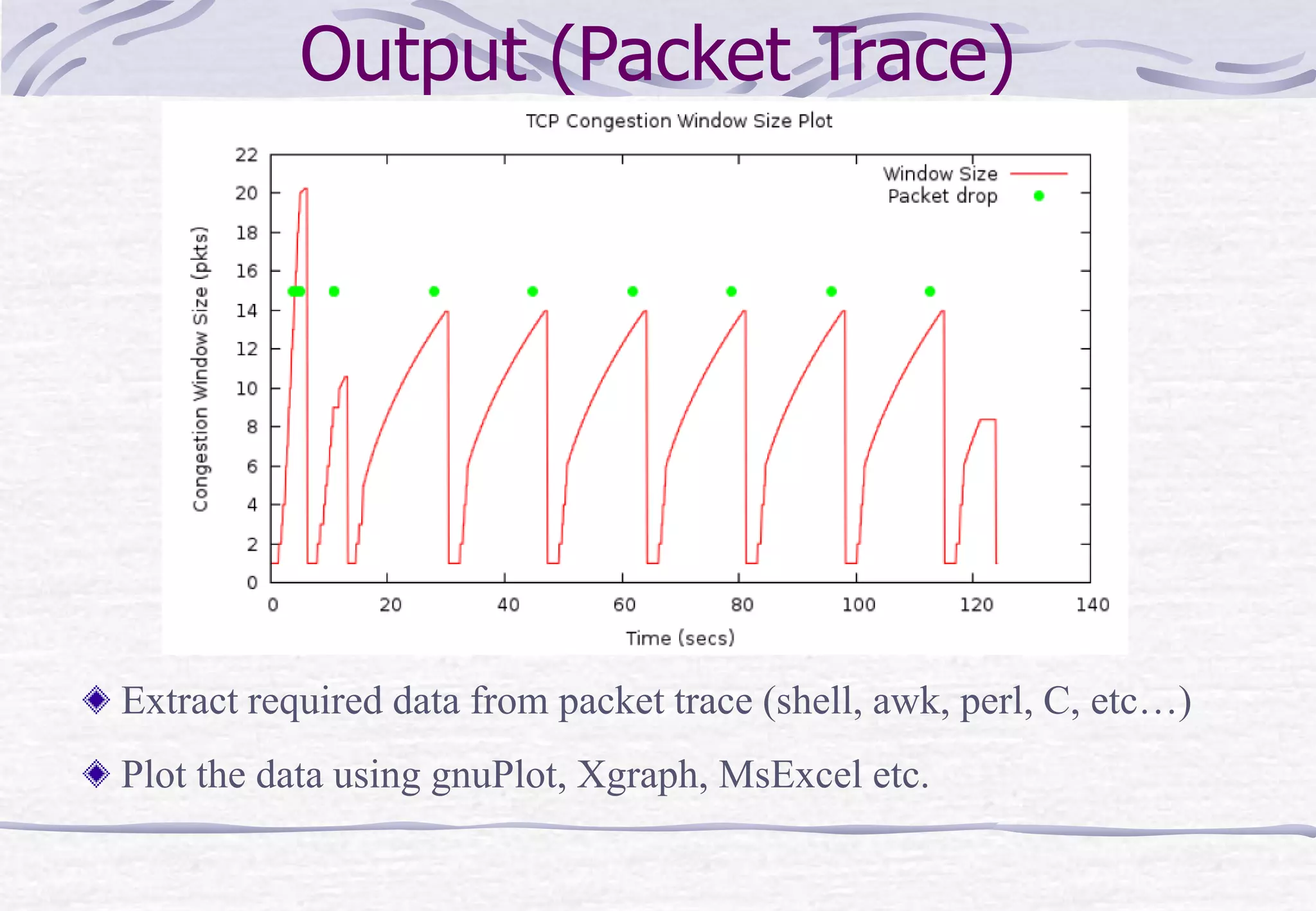
Output (Packet Trace)
Extract required data from packet trace (shell, awk, perl, C, etc…)
Plot the data using gnuPlot, Xgraph, MsExcel etc.
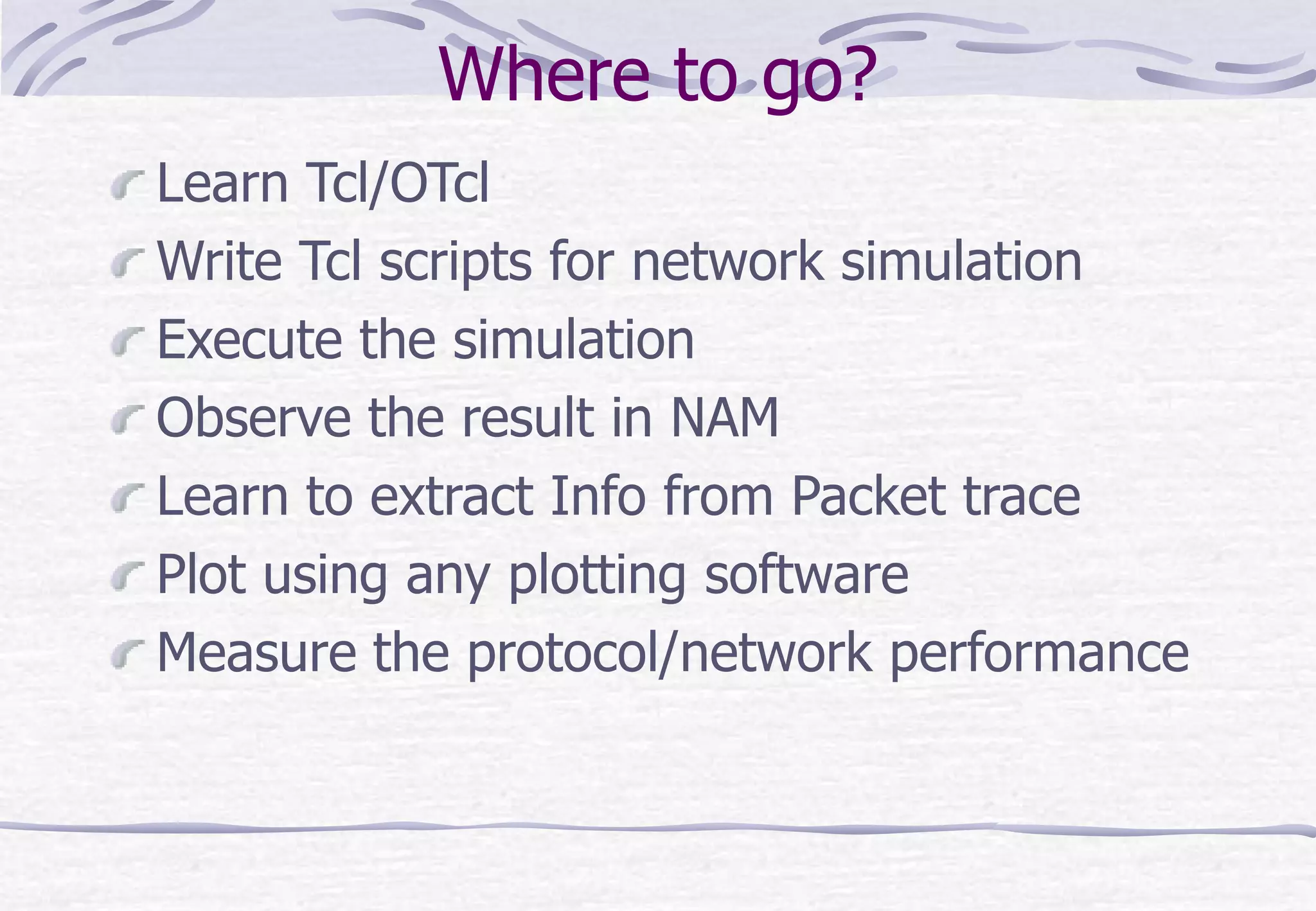
Where to go?
Learn Tcl/OTcl
Write Tcl scripts for network simulation
Execute the simulation
Observe the result in NAM
Learn to extract Info from Packet trace
Plot using any plotting software
Measure the protocol/network performance
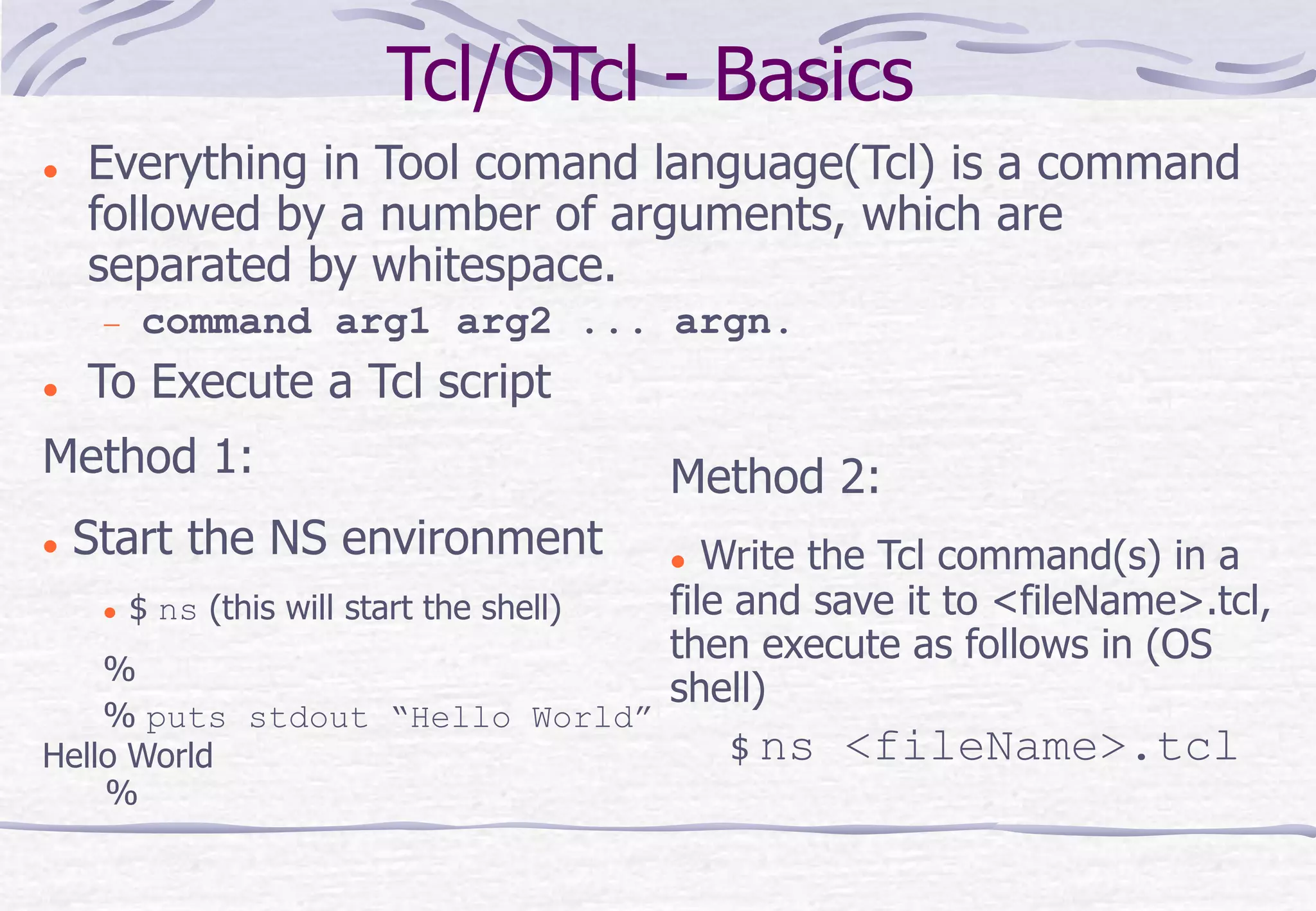
Tcl/OTcl - Basics
 Everything in Tool comand language(Tcl) is a command
followed by a number of arguments, which are
separated by whitespace.
 command arg1 arg2 ... argn.
 To Execute a Tcl script
Method 1:
 Start the NS environment
 $ ns (this will start the shell)
%
% puts stdout “Hello World”
Hello World
%
Method 2:
 Write the Tcl command(s) in a
file and save it to <fileName>.tcl,
then execute as follows in (OS
shell)
$ ns <fileName>.tcl
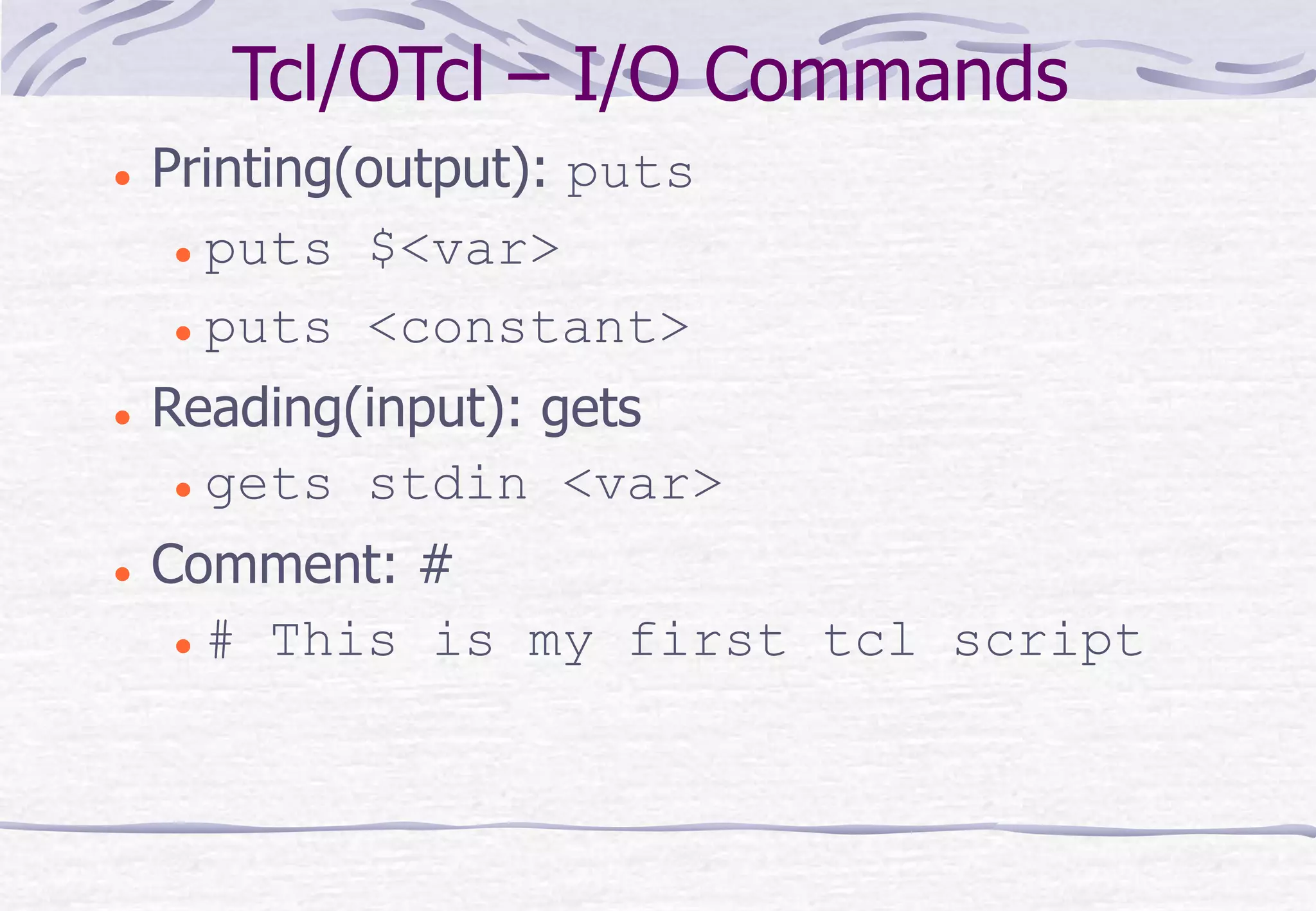
Tcl/OTcl – I/O Commands
 Printing(output): puts
 puts $<var>
 puts <constant>
 Reading(input): gets
 gets stdin <var>
 Comment: #
 # This is my first tcl script
Tcl/OTcl - Variables
 Tcl is a dynamically typed language
 Need not to declare variable types (datatypes).
 A variable can store anything, irrespective of type and
type checking is done at runtime.
 Variable initialization.
 Syntax: set <variable> <value>
 Example:
 % set intVar 10
 % set a [expr 2.5*10]
 % puts {intVar is $intVar}
 % puts $a
Tcl/OTcl – control structure-I
Control Structures:
if {$z == 6} then { puts “Correct!”}
for {set i =0} {$i < 5} {incr i } {
puts “$i * $i equals [expr $i * $i]”
}
Other branching-constructs
switch <string> {
<pattern_1> {
<body_1>
}
<pattern_2> {
<body_2>
}
. . .
<default> {
body
}
}
Tcl/OTcl – control structure-II
Other Loop constructs
while {<test>} {
<body>
}
foreach {<var1> <var2>} <var> {
<body>
}
Example:
set observations {Bhubaneswar 35 49 Cuttack 32 45 Bolangir 18 30}
foreach {town Tmin Tmax} $observations {
set Tavg [expr ($Tmin+$Tmax)/2.0]
puts “$town $Tavg"
}
break, continue
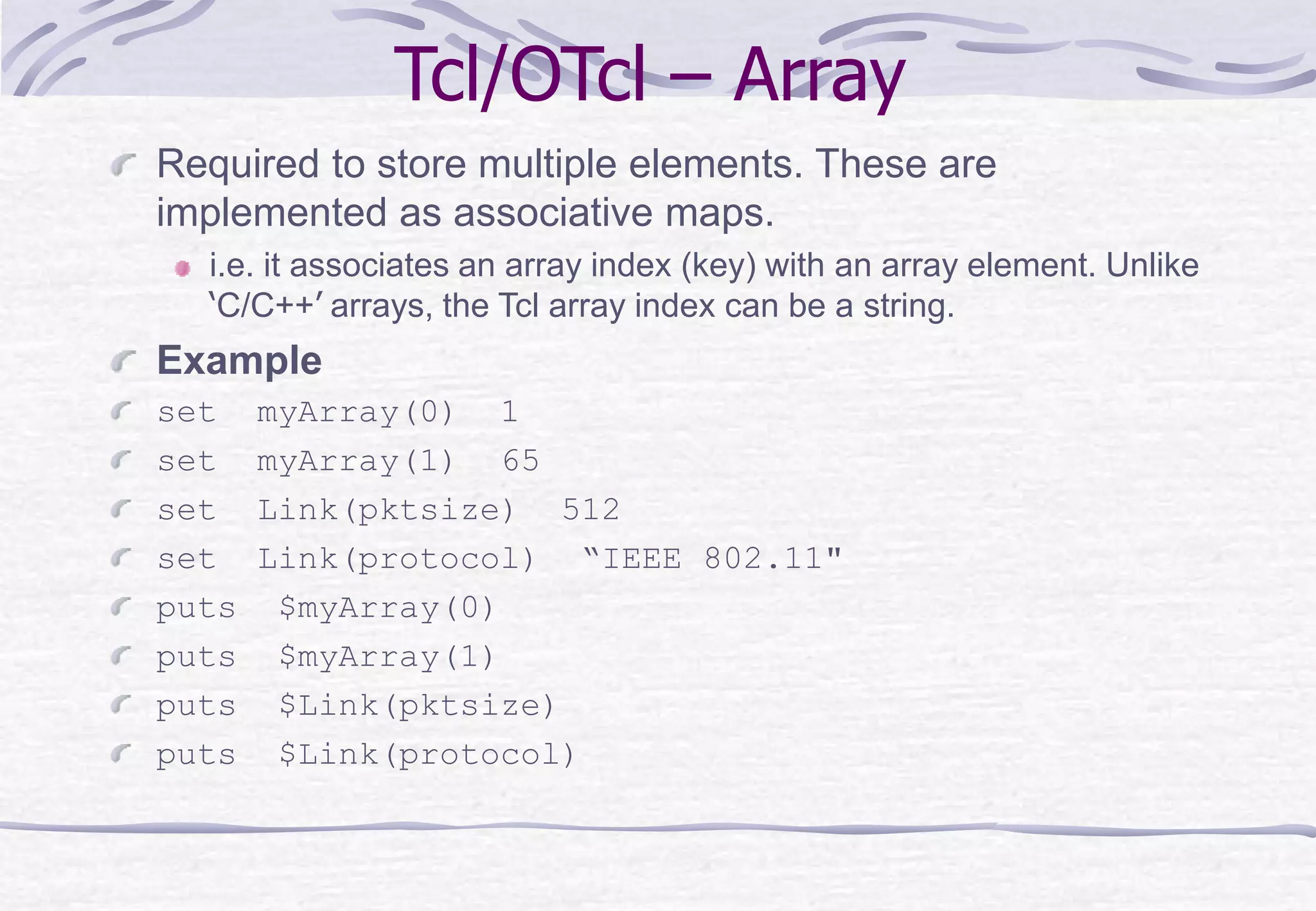
Tcl/OTcl – Array
Required to store multiple elements. These are
implemented as associative maps.
i.e. it associates an array index (key) with an array element. Unlike
‘C/C++’ arrays, the Tcl array index can be a string.
Example
set myArray(0) 1
set myArray(1) 65
set Link(pktsize) 512
set Link(protocol) “IEEE 802.11"
puts $myArray(0)
puts $myArray(1)
puts $Link(pktsize)
puts $Link(protocol)
Tcl/OTcl – Procedure
The ‘proc’ command creates a new command.
Syntax: proc <procName> <args> <body>
Example:
# procedure without args
proc myCommand {} {
puts “My first Tcl command"
}
myCommand #proc call
# procedure with args
proc avg {min max} {
return [expr ($min + $max) / 2]
}
set average [avg 10 20]; puts $average #proc call
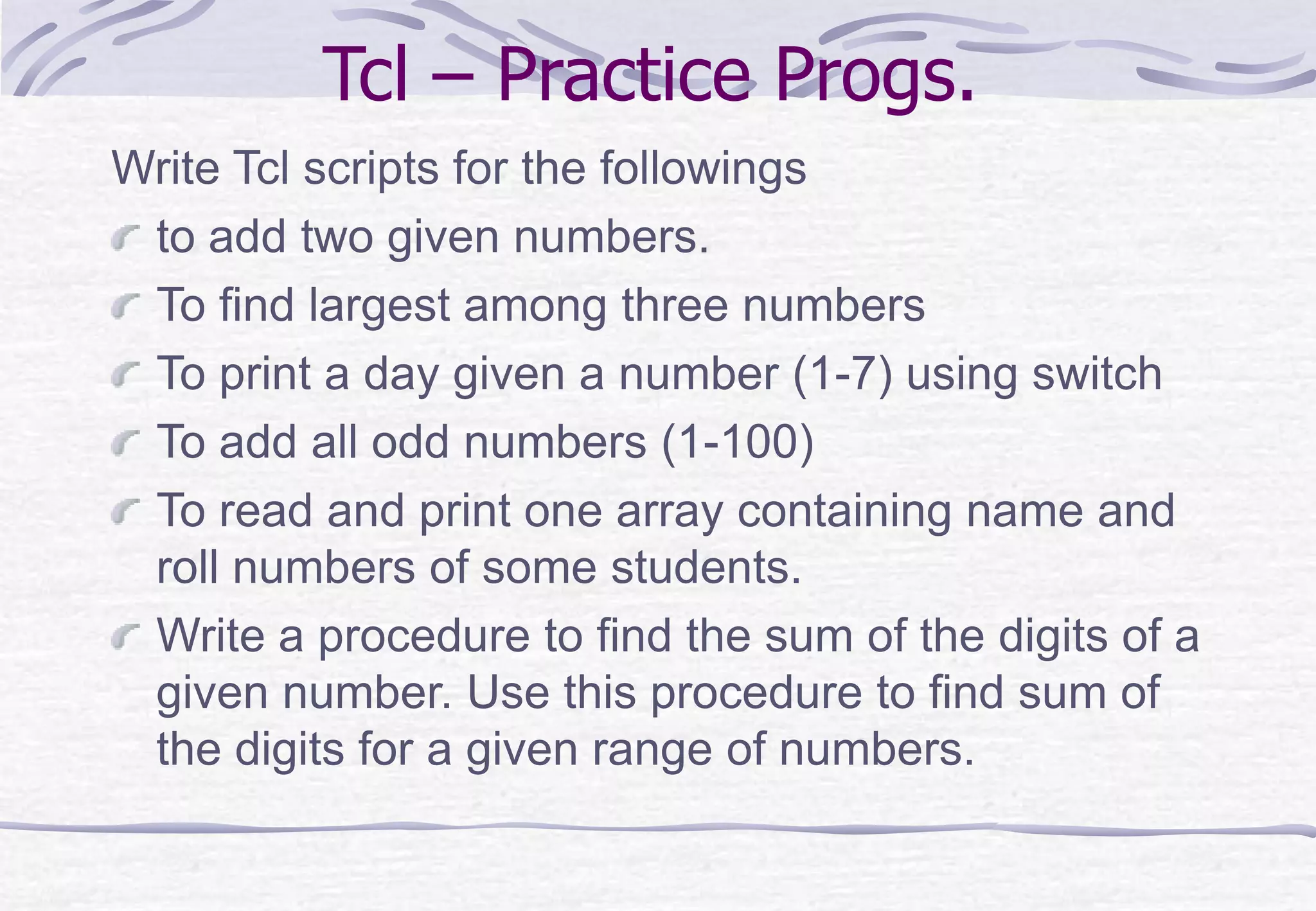
Tcl – Practice Progs.
Write Tcl scripts for the followings
to add two given numbers.
To find largest among three numbers
To print a day given a number (1-7) using switch
To add all odd numbers (1-100)
To read and print one array containing name and
roll numbers of some students.
Write a procedure to find the sum of the digits of a
given number. Use this procedure to find sum of
the digits for a given range of numbers.
End of NS2 Part I
Thank You

Ns2: Introduction - Part I

  • 1.
    Ajit K Nayak,Ph.D. Dept of CSIT, ITER An Introduction to NS2: The Network Simulator
  • 2.
    What is Simulation? Network simulation is a technique where a program models the behavior of a network either by calculating the interaction between the different network entities (hosts/, etc.) using mathematical formulas, or actually capturing and playing back observations from a production network.
  • 3.
  • 4.
    Sample Input Script(Tcl) set ns [new Simulator] set n0 [$ns node] set n1 [$ns node] $ns at 0.0 "$n0 label Sender“ $ns at 0.0 "$n1 label Receiver“ set nf [open test.nam w] $ns namtrace-all $nf set f [open test.tr w] $ns trace-all $f $ns duplex-link $n0 $n1 0.2Mb 200ms DropTail $ns duplex-link-op $n0 $n1 orient right . . .
  • 5.
    Sample output traces -2.846272 0 2 ack 576 ------- 0 0.0 4.0 15545 61 r 2.851664 0 2 ack 576 ------- 0 0.0 4.0 14473 59 + 2.851664 2 3 ack 576 ------- 0 0.0 4.0 14473 59 d 2.851664 2 3 ack 576 ------- 0 0.0 4.0 14473 59 r 2.854576 3 2 ack 40 ------- 1 4.0 0.0 3217 48 n -t * -s 0 -x 200 -y 30 -Z 0 -z 30 -v circle -c black c -t * -i 8 -n red c -t * -i 1 -n black c -t * -i 2 -n orange c -t * -i 6 -n tan c -t * -i 7 -n purple c -t * -i 3 -n green + -t 0.001635381 -s 0 -d -1 -p message -e 90 -c 2 -a 0 -i 0 -k MAC - -t 0.001635381 -s 0 -d -1 -p message -e 90 -c 2 -a 0 -i 0 -k MAC h -t 0.001635381 -s 0 -d -1 -p message -e 90 -c 2 -a 0 -i 0 -k MAC r -t 0.002355848 -s 2 -d -1 -p message -e 32 -c 2 -a 0 -i 0 -k MAC
  • 6.
    Output (NAM Trace) Runthe NAM trace using Network AniMator package
  • 7.
    Output (Packet Trace) Extractrequired data from packet trace (shell, awk, perl, C, etc…) Plot the data using gnuPlot, Xgraph, MsExcel etc.
  • 8.
    Where to go? LearnTcl/OTcl Write Tcl scripts for network simulation Execute the simulation Observe the result in NAM Learn to extract Info from Packet trace Plot using any plotting software Measure the protocol/network performance
  • 9.
    Tcl/OTcl - Basics Everything in Tool comand language(Tcl) is a command followed by a number of arguments, which are separated by whitespace.  command arg1 arg2 ... argn.  To Execute a Tcl script Method 1:  Start the NS environment  $ ns (this will start the shell) % % puts stdout “Hello World” Hello World % Method 2:  Write the Tcl command(s) in a file and save it to <fileName>.tcl, then execute as follows in (OS shell) $ ns <fileName>.tcl
  • 10.
    Tcl/OTcl – I/OCommands  Printing(output): puts  puts $<var>  puts <constant>  Reading(input): gets  gets stdin <var>  Comment: #  # This is my first tcl script
  • 11.
    Tcl/OTcl - Variables Tcl is a dynamically typed language  Need not to declare variable types (datatypes).  A variable can store anything, irrespective of type and type checking is done at runtime.  Variable initialization.  Syntax: set <variable> <value>  Example:  % set intVar 10  % set a [expr 2.5*10]  % puts {intVar is $intVar}  % puts $a
  • 12.
    Tcl/OTcl – controlstructure-I Control Structures: if {$z == 6} then { puts “Correct!”} for {set i =0} {$i < 5} {incr i } { puts “$i * $i equals [expr $i * $i]” } Other branching-constructs switch <string> { <pattern_1> { <body_1> } <pattern_2> { <body_2> } . . . <default> { body } }
  • 13.
    Tcl/OTcl – controlstructure-II Other Loop constructs while {<test>} { <body> } foreach {<var1> <var2>} <var> { <body> } Example: set observations {Bhubaneswar 35 49 Cuttack 32 45 Bolangir 18 30} foreach {town Tmin Tmax} $observations { set Tavg [expr ($Tmin+$Tmax)/2.0] puts “$town $Tavg" } break, continue
  • 14.
    Tcl/OTcl – Array Requiredto store multiple elements. These are implemented as associative maps. i.e. it associates an array index (key) with an array element. Unlike ‘C/C++’ arrays, the Tcl array index can be a string. Example set myArray(0) 1 set myArray(1) 65 set Link(pktsize) 512 set Link(protocol) “IEEE 802.11" puts $myArray(0) puts $myArray(1) puts $Link(pktsize) puts $Link(protocol)
  • 15.
    Tcl/OTcl – Procedure The‘proc’ command creates a new command. Syntax: proc <procName> <args> <body> Example: # procedure without args proc myCommand {} { puts “My first Tcl command" } myCommand #proc call # procedure with args proc avg {min max} { return [expr ($min + $max) / 2] } set average [avg 10 20]; puts $average #proc call
  • 16.
    Tcl – PracticeProgs. Write Tcl scripts for the followings to add two given numbers. To find largest among three numbers To print a day given a number (1-7) using switch To add all odd numbers (1-100) To read and print one array containing name and roll numbers of some students. Write a procedure to find the sum of the digits of a given number. Use this procedure to find sum of the digits for a given range of numbers.
  • 17.
    End of NS2Part I Thank You