Software Engineering Dr Ian Reid B4, 4 lectures, Hilary Term http://www.robots.ox.ac.uk/~ian/Teaching/SoftEng
Software Engineering vs structured programming Not really a course about software engineering… Software engineering Mostly about concepts,  Structured programming Revision, coding in C and Matlab, functions Data structures structures, classes Object oriented programming objects, object-oriented concepts like inheritance, polymorphism, patterns and the standard template library
Learning Outcomes The course will aim to give a good understanding of basic design methods, and emphasize the need to produce well-structured maintainable computer software.  The course will concentrate on principles, but these will be reinforced with examples in Matlab and C/C++ programming languages.  Specifically, by the end of the course students should : understand concepts of basic program design techniques that can be  applied to a variety of programming languages, in particular Matlab and C/C++  understand the need for structured programming in software projects be able to recognise and to produce and/or maintain well structured programs have a basic understanding of the role of and advantages of object oriented design
Texts Sommerville,  Software Engineering , Addison-Wesley (8 th  edition), 2007. Wirth,  Algorithms + Data Structures = Programs , Prentice-Hall, 1975 Leveson,  Safeware: System Safety and Computers , Addison-Wesley, 1995. Lipmann and Lajoie,  C++ Primer,  Addison-Wesley, 2005. Goodrich et al.,  Data structures and algorithms in C++ , Wiley, 2004
The Role of Computing in Engineering Computing is ubiquitous in engineering. Why? Awesome speed of modern, everyday computers a makes complicated analysis and simulation possible across all domains.  Applications in design and modelling. Far beyond the reach of the mortal human engineer. Indeed many modelling problems are utterly infeasible without modern computers and software. In embedded systems, computers can provide a level of power, speed, flexibility and control not otherwise possible  (eg mobile phone) Computing is “cheap” (but exercise this argument with care) Software is the key… some examples…
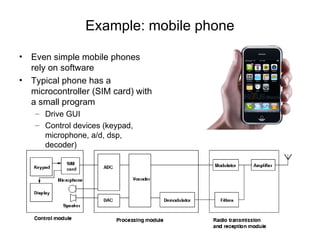
Example: mobile phone Even simple mobile phones rely on software Typical phone has a microcontroller (SIM card) with a small program Drive GUI Control devices (keypad, microphone, a/d, dsp, decoder)
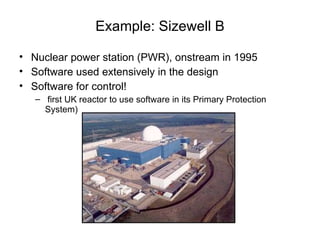
Example: Sizewell B Nuclear power station (PWR), onstream in 1995 Software used extensively in the design Software for control! first UK reactor to use software in its Primary Protection System)
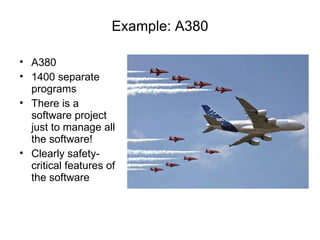
Example: A380 A380 1400 separate programs There is a software project just to manage all the software! Clearly safety-critical features of the software
Example: NPfIT NHS National Plan for IT Plan to provide electronic care records for patients Connect 30000 GPs and 300 hospitals Provide secure access to records for healthcare professionals Provide access for patients to their own records via “Healthspace”
Software engineering versus programming Software engineering is about more than just programming/coding It is about design principles and methodologies that yield programs that are Robust  Manageable Reusable
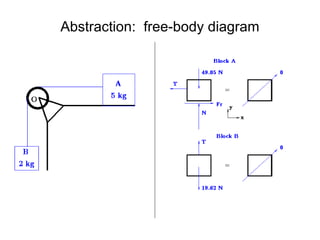
Software vs “other” engineering How is software engineering  similar  to other engineering? Abstraction  and  Modularity Consider free-body diagram Thevenin/Norton Low output impedance / High input impedance Digital computer We return to these concepts later…
Abstraction:  free-body diagram
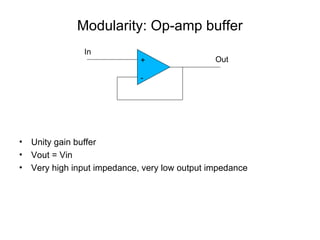
Modularity: Op-amp buffer Unity gain buffer Vout = Vin Very high input impedance, very low output impedance + - In Out
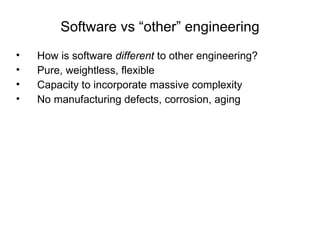
Software vs “other” engineering How is software  different  to other engineering? Pure, weightless, flexible Capacity to incorporate massive complexity  No manufacturing defects, corrosion, aging
Intrinsic difficulties with software Analogue versus discrete state systems The “curse” of flexibility Can encourage unnecessary complexity Redefinition of tasks late in development – shifting goal-post Complexity and invisible interfaces Standard way of dealing with complexity is via modularity But this alone is not enough because interfaces can be subtle and invisible, and here too there is a need to control complexity Historical usage information Unlike physical systems, there is a limited amount of experience about standard designs
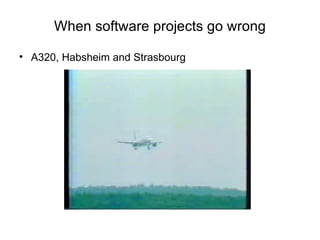
When software projects go wrong A320, Habsheim and Strasbourg
When software projects go wrong London Ambulance Service 1992, computerised ambulance despatch system fails Therac-25 2 people died and several others exposed to dangerous levels of radiation because of  software flaws in radiotherapy device OSIRIS £5M University financial package Expenditure to date more like £20-25M NPfIT? NHS £12 billion IT project comp.risks is a great source of others...
NHS National programme for IT: NPfIT Plan to provide electronic care records for patients Connect 30000 GPs and 300 hospitals Provide secure access to records for healthcare professionals Provide access for patients to their own records via “Healthspace” Laudable? Realistic? Software Engineering specialists have their doubts Ross Anderson (Prof of Security Engineering, Cambridge Computing Laboratory) wrtes in his blog “I fear the whole project will just continue on its slow slide towards becoming the biggest IT disaster ever”.
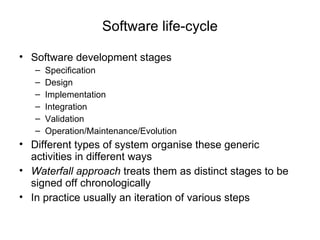
Software life-cycle Software development stages Specification Design Implementation Integration Validation Operation/Maintenance/Evolution Different types of system organise these generic activities in different ways Waterfall approach  treats them as distinct stages to be signed off chronologically In practice usually an iteration of various steps
Requirements Vague initial goals Iterative refinement Leading to more precise specification Example Calculate the n-bounce trajectory of a lossy bouncing ball. Refine this to consider What does the statement  actually  mean? Physics Initial conditions Air-resistance? Stopping criterion (criteria)? Now, think about how to design/implement
Validation/Verification Verification:  does the system confirm to spec? Validation: does it actually do what it was supposed to? Top-down vs bottom-up testing Black-box vs white-box testing Impossibility of exhaustive testing
Extreme programming (XP) Proposed in the late 90s as a reaction to problems with “traditional” development processes Takes  extreme  position compared with waterfall approach Appropriate for small-medium sized projects Teams of pairs of programmer, programming together Incremental development, frequent system releases Code constantly refined, improved, made as simple as possible Do not design for change; instead change reactively
Top down design Here want to keep in mind the general principles Abstraction Modularity Architectural design: identifying the building blocks Abstract specification: describe the data/functions and their constraints Interfaces: define how the modules fit together Component design: recursively design each block
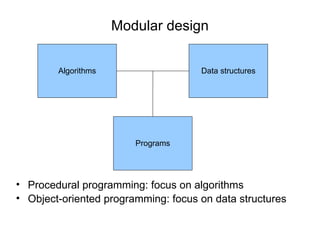
Modular design Procedural programming: focus on algorithms Object-oriented programming: focus on data structures Algorithms Data structures Programs
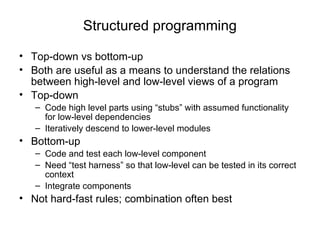
Structured programming Top-down vs bottom-up Both are useful as a means to understand the relations between high-level and low-level views of a program Top-down Code high level parts using “stubs” with assumed functionality for low-level dependencies Iteratively descend to lower-level modules  Bottom-up Code and test each low-level component Need “test harness” so that low-level can be tested in its correct context Integrate components Not hard-fast rules; combination often best
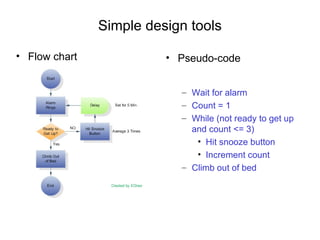
Simple design tools Flow chart Pseudo-code Wait for alarm Count = 1 While (not ready to get up and count <= 3) Hit snooze button Increment count Climb out of bed
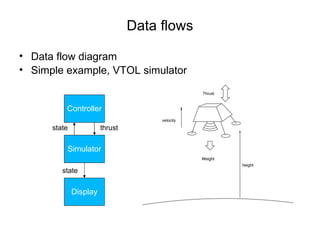
Data flows Data flow diagram Simple example, VTOL simulator Controller Simulator Display state state thrust
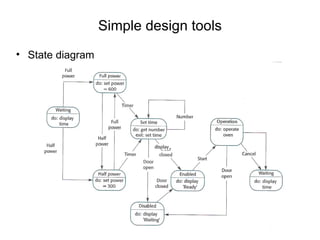
Simple design tools State diagram
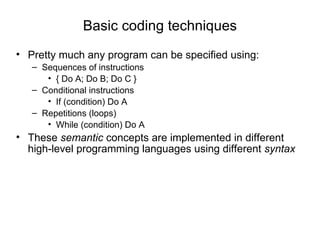
Basic coding techniques Pretty much any program can be specified using: Sequences of instructions { Do A; Do B; Do C } Conditional instructions If (condition) Do A Repetitions (loops) While (condition) Do A These  semantic  concepts are implemented in different high-level programming languages using different  syntax
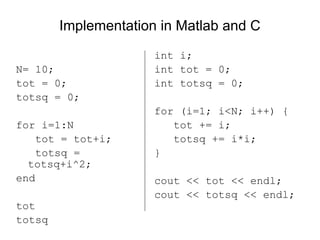
Implementation in Matlab and C N= 10; tot = 0; totsq = 0; for i=1:N tot = tot+i; totsq = totsq+i^2; end tot totsq int i; int tot = 0; int totsq = 0; for (i=1; i<N; i++) { tot += i; totsq += i*i; } cout << tot << endl; cout << totsq << endl;
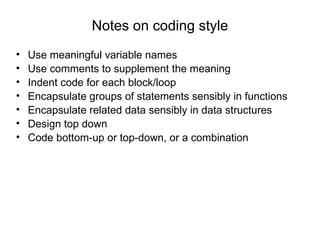
Notes on coding style Use meaningful variable names Use comments to supplement the meaning Indent code for each block/loop Encapsulate groups of statements sensibly in functions Encapsulate related data sensibly in data structures Design top down Code bottom-up or top-down, or a combination
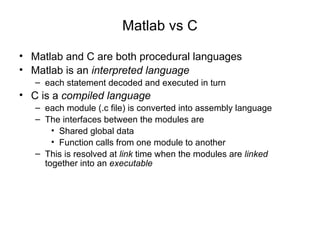
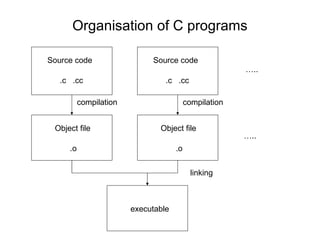
Matlab vs C Matlab and C are both procedural languages Matlab is an  interpreted language each statement decoded and executed in turn C is a  compiled language each module (.c file) is converted into assembly language The interfaces between the modules are Shared global data Function calls from one module to another This is resolved at  link  time when the modules are  linked  together into an  executable
Procedural programming Aim is to break program down into functional units procedures or functions Set of inputs, set of outputs In Matlab and C this procedural building block is the  function   Understanding functions…
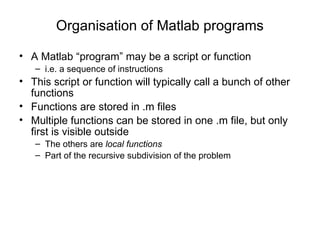
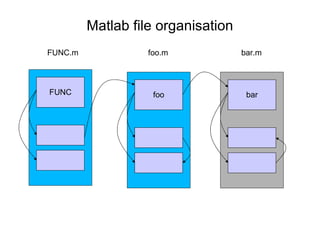
Organisation of Matlab programs A Matlab “program” may be a script or function i.e. a sequence of instructions This script or function will typically call a bunch of other functions Functions are stored in .m files  Multiple functions can be stored in one .m file, but only first is visible outside The others are  local functions   Part of the recursive subdivision of the problem
Matlab file organisation bar FUNC.m foo.m bar.m FUNC foo
Organisation of C programs Source code .c  .cc Object file .o compilation Source code .c  .cc Object file .o compilation … .. … .. linking executable
Functions Function definition Function call Function prototype Scope (local versus global data) Parameters and return value(s) Function call Low-level implementation of function calls Recursion
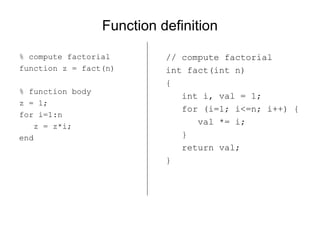
Function definition % compute factorial  function z = fact(n) % function body z = 1; for i=1:n z = z*i; end // compute factorial int fact(int n) { int i, val = 1; for (i=1; i<=n; i++) { val *= i; } return val; }
Function call Distinguish between The function definition Defines the set of operations that will be executed when the function is called The inputs The outputs And the function call i.e. actually using the function Formal vs Actual parameters Return value(s) The value of a function evaluation is the return value fact(10) a = 6; z = fact(a); [V,D] = eig(A);
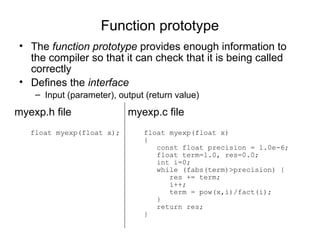
Function prototype The  function prototype  provides enough information to the compiler so that it can check that it is being called correctly Defines the  interface Input (parameter), output (return value) myexp.c file float myexp(float x) {  const float precision = 1.0e-6; float term=1.0, res=0.0; int i=0; while (fabs(term)>precision) { res += term; i++; term = pow(x,i)/fact(i); } return res; } myexp.h file float myexp(float x);
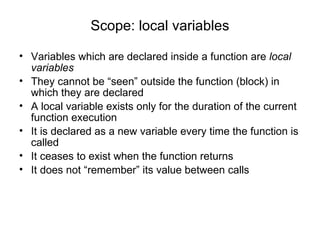
Scope: local variables Variables which are declared inside a function are  local variables They cannot be “seen” outside the function (block) in which they are declared A local variable exists only for the duration of the current function execution It is declared as a new variable every time the function is called It ceases to exist when the function returns It does not “remember” its value between calls
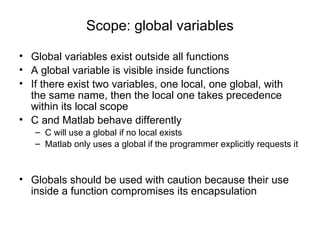
Scope: global variables Global variables exist outside all functions A global variable is visible inside functions If there exist two variables, one local, one global, with the same name, then the local one takes precedence within its local scope C and Matlab behave differently C will use a global if no local exists Matlab only uses a global if the programmer explicitly requests it Globals should be used with caution because their use inside a function compromises its encapsulation
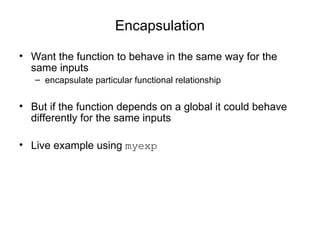
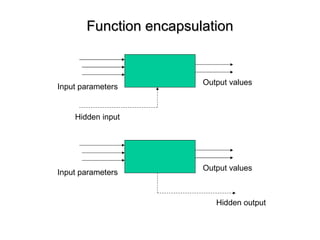
Encapsulation Want the function to behave in the same way for the same inputs encapsulate particular functional relationship But if the function depends on a global it could behave differently for the same inputs Live example using  myexp
Function encapsulation Input parameters Output values Hidden input Input parameters Output values Hidden output
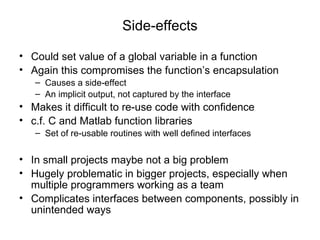
Side-effects Could set value of a global variable in a function Again this compromises the function’s encapsulation Causes a side-effect An implicit output, not captured by the interface  Makes it difficult to re-use code with confidence c.f. C and Matlab function libraries Set of re-usable routines with well defined interfaces In small projects maybe not a big problem Hugely problematic in bigger projects, especially when multiple programmers working as a team Complicates interfaces between components, possibly in unintended ways
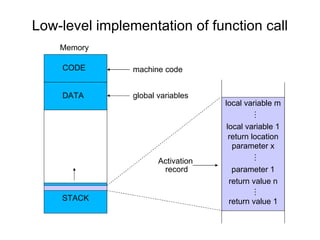
Low-level implementation of function call Memory CODE DATA machine code global variables STACK local variable m local variable 1 return location return value n return value 1 parameter x parameter 1 … … … Activation   record
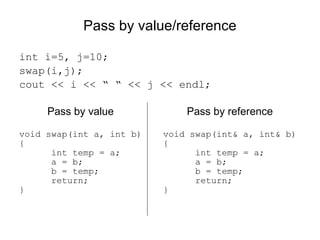
Pass by value/reference int i=5, j=10; swap(i,j); cout << i << “ “ << j << endl; Pass by value Pass by reference void swap(int a, int b) { int temp = a; a = b; b = temp; return; } void swap(int& a, int& b) { int temp = a; a = b; b = temp; return; }
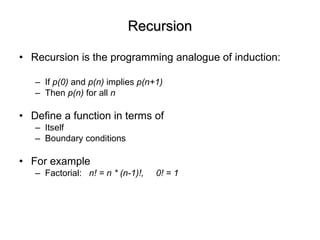
Recursion Recursion is the programming analogue of induction: If  p(0)  and  p(n)  implies  p(n+1) Then  p(n)  for all  n Define a function in terms of Itself Boundary conditions For example Factorial:  n! = n * (n-1)!,  0! = 1
Recursion example: factorial Live demo
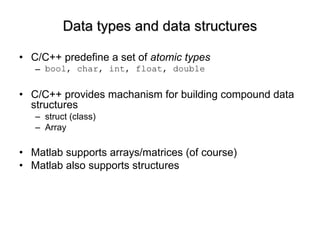
Data types and data structures C/C++ predefine a set of  atomic types bool, char, int, float, double C/C++ provides machanism for building compound data structures struct (class) Array Matlab supports arrays/matrices (of course) Matlab also supports structures
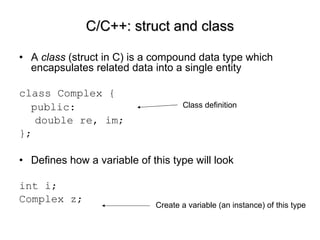
A  class  (struct in C) is a compound data type which encapsulates related data into a single entity class Complex { public:  double re, im; }; Defines how a variable of this type will look int i; Complex z; C/C++: struct and class Class definition Create a variable (an instance) of this type
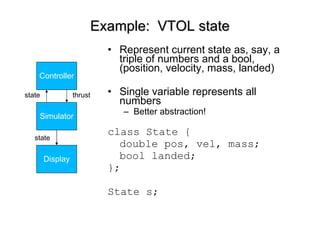
Example:  VTOL state Represent current state as, say, a triple of numbers and a bool, (position, velocity, mass, landed) Single variable represents all numbers Better abstraction! class State { double pos, vel, mass; bool landed; }; State s; Controller Simulator Display state state thrust
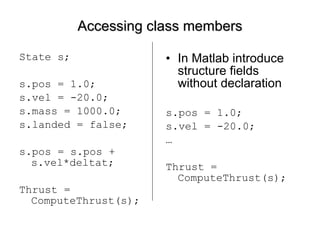
Accessing class members State s; s.pos = 1.0; s.vel = -20.0; s.mass = 1000.0; s.landed = false; s.pos = s.pos + s.vel*deltat; Thrust = ComputeThrust(s);  In Matlab introduce structure fields without declaration s.pos = 1.0; s.vel = -20.0; … Thrust = ComputeThrust(s);
Output parameters Image ReadImage(const string filename, bool& flag); bool ReadImage(const string filename, Image& im); Input: filename (type string) Output:  im (type Image)  boolean flag indicating success/failure function [Image, errflag] = ReadImage(filename) Basically the same, but cleaner in Matlab!
Arrays An array is a data structure containing a numbered (indexed) collection of items of a single data type int a[10]; res = a[0] + a[1] + a[2];  Complex z[20]; State s[100]; for (t=1; t<100; t++) { s[t].pos = s[t-1].pos + s[t-1].vel + 0.5*g; s[t].vel = s[t-1].vel + g – GetThrust(s[t-1], burnrate)/s[t-1].mass; s[t].mass = s[t-1].mass – burnrate*escapevel; }
Multi-dimensional arrays double d[10][5]; has elements: d[0][0] d[0][1] … d[0][4] . . . d[9][0] d[9][1] … d[9][4]
Methods In C++ a  class  encapsulates related data and functions A class has both data fields  and  functions that operate on the data A class member function is called a  method  in the object-oriented programming literature
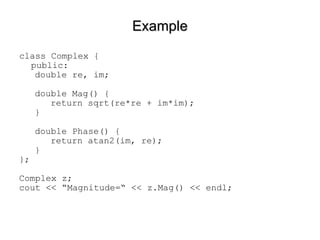
Example class Complex { public: double re, im; double Mag() { return sqrt(re*re + im*im); } double Phase() { return atan2(im, re); } }; Complex z; cout << “Magnitude=“ << z.Mag() << endl;
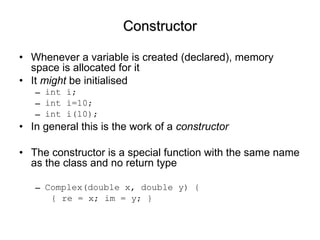
Constructor Whenever a variable is created (declared), memory space is allocated for it It  might  be initialised int i; int i=10; int i(10); In general this is the work of a  constructor The constructor is a special function with the same name as the class and no return type Complex(double x, double y) { { re = x; im = y; }
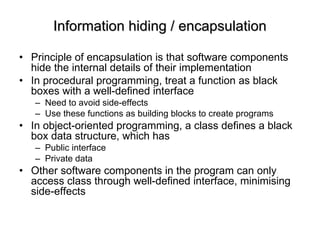
Information hiding / encapsulation Principle of encapsulation is that software components hide the internal details of their implementation In procedural programming, treat a function as black boxes with a well-defined interface  Need to avoid side-effects Use these functions as building blocks to create programs In object-oriented programming, a class defines a black box data structure, which has  Public interface Private data Other software components in the program can only access class through well-defined interface, minimising side-effects
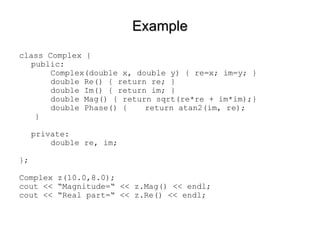
Example class Complex { public: Complex(double x, double y) { re=x; im=y; } double Re() { return re; } double Im() { return im; } double Mag() { return sqrt(re*re + im*im);} double Phase() {  return atan2(im, re); } private: double re, im; }; Complex z(10.0,8.0); cout << “Magnitude=“ << z.Mag() << endl; cout << “Real part=“ << z.Re() << endl;
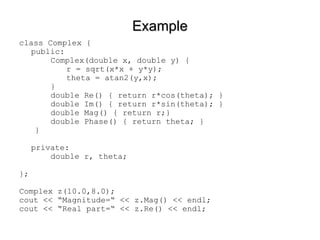
Example class Complex { public: Complex(double x, double y) {  r = sqrt(x*x + y*y); theta = atan2(y,x); } double Re() { return r*cos(theta); } double Im() { return r*sin(theta); } double Mag() { return r;} double Phase() { return theta; } } private: double r, theta; }; Complex z(10.0,8.0); cout << “Magnitude=“ << z.Mag() << endl; cout << “Real part=“ << z.Re() << endl;
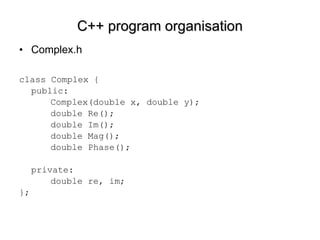
C++ program organisation Complex.h class Complex { public: Complex(double x, double y);  double Re(); double Im();  double Mag(); double Phase();  private: double re, im; };
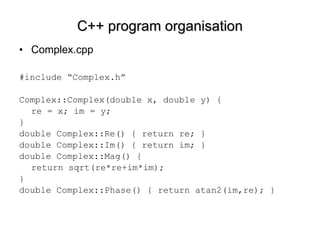
C++ program organisation Complex.cpp #include “Complex.h” Complex::Complex(double x, double y) { re = x; im = y; }  double Complex::Re() { return re; } double Complex::Im() { return im; } double Complex::Mag() {  return sqrt(re*re+im*im);  } double Complex::Phase() { return atan2(im,re); }
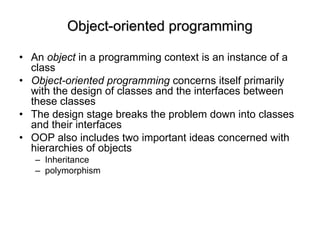
Object-oriented programming An  object  in a programming context is an instance of a class Object-oriented programming  concerns itself primarily with the design of classes and the interfaces between these classes The design stage breaks the problem down into classes and their interfaces OOP also includes two important ideas concerned with hierarchies of objects Inheritance polymorphism
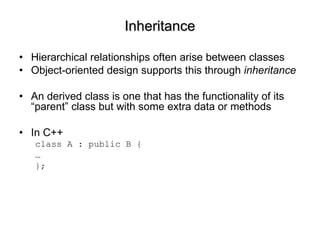
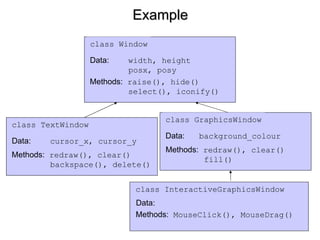
Inheritance Hierarchical relationships often arise between classes Object-oriented design supports this through  inheritance An derived class is one that has the functionality of its “parent” class but with some extra data or methods In C++ class A : public B { … };
Example class Window Data:   width, height posx, posy Methods:  raise(), hide() select(), iconify() class TextWindow Data:   cursor_x, cursor_y Methods:  redraw(), clear()  backspace(), delete() class GraphicsWindow Data:   background_colour Methods:  redraw(), clear() fill() class InteractiveGraphicsWindow Data: Methods:  MouseClick(), MouseDrag()
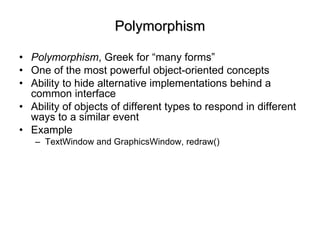
Polymorphism Polymorphism , Greek for “many forms” One of the most powerful object-oriented concepts Ability to hide alternative implementations behind a common interface Ability of objects of different types to respond in different ways to a similar event Example TextWindow and GraphicsWindow, redraw()
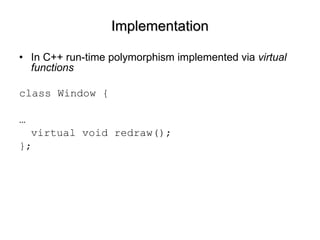
Implementation In C++ run-time polymorphism implemented via  virtual functions class Window { … virtual void redraw(); };
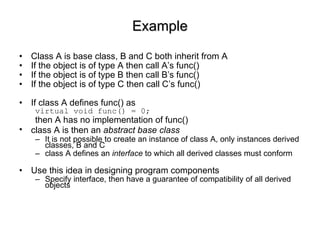
Example Class A is base class, B and C both inherit from A If the object is of type A then call A’s func() If the object is of type B then call B’s func() If the object is of type C then call C’s func() If class A defines func() as virtual void func() = 0; then A has no implementation of func() class A is then an  abstract base class   It is not possible to create an instance of class A, only instances derived classes, B and C class A defines an  interface  to which all derived classes must conform Use this idea in designing program components Specify interface, then have a guarantee of compatibility of all derived objects
Another example Consider a vector graphics drawing package Consider base class “Drawable” A graphics object that knows how to draw itself on the screen Class hierarchy may comprise lines, curves, points, images, etc Program keeps a list of objects that have been created and on redraw, displays them one by one This is implemented easily by a loop  for (int i=0; i<N; i++) { obj[i]->Draw(); }
Templates Templating is a mechanism in C++ to create classes in which one or more types are  parameterised Example of  compile-time  polymnorphism class BoundedArray { public: float GetElement(int i) {  if (i<0 || i>=10) { cerr << “Access out of bounds\n”; return 0.0; } else { return a[i]; } } private: float a[10]; };
Templates template <class Type> class BoundedArray { public: Type GetElement(int i) {  if (i<0 || i>=10) { cerr << “Access out of bounds\n”; return Type(0); } else { return a[i]; } } private: Type a[10]; }; BoundedArray<int> x; BoundedArray<Complex> z;
Design patterns Programs regularly employ similar design solutions Idea is to standardise the way these are implemented Code re-use Increased reliability Fewer errors, shorter development time An array is special case of a  container type Way of storing a collection of possibly ordered elements. List, stack, queue, double-ended list, etc Templates in C++ offer a way of providing libraries to implement these standard containers
Standard Template Library C++ provides a set of container classes Standard way of representing and manipulating container types eg, methods insert(),  append(), size(), etc STL supports Stack (FILO structure) List (efficient insertion and deletion, ordered but not indexed) Vector (extendible array) others
STL example std::vector<Type>  is an extendible array It can increase its size as the program needs it to It can be accessed like an ordinary array (eg  v[2] ) It can report its current size v.size() You can add an item to the end without needing to know how big it is v.push_back(x) #include<vector> int main() { std::vector<int> v; for (int i=0; i<20; i++) v.push_back(i); for (int i=0; i<v.size(); i++) std::cout << v[i] << std::endl; }
STL, continued To create a new STL vector of a size specified at  run-time int size; std::vector<Complex> z; std::cin >> size; z.resize(size); z[5] = Complex(2.0,3.0);
STL, continued To create a two dimensional array at  run-time int width, height; std::vector< std::vector<int> > x; x.resisze(height); for (int i=0; i<height; i++) x[i].resize(width); x[2][3] = 10; …
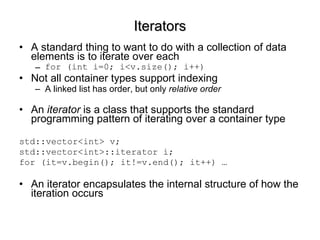
Iterators A standard thing to want to do with a collection of data elements is to iterate over each for (int i=0; i<v.size(); i++) Not all container types support indexing A linked list has order, but only  relative order An  iterator  is a class that supports the standard programming pattern of iterating over a container type std::vector<int> v; std::vector<int>::iterator i; for (it=v.begin(); it!=v.end(); it++) … An iterator encapsulates the internal structure of how the iteration occurs
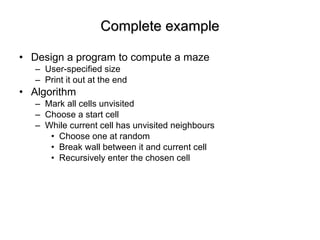
Complete example Design a program to compute a maze User-specified size  Print it out at the end Algorithm Mark all cells unvisited Choose a start cell While current cell has unvisited neighbours  Choose one at random Break wall between it and current cell Recursively enter the chosen cell
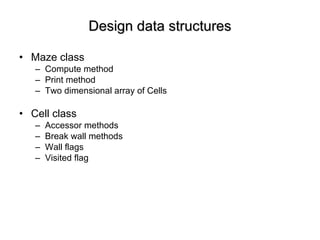
Design data structures Maze class Compute method Print method Two dimensional array of Cells Cell class Accessor methods Break wall methods Wall flags Visited flag
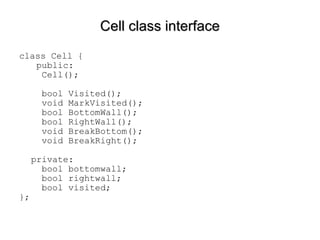
Cell class interface class Cell {   public:   Cell();   bool Visited();    void MarkVisited();   bool BottomWall();   bool RightWall();   void BreakBottom();   void BreakRight(); private:   bool bottomwall;   bool rightwall;   bool visited; };
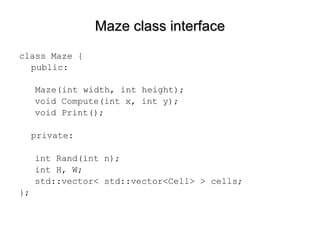
Maze class interface class Maze { public: Maze(int width, int height); void Compute(int x, int y); void Print(); private: int Rand(int n); int H, W; std::vector< std::vector<Cell> > cells; };
Main program int main(int argc, char* argv[]) { int width, height; cerr << &quot;Enter maze width: &quot;; cin >> width; cerr << &quot;Enter maze height: &quot;; cin >> height; Maze m(width, height); m.Compute(height-1,0); m.Print(); return 0; }
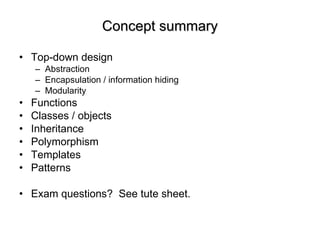
Concept summary Top-down design Abstraction Encapsulation / information hiding Modularity Functions Classes / objects Inheritance Polymorphism Templates Patterns Exam questions?  See tute sheet.

Software engineering

  • 1.
    Software Engineering DrIan Reid B4, 4 lectures, Hilary Term http://www.robots.ox.ac.uk/~ian/Teaching/SoftEng
  • 2.
    Software Engineering vsstructured programming Not really a course about software engineering… Software engineering Mostly about concepts, Structured programming Revision, coding in C and Matlab, functions Data structures structures, classes Object oriented programming objects, object-oriented concepts like inheritance, polymorphism, patterns and the standard template library
  • 3.
    Learning Outcomes Thecourse will aim to give a good understanding of basic design methods, and emphasize the need to produce well-structured maintainable computer software. The course will concentrate on principles, but these will be reinforced with examples in Matlab and C/C++ programming languages. Specifically, by the end of the course students should : understand concepts of basic program design techniques that can be applied to a variety of programming languages, in particular Matlab and C/C++ understand the need for structured programming in software projects be able to recognise and to produce and/or maintain well structured programs have a basic understanding of the role of and advantages of object oriented design
  • 4.
    Texts Sommerville, Software Engineering , Addison-Wesley (8 th edition), 2007. Wirth, Algorithms + Data Structures = Programs , Prentice-Hall, 1975 Leveson, Safeware: System Safety and Computers , Addison-Wesley, 1995. Lipmann and Lajoie, C++ Primer, Addison-Wesley, 2005. Goodrich et al., Data structures and algorithms in C++ , Wiley, 2004
  • 5.
    The Role ofComputing in Engineering Computing is ubiquitous in engineering. Why? Awesome speed of modern, everyday computers a makes complicated analysis and simulation possible across all domains. Applications in design and modelling. Far beyond the reach of the mortal human engineer. Indeed many modelling problems are utterly infeasible without modern computers and software. In embedded systems, computers can provide a level of power, speed, flexibility and control not otherwise possible (eg mobile phone) Computing is “cheap” (but exercise this argument with care) Software is the key… some examples…
  • 6.
    Example: mobile phoneEven simple mobile phones rely on software Typical phone has a microcontroller (SIM card) with a small program Drive GUI Control devices (keypad, microphone, a/d, dsp, decoder)
  • 7.
    Example: Sizewell BNuclear power station (PWR), onstream in 1995 Software used extensively in the design Software for control! first UK reactor to use software in its Primary Protection System)
  • 8.
    Example: A380 A3801400 separate programs There is a software project just to manage all the software! Clearly safety-critical features of the software
  • 9.
    Example: NPfIT NHSNational Plan for IT Plan to provide electronic care records for patients Connect 30000 GPs and 300 hospitals Provide secure access to records for healthcare professionals Provide access for patients to their own records via “Healthspace”
  • 10.
    Software engineering versusprogramming Software engineering is about more than just programming/coding It is about design principles and methodologies that yield programs that are Robust Manageable Reusable
  • 11.
    Software vs “other”engineering How is software engineering similar to other engineering? Abstraction and Modularity Consider free-body diagram Thevenin/Norton Low output impedance / High input impedance Digital computer We return to these concepts later…
  • 12.
  • 13.
    Modularity: Op-amp bufferUnity gain buffer Vout = Vin Very high input impedance, very low output impedance + - In Out
  • 14.
    Software vs “other”engineering How is software different to other engineering? Pure, weightless, flexible Capacity to incorporate massive complexity No manufacturing defects, corrosion, aging
  • 15.
    Intrinsic difficulties withsoftware Analogue versus discrete state systems The “curse” of flexibility Can encourage unnecessary complexity Redefinition of tasks late in development – shifting goal-post Complexity and invisible interfaces Standard way of dealing with complexity is via modularity But this alone is not enough because interfaces can be subtle and invisible, and here too there is a need to control complexity Historical usage information Unlike physical systems, there is a limited amount of experience about standard designs
  • 16.
    When software projectsgo wrong A320, Habsheim and Strasbourg
  • 17.
    When software projectsgo wrong London Ambulance Service 1992, computerised ambulance despatch system fails Therac-25 2 people died and several others exposed to dangerous levels of radiation because of software flaws in radiotherapy device OSIRIS £5M University financial package Expenditure to date more like £20-25M NPfIT? NHS £12 billion IT project comp.risks is a great source of others...
  • 18.
    NHS National programmefor IT: NPfIT Plan to provide electronic care records for patients Connect 30000 GPs and 300 hospitals Provide secure access to records for healthcare professionals Provide access for patients to their own records via “Healthspace” Laudable? Realistic? Software Engineering specialists have their doubts Ross Anderson (Prof of Security Engineering, Cambridge Computing Laboratory) wrtes in his blog “I fear the whole project will just continue on its slow slide towards becoming the biggest IT disaster ever”.
  • 19.
    Software life-cycle Softwaredevelopment stages Specification Design Implementation Integration Validation Operation/Maintenance/Evolution Different types of system organise these generic activities in different ways Waterfall approach treats them as distinct stages to be signed off chronologically In practice usually an iteration of various steps
  • 20.
    Requirements Vague initialgoals Iterative refinement Leading to more precise specification Example Calculate the n-bounce trajectory of a lossy bouncing ball. Refine this to consider What does the statement actually mean? Physics Initial conditions Air-resistance? Stopping criterion (criteria)? Now, think about how to design/implement
  • 21.
    Validation/Verification Verification: does the system confirm to spec? Validation: does it actually do what it was supposed to? Top-down vs bottom-up testing Black-box vs white-box testing Impossibility of exhaustive testing
  • 22.
    Extreme programming (XP)Proposed in the late 90s as a reaction to problems with “traditional” development processes Takes extreme position compared with waterfall approach Appropriate for small-medium sized projects Teams of pairs of programmer, programming together Incremental development, frequent system releases Code constantly refined, improved, made as simple as possible Do not design for change; instead change reactively
  • 23.
    Top down designHere want to keep in mind the general principles Abstraction Modularity Architectural design: identifying the building blocks Abstract specification: describe the data/functions and their constraints Interfaces: define how the modules fit together Component design: recursively design each block
  • 24.
    Modular design Proceduralprogramming: focus on algorithms Object-oriented programming: focus on data structures Algorithms Data structures Programs
  • 25.
    Structured programming Top-downvs bottom-up Both are useful as a means to understand the relations between high-level and low-level views of a program Top-down Code high level parts using “stubs” with assumed functionality for low-level dependencies Iteratively descend to lower-level modules Bottom-up Code and test each low-level component Need “test harness” so that low-level can be tested in its correct context Integrate components Not hard-fast rules; combination often best
  • 26.
    Simple design toolsFlow chart Pseudo-code Wait for alarm Count = 1 While (not ready to get up and count <= 3) Hit snooze button Increment count Climb out of bed
  • 27.
    Data flows Dataflow diagram Simple example, VTOL simulator Controller Simulator Display state state thrust
  • 28.
    Simple design toolsState diagram
  • 29.
    Basic coding techniquesPretty much any program can be specified using: Sequences of instructions { Do A; Do B; Do C } Conditional instructions If (condition) Do A Repetitions (loops) While (condition) Do A These semantic concepts are implemented in different high-level programming languages using different syntax
  • 30.
    Implementation in Matlaband C N= 10; tot = 0; totsq = 0; for i=1:N tot = tot+i; totsq = totsq+i^2; end tot totsq int i; int tot = 0; int totsq = 0; for (i=1; i<N; i++) { tot += i; totsq += i*i; } cout << tot << endl; cout << totsq << endl;
  • 31.
    Notes on codingstyle Use meaningful variable names Use comments to supplement the meaning Indent code for each block/loop Encapsulate groups of statements sensibly in functions Encapsulate related data sensibly in data structures Design top down Code bottom-up or top-down, or a combination
  • 32.
    Matlab vs CMatlab and C are both procedural languages Matlab is an interpreted language each statement decoded and executed in turn C is a compiled language each module (.c file) is converted into assembly language The interfaces between the modules are Shared global data Function calls from one module to another This is resolved at link time when the modules are linked together into an executable
  • 33.
    Procedural programming Aimis to break program down into functional units procedures or functions Set of inputs, set of outputs In Matlab and C this procedural building block is the function Understanding functions…
  • 34.
    Organisation of Matlabprograms A Matlab “program” may be a script or function i.e. a sequence of instructions This script or function will typically call a bunch of other functions Functions are stored in .m files Multiple functions can be stored in one .m file, but only first is visible outside The others are local functions Part of the recursive subdivision of the problem
  • 35.
    Matlab file organisationbar FUNC.m foo.m bar.m FUNC foo
  • 36.
    Organisation of Cprograms Source code .c .cc Object file .o compilation Source code .c .cc Object file .o compilation … .. … .. linking executable
  • 37.
    Functions Function definitionFunction call Function prototype Scope (local versus global data) Parameters and return value(s) Function call Low-level implementation of function calls Recursion
  • 38.
    Function definition %compute factorial function z = fact(n) % function body z = 1; for i=1:n z = z*i; end // compute factorial int fact(int n) { int i, val = 1; for (i=1; i<=n; i++) { val *= i; } return val; }
  • 39.
    Function call Distinguishbetween The function definition Defines the set of operations that will be executed when the function is called The inputs The outputs And the function call i.e. actually using the function Formal vs Actual parameters Return value(s) The value of a function evaluation is the return value fact(10) a = 6; z = fact(a); [V,D] = eig(A);
  • 40.
    Function prototype The function prototype provides enough information to the compiler so that it can check that it is being called correctly Defines the interface Input (parameter), output (return value) myexp.c file float myexp(float x) { const float precision = 1.0e-6; float term=1.0, res=0.0; int i=0; while (fabs(term)>precision) { res += term; i++; term = pow(x,i)/fact(i); } return res; } myexp.h file float myexp(float x);
  • 41.
    Scope: local variablesVariables which are declared inside a function are local variables They cannot be “seen” outside the function (block) in which they are declared A local variable exists only for the duration of the current function execution It is declared as a new variable every time the function is called It ceases to exist when the function returns It does not “remember” its value between calls
  • 42.
    Scope: global variablesGlobal variables exist outside all functions A global variable is visible inside functions If there exist two variables, one local, one global, with the same name, then the local one takes precedence within its local scope C and Matlab behave differently C will use a global if no local exists Matlab only uses a global if the programmer explicitly requests it Globals should be used with caution because their use inside a function compromises its encapsulation
  • 43.
    Encapsulation Want thefunction to behave in the same way for the same inputs encapsulate particular functional relationship But if the function depends on a global it could behave differently for the same inputs Live example using myexp
  • 44.
    Function encapsulation Inputparameters Output values Hidden input Input parameters Output values Hidden output
  • 45.
    Side-effects Could setvalue of a global variable in a function Again this compromises the function’s encapsulation Causes a side-effect An implicit output, not captured by the interface Makes it difficult to re-use code with confidence c.f. C and Matlab function libraries Set of re-usable routines with well defined interfaces In small projects maybe not a big problem Hugely problematic in bigger projects, especially when multiple programmers working as a team Complicates interfaces between components, possibly in unintended ways
  • 46.
    Low-level implementation offunction call Memory CODE DATA machine code global variables STACK local variable m local variable 1 return location return value n return value 1 parameter x parameter 1 … … … Activation record
  • 47.
    Pass by value/referenceint i=5, j=10; swap(i,j); cout << i << “ “ << j << endl; Pass by value Pass by reference void swap(int a, int b) { int temp = a; a = b; b = temp; return; } void swap(int& a, int& b) { int temp = a; a = b; b = temp; return; }
  • 48.
    Recursion Recursion isthe programming analogue of induction: If p(0) and p(n) implies p(n+1) Then p(n) for all n Define a function in terms of Itself Boundary conditions For example Factorial: n! = n * (n-1)!, 0! = 1
  • 49.
  • 50.
    Data types anddata structures C/C++ predefine a set of atomic types bool, char, int, float, double C/C++ provides machanism for building compound data structures struct (class) Array Matlab supports arrays/matrices (of course) Matlab also supports structures
  • 51.
    A class (struct in C) is a compound data type which encapsulates related data into a single entity class Complex { public: double re, im; }; Defines how a variable of this type will look int i; Complex z; C/C++: struct and class Class definition Create a variable (an instance) of this type
  • 52.
    Example: VTOLstate Represent current state as, say, a triple of numbers and a bool, (position, velocity, mass, landed) Single variable represents all numbers Better abstraction! class State { double pos, vel, mass; bool landed; }; State s; Controller Simulator Display state state thrust
  • 53.
    Accessing class membersState s; s.pos = 1.0; s.vel = -20.0; s.mass = 1000.0; s.landed = false; s.pos = s.pos + s.vel*deltat; Thrust = ComputeThrust(s); In Matlab introduce structure fields without declaration s.pos = 1.0; s.vel = -20.0; … Thrust = ComputeThrust(s);
  • 54.
    Output parameters ImageReadImage(const string filename, bool& flag); bool ReadImage(const string filename, Image& im); Input: filename (type string) Output: im (type Image) boolean flag indicating success/failure function [Image, errflag] = ReadImage(filename) Basically the same, but cleaner in Matlab!
  • 55.
    Arrays An arrayis a data structure containing a numbered (indexed) collection of items of a single data type int a[10]; res = a[0] + a[1] + a[2]; Complex z[20]; State s[100]; for (t=1; t<100; t++) { s[t].pos = s[t-1].pos + s[t-1].vel + 0.5*g; s[t].vel = s[t-1].vel + g – GetThrust(s[t-1], burnrate)/s[t-1].mass; s[t].mass = s[t-1].mass – burnrate*escapevel; }
  • 56.
    Multi-dimensional arrays doubled[10][5]; has elements: d[0][0] d[0][1] … d[0][4] . . . d[9][0] d[9][1] … d[9][4]
  • 57.
    Methods In C++a class encapsulates related data and functions A class has both data fields and functions that operate on the data A class member function is called a method in the object-oriented programming literature
  • 58.
    Example class Complex{ public: double re, im; double Mag() { return sqrt(re*re + im*im); } double Phase() { return atan2(im, re); } }; Complex z; cout << “Magnitude=“ << z.Mag() << endl;
  • 59.
    Constructor Whenever avariable is created (declared), memory space is allocated for it It might be initialised int i; int i=10; int i(10); In general this is the work of a constructor The constructor is a special function with the same name as the class and no return type Complex(double x, double y) { { re = x; im = y; }
  • 60.
    Information hiding /encapsulation Principle of encapsulation is that software components hide the internal details of their implementation In procedural programming, treat a function as black boxes with a well-defined interface Need to avoid side-effects Use these functions as building blocks to create programs In object-oriented programming, a class defines a black box data structure, which has Public interface Private data Other software components in the program can only access class through well-defined interface, minimising side-effects
  • 61.
    Example class Complex{ public: Complex(double x, double y) { re=x; im=y; } double Re() { return re; } double Im() { return im; } double Mag() { return sqrt(re*re + im*im);} double Phase() { return atan2(im, re); } private: double re, im; }; Complex z(10.0,8.0); cout << “Magnitude=“ << z.Mag() << endl; cout << “Real part=“ << z.Re() << endl;
  • 62.
    Example class Complex{ public: Complex(double x, double y) { r = sqrt(x*x + y*y); theta = atan2(y,x); } double Re() { return r*cos(theta); } double Im() { return r*sin(theta); } double Mag() { return r;} double Phase() { return theta; } } private: double r, theta; }; Complex z(10.0,8.0); cout << “Magnitude=“ << z.Mag() << endl; cout << “Real part=“ << z.Re() << endl;
  • 63.
    C++ program organisationComplex.h class Complex { public: Complex(double x, double y); double Re(); double Im(); double Mag(); double Phase(); private: double re, im; };
  • 64.
    C++ program organisationComplex.cpp #include “Complex.h” Complex::Complex(double x, double y) { re = x; im = y; } double Complex::Re() { return re; } double Complex::Im() { return im; } double Complex::Mag() { return sqrt(re*re+im*im); } double Complex::Phase() { return atan2(im,re); }
  • 65.
    Object-oriented programming An object in a programming context is an instance of a class Object-oriented programming concerns itself primarily with the design of classes and the interfaces between these classes The design stage breaks the problem down into classes and their interfaces OOP also includes two important ideas concerned with hierarchies of objects Inheritance polymorphism
  • 66.
    Inheritance Hierarchical relationshipsoften arise between classes Object-oriented design supports this through inheritance An derived class is one that has the functionality of its “parent” class but with some extra data or methods In C++ class A : public B { … };
  • 67.
    Example class WindowData: width, height posx, posy Methods: raise(), hide() select(), iconify() class TextWindow Data: cursor_x, cursor_y Methods: redraw(), clear() backspace(), delete() class GraphicsWindow Data: background_colour Methods: redraw(), clear() fill() class InteractiveGraphicsWindow Data: Methods: MouseClick(), MouseDrag()
  • 68.
    Polymorphism Polymorphism ,Greek for “many forms” One of the most powerful object-oriented concepts Ability to hide alternative implementations behind a common interface Ability of objects of different types to respond in different ways to a similar event Example TextWindow and GraphicsWindow, redraw()
  • 69.
    Implementation In C++run-time polymorphism implemented via virtual functions class Window { … virtual void redraw(); };
  • 70.
    Example Class Ais base class, B and C both inherit from A If the object is of type A then call A’s func() If the object is of type B then call B’s func() If the object is of type C then call C’s func() If class A defines func() as virtual void func() = 0; then A has no implementation of func() class A is then an abstract base class It is not possible to create an instance of class A, only instances derived classes, B and C class A defines an interface to which all derived classes must conform Use this idea in designing program components Specify interface, then have a guarantee of compatibility of all derived objects
  • 71.
    Another example Considera vector graphics drawing package Consider base class “Drawable” A graphics object that knows how to draw itself on the screen Class hierarchy may comprise lines, curves, points, images, etc Program keeps a list of objects that have been created and on redraw, displays them one by one This is implemented easily by a loop for (int i=0; i<N; i++) { obj[i]->Draw(); }
  • 72.
    Templates Templating isa mechanism in C++ to create classes in which one or more types are parameterised Example of compile-time polymnorphism class BoundedArray { public: float GetElement(int i) { if (i<0 || i>=10) { cerr << “Access out of bounds\n”; return 0.0; } else { return a[i]; } } private: float a[10]; };
  • 73.
    Templates template <classType> class BoundedArray { public: Type GetElement(int i) { if (i<0 || i>=10) { cerr << “Access out of bounds\n”; return Type(0); } else { return a[i]; } } private: Type a[10]; }; BoundedArray<int> x; BoundedArray<Complex> z;
  • 74.
    Design patterns Programsregularly employ similar design solutions Idea is to standardise the way these are implemented Code re-use Increased reliability Fewer errors, shorter development time An array is special case of a container type Way of storing a collection of possibly ordered elements. List, stack, queue, double-ended list, etc Templates in C++ offer a way of providing libraries to implement these standard containers
  • 75.
    Standard Template LibraryC++ provides a set of container classes Standard way of representing and manipulating container types eg, methods insert(), append(), size(), etc STL supports Stack (FILO structure) List (efficient insertion and deletion, ordered but not indexed) Vector (extendible array) others
  • 76.
    STL example std::vector<Type> is an extendible array It can increase its size as the program needs it to It can be accessed like an ordinary array (eg v[2] ) It can report its current size v.size() You can add an item to the end without needing to know how big it is v.push_back(x) #include<vector> int main() { std::vector<int> v; for (int i=0; i<20; i++) v.push_back(i); for (int i=0; i<v.size(); i++) std::cout << v[i] << std::endl; }
  • 77.
    STL, continued Tocreate a new STL vector of a size specified at run-time int size; std::vector<Complex> z; std::cin >> size; z.resize(size); z[5] = Complex(2.0,3.0);
  • 78.
    STL, continued Tocreate a two dimensional array at run-time int width, height; std::vector< std::vector<int> > x; x.resisze(height); for (int i=0; i<height; i++) x[i].resize(width); x[2][3] = 10; …
  • 79.
    Iterators A standardthing to want to do with a collection of data elements is to iterate over each for (int i=0; i<v.size(); i++) Not all container types support indexing A linked list has order, but only relative order An iterator is a class that supports the standard programming pattern of iterating over a container type std::vector<int> v; std::vector<int>::iterator i; for (it=v.begin(); it!=v.end(); it++) … An iterator encapsulates the internal structure of how the iteration occurs
  • 80.
    Complete example Designa program to compute a maze User-specified size Print it out at the end Algorithm Mark all cells unvisited Choose a start cell While current cell has unvisited neighbours Choose one at random Break wall between it and current cell Recursively enter the chosen cell
  • 81.
    Design data structuresMaze class Compute method Print method Two dimensional array of Cells Cell class Accessor methods Break wall methods Wall flags Visited flag
  • 82.
    Cell class interfaceclass Cell { public: Cell(); bool Visited(); void MarkVisited(); bool BottomWall(); bool RightWall(); void BreakBottom(); void BreakRight(); private: bool bottomwall; bool rightwall; bool visited; };
  • 83.
    Maze class interfaceclass Maze { public: Maze(int width, int height); void Compute(int x, int y); void Print(); private: int Rand(int n); int H, W; std::vector< std::vector<Cell> > cells; };
  • 84.
    Main program intmain(int argc, char* argv[]) { int width, height; cerr << &quot;Enter maze width: &quot;; cin >> width; cerr << &quot;Enter maze height: &quot;; cin >> height; Maze m(width, height); m.Compute(height-1,0); m.Print(); return 0; }
  • 85.
    Concept summary Top-downdesign Abstraction Encapsulation / information hiding Modularity Functions Classes / objects Inheritance Polymorphism Templates Patterns Exam questions? See tute sheet.