Design Patterns (DP)
By P. S. Suryateja
Asst. Professor
CSE Dept
Vishnu Institute of Technology
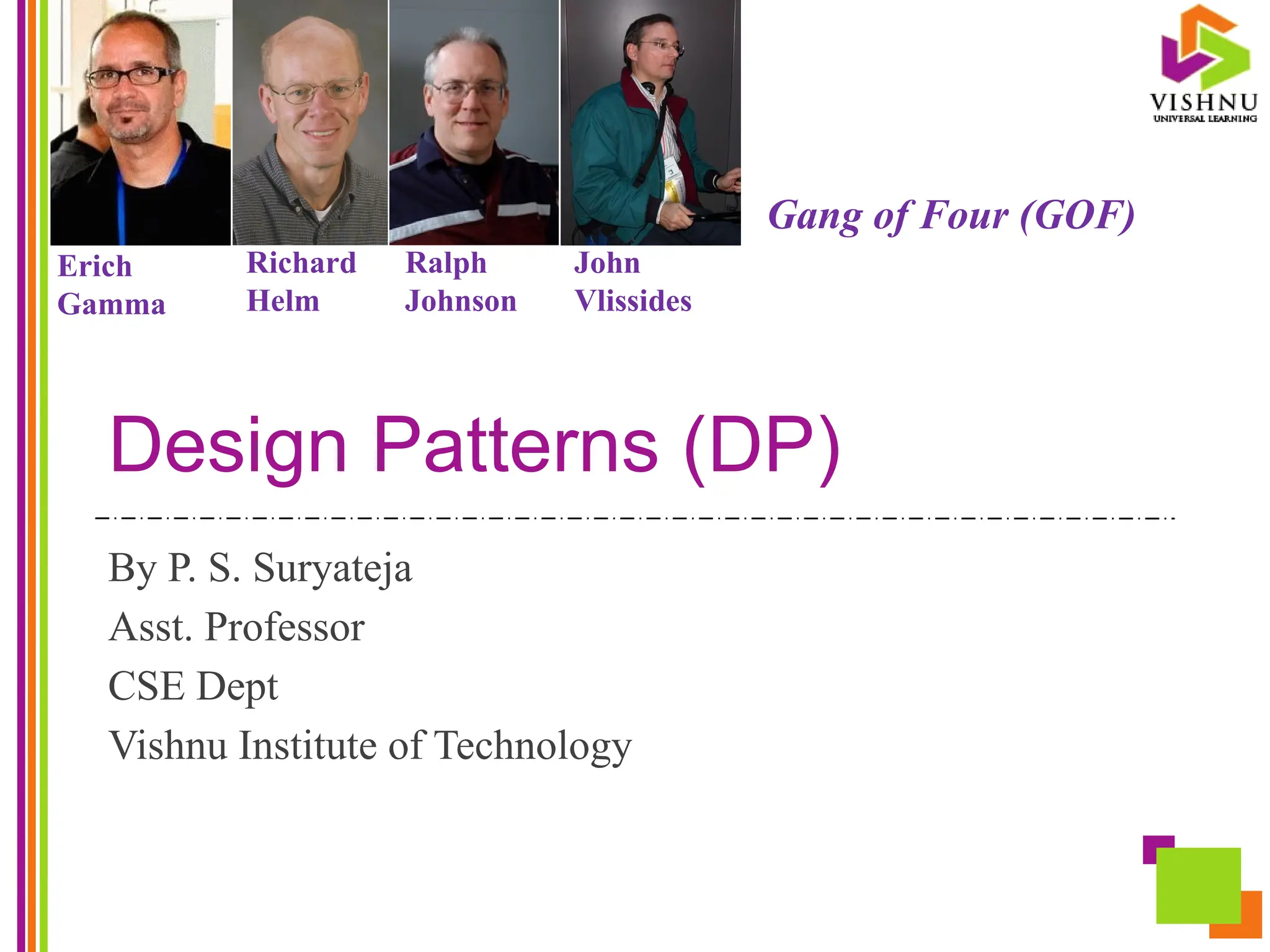
Erich
Gamma
Richard
Helm
Ralph
Johnson
John
Vlissides
Gang of Four (GOF)
Objectives
• Know what are design patterns?
• Know about GOF patterns.
• How to select and use a pattern?
• How to apply a pattern?
Outline
• Introduction to design patterns
– What is a design pattern?
– Need of design patterns
– Use of design patterns
– Design patterns in Smalltalk MVC
– Describing design patterns
– Catalog of design patterns
– Organizing the catalog
– How to select a design pattern?
– How to use a design pattern?
Outline (cont…)
• Creational patterns
– Introduction
– Singleton
– Abstract Factory
– Factory Method
– Builder
– Prototype
Outline (cont…)
• Structural Patterns
Introduction to Design Patterns
What is a design pattern (DP)?
“Each pattern describes a problem which occurs over
and over again in our environment, and then describes
the core of the solution to that problem, in such a way
that you can use this solution a million times over,
without ever doing it the same way twice.”
- Christopher Alexander
Design patterns are repeatable / reusable solutions to
commonly occurring problems in a certain context in
software design.
What is a design pattern (DP)? (cont…)
• Pattern name
• Problem
• Solution
• Consequences
Four essential elements of a pattern:
Need for design patterns
• Designing reusable object-oriented software (API’s) is
hard.
• Experienced designers Vs novice designers.
• Patterns make object-oriented software flexible, elegant
and reusable.
• Solved a problem previously but don’t remember when
or how?
Use of design patterns
• Make it easier to reuse successful designs and architectures.
• Make it easy for the new developers to design software.
• Allows to choose different design alternatives to make the
software reusable.
• Helps in documenting and maintaining the software.
To get a design “right”, faster.
Why should we use DP’s?
These are already tested and
proven solutions used by many
experienced designers.
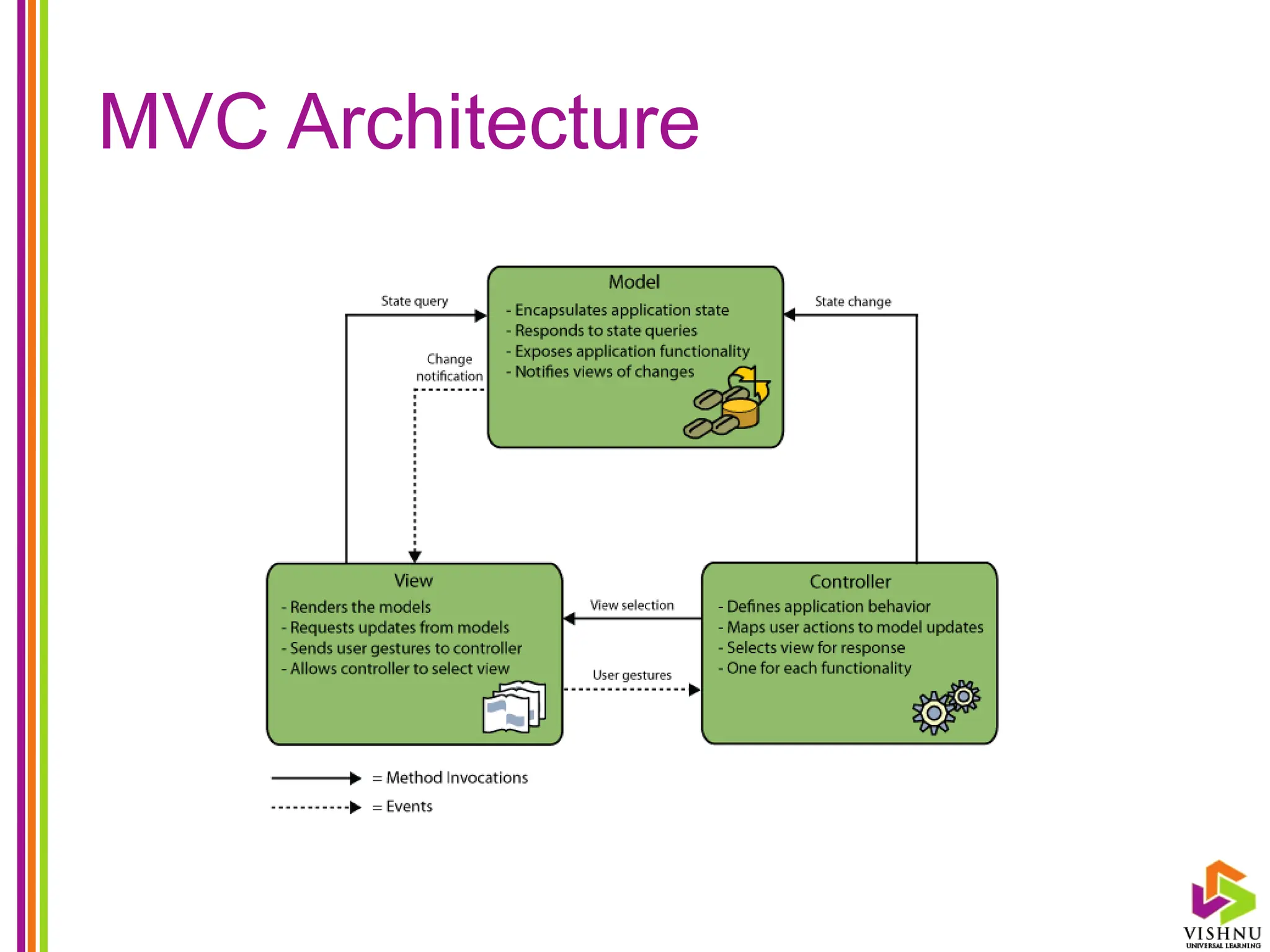
MVC Architecture
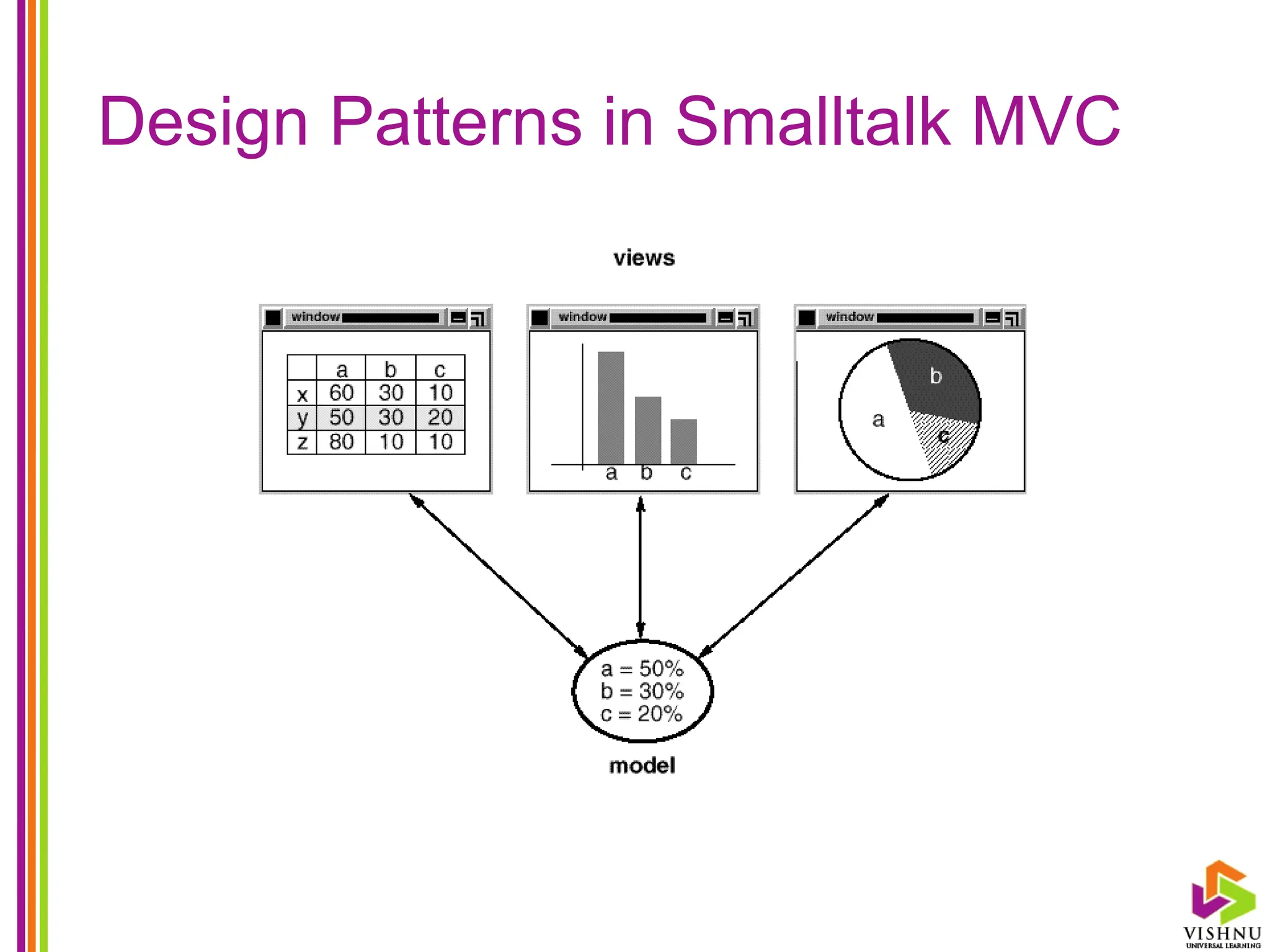
Design Patterns in Smalltalk MVC
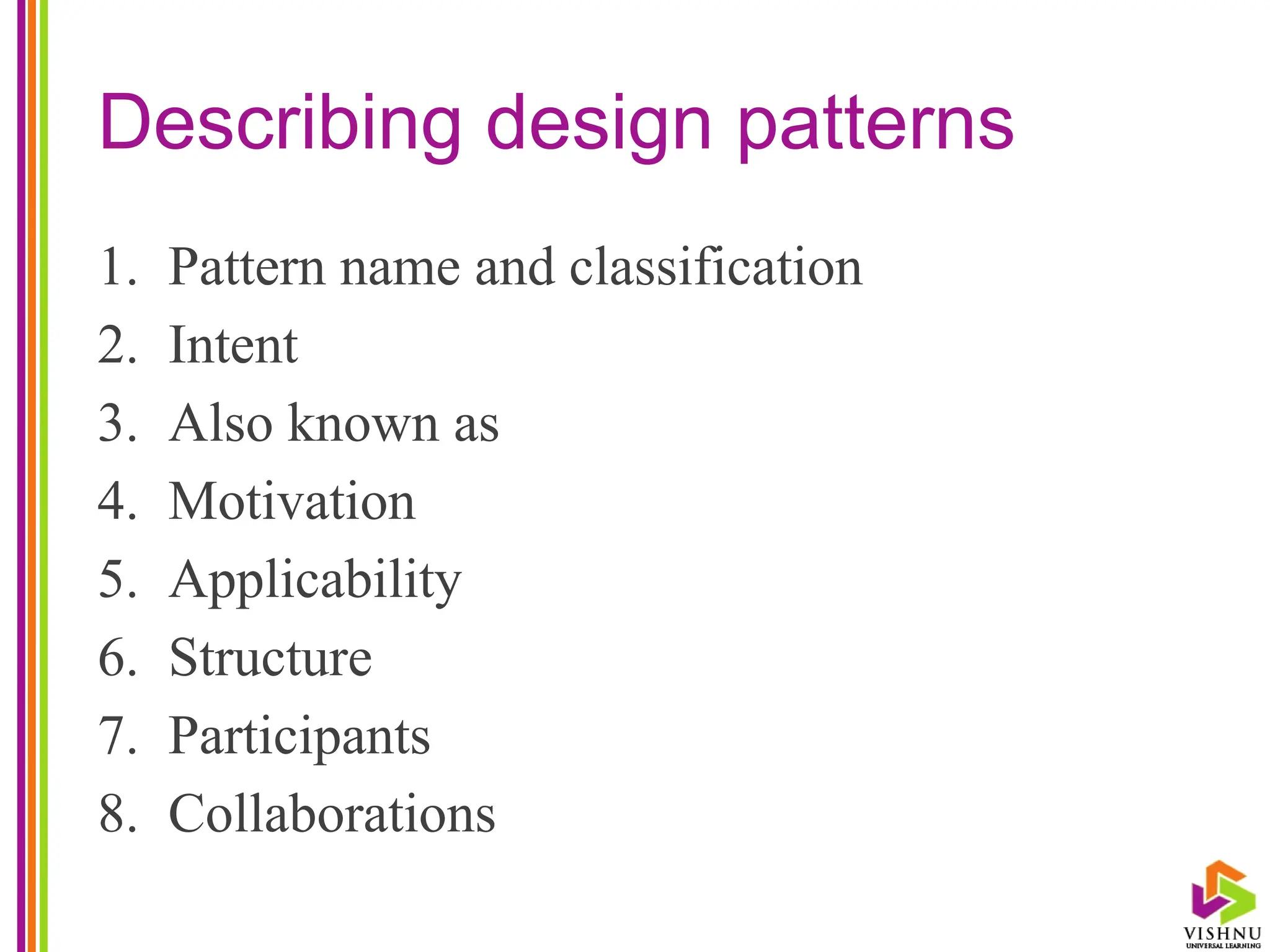
Describing design patterns
1. Pattern name and classification
2. Intent
3. Also known as
4. Motivation
5. Applicability
6. Structure
7. Participants
8. Collaborations
Describing design patterns (cont…)
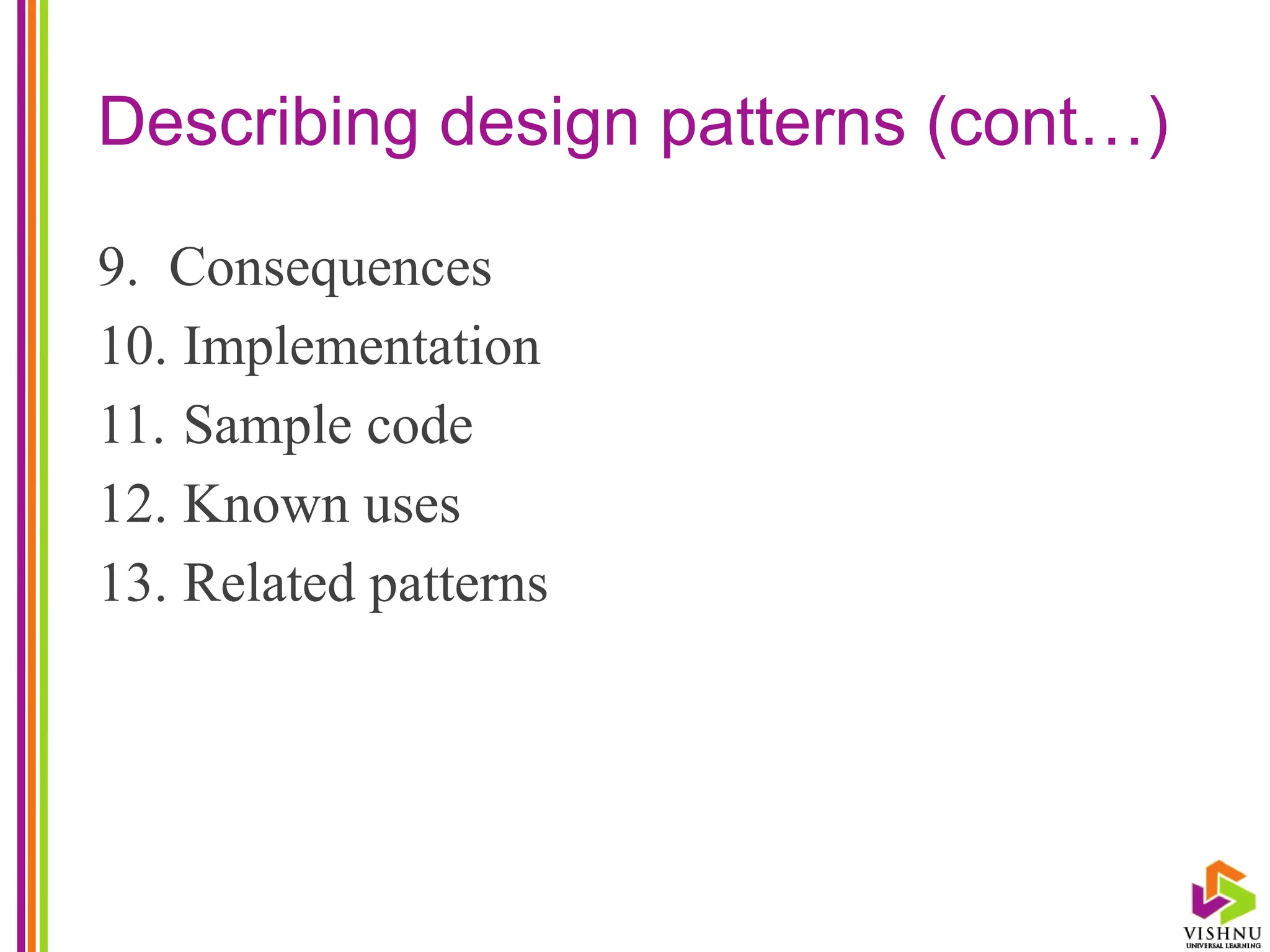
9. Consequences
10. Implementation
11. Sample code
12. Known uses
13. Related patterns
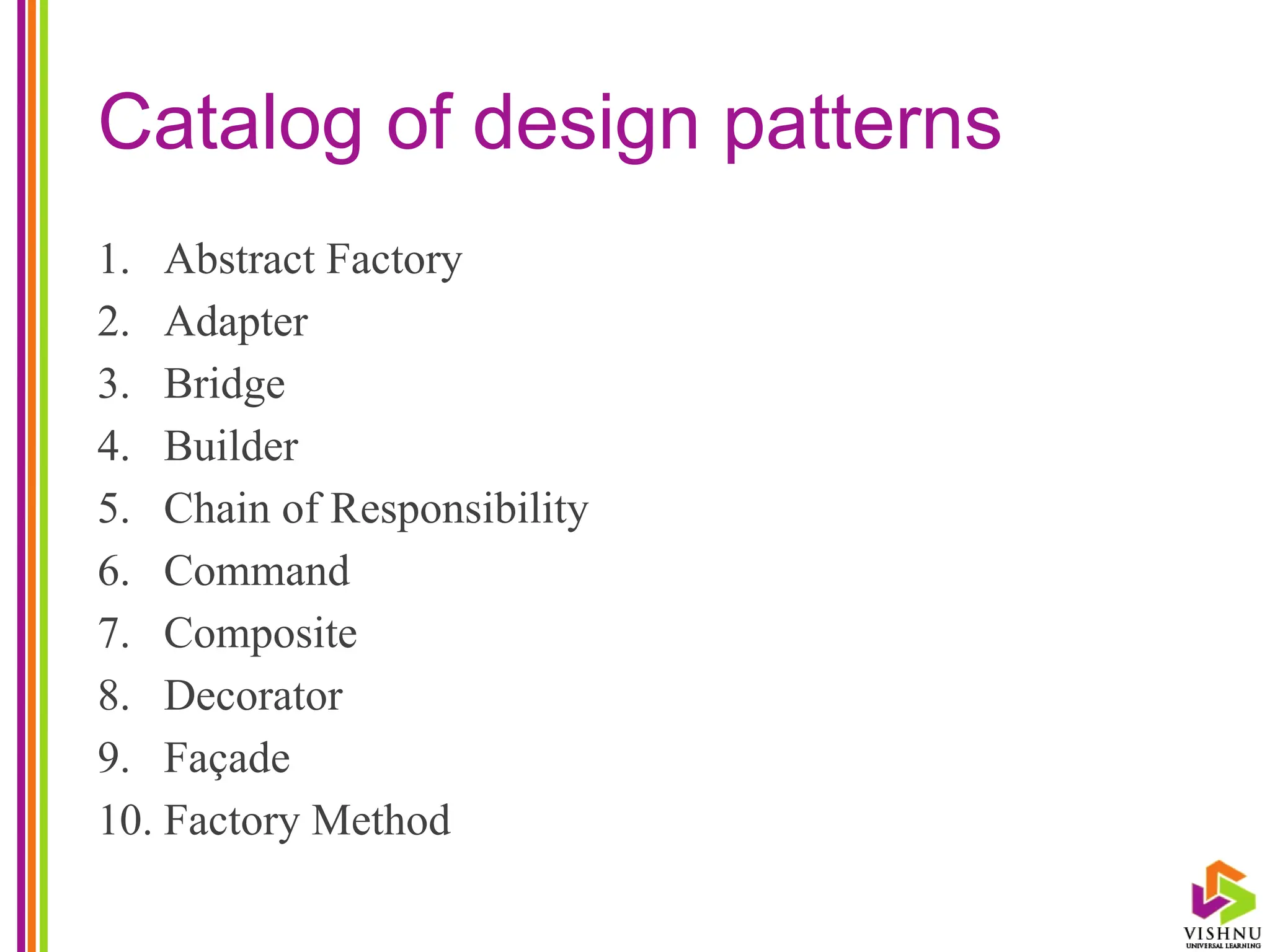
Catalog of design patterns
1. Abstract Factory
2. Adapter
3. Bridge
4. Builder
5. Chain of Responsibility
6. Command
7. Composite
8. Decorator
9. Façade
10. Factory Method
Catalog of design patterns (cont…)
11. Flyweight
12. Interpreter
13. Iterator
14. Mediator
15. Memento
16. Observer
17. Prototype
18. Proxy
19. Singleton
20. State
Catalog of design patterns (cont…)
21. Strategy
22. Template Method
23. Visitor
Abstract Factory
Adapter
Bridge
Builder
Chain of Responsibility
Command
Composite
Decorator
Façade
Factory Method
Flyweight
Interpreter
Iterator
Mediator
Memento
Observer
Prototype
Proxy
Singleton
State
Strategy
Template Method
Visitor
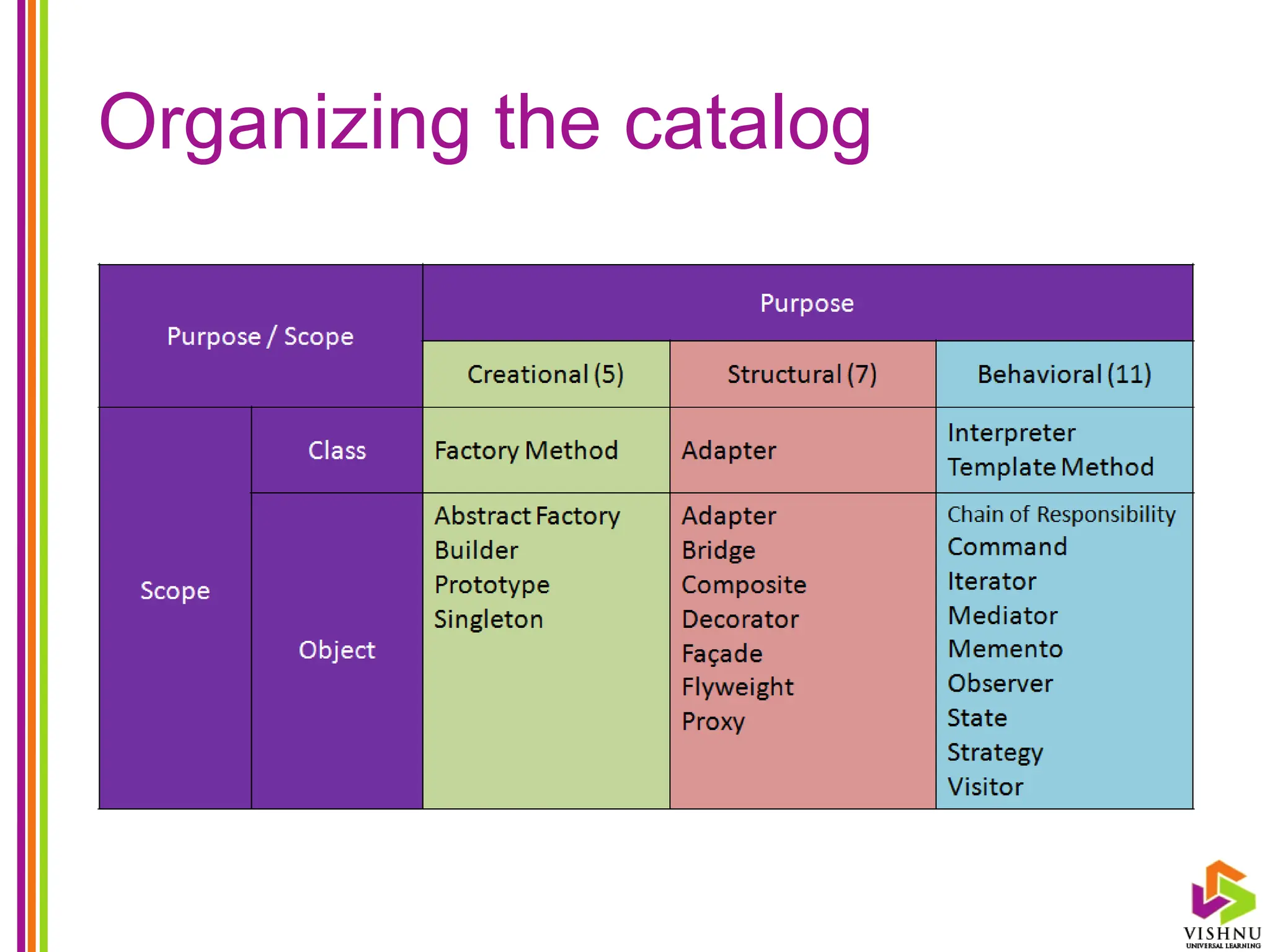
Organizing the catalog
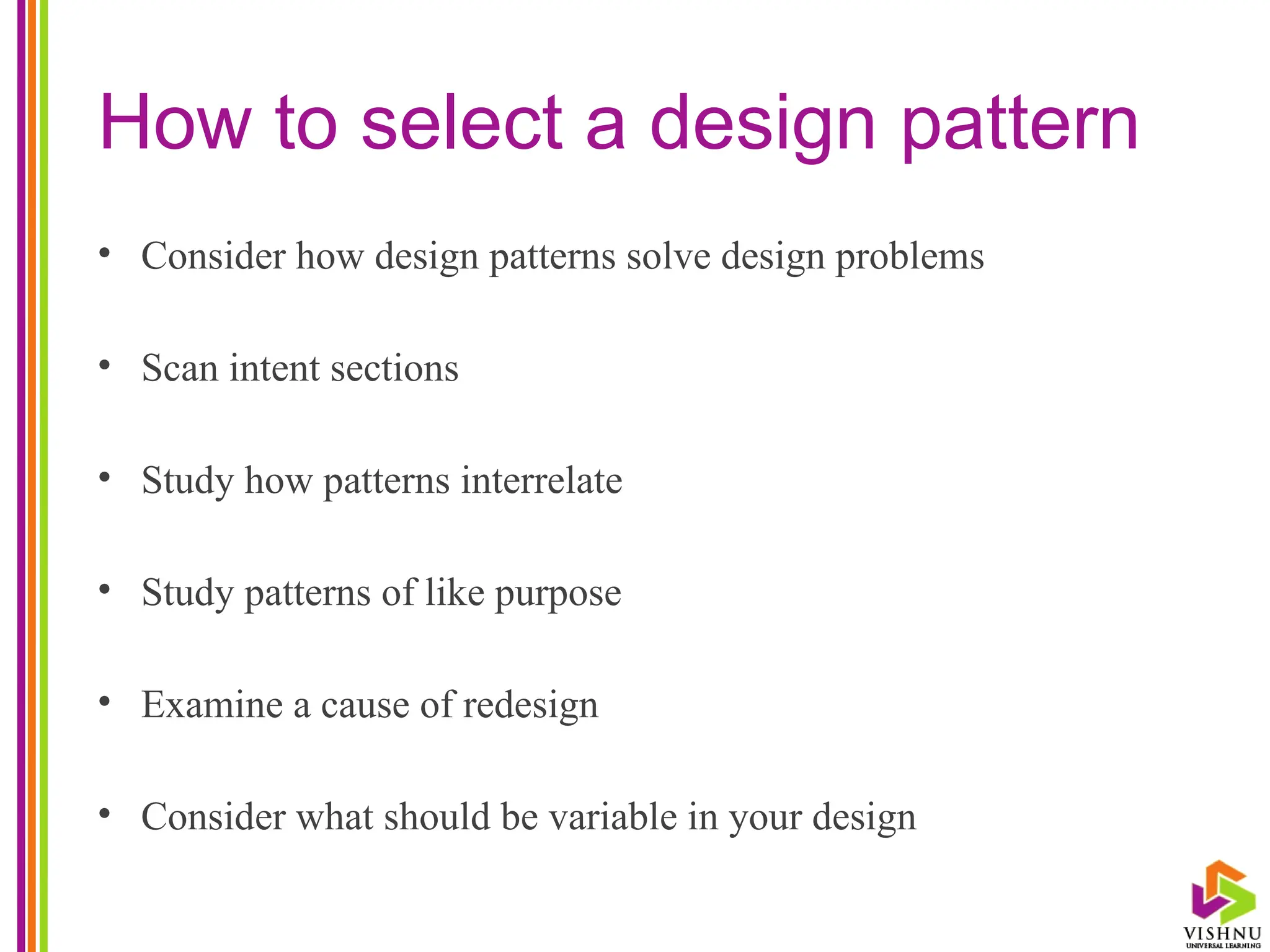
How to select a design pattern
• Consider how design patterns solve design problems
• Scan intent sections
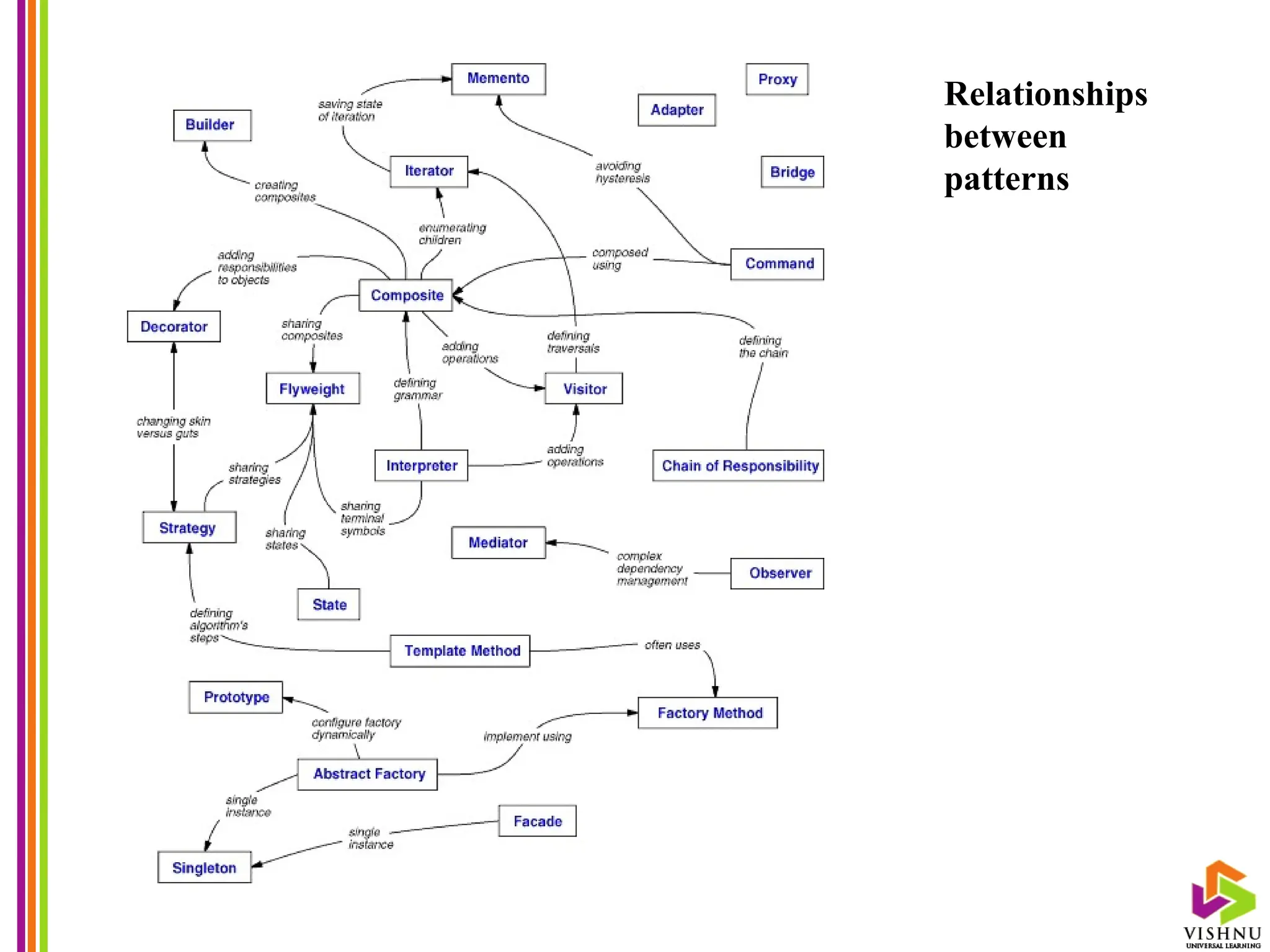
• Study how patterns interrelate
• Study patterns of like purpose
• Examine a cause of redesign
• Consider what should be variable in your design
Relationships
between
patterns
How to use a design pattern
1. Read the pattern once through for a overview.
2. Study the structure, participants and collaborations sections.
3. Look at the sample code section to see a concrete example of
the pattern in action.
4. Choose names for pattern participants that are meaningful in
the application context.
5. Define the classes.
6. Define application-specific names for the operations in the
pattern.
7. Implement the operations to carry out the responsibilities and
collaborations in the pattern.
Creational Patterns
Introduction
• Deals with how objects are created.
• Increase the system’s flexibility in terms of what, who, how and when the object is
created.
• Further classified into two types:
1. Class-creational patterns
2. Object-creational patterns
• Five creational patterns:
1. Abstract Factory
2. Builder
3. Factory Method
4. Prototype
5. Singleton
Singleton Pattern
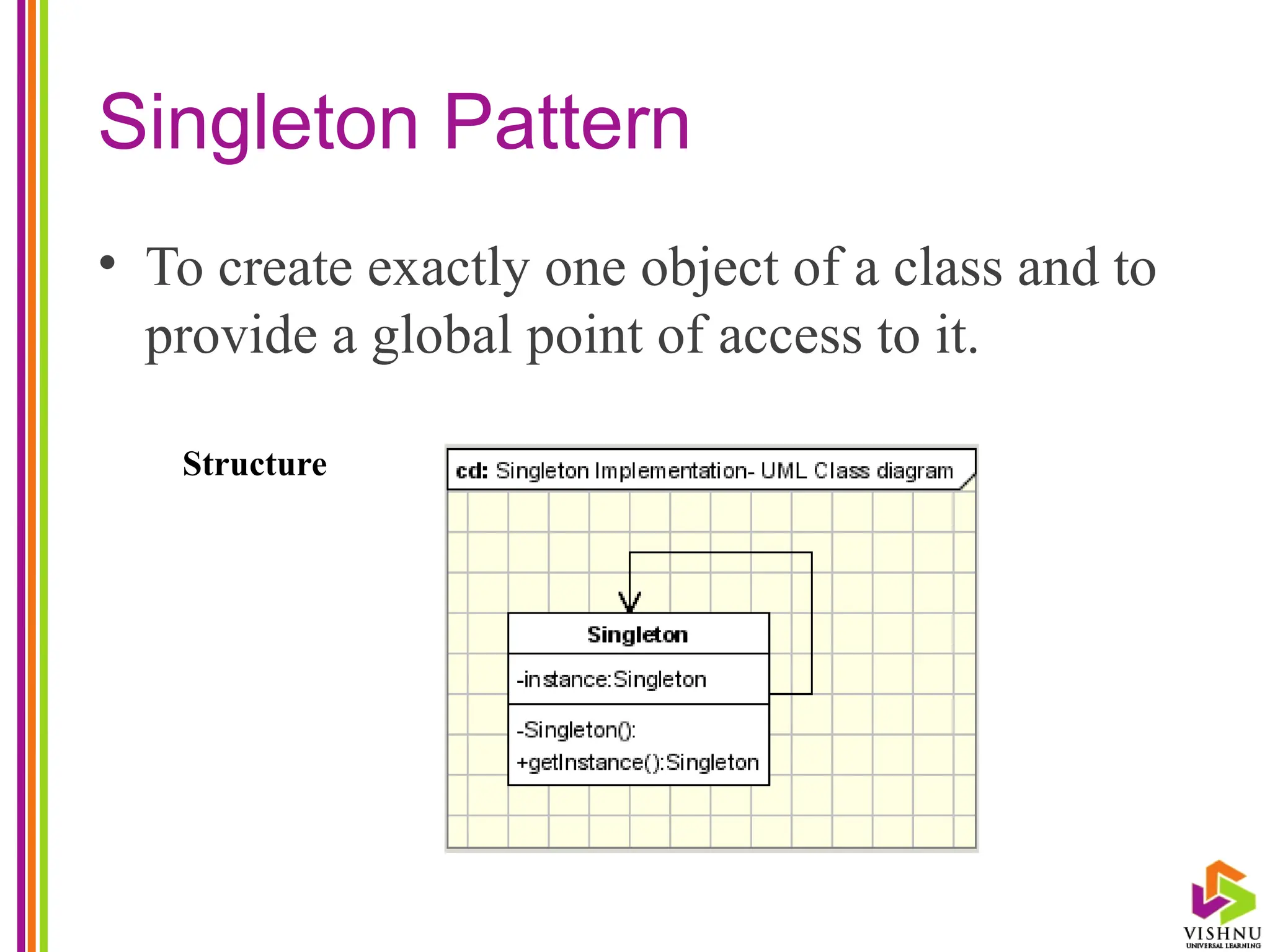
• To create exactly one object of a class and to
provide a global point of access to it.
Structure
Singleton Pattern (cont…)
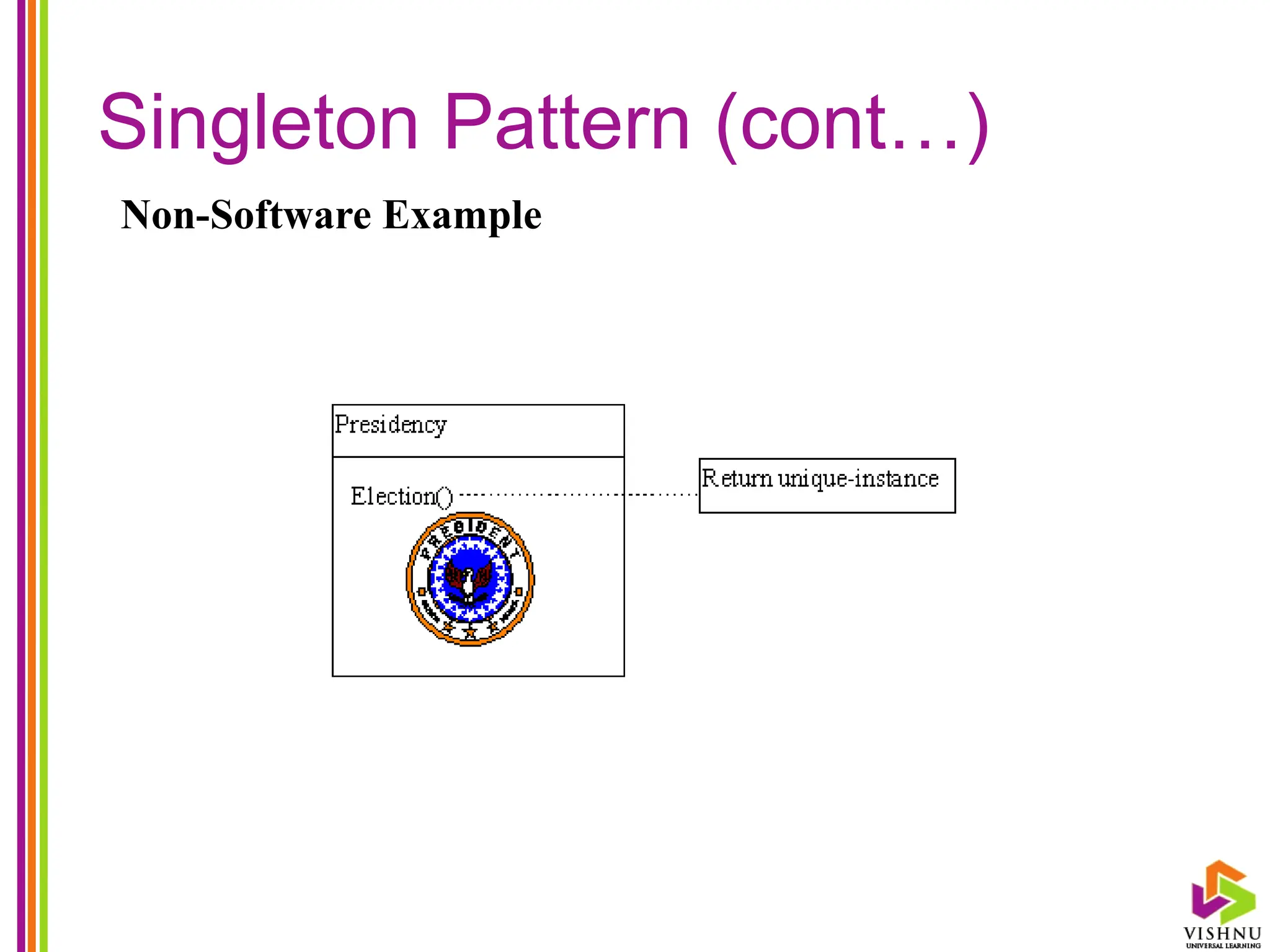
Non-Software Example
Singleton Pattern (cont…)
Motivation:
1) Need to create exactly one user interface
object.
2) Need to create only one print spooler.
Singleton Pattern (cont…)
Applicability:
Singleton Pattern can be used when:
1)There must be exactly one instance of a class
and to provide a global point of access to it.
2)When the sole instance should be extensible by
sub classing, and clients should be able to use the
extended instance without modifying its code.
Singleton Pattern (cont…)
Participants:
Consists of a “Singleton” class with the
following members:
1)A static data member
2)A private constructor
3)A static public method that returns a reference
to the static data member.
Singleton Pattern (cont…)
Collaborations:
Clients access the singleton instance solely
through the singleton’s class operation.
Singleton Pattern (cont…)
Consequences:
• Controlled access to sole instance.
• Reduced name space.
• Permits refinement of operations and
representation.
• Permits a variable number of instances.
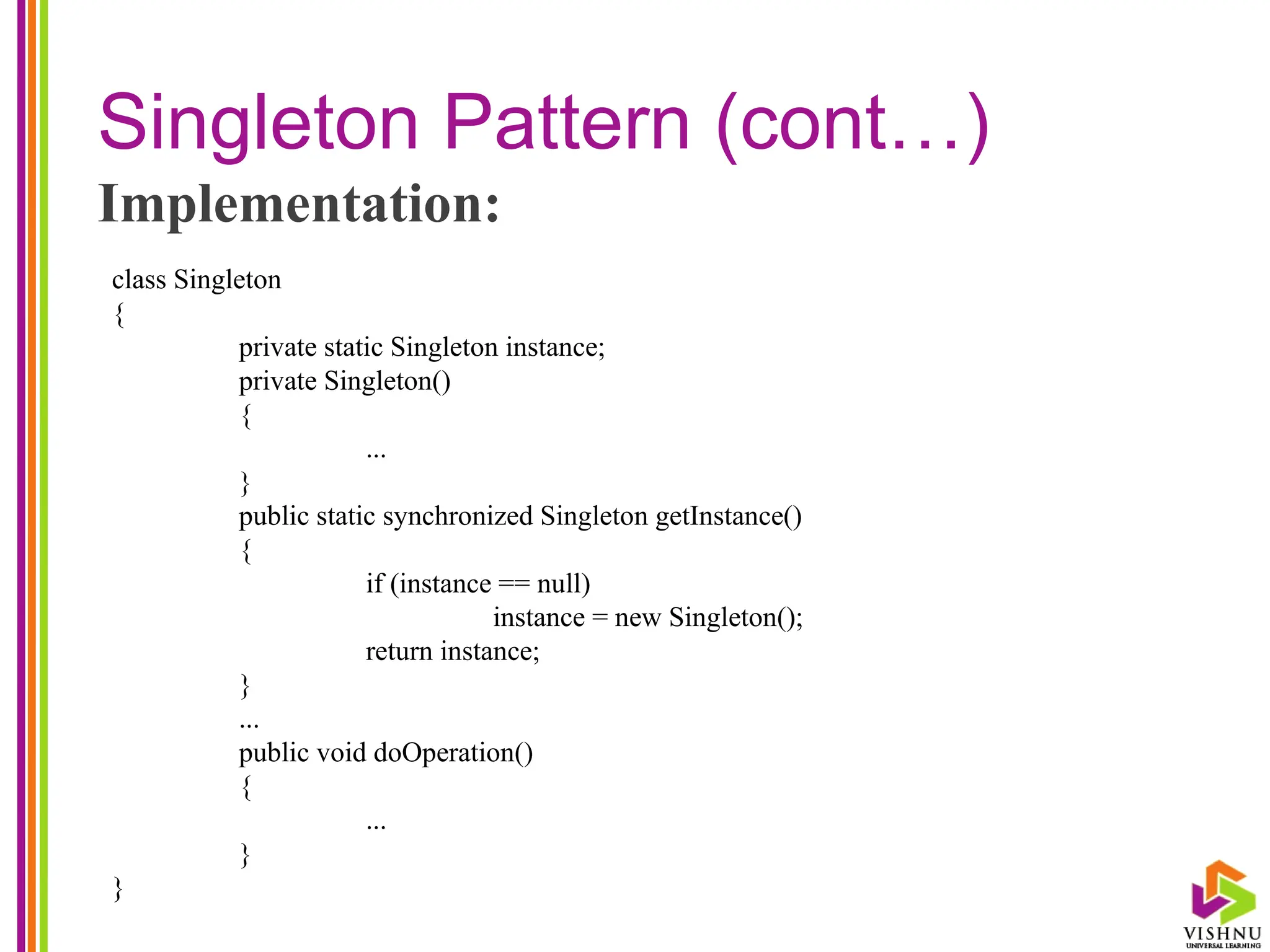
Singleton Pattern (cont…)
Implementation:
class Singleton
{
private static Singleton instance;
private Singleton()
{
...
}
public static synchronized Singleton getInstance()
{
if (instance == null)
instance = new Singleton();
return instance;
}
...
public void doOperation()
{
...
}
}
Singleton Pattern (cont…)
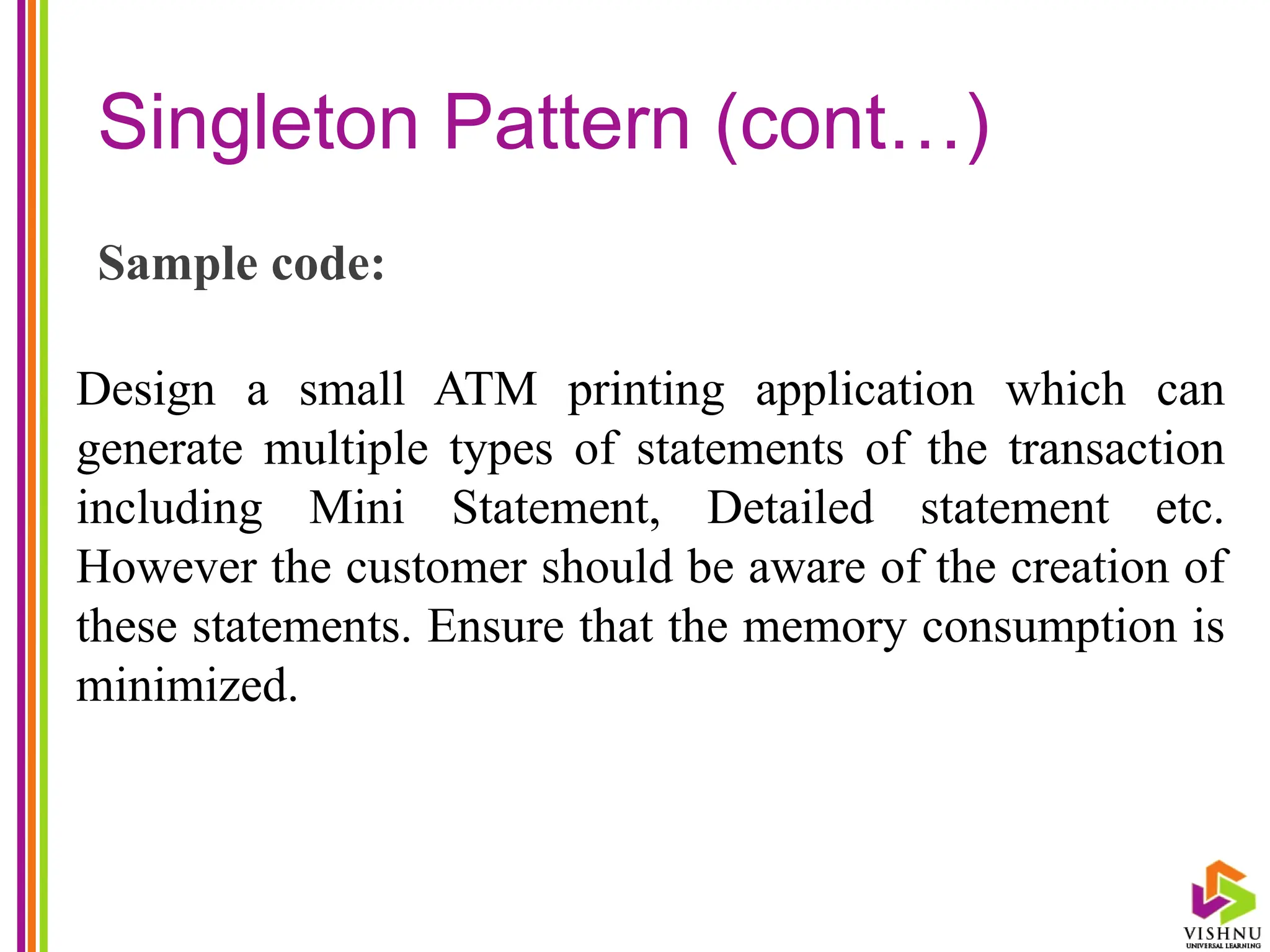
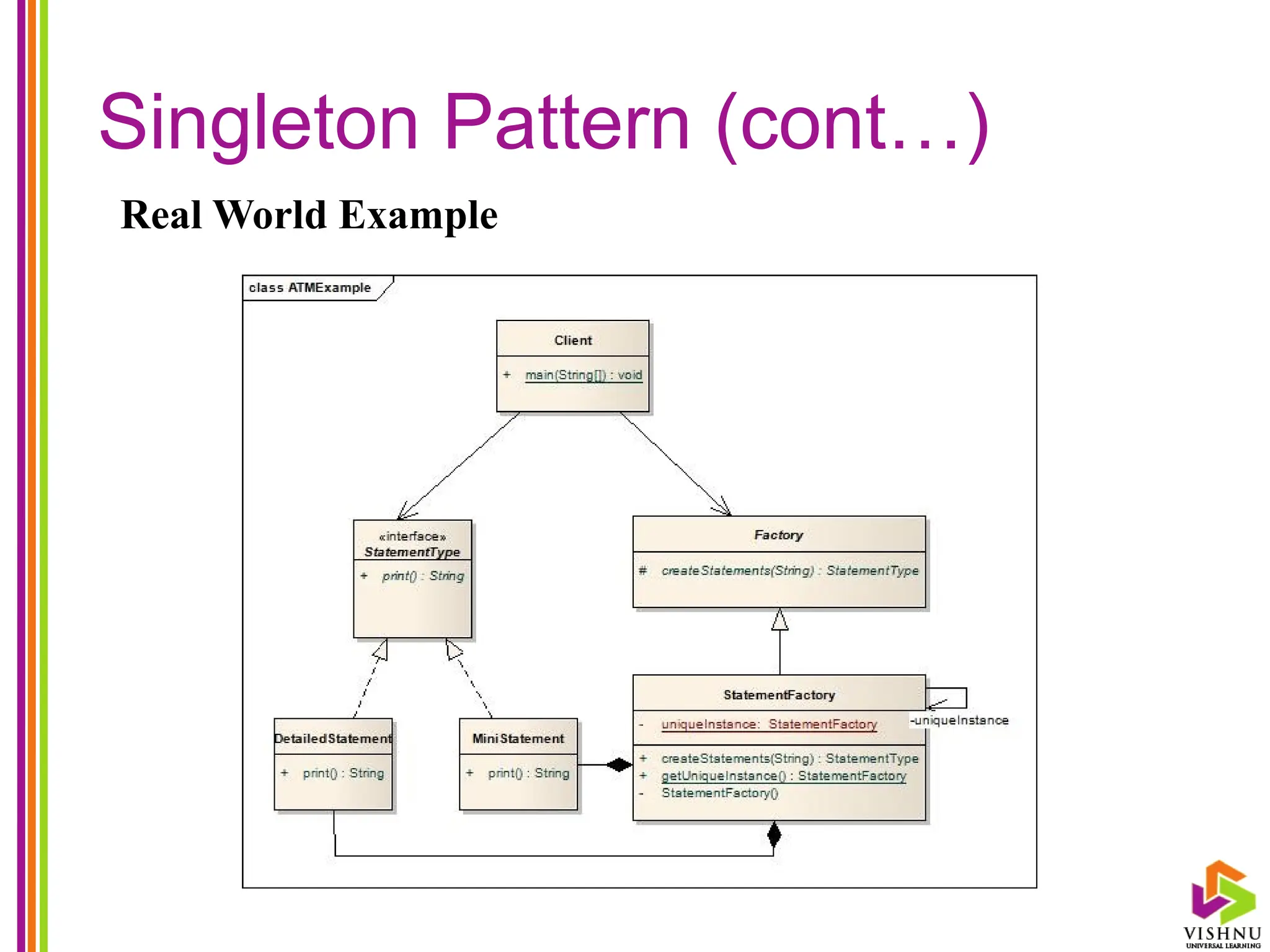
Sample code:
Design a small ATM printing application which can
generate multiple types of statements of the transaction
including Mini Statement, Detailed statement etc.
However the customer should be aware of the creation of
these statements. Ensure that the memory consumption is
minimized.
Singleton Pattern (cont…)
Real World Example
Singleton Pattern (cont…)
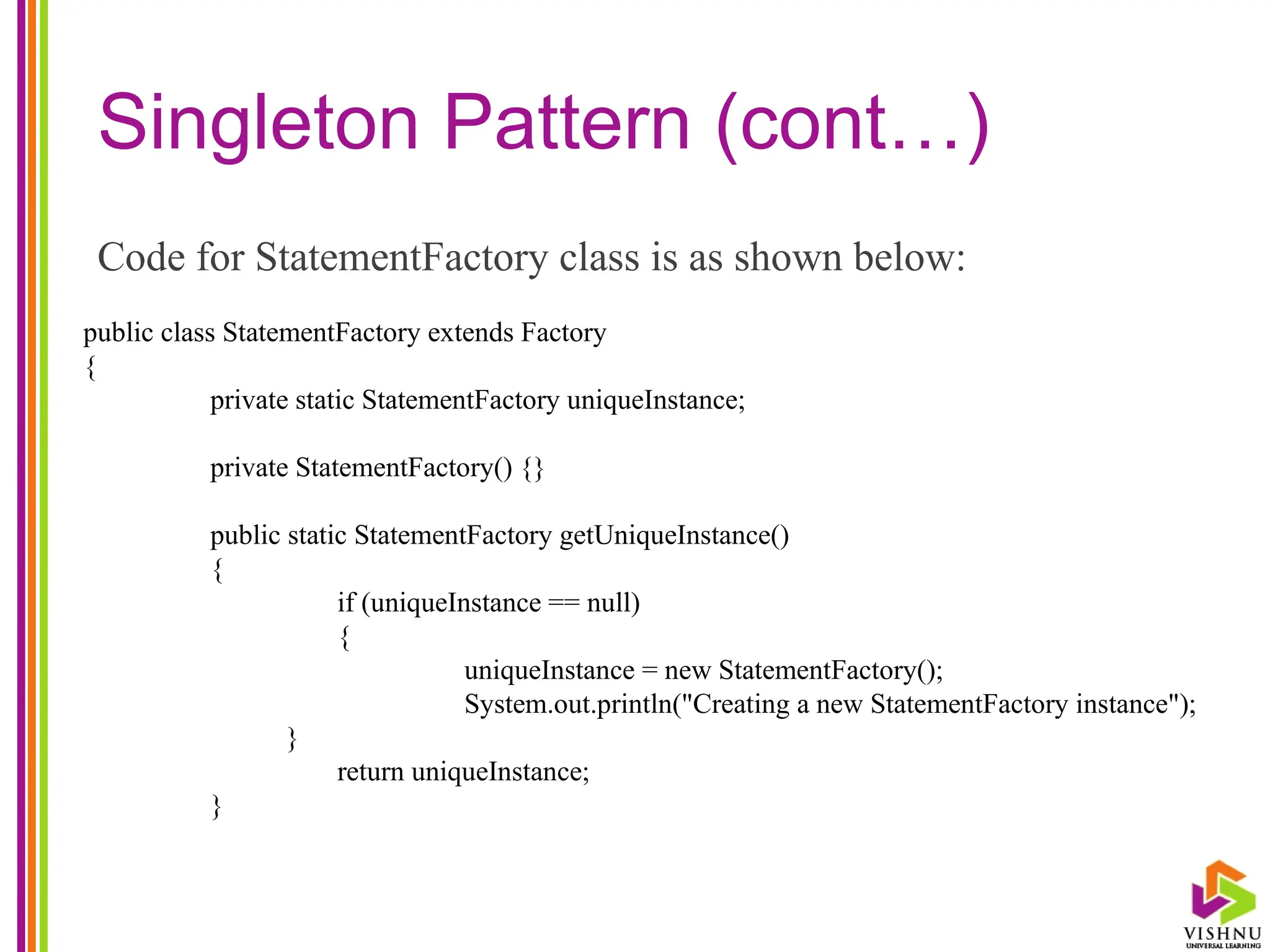
Code for StatementFactory class is as shown below:
public class StatementFactory extends Factory
{
private static StatementFactory uniqueInstance;
private StatementFactory() {}
public static StatementFactory getUniqueInstance()
{
if (uniqueInstance == null)
{
uniqueInstance = new StatementFactory();
System.out.println("Creating a new StatementFactory instance");
}
return uniqueInstance;
}
Singleton Pattern (cont…)
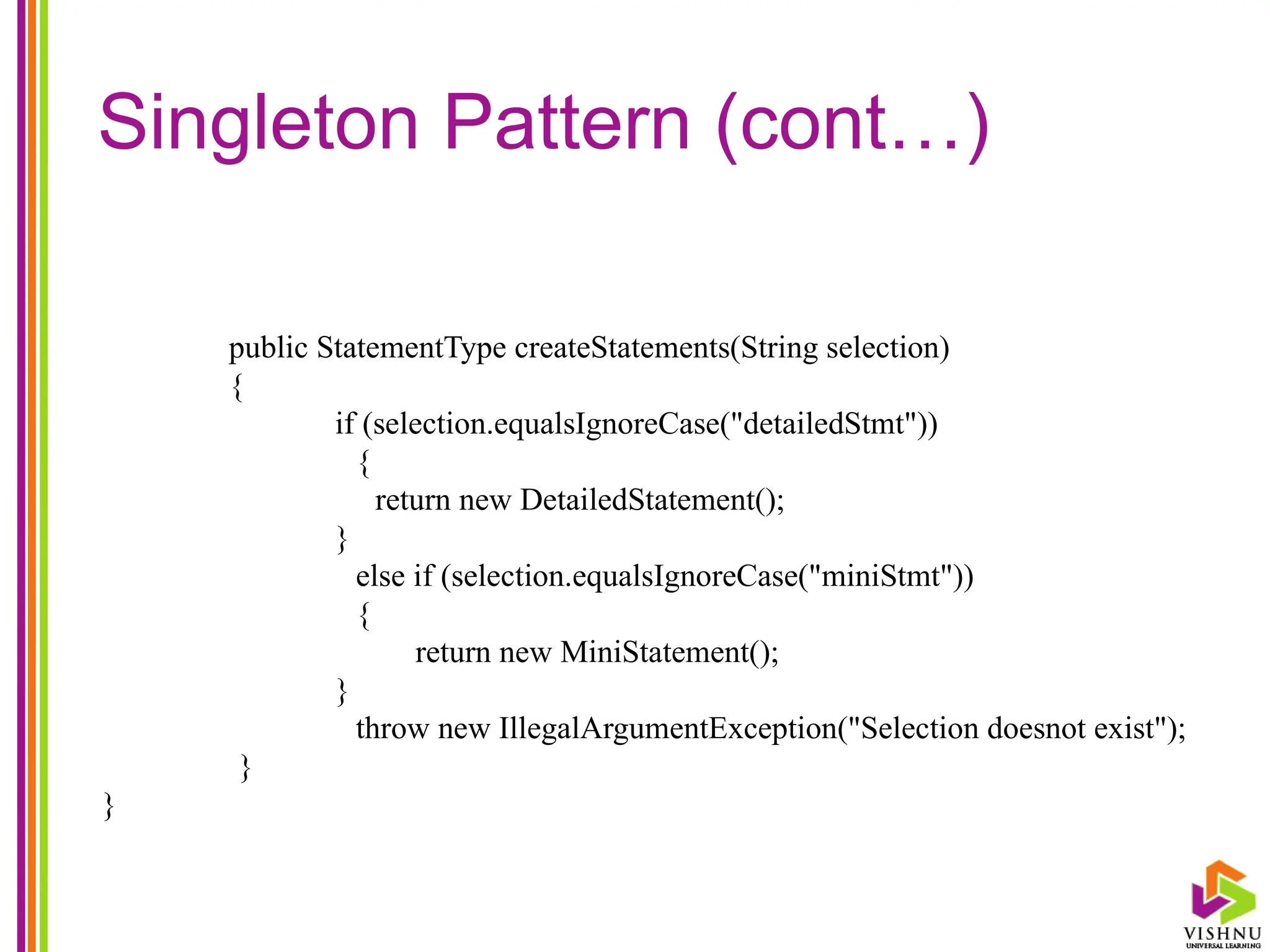
public StatementType createStatements(String selection)
{
if (selection.equalsIgnoreCase("detailedStmt"))
{
return new DetailedStatement();
}
else if (selection.equalsIgnoreCase("miniStmt"))
{
return new MiniStatement();
}
throw new IllegalArgumentException("Selection doesnot exist");
}
}
Singleton Pattern (cont…)
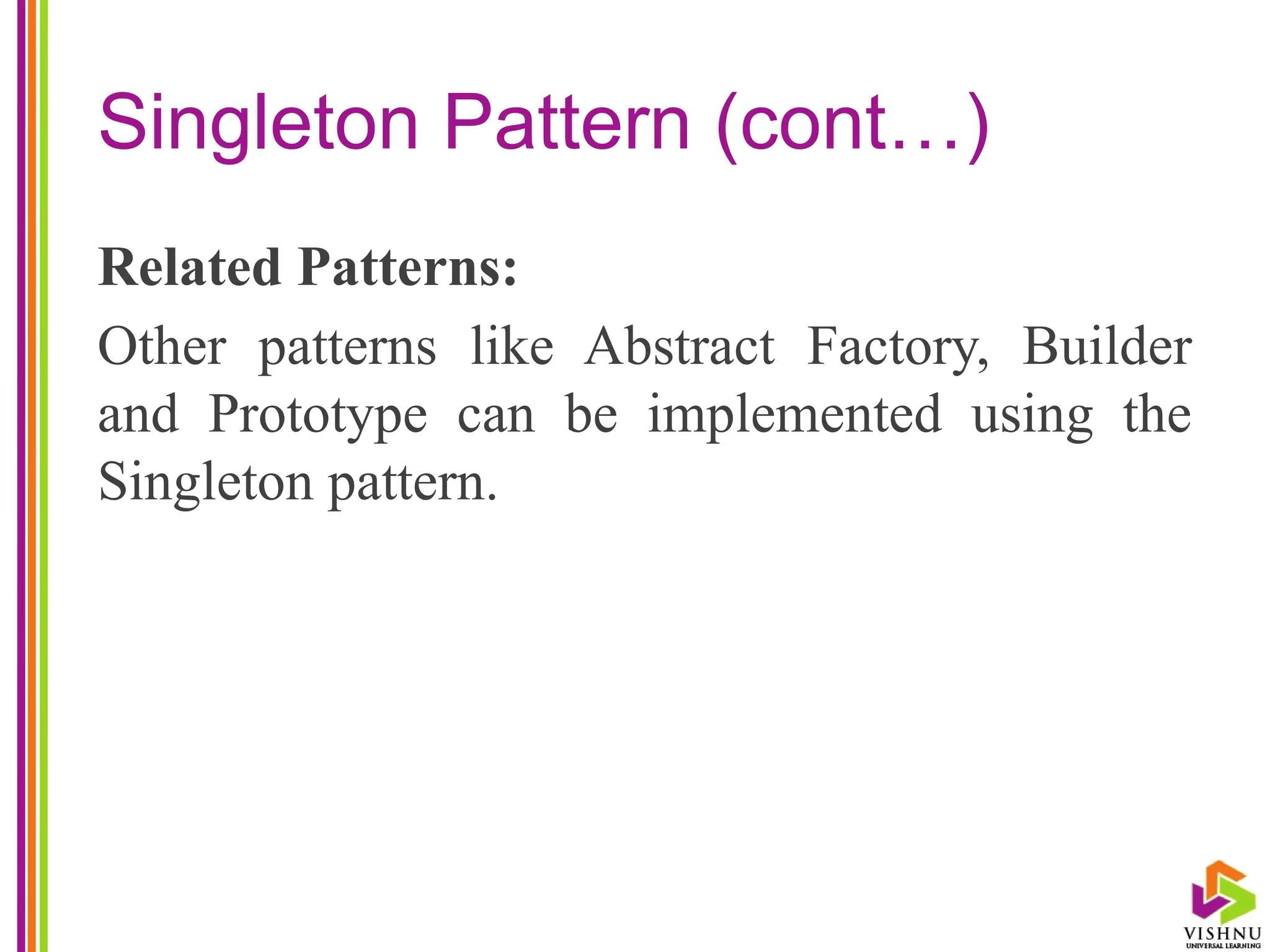
Related Patterns:
Other patterns like Abstract Factory, Builder
and Prototype can be implemented using the
Singleton pattern.
Abstract Factory Pattern
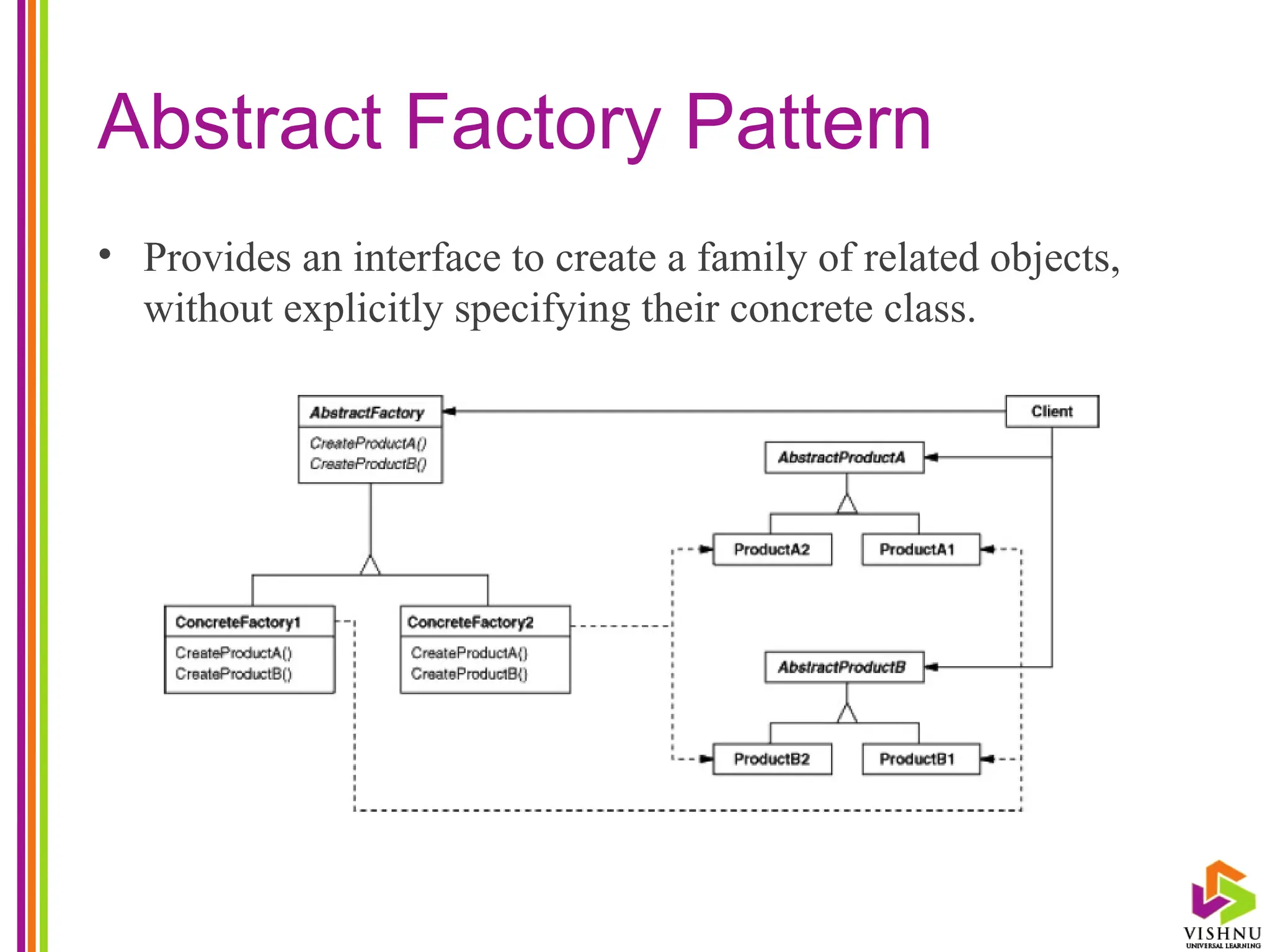
• Provides an interface to create a family of related objects,
without explicitly specifying their concrete class.
Abstract Factory Pattern (cont…)
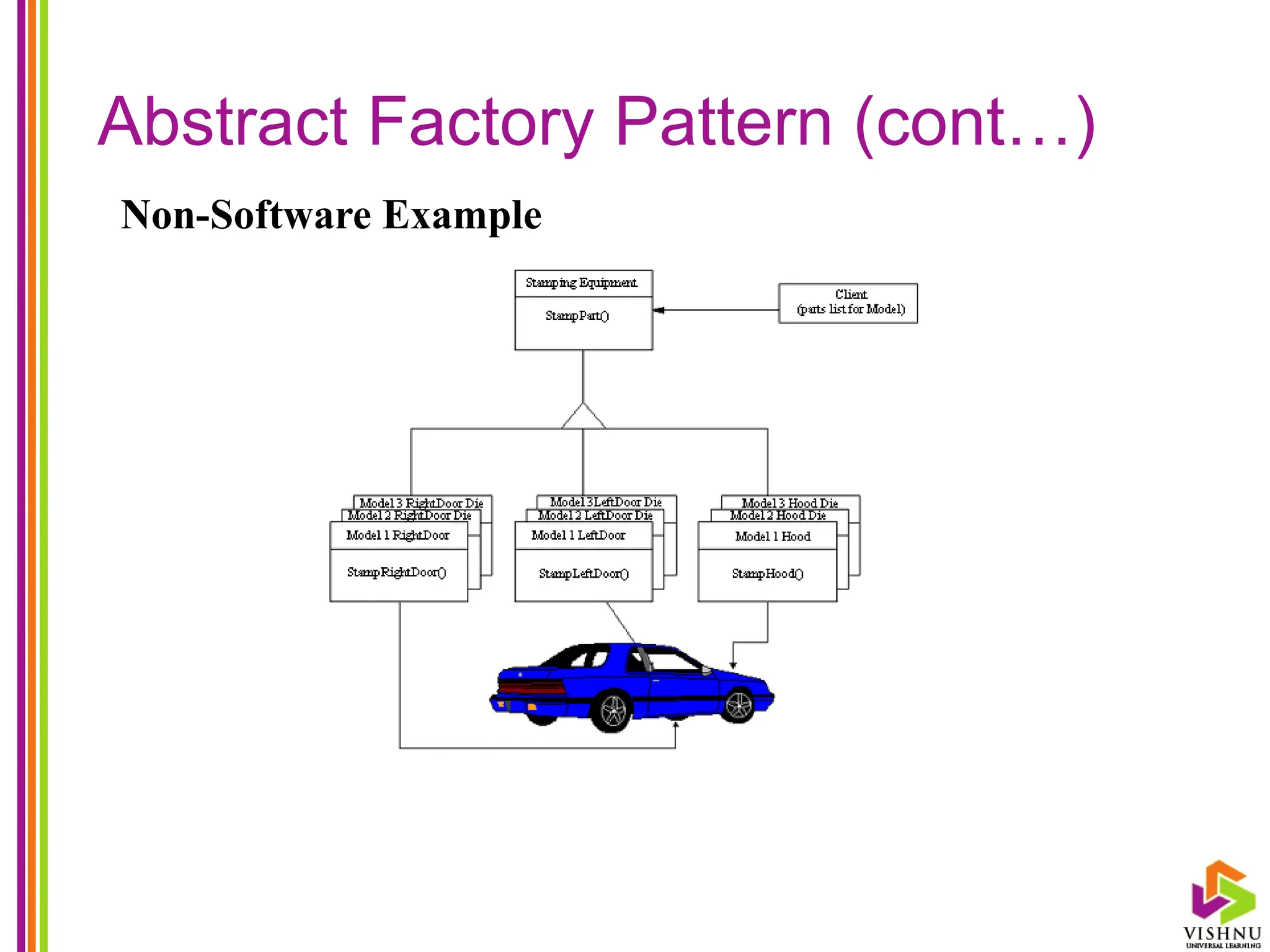
Non-Software Example
Abstract Factory Pattern (cont…)
Also known as:
Kit
Abstract Factory Pattern (cont…)
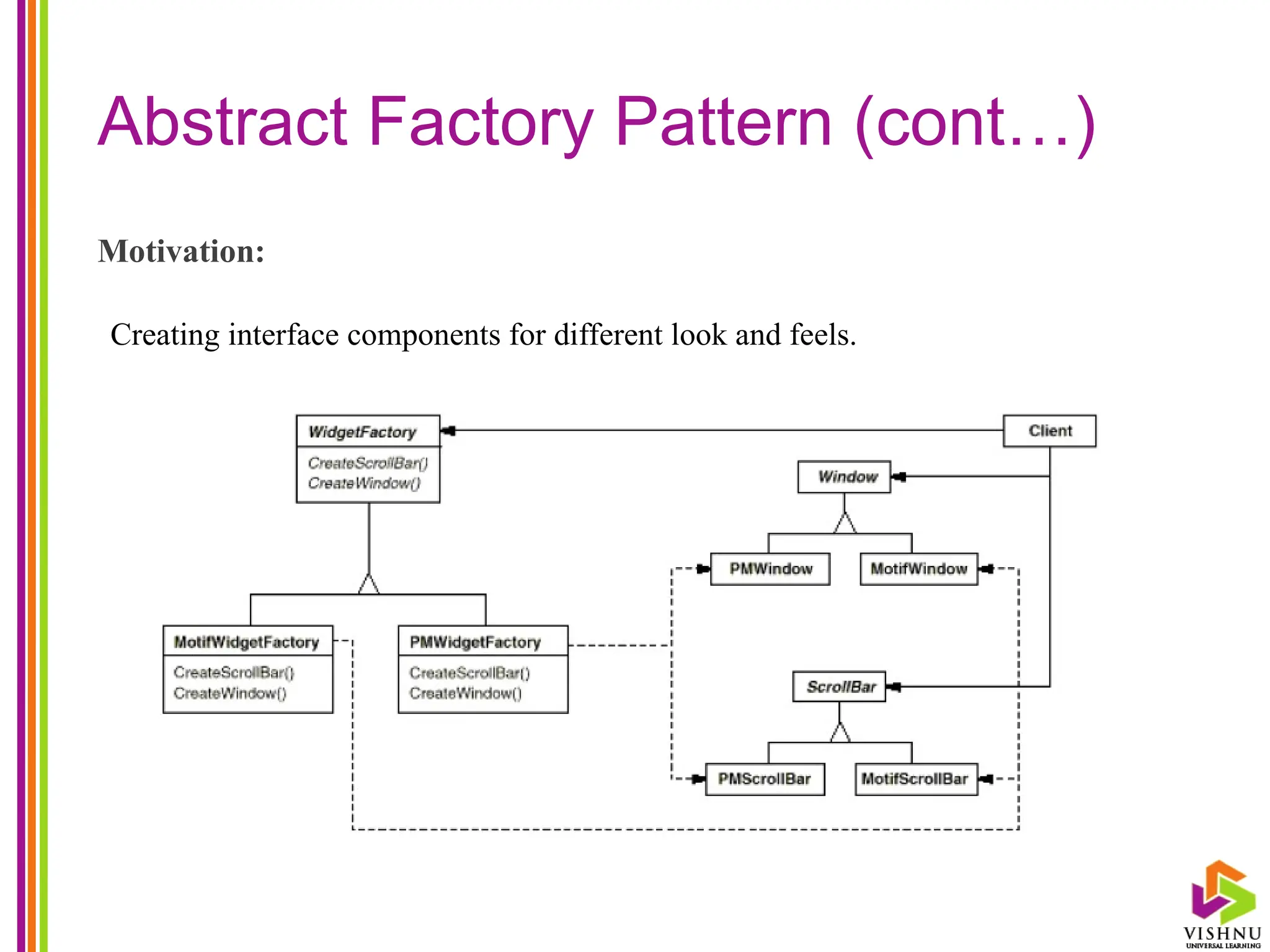
Motivation:
Creating interface components for different look and feels.
Abstract Factory Pattern (cont…)
Applicability:
We should use Abstract Factory design pattern when:
• The system needs to be independent of the products it works with are
created.
• The system should be configured to work with multiple families of
products.
• A family of products is designed to be used together and this constraint is
needed to be enforced.
• A library of products is to be provided and only their interfaces are to be
revealed but not their implementations.
Abstract Factory Pattern (cont…)
Participants:
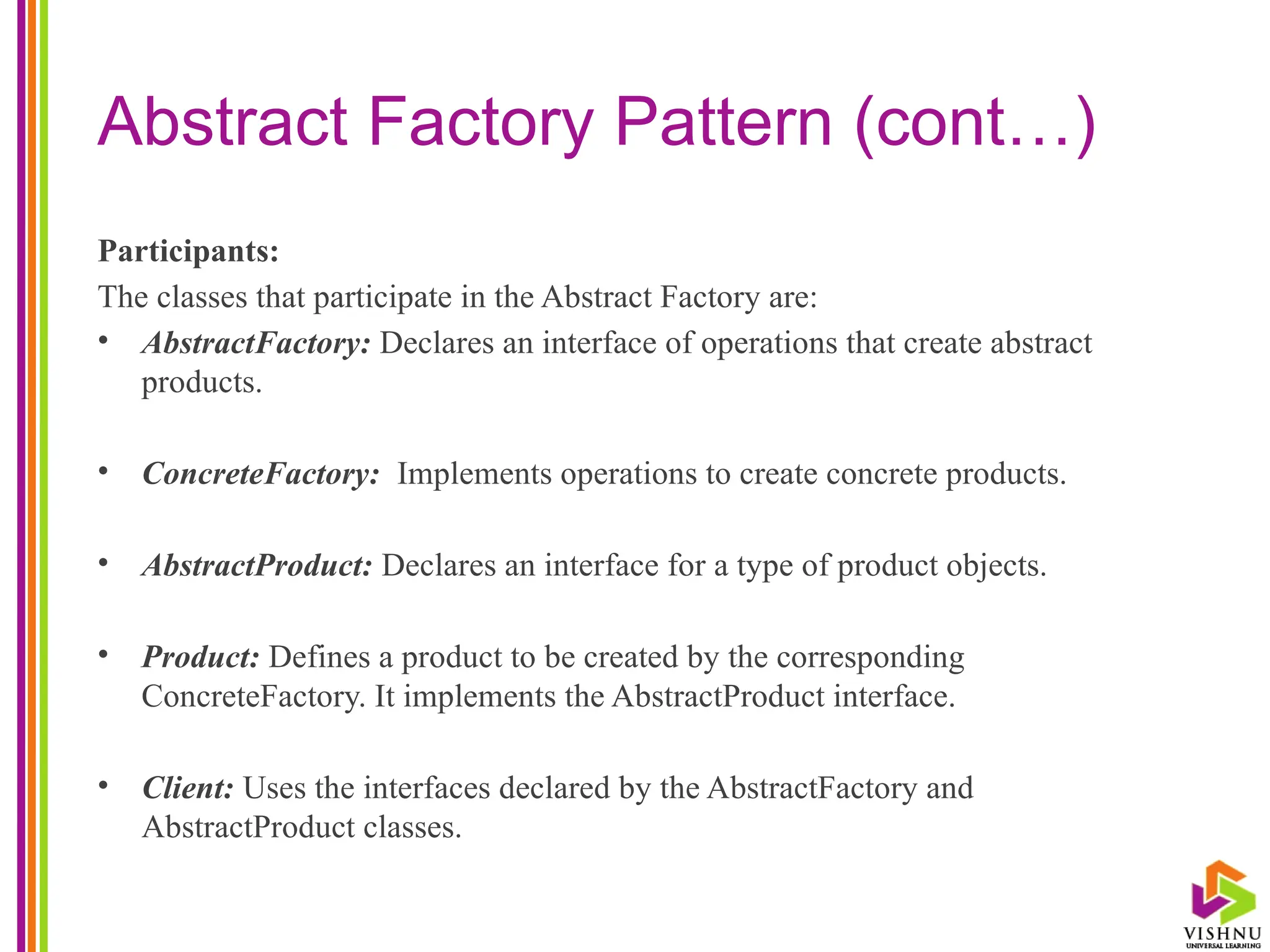
The classes that participate in the Abstract Factory are:
• AbstractFactory: Declares an interface of operations that create abstract
products.
• ConcreteFactory: Implements operations to create concrete products.
• AbstractProduct: Declares an interface for a type of product objects.
• Product: Defines a product to be created by the corresponding
ConcreteFactory. It implements the AbstractProduct interface.
• Client: Uses the interfaces declared by the AbstractFactory and
AbstractProduct classes.
Abstract Factory Pattern (cont…)
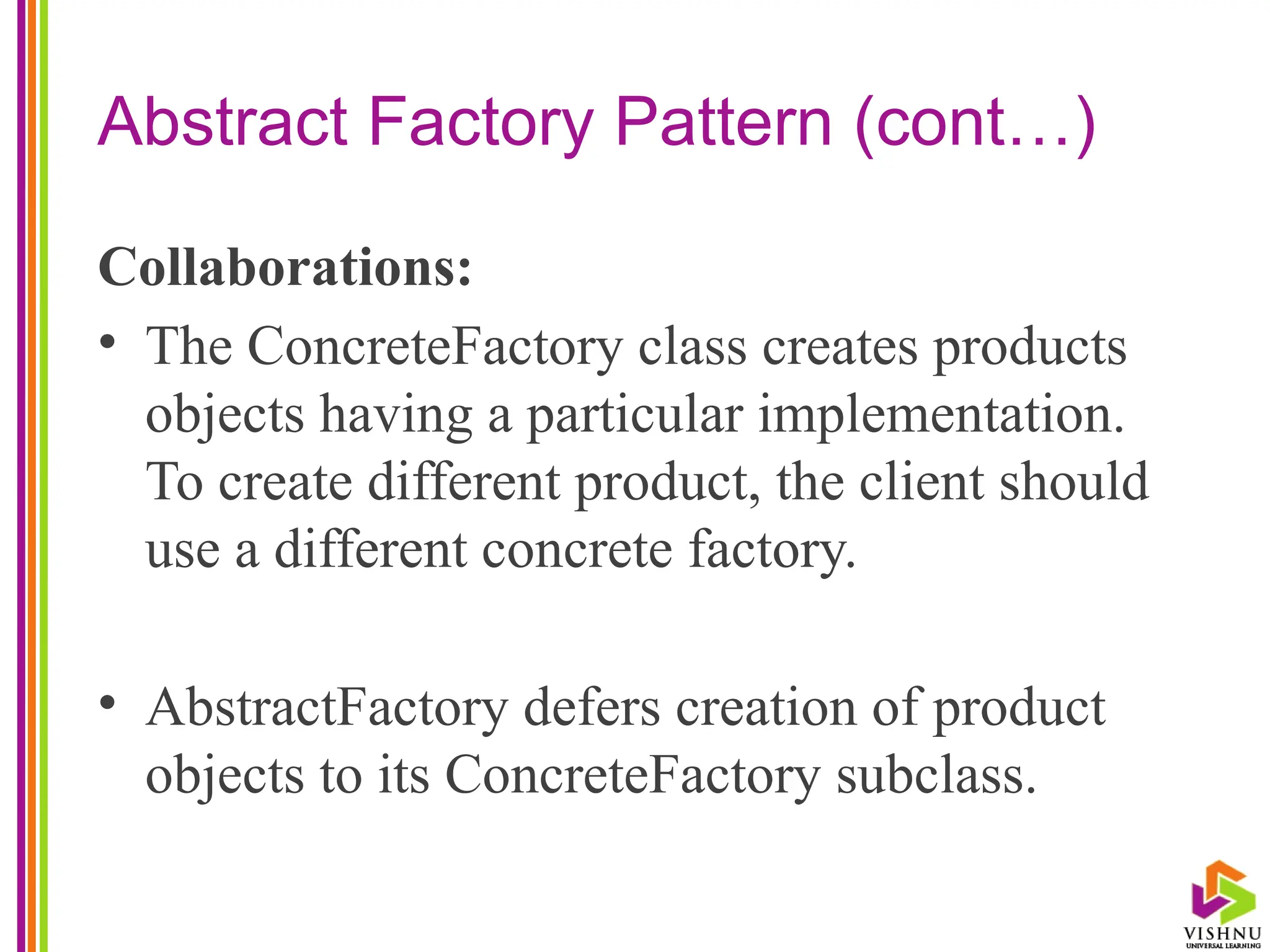
Collaborations:
• The ConcreteFactory class creates products
objects having a particular implementation.
To create different product, the client should
use a different concrete factory.
• AbstractFactory defers creation of product
objects to its ConcreteFactory subclass.
Abstract Factory Pattern (cont…)
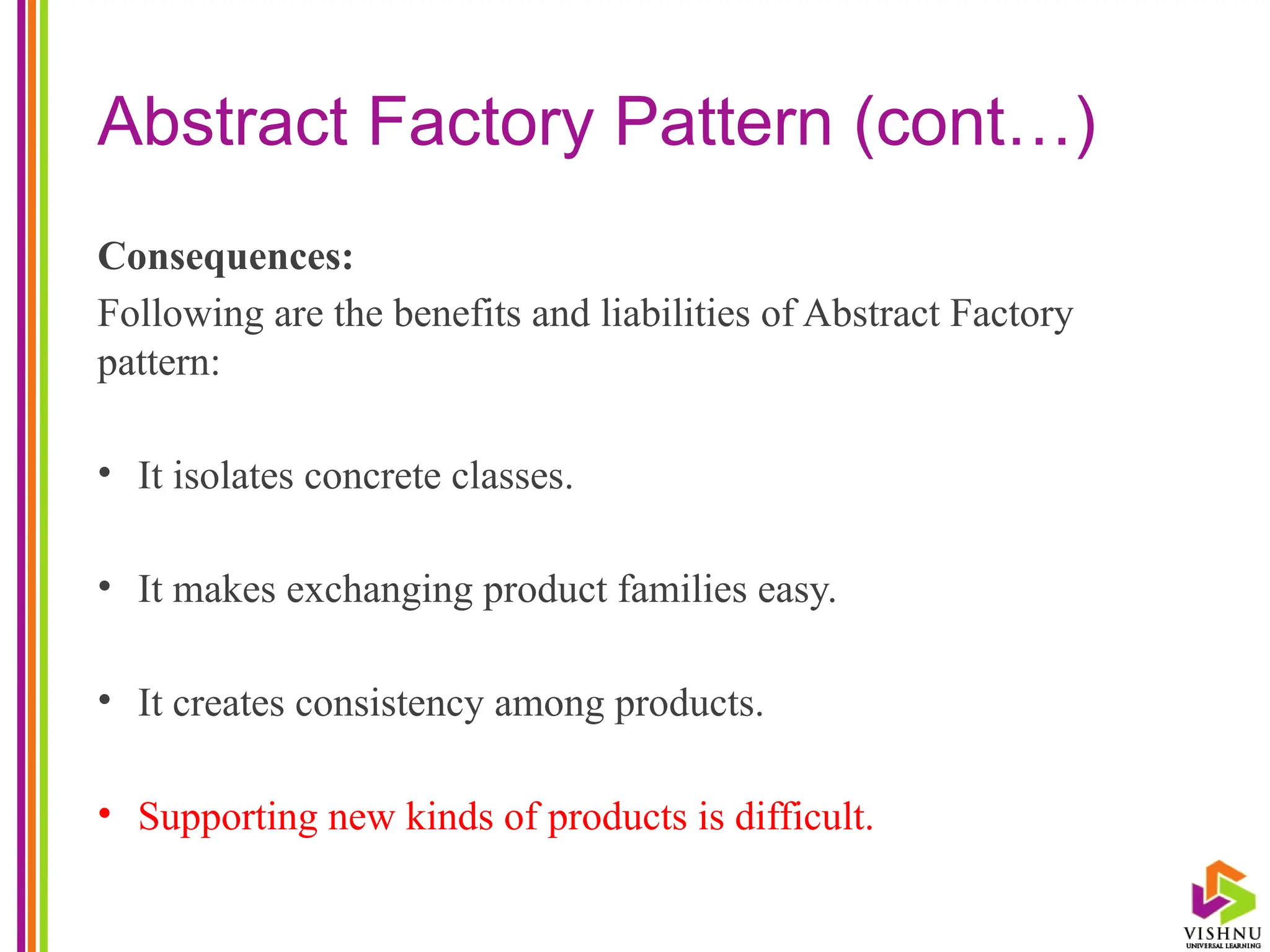
Consequences:
Following are the benefits and liabilities of Abstract Factory
pattern:
• It isolates concrete classes.
• It makes exchanging product families easy.
• It creates consistency among products.
• Supporting new kinds of products is difficult.
Abstract Factory Pattern (cont…)
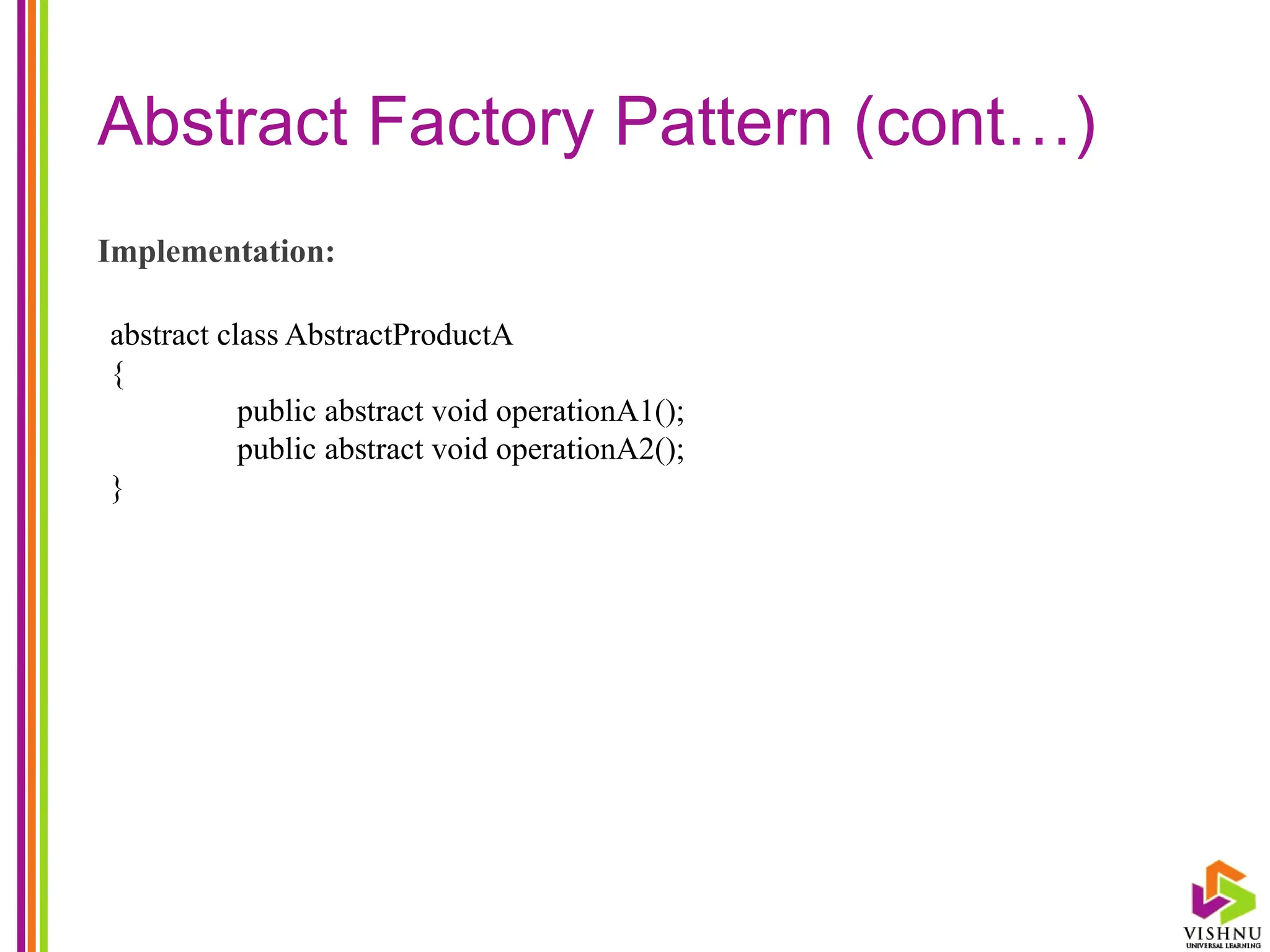
Implementation:
abstract class AbstractProductA
{
public abstract void operationA1();
public abstract void operationA2();
}
Abstract Factory Pattern (cont…)
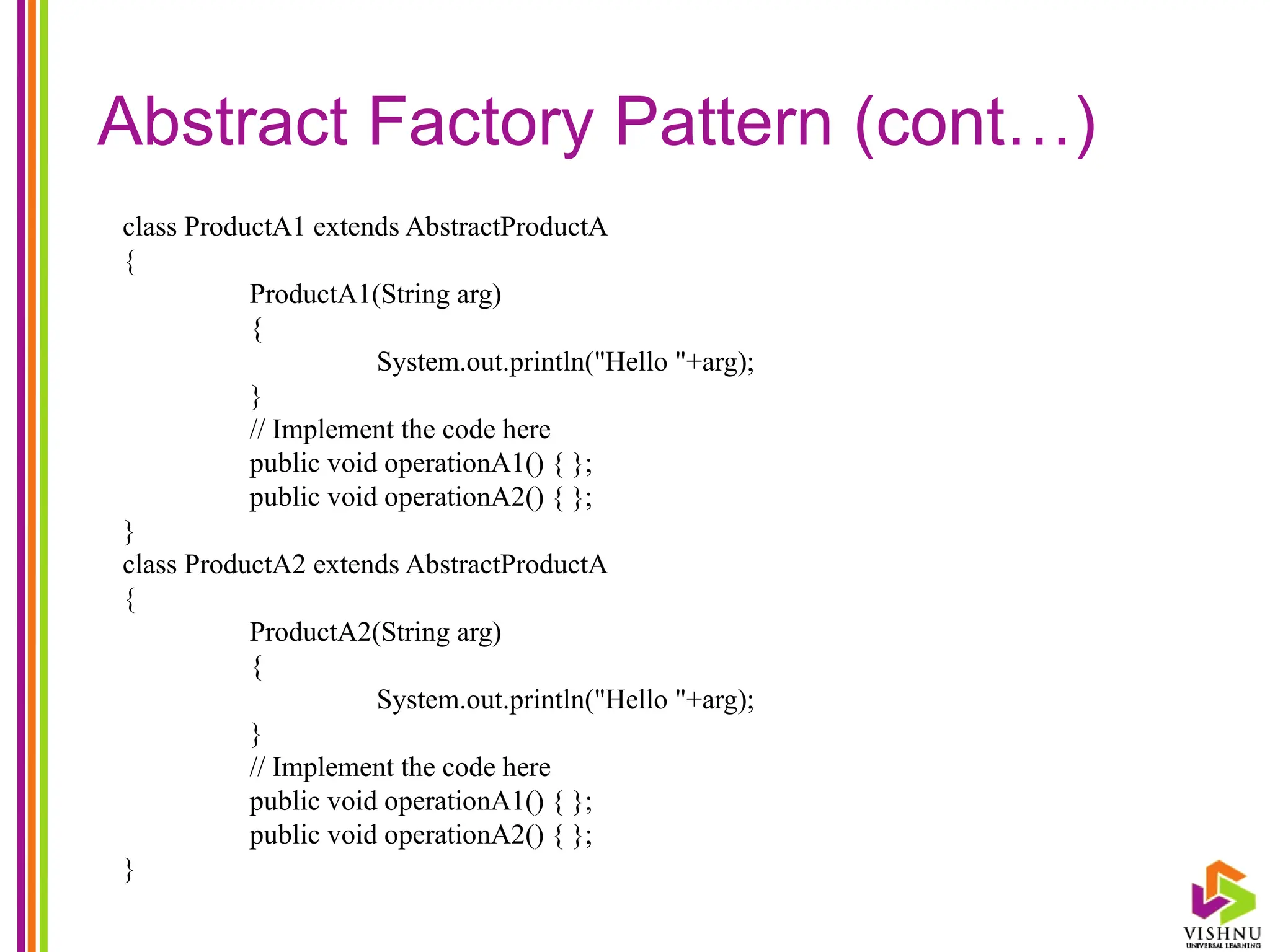
class ProductA1 extends AbstractProductA
{
ProductA1(String arg)
{
System.out.println("Hello "+arg);
}
// Implement the code here
public void operationA1() { };
public void operationA2() { };
}
class ProductA2 extends AbstractProductA
{
ProductA2(String arg)
{
System.out.println("Hello "+arg);
}
// Implement the code here
public void operationA1() { };
public void operationA2() { };
}
Abstract Factory Pattern (cont…)
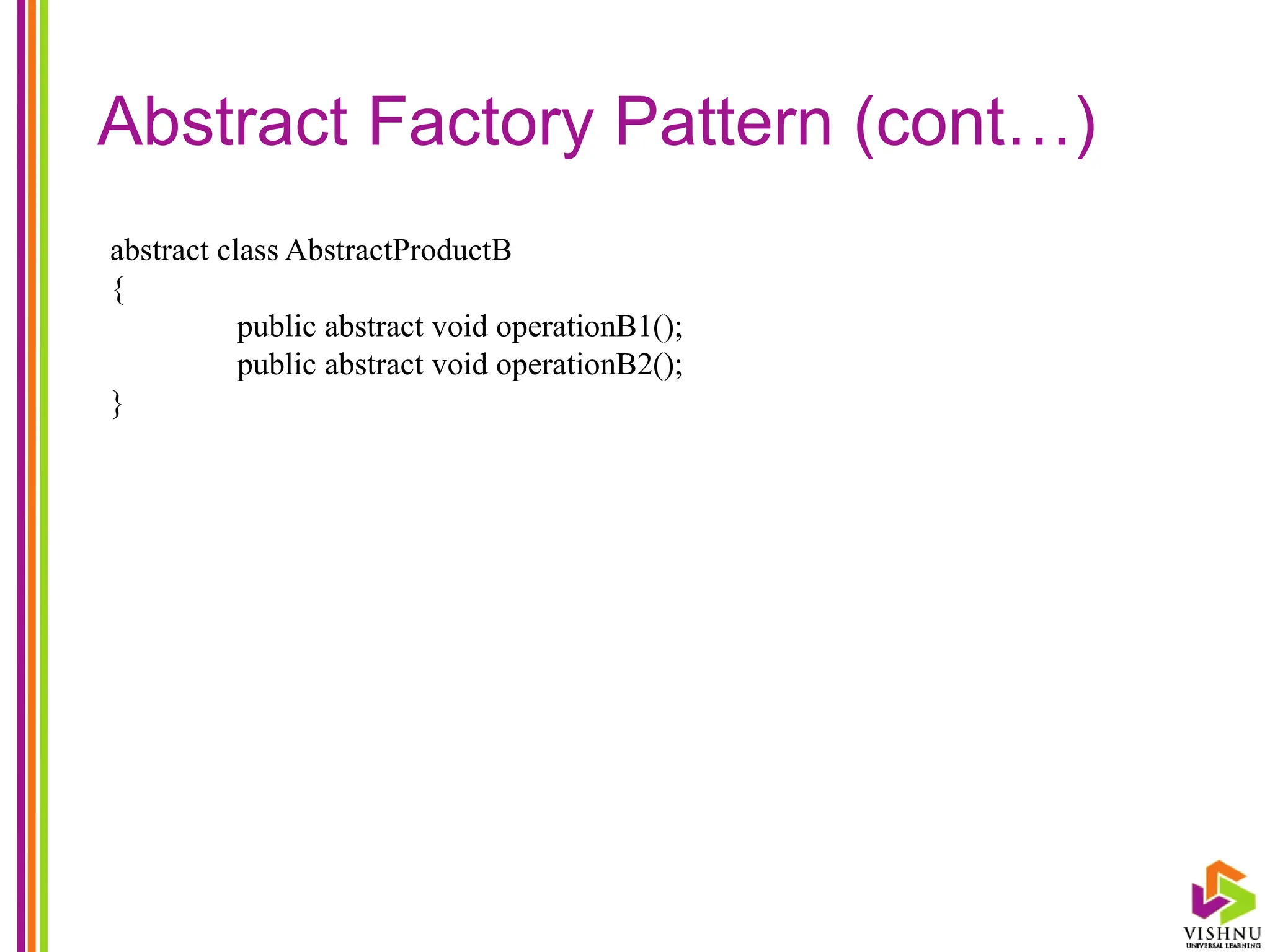
abstract class AbstractProductB
{
public abstract void operationB1();
public abstract void operationB2();
}
Abstract Factory Pattern (cont…)
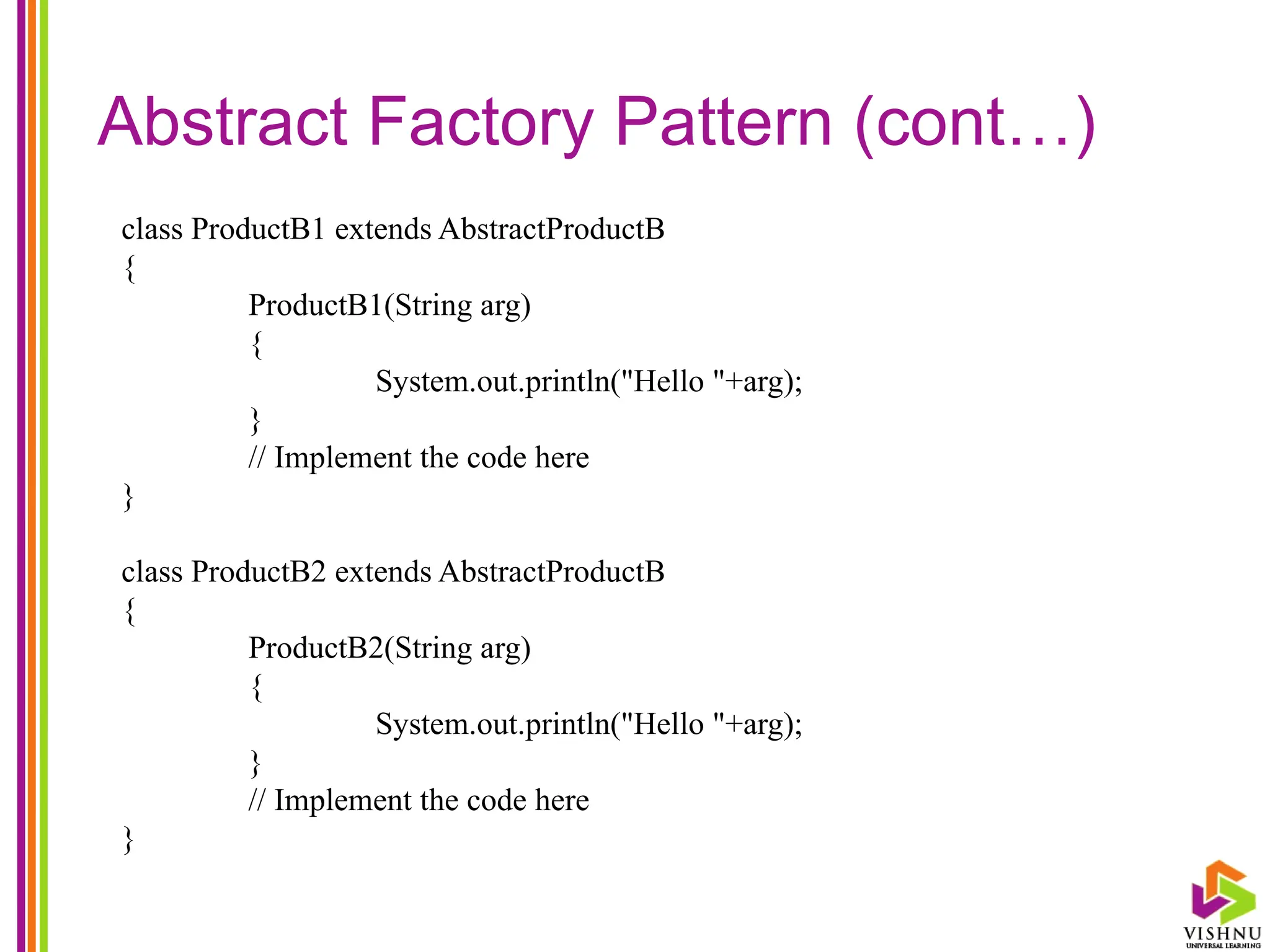
class ProductB1 extends AbstractProductB
{
ProductB1(String arg)
{
System.out.println("Hello "+arg);
}
// Implement the code here
}
class ProductB2 extends AbstractProductB
{
ProductB2(String arg)
{
System.out.println("Hello "+arg);
}
// Implement the code here
}
Abstract Factory Pattern (cont…)
abstract class AbstractFactory
{
abstract AbstractProductA createProductA();
abstract AbstractProductB createProductB();
}
Abstract Factory Pattern (cont…)
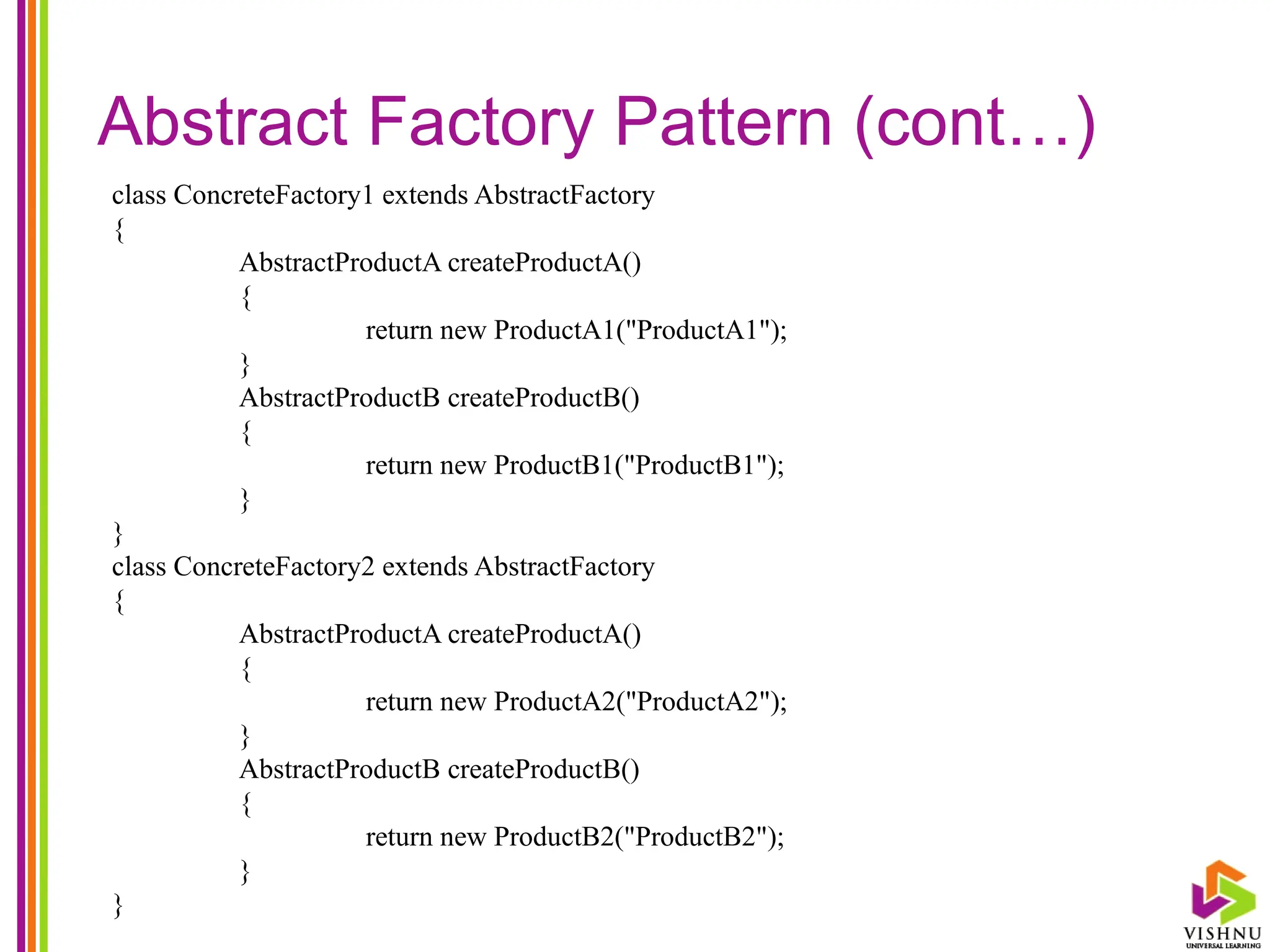
class ConcreteFactory1 extends AbstractFactory
{
AbstractProductA createProductA()
{
return new ProductA1("ProductA1");
}
AbstractProductB createProductB()
{
return new ProductB1("ProductB1");
}
}
class ConcreteFactory2 extends AbstractFactory
{
AbstractProductA createProductA()
{
return new ProductA2("ProductA2");
}
AbstractProductB createProductB()
{
return new ProductB2("ProductB2");
}
}
Abstract Factory Pattern (cont…)
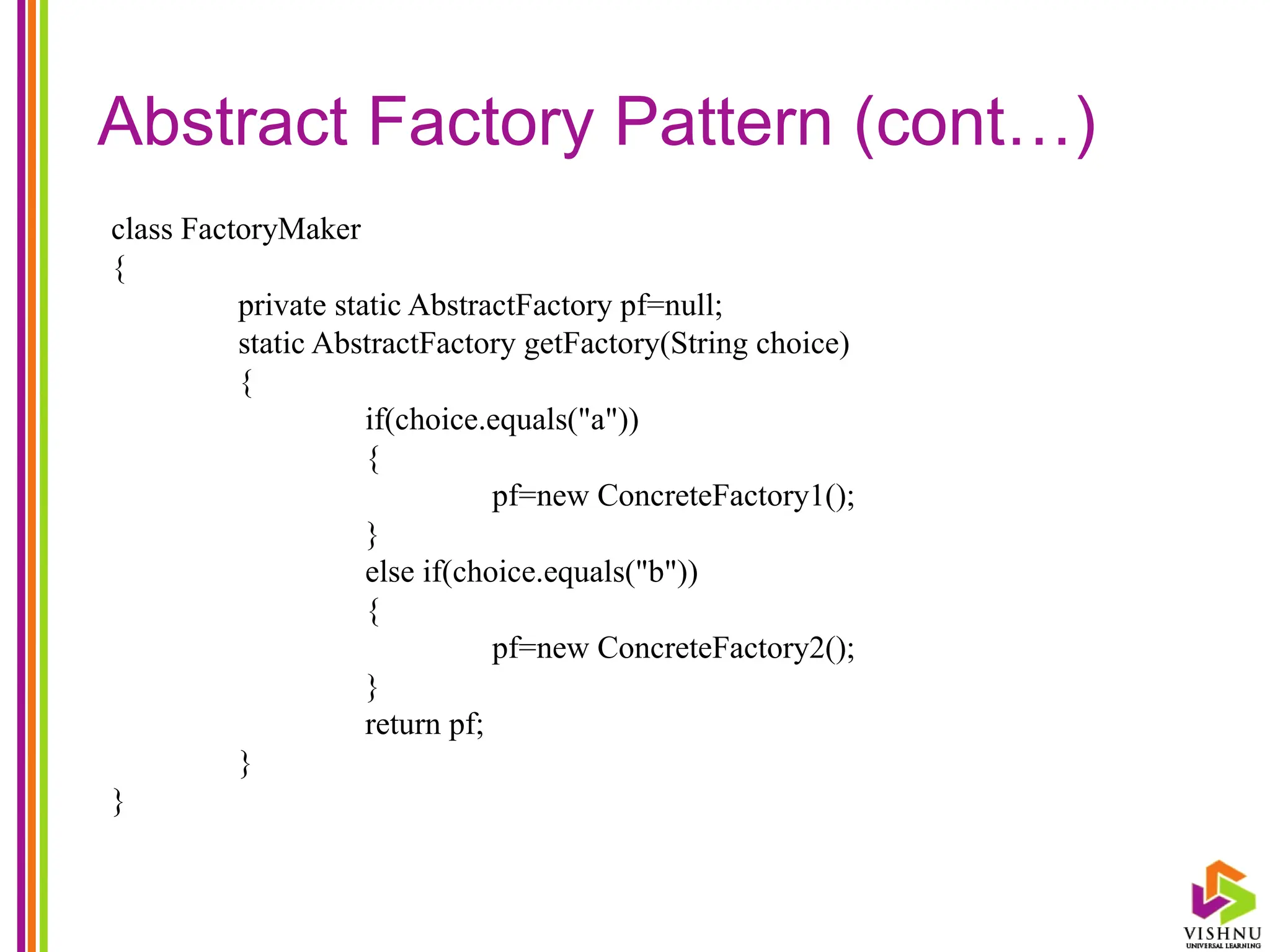
class FactoryMaker
{
private static AbstractFactory pf=null;
static AbstractFactory getFactory(String choice)
{
if(choice.equals("a"))
{
pf=new ConcreteFactory1();
}
else if(choice.equals("b"))
{
pf=new ConcreteFactory2();
}
return pf;
}
}
Abstract Factory Pattern (cont…)
public class Client
{
public static void main(String args[ ])
{
AbstractFactory pf=FactoryMaker.getFactory("a");
AbstractProductA product=pf.createProductA();
//more function calls on product
}
}
Abstract Factory Pattern (cont…)
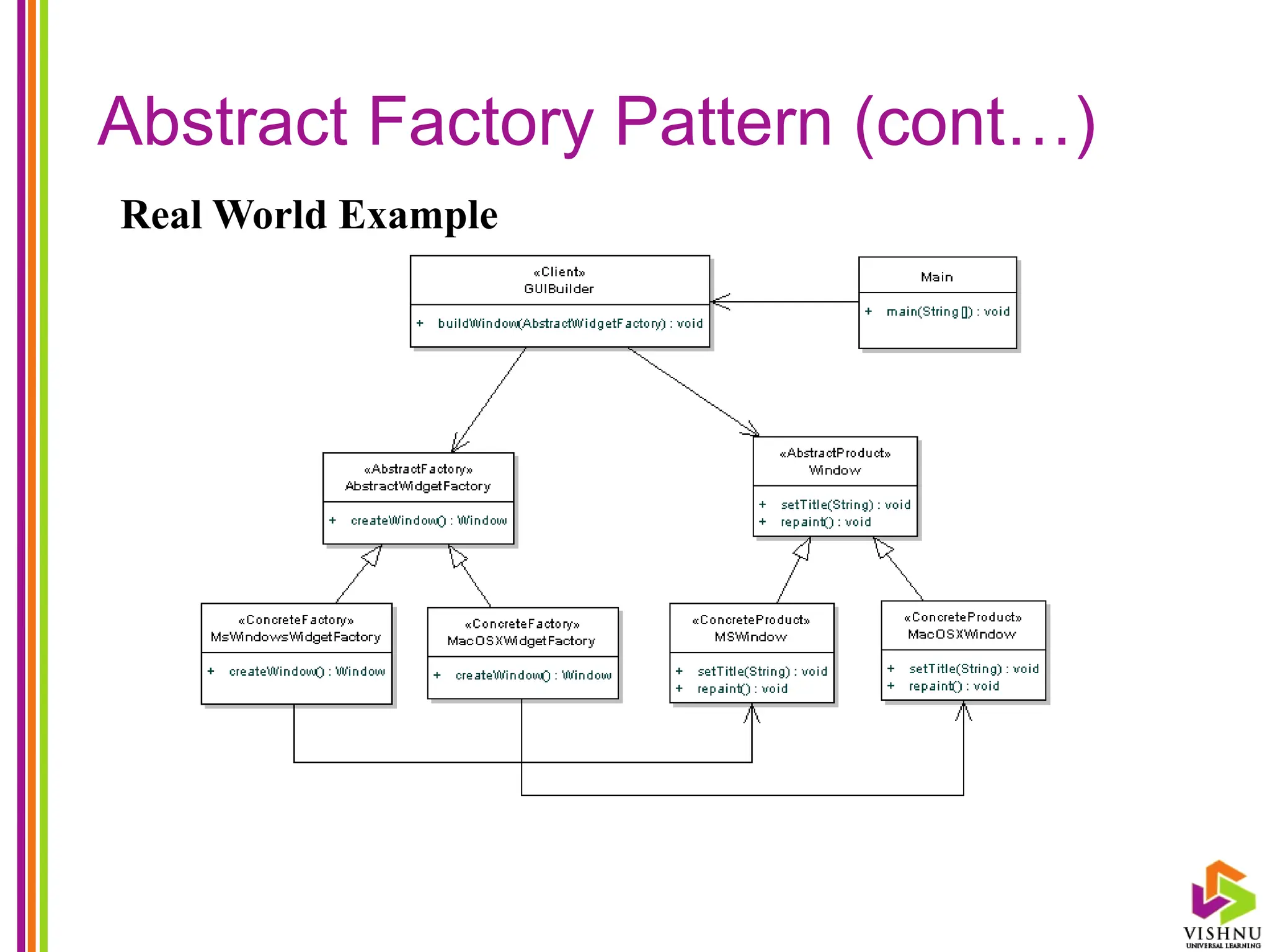
Real World Example
Abstract Factory Pattern (cont…)
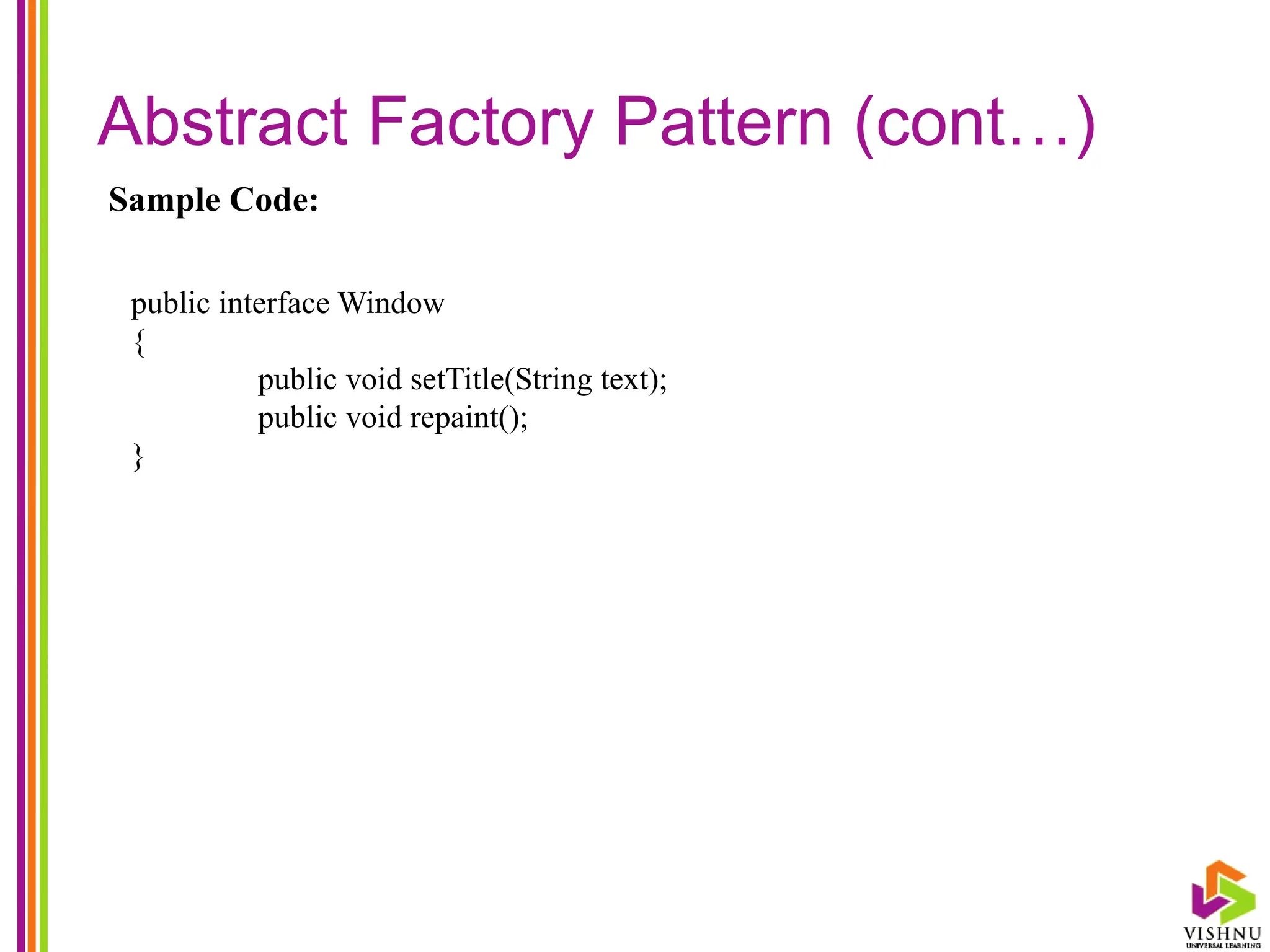
Sample Code:
public interface Window
{
public void setTitle(String text);
public void repaint();
}
Abstract Factory Pattern (cont…)
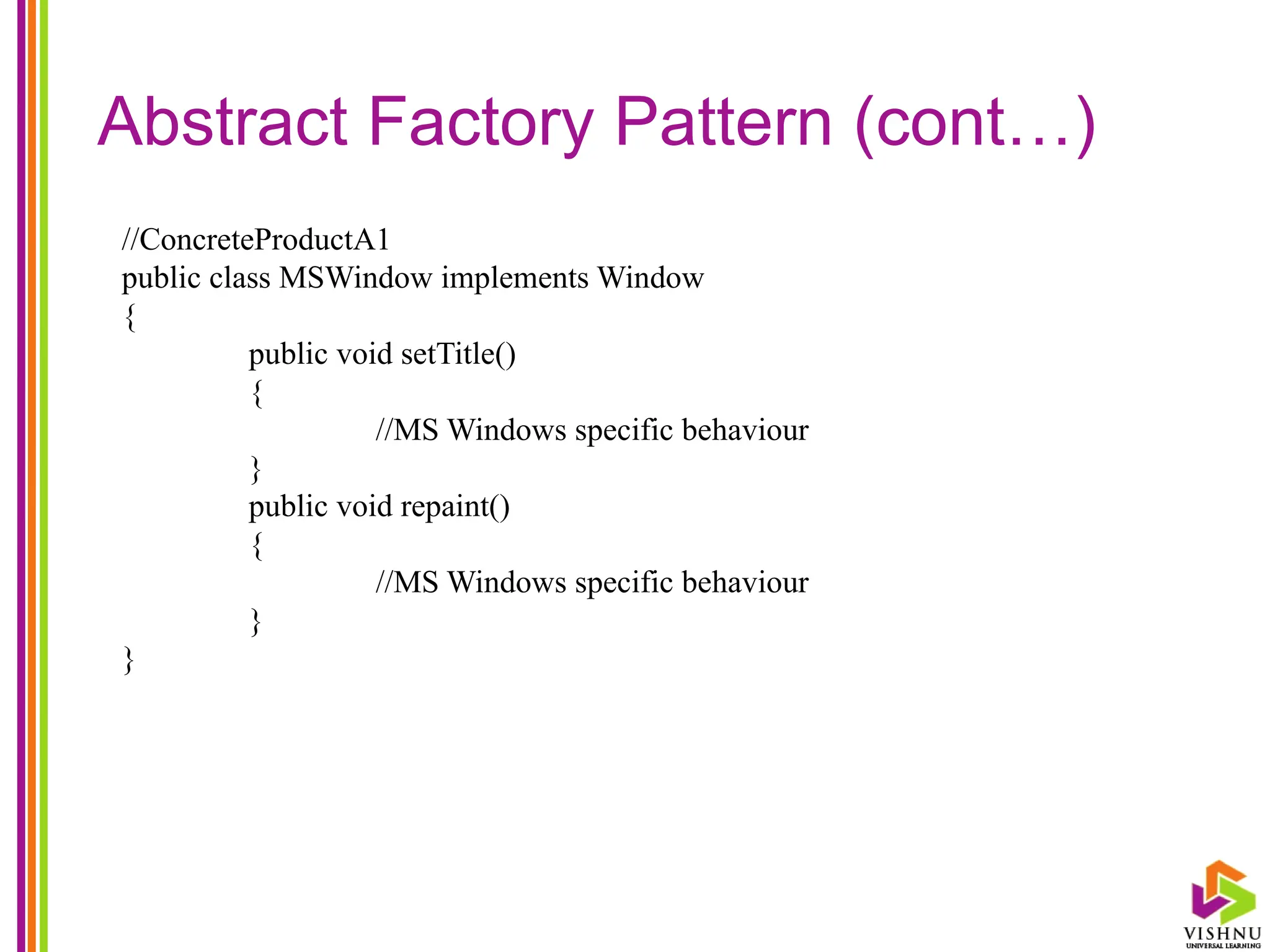
//ConcreteProductA1
public class MSWindow implements Window
{
public void setTitle()
{
//MS Windows specific behaviour
}
public void repaint()
{
//MS Windows specific behaviour
}
}
Abstract Factory Pattern (cont…)
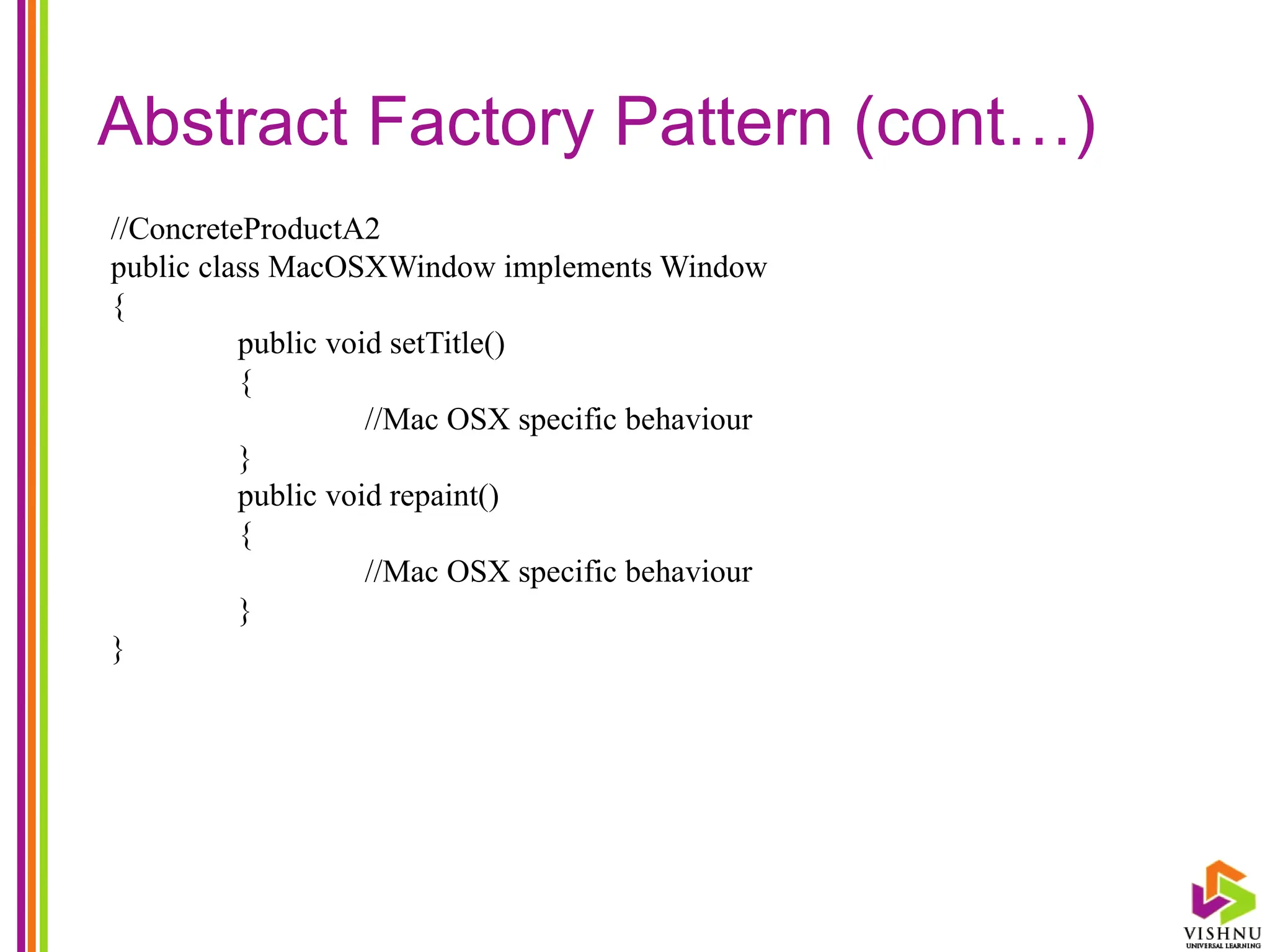
//ConcreteProductA2
public class MacOSXWindow implements Window
{
public void setTitle()
{
//Mac OSX specific behaviour
}
public void repaint()
{
//Mac OSX specific behaviour
}
}
Abstract Factory Pattern (cont…)
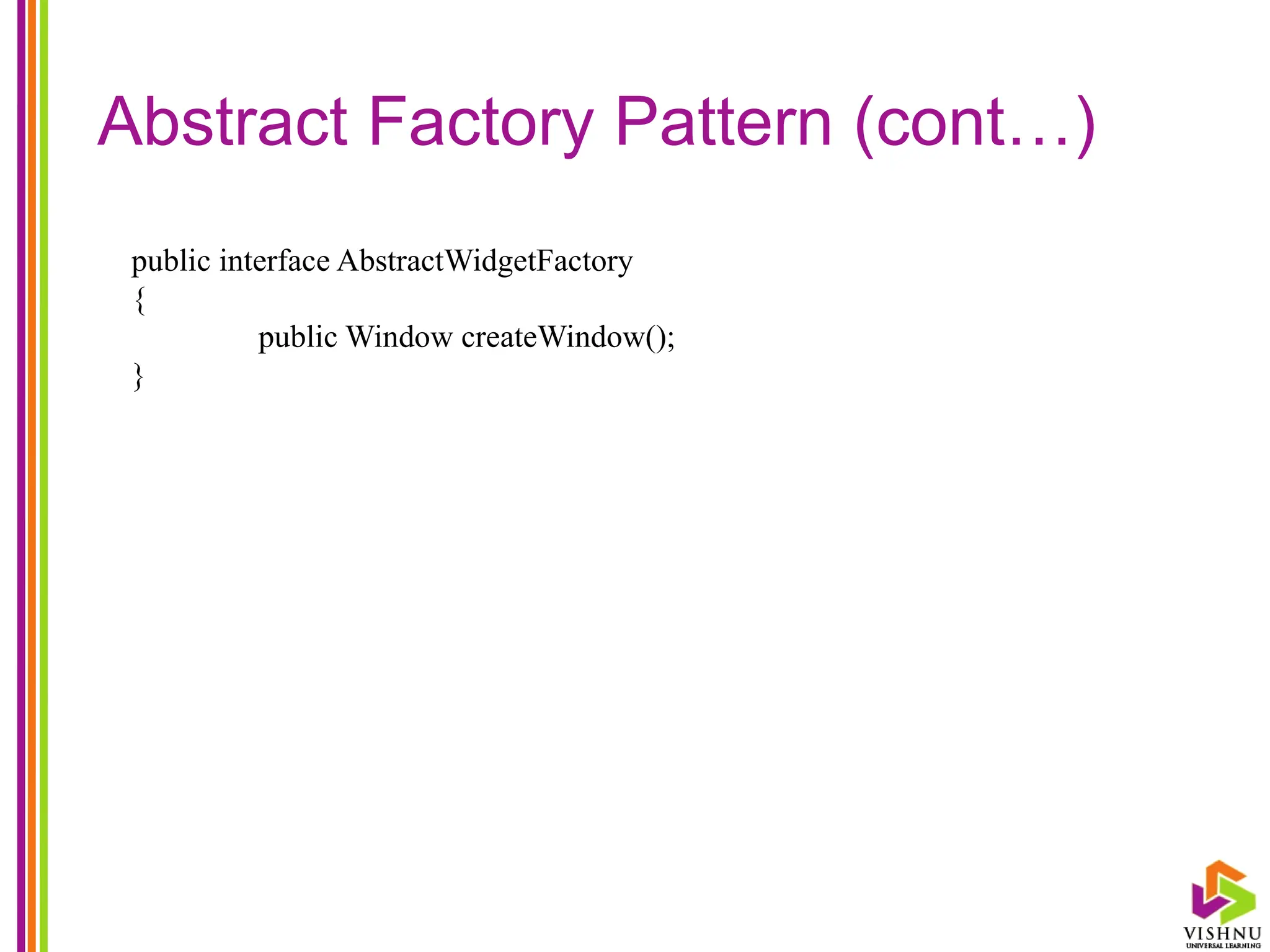
public interface AbstractWidgetFactory
{
public Window createWindow();
}
Abstract Factory Pattern (cont…)
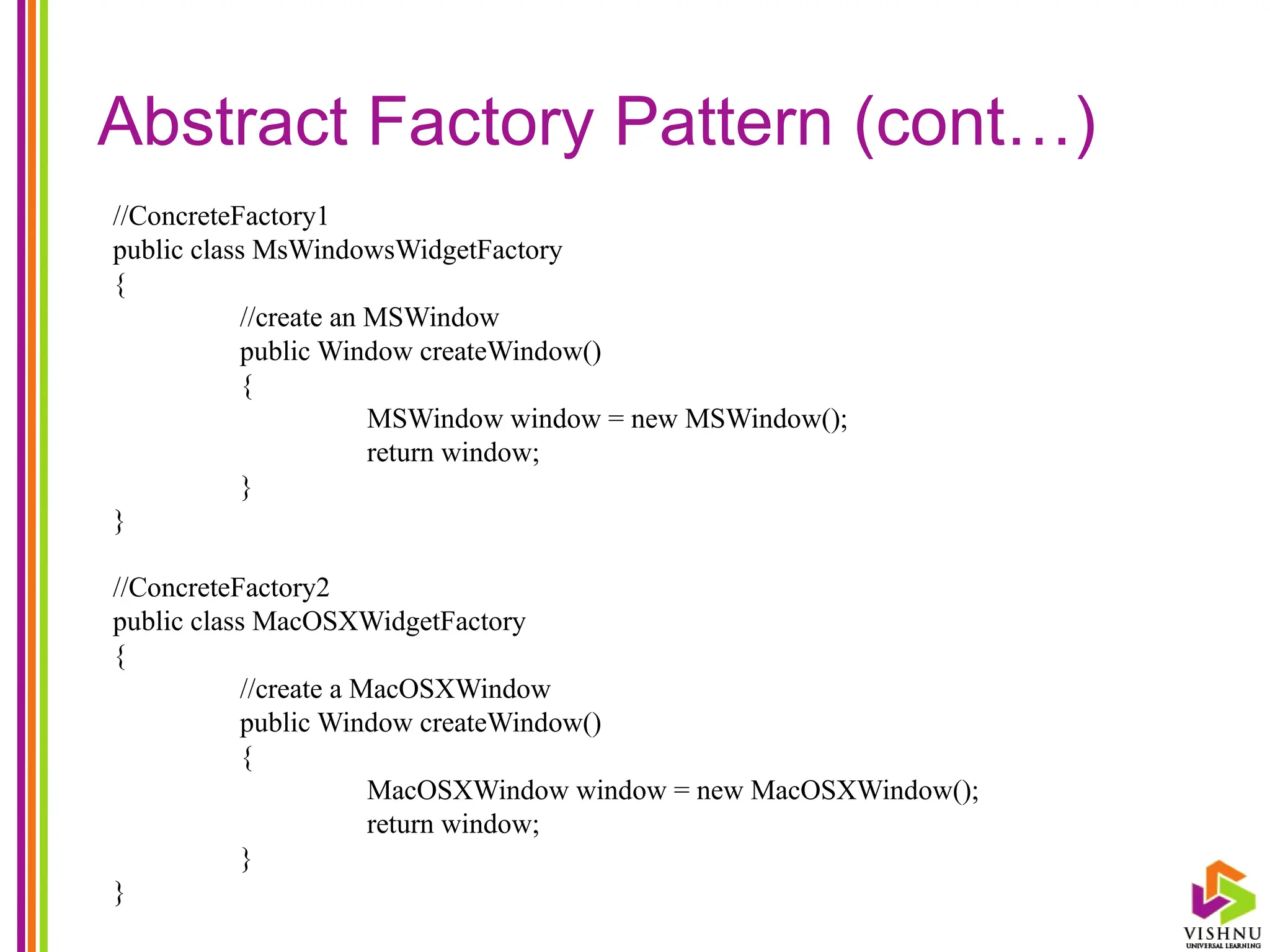
//ConcreteFactory1
public class MsWindowsWidgetFactory
{
//create an MSWindow
public Window createWindow()
{
MSWindow window = new MSWindow();
return window;
}
}
//ConcreteFactory2
public class MacOSXWidgetFactory
{
//create a MacOSXWindow
public Window createWindow()
{
MacOSXWindow window = new MacOSXWindow();
return window;
}
}
Abstract Factory Pattern (cont…)
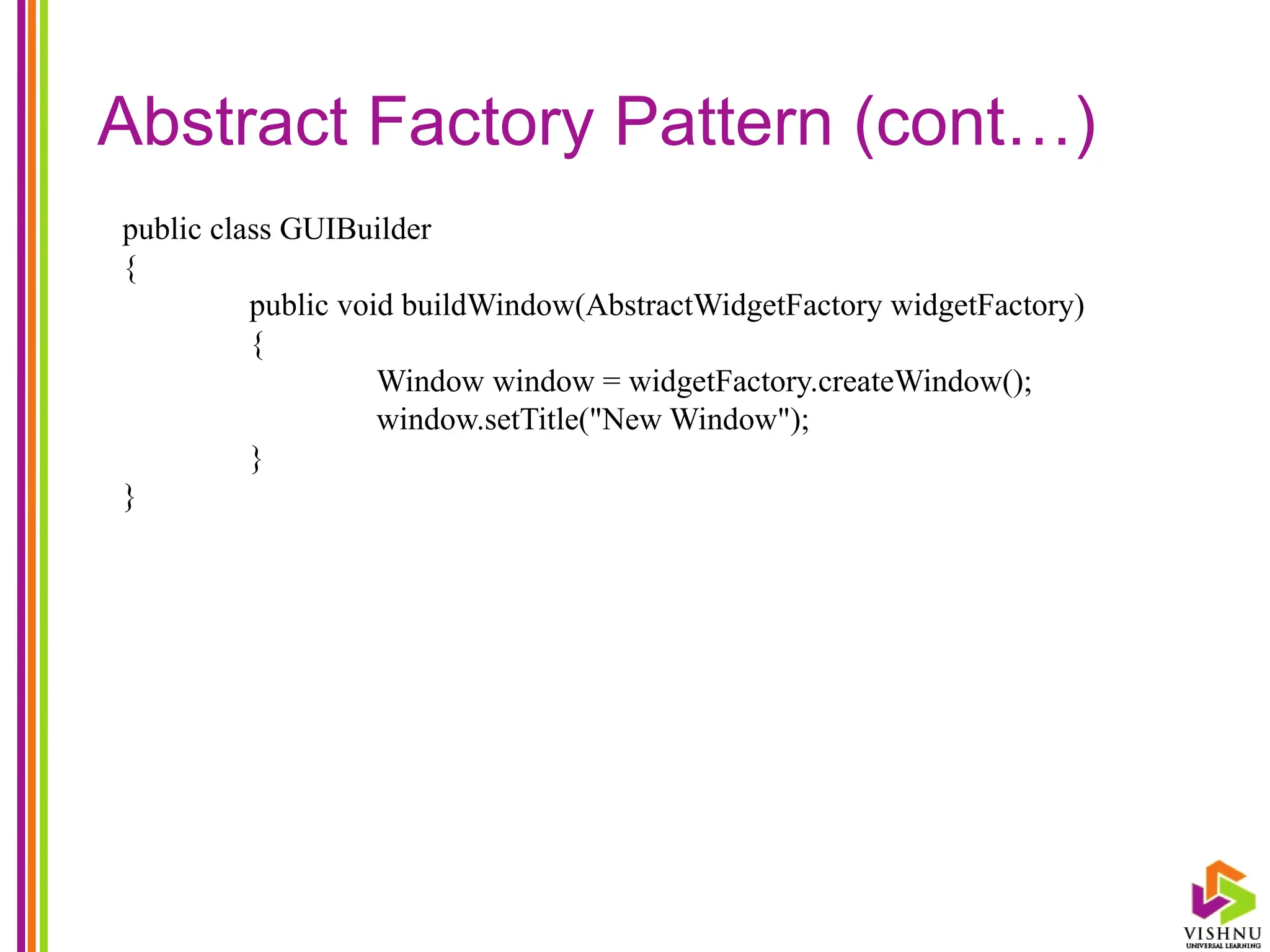
public class GUIBuilder
{
public void buildWindow(AbstractWidgetFactory widgetFactory)
{
Window window = widgetFactory.createWindow();
window.setTitle("New Window");
}
}
Abstract Factory Pattern (cont…)
public class Main
{
public static void main(String[] args)
{
GUIBuilder builder = new GUIBuilder();
AbstractWidgetFactory widgetFactory = null;
//check what platform we're on
if(Platform.currentPlatform()=="MACOSX")
{
widgetFactory = new MacOSXWidgetFactory();
}
else
{
widgetFactory = new MsWindowsWidgetFactory();
}
builder.buildWindow(widgetFactory);
}
}
Abstract Factory Pattern (cont…)
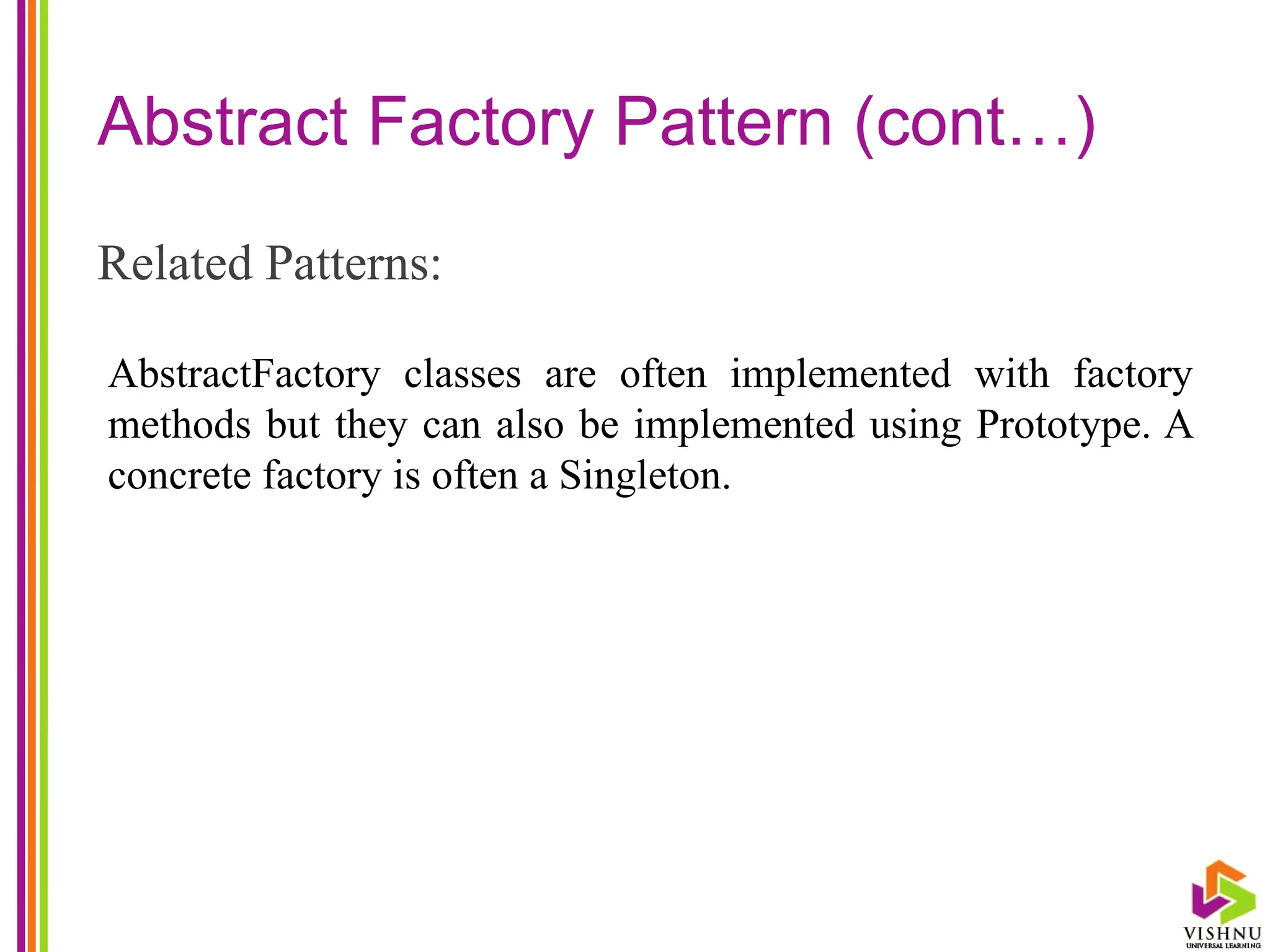
Related Patterns:
AbstractFactory classes are often implemented with factory
methods but they can also be implemented using Prototype. A
concrete factory is often a Singleton.
Factory Method Pattern
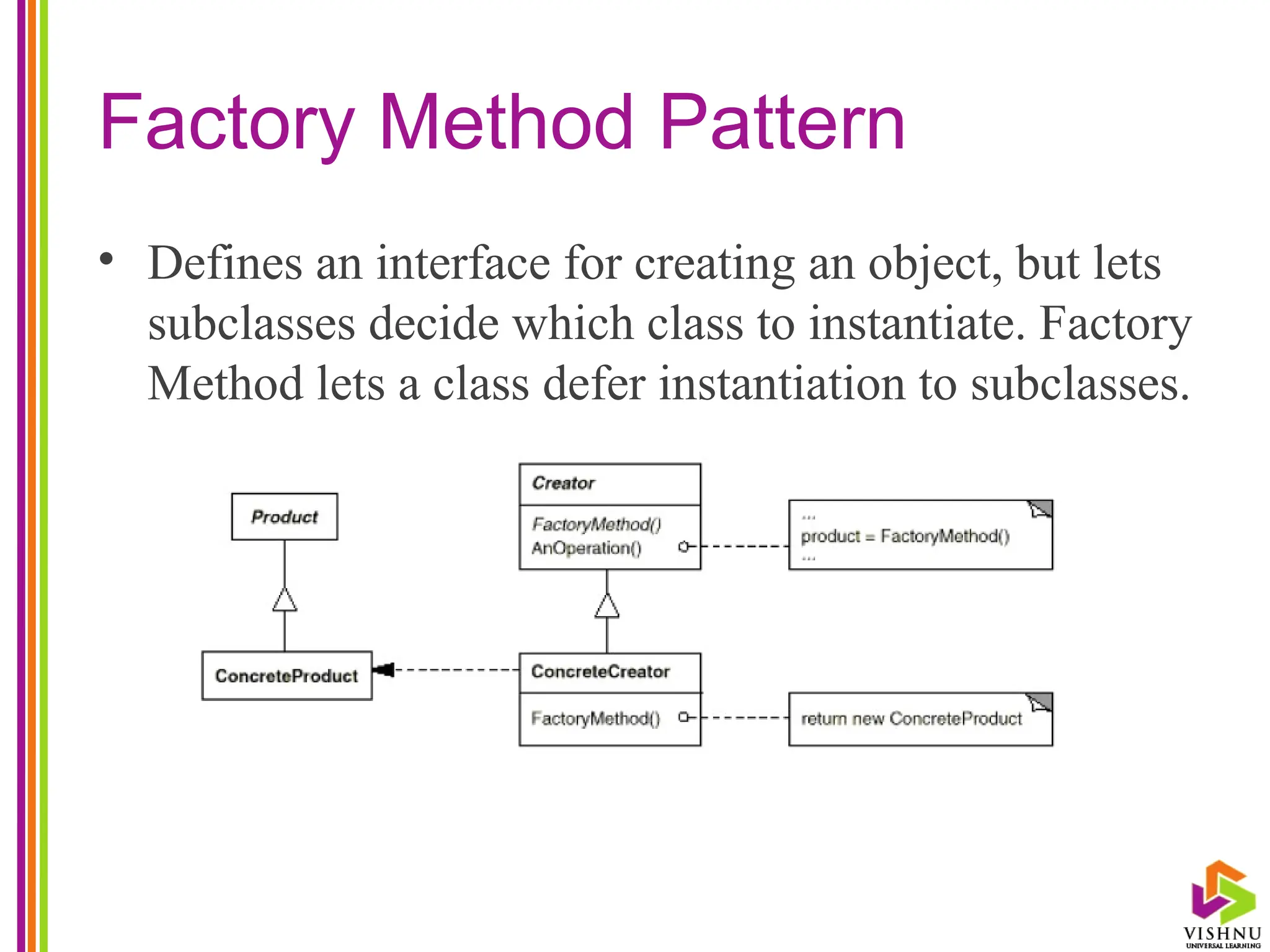
• Defines an interface for creating an object, but lets
subclasses decide which class to instantiate. Factory
Method lets a class defer instantiation to subclasses.
Factory Method Pattern (cont…)
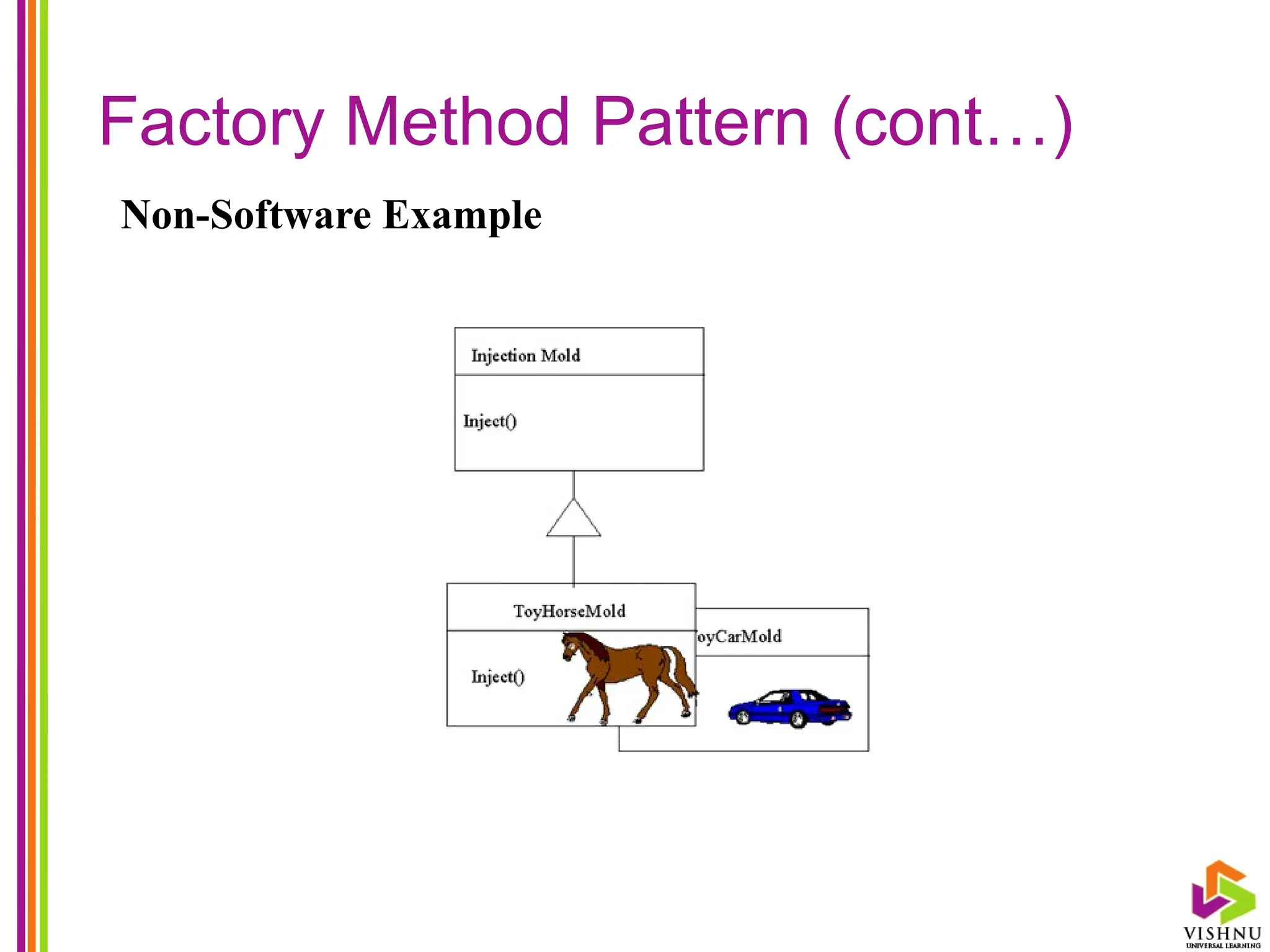
Non-Software Example
Factory Method Pattern (cont…)
Also known as:
Virtual constructor
Factory Method Pattern (cont…)
Motivation:
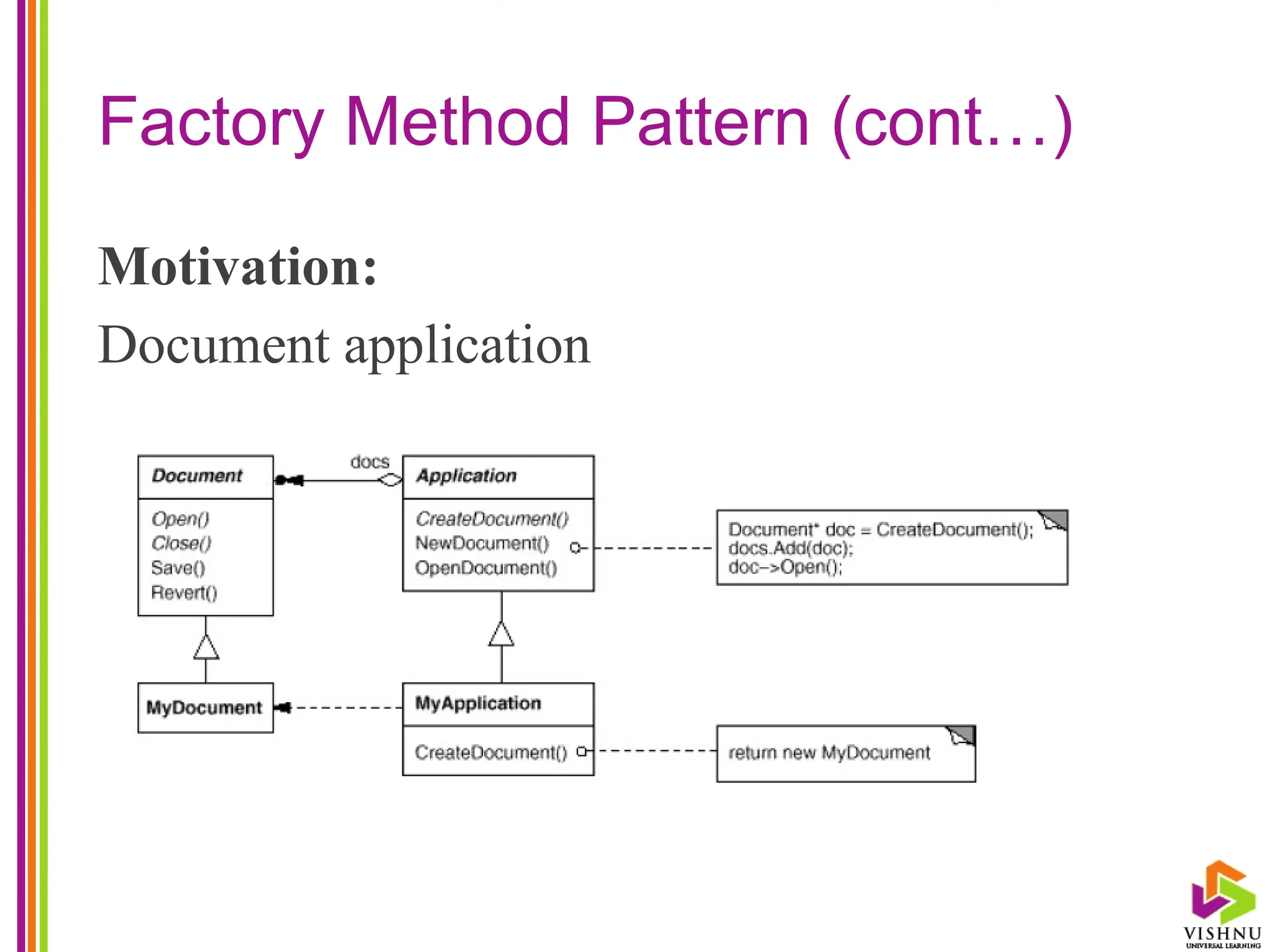
Document application
Factory Method Pattern (cont…)
Applicability:
• A class can’t anticipate the class of objects it must
create.
• A class wants its sub classes to specify the objects
it creates.
• Classes delegate responsibility to one of several
helper subclasses.
Factory Method Pattern (cont…)
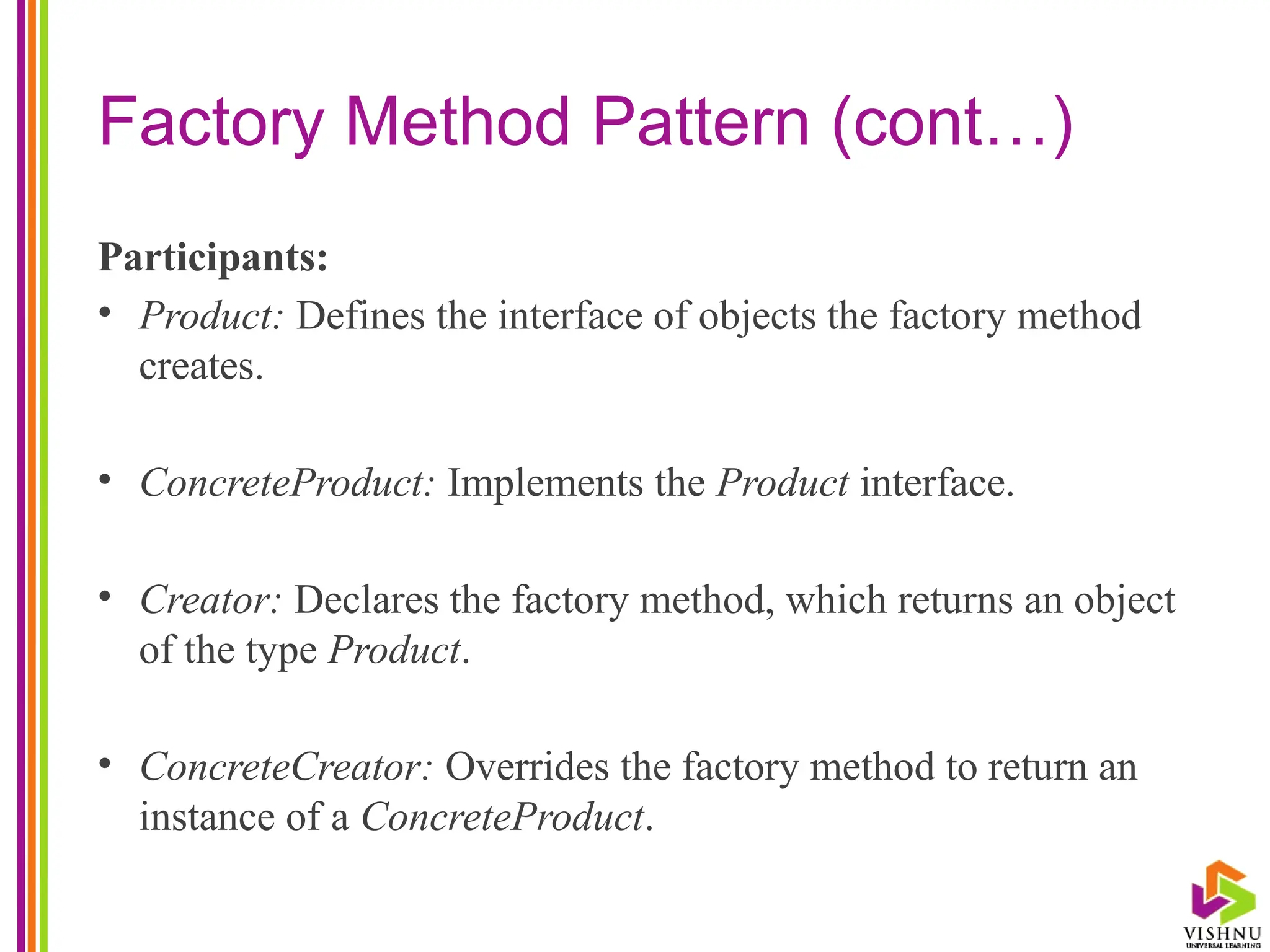
Participants:
• Product: Defines the interface of objects the factory method
creates.
• ConcreteProduct: Implements the Product interface.
• Creator: Declares the factory method, which returns an object
of the type Product.
• ConcreteCreator: Overrides the factory method to return an
instance of a ConcreteProduct.
Factory Method Pattern (cont…)
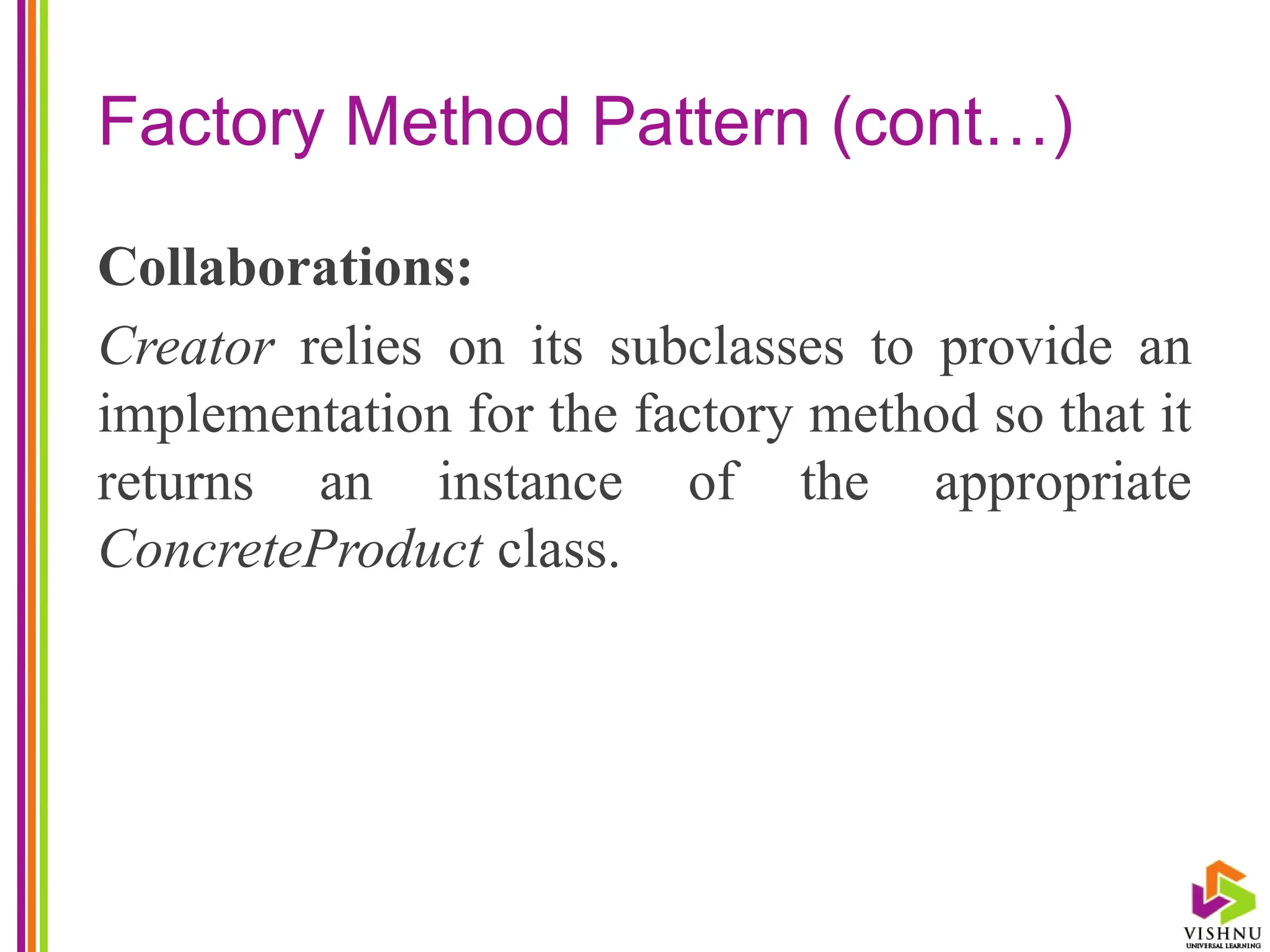
Collaborations:
Creator relies on its subclasses to provide an
implementation for the factory method so that it
returns an instance of the appropriate
ConcreteProduct class.
Factory Method Pattern (cont…)
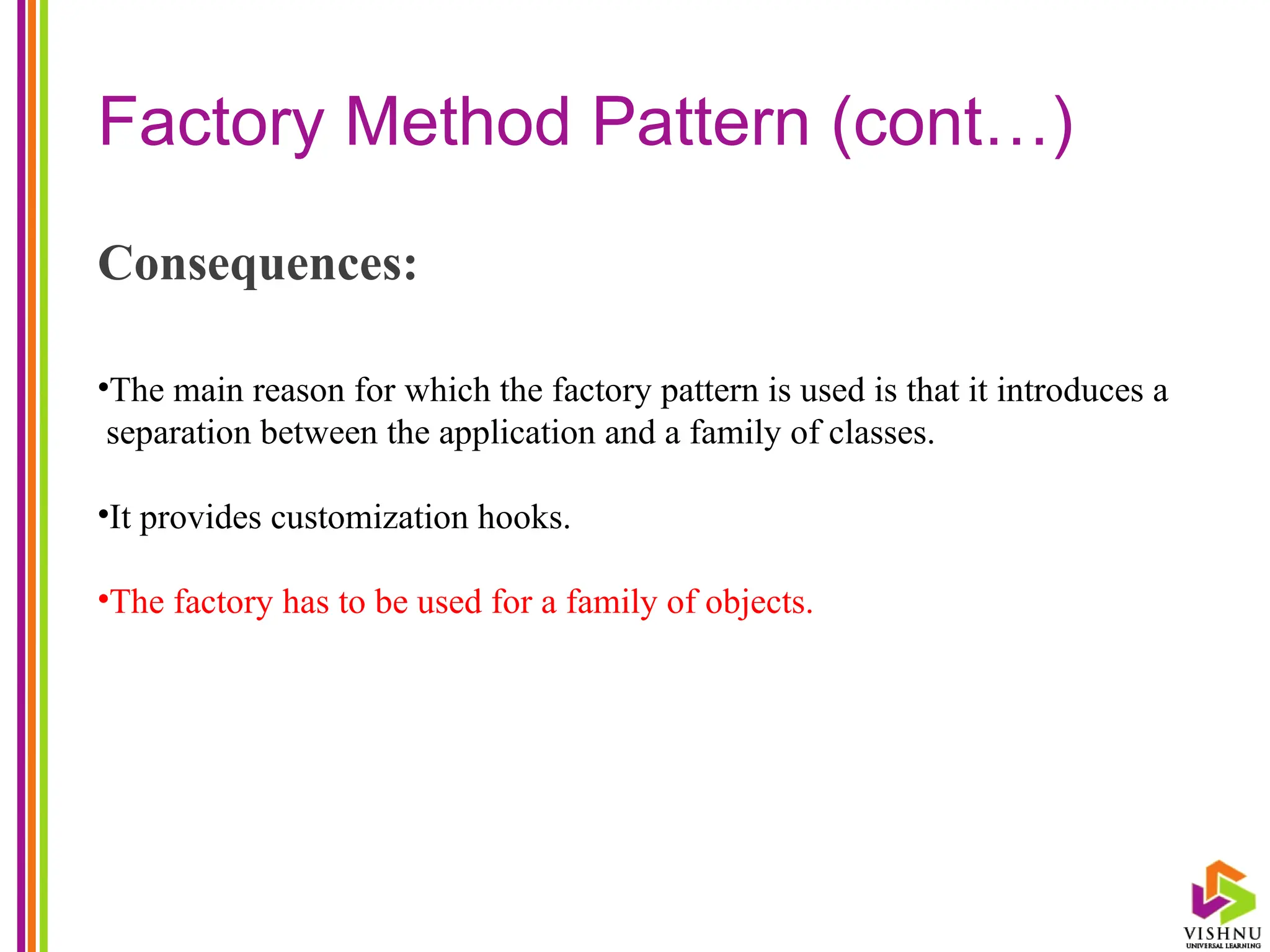
Consequences:
•The main reason for which the factory pattern is used is that it introduces a
separation between the application and a family of classes.
•It provides customization hooks.
•The factory has to be used for a family of objects.
Factory Method Pattern (cont…)
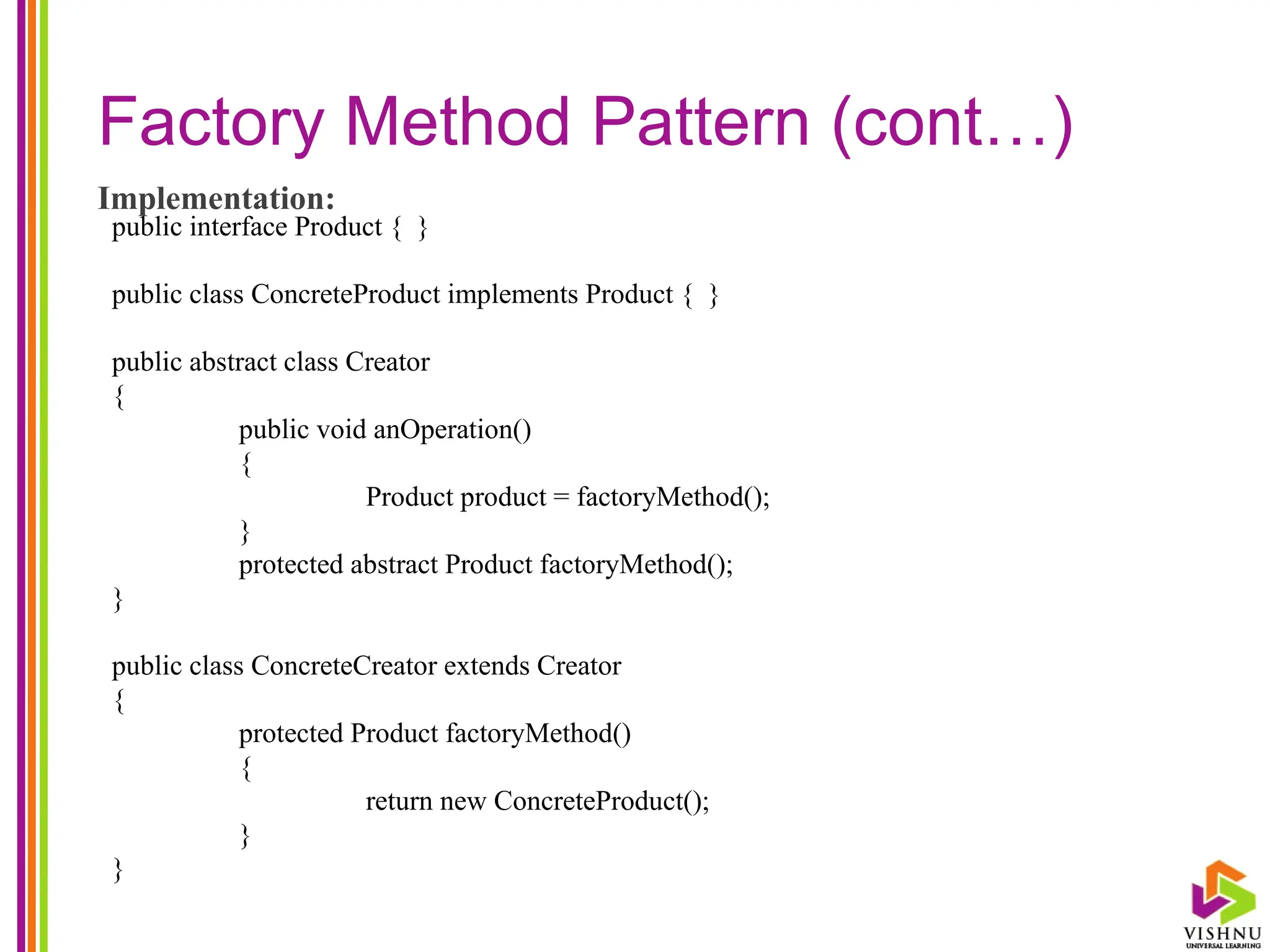
Implementation:
public interface Product { }
public class ConcreteProduct implements Product { }
public abstract class Creator
{
public void anOperation()
{
Product product = factoryMethod();
}
protected abstract Product factoryMethod();
}
public class ConcreteCreator extends Creator
{
protected Product factoryMethod()
{
return new ConcreteProduct();
}
}
Factory Method Pattern (cont…)
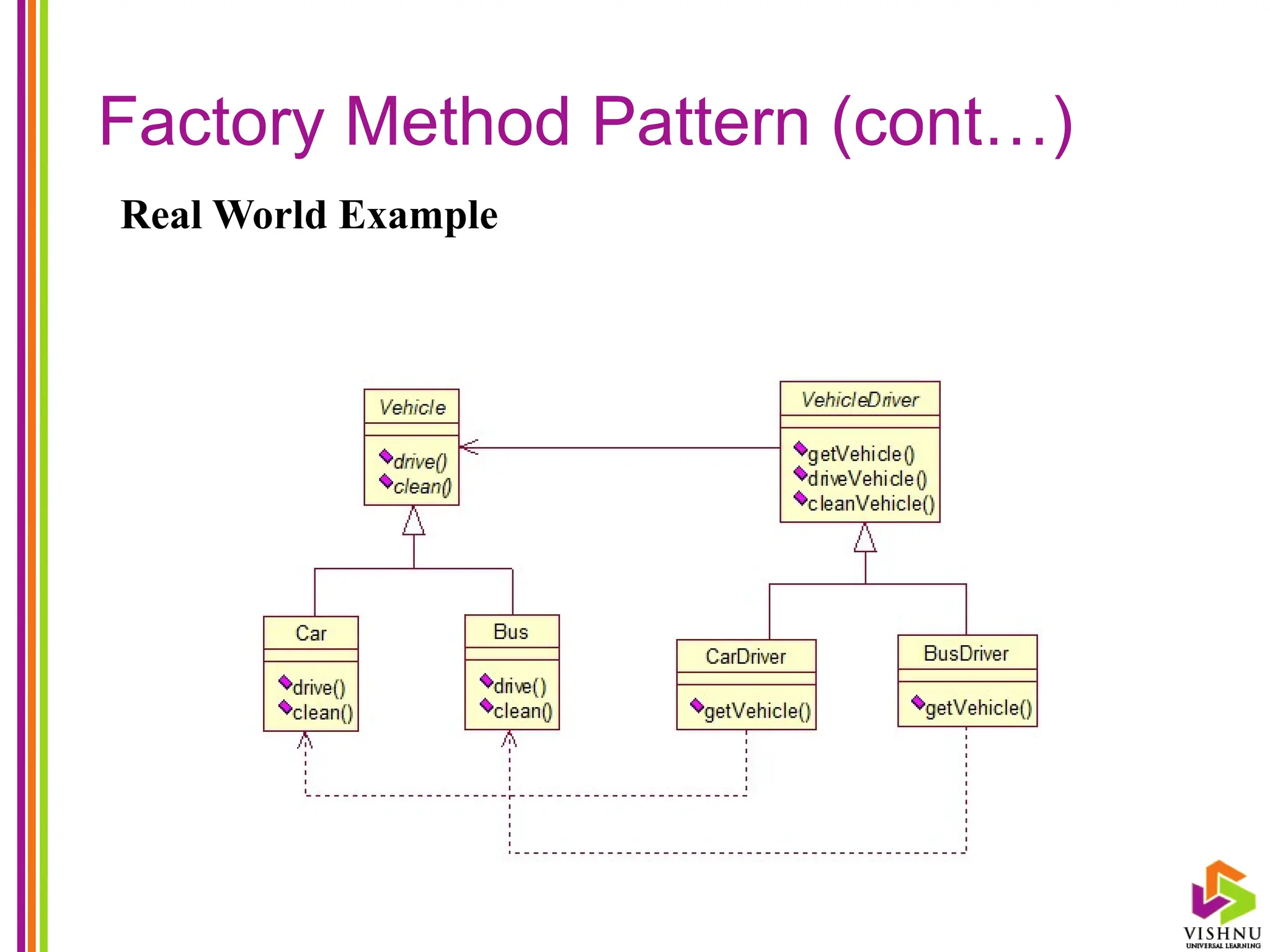
Real World Example
Factory Method Pattern (cont…)
Related patterns:
• Abstract Factory is often implemented with factory methods.
• Factory methods are usually called within Template
Methods. In the Document example above, NewDocument()
is a template method.
• Prototypes don’t require subclassing Creator. Instead, they
often require an Initialize operation on the product class.
Factory Method doesn’t require such operation.
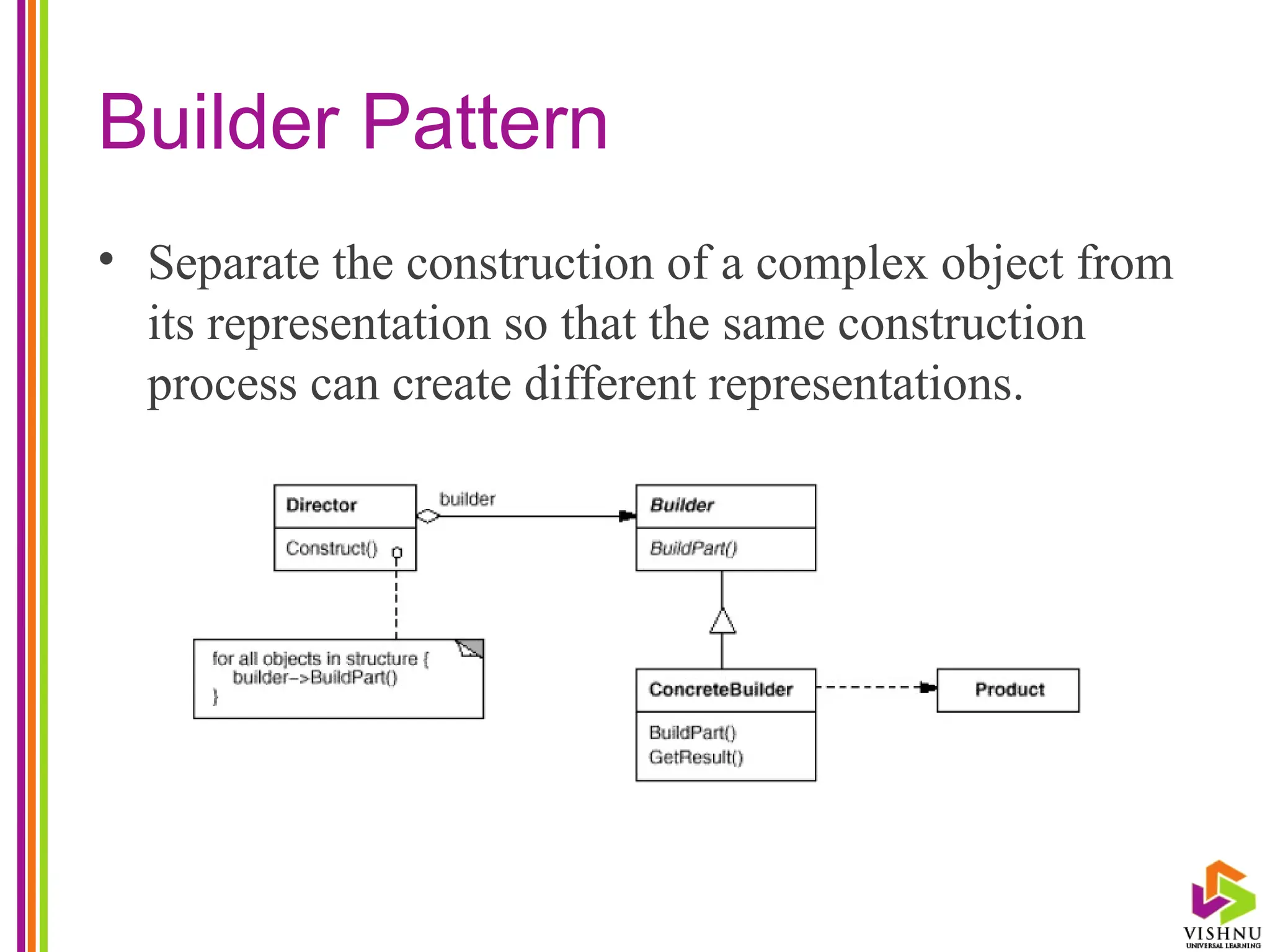
Builder Pattern
• Separate the construction of a complex object from
its representation so that the same construction
process can create different representations.
Builder Pattern (cont…)
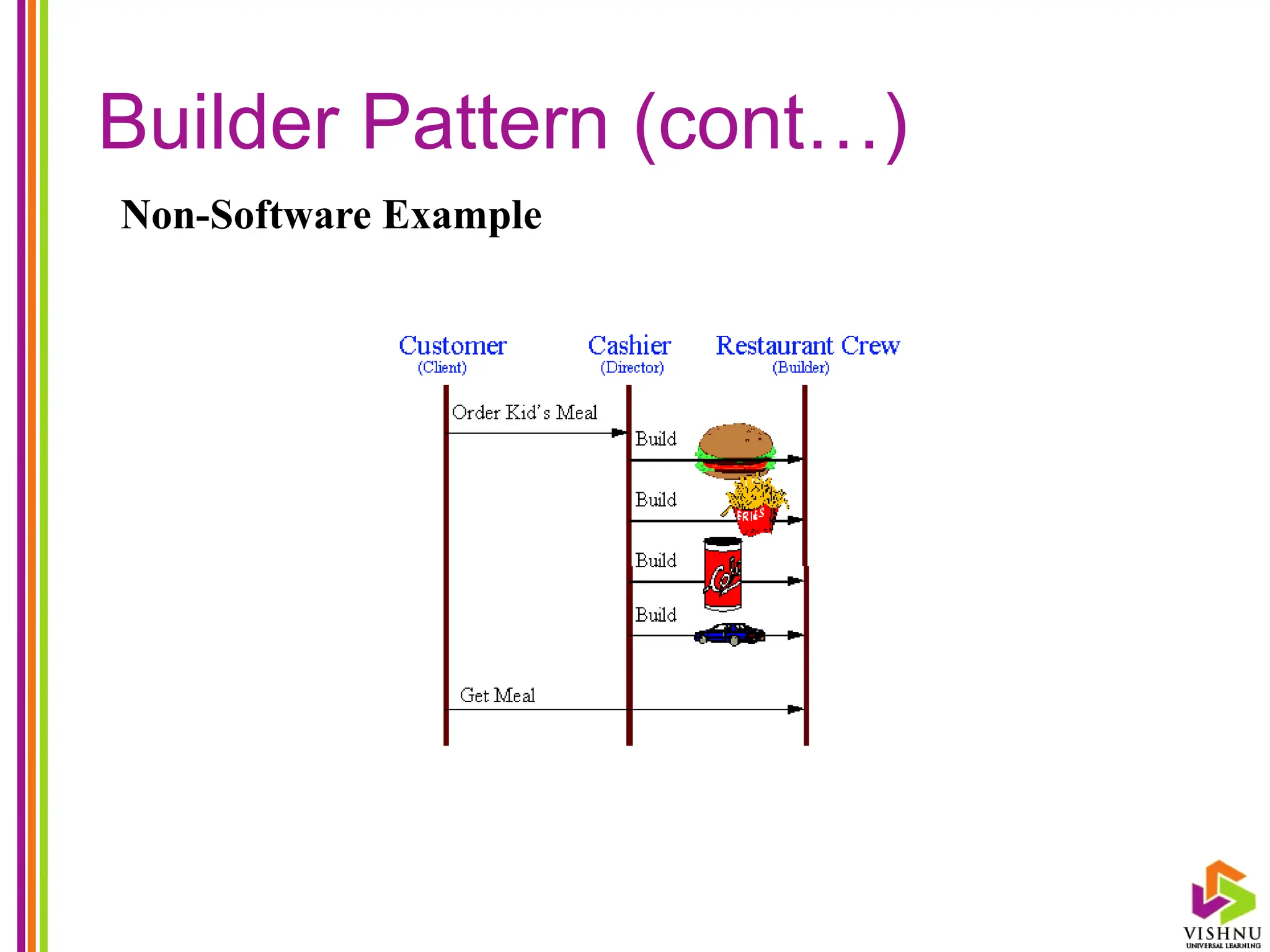
Non-Software Example
Builder Pattern (cont…)
Motivation:
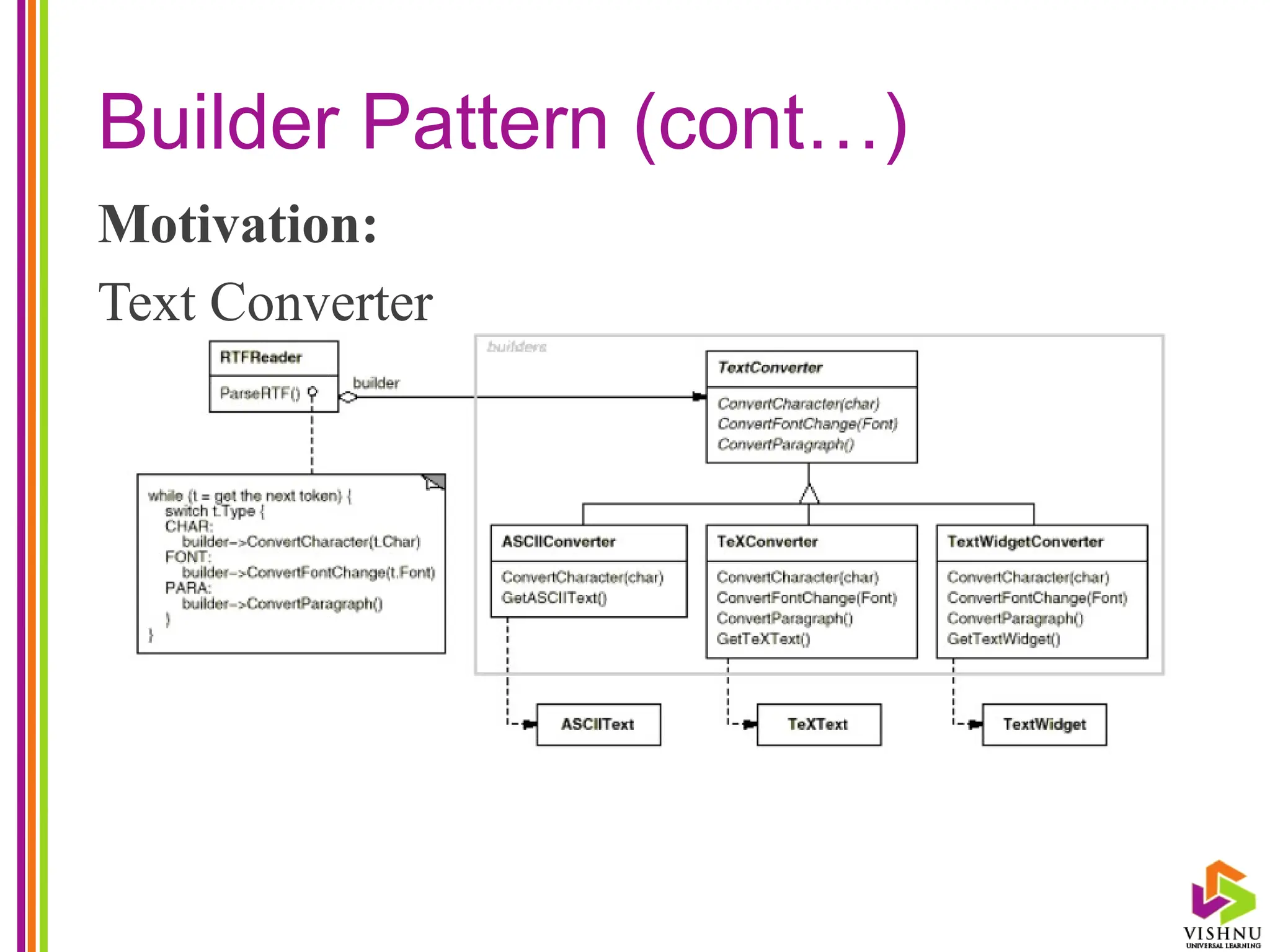
Text Converter
Builder Pattern (cont…)
Use the Builder pattern when:
• The algorithm for creating a complex object
should be independent of the parts that make
up the object and how they are assembled.
• The construction process must allow different
representations for the object that is
constructed.
Applicability:
Builder Pattern (cont…)
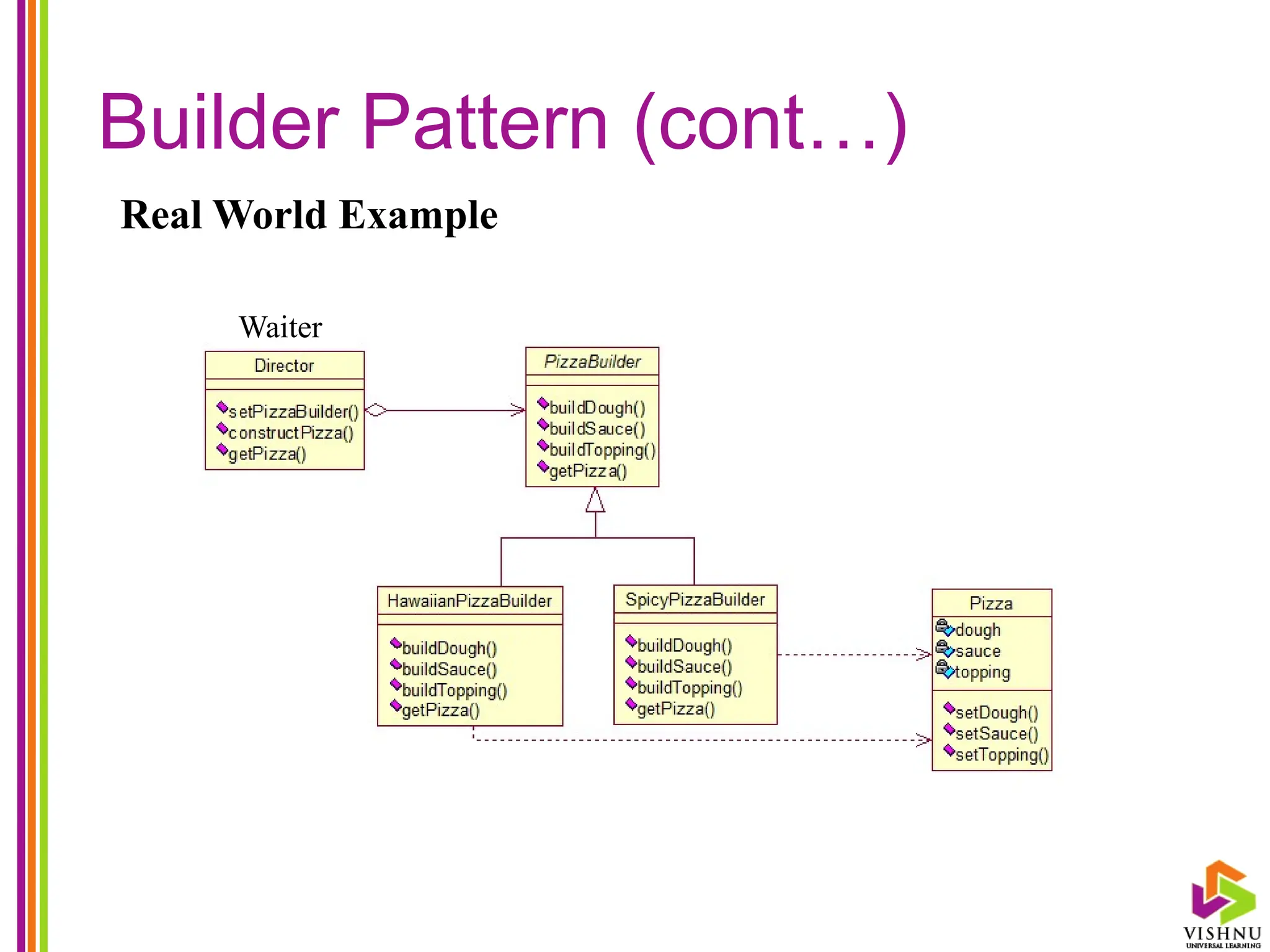
• Builder: Provides an abstract interface for creating parts of
a Product object.
• ConcreteBuilder: Constructs and assembles the parts of the
Product by implementing the Builder interface.
• Director: Constructs an object using the Builder interface.
• Product: Represents the complex object under construction.
Participants:
Builder Pattern (cont…)
The benefits and pitfalls of Builder pattern are:
• It let’s you vary the product’s internal
representation.
• It isolates code for construction and
representation.
• It gives you finer control over the
construction process.
Consequences:
Builder Pattern (cont…)
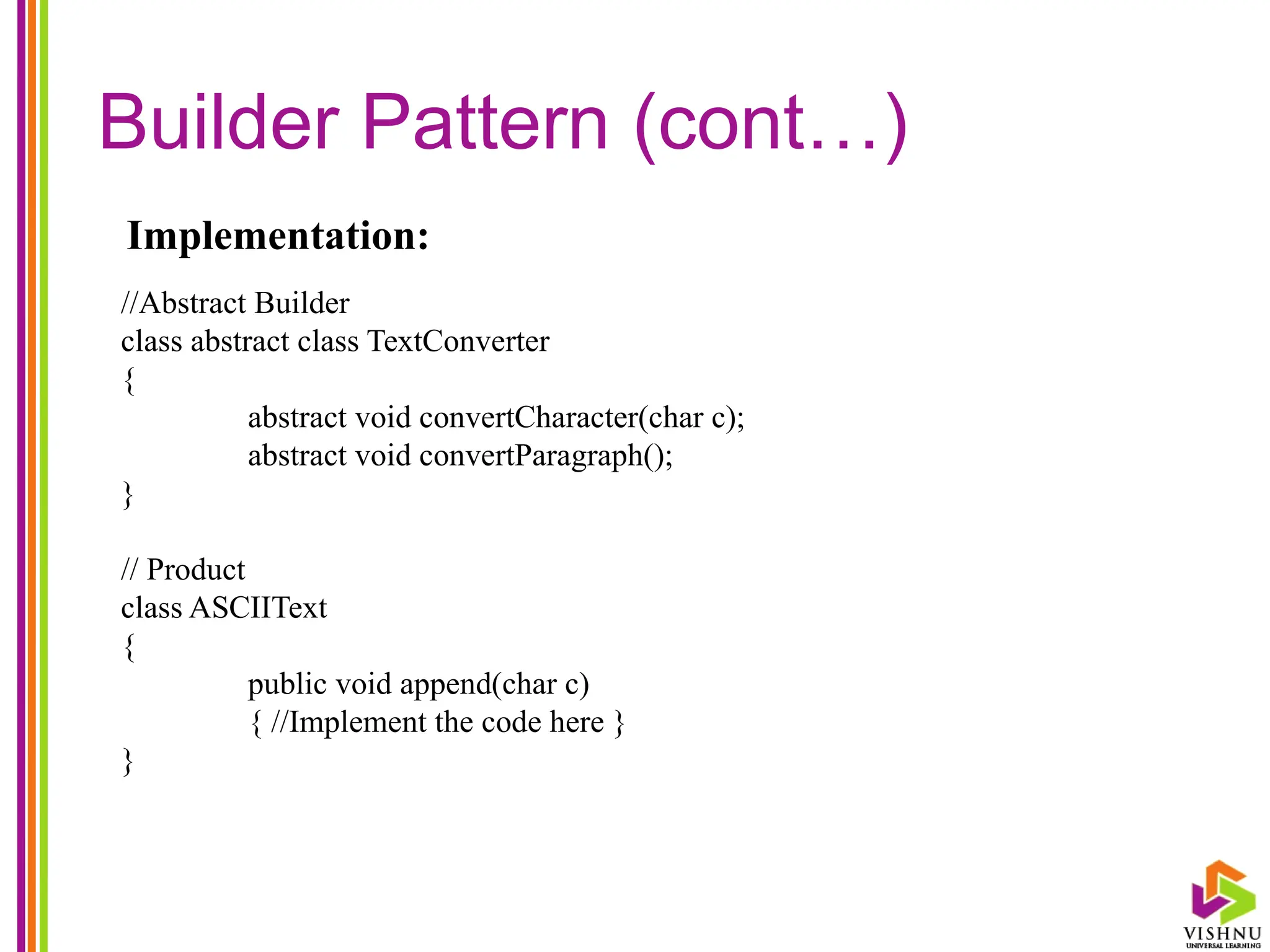
//Abstract Builder
class abstract class TextConverter
{
abstract void convertCharacter(char c);
abstract void convertParagraph();
}
// Product
class ASCIIText
{
public void append(char c)
{ //Implement the code here }
}
Implementation:
Builder Pattern (cont…)
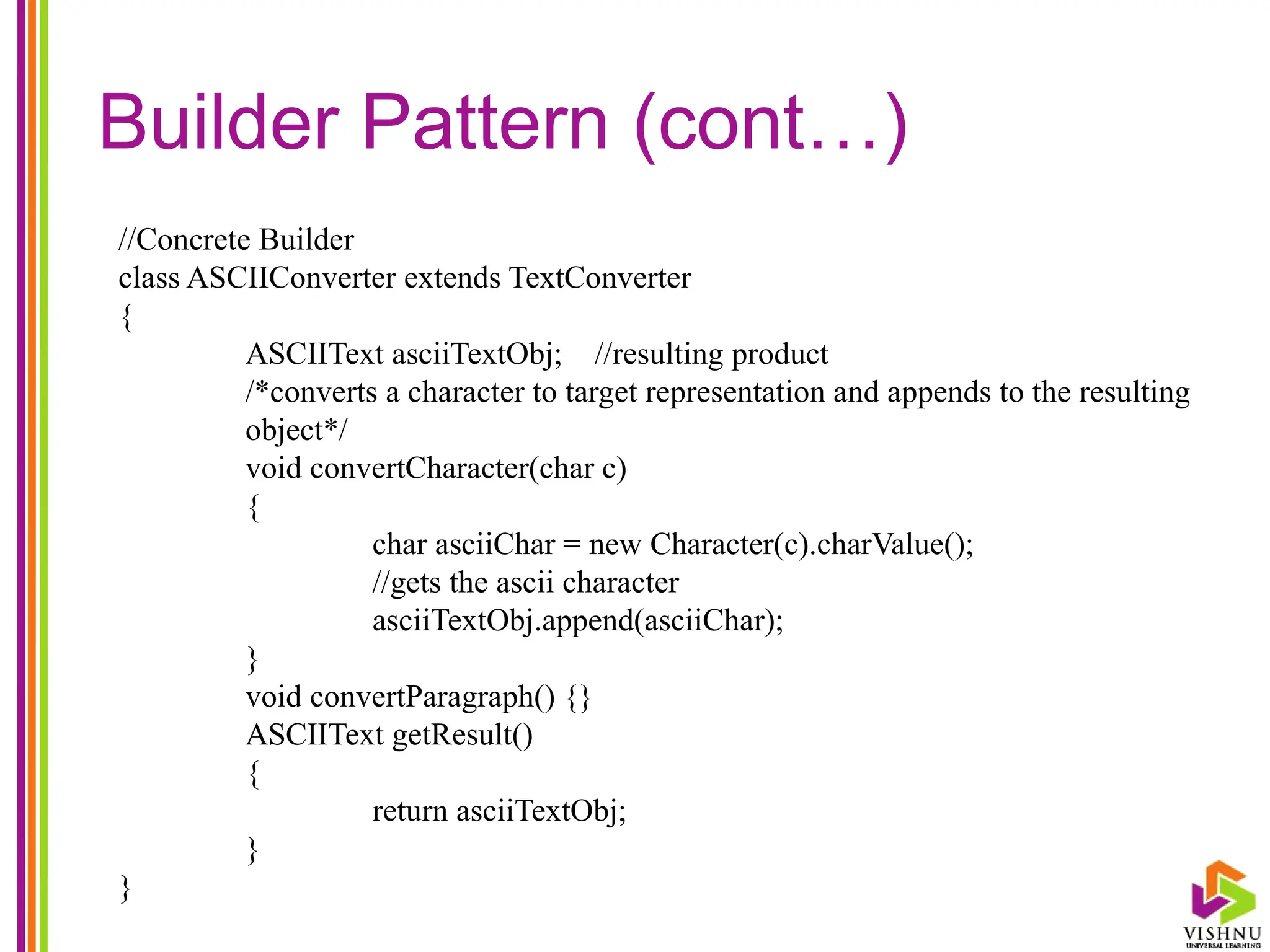
//Concrete Builder
class ASCIIConverter extends TextConverter
{
ASCIIText asciiTextObj; //resulting product
/*converts a character to target representation and appends to the resulting
object*/
void convertCharacter(char c)
{
char asciiChar = new Character(c).charValue();
//gets the ascii character
asciiTextObj.append(asciiChar);
}
void convertParagraph() {}
ASCIIText getResult()
{
return asciiTextObj;
}
}
Builder Pattern (cont…)
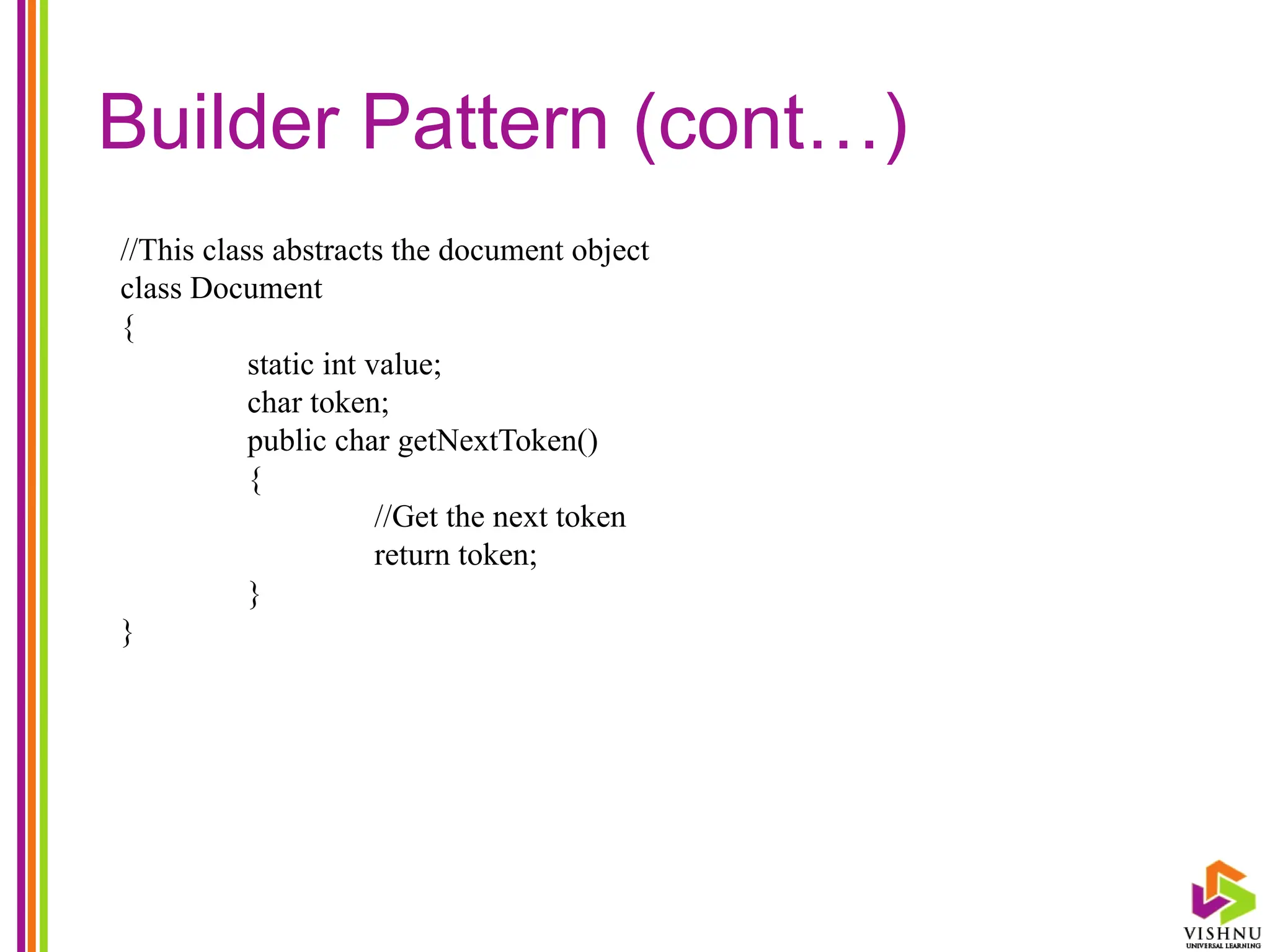
//This class abstracts the document object
class Document
{
static int value;
char token;
public char getNextToken()
{
//Get the next token
return token;
}
}
Builder Pattern (cont…)
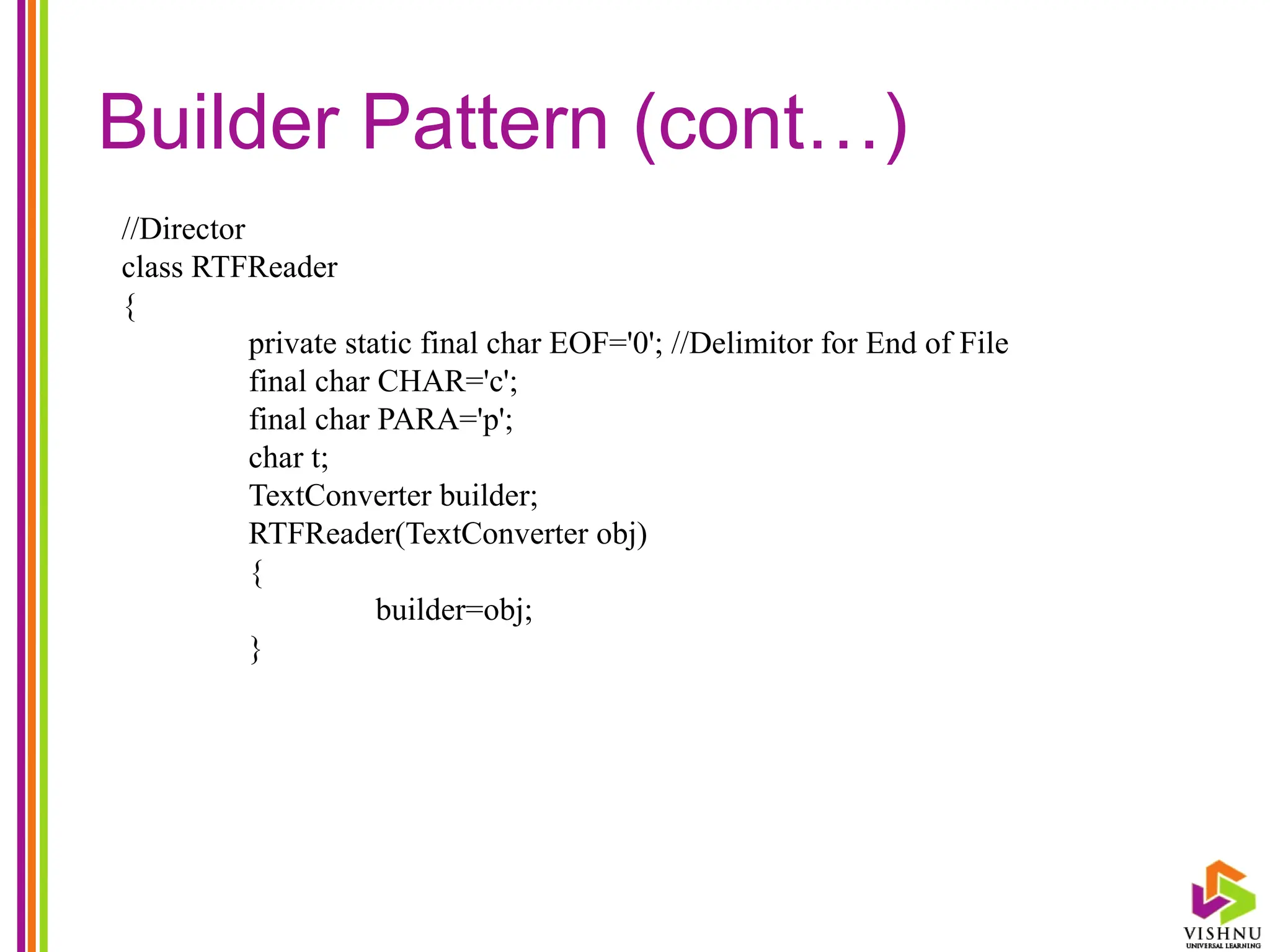
//Director
class RTFReader
{
private static final char EOF='0'; //Delimitor for End of File
final char CHAR='c';
final char PARA='p';
char t;
TextConverter builder;
RTFReader(TextConverter obj)
{
builder=obj;
}
Builder Pattern (cont…)
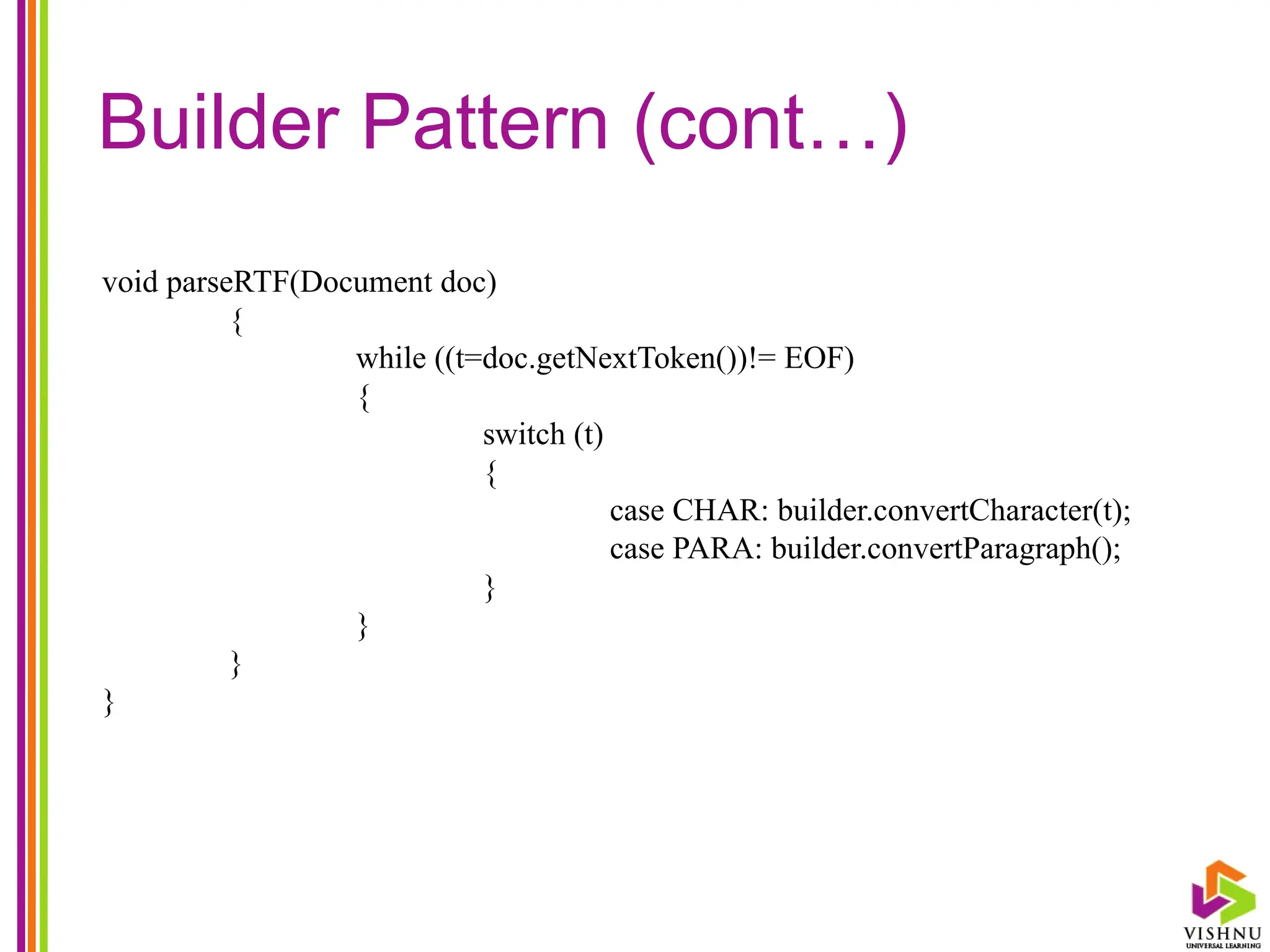
void parseRTF(Document doc)
{
while ((t=doc.getNextToken())!= EOF)
{
switch (t)
{
case CHAR: builder.convertCharacter(t);
case PARA: builder.convertParagraph();
}
}
}
}
Builder Pattern (cont…)
//Client
public class Client
{
void createASCIIText(Document doc)
{
ASCIIConverter asciiBuilder = new ASCIIConverter();
RTFReader rtfReader = new RTFReader(asciiBuilder);
rtfReader.parseRTF(doc);
ASCIIText asciiText = asciiBuilder.getResult();
}
public static void main(String args[])
{
Client client=new Client();
Document doc=new Document();
client.createASCIIText(doc);
system.out.println("This is an example of Builder Pattern");
}
}
Builder Pattern (cont…)
Real World Example
Waiter
Prototype Pattern
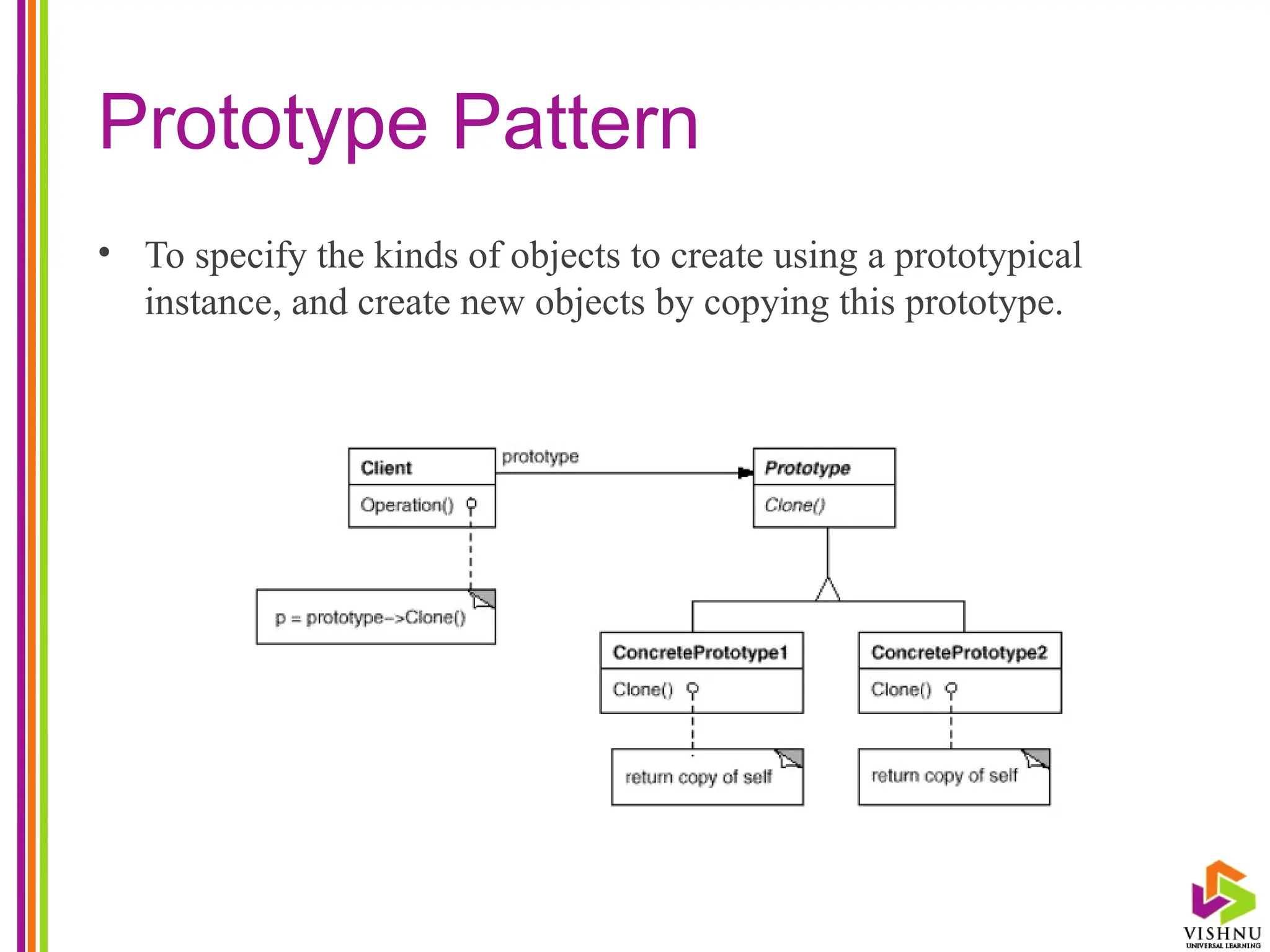
• To specify the kinds of objects to create using a prototypical
instance, and create new objects by copying this prototype.
Prototype Pattern (cont…)
Participants:
• Client - creates a new object by asking a prototype
to clone itself.
• Prototype - declares an interface for cloning itself.
• ConcretePrototype - implements the operation for
cloning itself.
Prototype Pattern (cont…)
Implementation
abstract class AbstractProduct implements Cloneable
{
public static AbstractProduct thePrototype;
public static AbstractProduct makeProduct()
{
try
{
return (AbstractProduct) thePrototype.clone();
}
catch(CloneNotSupportedException e)
{
return null;
}
}
}
Prototype Pattern (cont…)
class ConcreteProductA extends AbstractProduct { }
class ConcreteProductB extends AbstractProduct { }
public class PrototypeDemo
{
public static void main(String[] args)
{
AbstractProduct.thePrototype = new ConcreteProductA();
AbstractProduct product = AbstractProduct.makeProduct();
System.out.println(product);
}
}
Prototype Pattern (cont…)
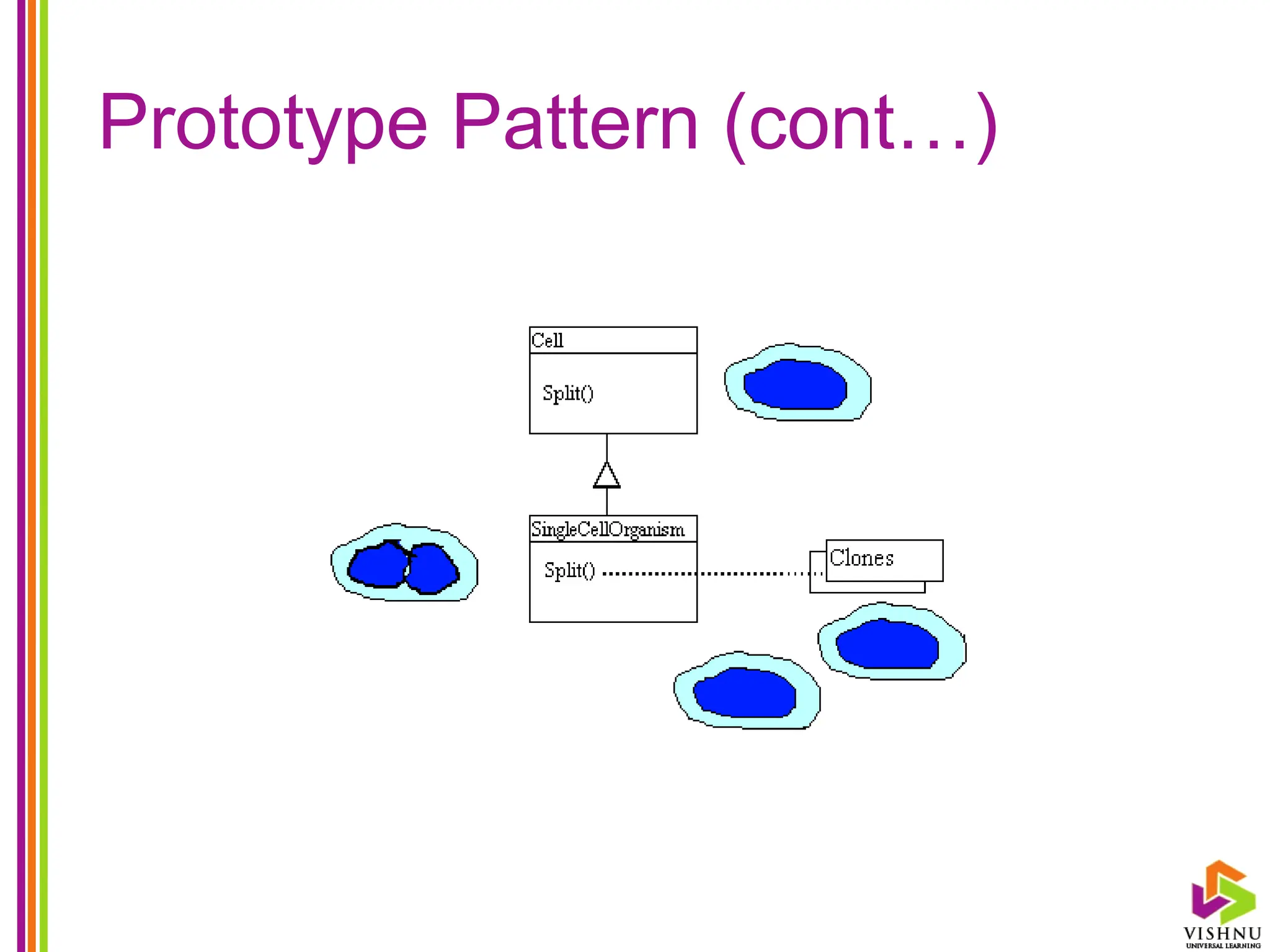
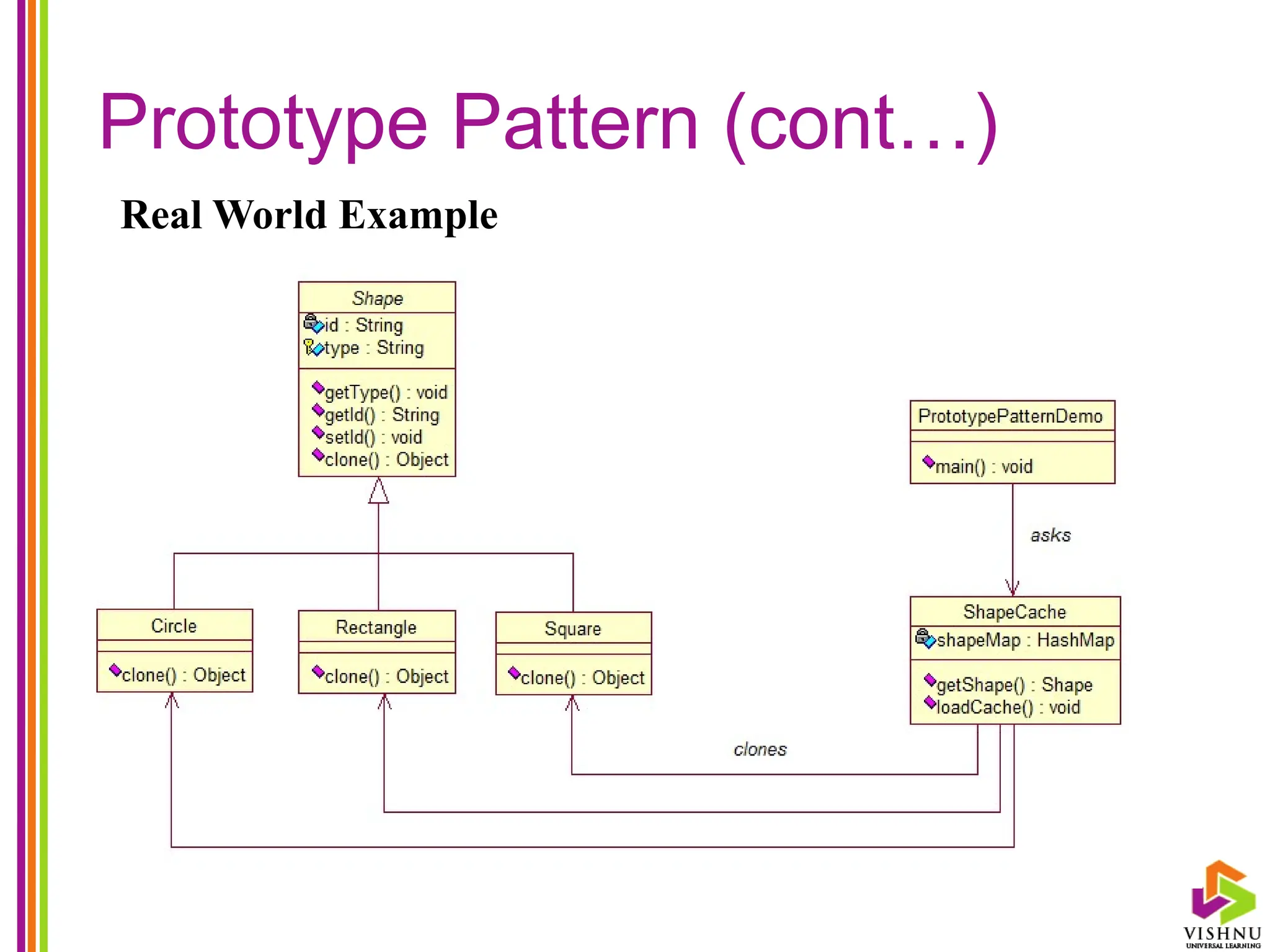
Real World Example

Software Architecture and Design Patterns Notes.pptx

  • 1.
    Design Patterns (DP) ByP. S. Suryateja Asst. Professor CSE Dept Vishnu Institute of Technology Erich Gamma Richard Helm Ralph Johnson John Vlissides Gang of Four (GOF)
  • 2.
    Objectives • Know whatare design patterns? • Know about GOF patterns. • How to select and use a pattern? • How to apply a pattern?
  • 3.
    Outline • Introduction todesign patterns – What is a design pattern? – Need of design patterns – Use of design patterns – Design patterns in Smalltalk MVC – Describing design patterns – Catalog of design patterns – Organizing the catalog – How to select a design pattern? – How to use a design pattern?
  • 4.
    Outline (cont…) • Creationalpatterns – Introduction – Singleton – Abstract Factory – Factory Method – Builder – Prototype
  • 5.
  • 6.
  • 7.
    What is adesign pattern (DP)? “Each pattern describes a problem which occurs over and over again in our environment, and then describes the core of the solution to that problem, in such a way that you can use this solution a million times over, without ever doing it the same way twice.” - Christopher Alexander Design patterns are repeatable / reusable solutions to commonly occurring problems in a certain context in software design.
  • 8.
    What is adesign pattern (DP)? (cont…) • Pattern name • Problem • Solution • Consequences Four essential elements of a pattern:
  • 9.
    Need for designpatterns • Designing reusable object-oriented software (API’s) is hard. • Experienced designers Vs novice designers. • Patterns make object-oriented software flexible, elegant and reusable. • Solved a problem previously but don’t remember when or how?
  • 10.
    Use of designpatterns • Make it easier to reuse successful designs and architectures. • Make it easy for the new developers to design software. • Allows to choose different design alternatives to make the software reusable. • Helps in documenting and maintaining the software. To get a design “right”, faster.
  • 11.
    Why should weuse DP’s? These are already tested and proven solutions used by many experienced designers.
  • 12.
  • 13.
    Design Patterns inSmalltalk MVC
  • 14.
    Describing design patterns 1.Pattern name and classification 2. Intent 3. Also known as 4. Motivation 5. Applicability 6. Structure 7. Participants 8. Collaborations
  • 15.
    Describing design patterns(cont…) 9. Consequences 10. Implementation 11. Sample code 12. Known uses 13. Related patterns
  • 16.
    Catalog of designpatterns 1. Abstract Factory 2. Adapter 3. Bridge 4. Builder 5. Chain of Responsibility 6. Command 7. Composite 8. Decorator 9. Façade 10. Factory Method
  • 17.
    Catalog of designpatterns (cont…) 11. Flyweight 12. Interpreter 13. Iterator 14. Mediator 15. Memento 16. Observer 17. Prototype 18. Proxy 19. Singleton 20. State
  • 18.
    Catalog of designpatterns (cont…) 21. Strategy 22. Template Method 23. Visitor
  • 19.
  • 20.
  • 21.
  • 22.
  • 23.
  • 24.
  • 25.
  • 26.
  • 27.
  • 28.
  • 29.
  • 30.
  • 31.
  • 32.
  • 33.
  • 34.
  • 35.
  • 36.
  • 37.
  • 38.
  • 39.
  • 40.
  • 41.
  • 42.
  • 43.
    How to selecta design pattern • Consider how design patterns solve design problems • Scan intent sections • Study how patterns interrelate • Study patterns of like purpose • Examine a cause of redesign • Consider what should be variable in your design
  • 44.
  • 45.
    How to usea design pattern 1. Read the pattern once through for a overview. 2. Study the structure, participants and collaborations sections. 3. Look at the sample code section to see a concrete example of the pattern in action. 4. Choose names for pattern participants that are meaningful in the application context. 5. Define the classes. 6. Define application-specific names for the operations in the pattern. 7. Implement the operations to carry out the responsibilities and collaborations in the pattern.
  • 46.
  • 47.
    Introduction • Deals withhow objects are created. • Increase the system’s flexibility in terms of what, who, how and when the object is created. • Further classified into two types: 1. Class-creational patterns 2. Object-creational patterns • Five creational patterns: 1. Abstract Factory 2. Builder 3. Factory Method 4. Prototype 5. Singleton
  • 48.
    Singleton Pattern • Tocreate exactly one object of a class and to provide a global point of access to it. Structure
  • 49.
  • 50.
    Singleton Pattern (cont…) Motivation: 1)Need to create exactly one user interface object. 2) Need to create only one print spooler.
  • 51.
    Singleton Pattern (cont…) Applicability: SingletonPattern can be used when: 1)There must be exactly one instance of a class and to provide a global point of access to it. 2)When the sole instance should be extensible by sub classing, and clients should be able to use the extended instance without modifying its code.
  • 52.
    Singleton Pattern (cont…) Participants: Consistsof a “Singleton” class with the following members: 1)A static data member 2)A private constructor 3)A static public method that returns a reference to the static data member.
  • 53.
    Singleton Pattern (cont…) Collaborations: Clientsaccess the singleton instance solely through the singleton’s class operation.
  • 54.
    Singleton Pattern (cont…) Consequences: •Controlled access to sole instance. • Reduced name space. • Permits refinement of operations and representation. • Permits a variable number of instances.
  • 55.
    Singleton Pattern (cont…) Implementation: classSingleton { private static Singleton instance; private Singleton() { ... } public static synchronized Singleton getInstance() { if (instance == null) instance = new Singleton(); return instance; } ... public void doOperation() { ... } }
  • 56.
    Singleton Pattern (cont…) Samplecode: Design a small ATM printing application which can generate multiple types of statements of the transaction including Mini Statement, Detailed statement etc. However the customer should be aware of the creation of these statements. Ensure that the memory consumption is minimized.
  • 57.
  • 58.
    Singleton Pattern (cont…) Codefor StatementFactory class is as shown below: public class StatementFactory extends Factory { private static StatementFactory uniqueInstance; private StatementFactory() {} public static StatementFactory getUniqueInstance() { if (uniqueInstance == null) { uniqueInstance = new StatementFactory(); System.out.println("Creating a new StatementFactory instance"); } return uniqueInstance; }
  • 59.
    Singleton Pattern (cont…) publicStatementType createStatements(String selection) { if (selection.equalsIgnoreCase("detailedStmt")) { return new DetailedStatement(); } else if (selection.equalsIgnoreCase("miniStmt")) { return new MiniStatement(); } throw new IllegalArgumentException("Selection doesnot exist"); } }
  • 60.
    Singleton Pattern (cont…) RelatedPatterns: Other patterns like Abstract Factory, Builder and Prototype can be implemented using the Singleton pattern.
  • 61.
    Abstract Factory Pattern •Provides an interface to create a family of related objects, without explicitly specifying their concrete class.
  • 62.
    Abstract Factory Pattern(cont…) Non-Software Example
  • 63.
    Abstract Factory Pattern(cont…) Also known as: Kit
  • 64.
    Abstract Factory Pattern(cont…) Motivation: Creating interface components for different look and feels.
  • 65.
    Abstract Factory Pattern(cont…) Applicability: We should use Abstract Factory design pattern when: • The system needs to be independent of the products it works with are created. • The system should be configured to work with multiple families of products. • A family of products is designed to be used together and this constraint is needed to be enforced. • A library of products is to be provided and only their interfaces are to be revealed but not their implementations.
  • 66.
    Abstract Factory Pattern(cont…) Participants: The classes that participate in the Abstract Factory are: • AbstractFactory: Declares an interface of operations that create abstract products. • ConcreteFactory: Implements operations to create concrete products. • AbstractProduct: Declares an interface for a type of product objects. • Product: Defines a product to be created by the corresponding ConcreteFactory. It implements the AbstractProduct interface. • Client: Uses the interfaces declared by the AbstractFactory and AbstractProduct classes.
  • 67.
    Abstract Factory Pattern(cont…) Collaborations: • The ConcreteFactory class creates products objects having a particular implementation. To create different product, the client should use a different concrete factory. • AbstractFactory defers creation of product objects to its ConcreteFactory subclass.
  • 68.
    Abstract Factory Pattern(cont…) Consequences: Following are the benefits and liabilities of Abstract Factory pattern: • It isolates concrete classes. • It makes exchanging product families easy. • It creates consistency among products. • Supporting new kinds of products is difficult.
  • 69.
    Abstract Factory Pattern(cont…) Implementation: abstract class AbstractProductA { public abstract void operationA1(); public abstract void operationA2(); }
  • 70.
    Abstract Factory Pattern(cont…) class ProductA1 extends AbstractProductA { ProductA1(String arg) { System.out.println("Hello "+arg); } // Implement the code here public void operationA1() { }; public void operationA2() { }; } class ProductA2 extends AbstractProductA { ProductA2(String arg) { System.out.println("Hello "+arg); } // Implement the code here public void operationA1() { }; public void operationA2() { }; }
  • 71.
    Abstract Factory Pattern(cont…) abstract class AbstractProductB { public abstract void operationB1(); public abstract void operationB2(); }
  • 72.
    Abstract Factory Pattern(cont…) class ProductB1 extends AbstractProductB { ProductB1(String arg) { System.out.println("Hello "+arg); } // Implement the code here } class ProductB2 extends AbstractProductB { ProductB2(String arg) { System.out.println("Hello "+arg); } // Implement the code here }
  • 73.
    Abstract Factory Pattern(cont…) abstract class AbstractFactory { abstract AbstractProductA createProductA(); abstract AbstractProductB createProductB(); }
  • 74.
    Abstract Factory Pattern(cont…) class ConcreteFactory1 extends AbstractFactory { AbstractProductA createProductA() { return new ProductA1("ProductA1"); } AbstractProductB createProductB() { return new ProductB1("ProductB1"); } } class ConcreteFactory2 extends AbstractFactory { AbstractProductA createProductA() { return new ProductA2("ProductA2"); } AbstractProductB createProductB() { return new ProductB2("ProductB2"); } }
  • 75.
    Abstract Factory Pattern(cont…) class FactoryMaker { private static AbstractFactory pf=null; static AbstractFactory getFactory(String choice) { if(choice.equals("a")) { pf=new ConcreteFactory1(); } else if(choice.equals("b")) { pf=new ConcreteFactory2(); } return pf; } }
  • 76.
    Abstract Factory Pattern(cont…) public class Client { public static void main(String args[ ]) { AbstractFactory pf=FactoryMaker.getFactory("a"); AbstractProductA product=pf.createProductA(); //more function calls on product } }
  • 77.
    Abstract Factory Pattern(cont…) Real World Example
  • 78.
    Abstract Factory Pattern(cont…) Sample Code: public interface Window { public void setTitle(String text); public void repaint(); }
  • 79.
    Abstract Factory Pattern(cont…) //ConcreteProductA1 public class MSWindow implements Window { public void setTitle() { //MS Windows specific behaviour } public void repaint() { //MS Windows specific behaviour } }
  • 80.
    Abstract Factory Pattern(cont…) //ConcreteProductA2 public class MacOSXWindow implements Window { public void setTitle() { //Mac OSX specific behaviour } public void repaint() { //Mac OSX specific behaviour } }
  • 81.
    Abstract Factory Pattern(cont…) public interface AbstractWidgetFactory { public Window createWindow(); }
  • 82.
    Abstract Factory Pattern(cont…) //ConcreteFactory1 public class MsWindowsWidgetFactory { //create an MSWindow public Window createWindow() { MSWindow window = new MSWindow(); return window; } } //ConcreteFactory2 public class MacOSXWidgetFactory { //create a MacOSXWindow public Window createWindow() { MacOSXWindow window = new MacOSXWindow(); return window; } }
  • 83.
    Abstract Factory Pattern(cont…) public class GUIBuilder { public void buildWindow(AbstractWidgetFactory widgetFactory) { Window window = widgetFactory.createWindow(); window.setTitle("New Window"); } }
  • 84.
    Abstract Factory Pattern(cont…) public class Main { public static void main(String[] args) { GUIBuilder builder = new GUIBuilder(); AbstractWidgetFactory widgetFactory = null; //check what platform we're on if(Platform.currentPlatform()=="MACOSX") { widgetFactory = new MacOSXWidgetFactory(); } else { widgetFactory = new MsWindowsWidgetFactory(); } builder.buildWindow(widgetFactory); } }
  • 85.
    Abstract Factory Pattern(cont…) Related Patterns: AbstractFactory classes are often implemented with factory methods but they can also be implemented using Prototype. A concrete factory is often a Singleton.
  • 86.
    Factory Method Pattern •Defines an interface for creating an object, but lets subclasses decide which class to instantiate. Factory Method lets a class defer instantiation to subclasses.
  • 87.
    Factory Method Pattern(cont…) Non-Software Example
  • 88.
    Factory Method Pattern(cont…) Also known as: Virtual constructor
  • 89.
    Factory Method Pattern(cont…) Motivation: Document application
  • 90.
    Factory Method Pattern(cont…) Applicability: • A class can’t anticipate the class of objects it must create. • A class wants its sub classes to specify the objects it creates. • Classes delegate responsibility to one of several helper subclasses.
  • 91.
    Factory Method Pattern(cont…) Participants: • Product: Defines the interface of objects the factory method creates. • ConcreteProduct: Implements the Product interface. • Creator: Declares the factory method, which returns an object of the type Product. • ConcreteCreator: Overrides the factory method to return an instance of a ConcreteProduct.
  • 92.
    Factory Method Pattern(cont…) Collaborations: Creator relies on its subclasses to provide an implementation for the factory method so that it returns an instance of the appropriate ConcreteProduct class.
  • 93.
    Factory Method Pattern(cont…) Consequences: •The main reason for which the factory pattern is used is that it introduces a separation between the application and a family of classes. •It provides customization hooks. •The factory has to be used for a family of objects.
  • 94.
    Factory Method Pattern(cont…) Implementation: public interface Product { } public class ConcreteProduct implements Product { } public abstract class Creator { public void anOperation() { Product product = factoryMethod(); } protected abstract Product factoryMethod(); } public class ConcreteCreator extends Creator { protected Product factoryMethod() { return new ConcreteProduct(); } }
  • 95.
    Factory Method Pattern(cont…) Real World Example
  • 96.
    Factory Method Pattern(cont…) Related patterns: • Abstract Factory is often implemented with factory methods. • Factory methods are usually called within Template Methods. In the Document example above, NewDocument() is a template method. • Prototypes don’t require subclassing Creator. Instead, they often require an Initialize operation on the product class. Factory Method doesn’t require such operation.
  • 97.
    Builder Pattern • Separatethe construction of a complex object from its representation so that the same construction process can create different representations.
  • 98.
  • 99.
  • 100.
    Builder Pattern (cont…) Usethe Builder pattern when: • The algorithm for creating a complex object should be independent of the parts that make up the object and how they are assembled. • The construction process must allow different representations for the object that is constructed. Applicability:
  • 101.
    Builder Pattern (cont…) •Builder: Provides an abstract interface for creating parts of a Product object. • ConcreteBuilder: Constructs and assembles the parts of the Product by implementing the Builder interface. • Director: Constructs an object using the Builder interface. • Product: Represents the complex object under construction. Participants:
  • 102.
    Builder Pattern (cont…) Thebenefits and pitfalls of Builder pattern are: • It let’s you vary the product’s internal representation. • It isolates code for construction and representation. • It gives you finer control over the construction process. Consequences:
  • 103.
    Builder Pattern (cont…) //AbstractBuilder class abstract class TextConverter { abstract void convertCharacter(char c); abstract void convertParagraph(); } // Product class ASCIIText { public void append(char c) { //Implement the code here } } Implementation:
  • 104.
    Builder Pattern (cont…) //ConcreteBuilder class ASCIIConverter extends TextConverter { ASCIIText asciiTextObj; //resulting product /*converts a character to target representation and appends to the resulting object*/ void convertCharacter(char c) { char asciiChar = new Character(c).charValue(); //gets the ascii character asciiTextObj.append(asciiChar); } void convertParagraph() {} ASCIIText getResult() { return asciiTextObj; } }
  • 105.
    Builder Pattern (cont…) //Thisclass abstracts the document object class Document { static int value; char token; public char getNextToken() { //Get the next token return token; } }
  • 106.
    Builder Pattern (cont…) //Director classRTFReader { private static final char EOF='0'; //Delimitor for End of File final char CHAR='c'; final char PARA='p'; char t; TextConverter builder; RTFReader(TextConverter obj) { builder=obj; }
  • 107.
    Builder Pattern (cont…) voidparseRTF(Document doc) { while ((t=doc.getNextToken())!= EOF) { switch (t) { case CHAR: builder.convertCharacter(t); case PARA: builder.convertParagraph(); } } } }
  • 108.
    Builder Pattern (cont…) //Client publicclass Client { void createASCIIText(Document doc) { ASCIIConverter asciiBuilder = new ASCIIConverter(); RTFReader rtfReader = new RTFReader(asciiBuilder); rtfReader.parseRTF(doc); ASCIIText asciiText = asciiBuilder.getResult(); } public static void main(String args[]) { Client client=new Client(); Document doc=new Document(); client.createASCIIText(doc); system.out.println("This is an example of Builder Pattern"); } }
  • 109.
    Builder Pattern (cont…) RealWorld Example Waiter
  • 110.
    Prototype Pattern • Tospecify the kinds of objects to create using a prototypical instance, and create new objects by copying this prototype.
  • 111.
  • 112.
    Prototype Pattern (cont…) Participants: •Client - creates a new object by asking a prototype to clone itself. • Prototype - declares an interface for cloning itself. • ConcretePrototype - implements the operation for cloning itself.
  • 113.
    Prototype Pattern (cont…) Implementation abstractclass AbstractProduct implements Cloneable { public static AbstractProduct thePrototype; public static AbstractProduct makeProduct() { try { return (AbstractProduct) thePrototype.clone(); } catch(CloneNotSupportedException e) { return null; } } }
  • 114.
    Prototype Pattern (cont…) classConcreteProductA extends AbstractProduct { } class ConcreteProductB extends AbstractProduct { } public class PrototypeDemo { public static void main(String[] args) { AbstractProduct.thePrototype = new ConcreteProductA(); AbstractProduct product = AbstractProduct.makeProduct(); System.out.println(product); } }
  • 115.

Editor's Notes

  • #7  Relation between OOP and DP is: Object Oriented Programming (OOP) is cooking and Design Patterns (DP) are recipes. It is like playing with puzzle pieces. When, you are given a puzzle game for the first time, you would try different combinations and take more time to get the right solution for the puzzle. But, the second time, you would get the solution in less amount of time and the third time, even less amount of time. Similarly, design patterns help us to create the software designs faster which are reusable.
  • #8 Pattern name: The pattern name provides a way to describe the design problem, its solution and consequences in a word or two. A pattern name provides vocabulary using which we can communicate with other people, document them and reference them in software designs. Finding a good name for a design pattern is a major issue. Problem: The problem describes when to apply the pattern and in which context to apply the pattern. The problem may describe the class and object structures in a bad design context. Sometimes, the problem might also list out the conditions that must be pre satisfied to apply the pattern. Solution: The solution describes the elements (classes and objects) that make up the design, their relationships, responsibilities and collaborations. The solution does not describe a particular concrete design or implementation (no code). A pattern is a template that can be applied in many different situations. Consequences: These are the costs and benefits of applying the patterns. These consequences involve space and time trade-offs, language and implementation issues as well as the effect of pattern on system’s flexibility, extensibility or portability. Listing these consequences explicitly enables us to understand and evaluate them.
  • #13 The Model/View/Controller set of classes are used to build user interfaces in Smalltalk-80. MVC consists of three kinds of objects. Model is the application object. View is the representation of the model and the Controller specifies how the user interface (View) reacts to the user input. Before MVC, these three objects (Model, View and Controller) used to be coupled together. MVC decouples model and view objects using the subscribe/notify protocol. Whenever the data in the model changes, it has to notify the associated views. In response, each view gets a chance to update itself. This allows add or create views on a model without changing the model itself. In the figure we can see three views: a table display, a bar chart and a pie chart associated with the same model. When the data in the model changes, the views are updated accordingly. This design that decouples views from models can be applied in a more general problem context like: decoupling objects where a change in one object causes change in all other associated objects. Such design pattern is the observer pattern. Another feature of MVC is, views can be nested. For example, a control panel can contain a set of buttons as a button view along with other controls which are nested inside the main container view. In Smalltalk, nested views are supported by the class CompositeView which is a sub class of the View class. This design can be applied in a more general context like: to group a set of objects and that group can be treated as an individual object. This general design is described as the composite pattern. MVC also lets us change how the view responds based on the user input. This is achieved through controller classes in Smalltalk. For example, we might want the view to respond based on key strokes or through mouse movement on the user interface. It is even possible to change a view’s controller at run time. This design can be applied in a general context: where you have several variants of an algorithm and you want to apply a single algorithm either statically or dynamically. This View-Controller relationship is an example of Strategy pattern. A strategy is an object which represents an algorithm. These three patterns: Observer, Composite and Strategy specify the main relationships in MVC although there are other design patterns like Factory Method and Decorator.
  • #14 Pattern name and classification: The pattern name specifies the essence of the pattern precisely. A good name is a key as it will become a part of our design vocabulary. Classification specifies the type of pattern. Intent: A short statement that tells us what the pattern does and which design issue or problem the pattern addresses. Also known as: Other well known names for the pattern, if any. Motivation: A scenario that illustrates a design problem and how the class and object structures solve that problem. The scenario will help us understand the abstract pattern definition. Applicability: This specifies in which situations a design pattern can be applied. What are the examples of poor designs that the pattern can address? How to recognize these situations? Structure: A graphical representation of the classes involved in the pattern following the notations of Object Modeling Technique (OMT). We also use interaction diagrams to illustrate sequences of the requests and the collaborations between objects. Participants: The classes and / or objects participating in the pattern and their responsibilities. Collaborations: How the classes and objects collaborate to carry out their responsibilities.
  • #15 Consequences: Tells us what are the costs and benefits of using the pattern. Also tells us which part of the system can be changed independently. Implementation: Specifies what techniques we should be aware of when implementing the pattern and also tells us if there are any language specific issues. Sample code: Code fragments that tells us how to implement the pattern in java. Known uses: Example usage of the patterns in the real world. Related patterns: Specifies which other patterns are related to this pattern and what are the differences between them.
  • #16 Abstract Factory: Provides an interface for creating families of related or dependent objects without specifying their concrete classes. Adapter: Adapter lets classes work together that couldn’t otherwise because of incompatible interfaces. Bridge: Decouple (separate) the abstraction from its implementation so that the two can vary independently. Builder: Separate (hide) the construction process from its representation so that the same construction process can create different representations. Chain of Responsibility: Avoid coupling the sender of a request to its receiver by giving more than one object a chance to handle the request. Chain the receiving objects and pass the request along the chain until an object handles it. Command: Encapsulate a request as an object which allows us to parameterize the clients with different requests and support undoable operations. Composite: Combine objects into tree structures to form part-whole hierarchies. Composite lets clients treat individual objects and compositions of objects uniformly. Decorator: Attach additional responsibilities to an object dynamically. Decorators provide a flexible alternative to sub classing for extending functionality. Façade: Provide a uniform interface for a set of interfaces in a subsystem. Façade defines a higher level interface to make the subsystem easier to use. Factory Method: Defines an interface to create an object, but lets subclasses decide which class to instantiate. Factory Method lets a class differ instantiation to subclasses.
  • #17 Flyweight: Use sharing to support large numbers of fine-grained objects efficiently. Interpreter: Given a language, define a representation for its grammar along with an interpreter that uses the representation to interpret sentences in the language. Iterator: Provides a way to access the individual elements of an aggregate object without exposing its underlying representation. Mediator: Define an object that encapsulates how a set of objects interact. Memento: Without violating encapsulation, capture and externalize an object’s internal state so that the object can be restored to this state later. Observer: Defines a one-to-many dependency between objects so that if one object changes its state, it will notify the change to all other objects and update automatically. Prototype: Specifies the kinds of objects to create using a prototypical instance, and create new objects by copying this prototype. Proxy: Provide a placeholder for another object to control access to it. Singleton: Ensure a class has only one object and a global point of access to that object. State: Allow an object to change its behavior when its internal state changes. The object will appear to change its class.
  • #18 Strategy: Define a family of algorithms, encapsulate each one, and make them interchangeable. Strategy lets the algorithm vary independently from clients that use it. Template Method: Define the skeleton of an algorithm in an operation, deferring some steps to sub classes. Visitor: Represent an operation to be performed on the elements of an object structure. Visitor lets you define a new operation without changing the classes of the elements on which it operates.
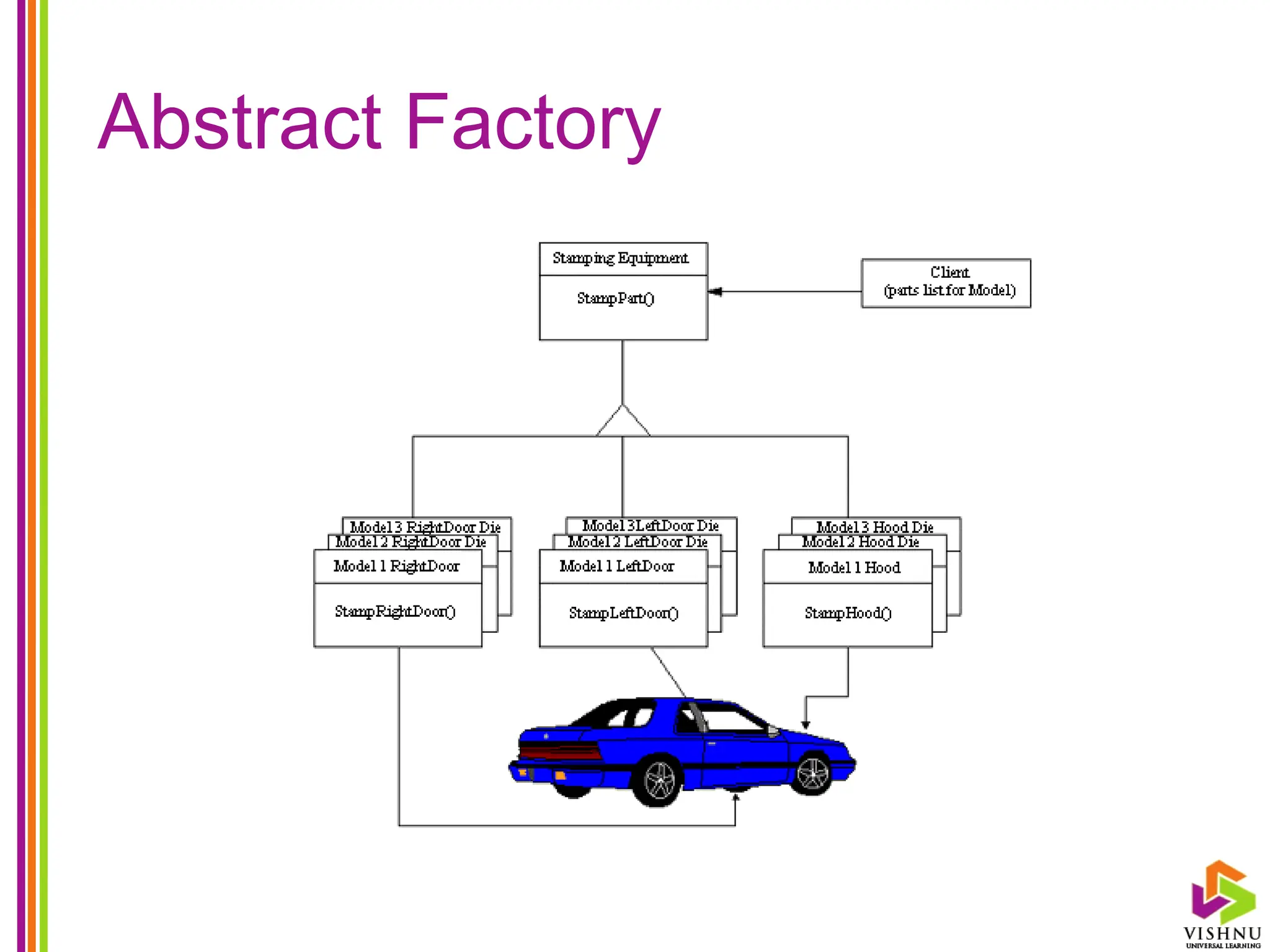
  • #19 The purpose of the Abstract Factory is to provide an interface for creating families of related objects, without specifying concrete classes. This pattern is found in the sheet metal stamping equipment used in the manufacture of Japanese automobiles. The stamping equipment is an Abstract Factory which creates auto body parts. The same machinery is used to stamp right hand doors, left hand doors, right front fenders, left front fenders, hoods etc. for different models of cars. Through the use of rollers to change the stamping dies, the concrete classes produced by the machinery can be changed within three minutes.
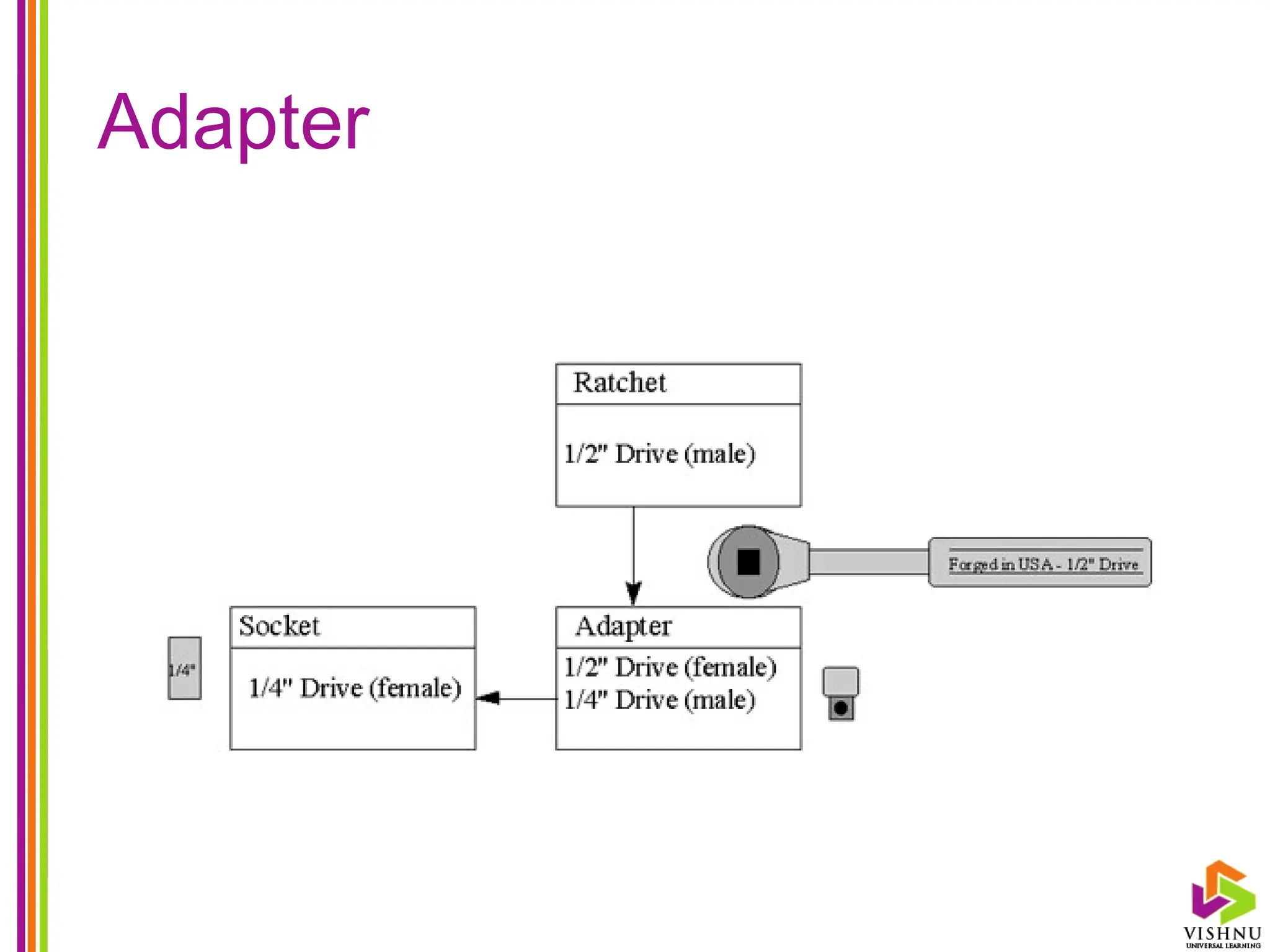
  • #20 The Adapter pattern allows otherwise incompatible classes to work together by converting the interface of one class into an interface expected by the clients. Socket wrenches provide an example of the Adapter. A socket attaches to a ratchet, provided that the size of the drive is the same. Typical drive sizes in the United States are 1/2" and 1/4". Obviously a 1/2" drive ratchet will not fit into a 1/4" drive socket unless an adapter is used. A 1/2" to 1/4" adapter has a 1/2" female connection to fit on the 1/2" drive ratchet, and a 1/4" male connection to fit in the 1/4" drive socket.
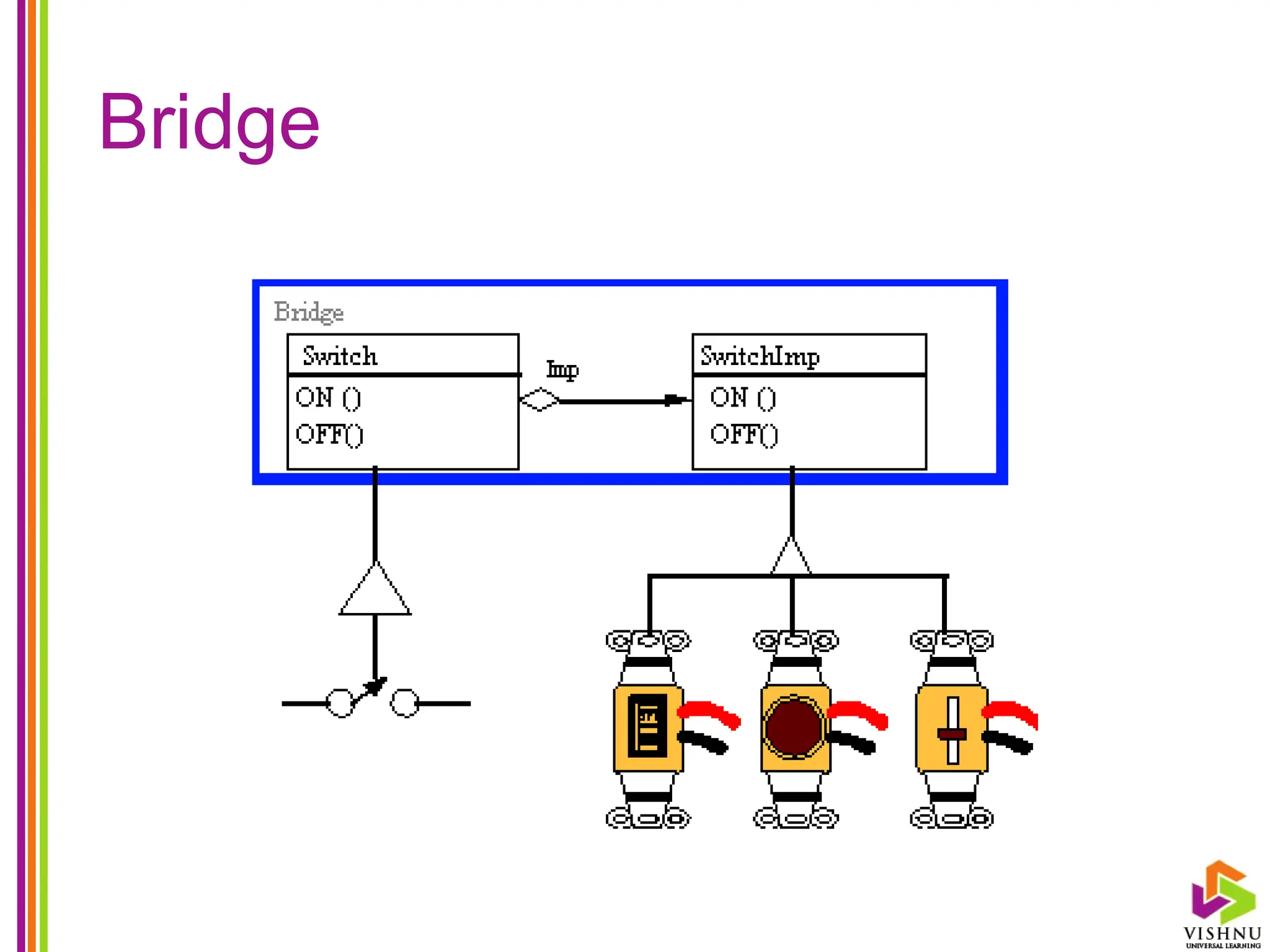
  • #21 The Bridge pattern decouples an abstraction from its implementation, so that the two can vary independently. A household switch controlling lights, ceiling fans, etc. is an example of the Bridge. The purpose of the switch is to turn a device on or off. The actual switch can be implemented as a pull chain, a simple two position switch, or a variety of dimmer switches.
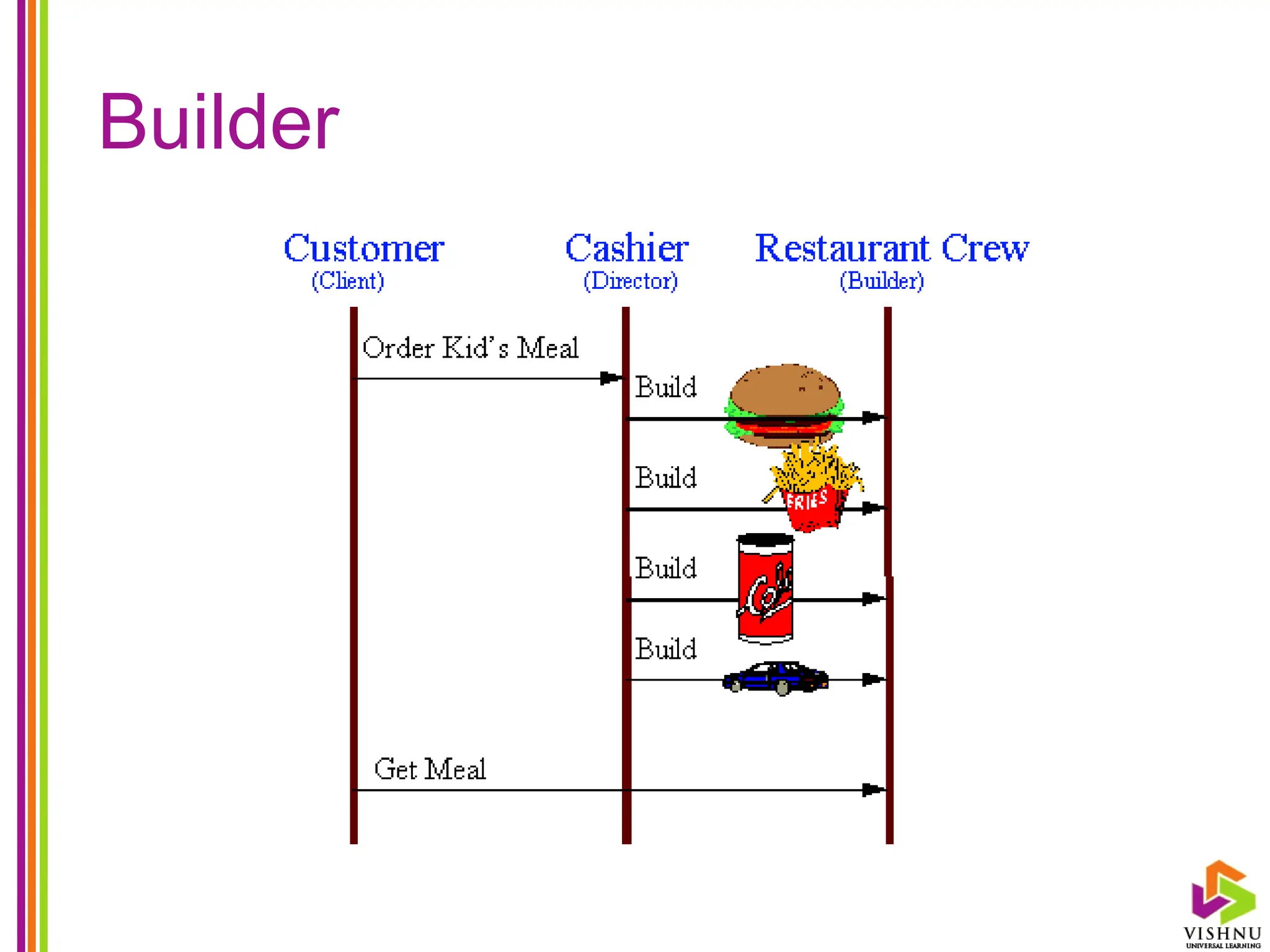
  • #22 The Builder pattern separates the construction of a complex object from its representation, so that the same construction process can create different representation. This pattern is used by fast food restaurants to construct children's meals. Children's meals typically consist of a main item, a side item, a drink, and a toy (e.g., a hamburger, fries, coke, and toy car). Note that there can be variation in the contents of the children's meal, but the construction process is the same. Whether a customer orders a hamburger, cheeseburger, or chicken, the process is the same. The employee at the counter directs the crew to assemble a main item, side item, and toy. These items are then placed in a bag. The drink is placed in a cup and remains outside of the bag. This same process is used at competing restaurants.
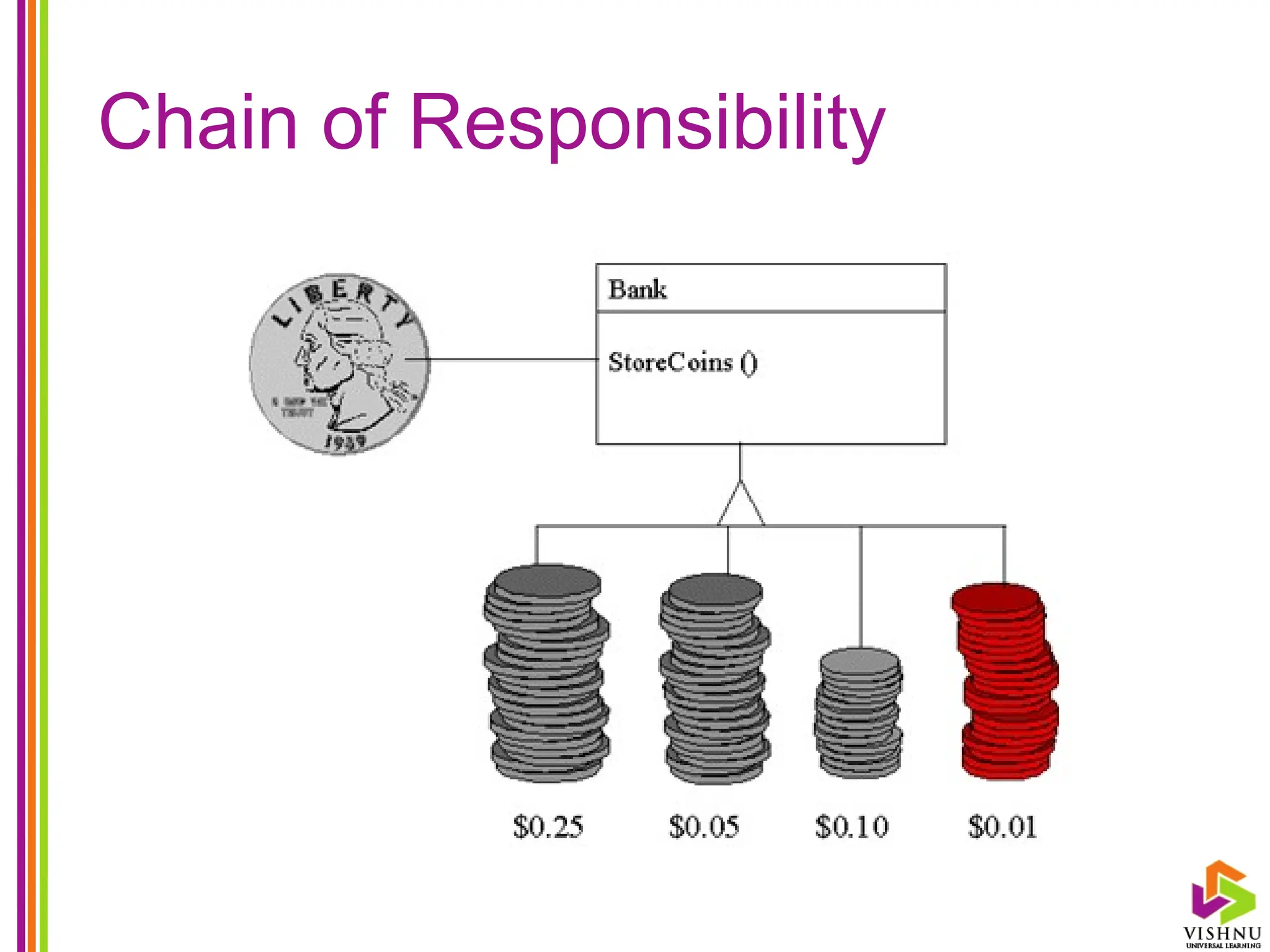
  • #23 The Chain of Responsibility pattern avoids coupling the sender of a request to the receiver, by giving more than one object a chance to handle the request. Mechanical coin sorting banks use the Chain of Responsibility. Rather than having a separate slot for each coin denomination coupled with receptacle for the denomination, a single slot is used. When the coin is dropped, the coin is routed to the appropriate receptacle by the mechanical mechanisms within the bank.
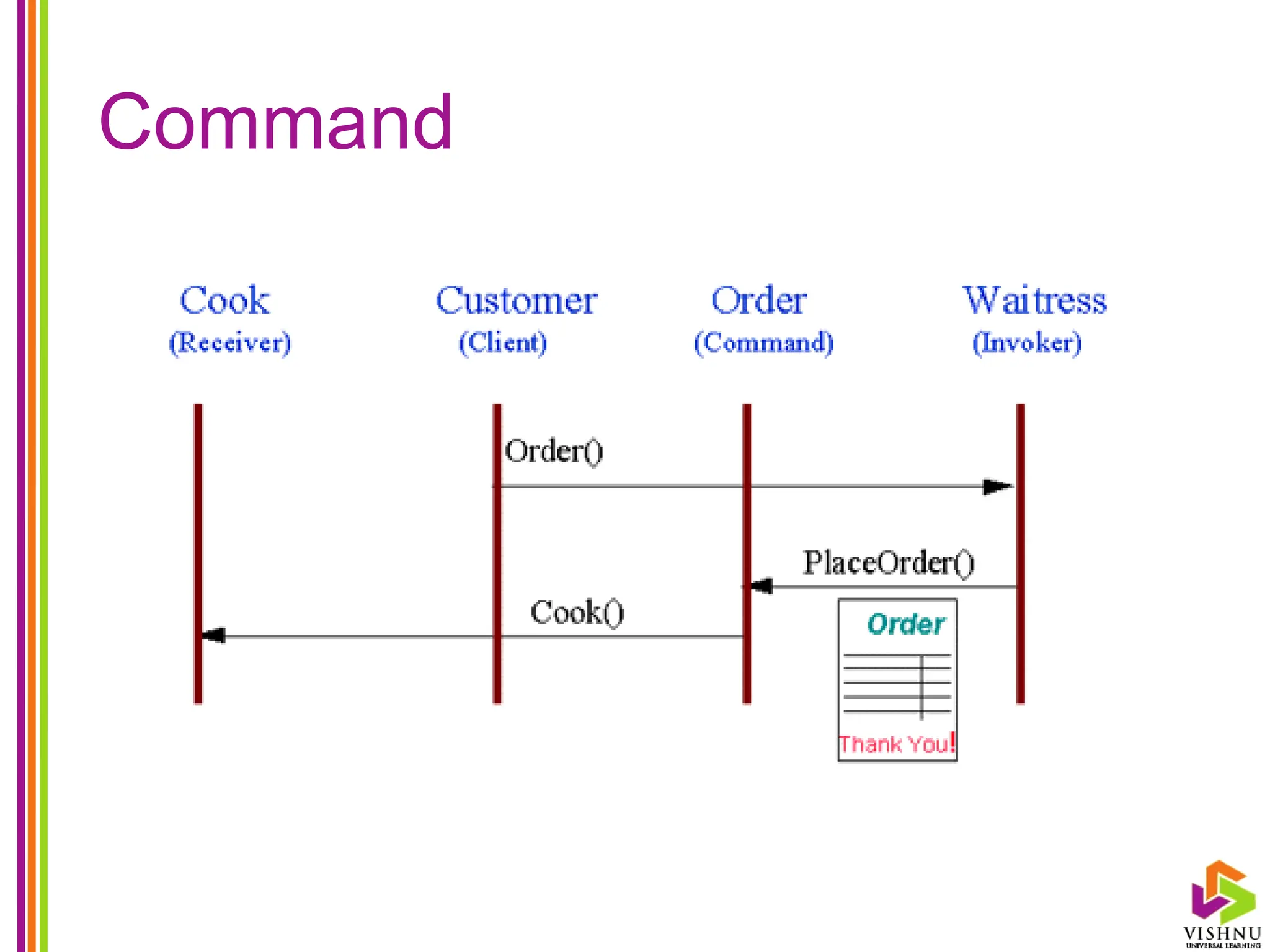
  • #24 The Command pattern allows requests to be encapsulated as objects, thereby allowing clients to be paramaterized with different requests. The "check" at a diner is an example of a Command pattern. The waiter or waitress takes an order, or command from a customer, and encapsulates that order by writing it on the check. The order is then queued for a short order cook. Note that the pad of "checks" used by different diners is not dependent on the menu, and therefore they can support commands to cook many different items.
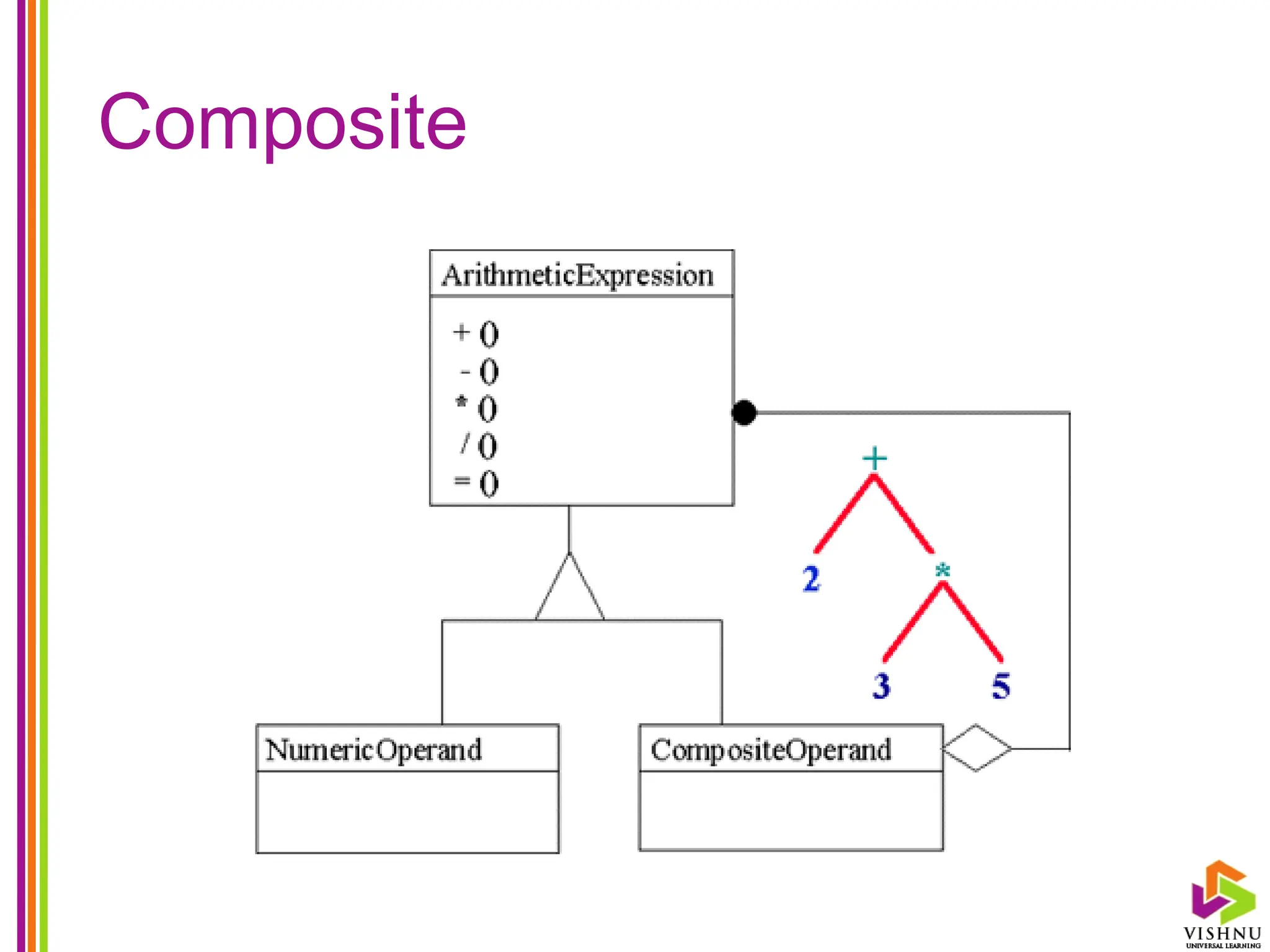
  • #25 The Composite composes objects into tree structures, and lets clients treat individual objects and compositions uniformly. Although the example is abstract, arithmetic expressions are Composites. An arithmetic expression consists of an operand, an operator (+ - * /), and another operand. The operand can be a number, or another arithmetic expression. Thus, 2 + 3 and (2 + 3) + (4 * 6) are both valid expressions.
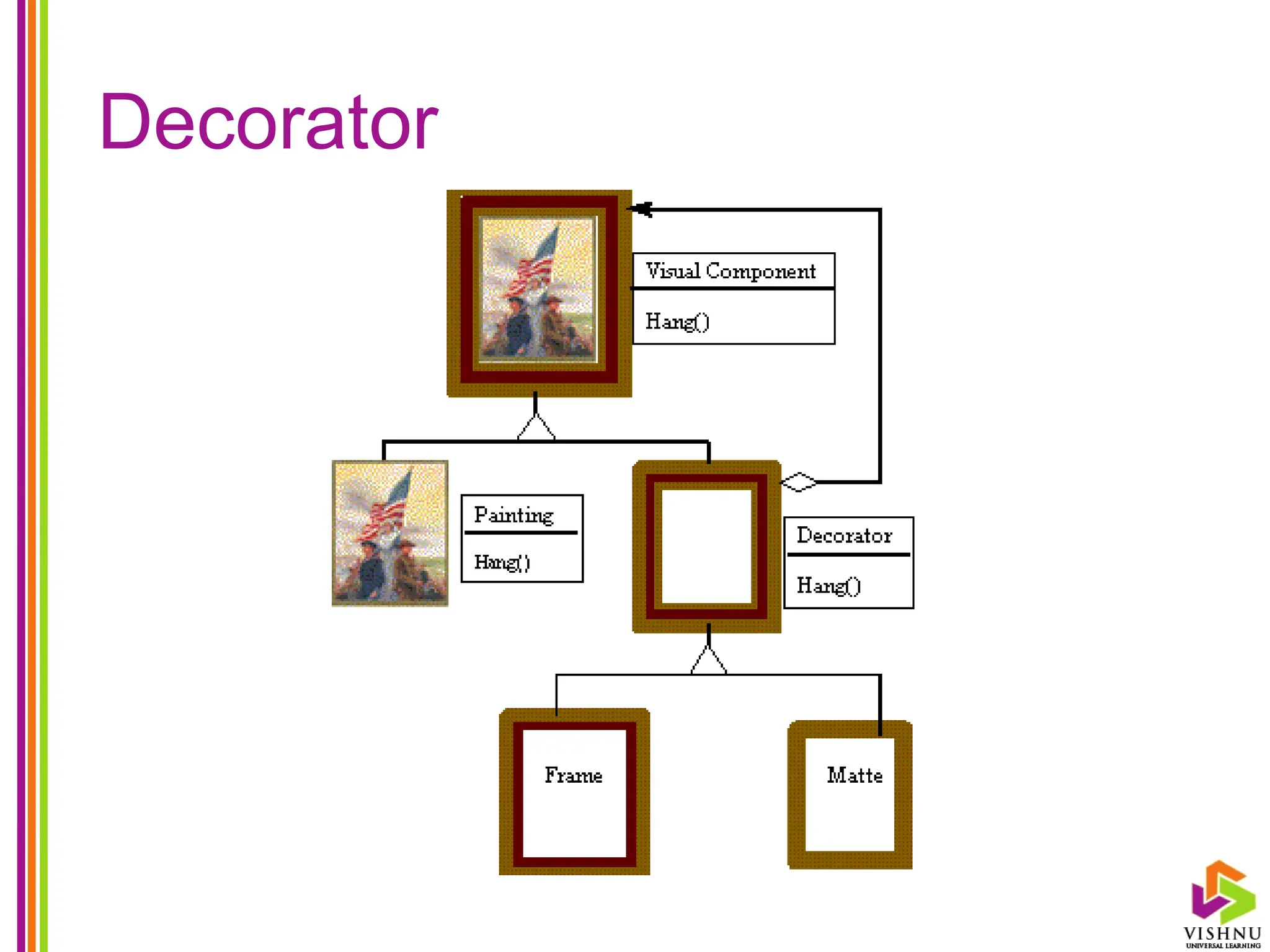
  • #26 The Decorator attaches additional responsibilities to an object dynamically. Although paintings can be hung on a wall with or without frames, frames are often added, and it is the frame which is actually hung on the wall. Prior to hanging, the paintings may be matted and framed, with the painting, matting, and frame forming a single visual component.
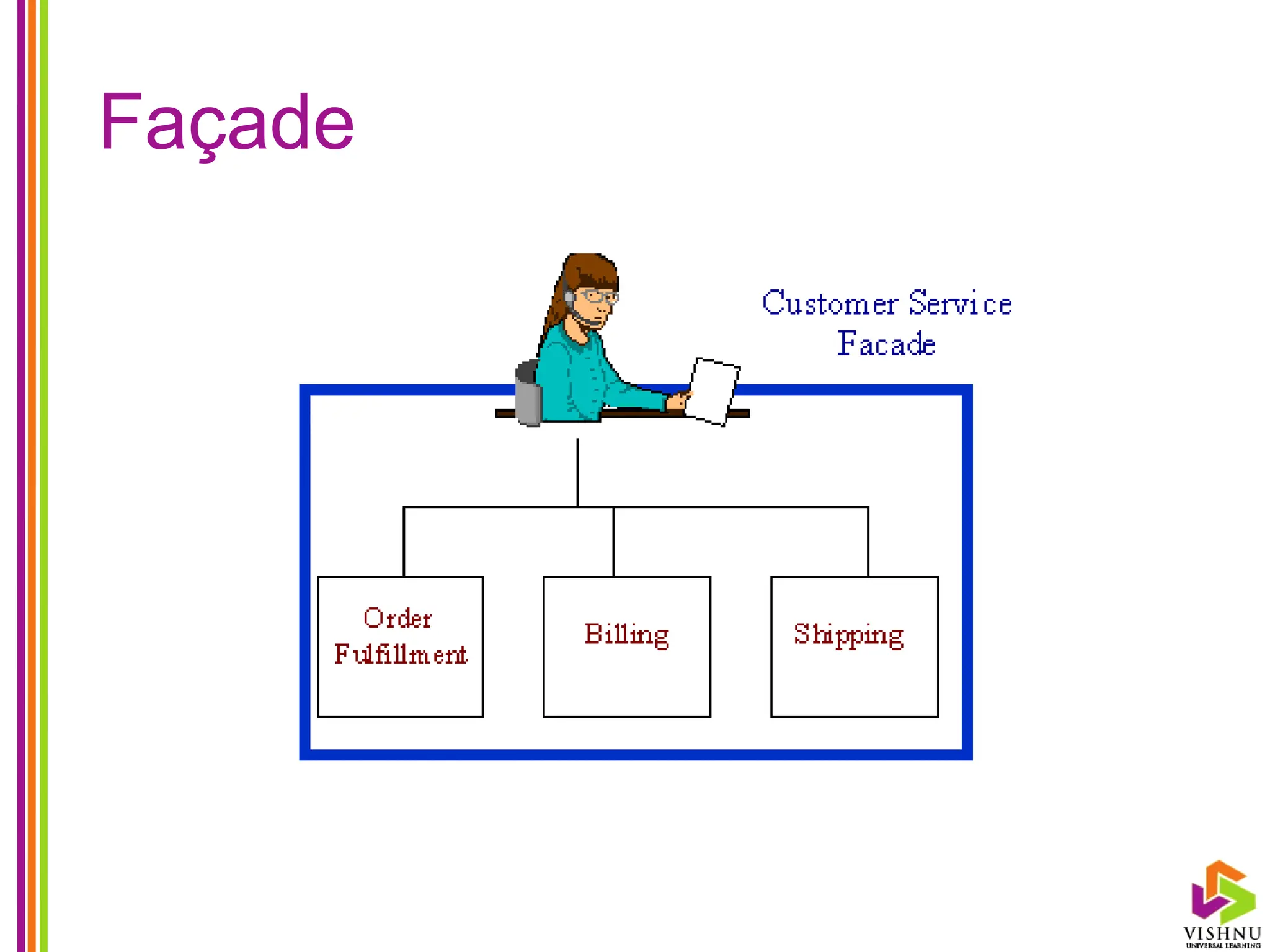
  • #27 The Facade defines a unified, higher level interface to a subsystem, that makes it easier to use. Consumers encounter a Facade when ordering from a catalog. The consumer calls one number and speaks with a customer service representative. The customer service representative acts as a Facade, providing an interface to the order fulfillment department, the billing department, and the shipping department.
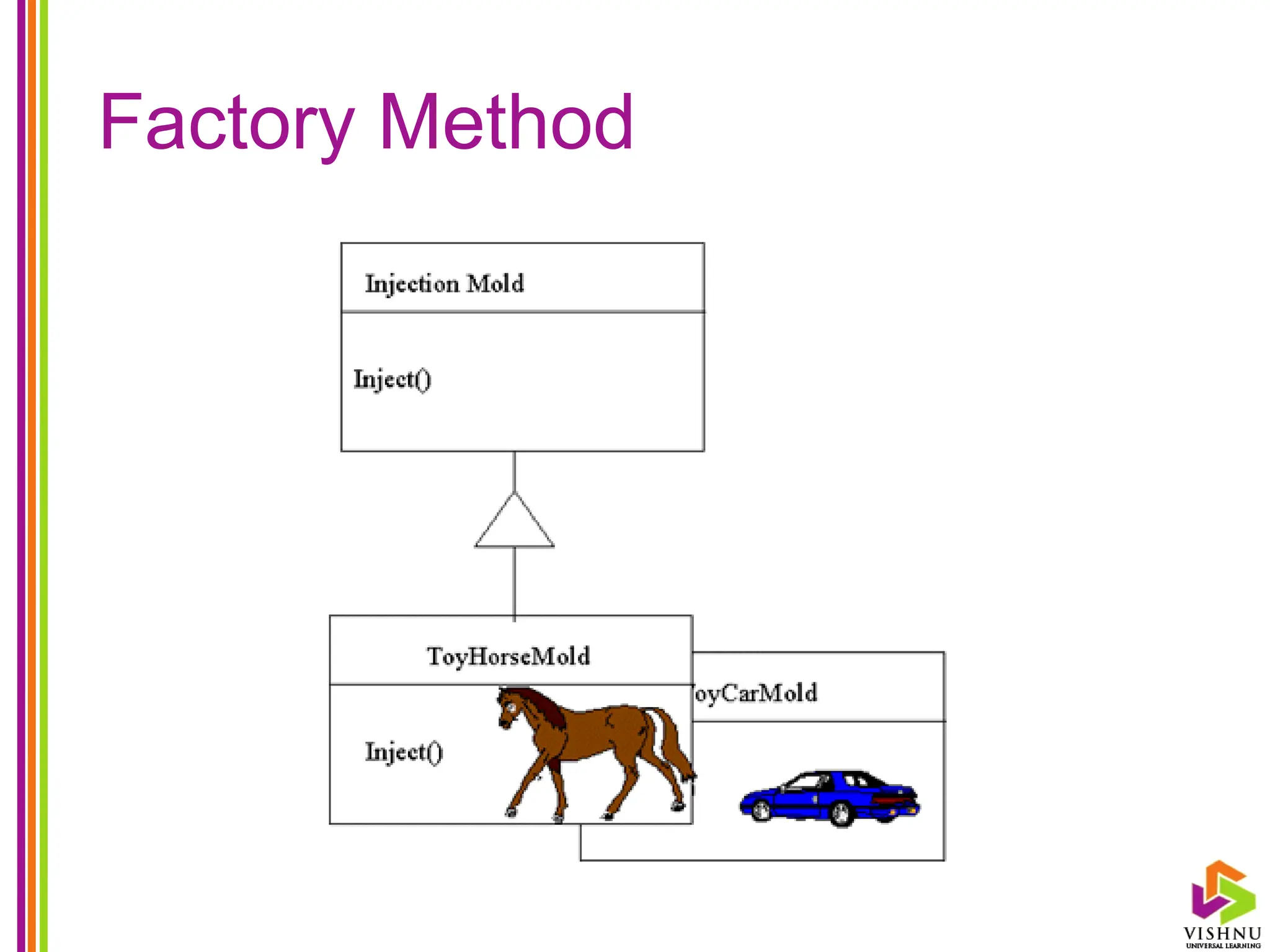
  • #28 The Factory Method defines an interface for creating objects, but lets subclasses decide which classes to instantiate. Injection molding presses demonstrate this pattern. Manufacturers of plastic toys process plastic molding powder, and inject the plastic into molds of the desired shapes [15]. The class of toy (car, action figure, etc.) is determined by the mold.
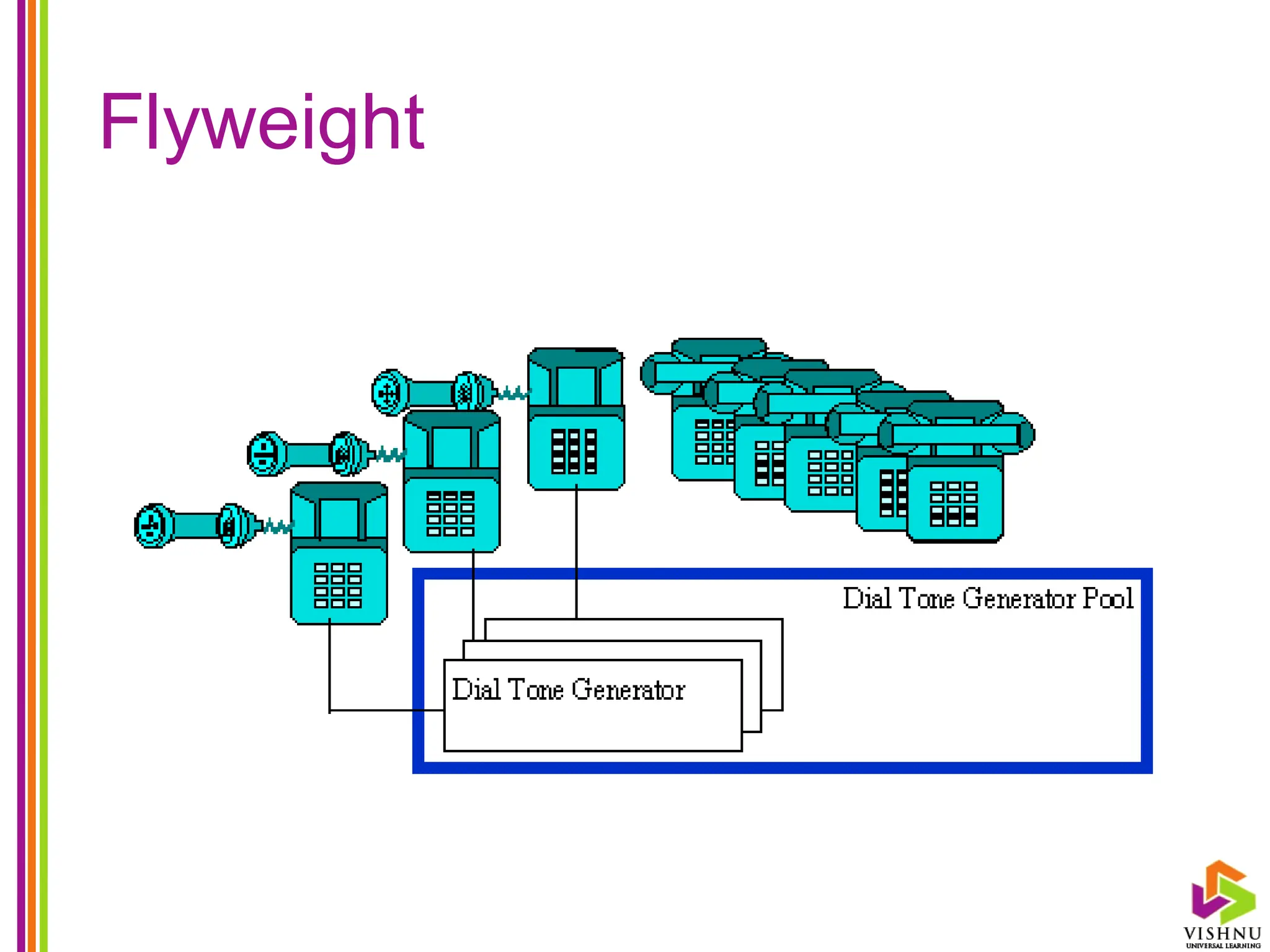
  • #29 The Flyweight uses sharing to support large numbers of objects efficiently. The public switched telephone network is an example of a Flyweight. There are several resources such as dial tone generators, ringing generators, and digit receivers that must be shared between all subscribers. A subscriber is unaware of how many resources are in the pool when he or she lifts the hand set to make a call. All that matters to subscribers is that dial tone is provided, digits are received, and the call is completed.
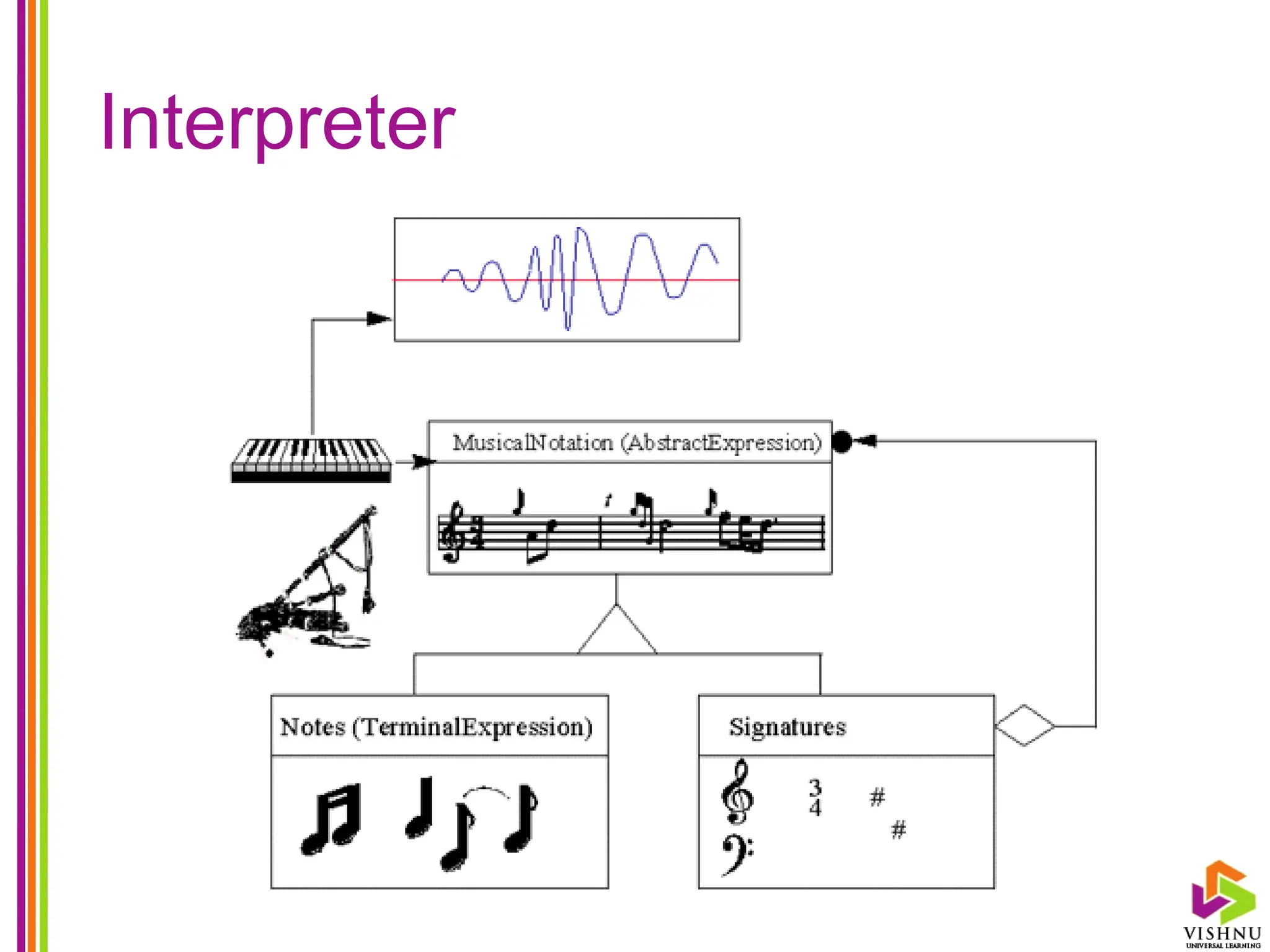
  • #30 The Interpreter pattern defines a grammatical representation for a language and an interpreter to interpret the grammar. Musicians are examples of Interpreters. The pitch of a sound and its duration can be represented in musical notation on a staff. This notation provides the language of music. Musicians playing the music from the score are able to reproduce the original pitch and duration of each sound represented.
  • #31 The Iterator provides ways to access elements of an aggregate object sequentially without exposing the underlying structure of the object. On early television sets, a dial was used to change channels. When channel surfing, the viewer was required to move the dial through each channel position, regardless of whether or not that channel had reception. On modern television sets, a next and previous button are used. When the viewer selects the "next" button, the next tuned channel will be displayed. Consider watching television in a hotel room in a strange city. When surfing through channels, the channel number is not important, but the programming is. If the programming on one channel is not of interest, the viewer can request the next channel, without knowing its number.
  • #32 The Mediator defines an object that controls how a set of objects interact. Loose coupling between colleague objects is achieved by having colleagues communicate with the Mediator, rather than with each other. The control tower at a controlled airport demonstrates this pattern very well. The pilots of the planes approaching or departing the terminal area communicate with the tower, rather than explicitly communicating with one another. The constraints on who can take off or land are enforced by the tower. It is important to note that the tower does not control the whole flight. It exists only to enforce constraints in the terminal area.
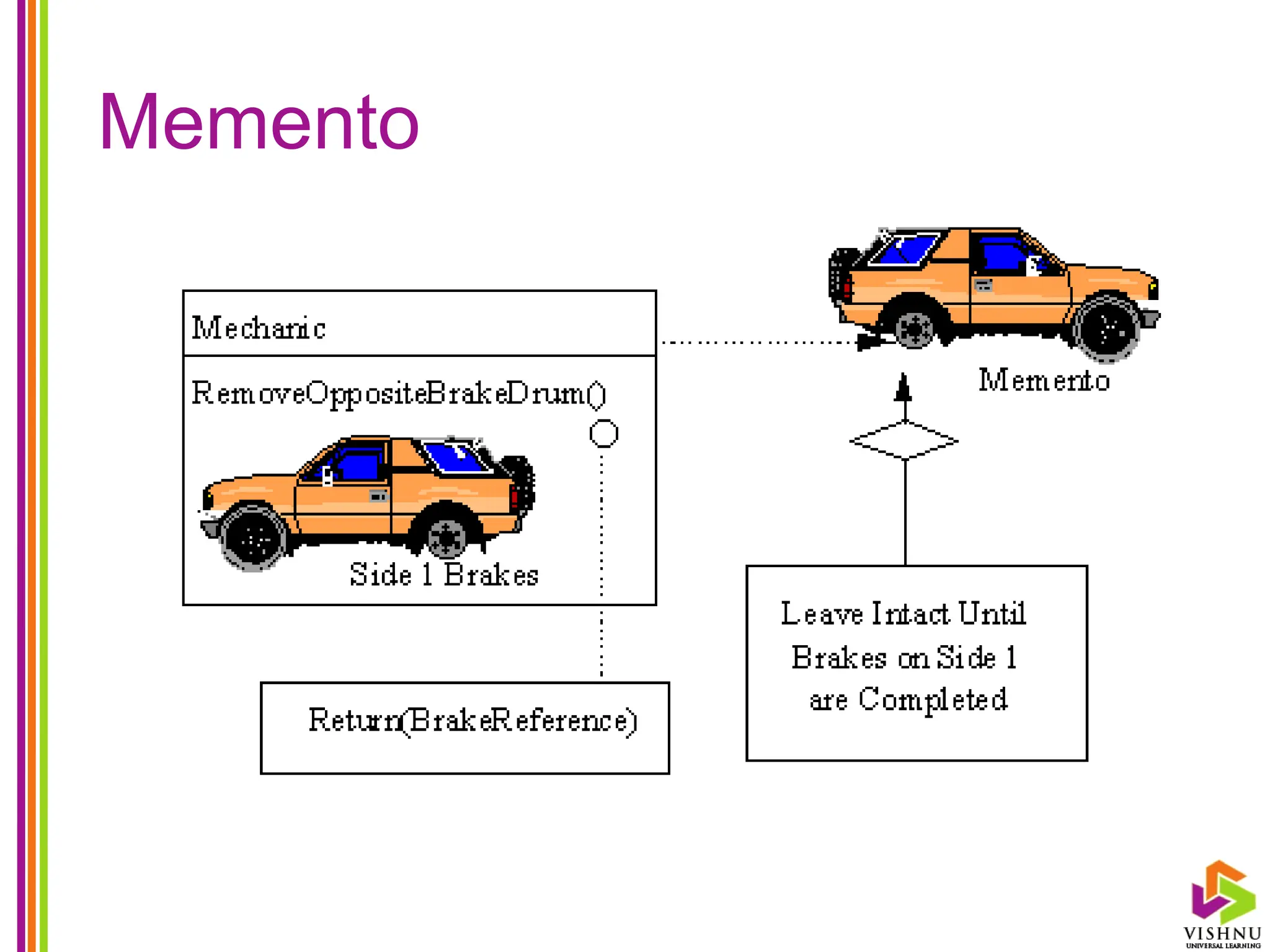
  • #33 The Memento captures and externalizes an object's internal state, so the object can be restored to that state later. This pattern is common among do-it-yourself mechanics repairing drum brakes on their cars. The drums are removed from both sides, exposing both the right and left brakes. Only one side is disassembled, and the other side serves as a Memento of how the brake parts fit together [8]. Only after the job has been completed on one side is the other side disassembled. When the second side is disassembled, the first side acts as the Memento.
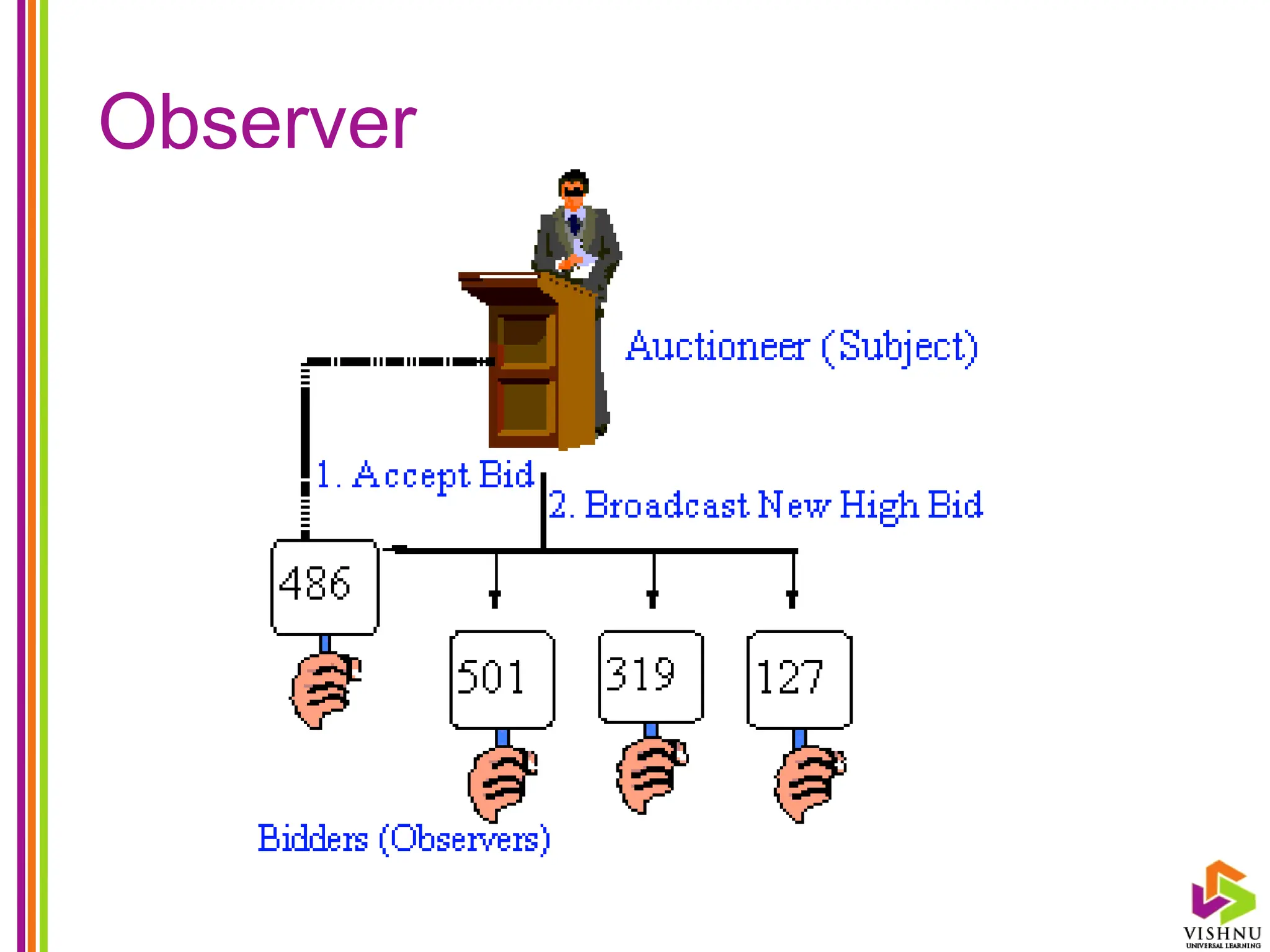
  • #34 The Observer defines a one to many relationship, so that when one object changes state, the others are notified and updated automatically. Some auctions demonstrate this pattern. Each bidder possesses a numbered paddle that is used to indicate a bid. The auctioneer starts the bidding, and "observes" when a paddle is raised to accept the bid. The acceptance of the bid changes the bid price, which is broadcast to all of the bidders in the form of a new bid.
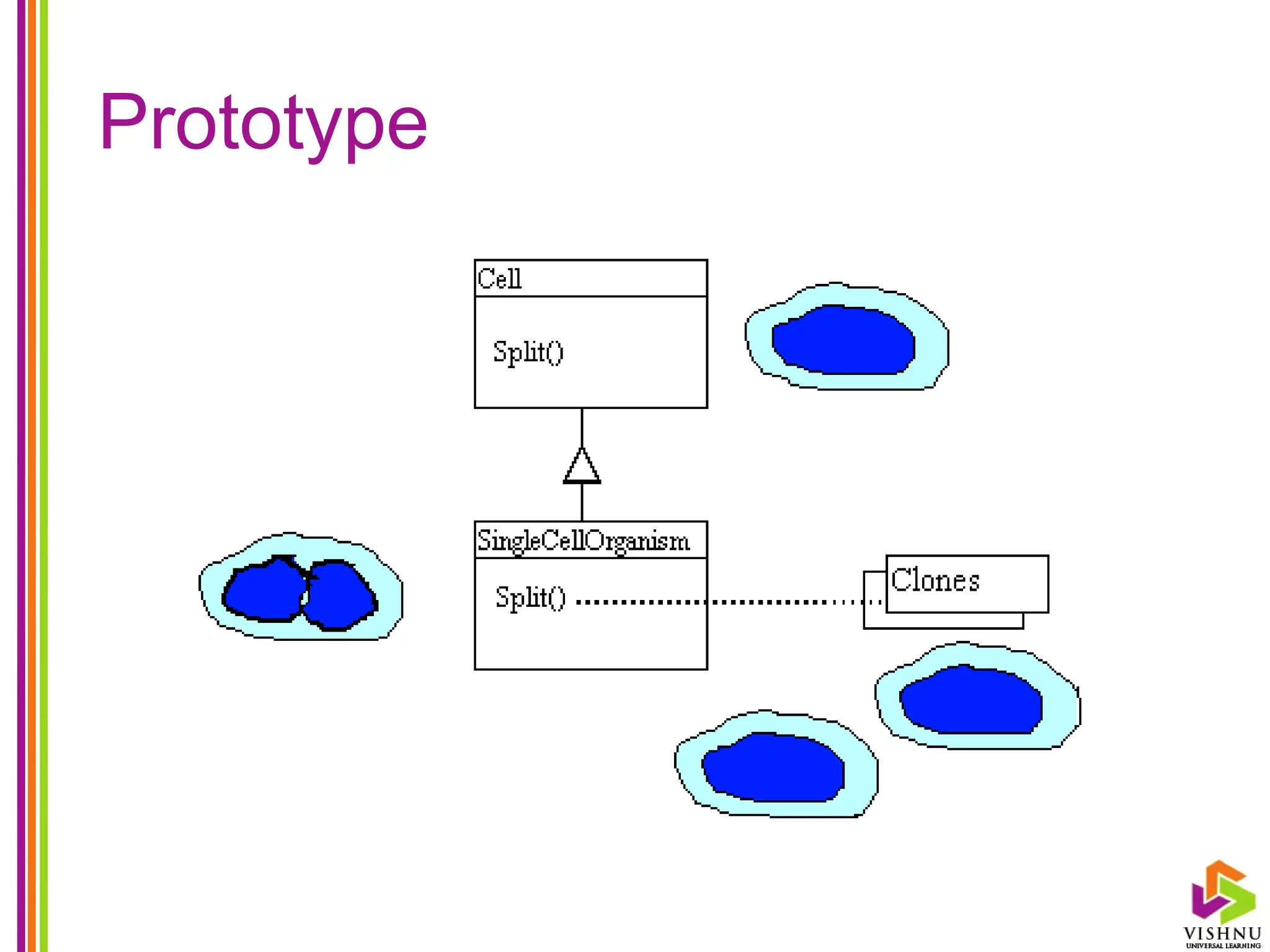
  • #35 The Prototype pattern specifies the kind of objects to create using a prototypical instance. Prototypes of new products are often built prior to full production, but in this example, the prototype is passive, and does not participate in copying itself. The mitotic division of a cell, resulting in two identical cells, is an example of a prototype that plays an active role in copying itself and thus, demonstrates the Prototype pattern. When a cell splits, two cells of identical genotype result. In other words, the cell clones itself.
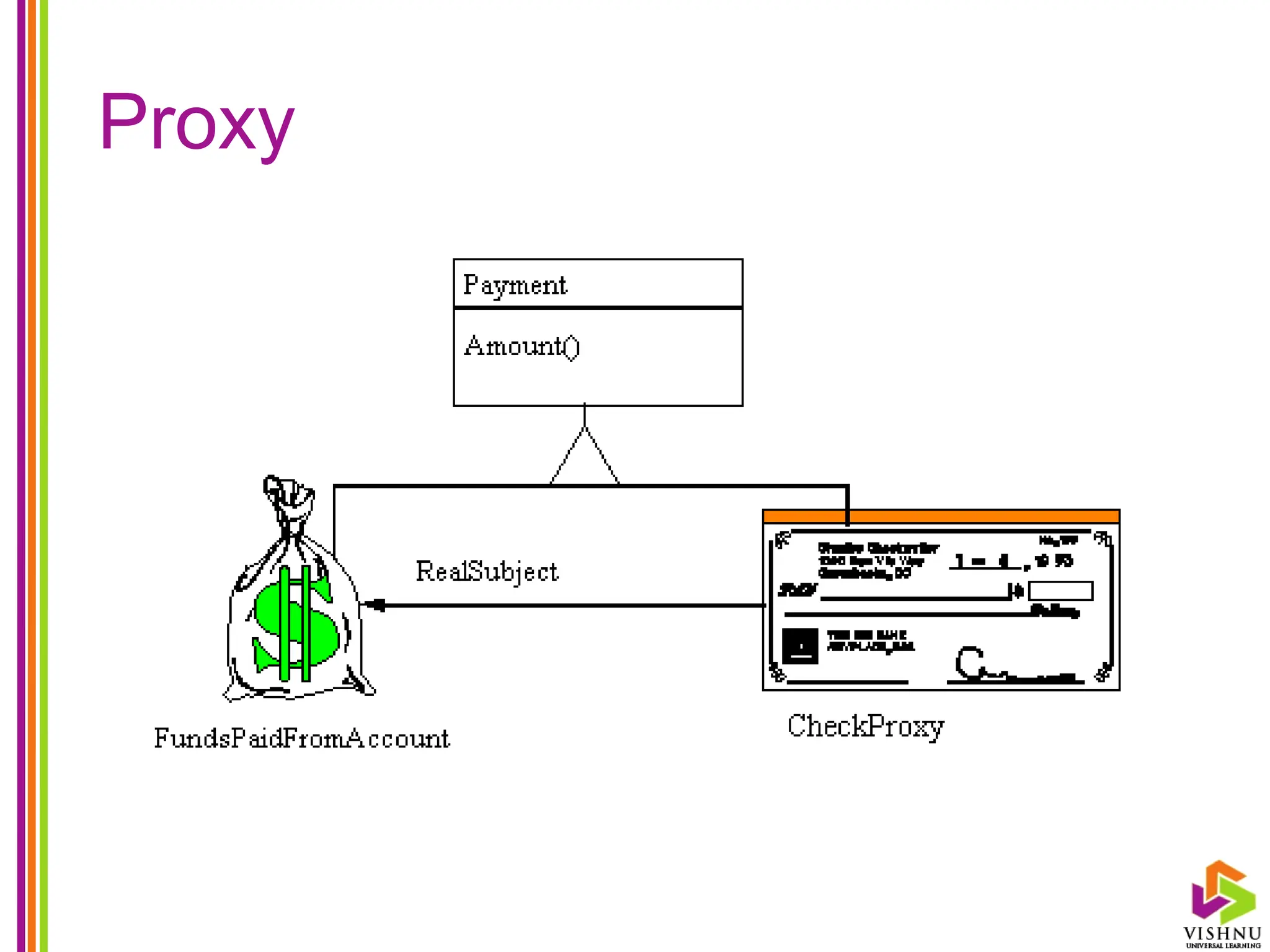
  • #36 The Proxy provides a surrogate or place holder to provide access to an object. A check or bank draft is a proxy for funds in an account. A check can be used in place of cash for making purchases and ultimately controls access to cash in the issuer's account.
  • #37 The Singleton pattern ensures that a class has only one instance, and provides a global point of access to that instance. The Singleton pattern is named after the singleton set, which is defined to be a set containing one element. The office of the President of the United States is a Singleton. The United States Constitution specifies the means by which a president is elected, limits the term of office, and defines the order of succession. As a result, there can be at most one active president at any given time. Regardless of the personal identity of the active president, the title, "The President of the United States" is a global point of access that identifies the person in the office.
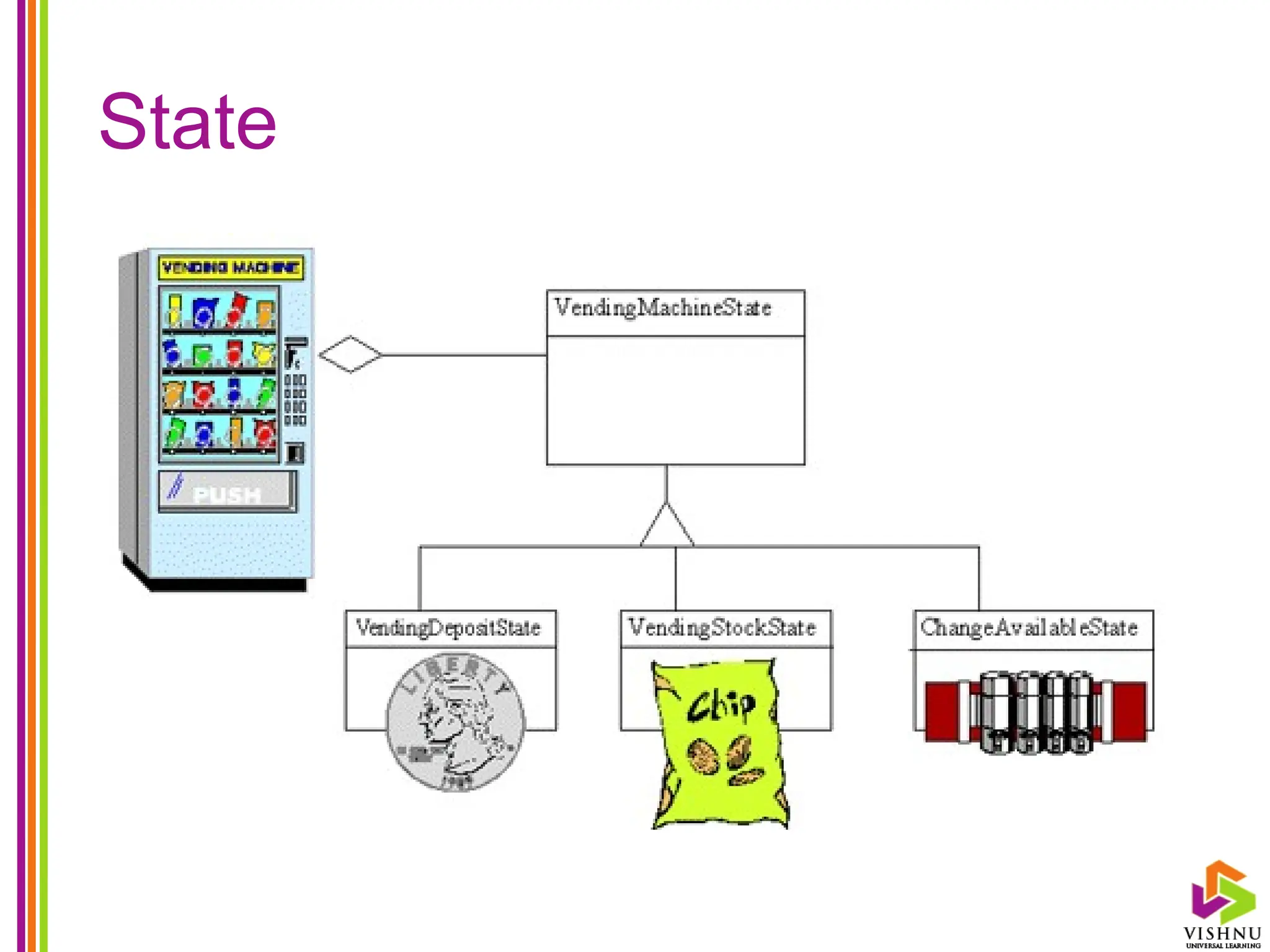
  • #38 The State pattern allows an object to change its behavior when its internal state changes. This pattern can be observed in a vending machine. Vending machines have states based on the inventory, amount of currency deposited, the ability to make change, the item selected, etc. When currency is deposited and a selection is made, a vending machine will either deliver a product and no change, deliver a product and change, deliver no product due to insufficient currency on deposit, or deliver no product due to inventory depletion.
  • #39 A Strategy defines a set of algorithms that can be used interchangeably. Modes of transportation to an airport is an example of a Strategy. Several options exist, such as driving one's own car, taking a taxi, an airport shuttle, a city bus, or a limousine service. For some airports, subways and helicopters are also available as a mode of transportation to the airport. Any of these modes of transportation will get a traveler to the airport, and they can be used interchangeably. The traveler must chose the Strategy based on tradeoffs between cost, convenience, and time.
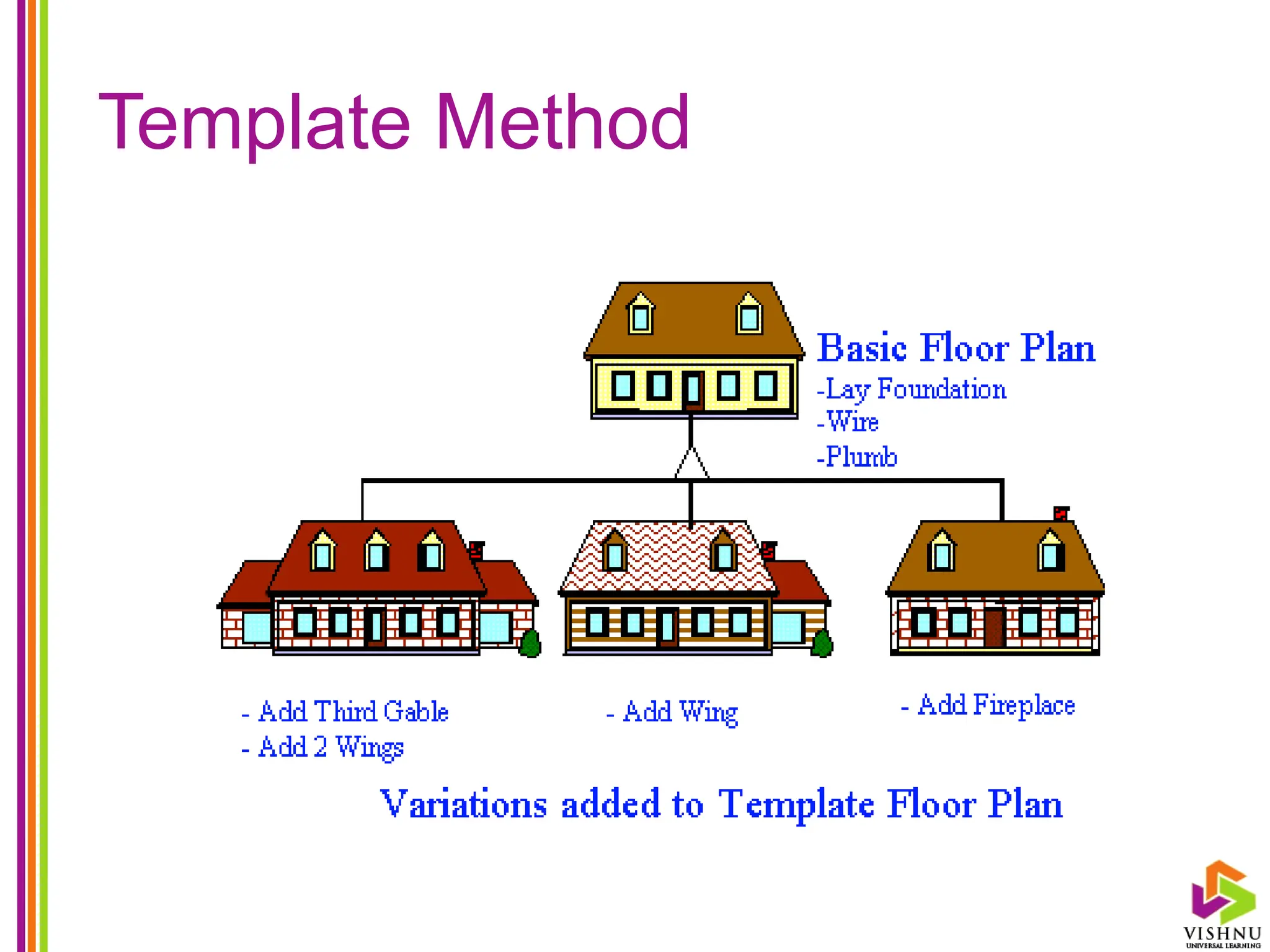
  • #40 The Template Method defines a skeleton of an algorithm in an operation, and defers some steps to subclasses. Home builders use the Template Method when developing a new subdivision. A typical subdivision consists of a limited number of floor plans, with different variations available for each floor plan. Within a floor plan, the foundation, framing, plumbing, and wiring will be identical for each house. Variation is introduced in the latter stages of construction to produce a wider variety of models.
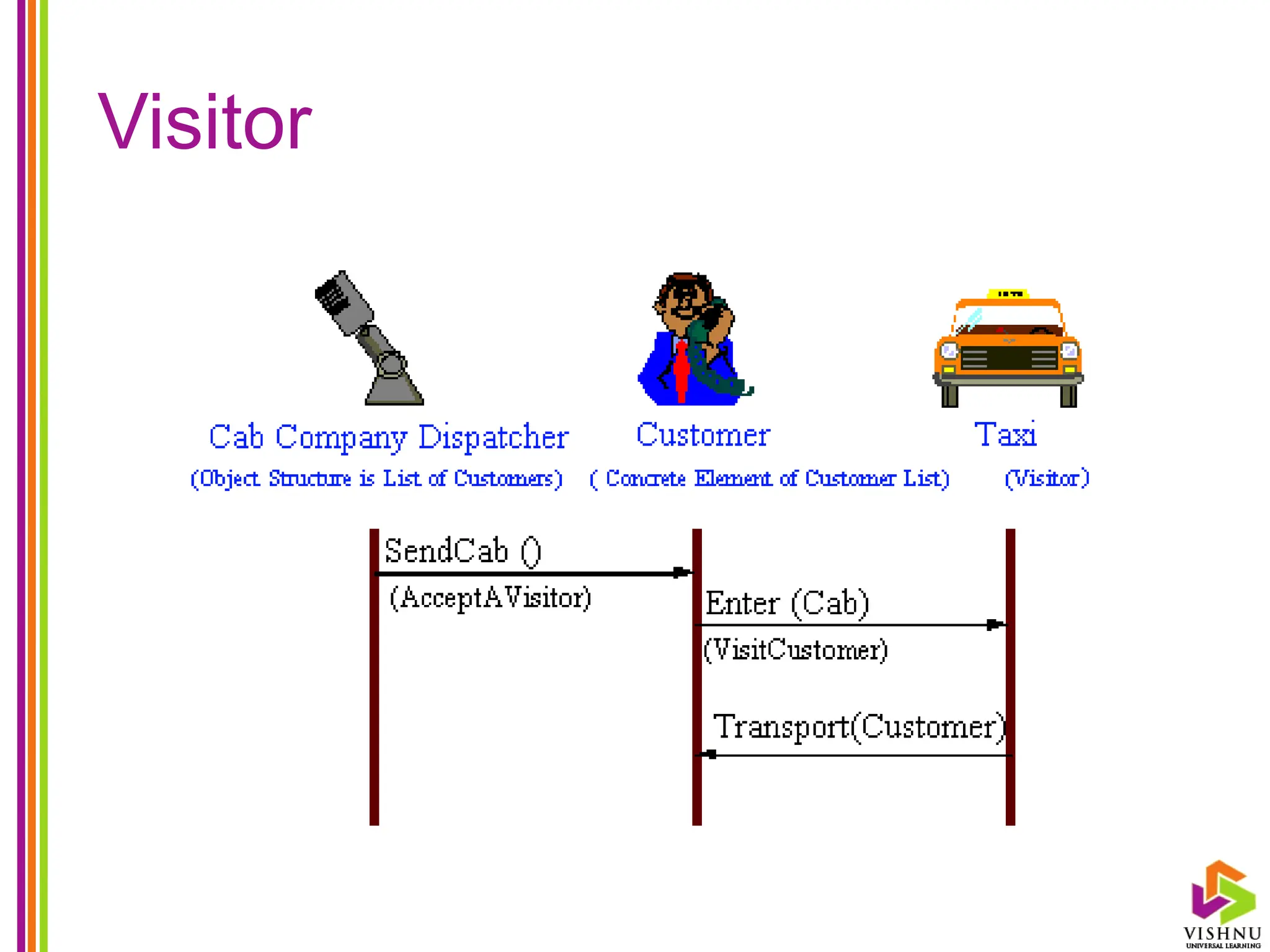
  • #41 The Visitor pattern represents an operation to be performed on the elements of an object structure, without changing the classes on which it operates. This pattern can be observed in the operation of a taxi company. When a person calls a taxi company he or she becomes part of the company's list of customers. The company then dispatches a cab to the customer (accepting a visitor). Upon entering the taxi, or Visitor, the customer is no longer in control of his or her own transportation, the taxi (driver) is.
  • #42 Design patterns vary in their granularity and level of abstraction. As there are many design patterns, we can organize or classify patterns to learn them faster. Here we classify the patterns along two dimensions: one is purpose which reflects what a pattern does and the second one is scope which specifies whether the pattern applies to classes or objects. Along the purpose dimension, patterns are classified into three types: 1) Creational patterns 2) Structural patterns and 3) Behavioral patterns. The creational patterns focus on the process of object creation. The structural patterns concern is, the structure of classes and objects and the behavioral patterns focus on how the classes and objects collaborate with each other to carry out their responsibilities. Along the scope dimension, patterns are classified into two types: 1) Class patterns and 2) Object patterns. Class patterns deal with the relationships between classes which is through inheritance. So, these class relationships are static at compile time. Object patterns deal with object relationships which can be changed at run-time and these are dynamic. Almost all patterns use inheritance to some degree.
  • #43 As there are 23 patterns in the catalog it will be difficult to choose a design pattern. It might become hard to find the design pattern that solves our problem, especially if the catalog is new and unfamiliar to you. Below is a list of approaches we can use to choose the appropriate design pattern: Consider how design patterns solve design problems: Considering how design patterns help you find appropriate objects, determine object granularity, specify object interfaces and several other ways in which design patterns solve the problems will let you choose the appropriate design pattern. Scan intent sections: Looking at the intent section of each design pattern’s specification lets us choose the appropriate design pattern. Study how patterns interrelate: The relationships between the patterns will direct us to choose the right patterns or group of patterns. Study patterns of like purpose: Each design pattern specification will conclude with a comparison of that pattern with other related patterns. This will give you an insight into the similarities and differences between patterns of like purpose. Examine a cause of redesign: Look at your problem and identify if there are any causes of redesign. Then look at the catalog of patterns that will help you avoid the causes of redesign. Consider what should be variable in your design: Consider what you want to be able to change without redesign. The focus here is on encapsulating the concept that varies.
  • #45 Below steps will show you how to use a design pattern after selecting one: Read the pattern once through for a overview: Give importance to the applicability and consequences sections to ensure that the pattern is right for your problem. Study the structure, participants and collaborations sections: Make sure to understand the classes and objects in the pattern and how they relate to one another. Look at the sample code section to see a concrete example of the pattern in action: Studying the code helps us to implement the pattern. Choose names for pattern participants that are meaningful in the application context: The names in the design patterns are too abstract to be directly used in the application. Include the participant name into the name that appears in the application which makes the pattern implementation explicit. For example, if you use strategy pattern for developing UI, use UIStartegy or GridStrategy as class names. Define the classes: Declare their interfaces, inheritance relationships and instance variables, which represent the data and objet references. Identify the effected classes by the pattern and modify them accordingly. Define application-specific names for the operations in the pattern: Use the responsibilities and collaborations as a guide to name the operations. Be consistent with the naming conventions. For example you can always prefix an operation with “Create-” to denote a factory method. Implement the operations to carry out the responsibilities and collaborations in the pattern: The implementation section provides hints to guide us in the implementation. The examples in the sample code section can aslo help as well.
  • #47 Creational patterns deals with object creation process. In object oriented software development, while designing and implementation, designers and coders work with classes and objects. Different types of problems might require different object interactions to solve a particular problem. Creating objects as per the problem requirements is an important design issue. The creational patterns deals with this issue and helps the designers to solve and guide the object creation mechanisms. Creational design patterns are further classified into: class-creational patterns and object-creational patterns. Class-creational patterns deals with instantiation of a subclass based on the context. Object-creational patterns deals with delegation of object creation process to another object. There are five creational patterns: Abstract Factory Builder Factory Method Prototype Singleton
  • #48 Intent: To create exactly one object of a class, and to provide global point of access to it. Motivation: While developing applications, we will face frequent situations where there is a need to create exactly one instance of a class. For example, in a GUI application there is a requirement that there should be only one active instance of the application’s user interface. No other instance of the user interface of the application should be created by the user. Another example is the requirement to maintain only one print spooler. We need to allow the class to have exactly one instance and to allow a global point of access to it. How to do it? A global variable might allow you to provide global access to the object but it does not restrict you from creating multiple objects. A better solution is to allow the class to take the responsibility of creating only one object and to provide a global point of access to it. This is what the singleton pattern does. The singleton pattern allows the class to create only one instance, allow other external objects to access that instance and does not allow the constructor to be invoked directly each time. Applicability: Singleton Pattern can be used when: There must be exactly one instance of a class and to provide a global point of access to it. When the sole instance should be extensible by sub classing, and clients should be able to use the extended instance without modifying its code. Singleton pattern can be used for developing in following situations: Logger classes Configuration classes Accessing resources in shared mode Factories implemented as Singletons Structure: Participants: Consists of a “Singleton” class with the following members: A static data member A private constructor A static public method that returns a reference to the static data member. This method is responsible for creating the single instance and providing the global access to that instance. Collaborations: Clients access the singleton instance solely through the singleton’s class operation. Consequences: Controlled access to sole instance: As the instance is completely encapsulated in the class, we can have strict control on how the clients access it. Reduced name space: Avoids polluting the name space with global variables that store the single instances. Permits refinement of operations and representation: It easy to subclass and extend the functionality of the class method. Permits a variable number of instances: It is possible to create multiple instances by changing the code in the class method. More flexible than class operations: In C++, class methods cannot be overriden. Instance methods provides the flexibility of extending the operation in the subclass. Implementation: The Singleton pattern defines a getInstace() class method which creates the new instance and is responsible for maintaining a single instance of the class. It also provides global access to the clients as it will be a public method. The implementation code will be as follows: class Singleton { private static Singleton instance; private Singleton() { ... } public static synchronized Singleton getInstance() { if (instance == null) instance = new Singleton(); return instance; } ... public void doOperation() { ... } } We can see from the above code that the getInstance() method ensures that only one instance of the class is created. The constructor must not be accessible from outside the class. So, it is made private. The only way for instantiating the class is through getInstance() method. It is also responsible for providing a global point of access to the instance as shown below: Singleton.getInstance().doSomething(); Specific problems and implementations: Thread-safe implementation for multi-threading environment: In a multithread application, multiple threads will be performing operations on a Singleton instance. To avoid undesired results, the Singleton class should provide a way to solve this problem. As shown in the above code, the getInstance() is marked as synchronized to avoid read/write problems on the Singleton instance by multiple threads. Lazy instantiation using double locking mechanism: The implementation code provided above is thread-safe but it is not the best thread-safe implementation of Singleton. We can observe in the above code that when ever a new instance is created, in a multithreaded application, synchronization mechanisms are invoked as the method getInstance() is marked as synchronized. So, this implementation code is not best in the performance dimension. To improve the performance, we should modify the above code in such a way that synchronization mechanism is invoked only when the instance is created for the first time. This performance optimization involves a check whether an instance already exists in a non-synchronized block or not. If there is already an instance, return it. If not, a new instance is created inside a synchronized block after performing another check. This process is known as double locking mechanism. Now, after implementing this strategy, the code will look as shown below: //Lazy instantiation using double locking mechanism. class Singleton { private static Singleton instance; private Singleton() { System.out.println("Singleton(): Initializing Instance"); } public static Singleton getInstance() { if (instance == null) { synchronized(Singleton.class) { if (instance == null) { System.out.println("getInstance(): First time getInstance was invoked!"); instance = new Singleton(); } } } return instance; } public void doSomething() { System.out.println("doSomething(): Singleton does something!"); } } This double checking method is not supported in previous versions before java 5. For a universal solution, we can use the nested class approach. Nested class solution by Bill Pugh: This technique is known as initialization on demand holder. In this, a nested class is used to create the instance. This solution is thread-safe without requiring special language constructs like volatile and synchronized. Since the nested class member will be final, the instance will be created only on its first reference. The code for this solution will be as shown below: public class Singleton { // Private constructor prevents instantiation from other classes private Singleton() { } /** * SingletonHolder is loaded on the first execution of Singleton.getInstance() * or the first access to SingletonHolder.INSTANCE, not before. */ private static class SingletonHolder { public static final Singleton INSTANCE = new Singleton(); } public static Singleton getInstance() { return SingletonHolder.INSTANCE; } } Early instantiation implementation using a static field: In this Singleton’s implementation, instance of the class is created when the class is loaded by the class loader as the data member will be marked as static. In this implementation, we don’t need any synchronization mechanisms. As the class is loaded only once, this will guarantee that the instance created is unique. Singleton’s implementation code using the early instantiation method is as follows: //Early instantiation using implementation with static field. class Singleton { private static Singleton instance = new Singleton(); private Singleton() { System.out.println("Singleton(): Initializing Instance"); } public static Singleton getInstance() { return instance; } public void doSomething() { System.out.println("doSomething(): Singleton does something!"); } } There is a problem with this implementation which is a rare case. The problem is when a Singleton class in a package is loaded by two different class loaders. Sub classing (Protected Constructor): We can allow the Singleton class to be extended by allowing creation of sub classes to this class. This can be possible when the private constructor in the Singleton class is made protected. This has two drawbacks: If the constructor is made protected, another class in the same package can access it to create a new object. This defeats the purpose of a Singleton. In the derived class or subclass, all the calls to the getInstance() method i.e., Singleton.getInstance() should be replaced with NewSingleton.getInstance(). Serialization: If the Singleton class implements the java.io.Serializable interface, when a singleton is serialized and then deserialized more than once, there will be multiple instances of Singleton created. In order to avoid this the readResolve method should be implemented. The code will be as follows: public class Singleton implements Serializable { ... // This method is called immediately after an object of this class is deserialized. // This method returns the singleton instance. protected Object readResolve() { return getInstance(); } } Sample Code: Let us take a small practical example to understand the Singleton design pattern in more details. Problem Statement: Design a small ATM printing application which can generate multiple types of statements of the transaction including Mini Statement, Detailed statement etc. However the customer should be aware of the creation of these statements. Ensure that the memory consumption is minimized. Design Solution: The above requirement can be addressed using two core Gang of four design pattern – Factory design pattern and Singleton design pattern. In order to generate multiple types of statements for the ATM transactions in the ATM machine we can create a Statement Factory object which will have a factory method of createStatements(). The createStatements will create DetailedStatement or MiniStatement objects. The client object will be completely unware of the object creation since it will interact with the Factory interface only. We will also create an interface called StatementType. This will allow further statement type objects e.g. Credit card statement etc to be added. So the solution is scalable and extensible following the object oriented Open/Closed design principle. The second requirement of reducing the memory consumption can be achieved by using Singleton design pattern. The Statement Factory class need not be initiated multiple times and a single factory can create multiple statement objects. Singleton pattern will create a single instance of the StatementFactory class thus saving memory. Code for StatementFactory class is as shown below: public class StatementFactory extends Factory { private static StatementFactory uniqueInstance; private StatementFactory() {} public static StatementFactory getUniqueInstance() { if (uniqueInstance == null) { uniqueInstance = new StatementFactory(); System.out.println("Creating a new StatementFactory instance"); } return uniqueInstance; } public StatementType createStatements(String selection) { if (selection.equalsIgnoreCase("detailedStmt")) { return new DetailedStatement(); } else if (selection.equalsIgnoreCase("miniStmt")) { return new MiniStatement(); } throw new IllegalArgumentException("Selection doesnot exist"); } } Known Uses: Following are the example usage of Singleton pattern in real world: Singleton pattern in Samlltalk-80, is the set of changes to the code, which is ChangeSet current. Relationship between classes and their metaclasses. InterViews user interface toolkit in Smalltalk uses the Singleton pattern to access the unique instance of its Session and WidgetKit classes. Related Patterns: Other patterns like Abstract Factory, Builder and Prototype can be implemented using the Singleton pattern. Example Singleton classes in java API: java.lang.Runtime java.awt.Desktop
  • #49 The Singleton pattern ensures that a class has only one instance, and provides a global point of access to that instance. The Singleton pattern is named after the singleton set, which is defined to be a set containing one element. The office of the President of the United States is a Singleton. The United States Constitution specifies the means by which a president is elected, limits the term of office, and defines the order of succession. As a result, there can be at most one active president at any given time. Regardless of the personal identity of the active president, the title, "The President of the United States" is a global point of access that identifies the person in the office.
  • #56 Design a small ATM printing application which can generate multiple types of statements of the transaction including Mini Statement, Detailed statement etc. However the customer should be aware of the creation of these statements. Ensure that the memory consumption is minimized.
  • #61 Intent: Abstract factory provides an interface to create a family of related objects, without explicitly specifying their concrete classes. Also Known As: Kit. Motivation: Modularization is a big issue in today’s programming. Programmers are trying to avoid the idea of adding more code to the existing classes to encapsulate more general information. Let’s consider an example of user interface toolkit which supports multiple look-and-feel standards such as Motif and Presentation Manager. Different look-and-feels define different appearances and behaviors for user interface widgets like scrollbars, buttons, radio buttons etc… To be portable across different look-and-feels standards, an application should not hard code its widgets to a particular look-and-feel. It becomes difficult to change the look-and-feel at a later stage if we did so. This problem can be solved by creating an abstract WidgetFactory class that declares an interface for creating a particular widget. There’s also an abstract class for every kind of widget whose subclasses provide the implementation for creating a widget of certain look-and-feel. Clients call the operations in the interface provided by WidgetFactory which returns an instance of the abstract widget class. Clients aren’t aware of the concrete classes they are using. Thus clients stay independent of the look-and-feel. Applicability: We should use Abstract Factory design pattern when: The system needs to be independent of the products it works with are created. The system should be configured to work with multiple families of products. A family of products is designed to used together and this constraint is needed to be enforced. A library of products is to be provided and only their interfaces are to be revealed but not their implementations. Examples where the Abstract Factory pattern can be used: Phone numbers Pizza factory Look & feel Structure: Participants: The classes that participate in the Abstract Factory are: AbstractFactory: Declares an interface of operations that create abstract products. ConcreteFactory: Implements operations to create concrete products. AbstractProduct: Declares an interface for a type of product objects. Product: Defines a product to be created by the corresponding ConcreteFactory. It implements the AbstractProduct interface. Client: Uses the interfaces declared by the AbstractFactory and AbstractProduct classes. Collaborations: The ConcreteFactory class creates products objects having a particular implementation. To create different product, the client should use a different concrete factory. AbstractFactory defers creation of product objects to its ConcreteFactory subclass. Consequences: Following are the benefits and liabilities of Abstract Factory pattern: It isolates concrete classes. It makes exchanging product families easy. It creates consistency among products. Supporting new kinds of products is difficult. Implementation: The AbstractFactory class is the one that determines the actual type of the concrete object and creates it, but it returns an abstract reference to the concrete object just created. This determines the behavior of the client that asks the factory to create an object of a certain abstract type and to return the abstract pointer to it, keeping the client from knowing anything about the actual creation of the object. The fact that the factory returns an abstract pointer to the created object means that the client doesn't have knowledge of the object's type. This implies that there is no need for including any class declarations relating to the concrete type, the client deals at all times with the abstract type. The objects of the concrete type, created by the factory, are accessed by the client only through the abstract interface. The second implication of this way of creating objects is that when adding new concrete types is needed, all we have to do is modify the client code and make it use a different factory, which is far easier than instantiating a new type, which requires changing the code wherever a new object is created. The classic implementation for the Abstract Factory pattern is the following: abstract class AbstractProductA { public abstract void operationA1(); public abstract void operationA2(); } class ProductA1 extends AbstractProductA { ProductA1(String arg) { System.out.println("Hello "+arg); } // Implement the code here public void operationA1() { }; public void operationA2() { }; } class ProductA2 extends AbstractProductA { ProductA2(String arg) { System.out.println("Hello "+arg); } // Implement the code here public void operationA1() { }; public void operationA2() { }; } abstract class AbstractProductB { public abstract void operationB1(); public abstract void operationB2(); } class ProductB1 extends AbstractProductB { ProductB1(String arg) { System.out.println("Hello "+arg); } // Implement the code here } class ProductB2 extends AbstractProductB { ProductB2(String arg) { System.out.println("Hello "+arg); } // Implement the code here } abstract class AbstractFactory { abstract AbstractProductA createProductA(); abstract AbstractProductB createProductB(); } class ConcreteFactory1 extends AbstractFactory { AbstractProductA createProductA() { return new ProductA1("ProductA1"); } AbstractProductB createProductB() { return new ProductB1("ProductB1"); } } class ConcreteFactory2 extends AbstractFactory { AbstractProductA createProductA() { return new ProductA2("ProductA2"); } AbstractProductB createProductB() { return new ProductB2("ProductB2"); } } //Factory creator - an indirect way of instantiating the factories class FactoryMaker { private static AbstractFactory pf=null; static AbstractFactory getFactory(String choice) { if(choice.equals("a")) { pf=new ConcreteFactory1(); } else if(choice.equals("b")) { pf=new ConcreteFactory2(); } return pf; } } // Client public class Client { public static void main(String args[]) { AbstractFactory pf=FactoryMaker.getFactory("a"); AbstractProductA product=pf.createProductA(); //more function calls on product } } Issues in implementation: Factories as Singletons: An application generally needs only one instance of the ConcreteFactory class per family product. It is best to implement that class as a Singleton. Creating the products: The AbstractFactory class only declares the interface for creating the products. It is the task of the ConcreteProduct class to actually create the products. For each family the best idea is applying the Factory Method design pattern. A concrete factory will specify its products by overriding the factory method for each of them. Even if the implementation might seem simple, using this idea will mean defining a new concrete factory subclass for each product family, even if the classes are similar in most aspects. For simplifying the code and increase the performance the Prototype design pattern can be used instead of Factory Method, especially when there are many product families. In this case the concrete factory is initiated with a prototypical instance of each product in the family and when a new one is needed instead of creating it, the existing prototype is cloned. This approach eliminates the need for a new concrete factory for each new family of products. Extending the factories: The operation of changing a factory in order for it to support the creation of new products is not easy. What can be done to solve this problem is, instead of a CreateProduct method for each product, to use a single Create method that takes a parameter that identifies the type of product needed. This approach is more flexible, but less secure. The problem is that all the objects returned by the Create method will have the same interface, that is the one corresponding to the type returned by the Create method and the client will not always be able to correctly detect to which class the instance actually belongs. Sample Code: Let's take the UI toolkit concept on to our Java code example. We'll create a client application that needs to create a window. First, we'll need to create our Window interface. Window is our AbstractProduct. //Our AbstractProduct public interface Window { public void setTitle(String text); public void repaint(); } Let's create two implementations of the Window, as our ConcreteProducts. One for Microsoft Windows: //ConcreteProductA1 public class MSWindow implements Window { public void setTitle() { //MS Windows specific behaviour } public void repaint() { //MS Windows specific behaviour } } And one for Mac OSX: //ConcreteProductA2 public class MacOSXWindow implements Window { public void setTitle() { //Mac OSX specific behaviour } public void repaint() { //Mac OSX specific behaviour } } Now we need to provide our factories. First we'll define our AbstractFactory. For this example, let's say they just create Windows: //AbstractFactory public interface AbstractWidgetFactory { public Window createWindow(); } Next we need to provide ConcreteFactory implementations of these factories for our two operating systems. First for MS Windows: //ConcreteFactory1 public class MsWindowsWidgetFactory { //create an MSWindow public Window createWindow() { MSWindow window = new MSWindow(); return window; } } And for MacOSX: //ConcreteFactory2 public class MacOSXWidgetFactory { //create a MacOSXWindow public Window createWindow() { MacOSXWindow window = new MacOSXWindow(); return window; } } Finally we need a client to take advantage of all this functionality. //Client public class GUIBuilder { public void buildWindow(AbstractWidgetFactory widgetFactory) { Window window = widgetFactory.createWindow(); window.setTitle("New Window"); } } We need some way to specify which type of AbstractWidgetFactory to our GUIBuilder. This is usually done with a switch statement similar to the code below: public class Main { public static void main(String[] args) { GUIBuilder builder = new GUIBuilder(); AbstractWidgetFactory widgetFactory = null; //check what platform we're on if(Platform.currentPlatform()=="MACOSX") { widgetFactory = new MacOSXWidgetFactory(); } else { widgetFactory = new MsWindowsWidgetFactory(); } builder.buildWindow(widgetFactory); } } Known Uses: InterViews uses the “kit” suffix to denote AbstractFactory classes. It defines WidgetKit and DialogKit abstract factories to generate user interface objects. ET++ uses the Abstract Factory pattern to achieve portability across different window systems. Related Patterns: AbstractFactory classes are often implemented with factory methods but they can also be implemented using Prototype. A concrete factory is often a Singleton. Example Abstract Factory classes in java API: javax.xml.parsers.DocumentBuilderFactory javax.xml.transform.TransformerFactory javax.xml.xpath.XPathFactory
  • #62 The purpose of the Abstract Factory is to provide an interface for creating families of related objects, without specifying concrete classes. This pattern is found in the sheet metal stamping equipment used in the manufacture of Japanese automobiles. The stamping equipment is an Abstract Factory which creates auto body parts. The same machinery is used to stamp right hand doors, left hand doors, right front fenders, left front fenders, hoods etc. for different models of cars. Through the use of rollers to change the stamping dies, the concrete classes produced by the machinery can be changed within three minutes.
  • #86 Intent: Defines an interface for creating an object, but lets subclasses decide which class to instantiate. Factory Method lets a class defer instantiation to subclasses. Also Known As: Virtual Constructor Motivation: Take into consideration a framework for desktop applications. Such applications are meant to work with documents. A framework for desktop applications contains definitions for operations such as opening, creating and saving a document. The basic classes are abstract ones, named Application and Document, their clients having to create subclasses from them in order to define their own applications. For generating a drawing application, for example, they need to define the DrawingApplication and DrawingDocument classes. The Application class has the task of managing the documents, taking action at the request of the client (for example, when the user selects the open or save command form the menu). Because the Document class that needs to be instantiated is specific to the application, the Application class does not know it in advance, so it doesn't know what to instantiate, but it does know when to instantiate it. The framework needs to instantiate a certain class, but it only knows abstract classes that can't be instantiated. The Factory Method design pattern solves the problem by putting all the information related to the class that needs to be instantiated into an object and using them outside the framework, as you can see below: Applicability: A class can’t anticipate the class of objects it must create. A class wants its sub classes to specify the objects it creates. Classes delegate responsibility to one of several helper subclasses. Structure: Participants: The classes that take part in Factory Method pattern are: Product: Defines the interface of objects the factory method creates. ConcreteProduct: Implements the Product interface. Creator: Declares the factory method, which returns an object of the type Product. Creator may also provide a default implementation of the factory method which returns a default ConcreteProduct object. ConcreteCreator: Overrides the factory method to return an instance of a ConcreteProduct. Collaborations: Creator relies on its subclasses to provide an implementation for the factory method so that it returns an instance of the appropriate ConcreteProduct class. Consequences: The benefits and drawbacks of factory method pattern are as follows: The main reason for which the factory pattern is used is that it introduces a separation between the application and a family of classes (it introduces weak coupling instead of tight coupling hiding concrete classes from the application). It provides a simple way of extending the family of products with minor changes in application code. It provides customization hooks. When the objects are created directly inside the class it's hard to replace them by objects which extend their functionality. If a factory is used instead to create a family of objects the customized objects can easily replace the original objects, configuring the factory to create them. The factory has to be used for a family of objects. If the classes doesn't extend common base class or interface they can not be used in a factory design template. Implementation: All concrete products are subclasses of the Product class, so all of them have the same basic implementation, at some extent. The Creator class specifies all standard and generic behavior of the products and when a new product is needed, it sends the creation details that are supplied by the client to the ConcreteCreator. Having this diagram in mind, it is easy for us now to produce the code related to it. Here is how the implementation of the classic Factory method should look: public interface Product { } public class ConcreteProduct implements Product { } public abstract class Creator { public void anOperation() { Product product = factoryMethod(); } protected abstract Product factoryMethod(); } public class ConcreteCreator extends Creator { protected Product factoryMethod() { return new ConcreteProduct(); } } public class Client { public static void main( String arg[] ) { Creator creator = new ConcreteCreator(); creator.anOperation(); } } Sample Code: Lets consider a Vehicle interface and 2 of its implementations namely Car and Vehicle: interface Vehicle { public void drive(); public void clean(); } class Car implements Vehicle { @Override public void drive() { System.out.println("Driving a car..."); } @Override public void clean() { System.out.println("Cleaning a car..."); } } class Bus implements Vehicle { @Override public void drive() { System.out.println("Driving a Bus..."); } @Override public void clean() { System.out.println("Cleaning a Bus..."); } } And to drive() and clean() the Vehicle we would use a VehicleDriver. Lets consider the implementation and of VehicleDriver: abstract class VehicleDriver { public abstract Vehicle getVehicle(); public void driveVehicle() { getVehicle().drive(); } public void cleanVehicle() { getVehicle().clean(); } } class CarDriver extends VehicleDriver { @Override public Vehicle getVehicle() { return new Car(); } } class BusDriver extends VehicleDriver { @Override public Vehicle getVehicle() { return new Bus(); } } In the above VehicleDriver implementation the getVehicle() method is the factory method which is overridden by the CarDriver and Busdriver to return Car and Businstances respectively. In this way the programmer would be more concerned about using the VehicleDriver abstraction and need not be concerned about its different implementations. Known Uses: Class View in the Smalltalk-80 Model/View/Controller framework has a method defaultController that creates a controller, and this might appear to be a factory method. But subclasses of View specify the class of their default controller by defining defaultControllerClass, which returns the class from which defaultController creates instances. So defaultControllerClass is the real factory method, that is, the method that subclasses should override. In Smalltalk-80 the factory method parserClass defined by Behavior (a superclass of all objects representing classes). This enables a class to use a customized parser for its source code. The Orbix ORB system from IONA Technologies uses Factory Method to generate an appropriate type of proxy when an object requests a reference to a remote object. Related Patterns: Abstract Factory is often implemented with factory methods. Factory methods are usually called within Template Methods. In the Document example above, NewDocument() is a template method. Prototypes don’t require subclassing Creator. Instead, they often require an Initialize operation on the product class. Factory Method doesn’t require such operation. Example Factory Method classes in java API: java.util.Calendar java.util.ResourceBundle java.text.NumberFormat java.nio.charset.Charset java.net.URLStreamHandlerFactory
  • #87 The Factory Method defines an interface for creating objects, but lets subclasses decide which classes to instantiate. Injection molding presses demonstrate this pattern. Manufacturers of plastic toys process plastic molding powder, and inject the plastic into molds of the desired shapes. The class of toy (car, action figure, etc.) is determined by the mold.
  • #97 Intent: Separate the construction of a complex object from its representation so that the same construction process can create different representations. Motivation: A RTF (Rich Text Format) reader application should be able to convert a RTF document to several formats like: plain text or TeX representation or into a text widget which allows users to directly interact. The problem here is, the number of possible conversions is open ended. So, it should be easy to add a new conversion without modifying the reader. A solution to this problem is, the RTFReader class uses a TextConverter object that converts RTF to other textual repesentations. Whenever the RTReader encounters a RTF token, it notifies the TextConverter object about it. TextConverter object is responsible both for converting the data and for representing the token in a specific format. The subclasses of TextConverter are specialized for different conversions. For example, the ASCIIConverter converts RTF to plain text. TeXConverter will produce a TeX representation and TextWidgetConverter will produce a complex user interface object that lets the user see and edit the text. Each converter class takes the responsibility for creating and assembling a complex object and puts it behind an abstract interface. Each converter class is called a builder in the pattern, and the reader is called the director. The Builder pattern separates the algorithm for interpreting a textual format (reader for RTF documents) from how a converted format gets created and represented. Applicability: Use the Builder pattern when: The algorithm for creating a complex object should be independent of the parts that make up the object and how they are assembled. The construction process must allow different representations for the object that is constructed. Examples where Builder pattern can be applied: Vehicle manufacturer Student exams Structure: Participants: The particpants in the Builder pattern are: Builder: Provides an abstract interface for creating parts of a Product object. ConcreteBuilder: Constructs and assembles the parts of the Product by implementing the Builder interface. Defines and keeps track of the representation it creates. Provides an interface for retrieving the product. Director: Constructs an object using the Builder interface. Product: Represents the complex object under construction. Includes classes that define the constituent parts, including interfaces for assembling the parts into the final result. Collaborations: The client creates the Director object and configures it with the desired Builder object. Director notifies the Builder whenever a part of the product should be built. Builder handles the requests from the Director and adds parts to the product. The client retrieves the product from the Builder. Consequences: The benefits and pitfalls of Builder pattern are: It let’s you vary the product’s internal representation. It isolates code for construction and representation. It gives you finer control over the construction process. Implementation: The client, that may be either another object or the actual client that calls the main() method of the application, initiates the Builder and Director class. The Builder represents the complex object that needs to be built in terms of simpler objects and types. The constructor in the Director class receives a Builder object as a parameter from the Client and is responsible for calling the appropriate methods of the Builder class. In order to provide the Client with an interface for all concrete Builders, the Builder class should be an abstract one. This way you can add new types of complex objects by only defining the structure and reusing the logic for the actual construction process. The Client is the only one that needs to know about the new types, the Director needing to know which methods of the Builder to call. The Client needs to convert a document from RTF format to ASCII format. There for, it calls the method createASCIIText that takes as a parameter the document that will be converted. This method calls the concrete builder, ASCIIConverter, that extends the Builder, TextConverter, and overrides its two methods for converting characters and paragraphs, and also the Director, RTFReader, that parses the document and calls the builder’s methods depending on the type of token encountered. The product, the ASCIIText, is built step by step, by appending converted characters. The implementation code is as follows: //Abstract Builder class abstract class TextConverter { abstract void convertCharacter(char c); abstract void convertParagraph(); } // Product class ASCIIText { public void append(char c) { //Implement the code here } } //Concrete Builder class ASCIIConverter extends TextConverter { ASCIIText asciiTextObj; //resulting product /*converts a character to target representation and appends to the resulting object*/ void convertCharacter(char c) { char asciiChar = new Character(c).charValue(); //gets the ascii character asciiTextObj.append(asciiChar); } void convertParagraph() {} ASCIIText getResult() { return asciiTextObj; } } //This class abstracts the document object class Document { static int value; char token; public char getNextToken() { //Get the next token return token; } } //Director class RTFReader { private static final char EOF='0'; //Delimitor for End of File final char CHAR='c'; final char PARA='p'; char t; TextConverter builder; RTFReader(TextConverter obj) { builder=obj; } void parseRTF(Document doc) { while ((t=doc.getNextToken())!= EOF) { switch (t) { case CHAR: builder.convertCharacter(t); case PARA: builder.convertParagraph(); } } } } //Client public class Client { void createASCIIText(Document doc) { ASCIIConverter asciiBuilder = new ASCIIConverter(); RTFReader rtfReader = new RTFReader(asciiBuilder); rtfReader.parseRTF(doc); ASCIIText asciiText = asciiBuilder.getResult(); } public static void main(String args[]) { Client client=new Client(); Document doc=new Document(); client.createASCIIText(doc); system.out.println("This is an example of Builder Pattern"); } } Implementation issues: Abstract class for products: In practice the products created by the concrete builders have a structure significantly different, so there is no reason to derive different products from common parent class. This also distinguishes the Builder pattern from the Abstract Factory pattern which creates objects derived from a common type. Assembly and construction interface: Builders construct their products in step-by-step fashion. Therefore the Builder class interface must be general enough to allow the construction of products for all kinds of concrete builders. A key design issue concerns the model for the construction and assembly process. A model where the results of construction requests are simply appended to the product is usually sufficient. In the RTF example, the builder converts and appends the next token to the text it has converted so far. Sample Code: /* "Product" */ class Pizza { private String dough = ""; private String sauce = ""; private String topping = ""; public void setDough(String dough) { this.dough = dough; } public void setSauce(String sauce) { this.sauce = sauce; } public void setTopping(String topping) { this.topping = topping; } } /* "Builder" */ abstract class PizzaBuilder { protected Pizza pizza; public Pizza getPizza() { return pizza; } public void createNewPizzaProduct() { pizza = new Pizza(); } public abstract void buildDough(); public abstract void buildSauce(); public abstract void buildTopping(); } /* "ConcreteBuilder" */ class HawaiianPizzaBuilder extends PizzaBuilder { public void buildDough() { pizza.setDough("cross"); } public void buildSauce() { pizza.setSauce("mild"); } public void buildTopping() { pizza.setTopping("ham+pineapple"); } } /* "ConcreteBuilder" */ class SpicyPizzaBuilder extends PizzaBuilder { public void buildDough() { pizza.setDough("pan baked"); } public void buildSauce() { pizza.setSauce("hot"); } public void buildTopping() { pizza.setTopping("pepperoni+salami"); } } /* "Director" */ class Waiter { private PizzaBuilder pizzaBuilder; public void setPizzaBuilder(PizzaBuilder pb) { pizzaBuilder = pb; } public Pizza getPizza() { return pizzaBuilder.getPizza(); } public void constructPizza() { pizzaBuilder.createNewPizzaProduct(); pizzaBuilder.buildDough(); pizzaBuilder.buildSauce(); pizzaBuilder.buildTopping(); } } /* A customer ordering a pizza. */ class Client { public static void main(String[] args) { Waiter waiter = new Waiter(); PizzaBuilder hawaiian_pizzabuilder = new HawaiianPizzaBuilder(); PizzaBuilder spicy_pizzabuilder = new SpicyPizzaBuilder(); waiter.setPizzaBuilder( hawaiian_pizzabuilder ); waiter.constructPizza(); Pizza pizza = waiter.getPizza(); } } Known Uses: Builder pattern is used commonly across Smalltalk-80: The Parser class in the compiler subsystem is a Director that takes a ProgramNodeBuilder object as an argument. ClassBuilder is a builder that classes use to create subclassses for themselves. In this case a Class is both Director and a Builder. ByteCodeStream is a builder that creates a compiled method as a byte array. Related Patterns: Abstract Factory (99) is similar to Builder in that it too may construct complex objects. The primary difference is that the Builder pattern focuses on constructing a complex object step by step. Abstract Factory's emphasis is on families of product objects (either simple or complex). Builder returns the product as a final step, but as far as the Abstract Factory pattern is concerned, the product gets returned immediately. A Composite is what a builder often builds. Example Builder classes in java API: java.lang.StringBuilder (unsynchronized) java.lang.StringBuffer (synchronized) java.nio.ByteBuffer (also CharBuffer, ShortBuffer, IntBuffer, LongBuffer, FloatBuffer and DoubleBuffer) javax.swing.GroupLayout.Group All implementations of java.lang.Appendable
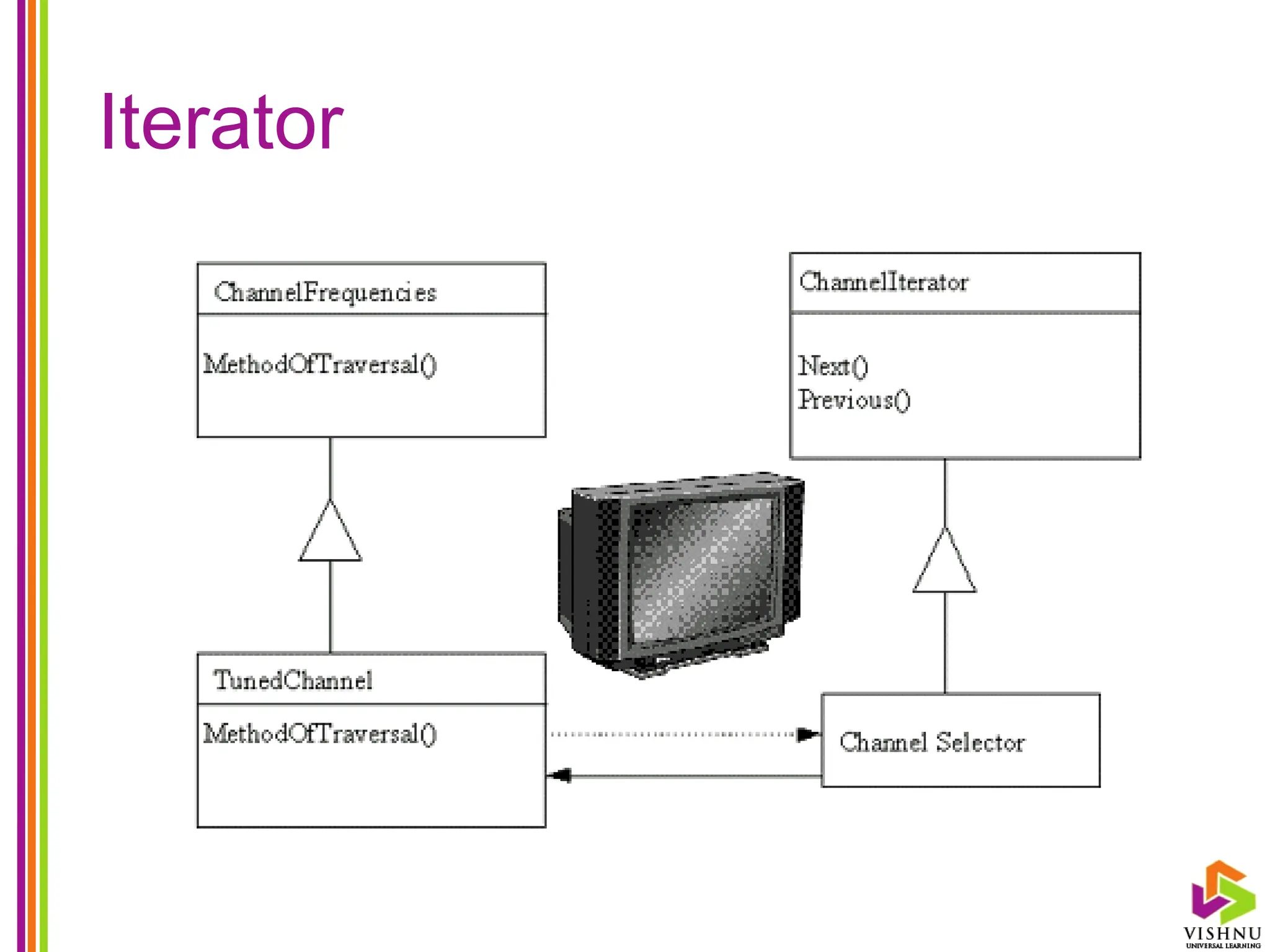
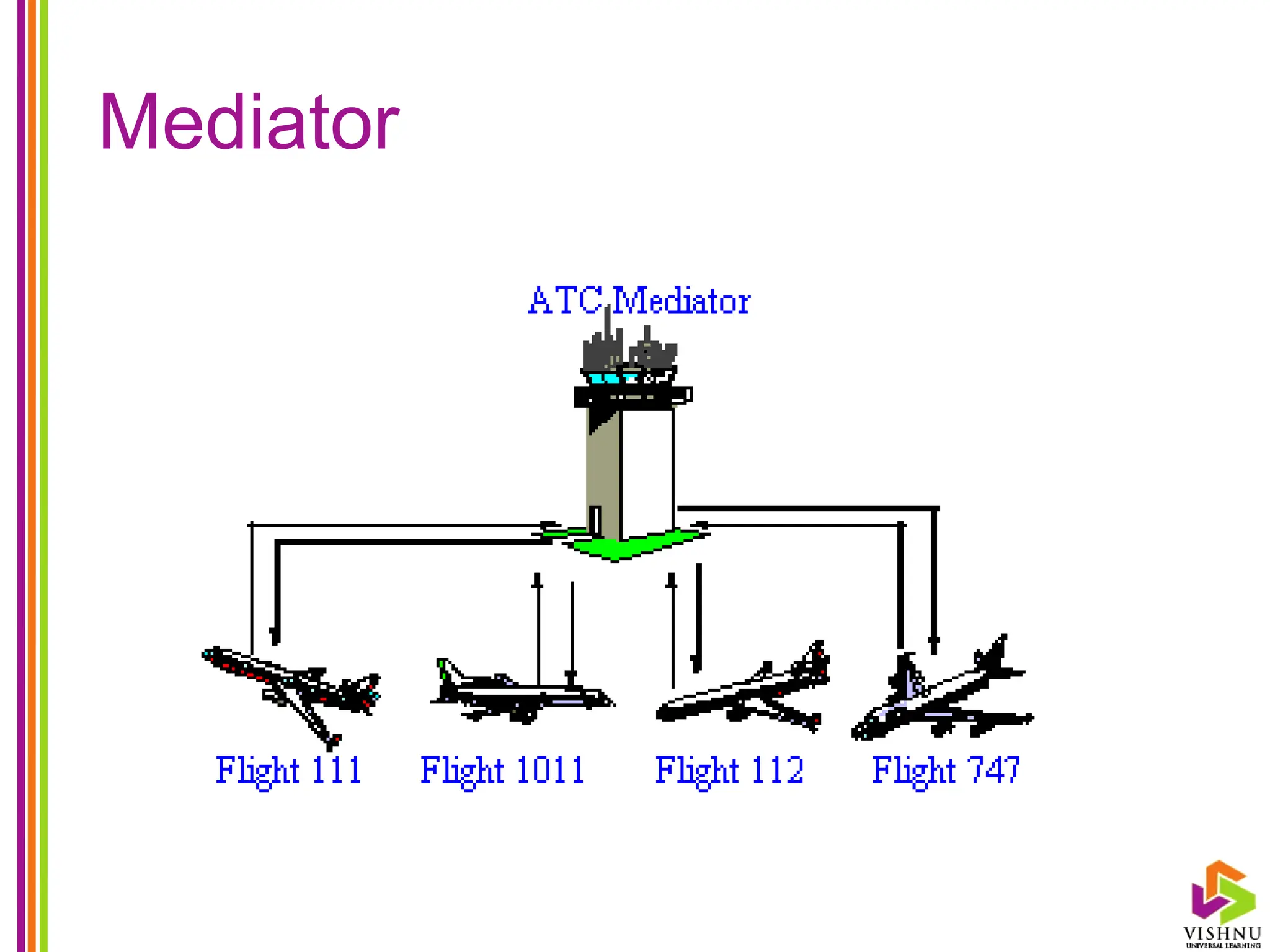
  • #98 The Builder pattern separates the construction of a complex object from its representation, so that the same construction process can create different representation. This pattern is used by fast food restaurants to construct children's meals. Children's meals typically consist of a main item, a side item, a drink, and a toy (e.g., a hamburger, fries, coke, and toy car). Note that there can be variation in the contents of the children's meal, but the construction process is the same. Whether a customer orders a hamburger, cheeseburger, or chicken, the process is the same. The employee at the counter directs the crew to assemble a main item, side item, and toy. These items are then placed in a bag. The drink is placed in a cup and remains outside of the bag. This same process is used at competing restaurants.
  • #110 Intent: To specify the kinds of objects to create using a prototypical instance, and create new objects by copying this prototype. Motivation: A prototype is a template of any object before the actual object is constructed. In java also, it holds the same meaning. Prototype design pattern is used in scenarios where application needs to create a number of instances of a class, which has almost same state or differs very little. In this design pattern, an instance of actual object (i.e. prototype) is created on starting, and thereafter whenever a new instance is required, this prototype is cloned to have another instance. The main advantage of this pattern is to have minimal instance creation process which is much costly than cloning process. Some of the situations where the prototype pattern can be applied are given below: Example 1: In building stages for a game that uses a maze and different visual objects that the character encounters it is needed a quick method of generating the haze map using the same objects: wall, door, passage, room... The Prototype pattern is useful in this case because instead of hard coding (using new operation) the room, door, passage and wall objects that get instantiated, CreateMaze method will be parameterized by various prototypical room, door, wall and passage objects, so the composition of the map can be easily changed by replacing the prototypical objects with different ones. The Client is the CreateMaze method and the ConcretePrototype classes will be the ones creating copies for different objects. Example 2: Suppose we are doing a sales analysis on a set of data from a database. Normally, we would copy the information from the database, encapsulate it into an object and do the analysis. But if another analysis is needed on the same set of data, reading the database again and creating a new object is not the best idea. If we are using the Prototype pattern then the object used in the first analysis will be cloned and used for the other analysis. The Client methods process the object that encapsulates information from the database. The ConcretePrototype class will be class that creates the object after extracting data from the database, will copy it into objects used for analysis. Applicability: Use prototype pattern when a system should be independent of how its products are created, composed and represented and: When the class to be instantiated is specified at runtime or To avoid building a hierarchy of factory classes or It is more convenient to clone an object rather than creating a new object. Structure: Participants: The classes participating to the Prototype Pattern are: Client - creates a new object by asking a prototype to clone itself. Prototype - declares an interface for cloning itself. ConcretePrototype - implements the operation for cloning itself. Collaborations: A client asks a prototype to clone itself. Consequences: Benefits of prototype pattern are: Adding and removing products at runtime. Specifying new objects by varying values. Specifying new objects by varying structure. Reduced subclassing. Configuring an application with classes dynamically. Main drawback of prototype pattern is that each sub class of Prototype must implement the clone operation, which may be difficult. Implementation: abstract class AbstractProduct implements Cloneable { public static AbstractProduct thePrototype; public static AbstractProduct makeProduct() { try { return (AbstractProduct) thePrototype.clone(); } catch(CloneNotSupportedException e) { return null; } } } class ConcreteProductA extends AbstractProduct { } class ConcreteProductB extends AbstractProduct { } public class PrototypeDemo { public static void main(String[] args) { AbstractProduct.thePrototype = new ConcreteProductA(); AbstractProduct product = AbstractProduct.makeProduct(); System.out.println(product); } } Implementation Issues: Using a prototype manager: When the application uses a lot of prototypes that can be created and destroyed dynamically, a registry of available prototypes should be kept. This registry is called the prototype manager and it should implement operations for managing registered prototypes like registering a prototype under a certain key, searching for a prototype with a given key, removing one from the register, etc. The clients will use the interface of the prototype manager to handle prototypes at run-time and will ask for permission before using the Clone() method. There is not much difference between an implementation of a prototype which uses a prototype manager and a factory method implemented using class registration mechanism. Maybe the only difference consists in the performance. Implementing the Clone operation: A small discussion appears when talking about how deep or shallow a clone should be: a deep clone clones the instance variables in the cloning object while a shallow clone shares the instance variables between the clone and the original. Usually, a shallow clone is enough and very simple, but cloning complex prototypes should use deep clones so the clone and the original are independent, a deep clone needing its components to be the clones of the complex object’s components. Initializing clones: There are cases when the internal states of a clone should be initialized after it is created. This happens because these values cannot be passed to the Clone() method, that uses an interface which would be destroyed if such parameters were used. In this case the initialization should be done by using setting and resetting operations of the prototype class or by using an initializing method that takes as parameters the values at which the clone’s internal states should be set. Sample Code: We're going to create an abstract class Shape and concrete classes extending the Shape class. A class ShapeCache is defined as a next step which stores shape objects in a Hashtable and returns their clone when requested. Create an abstract class implementing Clonable interface. Shape.java public abstract class Shape implements Cloneable { private String id; protected String type; abstract void draw(); public String getType() { return type; } public String getId() { return id; } public void setId(String id) { this.id = id; } public Object clone() { Object clone = null; try { clone = super.clone(); } catch (CloneNotSupportedException e) { e.printStackTrace(); } return clone; } } Create concrete classes extending the above class. Rectangle.java public class Rectangle extends Shape { public Rectangle() { type = "Rectangle"; } @Override public void draw() { System.out.println("Inside Rectangle::draw() method."); } } Square.java public class Square extends Shape { public Square() { type = "Square"; } @Override public void draw() { System.out.println("Inside Square::draw() method."); } } Circle.java public class Circle extends Shape { public Circle() { type = "Circle"; } @Override public void draw() { System.out.println("Inside Circle::draw() method."); } } Create a class to get concreate classes from database and store them in a Hashtable. ShapeCache.java import java.util.Hashtable; public class ShapeCache { private static Hashtable<String, Shape> shapeMap = new Hashtable<String, Shape>(); public static Shape getShape(String shapeId) { Shape cachedShape = shapeMap.get(shapeId); return (Shape) cachedShape.clone(); } public static void loadCache() { Circle circle = new Circle(); circle.setId("1"); shapeMap.put(circle.getId(),circle); Square square = new Square(); square.setId("2"); shapeMap.put(square.getId(),square); Rectangle rectangle = new Rectangle(); rectangle.setId("3"); shapeMap.put(rectangle.getId(),rectangle); } } PrototypePatternDemo uses ShapeCache class to get clones of shapes stored in a Hashtable. PrototypePatternDemo.java public class PrototypePatternDemo { public static void main(String[] args) { ShapeCache.loadCache(); Shape clonedShape = (Shape) ShapeCache.getShape("1"); System.out.println("Shape : " + clonedShape.getType()); Shape clonedShape2 = (Shape) ShapeCache.getShape("2"); System.out.println("Shape : " + clonedShape2.getType()); Shape clonedShape3 = (Shape) ShapeCache.getShape("3"); System.out.println("Shape : " + clonedShape3.getType()); } } Known Uses: The first widely known application of the pattern in an object-oriented language was in ThingLab, where users could form a composite object and then promote it to a prototype by installing it in a library of reusable objects. Prototype is used in Etgdb. Etgdb is a debugger front-end based on ET++ that provides a point-and-click interface to different line-oriented debuggers. The "interaction technique library" in Mode Composer stores prototypes of objects that support various interaction techniques. Related Patterns: Prototype and Abstract Factory patterns can be used together. Designs that make heavy use of the Composite and Decorator patterns often can benefit from Prototype as well.
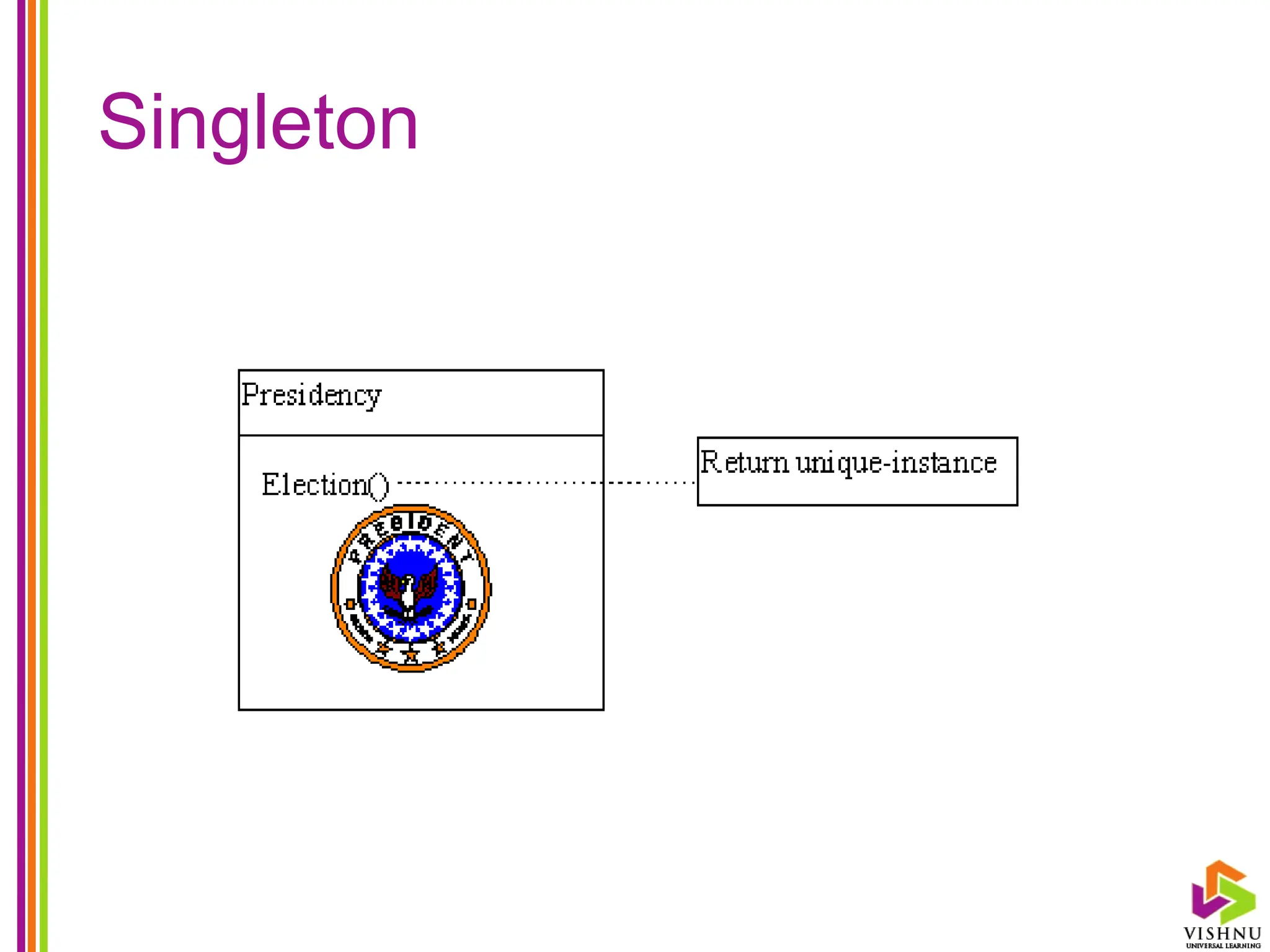
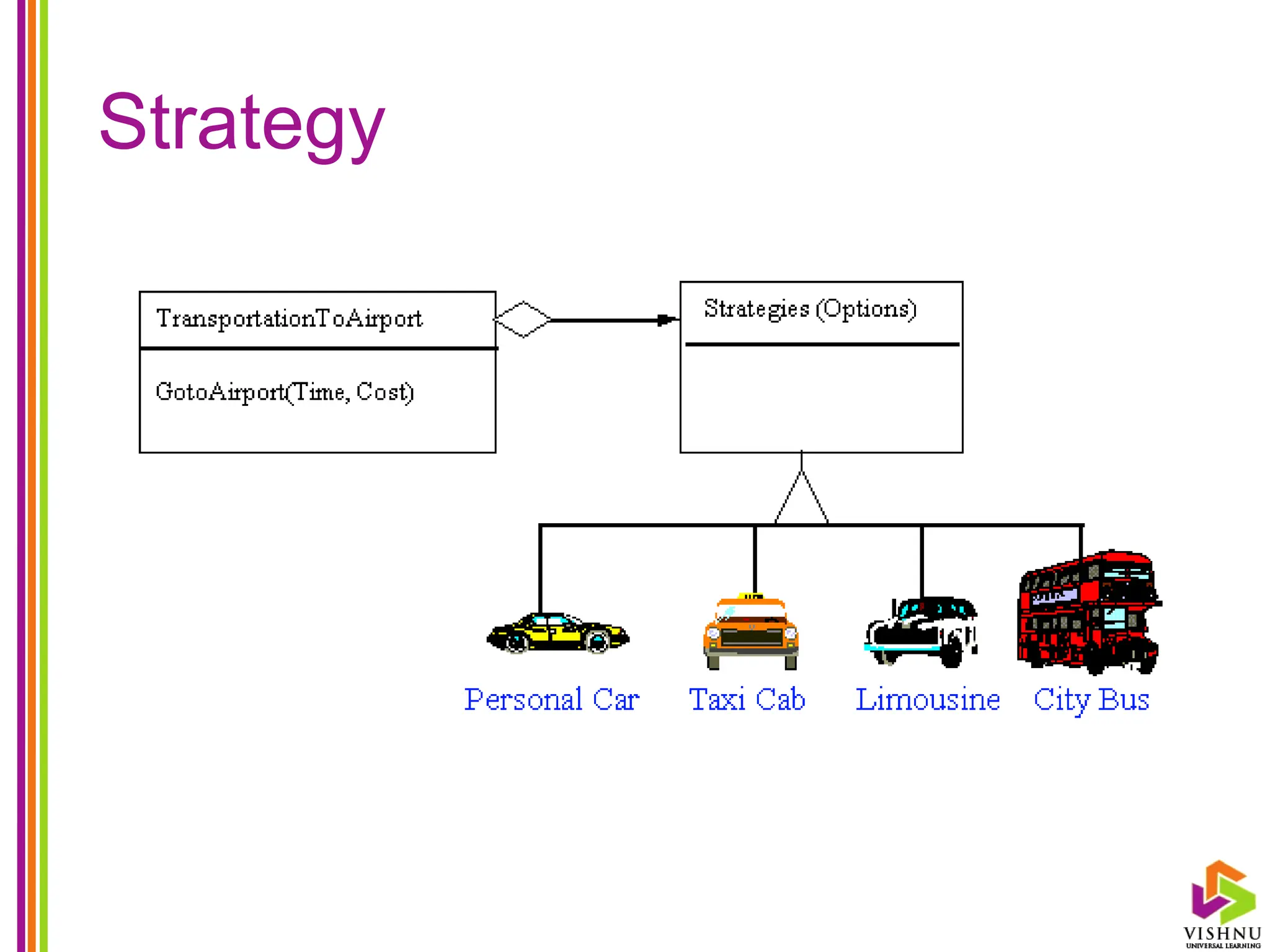
  • #111 The Prototype pattern specifies the kind of objects to create using a prototypical instance. Prototypes of new products are often built prior to full production, but in this example, the prototype is passive, and does not participate in copying itself. The mitotic division of a cell, resulting in two identical cells, is an example of a prototype that plays an active role in copying itself and thus, demonstrates the Prototype pattern. When a cell splits, two cells of identical genotype result. In other words, the cell clones itself.