17/10/2023
…more than software,
your IT partner
SNMP Monitoring at scale
Icinga Camp Milan 2023
2
Introduction
3
Presentations: Me and the Company
Würth Phoenix SRL
• An italian company from the Würth Group
• Provides IT services and products to:
• All companies of the Würth Group
• Other external companies
Rocco Pezzani
• Consultant and Senior System Integration at Würth Phoenix
• Plan, install and manage NetEye setup over several customers
4
Presentations: NetEye
• Built by Würth Phoenix
• Unified monitoring solution
• Has Icinga2 as its core
• Brings together
• Elastic Stack
• InfluxDB
• Grafana
• GLPI
• ntopng
• NetEye-As-A-Service: NetEye Cloud
SNMP-based Monitoring
• Monitoring data based on shared standards
• New ones only when required
• New ones become standards as well
• Monitoring data stored in standard structures
• Light MIB Db by vendor reusing branches
• Few MIB files well tested and documented
• Few, lightweight and maintained monitoring
plugins
• …something is not right
SNMP-based Monitoring: the truth
• Each vendor implements what he wants as he likes
• Shared data have subtle differences
• Proprietary branches grows like crazy
• MIB Db is extremely large
• MIB Files are difficult to handle
• Eccessive in numbers
• Dependencies not well documented and unfindable
• Not tested – losts of semantic errors
• A monitoring plugin for each feature/model/vendor
• Requires lot of resources (on device and Icinga)

• Usually not maintained after some years
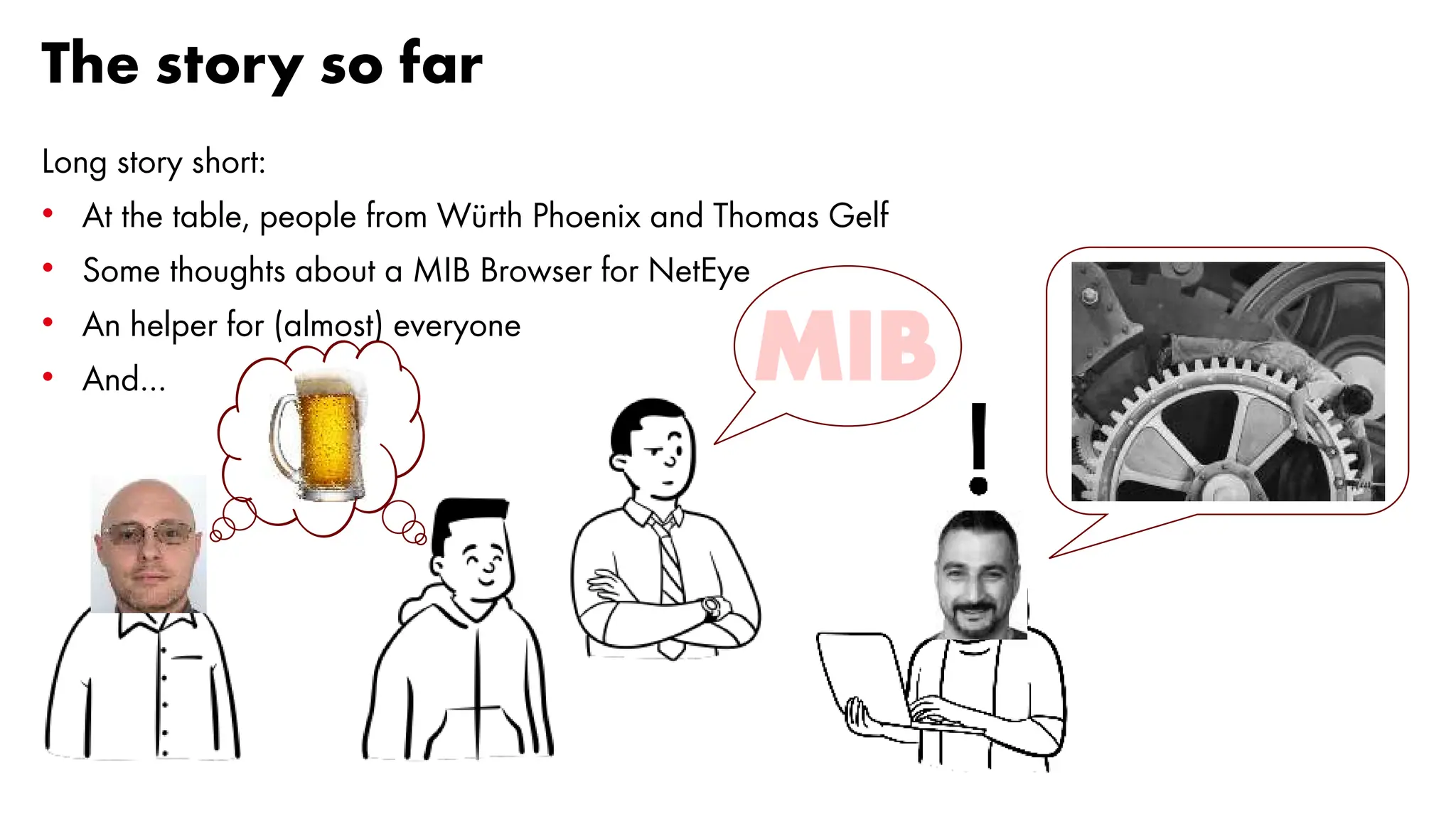
The story so far
Long story short:
• At the table, people from Würth Phoenix and Thomas Gelf
• Some thoughts about a MIB Browser for NetEye
• An helper for (almost) everyone
• And… MIB
8
Thomas Gelf
9
Talking about beers
That's the moment, when you have to
hand over the mic to the Germans
10
Thomas Gelf
Born in the Italian Alps
Living in Germany
Principal Consultant
11
Write me a MIB browser
12
I had one, built in a workshop...
...in 1-2 days, long time ago
• Würth Phoenix loved my overall picture, BUT...
...wanted to have the MIB browser first
• I had different ideas and priorities, BUT...
...you know... it’s the customer
...and I was willing to obey, while aiming for a higher goal
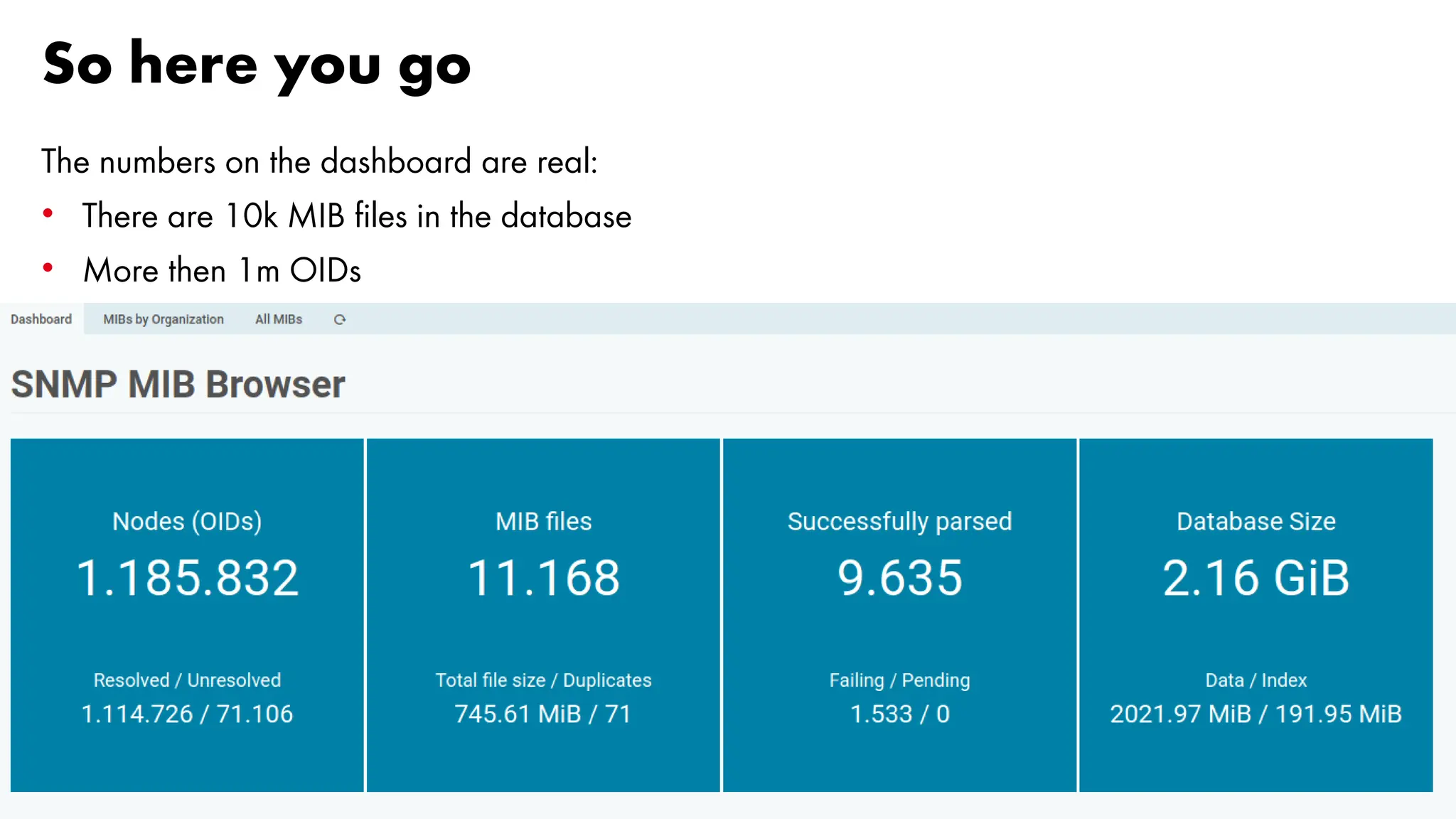
So here you go
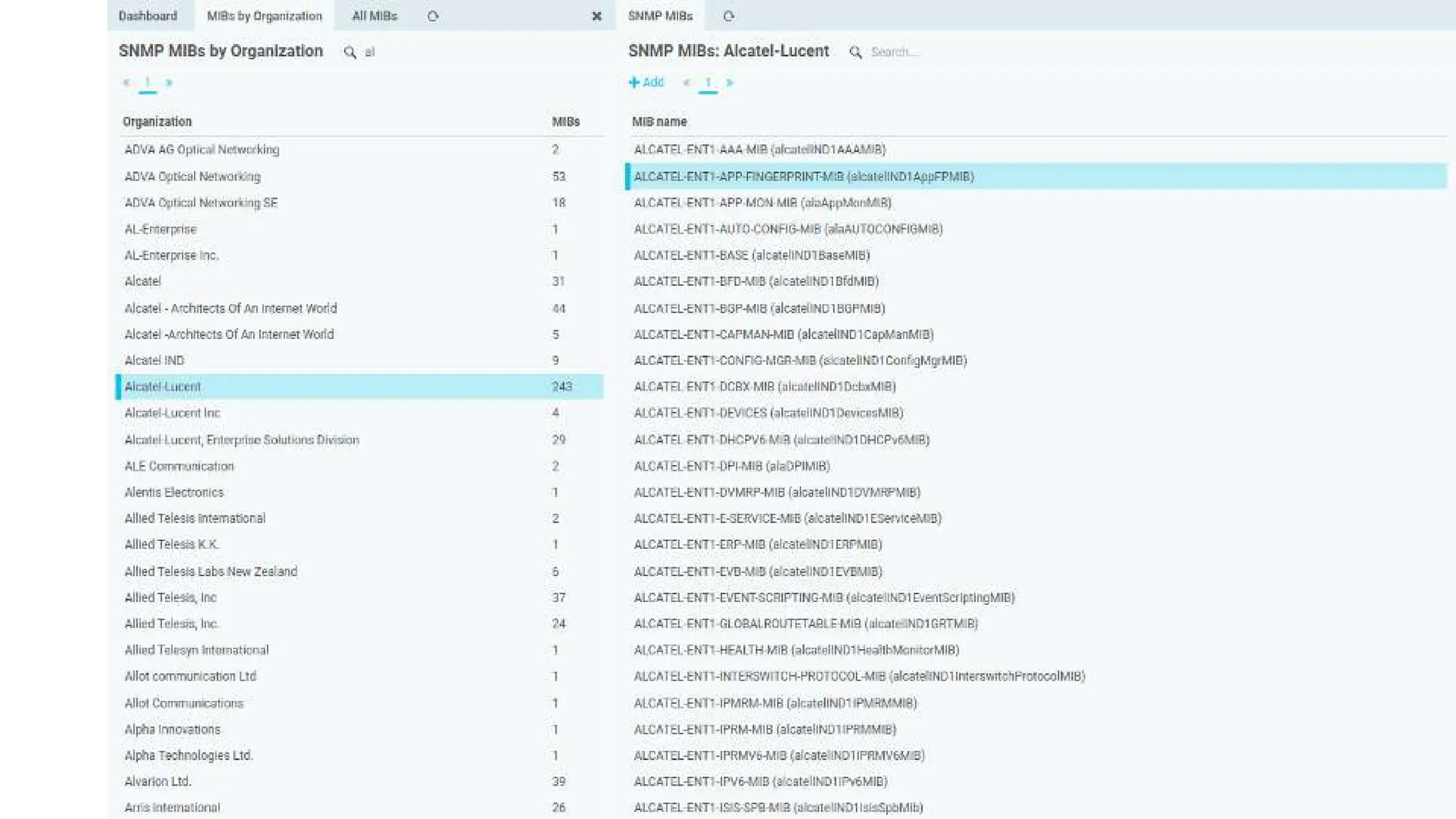
The numbers on the dashboard are real:
• There are 10k MIB files in the database
• More then 1m OIDs
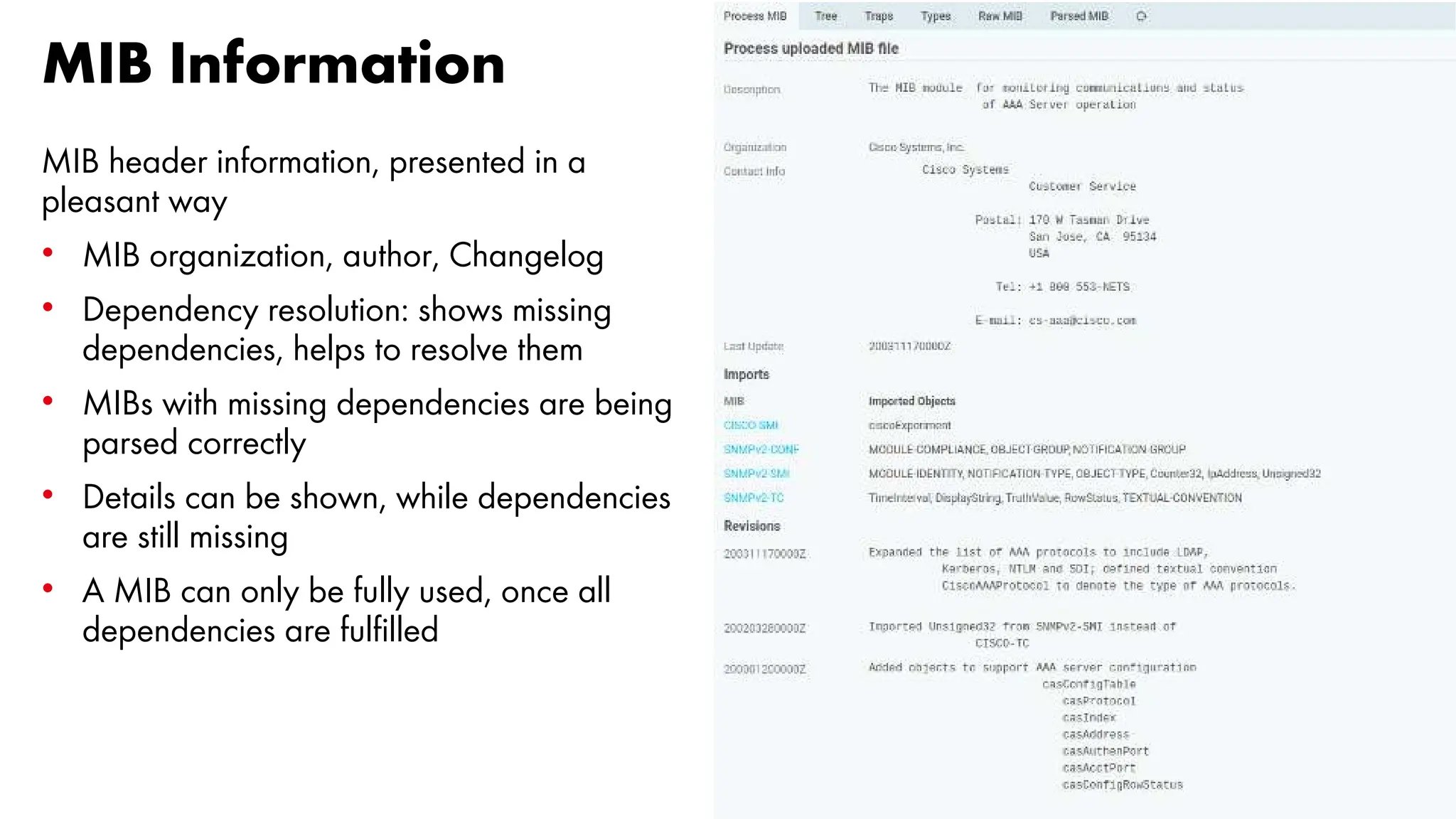
MIB Information
MIB header information, presented in a
pleasant way
• MIB organization, author, Changelog
• Dependency resolution: shows missing
dependencies, helps to resolve them
• MIBs with missing dependencies are being
parsed correctly
• Details can be shown, while dependencies
are still missing
• A MIB can only be fully used, once all
dependencies are fulfilled
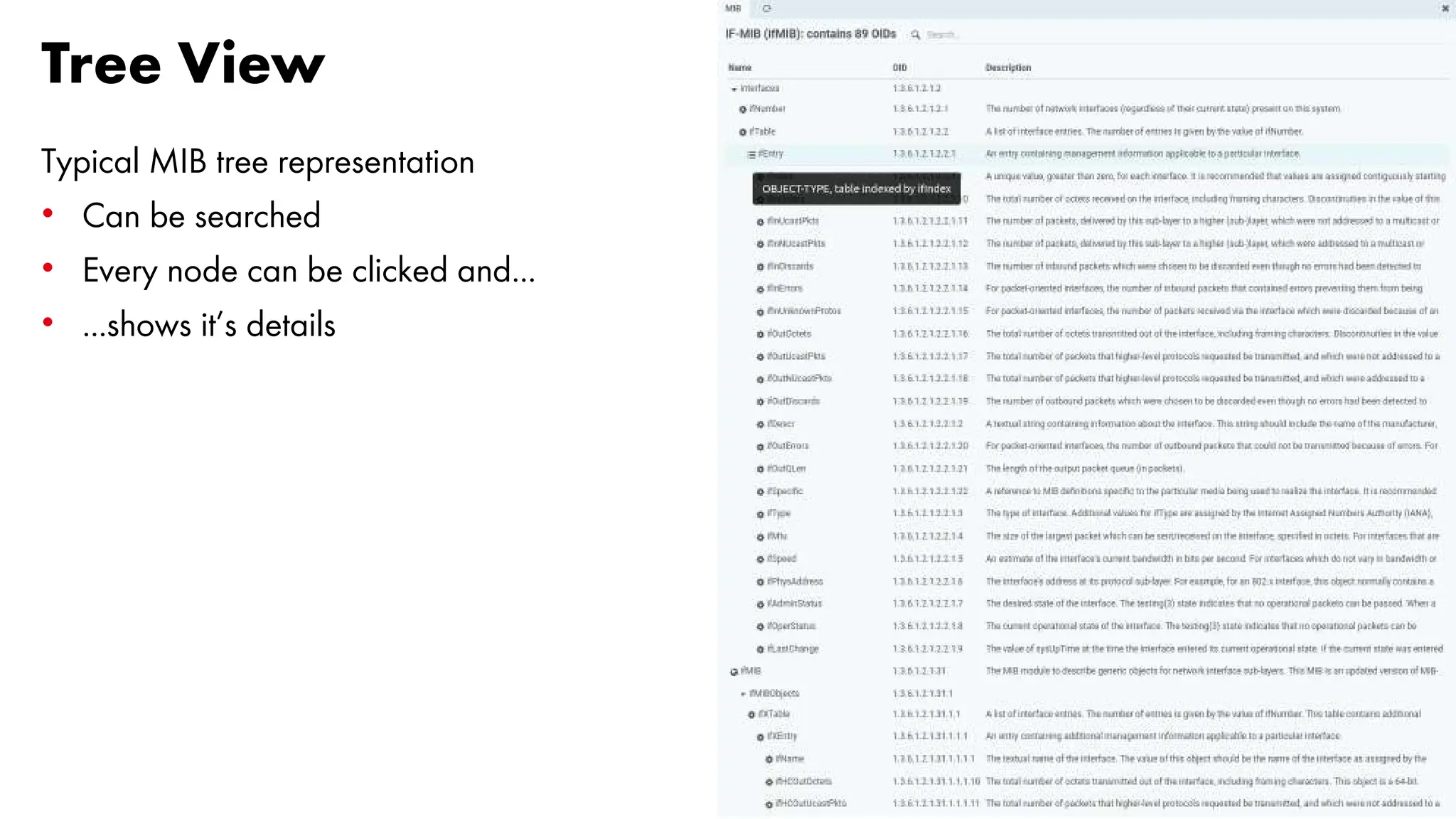
Tree View
Typical MIB tree representation
• Can be searched
• Every node can be clicked and...
• ...shows it’s details
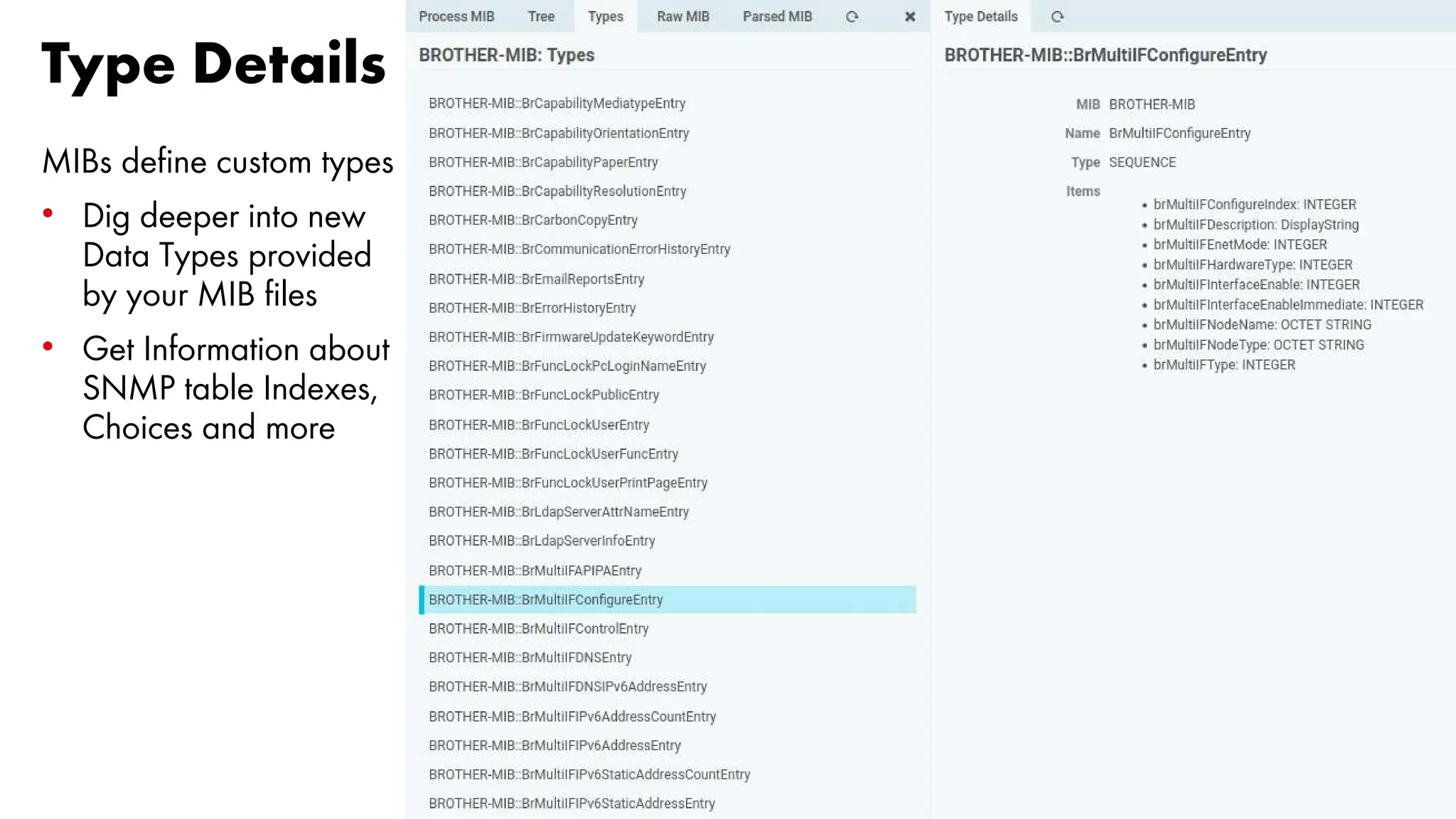
Type Details
MIBs define custom types
• Dig deeper into new
Data Types provided
by your MIB files
• Get Information about
SNMP table Indexes,
Choices and more
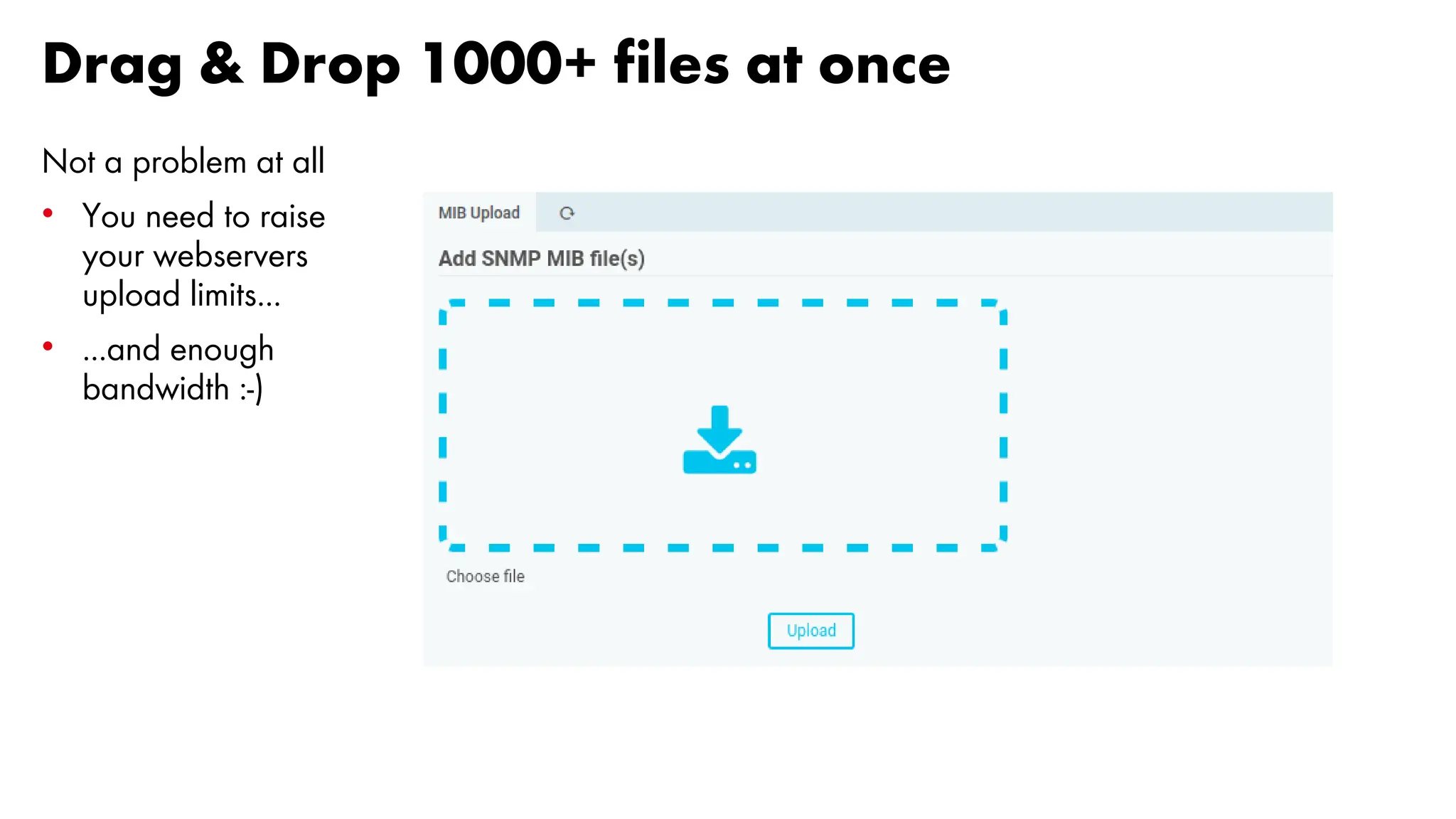
Drag & Drop 1000+ files at once
Not a problem at all
• You need to raise
your webservers
upload limits...
• ...and enough
bandwidth :-)
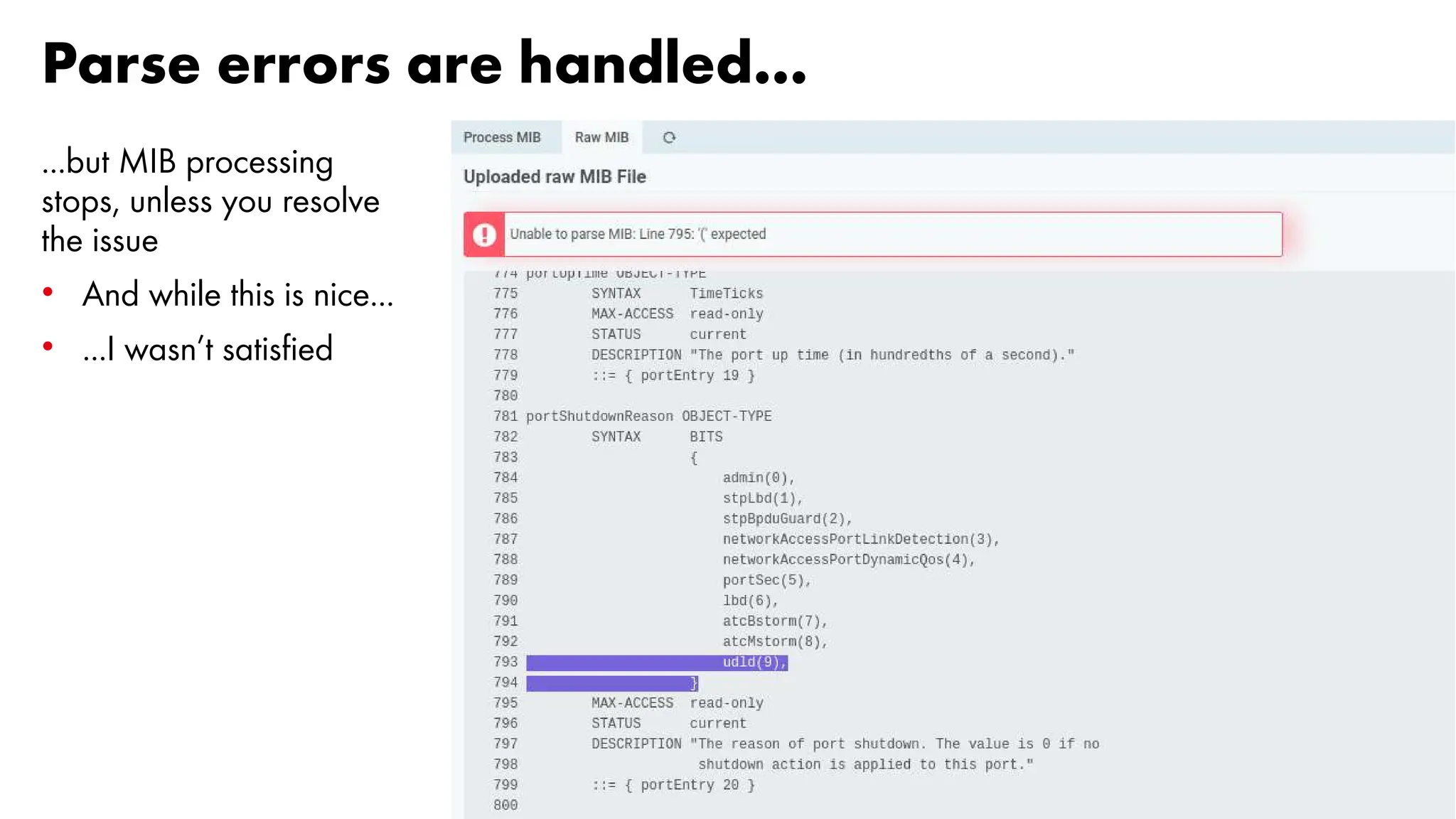
Parse errors are handled...
...but MIB processing
stops, unless you resolve
the issue
• And while this is nice...
• ...I wasn’t satisfied
20
So, where are we right now?
Well... it works, is on GitHub, can be installed. Roadmap:
• The underlying MIB/SMI-Compiler can be configured to allow some glitches
• Still too strict for many MIB files
• In parallel, we're working on a completely new MIB file parser
• Not on GitHub, but already working: a Hook for interactive walks
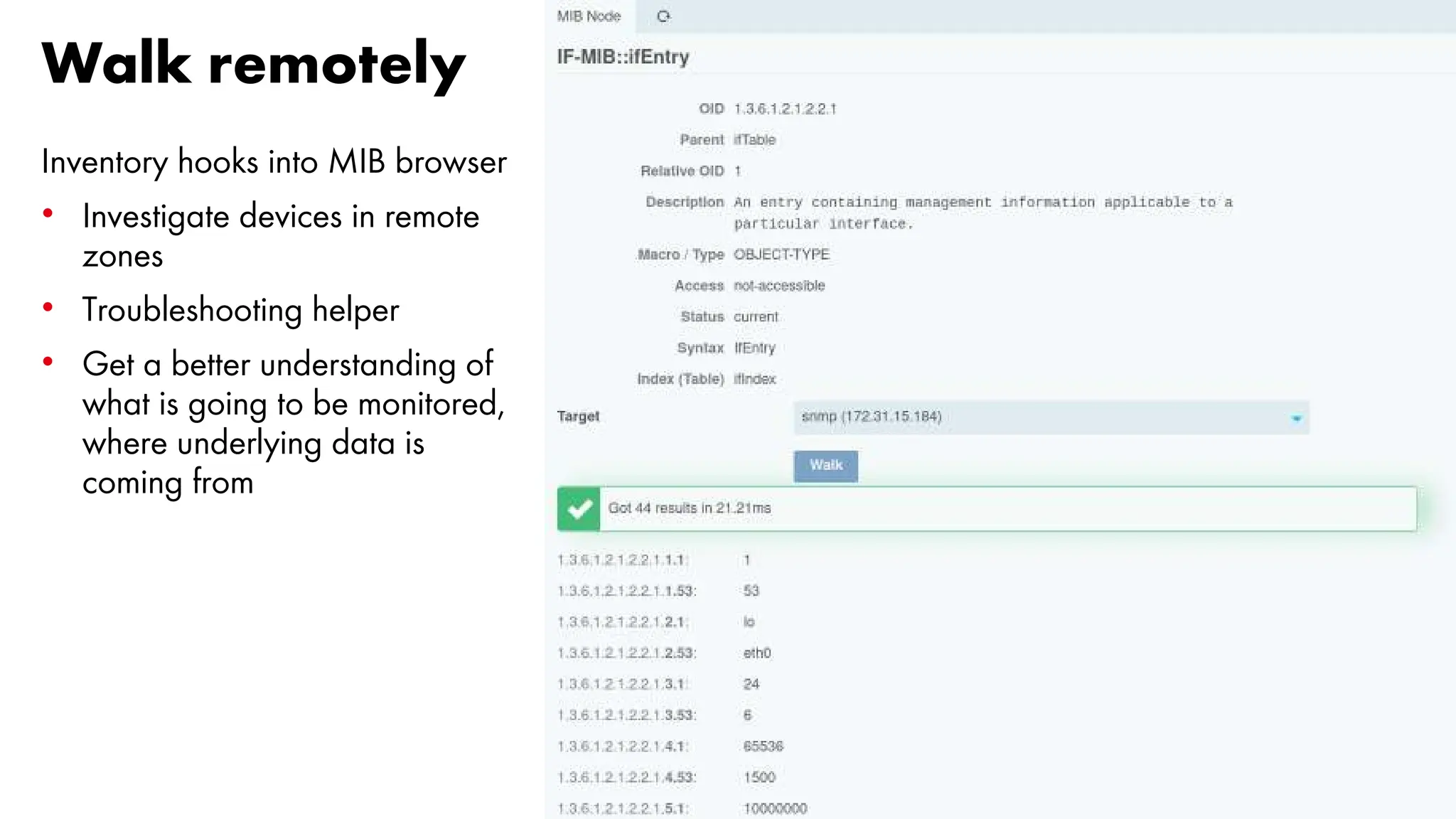
Walk remotely
Inventory hooks into MIB browser
• Investigate devices in remote
zones
• Troubleshooting helper
• Get a better understanding of
what is going to be monitored,
where underlying data is
coming from
22
After the duty...
23
...comes the funny part
24
Many shiny new Components...
...for the Icinga/NetEye Ecosystem
• Centralized
– Device Inventory (new Icinga Web 2 Module)
– MIB Browser (just the UI, interactive polling is distributed)
– Draw.io integration and other UI components
• Distributed / Edge Computing
– Remote Polling/Data Nodes, allowing to scale out
– Distributed Metric Data Storage
– Distributed Graphing and Metric-based calculations
• Fully controlled
– New SNMP stack, implemented from scratch
25
Architecture
• decentralized, asynchronous (but simple)
• remote nodes are able to work completely autonomous for a very long time
• administrative control is centralized
• controlled concurrency / parallelism
(instead of "make everything a coroutine" and hope for the best)
26
So… a LOT of fun
27
Target of the Project
28
Target of the Project
NetEye infrastructure at Irideos – Retelit
• 3 way cluster with 52 cores per node
• 60+ satellites
• More than 600 CPU Cores for:
• Monitoring 250k Hosts+Services
• Run 46k checks per minutes (overall)
• Run 14k checks per minutes (SNMP only)
• Around 20 satellites are dedicated to sheer network monitoring
• These numbers will grow in the near future
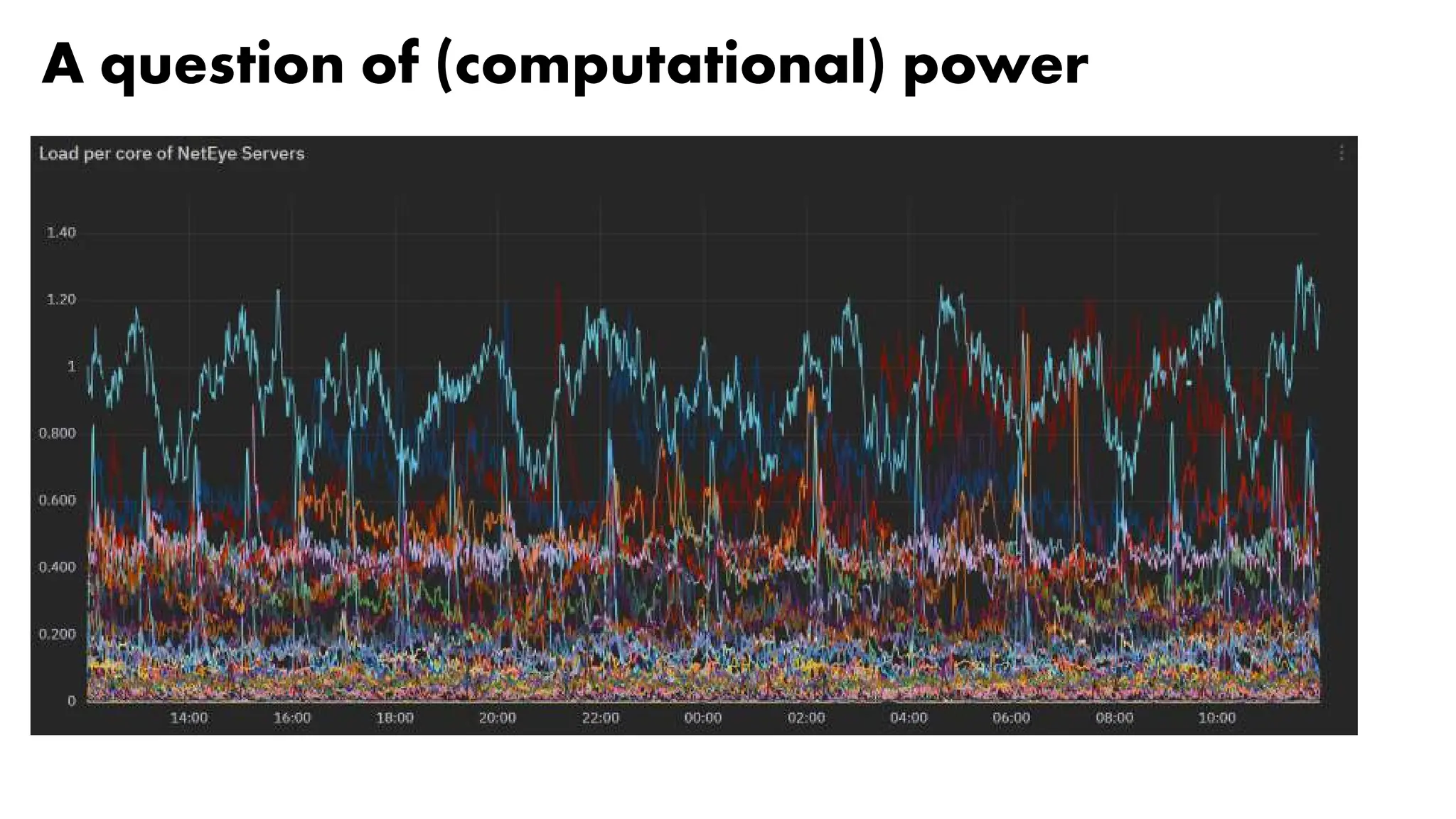
A question of (computational) power
30
Issues of SNMP
Monitoring
31
Monitoring Plugin efficiency
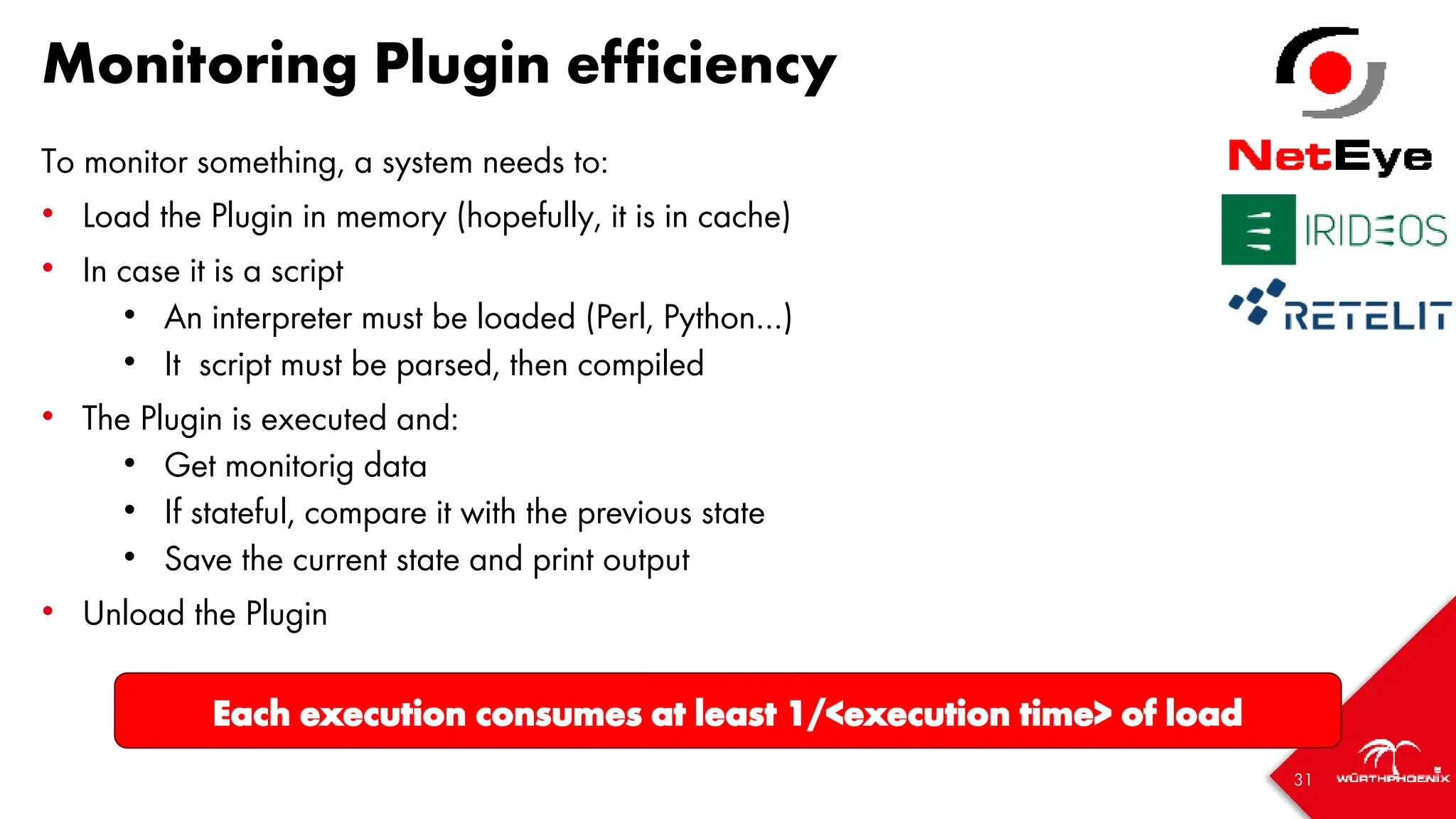
To monitor something, a system needs to:
• Load the Plugin in memory (hopefully, it is in cache)
• In case it is a script
• An interpreter must be loaded (Perl, Python…)
• It script must be parsed, then compiled
• The Plugin is executed and:
• Get monitorig data
• If stateful, compare it with the previous state
• Save the current state and print output
• Unload the Plugin
Each execution consumes at least 1/<execution time> of load
Monitoring Plugin efficiency
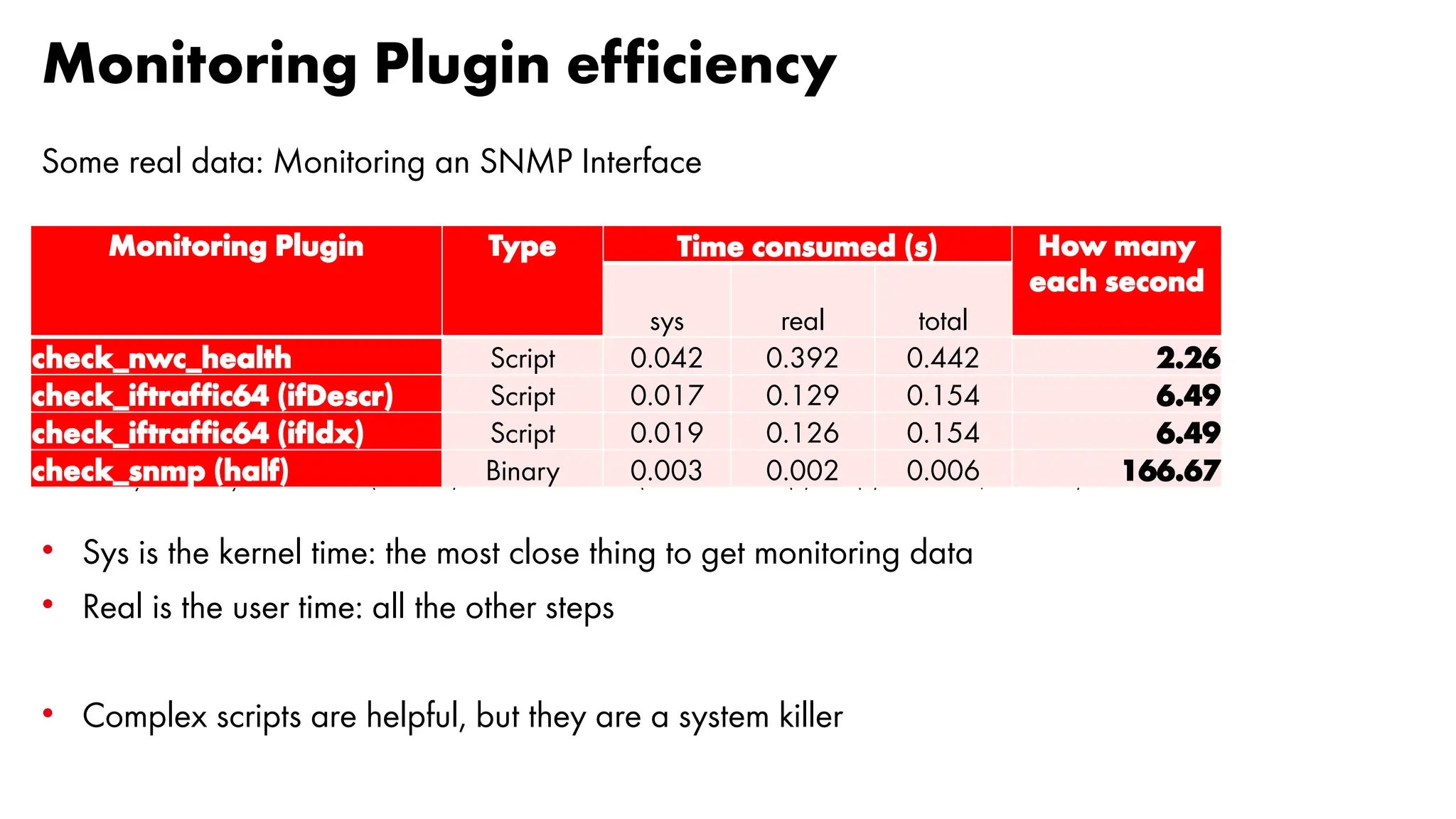
Some real data: Monitoring an SNMP Interface
Reference system: NetEye Satellite 4.32 (RHEL 8.8) on a Virtual Machine (2 vCPU from Intel(R) Xeon(R) Silver 4114, 8GB RAM)
• Sys is the kernel time: the most close thing to get monitoring data
• Real is the user time: all the other steps
• Complex scripts are helpful, but they are a system killer
Monitoring Plugin Type Time consumed (s) How many
each second
sys real total
check_nwc_health Script 0.042 0.392 0.442 2.26
check_iftraffic64 (ifDescr) Script 0.017 0.129 0.154 6.49
check_iftraffic64 (ifIdx) Script 0.019 0.126 0.154 6.49
check_snmp (half) Binary 0.003 0.002 0.006 166.67
It’s all about precision
A good monitoring requires a good sampling
• Sampling must be done the right way
• Sampling frequency high enough to reach the monitoring target
• Must take into account hw/sw limitations
• Usually, a frequency of 3m or 5m is considered enough
But, Reality is different
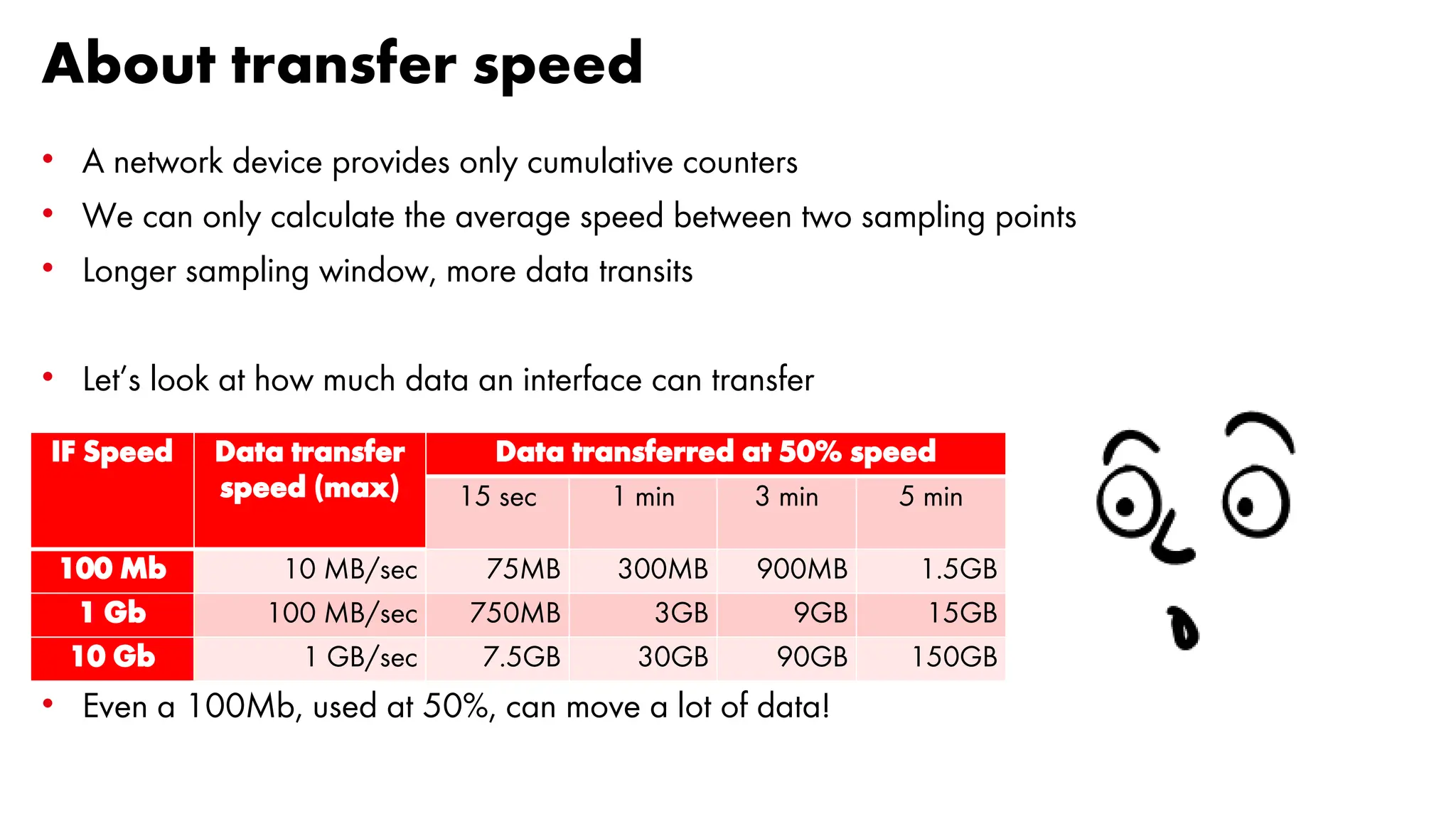
About transfer speed
• A network device provides only cumulative counters
• We can only calculate the average speed between two sampling points
• Longer sampling window, more data transits
• Let’s look at how much data an interface can transfer
• Even a 100Mb, used at 50%, can move a lot of data!
IF Speed Data transfer
speed (max)
Data transferred at 50% speed
15 sec 1 min 3 min 5 min
100 Mb 10 MB/sec 75MB 300MB 900MB 1.5GB
1 Gb 100 MB/sec 750MB 3GB 9GB 15GB
10 Gb 1 GB/sec 7.5GB 30GB 90GB 150GB
Data transfer at maxium speed [1/6]
A simulated transfer: 20GB file over a link with different speed
Let’s see what happens with different sampling intervals:
• 5 minutes
• 3 minutes
• 1 minute
• 30 seconds
• 15 seconds
Data transfer at maxium speed [2/6]
0 5 10 15 20 25 30 35 40 45
0,0
100,0
200,0
300,0
400,0
500,0
600,0
700,0
Time (min)
Transfer
speed
(MB/s)
Sampling every 5 minutes: 100Mb is OK, 1Gb seems equal to 10Gb
Data transfer at maxium speed [3/6]
0 3 6 9 12 15 18 21 24 27
0,0
200,0
400,0
600,0
800,0
1000,0
1200,0
Time (min)
Transfer
speed
(MB/s)
Sampling every 3 minutes: 1 GB is a bit different from 10 Gb, but not so much
Data transfer at maxium speed [4/6]
0 1 2 3 4 5 6 7 8 9
0,0
500,0
1000,0
1500,0
2000,0
2500,0
3000,0
3500,0
Time (min)
Transfer
speed
(MB/s)
Sampling every 1 minute: now 10Gb is different from 1Gb, but is not enough
Data transfer at maxium speed [5/6]
0 0,5 1 1,5 2 2,5 3 3,5 4 4,5
0,0
1000,0
2000,0
3000,0
4000,0
5000,0
6000,0
7000,0
Time (min)
Transfer
speed
(MB/s)
Sampling every 30 seconds: still equal to before
Data transfer at maxium speed [6/6]
0 0,25 0,5 0,75 1 1,25 1,5 1,75 2 2,25
0,0
1000,0
2000,0
3000,0
4000,0
5000,0
6000,0
7000,0
8000,0
9000,0
10000,0
Time (min)
Transfer
speed
(MB/s)
Sampling every 15 seconds: now we can see what the 10 Gb is doing in the time window
41
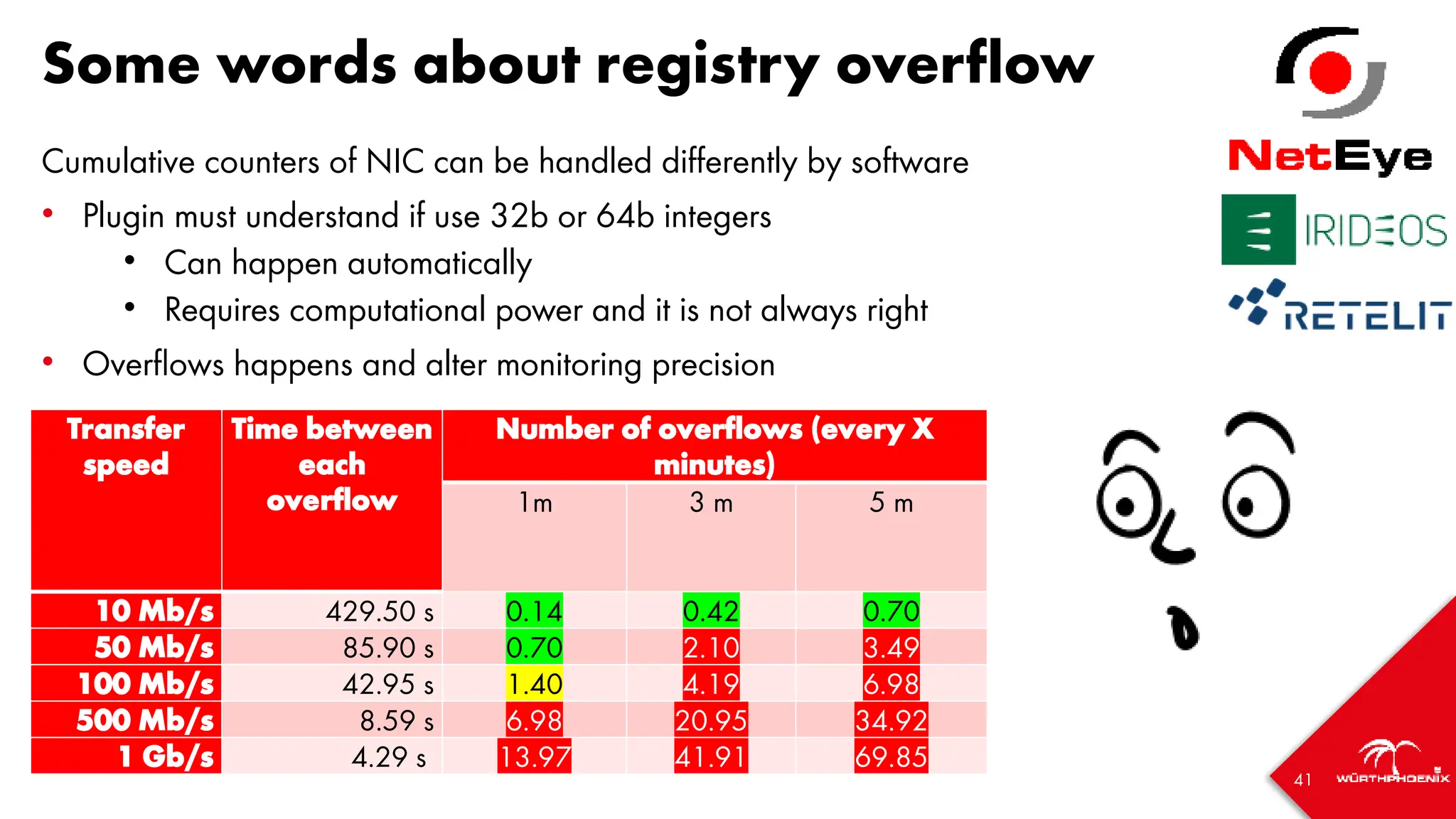
Some words about registry overflow
Cumulative counters of NIC can be handled differently by software
• Plugin must understand if use 32b or 64b integers
• Can happen automatically
• Requires computational power and it is not always right
• Overflows happens and alter monitoring precision
Flows of 100Mb/s or more imply possible data loss
Transfer
speed
Time between
each
overflow
Number of overflows (every X
minutes)
1m 3 m 5 m
10 Mb/s 429.50 s 0.14 0.42 0.70
50 Mb/s 85.90 s 0.70 2.10 3.49
100 Mb/s 42.95 s 1.40 4.19 6.98
500 Mb/s 8.59 s 6.98 20.95 34.92
1 Gb/s 4.29 s 13.97 41.91 69.85
42
Sampling real data [1/5]
• Sampled with Telegraf every 30 seconds, stored in InfluxDB 1.8
• Speed calculated directly by Telegraf (derivative operator)
• Downsampling done with Grafana; rates:
• 1x (30 seconds)
• 2x (60 seconds)
• 6x (3 minutes)
• 10x (5 minutes)
Sampling real data [2/5]
Sampling: 300 seconds Peak speed: 24 Mb/s
Sampling real data [3/5]
Sampling: 180 seconds Peak speed: 40 Mb/s
Sampling real data [4/5]
Sampling: 60 seconds Peak speed: 80 Mb/s
Sampling real data [5/5]
Sampling: 30 seconds Peak speed: 160 Mb/s
47
SNMP Polling
48
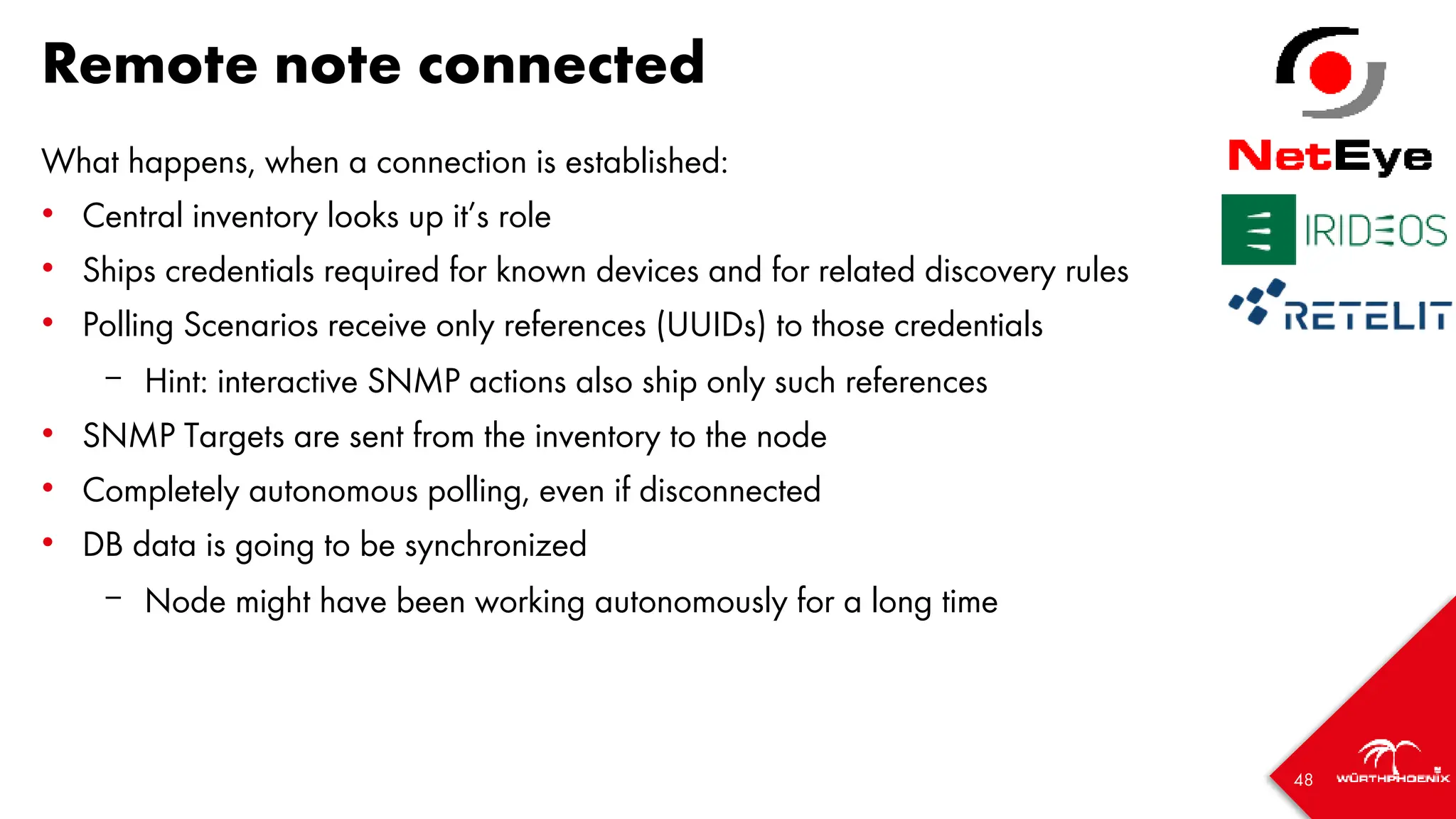
Remote note connected
What happens, when a connection is established:
• Central inventory looks up it’s role
• Ships credentials required for known devices and for related discovery rules
• Polling Scenarios receive only references (UUIDs) to those credentials
– Hint: interactive SNMP actions also ship only such references
• SNMP Targets are sent from the inventory to the node
• Completely autonomous polling, even if disconnected
• DB data is going to be synchronized
– Node might have been working autonomously for a long time
49
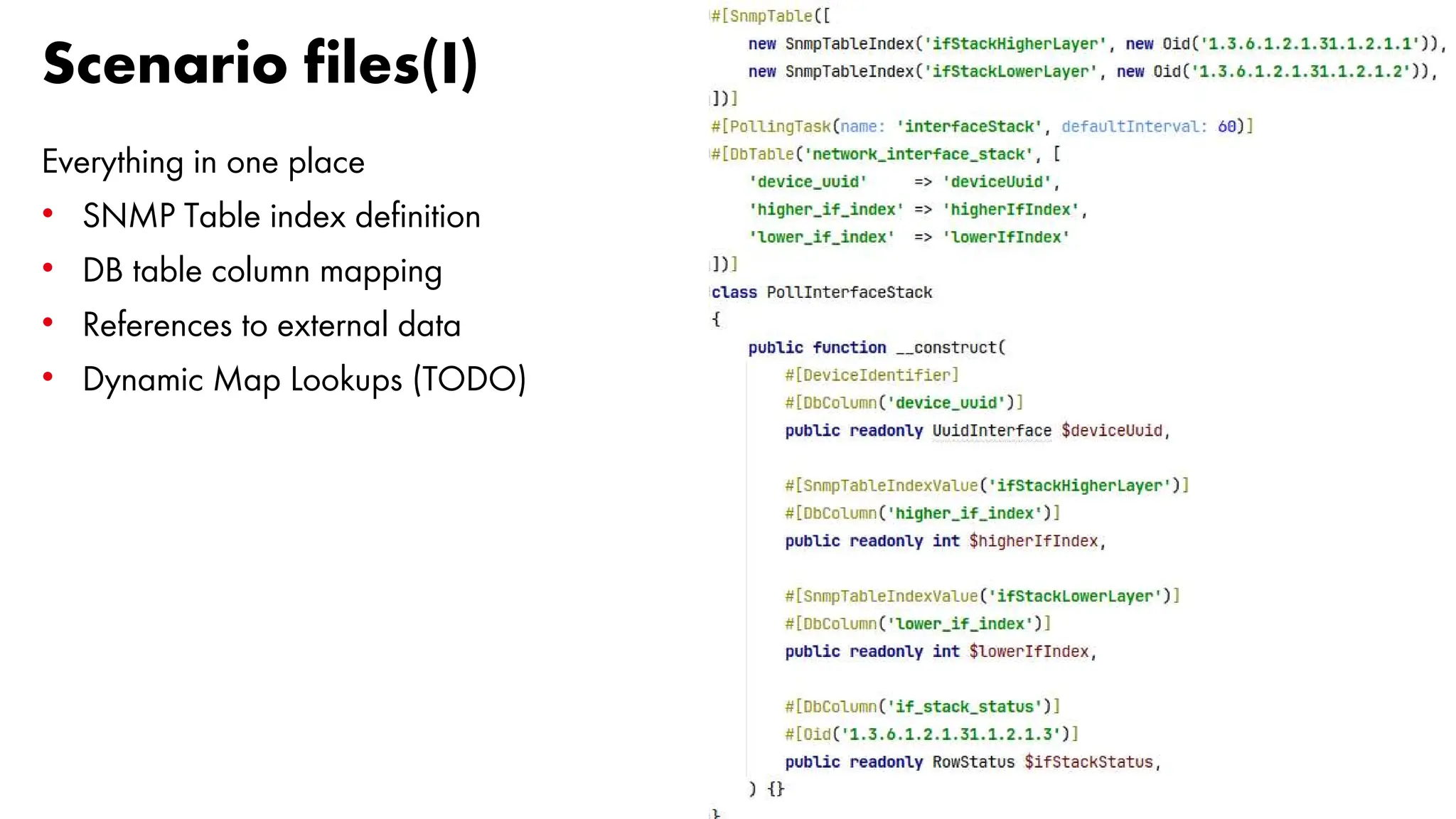
Scenario files(I)
Everything in one place
• SNMP Table index definition
• DB table column mapping
• References to external data
• Dynamic Map Lookups (TODO)
50
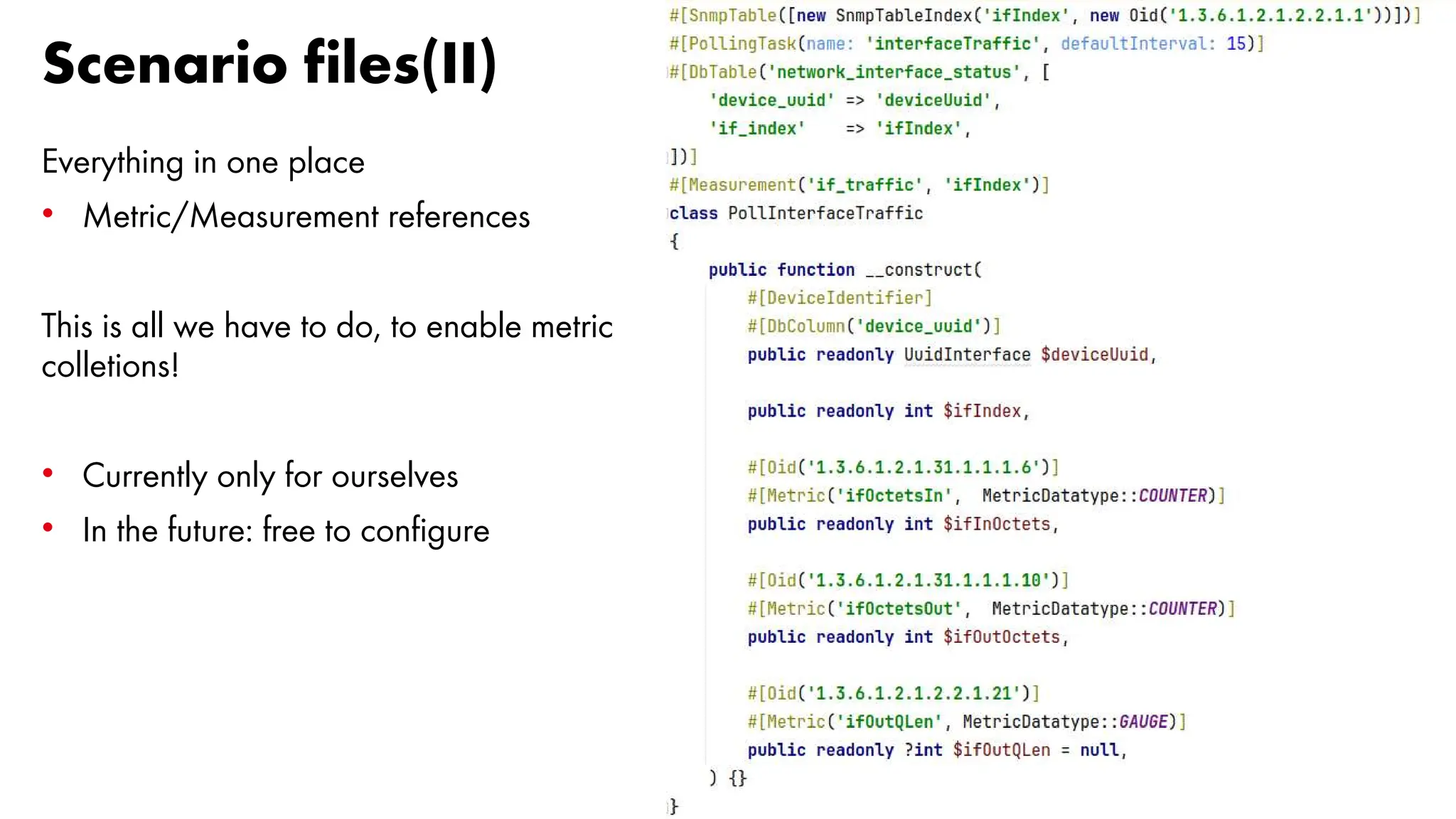
Scenario files(II)
Everything in one place
• Metric/Measurement references
This is all we have to do, to enable metric
colletions!
• Currently only for ourselves
• In the future: free to configure
51
How our SNMP polling works
Each Scenario has it’s very own scheduling instance
• Targets are partitioned into slots
– Currently 20 if you have few devices, 200 for more than 1000 devices
• Each slot triggers it’s tasks at the given interval
• Requests in each slot are enqueued in batches (50 every 50ms)
• These are artificial limits, designed to poll up to 60.000 devices every 15
seconds on a single node. Raising them is just a matter of configuration
• Another artificial limit: no more than 10.000 pending requests at once
• SNMPv3: cached hashes, replay protections (partially TODO)
• Reachability checks running all the times
• For unreachable devices, all other periodic tasks will be stopped
52
Why SNMP?
53
Why SNMP?
Really, why? WHY?!?! SNMP is...
• 30 years old
• completely outdated
• complicated
• slow
• insecure
And... and... there is:
• REST APIs
• gRPC
• Open Telemetry
54
SNMP still rocks, that's why!
That's why:
• 30 years old
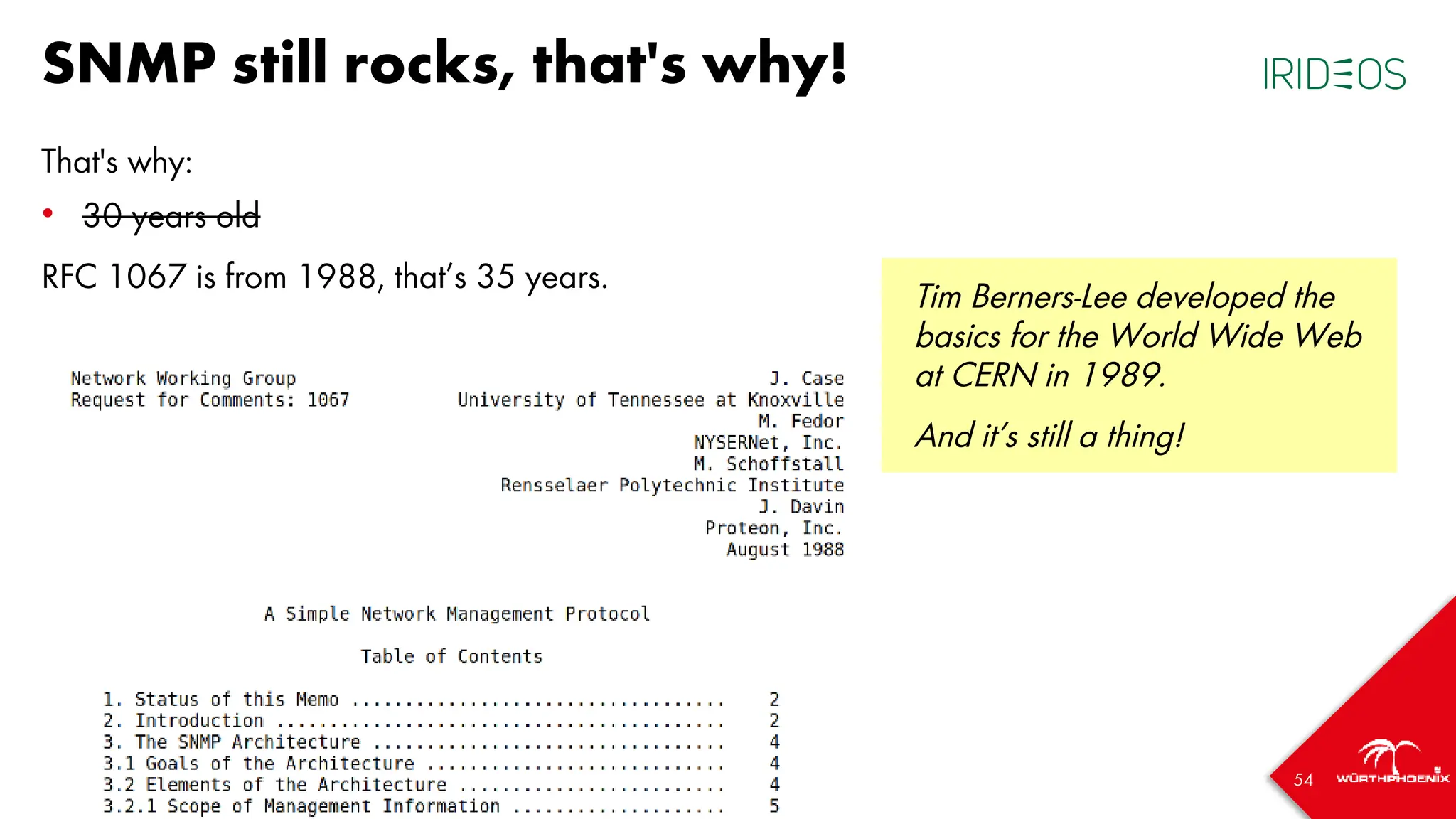
RFC 1067 is from 1988, that’s 35 years.
Tim Berners-Lee developed the
basics for the World Wide Web
at CERN in 1989.
And it’s still a thing!
55
SNMP still rocks, that's why!
That's why:
• completely outdated
Still the most used and most supported network protocol for monitoring purposes
(source: blind guess)
56
SNMP still rocks, that's why!
That's why:
• complicated
Everything is complicated, unless you understood how it works!
We did, and we want to make it easier to use for everbody
57
SNMP still rocks, that's why!
That's why:
• slow
If used wisely, it isn’t.
58
SNMP still rocks, that's why!
That's why:
• insecure
RFC 2574 (USM for SNMPv3 with MD5/SHA1 and DES is from 1999)
Today we have SHA224/256/384/512 and AES/AES192/256
Replay attack protections
59
BUT: REST, gRPC, Open Telemetry
Are you running it in production?
• Have a look at recent Cisco bug reports, related to pubd memory leaks
• people facing hard-to-track issues with the max-series-per-database limit in
InfluxDB and more
• subscriptions hanging in "disconnecting" state
• “solutions” with scripts helping you to remove ALL your subscriptions
• IOS-XE controller crashes for "show telemetry ietf subscription all"
• FD socket leaking in pubd
It might become better, but as of this writing: SNMP is a safe choice
60
It’s all about the data
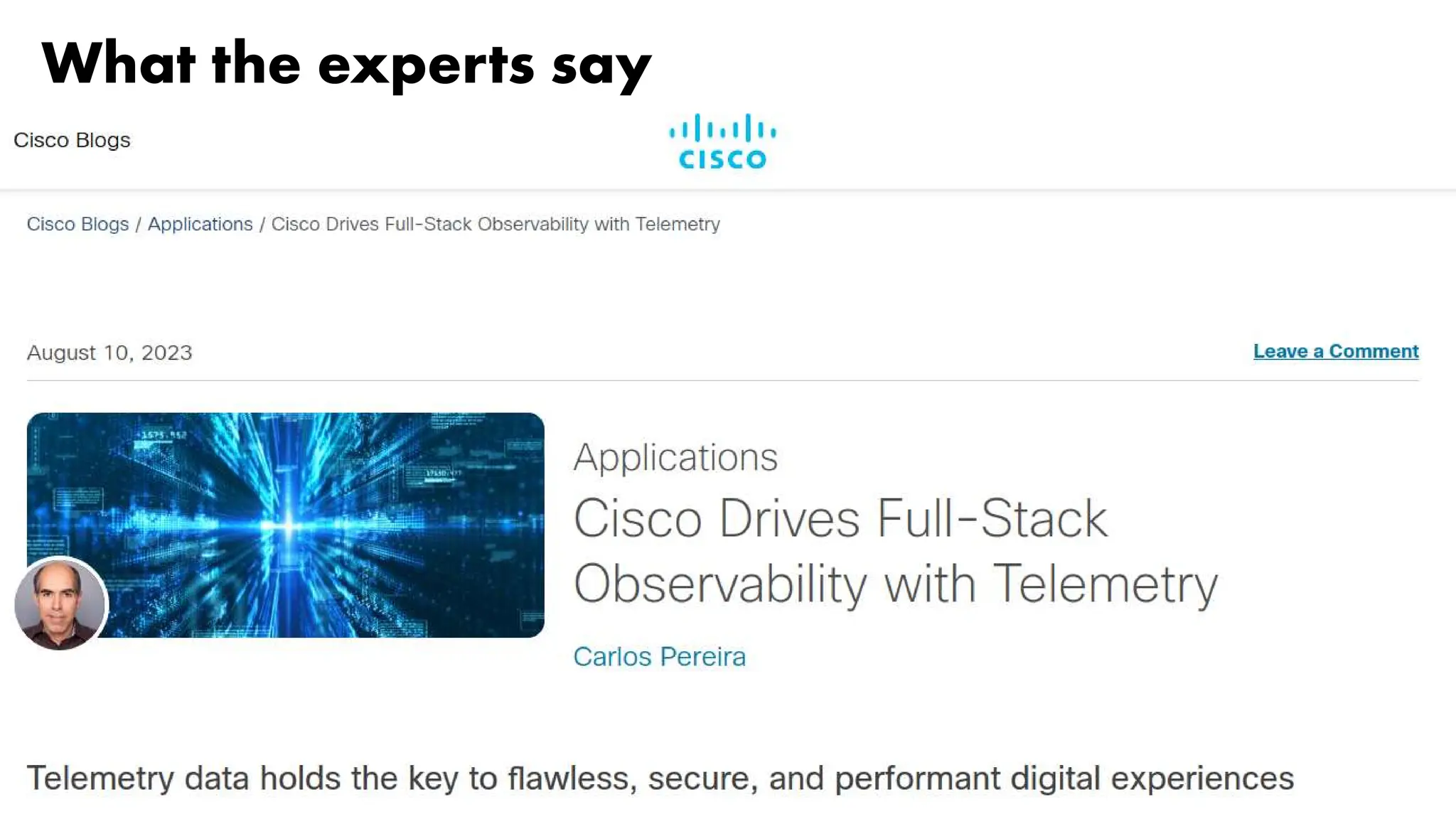
What the experts say
62
What the experts say
63
What I read
We are collecting a bazillion of metrics...
...and have no clue, what to do with them
64
What do we want to do different?
It’s all about the data!
• Don’t try to do everything at once
• Begin with the important parts, and try to do them well
• Make it easy to implement new features
• Lay the ground for completely user-defined scenarios
And, most importantly
• Own the data!
• Model it in an opinionated, meaningful way
65
The Inventory
66
What is in the DB Schema right now? (I)
Site information
• Site information: sites (offices, plants, ships, datacenters)
• Racks: model, units, dimensions, relation to devices
• Devices: vendors, models, modules, sizes, image references
Designing parts of our schema following SMI, but also YANG (Netconf) models
67
What is in the DB Schema right now? (II)
SNMP-related data
• Credentials
• Discovery Rules
• And mostly a 1:1 replication of what the edge nodes “see” and want to be
inventorized
• This is NOT what the inventory is going to use as it’s final device inventory
• We want to have the possibility to tweak data, have rules, manual interaction
• All of this while our edge nodes are continuously modifying that data
68
What is in the DB Schema right now? (II)
SNMP-related data
• Credentials
• Discovery Rules
• And mostly a 1:1 replication of what the edge nodes “see” and want to be
inventorized
– sysinfo, Interface Configuration/Stack/Status, BandwithUsage (aggregated)
– installed software, storage devices, fileystems
– Hardware Entities and Modules
– Hardware Sensor values
• This is NOT what the inventory is going to use as it’s final device inventory
• We want to have the possibility to tweak data, have rules, manual interaction
• All of this while our edge nodes are continuously modifying that data
69
What is in the DB Schema right now? (III)
Network-related data
• Interface Configuration: type, bandwith, admin state, MAC Address
• Interface Status: connector and link state, STP
• Interface Bandwith Usage: aggregated, 15min (min/avg/max)
• Network Ranges (IPv4/IPv6 Subnets), discovered VS configured
• IPv4/IPv6 Addresses
• CDP/LLDP neighours
• Upcoming: VRF, (private) VLANs, MPLS, BGP peers
70
And what does it look like?
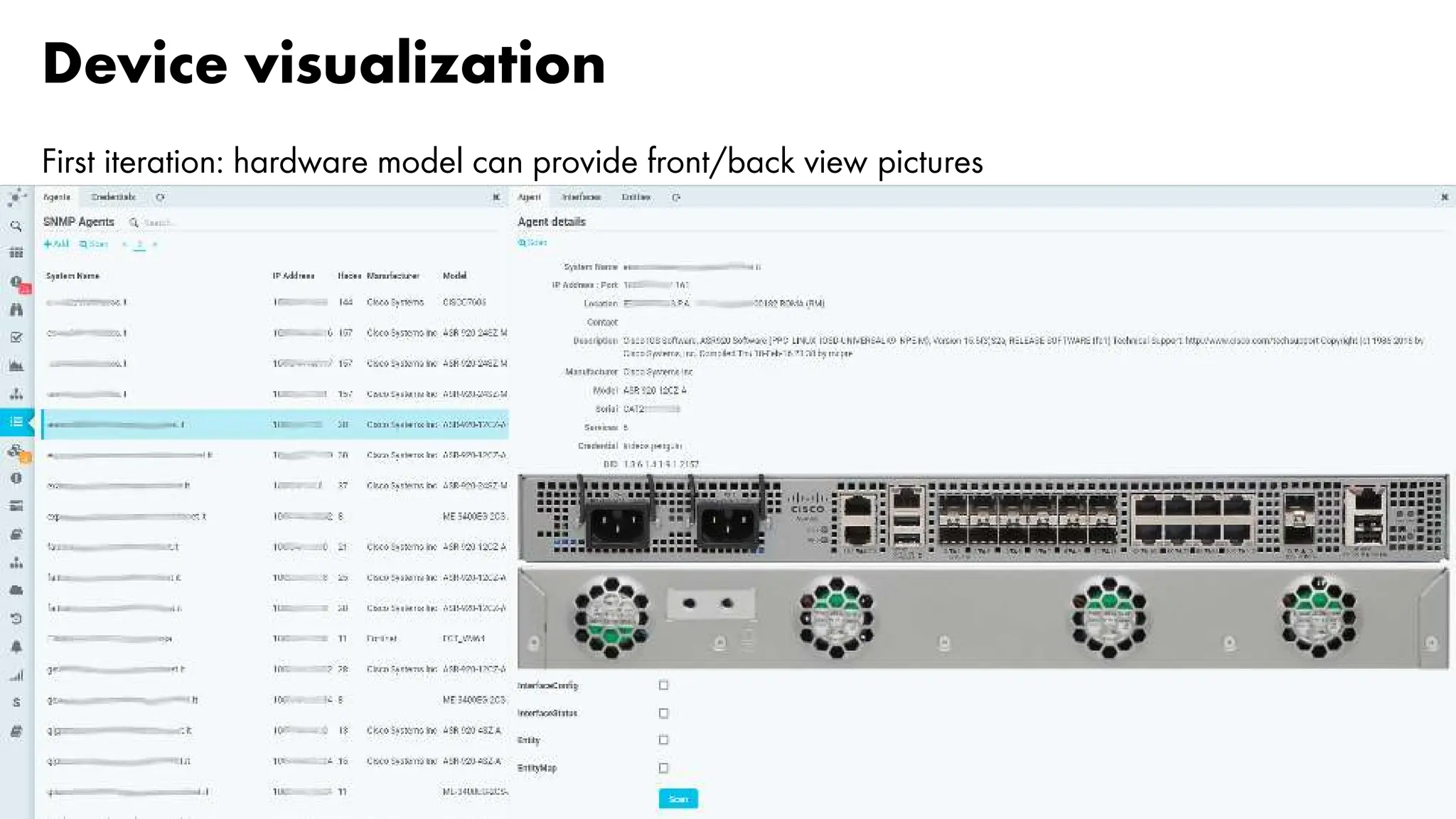
Device visualization
First iteration: hardware model can provide front/back view pictures
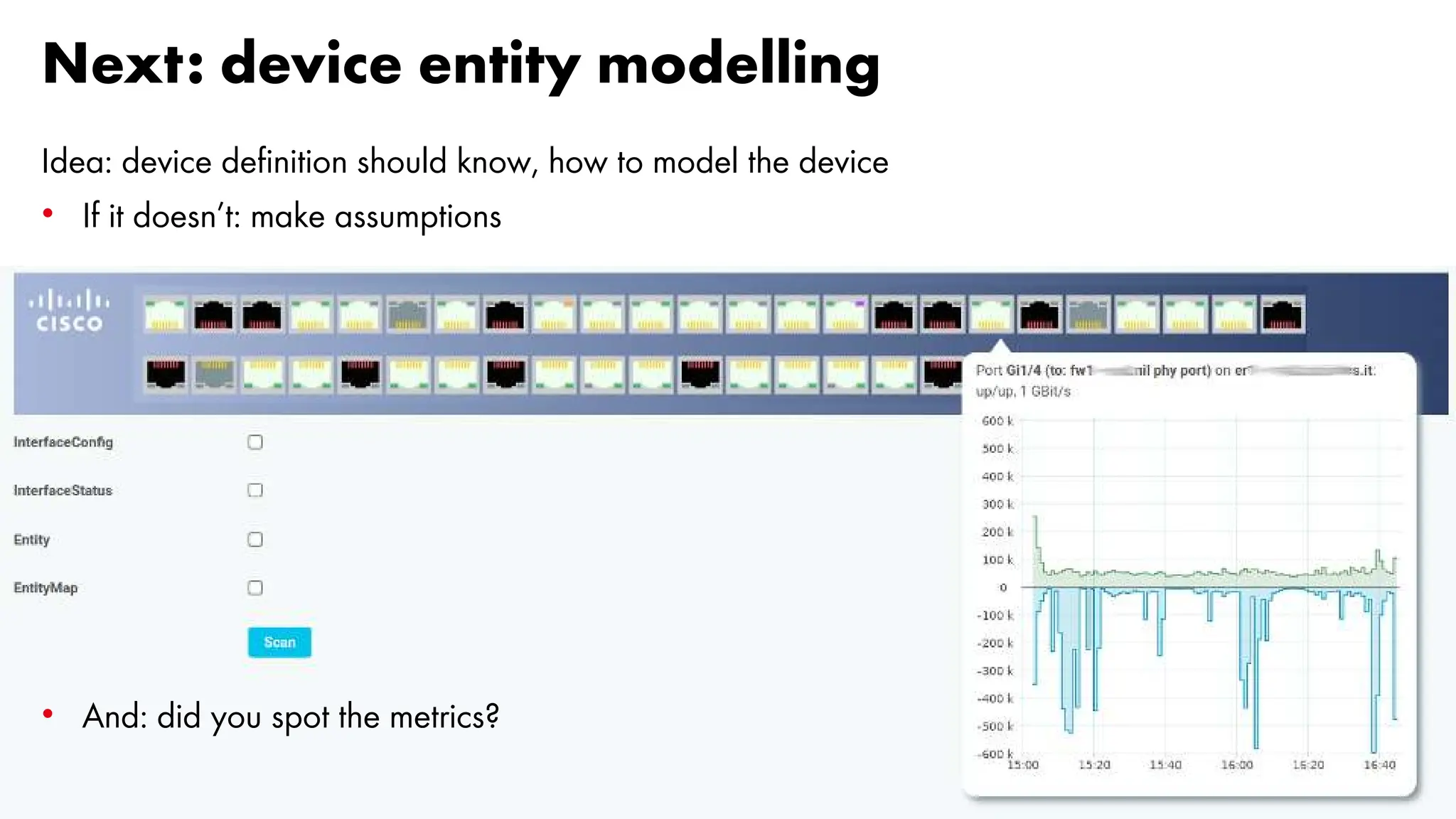
Next: device entity modelling
Idea: device definition should know, how to model the device
• If it doesn’t: make assumptions
• And: did you spot the metrics?
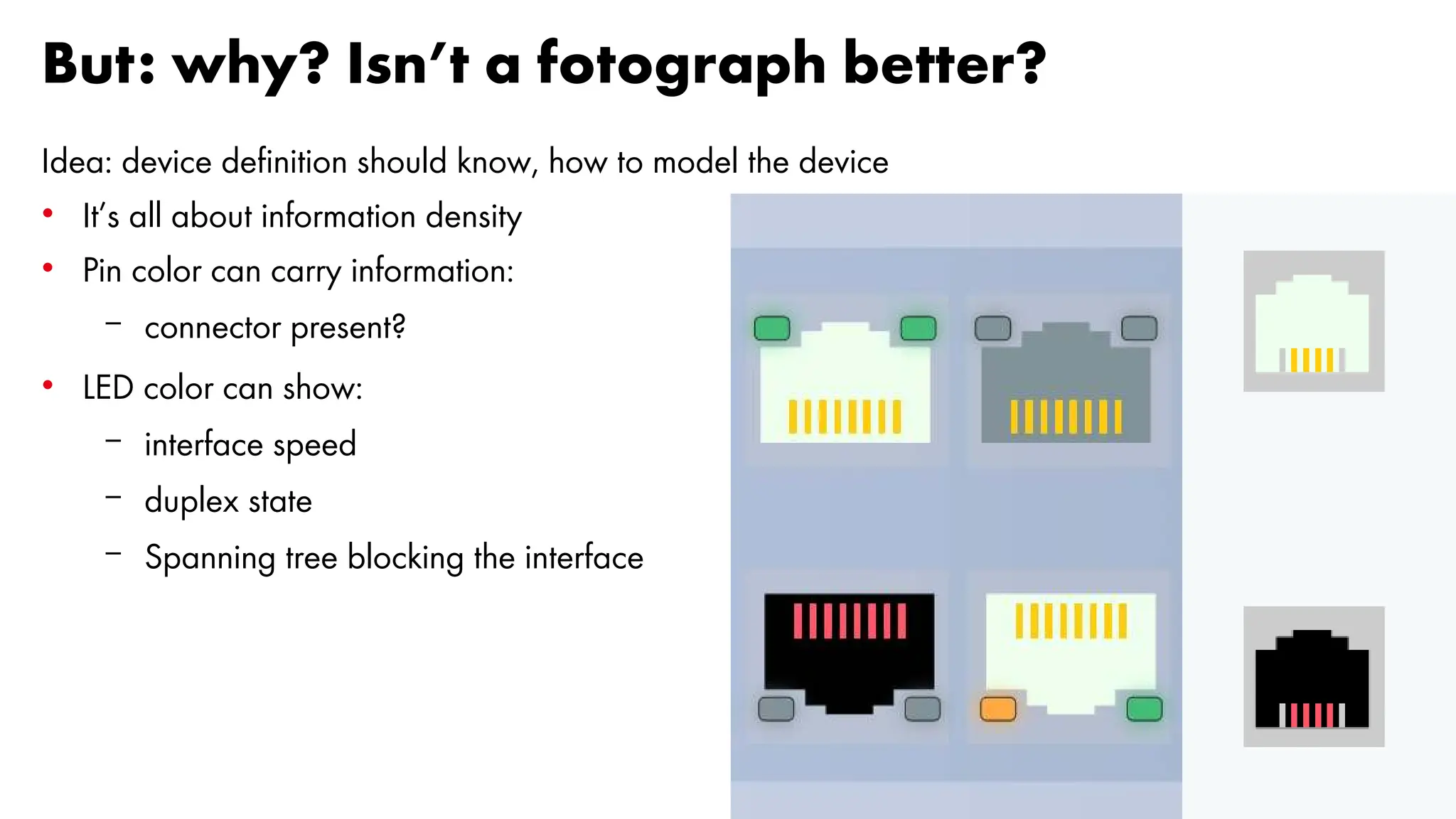
But: why? Isn’t a fotograph better?
Idea: device definition should know, how to model the device
• It’s all about information density
• Pin color can carry information:
– connector present?
• LED color can show:
– interface speed
– duplex state
– Spanning tree blocking the interface
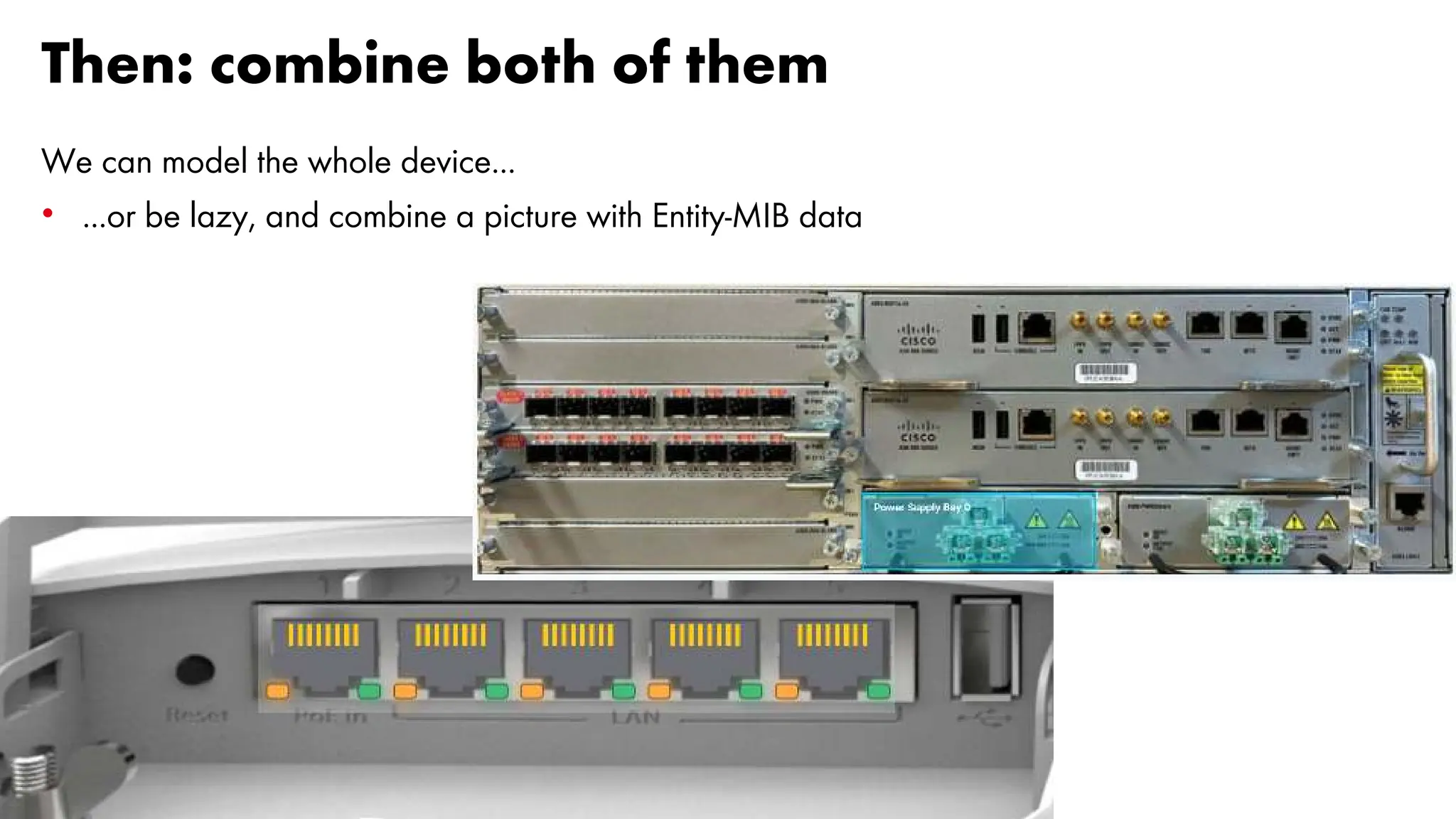
Then: combine both of them
We can model the whole device...
• ...or be lazy, and combine a picture with Entity-MIB data
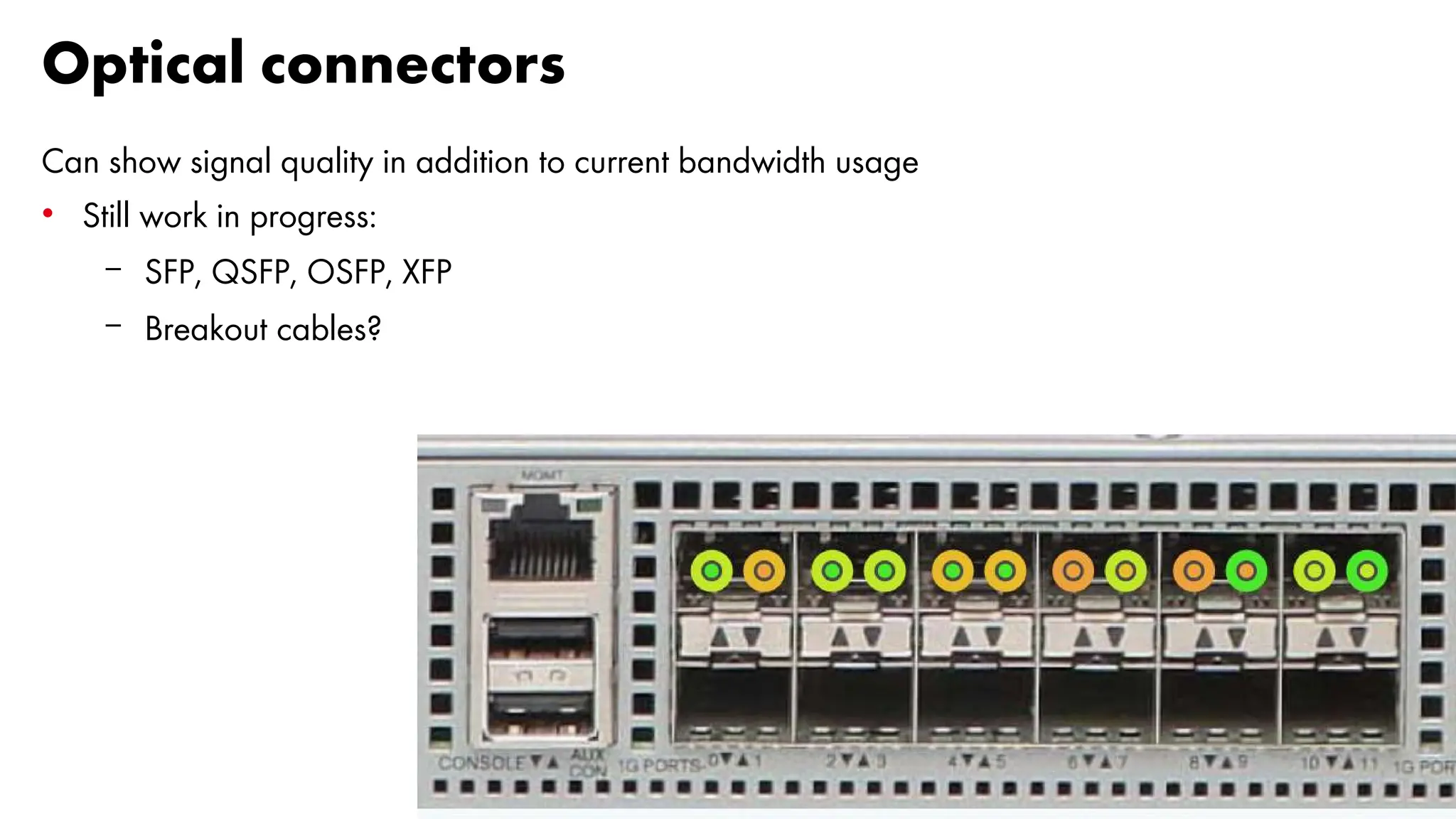
Optical connectors
Can show signal quality in addition to current bandwidth usage
• Still work in progress:
– SFP, QSFP, OSFP, XFP
– Breakout cables?
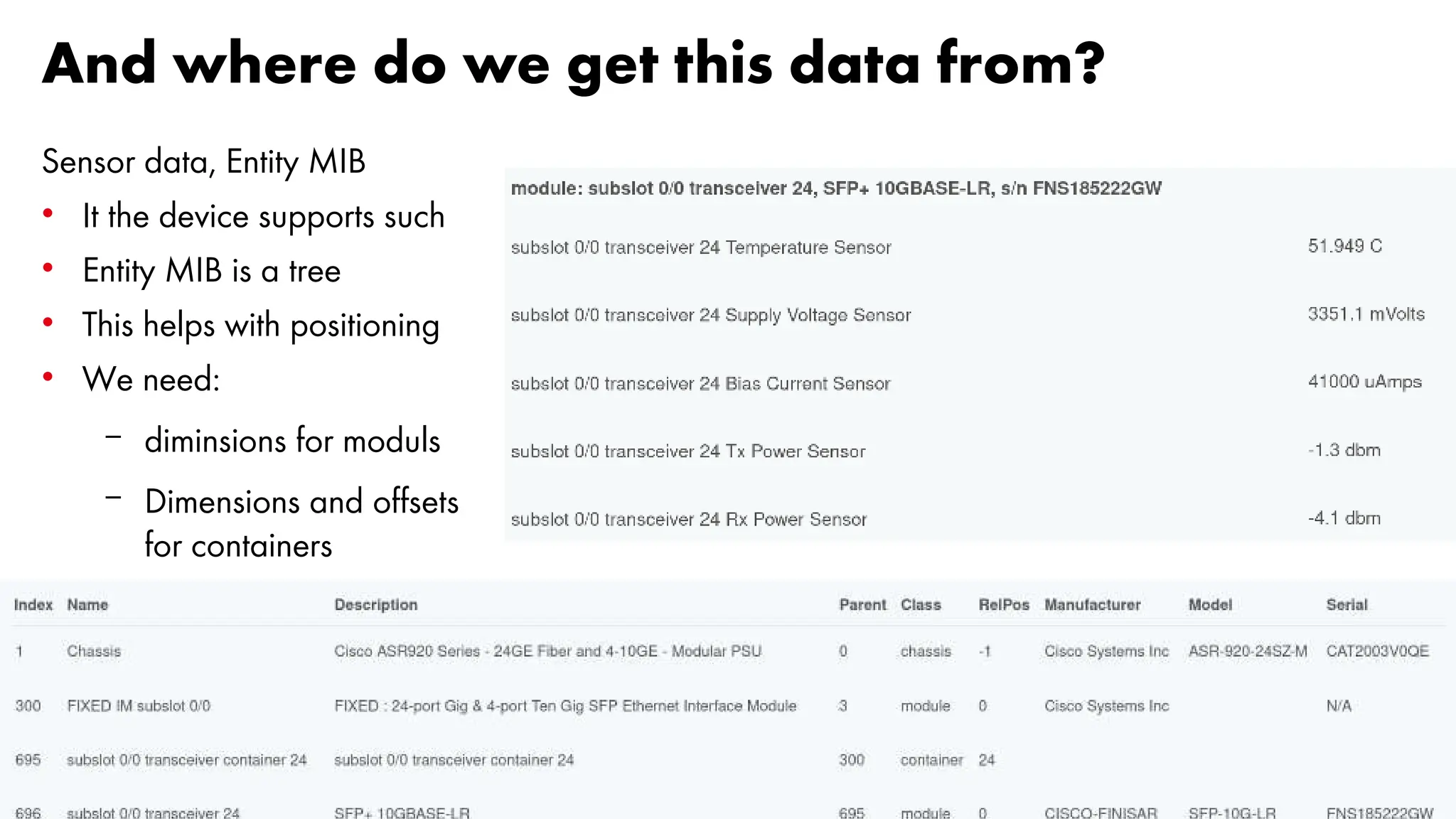
And where do we get this data from?
Sensor data, Entity MIB
• It the device supports such
• Entity MIB is a tree
• This helps with positioning
• We need:
– diminsions for moduls
– Dimensions and offsets
for containers
77
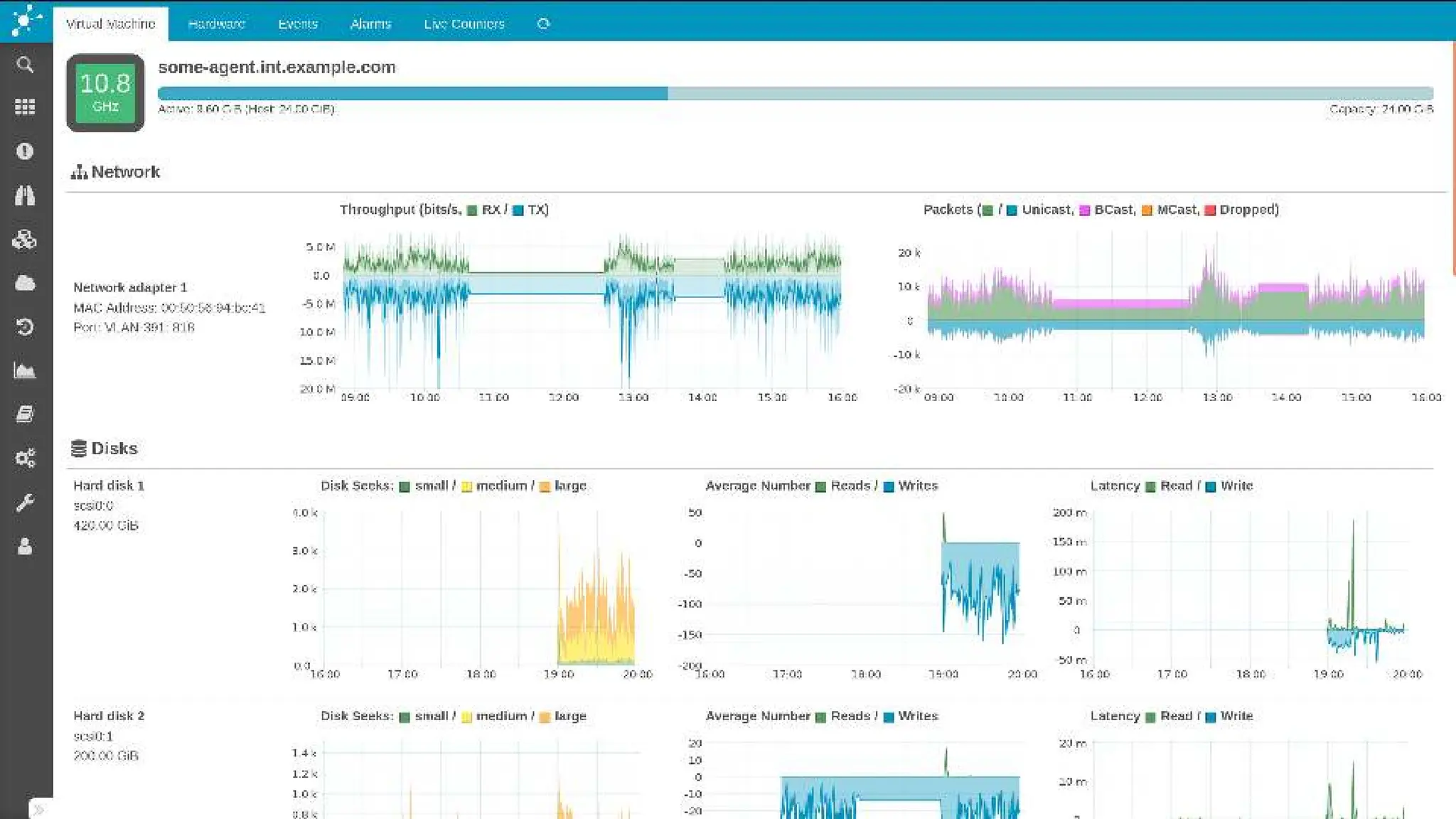
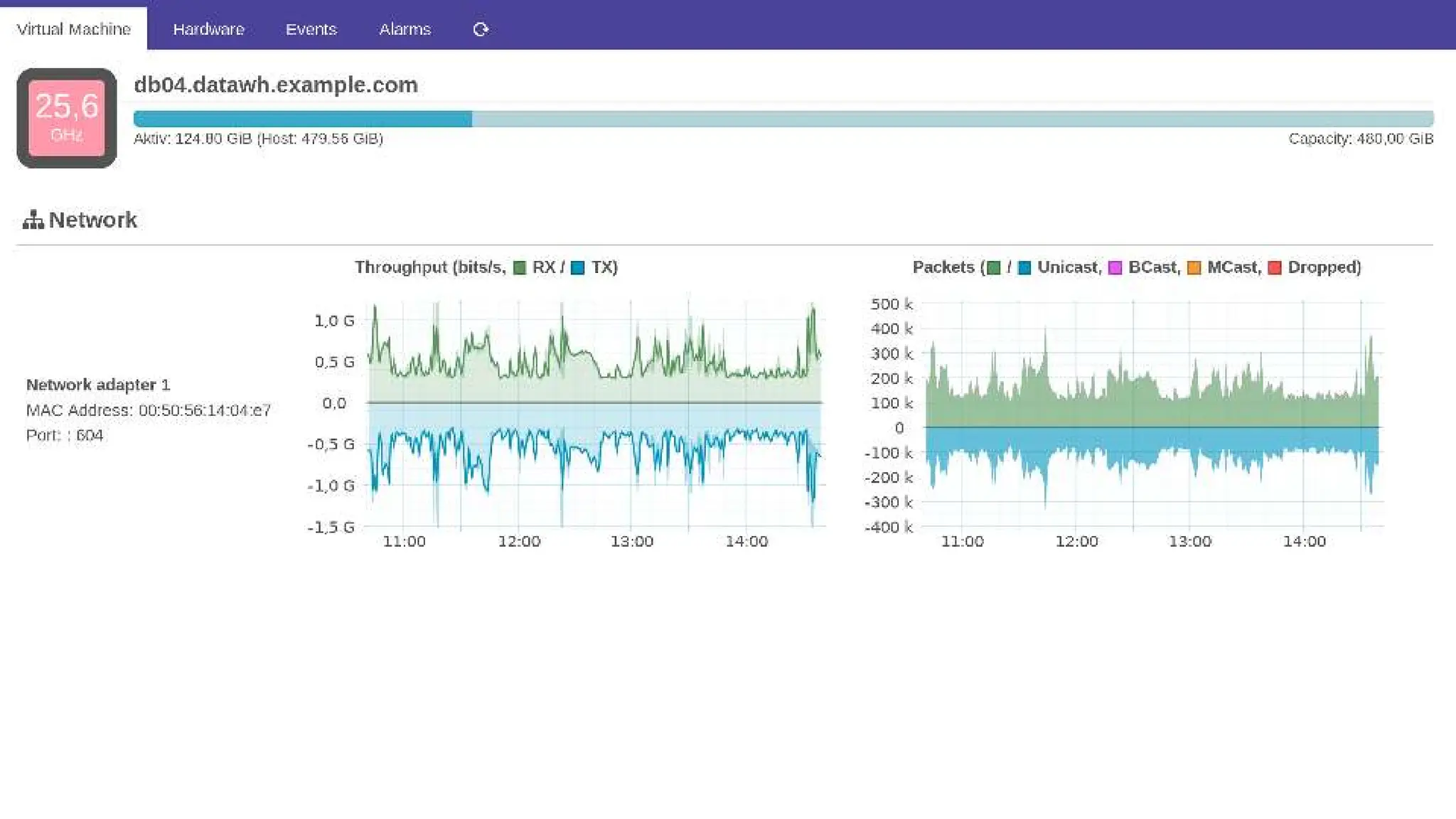
And... Metrics?
78
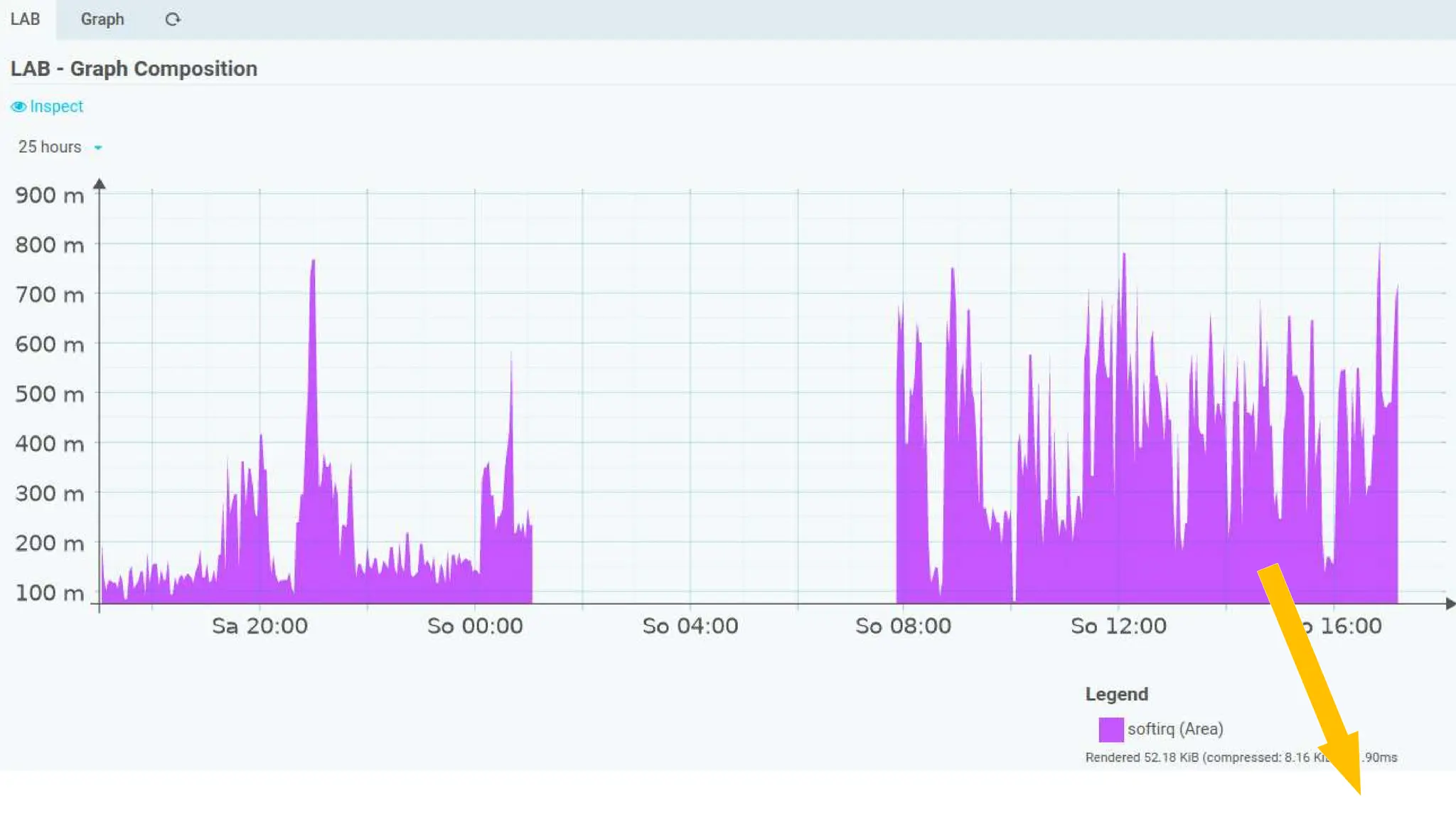
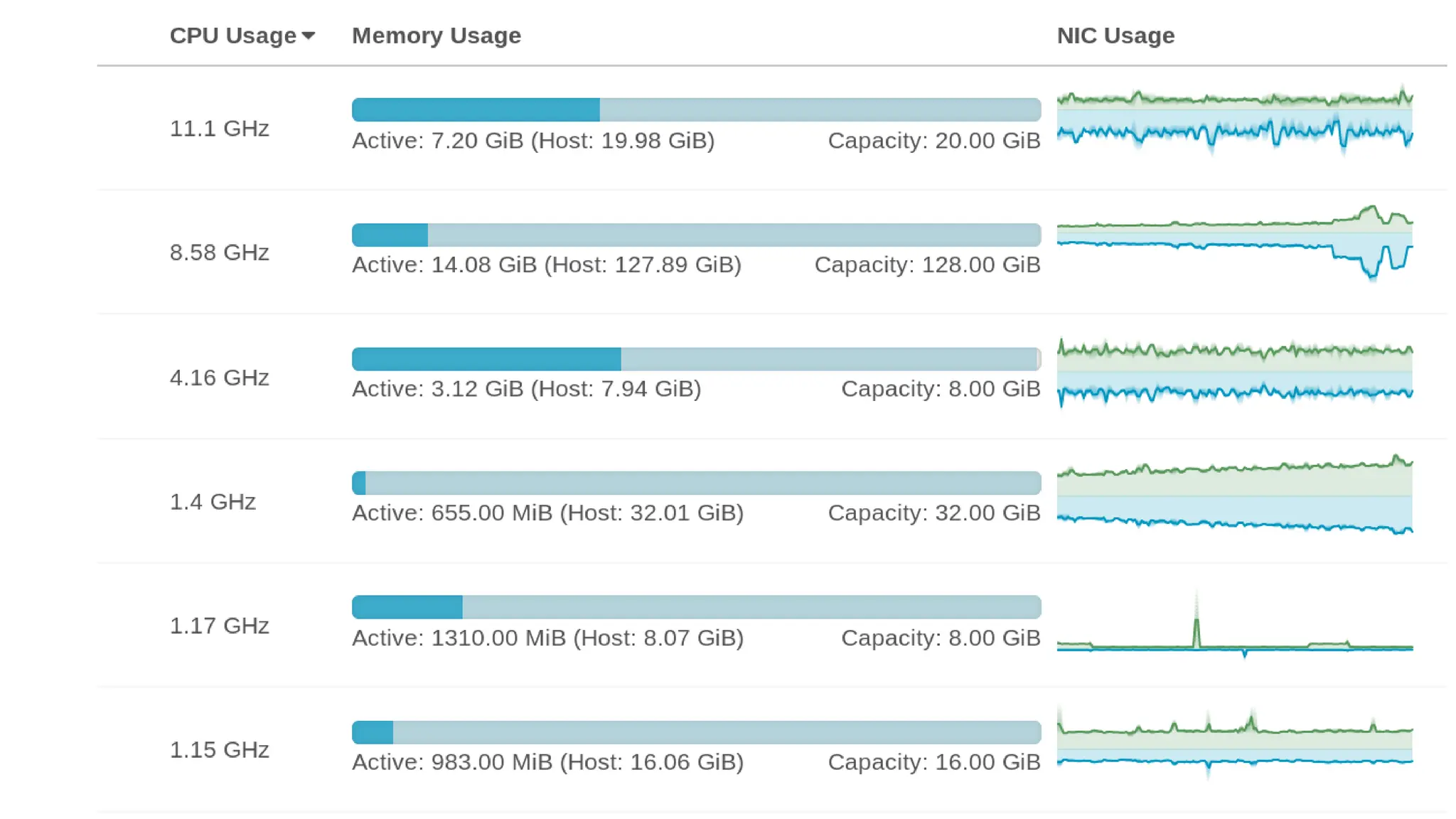
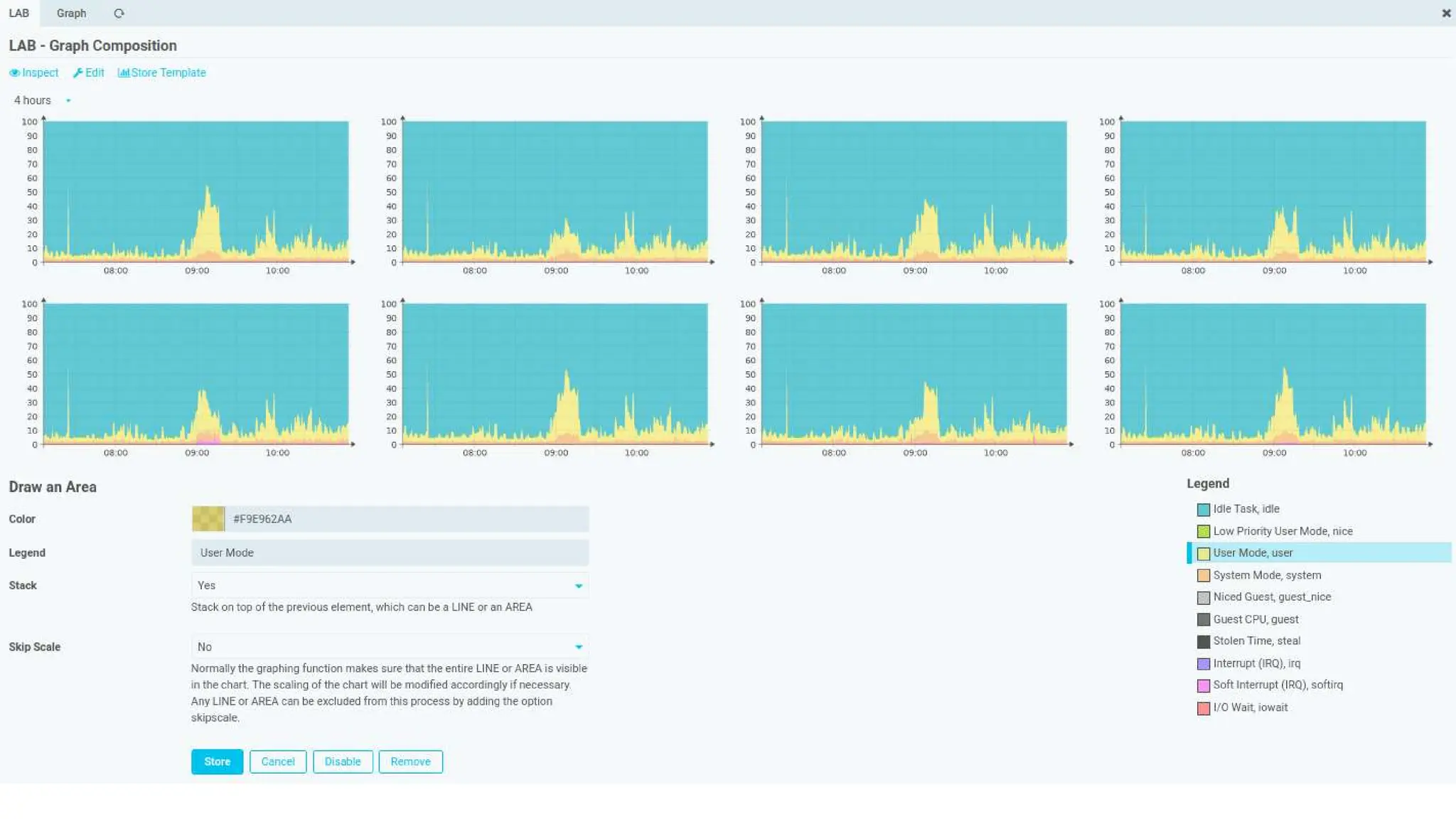
Distributed Metrics for Icinga
Documentation snippet:
Distributed Metrics for Icinga wants to offer an unexcited pleasantly relaxed
performance graphing experience. Implemented as a thin and modern
abstraction layer based on matured technology it puts its main focus on
robustness and ease of use.
Performance Graphing should "just work" out of the box. We do not assume
that our users carry a data science degree. Based on our field experience with
Open Source monitoring solutions, we make strong assumptions on what your
preferences might be. While it of course allows for customization, it ships with
opinionated, preconfigured data retention rules.
You CAN care, but you do not have to.
84
Ok, looks good.
You got me. BUT...
85
When can I have it?
86
Rough roadmap (I)
We worked on the most challenging parts in parallel:
• SNMP protocol implemenation: SNMPv2 is mature, SNMPv3 work in progress
• MIB Browser is already on GitHub, first release is close
• We're currently restructuring large parts of the inventory
– once settled: first release
• UI compontents:
– experimental right now, trying to figure out our possibilities
– refinement next year
87
Rough roadmap (II)
A first installable version very soon. Should include polling, inventory, metrics
• In addition: some Icinga check plugin alternatives
– as a quick win, they should help to drastically reduce system load
• Later: Rule-based monitoring like in vSphereDB (VMD)
• Integrate other existing modules, like vSphereDB
– data providers for the inventory
– leverage edge nodes for remote polling
88
Early Adaptors welcome!
89
When testing, I’m testing in production...
...preferrably other people's production ;-)
• Goal: keep edge nodes running at full speed at Irideos/Retelit within this year
• We’re looking for other early adaptors with interesting environments:
– Heterogeneous, or just some very specific hardware vendors
– Large SNMPv3 deployments would be interesting
– VRF, MPLS and similar technologies
• Please do not hesitate to contact us afterwards, if you’re interested!
90
Questions?
91
Thank you!
info@wuerth-phoenix.com
www.wuerth-phoenix.com

SNMP Monitoring at scale - Icinga Camp Milan 2023

  • 1.
    17/10/2023 …more than software, yourIT partner SNMP Monitoring at scale Icinga Camp Milan 2023
  • 2.
  • 3.
    3 Presentations: Me andthe Company Würth Phoenix SRL • An italian company from the Würth Group • Provides IT services and products to: • All companies of the Würth Group • Other external companies Rocco Pezzani • Consultant and Senior System Integration at Würth Phoenix • Plan, install and manage NetEye setup over several customers
  • 4.
    4 Presentations: NetEye • Builtby Würth Phoenix • Unified monitoring solution • Has Icinga2 as its core • Brings together • Elastic Stack • InfluxDB • Grafana • GLPI • ntopng • NetEye-As-A-Service: NetEye Cloud
  • 5.
    SNMP-based Monitoring • Monitoringdata based on shared standards • New ones only when required • New ones become standards as well • Monitoring data stored in standard structures • Light MIB Db by vendor reusing branches • Few MIB files well tested and documented • Few, lightweight and maintained monitoring plugins • …something is not right
  • 6.
    SNMP-based Monitoring: thetruth • Each vendor implements what he wants as he likes • Shared data have subtle differences • Proprietary branches grows like crazy • MIB Db is extremely large • MIB Files are difficult to handle • Eccessive in numbers • Dependencies not well documented and unfindable • Not tested – losts of semantic errors • A monitoring plugin for each feature/model/vendor • Requires lot of resources (on device and Icinga) • Usually not maintained after some years
  • 7.
    The story sofar Long story short: • At the table, people from Würth Phoenix and Thomas Gelf • Some thoughts about a MIB Browser for NetEye • An helper for (almost) everyone • And… MIB
  • 8.
  • 9.
    9 Talking about beers That'sthe moment, when you have to hand over the mic to the Germans
  • 10.
    10 Thomas Gelf Born inthe Italian Alps Living in Germany Principal Consultant
  • 11.
    11 Write me aMIB browser
  • 12.
    12 I had one,built in a workshop... ...in 1-2 days, long time ago • Würth Phoenix loved my overall picture, BUT... ...wanted to have the MIB browser first • I had different ideas and priorities, BUT... ...you know... it’s the customer ...and I was willing to obey, while aiming for a higher goal
  • 13.
    So here yougo The numbers on the dashboard are real: • There are 10k MIB files in the database • More then 1m OIDs
  • 14.
    MIB Information MIB headerinformation, presented in a pleasant way • MIB organization, author, Changelog • Dependency resolution: shows missing dependencies, helps to resolve them • MIBs with missing dependencies are being parsed correctly • Details can be shown, while dependencies are still missing • A MIB can only be fully used, once all dependencies are fulfilled
  • 16.
    Tree View Typical MIBtree representation • Can be searched • Every node can be clicked and... • ...shows it’s details
  • 17.
    Type Details MIBs definecustom types • Dig deeper into new Data Types provided by your MIB files • Get Information about SNMP table Indexes, Choices and more
  • 18.
    Drag & Drop1000+ files at once Not a problem at all • You need to raise your webservers upload limits... • ...and enough bandwidth :-)
  • 19.
    Parse errors arehandled... ...but MIB processing stops, unless you resolve the issue • And while this is nice... • ...I wasn’t satisfied
  • 20.
    20 So, where arewe right now? Well... it works, is on GitHub, can be installed. Roadmap: • The underlying MIB/SMI-Compiler can be configured to allow some glitches • Still too strict for many MIB files • In parallel, we're working on a completely new MIB file parser • Not on GitHub, but already working: a Hook for interactive walks
  • 21.
    Walk remotely Inventory hooksinto MIB browser • Investigate devices in remote zones • Troubleshooting helper • Get a better understanding of what is going to be monitored, where underlying data is coming from
  • 22.
  • 23.
  • 24.
    24 Many shiny newComponents... ...for the Icinga/NetEye Ecosystem • Centralized – Device Inventory (new Icinga Web 2 Module) – MIB Browser (just the UI, interactive polling is distributed) – Draw.io integration and other UI components • Distributed / Edge Computing – Remote Polling/Data Nodes, allowing to scale out – Distributed Metric Data Storage – Distributed Graphing and Metric-based calculations • Fully controlled – New SNMP stack, implemented from scratch
  • 25.
    25 Architecture • decentralized, asynchronous(but simple) • remote nodes are able to work completely autonomous for a very long time • administrative control is centralized • controlled concurrency / parallelism (instead of "make everything a coroutine" and hope for the best)
  • 26.
  • 27.
  • 28.
    28 Target of theProject NetEye infrastructure at Irideos – Retelit • 3 way cluster with 52 cores per node • 60+ satellites • More than 600 CPU Cores for: • Monitoring 250k Hosts+Services • Run 46k checks per minutes (overall) • Run 14k checks per minutes (SNMP only) • Around 20 satellites are dedicated to sheer network monitoring • These numbers will grow in the near future
  • 29.
    A question of(computational) power
  • 30.
  • 31.
    31 Monitoring Plugin efficiency Tomonitor something, a system needs to: • Load the Plugin in memory (hopefully, it is in cache) • In case it is a script • An interpreter must be loaded (Perl, Python…) • It script must be parsed, then compiled • The Plugin is executed and: • Get monitorig data • If stateful, compare it with the previous state • Save the current state and print output • Unload the Plugin Each execution consumes at least 1/<execution time> of load
  • 32.
    Monitoring Plugin efficiency Somereal data: Monitoring an SNMP Interface Reference system: NetEye Satellite 4.32 (RHEL 8.8) on a Virtual Machine (2 vCPU from Intel(R) Xeon(R) Silver 4114, 8GB RAM) • Sys is the kernel time: the most close thing to get monitoring data • Real is the user time: all the other steps • Complex scripts are helpful, but they are a system killer Monitoring Plugin Type Time consumed (s) How many each second sys real total check_nwc_health Script 0.042 0.392 0.442 2.26 check_iftraffic64 (ifDescr) Script 0.017 0.129 0.154 6.49 check_iftraffic64 (ifIdx) Script 0.019 0.126 0.154 6.49 check_snmp (half) Binary 0.003 0.002 0.006 166.67
  • 33.
    It’s all aboutprecision A good monitoring requires a good sampling • Sampling must be done the right way • Sampling frequency high enough to reach the monitoring target • Must take into account hw/sw limitations • Usually, a frequency of 3m or 5m is considered enough But, Reality is different
  • 34.
    About transfer speed •A network device provides only cumulative counters • We can only calculate the average speed between two sampling points • Longer sampling window, more data transits • Let’s look at how much data an interface can transfer • Even a 100Mb, used at 50%, can move a lot of data! IF Speed Data transfer speed (max) Data transferred at 50% speed 15 sec 1 min 3 min 5 min 100 Mb 10 MB/sec 75MB 300MB 900MB 1.5GB 1 Gb 100 MB/sec 750MB 3GB 9GB 15GB 10 Gb 1 GB/sec 7.5GB 30GB 90GB 150GB
  • 35.
    Data transfer atmaxium speed [1/6] A simulated transfer: 20GB file over a link with different speed Let’s see what happens with different sampling intervals: • 5 minutes • 3 minutes • 1 minute • 30 seconds • 15 seconds
  • 36.
    Data transfer atmaxium speed [2/6] 0 5 10 15 20 25 30 35 40 45 0,0 100,0 200,0 300,0 400,0 500,0 600,0 700,0 Time (min) Transfer speed (MB/s) Sampling every 5 minutes: 100Mb is OK, 1Gb seems equal to 10Gb
  • 37.
    Data transfer atmaxium speed [3/6] 0 3 6 9 12 15 18 21 24 27 0,0 200,0 400,0 600,0 800,0 1000,0 1200,0 Time (min) Transfer speed (MB/s) Sampling every 3 minutes: 1 GB is a bit different from 10 Gb, but not so much
  • 38.
    Data transfer atmaxium speed [4/6] 0 1 2 3 4 5 6 7 8 9 0,0 500,0 1000,0 1500,0 2000,0 2500,0 3000,0 3500,0 Time (min) Transfer speed (MB/s) Sampling every 1 minute: now 10Gb is different from 1Gb, but is not enough
  • 39.
    Data transfer atmaxium speed [5/6] 0 0,5 1 1,5 2 2,5 3 3,5 4 4,5 0,0 1000,0 2000,0 3000,0 4000,0 5000,0 6000,0 7000,0 Time (min) Transfer speed (MB/s) Sampling every 30 seconds: still equal to before
  • 40.
    Data transfer atmaxium speed [6/6] 0 0,25 0,5 0,75 1 1,25 1,5 1,75 2 2,25 0,0 1000,0 2000,0 3000,0 4000,0 5000,0 6000,0 7000,0 8000,0 9000,0 10000,0 Time (min) Transfer speed (MB/s) Sampling every 15 seconds: now we can see what the 10 Gb is doing in the time window
  • 41.
    41 Some words aboutregistry overflow Cumulative counters of NIC can be handled differently by software • Plugin must understand if use 32b or 64b integers • Can happen automatically • Requires computational power and it is not always right • Overflows happens and alter monitoring precision Flows of 100Mb/s or more imply possible data loss Transfer speed Time between each overflow Number of overflows (every X minutes) 1m 3 m 5 m 10 Mb/s 429.50 s 0.14 0.42 0.70 50 Mb/s 85.90 s 0.70 2.10 3.49 100 Mb/s 42.95 s 1.40 4.19 6.98 500 Mb/s 8.59 s 6.98 20.95 34.92 1 Gb/s 4.29 s 13.97 41.91 69.85
  • 42.
    42 Sampling real data[1/5] • Sampled with Telegraf every 30 seconds, stored in InfluxDB 1.8 • Speed calculated directly by Telegraf (derivative operator) • Downsampling done with Grafana; rates: • 1x (30 seconds) • 2x (60 seconds) • 6x (3 minutes) • 10x (5 minutes)
  • 43.
    Sampling real data[2/5] Sampling: 300 seconds Peak speed: 24 Mb/s
  • 44.
    Sampling real data[3/5] Sampling: 180 seconds Peak speed: 40 Mb/s
  • 45.
    Sampling real data[4/5] Sampling: 60 seconds Peak speed: 80 Mb/s
  • 46.
    Sampling real data[5/5] Sampling: 30 seconds Peak speed: 160 Mb/s
  • 47.
  • 48.
    48 Remote note connected Whathappens, when a connection is established: • Central inventory looks up it’s role • Ships credentials required for known devices and for related discovery rules • Polling Scenarios receive only references (UUIDs) to those credentials – Hint: interactive SNMP actions also ship only such references • SNMP Targets are sent from the inventory to the node • Completely autonomous polling, even if disconnected • DB data is going to be synchronized – Node might have been working autonomously for a long time
  • 49.
    49 Scenario files(I) Everything inone place • SNMP Table index definition • DB table column mapping • References to external data • Dynamic Map Lookups (TODO)
  • 50.
    50 Scenario files(II) Everything inone place • Metric/Measurement references This is all we have to do, to enable metric colletions! • Currently only for ourselves • In the future: free to configure
  • 51.
    51 How our SNMPpolling works Each Scenario has it’s very own scheduling instance • Targets are partitioned into slots – Currently 20 if you have few devices, 200 for more than 1000 devices • Each slot triggers it’s tasks at the given interval • Requests in each slot are enqueued in batches (50 every 50ms) • These are artificial limits, designed to poll up to 60.000 devices every 15 seconds on a single node. Raising them is just a matter of configuration • Another artificial limit: no more than 10.000 pending requests at once • SNMPv3: cached hashes, replay protections (partially TODO) • Reachability checks running all the times • For unreachable devices, all other periodic tasks will be stopped
  • 52.
  • 53.
    53 Why SNMP? Really, why?WHY?!?! SNMP is... • 30 years old • completely outdated • complicated • slow • insecure And... and... there is: • REST APIs • gRPC • Open Telemetry
  • 54.
    54 SNMP still rocks,that's why! That's why: • 30 years old RFC 1067 is from 1988, that’s 35 years. Tim Berners-Lee developed the basics for the World Wide Web at CERN in 1989. And it’s still a thing!
  • 55.
    55 SNMP still rocks,that's why! That's why: • completely outdated Still the most used and most supported network protocol for monitoring purposes (source: blind guess)
  • 56.
    56 SNMP still rocks,that's why! That's why: • complicated Everything is complicated, unless you understood how it works! We did, and we want to make it easier to use for everbody
  • 57.
    57 SNMP still rocks,that's why! That's why: • slow If used wisely, it isn’t.
  • 58.
    58 SNMP still rocks,that's why! That's why: • insecure RFC 2574 (USM for SNMPv3 with MD5/SHA1 and DES is from 1999) Today we have SHA224/256/384/512 and AES/AES192/256 Replay attack protections
  • 59.
    59 BUT: REST, gRPC,Open Telemetry Are you running it in production? • Have a look at recent Cisco bug reports, related to pubd memory leaks • people facing hard-to-track issues with the max-series-per-database limit in InfluxDB and more • subscriptions hanging in "disconnecting" state • “solutions” with scripts helping you to remove ALL your subscriptions • IOS-XE controller crashes for "show telemetry ietf subscription all" • FD socket leaking in pubd It might become better, but as of this writing: SNMP is a safe choice
  • 60.
  • 61.
  • 62.
  • 63.
    63 What I read Weare collecting a bazillion of metrics... ...and have no clue, what to do with them
  • 64.
    64 What do wewant to do different? It’s all about the data! • Don’t try to do everything at once • Begin with the important parts, and try to do them well • Make it easy to implement new features • Lay the ground for completely user-defined scenarios And, most importantly • Own the data! • Model it in an opinionated, meaningful way
  • 65.
  • 66.
    66 What is inthe DB Schema right now? (I) Site information • Site information: sites (offices, plants, ships, datacenters) • Racks: model, units, dimensions, relation to devices • Devices: vendors, models, modules, sizes, image references Designing parts of our schema following SMI, but also YANG (Netconf) models
  • 67.
    67 What is inthe DB Schema right now? (II) SNMP-related data • Credentials • Discovery Rules • And mostly a 1:1 replication of what the edge nodes “see” and want to be inventorized • This is NOT what the inventory is going to use as it’s final device inventory • We want to have the possibility to tweak data, have rules, manual interaction • All of this while our edge nodes are continuously modifying that data
  • 68.
    68 What is inthe DB Schema right now? (II) SNMP-related data • Credentials • Discovery Rules • And mostly a 1:1 replication of what the edge nodes “see” and want to be inventorized – sysinfo, Interface Configuration/Stack/Status, BandwithUsage (aggregated) – installed software, storage devices, fileystems – Hardware Entities and Modules – Hardware Sensor values • This is NOT what the inventory is going to use as it’s final device inventory • We want to have the possibility to tweak data, have rules, manual interaction • All of this while our edge nodes are continuously modifying that data
  • 69.
    69 What is inthe DB Schema right now? (III) Network-related data • Interface Configuration: type, bandwith, admin state, MAC Address • Interface Status: connector and link state, STP • Interface Bandwith Usage: aggregated, 15min (min/avg/max) • Network Ranges (IPv4/IPv6 Subnets), discovered VS configured • IPv4/IPv6 Addresses • CDP/LLDP neighours • Upcoming: VRF, (private) VLANs, MPLS, BGP peers
  • 70.
    70 And what doesit look like?
  • 71.
    Device visualization First iteration:hardware model can provide front/back view pictures
  • 72.
    Next: device entitymodelling Idea: device definition should know, how to model the device • If it doesn’t: make assumptions • And: did you spot the metrics?
  • 73.
    But: why? Isn’ta fotograph better? Idea: device definition should know, how to model the device • It’s all about information density • Pin color can carry information: – connector present? • LED color can show: – interface speed – duplex state – Spanning tree blocking the interface
  • 74.
    Then: combine bothof them We can model the whole device... • ...or be lazy, and combine a picture with Entity-MIB data
  • 75.
    Optical connectors Can showsignal quality in addition to current bandwidth usage • Still work in progress: – SFP, QSFP, OSFP, XFP – Breakout cables?
  • 76.
    And where dowe get this data from? Sensor data, Entity MIB • It the device supports such • Entity MIB is a tree • This helps with positioning • We need: – diminsions for moduls – Dimensions and offsets for containers
  • 77.
  • 78.
    78 Distributed Metrics forIcinga Documentation snippet: Distributed Metrics for Icinga wants to offer an unexcited pleasantly relaxed performance graphing experience. Implemented as a thin and modern abstraction layer based on matured technology it puts its main focus on robustness and ease of use. Performance Graphing should "just work" out of the box. We do not assume that our users carry a data science degree. Based on our field experience with Open Source monitoring solutions, we make strong assumptions on what your preferences might be. While it of course allows for customization, it ships with opinionated, preconfigured data retention rules. You CAN care, but you do not have to.
  • 84.
    84 Ok, looks good. Yougot me. BUT...
  • 85.
    85 When can Ihave it?
  • 86.
    86 Rough roadmap (I) Weworked on the most challenging parts in parallel: • SNMP protocol implemenation: SNMPv2 is mature, SNMPv3 work in progress • MIB Browser is already on GitHub, first release is close • We're currently restructuring large parts of the inventory – once settled: first release • UI compontents: – experimental right now, trying to figure out our possibilities – refinement next year
  • 87.
    87 Rough roadmap (II) Afirst installable version very soon. Should include polling, inventory, metrics • In addition: some Icinga check plugin alternatives – as a quick win, they should help to drastically reduce system load • Later: Rule-based monitoring like in vSphereDB (VMD) • Integrate other existing modules, like vSphereDB – data providers for the inventory – leverage edge nodes for remote polling
  • 88.
  • 89.
    89 When testing, I’mtesting in production... ...preferrably other people's production ;-) • Goal: keep edge nodes running at full speed at Irideos/Retelit within this year • We’re looking for other early adaptors with interesting environments: – Heterogeneous, or just some very specific hardware vendors – Large SNMPv3 deployments would be interesting – VRF, MPLS and similar technologies • Please do not hesitate to contact us afterwards, if you’re interested!
  • 90.
  • 91.
  • 92.