







Sitecore on Azure:
a real life example
Sitecore User Group London
What is “Azure”?
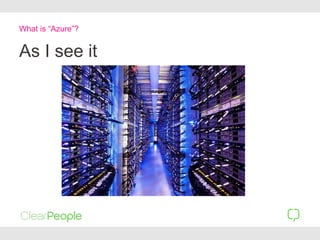
As I see it
What is “Azure”?
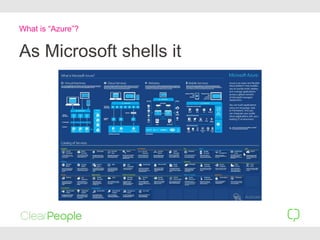
As Microsoft shells it
What is “Azure”?
What is “Azure”?
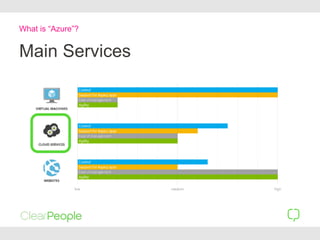
Main Services
What is “Azure”?
Main Services
Cloud Service == Pre-Configured
Farm of servers
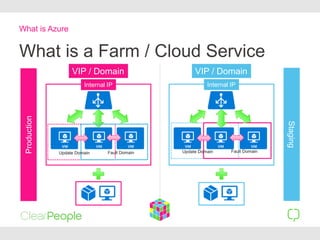
What is a Farm / Cloud Service
What is Azure
Internal IP
VIP / Domain
Production
Staging
Update Domain Fault Domain
Internal IP
VIP / Domain
Update Domain Fault Domain
What is “Azure”?
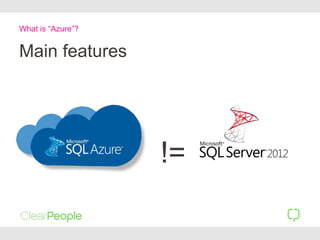
Main features
!=
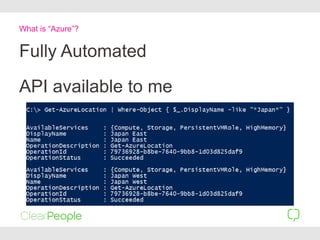
Fully Automated
What is “Azure”?
API available to me
Introduction to Azure:
Martina´s Blog
http://mhwelander.net/
What is “Azure”?
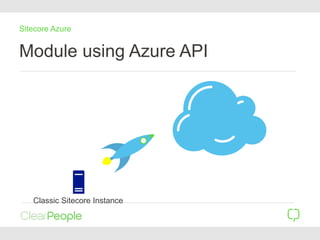
Module using Azure API
Sitecore Azure
Classic Sitecore Instance
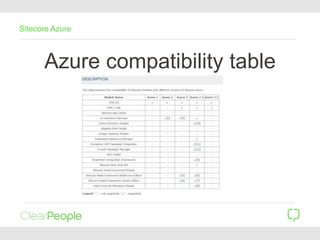
Azure compatibility table
Sitecore Azure
Demo: Sitecore Azure’s UI
Our “Real scenario”
Do we really need this
module?
Sitecore Azure
https://kb.sitecore.net/articles/983166
Our “Real scenario”
Hybrid scenario
• 1 SQL server for BE
• 1 Web server for BE
• 1 SQL Server for FE
• X web servers for FE
Our “Real scenario”
Demo: 2 Servers
Our “Real scenario”
Tricks: Uploading ghost files
• The second request could
be sent to a different
server
• Sitecore wizards with
upload doesn´t work:
Upgrade + Publish
• Save the file in blob
storage
Where is it stored?
Demo: Scale up to 3 servers
Our “Real scenario”
Does it affect me?
More than you expect!
• As a Developer • As an IT Administrator
Does it affects me?
As a developer…
Deployments:
Yet another “one
click deployment”
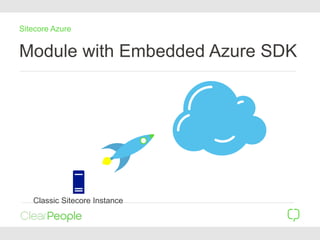
Module with Embedded Azure SDK
Sitecore Azure
Classic Sitecore Instance
Demo: Deploy
Our “Real scenario”
Tricks: It´s easy to deploy and
scale
• Don´t forget to delete!!!
• Get used to the emulator
for testing
Yet another “one click deployment”
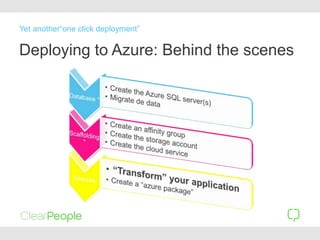
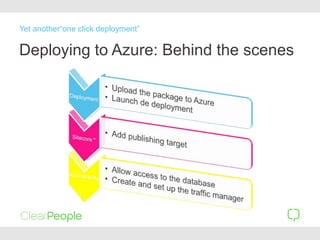
Deploying to Azure: Behind the scenes
Yet another“one click deployment”
Deploying to Azure: Behind the scenes
Yet another“one click deployment”
Demo: Transformed solution
Our “Real scenario”
Tricks: Quick hotfixes
• Full application must be
deployed
• No more: “I just need to
copy one file”
Yet another “one click deployment”
• Always clean your Media
cache and temp folder
before upgrade files
(restart)
• Could take more than one
hour to deploy
• If it´s bigger than 600MB
azure rejects it
Yet another “one click deployment”
Tricks: The size of the Package
is important
Get used to the Azure´s approach
• It is easier to replace than
to fix
• Store everything in storage
not local disk
• Expect failures and “forget”
about why?
• Follow Azure patterns
• https://msdn.microsoft.com/
en-
us/library/dn568099.aspx
Yet another “one click deployment”
Can I customize it?
Demo: Items
Our “Real scenario”
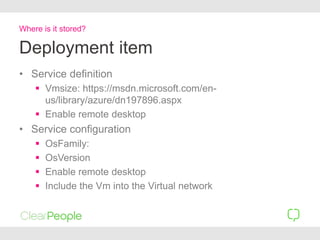
Deployment item
• Service definition
 Vmsize: https://msdn.microsoft.com/en-
us/library/azure/dn197896.aspx
 Enable remote desktop
• Service configuration
 OsFamily:
 OsVersion
 Enable remote desktop
 Include the Vm into the Virtual network
Where is it stored?
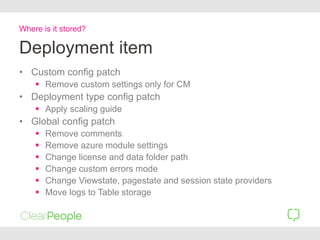
Deployment item
• Custom config patch
 Remove custom settings only for CM
• Deployment type config patch
 Apply scaling guide
• Global config patch
 Remove comments
 Remove azure module settings
 Change license and data folder path
 Change custom errors mode
 Change Viewstate, pagestate and session state providers
 Move logs to Table storage
Where is it stored?
Tricks: .config files
• Forget about
xxx.config.qa or
xxx.config.cd
• Specific settings per
environment must be
applied via transformation
Where is it stored?
Can I manage each
VM?
NO
• Remote access
 Can be enabled
• VMs are rebuilt
 Your settings will disappear
Can I manage each VM?
YES
• Service definition
 You can enable plug-ins
• StartUp.cmd
 Commands line and reg files
• Custom webrole.dll
Can I manage each VM?
Tricks: Installing i-Filters
• Add the msi to the
azureoverride folder
• Execute it from the
startup.cmd
Can I manage each VM?
Tricks: Where are my logs
• Table storage
 Enable the option in
Sitecore Log Analyzer
 Azure Explorer
 Azure log viewer
• Enable local logs
 They could disappear!
Can I manage each VM?
As an IT
Administrator
Who is the IT guy?!
• What if a VM fails?
• How do we set up a DR?
• Can we restore a
back/Up?
• Files? Data?
• Can we connect to our
local server?
• The site is down!!!
As an IT administrator
Would I recommend
it?
Today… YES… IF….
• I fusing Sitecore Azure 3
or above
• If you really need a farm
• If you need scalability
• If you are ready to scale
up your skills
• If you don’t have any
complex application or
module
Would I recommend it?
All content and ideas expressed in this presentation are protected by intellectual property rights of ClearPeople Ltd.
Contact
Vicent Galiana
Technical Architect
vgaliana@clearpeople.com
@Vicent_galiana

Sitecore on Azure

  • 2.
    Sitecore on Azure: areal life example Sitecore User Group London
  • 3.
  • 4.
    As I seeit What is “Azure”?
  • 5.
    As Microsoft shellsit What is “Azure”?
  • 6.
  • 7.
    What is “Azure”? MainServices Cloud Service == Pre-Configured Farm of servers
  • 8.
    What is aFarm / Cloud Service What is Azure Internal IP VIP / Domain Production Staging Update Domain Fault Domain Internal IP VIP / Domain Update Domain Fault Domain
  • 9.
  • 10.
    Fully Automated What is“Azure”? API available to me
  • 11.
    Introduction to Azure: Martina´sBlog http://mhwelander.net/ What is “Azure”?
  • 13.
    Module using AzureAPI Sitecore Azure Classic Sitecore Instance
  • 14.
  • 15.
    Demo: Sitecore Azure’sUI Our “Real scenario”
  • 16.
    Do we reallyneed this module? Sitecore Azure https://kb.sitecore.net/articles/983166
  • 17.
  • 18.
    Hybrid scenario • 1SQL server for BE • 1 Web server for BE • 1 SQL Server for FE • X web servers for FE Our “Real scenario”
  • 19.
    Demo: 2 Servers Our“Real scenario”
  • 20.
    Tricks: Uploading ghostfiles • The second request could be sent to a different server • Sitecore wizards with upload doesn´t work: Upgrade + Publish • Save the file in blob storage Where is it stored?
  • 21.
    Demo: Scale upto 3 servers Our “Real scenario”
  • 22.
  • 23.
    More than youexpect! • As a Developer • As an IT Administrator Does it affects me?
  • 24.
  • 25.
  • 26.
    Module with EmbeddedAzure SDK Sitecore Azure Classic Sitecore Instance
  • 27.
  • 28.
    Tricks: It´s easyto deploy and scale • Don´t forget to delete!!! • Get used to the emulator for testing Yet another “one click deployment”
  • 29.
    Deploying to Azure:Behind the scenes Yet another“one click deployment”
  • 30.
    Deploying to Azure:Behind the scenes Yet another“one click deployment”
  • 31.
    Demo: Transformed solution Our“Real scenario”
  • 32.
    Tricks: Quick hotfixes •Full application must be deployed • No more: “I just need to copy one file” Yet another “one click deployment”
  • 33.
    • Always cleanyour Media cache and temp folder before upgrade files (restart) • Could take more than one hour to deploy • If it´s bigger than 600MB azure rejects it Yet another “one click deployment” Tricks: The size of the Package is important
  • 34.
    Get used tothe Azure´s approach • It is easier to replace than to fix • Store everything in storage not local disk • Expect failures and “forget” about why? • Follow Azure patterns • https://msdn.microsoft.com/ en- us/library/dn568099.aspx Yet another “one click deployment”
  • 35.
  • 36.
  • 37.
    Deployment item • Servicedefinition  Vmsize: https://msdn.microsoft.com/en- us/library/azure/dn197896.aspx  Enable remote desktop • Service configuration  OsFamily:  OsVersion  Enable remote desktop  Include the Vm into the Virtual network Where is it stored?
  • 38.
    Deployment item • Customconfig patch  Remove custom settings only for CM • Deployment type config patch  Apply scaling guide • Global config patch  Remove comments  Remove azure module settings  Change license and data folder path  Change custom errors mode  Change Viewstate, pagestate and session state providers  Move logs to Table storage Where is it stored?
  • 39.
    Tricks: .config files •Forget about xxx.config.qa or xxx.config.cd • Specific settings per environment must be applied via transformation Where is it stored?
  • 40.
    Can I manageeach VM?
  • 41.
    NO • Remote access Can be enabled • VMs are rebuilt  Your settings will disappear Can I manage each VM?
  • 42.
    YES • Service definition You can enable plug-ins • StartUp.cmd  Commands line and reg files • Custom webrole.dll Can I manage each VM?
  • 43.
    Tricks: Installing i-Filters •Add the msi to the azureoverride folder • Execute it from the startup.cmd Can I manage each VM?
  • 44.
    Tricks: Where aremy logs • Table storage  Enable the option in Sitecore Log Analyzer  Azure Explorer  Azure log viewer • Enable local logs  They could disappear! Can I manage each VM?
  • 45.
  • 46.
    Who is theIT guy?! • What if a VM fails? • How do we set up a DR? • Can we restore a back/Up? • Files? Data? • Can we connect to our local server? • The site is down!!! As an IT administrator
  • 47.
  • 48.
    Today… YES… IF…. •I fusing Sitecore Azure 3 or above • If you really need a farm • If you need scalability • If you are ready to scale up your skills • If you don’t have any complex application or module Would I recommend it?
  • 49.
    All content andideas expressed in this presentation are protected by intellectual property rights of ClearPeople Ltd. Contact Vicent Galiana Technical Architect vgaliana@clearpeople.com @Vicent_galiana