ServiceNow Testing Checklist: A Complete 2026 QA Guide
Get a comprehensive ServiceNow Testing Checklist covering pre-testing preparation, test execution, and post-deployment validation. Ideal for QA teams, admins, and implementation partners looking to ensure smooth ServiceNow releases.
Introduction
ServiceNow has becomea cornerstone platform for enterprise digital transformation —
powering IT Service Management (ITSM), HR operations, customer service, and beyond.
With so many critical workflows running on a single platform, even a small misconfiguration
can impact productivity and service delivery.
That’s where ServiceNow testing plays a vital role. A structured testing approach ensures
every module, integration, and workflow functions as expected before deployment. It helps
detect issues early, validate business processes, and maintain system stability across
upgrades.
This ServiceNow testing checklist is designed to serve as a comprehensive guide for QA
teams, administrators, and implementation partners working on ServiceNow projects.
Whether you’re performing manual validation or using automated tools, this resource will
help ensure no key testing area is missed.
By following this step-by-step checklist, teams can:
● Streamline ServiceNow test planning and execution
● Validate integrations, custom workflows, and automations
● Reduce post-deployment issues and downtime
● Accelerate time to value through continuous validation
For teams looking to automate ServiceNow testing, platforms like CoTester TestGrid,
selenium or ATF provide an efficient way to run regression suites across browsers and
devices — ensuring quality releases with minimal manual effort.
4.
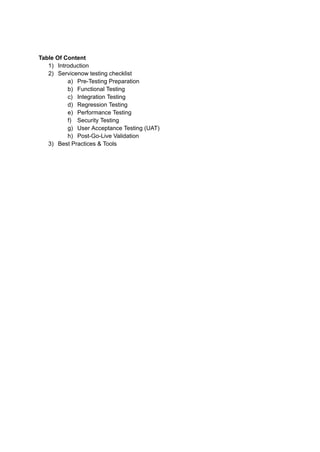
ServiceNow Testing Checklist
TestingServiceNow implementations thoroughly is crucial to ensure that all business
processes run smoothly, integrations function correctly, and users have a seamless
experience. This checklist covers all key areas—from functional and integration testing to
security and UATto guide QA teams through a complete testing cycle.
1. Pre-Testing Preparation
Gather and review business requirements and user stories.
Identify ServiceNow modules in scope (e.g., ITSM, HRSD, CSM, CMDB, etc.).
Define test strategy and test environment setup.
Verify the test data availability (users, roles, configuration items, etc.).
Ensure integration endpoints and third-party connections are available.
Validate user roles and permissions before test execution.
2. Functional Testing
Validate forms, workflows, and approvals in each module.
Test catalog items and request fulfillment processes.
Verify incident creation, assignment, and resolution flows.
Confirm change management lifecycle — submission to closure.
Check notifications, SLAs, and escalations for accuracy.
Test reporting and dashboards for data correctness.
Validate business rules, client scripts, and UI policies.
3. Integration Testing
Test API integrations with external systems (e.g., Jira, SAP, or Active Directory).
5.
Validate data exchangethrough REST/SOAP messages.
Ensure authentication methods (OAuth, Basic Auth) work correctly.
Check error handling and timeout responses.
Confirm sync of configuration items between ServiceNow and CMDB sources.
4. Regression Testing
Identify critical workflows impacted by new updates or customizations.
Execute automated regression tests using ATF (Automated Test Framework) or
external tools like TestGrid.
Compare results from previous and current releases.
Validate upgraded plugins and scripts after updates.
5. Performance Testing
Measure page load time and response time for critical forms.
Check workflow execution speed and background job performance.
Conduct load and stress tests under peak user conditions.
Identify bottlenecks in API calls or scheduled jobs.
6. Security Testing
Verify role-based access control (RBAC) configurations.
Check data visibility and confidentiality across users.
Perform vulnerability scans and validate encryption policies.
6.
Test session timeoutsand login security mechanisms.
7. UAT (User Acceptance Testing)
Create UAT test cases aligned with real business scenarios.
Involve process owners and end-users for validation.
Capture feedback and approval for go-live readiness.
8. Post-Testing / Go-Live Validation
Recheck core workflows after deployment.
Monitor production logs for errors or missed events.
Validate integration data flow in the live environment.
Document test results, known issues, and post-go-live checklist.
Best Practices & Tools for Servicenow Testing
Testing ServiceNow effectively requires more than just running test cases — it’s about
creating a repeatable, scalable, and automated process that aligns with your organization’s
goals. Below are some proven best practices and essential tools to strengthen your
ServiceNow testing lifecycle.
Best Practices for Servicenow Testing
1. Define clear testing objectives
Before starting, align testing goals with business outcomes. Identify critical modules and
workflows that have the highest business impact.
2. Maintain an updated test environment
Ensure your testing instance mirrors production as closely as possible — including
configurations, integrations, and user roles.
7.
3. Reuse andupdate test cases regularly
With every ServiceNow upgrade or customization, review and refresh your test cases to
maintain coverage accuracy.
4. Automate where possible
Use automation frameworks to reduce manual effort and improve consistency. Automated
regression testing is crucial for ServiceNow’s frequent update cycles.
5. Validate integrations early
Most issues arise from third-party system integrations. Conduct early integration tests to
identify failures before they affect downstream systems.
6. Monitor and document results
Track test execution status, defects, and resolutions. Comprehensive documentation
supports audits, compliance, and future release cycles.
7. Involve business stakeholders
Collaborate with end-users and process owners during UAT to ensure workflows align with
real operational needs.
8. Test after every update or patch
ServiceNow releases regular updates; performs regression and sanity checks after each to
ensure continued functionality.
Recommended Tools for Servicenow Testing
1. ServiceNow Automated Test Framework (ATF)
Native to ServiceNow, ATF allows teams to automate regression and smoke tests directly
within the platform, ensuring faster validation during upgrades.
2. CoTester by TestGrid
CoTester TestGrid is an all-in-one testing platform that simplifies ServiceNow automation
with no-code execution, real-device testing, and cross-browser validation. TestGrid
integrates with CI/CD pipelines, helping QA teams scale ServiceNow regression testing
effortlessly.
3. Selenium / Playwright
Useful for UI-level automation when extending beyond ATF capabilities, such as end-to-end
workflow testing across multiple systems.
4. Jenkins or GitHub Actions
Ideal for continuous integration setups, allowing automated ServiceNow tests to run as part
of deployment pipelines.
5. Postman or ReadyAPI
For validating REST/SOAP APIs used in ServiceNow integrations — crucial for maintaining
data consistency and system connectivity.


![5G Explained! A High Level Overview [Introduction]](https://cdn.slidesharecdn.com/ss_thumbnails/5gexplainedahighleveloverview-260119165306-cc137a3e-thumbnail.jpg?width=640&height=640&fit=bounds)


