Download to read offline
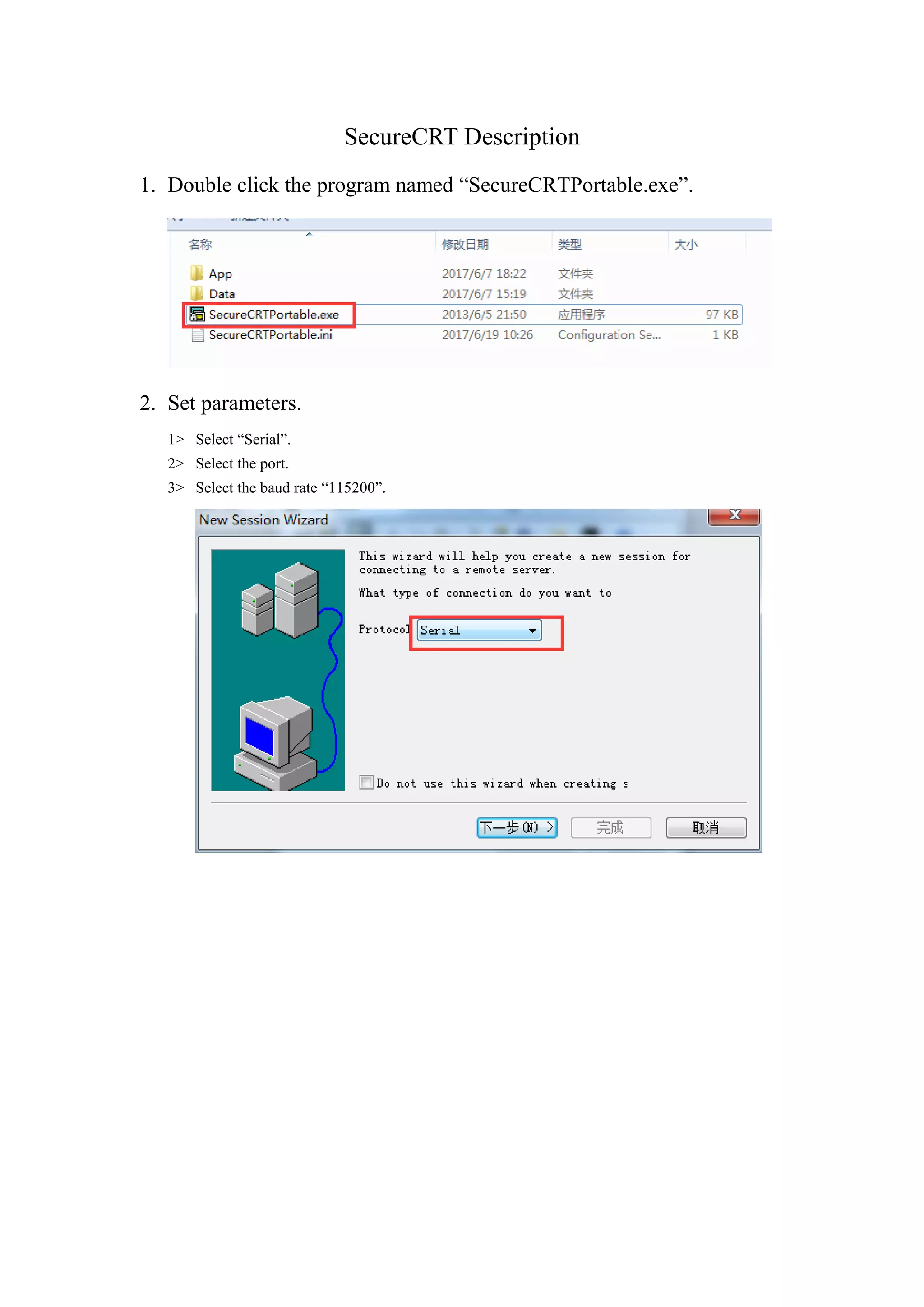
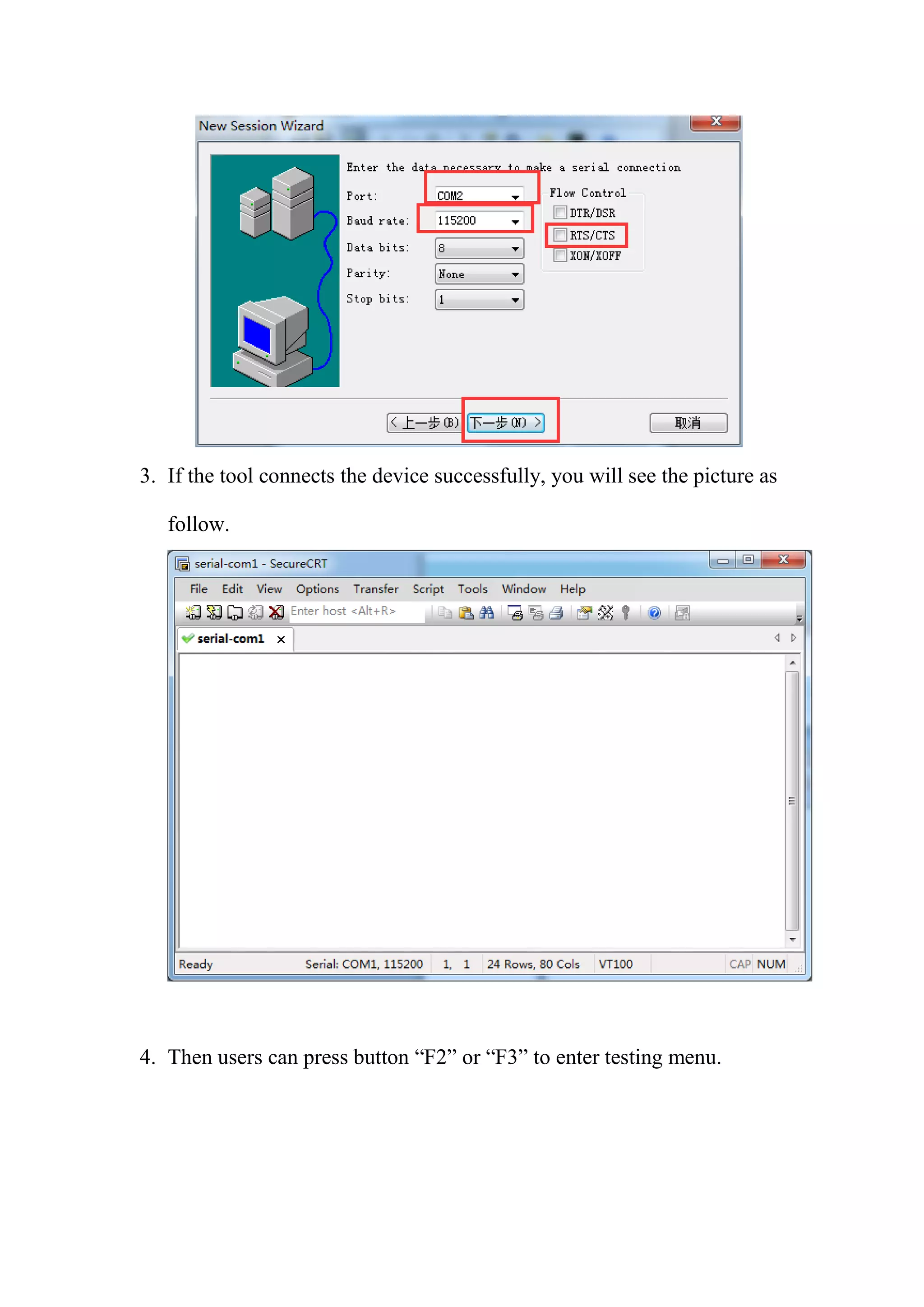
SecureCRT is a program that allows users to connect to devices through serial ports. To use it, open SecureCRTPortable.exe, select "Serial" as the connection type, choose the correct port and 115200 baud rate. If it connects successfully, the user can press F2 or F3 to access testing menus on the connected device.


