Email: info@globalonlinetrainings.com IND: +91-40-6050-1418
Skype: Global.Onlinetrainings USA: +1-516-8586-242
UK:+44 (0)203 371 0077
www.globalonlinetrainings.com
SAP BPC
Demo Session
At
Global Online Trainings
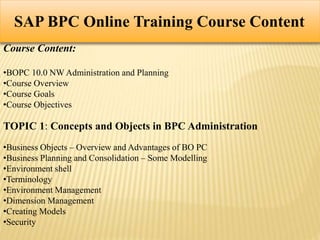
SAP BPC Online Training Course Content
Course Content:
•BOPC 10.0 NW Administration and Planning
•Course Overview
•Course Goals
•Course Objectives
TOPIC 1: Concepts and Objects in BPC Administration
•Business Objects – Overview and Advantages of BO PC
•Business Planning and Consolidation – Some Modelling
•Environment shell
•Terminology
•Environment Management
•Dimension Management
•Creating Models
•Security
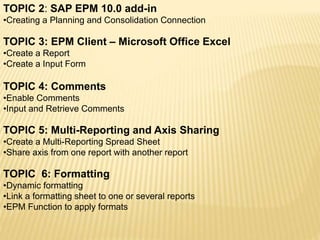
TOPIC 2: SAP EPM 10.0 add-in
•Creating a Planning and Consolidation Connection
TOPIC 3: EPM Client – Microsoft Office Excel
•Create a Report
•Create a Input Form
TOPIC 4: Comments
•Enable Comments
•Input and Retrieve Comments
TOPIC 5: Multi-Reporting and Axis Sharing
•Create a Multi-Reporting Spread Sheet
•Share axis from one report with another report
TOPIC 6: Formatting
•Dynamic formatting
•Link a formatting sheet to one or several reports
•EPM Function to apply formats
TOPIC 7: EPM Cell-based formulas
• EPM Axis Override Cell-based formula
•EPM Dimension Override Cell-based formula
•EPM Insert Cells Before After Block Cell-based formula
TOPIC 8: Books
•Create a Book Template
•Validate the Book Template
•Publish a book to the Web Library
•View the book in the Book Viewer
TOPIC 9: New Web Client
•Create a Planning and Consolidation Web Report
•Change the Report Behaviour
•Add a Chart to Report
•Create a Web Input Form
•Entering Comments via Web
•Creating Document Types and Sub Types
TOPIC 10: Data Acquisition, Transformation, ECC and BW
•Data Acquisition, Transformations, Packages, and Package Links
•Master Attributes Loading from flat file to BI to BPC
•Master Text Loading from FLAT file to BI to BPC
•Transaction data from FLAT file to BI to BPC
•Master Attributes Loading from FLAT file to BPC
•Master Text Loading from FLAT file to BPC
•Transaction data from FLAT file to BPC (SINGLE KEYFIGURE)
•Transaction data from FLAT file to BPC (MULTIPLE KEYFIGURES)
•Data Retraction BPC to BI and FLAT FILE
Topic 11: Working with Logic Scripts
•Logic Script and Online Execution
•Logic Script and Central Execution
•Logic Script and Allocation
•Logic Script and ABAP Integration
•Dimension Member Formulas
Topic 12:Drill Through New
•Drill Through features
•Create a new Drill Through
•Specify the specific parameters of a Drill
•Through Delete any parameter
•Test Drill Through
Topic 13: Business Process Flows
•How to manage Life Cycle of BPF Instances:
•Create/Start, Suspend, Reset, Archive
•How to manage assignment of Process and Activity
•Instances
Topic 14: Word and Power point Integration
•Explain MS Word Integration with BPC 10.0
•Explain MS PPT Integration with BPC 10.0
Topic 15: BPC 7.5 to BPC 10.0 Migration
•How to migrate BPC 7.5 Reports built with former EV Functions
•How to migrate BPC 7.5 EVDRE Reports
Topic 16 : Others
•Work Status
•Audit
•Work Spaces
Please go though the demo video in the below slide.
Please click here to play the video
SAP BPC-SAP BPC TRAINING

SAP BPC-SAP BPC TRAINING

  • 1.
    Email: info@globalonlinetrainings.com IND:+91-40-6050-1418 Skype: Global.Onlinetrainings USA: +1-516-8586-242 UK:+44 (0)203 371 0077 www.globalonlinetrainings.com SAP BPC Demo Session At Global Online Trainings
  • 2.
    SAP BPC OnlineTraining Course Content Course Content: •BOPC 10.0 NW Administration and Planning •Course Overview •Course Goals •Course Objectives TOPIC 1: Concepts and Objects in BPC Administration •Business Objects – Overview and Advantages of BO PC •Business Planning and Consolidation – Some Modelling •Environment shell •Terminology •Environment Management •Dimension Management •Creating Models •Security
  • 3.
    TOPIC 2: SAPEPM 10.0 add-in •Creating a Planning and Consolidation Connection TOPIC 3: EPM Client – Microsoft Office Excel •Create a Report •Create a Input Form TOPIC 4: Comments •Enable Comments •Input and Retrieve Comments TOPIC 5: Multi-Reporting and Axis Sharing •Create a Multi-Reporting Spread Sheet •Share axis from one report with another report TOPIC 6: Formatting •Dynamic formatting •Link a formatting sheet to one or several reports •EPM Function to apply formats
  • 4.
    TOPIC 7: EPMCell-based formulas • EPM Axis Override Cell-based formula •EPM Dimension Override Cell-based formula •EPM Insert Cells Before After Block Cell-based formula TOPIC 8: Books •Create a Book Template •Validate the Book Template •Publish a book to the Web Library •View the book in the Book Viewer TOPIC 9: New Web Client •Create a Planning and Consolidation Web Report •Change the Report Behaviour •Add a Chart to Report •Create a Web Input Form •Entering Comments via Web •Creating Document Types and Sub Types
  • 5.
    TOPIC 10: DataAcquisition, Transformation, ECC and BW •Data Acquisition, Transformations, Packages, and Package Links •Master Attributes Loading from flat file to BI to BPC •Master Text Loading from FLAT file to BI to BPC •Transaction data from FLAT file to BI to BPC •Master Attributes Loading from FLAT file to BPC •Master Text Loading from FLAT file to BPC •Transaction data from FLAT file to BPC (SINGLE KEYFIGURE) •Transaction data from FLAT file to BPC (MULTIPLE KEYFIGURES) •Data Retraction BPC to BI and FLAT FILE Topic 11: Working with Logic Scripts •Logic Script and Online Execution •Logic Script and Central Execution •Logic Script and Allocation •Logic Script and ABAP Integration •Dimension Member Formulas Topic 12:Drill Through New •Drill Through features •Create a new Drill Through
  • 6.
    •Specify the specificparameters of a Drill •Through Delete any parameter •Test Drill Through Topic 13: Business Process Flows •How to manage Life Cycle of BPF Instances: •Create/Start, Suspend, Reset, Archive •How to manage assignment of Process and Activity •Instances Topic 14: Word and Power point Integration •Explain MS Word Integration with BPC 10.0 •Explain MS PPT Integration with BPC 10.0 Topic 15: BPC 7.5 to BPC 10.0 Migration •How to migrate BPC 7.5 Reports built with former EV Functions •How to migrate BPC 7.5 EVDRE Reports
  • 7.
    Topic 16 :Others •Work Status •Audit •Work Spaces Please go though the demo video in the below slide.
  • 8.
    Please click hereto play the video