S/4 HANA
Simplification
s Review
Sierra Digital Inc.,
S/4HANA Platform Simplifications
• Universal Journal – Totals records that store the data from
• Removed application index tables and replaced by CDS views
• Three deployment options: on premise, public cloud and managed cloud
• Contains simplified data models, reduced tables, and footprints
• Is fully integrated with the SAP HANA cloud platform, allowing organizations to build faster and
more cost-effective business applications
• SAP HANA multi-tenancy
• Faster analytics and reporting
• ERP, CRM, SRM, SCM, PLM co-deployed
• Unlimited workload capacity
• All data: social, text, geo, graph, processing
• New SAP Fiori UX for any device (mobile, desktop, tablet)
S/4 HANA Finance – In general
• Must run on Hana
• Universal Journal(union of FI and CO) and reduced logistics tables
• Primary User interface – Fiori (GUI secondary)
• New GL
• Material Ledger only
• Foreign Trade moved to Global Trade services
• Stock room management or Extended warehouse management
• S/4 Hana release 1809 and later does not support a dual stack system setup.
• Legacy Transfer Migration Cockpit (LTMC) is primary data load tool
• Material number length 18 or 40 characters
• Totals and application index tables were removed (exist as views) and theses are replaced by the Universal journal
ACDOCA table.
• Certain transaction codes and programs in the application areas have been replaced with newer transactions,
programs, or Web Dynpro applications.
Eg: FAGL_FC_VAL – Foreign currency valuation has replaced by FAGL_FCV
S/4 HANA Finance: FI-GL
• If migrate from ECC to S/4 HANA, can migrate Ledgers of New General Ledger of the Business Suite or the Classic
General Ledger GL to the Universal Journal in S/4HANA. But the number of Ledgers and the configuration of its
currency will stay; it is not possible to introduce new ledgers or new currencies during the migration to S/4 HANA. If
Classic General Ledger was used, the ledger ’00’ is migrated to the new leading ledger ‘0L’ of the universal journal.
• SAP controlling (CO) is now part of the universal journal. It creates only one document in FI. During FI posting
document carries both FI and CO information with single source of truth.
• In S/4 HANA (In S/4 HANA material ledger activation is a mandatory requirement, therefore material ledger document
get generate for each material related transaction.)
• There is no longer a need for CO Realtime integration for transfer of secondary CO postings to New GL or the
Reconciliation Ledger of Classic GL.
• In ledger can have 8 freely defined additional currencies (total 10)
• Other than parallel ledgers can have appendix ledgers. Appendix ledger for delta postings.
• An additional column appears in Transaction OB52 (opening and closing periods) for postings from Controlling to
Finance, (although you still need OKP1 at Controlling Area level).
• Parallel Accounting- The Universal Journal supports parallel accounting using parallel ledgers. SAP recommends the
parallel ledger approach to meet certain accounting requirements.
S/4 HANA Finance: Tax Accounting
Indirect Tax:
• Manage indirect tax in a comprehensive, consistent and cost-savings manner.
• Indirect tax includes a tax paid to the government by a supplier with this cost passed on to the end user as part of the price of a
good or service.
• Automate tax determination, calculation, reporting and compliance, integrating them with core business processes.
• Fulfill all reporting obligations related to e-invoicing, and periodic tax returns.
• Mitigate tax compliance issues with a company-wide tax control framework through processes and tools.
• Improve the visibility of global tax processes.
Direct Tax:
• Before SAP S/4HANA, tax accounting was supported either by a special ledger or a normal ledger. There was never ‘’localized’’
solution for tax – in the same way as it is for statutory accounting rules.
• The universal journal represents the foundation to enable continuous review of latest accurate figures and automated tax
calculations
• The SAP S/4HANA Best Practices still include 3 main ledgers/accounting principles: Group, Local and Tax.
• The extension ledger can also be an option to be evaluated for Tax – this could be a suitable option where tax requirements are
just some variations from the statutory accounting principle. However, this will involve an evaluation of the processes where
there are differences and assess if these processes are supported by the Extension Ledger (for example Asset Accounting is a
common area where there are tax relevant differences, and this is not supported by the Extension Ledger).
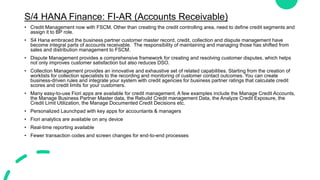
S/4 HANA Finance: FI-AR (Accounts Receivable)
• Credit Management now with FSCM, Other than creating the credit controlling area, need to define credit segments and
assign it to BP role.
• S4 Hana embraced the business partner customer master record, credit, collection and dispute management have
become integral parts of accounts receivable. The responsibility of maintaining and managing those has shifted from
sales and distribution management to FSCM.
• Dispute Management provides a comprehensive framework for creating and resolving customer disputes, which helps
not only improves customer satisfaction but also reduces DSO.
• Collection Management provides an innovative and exhaustive set of related capabilities. Starting from the creation of
worklists for collection specialists to the recording and monitoring of customer contact outcomes. You can create
business-driven rules and integrate your system with credit agencies for business partner ratings that calculate credit
scores and credit limits for your customers.
• Many easy-to-use Fiori apps are available for credit management. A few examples include the Manage Credit Accounts,
the Manage Business Partner Master data, the Rebuild Credit management Data, the Analyze Credit Exposure, the
Credit Limit Utilization, the Manage Documented Credit Decisions etc.
• Personalized Launchpad with key apps for accountants & managers
• Fiori analytics are available on any device
• Real-time reporting available
• Fewer transaction codes and screen changes for end-to-end processes
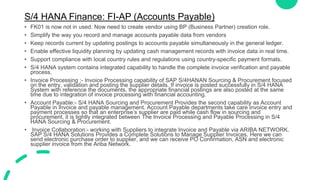
S/4 HANA Finance: FI-AP (Accounts Payable)
• FK01 is now not in used. Now need to create vendor using BP (Business Partner) creation role.
• Simplify the way you record and manage accounts payable data from vendors
• Keep records current by updating postings to accounts payable simultaneously in the general ledger.
• Enable effective liquidity planning by updating cash management records with invoice data in real time.
• Support compliance with local country rules and regulations using country-specific payment formats.
• S/4 HANA system contains integrated capability to handle the complete invoice verification and payable
process.
• Invoice Processing :- Invoice Processing capability of SAP S/4HANAN Sourcing & Procurement focused
on the entry, validation and posting the supplier details. If invoice is posted successfully in S/4 HANA
System with reference the documents, the appropriate financial postings are also posted at the same
time due to integration of invoice processing with financial accounting.
• Account Payable:- S/4 HANA Sourcing and Procurement Provides the second capability as Account
Payable in Invoice and payable management. Account Payable departments take care invoice entry and
payment processes so that an enterprise’s supplier are paid while cash flow in sourcing and
procurement. it is tightly integrated between The Invoice Processing and Payable Processing in S/4
HANA Sourcing & Procurement.
• Invoice Collaboration:- working with Suppliers to integrate Invoice and Payable via ARIBA NETWORK.
SAP S/4 HANA Solutions Provides a Complete Solutions to Manage Supplier Invoices. Here we can
send electronic purchase order to supplier, and we can receive PO Confirmation, ASN and electronic
supplier invoice from the Ariba Network.
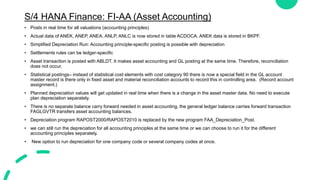
S/4 HANA Finance: FI-AA (Asset Accounting)
• Posts in real time for all valuations (accounting principles)
• Actual data of ANEK, ANEP, ANEA, ANLP, ANLC is now stored in table ACDOCA. ANEK data is stored in BKPF.
• Simplified Depreciation Run: Accounting principle-specific posting is possible with depreciation
• Settlements rules can be ledger-specific
• Asset transaction is posted with ABLDT. It makes asset accounting and GL posting at the same time. Therefore, reconciliation
does not occur.
• Statistical postings– instead of statistical cost elements with cost category 90 there is now a special field in the GL account
master record is there only in fixed asset and material reconciliation accounts to record this in controlling area. (Record account
assignment.)
• Planned depreciation values will get updated in real time when there is a change in the asset master data. No need to execute
plan depreciation separately.
• There is no separate balance carry forward needed in asset accounting, the general ledger balance carries forward transaction
FAGLGVTR transfers asset accounting balances.
• Depreciation program RAPOST2000/RAPOST2010 is replaced by the new program FAA_Depreciation_Post.
• we can still run the depreciation for all accounting principles at the same time or we can choose to run it for the different
accounting principles separately.
• New option to run depreciation for one company code or several company codes at once.
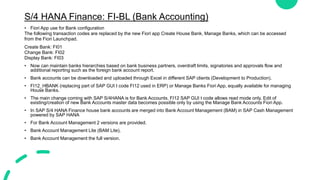
S/4 HANA Finance: FI-BL (Bank Accounting)
• Fiori App use for Bank configuration
The following transaction codes are replaced by the new Fiori app Create House Bank, Manage Banks, which can be accessed
from the Fiori Launchpad.
Create Bank: FI01
Change Bank: FI02
Display Bank: FI03
• Now can maintain banks hierarchies based on bank business partners, overdraft limits, signatories and approvals flow and
additional reporting such as the foreign bank account report.
• Bank accounts can be downloaded and uploaded through Excel in different SAP clients (Development to Production).
• FI12_HBANK (replacing part of SAP GUI t code FI12 used in ERP) or Manage Banks Fiori App, equally available for managing
House Banks.
• The main change coming with SAP S/4HANA is for Bank Accounts. FI12 SAP GUI t code allows read mode only. Edit of
existing/creation of new Bank Accounts master data becomes possible only by using the Manage Bank Accounts Fiori App.
• In SAP S/4 HANA Finance house bank accounts are merged into Bank Account Management (BAM) in SAP Cash Management
powered by SAP HANA
• For Bank Account Management 2 versions are provided.
• Bank Account Management Lite (BAM Lite).
• Bank Account Management the full version.
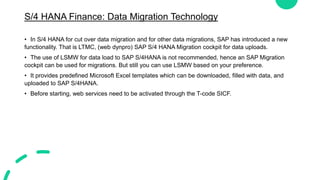
S/4 HANA Finance: Data Migration Technology
• In S/4 HANA for cut over data migration and for other data migrations, SAP has introduced a new
functionality. That is LTMC, (web dynpro) SAP S/4 HANA Migration cockpit for data uploads.
• The use of LSMW for data load to SAP S/4HANA is not recommended, hence an SAP Migration
cockpit can be used for migrations. But still you can use LSMW based on your preference.
• It provides predefined Microsoft Excel templates which can be downloaded, filled with data, and
uploaded to SAP S/4HANA.
• Before starting, web services need to be activated through the T-code SICF.
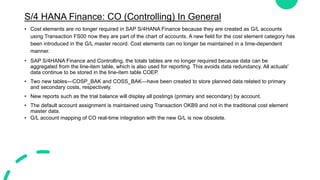
S/4 HANA Finance: CO (Controlling) In General
• Cost elements are no longer required in SAP S/4HANA Finance because they are created as G/L accounts
using Transaction FS00 now they are part of the chart of accounts. A new field for the cost element category has
been introduced in the G/L master record. Cost elements can no longer be maintained in a time-dependent
manner.
• SAP S/4HANA Finance and Controlling, the totals tables are no longer required because data can be
aggregated from the line-item table, which is also used for reporting. This avoids data redundancy. All actuals'
data continue to be stored in the line-item table COEP.
• Two new tables—COSP_BAK and COSS_BAK—have been created to store planned data related to primary
and secondary costs, respectively.
• New reports such as the trial balance will display all postings (primary and secondary) by account.
• The default account assignment is maintained using Transaction OKB9 and not in the traditional cost element
master data.
• G/L account mapping of CO real-time integration with the new G/L is now obsolete.
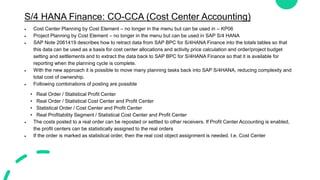
S/4 HANA Finance: CO-CCA (Cost Center Accounting)
 Cost Center Planning by Cost Element – no longer in the menu but can be used in – KP06
 Project Planning by Cost Element – no longer in the menu but can be used in SAP S/4 HANA
 SAP Note 2061419 describes how to retract data from SAP BPC for S/4HANA Finance into the totals tables so that
this data can be used as a basis for cost center allocations and activity price calculation and order/project budget
setting and settlements and to extract the data back to SAP BPC for S/4HANA Finance so that it is available for
reporting when the planning cycle is complete.
 With the new approach it is possible to move many planning tasks back into SAP S/4HANA, reducing complexity and
total cost of ownership.
 Following combinations of posting are possible
• Real Order / Statistical Profit Center
• Real Order / Statistical Cost Center and Profit Center
• Statistical Order / Cost Center and Profit Center
• Real Profitability Segment / Statistical Cost Center and Profit Center
 The costs posted to a real order can be reposted or settled to other receivers. If Profit Center Accounting is enabled,
the profit centers can be statistically assigned to the real orders
 If the order is marked as statistical order, then the real cost object assignment is needed. I.e. Cost Center
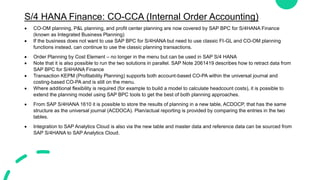
S/4 HANA Finance: CO-CCA (Internal Order Accounting)
 CO-OM planning, P&L planning, and profit center planning are now covered by SAP BPC for S/4HANA Finance
(known as Integrated Business Planning)
 If the business does not want to use SAP BPC for S/4HANA but need to use classic FI-GL and CO-OM planning
functions instead, can continue to use the classic planning transactions.
 Order Planning by Cost Element – no longer in the menu but can be used in SAP S/4 HANA
 Note that it is also possible to run the two solutions in parallel. SAP Note 2061419 describes how to retract data from
SAP BPC for S/4HANA Finance
 Transaction KEPM (Profitability Planning) supports both account-based CO-PA within the universal journal and
costing-based CO-PA and is still on the menu.
 Where additional flexibility is required (for example to build a model to calculate headcount costs), it is possible to
extend the planning model using SAP BPC tools to get the best of both planning approaches.
 From SAP S/4HANA 1610 it is possible to store the results of planning in a new table, ACDOCP, that has the same
structure as the universal journal (ACDOCA). Plan/actual reporting is provided by comparing the entries in the two
tables.
 Integration to SAP Analytics Cloud is also via the new table and master data and reference data can be sourced from
SAP S/4HANA to SAP Analytics Cloud.
S/4 HANA Finance: CO-PCA (Profit Center Accounting)
• In S/4HANA, Profit Center Accounting is mapped in the universal journal by default.
• simultaneously with the original activation of classic Profit Center Accounting (transaction 0KE5), Profit Center
Accounting in the universal journal is also always active.
• During the data migration of CO documents to ACDOCA, the profit center information is derived again from the CO
account assignments and updated in ACDOCA.
• There is NO migration of data from classic Profit Center Accounting (tables GLPCA/GLPCP/GLPCT) to the universal
journal, that is, to the table ACDOCA.
• The profit center or partner profit center in SAP S/4HANA is also derived based on the assignment in the relevant
master data of CO objects and logistical objects.
• If classic Profit Center Accounting is not active, transactions FAGLSKF and FAGLSKF1 can be used to adjust the
statistical key figures at profit center level.
• Allocations in the universal journal offer more flexibility in comparison to allocations in classic Profit Center
Accounting. This is because the table ACDOCA contains more characteristics that can be used for allocation. In
addition, the universal journal supports more parallel currencies.
• Allocations for profit centers previously used in General Ledger Accounting (new) can be transferred to the universal
journal during the migration.
• A migration of allocations from classic Profit Center Accounting to the universal journal is impossible.
• In SAP S/4HANA,balance sheet planning and profit center planning are part of SAP BPC for SAP S/4HANA Finance
(previously known as SAP Integrated Business Planning)
S/4 HANA Finance: CO-PA (Profitability Analysis)
• Several separate tables of FICO in ECC6 were combined and single table for planning and actual, one each,
had been done - ACDOCP is planning table and ACDOCA is actual table.
• Chart of Account in Financial Accounting and Cost Elements master data in Controlling have been merged and
in S/4 HANA Cost elements are part of Chart of Accounts with additional attribute mention.
• With the above changes in S/4 HANA, SAP recommends Account based COPA for adoption / implementation.
• It is known that Account based COPA does not address the breakup of cost of sales / cost of goods sold. To
address this, SAP has provided additional configuration to split cost of sales / cost of goods sold based on cost
component structure configured in Cost object controlling.
• The limitation of S/4 HANA Account-based COPA is data derivation from GL Accounts only, unlike in costing-
based COPA, where one can bring the characteristics with corresponding value fields from tables other than
FICO.
• SAP provided an option to activate Costing-based COPA in addition to Account-based COPA in S/4 HANA.
• SAP S/4 HANA changes are not just limited to application code changes combined with optimization of database
structures, but also includes application that is built on in-memory database HANA.
S/4 HANA Finance: CO-PCC (Product Cost Controlling)
• The creation of cost estimates with reference to base planning objects is no longer supported in
SAP S/4HANA.
• Instead, it is recommended to use transaction CKECP to prepare ad-hoc cost estimates and CKUC
to prepare multilevel material.
• Activation of Material Ledger is a mandatory requirement with SAP S/4HANA. And activation of
Actual costing is optional in S/4 HANA.
• Cost of goods sold (COGS) postings is captured at the time of the goods issue from the warehouse.
New functions are available to split the COGS posting to multiple accounts in accordance with the
relative weight of the assigned cost components. Functions to support the matching principle
between revenues and COGS are planned.
S/4 HANA Finance: Reporting
• Reporting is read from one source, regardless of whether:
• Supply the data to the consolidation system
• Report to tax authorities
• Make internal management decisions
• Consider adapting the reporting strategy to use Fiori reports to avoid classic reports that aggregate on
the fly
Controlling Reporting in S/4 HANA with FIORI
• Majority of ECC reports will continue to work in S/4HANA due to mechanism of compatibility view.
• Old reports may not benefit of the Universal Journal, in fact:
• Technically they will be based on compatibility views and aggregate data on the fly from the
universal Journal.
• Functionally they will not be able to show postings coming from previously mentioned S/4HANA new
functionalities as for example Predictive Accounting, Attributed COPA and so on.
• There are anyway some reports for example cost element reporting that will not continue to work.

S4HANA Simplifications.pptxS4HANA Simplifications.pptx

  • 1.
  • 2.
    S/4HANA Platform Simplifications •Universal Journal – Totals records that store the data from • Removed application index tables and replaced by CDS views • Three deployment options: on premise, public cloud and managed cloud • Contains simplified data models, reduced tables, and footprints • Is fully integrated with the SAP HANA cloud platform, allowing organizations to build faster and more cost-effective business applications • SAP HANA multi-tenancy • Faster analytics and reporting • ERP, CRM, SRM, SCM, PLM co-deployed • Unlimited workload capacity • All data: social, text, geo, graph, processing • New SAP Fiori UX for any device (mobile, desktop, tablet)
  • 3.
    S/4 HANA Finance– In general • Must run on Hana • Universal Journal(union of FI and CO) and reduced logistics tables • Primary User interface – Fiori (GUI secondary) • New GL • Material Ledger only • Foreign Trade moved to Global Trade services • Stock room management or Extended warehouse management • S/4 Hana release 1809 and later does not support a dual stack system setup. • Legacy Transfer Migration Cockpit (LTMC) is primary data load tool • Material number length 18 or 40 characters • Totals and application index tables were removed (exist as views) and theses are replaced by the Universal journal ACDOCA table. • Certain transaction codes and programs in the application areas have been replaced with newer transactions, programs, or Web Dynpro applications. Eg: FAGL_FC_VAL – Foreign currency valuation has replaced by FAGL_FCV
  • 4.
    S/4 HANA Finance:FI-GL • If migrate from ECC to S/4 HANA, can migrate Ledgers of New General Ledger of the Business Suite or the Classic General Ledger GL to the Universal Journal in S/4HANA. But the number of Ledgers and the configuration of its currency will stay; it is not possible to introduce new ledgers or new currencies during the migration to S/4 HANA. If Classic General Ledger was used, the ledger ’00’ is migrated to the new leading ledger ‘0L’ of the universal journal. • SAP controlling (CO) is now part of the universal journal. It creates only one document in FI. During FI posting document carries both FI and CO information with single source of truth. • In S/4 HANA (In S/4 HANA material ledger activation is a mandatory requirement, therefore material ledger document get generate for each material related transaction.) • There is no longer a need for CO Realtime integration for transfer of secondary CO postings to New GL or the Reconciliation Ledger of Classic GL. • In ledger can have 8 freely defined additional currencies (total 10) • Other than parallel ledgers can have appendix ledgers. Appendix ledger for delta postings. • An additional column appears in Transaction OB52 (opening and closing periods) for postings from Controlling to Finance, (although you still need OKP1 at Controlling Area level). • Parallel Accounting- The Universal Journal supports parallel accounting using parallel ledgers. SAP recommends the parallel ledger approach to meet certain accounting requirements.
  • 5.
    S/4 HANA Finance:Tax Accounting Indirect Tax: • Manage indirect tax in a comprehensive, consistent and cost-savings manner. • Indirect tax includes a tax paid to the government by a supplier with this cost passed on to the end user as part of the price of a good or service. • Automate tax determination, calculation, reporting and compliance, integrating them with core business processes. • Fulfill all reporting obligations related to e-invoicing, and periodic tax returns. • Mitigate tax compliance issues with a company-wide tax control framework through processes and tools. • Improve the visibility of global tax processes. Direct Tax: • Before SAP S/4HANA, tax accounting was supported either by a special ledger or a normal ledger. There was never ‘’localized’’ solution for tax – in the same way as it is for statutory accounting rules. • The universal journal represents the foundation to enable continuous review of latest accurate figures and automated tax calculations • The SAP S/4HANA Best Practices still include 3 main ledgers/accounting principles: Group, Local and Tax. • The extension ledger can also be an option to be evaluated for Tax – this could be a suitable option where tax requirements are just some variations from the statutory accounting principle. However, this will involve an evaluation of the processes where there are differences and assess if these processes are supported by the Extension Ledger (for example Asset Accounting is a common area where there are tax relevant differences, and this is not supported by the Extension Ledger).
  • 6.
    S/4 HANA Finance:FI-AR (Accounts Receivable) • Credit Management now with FSCM, Other than creating the credit controlling area, need to define credit segments and assign it to BP role. • S4 Hana embraced the business partner customer master record, credit, collection and dispute management have become integral parts of accounts receivable. The responsibility of maintaining and managing those has shifted from sales and distribution management to FSCM. • Dispute Management provides a comprehensive framework for creating and resolving customer disputes, which helps not only improves customer satisfaction but also reduces DSO. • Collection Management provides an innovative and exhaustive set of related capabilities. Starting from the creation of worklists for collection specialists to the recording and monitoring of customer contact outcomes. You can create business-driven rules and integrate your system with credit agencies for business partner ratings that calculate credit scores and credit limits for your customers. • Many easy-to-use Fiori apps are available for credit management. A few examples include the Manage Credit Accounts, the Manage Business Partner Master data, the Rebuild Credit management Data, the Analyze Credit Exposure, the Credit Limit Utilization, the Manage Documented Credit Decisions etc. • Personalized Launchpad with key apps for accountants & managers • Fiori analytics are available on any device • Real-time reporting available • Fewer transaction codes and screen changes for end-to-end processes
  • 7.
    S/4 HANA Finance:FI-AP (Accounts Payable) • FK01 is now not in used. Now need to create vendor using BP (Business Partner) creation role. • Simplify the way you record and manage accounts payable data from vendors • Keep records current by updating postings to accounts payable simultaneously in the general ledger. • Enable effective liquidity planning by updating cash management records with invoice data in real time. • Support compliance with local country rules and regulations using country-specific payment formats. • S/4 HANA system contains integrated capability to handle the complete invoice verification and payable process. • Invoice Processing :- Invoice Processing capability of SAP S/4HANAN Sourcing & Procurement focused on the entry, validation and posting the supplier details. If invoice is posted successfully in S/4 HANA System with reference the documents, the appropriate financial postings are also posted at the same time due to integration of invoice processing with financial accounting. • Account Payable:- S/4 HANA Sourcing and Procurement Provides the second capability as Account Payable in Invoice and payable management. Account Payable departments take care invoice entry and payment processes so that an enterprise’s supplier are paid while cash flow in sourcing and procurement. it is tightly integrated between The Invoice Processing and Payable Processing in S/4 HANA Sourcing & Procurement. • Invoice Collaboration:- working with Suppliers to integrate Invoice and Payable via ARIBA NETWORK. SAP S/4 HANA Solutions Provides a Complete Solutions to Manage Supplier Invoices. Here we can send electronic purchase order to supplier, and we can receive PO Confirmation, ASN and electronic supplier invoice from the Ariba Network.
  • 8.
    S/4 HANA Finance:FI-AA (Asset Accounting) • Posts in real time for all valuations (accounting principles) • Actual data of ANEK, ANEP, ANEA, ANLP, ANLC is now stored in table ACDOCA. ANEK data is stored in BKPF. • Simplified Depreciation Run: Accounting principle-specific posting is possible with depreciation • Settlements rules can be ledger-specific • Asset transaction is posted with ABLDT. It makes asset accounting and GL posting at the same time. Therefore, reconciliation does not occur. • Statistical postings– instead of statistical cost elements with cost category 90 there is now a special field in the GL account master record is there only in fixed asset and material reconciliation accounts to record this in controlling area. (Record account assignment.) • Planned depreciation values will get updated in real time when there is a change in the asset master data. No need to execute plan depreciation separately. • There is no separate balance carry forward needed in asset accounting, the general ledger balance carries forward transaction FAGLGVTR transfers asset accounting balances. • Depreciation program RAPOST2000/RAPOST2010 is replaced by the new program FAA_Depreciation_Post. • we can still run the depreciation for all accounting principles at the same time or we can choose to run it for the different accounting principles separately. • New option to run depreciation for one company code or several company codes at once.
  • 9.
    S/4 HANA Finance:FI-BL (Bank Accounting) • Fiori App use for Bank configuration The following transaction codes are replaced by the new Fiori app Create House Bank, Manage Banks, which can be accessed from the Fiori Launchpad. Create Bank: FI01 Change Bank: FI02 Display Bank: FI03 • Now can maintain banks hierarchies based on bank business partners, overdraft limits, signatories and approvals flow and additional reporting such as the foreign bank account report. • Bank accounts can be downloaded and uploaded through Excel in different SAP clients (Development to Production). • FI12_HBANK (replacing part of SAP GUI t code FI12 used in ERP) or Manage Banks Fiori App, equally available for managing House Banks. • The main change coming with SAP S/4HANA is for Bank Accounts. FI12 SAP GUI t code allows read mode only. Edit of existing/creation of new Bank Accounts master data becomes possible only by using the Manage Bank Accounts Fiori App. • In SAP S/4 HANA Finance house bank accounts are merged into Bank Account Management (BAM) in SAP Cash Management powered by SAP HANA • For Bank Account Management 2 versions are provided. • Bank Account Management Lite (BAM Lite). • Bank Account Management the full version.
  • 10.
    S/4 HANA Finance:Data Migration Technology • In S/4 HANA for cut over data migration and for other data migrations, SAP has introduced a new functionality. That is LTMC, (web dynpro) SAP S/4 HANA Migration cockpit for data uploads. • The use of LSMW for data load to SAP S/4HANA is not recommended, hence an SAP Migration cockpit can be used for migrations. But still you can use LSMW based on your preference. • It provides predefined Microsoft Excel templates which can be downloaded, filled with data, and uploaded to SAP S/4HANA. • Before starting, web services need to be activated through the T-code SICF.
  • 11.
    S/4 HANA Finance:CO (Controlling) In General • Cost elements are no longer required in SAP S/4HANA Finance because they are created as G/L accounts using Transaction FS00 now they are part of the chart of accounts. A new field for the cost element category has been introduced in the G/L master record. Cost elements can no longer be maintained in a time-dependent manner. • SAP S/4HANA Finance and Controlling, the totals tables are no longer required because data can be aggregated from the line-item table, which is also used for reporting. This avoids data redundancy. All actuals' data continue to be stored in the line-item table COEP. • Two new tables—COSP_BAK and COSS_BAK—have been created to store planned data related to primary and secondary costs, respectively. • New reports such as the trial balance will display all postings (primary and secondary) by account. • The default account assignment is maintained using Transaction OKB9 and not in the traditional cost element master data. • G/L account mapping of CO real-time integration with the new G/L is now obsolete.
  • 12.
    S/4 HANA Finance:CO-CCA (Cost Center Accounting)  Cost Center Planning by Cost Element – no longer in the menu but can be used in – KP06  Project Planning by Cost Element – no longer in the menu but can be used in SAP S/4 HANA  SAP Note 2061419 describes how to retract data from SAP BPC for S/4HANA Finance into the totals tables so that this data can be used as a basis for cost center allocations and activity price calculation and order/project budget setting and settlements and to extract the data back to SAP BPC for S/4HANA Finance so that it is available for reporting when the planning cycle is complete.  With the new approach it is possible to move many planning tasks back into SAP S/4HANA, reducing complexity and total cost of ownership.  Following combinations of posting are possible • Real Order / Statistical Profit Center • Real Order / Statistical Cost Center and Profit Center • Statistical Order / Cost Center and Profit Center • Real Profitability Segment / Statistical Cost Center and Profit Center  The costs posted to a real order can be reposted or settled to other receivers. If Profit Center Accounting is enabled, the profit centers can be statistically assigned to the real orders  If the order is marked as statistical order, then the real cost object assignment is needed. I.e. Cost Center
  • 13.
    S/4 HANA Finance:CO-CCA (Internal Order Accounting)  CO-OM planning, P&L planning, and profit center planning are now covered by SAP BPC for S/4HANA Finance (known as Integrated Business Planning)  If the business does not want to use SAP BPC for S/4HANA but need to use classic FI-GL and CO-OM planning functions instead, can continue to use the classic planning transactions.  Order Planning by Cost Element – no longer in the menu but can be used in SAP S/4 HANA  Note that it is also possible to run the two solutions in parallel. SAP Note 2061419 describes how to retract data from SAP BPC for S/4HANA Finance  Transaction KEPM (Profitability Planning) supports both account-based CO-PA within the universal journal and costing-based CO-PA and is still on the menu.  Where additional flexibility is required (for example to build a model to calculate headcount costs), it is possible to extend the planning model using SAP BPC tools to get the best of both planning approaches.  From SAP S/4HANA 1610 it is possible to store the results of planning in a new table, ACDOCP, that has the same structure as the universal journal (ACDOCA). Plan/actual reporting is provided by comparing the entries in the two tables.  Integration to SAP Analytics Cloud is also via the new table and master data and reference data can be sourced from SAP S/4HANA to SAP Analytics Cloud.
  • 14.
    S/4 HANA Finance:CO-PCA (Profit Center Accounting) • In S/4HANA, Profit Center Accounting is mapped in the universal journal by default. • simultaneously with the original activation of classic Profit Center Accounting (transaction 0KE5), Profit Center Accounting in the universal journal is also always active. • During the data migration of CO documents to ACDOCA, the profit center information is derived again from the CO account assignments and updated in ACDOCA. • There is NO migration of data from classic Profit Center Accounting (tables GLPCA/GLPCP/GLPCT) to the universal journal, that is, to the table ACDOCA. • The profit center or partner profit center in SAP S/4HANA is also derived based on the assignment in the relevant master data of CO objects and logistical objects. • If classic Profit Center Accounting is not active, transactions FAGLSKF and FAGLSKF1 can be used to adjust the statistical key figures at profit center level. • Allocations in the universal journal offer more flexibility in comparison to allocations in classic Profit Center Accounting. This is because the table ACDOCA contains more characteristics that can be used for allocation. In addition, the universal journal supports more parallel currencies. • Allocations for profit centers previously used in General Ledger Accounting (new) can be transferred to the universal journal during the migration. • A migration of allocations from classic Profit Center Accounting to the universal journal is impossible. • In SAP S/4HANA,balance sheet planning and profit center planning are part of SAP BPC for SAP S/4HANA Finance (previously known as SAP Integrated Business Planning)
  • 15.
    S/4 HANA Finance:CO-PA (Profitability Analysis) • Several separate tables of FICO in ECC6 were combined and single table for planning and actual, one each, had been done - ACDOCP is planning table and ACDOCA is actual table. • Chart of Account in Financial Accounting and Cost Elements master data in Controlling have been merged and in S/4 HANA Cost elements are part of Chart of Accounts with additional attribute mention. • With the above changes in S/4 HANA, SAP recommends Account based COPA for adoption / implementation. • It is known that Account based COPA does not address the breakup of cost of sales / cost of goods sold. To address this, SAP has provided additional configuration to split cost of sales / cost of goods sold based on cost component structure configured in Cost object controlling. • The limitation of S/4 HANA Account-based COPA is data derivation from GL Accounts only, unlike in costing- based COPA, where one can bring the characteristics with corresponding value fields from tables other than FICO. • SAP provided an option to activate Costing-based COPA in addition to Account-based COPA in S/4 HANA. • SAP S/4 HANA changes are not just limited to application code changes combined with optimization of database structures, but also includes application that is built on in-memory database HANA.
  • 16.
    S/4 HANA Finance:CO-PCC (Product Cost Controlling) • The creation of cost estimates with reference to base planning objects is no longer supported in SAP S/4HANA. • Instead, it is recommended to use transaction CKECP to prepare ad-hoc cost estimates and CKUC to prepare multilevel material. • Activation of Material Ledger is a mandatory requirement with SAP S/4HANA. And activation of Actual costing is optional in S/4 HANA. • Cost of goods sold (COGS) postings is captured at the time of the goods issue from the warehouse. New functions are available to split the COGS posting to multiple accounts in accordance with the relative weight of the assigned cost components. Functions to support the matching principle between revenues and COGS are planned.
  • 17.
    S/4 HANA Finance:Reporting • Reporting is read from one source, regardless of whether: • Supply the data to the consolidation system • Report to tax authorities • Make internal management decisions • Consider adapting the reporting strategy to use Fiori reports to avoid classic reports that aggregate on the fly Controlling Reporting in S/4 HANA with FIORI • Majority of ECC reports will continue to work in S/4HANA due to mechanism of compatibility view. • Old reports may not benefit of the Universal Journal, in fact: • Technically they will be based on compatibility views and aggregate data on the fly from the universal Journal. • Functionally they will not be able to show postings coming from previously mentioned S/4HANA new functionalities as for example Predictive Accounting, Attributed COPA and so on. • There are anyway some reports for example cost element reporting that will not continue to work.