Ruby Introduction
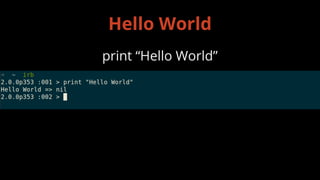
print “Hello World”
Hello World
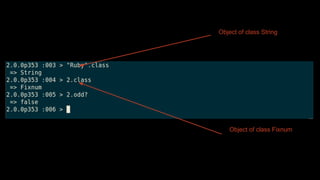
Most things in Ruby is
Object
OObject of class String
OObject of class Fixnum
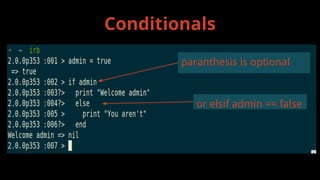
Conditionals
or elsif admin == false
paranthesis is optional
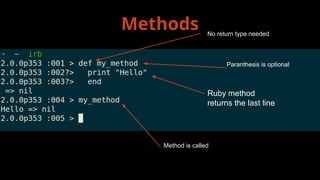
Methods No return type needed
Paranthesis is optional
Ruby method
returns the last line
Method is called
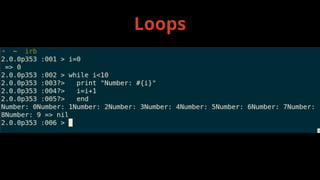
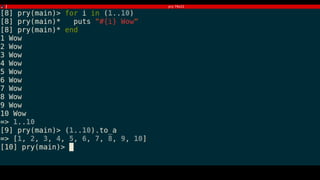
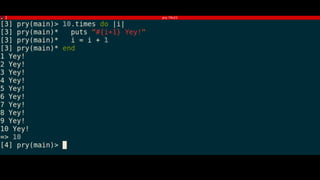
Loops
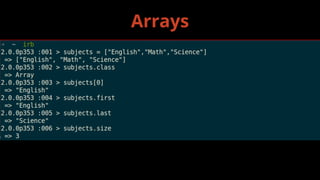
Arrays
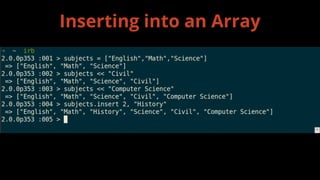
Inserting into an Array
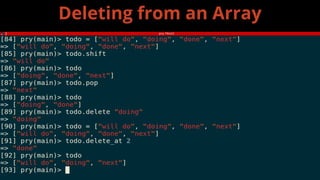
Deleting from an Array
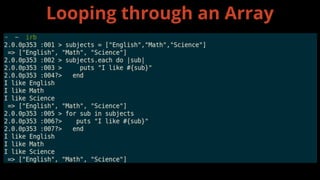
Looping through an Array
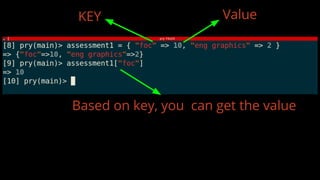
Hash
KEY Value
Based on key, you can get the value
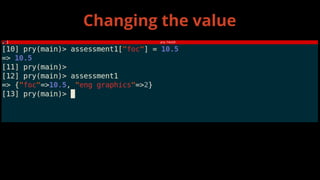
Changing the value
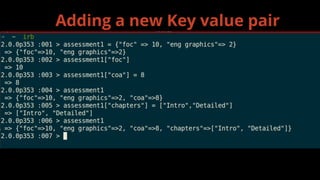
Adding a new Key value pair
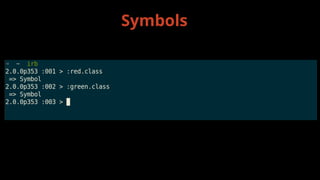
Symbols
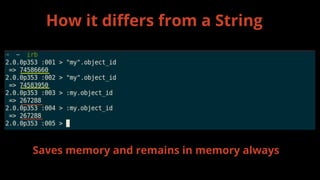
How it differs from a String
Saves memory and remains in memory always
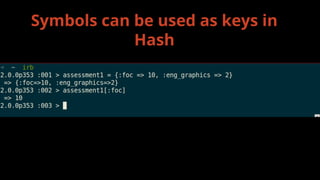
Symbols can be used as keys in
Hash
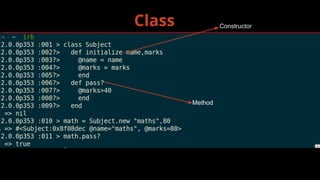
Class Constructor
Method
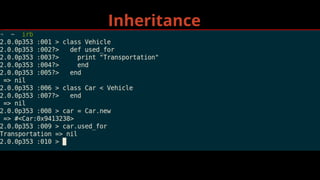
Inheritance
➢ Global - $
➢ Instance - @
➢ Class - @@
➢ Local - [a-z] or _
➢ Constants - CAPS
Variables
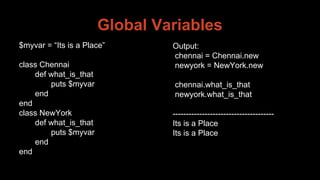
Global Variables
$myvar = “Its is a Place”
class Chennai
def what_is_that
puts $myvar
end
end
class NewYork
def what_is_that
puts $myvar
end
end
Output:
chennai = Chennai.new
newyork = NewYork.new
chennai.what_is_that
newyork.what_is_that
--------------------------------------
Its is a Place
Its is a Place
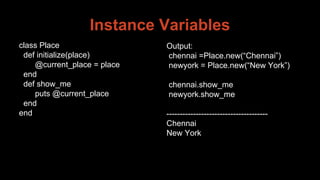
Instance Variables
class Place
def initialize(place)
@current_place = place
end
def show_me
puts @current_place
end
end
Output:
chennai =Place.new(“Chennai”)
newyork = Place.new(“New York”)
chennai.show_me
newyork.show_me
--------------------------------------
Chennai
New York
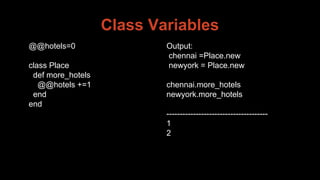
Class Variables
@@hotels=0
class Place
def more_hotels
@@hotels +=1
end
end
Output:
chennai =Place.new
newyork = Place.new
chennai.more_hotels
newyork.more_hotels
--------------------------------------
1
2
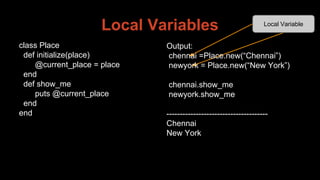
Local Variables
Output:
chennai =Place.new(“Chennai”)
newyork = Place.new(“New York”)
chennai.show_me
newyork.show_me
--------------------------------------
Chennai
New York
Local Variable
class Place
def initialize(place)
@current_place = place
end
def show_me
puts @current_place
end
end
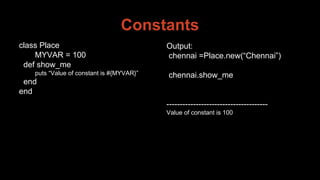
Constants
class Place
MYVAR = 100
def show_me
puts “Value of constant is #{MYVAR}”
end
end
Output:
chennai =Place.new(“Chennai”)
chennai.show_me
--------------------------------------
Value of constant is 100
a version manager (RVM or rbenv or other)
Install ruby using
Thank You!

Ruby introduction