Effective writing
1
Importance of writing skills at work
• Creating written documents reveals so much about you and your business
skills.
• Your writing tells the reader about your educational background, pride in
your work and business expertise.
• Any company with employees who can write clearly and concisely has a
competitive edge over others who are still struggling to communicate.
• The emergence of the paperless office, e-mail, the internet and web pages
only increases the power of the written word.
2
RESUME WRITING
What is a resume?
• A resume is a one or two page summary of your
skills, experience and education.
• A goal of resume writing is to be brief and concise
since, at best, the resume reader will spend a minute
or so reviewing your qualifications.
4
What is a CV?
• A Curriculum Vitae, commonly referred to as CV, is a
longer (two or more pages), more detailed synopsis.
• It includes a summary of your educational and
academic backgrounds as well as teaching and
research experience, publications, presentations,
awards, honors, affiliations and other details.
5
What is a bio-data?
• The biodata generally contains the same type of information
as a résumé (i.e. objective, work history, salary information,
educational background), but will also include physical
attributes, such has height, weight, hair/skin/eye color, and a
photo.
• What most differentiates a biodata from a regular résumé is
information about the person's family. Members of the family
(including siblings, parents, grandparents, aunts, uncles, first
cousins, etc.) are each listed with their career and educational
background.
6
When to use a CV and a biodata?
• A CV is used primarily when applying for international,
academic, education, scientific or research positions or when
applying for fellowships or grants.
• In the South Asian community (India, Pakistan, Bangladesh), a
biodata is essentially a marriage Resume. Those of marrying
age will have a biodata to exchange with prospective suitors.
The purpose is similar to that of a résumé, to eliminate some
candidates from the pool of prospective suitors before
meeting others.
7
When do we write a resume?
• A resume is required for:
– Technical, administrative and managerial jobs.
– Sales positions.
– Secretarial, clerical, and other office jobs.
8
What Will a Resume Do For Me?
• Enable you to assess your strengths, skills, abilities and
experience - thereby preparing you for the interview
process
• Act as a reminder of you to the employer/interviewer after
you're done interviewing
• Be a basis for the interviewer to justify your hiring
• The ultimate goal of a resume is to gain you an interview!
9
Are There Any Absolute Rules of
Resume Writing?
• No typing errors
• No errors in spelling
• No lying or pompous accompaniments
• No negative information should be included
• Include only relevant information 10
Will I Have More Than One Version of My
Resume?
• YES!
• Employers today want to know what you can
do for them, so it is imperative that you create
a targeted resume each time you apply for an
opportunity.
• You will also develop a 'generic' resume to use
in online databases, such as ours.
11
What Is Focus In a Resume and Why
Should Mine Be Sharp?
• It is imperative that you catch a prospective
employer’s attention within the first few
seconds of reading your resume.
• People today are busy and often don’t spend
more than a minute or two scanning resumes,
so you have to sell yourself quickly and
concisely.
• Remember that your objective is your "thesis 12
Are There Different Styles of Resumes?
• Chronological
• Functional
• Targeted
13
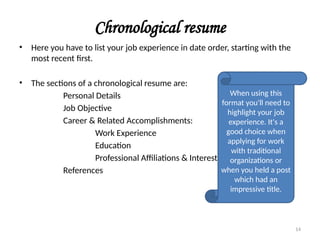
Chronological resume
• Here you have to list your job experience in date order, starting with the
most recent first.
• The sections of a chronological resume are:
Personal Details
Job Objective
Career & Related Accomplishments:
Work Experience
Education
Professional Affiliations & Interest
References
When using this
format you'll need to
highlight your job
experience. It's a
good choice when
applying for work
with traditional
organizations or
when you held a post
which had an
impressive title.
14
Functional resume
• Functional resumes are best used in situations where specific skills and
accomplishments gained through experience or academic qualifications
will demonstrate the candidate's competency. Your skills should be listed
in order of their importance.
• The functional resume is ideal if you're looking for a complete career
change. This resume is ideal for students who have no previous work
experience and are applying for their first job.
• Avoid the functional resume when you are applying for traditional jobs,
especially positions within government entities or private institutions.
15
A functional resume's categories are based on:
Personal Details
Career Objective
Professional Experience
Professional Affiliations
Education
Awards
16
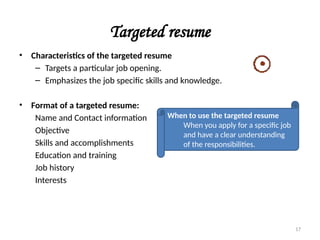
Targeted resume
• Characteristics of the targeted resume
– Targets a particular job opening.
– Emphasizes the job specific skills and knowledge.
• Format of a targeted resume:
Name and Contact information
Objective
Skills and accomplishments
Education and training
Job history
Interests
When to use the targeted resume
When you apply for a specific job
and have a clear understanding
of the responsibilities.
17
How to write a resume
• As you approach writing your résumé, it is
important to know that this is a marketing
piece, an advertisement, for your unique set
of skills, abilities and experience. It is a tool
that you use to gain an interview. Employers
today want to know “What can you do for
me?” …It is up to you to do the research and
discover what employers in your field seek in
a prospective employee.
18
How Do I Get Started?
• Get a job announcement or description for
the job, or type of job, you are seeking, if
possible.
• Make a list of all co-curricular activities you
are involved in
• Compile a list of all community activities of
which you are a part (social clubs, volunteer
work, etc.)
19
What Must I Have on My
Resume?
• Name
• Address
• Phone number
• Email address
• Objective
• Education
• Profile or Summary of
Qualifications
• Experience
• Licenses/Certifications 20
What Should Never Be on My Resume?
• Height, weight, age, date of birth, place of birth, marital status, sex,
race, health or social security number (NEVER!)
• The word "Resume" at the top!
• Any statement that begins with "I" or "My"
• Reasons for leaving previous job(s)
• Salary Information for previous positions or Salary Expectations
• Reference names
• Religion, political affiliations
21
Why Email addresses?
Email is a great way to communicate.
However, only include yours if you check it on
a regular basis (everyday!) Employers who use
this method will expect to hear back from you
soon. Also, be sure your email address
projects your professional image as well ~
addresses like 2hot2handle@mail.com or
braindeadat21@hottie.org would not be
appropriate! Use common sense.
22
Do I need an OBJECTIVE?
• YES, it tells the reader why you are sending
the resume, i.e., what position or type of
position you are seeking.
• It should be very brief, does not need to be a
complete sentence.
• An objective is like the thesis statement of
your resume. Everything you include after it
should support it!
• Ideally target your objective to include job title
desired, position level, field, industry, and/or 23
Sample objectives
• With proficient skills in network design and security to utilize my high
standards of productivity to ensure the outstanding management of local
area network hardware and software
• To design and install a data network infrastructure that does more than
‘meet standards’.
• To manage people, interface with customers, and work with highly
technical software or hardware applications.
• Position with computer hardware development company creating, refining,
and training about network security, where a strong background in
networks, effective communication skills, and a complete knowledge of
operating systems can be used to improve operations.
• To obtain a challenging job in the area of Digital Hardware Design and
Firmware Development that provides opportunities to use my skills and
experience.
24
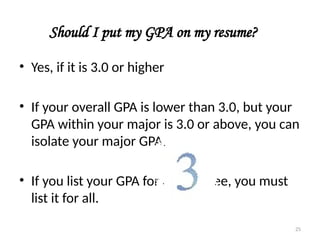
Should I put my GPA on my resume?
• Yes, if it is 3.0 or higher
• If your overall GPA is lower than 3.0, but your
GPA within your major is 3.0 or above, you can
isolate your major GPA.
• If you list your GPA for one degree, you must
list it for all.
25
Licenses and Certifications –
Do I include them?
• Yes, if they are relevant to the job you are seeking. Otherwise, no.
26
Does Coursework Belong on my Resume?
• Typically you use this section only if you are
seeking a co-op or intern position, in which
case, you will have a section under
Education where you list your Related
Courses.
• If you took a course that is one which other
students with your major would not take
and it would be advantageous for a
particular position, list it (probably under 27
Summary of Qualifications / Skills Section
• This is where you showcase for the employer what you have to offer - keeping
in mind what the job entails.
• You won't put every single skill, experience, or attribute you possess here,
focus on what you can do to successfully perform the job.
• Tailor this section to reflect what the employer is seeking, different positions
will warrant that you create different qualifications sections.
• These are brief statements of your experience, training and/or personal
abilities which summarize your skills, abilities and experience.
• Qualifications are more experience-based
28
How Do I List Jobs Within the
Experience Section?
• Job listing should be in reverse chronological
order
• Listing must include name of company, city
and state.
• Dates of employment are required.
• There is no rule about which jobs you must 29
• Another approach might be to only include
the relevant positions you've had and
name the section Related Experience or
Relevant Work History or something
similar.
• Another option is to isolate the related
experience (including internships) in one
section (titled Related Experience) then
follow with the unrelated (but still
valuable) experience in a Work History
section. 30
Where Do I Put My Activities And Awards?
• We recommend that you put this section
after your Employment History.
• Include scholarships, honors,
organizations, and memberships.
• Community work, volunteer work, is also
appropriate to list here.
• You don't have to include everything
you've been involved with if it is 31
What About Hobbies and Interests?
• As a general rule, we don’t recommend that
you list hobbies or interests unless they are
(1) organized, i.e., you belong to a club or
(2) relevant to the type of position you are
seeking
32
Who Can I Use As a Reference and
How Do I Format the Reference Page?
• Do not send to employer unless they request it.
• Reference names don’t go on the resume itself. They are a separate
document, using the same header you did on your resume.
• List the reference names and contact information in block style.
• We recommend between 3 and 5 references.
33
• They should all be individuals who have
direct knowledge of your job abilities
(supervisor, etc.) or a professor who
teaches a major-related class.
• Ask the references permission before you
use them.
• Be sure to take copies of your references
to all interviews. Most employers will
request them at that time. 34
I Need My Resume to Distinguish Me From
Everyone Else, How Do I Do That?
• Spend some time up front to determine what
you have to offer and what you are worth to
an employer.
• DON'T use the resume wizard or template
from your word processing software or copy
the samples from this workshop! This
document needs to be uniquely you - you
don't want to look like anyone else's.
• Answer the question, "Why am I more 35
What Are the Design Details I Most
Need to Know and Follow?
• Use bold, italics, different font sizes, upper-
case and small capitals lettering for
emphasis and to direct the reader's eye.
• Type should be between 10 & 12 pt. We
suggest using a professional, readily-
available font such as Times New Roman,
Arial, Bookman, Trebuchet, Lucida Sans,
Garamond, Verdana or Courier. You can
use a different font for the headers of your
resume as well as your contact information
but don't use more than 2 types.
• Don’t have all the text on the left side of
36
What About Paper?
• Use resume paper.
• Don’t get fancy – plain white or off-white
(cream, ecru, etc.) is your best bet.
• Don’t go with any bordered or themed paper.
You want the attention on your resume
content
37
What About Mailing?
• Don’t fold and stuff your resume in an
envelope (even the nice ones you can buy to
match your resume paper!)
• Buy envelopes that are the same size as your
resume and slip your cover letter on top, then
your resume. Type an address label and return
address label (or stamp if you have it) and mail
flat.
38
Common mistakes in a resume
• Employer & University Names. - Use their official names.
• Websites - Listing inappropriate URL's such as your personal website.
• Fonts - Using small fonts to save space.
• Lying on your resume - Careful the risks are too high.
• No cover letter - Not sending a cover letter with your resume.
• Non-professional email address - Your student email address does not
give that professional image required when applying for a job.
• Resume Keywords - Not including keywords in your resume.
• Not proof-reading your resume - Proof read your resume before sending.
• Industry jargon - Do not assume that whoever reads your resume will
know all the industry jargon.
39
Scan-able resumes
Recruiters and Employers store resumes that have been posted by job
candidates in databases. When they look for a person , they look by
keywords. Keywords would be the essential requirements for the role this
person will occupy. The search programs matches the keywords with text
in the CV or resume together with the search criteria.
40
Action verbs
• Achieved, Allocated, Analyzed, Approved, Arranged, Balanced, Built
• Calculated, Classified, Collaborated, Collected, Computed
• Delegated, Demonstrated, Designed, Developed, Diagnosed
• Edited, Engineered, Enlisted, Established, Evaluated
• Fabricated, Facilitated, Forecasted, Formulated, Founded
• Generated, Guided, Handled
• Identified, Illustrated, Implemented, Improved, Increased
• Lectured, Led , Listened, Litigated
• Maintained, Marketed, Mediated, Moderated, Motivated, Negotiated
• Operated, Organized, Originated, Overhauled, Oversaw
• Performed, Persuaded, Pioneered, Planned, Presented
• Recommended, Recruited, Reduced, Referred, Rehabilitated
• Scheduled, Shaped, Solved, Spearheaded, Spoke
• Taught, Trained, Translated, Upgraded, Wrote
41
Writing the Perfect
Cover Letter
42
What Is a Cover Letter?
 A supplement to the resume
that includes more detailed
information about yourself
 It highlights key points in your
resume
 Expresses your interest in a
position
 A cover letter expresses your
interest in and qualifications for
a position to a prospective
employer.
What Should My Cover Letter Accomplish?
• Your cover letter should
introduce the main points
of your resume.
• It should also help you to
“sell” your qualifications to
the prospective employer.
Preliminary Research
• Find out
* General job
information
* Desired qualifications
and skills
* Key values and words
• Check with
* Placement office files
* WWW
* Trade journals,
magazines, and
newsletters
* Directories
* Professors
* Company literature
45
Pre-Cover Letter Business
 If you have a company or employer in mind, do some
research regarding their policies and principles
 Review websites, brochures, pamphlets and any other
pertinent materials you can find about the company
 If you can, try to speak with current employees; this will
provide you with a unique inside perspective
 Once you’ve done your research and you have a good idea of
what qualifications the company is looking for, it’s time to
separate yourself from the rest of the pack
46
Activity
 Before you begin writing your letter, take some time to brainstorm. Make
a list of reasons why you’re the ideal candidate
47
A Few Things to Keep in Mind
 Do not over use “I”. Instead, place the focus on the employer
and use the word “you”
 The point of the cover letter is to flesh out your resume’s
selling points not to repeat the same things that appear in
your resume
48
Header
Satish Gupta
Human Resources Director
ABC Software
224/16A, Park Street,
Kolkata 700016
Dear Mr. Gupta:
• Address your letter to a
specific person, ideally to
the person who will
interview you.
• Look for the person’s
name in company
publications, or phone
the organization and ask
for the person’s name or
for the personnel
manager.
49
Salutation
 If you are addressing the letter to a specific person,
start out with the formal salutation: Dear Mr. Gupta.
If you don’t know the name use: Dear Hiring Manager
 Refrain from using the old standby’s: To whom it
may concern or Dear Sir or Madam
50
Introductory Paragraph
Your first paragraph should:
• Get the reader’s attention, stimulate interest, and be
appropriate for the job you are seeking.
• Make your goal clear to readers.
• Preview the rest of your letter. Highlight the qualifications
you will discuss throughout the letter.
• Discuss the position you are applying for
• List your references or how you heard about the job
51
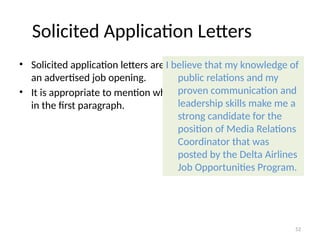
Solicited Application Letters
• Solicited application letters are letters written in response to
an advertised job opening.
• It is appropriate to mention where you learned of the opening
in the first paragraph.
I believe that my knowledge of
public relations and my
proven communication and
leadership skills make me a
strong candidate for the
position of Media Relations
Coordinator that was
posted by the Delta Airlines
Job Opportunities Program.
52
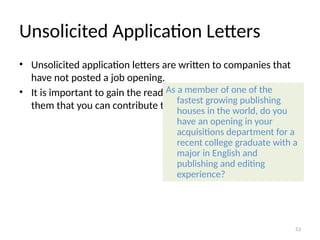
Unsolicited Application Letters
• Unsolicited application letters are written to companies that
have not posted a job opening.
• It is important to gain the reader’s attention and persuade
them that you can contribute to the company’s goals.
As a member of one of the
fastest growing publishing
houses in the world, do you
have an opening in your
acquisitions department for a
recent college graduate with a
major in English and
publishing and editing
experience?
53
Opening Paragraph Example
Dear Mr. Gupta:
As the enclosed resume attests, the customer support
position advertised in the Sacramento Bee is a perfect fit
with my qualifications. My experience working as a Help
Desk Student Assistant in the Division of Information
Technology at San Francisco State University and my vast
experience in the audio field has prepared me for the
technological and user support this job requires, making
me an ideal candidate for this position.
54
Goals of the Body Paragraphs
• Highlight your strongest qualifications for the position for
which you are applying.
• Demonstrate how these qualifications will benefit the
employer.
• Refer employers to your enclosed resume.
• You may provide examples of your achievements that have
benefited previous companies
• Be specific in your descriptions
Detailing Your Experience
• Show (don’t tell) employers your qualifications
• Include specific, credible examples of your qualifications for
the position.
• Use numbers, names of equipment you've used, or features of
a project that may apply to the job you want.
As a banking
representative at Bank
One, I provided quality
customer service while
promoting the sale of
products to customers. I
also handled upwards of
$20,000 a day and was
responsible for balancing
the bank’s ATM machine.
56
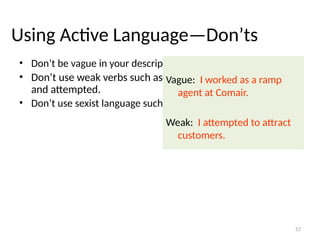
Using Active Language—Don’ts
• Don’t be vague in your descriptions.
• Don’t use weak verbs such as endeavored, tried, hoped,
and attempted.
• Don’t use sexist language such as chairman and manpower.
Vague: I worked as a ramp
agent at Comair.
Weak: I attempted to attract
customers.
57
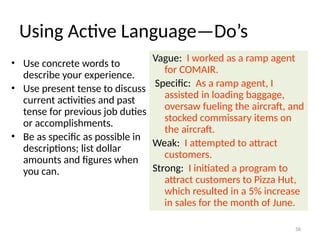
Using Active Language—Do’s
• Use concrete words to
describe your experience.
• Use present tense to discuss
current activities and past
tense for previous job duties
or accomplishments.
• Be as specific as possible in
descriptions; list dollar
amounts and figures when
you can.
Vague: I worked as a ramp agent
for COMAIR.
Specific: As a ramp agent, I
assisted in loading baggage,
oversaw fueling the aircraft, and
stocked commissary items on
the aircraft.
Weak: I attempted to attract
customers.
Strong: I initiated a program to
attract customers to Pizza Hut,
which resulted in a 5% increase
in sales for the month of June.
58
Body Paragraph Example
As my resume highlights, I have offered high-
responsibility computer and software support for faculty,
staff and students. This experience, along with
constant home use of computers, has given me a
thorough background of many different forms of
software and operating systems including the Windows
and Apple families, Microsoft Office, and Dreamweaver. I
have also become very comfortable performing hardware
and software upgrades on Windows and Mac machines
and working with various types of networks including
wireless and LAN. In addition, I master new skills quickly
and complete tasks efficiently.
59
Concluding Your Letter
I would welcome the
opportunity to discuss
these and other
qualifications with you. If
you are interested, please
contact me at (317) 555-
0118 any morning before
11:00 a.m., or feel free to
leave a message.
• Conclude by asking for a personal
interview.
• Set up a possible time and date. Be
flexible regarding a date and time for
the interview.
• Be specific about how the interviewer
should contact you. Try using an active
ending; in other words, rather than
asking them to contact you, tell them
you will contact them in a few days
• Be genuine and thank them for their
time
60
Closing Paragraph Example
Please take the time to look over my resume, and feel free to contact my
references. I would love to further discuss this position in person. I will
follow up with you in a few days to answer any preliminary questions you
might have. In the meantime, please do not hesitate to contact me at
916-424-4444.
Thank you for your time and consideration.
61
Double and Triple Check Before Sending
 Check for spelling errors and typos—professionalism is a must
 Don’t go over a page
 Always customize your cover letter. Don’t forget to change
your contact information
 Maintain a friendly and professional tone throughout the letter
 Don’t forget to sign your letter
62
 Organize your body paragraphs to emphasize your strongest
and most relevant qualifications. Only include the two or three
strongest qualifications from your resume. Make it easy for
readers to scan your letter by beginning each paragraph with a
topic sentence.
63
Mailing Your Letter With Your Resume
• Coordinate the design of
your letter with the design
of your resume.
• Be sure to send both to
prospective employers;
they both reveal different
kinds of information about
you.
Key Points to Remember
• Appeal to company values,
attitudes, goals, projects, etc.
• Elaborate on the information
in your resume.
• Provide evidence of your
qualifications.
Email Etiquettes
66
What is Netiquette?
• Netiquette is a set of rules for behaving properly online
67
Why netiquette?
• We all interact with the printed word as though it has a personality
and that personality makes positive and negative impressions upon
us.
• Without immediate feedback your document can easily be
misinterpreted by your reader, so it is crucial that you follow the basic
rules of etiquette to construct an appropriate tone.
68
Netiquette rules
• Be concise and to the point
• Answer all questions, and pre-empt further questions
• Use proper spelling, grammar & punctuation
• Make it personal
• Use templates for frequently used responses
• Answer swiftly
• Do not attach unnecessary files
• Use proper structure & layout
• Do not overuse the high priority option
• Do not write in CAPITALS
69
• Add disclaimers to your emails
• Read the email before you send it
• Do not overuse Reply to All
• Use the bcc: field or do a mail merge
• Take care with abbreviations and emoticons
• Be careful with formatting
• Take care with rich text and HTML messages
• Do not forward chain letters
• Do not request delivery and read receipts
70
• Do not ask to recall a message.
• Do not copy a message or attachment without permission
• Do not use email to discuss confidential information
• Use a meaningful subject
• Use active instead of passive
• Avoid using URGENT and IMPORTANT
• Avoid long sentences
• Don't send or forward emails containing libelous, defamatory,
offensive, racist or obscene remarks.
• Don't forward virus hoaxes and chain letters.
• Keep your language gender neutral
• Don't reply to spam
• Use cc: field sparingly
71
General Format
• Write a salutation for
each new subject email.
• Try to keep the email
brief (one screen length).
• Return emails within the
same time you would a
phone call.
• Check for punctuation,
spelling, and grammatical
errors
• Use caps when
appropriate.
• Format your email for
plain text rather than
HTML.
• Use a font that has a
professional or neutral
look.
72
Character Spacing
• Try to keep your line length at 80 characters or less.
• If your message is likely to be forwarded, keep it to 60 characters or
less.
• Set your email preferences to automatically wrap outgoing plain text
messages.
73
Lists and Bullets
When you are writing
directions or want to
emphasize important
points, number your
directions or bullet your
main points.
For example,
1) Place the paper in
drawer A.
2) Click the green “start”
button.
Another example,
• Improve customer
satisfaction.
• Empower employees.
74
Tone
• Write in a positive tone
“When you complete the
report.” instead of “If you
complete the report.”
• Avoid negative words that
begin with “un, non, ex” or
that end with “less”
(useless, non-existent, ex-
employee, undecided).
• Use smiles , winks ;),
and other graphical
symbols only when
appropriate.
• Use contractions to add a
friendly tone.
(don’t, won’t, can’t).
75
Addresses
• Avoid sending emails to
more than four addresses
at once.
• Instead, create a mailing
list so that readers do not
have to scroll too much
before getting to the actual
message.
To: maillist4@cs.com
Attachments
• When you are sending an
attachment tell your
respondent what the name
of the file is, what program
it is saved in, and the
version of the program.
• “This file is in MSWord
2000 under the name
“LabFile.”
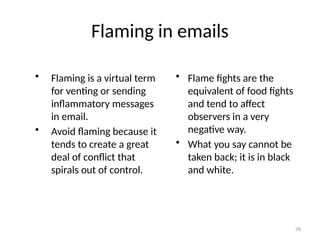
Flaming in emails
• Flaming is a virtual term
for venting or sending
inflammatory messages
in email.
• Avoid flaming because it
tends to create a great
deal of conflict that
spirals out of control.
• Flame fights are the
equivalent of food fights
and tend to affect
observers in a very
negative way.
• What you say cannot be
taken back; it is in black
and white.
78
Keep flaming under control
• Before you send an email
message, ask yourself,
“would I say this to this
person’s face?”
• Calm down before
responding to a message
that offends you. Once
you send the message it
is gone.
•
Read your message twice
before you send it and
assume that you may be
misinterpreted when
proofreading.
79
When you need to flame
• There are times when you
may need to blow off
some steam.
• Remember your audience
and your situation before
sending the email.
Here’s a way to flame:
Flame On
Your message
Flame Off
80
Responding to a flame
• Empathize with the
sender’s frustration and
tell them they are right if
that is true
• If you feel you are right,
thank them for bringing
the matter to your
attention
• Explain what led to the
problem in question
• Avoid getting bogged
down by details and
minor arguments
• If you are aware that the
situation is in the process
of being resolved let the
reader know at the top of
the response
• Apologize if necessary
81
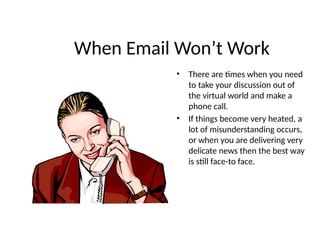
When Email Won’t Work
• There are times when you need
to take your discussion out of
the virtual world and make a
phone call.
• If things become very heated, a
lot of misunderstanding occurs,
or when you are delivering very
delicate news then the best way
is still face-to face.
INTEROFFICE MEMO
83
Memos
• Memorandum is the Latin word for
“something to be remembered”
• Memos are brief in-house correspondence
sent up and down the corporate ladder
• They can be on paper or sent through e-mail
84
Memo Protocol and Company Politics
• Regardless of where you work, your employer
will expect your memos to be timely,
professional, and tactful
• Most companies have their own memo
protocol
– Accepted ways in which in-house communications
are formatted, organized, written, and routed
85
Functions of Memos
Announcing a company policy or plan
Changing a policy or procedure
Offering information (FYI)
Setting an agenda
Making a request
Explaining a procedure or giving instructions
Clarifying or summarizing an issue
86
Functions of Memos
Alerting readers to a problem or a deadline
Confirming the outcome of a conversation
Calling a meeting
Reminding readers about a meeting, policy, or
procedure
Circulating minutes of a meeting
87
4–88
Functions of Memos
Providing documentation
Providing suggestions or recommendations
Documenting, for your own protection, what
you did or did not do
Summarizing a long report or proposal
Congratulating a co-worker
Resigning your post
Memo Format
• Some companies use a standard form while
others have their memo printed on their
letterheads
• The memo may be on a half sheet or a full
sheet
• Basically, the memo consists of two parts
– The identifying information at the top
– The message itself
89
Sample Memorandum (Memo)
6X
TO: All Students
FROM: Your Teacher
DATE: December 1, 200-
SUBJECT: MEMORANDUMS
Memorandums, commonly called “Memos” for short are used in many businesspeople to
communicate with others in the same office. This form of communication is called Interoffice
Memos. Businesspeople also send memos to people outside the office who work closely with
them.
Memos are usually brief and focus on a limited topic. They are often fairly informal in tone.
Words such as TO: FROM: DATE: SUBJECT: in a memo are called Headings or Guide
Words. A colon follows each heading and they are usually keyed in Double Spaced Lines (DS).
Be sure set your margins as follows: Top margin – two (2) inches and all other margins – one
(1) inch.
Thank you.
yt (Reference Initials of the FROM person. Key in lower case)
Headings or Guide Words
Key in ALL CAPS, a COLON after each one
then tab once or twice. DS between Headings.
TM: 2 inches
BM, LM, RM – 1 inch
SS within paragraphs
DS between paragraphs.
90
• The identifying information includes the
following lines
TO:
FROM:
DATE:
SUBJECT:
Memo Format
If your memo is going to more than one reader,
make sure you list them in the order of their
status in your company
Write your name (and job title, if necessary for the
reader.) You may write your initials after your
typed name to verify the memo comes from you
Give the full calendar date
This serves as the title line of your memo.
Summarize your message/purpose precisely
91
Memo Style and Tone
• The style and tone of your memo will be
controlled by the audience within your
company or agency
– Casual tone
• When writing to a co-worker whom you know well
– Formal tone
• When writing to a manager
Remember that your employer and co-workers deserve the same
clear and concise writing
that your customers do
92
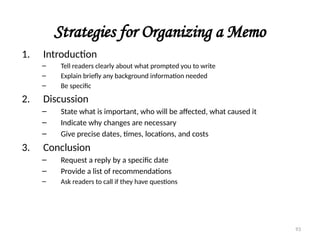
Strategies for Organizing a Memo
1. Introduction
– Tell readers clearly about what prompted you to write
– Explain briefly any background information needed
– Be specific
2. Discussion
– State what is important, who will be affected, what caused it
– Indicate why changes are necessary
– Give precise dates, times, locations, and costs
3. Conclusion
– Request a reply by a specific date
– Provide a list of recommendations
– Ask readers to call if they have questions
93
4–94
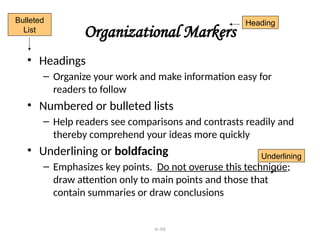
Organizational Markers
• Headings
– Organize your work and make information easy for
readers to follow
• Numbered or bulleted lists
– Help readers see comparisons and contrasts readily and
thereby comprehend your ideas more quickly
• Underlining or boldfacing
– Emphasizes key points. Do not overuse this technique;
draw attention only to main points and those that
contain summaries or draw conclusions
Heading
Bulleted
List
Underlining
95

Resume Writing, Drafting formal documents

  • 1.
  • 2.
    Importance of writingskills at work • Creating written documents reveals so much about you and your business skills. • Your writing tells the reader about your educational background, pride in your work and business expertise. • Any company with employees who can write clearly and concisely has a competitive edge over others who are still struggling to communicate. • The emergence of the paperless office, e-mail, the internet and web pages only increases the power of the written word. 2
  • 3.
  • 4.
    What is aresume? • A resume is a one or two page summary of your skills, experience and education. • A goal of resume writing is to be brief and concise since, at best, the resume reader will spend a minute or so reviewing your qualifications. 4
  • 5.
    What is aCV? • A Curriculum Vitae, commonly referred to as CV, is a longer (two or more pages), more detailed synopsis. • It includes a summary of your educational and academic backgrounds as well as teaching and research experience, publications, presentations, awards, honors, affiliations and other details. 5
  • 6.
    What is abio-data? • The biodata generally contains the same type of information as a résumé (i.e. objective, work history, salary information, educational background), but will also include physical attributes, such has height, weight, hair/skin/eye color, and a photo. • What most differentiates a biodata from a regular résumé is information about the person's family. Members of the family (including siblings, parents, grandparents, aunts, uncles, first cousins, etc.) are each listed with their career and educational background. 6
  • 7.
    When to usea CV and a biodata? • A CV is used primarily when applying for international, academic, education, scientific or research positions or when applying for fellowships or grants. • In the South Asian community (India, Pakistan, Bangladesh), a biodata is essentially a marriage Resume. Those of marrying age will have a biodata to exchange with prospective suitors. The purpose is similar to that of a résumé, to eliminate some candidates from the pool of prospective suitors before meeting others. 7
  • 8.
    When do wewrite a resume? • A resume is required for: – Technical, administrative and managerial jobs. – Sales positions. – Secretarial, clerical, and other office jobs. 8
  • 9.
    What Will aResume Do For Me? • Enable you to assess your strengths, skills, abilities and experience - thereby preparing you for the interview process • Act as a reminder of you to the employer/interviewer after you're done interviewing • Be a basis for the interviewer to justify your hiring • The ultimate goal of a resume is to gain you an interview! 9
  • 10.
    Are There AnyAbsolute Rules of Resume Writing? • No typing errors • No errors in spelling • No lying or pompous accompaniments • No negative information should be included • Include only relevant information 10
  • 11.
    Will I HaveMore Than One Version of My Resume? • YES! • Employers today want to know what you can do for them, so it is imperative that you create a targeted resume each time you apply for an opportunity. • You will also develop a 'generic' resume to use in online databases, such as ours. 11
  • 12.
    What Is FocusIn a Resume and Why Should Mine Be Sharp? • It is imperative that you catch a prospective employer’s attention within the first few seconds of reading your resume. • People today are busy and often don’t spend more than a minute or two scanning resumes, so you have to sell yourself quickly and concisely. • Remember that your objective is your "thesis 12
  • 13.
    Are There DifferentStyles of Resumes? • Chronological • Functional • Targeted 13
  • 14.
    Chronological resume • Hereyou have to list your job experience in date order, starting with the most recent first. • The sections of a chronological resume are: Personal Details Job Objective Career & Related Accomplishments: Work Experience Education Professional Affiliations & Interest References When using this format you'll need to highlight your job experience. It's a good choice when applying for work with traditional organizations or when you held a post which had an impressive title. 14
  • 15.
    Functional resume • Functionalresumes are best used in situations where specific skills and accomplishments gained through experience or academic qualifications will demonstrate the candidate's competency. Your skills should be listed in order of their importance. • The functional resume is ideal if you're looking for a complete career change. This resume is ideal for students who have no previous work experience and are applying for their first job. • Avoid the functional resume when you are applying for traditional jobs, especially positions within government entities or private institutions. 15
  • 16.
    A functional resume'scategories are based on: Personal Details Career Objective Professional Experience Professional Affiliations Education Awards 16
  • 17.
    Targeted resume • Characteristicsof the targeted resume – Targets a particular job opening. – Emphasizes the job specific skills and knowledge. • Format of a targeted resume: Name and Contact information Objective Skills and accomplishments Education and training Job history Interests When to use the targeted resume When you apply for a specific job and have a clear understanding of the responsibilities. 17
  • 18.
    How to writea resume • As you approach writing your résumé, it is important to know that this is a marketing piece, an advertisement, for your unique set of skills, abilities and experience. It is a tool that you use to gain an interview. Employers today want to know “What can you do for me?” …It is up to you to do the research and discover what employers in your field seek in a prospective employee. 18
  • 19.
    How Do IGet Started? • Get a job announcement or description for the job, or type of job, you are seeking, if possible. • Make a list of all co-curricular activities you are involved in • Compile a list of all community activities of which you are a part (social clubs, volunteer work, etc.) 19
  • 20.
    What Must IHave on My Resume? • Name • Address • Phone number • Email address • Objective • Education • Profile or Summary of Qualifications • Experience • Licenses/Certifications 20
  • 21.
    What Should NeverBe on My Resume? • Height, weight, age, date of birth, place of birth, marital status, sex, race, health or social security number (NEVER!) • The word "Resume" at the top! • Any statement that begins with "I" or "My" • Reasons for leaving previous job(s) • Salary Information for previous positions or Salary Expectations • Reference names • Religion, political affiliations 21
  • 22.
    Why Email addresses? Emailis a great way to communicate. However, only include yours if you check it on a regular basis (everyday!) Employers who use this method will expect to hear back from you soon. Also, be sure your email address projects your professional image as well ~ addresses like 2hot2handle@mail.com or braindeadat21@hottie.org would not be appropriate! Use common sense. 22
  • 23.
    Do I needan OBJECTIVE? • YES, it tells the reader why you are sending the resume, i.e., what position or type of position you are seeking. • It should be very brief, does not need to be a complete sentence. • An objective is like the thesis statement of your resume. Everything you include after it should support it! • Ideally target your objective to include job title desired, position level, field, industry, and/or 23
  • 24.
    Sample objectives • Withproficient skills in network design and security to utilize my high standards of productivity to ensure the outstanding management of local area network hardware and software • To design and install a data network infrastructure that does more than ‘meet standards’. • To manage people, interface with customers, and work with highly technical software or hardware applications. • Position with computer hardware development company creating, refining, and training about network security, where a strong background in networks, effective communication skills, and a complete knowledge of operating systems can be used to improve operations. • To obtain a challenging job in the area of Digital Hardware Design and Firmware Development that provides opportunities to use my skills and experience. 24
  • 25.
    Should I putmy GPA on my resume? • Yes, if it is 3.0 or higher • If your overall GPA is lower than 3.0, but your GPA within your major is 3.0 or above, you can isolate your major GPA. • If you list your GPA for one degree, you must list it for all. 25
  • 26.
    Licenses and Certifications– Do I include them? • Yes, if they are relevant to the job you are seeking. Otherwise, no. 26
  • 27.
    Does Coursework Belongon my Resume? • Typically you use this section only if you are seeking a co-op or intern position, in which case, you will have a section under Education where you list your Related Courses. • If you took a course that is one which other students with your major would not take and it would be advantageous for a particular position, list it (probably under 27
  • 28.
    Summary of Qualifications/ Skills Section • This is where you showcase for the employer what you have to offer - keeping in mind what the job entails. • You won't put every single skill, experience, or attribute you possess here, focus on what you can do to successfully perform the job. • Tailor this section to reflect what the employer is seeking, different positions will warrant that you create different qualifications sections. • These are brief statements of your experience, training and/or personal abilities which summarize your skills, abilities and experience. • Qualifications are more experience-based 28
  • 29.
    How Do IList Jobs Within the Experience Section? • Job listing should be in reverse chronological order • Listing must include name of company, city and state. • Dates of employment are required. • There is no rule about which jobs you must 29
  • 30.
    • Another approachmight be to only include the relevant positions you've had and name the section Related Experience or Relevant Work History or something similar. • Another option is to isolate the related experience (including internships) in one section (titled Related Experience) then follow with the unrelated (but still valuable) experience in a Work History section. 30
  • 31.
    Where Do IPut My Activities And Awards? • We recommend that you put this section after your Employment History. • Include scholarships, honors, organizations, and memberships. • Community work, volunteer work, is also appropriate to list here. • You don't have to include everything you've been involved with if it is 31
  • 32.
    What About Hobbiesand Interests? • As a general rule, we don’t recommend that you list hobbies or interests unless they are (1) organized, i.e., you belong to a club or (2) relevant to the type of position you are seeking 32
  • 33.
    Who Can IUse As a Reference and How Do I Format the Reference Page? • Do not send to employer unless they request it. • Reference names don’t go on the resume itself. They are a separate document, using the same header you did on your resume. • List the reference names and contact information in block style. • We recommend between 3 and 5 references. 33
  • 34.
    • They shouldall be individuals who have direct knowledge of your job abilities (supervisor, etc.) or a professor who teaches a major-related class. • Ask the references permission before you use them. • Be sure to take copies of your references to all interviews. Most employers will request them at that time. 34
  • 35.
    I Need MyResume to Distinguish Me From Everyone Else, How Do I Do That? • Spend some time up front to determine what you have to offer and what you are worth to an employer. • DON'T use the resume wizard or template from your word processing software or copy the samples from this workshop! This document needs to be uniquely you - you don't want to look like anyone else's. • Answer the question, "Why am I more 35
  • 36.
    What Are theDesign Details I Most Need to Know and Follow? • Use bold, italics, different font sizes, upper- case and small capitals lettering for emphasis and to direct the reader's eye. • Type should be between 10 & 12 pt. We suggest using a professional, readily- available font such as Times New Roman, Arial, Bookman, Trebuchet, Lucida Sans, Garamond, Verdana or Courier. You can use a different font for the headers of your resume as well as your contact information but don't use more than 2 types. • Don’t have all the text on the left side of 36
  • 37.
    What About Paper? •Use resume paper. • Don’t get fancy – plain white or off-white (cream, ecru, etc.) is your best bet. • Don’t go with any bordered or themed paper. You want the attention on your resume content 37
  • 38.
    What About Mailing? •Don’t fold and stuff your resume in an envelope (even the nice ones you can buy to match your resume paper!) • Buy envelopes that are the same size as your resume and slip your cover letter on top, then your resume. Type an address label and return address label (or stamp if you have it) and mail flat. 38
  • 39.
    Common mistakes ina resume • Employer & University Names. - Use their official names. • Websites - Listing inappropriate URL's such as your personal website. • Fonts - Using small fonts to save space. • Lying on your resume - Careful the risks are too high. • No cover letter - Not sending a cover letter with your resume. • Non-professional email address - Your student email address does not give that professional image required when applying for a job. • Resume Keywords - Not including keywords in your resume. • Not proof-reading your resume - Proof read your resume before sending. • Industry jargon - Do not assume that whoever reads your resume will know all the industry jargon. 39
  • 40.
    Scan-able resumes Recruiters andEmployers store resumes that have been posted by job candidates in databases. When they look for a person , they look by keywords. Keywords would be the essential requirements for the role this person will occupy. The search programs matches the keywords with text in the CV or resume together with the search criteria. 40
  • 41.
    Action verbs • Achieved,Allocated, Analyzed, Approved, Arranged, Balanced, Built • Calculated, Classified, Collaborated, Collected, Computed • Delegated, Demonstrated, Designed, Developed, Diagnosed • Edited, Engineered, Enlisted, Established, Evaluated • Fabricated, Facilitated, Forecasted, Formulated, Founded • Generated, Guided, Handled • Identified, Illustrated, Implemented, Improved, Increased • Lectured, Led , Listened, Litigated • Maintained, Marketed, Mediated, Moderated, Motivated, Negotiated • Operated, Organized, Originated, Overhauled, Oversaw • Performed, Persuaded, Pioneered, Planned, Presented • Recommended, Recruited, Reduced, Referred, Rehabilitated • Scheduled, Shaped, Solved, Spearheaded, Spoke • Taught, Trained, Translated, Upgraded, Wrote 41
  • 42.
  • 43.
    What Is aCover Letter?  A supplement to the resume that includes more detailed information about yourself  It highlights key points in your resume  Expresses your interest in a position  A cover letter expresses your interest in and qualifications for a position to a prospective employer.
  • 44.
    What Should MyCover Letter Accomplish? • Your cover letter should introduce the main points of your resume. • It should also help you to “sell” your qualifications to the prospective employer.
  • 45.
    Preliminary Research • Findout * General job information * Desired qualifications and skills * Key values and words • Check with * Placement office files * WWW * Trade journals, magazines, and newsletters * Directories * Professors * Company literature 45
  • 46.
    Pre-Cover Letter Business If you have a company or employer in mind, do some research regarding their policies and principles  Review websites, brochures, pamphlets and any other pertinent materials you can find about the company  If you can, try to speak with current employees; this will provide you with a unique inside perspective  Once you’ve done your research and you have a good idea of what qualifications the company is looking for, it’s time to separate yourself from the rest of the pack 46
  • 47.
    Activity  Before youbegin writing your letter, take some time to brainstorm. Make a list of reasons why you’re the ideal candidate 47
  • 48.
    A Few Thingsto Keep in Mind  Do not over use “I”. Instead, place the focus on the employer and use the word “you”  The point of the cover letter is to flesh out your resume’s selling points not to repeat the same things that appear in your resume 48
  • 49.
    Header Satish Gupta Human ResourcesDirector ABC Software 224/16A, Park Street, Kolkata 700016 Dear Mr. Gupta: • Address your letter to a specific person, ideally to the person who will interview you. • Look for the person’s name in company publications, or phone the organization and ask for the person’s name or for the personnel manager. 49
  • 50.
    Salutation  If youare addressing the letter to a specific person, start out with the formal salutation: Dear Mr. Gupta. If you don’t know the name use: Dear Hiring Manager  Refrain from using the old standby’s: To whom it may concern or Dear Sir or Madam 50
  • 51.
    Introductory Paragraph Your firstparagraph should: • Get the reader’s attention, stimulate interest, and be appropriate for the job you are seeking. • Make your goal clear to readers. • Preview the rest of your letter. Highlight the qualifications you will discuss throughout the letter. • Discuss the position you are applying for • List your references or how you heard about the job 51
  • 52.
    Solicited Application Letters •Solicited application letters are letters written in response to an advertised job opening. • It is appropriate to mention where you learned of the opening in the first paragraph. I believe that my knowledge of public relations and my proven communication and leadership skills make me a strong candidate for the position of Media Relations Coordinator that was posted by the Delta Airlines Job Opportunities Program. 52
  • 53.
    Unsolicited Application Letters •Unsolicited application letters are written to companies that have not posted a job opening. • It is important to gain the reader’s attention and persuade them that you can contribute to the company’s goals. As a member of one of the fastest growing publishing houses in the world, do you have an opening in your acquisitions department for a recent college graduate with a major in English and publishing and editing experience? 53
  • 54.
    Opening Paragraph Example DearMr. Gupta: As the enclosed resume attests, the customer support position advertised in the Sacramento Bee is a perfect fit with my qualifications. My experience working as a Help Desk Student Assistant in the Division of Information Technology at San Francisco State University and my vast experience in the audio field has prepared me for the technological and user support this job requires, making me an ideal candidate for this position. 54
  • 55.
    Goals of theBody Paragraphs • Highlight your strongest qualifications for the position for which you are applying. • Demonstrate how these qualifications will benefit the employer. • Refer employers to your enclosed resume. • You may provide examples of your achievements that have benefited previous companies • Be specific in your descriptions
  • 56.
    Detailing Your Experience •Show (don’t tell) employers your qualifications • Include specific, credible examples of your qualifications for the position. • Use numbers, names of equipment you've used, or features of a project that may apply to the job you want. As a banking representative at Bank One, I provided quality customer service while promoting the sale of products to customers. I also handled upwards of $20,000 a day and was responsible for balancing the bank’s ATM machine. 56
  • 57.
    Using Active Language—Don’ts •Don’t be vague in your descriptions. • Don’t use weak verbs such as endeavored, tried, hoped, and attempted. • Don’t use sexist language such as chairman and manpower. Vague: I worked as a ramp agent at Comair. Weak: I attempted to attract customers. 57
  • 58.
    Using Active Language—Do’s •Use concrete words to describe your experience. • Use present tense to discuss current activities and past tense for previous job duties or accomplishments. • Be as specific as possible in descriptions; list dollar amounts and figures when you can. Vague: I worked as a ramp agent for COMAIR. Specific: As a ramp agent, I assisted in loading baggage, oversaw fueling the aircraft, and stocked commissary items on the aircraft. Weak: I attempted to attract customers. Strong: I initiated a program to attract customers to Pizza Hut, which resulted in a 5% increase in sales for the month of June. 58
  • 59.
    Body Paragraph Example Asmy resume highlights, I have offered high- responsibility computer and software support for faculty, staff and students. This experience, along with constant home use of computers, has given me a thorough background of many different forms of software and operating systems including the Windows and Apple families, Microsoft Office, and Dreamweaver. I have also become very comfortable performing hardware and software upgrades on Windows and Mac machines and working with various types of networks including wireless and LAN. In addition, I master new skills quickly and complete tasks efficiently. 59
  • 60.
    Concluding Your Letter Iwould welcome the opportunity to discuss these and other qualifications with you. If you are interested, please contact me at (317) 555- 0118 any morning before 11:00 a.m., or feel free to leave a message. • Conclude by asking for a personal interview. • Set up a possible time and date. Be flexible regarding a date and time for the interview. • Be specific about how the interviewer should contact you. Try using an active ending; in other words, rather than asking them to contact you, tell them you will contact them in a few days • Be genuine and thank them for their time 60
  • 61.
    Closing Paragraph Example Pleasetake the time to look over my resume, and feel free to contact my references. I would love to further discuss this position in person. I will follow up with you in a few days to answer any preliminary questions you might have. In the meantime, please do not hesitate to contact me at 916-424-4444. Thank you for your time and consideration. 61
  • 62.
    Double and TripleCheck Before Sending  Check for spelling errors and typos—professionalism is a must  Don’t go over a page  Always customize your cover letter. Don’t forget to change your contact information  Maintain a friendly and professional tone throughout the letter  Don’t forget to sign your letter 62
  • 63.
     Organize yourbody paragraphs to emphasize your strongest and most relevant qualifications. Only include the two or three strongest qualifications from your resume. Make it easy for readers to scan your letter by beginning each paragraph with a topic sentence. 63
  • 64.
    Mailing Your LetterWith Your Resume • Coordinate the design of your letter with the design of your resume. • Be sure to send both to prospective employers; they both reveal different kinds of information about you.
  • 65.
    Key Points toRemember • Appeal to company values, attitudes, goals, projects, etc. • Elaborate on the information in your resume. • Provide evidence of your qualifications.
  • 66.
  • 67.
    What is Netiquette? •Netiquette is a set of rules for behaving properly online 67
  • 68.
    Why netiquette? • Weall interact with the printed word as though it has a personality and that personality makes positive and negative impressions upon us. • Without immediate feedback your document can easily be misinterpreted by your reader, so it is crucial that you follow the basic rules of etiquette to construct an appropriate tone. 68
  • 69.
    Netiquette rules • Beconcise and to the point • Answer all questions, and pre-empt further questions • Use proper spelling, grammar & punctuation • Make it personal • Use templates for frequently used responses • Answer swiftly • Do not attach unnecessary files • Use proper structure & layout • Do not overuse the high priority option • Do not write in CAPITALS 69
  • 70.
    • Add disclaimersto your emails • Read the email before you send it • Do not overuse Reply to All • Use the bcc: field or do a mail merge • Take care with abbreviations and emoticons • Be careful with formatting • Take care with rich text and HTML messages • Do not forward chain letters • Do not request delivery and read receipts 70
  • 71.
    • Do notask to recall a message. • Do not copy a message or attachment without permission • Do not use email to discuss confidential information • Use a meaningful subject • Use active instead of passive • Avoid using URGENT and IMPORTANT • Avoid long sentences • Don't send or forward emails containing libelous, defamatory, offensive, racist or obscene remarks. • Don't forward virus hoaxes and chain letters. • Keep your language gender neutral • Don't reply to spam • Use cc: field sparingly 71
  • 72.
    General Format • Writea salutation for each new subject email. • Try to keep the email brief (one screen length). • Return emails within the same time you would a phone call. • Check for punctuation, spelling, and grammatical errors • Use caps when appropriate. • Format your email for plain text rather than HTML. • Use a font that has a professional or neutral look. 72
  • 73.
    Character Spacing • Tryto keep your line length at 80 characters or less. • If your message is likely to be forwarded, keep it to 60 characters or less. • Set your email preferences to automatically wrap outgoing plain text messages. 73
  • 74.
    Lists and Bullets Whenyou are writing directions or want to emphasize important points, number your directions or bullet your main points. For example, 1) Place the paper in drawer A. 2) Click the green “start” button. Another example, • Improve customer satisfaction. • Empower employees. 74
  • 75.
    Tone • Write ina positive tone “When you complete the report.” instead of “If you complete the report.” • Avoid negative words that begin with “un, non, ex” or that end with “less” (useless, non-existent, ex- employee, undecided). • Use smiles , winks ;), and other graphical symbols only when appropriate. • Use contractions to add a friendly tone. (don’t, won’t, can’t). 75
  • 76.
    Addresses • Avoid sendingemails to more than four addresses at once. • Instead, create a mailing list so that readers do not have to scroll too much before getting to the actual message. To: maillist4@cs.com
  • 77.
    Attachments • When youare sending an attachment tell your respondent what the name of the file is, what program it is saved in, and the version of the program. • “This file is in MSWord 2000 under the name “LabFile.”
  • 78.
    Flaming in emails •Flaming is a virtual term for venting or sending inflammatory messages in email. • Avoid flaming because it tends to create a great deal of conflict that spirals out of control. • Flame fights are the equivalent of food fights and tend to affect observers in a very negative way. • What you say cannot be taken back; it is in black and white. 78
  • 79.
    Keep flaming undercontrol • Before you send an email message, ask yourself, “would I say this to this person’s face?” • Calm down before responding to a message that offends you. Once you send the message it is gone. • Read your message twice before you send it and assume that you may be misinterpreted when proofreading. 79
  • 80.
    When you needto flame • There are times when you may need to blow off some steam. • Remember your audience and your situation before sending the email. Here’s a way to flame: Flame On Your message Flame Off 80
  • 81.
    Responding to aflame • Empathize with the sender’s frustration and tell them they are right if that is true • If you feel you are right, thank them for bringing the matter to your attention • Explain what led to the problem in question • Avoid getting bogged down by details and minor arguments • If you are aware that the situation is in the process of being resolved let the reader know at the top of the response • Apologize if necessary 81
  • 82.
    When Email Won’tWork • There are times when you need to take your discussion out of the virtual world and make a phone call. • If things become very heated, a lot of misunderstanding occurs, or when you are delivering very delicate news then the best way is still face-to face.
  • 83.
  • 84.
    Memos • Memorandum isthe Latin word for “something to be remembered” • Memos are brief in-house correspondence sent up and down the corporate ladder • They can be on paper or sent through e-mail 84
  • 85.
    Memo Protocol andCompany Politics • Regardless of where you work, your employer will expect your memos to be timely, professional, and tactful • Most companies have their own memo protocol – Accepted ways in which in-house communications are formatted, organized, written, and routed 85
  • 86.
    Functions of Memos Announcinga company policy or plan Changing a policy or procedure Offering information (FYI) Setting an agenda Making a request Explaining a procedure or giving instructions Clarifying or summarizing an issue 86
  • 87.
    Functions of Memos Alertingreaders to a problem or a deadline Confirming the outcome of a conversation Calling a meeting Reminding readers about a meeting, policy, or procedure Circulating minutes of a meeting 87
  • 88.
    4–88 Functions of Memos Providingdocumentation Providing suggestions or recommendations Documenting, for your own protection, what you did or did not do Summarizing a long report or proposal Congratulating a co-worker Resigning your post
  • 89.
    Memo Format • Somecompanies use a standard form while others have their memo printed on their letterheads • The memo may be on a half sheet or a full sheet • Basically, the memo consists of two parts – The identifying information at the top – The message itself 89
  • 90.
    Sample Memorandum (Memo) 6X TO:All Students FROM: Your Teacher DATE: December 1, 200- SUBJECT: MEMORANDUMS Memorandums, commonly called “Memos” for short are used in many businesspeople to communicate with others in the same office. This form of communication is called Interoffice Memos. Businesspeople also send memos to people outside the office who work closely with them. Memos are usually brief and focus on a limited topic. They are often fairly informal in tone. Words such as TO: FROM: DATE: SUBJECT: in a memo are called Headings or Guide Words. A colon follows each heading and they are usually keyed in Double Spaced Lines (DS). Be sure set your margins as follows: Top margin – two (2) inches and all other margins – one (1) inch. Thank you. yt (Reference Initials of the FROM person. Key in lower case) Headings or Guide Words Key in ALL CAPS, a COLON after each one then tab once or twice. DS between Headings. TM: 2 inches BM, LM, RM – 1 inch SS within paragraphs DS between paragraphs. 90
  • 91.
    • The identifyinginformation includes the following lines TO: FROM: DATE: SUBJECT: Memo Format If your memo is going to more than one reader, make sure you list them in the order of their status in your company Write your name (and job title, if necessary for the reader.) You may write your initials after your typed name to verify the memo comes from you Give the full calendar date This serves as the title line of your memo. Summarize your message/purpose precisely 91
  • 92.
    Memo Style andTone • The style and tone of your memo will be controlled by the audience within your company or agency – Casual tone • When writing to a co-worker whom you know well – Formal tone • When writing to a manager Remember that your employer and co-workers deserve the same clear and concise writing that your customers do 92
  • 93.
    Strategies for Organizinga Memo 1. Introduction – Tell readers clearly about what prompted you to write – Explain briefly any background information needed – Be specific 2. Discussion – State what is important, who will be affected, what caused it – Indicate why changes are necessary – Give precise dates, times, locations, and costs 3. Conclusion – Request a reply by a specific date – Provide a list of recommendations – Ask readers to call if they have questions 93
  • 94.
    4–94 Organizational Markers • Headings –Organize your work and make information easy for readers to follow • Numbered or bulleted lists – Help readers see comparisons and contrasts readily and thereby comprehend your ideas more quickly • Underlining or boldfacing – Emphasizes key points. Do not overuse this technique; draw attention only to main points and those that contain summaries or draw conclusions Heading Bulleted List Underlining
  • 95.

Editor's Notes

  • #10 Yes, but only a few! Almost every rule you have ever heard can be broken, if you have a very good reason.   Some rules, however, are absolutes, including:
  • #13 Yes, there are three resumes styles. The chronological and functional styles have been around for a long time. Employers today are requesting the targeted style.
  • #21 health (some of these items may be necessary on an International Resume)
  • #25 Only for B.Tech students GPA: Grade Point Average
  • #29 Do not list street addresses, supervisors, telephone numbers or reason for leaving. Be sure to include month (or term) and year, i.e. June 2003-present.
  • #30 Typically job duties should not be included here unless they are highly relevant to your objective. Even then do not include duties which are implied by your job title or alluded to in the Summary of Qualifications or a Profile section.
  • #31 Some activities we are involved in may be controversial. For example: political affiliated groups. Name this section what it is. If it is all community work – Community Involvement – would be a good name; if it is all clubs and organizations – call it Activities; if it is all honors – call it Honors.
  • #34 Also ask them if they will give you a good reference. You don’t want to list folks who won’t sing your praises! Make sure to ask where they would like to be contacted, i.e., home or work and get the correct contact information for each person. Afterward, follow up with your references by sending them a copy of your completed resume. This will help them if/when they get a call on you.
  • #36 However, you can vary the size, style, etc.
  • #43 Key Concept: The facilitator should stress that a cover letter is highly personalized. There is no one correct way to write a cover letter, and writers should never simply copy another cover letter. Job applicants should think about what makes them qualified for the position they are seeking, and they should stress these qualifications throughout their letters.
  • #44 Key Concept: The cover letter should give the employer a sense of what makes an applicant unique and how their experiences and skills have prepared them for the job they are seeking. Applicants should demonstrate their knowledge of the company in the cover letter, and they should write persuasively, using solid facts and figures to support their claims.
  • #45 Key Concept: Doing preliminary research helps a writer to tailor their cover letter for the job they are applying for, and writers should do as much preliminary research as possible about the companies to which they are writing and the jobs for which they are applying. Applicants should conduct research whenever possible, especially for top choices. Job applicants should look at the vocabulary of job ads, especially the vocabulary of the ad to which they are responding. There are many job bank sites on the World Wide Web and browsing through some of the postings at these sites will help applicants understand how to discuss their experiences and skills in their cover letter. Activity: To browse job bank sites on the Internet, researchers can enter “jobs” as the key word in a search request. This will produce thousands of potential sites to look through, some of which will not be at all relevant to the researcher’s job search. Monster.com is a particularly helpful source of information on jobs and can be accessed at http://monster.com.
  • #49 Key Concept: The facilitator should stress that the key is to get the cover letter into the correct person’s hand with as few extra steps as possible. Sending the cover letter and resume to the person who is actually interviewing and/or hiring for a specific position will reduce the possibility of the letter “falling through the cracks” and being misplaced or lost. If an applicant does not know to whom they should address their letter, then they probably have not done enough research on the company to which they are applying. Visiting a company’s web page or consulting a reference librarian is the most minimal amount of research that an applicant should expect to do, and this research should yield the name of the person who should be addressed. In some cases, companies will post “blind ads” and will not reveal the name of the person interviewing. In this case, it is acceptable to address the “Personnel Manager” or the title listed in the job ad.
  • #51 Key Concept: It is important for applicants to write persuasive opening paragraphs. Writers can capture their reader’s attention best by demonstrating their knowledge of the job or company. If the job an applicant was advertised, applicants might tell where they learned of the opening. If applicants are writing to find out if a job is available, they might mention a product or project on which they are interested in working. In either case, applicants should work to tie their qualifications in with the job they are seeking. The approach writers take will be guided in large part by whether they are writing a solicited application letter or an unsolicited application letter.
  • #52 Example: The facilitator might point out that in the above example the applicant specifically names the position for which they are applying and where they learned of that position. They also start off by demonstrating what they can do for the company and how their qualifications have prepared them for the job.
  • #53 Example: The facilitator might point out that in the above example the applicant demonstrates their familiarity with the company and its departments, and emphasizes their qualifications for the position they are seeking, but does not mention a specific position by title since one has not been advertised.
  • #55 Key Concept: It isn’t necessary for writers to summarize their resumes in the cover letter. Rather, writers should focus on the few most significant things that qualify them for the position. Even one relevant experience is enough to discuss in the cover letter. Writers should also take the opportunity to refer employers to their resume.
  • #56 Key Concept: Writers should not simply restate descriptions from their resume in discussing specific experiences. They should be anecdotal instead, helping the employer to picture the writer working on the job.
  • #57 Key Concept: The facilitator should stress that writers want their readers to get a clear sense of what they have done and are capable of doing from their cover letters. The writer’s language should help, and not hinder, the employer’s understanding. Using language that is unprofessional, offensive, or vague creates obstacles in the reader’s understanding and therefore considerably weakens the cover letter and the writer’s chances of success. Click mouse to reveal each example.
  • #58 Examples: The facilitator might point out that when the vague and weak sentences are rewritten, they become much longer. This is due to the additional information added to convey meaning more clearly. If applicants find themselves writing very short sentences throughout the letter, it may be one sign that they are not including enough detail. Click mouse to reveal each example.
  • #60 Key Concept: The facilitator should stress the importance of politely asking for an interview in the conclusion of the letter. Writers should not assume that because they are writing a cover letter it is obvious and doesn’t need saying that they want an interview. Writers should also give specific instructions on how to be contacted. For those in transition, it is a good idea to include a phone number they will always have access to or where someone will always know how to reach them.
  • #64 Key Concept: It is best for writers to be consistent in their use of font, paper, and page layout for both the cover letter and the resume. This conveys an attitude of professionalism to the employer and demonstrates that the applicant has spent time customizing both.
  • #65 Key Concept: The facilitator should stress the importance of proofreading the cover letter before mailing it and of having a critical reader proofread the cover letter as well. A critical reader will often pick up on typographical errors or vague wording that the writer may overlook due to familiarity with the content.
  • #66 This presentation was designed in response to the growing popularity of email and the subsequent need for information on how to craft appropriate email messages, send resumes and cover letters via email.
  • #67 Simply stated, it's network etiquette -- that is, the etiquette of cyberspace. And etiquette means the forms required by good breeding or prescribed by authority to be required in social or official life. In other words,
  • #68 Explanation: Email has become very prevalent in most people’s lives and many use it to cheaply and quickly communicate with friends, family, and co-workers. Although this technology is available to everyone, and most people are accustomed to using email, people still are not very savvy when it comes to understanding how email functions in a relationship both personally and professionally. How we interpret email: While most people are aware that the computer is not a person and that emails do not have a character of their own, many people still react to them as though they do. Readers assign meaning to everything that people write and tend to perceive it as concrete because it is in black and white (or whatever color you may choose). This response, coupled with a lack of nonverbal cues, poses a serious challenge for email writers. It is easy for emails to be misinterpreted because people write as though they are having a conversation; however, the receiver does not read that way. Ask the audience: How many times have you received an email and felt a little put off by the message even though it was from a good friend? Have you ever sent an email that upset or confused someone? What was it like to be in that situation and what did you do to clear up the misunderstanding? It is because of these uncomfortable situations that some ground rules on email etiquette were established and why email writers should be mindful of them.
  • #69 Pre-empt-anticipate Templates :something that serves as a master or pattern from which other similar things can be made
  • #70 Disclaimer: a denial of legal liability for any injury associated with a product
  • #72 Explanation: Many complain that writers of email do not take the time to be personable. One way to remedy this and extend good will toward the reader is to add a salutation for each new subject. “Dear,” “Hello,” and “Hi” are all acceptable greetings. If a writer is communicating with someone about the same subject (for example, authorization for overtime) then it is considered acceptable to just begin the email with the first sentence. Length: A number of experts have a wide range of opinions on how lengthy an email should be. Some say that it does not matter and others say that an email should be as long as the text box without scrolling. Both perspectives appear to be correct. In general emails should be short and to the point. However, many companies are moving to paperless memos and other written transactions, thereby requiring that emails be longer. Time: It is considered rude not to respond to an email as soon as possible. Writers should strive to respond to emails as quickly as they would a phone message, which tends to be immediately. If the email requires a longer message than the writer is able to provide at that moment, it is considered proper etiquette to let the sender know that the message was received and that the writer is planning to respond as soon as time permits. Grammar and Punctuation: For the professional work world it is imperative that writers use capitalization, grammar, and other traditional ways of writing to include neutral fonts. Plain Text vs. HTML: Not all emails are formatted to read html. It is best to send everything in plain text unless the writer knows for certain that the person he or she is writing can read html.
  • #73 Alert: People may become confused about how to accomplish this. Most emails will generally account for this now. Reminder: If the message is likely to be forwarded it should be less than 60 characters so that it will work with anyone’s email software.
  • #74 Explanation: This is one of many ways to organize information within an email document. It’s an effective way to make the information flow more logically and it helps the reader to know the proper order of the information in the email in a very clear and concise way.
  • #75 Explanation: The main point of this slide is to help participates understand the importance of tone. These are ways to create a document that sounds friendly and “nonverbally” open. While it is important to follow rules of punctuation and grammar in email, using contractions can create a conversational style that isn’t intimidating. Remind students that tone is dependent on audience -- an email to a co-worker might have a substantially different tone than email to a boss. Ask them to think about situations and determine appropriate tones for them.
  • #76 Explanation: Many users of email complain a great deal about long address lists because they find it rude. Web and Internet experts tend to agree that scrolling is perceived by users to be an imposition. In other words they generally feel put upon when they are required to scroll too much. It is proper etiquette to minimize required scrolling as much as possible. Suggestions: Rather than typing in numerous email addresses in the to: line, create mailing list groups so that there is only one address. It is okay to have three mailing groups included but writers should not include any more than that. How do I set up a list? Many email composers have address functions that allow them to set up addresses for groups and individuals. Generally, writers will find these functions in the “address book” component of their email. If a writer is sending out lists that have more than twenty people it is a good idea to check with the IT (technology staff) staff in his or her office to assist with setting up group lists.
  • #77 Explanation: Attachments can sometimes cause more headaches than help, and it can be difficult for the recipient(s) to figure out why they are unable to download an attachment. One way to help is to provide all of the important information about the file so that the recipient can trouble shoot to something more serious if there is a problem other than incompatibility. Also, due to viruses that spread via e-mail attachments, it’s important that the recipient know that the sender meant for an attachment to be included with the message, and what kind of attachment it is, since opening unknown attachments could cause serious damage to the recipient’s system and spread viruses further. Always check any attachments you are going to send for viruses, and never open unknown attachments!
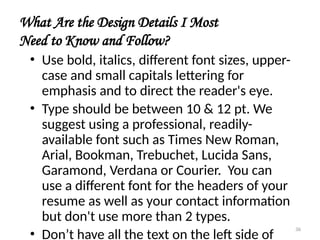
  • #78 Mouse-click to activate text Explanation: Many people become frustrated with a co-worker, boss, or office policy and have the need to vent that frustration. However, there are some serious problems with flaming and it should happen sparingly in emails. Activity: (read the following email to the audience) “I am so sick and tired of all the crap that goes on in this office. Judy is the most annoying person that I’ve ever known and she hardly ever gets her work done in a timely manner and I’m tired of watching her do nothing. Besides that, every time I try and get help Larry just acts like there isn’t a problem. I am SO CLOSE TO QUITTING! I swear that if someone says another thing to me I am out the door honestly. The procedures in here are only for certain people and the rest are favorites. As a matter of fact, I don’t even think this problem can be solved until Judy is fired.” Discussion: Have the audience think about the ramifications of sending this email. Who will be hurt? How? What could have been done by the writer earlier to avoid this build up of frustration? Might the writer have some legitimate concerns that are masked by his or her anger? What might be a better way to write about those concerns? *Angell and Heslop
  • #79 Mouse-click to activate text Explanation: It is easy for writers to let their guards down when communicating electronically because they are not actually getting immediate feedback. The nature of communication changes. Sometimes people tend to do and say things over email and on electronic mailing lists that they would never do in an office meeting or face to face with a co-worker. It is essential that the participants understand how unproductive flaming emails are and the snowball effect they can have in the office (because they can be forwarded or printed). Reminder: Do not use obscene or abusive language and do not flame in a public forum like a message group or electronic mailing list.
  • #80 Mouse-click to activate text Explanation: If a writer is compelled to flame and must blow off some steam then he or she must take the time to forewarn the receiver by letting them know which part of the email is the venting portion. Reminder: Email is public so remind the participants that they do not want to send something that may come back to haunt them. Also remember that even though writers may take the precautions of using the flame format, they may still offend the reader.
  • #81 Mouse-click to activate text Explanation: When responding to a flame, the respondent must do his or her best to remain professional and neutral. Emails are infamous for creating misunderstandings. Try to be as clear as possible and as empathetic as possible. If none of the above tactics work then it is most appropriate to take this concern outside of the electronic sphere and into the traditional interpersonal (face to face) sphere.
  • #82 Explanation: Not all messages are best delivered via email. There are many instances when one should stop and say, “It’s time to meet or talk in person because we’ve gotten as far as we can through email.” Generally, most people are agreeable to talking in person. Reminder: Because of the facelessness of email there are a number of misunderstandings and misperceptions that can occur.