Finding a Book—At Hawken, or through Clevnet 
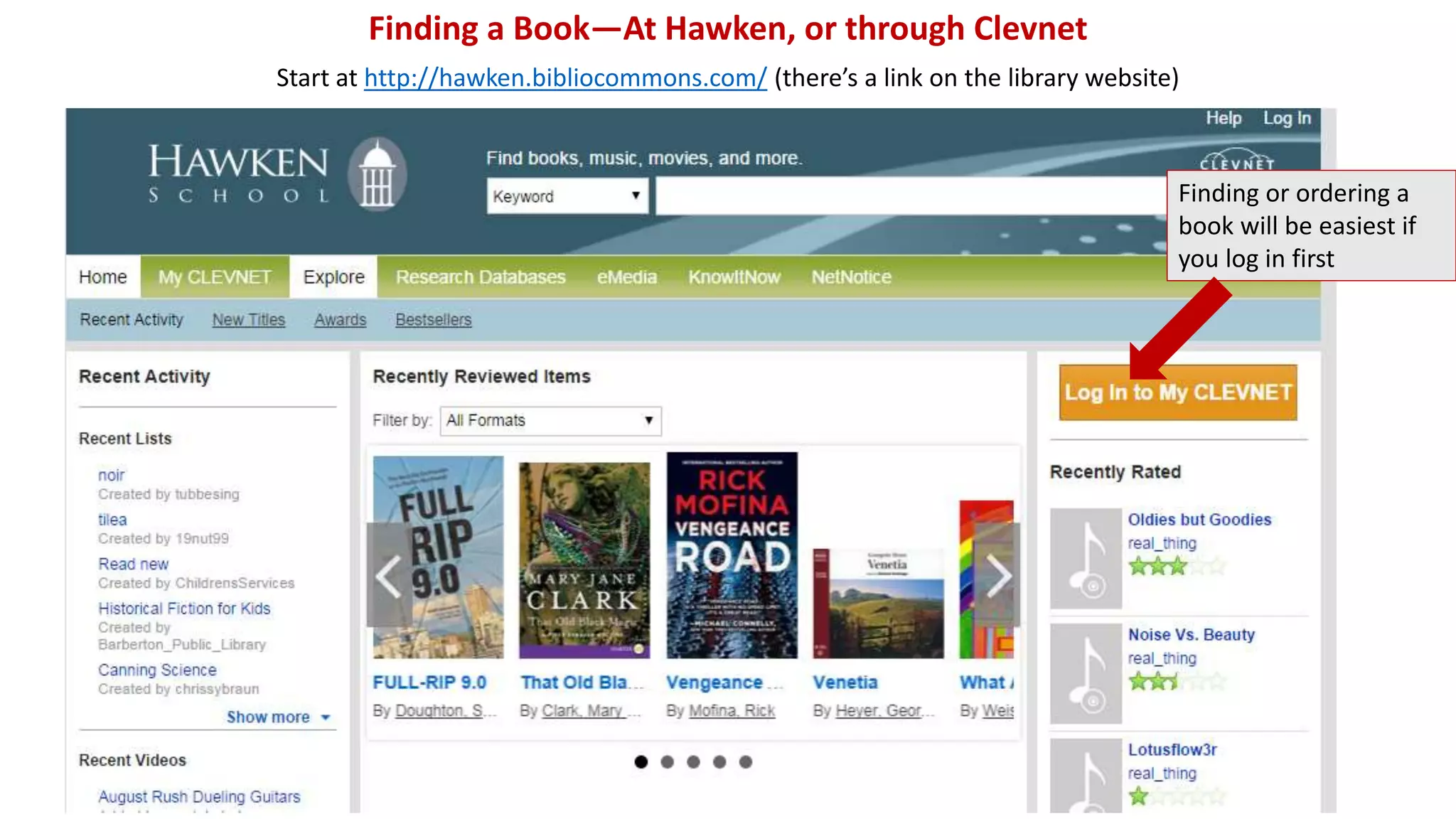
Start at http://hawken.bibliocommons.com/ (there’s a link on the library website) 
Finding or ordering a 
book will be easiest if 
you log in first
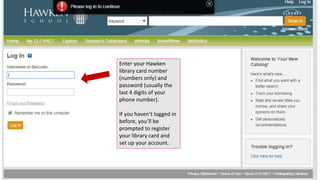
Enter your Hawken 
library card number 
(numbers only) and 
password (usually the 
last 4 digits of your 
phone number). 
If you haven’t logged in 
before, you’ll be 
prompted to register 
your library card and 
set up your account.
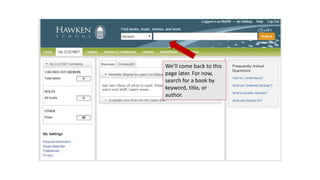
We’ll come back to this 
page later. For now, 
search for a book by 
keyword, title, or 
author.
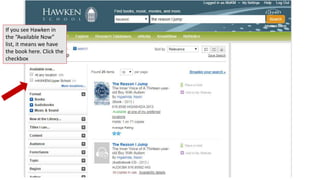
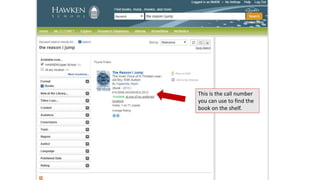
If you see Hawken in 
the “Available Now” 
list, it means we have 
the book here. Click the 
checkbox
This is the call number 
you can use to find the 
book on the shelf.
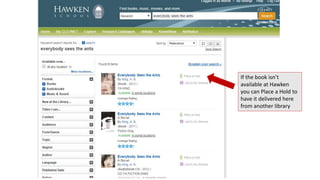
If the book isn’t 
available at Hawken 
you can Place a Hold to 
have it delivered here 
from another library
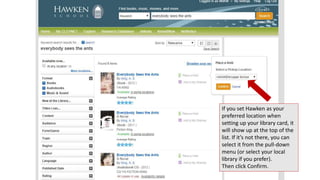
If you set Hawken as your 
preferred location when 
setting up your library card, it 
will show up at the top of the 
list. If it’s not there, you can 
select it from the pull-down 
menu (or select your local 
library if you prefer). 
Then click Confirm.
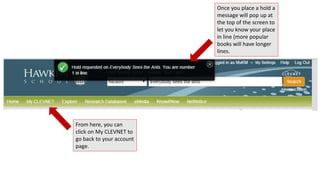
Once you place a hold a 
message will pop up at 
the top of the screen to 
let you know your place 
in line (more popular 
books will have longer 
lines. 
From here, you can 
click on My CLEVNET to 
go back to your account 
page.
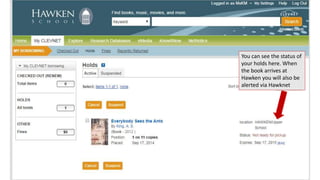
You can see the status of 
your holds here. When 
the book arrives at 
Hawken you will also be 
alerted via Hawknet
Finding a Book—At Hawken, or through Clevnet

Finding a Book—At Hawken, or through Clevnet

  • 1.
    Finding a Book—AtHawken, or through Clevnet Start at http://hawken.bibliocommons.com/ (there’s a link on the library website) Finding or ordering a book will be easiest if you log in first
  • 2.
    Enter your Hawken library card number (numbers only) and password (usually the last 4 digits of your phone number). If you haven’t logged in before, you’ll be prompted to register your library card and set up your account.
  • 3.
    We’ll come backto this page later. For now, search for a book by keyword, title, or author.
  • 4.
    If you seeHawken in the “Available Now” list, it means we have the book here. Click the checkbox
  • 5.
    This is thecall number you can use to find the book on the shelf.
  • 6.
    If the bookisn’t available at Hawken you can Place a Hold to have it delivered here from another library
  • 7.
    If you setHawken as your preferred location when setting up your library card, it will show up at the top of the list. If it’s not there, you can select it from the pull-down menu (or select your local library if you prefer). Then click Confirm.
  • 8.
    Once you placea hold a message will pop up at the top of the screen to let you know your place in line (more popular books will have longer lines. From here, you can click on My CLEVNET to go back to your account page.
  • 9.
    You can seethe status of your holds here. When the book arrives at Hawken you will also be alerted via Hawknet