Removing Structural Duplication
Alex Bolboacă, @alexboly, alex.bolboaca@mozaicworks.com
May 2017
1
What is Structural Duplication?
Why is it a problem?
When to remove?
Example: Exception management
Example: Views
How to remove
In the End . . .
2
What is Structural Duplication?
3
Definition
Structural duplication (better said, similarity) is a similar code
structure that repeats, even though the actions performed inside
the structure are different.
4
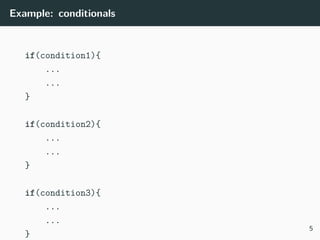
Example: conditionals
if(condition1){
...
...
}
if(condition2){
...
...
}
if(condition3){
...
...
}
5
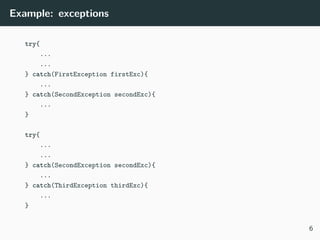
Example: exceptions
try{
...
...
} catch(FirstException firstExc){
...
} catch(SecondException secondExc){
...
}
try{
...
...
} catch(SecondException secondExc){
...
} catch(ThirdException thirdExc){
...
}
6
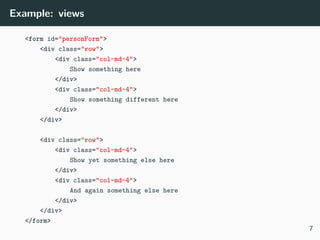
Example: views
<form id="personForm">
<div class="row">
<div class="col-md-4">
Show something here
</div>
<div class="col-md-4">
Show something different here
</div>
</div>
<div class="row">
<div class="col-md-4">
Show yet something else here
</div>
<div class="col-md-4">
And again something else here
</div>
</div>
</form>
7
Why is it a problem?
8
Issues
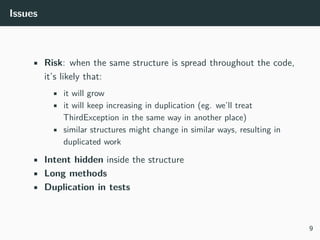
• Risk: when the same structure is spread throughout the code,
it’s likely that:
• it will grow
• it will keep increasing in duplication (eg. we’ll treat
ThirdException in the same way in another place)
• similar structures might change in similar ways, resulting in
duplicated work
• Intent hidden inside the structure
• Long methods
• Duplication in tests
9
When to remove?
10
Criteria for removal
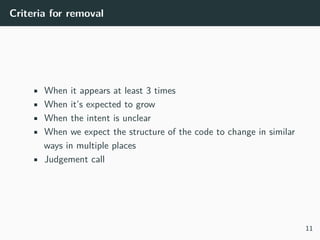
• When it appears at least 3 times
• When it’s expected to grow
• When the intent is unclear
• When we expect the structure of the code to change in similar
ways in multiple places
• Judgement call
11
Careful
12
Example: Exception management
13
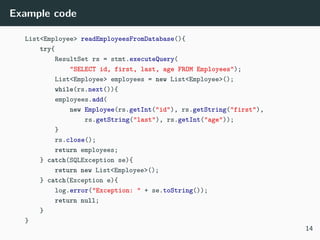
Example code
List<Employee> readEmployeesFromDatabase(){
try{
ResultSet rs = stmt.executeQuery(
"SELECT id, first, last, age FROM Employees");
List<Employee> employees = new List<Employee>();
while(rs.next()){
employees.add(
new Employee(rs.getInt("id"), rs.getString("first"),
rs.getString("last"), rs.getInt("age"));
}
rs.close();
return employees;
} catch(SQLException se){
return new List<Employee>();
} catch(Exception e){
log.error("Exception: " + se.toString());
return null;
}
}
14
Disclaimer
15
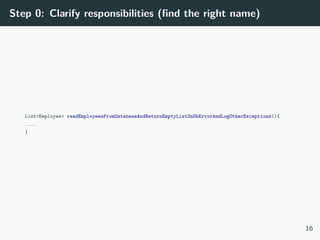
Step 0: Clarify responsibilities (find the right name)
List<Employee> readEmployeesFromDatabaseAndReturnEmptyListOnDbErrorAndLogOtherExceptions(){
....
}
16
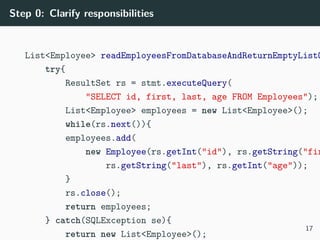
Step 0: Clarify responsibilities
List<Employee> readEmployeesFromDatabaseAndReturnEmptyListO
try{
ResultSet rs = stmt.executeQuery(
"SELECT id, first, last, age FROM Employees");
List<Employee> employees = new List<Employee>();
while(rs.next()){
employees.add(
new Employee(rs.getInt("id"), rs.getString("fir
rs.getString("last"), rs.getInt("age"));
}
rs.close();
return employees;
} catch(SQLException se){
return new List<Employee>();
17
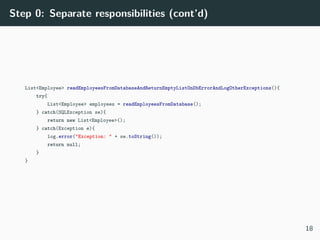
Step 0: Separate responsibilities (cont’d)
List<Employee> readEmployeesFromDatabaseAndReturnEmptyListOnDbErrorAndLogOtherExceptions(){
try{
List<Employee> employees = readEmployeesFromDatabase();
} catch(SQLException se){
return new List<Employee>();
} catch(Exception e){
log.error("Exception: " + se.toString());
return null;
}
}
18
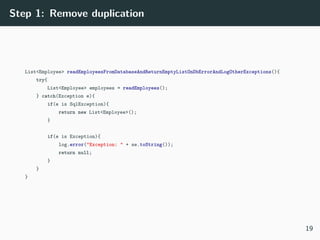
Step 1: Remove duplication
List<Employee> readEmployeesFromDatabaseAndReturnEmptyListOnDbErrorAndLogOtherExceptions(){
try{
List<Employee> employees = readEmployees();
} catch(Exception e){
if(e is SqlException){
return new List<Employee>();
}
if(e is Exception){
log.error("Exception: " + se.toString());
return null;
}
}
}
19
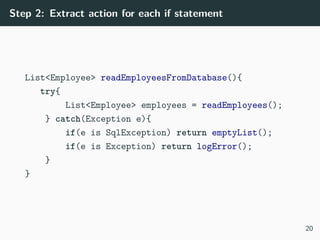
Step 2: Extract action for each if statement
List<Employee> readEmployeesFromDatabase(){
try{
List<Employee> employees = readEmployees();
} catch(Exception e){
if(e is SqlException) return emptyList();
if(e is Exception) return logError();
}
}
20
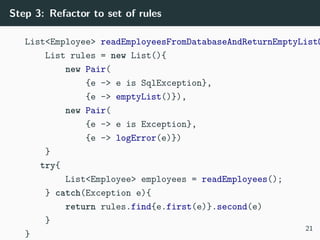
Step 3: Refactor to set of rules
List<Employee> readEmployeesFromDatabaseAndReturnEmptyListO
List rules = new List(){
new Pair(
{e -> e is SqlException},
{e -> emptyList()}),
new Pair(
{e -> e is Exception},
{e -> logError(e)})
}
try{
List<Employee> employees = readEmployees();
} catch(Exception e){
return rules.find{e.first(e)}.second(e)
}
}
21
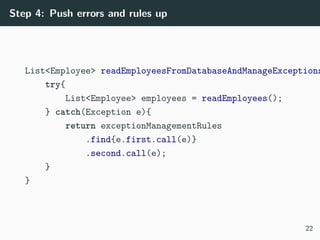
Step 4: Push errors and rules up
List<Employee> readEmployeesFromDatabaseAndManageExceptions
try{
List<Employee> employees = readEmployees();
} catch(Exception e){
return exceptionManagementRules
.find{e.first.call(e)}
.second.call(e);
}
}
22
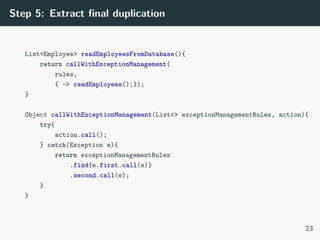
Step 5: Extract final duplication
List<Employee> readEmployeesFromDatabase(){
return callWithExceptionManagement(
rules,
{ -> readEmployees();});
}
Object callWithExceptionManagement(List<> exceptionManagementRules, action){
try{
action.call();
} catch(Exception e){
return exceptionManagementRules
.find{e.first.call(e)}
.second.call(e);
}
}
23
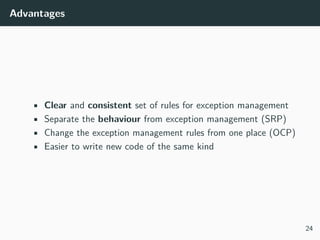
Advantages
• Clear and consistent set of rules for exception management
• Separate the behaviour from exception management (SRP)
• Change the exception management rules from one place (OCP)
• Easier to write new code of the same kind
24
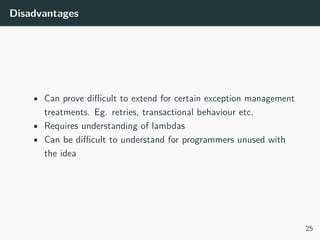
Disadvantages
• Can prove difficult to extend for certain exception management
treatments. Eg. retries, transactional behaviour etc.
• Requires understanding of lambdas
• Can be difficult to understand for programmers unused with
the idea
25
Example: Views
26
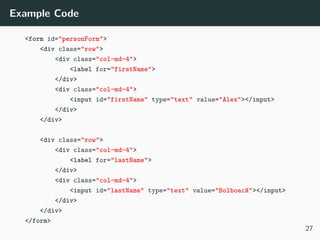
Example Code
<form id="personForm">
<div class="row">
<div class="col-md-4">
<label for="firstName">
</div>
<div class="col-md-4">
<input id="firstName" type="text" value="Alex"></input>
</div>
</div>
<div class="row">
<div class="col-md-4">
<label for="lastName">
</div>
<div class="col-md-4">
<input id="lastName" type="text" value="Bolboacă"></input>
</div>
</div>
</form>
27
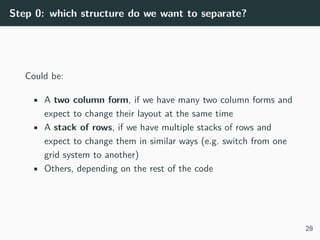
Step 0: which structure do we want to separate?
Could be:
• A two column form, if we have many two column forms and
expect to change their layout at the same time
• A stack of rows, if we have multiple stacks of rows and
expect to change them in similar ways (e.g. switch from one
grid system to another)
• Others, depending on the rest of the code
28
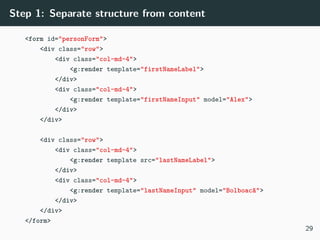
Step 1: Separate structure from content
<form id="personForm">
<div class="row">
<div class="col-md-4">
<g:render template="firstNameLabel">
</div>
<div class="col-md-4">
<g:render template="firstNameInput" model="Alex">
</div>
</div>
<div class="row">
<div class="col-md-4">
<g:render template src="lastNameLabel">
</div>
<div class="col-md-4">
<g:render template="lastNameInput" model="Bolboacă">
</div>
</div>
</form>
29
Step 2: Separate data model from layout
[
[
label: [template: 'firstNameLabel'],
input: [template: 'firstNameInput', value: 'Alex']
],
[
label: [template: 'lastNameLabel'],
input: [template: 'lastNameInput', value: 'Bolboacă']
]
]
30
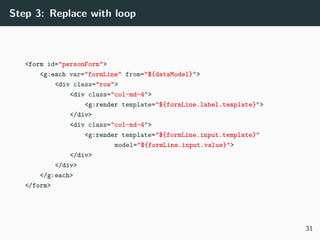
Step 3: Replace with loop
<form id="personForm">
<g:each var="formLine" from="${dataModel}">
<div class="row">
<div class="col-md-4">
<g:render template="${formLine.label.template}">
</div>
<div class="col-md-4">
<g:render template="${formLine.input.template}"
model="${formLine.input.value}">
</div>
</div>
</g:each>
</form>
31
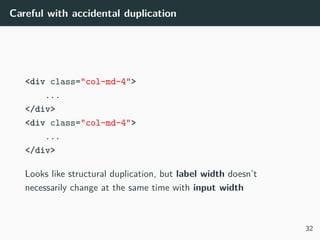
Careful with accidental duplication
<div class="col-md-4">
...
</div>
<div class="col-md-4">
...
</div>
Looks like structural duplication, but label width doesn’t
necessarily change at the same time with input width
32
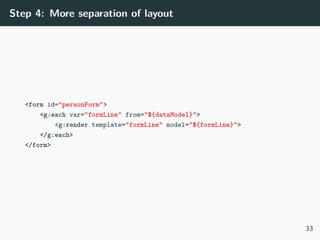
Step 4: More separation of layout
<form id="personForm">
<g:each var="formLine" from="${dataModel}">
<g:render template="formLine" model="${formLine}">
</g:each>
</form>
33
Advantages
• All two-column forms have the same structure, and we can
change it from one place
• Smaller, more focused code (SRP)
• Follow OCP (yes, it applies to views too!)
• Clear where to change details (label and input templates) and
where to change structure (form, formLine templates)
34
Disadvantages
• If only one of the forms changes structure (eg. to three
columns), it can be painful (aka rigidity to certain types of
change)
• Can be harder to navigate to the places where you need to
change things. The structure and conventions need to be
documented and learned
35
How to remove
36
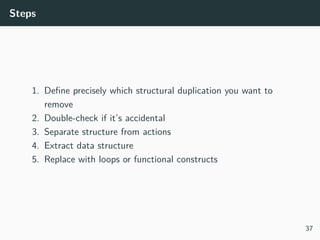
Steps
1. Define precisely which structural duplication you want to
remove
2. Double-check if it’s accidental
3. Separate structure from actions
4. Extract data structure
5. Replace with loops or functional constructs
37
In the End . . .
38
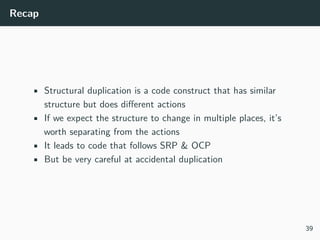
Recap
• Structural duplication is a code construct that has similar
structure but does different actions
• If we expect the structure to change in multiple places, it’s
worth separating from the actions
• It leads to code that follows SRP & OCP
• But be very careful at accidental duplication
39
Your choice
40
Q&A
41
Join ProductLeaders
42

Removing structural duplication

  • 1.
    Removing Structural Duplication AlexBolboacă, @alexboly, alex.bolboaca@mozaicworks.com May 2017 1
  • 2.
    What is StructuralDuplication? Why is it a problem? When to remove? Example: Exception management Example: Views How to remove In the End . . . 2
  • 3.
    What is StructuralDuplication? 3
  • 4.
    Definition Structural duplication (bettersaid, similarity) is a similar code structure that repeats, even though the actions performed inside the structure are different. 4
  • 5.
  • 6.
    Example: exceptions try{ ... ... } catch(FirstExceptionfirstExc){ ... } catch(SecondException secondExc){ ... } try{ ... ... } catch(SecondException secondExc){ ... } catch(ThirdException thirdExc){ ... } 6
  • 7.
    Example: views <form id="personForm"> <divclass="row"> <div class="col-md-4"> Show something here </div> <div class="col-md-4"> Show something different here </div> </div> <div class="row"> <div class="col-md-4"> Show yet something else here </div> <div class="col-md-4"> And again something else here </div> </div> </form> 7
  • 8.
    Why is ita problem? 8
  • 9.
    Issues • Risk: whenthe same structure is spread throughout the code, it’s likely that: • it will grow • it will keep increasing in duplication (eg. we’ll treat ThirdException in the same way in another place) • similar structures might change in similar ways, resulting in duplicated work • Intent hidden inside the structure • Long methods • Duplication in tests 9
  • 10.
  • 11.
    Criteria for removal •When it appears at least 3 times • When it’s expected to grow • When the intent is unclear • When we expect the structure of the code to change in similar ways in multiple places • Judgement call 11
  • 12.
  • 13.
  • 14.
    Example code List<Employee> readEmployeesFromDatabase(){ try{ ResultSetrs = stmt.executeQuery( "SELECT id, first, last, age FROM Employees"); List<Employee> employees = new List<Employee>(); while(rs.next()){ employees.add( new Employee(rs.getInt("id"), rs.getString("first"), rs.getString("last"), rs.getInt("age")); } rs.close(); return employees; } catch(SQLException se){ return new List<Employee>(); } catch(Exception e){ log.error("Exception: " + se.toString()); return null; } } 14
  • 15.
  • 16.
    Step 0: Clarifyresponsibilities (find the right name) List<Employee> readEmployeesFromDatabaseAndReturnEmptyListOnDbErrorAndLogOtherExceptions(){ .... } 16
  • 17.
    Step 0: Clarifyresponsibilities List<Employee> readEmployeesFromDatabaseAndReturnEmptyListO try{ ResultSet rs = stmt.executeQuery( "SELECT id, first, last, age FROM Employees"); List<Employee> employees = new List<Employee>(); while(rs.next()){ employees.add( new Employee(rs.getInt("id"), rs.getString("fir rs.getString("last"), rs.getInt("age")); } rs.close(); return employees; } catch(SQLException se){ return new List<Employee>(); 17
  • 18.
    Step 0: Separateresponsibilities (cont’d) List<Employee> readEmployeesFromDatabaseAndReturnEmptyListOnDbErrorAndLogOtherExceptions(){ try{ List<Employee> employees = readEmployeesFromDatabase(); } catch(SQLException se){ return new List<Employee>(); } catch(Exception e){ log.error("Exception: " + se.toString()); return null; } } 18
  • 19.
    Step 1: Removeduplication List<Employee> readEmployeesFromDatabaseAndReturnEmptyListOnDbErrorAndLogOtherExceptions(){ try{ List<Employee> employees = readEmployees(); } catch(Exception e){ if(e is SqlException){ return new List<Employee>(); } if(e is Exception){ log.error("Exception: " + se.toString()); return null; } } } 19
  • 20.
    Step 2: Extractaction for each if statement List<Employee> readEmployeesFromDatabase(){ try{ List<Employee> employees = readEmployees(); } catch(Exception e){ if(e is SqlException) return emptyList(); if(e is Exception) return logError(); } } 20
  • 21.
    Step 3: Refactorto set of rules List<Employee> readEmployeesFromDatabaseAndReturnEmptyListO List rules = new List(){ new Pair( {e -> e is SqlException}, {e -> emptyList()}), new Pair( {e -> e is Exception}, {e -> logError(e)}) } try{ List<Employee> employees = readEmployees(); } catch(Exception e){ return rules.find{e.first(e)}.second(e) } } 21
  • 22.
    Step 4: Pusherrors and rules up List<Employee> readEmployeesFromDatabaseAndManageExceptions try{ List<Employee> employees = readEmployees(); } catch(Exception e){ return exceptionManagementRules .find{e.first.call(e)} .second.call(e); } } 22
  • 23.
    Step 5: Extractfinal duplication List<Employee> readEmployeesFromDatabase(){ return callWithExceptionManagement( rules, { -> readEmployees();}); } Object callWithExceptionManagement(List<> exceptionManagementRules, action){ try{ action.call(); } catch(Exception e){ return exceptionManagementRules .find{e.first.call(e)} .second.call(e); } } 23
  • 24.
    Advantages • Clear andconsistent set of rules for exception management • Separate the behaviour from exception management (SRP) • Change the exception management rules from one place (OCP) • Easier to write new code of the same kind 24
  • 25.
    Disadvantages • Can provedifficult to extend for certain exception management treatments. Eg. retries, transactional behaviour etc. • Requires understanding of lambdas • Can be difficult to understand for programmers unused with the idea 25
  • 26.
  • 27.
    Example Code <form id="personForm"> <divclass="row"> <div class="col-md-4"> <label for="firstName"> </div> <div class="col-md-4"> <input id="firstName" type="text" value="Alex"></input> </div> </div> <div class="row"> <div class="col-md-4"> <label for="lastName"> </div> <div class="col-md-4"> <input id="lastName" type="text" value="Bolboacă"></input> </div> </div> </form> 27
  • 28.
    Step 0: whichstructure do we want to separate? Could be: • A two column form, if we have many two column forms and expect to change their layout at the same time • A stack of rows, if we have multiple stacks of rows and expect to change them in similar ways (e.g. switch from one grid system to another) • Others, depending on the rest of the code 28
  • 29.
    Step 1: Separatestructure from content <form id="personForm"> <div class="row"> <div class="col-md-4"> <g:render template="firstNameLabel"> </div> <div class="col-md-4"> <g:render template="firstNameInput" model="Alex"> </div> </div> <div class="row"> <div class="col-md-4"> <g:render template src="lastNameLabel"> </div> <div class="col-md-4"> <g:render template="lastNameInput" model="Bolboacă"> </div> </div> </form> 29
  • 30.
    Step 2: Separatedata model from layout [ [ label: [template: 'firstNameLabel'], input: [template: 'firstNameInput', value: 'Alex'] ], [ label: [template: 'lastNameLabel'], input: [template: 'lastNameInput', value: 'Bolboacă'] ] ] 30
  • 31.
    Step 3: Replacewith loop <form id="personForm"> <g:each var="formLine" from="${dataModel}"> <div class="row"> <div class="col-md-4"> <g:render template="${formLine.label.template}"> </div> <div class="col-md-4"> <g:render template="${formLine.input.template}" model="${formLine.input.value}"> </div> </div> </g:each> </form> 31
  • 32.
    Careful with accidentalduplication <div class="col-md-4"> ... </div> <div class="col-md-4"> ... </div> Looks like structural duplication, but label width doesn’t necessarily change at the same time with input width 32
  • 33.
    Step 4: Moreseparation of layout <form id="personForm"> <g:each var="formLine" from="${dataModel}"> <g:render template="formLine" model="${formLine}"> </g:each> </form> 33
  • 34.
    Advantages • All two-columnforms have the same structure, and we can change it from one place • Smaller, more focused code (SRP) • Follow OCP (yes, it applies to views too!) • Clear where to change details (label and input templates) and where to change structure (form, formLine templates) 34
  • 35.
    Disadvantages • If onlyone of the forms changes structure (eg. to three columns), it can be painful (aka rigidity to certain types of change) • Can be harder to navigate to the places where you need to change things. The structure and conventions need to be documented and learned 35
  • 36.
  • 37.
    Steps 1. Define preciselywhich structural duplication you want to remove 2. Double-check if it’s accidental 3. Separate structure from actions 4. Extract data structure 5. Replace with loops or functional constructs 37
  • 38.
    In the End. . . 38
  • 39.
    Recap • Structural duplicationis a code construct that has similar structure but does different actions • If we expect the structure to change in multiple places, it’s worth separating from the actions • It leads to code that follows SRP & OCP • But be very careful at accidental duplication 39
  • 40.
  • 41.
  • 42.